【コピペOK】ローディング 画面 デザイン CSSだけ 9選
ローディング 画面 デザインとは、サービスが開く最初の瞬間に「今準備しています」と伝える待ち画面のことです。デフォルトのスピナーでも動きますが、パステルのリングや満ちていく水のような画面にすると、同じ待ち時間が意図のあるものに見えます。コピペOK のローディング画面 9種を、動くデモとコード付きでまとめました。
 01 loading-screen-candy-ring
 02 loading-screen-gooey-dots
 03 loading-screen-blob-morph
 04 loading-screen-squish-ball
 05 loading-screen-orbit-dots
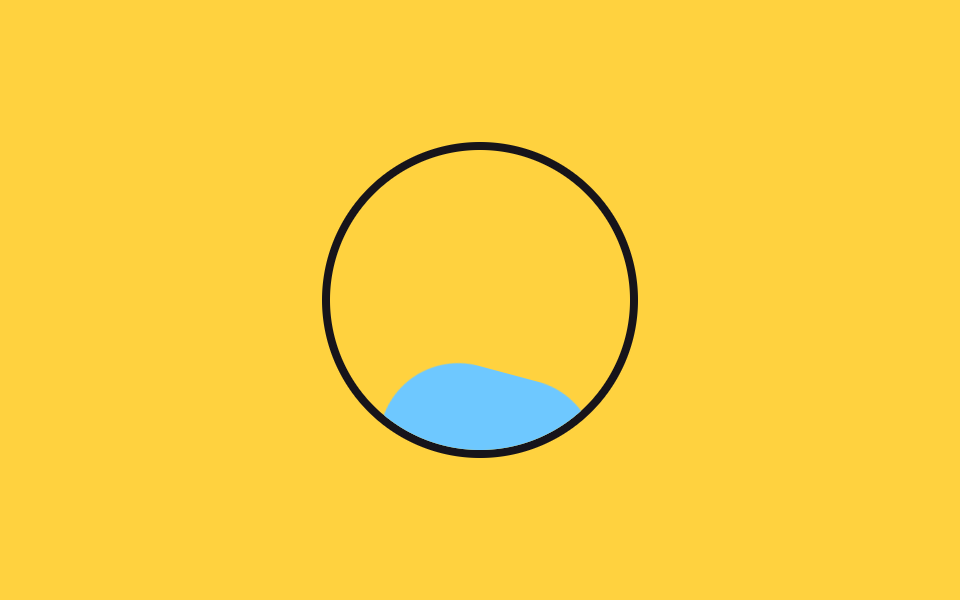 06 loading-screen-liquid-fill
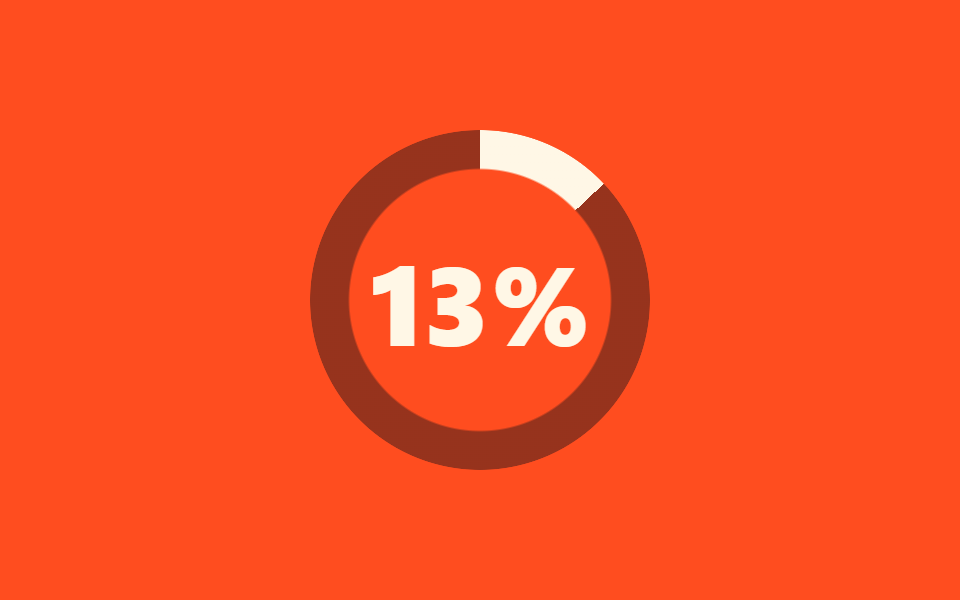 07 loading-screen-count-up
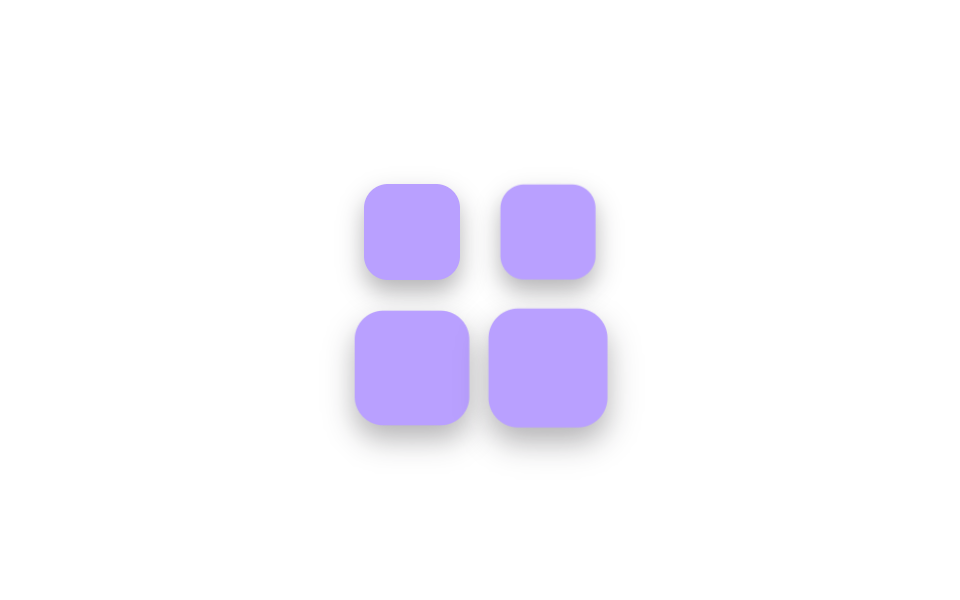 08 loading-screen-cube-stack
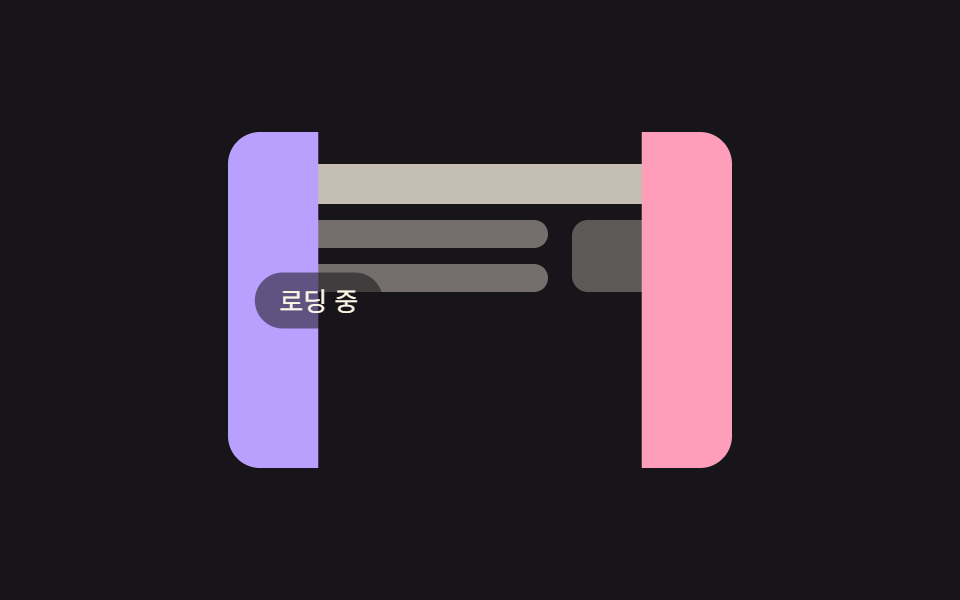 09 loading-screen-curtain-reveal
自動再生 · タイルを押すとその項目へ · すべて1つのzip
- 01 キャンディリング回転
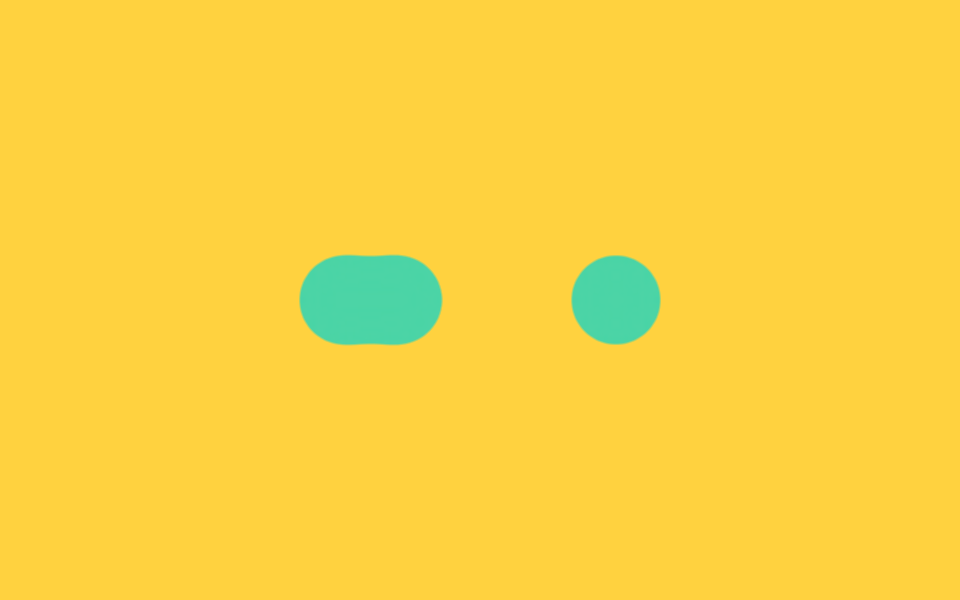
- 02 粘着感のあるドット3つ
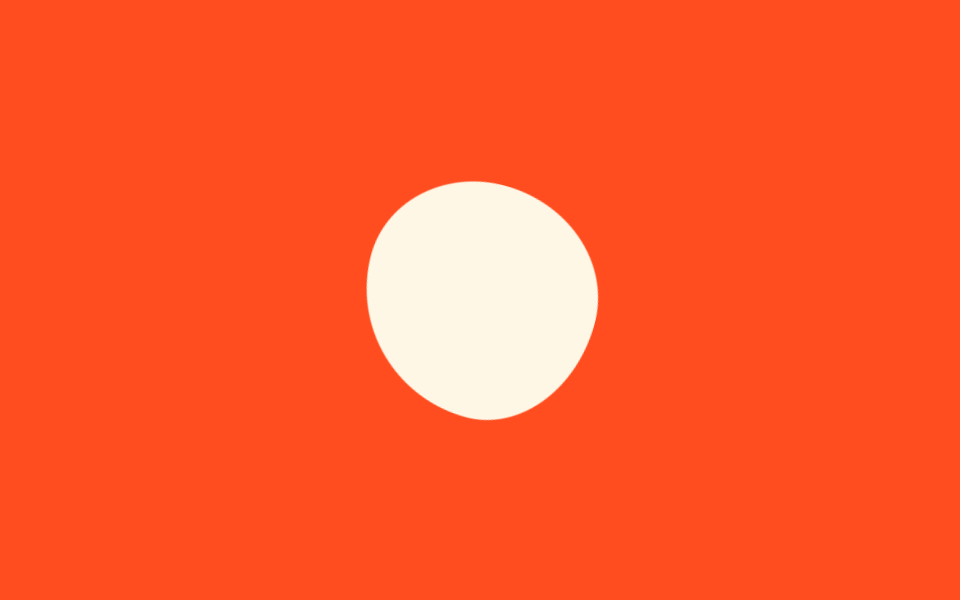
- 03 形の変わるブロブ
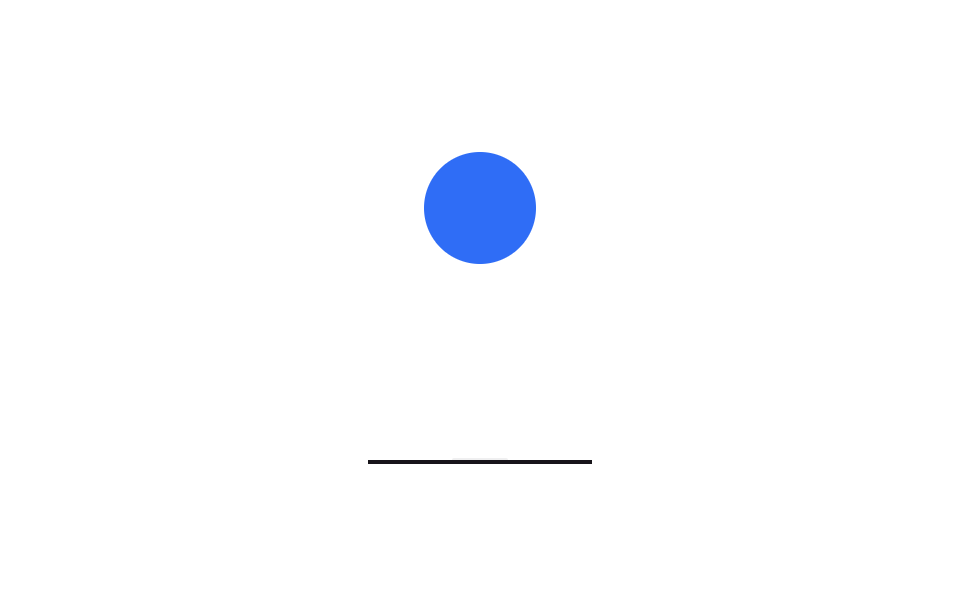
- 04 ペタンとつぶれるボール
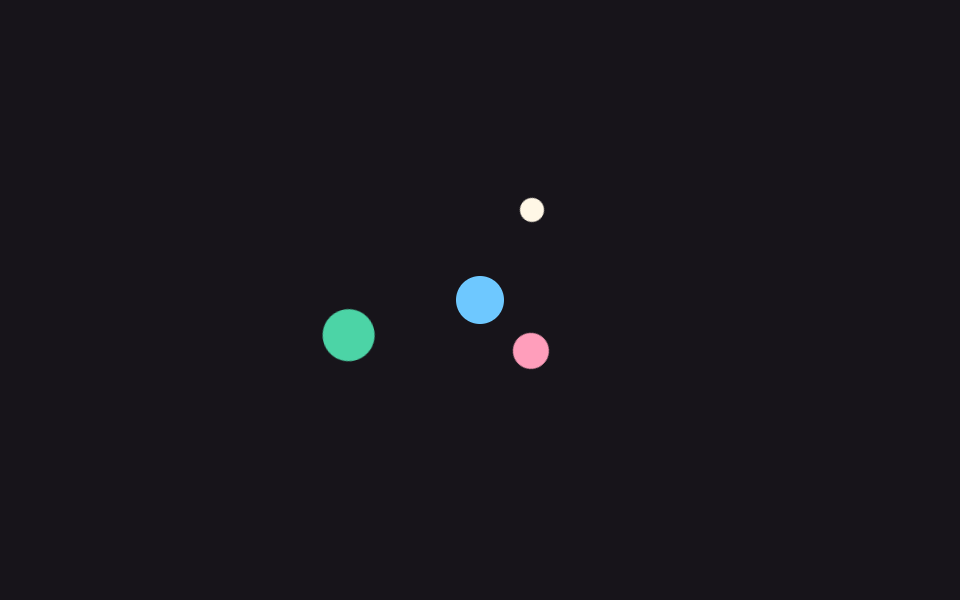
- 05 軌道を回るドット
- 06 満ちていく水の円
- 07 数字カウントアップ
- 08 積み上がるキューブ
- 09 カーテンが開く
9種は人気順ではなく、ローディング gif を選ぶときと同じ順番で並べています。まず無難な最初の一枚であるキャンディリング(01)と見慣れたドット(02)から入り、個性が出るブロブ(03)とボール(04)へ。丁寧な軌道(05)と満ちる水(06)で待ち時間に意味を持たせ、数字カウント(07)とキューブ(08)で進捗を知らせ、ローディングが終わる瞬間を演出するカーテン(09)で締めます。待つ相手が人ではなくチャット欄ならAIチャット ローディング アニメーション 9選がその席に座り、画面そのものが次のページへ移る場面ならページ遷移 ローディング 9選が合う服です。
01キャンディリング回転
ローディング アニメーション css で何が見えるか
パステル3色を混ぜた conic-gradient のリングを mask でドーナツ形にくり抜き、1秒で1回転させます。外側のラッパーは独立した2秒周期で1.12倍まで息をするので、回っているだけのリングよりずっと生きて見えます。
<main class="stage">
  <div class="cr-wrap is-demo" aria-hidden="true">
    <div class="cr-ring"></div>
  </div>
</main>
@use "../../../../site/static/demo-tokens" as *;
// ── 변수 3개 ──────────────────────────────────────────
$duration: 1s; // 링 한 바퀴
$easing: $ease-out;
$color: $subject-pink;
@include stage($stage-ink);
// 실사용: 로딩 시작하면 JS 가 .is-loading 을 붙인다
.cr-wrap {
width: 148px;
height: 148px;
display: grid;
place-items: center;
}
.cr-ring {
width: 148px;
height: 148px;
border-radius: 50%;
background: conic-gradient(from 0deg, $color, $subject-lilac, $subject-sky, $color);
mask: radial-gradient(farthest-side, #0000 calc(100% - 22px), #000 calc(100% - 21px));
}
.cr-wrap.is-loading,
.cr-wrap.is-demo {
.cr-ring { animation: cr-spin $duration linear infinite; }
animation: cr-breathe 2s $easing infinite;
}
@keyframes cr-spin {
to { transform: rotate(360deg); }
}
@keyframes cr-breathe {
0%, 100% { transform: scale(1); }
50% { transform: scale(1.12); }
}
@media (prefers-reduced-motion: reduce) {
.cr-wrap.is-loading,
.cr-wrap.is-demo {
animation: none !important;
.cr-ring { animation: none !important; }
}
}
// 320px 폭 스테이지에서 1.12배 breathe 가 패딩 여유를 거의 다 먹어 타이밍에 따라 세로 넘침이 났다
// (실측 2026-09-11: 148px 링 기준 여유 8.64px 뿐이라 렌더 타이밍마다 폰넘침 O/X 가 갈림) — 좁은 화면에서 링 자체를 줄여 여유를 키운다
@media (max-width: 340px), (max-height: 220px) {
.cr-wrap, .cr-ring { width: 116px; height: 116px; }
}html, body {
margin: 0;
overflow: hidden;
}
.stage {
box-sizing: border-box;
min-height: 100vh;
display: grid;
place-items: center;
margin: 0;
background: #17141a;
font-family: -apple-system, "Segoe UI", "Noto Sans KR", sans-serif;
padding: clamp(8px, 4vw, 24px);
}
.cr-wrap {
width: 148px;
height: 148px;
display: grid;
place-items: center;
}
.cr-ring {
width: 148px;
height: 148px;
border-radius: 50%;
background: conic-gradient(from 0deg, #ff9ebb, #b9a0ff, #6ec8ff, #ff9ebb);
mask: radial-gradient(farthest-side, rgba(0, 0, 0, 0) calc(100% - 22px), #000 calc(100% - 21px));
}
.cr-wrap.is-loading .cr-ring,
.cr-wrap.is-demo .cr-ring {
animation: cr-spin 1s linear infinite;
}
.cr-wrap.is-loading,
.cr-wrap.is-demo {
animation: cr-breathe 2s ease-out infinite;
}
@keyframes cr-spin {
to {
transform: rotate(360deg);
}
}
@keyframes cr-breathe {
0%, 100% {
transform: scale(1);
}
50% {
transform: scale(1.12);
}
}
@media (prefers-reduced-motion: reduce) {
.cr-wrap.is-loading,
.cr-wrap.is-demo {
animation: none !important;
}
.cr-wrap.is-loading .cr-ring,
.cr-wrap.is-demo .cr-ring {
animation: none !important;
}
}
@media (max-width: 340px), (max-height: 220px) {
.cr-wrap, .cr-ring {
width: 116px;
height: 116px;
}
}import { CSSProperties } from "react";
import styles from "./CandyRing.module.scss";
type Vars = CSSProperties & {
"--duration"?: string;
"--easing"?: string;
"--color"?: string;
};
export interface CandyRingProps {
duration?: string;
easing?: string;
color?: string;
}
export default function CandyRing({
duration = "1s",
easing = "ease-out",
color = "#ff9ebb",
}: CandyRingProps) {
const style: Vars = {
"--duration": duration,
"--easing": easing,
"--color": color,
};
return (
<div className={`${styles.wrap} ${styles.demo}`} style={style} aria-hidden="true">
<div className={styles.ring} />
</div>
);
}01 · キャンディリング回転 — 計測 累積面積 9.335% · 動いたフレーム 23/23GODRICH オリジナル · SCSS と React は zip に同梱 · パスワードを見る
コードのどこを見るか
暗い最初の画面でキャンディのように目を引く、ダークテーマ向けの代表選手です。
.cr-ring {
  width: 148px;
  height: 148px;
  border-radius: 50%;
  background: conic-gradient(from 0deg, $color, $subject-lilac, $subject-sky, $color);
  mask: radial-gradient(farthest-side, #0000 calc(100% - 22px), #000 calc(100% - 21px));
}
.cr-wrap.is-demo {
  .cr-ring { animation: cr-spin $duration linear infinite; }
  animation: cr-breathe 2s $easing infinite;
}
@keyframes cr-spin { to { transform: rotate(360deg); } }
@keyframes cr-breathe {
  0%, 100% { transform: scale(1); }
  50% { transform: scale(1.12); }
}
02粘着感のあるドット3つ
画面で起きること
真ん中のドット1つだけが左右に動き、両端で止まっている隣のドットに触れるたびに伸びてくっつき、また離れます。最初は blur と contrast のフィルタ組み合わせで作りましたが、黄色い背景ではドットの縁に赤い縁取りが残るため、色ではなくアルファ(不透明度)だけを増幅する SVG の feColorMatrix 方式に変えました。
<main class="stage">
  <!-- gooey: 색이 아니라 알파(불투명도)를 증폭해 끈적이는 이음새를 만든다 -->
  <svg width="0" height="0" style="position:absolute" aria-hidden="true">
    <defs>
      <filter id="goo-filter">
        <feGaussianBlur in="SourceGraphic" stdDeviation="8" result="blur"/>
        <feColorMatrix in="blur" mode="matrix"
          values="1 0 0 0 0  0 1 0 0 0  0 0 1 0 0  0 0 0 18 -7"/>
      </filter>
    </defs>
  </svg>
  <div class="goo is-demo" aria-hidden="true">
    <span class="goo-dot gd-a"></span>
    <span class="goo-dot gd-b"></span>
    <span class="goo-dot gd-c"></span>
  </div>
</main>
@use "../../../../site/static/demo-tokens" as *;
// ── 변수 3개 ──────────────────────────────────────────
$duration: 2s;
$easing: $ease-spring;
$color: $subject-mint;
@include stage($stage-yellow);
// gooey 필터: SVG feGaussianBlur 로 번지게 한 뒤 feColorMatrix 로
// 알파(불투명도)만 증폭해 경계를 다시 세운다. 색 채널은 건드리지 않아
// blur+contrast 조합이 노란 배경에서 만드는 붉은 테두리가 생기지 않는다.
.goo {
position: relative;
display: flex;
align-items: center;
padding: $sp-6 $sp-8;
filter: url(#goo-filter);
}
.goo-dot {
width: 44px;
height: 44px;
border-radius: 50%;
background: $color;
margin-right: $sp-6;
}
.goo-dot:last-child { margin-right: 0; }
// 실사용: 로딩 중에만 .is-loading — 가운데 점이 좌우 끝점을 차례로 찾아간다
.goo.is-loading .gd-b,
.goo.is-demo .gd-b {
animation: goo-slide $duration $easing infinite;
}
@keyframes goo-slide {
0%, 50%, 100% { transform: translateX(0); }
25% { transform: translateX(-68px); }
75% { transform: translateX(68px); }
}
@media (prefers-reduced-motion: reduce) {
.goo.is-loading .gd-b,
.goo.is-demo .gd-b {
animation: none !important;
transform: none !important;
}
.goo { filter: none; }
}html, body {
margin: 0;
overflow: hidden;
}
.stage {
box-sizing: border-box;
min-height: 100vh;
display: grid;
place-items: center;
margin: 0;
background: #ffd23f;
font-family: -apple-system, "Segoe UI", "Noto Sans KR", sans-serif;
padding: clamp(8px, 4vw, 24px);
}
.goo {
position: relative;
display: flex;
align-items: center;
padding: 24px 32px;
filter: url(#goo-filter);
}
.goo-dot {
width: 44px;
height: 44px;
border-radius: 50%;
background: #4cd4a6;
margin-right: 24px;
}
.goo-dot:last-child {
margin-right: 0;
}
.goo.is-loading .gd-b,
.goo.is-demo .gd-b {
animation: goo-slide 2s cubic-bezier(0.2, 0.8, 0.2, 1) infinite;
}
@keyframes goo-slide {
0%, 50%, 100% {
transform: translateX(0);
}
25% {
transform: translateX(-68px);
}
75% {
transform: translateX(68px);
}
}
@media (prefers-reduced-motion: reduce) {
.goo.is-loading .gd-b,
.goo.is-demo .gd-b {
animation: none !important;
transform: none !important;
}
.goo {
filter: none;
}
}import { CSSProperties } from "react";
import styles from "./GooeyDots.module.scss";
type Vars = CSSProperties & {
"--duration"?: string;
"--easing"?: string;
"--color"?: string;
};
export interface GooeyDotsProps {
duration?: string;
easing?: string;
color?: string;
/** 페이지에 필터가 여러 개면 겹치지 않게 다른 id 를 준다 */
filterId?: string;
}
export default function GooeyDots({
duration = "2s",
easing = "cubic-bezier(.2, .8, .2, 1)",
color = "#4cd4a6",
filterId = "goo-loader",
}: GooeyDotsProps) {
const style: Vars = {
"--duration": duration,
"--easing": easing,
"--color": color,
};
return (
<>
<svg width="0" height="0" style={{ position: "absolute" }} aria-hidden="true">
<defs>
<filter id={filterId}>
<feGaussianBlur in="SourceGraphic" stdDeviation="8" result="blur" />
<feColorMatrix
in="blur"
mode="matrix"
values="1 0 0 0 0 0 1 0 0 0 0 0 1 0 0 0 0 0 18 -7"
/>
</filter>
</defs>
</svg>
<div
className={styles.goo}
style={{ ...style, filter: `url(#${filterId})` }}
aria-hidden="true"
>
<span className={styles.dot} />
<span className={`${styles.dot} ${styles.dotB}`} />
<span className={styles.dot} />
</div>
</>
);
}02 · 粘着感のあるドット3つ — 計測 累積面積 3.392% · 動いたフレーム 23/23GODRICH オリジナル · SCSS と React は zip に同梱 · パスワードを見る
コードの読み方
動きはそのまま、色のにじみだけが消えました。
<svg width="0" height="0" style="position:absolute">
  <defs>
    <filter id="goo-filter">
      <feGaussianBlur in="SourceGraphic" stdDeviation="8" result="blur"/>
      <feColorMatrix in="blur" mode="matrix"
        values="1 0 0 0 0  0 1 0 0 0  0 0 1 0 0  0 0 0 18 -7"/>
    </filter>
  </defs>
</svg>
<div class="goo">
  <span class="goo-dot"></span>
  <span class="goo-dot gd-b"></span>
  <span class="goo-dot"></span>
</div>
.goo {
  display: flex;
  align-items: center;
  padding: $sp-6 $sp-8;
  filter: url(#goo-filter);
}
.gd-b { animation: goo-slide 2s $ease-spring infinite; }
@keyframes goo-slide {
  0%, 50%, 100% { transform: translateX(0); }
  25% { transform: translateX(-68px); }
  75% { transform: translateX(68px); }
}
03形の変わるブロブ
どんな動きか
クッションのような形が、8つの border-radius 値を順に切り替えながら90度ずつ回転して、絶えずうごめきます。半径値の4組が2秒のループでちょうど元に戻るので、継ぎ目は見えません。
<main class="stage">
  <div class="mb-blob is-demo" aria-hidden="true"></div>
</main>
@use "../../../../site/static/demo-tokens" as *;
// ── 변수 3개 ──────────────────────────────────────────
$duration: 2s;
$easing: linear;
$color: $subject-cream;
@include stage($stage-orange);
// 실사용: 로딩 중에만 .is-loading
.mb-blob {
width: 112px;
height: 112px;
border-radius: 58% 42% 43% 57% / 45% 58% 42% 55%; // 정지 모양도 블롭
background: $color;
}
.mb-blob.is-loading,
.mb-blob.is-demo {
// 반경 여덟 값이 순서를 바꾸며 모양을 바꾸고, 회전이 붙어 한 바퀴에 정확히 돌아온다
animation: mb-morph $duration $easing infinite;
}
@keyframes mb-morph {
0% {
border-radius: 58% 42% 43% 57% / 45% 58% 42% 55%;
transform: rotate(0deg) scale(1);
}
25% {
border-radius: 45% 55% 60% 40% / 52% 42% 58% 48%;
transform: rotate(90deg) scale(1.06);
}
50% {
border-radius: 57% 43% 40% 60% / 55% 47% 53% 45%;
transform: rotate(180deg) scale(0.96);
}
75% {
border-radius: 42% 58% 57% 43% / 48% 55% 45% 52%;
transform: rotate(270deg) scale(1.04);
}
100% {
border-radius: 58% 42% 43% 57% / 45% 58% 42% 55%;
transform: rotate(360deg) scale(1);
}
}
@media (prefers-reduced-motion: reduce) {
.mb-blob.is-loading,
.mb-blob.is-demo {
animation: none !important;
transform: none !important;
}
}html, body {
margin: 0;
overflow: hidden;
}
.stage {
box-sizing: border-box;
min-height: 100vh;
display: grid;
place-items: center;
margin: 0;
background: #ff4d1f;
font-family: -apple-system, "Segoe UI", "Noto Sans KR", sans-serif;
padding: clamp(8px, 4vw, 24px);
}
.mb-blob {
width: 112px;
height: 112px;
border-radius: 58% 42% 43% 57%/45% 58% 42% 55%;
background: #fff7e6;
}
.mb-blob.is-loading,
.mb-blob.is-demo {
animation: mb-morph 2s linear infinite;
}
@keyframes mb-morph {
0% {
border-radius: 58% 42% 43% 57%/45% 58% 42% 55%;
transform: rotate(0deg) scale(1);
}
25% {
border-radius: 45% 55% 60% 40%/52% 42% 58% 48%;
transform: rotate(90deg) scale(1.06);
}
50% {
border-radius: 57% 43% 40% 60%/55% 47% 53% 45%;
transform: rotate(180deg) scale(0.96);
}
75% {
border-radius: 42% 58% 57% 43%/48% 55% 45% 52%;
transform: rotate(270deg) scale(1.04);
}
100% {
border-radius: 58% 42% 43% 57%/45% 58% 42% 55%;
transform: rotate(360deg) scale(1);
}
}
@media (prefers-reduced-motion: reduce) {
.mb-blob.is-loading,
.mb-blob.is-demo {
animation: none !important;
transform: none !important;
}
}import { CSSProperties } from "react";
import styles from "./MorphingBlob.module.scss";
type Vars = CSSProperties & {
"--duration"?: string;
"--easing"?: string;
"--color"?: string;
};
export interface MorphingBlobProps {
duration?: string;
easing?: string;
color?: string;
}
export default function MorphingBlob({
duration = "2s",
easing = "linear",
color = "#fff7e6",
}: MorphingBlobProps) {
const style: Vars = {
"--duration": duration,
"--easing": easing,
"--color": color,
};
return <div className={styles.blob} style={style} aria-hidden="true" />;
}03 · 形の変わるブロブ — 計測 累積面積 2.206% · 動いたフレーム 23/23GODRICH オリジナル · SCSS と React は zip に同梱 · パスワードを見る
どこを変えるか
アニメーションを止めた状態でもブロブの形が残るよう、基本の半径を別に用意しました。
.mb-blob {
  width: 112px;
  height: 112px;
  border-radius: 58% 42% 43% 57% / 45% 58% 42% 55%;
  background: $color;
}
.mb-blob.is-demo { animation: mb-morph $duration linear infinite; }
@keyframes mb-morph {
  0%   { border-radius: 58% 42% 43% 57% / 45% 58% 42% 55%; transform: rotate(0deg) scale(1); }
  25%  { border-radius: 45% 55% 60% 40% / 52% 42% 58% 48%; transform: rotate(90deg) scale(1.06); }
  50%  { border-radius: 57% 43% 40% 60% / 55% 47% 53% 45%; transform: rotate(180deg) scale(.96); }
  75%  { border-radius: 42% 58% 57% 43% / 48% 55% 45% 52%; transform: rotate(270deg) scale(1.04); }
  100% { border-radius: 58% 42% 43% 57% / 45% 58% 42% 55%; transform: rotate(360deg) scale(1); }
}
04ペタンとつぶれるボール
何が見えるか
ボールが落下し、床に触れた瞬間に高さ0.55倍につぶれ、1拍置いて弾力で跳ね返ります。transform-origin を床の中央に置くことで、つぶれる瞬間もボールの底が床に張り付き、影はボールが高いときは小さく薄く、着地すると大きくなります。
<main class="stage">
  <div class="sq-scene is-demo" aria-hidden="true">
    <div class="sq-ball"></div>
    <div class="sq-shadow"></div>
    <div class="sq-floor"></div>
  </div>
</main>
@use "../../../../site/static/demo-tokens" as *;
// ── 변수 3개 ──────────────────────────────────────────
$duration: 1s;
$easing: cubic-bezier(.45, 0, .8, .6); // 떨어질 때: 점점 빨라지는 중력
$color: $subject-blue;
@include stage($stage-paper);
// 실사용: 로딩 중에만 .is-loading
.sq-scene {
position: relative;
width: 112px;
height: 164px;
}
.sq-ball {
position: absolute;
left: 50%;
bottom: 2px; // 바닥선(2px) 위에 정확히 얹힌다
width: 56px;
height: 56px;
margin-left: -28px;
border-radius: 50%;
background: $color;
transform-origin: 50% 100%; // 바닥에 닿은 채로 찍히게
}
.sq-shadow {
position: absolute;
left: 50%;
bottom: 0;
width: 56px;
height: $sp-1;
margin-left: -28px;
border-radius: $r-pill;
background: rgba(23, 20, 26, .22);
}
.sq-floor {
position: absolute;
left: 0;
bottom: 0;
width: 100%;
height: 2px;
background: $subject-ink;
}
.sq-scene.is-loading .sq-ball,
.sq-scene.is-demo .sq-ball {
animation: sq-bounce $duration $easing infinite;
}
.sq-scene.is-loading .sq-shadow,
.sq-scene.is-demo .sq-shadow {
animation: sq-shadow-pulse $duration $easing infinite;
}
@keyframes sq-bounce {
0% { transform: translateY(-98px) scale(1, 1); }
55% { transform: translateY(0) scale(1, 1); } // 바닥 도착
68% { transform: translateY(0) scale(1.28, .55); } // 쿵 — 찍힘
80% { transform: translateY(0) scale(.92, 1.08); } // 되튕기며 복원
100% { transform: translateY(-98px) scale(1, 1); }
}
@keyframes sq-shadow-pulse {
0%, 100% { transform: scale(.5); opacity: .3; }
55%, 80% { transform: scale(1.05); opacity: .75; }
}
@media (prefers-reduced-motion: reduce) {
.sq-scene.is-loading .sq-ball,
.sq-scene.is-demo .sq-ball {
animation: none !important;
transform: translateY(-40px) !important; // 정지해도 공중에 떠 있는 모양
}
.sq-scene.is-loading .sq-shadow,
.sq-scene.is-demo .sq-shadow {
animation: none !important;
opacity: .5 !important;
transform: scale(.8) !important;
}
}html, body {
margin: 0;
overflow: hidden;
}
.stage {
box-sizing: border-box;
min-height: 100vh;
display: grid;
place-items: center;
margin: 0;
background: #ffffff;
font-family: -apple-system, "Segoe UI", "Noto Sans KR", sans-serif;
padding: clamp(8px, 4vw, 24px);
}
.sq-scene {
position: relative;
width: 112px;
height: 164px;
}
.sq-ball {
position: absolute;
left: 50%;
bottom: 2px;
width: 56px;
height: 56px;
margin-left: -28px;
border-radius: 50%;
background: #2f6df6;
transform-origin: 50% 100%;
}
.sq-shadow {
position: absolute;
left: 50%;
bottom: 0;
width: 56px;
height: 4px;
margin-left: -28px;
border-radius: 999px;
background: rgba(23, 20, 26, 0.22);
}
.sq-floor {
position: absolute;
left: 0;
bottom: 0;
width: 100%;
height: 2px;
background: #17141a;
}
.sq-scene.is-loading .sq-ball,
.sq-scene.is-demo .sq-ball {
animation: sq-bounce 1s cubic-bezier(0.45, 0, 0.8, 0.6) infinite;
}
.sq-scene.is-loading .sq-shadow,
.sq-scene.is-demo .sq-shadow {
animation: sq-shadow-pulse 1s cubic-bezier(0.45, 0, 0.8, 0.6) infinite;
}
@keyframes sq-bounce {
0% {
transform: translateY(-98px) scale(1, 1);
}
55% {
transform: translateY(0) scale(1, 1);
}
68% {
transform: translateY(0) scale(1.28, 0.55);
}
80% {
transform: translateY(0) scale(0.92, 1.08);
}
100% {
transform: translateY(-98px) scale(1, 1);
}
}
@keyframes sq-shadow-pulse {
0%, 100% {
transform: scale(0.5);
opacity: 0.3;
}
55%, 80% {
transform: scale(1.05);
opacity: 0.75;
}
}
@media (prefers-reduced-motion: reduce) {
.sq-scene.is-loading .sq-ball,
.sq-scene.is-demo .sq-ball {
animation: none !important;
transform: translateY(-40px) !important;
}
.sq-scene.is-loading .sq-shadow,
.sq-scene.is-demo .sq-shadow {
animation: none !important;
opacity: 0.5 !important;
transform: scale(0.8) !important;
}
}import { CSSProperties } from "react";
import styles from "./SquishBall.module.scss";
type Vars = CSSProperties & {
"--duration"?: string;
"--easing"?: string;
"--color"?: string;
};
export interface SquishBallProps {
duration?: string;
easing?: string;
color?: string;
}
export default function SquishBall({
duration = "1s",
easing = "cubic-bezier(.45, 0, .8, .6)",
color = "#2f6df6",
}: SquishBallProps) {
const style: Vars = {
"--duration": duration,
"--easing": easing,
"--color": color,
};
return (
<div className={styles.scene} style={style} aria-hidden="true">
<div className={styles.ball} />
<div className={styles.shadow} />
<div className={styles.floor} />
</div>
);
}04 · ペタンとつぶれるボール — 計測 累積面積 5.947% · 動いたフレーム 23/23GODRICH オリジナル · SCSS と React は zip に同梱 · パスワードを見る
コードのどこを見るか
落下区間は加速する cubic-bezier(.45, 0, .8, .6) で重力感を出しています。
.sq-ball {
  position: absolute;
  left: 50%;
  bottom: 2px;
  width: 56px;
  height: 56px;
  margin-left: -28px;
  border-radius: 50%;
  background: $color;
  transform-origin: 50% 100%;
}
.sq-ball.is-demo { animation: sq-bounce 1s cubic-bezier(.45, 0, .8, .6) infinite; }
@keyframes sq-bounce {
  0%   { transform: translateY(-98px) scale(1, 1); }
  55%  { transform: translateY(0) scale(1, 1); }
  68%  { transform: translateY(0) scale(1.28, .55); }
  80%  { transform: translateY(0) scale(.92, 1.08); }
  100% { transform: translateY(-98px) scale(1, 1); }
}
05軌道を回るドット
画面で起きること
大きさの違うドット3つが同じ中心を持ち、半径36・52・68px の軌道をそれぞれ回ります。小さいドットほど角速度が速く(1秒対2秒)、惑星が回るような奥行きが生まれ、3つは120度ずつずれた位相から出発するので一か所に固まりません。
<main class="stage">
  <div class="ob-system is-demo" aria-hidden="true">
    <span class="ob-core"></span>
    <span class="ob-dot od-s"></span>
    <span class="ob-dot od-m"></span>
    <span class="ob-dot od-l"></span>
  </div>
</main>
@use "../../../../site/static/demo-tokens" as *;
// ── 변수 3개 ──────────────────────────────────────────
$duration: 2s; // 바깥 두 점의 한 바퀴 (안쪽 작은 점은 절반)
$easing: linear;
$color: $subject-cream;
@include stage($stage-ink);
// 실사용: 로딩 중에만 .is-loading
// 각 점은 자기 transform-origin 을 계통 중심에 두고 제자리에서 공전한다.
// 회전하는 컨다란 팔 박스를 쓰면 정사각형이 45도에 경계 상자가 루트2배로
// 커져 320px 폰 화면에서 세로 넘침을 일으킨다 (219 실측).
.ob-system {
position: relative;
width: 168px;
height: 168px;
}
.ob-core {
position: absolute;
left: 50%;
top: 50%;
width: 24px;
height: 24px;
margin: -12px 0 0 -12px;
border-radius: 50%;
background: $subject-sky;
}
.ob-dot {
position: absolute;
border-radius: 50%;
}
// 작은 점: 안쪽 궤도(반지름 52), 빠르게
.od-s {
top: 26px; // 84 - 52 - 6
left: calc(50% - 6px);
width: 12px;
height: 12px;
background: $color;
transform-origin: 50% 58px; // 점 중심에서 계통 중심까지 52 + 자기 반지름 6
}
// 중간 점: 가장 안쪽 궤도(반지름 36)
.od-m {
top: 39px; // 84 - 36 - 9
left: calc(50% - 9px);
width: 18px;
height: 18px;
background: $subject-pink;
transform-origin: 50% 45px; // 규칙8: 계통 중심 공전 축
}
// 큰 점: 바깥 궤도(반지름 68), 느리게
.od-l {
top: 3px; // 84 - 68 - 13
left: calc(50% - 13px);
width: 26px;
height: 26px;
background: $subject-mint;
transform-origin: 50% 81px; // 규칙8: 계통 중심 공전 축
}
// 세 점은 같은 방향, 서로 120도씩 어긋난 위상에서 출발한다
.ob-system.is-loading .od-s,
.ob-system.is-demo .od-s { animation: ob-spin-a ($duration / 2) $easing infinite; }
.ob-system.is-loading .od-m,
.ob-system.is-demo .od-m { animation: ob-spin-b $duration $easing infinite; }
.ob-system.is-loading .od-l,
.ob-system.is-demo .od-l { animation: ob-spin-c $duration $easing infinite; }
@keyframes ob-spin-a {
from { transform: rotate(0deg); }
to { transform: rotate(360deg); }
}
@keyframes ob-spin-b {
from { transform: rotate(120deg); }
to { transform: rotate(480deg); }
}
@keyframes ob-spin-c {
from { transform: rotate(240deg); }
to { transform: rotate(600deg); }
}
@media (prefers-reduced-motion: reduce) {
.ob-system.is-loading .od-s,
.ob-system.is-loading .od-m,
.ob-system.is-loading .od-l,
.ob-system.is-demo .od-s,
.ob-system.is-demo .od-m,
.ob-system.is-demo .od-l {
animation: none !important;
transform: none !important;
}
}html, body {
margin: 0;
overflow: hidden;
}
.stage {
box-sizing: border-box;
min-height: 100vh;
display: grid;
place-items: center;
margin: 0;
background: #17141a;
font-family: -apple-system, "Segoe UI", "Noto Sans KR", sans-serif;
padding: clamp(8px, 4vw, 24px);
}
.ob-system {
position: relative;
width: 168px;
height: 168px;
}
.ob-core {
position: absolute;
left: 50%;
top: 50%;
width: 24px;
height: 24px;
margin: -12px 0 0 -12px;
border-radius: 50%;
background: #6ec8ff;
}
.ob-dot {
position: absolute;
border-radius: 50%;
}
.od-s {
top: 26px;
left: calc(50% - 6px);
width: 12px;
height: 12px;
background: #fff7e6;
transform-origin: 50% 58px;
}
.od-m {
top: 39px;
left: calc(50% - 9px);
width: 18px;
height: 18px;
background: #ff9ebb;
transform-origin: 50% 45px;
}
.od-l {
top: 3px;
left: calc(50% - 13px);
width: 26px;
height: 26px;
background: #4cd4a6;
transform-origin: 50% 81px;
}
.ob-system.is-loading .od-s,
.ob-system.is-demo .od-s {
animation: ob-spin-a 1s linear infinite;
}
.ob-system.is-loading .od-m,
.ob-system.is-demo .od-m {
animation: ob-spin-b 2s linear infinite;
}
.ob-system.is-loading .od-l,
.ob-system.is-demo .od-l {
animation: ob-spin-c 2s linear infinite;
}
@keyframes ob-spin-a {
from {
transform: rotate(0deg);
}
to {
transform: rotate(360deg);
}
}
@keyframes ob-spin-b {
from {
transform: rotate(120deg);
}
to {
transform: rotate(480deg);
}
}
@keyframes ob-spin-c {
from {
transform: rotate(240deg);
}
to {
transform: rotate(600deg);
}
}
@media (prefers-reduced-motion: reduce) {
.ob-system.is-loading .od-s,
.ob-system.is-loading .od-m,
.ob-system.is-loading .od-l,
.ob-system.is-demo .od-s,
.ob-system.is-demo .od-m,
.ob-system.is-demo .od-l {
animation: none !important;
transform: none !important;
}
}import { CSSProperties } from "react";
import styles from "./OrbitDots.module.scss";
type Vars = CSSProperties & {
"--duration"?: string;
"--easing"?: string;
"--color"?: string;
};
export interface OrbitDotsProps {
duration?: string;
easing?: string;
color?: string;
}
export default function OrbitDots({
duration = "2s",
easing = "linear",
color = "#fff7e6",
}: OrbitDotsProps) {
const style: Vars = {
"--duration": duration,
"--easing": easing,
"--color": color,
};
return (
<div className={styles.system} style={style} aria-hidden="true">
<span className={styles.core} />
<span className={`${styles.dot} ${styles.dotS}`} />
<span className={`${styles.dot} ${styles.dotM}`} />
<span className={`${styles.dot} ${styles.dotL}`} />
</div>
);
}05 · 軌道を回るドット — 計測 累積面積 11.261% · 動いたフレーム 23/23GODRICH オリジナル · SCSS と React は zip に同梱 · パスワードを見る
コードの読み方
回しているのは大きな腕の箱ではなくドットそれぞれです — 理由は下の落とし穴で説明します。
.od-s {                       // 小さいドット: 半径52
  top: 26px;
  left: calc(50% - 6px);
  width: 12px;
  height: 12px;
  transform-origin: 50% 58px; // ドットから系の中心までの距離
  animation: ob-spin-a 1s linear infinite;
}
@keyframes ob-spin-a {
  from { transform: rotate(0deg); }
  to   { transform: rotate(360deg); }
}
06満ちていく水の円
どんな動きか
丸い枠の中に水が満ちていき、水面は半径36%の丸い正方形を回転させて作ります。上昇には translate プロパティだけを使い、回転(transform)と衝突しないように分離しました。
<main class="stage">
  <div class="lq-tube is-demo" aria-hidden="true">
    <div class="lq-water"></div>
  </div>
</main>
@use "../../../../site/static/demo-tokens" as *;
// ── 변수 3개 ──────────────────────────────────────────
$duration: 2s;
$easing: $ease-spring;
$color: $subject-sky;
@include stage($stage-yellow);
// 실사용: 로딩 중에만 .is-loading
.lq-tube {
position: relative;
width: 150px;
height: 150px;
border: 4px solid $subject-ink;
border-radius: 50%;
overflow: hidden; // 원 밖의 물은 잘린다
}
.lq-water {
position: absolute;
top: 100%;
left: calc(50% - 55px);
width: 110px;
height: 110px;
border-radius: 36%;
background: $color;
}
.lq-tube.is-loading .lq-water,
.lq-tube.is-demo .lq-water {
// 두 동작의 조합: 사각형의 회전(물결 윗면) + translateY 상승
animation: lq-wave 2s linear infinite,
lq-rise $duration $easing infinite;
}
@keyframes lq-wave {
from { transform: rotate(0deg); }
to { transform: rotate(360deg); }
}
@keyframes lq-rise {
0% { translate: 0 0; }
50% { translate: 0 -60px; }
100% { translate: 0 0; }
}
@media (prefers-reduced-motion: reduce) {
.lq-tube.is-loading .lq-water,
.lq-tube.is-demo .lq-water {
animation: none !important;
translate: 0 -30px !important; // 절반쯤 찬 물에 수면이 기울어진 정지 모양
transform: rotate(12deg) !important;
}
}html, body {
margin: 0;
overflow: hidden;
}
.stage {
box-sizing: border-box;
min-height: 100vh;
display: grid;
place-items: center;
margin: 0;
background: #ffd23f;
font-family: -apple-system, "Segoe UI", "Noto Sans KR", sans-serif;
padding: clamp(8px, 4vw, 24px);
}
.lq-tube {
position: relative;
width: 150px;
height: 150px;
border: 4px solid #17141a;
border-radius: 50%;
overflow: hidden;
}
.lq-water {
position: absolute;
top: 100%;
left: calc(50% - 55px);
width: 110px;
height: 110px;
border-radius: 36%;
background: #6ec8ff;
}
.lq-tube.is-loading .lq-water,
.lq-tube.is-demo .lq-water {
animation: lq-wave 2s linear infinite, lq-rise 2s cubic-bezier(0.2, 0.8, 0.2, 1) infinite;
}
@keyframes lq-wave {
from {
transform: rotate(0deg);
}
to {
transform: rotate(360deg);
}
}
@keyframes lq-rise {
0% {
translate: 0 0;
}
50% {
translate: 0 -60px;
}
100% {
translate: 0 0;
}
}
@media (prefers-reduced-motion: reduce) {
.lq-tube.is-loading .lq-water,
.lq-tube.is-demo .lq-water {
animation: none !important;
translate: 0 -30px !important;
transform: rotate(12deg) !important;
}
}import { CSSProperties } from "react";
import styles from "./LiquidFill.module.scss";
type Vars = CSSProperties & {
"--duration"?: string;
"--easing"?: string;
"--color"?: string;
};
export interface LiquidFillProps {
duration?: string;
easing?: string;
color?: string;
/** 원 테두리 색 */
frameColor?: string;
}
export default function LiquidFill({
duration = "2s",
easing = "cubic-bezier(.2, .8, .2, 1)",
color = "#6ec8ff",
frameColor = "#17141a",
}: LiquidFillProps) {
const style: Vars = {
"--duration": duration,
"--easing": easing,
"--color": color,
"--frame-color": frameColor,
} as Vars & { "--frame-color"?: string };
return (
<div className={styles.tube} style={style} aria-hidden="true">
<div className={styles.water} />
</div>
);
}06 · 満ちていく水の円 — 計測 累積面積 3.84% · 動いたフレーム 23/23GODRICH オリジナル · SCSS と React は zip に同梱 · パスワードを見る
どこを変えるか
正方形の角が通るたびにさざ波が立ち、満ちては引く2秒のループなので長い待ち時間でも行き詰まった感じが出ません。
.lq-tube {
  position: relative;
  width: 150px;
  height: 150px;
  border: 4px solid $subject-ink;
  border-radius: 50%;
  overflow: hidden;
}
.lq-water {
  position: absolute;
  top: 100%;
  left: calc(50% - 55px);
  width: 110px;
  height: 110px;
  border-radius: 36%;
  background: $color;
  animation: lq-wave 2s linear infinite, lq-rise $duration $ease-spring infinite;
}
@keyframes lq-wave { from { transform: rotate(0deg); } to { transform: rotate(360deg); } }
@keyframes lq-rise {
  0%   { translate: 0 0; }
  50%  { translate: 0 -60px; }
  100% { translate: 0 0; }
}
07数字カウントアップ
何が見えるか
JavaScript なしで、@property に登録した整数変数 --n が0から100まで上がり、counter() で画面に表示されます。同じ変数を読む細い conic-gradient のリングがまったく同じ速度で満ちるので、数字とゲージはずれません。
<main class="stage">
  <div class="cu-box is-demo" role="status">
    <span class="cu-sr-only">読み込み中</span>
    <div class="cu-ring" aria-hidden="true"></div>
    <span class="cu-num" aria-hidden="true"></span>
  </div>
</main>
@use "../../../../site/static/demo-tokens" as *;
// ── 변수 3개 ──────────────────────────────────────────
$duration: 2s;
$easing: linear;
$color: $subject-cream;
@include stage($stage-orange);
// 숫자 변수를 등록해야 애니메이션과 counter() 로 쓸 수 있다 (JS 없음)
@property --n {
syntax: "<integer>";
inherits: true;
initial-value: 0;
}
.cu-box {
position: relative;
width: 170px;
height: 170px;
display: grid;
place-items: center;
--n: 0;
}
.cu-sr-only {
position: absolute;
width: 1px;
height: 1px;
overflow: hidden;
clip-path: inset(50%);
white-space: nowrap;
}
.cu-ring {
position: absolute;
inset: 0;
border-radius: 50%;
background: conic-gradient($color calc(var(--n) * 1%), rgba(23, 20, 26, .45) 0);
mask: radial-gradient(farthest-side, #0000 calc(100% - 20px), #000 calc(100% - 19px));
}
.cu-num {
font-family: -apple-system, "Segoe UI", "Noto Sans KR", sans-serif;
font-size: 56px;
font-weight: 800;
line-height: 1;
color: $color;
counter-reset: n var(--n);
}
.cu-num::after {
content: counter(n) "%";
}
// 실사용: 로딩 중에만 .is-loading — 숫자와 링이 같은 변수를 읽어 정확히 맞물린다
.cu-box.is-loading,
.cu-box.is-demo {
animation: cu-count $duration $easing infinite;
}
@keyframes cu-count {
from { --n: 0; }
to { --n: 100; }
}
@media (prefers-reduced-motion: reduce) {
.cu-box.is-loading,
.cu-box.is-demo {
animation: none !important;
--n: 100 !important; // 100% 에 멈춘 모양
}
}html, body {
margin: 0;
overflow: hidden;
}
.stage {
box-sizing: border-box;
min-height: 100vh;
display: grid;
place-items: center;
margin: 0;
background: #ff4d1f;
font-family: -apple-system, "Segoe UI", "Noto Sans KR", sans-serif;
padding: clamp(8px, 4vw, 24px);
}
@property --n {
syntax: "<integer>";
inherits: true;
initial-value: 0;
}
.cu-box {
position: relative;
width: 170px;
height: 170px;
display: grid;
place-items: center;
--n: 0;
}
.cu-sr-only {
position: absolute;
width: 1px;
height: 1px;
overflow: hidden;
clip-path: inset(50%);
white-space: nowrap;
}
.cu-ring {
position: absolute;
inset: 0;
border-radius: 50%;
background: conic-gradient(#fff7e6 calc(var(--n) * 1%), rgba(23, 20, 26, 0.45) 0);
mask: radial-gradient(farthest-side, rgba(0, 0, 0, 0) calc(100% - 20px), #000 calc(100% - 19px));
}
.cu-num {
font-family: -apple-system, "Segoe UI", "Noto Sans KR", sans-serif;
font-size: 56px;
font-weight: 800;
line-height: 1;
color: #fff7e6;
counter-reset: n var(--n);
}
.cu-num::after {
content: counter(n) "%";
}
.cu-box.is-loading,
.cu-box.is-demo {
animation: cu-count 2s linear infinite;
}
@keyframes cu-count {
from {
--n: 0;
}
to {
--n: 100;
}
}
@media (prefers-reduced-motion: reduce) {
.cu-box.is-loading,
.cu-box.is-demo {
animation: none !important;
--n: 100 !important;
}
}import { CSSProperties } from "react";
import styles from "./CountUpNumber.module.scss";
type Vars = CSSProperties & {
"--duration"?: string;
"--easing"?: string;
"--color"?: string;
};
export interface CountUpNumberProps {
duration?: string;
easing?: string;
color?: string;
/** 화면에 표시할 짧은 안내 문구 (스크린리더용) */
label?: string;
}
export default function CountUpNumber({
duration = "2s",
easing = "linear",
color = "#fff7e6",
label = "Loading",
}: CountUpNumberProps) {
const style: Vars = {
"--duration": duration,
"--easing": easing,
"--color": color,
};
return (
<div className={styles.box} style={style} role="status">
<span className={styles.srOnly}>{label}</span>
<div className={styles.ring} aria-hidden="true" />
<span className={styles.num} aria-hidden="true" />
</div>
);
}07 · 数字カウントアップ — 計測 累積面積 9.245% · 動いたフレーム 23/23GODRICH オリジナル · SCSS と React は zip に同梱 · パスワードを見る
コードのどこを見るか
見えている数字自体は装飾として aria-hidden で隠し、代わりに画面上には見えない文言に role="status" を付けて、支援技術がその文言で進捗を読み上げるようにしています。
@property --n {
  syntax: "<integer>";
  inherits: true;
  initial-value: 0;
}
.cu-num {
  counter-reset: n var(--n);
}
.cu-num::after { content: counter(n) "%"; }
.cu-box.is-demo { animation: cu-count $duration linear infinite; }
@keyframes cu-count {
  from { --n: 0; }
  to   { --n: 100; }
}
08積み上がるキューブ
画面で起きること
正方形4つが左上から右下へ(グリッドの並び順に)120ms間隔で跳ね上がって定位置に収まり、1拍置いて4つ一緒に沈みます。登場(内側キューブの scale)と着地(外側セルの translateY)を二重の要素に分けたので、transform が互いを上書きしません。
<main class="stage">
  <div class="cs-grid is-demo" aria-hidden="true">
    <span class="cs-cell"><span class="cs-cube"></span></span>
    <span class="cs-cell"><span class="cs-cube"></span></span>
    <span class="cs-cell"><span class="cs-cube"></span></span>
    <span class="cs-cell"><span class="cs-cube"></span></span>
  </div>
</main>
@use "../../../../site/static/demo-tokens" as *;
// ── 변수 3개 ──────────────────────────────────────────
$duration: 2s;
$easing: $ease-pop;
$color: $subject-lilac;
@include stage($stage-paper);
.cs-grid {
display: grid;
grid-template-columns: repeat(2, 56px);
grid-auto-rows: 56px;
gap: $sp-3;
}
.cs-cell {
display: grid;
place-items: center;
}
// 실사용: 로딩 중에만 .is-loading — 등장(안쪽 큐브 scale)은 하나씩,
// 착지(바깥 셀 translate)는 전부 같은 박자에
.cs-cube {
width: 48px;
height: 48px;
border-radius: $r-control;
background: $color;
box-shadow: $shadow-press;
}
.is-loading .cs-cell,
.is-demo .cs-cell {
animation: cs-settle $duration $easing infinite;
}
.is-loading .cs-cube,
.is-demo .cs-cube {
animation: cs-pop $duration $easing infinite backwards;
}
.is-loading .cs-cell:nth-child(1) .cs-cube,
.is-demo .cs-cell:nth-child(1) .cs-cube { animation-delay: 0s; }
.is-loading .cs-cell:nth-child(2) .cs-cube,
.is-demo .cs-cell:nth-child(2) .cs-cube { animation-delay: 120ms; }
.is-loading .cs-cell:nth-child(3) .cs-cube,
.is-demo .cs-cell:nth-child(3) .cs-cube { animation-delay: 240ms; }
.is-loading .cs-cell:nth-child(4) .cs-cube,
.is-demo .cs-cell:nth-child(4) .cs-cube { animation-delay: 360ms; }
@keyframes cs-pop {
0% { transform: scale(0); opacity: 0; }
16% { transform: scale(1.18); opacity: 1; }
22%, 68% { transform: scale(1); opacity: 1; }
90%, 100% { transform: scale(0); opacity: 0; }
}
@keyframes cs-settle {
0%, 60% { transform: translateY(0); }
70% { transform: translateY(8px); }
80%, 100% { transform: translateY(0); }
}
@media (prefers-reduced-motion: reduce) {
.is-loading .cs-cell,
.is-loading .cs-cube,
.is-demo .cs-cell,
.is-demo .cs-cube {
animation: none !important;
transform: none !important;
opacity: 1 !important;
}
}html, body {
margin: 0;
overflow: hidden;
}
.stage {
box-sizing: border-box;
min-height: 100vh;
display: grid;
place-items: center;
margin: 0;
background: #ffffff;
font-family: -apple-system, "Segoe UI", "Noto Sans KR", sans-serif;
padding: clamp(8px, 4vw, 24px);
}
.cs-grid {
display: grid;
grid-template-columns: repeat(2, 56px);
grid-auto-rows: 56px;
gap: 12px;
}
.cs-cell {
display: grid;
place-items: center;
}
.cs-cube {
width: 48px;
height: 48px;
border-radius: 12px;
background: #b9a0ff;
box-shadow: 0 6px 12px rgba(23, 20, 26, 0.32);
}
.is-loading .cs-cell,
.is-demo .cs-cell {
animation: cs-settle 2s cubic-bezier(0.2, 1.4, 0.4, 1) infinite;
}
.is-loading .cs-cube,
.is-demo .cs-cube {
animation: cs-pop 2s cubic-bezier(0.2, 1.4, 0.4, 1) infinite backwards;
}
.is-loading .cs-cell:nth-child(1) .cs-cube,
.is-demo .cs-cell:nth-child(1) .cs-cube {
animation-delay: 0s;
}
.is-loading .cs-cell:nth-child(2) .cs-cube,
.is-demo .cs-cell:nth-child(2) .cs-cube {
animation-delay: 120ms;
}
.is-loading .cs-cell:nth-child(3) .cs-cube,
.is-demo .cs-cell:nth-child(3) .cs-cube {
animation-delay: 240ms;
}
.is-loading .cs-cell:nth-child(4) .cs-cube,
.is-demo .cs-cell:nth-child(4) .cs-cube {
animation-delay: 360ms;
}
@keyframes cs-pop {
0% {
transform: scale(0);
opacity: 0;
}
16% {
transform: scale(1.18);
opacity: 1;
}
22%, 68% {
transform: scale(1);
opacity: 1;
}
90%, 100% {
transform: scale(0);
opacity: 0;
}
}
@keyframes cs-settle {
0%, 60% {
transform: translateY(0);
}
70% {
transform: translateY(8px);
}
80%, 100% {
transform: translateY(0);
}
}
@media (prefers-reduced-motion: reduce) {
.is-loading .cs-cell,
.is-loading .cs-cube,
.is-demo .cs-cell,
.is-demo .cs-cube {
animation: none !important;
transform: none !important;
opacity: 1 !important;
}
}import { CSSProperties } from "react";
import styles from "./CubeStack.module.scss";
type Vars = CSSProperties & {
"--duration"?: string;
"--easing"?: string;
"--color"?: string;
};
export interface CubeStackProps {
duration?: string;
easing?: string;
color?: string;
}
export default function CubeStack({
duration = "2s",
easing = "cubic-bezier(.2, 1.4, .4, 1)",
color = "#b9a0ff",
}: CubeStackProps) {
const style: Vars = {
"--duration": duration,
"--easing": easing,
"--color": color,
};
return (
<div className={styles.grid} style={style} aria-hidden="true">
{[0, 1, 2, 3].map((i) => (
<span key={i} className={`${styles.cell} ${styles["d" + i]}`}>
<span className={styles.cube} />
</span>
))}
</div>
);
}08 · 積み上がるキューブ — 計測 累積面積 13.051% · 動いたフレーム 18/23GODRICH オリジナル · SCSS と React は zip に同梱 · パスワードを見る
コードの読み方
モジュールを1つずつ読み込む画面のリズムにそのまま合います。
.cs-cell { animation: cs-settle $duration $ease-pop infinite; }
.cs-cube  { animation: cs-pop $duration $ease-pop infinite backwards; }
.cs-cell:nth-child(2) .cs-cube { animation-delay: 120ms; }
.cs-cell:nth-child(3) .cs-cube { animation-delay: 240ms; }
.cs-cell:nth-child(4) .cs-cube { animation-delay: 360ms; }
@keyframes cs-pop {
  0%       { transform: scale(0); opacity: 0; }
  16%      { transform: scale(1.18); opacity: 1; }
  22%, 68% { transform: scale(1); opacity: 1; }
  90%, 100% { transform: scale(0); opacity: 0; }
}
@keyframes cs-settle {
  0%, 60%  { transform: translateY(0); }
  70%      { transform: translateY(8px); }
  80%, 100% { transform: translateY(0); }
}
09カーテンが開く
どんな動きか
ローディングが終わる瞬間を演出する締めの1つです。左右のカーテン2枚が外側へ押し開かれ、後ろに隠したコンテンツの場所(タイトル行・本文行・サムネイル)を現し、しばらく開いたままになってからまた閉じて繰り返します。
<main class="stage">
  <div class="ct-scene is-demo">
    <div class="ct-content" aria-hidden="true">
      <span class="ct-bar ct-bar-title"></span>
      <span class="ct-bar"></span>
      <span class="ct-bar"></span>
      <span class="ct-thumb"></span>
    </div>
    <div class="ct-panel ct-left" aria-hidden="true"><span class="ct-label">読み込み中</span></div>
    <div class="ct-panel ct-right" aria-hidden="true"></div>
  </div>
</main>
@use "../../../../site/static/demo-tokens" as *;
// ── 변수 3개 ──────────────────────────────────────────
$duration: 2s;
$easing: $ease-spring;
$color: $subject-lilac;
@include stage($stage-ink);
// 실사용: 로딩 중에만 .is-loading — 끝나면 클래스를 떼고 커튼을 연 채로 둔다
.ct-scene {
position: relative;
width: 252px;
height: 168px;
border-radius: $r-card;
overflow: hidden;
}
.ct-content {
position: absolute;
inset: 0;
display: grid;
grid-template-columns: 1fr 64px;
grid-template-rows: auto auto auto 1fr;
gap: $sp-2 $sp-3;
padding: $sp-4;
}
.ct-bar {
height: 14px;
border-radius: $r-pill;
background: rgba(255, 247, 230, .4);
}
.ct-bar-title {
height: 20px;
grid-column: 1 / -1;
background: rgba(255, 247, 230, .75);
}
.ct-thumb {
grid-row: 2 / 4;
grid-column: 2;
border-radius: $r-sm;
background: rgba(255, 247, 230, .3);
}
.ct-panel {
position: absolute;
top: 0;
bottom: 0;
width: 50.5%; // 살짝 겹쳐 틈이 안 보이게
}
.ct-left { left: 0; background: $color; }
.ct-right { right: 0; background: $subject-pink; }
.ct-label {
position: absolute;
top: 50%;
left: 100%;
transform: translate(-50%, -50%);
padding: $sp-1 $sp-3;
border-radius: $r-pill;
background: rgba(23, 20, 26, .55);
font-family: -apple-system, "Segoe UI", "Noto Sans KR", sans-serif;
font-size: 13px;
line-height: 1.5;
color: $subject-cream;
white-space: nowrap;
}
.is-loading .ct-left,
.is-demo .ct-left { animation: ct-open-left $duration $easing infinite; }
.is-loading .ct-right,
.is-demo .ct-right { animation: ct-open-right $duration $easing infinite; }
@keyframes ct-open-left {
0%, 12% { transform: translateX(0); }
38%, 72% { transform: translateX(-101%); }
94%, 100% { transform: translateX(0); }
}
@keyframes ct-open-right {
0%, 12% { transform: translateX(0); }
38%, 72% { transform: translateX(101%); }
94%, 100% { transform: translateX(0); }
}
@media (prefers-reduced-motion: reduce) {
.is-loading .ct-left,
.is-demo .ct-left {
animation: none !important;
transform: translateX(-101%) !important; // 열린 채로 멈춘다
}
.is-loading .ct-right,
.is-demo .ct-right {
animation: none !important;
transform: translateX(101%) !important;
}
}html, body {
margin: 0;
overflow: hidden;
}
.stage {
box-sizing: border-box;
min-height: 100vh;
display: grid;
place-items: center;
margin: 0;
background: #17141a;
font-family: -apple-system, "Segoe UI", "Noto Sans KR", sans-serif;
padding: clamp(8px, 4vw, 24px);
}
.ct-scene {
position: relative;
width: 252px;
height: 168px;
border-radius: 16px;
overflow: hidden;
}
.ct-content {
position: absolute;
inset: 0;
display: grid;
grid-template-columns: 1fr 64px;
grid-template-rows: auto auto auto 1fr;
gap: 8px 12px;
padding: 16px;
}
.ct-bar {
height: 14px;
border-radius: 999px;
background: rgba(255, 247, 230, 0.4);
}
.ct-bar-title {
height: 20px;
grid-column: 1/-1;
background: rgba(255, 247, 230, 0.75);
}
.ct-thumb {
grid-row: 2/4;
grid-column: 2;
border-radius: 8px;
background: rgba(255, 247, 230, 0.3);
}
.ct-panel {
position: absolute;
top: 0;
bottom: 0;
width: 50.5%;
}
.ct-left {
left: 0;
background: #b9a0ff;
}
.ct-right {
right: 0;
background: #ff9ebb;
}
.ct-label {
position: absolute;
top: 50%;
left: 100%;
transform: translate(-50%, -50%);
padding: 4px 12px;
border-radius: 999px;
background: rgba(23, 20, 26, 0.55);
font-family: -apple-system, "Segoe UI", "Noto Sans KR", sans-serif;
font-size: 13px;
line-height: 1.5;
color: #fff7e6;
white-space: nowrap;
}
.is-loading .ct-left,
.is-demo .ct-left {
animation: ct-open-left 2s cubic-bezier(0.2, 0.8, 0.2, 1) infinite;
}
.is-loading .ct-right,
.is-demo .ct-right {
animation: ct-open-right 2s cubic-bezier(0.2, 0.8, 0.2, 1) infinite;
}
@keyframes ct-open-left {
0%, 12% {
transform: translateX(0);
}
38%, 72% {
transform: translateX(-101%);
}
94%, 100% {
transform: translateX(0);
}
}
@keyframes ct-open-right {
0%, 12% {
transform: translateX(0);
}
38%, 72% {
transform: translateX(101%);
}
94%, 100% {
transform: translateX(0);
}
}
@media (prefers-reduced-motion: reduce) {
.is-loading .ct-left,
.is-demo .ct-left {
animation: none !important;
transform: translateX(-101%) !important;
}
.is-loading .ct-right,
.is-demo .ct-right {
animation: none !important;
transform: translateX(101%) !important;
}
}import { CSSProperties } from "react";
import styles from "./CurtainReveal.module.scss";
type Vars = CSSProperties & {
"--duration"?: string;
"--easing"?: string;
"--color"?: string;
};
export interface CurtainRevealProps {
duration?: string;
easing?: string;
color?: string;
/** 반대쪽 커튼 색 */
altColor?: string;
/** 커튼 위 알약 문구 */
label?: string;
}
export default function CurtainReveal({
duration = "2s",
easing = "cubic-bezier(.2, .8, .2, 1)",
color = "#b9a0ff",
altColor = "#ff9ebb",
label = "Loading",
}: CurtainRevealProps) {
const style: Vars & { "--alt-color"?: string } = {
"--duration": duration,
"--easing": easing,
"--color": color,
"--alt-color": altColor,
};
return (
<div className={styles.scene} style={style}>
<div className={styles.content} aria-hidden="true">
<span className={`${styles.bar} ${styles.barTitle}`} />
<span className={styles.bar} />
<span className={styles.bar} />
<span className={styles.thumb} />
</div>
<div className={styles.left} aria-hidden="true">
<span className={styles.label}>{label}</span>
</div>
<div className={styles.right} aria-hidden="true" />
</div>
);
}09 · カーテンが開く — 計測 累積面積 29.278% · 動いたフレーム 13/23GODRICH オリジナル · SCSS と React は zip に同梱 · パスワードを見る
どこを変えるか
本番ではローディング完了のタイミングでカーテンを開き、クラスを外したままにすればページ遷移のカバーとしても使えます。
.ct-left  { left: 0;  background: $color; }
.ct-right { right: 0; background: $subject-pink; }
.ct-scene.is-demo .ct-left  { animation: ct-open-left $duration $ease-spring infinite; }
.ct-scene.is-demo .ct-right { animation: ct-open-right $duration $ease-spring infinite; }
@keyframes ct-open-left {
  0%, 12%   { transform: translateX(0); }
  38%, 72%  { transform: translateX(-101%); }
  94%, 100% { transform: translateX(0); }
}
@keyframes ct-open-right {
  0%, 12%   { transform: translateX(0); }
  38%, 72%  { transform: translateX(101%); }
  94%, 100% { transform: translateX(0); }
}
どこで壊れるか — 回転する箱はスマホ画面をはみ出す
05番は最初、ドットを載せた大きな正方形の腕ごと回す、よくある作りにしていました。デスクトップでは問題なく見えたのに、320px のスマホ幅チェックで縦のはみ出しが見つかりました。ドット自体は小さいのに、168px の正方形が45度に傾いた瞬間、境界ボックスが対角線の長さ(約237px)まで膨らみ、スクロール高さの計算はその膨らんだ箱をそのまま数えるためです。実際に測ると body のスクロール高さは画面200px に対して218px と出て、overflow: hidden にしても clip にしてもこの計算は止まりません。解決策は回す対象を小さくすることで、ドット1つずつが自分の transform-origin を系の中心に置いてその場で公転すると、境界ボックスはドットが描く円(直径138px)の中にとどまります。回転要素をもう1つ持つ01番のリングは円形なので回しても境界ボックスが変わらないことと対照的です。待ち時間が上部のメニューで起きる組み合わせはメガメニュー css 9選が扱います。アーカイブを展開するときのパスワードは 3eqz6dw4 で、入力すると9つのフォルダがそのまま開きます。02番も同じように最初の設計を捨てました — blur+contrast フィルタは黄色い背景の上でドットの縁を赤く染めたため、アルファだけ増幅する SVG 行列フィルタに変えたら跡形もなくきれいになりました。
アクセシビリティ
9つすべて prefers-reduced-motion: reduce でアニメーションが止まります。ただ消えるのではなく、それぞれ使える形を残します — 03番はブロブの形、07番は100%まで満ちたリングと数字、09番は開いたカーテン、04番は空中のボールです。ローディング表示は装飾なので、07番以外は aria-hidden="true" で支援技術から隠し、07番には逆に role="status" と「読み込み中」の文言を入れて進行状況が読み上げられるようにしました。永久ループのアニメーションなので、WCAG 2.2.2 の一時停止基準 と合わせるには、本番ではローディングが終わったら必ず画面から取り除く条件が必要です。この設定は OS の「動きを減らす」オプションと連動しており、詳細は MDN の文書 にまとまっています。
FAQ
web デザイン ローディング 画面は CSS だけでも作れますか?
はい、この9つはすべて JavaScript 0行で作っています。07番の数字カウントでさえ @property で変数を登録して CSS の文法の中で動きます。本番に組み込むときだけ、待ちの開始・終了で .is-loading クラスを付け外す JavaScript が1行必要です。定番のスピナーは CSS ローディングスピナー9種 に、スケルトン画面は スケルトン ローディング UI に別途まとめてあります。待ちがボタン1つの内側でだけ起きる形はcss ボタン デザイン 9選の09番が示しています。
色を自分のブランド色に変えたいです。
各デモの SCSS 先頭にある変数3つ($duration · $easing · $color)のうち $color だけを変えれば変わります。01番のキャンディリングはグラデーションに補助色が2つ($subject-lilac, $subject-sky)入っているので、その2つも一緒に調整してください。React 版は props で同じ値を渡せます。
実際のローディング時間がわからないのにパーセントを表示していいですか?
わからないなら偽のパーセントは見せない方が安全です — 数字が90で止まっていると、待ちは短く感じられるどころか長く感じられます。終わりのタイミングが不明なときは01・02・03番のような終了点のないインジケーターを使い、07番はアップロードのように実際に進捗がわかる場合だけに使ってください。終わる瞬間の演出だけが必要なら09番のカーテンが適しています。
こんな記事もどうぞ
 ローディング【コピペOK】CSS スケルトン ローディング 9選
 ローディングCSS ローディング スピナー 9選 — コピペでOK
 ローディングCSS プログレスバー 円形ゲージ9選 — 数値を変えるだけ
 ローディング【コピペOK】AIチャット ローディング アニメーション css 9選
 ローディングオープニング アニメーション css 9選 — イントロ アニメーション 入門
 ローディング引っ張って更新 スマホ 9選 — 引いた距離で変わる更新のかたち
 ローディングダウンロード 進捗バー 9選 — 値がパーセントで更新される9つの方式
 ローディングcss プログレスバー 9選 — ゲーム風に満ちる9つの方式
 ローディングスケルトン チャート 9種 — 数式で完成する瞬間まで
 ローディングcss 3d 回転ローダー9種 — 値で面切替