html css エディタ UI 9選 — コードエディタ 作り方の基本
html css エディタ とは、Web ページの中に置いてコードを打つと色が付き、行番号が並び、括弧が自分で閉じる入力欄のことです。9つともライブラリなし、textarea だけで組んであり、下のグリッドが今すぐ動きます。どの部品もそのままコピーしてページに置けます。
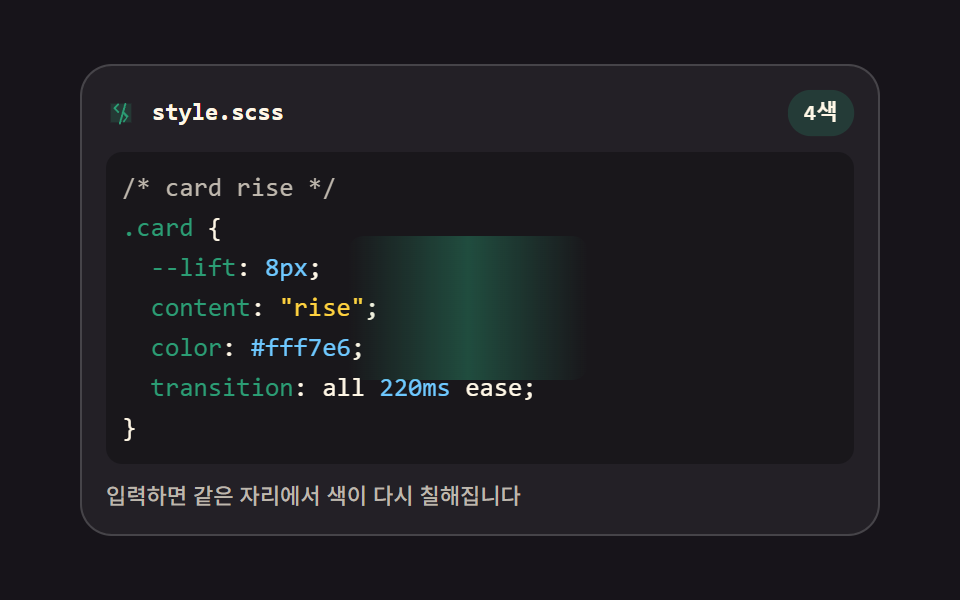 01 editor-live-syntax-highlight
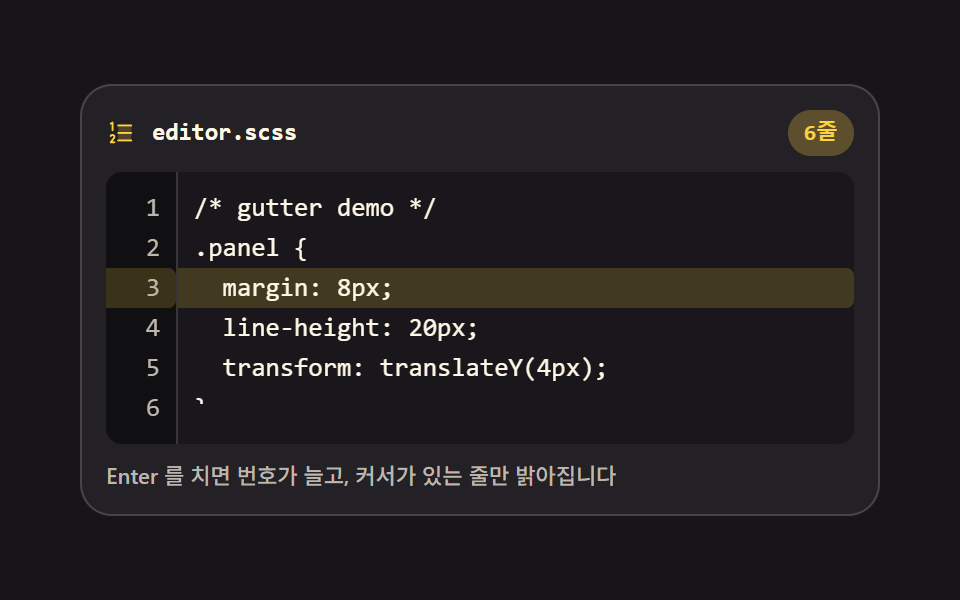 02 editor-line-number-gutter
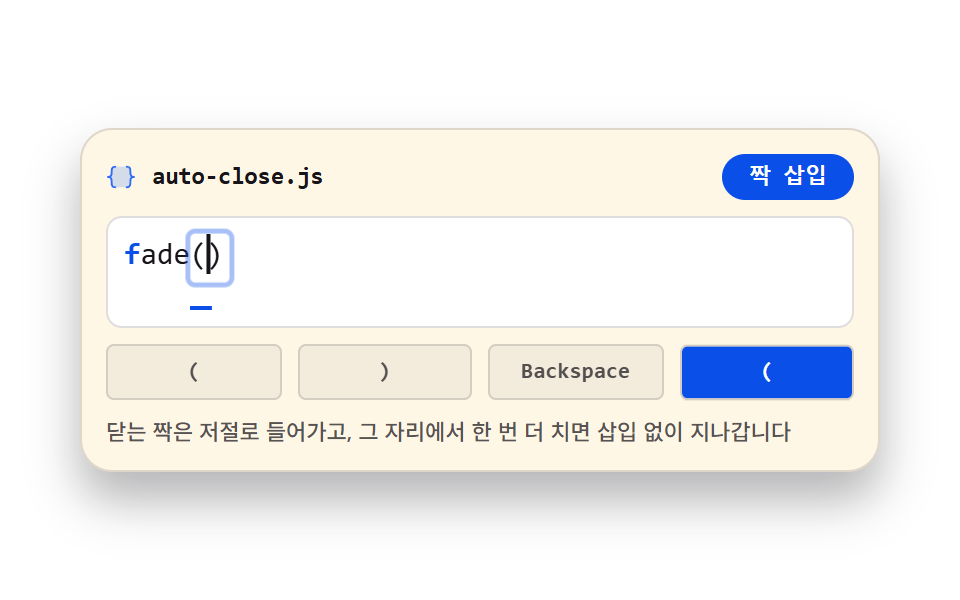 03 editor-auto-close-brackets
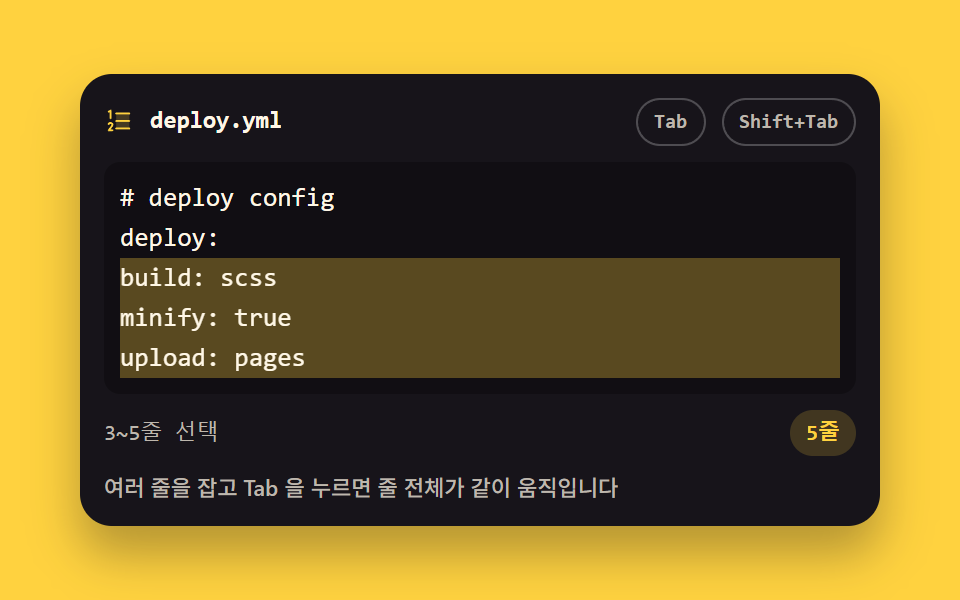 04 editor-tab-indent-selection
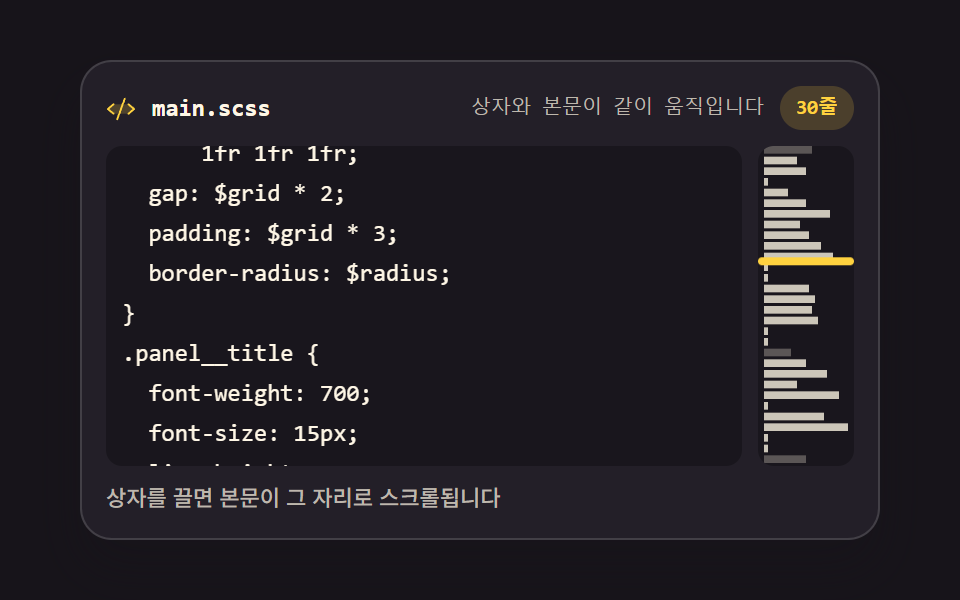 05 editor-minimap-canvas
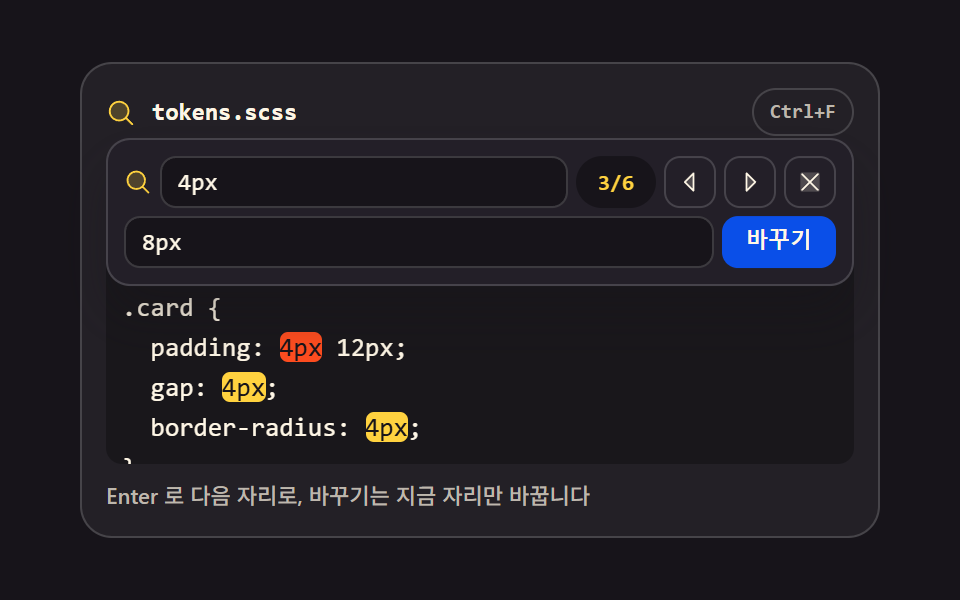 06 editor-find-replace-bar
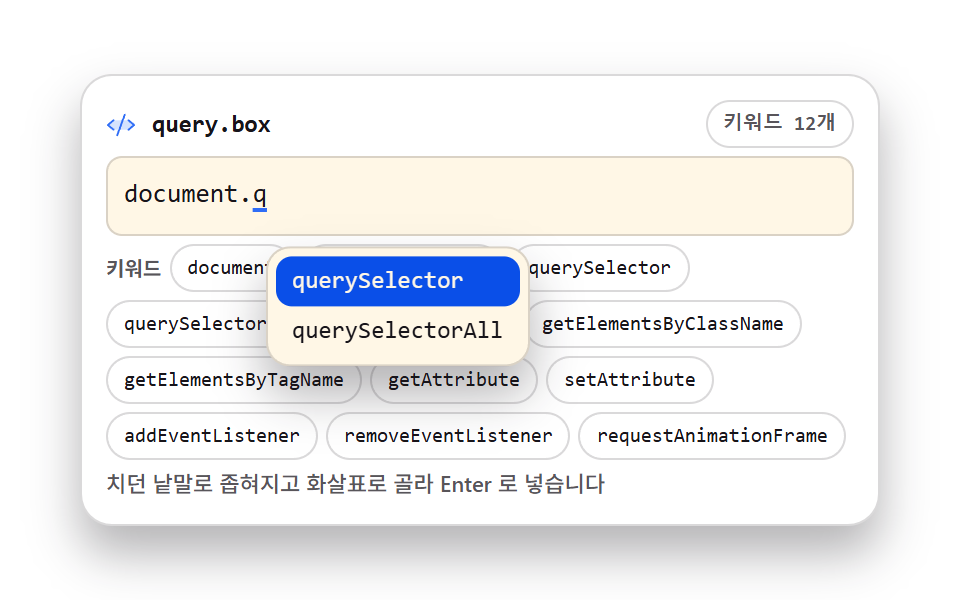 07 editor-autocomplete-popup
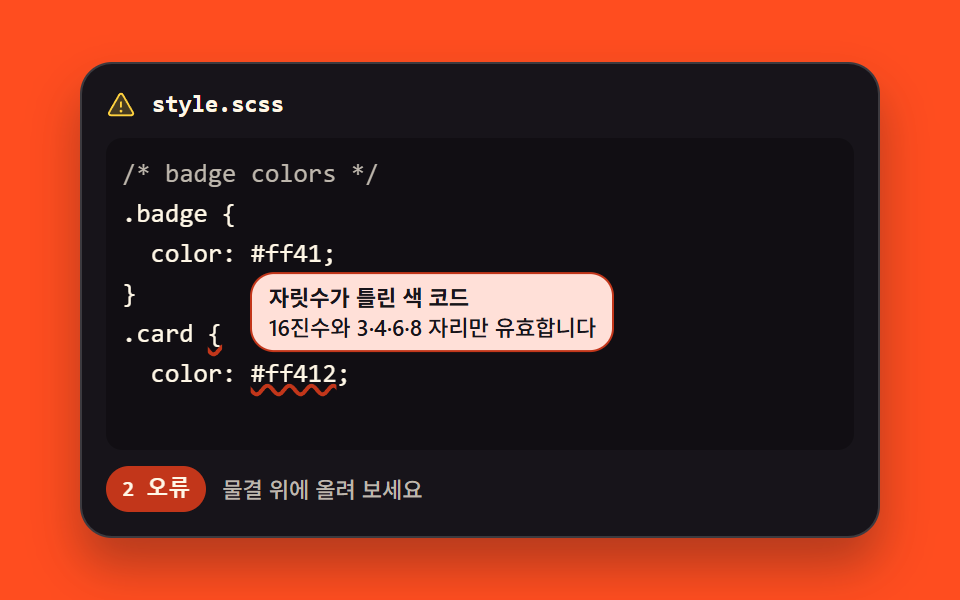 08 editor-lint-error-underline
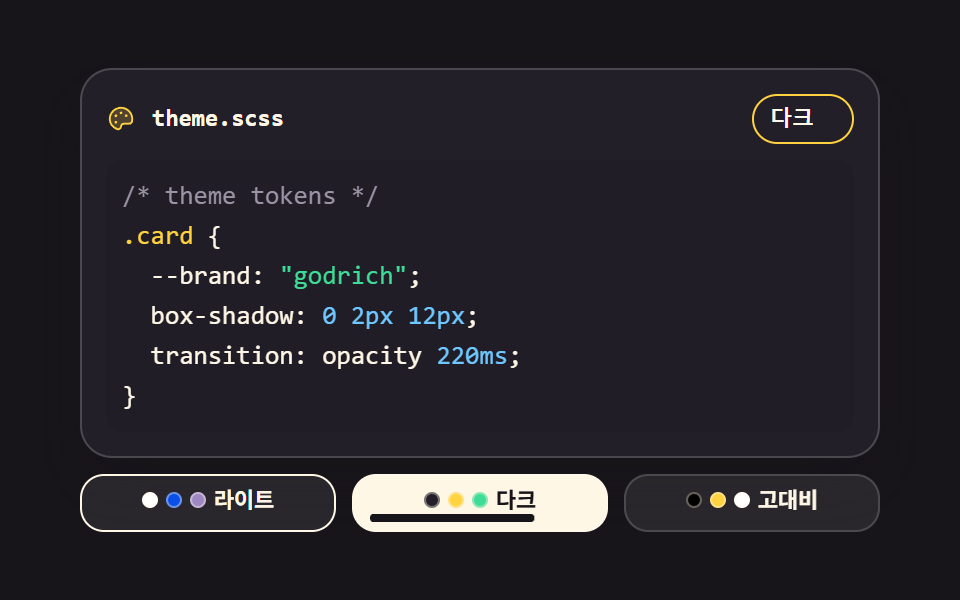 09 editor-theme-switcher
自動再生 · タイルを押すとその項目へ · すべて1つのzip
- 01 リアルタイム構文ハイライト
- 02 行番号ガターと現在行
- 03 括弧・引用符の自動閉じ
- 04 Tab インデントと解除
- 05 キャンバス ミニマップ
- 06 検索・置換バー
- 07 キャレット位置の入力補完
- 08 エラーの波線と吹き出し
- 09 エディタ テーマ切り替え
並びは人気順ではなく、入力欄ひとつがエディタへ育っていく順です。まず文字に色が乗り(01)、その横に行番号が付き(02)、打っている間に括弧が追いかけ(03)、掴んだ行をまとめて押せるようになり(04)、文書が長くなると全体の地図が要り(05)、探して置き換える場面が来て(06)、打ちかけの語を完成してもらい(07)、間違いに下線が引かれ(08)、最後に目に優しい色へ着替えます(09)。9つすべてで本当の入力は <textarea> が受け持ち、色はその下に敷いた <pre> が描きます。01〜04 は入力そのものを助ける面、05〜07 は長い文書を読むための面、08・09 は間違いと目の負担への対処という、3つのまとまりでも読めます。9つすべてを480×300px の枠で測り、電話の幅でもはみ出しは0件でした。この流れは、コードエディタ 作り方 を段階ごとに進めるときの地図にもなります。同じembed柱では、入力ではなくコマンドの出力が主役のターミナル風 UI 9選と、コードの代わりに言語パックの JSON を検査する多言語サイト 作り方 — 言語パックJSONの検証チェック9選が隣に並んでいます。
01リアルタイム構文ハイライト
文字を透明にした textarea の下に同じ等幅の pre を重ね、入力のたびに正規表現4つで色を塗り直す、ドキュメントサイトのコード入力欄です。
<main class="stage">
<div class="sh is-demo" id="sh">
  <div class="sh__bar">
    <span class="sh__ico" aria-hidden="true"><svg xmlns="http://www.w3.org/2000/svg" width="1em" height="1em" viewBox="0 0 256 256"><g fill="currentColor"><path d="M216 48v160H40V48Z" opacity=".2"/><path d="m69.12 94.15l-2.63-2.62a8 8 0 0 1 0-11.32l32-32a8 8 0 0 1 11.31 11.32L83.31 88l26.5 26.5a8 8 0 0 1-11.31 11.31Zm117.76 67.7l2.63 2.62a8 8 0 0 0 0-11.32l-32-32a8 8 0 0 0-11.31 11.32L172.69 168l-26.5 26.5a8 8 0 0 0 11.31 11.31Z"/><path d="M168 42.15a8 8 0 0 0-9.85 5.53l-48 168a8 8 0 0 0 5.53 9.85a8.5 8.5 0 0 0 2.16.3a8 8 0 0 0 7.69-5.8l48-168a8 8 0 0 0-5.53-9.88"/></g></svg></span>
    <span class="sh__name">style.scss</span>
    <span class="sh__count" id="count">4色</span>
  </div>
  <div class="sh__wrap" id="wrap">
    <pre class="sh__hl" id="hl" aria-hidden="true"></pre>
    <span class="sh__sweep" aria-hidden="true"></span>
    <textarea class="sh__ta" id="ta" spellcheck="false" autocomplete="off" aria-label="コード入力欄">/* card rise */
.card {
  --lift: 8px;
  content: "rise";
  color: #fff7e6;
  transition: all 220ms ease;
}</textarea>
  </div>
  <p class="sh__note">入力すると同じ位置で色が塗り直されます</p>
</div>
</main>
@use "../../../../site/static/demo-tokens" as *;
// 실시간 구문 강조 — 글자를 투명하게 만든 textarea 를 같은 자리·같은 서체의 pre 위에 얹는다.
// 입력이 들어오면 JS 가 pre 만 다시 칠하고, 스크롤은 두 겹이 같은 값으로 움직인다.
// 두 겹이 어긋나지 않으려면 서체·크기·행간·패딩·탭 폭·줄바꿈 규칙이 글자 단위로 같아야 한다 —
// 그래서 아래 `%layer` 를 두 요소가 함께 쓴다.
// 격자 미리보기(.is-demo)는 줄을 steps(1, end) 로 한 줄씩 켜고 마지막 줄만 clip-path 로 타이핑한다.
$duration: $dur-quick;
$easing: $ease-spring;
$color: $chart-3;
$mono: ui-monospace, SFMono-Regular, "SF Mono", Consolas, "Liberation Mono", monospace;
$line: rgba(255, 255, 255, .16);
$dim: #beb7ad;
$fs: clamp(11px, 3vw, 13px);
$lh: 20px;
@include stage($stage-ink);
.sh {
display: flex; flex-direction: column; gap: $sp-2;
box-sizing: border-box; width: min(100%, 400px);
padding: $sp-3; border: 1px solid $line; border-radius: $r-card;
background: rgba(255, 255, 255, .05);
}
// ── 파일 이름 줄
.sh__bar { display: flex; align-items: center; gap: $sp-2; }
.sh__ico { display: grid; place-items: center; color: $color; font-size: 15px; }
.sh__name {
flex: 1 1 auto; color: $subject-cream;
font-family: $mono; font-weight: 700; font-size: 12px; line-height: 1.4;
}
.sh__count {
flex: 0 0 auto; padding: $sp-1 $sp-2; border-radius: $r-pill;
background: rgba(43, 157, 116, .22); color: $subject-cream;
font-family: $mono; font-weight: 700; font-size: 11px; line-height: 1.4;
}
// ── 두 겹이 겹치는 자리. 한 격자 칸에 pre 와 textarea 를 포갠다
.sh__wrap { position: relative; display: grid; height: $lh * 7 + $sp-4; }
.sh__wrap > * { grid-area: 1 / 1; }
%layer {
box-sizing: border-box; margin: 0; padding: $sp-2;
border: 0; border-radius: $r-sm;
font-family: $mono; font-weight: 500; font-size: $fs; line-height: $lh;
letter-spacing: 0; tab-size: 2;
white-space: pre; overflow: auto; overscroll-behavior: contain;
}
.sh__hl {
@extend %layer;
background: rgba(0, 0, 0, .28); color: $subject-cream;
pointer-events: none;
}
.sh__ln { display: block; }
.t--c { color: $dim; }
.t--s { color: $stage-yellow; }
.t--n { color: $subject-sky; }
.t--k { color: $color; }
// 글자는 투명하고 커서만 남긴다 — 색은 아래 pre 가 그린다
.sh__ta {
@extend %layer;
background: transparent; color: transparent; caret-color: $stage-yellow;
resize: none;
-webkit-text-fill-color: transparent;
}
.sh__ta::selection { background: rgba(255, 210, 63, .32); }
.sh__ta:focus-visible { outline: 2px solid $subject-blue; outline-offset: 2px; }
.sh__note {
margin: 0; color: $dim;
font-weight: 500; font-size: 11px; line-height: 1.4;
}
// 미리보기에서만 보이는 칠 띠. 줄이 다 켜진 뒤 한 번 지나가며 "다시 칠한다" 를 크게 보여준다.
// 정적 경로에서는 opacity 0 이라 실제 편집을 가리지 않는다
.sh__sweep {
align-self: center; justify-self: start;
width: 120px; height: 72px; border-radius: $r-sm;
background: linear-gradient(90deg, rgba(43, 157, 116, 0), rgba(43, 157, 116, .40), rgba(43, 157, 116, 0));
opacity: 0; pointer-events: none;
}
// ── 격자 미리보기 루프 (2초)
// 줄 1~6 은 0·10·20·30·40·50% 에 컷으로 켜지고, 마지막 줄은 52~86% 에 clip-path 로 타이핑된다.
// 켜짐은 steps(1, end) 라 반투명 유령 프레임이 없고, 되돌림은 루프 경계(0%)에서만 일어난다.
.sh.is-demo .sh__ln {
animation-name: shLine;
animation-duration: $dur-loop; animation-timing-function: steps(1, end);
animation-iteration-count: infinite; animation-fill-mode: backwards;
}
.sh.is-demo .sh__ln:nth-child(1) { animation-delay: 0s; }
.sh.is-demo .sh__ln:nth-child(2) { animation-delay: .2s; }
.sh.is-demo .sh__ln:nth-child(3) { animation-delay: .4s; }
.sh.is-demo .sh__ln:nth-child(4) { animation-delay: .6s; }
.sh.is-demo .sh__ln:nth-child(5) { animation-delay: .8s; }
.sh.is-demo .sh__ln:nth-child(6) { animation-delay: 1s; }
.sh.is-demo .sh__ln:nth-child(7) {
animation-name: shType; animation-timing-function: steps(12, end); animation-delay: 1.04s;
}
// 강조 칩은 줄이 다 켜진 뒤 한 번 부풀어 "다시 칠했다" 를 알린다 (자기 중심에서 — blog-demo 규칙 8)
.sh.is-demo .sh__count {
animation-name: shPulse; animation-duration: $dur-loop; animation-timing-function: $easing;
animation-iteration-count: infinite; animation-fill-mode: backwards;
transform-origin: 50% 50%;
}
.sh.is-demo .sh__sweep {
animation-name: shSweep; animation-duration: $dur-loop; animation-timing-function: linear;
animation-iteration-count: infinite; animation-fill-mode: backwards;
}
@keyframes shSweep {
0%, 54% { opacity: 0; transform: translateX(-120px); }
56% { opacity: 1; transform: translateX(-120px); }
88% { opacity: 1; transform: translateX(400px); }
90%, 100% { opacity: 0; transform: translateX(400px); }
}
// steps(1, end) 는 구간 **끝**에서만 값을 바꾼다 — 0%→100% 한 구간으로 적으면 2초 내내 0 이다.
// 그래서 3% 에 점프 지점을 따로 둔다 (실측 2026-09-13: 첫 판은 poster 가 빈 화면이었다)
@keyframes shLine {
0% { opacity: 0; }
3%, 100% { opacity: 1; }
}
@keyframes shType {
0% { clip-path: inset(0 100% 0 0); }
48% { clip-path: inset(0 0 0 0); }
100% { clip-path: inset(0 0 0 0); }
}
@keyframes shPulse {
0%, 56% { transform: scale(1); }
64% { transform: scale(1.22); }
76%, 100% { transform: scale(1); }
}
// ── 좁은 화면: 행간과 여백을 줄여 무대 안에 들어오게 한다
@media (max-width: 340px) {
.sh { gap: $sp-1; padding: $sp-2; }
.sh__wrap { height: 16px * 6 + $sp-2; }
.sh__hl, .sh__ta { font-size: 11px; line-height: 16px; padding: $sp-1; }
.sh__note { font-size: 10px; }
}
@media (prefers-reduced-motion: reduce) {
.sh.is-demo .sh__ln,
.sh.is-demo .sh__sweep,
.sh.is-demo .sh__count {
animation: none !important;
opacity: 1 !important;
clip-path: none !important;
transform: none !important;
}
}html, body {
margin: 0;
overflow: hidden;
}
.stage {
box-sizing: border-box;
min-height: 100vh;
display: grid;
place-items: center;
margin: 0;
background: #17141a;
font-family: -apple-system, "Segoe UI", "Noto Sans KR", sans-serif;
padding: clamp(8px, 4vw, 24px);
}
.sh {
display: flex;
flex-direction: column;
gap: 8px;
box-sizing: border-box;
width: min(100%, 400px);
padding: 12px;
border: 1px solid rgba(255, 255, 255, 0.16);
border-radius: 16px;
background: rgba(255, 255, 255, 0.05);
}
.sh__bar {
display: flex;
align-items: center;
gap: 8px;
}
.sh__ico {
display: grid;
place-items: center;
color: #2b9d74;
font-size: 15px;
}
.sh__name {
flex: 1 1 auto;
color: #fff7e6;
font-family: ui-monospace, SFMono-Regular, "SF Mono", Consolas, "Liberation Mono", monospace;
font-weight: 700;
font-size: 12px;
line-height: 1.4;
}
.sh__count {
flex: 0 0 auto;
padding: 4px 8px;
border-radius: 999px;
background: rgba(43, 157, 116, 0.22);
color: #fff7e6;
font-family: ui-monospace, SFMono-Regular, "SF Mono", Consolas, "Liberation Mono", monospace;
font-weight: 700;
font-size: 11px;
line-height: 1.4;
}
.sh__wrap {
position: relative;
display: grid;
height: 156px;
}
.sh__wrap > * {
grid-area: 1/1;
}
.sh__ta, .sh__hl {
box-sizing: border-box;
margin: 0;
padding: 8px;
border: 0;
border-radius: 8px;
font-family: ui-monospace, SFMono-Regular, "SF Mono", Consolas, "Liberation Mono", monospace;
font-weight: 500;
font-size: clamp(11px, 3vw, 13px);
line-height: 20px;
letter-spacing: 0;
tab-size: 2;
white-space: pre;
overflow: auto;
overscroll-behavior: contain;
}
.sh__hl {
background: rgba(0, 0, 0, 0.28);
color: #fff7e6;
pointer-events: none;
}
.sh__ln {
display: block;
}
.t--c {
color: #beb7ad;
}
.t--s {
color: #ffd23f;
}
.t--n {
color: #6ec8ff;
}
.t--k {
color: #2b9d74;
}
.sh__ta {
background: transparent;
color: transparent;
caret-color: #ffd23f;
resize: none;
-webkit-text-fill-color: transparent;
}
.sh__ta::selection {
background: rgba(255, 210, 63, 0.32);
}
.sh__ta:focus-visible {
outline: 2px solid #2f6df6;
outline-offset: 2px;
}
.sh__note {
margin: 0;
color: #beb7ad;
font-weight: 500;
font-size: 11px;
line-height: 1.4;
}
.sh__sweep {
align-self: center;
justify-self: start;
width: 120px;
height: 72px;
border-radius: 8px;
background: linear-gradient(90deg, rgba(43, 157, 116, 0), rgba(43, 157, 116, 0.4), rgba(43, 157, 116, 0));
opacity: 0;
pointer-events: none;
}
.sh.is-demo .sh__ln {
animation-name: shLine;
animation-duration: 2s;
animation-timing-function: steps(1, end);
animation-iteration-count: infinite;
animation-fill-mode: backwards;
}
.sh.is-demo .sh__ln:nth-child(1) {
animation-delay: 0s;
}
.sh.is-demo .sh__ln:nth-child(2) {
animation-delay: 0.2s;
}
.sh.is-demo .sh__ln:nth-child(3) {
animation-delay: 0.4s;
}
.sh.is-demo .sh__ln:nth-child(4) {
animation-delay: 0.6s;
}
.sh.is-demo .sh__ln:nth-child(5) {
animation-delay: 0.8s;
}
.sh.is-demo .sh__ln:nth-child(6) {
animation-delay: 1s;
}
.sh.is-demo .sh__ln:nth-child(7) {
animation-name: shType;
animation-timing-function: steps(12, end);
animation-delay: 1.04s;
}
.sh.is-demo .sh__count {
animation-name: shPulse;
animation-duration: 2s;
animation-timing-function: cubic-bezier(0.2, 0.8, 0.2, 1);
animation-iteration-count: infinite;
animation-fill-mode: backwards;
transform-origin: 50% 50%;
}
.sh.is-demo .sh__sweep {
animation-name: shSweep;
animation-duration: 2s;
animation-timing-function: linear;
animation-iteration-count: infinite;
animation-fill-mode: backwards;
}
@keyframes shSweep {
0%, 54% {
opacity: 0;
transform: translateX(-120px);
}
56% {
opacity: 1;
transform: translateX(-120px);
}
88% {
opacity: 1;
transform: translateX(400px);
}
90%, 100% {
opacity: 0;
transform: translateX(400px);
}
}
@keyframes shLine {
0% {
opacity: 0;
}
3%, 100% {
opacity: 1;
}
}
@keyframes shType {
0% {
clip-path: inset(0 100% 0 0);
}
48% {
clip-path: inset(0 0 0 0);
}
100% {
clip-path: inset(0 0 0 0);
}
}
@keyframes shPulse {
0%, 56% {
transform: scale(1);
}
64% {
transform: scale(1.22);
}
76%, 100% {
transform: scale(1);
}
}
@media (max-width: 340px) {
.sh {
gap: 4px;
padding: 8px;
}
.sh__wrap {
height: 104px;
}
.sh__hl, .sh__ta {
font-size: 11px;
line-height: 16px;
padding: 4px;
}
.sh__note {
font-size: 10px;
}
}
@media (prefers-reduced-motion: reduce) {
.sh.is-demo .sh__ln,
.sh.is-demo .sh__sweep,
.sh.is-demo .sh__count {
animation: none !important;
opacity: 1 !important;
clip-path: none !important;
transform: none !important;
}
}var sh = document.getElementById('sh');
var ta = document.getElementById('ta');
var hl = document.getElementById('hl');
var wrap = document.getElementById('wrap');
// 토크나이저 규칙 네 줄. 앞의 규칙이 먼저 이긴다 — 주석 안의 색 코드를 색으로 잡지 않으려는 순서다
var RULES = [
{ cls: 'c', re: /\/\*[\s\S]*?\*\/|\/\/[^\n]*/g },
{ cls: 's', re: /"[^"\n]*"|'[^'\n]*'/g },
{ cls: 'n', re: /#[0-9a-fA-F]{3,8}\b|\b\d+(?:\.\d+)?(?:px|ms|s|%|em|rem|fr)?\b/g },
{ cls: 'k', re: /--[a-zA-Z][\w-]*|\.[a-zA-Z][\w-]*|@[a-z-]+|\b[a-z-]+(?=\s*:)/g }
];
function esc(t) { return t.replace(/&/g, '&').replace(/</g, '<').replace(/>/g, '>'); }
function paint(line) {
var marks = [];
RULES.forEach(function (rule, rank) {
var m; rule.re.lastIndex = 0;
while ((m = rule.re.exec(line)) !== null) {
var taken = marks.some(function (x) { return m.index < x.end && x.start < m.index + m[0].length; });
if (!taken) marks.push({ start: m.index, end: m.index + m[0].length, cls: rule.cls, rank: rank });
if (m[0] === '') rule.re.lastIndex++;
}
});
marks.sort(function (a, b) { return a.start - b.start; });
var out = '', at = 0;
marks.forEach(function (x) {
if (x.start < at) return;
out += esc(line.slice(at, x.start)) + '<span class="t t--' + x.cls + '">' + esc(line.slice(x.start, x.end)) + '</span>';
at = x.end;
});
return out + esc(line.slice(at));
}
function render() {
// 줄마다 span 으로 감싼다 — 미리보기 루프가 줄 단위로 켜고 끌 수 있어야 한다
hl.innerHTML = ta.value.split('\n').map(function (line) {
return '<span class="sh__ln">' + (paint(line) || '') + '</span>';
}).join('');
}
function sync() { hl.scrollTop = ta.scrollTop; hl.scrollLeft = ta.scrollLeft; }
ta.addEventListener('input', function () { sh.classList.remove('is-demo'); render(); sync(); });
ta.addEventListener('scroll', sync);
ta.addEventListener('focus', function () { sh.classList.remove('is-demo'); });
wrap.addEventListener('pointerdown', function () { sh.classList.remove('is-demo'); });
render();// SyntaxHighlightEditor — vanilla 판(run/299/demo/01-editor-live-syntax-highlight/index.html) 의 React 포트.
// 글자를 투명하게 만든 textarea 를 같은 자리·같은 서체의 pre 위에 얹고, 입력이 들어오면 pre 만 다시 칠한다.
// 토크나이저 규칙 네 줄과 그 순서는 vanilla 와 같은 글자다 (값을 다시 타이핑하지 않는다).
import { useEffect, useMemo, useRef, useState } from "react";
import type { CSSProperties } from "react";
import styles from "./SyntaxHighlightEditor.module.scss";
export type SyntaxHighlightEditorProps = {
duration?: number;
easing?: string;
color?: string;
initialCode?: string;
};
type Vars = CSSProperties & { "--duration"?: string; "--easing"?: string; "--color"?: string };
// useRef<T> 는 T | null 을 돌려준다 — ambient 타입에 맞춰 상자 타입을 따로 둔다
type Box<T> = { current: T | null };
const LABEL = "코드 입력칸";
const NOTE = "입력하면 같은 자리에서 색이 다시 칠해집니다";
const COUNT = "4색";
const FILE_NAME = "style.scss";
const CODE = [
"/* card rise */",
".card {",
" --lift: 8px;",
' content: "rise";',
" color: #fff7e6;",
" transition: all 220ms ease;",
"}",
].join("\n");
type Rule = { cls: string; re: RegExp };
type Mark = { start: number; end: number; cls: string };
// 토크나이저 규칙 네 줄. 앞의 규칙이 먼저 이긴다 — 주석 안의 색 코드를 색으로 잡지 않으려는 순서다
const RULES: Rule[] = [
{ cls: "c", re: /\/\*[\s\S]*?\*\/|\/\/[^\n]*/g },
{ cls: "s", re: /"[^"\n]*"|'[^'\n]*'/g },
{ cls: "n", re: /#[0-9a-fA-F]{3,8}\b|\b\d+(?:\.\d+)?(?:px|ms|s|%|em|rem|fr)?\b/g },
{ cls: "k", re: /--[a-zA-Z][\w-]*|\.[a-zA-Z][\w-]*|@[a-z-]+|\b[a-z-]+(?=\s*:)/g },
];
function escapeHtml(text: string): string {
return text.replace(/&/g, "&").replace(/</g, "<").replace(/>/g, ">");
}
function paint(line: string): string {
const marks: Mark[] = [];
RULES.forEach((rule) => {
rule.re.lastIndex = 0;
let m = rule.re.exec(line);
while (m !== null) {
const start = m.index;
const end = m.index + m[0].length;
const taken = marks.some((x) => start < x.end && x.start < end);
if (!taken) marks.push({ start, end, cls: rule.cls });
if (m[0] === "") rule.re.lastIndex++;
m = rule.re.exec(line);
}
});
marks.sort((a, b) => a.start - b.start);
let out = "";
let at = 0;
marks.forEach((x) => {
if (x.start < at) return;
out += escapeHtml(line.slice(at, x.start)) + '<span class="' + styles.t + " " + styles["t--" + x.cls] + '">' +
escapeHtml(line.slice(x.start, x.end)) + "</span>";
at = x.end;
});
return out + escapeHtml(line.slice(at));
}
export default function SyntaxHighlightEditor(props: SyntaxHighlightEditorProps) {
const duration = props.duration ?? 220;
const easing = props.easing ?? "cubic-bezier(.2, .8, .2, 1)";
const color = props.color ?? "#2b9d74";
const [code, setCode] = useState<string>(props.initialCode ?? CODE);
const [preview, setPreview] = useState<boolean>(true);
const taRef = useRef<HTMLTextAreaElement>(null) as Box<HTMLTextAreaElement>;
const hlRef = useRef<HTMLPreElement>(null) as Box<HTMLPreElement>;
// 줄마다 span 으로 감싼다 — 미리보기 루프가 줄 단위로 켜고 끌 수 있어야 한다
const lines = useMemo(() => code.split("\n").map((line) => paint(line) || ""), [code]);
useEffect(() => {
const ta = taRef.current;
const hl = hlRef.current;
if (ta && hl) {
hl.scrollTop = ta.scrollTop;
hl.scrollLeft = ta.scrollLeft;
}
}, [code]);
const sync = () => {
const ta = taRef.current;
const hl = hlRef.current;
if (ta && hl) {
hl.scrollTop = ta.scrollTop;
hl.scrollLeft = ta.scrollLeft;
}
};
const vars: Vars = { "--duration": duration + "ms", "--easing": easing, "--color": color };
return (
<main className={styles.stage}>
<div className={styles.root + (preview ? " " + styles.isDemo : "")} style={vars}>
<div className={styles.bar}>
<span className={styles.ico} aria-hidden="true">
<svg xmlns="http://www.w3.org/2000/svg" width="1em" height="1em" viewBox="0 0 256 256">
<g fill="currentColor">
<path d="M216 48v160H40V48Z" opacity=".2" />
<path d="m69.12 94.15l-2.63-2.62a8 8 0 0 1 0-11.32l32-32a8 8 0 0 1 11.31 11.32L83.31 88l26.5 26.5a8 8 0 0 1-11.31 11.31Zm117.76 67.7l2.63 2.62a8 8 0 0 0 0-11.32l-32-32a8 8 0 0 0-11.31 11.32L172.69 168l-26.5 26.5a8 8 0 0 0 11.31 11.31Z" />
<path d="M168 42.15a8 8 0 0 0-9.85 5.53l-48 168a8 8 0 0 0 5.53 9.85a8.5 8.5 0 0 0 2.16.3a8 8 0 0 0 7.69-5.8l48-168a8 8 0 0 0-5.53-9.88" />
</g>
</svg>
</span>
<span className={styles.name}>{FILE_NAME}</span>
<span className={styles.count}>{COUNT}</span>
</div>
<div className={styles.wrap} onPointerDown={() => setPreview(false)}>
<pre
className={styles.hl}
ref={hlRef}
aria-hidden="true"
dangerouslySetInnerHTML={{
__html: lines.map((html) => '<span class="' + styles.ln + '">' + html + "</span>").join(""),
}}
/>
<span className={styles.sweep} aria-hidden="true" />
<textarea
className={styles.ta}
ref={taRef}
value={code}
spellCheck={false}
autoComplete="off"
aria-label={LABEL}
onChange={(e: { target: { value: string } }) => {
setPreview(false);
setCode(e.target.value);
}}
onScroll={sync}
onFocus={() => setPreview(false)}
/>
</div>
<p className={styles.note}>{NOTE}</p>
</div>
</main>
);
}01 · リアルタイム構文ハイライト — 計測 累積面積 25.074% · 動いたフレーム 15/23GODRICH オリジナル · SCSS と React は zip に同梱 · パスワードを見る
規則4つの順序がそのまま優先順位
// トークナイザーの規則は4つ。前の規則が先に勝つ — コメント内の色コードを色として拾わないための順序
var RULES = [
  { cls: 'c', re: /\/\*[\s\S]*?\*\/|\/\/[^\n]*/g },
  { cls: 's', re: /"[^"\n]*"|'[^'\n]*'/g },
  { cls: 'n', re: /#[0-9a-fA-F]{3,8}\b|\b\d+(?:\.\d+)?(?:px|ms|s|%|em|rem|fr)?\b/g },
  { cls: 'k', re: /--[a-zA-Z][\w-]*|\.[a-zA-Z][\w-]*|@[a-z-]+|\b[a-z-]+(?=\s*:)/g }
];
先に拾われた位置は後の規則が触れないので、コメントの中に色コードを書いても色としてではなくコメントひとまとまりとして塗られます。
二層がずれないための共有値
%layer {
  box-sizing: border-box; margin: 0; padding: $sp-2;
  border: 0; border-radius: $r-sm;
  font-family: $mono; font-weight: 500; font-size: $fs; line-height: $lh;
  letter-spacing: 0; tab-size: 2;
  white-space: pre; overflow: auto; overscroll-behavior: contain;
}
フォント・サイズ・行間・パディング・枠線・字間・タブ幅・改行規則を1つのプレースホルダーにまとめて両要素が共有するので、Playwright で計算値8項目を比べても差は0件で、textarea を120px スクロールすれば下の pre も120px 動きます。
02行番号ガターと現在行
左のガターの番号が行数に合わせて増え減り、キャレットのある行だけ背景が点く、エラー行を探す編集画面の部品です。
<main class="stage">
<div class="gt is-demo" id="gt">
  <div class="gt__bar">
    <span class="gt__ico" aria-hidden="true"><svg xmlns="http://www.w3.org/2000/svg" width="1em" height="1em" viewBox="0 0 256 256"><g fill="currentColor"><path d="M216 64v128H104V64Z" opacity=".2"/><path d="M224 128a8 8 0 0 1-8 8H104a8 8 0 0 1 0-16h112a8 8 0 0 1 8 8M104 72h112a8 8 0 0 0 0-16H104a8 8 0 0 0 0 16m112 112H104a8 8 0 0 0 0 16h112a8 8 0 0 0 0-16M43.58 55.16L48 52.94V104a8 8 0 0 0 16 0V40a8 8 0 0 0-11.58-7.16l-16 8a8 8 0 0 0 7.16 14.32m36.19 101.56a23.73 23.73 0 0 0-9.6-15.95a24.86 24.86 0 0 0-34.11 4.7a23.6 23.6 0 0 0-3.57 6.46a8 8 0 1 0 15 5.47a7.8 7.8 0 0 1 1.18-2.13a8.76 8.76 0 0 1 12-1.59a7.9 7.9 0 0 1 3.26 5.32a7.64 7.64 0 0 1-1.57 5.78a1 1 0 0 0-.08.11l-28.69 38.32A8 8 0 0 0 40 216h32a8 8 0 0 0 0-16H56l19.08-25.53a23.47 23.47 0 0 0 4.69-17.75"/></g></svg></span>
    <span class="gt__name">editor.scss</span>
    <span class="gt__pill">
      <span class="gt__count" id="count">6行</span>
      <span class="gt__cv gt__cv--1" aria-hidden="true">3行</span>
      <span class="gt__cv gt__cv--2" aria-hidden="true">4行</span>
      <span class="gt__cv gt__cv--3" aria-hidden="true">5行</span>
      <span class="gt__cv gt__cv--4" aria-hidden="true">6行</span>
      <span class="gt__cv gt__cv--5" aria-hidden="true">5行</span>
    </span>
  </div>
  <div class="gt__body">
    <div class="gt__gut" aria-hidden="true">
      <div class="gt__gtrack" id="gtrack"></div>
    </div>
    <div class="gt__wrap" id="wrap">
      <div class="gt__track" id="track">
        <span class="gt__cur" id="cur" aria-hidden="true"></span>
        <pre class="gt__hl" id="hl" aria-hidden="true"></pre>
      </div>
      <textarea class="gt__ta" id="ta" spellcheck="false" autocomplete="off" wrap="off" aria-label="コード入力欄">/* gutter demo */
.panel {
  margin: 8px;
  line-height: 20px;
  transform: translateY(4px);
}</textarea>
    </div>
  </div>
  <p class="gt__note">Enter を打つと番号が増え、キャレットのある行だけ明るくなります</p>
</div>
</main>@use "../../../../site/static/demo-tokens" as *;
// 줄 번호 거터와 현재 줄 — 왼쪽 거터의 번호가 입력 줄 수에 맞춰 늘고 줄며,
// selectionStart 로 계산한 커서 줄만 배경이 켜진다. 본문(textarea)이 스크롤하면
// 거터 트랙도 같은 값으로 translateY 해 붙어 다닌다.
// 번호 자체는 CSS 카운터(counter-reset)가 매긴다 — JS 는 줄이 바뀔 때 빈 칸만 다시 그린다.
// 격자 미리보기(.is-demo)는 줄과 번호를 steps(1, end) 컷으로 하나씩 켜고,
// 현재 줄 밴드는 매끈하게 미끄러지며, 뒤에서 한 줄 스크롤 동기가 같이 움직인다.
$duration: $dur-quick;
$easing: $ease-spring;
$color: $stage-yellow;
$mono: ui-monospace, SFMono-Regular, "SF Mono", Consolas, "Liberation Mono", monospace;
$line: rgba(255, 255, 255, .16);
$dim: #beb7ad;
$fs: clamp(11px, 3vw, 13px);
$lh: 20px;
@include stage($stage-ink);
.gt {
display: flex; flex-direction: column; gap: $sp-2;
box-sizing: border-box; width: min(100%, 400px);
padding: $sp-3; border: 1px solid $line; border-radius: $r-card;
background: rgba(255, 255, 255, .05);
}
// ── 파일 이름 줄
.gt__bar { display: flex; align-items: center; gap: $sp-2; }
.gt__ico { display: grid; place-items: center; color: $color; font-size: 15px; }
.gt__name {
flex: 1 1 auto; color: $subject-cream;
font-family: $mono; font-weight: 700; font-size: 12px; line-height: 1.4;
}
// 줄 수 알약 — 실제 값은 JS 가 채우고, 미리보기에서는 겹켜진 값 장이 차례로 켜진다
.gt__pill { display: grid; justify-items: center; }
.gt__pill > * { grid-area: 1 / 1; }
.gt__count, .gt__cv {
padding: $sp-1 $sp-2; border-radius: $r-pill;
background: rgba($color, .14); color: $color;
font-family: $mono; font-weight: 700; font-size: 11px; line-height: 1.4;
white-space: nowrap;
}
.gt__cv { opacity: 0; }
// ── 거터 + 본문 몸통
.gt__body {
display: grid; grid-template-columns: 36px 1fr;
background: rgba(0, 0, 0, .28); border-radius: $r-sm; overflow: hidden;
}
.gt__gut { background: rgba(0, 0, 0, .35); border-right: 1px solid $line; overflow: hidden; }
.gt__gtrack {
position: relative; box-sizing: border-box; padding: $sp-2 0 $sp-2 $sp-2;
counter-reset: gtline;
font-family: $mono; font-weight: 500; font-size: $fs; line-height: $lh;
}
.gt__num {
position: relative; z-index: 1; display: block; height: $lh;
padding-right: $sp-2; text-align: right; color: $dim;
}
.gt__num::before { counter-increment: gtline; content: counter(gtline); }
// 거터 쪽 현재 줄 밴드 — 본문 밴드와 같은 translateY 값을 받아 같이 움직인다
.gt__gcur {
position: absolute; top: $sp-2; left: 0; right: 0; height: $lh;
background: rgba($color, .18); border-radius: 0 $r-xs $r-xs 0;
transition: transform $duration $easing;
}
// ── 본문. 글자는 투명한 textarea 아래 pre 가 그린다 — 서체·행간·패딩이 글자 단위로 같아야 한다
.gt__wrap {
position: relative; display: grid; overflow: hidden;
height: 5 * $lh + 2 * $sp-2; // 5줄이 온전히 보이고 마지막 줄이 조금 엿보인다 — 스크롤 여유 표시
}
.gt__wrap > * { grid-area: 1 / 1; min-height: 0; }
// textarea 는 격자 칸 높이에 **묶어 둔다**. 내용만큼 늘어나게 두면 스크롤하는 것은 textarea 가 아니라
// 바깥 상자가 되고, scrollTop 을 읽어 거터를 미는 동기 코드가 영영 0 만 읽는다 (실측 2026-09-13:
// 12줄을 넣어도 ta.scrollHeight == ta.clientHeight 였다)
.gt__ta { height: 100%; }
.gt__track { position: relative; align-self: start; box-sizing: border-box; padding: $sp-2; }
.gt__cur {
position: absolute; top: $sp-2; left: 0; right: 0; height: $lh;
background: rgba($color, .18); border-radius: 0 $r-xs $r-xs 0;
transition: transform $duration $easing;
}
.gt__hl {
position: relative; z-index: 1; margin: 0;
font-family: $mono; font-weight: 500; font-size: $fs; line-height: $lh;
letter-spacing: 0; tab-size: 2; white-space: pre; overflow: hidden;
color: $subject-cream;
}
.gt__ln { display: block; }
// 글자는 투명하고 커서만 남는다 — 색은 아래 pre 가 그린다
.gt__ta {
box-sizing: border-box; margin: 0; padding: $sp-2; border: 0; background: transparent;
color: transparent; caret-color: $color; resize: none;
font-family: $mono; font-weight: 500; font-size: $fs; line-height: $lh;
letter-spacing: 0; tab-size: 2; white-space: pre; overflow: auto;
scrollbar-width: none;
}
.gt__ta::-webkit-scrollbar { display: none; }
.gt__ta::selection { background: rgba($color, .32); }
.gt__ta:focus-visible { outline: 2px solid $subject-blue; outline-offset: -2px; }
.gt__note { margin: 0; color: $dim; font-weight: 500; font-size: 11px; line-height: 1.4; }
// ── 격자 미리보기 루프 (2초)
// 1~3줄은 곧바로, 4·5줄은 타이핑하듯 늦게 켜지고 6줄이 더해졌다가 줄어든다.
// 켜짐·꺼짐은 전부 steps(1, end) 컷 — 점프 지점(3%)을 따로 둬야 첫 장에 값이 보인다.
.gt.is-demo .gt__ln, .gt.is-demo .gt__num {
animation-name: gtLine;
animation-duration: $dur-loop; animation-timing-function: steps(1, end);
animation-iteration-count: infinite; animation-fill-mode: backwards;
}
.gt.is-demo .gt__ln:nth-child(1), .gt.is-demo .gt__num:nth-child(1) { animation-delay: 0s; }
.gt.is-demo .gt__ln:nth-child(2), .gt.is-demo .gt__num:nth-child(2) { animation-delay: .04s; }
.gt.is-demo .gt__ln:nth-child(3), .gt.is-demo .gt__num:nth-child(3) { animation-delay: .08s; }
.gt.is-demo .gt__ln:nth-child(4), .gt.is-demo .gt__num:nth-child(4) { animation-delay: .3s; }
.gt.is-demo .gt__ln:nth-child(5), .gt.is-demo .gt__num:nth-child(5) { animation-delay: .42s; }
// 6줄과 그 번호는 한 바퀴 안에서 늘었다가 줄어든다 — 지연 없이 절대 시점 키프레임으로
.gt.is-demo .gt__ln:nth-child(6), .gt.is-demo .gt__num:nth-child(6) { animation-name: gtLineCut; }
// 줄 수 알약 — 실제 값은 감추고 겹켜진 값 장을 컷으로 갈아 끼운다
.gt.is-demo .gt__count { color: transparent; }
.gt.is-demo .gt__cv {
animation-duration: $dur-loop; animation-timing-function: steps(1, end);
animation-iteration-count: infinite; animation-fill-mode: backwards;
}
.gt.is-demo .gt__cv--1 { animation-name: gtCv1; }
.gt.is-demo .gt__cv--2 { animation-name: gtCv2; }
.gt.is-demo .gt__cv--3 { animation-name: gtCv3; }
.gt.is-demo .gt__cv--4 { animation-name: gtCv4; }
.gt.is-demo .gt__cv--5 { animation-name: gtCv5; }
// 현재 줄 밴드 — 나타남은 컷, 줄 옮김은 매끈한 transform 이동
.gt.is-demo .gt__cur, .gt.is-demo .gt__gcur {
animation-name: gtCurO, gtCurT;
animation-duration: $dur-loop, $dur-loop;
animation-timing-function: steps(1, end), $easing;
animation-iteration-count: infinite, infinite;
animation-fill-mode: backwards, backwards;
transition: none;
}
// 스크롤 동기 — 본문 트랙과 거터 트랙이 같은 값으로 한 줄 올라갔다 내려온다
.gt.is-demo .gt__track, .gt.is-demo .gt__gtrack {
animation-name: gtScroll;
animation-duration: $dur-loop; animation-timing-function: $ease-out;
animation-iteration-count: infinite; animation-fill-mode: backwards;
}
@keyframes gtLine {
0% { opacity: 0; }
3%, 100% { opacity: 1; }
}
@keyframes gtLineCut {
0%, 29% { opacity: 0; }
30%, 79% { opacity: 1; }
80%, 100% { opacity: 0; }
}
@keyframes gtCv1 { 0%, 17% { opacity: 1; } 18%, 100% { opacity: 0; } }
@keyframes gtCv2 { 0%, 17% { opacity: 0; } 18%, 23% { opacity: 1; } 24%, 100% { opacity: 0; } }
@keyframes gtCv3 { 0%, 23% { opacity: 0; } 24%, 29% { opacity: 1; } 30%, 100% { opacity: 0; } }
@keyframes gtCv4 { 0%, 29% { opacity: 0; } 30%, 79% { opacity: 1; } 80%, 100% { opacity: 0; } }
@keyframes gtCv5 { 0%, 79% { opacity: 0; } 80%, 100% { opacity: 1; } }
@keyframes gtCurO {
0% { opacity: 0; }
12%, 100% { opacity: 1; }
}
// 셋째 줄에서 타이핑을 따라 넷째·다섯째·여섯째 줄로 내려간 뒤, 클릭해 셋째 줄로 돌아온다
@keyframes gtCurT {
0%, 12% { transform: translateY(40px); }
21%, 24% { transform: translateY(60px); }
27%, 30% { transform: translateY(80px); }
33%, 44% { transform: translateY(100px); }
50%, 100% { transform: translateY(40px); }
}
@keyframes gtScroll {
0%, 65% { transform: translateY(0); }
70%, 74% { transform: translateY(-20px); }
79%, 100% { transform: translateY(0); }
}
// ── 좁은 화면: 여백과 보이는 줄 수를 줄여 무대 안에 들어온다 (줄 높이 20px 는 그대로)
@media (max-width: 340px) {
.gt { gap: $sp-1; padding: $sp-2; }
.gt__note { display: none; } // 좁은 화면에서는 안내문을 접어 무대(200px) 안에 들어오게 한다
.gt__body { grid-template-columns: 28px 1fr; }
.gt__wrap { height: 3 * $lh + 2 * $sp-1; }
.gt__gtrack { padding: $sp-1 0 $sp-1 $sp-1; font-size: 11px; }
.gt__num { padding-right: $sp-1; }
.gt__track { padding: $sp-1; }
.gt__cur, .gt__gcur { top: $sp-1; }
.gt__hl { font-size: 11px; }
.gt__ta { padding: $sp-1; font-size: 11px; }
.gt__note { font-size: 10px; }
}
@media (prefers-reduced-motion: reduce) {
.gt.is-demo .gt__ln, .gt.is-demo .gt__num, .gt.is-demo .gt__cv,
.gt.is-demo .gt__cur, .gt.is-demo .gt__gcur, .gt.is-demo .gt__track, .gt.is-demo .gt__gtrack {
animation: none !important;
}
.gt.is-demo .gt__ln, .gt.is-demo .gt__num { opacity: 1 !important; }
.gt.is-demo .gt__cv { opacity: 0 !important; }
.gt.is-demo .gt__count { color: $color !important; }
.gt.is-demo .gt__cur, .gt.is-demo .gt__gcur { opacity: 1 !important; }
}html, body {
margin: 0;
overflow: hidden;
}
.stage {
box-sizing: border-box;
min-height: 100vh;
display: grid;
place-items: center;
margin: 0;
background: #17141a;
font-family: -apple-system, "Segoe UI", "Noto Sans KR", sans-serif;
padding: clamp(8px, 4vw, 24px);
}
.gt {
display: flex;
flex-direction: column;
gap: 8px;
box-sizing: border-box;
width: min(100%, 400px);
padding: 12px;
border: 1px solid rgba(255, 255, 255, 0.16);
border-radius: 16px;
background: rgba(255, 255, 255, 0.05);
}
.gt__bar {
display: flex;
align-items: center;
gap: 8px;
}
.gt__ico {
display: grid;
place-items: center;
color: #ffd23f;
font-size: 15px;
}
.gt__name {
flex: 1 1 auto;
color: #fff7e6;
font-family: ui-monospace, SFMono-Regular, "SF Mono", Consolas, "Liberation Mono", monospace;
font-weight: 700;
font-size: 12px;
line-height: 1.4;
}
.gt__pill {
display: grid;
justify-items: center;
}
.gt__pill > * {
grid-area: 1/1;
}
.gt__count, .gt__cv {
padding: 4px 8px;
border-radius: 999px;
background: rgba(255, 210, 63, 0.14);
color: #ffd23f;
font-family: ui-monospace, SFMono-Regular, "SF Mono", Consolas, "Liberation Mono", monospace;
font-weight: 700;
font-size: 11px;
line-height: 1.4;
white-space: nowrap;
}
.gt__cv {
opacity: 0;
}
.gt__body {
display: grid;
grid-template-columns: 36px 1fr;
background: rgba(0, 0, 0, 0.28);
border-radius: 8px;
overflow: hidden;
}
.gt__gut {
background: rgba(0, 0, 0, 0.35);
border-right: 1px solid rgba(255, 255, 255, 0.16);
overflow: hidden;
}
.gt__gtrack {
position: relative;
box-sizing: border-box;
padding: 8px 0 8px 8px;
counter-reset: gtline;
font-family: ui-monospace, SFMono-Regular, "SF Mono", Consolas, "Liberation Mono", monospace;
font-weight: 500;
font-size: clamp(11px, 3vw, 13px);
line-height: 20px;
}
.gt__num {
position: relative;
z-index: 1;
display: block;
height: 20px;
padding-right: 8px;
text-align: right;
color: #beb7ad;
}
.gt__num::before {
counter-increment: gtline;
content: counter(gtline);
}
.gt__gcur {
position: absolute;
top: 8px;
left: 0;
right: 0;
height: 20px;
background: rgba(255, 210, 63, 0.18);
border-radius: 0 4px 4px 0;
transition: transform 220ms cubic-bezier(0.2, 0.8, 0.2, 1);
}
.gt__wrap {
position: relative;
display: grid;
overflow: hidden;
height: 116px;
}
.gt__wrap > * {
grid-area: 1/1;
min-height: 0;
}
.gt__ta {
height: 100%;
}
.gt__track {
position: relative;
align-self: start;
box-sizing: border-box;
padding: 8px;
}
.gt__cur {
position: absolute;
top: 8px;
left: 0;
right: 0;
height: 20px;
background: rgba(255, 210, 63, 0.18);
border-radius: 0 4px 4px 0;
transition: transform 220ms cubic-bezier(0.2, 0.8, 0.2, 1);
}
.gt__hl {
position: relative;
z-index: 1;
margin: 0;
font-family: ui-monospace, SFMono-Regular, "SF Mono", Consolas, "Liberation Mono", monospace;
font-weight: 500;
font-size: clamp(11px, 3vw, 13px);
line-height: 20px;
letter-spacing: 0;
tab-size: 2;
white-space: pre;
overflow: hidden;
color: #fff7e6;
}
.gt__ln {
display: block;
}
.gt__ta {
box-sizing: border-box;
margin: 0;
padding: 8px;
border: 0;
background: transparent;
color: transparent;
caret-color: #ffd23f;
resize: none;
font-family: ui-monospace, SFMono-Regular, "SF Mono", Consolas, "Liberation Mono", monospace;
font-weight: 500;
font-size: clamp(11px, 3vw, 13px);
line-height: 20px;
letter-spacing: 0;
tab-size: 2;
white-space: pre;
overflow: auto;
scrollbar-width: none;
}
.gt__ta::-webkit-scrollbar {
display: none;
}
.gt__ta::selection {
background: rgba(255, 210, 63, 0.32);
}
.gt__ta:focus-visible {
outline: 2px solid #2f6df6;
outline-offset: -2px;
}
.gt__note {
margin: 0;
color: #beb7ad;
font-weight: 500;
font-size: 11px;
line-height: 1.4;
}
.gt.is-demo .gt__ln, .gt.is-demo .gt__num {
animation-name: gtLine;
animation-duration: 2s;
animation-timing-function: steps(1, end);
animation-iteration-count: infinite;
animation-fill-mode: backwards;
}
.gt.is-demo .gt__ln:nth-child(1), .gt.is-demo .gt__num:nth-child(1) {
animation-delay: 0s;
}
.gt.is-demo .gt__ln:nth-child(2), .gt.is-demo .gt__num:nth-child(2) {
animation-delay: 0.04s;
}
.gt.is-demo .gt__ln:nth-child(3), .gt.is-demo .gt__num:nth-child(3) {
animation-delay: 0.08s;
}
.gt.is-demo .gt__ln:nth-child(4), .gt.is-demo .gt__num:nth-child(4) {
animation-delay: 0.3s;
}
.gt.is-demo .gt__ln:nth-child(5), .gt.is-demo .gt__num:nth-child(5) {
animation-delay: 0.42s;
}
.gt.is-demo .gt__ln:nth-child(6), .gt.is-demo .gt__num:nth-child(6) {
animation-name: gtLineCut;
}
.gt.is-demo .gt__count {
color: transparent;
}
.gt.is-demo .gt__cv {
animation-duration: 2s;
animation-timing-function: steps(1, end);
animation-iteration-count: infinite;
animation-fill-mode: backwards;
}
.gt.is-demo .gt__cv--1 {
animation-name: gtCv1;
}
.gt.is-demo .gt__cv--2 {
animation-name: gtCv2;
}
.gt.is-demo .gt__cv--3 {
animation-name: gtCv3;
}
.gt.is-demo .gt__cv--4 {
animation-name: gtCv4;
}
.gt.is-demo .gt__cv--5 {
animation-name: gtCv5;
}
.gt.is-demo .gt__cur, .gt.is-demo .gt__gcur {
animation-name: gtCurO, gtCurT;
animation-duration: 2s, 2s;
animation-timing-function: steps(1, end), cubic-bezier(0.2, 0.8, 0.2, 1);
animation-iteration-count: infinite, infinite;
animation-fill-mode: backwards, backwards;
transition: none;
}
.gt.is-demo .gt__track, .gt.is-demo .gt__gtrack {
animation-name: gtScroll;
animation-duration: 2s;
animation-timing-function: ease-out;
animation-iteration-count: infinite;
animation-fill-mode: backwards;
}
@keyframes gtLine {
0% {
opacity: 0;
}
3%, 100% {
opacity: 1;
}
}
@keyframes gtLineCut {
0%, 29% {
opacity: 0;
}
30%, 79% {
opacity: 1;
}
80%, 100% {
opacity: 0;
}
}
@keyframes gtCv1 {
0%, 17% {
opacity: 1;
}
18%, 100% {
opacity: 0;
}
}
@keyframes gtCv2 {
0%, 17% {
opacity: 0;
}
18%, 23% {
opacity: 1;
}
24%, 100% {
opacity: 0;
}
}
@keyframes gtCv3 {
0%, 23% {
opacity: 0;
}
24%, 29% {
opacity: 1;
}
30%, 100% {
opacity: 0;
}
}
@keyframes gtCv4 {
0%, 29% {
opacity: 0;
}
30%, 79% {
opacity: 1;
}
80%, 100% {
opacity: 0;
}
}
@keyframes gtCv5 {
0%, 79% {
opacity: 0;
}
80%, 100% {
opacity: 1;
}
}
@keyframes gtCurO {
0% {
opacity: 0;
}
12%, 100% {
opacity: 1;
}
}
@keyframes gtCurT {
0%, 12% {
transform: translateY(40px);
}
21%, 24% {
transform: translateY(60px);
}
27%, 30% {
transform: translateY(80px);
}
33%, 44% {
transform: translateY(100px);
}
50%, 100% {
transform: translateY(40px);
}
}
@keyframes gtScroll {
0%, 65% {
transform: translateY(0);
}
70%, 74% {
transform: translateY(-20px);
}
79%, 100% {
transform: translateY(0);
}
}
@media (max-width: 340px) {
.gt {
gap: 4px;
padding: 8px;
}
.gt__note {
display: none;
}
.gt__body {
grid-template-columns: 28px 1fr;
}
.gt__wrap {
height: 68px;
}
.gt__gtrack {
padding: 4px 0 4px 4px;
font-size: 11px;
}
.gt__num {
padding-right: 4px;
}
.gt__track {
padding: 4px;
}
.gt__cur, .gt__gcur {
top: 4px;
}
.gt__hl {
font-size: 11px;
}
.gt__ta {
padding: 4px;
font-size: 11px;
}
.gt__note {
font-size: 10px;
}
}
@media (prefers-reduced-motion: reduce) {
.gt.is-demo .gt__ln, .gt.is-demo .gt__num, .gt.is-demo .gt__cv,
.gt.is-demo .gt__cur, .gt.is-demo .gt__gcur, .gt.is-demo .gt__track, .gt.is-demo .gt__gtrack {
animation: none !important;
}
.gt.is-demo .gt__ln, .gt.is-demo .gt__num {
opacity: 1 !important;
}
.gt.is-demo .gt__cv {
opacity: 0 !important;
}
.gt.is-demo .gt__count {
color: #ffd23f !important;
}
.gt.is-demo .gt__cur, .gt.is-demo .gt__gcur {
opacity: 1 !important;
}
}var gt = document.getElementById('gt');
var ta = document.getElementById('ta');
var hl = document.getElementById('hl');
var wrap = document.getElementById('wrap');
var track = document.getElementById('track');
var gtrack = document.getElementById('gtrack');
var countEl = document.getElementById('count');
var curEl = document.getElementById('cur');
var gcurEl = null;
var LBL_COUNT = '{n}行';
function esc(t) {
return t.replace(/&/g, '&').replace(/</g, '<').replace(/>/g, '>');
}
function lineH() {
var v = parseFloat(getComputedStyle(ta).lineHeight);
return v > 0 ? v : 20;
}
// 줄 수가 바뀔 때마다 거터를 다시 그린다 — 번호 매김은 scss 의 counter-reset 카운터가 한다
function render() {
var lines = ta.value.split('\n');
var nums = '';
lines.forEach(function () { nums += '<span class="gt__num"></span>'; });
gtrack.innerHTML = nums + '<span class="gt__gcur"></span>';
gcurEl = gtrack.querySelector('.gt__gcur');
hl.innerHTML = lines.map(function (l) {
return '<span class="gt__ln">' + (esc(l) || ' ') + '</span>';
}).join('');
countEl.textContent = LBL_COUNT.replace('{n}', lines.length);
update();
}
// selectionStart 까지의 글자에서 몇째 줄인지 계산해 두 밴드를 같은 값으로 옮긴다
function update() {
var idx = ta.value.slice(0, ta.selectionStart).split('\n').length - 1;
var y = idx * lineH();
curEl.style.transform = 'translateY(' + y + 'px)';
if (gcurEl) gcurEl.style.transform = 'translateY(' + y + 'px)';
sync();
}
// 본문이 스크롤하면 거터 트랙도 같은 값으로 translateY — 두 겹이 어긋나지 않는 핵심
function sync() {
var y = -ta.scrollTop;
track.style.transform = 'translateY(' + y + 'px)';
gtrack.style.transform = 'translateY(' + y + 'px)';
}
ta.addEventListener('input', function () { gt.classList.remove('is-demo'); render(); });
ta.addEventListener('keyup', function () { gt.classList.remove('is-demo'); update(); });
ta.addEventListener('click', function () { gt.classList.remove('is-demo'); update(); });
ta.addEventListener('scroll', sync);
ta.addEventListener('focus', function () { gt.classList.remove('is-demo'); update(); });
wrap.addEventListener('pointerdown', function () { gt.classList.remove('is-demo'); });
render();
// 시작 커서는 셋째 줄 끝 — 손을 대지 않은 첫 화면부터 현재 줄 밴드가 보인다
var p = ta.value.split('\n').slice(0, 3).join('\n').length;
ta.setSelectionRange(p, p);
update();// LineNumberGutter — vanilla 판(run/299/demo/02-editor-line-number-gutter/index.html) 의 React 포트.
// 왼쪽 거터의 번호가 입력 줄 수를 따라 늘고 줄며, selectionStart 로 잰 커서 줄만 배경이 켜진다.
// 본문이 스크롤하면 거터 트랙도 같은 translateY 값을 받아 붙어 다닌다.
// 번호 자체는 scss 의 counter-reset 이 매긴다 — 여기서는 빈 칸만 줄 수만큼 그린다.
import { useEffect, useRef, useState } from "react";
import type { CSSProperties } from "react";
import styles from "./LineNumberGutter.module.scss";
export type LineNumberGutterProps = {
duration?: number;
easing?: string;
color?: string;
initialCode?: string;
};
type Vars = CSSProperties & { "--duration"?: string; "--easing"?: string; "--color"?: string };
// useRef<T> 는 T | null 을 돌려준다 — ambient 타입에 맞춰 상자 타입을 따로 둔다
type Box<T> = { current: T | null };
const LABEL = "코드 입력칸";
const NOTE = "Enter 를 치면 번호가 늘고, 커서가 있는 줄만 밝아집니다";
const FILE_NAME = "editor.scss";
const LBL_COUNT = "{n}줄";
// 미리보기에서 겹켜놓고 컷으로 갈아 끼우는 줄 수 값 장 — vanilla 와 같은 글자다
const COUNT_VIEWS = ["3줄", "4줄", "5줄", "6줄", "5줄"];
const CODE = [
"/* gutter demo */",
".panel {",
" margin: 8px;",
" line-height: 20px;",
" transform: translateY(4px);",
"}",
].join("\n");
export default function LineNumberGutter(props: LineNumberGutterProps) {
const duration = props.duration ?? 220;
const easing = props.easing ?? "cubic-bezier(.2, .8, .2, 1)";
const color = props.color ?? "#ffd23f";
const [code, setCode] = useState<string>(props.initialCode ?? CODE);
const [preview, setPreview] = useState<boolean>(true);
const [caretY, setCaretY] = useState<number>(0);
const [scrollY, setScrollY] = useState<number>(0);
const taRef = useRef<HTMLTextAreaElement>(null) as Box<HTMLTextAreaElement>;
const lines = code.split("\n");
// 본문이 스크롤하면 두 트랙을 같은 값으로 옮긴다 — 두 겹이 어긋나지 않는 핵심
const sync = () => {
const ta = taRef.current;
if (ta) setScrollY(-ta.scrollTop);
};
// selectionStart 까지의 글자에서 몇째 줄인지 계산해 두 밴드를 같은 값으로 옮긴다
const update = () => {
const ta = taRef.current;
if (!ta) return;
const raw = parseFloat(getComputedStyle(ta).lineHeight);
const lh = raw > 0 ? raw : 20;
const idx = ta.value.slice(0, ta.selectionStart).split("\n").length - 1;
setCaretY(idx * lh);
setScrollY(-ta.scrollTop);
};
// 시작 커서는 셋째 줄 끝 — 손을 대지 않은 첫 화면부터 현재 줄 밴드가 보인다
useEffect(() => {
const ta = taRef.current;
if (!ta) return;
const p = ta.value.split("\n").slice(0, 3).join("\n").length;
ta.setSelectionRange(p, p);
update();
}, []);
const leave = () => setPreview(false);
const vars: Vars = { "--duration": duration + "ms", "--easing": easing, "--color": color };
const bandStyle: CSSProperties = { transform: "translateY(" + caretY + "px)" };
const trackStyle: CSSProperties = { transform: "translateY(" + scrollY + "px)" };
return (
<main className={styles.stage}>
<div className={styles.root + (preview ? " " + styles.isDemo : "")} style={vars}>
<div className={styles.bar}>
<span className={styles.ico} aria-hidden="true">
<svg xmlns="http://www.w3.org/2000/svg" width="1em" height="1em" viewBox="0 0 256 256">
<g fill="currentColor">
<path d="M216 64v128H104V64Z" opacity=".2" />
<path d="M224 128a8 8 0 0 1-8 8H104a8 8 0 0 1 0-16h112a8 8 0 0 1 8 8M104 72h112a8 8 0 0 0 0-16H104a8 8 0 0 0 0 16m112 112H104a8 8 0 0 0 0 16h112a8 8 0 0 0 0-16M43.58 55.16L48 52.94V104a8 8 0 0 0 16 0V40a8 8 0 0 0-11.58-7.16l-16 8a8 8 0 0 0 7.16 14.32m36.19 101.56a23.73 23.73 0 0 0-9.6-15.95a24.86 24.86 0 0 0-34.11 4.7a23.6 23.6 0 0 0-3.57 6.46a8 8 0 1 0 15 5.47a7.8 7.8 0 0 1 1.18-2.13a8.76 8.76 0 0 1 12-1.59a7.9 7.9 0 0 1 3.26 5.32a7.64 7.64 0 0 1-1.57 5.78a1 1 0 0 0-.08.11l-28.69 38.32A8 8 0 0 0 40 216h32a8 8 0 0 0 0-16H56l19.08-25.53a23.47 23.47 0 0 0 4.69-17.75" />
</g>
</svg>
</span>
<span className={styles.name}>{FILE_NAME}</span>
<span className={styles.pill}>
<span className={styles.count}>{LBL_COUNT.replace("{n}", String(lines.length))}</span>
{COUNT_VIEWS.map((text, i) => (
<span key={i} className={styles.cv + " " + styles["cv" + (i + 1)]} aria-hidden="true">
{text}
</span>
))}
</span>
</div>
<div className={styles.body}>
<div className={styles.gut} aria-hidden="true">
<div className={styles.gtrack} style={trackStyle}>
{lines.map((_line, i) => (
<span key={i} className={styles.num} />
))}
<span className={styles.gcur} style={bandStyle} />
</div>
</div>
<div className={styles.wrap} onPointerDown={leave}>
<div className={styles.track} style={trackStyle}>
<span className={styles.cur} style={bandStyle} aria-hidden="true" />
<pre className={styles.hl} aria-hidden="true">
{lines.map((line, i) => (
<span key={i} className={styles.ln}>
{line || " "}
</span>
))}
</pre>
</div>
<textarea
className={styles.ta}
ref={taRef}
value={code}
spellCheck={false}
autoComplete="off"
wrap="off"
aria-label={LABEL}
onChange={(e: { target: { value: string } }) => {
leave();
setCode(e.target.value);
update();
}}
onKeyUp={() => {
leave();
update();
}}
onClick={() => {
leave();
update();
}}
onFocus={() => {
leave();
update();
}}
onScroll={sync}
/>
</div>
</div>
<p className={styles.note}>{NOTE}</p>
</div>
</main>
);
}02 · 行番号ガターと現在行 — 計測 累積面積 24.353% · 動いたフレーム 14/23GODRICH オリジナル · SCSS と React は zip に同梱 · パスワードを見る
番号は CSS カウンターが振る
// 行数が変わるたびガターを描き直す — 番号づけ自体は scss の counter-reset カウンターが担う
function render() {
  var lines = ta.value.split('\n');
  var nums = '';
  lines.forEach(function () { nums += '<span class="gt__num"></span>'; });
  gtrack.innerHTML = nums + '<span class="gt__gcur"></span>';
  gcurEl = gtrack.querySelector('.gt__gcur');
  hl.innerHTML = lines.map(function (l) {
    return '<span class="gt__ln">' + (esc(l) || ' ') + '</span>';
  }).join('');
  countEl.textContent = LBL_COUNT.replace('{n}', lines.length);
}
行数分の空いた <span> を並べるだけで数字は CSS 側のカウンターが振り、6行だった番号に2行打ち足すと8個に増えました。
現在行は selectionStart で数える
// selectionStart までの文字で何行目かを計算し、2つの帯を同じ値で動かす
function update() {
  var idx = ta.value.slice(0, ta.selectionStart).split('\n').length - 1;
  var y = idx * lineH();
  curEl.style.transform = 'translateY(' + y + 'px)';
  if (gcurEl) gcurEl.style.transform = 'translateY(' + y + 'px)';
  sync();
}
ガターの帯も本文の帯も同じ translateY 値を受けるので、本文を40px スクロールするとどちらも -40px ずつ動きます。
03括弧・引用符の自動閉じ
開き括弧を打つと閉じ括弧も一緒に入り、キャレットはその間に残る、短いスニペットを素早く打つ欄です。
<main class="stage">
<div class="br is-demo" id="br">
  <div class="br__bar">
    <span class="br__ico" aria-hidden="true"><svg xmlns="http://www.w3.org/2000/svg" width="1em" height="1em" viewBox="0 0 256 256"><g fill="currentColor"><path d="M240 128c-64 0 0 88-64 88H80c-64 0 0-88-64-88c64 0 0-88 64-88h96c64 0 0 88 64 88" opacity=".2"/><path d="M43.18 128a29.8 29.8 0 0 1 8 10.26c4.8 9.9 4.8 22 4.8 33.74c0 24.31 1 36 24 36a8 8 0 0 1 0 16c-17.48 0-29.32-6.14-35.2-18.26c-4.8-9.9-4.8-22-4.8-33.74c0-24.31-1-36-24-36a8 8 0 0 1 0-16c23 0 24-11.69 24-36c0-11.72 0-23.84 4.8-33.74C50.68 38.14 62.52 32 80 32a8 8 0 0 1 0 16c-23 0-24 11.69-24 36c0 11.72 0 23.84-4.8 33.74A29.8 29.8 0 0 1 43.18 128M240 120c-23 0-24-11.69-24-36c0-11.72 0-23.84-4.8-33.74C205.32 38.14 193.48 32 176 32a8 8 0 0 0 0 16c23 0 24 11.69 24 36c0 11.72 0 23.84 4.8 33.74a29.8 29.8 0 0 0 8 10.26a29.8 29.8 0 0 0-8 10.26c-4.8 9.9-4.8 22-4.8 33.74c0 24.31-1 36-24 36a8 8 0 0 0 0 16c17.48 0 29.32-6.14 35.2-18.26c4.8-9.9 4.8-22 4.8-33.74c0-24.31 1-36 24-36a8 8 0 0 0 0-16"/></g></svg></span>
    <span class="br__name">auto-close.js</span>
    <span class="br__pill">
      <span class="br__state" id="state">自動クローズ</span>
      <span class="br__sv br__sv--1" aria-hidden="true">ペア挿入</span>
      <span class="br__sv br__sv--2" aria-hidden="true">素通り</span>
      <span class="br__sv br__sv--3" aria-hidden="true">ペア削除</span>
    </span>
  </div>
  <div class="br__wrap" id="wrap">
    <pre class="br__hl" id="hl" aria-hidden="true"></pre>
    <span class="br__pline" aria-hidden="true"></span>
    <span class="br__ping" aria-hidden="true"></span>
    <span class="br__caret" aria-hidden="true"></span>
    <textarea class="br__ta" id="ta" spellcheck="false" autocomplete="off" wrap="off" aria-label="コード入力欄">fade()</textarea>
  </div>
  <div class="br__keys" aria-hidden="true">
    <span class="br__k"><span class="br__kt">(</span><span class="br__kfill">(</span></span>
    <span class="br__k"><span class="br__kt">)</span><span class="br__kfill">)</span></span>
    <span class="br__k"><span class="br__kt">Backspace</span><span class="br__kfill">Backspace</span></span>
    <span class="br__k"><span class="br__kt">(</span><span class="br__kfill">(</span></span>
  </div>
  <p class="br__note">閉じ括弧は自動で入り、その位置でもう一度打つと挿入せずに通り過ぎます</p>
</div>
</main>@use "../../../../site/static/demo-tokens" as *;
// 괄호·따옴표 자동 닫기 — 여는 짝을 치면 닫는 짝이 같이 들어가고 setSelectionRange 로
// 커서는 그 사이에 남는다. 이미 닫혀 있는 자리에서 닫는 글자를 치면 preventDefault 로
// 삽입을 막고 커서만 넘어가며, 빈 짝 가운데서 Backspace 를 치면 두 글자가 함께 지워진다.
// 격자 미리보기(.is-demo)는 fade 를 타이핑한 뒤 ( 를 쳐서 짝이 튀어들어오는 컷을 보여준다.
$duration: $dur-quick;
$easing: $ease-pop;
$color: $subject-blue-deep;
$mono: ui-monospace, SFMono-Regular, "SF Mono", Consolas, "Liberation Mono", monospace;
$edge: rgba(23, 20, 26, .14);
$muted: rgba(23, 20, 26, .72);
$fs: 15px;
$lh: 20px;
@include stage($stage-paper);
.br {
display: flex; flex-direction: column; gap: $sp-2;
box-sizing: border-box; width: min(100%, 400px);
padding: $sp-3; border: 1px solid $edge; border-radius: $r-card;
background: $subject-cream; box-shadow: $shadow-raised;
}
// ── 파일 이름 줄
.br__bar { display: flex; align-items: center; gap: $sp-2; }
.br__ico { display: grid; place-items: center; color: $subject-blue; font-size: 15px; }
.br__name {
flex: 1 1 auto; color: $subject-ink;
font-family: $mono; font-weight: 700; font-size: 12px; line-height: 1.4;
}
// 상태 알약 — 실제 값은 JS 가 채우고, 미리보기에서는 겹켜진 값 장이 차례로 켜진다
.br__pill { display: grid; justify-items: center; }
.br__pill > * { grid-area: 1 / 1; }
.br__state, .br__sv {
padding: $sp-1 $sp-2; border-radius: $r-pill;
background: $color; color: $stage-paper;
font-family: $mono; font-weight: 700; font-size: 11px; line-height: 1.4;
white-space: nowrap;
}
.br__sv { opacity: 0; }
// ── 코드 줄. 글자는 투명한 textarea 아래 pre 가 그린다
.br__wrap {
position: relative; display: grid; overflow: hidden;
box-sizing: border-box; height: 2 * $lh + 2 * $sp-2;
background: $stage-paper; border: 1px solid $edge; border-radius: $r-sm;
}
.br__wrap > * { grid-area: 1 / 1; }
%brlayer {
box-sizing: border-box; margin: 0; padding: $sp-2; border: 0;
font-family: $mono; font-weight: 500; font-size: $fs; line-height: $lh;
letter-spacing: 0; tab-size: 2; white-space: pre;
}
.br__hl {
@extend %brlayer;
overflow: hidden; background: transparent; color: $subject-ink;
}
.br__ln { display: block; }
.br__pp { color: $color; font-weight: 700; }
// 글자는 투명하고 커서만 남는다 — 짝 색은 아래 pre 가 그린다
.br__ta {
@extend %brlayer;
background: transparent; color: transparent; caret-color: $subject-ink;
resize: none; overflow: auto; scrollbar-width: none;
}
.br__ta::-webkit-scrollbar { display: none; }
.br__ta::selection { background: rgba($color, .2); }
.br__ta:focus-visible { outline: 2px solid $color; outline-offset: -2px; }
// ── 미리보기 전용 — 가짜 커서·짝 연결선·삽입 핑. 정적 경로(사람 조작)에서는 전부 숨는다
// ch 단위로 자리를 잡는다 — 고정폭 글꼴에서 1ch 가 글자 한 칸 폭이라 계산이 필요 없다
.br__caret, .br__pline, .br__ping {
font-family: $mono; font-size: $fs; line-height: $lh;
pointer-events: none; opacity: 0;
}
.br__caret {
position: absolute; top: $sp-2; left: $sp-2; width: 2px; height: $lh;
background: $subject-ink; z-index: 2;
}
.br__pline {
position: absolute; bottom: $sp-2; left: calc(#{$sp-2} + 4ch); width: 2ch; height: 2px;
background: $color; transform-origin: left center; z-index: 1;
}
.br__ping {
position: absolute; top: $sp-2; left: calc(#{$sp-2} + 4ch); width: 2ch; height: $lh;
border: 2px solid $color; border-radius: $r-xs; z-index: 1;
}
// ── 키 기록 줄 — 친 키가 오른쪽으로 밀려 마지막 칸이 파랗게 켜진다
.br__keys { display: grid; grid-template-columns: repeat(4, 1fr); gap: $sp-2; }
.br__k {
position: relative; display: grid; place-items: center; overflow: hidden;
height: 26px; border: 1px solid $edge; border-radius: $r-xs;
background: rgba(23, 20, 26, .05);
font-family: $mono; font-weight: 700; font-size: 11px; line-height: 1.4;
white-space: nowrap;
}
.br__kt { color: $muted; }
.br__kfill {
position: absolute; inset: 0; display: grid; place-items: center;
background: $color; color: $stage-paper; opacity: 0;
transition: opacity $duration $easing;
}
.br__k.is-on .br__kfill { opacity: 1; }
.br__note { margin: 0; color: $muted; font-weight: 500; font-size: 11px; line-height: 1.4; }
// ── 격자 미리보기 루프 (2초)
// fade 넉 자를 타이핑하고 10% 에 ( 를 치면 짝이 함께 튀어들어온다. 35% 는 닫는 짝 넘어가기,
// 60% 는 Backspace 짝 삭제, 72% 에 다시 삽입 — 상태 교체는 전부 steps(1, end) 컷이다.
.br.is-demo .br__txt {
animation-name: brType;
animation-duration: $dur-loop; animation-timing-function: steps(4, end);
animation-iteration-count: infinite; animation-fill-mode: backwards;
}
.br.is-demo .br__pp {
animation-name: brPp;
animation-duration: $dur-loop; animation-timing-function: steps(1, end);
animation-iteration-count: infinite; animation-fill-mode: backwards;
}
// 가짜 커서 — 0.5초 깜빡임과 2초 이동 두 애니메이션을 나란히 돌린다
.br.is-demo .br__caret {
animation-name: brCaretO, brCaretX;
animation-duration: .5s, $dur-loop;
animation-timing-function: steps(1, end), $ease-out;
animation-iteration-count: infinite, infinite;
animation-fill-mode: backwards, backwards;
}
.br.is-demo .br__pline {
animation-name: brUlO, brUlX;
animation-duration: $dur-loop, $dur-loop;
animation-timing-function: steps(1, end), $ease-out;
animation-iteration-count: infinite, infinite;
animation-fill-mode: backwards, backwards;
}
.br.is-demo .br__ping {
animation-name: brPing;
animation-duration: $dur-loop; animation-timing-function: $ease-out;
animation-iteration-count: infinite; animation-fill-mode: backwards;
}
// 상태 알약 — 실제 값은 감추고 겹켜진 값 장을 컷으로 갈아 끼운다
.br.is-demo .br__state { color: transparent; }
.br.is-demo .br__sv {
animation-duration: $dur-loop; animation-timing-function: steps(1, end);
animation-iteration-count: infinite; animation-fill-mode: backwards;
}
.br.is-demo .br__sv--1 { animation-name: brSv1; }
.br.is-demo .br__sv--2 { animation-name: brSv2; }
.br.is-demo .br__sv--3 { animation-name: brSv3; }
// 키 칸 — 켜짐은 컷, 눌림은 2px transform 으로 표시한다
.br.is-demo .br__kfill, .br.is-demo .br__k {
animation-duration: $dur-loop;
animation-iteration-count: infinite; animation-fill-mode: backwards;
}
.br.is-demo .br__kfill { animation-timing-function: steps(1, end); }
.br.is-demo .br__k { animation-timing-function: $ease-out; transition: none; }
.br.is-demo .br__k:nth-child(1) .br__kfill { animation-name: brKf1; }
.br.is-demo .br__k:nth-child(2) .br__kfill { animation-name: brKf2; }
.br.is-demo .br__k:nth-child(3) .br__kfill { animation-name: brKf3; }
.br.is-demo .br__k:nth-child(4) .br__kfill { animation-name: brKf4; }
.br.is-demo .br__k:nth-child(1) { animation-name: brKp1; }
.br.is-demo .br__k:nth-child(2) { animation-name: brKp2; }
.br.is-demo .br__k:nth-child(3) { animation-name: brKp3; }
.br.is-demo .br__k:nth-child(4) { animation-name: brKp4; }
@keyframes brType {
0%, 2% { clip-path: inset(0 100% 0 0); }
14%, 100% { clip-path: inset(0 0 0 0); }
}
// 짝은 살짝 크게 나타났다가 3% 뒤에 제 자리 크기로 앉는다 — 전 구간 steps 컷이라
// 샘플 사이 어중간한 크기의 글자가 프레임에 잡히지 않는다
@keyframes brPp {
0%, 9% { opacity: 0; transform: scale(1.35); }
10%, 12% { opacity: 1; transform: scale(1.35); }
13%, 59% { opacity: 1; transform: scale(1); }
60%, 71% { opacity: 0; transform: scale(1); }
72%, 74% { opacity: 1; transform: scale(1.35); }
75%, 100% { opacity: 1; transform: scale(1); }
}
@keyframes brCaretO {
0% { opacity: 1; }
50% { opacity: 0; }
100% { opacity: 1; }
}
// 4ch 는 fade 끝, 5ch 는 짝 가운데, 6ch 는 닫는 짝 뒤 — ch 로 재니 글꼴 폭과 무관하다
@keyframes brCaretX {
0%, 9% { transform: translateX(4ch); }
10%, 34% { transform: translateX(5ch); }
40%, 51% { transform: translateX(6ch); }
56%, 59% { transform: translateX(5ch); }
60%, 71% { transform: translateX(4ch); }
72%, 100% { transform: translateX(5ch); }
}
@keyframes brUlO {
0%, 9% { opacity: 0; }
10%, 59% { opacity: 1; }
60%, 71% { opacity: 0; }
72%, 100% { opacity: 1; }
}
@keyframes brUlX {
0%, 10% { transform: scaleX(0); }
16%, 59% { transform: scaleX(1); }
60%, 72% { transform: scaleX(0); }
78%, 100% { transform: scaleX(1); }
}
@keyframes brPing {
0%, 9% { opacity: 0; transform: scale(.8); }
10% { opacity: .9; transform: scale(.8); }
17%, 71% { opacity: 0; transform: scale(1.5); }
72% { opacity: .9; transform: scale(.8); }
79%, 100% { opacity: 0; transform: scale(1.5); }
}
@keyframes brSv1 {
0%, 9% { opacity: 0; }
10%, 34% { opacity: 1; }
35%, 71% { opacity: 0; }
72%, 100% { opacity: 1; }
}
@keyframes brSv2 {
0%, 34% { opacity: 0; }
35%, 51% { opacity: 1; }
52%, 100% { opacity: 0; }
}
@keyframes brSv3 {
0%, 51% { opacity: 0; }
52%, 71% { opacity: 1; }
72%, 100% { opacity: 0; }
}
@keyframes brKf1 {
0%, 9% { opacity: 0; }
10%, 34% { opacity: 1; }
35%, 100% { opacity: 0; }
}
@keyframes brKf2 {
0%, 34% { opacity: 0; }
35%, 51% { opacity: 1; }
52%, 100% { opacity: 0; }
}
@keyframes brKf3 {
0%, 51% { opacity: 0; }
52%, 71% { opacity: 1; }
72%, 100% { opacity: 0; }
}
@keyframes brKf4 {
0%, 71% { opacity: 0; }
72%, 100% { opacity: 1; }
}
@keyframes brKp1 {
0%, 9% { transform: translateY(0); }
10% { transform: translateY(2px); }
14%, 100% { transform: translateY(0); }
}
@keyframes brKp2 {
0%, 34% { transform: translateY(0); }
35% { transform: translateY(2px); }
39%, 100% { transform: translateY(0); }
}
@keyframes brKp3 {
0%, 51% { transform: translateY(0); }
52% { transform: translateY(2px); }
56%, 100% { transform: translateY(0); }
}
@keyframes brKp4 {
0%, 71% { transform: translateY(0); }
72% { transform: translateY(2px); }
76%, 100% { transform: translateY(0); }
}
// ── 좁은 화면: 여백과 키 칸을 줄여 무대 안에 들어온다 (줄 높이 20px 는 그대로)
@media (max-width: 340px) {
.br { gap: $sp-1; padding: $sp-2; }
.br__wrap { height: $lh + 2 * $sp-2; }
.br__keys { gap: $sp-1; }
.br__k { height: 24px; font-size: 10px; }
.br__note { font-size: 10px; }
}
@media (prefers-reduced-motion: reduce) {
.br.is-demo .br__txt, .br.is-demo .br__pp, .br.is-demo .br__caret,
.br.is-demo .br__pline, .br.is-demo .br__ping, .br.is-demo .br__sv,
.br.is-demo .br__kfill, .br.is-demo .br__k {
animation: none !important;
}
.br.is-demo .br__txt { clip-path: none !important; }
.br.is-demo .br__pp { opacity: 1 !important; transform: none !important; }
.br.is-demo .br__caret, .br.is-demo .br__pline, .br.is-demo .br__ping { opacity: 0 !important; }
.br.is-demo .br__sv { opacity: 0 !important; }
.br.is-demo .br__state { color: $stage-paper !important; }
.br.is-demo .br__kfill { opacity: 0 !important; }
}html, body {
margin: 0;
overflow: hidden;
}
.stage {
box-sizing: border-box;
min-height: 100vh;
display: grid;
place-items: center;
margin: 0;
background: #ffffff;
font-family: -apple-system, "Segoe UI", "Noto Sans KR", sans-serif;
padding: clamp(8px, 4vw, 24px);
}
.br {
display: flex;
flex-direction: column;
gap: 8px;
box-sizing: border-box;
width: min(100%, 400px);
padding: 12px;
border: 1px solid rgba(23, 20, 26, 0.14);
border-radius: 16px;
background: #fff7e6;
box-shadow: 0 14px 24px rgba(23, 20, 26, 0.32);
}
.br__bar {
display: flex;
align-items: center;
gap: 8px;
}
.br__ico {
display: grid;
place-items: center;
color: #2f6df6;
font-size: 15px;
}
.br__name {
flex: 1 1 auto;
color: #17141a;
font-family: ui-monospace, SFMono-Regular, "SF Mono", Consolas, "Liberation Mono", monospace;
font-weight: 700;
font-size: 12px;
line-height: 1.4;
}
.br__pill {
display: grid;
justify-items: center;
}
.br__pill > * {
grid-area: 1/1;
}
.br__state, .br__sv {
padding: 4px 8px;
border-radius: 999px;
background: #0a4fe8;
color: #ffffff;
font-family: ui-monospace, SFMono-Regular, "SF Mono", Consolas, "Liberation Mono", monospace;
font-weight: 700;
font-size: 11px;
line-height: 1.4;
white-space: nowrap;
}
.br__sv {
opacity: 0;
}
.br__wrap {
position: relative;
display: grid;
overflow: hidden;
box-sizing: border-box;
height: 56px;
background: #ffffff;
border: 1px solid rgba(23, 20, 26, 0.14);
border-radius: 8px;
}
.br__wrap > * {
grid-area: 1/1;
}
.br__ta, .br__hl {
box-sizing: border-box;
margin: 0;
padding: 8px;
border: 0;
font-family: ui-monospace, SFMono-Regular, "SF Mono", Consolas, "Liberation Mono", monospace;
font-weight: 500;
font-size: 15px;
line-height: 20px;
letter-spacing: 0;
tab-size: 2;
white-space: pre;
}
.br__hl {
overflow: hidden;
background: transparent;
color: #17141a;
}
.br__ln {
display: block;
}
.br__pp {
color: #0a4fe8;
font-weight: 700;
}
.br__ta {
background: transparent;
color: transparent;
caret-color: #17141a;
resize: none;
overflow: auto;
scrollbar-width: none;
}
.br__ta::-webkit-scrollbar {
display: none;
}
.br__ta::selection {
background: rgba(10, 79, 232, 0.2);
}
.br__ta:focus-visible {
outline: 2px solid #0a4fe8;
outline-offset: -2px;
}
.br__caret, .br__pline, .br__ping {
font-family: ui-monospace, SFMono-Regular, "SF Mono", Consolas, "Liberation Mono", monospace;
font-size: 15px;
line-height: 20px;
pointer-events: none;
opacity: 0;
}
.br__caret {
position: absolute;
top: 8px;
left: 8px;
width: 2px;
height: 20px;
background: #17141a;
z-index: 2;
}
.br__pline {
position: absolute;
bottom: 8px;
left: calc(8px + 4ch);
width: 2ch;
height: 2px;
background: #0a4fe8;
transform-origin: left center;
z-index: 1;
}
.br__ping {
position: absolute;
top: 8px;
left: calc(8px + 4ch);
width: 2ch;
height: 20px;
border: 2px solid #0a4fe8;
border-radius: 4px;
z-index: 1;
}
.br__keys {
display: grid;
grid-template-columns: repeat(4, 1fr);
gap: 8px;
}
.br__k {
position: relative;
display: grid;
place-items: center;
overflow: hidden;
height: 26px;
border: 1px solid rgba(23, 20, 26, 0.14);
border-radius: 4px;
background: rgba(23, 20, 26, 0.05);
font-family: ui-monospace, SFMono-Regular, "SF Mono", Consolas, "Liberation Mono", monospace;
font-weight: 700;
font-size: 11px;
line-height: 1.4;
white-space: nowrap;
}
.br__kt {
color: rgba(23, 20, 26, 0.72);
}
.br__kfill {
position: absolute;
inset: 0;
display: grid;
place-items: center;
background: #0a4fe8;
color: #ffffff;
opacity: 0;
transition: opacity 220ms cubic-bezier(0.2, 1.4, 0.4, 1);
}
.br__k.is-on .br__kfill {
opacity: 1;
}
.br__note {
margin: 0;
color: rgba(23, 20, 26, 0.72);
font-weight: 500;
font-size: 11px;
line-height: 1.4;
}
.br.is-demo .br__txt {
animation-name: brType;
animation-duration: 2s;
animation-timing-function: steps(4, end);
animation-iteration-count: infinite;
animation-fill-mode: backwards;
}
.br.is-demo .br__pp {
animation-name: brPp;
animation-duration: 2s;
animation-timing-function: steps(1, end);
animation-iteration-count: infinite;
animation-fill-mode: backwards;
}
.br.is-demo .br__caret {
animation-name: brCaretO, brCaretX;
animation-duration: 0.5s, 2s;
animation-timing-function: steps(1, end), ease-out;
animation-iteration-count: infinite, infinite;
animation-fill-mode: backwards, backwards;
}
.br.is-demo .br__pline {
animation-name: brUlO, brUlX;
animation-duration: 2s, 2s;
animation-timing-function: steps(1, end), ease-out;
animation-iteration-count: infinite, infinite;
animation-fill-mode: backwards, backwards;
}
.br.is-demo .br__ping {
animation-name: brPing;
animation-duration: 2s;
animation-timing-function: ease-out;
animation-iteration-count: infinite;
animation-fill-mode: backwards;
}
.br.is-demo .br__state {
color: transparent;
}
.br.is-demo .br__sv {
animation-duration: 2s;
animation-timing-function: steps(1, end);
animation-iteration-count: infinite;
animation-fill-mode: backwards;
}
.br.is-demo .br__sv--1 {
animation-name: brSv1;
}
.br.is-demo .br__sv--2 {
animation-name: brSv2;
}
.br.is-demo .br__sv--3 {
animation-name: brSv3;
}
.br.is-demo .br__kfill, .br.is-demo .br__k {
animation-duration: 2s;
animation-iteration-count: infinite;
animation-fill-mode: backwards;
}
.br.is-demo .br__kfill {
animation-timing-function: steps(1, end);
}
.br.is-demo .br__k {
animation-timing-function: ease-out;
transition: none;
}
.br.is-demo .br__k:nth-child(1) .br__kfill {
animation-name: brKf1;
}
.br.is-demo .br__k:nth-child(2) .br__kfill {
animation-name: brKf2;
}
.br.is-demo .br__k:nth-child(3) .br__kfill {
animation-name: brKf3;
}
.br.is-demo .br__k:nth-child(4) .br__kfill {
animation-name: brKf4;
}
.br.is-demo .br__k:nth-child(1) {
animation-name: brKp1;
}
.br.is-demo .br__k:nth-child(2) {
animation-name: brKp2;
}
.br.is-demo .br__k:nth-child(3) {
animation-name: brKp3;
}
.br.is-demo .br__k:nth-child(4) {
animation-name: brKp4;
}
@keyframes brType {
0%, 2% {
clip-path: inset(0 100% 0 0);
}
14%, 100% {
clip-path: inset(0 0 0 0);
}
}
@keyframes brPp {
0%, 9% {
opacity: 0;
transform: scale(1.35);
}
10%, 12% {
opacity: 1;
transform: scale(1.35);
}
13%, 59% {
opacity: 1;
transform: scale(1);
}
60%, 71% {
opacity: 0;
transform: scale(1);
}
72%, 74% {
opacity: 1;
transform: scale(1.35);
}
75%, 100% {
opacity: 1;
transform: scale(1);
}
}
@keyframes brCaretO {
0% {
opacity: 1;
}
50% {
opacity: 0;
}
100% {
opacity: 1;
}
}
@keyframes brCaretX {
0%, 9% {
transform: translateX(4ch);
}
10%, 34% {
transform: translateX(5ch);
}
40%, 51% {
transform: translateX(6ch);
}
56%, 59% {
transform: translateX(5ch);
}
60%, 71% {
transform: translateX(4ch);
}
72%, 100% {
transform: translateX(5ch);
}
}
@keyframes brUlO {
0%, 9% {
opacity: 0;
}
10%, 59% {
opacity: 1;
}
60%, 71% {
opacity: 0;
}
72%, 100% {
opacity: 1;
}
}
@keyframes brUlX {
0%, 10% {
transform: scaleX(0);
}
16%, 59% {
transform: scaleX(1);
}
60%, 72% {
transform: scaleX(0);
}
78%, 100% {
transform: scaleX(1);
}
}
@keyframes brPing {
0%, 9% {
opacity: 0;
transform: scale(0.8);
}
10% {
opacity: 0.9;
transform: scale(0.8);
}
17%, 71% {
opacity: 0;
transform: scale(1.5);
}
72% {
opacity: 0.9;
transform: scale(0.8);
}
79%, 100% {
opacity: 0;
transform: scale(1.5);
}
}
@keyframes brSv1 {
0%, 9% {
opacity: 0;
}
10%, 34% {
opacity: 1;
}
35%, 71% {
opacity: 0;
}
72%, 100% {
opacity: 1;
}
}
@keyframes brSv2 {
0%, 34% {
opacity: 0;
}
35%, 51% {
opacity: 1;
}
52%, 100% {
opacity: 0;
}
}
@keyframes brSv3 {
0%, 51% {
opacity: 0;
}
52%, 71% {
opacity: 1;
}
72%, 100% {
opacity: 0;
}
}
@keyframes brKf1 {
0%, 9% {
opacity: 0;
}
10%, 34% {
opacity: 1;
}
35%, 100% {
opacity: 0;
}
}
@keyframes brKf2 {
0%, 34% {
opacity: 0;
}
35%, 51% {
opacity: 1;
}
52%, 100% {
opacity: 0;
}
}
@keyframes brKf3 {
0%, 51% {
opacity: 0;
}
52%, 71% {
opacity: 1;
}
72%, 100% {
opacity: 0;
}
}
@keyframes brKf4 {
0%, 71% {
opacity: 0;
}
72%, 100% {
opacity: 1;
}
}
@keyframes brKp1 {
0%, 9% {
transform: translateY(0);
}
10% {
transform: translateY(2px);
}
14%, 100% {
transform: translateY(0);
}
}
@keyframes brKp2 {
0%, 34% {
transform: translateY(0);
}
35% {
transform: translateY(2px);
}
39%, 100% {
transform: translateY(0);
}
}
@keyframes brKp3 {
0%, 51% {
transform: translateY(0);
}
52% {
transform: translateY(2px);
}
56%, 100% {
transform: translateY(0);
}
}
@keyframes brKp4 {
0%, 71% {
transform: translateY(0);
}
72% {
transform: translateY(2px);
}
76%, 100% {
transform: translateY(0);
}
}
@media (max-width: 340px) {
.br {
gap: 4px;
padding: 8px;
}
.br__wrap {
height: 36px;
}
.br__keys {
gap: 4px;
}
.br__k {
height: 24px;
font-size: 10px;
}
.br__note {
font-size: 10px;
}
}
@media (prefers-reduced-motion: reduce) {
.br.is-demo .br__txt, .br.is-demo .br__pp, .br.is-demo .br__caret,
.br.is-demo .br__pline, .br.is-demo .br__ping, .br.is-demo .br__sv,
.br.is-demo .br__kfill, .br.is-demo .br__k {
animation: none !important;
}
.br.is-demo .br__txt {
clip-path: none !important;
}
.br.is-demo .br__pp {
opacity: 1 !important;
transform: none !important;
}
.br.is-demo .br__caret, .br.is-demo .br__pline, .br.is-demo .br__ping {
opacity: 0 !important;
}
.br.is-demo .br__sv {
opacity: 0 !important;
}
.br.is-demo .br__state {
color: #ffffff !important;
}
.br.is-demo .br__kfill {
opacity: 0 !important;
}
}var br = document.getElementById('br');
var ta = document.getElementById('ta');
var hl = document.getElementById('hl');
var wrap = document.getElementById('wrap');
var stateEl = document.getElementById('state');
var slots = [].slice.call(document.querySelectorAll('.br__k'));
var PAIRS = { '(': ')', '{': '}', '[': ']', '"': '"', "'": "'" };
function esc(t) {
return t.replace(/&/g, '&').replace(/</g, '<').replace(/>/g, '>');
}
function setState(label) { stateEl.textContent = label; }
// 키 기록 줄 — 최근 네 키가 오른쪽으로 밀려 마지막 칸이 켜진다
function logKey(k) {
for (var i = 0; i < slots.length - 1; i++) {
slots[i].querySelector('.br__kt').textContent = slots[i + 1].querySelector('.br__kt').textContent;
slots[i].querySelector('.br__kfill').textContent = slots[i + 1].querySelector('.br__kfill').textContent;
slots[i].classList.remove('is-on');
}
var last = slots[slots.length - 1];
last.querySelector('.br__kt').textContent = k;
last.querySelector('.br__kfill').textContent = k;
last.classList.add('is-on');
}
// 커서 왼쪽의 여는 짝과 오른쪽의 닫는 짝이 맞으면 그 두 글자에 색을 입힌다
function render() {
var v = ta.value;
var s = ta.selectionStart;
var open = -1;
if (s > 0 && PAIRS[v.charAt(s - 1)] === v.charAt(s)) open = s - 1;
var out = '', seg = '';
function flush() {
if (seg) { out += '<span class="br__txt">' + esc(seg) + '</span>'; seg = ''; }
}
for (var i = 0; i < v.length; i++) {
if (i === open || i === open + 1) {
flush();
out += '<span class="br__pp">' + esc(v.charAt(i)) + '</span>';
} else {
seg += v.charAt(i);
}
}
flush();
hl.innerHTML = '<span class="br__ln">' + (out || ' ') + '</span>';
// 줄이 늘어나 본문이 스크롤하면 아래 pre 도 같은 값으로 맞춘다
hl.scrollTop = ta.scrollTop;
}
ta.addEventListener('keydown', function (e) {
br.classList.remove('is-demo');
var k = e.key;
var v = ta.value;
var s = ta.selectionStart, t = ta.selectionEnd;
var over = s === t && v.charAt(s) === k && (PAIRS[k] === k || ')}]'.indexOf(k) >= 0);
if (PAIRS[k] && !over) {
// 여는 짝 — 닫는 짝을 같이 넣고 setSelectionRange 로 커서는 그 사이에 남긴다
e.preventDefault();
var inner = v.slice(s, t);
ta.setRangeText(k + inner + PAIRS[k], s, t, 'end');
ta.setSelectionRange(s + 1, s + 1 + inner.length);
setState('ペア挿入');
} else if (over) {
// 이미 닫혀 있는 자리 — 삽입하지 않고 커서만 넘어간다
e.preventDefault();
ta.setSelectionRange(s + 1, s + 1);
setState('素通り');
} else if (k === 'Backspace' && s === t && s > 0 && PAIRS[v.charAt(s - 1)] === v.charAt(s)) {
// 커서가 빈 짝 가운데서 Backspace — 두 글자를 함께 지운다
e.preventDefault();
ta.setRangeText('', s - 1, s + 1, 'end');
ta.setSelectionRange(s - 1, s - 1);
setState('ペア削除');
}
if (k.length === 1 || k === 'Backspace' || k === 'Enter' || k === 'Tab') logKey(k);
render();
});
ta.addEventListener('input', function () { br.classList.remove('is-demo'); render(); });
ta.addEventListener('keyup', render);
ta.addEventListener('click', render);
ta.addEventListener('focus', function () { br.classList.remove('is-demo'); render(); });
ta.addEventListener('scroll', function () { hl.scrollTop = ta.scrollTop; });
wrap.addEventListener('pointerdown', function () { br.classList.remove('is-demo'); });
render();
// 시작 커서는 짝 가운데 — 첫 화면부터 두 글자가 파랗게 쌍을 이루고 있다
ta.setSelectionRange(5, 5);// AutoCloseBrackets — vanilla 판(run/299/demo/03-editor-auto-close-brackets/index.html) 의 React 포트.
// 여는 짝을 치면 닫는 짝이 같이 들어가고 setSelectionRange 로 커서는 그 사이에 남는다.
// 이미 닫혀 있는 자리에서 닫는 글자를 치면 preventDefault 로 삽입을 막고 커서만 넘어가며,
// 빈 짝 가운데서 Backspace 를 치면 두 글자가 함께 지워진다.
// textarea 는 vanilla 처럼 비제어로 둔다 — setRangeText 가 값을 직접 바꾸므로 ref 로 읽어 다시 칠한다.
import { useEffect, useRef, useState } from "react";
import type { CSSProperties } from "react";
import styles from "./AutoCloseBrackets.module.scss";
export type AutoCloseBracketsProps = {
duration?: number;
easing?: string;
color?: string;
initialCode?: string;
};
type Vars = CSSProperties & { "--duration"?: string; "--easing"?: string; "--color"?: string };
// useRef<T> 는 T | null 을 돌려준다 — ambient 타입에 맞춰 상자 타입을 따로 둔다
type Box<T> = { current: T | null };
// ambient 타입에 React 이벤트 제네릭이 없다 — 쓰는 것만 로컬 타입으로 선언한다
type KeyEvt = { key: string; preventDefault(): void };
const LABEL = "코드 입력칸";
const NOTE = "닫는 짝은 저절로 들어가고, 그 자리에서 한 번 더 치면 삽입 없이 지나갑니다";
const FILE_NAME = "auto-close.js";
const LBL_IDLE = "자동 닫기";
const LBL_INSERT = "짝 삽입";
const LBL_PASS = "통과";
const LBL_DROP = "짝 삭제";
// 미리보기에서 겹켜놓고 컷으로 갈아 끼우는 상태 값 장 — vanilla 와 같은 글자다
const STATE_VIEWS = [LBL_INSERT, LBL_PASS, LBL_DROP];
const KEYS = ["(", ")", "Backspace", "("];
const CODE = "fade()";
const PAIRS: { [k: string]: string } = { "(": ")", "{": "}", "[": "]", '"': '"', "'": "'" };
type Part = { text: string; pair: boolean };
// 커서 왼쪽의 여는 짝과 오른쪽의 닫는 짝이 맞으면 그 두 글자를 따로 떼어 색을 입힌다
function split(value: string, caret: number): Part[] {
let open = -1;
if (caret > 0 && PAIRS[value.charAt(caret - 1)] === value.charAt(caret)) open = caret - 1;
const out: Part[] = [];
let seg = "";
const flush = () => {
if (seg) {
out.push({ text: seg, pair: false });
seg = "";
}
};
for (let i = 0; i < value.length; i++) {
if (i === open || i === open + 1) {
flush();
out.push({ text: value.charAt(i), pair: true });
} else {
seg += value.charAt(i);
}
}
flush();
return out;
}
export default function AutoCloseBrackets(props: AutoCloseBracketsProps) {
const duration = props.duration ?? 220;
const easing = props.easing ?? "cubic-bezier(.2, 1.4, .4, 1)";
const color = props.color ?? "#0a4fe8";
const code = props.initialCode ?? CODE;
const [preview, setPreview] = useState<boolean>(true);
const [parts, setParts] = useState<Part[]>(split(code, 0));
const [label, setLabel] = useState<string>(LBL_IDLE);
const [keys, setKeys] = useState<string[]>(KEYS);
const [keyOn, setKeyOn] = useState<boolean>(false);
const taRef = useRef<HTMLTextAreaElement>(null) as Box<HTMLTextAreaElement>;
const hlRef = useRef<HTMLPreElement>(null) as Box<HTMLPreElement>;
const leave = () => setPreview(false);
// 키 기록 줄 — 최근 네 키가 오른쪽으로 밀려 마지막 칸이 켜진다
const logKey = (k: string) => {
setKeys((prev: string[]) => prev.slice(1).concat([k]));
setKeyOn(true);
};
const render = () => {
const ta = taRef.current;
const hl = hlRef.current;
if (!ta) return;
setParts(split(ta.value, ta.selectionStart));
// 줄이 늘어나 본문이 스크롤하면 아래 pre 도 같은 값으로 맞춘다
if (hl) hl.scrollTop = ta.scrollTop;
};
const onKeyDown = (e: KeyEvt) => {
leave();
const ta = taRef.current;
if (!ta) return;
const k = e.key;
const v = ta.value;
const s = ta.selectionStart;
const t = ta.selectionEnd;
const over = s === t && v.charAt(s) === k && (PAIRS[k] === k || ")}]".indexOf(k) >= 0);
if (PAIRS[k] && !over) {
// 여는 짝 — 닫는 짝을 같이 넣고 setSelectionRange 로 커서는 그 사이에 남긴다
e.preventDefault();
const inner = v.slice(s, t);
ta.setRangeText(k + inner + PAIRS[k], s, t, "end");
ta.setSelectionRange(s + 1, s + 1 + inner.length);
setLabel(LBL_INSERT);
} else if (over) {
// 이미 닫혀 있는 자리 — 삽입하지 않고 커서만 넘어간다
e.preventDefault();
ta.setSelectionRange(s + 1, s + 1);
setLabel(LBL_PASS);
} else if (k === "Backspace" && s === t && s > 0 && PAIRS[v.charAt(s - 1)] === v.charAt(s)) {
// 커서가 빈 짝 가운데서 Backspace — 두 글자를 함께 지운다
e.preventDefault();
ta.setRangeText("", s - 1, s + 1, "end");
ta.setSelectionRange(s - 1, s - 1);
setLabel(LBL_DROP);
}
if (k.length === 1 || k === "Backspace" || k === "Enter" || k === "Tab") logKey(k);
render();
};
useEffect(() => {
const ta = taRef.current;
if (!ta) return;
render();
// 시작 커서는 짝 가운데 — 손을 대지 않은 첫 화면에서 이어 치면 그 자리에서 시작한다
ta.setSelectionRange(5, 5);
}, []);
const vars: Vars = { "--duration": duration + "ms", "--easing": easing, "--color": color };
const last = keys.length - 1;
return (
<main className={styles.stage}>
<div className={styles.root + (preview ? " " + styles.isDemo : "")} style={vars}>
<div className={styles.bar}>
<span className={styles.ico} aria-hidden="true">
<svg xmlns="http://www.w3.org/2000/svg" width="1em" height="1em" viewBox="0 0 256 256">
<g fill="currentColor">
<path d="M240 128c-64 0 0 88-64 88H80c-64 0 0-88-64-88c64 0 0-88 64-88h96c64 0 0 88 64 88" opacity=".2" />
<path d="M43.18 128a29.8 29.8 0 0 1 8 10.26c4.8 9.9 4.8 22 4.8 33.74c0 24.31 1 36 24 36a8 8 0 0 1 0 16c-17.48 0-29.32-6.14-35.2-18.26c-4.8-9.9-4.8-22-4.8-33.74c0-24.31-1-36-24-36a8 8 0 0 1 0-16c23 0 24-11.69 24-36c0-11.72 0-23.84 4.8-33.74C50.68 38.14 62.52 32 80 32a8 8 0 0 1 0 16c-23 0-24 11.69-24 36c0 11.72 0 23.84-4.8 33.74A29.8 29.8 0 0 1 43.18 128M240 120c-23 0-24-11.69-24-36c0-11.72 0-23.84-4.8-33.74C205.32 38.14 193.48 32 176 32a8 8 0 0 0 0 16c23 0 24 11.69 24 36c0 11.72 0 23.84 4.8 33.74a29.8 29.8 0 0 0 8 10.26a29.8 29.8 0 0 0-8 10.26c-4.8 9.9-4.8 22-4.8 33.74c0 24.31-1 36-24 36a8 8 0 0 0 0 16c17.48 0 29.32-6.14 35.2-18.26c4.8-9.9 4.8-22 4.8-33.74c0-24.31 1-36 24-36a8 8 0 0 0 0-16" />
</g>
</svg>
</span>
<span className={styles.name}>{FILE_NAME}</span>
<span className={styles.pill}>
<span className={styles.state}>{label}</span>
{STATE_VIEWS.map((text, i) => (
<span key={i} className={styles.sv + " " + styles["sv" + (i + 1)]} aria-hidden="true">
{text}
</span>
))}
</span>
</div>
<div className={styles.wrap} onPointerDown={leave}>
<pre className={styles.hl} ref={hlRef} aria-hidden="true">
<span className={styles.ln}>
{parts.length === 0
? " "
: parts.map((part, i) => (
<span key={i} className={part.pair ? styles.pp : styles.txt}>
{part.text}
</span>
))}
</span>
</pre>
<span className={styles.pline} aria-hidden="true" />
<span className={styles.ping} aria-hidden="true" />
<span className={styles.caret} aria-hidden="true" />
<textarea
className={styles.ta}
ref={taRef}
defaultValue={code}
spellCheck={false}
autoComplete="off"
wrap="off"
aria-label={LABEL}
onKeyDown={onKeyDown}
onChange={() => {
leave();
render();
}}
onKeyUp={render}
onClick={render}
onFocus={() => {
leave();
render();
}}
onScroll={() => {
const ta = taRef.current;
const hl = hlRef.current;
if (ta && hl) hl.scrollTop = ta.scrollTop;
}}
/>
</div>
<div className={styles.keys} aria-hidden="true">
{keys.map((text, i) => (
<span key={i} className={styles.k + (keyOn && i === last ? " " + styles.isOn : "")}>
<span className={styles.kt}>{text}</span>
<span className={styles.kfill}>{text}</span>
</span>
))}
</div>
<p className={styles.note}>{NOTE}</p>
</div>
</main>
);
}03 · 括弧・引用符の自動閉じ — 計測 累積面積 7.31% · 動いたフレーム 13/23GODRICH オリジナル · SCSS と React は zip に同梱 · パスワードを見る
ペア挿入・素通り・ペア削除の3分岐
var over = s === t && v.charAt(s) === k && (PAIRS[k] === k || ')}]'.indexOf(k) >= 0);
if (PAIRS[k] && !over) {
  // 開きペア — 閉じペアも一緒に入れ、setSelectionRange でキャレットはその間に残す
  e.preventDefault();
  var inner = v.slice(s, t);
  ta.setRangeText(k + inner + PAIRS[k], s, t, 'end');
  ta.setSelectionRange(s + 1, s + 1 + inner.length);
  setState('ペア挿入');
} else if (over) {
  // すでに閉じている位置 — 挿入せずキャレットだけが進む
  e.preventDefault();
  ta.setSelectionRange(s + 1, s + 1);
  setState('素通り');
}
fade( まで打つと値は fade() になってキャレットは5文字目に置かれ、そこでもう一度 ) を打っても値は変わらずキャレットだけが6へ進みます。a{} の間で Backspace を押すと2文字が一緒に消えて a だけが残ります。
04Tab インデントと解除
Tab は2文字を入れ、Shift+Tab は2文字を取る、インデントが意味を持つ設定ファイル編集の部品です。
<main class="stage">
<div class="ti is-demo" id="ti">
  <div class="ti__bar">
    <span class="ti__ico" aria-hidden="true"><svg xmlns="http://www.w3.org/2000/svg" width="1em" height="1em" viewBox="0 0 256 256"><g fill="currentColor"><path d="M216 64v128H104V64Z" opacity=".2"/><path d="M224 128a8 8 0 0 1-8 8H104a8 8 0 0 1 0-16h112a8 8 0 0 1 8 8M104 72h112a8 8 0 0 0 0-16H104a8 8 0 0 0 0 16m112 112H104a8 8 0 0 0 0 16h112a8 8 0 0 0 0-16M43.58 55.16L48 52.94V104a8 8 0 0 0 16 0V40a8 8 0 0 0-11.58-7.16l-16 8a8 8 0 0 0 7.16 14.32m36.19 101.56a23.73 23.73 0 0 0-9.6-15.95a24.86 24.86 0 0 0-34.11 4.7a23.6 23.6 0 0 0-3.57 6.46a8 8 0 1 0 15 5.47a7.8 7.8 0 0 1 1.18-2.13a8.76 8.76 0 0 1 12-1.59a7.9 7.9 0 0 1 3.26 5.32a7.64 7.64 0 0 1-1.57 5.78a1 1 0 0 0-.08.11l-28.69 38.32A8 8 0 0 0 40 216h32a8 8 0 0 0 0-16H56l19.08-25.53a23.47 23.47 0 0 0 4.69-17.75"/></g></svg></span>
    <span class="ti__name">deploy.yml</span>
    <span class="ti__key ti__key--tab" aria-hidden="true">Tab</span>
    <span class="ti__key ti__key--sft" aria-hidden="true">Shift+Tab</span>
  </div>
  <div class="ti__wrap">
    <pre class="ti__ghost" id="ghost" aria-hidden="true"><span class="ti__ln"><span class="ti__tx"># deploy config</span></span><span class="ti__ln"><span class="ti__tx">deploy:</span></span><span class="ti__ln ti__ln--sel"><span class="ti__tx">build: scss</span></span><span class="ti__ln ti__ln--sel"><span class="ti__tx">minify: true</span></span><span class="ti__ln ti__ln--sel"><span class="ti__tx">upload: pages</span></span></pre>
    <textarea class="ti__ta" id="ta" spellcheck="false" autocomplete="off" aria-label="コード入力欄"># deploy config
deploy:
build: scss
minify: true
upload: pages</textarea>
  </div>
  <p class="ti__meta"><span class="ti__status" id="status" data-t-sel="{a}〜{b}行目を選択中" data-t-caret="{n}行目にカーソル"><span class="ti__stCaret">1行目にカーソル</span><span class="ti__stSel">3〜5行目を選択中</span></span><span class="ti__lines" id="lines" data-t="{n}行">5行</span></p>
  <p class="ti__note">複数行を選んで Tab を押すと行全体が一緒に動きます</p>
</div>
</main>
@use "../../../../site/static/demo-tokens" as *;
// Tab 들여쓰기와 되돌리기 — 잡힌 줄 전체가 같이 움직이고 선택 범위는 재계산되어 남는다.
// 실제 조작은 textarea 의 keydown Tab/Shift+Tab (JS). 격자 미리보기(.is-demo)는
// 선택 밴드가 steps(1, end) 컷으로 켜지고, 선택 줄의 글자가 두 칸씩 slide 로 밀렸다 빠진다.
// 무대가 옐로라 편집기 판은 잉크로 뒤집고 글자는 크림 — 옐로 면 위 크림 글자는 AA 미달 단골이라
// 이 데모의 글자는 전부 잉크 판 위에 앉는다.
$duration: $dur-quick;
$easing: $ease-spring;
$color: $stage-yellow;
$mono: ui-monospace, SFMono-Regular, "SF Mono", Consolas, "Liberation Mono", monospace;
$line: rgba(255, 255, 255, .16);
$dim: #beb7ad;
$fs: clamp(11px, 3vw, 13px);
$lh: 20px;
$sel: rgba(255, 210, 63, .30);
@include stage($stage-yellow);
.ti {
display: flex; flex-direction: column; gap: $sp-2;
box-sizing: border-box; width: min(100%, 400px);
padding: $sp-3; border-radius: $r-card;
background: $stage-ink;
box-shadow: $shadow-raised;
}
// ── 파일 이름 줄
.ti__bar { display: flex; align-items: center; gap: $sp-2; }
.ti__ico { display: grid; place-items: center; color: $color; font-size: 15px; }
.ti__name {
flex: 1 1 auto; color: $subject-cream;
font-family: $mono; font-weight: 700; font-size: 12px; line-height: 1.4;
}
.ti__key {
flex: 0 0 auto; padding: $sp-1 $sp-2; border-radius: $r-pill;
border: 1px solid rgba(255, 255, 255, .24);
color: $dim; font-family: $mono; font-weight: 700; font-size: 10px; line-height: 1.4;
}
// ── 두 겹이 겹치는 자리. 미리보기용 pre 를 textarea 와 포갠다 (정적 경로에서는 pre 가 꺼져 있다)
.ti__wrap { position: relative; display: grid; height: $lh * 5 + $sp-4; }
.ti__wrap > * { grid-area: 1 / 1; }
%layer {
box-sizing: border-box; margin: 0; padding: $sp-2;
border: 0; border-radius: $r-sm;
font-family: $mono; font-weight: 500; font-size: $fs; line-height: $lh;
letter-spacing: 0; tab-size: 2; // 붙여 넣은 탭 문자도 두 칸 폭으로
white-space: pre; overflow: hidden;
}
.ti__ghost {
@extend %layer;
background: rgba(0, 0, 0, .28); color: $subject-cream;
opacity: 0; pointer-events: none;
}
.ti__ln { display: block; }
.ti__tx { display: inline-block; } // transform 이 inline 에는 안 걸리므로 블록화
.ti__ta {
@extend %layer;
background: transparent; color: $subject-cream; caret-color: $stage-yellow;
resize: none;
}
.ti__ta::selection { background: $sel; }
.ti__ta:focus-visible { outline: 2px solid $stage-yellow; outline-offset: -2px; }
.ti__meta { display: flex; align-items: center; justify-content: space-between; gap: $sp-2; margin: 0; }
.ti__status { color: $dim; font-family: $mono; font-weight: 500; font-size: 11px; line-height: 1.4; }
.ti__lines {
flex: 0 0 auto; padding: $sp-1 $sp-2; border-radius: $r-pill;
background: rgba(255, 210, 63, .18); color: $stage-yellow;
font-family: $mono; font-weight: 700; font-size: 11px; line-height: 1.4;
}
.ti__note {
margin: 0; color: $dim;
font-weight: 500; font-size: 11px; line-height: 1.4;
}
// ── 격자 미리보기 루프 (2초)
// 이야기: 6% 에 선택 밴드가 steps(1, end) 컷으로 켜지고(밴드 컷이 곧 포스터 — 줄 전체가 잡힌 장) →
// Tab 칩 점등(17%)과 함께 20→26% 두 칸 밀림 → 36→42% 다시 두 칸 →
// Shift+Tab 칩 점등(55%)과 함께 62%·72% 제자리. 복귀는 78% 안에 끝난다.
// 밴드를 0% 부터 고정하면 누적면적이 밴드 몫을 잃고 3% 대로 떨어진다(실측 299) — 컷이 면적을 지킨다.
// 밴드는 실제 편집기처럼 줄 전체 폭으로 깔리고 글자만 그 안에서 밀린다.
.ti.is-demo .ti__ta { color: transparent; -webkit-text-fill-color: transparent; }
.ti.is-demo .ti__ghost { opacity: 1; }
.ti.is-demo .ti__ln--sel {
animation-name: tiBand;
animation-duration: $dur-loop; animation-timing-function: steps(1, end);
animation-iteration-count: infinite; animation-fill-mode: backwards;
}
.ti.is-demo .ti__ln--sel .ti__tx {
animation-name: tiIndent;
animation-duration: $dur-loop; animation-timing-function: $easing;
animation-iteration-count: infinite; animation-fill-mode: backwards;
}
// 상태 문장도 밴드와 **같은 순간**에 갈아 끼운다 — 어긋나면 「1번 줄 커서 + 3~5줄 선택 밴드」 장면이
// poster 로 뽑힌다 (실측 2026-09-13: 문장을 JS 로만 쓰다 보니 미리보기에서 영원히 첫 문장이었다)
.ti__status { display: inline-grid; }
.ti__stCaret, .ti__stSel { grid-area: 1 / 1; }
.ti__stSel { visibility: hidden; }
.ti.is-demo .ti__stCaret { visibility: hidden; }
.ti.is-demo .ti__stSel { visibility: visible; }
.ti.is-demo .ti__key--tab {
animation-name: tiTabLit;
animation-duration: $dur-loop; animation-timing-function: steps(1, end);
animation-iteration-count: infinite; animation-fill-mode: backwards;
}
.ti.is-demo .ti__key--sft {
animation-name: tiSftLit;
animation-duration: $dur-loop; animation-timing-function: steps(1, end);
animation-iteration-count: infinite; animation-fill-mode: backwards;
}
// steps(1, end) 는 구간 끝에서만 값을 바꾼다 — 점프 지점(6%)을 키프레임에 따로 둔다
@keyframes tiBand {
0%, 5% { background-color: rgba(255, 210, 63, 0); }
6%, 100% { background-color: $sel; }
}
// 2ch = 등폭 글자 두 칸 — 글자 크기가 좁은 화면에서 줄어도 밀림 폭이 글자와 같이 줄어든다
@keyframes tiIndent {
0%, 20% { transform: translateX(0); }
26%, 36% { transform: translateX(2ch); }
42%, 56% { transform: translateX(4ch); }
62%, 72% { transform: translateX(2ch); }
78%, 100% { transform: translateX(0); }
}
@keyframes tiTabLit {
0%, 17% { background-color: rgba(255, 210, 63, 0); color: $dim; border-color: rgba(255, 255, 255, .24); }
18%, 52% { background-color: $stage-yellow; color: $stage-ink; border-color: $stage-yellow; }
53%, 100% { background-color: rgba(255, 210, 63, 0); color: $dim; border-color: rgba(255, 255, 255, .24); }
}
@keyframes tiSftLit {
0%, 55% { background-color: rgba(255, 210, 63, 0); color: $dim; border-color: rgba(255, 255, 255, .24); }
56%, 84% { background-color: $stage-yellow; color: $stage-ink; border-color: $stage-yellow; }
85%, 100% { background-color: rgba(255, 210, 63, 0); color: $dim; border-color: rgba(255, 255, 255, .24); }
}
// ── 좁은 화면: 행간과 여백을 줄여 무대 안에 들어오게 한다 (2·3px 는 0 으로 내린다)
@media (max-width: 340px) {
.ti { gap: $sp-1; padding: $sp-2; }
.ti__wrap { height: 16px * 5 + $sp-2; }
.ti__ghost, .ti__ta { font-size: 11px; line-height: 16px; padding: $sp-1; }
.ti__name { font-size: 11px; }
.ti__key { font-size: 9px; padding: 0 $sp-1; }
.ti__ico { font-size: 13px; }
.ti__status, .ti__lines, .ti__note { font-size: 10px; }
}
@media (prefers-reduced-motion: reduce) {
.ti.is-demo .ti__ln--sel,
.ti.is-demo .ti__ln--sel .ti__tx,
.ti.is-demo .ti__key--tab,
.ti.is-demo .ti__key--sft {
animation: none !important;
transform: none !important;
background-color: transparent !important;
color: $dim !important;
border-color: rgba(255, 255, 255, .24) !important;
}
}html, body {
margin: 0;
overflow: hidden;
}
.stage {
box-sizing: border-box;
min-height: 100vh;
display: grid;
place-items: center;
margin: 0;
background: #ffd23f;
font-family: -apple-system, "Segoe UI", "Noto Sans KR", sans-serif;
padding: clamp(8px, 4vw, 24px);
}
.ti {
display: flex;
flex-direction: column;
gap: 8px;
box-sizing: border-box;
width: min(100%, 400px);
padding: 12px;
border-radius: 16px;
background: #17141a;
box-shadow: 0 14px 24px rgba(23, 20, 26, 0.32);
}
.ti__bar {
display: flex;
align-items: center;
gap: 8px;
}
.ti__ico {
display: grid;
place-items: center;
color: #ffd23f;
font-size: 15px;
}
.ti__name {
flex: 1 1 auto;
color: #fff7e6;
font-family: ui-monospace, SFMono-Regular, "SF Mono", Consolas, "Liberation Mono", monospace;
font-weight: 700;
font-size: 12px;
line-height: 1.4;
}
.ti__key {
flex: 0 0 auto;
padding: 4px 8px;
border-radius: 999px;
border: 1px solid rgba(255, 255, 255, 0.24);
color: #beb7ad;
font-family: ui-monospace, SFMono-Regular, "SF Mono", Consolas, "Liberation Mono", monospace;
font-weight: 700;
font-size: 10px;
line-height: 1.4;
}
.ti__wrap {
position: relative;
display: grid;
height: 116px;
}
.ti__wrap > * {
grid-area: 1/1;
}
.ti__ta, .ti__ghost {
box-sizing: border-box;
margin: 0;
padding: 8px;
border: 0;
border-radius: 8px;
font-family: ui-monospace, SFMono-Regular, "SF Mono", Consolas, "Liberation Mono", monospace;
font-weight: 500;
font-size: clamp(11px, 3vw, 13px);
line-height: 20px;
letter-spacing: 0;
tab-size: 2;
white-space: pre;
overflow: hidden;
}
.ti__ghost {
background: rgba(0, 0, 0, 0.28);
color: #fff7e6;
opacity: 0;
pointer-events: none;
}
.ti__ln {
display: block;
}
.ti__tx {
display: inline-block;
}
.ti__ta {
background: transparent;
color: #fff7e6;
caret-color: #ffd23f;
resize: none;
}
.ti__ta::selection {
background: rgba(255, 210, 63, 0.3);
}
.ti__ta:focus-visible {
outline: 2px solid #ffd23f;
outline-offset: -2px;
}
.ti__meta {
display: flex;
align-items: center;
justify-content: space-between;
gap: 8px;
margin: 0;
}
.ti__status {
color: #beb7ad;
font-family: ui-monospace, SFMono-Regular, "SF Mono", Consolas, "Liberation Mono", monospace;
font-weight: 500;
font-size: 11px;
line-height: 1.4;
}
.ti__lines {
flex: 0 0 auto;
padding: 4px 8px;
border-radius: 999px;
background: rgba(255, 210, 63, 0.18);
color: #ffd23f;
font-family: ui-monospace, SFMono-Regular, "SF Mono", Consolas, "Liberation Mono", monospace;
font-weight: 700;
font-size: 11px;
line-height: 1.4;
}
.ti__note {
margin: 0;
color: #beb7ad;
font-weight: 500;
font-size: 11px;
line-height: 1.4;
}
.ti.is-demo .ti__ta {
color: transparent;
-webkit-text-fill-color: transparent;
}
.ti.is-demo .ti__ghost {
opacity: 1;
}
.ti.is-demo .ti__ln--sel {
animation-name: tiBand;
animation-duration: 2s;
animation-timing-function: steps(1, end);
animation-iteration-count: infinite;
animation-fill-mode: backwards;
}
.ti.is-demo .ti__ln--sel .ti__tx {
animation-name: tiIndent;
animation-duration: 2s;
animation-timing-function: cubic-bezier(0.2, 0.8, 0.2, 1);
animation-iteration-count: infinite;
animation-fill-mode: backwards;
}
.ti__status {
display: inline-grid;
}
.ti__stCaret, .ti__stSel {
grid-area: 1/1;
}
.ti__stSel {
visibility: hidden;
}
.ti.is-demo .ti__stCaret {
visibility: hidden;
}
.ti.is-demo .ti__stSel {
visibility: visible;
}
.ti.is-demo .ti__key--tab {
animation-name: tiTabLit;
animation-duration: 2s;
animation-timing-function: steps(1, end);
animation-iteration-count: infinite;
animation-fill-mode: backwards;
}
.ti.is-demo .ti__key--sft {
animation-name: tiSftLit;
animation-duration: 2s;
animation-timing-function: steps(1, end);
animation-iteration-count: infinite;
animation-fill-mode: backwards;
}
@keyframes tiBand {
0%, 5% {
background-color: rgba(255, 210, 63, 0);
}
6%, 100% {
background-color: rgba(255, 210, 63, 0.3);
}
}
@keyframes tiIndent {
0%, 20% {
transform: translateX(0);
}
26%, 36% {
transform: translateX(2ch);
}
42%, 56% {
transform: translateX(4ch);
}
62%, 72% {
transform: translateX(2ch);
}
78%, 100% {
transform: translateX(0);
}
}
@keyframes tiTabLit {
0%, 17% {
background-color: rgba(255, 210, 63, 0);
color: #beb7ad;
border-color: rgba(255, 255, 255, 0.24);
}
18%, 52% {
background-color: #ffd23f;
color: #17141a;
border-color: #ffd23f;
}
53%, 100% {
background-color: rgba(255, 210, 63, 0);
color: #beb7ad;
border-color: rgba(255, 255, 255, 0.24);
}
}
@keyframes tiSftLit {
0%, 55% {
background-color: rgba(255, 210, 63, 0);
color: #beb7ad;
border-color: rgba(255, 255, 255, 0.24);
}
56%, 84% {
background-color: #ffd23f;
color: #17141a;
border-color: #ffd23f;
}
85%, 100% {
background-color: rgba(255, 210, 63, 0);
color: #beb7ad;
border-color: rgba(255, 255, 255, 0.24);
}
}
@media (max-width: 340px) {
.ti {
gap: 4px;
padding: 8px;
}
.ti__wrap {
height: 88px;
}
.ti__ghost, .ti__ta {
font-size: 11px;
line-height: 16px;
padding: 4px;
}
.ti__name {
font-size: 11px;
}
.ti__key {
font-size: 9px;
padding: 0 4px;
}
.ti__ico {
font-size: 13px;
}
.ti__status, .ti__lines, .ti__note {
font-size: 10px;
}
}
@media (prefers-reduced-motion: reduce) {
.ti.is-demo .ti__ln--sel,
.ti.is-demo .ti__ln--sel .ti__tx,
.ti.is-demo .ti__key--tab,
.ti.is-demo .ti__key--sft {
animation: none !important;
transform: none !important;
background-color: transparent !important;
color: #beb7ad !important;
border-color: rgba(255, 255, 255, 0.24) !important;
}
}var ti = document.getElementById('ti');
var ta = document.getElementById('ta');
var statusEl = document.getElementById('status');
var linesEl = document.getElementById('lines');
// 문구 템플릿은 화면 글자와 같은 근원(data-*)에서 읽는다 — 언어팩이 값을 바꿔도 조립 규칙이 함께 바뀐다
var TPL_SEL = statusEl.getAttribute('data-t-sel');
var TPL_CARET = statusEl.getAttribute('data-t-caret');
var TPL_LINES = linesEl.getAttribute('data-t');
var NL = '\n';
var INDENT = ' '; // 두 칸
function lineAt(v, pos) { return v.slice(0, pos).split(NL).length; }
function report() {
// 미리보기 루프 중에는 상태 칸을 건드리지 않는다 — 겹쳐 둔 두 문장을 textContent 가 통째로 지운다
if (ti.classList.contains('is-demo')) return;
var v = ta.value, s = ta.selectionStart, e = ta.selectionEnd;
if (e > s && v.slice(s, e).indexOf(NL) !== -1) {
statusEl.textContent = TPL_SEL.replace('{a}', lineAt(v, s)).replace('{b}', lineAt(v, e));
} else {
statusEl.textContent = TPL_CARET.replace('{n}', lineAt(v, s));
}
linesEl.textContent = TPL_LINES.replace('{n}', v.split(NL).length);
}
// 여러 줄 잡기: 잡힌 줄 전체가 같이 들여쓰기/내어쓰기되고 selectionStart/End 는 그 바뀐 만큼 다시 계산된다
function indentBlock(dir) {
var v = ta.value, s = ta.selectionStart, e = ta.selectionEnd;
var ls = v.lastIndexOf(NL, s - 1) + 1;
var ne = v.indexOf(NL, e);
if (ne === -1) ne = v.length;
var lines = v.slice(ls, ne).split(NL);
var firstShift = 0, lastShift = 0;
var moved = lines.map(function (ln, i) {
if (dir > 0) {
if (i === 0) firstShift = INDENT.length;
if (i === lines.length - 1) lastShift = INDENT.length;
return INDENT + ln;
}
var lead = ln.match(/^ {1,2}/);
var cut = lead ? lead[0].length : 0;
if (i === 0) firstShift = -cut;
if (i === lines.length - 1) lastShift = -cut;
return ln.slice(cut);
});
ta.value = v.slice(0, ls) + moved.join(NL) + v.slice(ne);
// 선택 범위 재계산: 시작은 첫 줄의 밀린 만큼, 끝은 마지막 줄의 밀린 만큼 따라간다
ta.setSelectionRange(Math.max(ls, s + firstShift), Math.max(ls + 1, e + lastShift));
}
ta.addEventListener('keydown', function (ev) {
if (ev.key !== 'Tab') return;
ev.preventDefault();
ti.classList.remove('is-demo');
var v = ta.value, s = ta.selectionStart, e = ta.selectionEnd;
if (v.slice(s, e).indexOf(NL) === -1) {
// 한 줄 안에서는 Tab 이 그 자리에 두 칸, Shift+Tab 이 줄 머리에서 두 칸을 지운다
if (!ev.shiftKey) {
ta.value = v.slice(0, s) + INDENT + v.slice(e);
ta.setSelectionRange(s + INDENT.length, s + INDENT.length);
} else {
var ls = v.lastIndexOf(NL, s - 1) + 1;
var cut = Math.min(INDENT.length, v.slice(ls, s).match(/ *$/)[0].length);
if (cut) {
ta.value = v.slice(0, s - cut) + v.slice(s);
ta.setSelectionRange(s - cut, s - cut);
}
}
} else {
indentBlock(ev.shiftKey ? -1 : 1);
}
report();
});
ta.addEventListener('input', report);
ta.addEventListener('keyup', report);
ta.addEventListener('mouseup', report);
ta.addEventListener('focus', function () { ti.classList.remove('is-demo'); });
ti.addEventListener('pointerdown', function () { ti.classList.remove('is-demo'); });
report();// TabIndentEditor — vanilla 판(run/299/demo/04-editor-tab-indent-selection/index.html) 의 React 포트.
// Tab 은 두 칸 들여쓰고 Shift+Tab 은 두 칸 되돌린다. 여러 줄을 잡고 누르면 잡힌 줄 전체가 같이 움직이고
// selectionStart/End 는 첫 줄·마지막 줄이 밀린 만큼 다시 계산되어 남는다 (vanilla 의 indentBlock 과 같은 식).
import { useEffect, useRef, useState } from "react";
import type { CSSProperties } from "react";
import styles from "./TabIndentEditor.module.scss";
export type TabIndentEditorProps = {
duration?: number;
easing?: string;
color?: string;
initialCode?: string;
};
type Vars = CSSProperties & { "--duration"?: string; "--easing"?: string; "--color"?: string };
// useRef<T> 는 T | null 을 돌려준다 — ambient 타입에 맞춰 상자 타입을 따로 둔다
type Box<T> = { current: T | null };
// ambient 에 React 이벤트 제네릭이 없다 — 쓰는 속성만 적은 로컬 타입을 파일 안에 둔다
type KeyEvt = { key: string; shiftKey: boolean; preventDefault(): void };
type ChangeEvt = { target: { value: string; selectionStart: number; selectionEnd: number } };
const LABEL = "코드 입력칸";
const NOTE = "여러 줄을 잡고 Tab 을 누르면 줄 전체가 같이 움직입니다";
const FILE_NAME = "deploy.yml";
const KEY_TAB = "Tab";
const KEY_SHIFT_TAB = "Shift+Tab";
// 문구 템플릿은 화면 글자와 같은 근원에서 읽는다 — 언어팩이 값을 바꿔도 조립 규칙이 함께 바뀐다
const TPL_SEL = "{a}~{b}줄 선택";
const TPL_CARET = "{n}번 줄 커서";
const TPL_LINES = "{n}줄";
// 미리보기에 겹쳐 두는 두 문장. 밴드가 켜지는 순간 CSS 가 둘을 갈아 끼운다
const PREVIEW_CARET = "1번 줄 커서";
const PREVIEW_SEL = "3~5줄 선택";
const NL = "\n";
const INDENT = " "; // 두 칸
const CODE = ["# deploy config", "deploy:", "build: scss", "minify: true", "upload: pages"].join(NL);
// 미리보기 유령 판에서 선택 밴드가 깔리는 줄 (vanilla 의 ti__ln--sel 과 같은 자리)
const GHOST_SEL = [2, 3, 4];
type Edit = { value: string; start: number; end: number };
function lineAt(v: string, pos: number): number {
return v.slice(0, pos).split(NL).length;
}
// 여러 줄 잡기: 잡힌 줄 전체가 같이 들여쓰기/내어쓰기되고 selectionStart/End 는 그 바뀐 만큼 다시 계산된다
function indentBlock(dir: number, v: string, s: number, e: number): Edit {
const ls = v.lastIndexOf(NL, s - 1) + 1;
let ne = v.indexOf(NL, e);
if (ne === -1) ne = v.length;
const lines = v.slice(ls, ne).split(NL);
let firstShift = 0;
let lastShift = 0;
const moved = lines.map((ln, i) => {
if (dir > 0) {
if (i === 0) firstShift = INDENT.length;
if (i === lines.length - 1) lastShift = INDENT.length;
return INDENT + ln;
}
const lead = ln.match(/^ {1,2}/);
const cut = lead ? lead[0].length : 0;
if (i === 0) firstShift = -cut;
if (i === lines.length - 1) lastShift = -cut;
return ln.slice(cut);
});
// 선택 범위 재계산: 시작은 첫 줄의 밀린 만큼, 끝은 마지막 줄의 밀린 만큼 따라간다
return {
value: v.slice(0, ls) + moved.join(NL) + v.slice(ne),
start: Math.max(ls, s + firstShift),
end: Math.max(ls + 1, e + lastShift),
};
}
export default function TabIndentEditor(props: TabIndentEditorProps) {
const duration = props.duration ?? 220;
const easing = props.easing ?? "cubic-bezier(.2, .8, .2, 1)";
const color = props.color ?? "#ffd23f";
const [code, setCode] = useState<string>(props.initialCode ?? CODE);
const [sel, setSel] = useState<{ start: number; end: number }>({ start: 0, end: 0 });
const [preview, setPreview] = useState<boolean>(true);
const taRef = useRef<HTMLTextAreaElement>(null) as Box<HTMLTextAreaElement>;
// Tab 이 만든 다음 선택 범위. 값이 그려진 뒤에 setSelectionRange 로 놓아야 커서가 제자리에 선다
const pending = useRef<{ start: number; end: number }>(null) as Box<{ start: number; end: number }>;
useEffect(() => {
const ta = taRef.current;
const p = pending.current;
if (ta && p) {
ta.setSelectionRange(p.start, p.end);
pending.current = null;
}
}, [code]);
const report = () => {
const ta = taRef.current;
if (ta) setSel({ start: ta.selectionStart, end: ta.selectionEnd });
};
const onKeyDown = (ev: KeyEvt) => {
if (ev.key !== "Tab") return;
ev.preventDefault();
setPreview(false);
const ta = taRef.current;
if (!ta) return;
const v = ta.value;
const s = ta.selectionStart;
const e = ta.selectionEnd;
let next: Edit | null = null;
if (v.slice(s, e).indexOf(NL) === -1) {
// 한 줄 안에서는 Tab 이 그 자리에 두 칸, Shift+Tab 이 줄 머리에서 두 칸을 지운다
if (!ev.shiftKey) {
next = { value: v.slice(0, s) + INDENT + v.slice(e), start: s + INDENT.length, end: s + INDENT.length };
} else {
const ls = v.lastIndexOf(NL, s - 1) + 1;
const tail = v.slice(ls, s).match(/ *$/);
const cut = Math.min(INDENT.length, tail ? tail[0].length : 0);
if (cut) next = { value: v.slice(0, s - cut) + v.slice(s), start: s - cut, end: s - cut };
}
} else {
next = indentBlock(ev.shiftKey ? -1 : 1, v, s, e);
}
if (!next) return;
pending.current = { start: next.start, end: next.end };
setSel({ start: next.start, end: next.end });
setCode(next.value);
};
const status =
sel.end > sel.start && code.slice(sel.start, sel.end).indexOf(NL) !== -1
? TPL_SEL.replace("{a}", String(lineAt(code, sel.start))).replace("{b}", String(lineAt(code, sel.end)))
: TPL_CARET.replace("{n}", String(lineAt(code, sel.start)));
const lineCount = TPL_LINES.replace("{n}", String(code.split(NL).length));
const vars: Vars = { "--duration": duration + "ms", "--easing": easing, "--color": color };
return (
<main className={styles.stage}>
<div className={styles.root + (preview ? " " + styles.isDemo : "")} style={vars}>
<div className={styles.bar}>
<span className={styles.ico} aria-hidden="true">
<svg xmlns="http://www.w3.org/2000/svg" width="1em" height="1em" viewBox="0 0 256 256">
<g fill="currentColor">
<path d="M216 64v128H104V64Z" opacity=".2" />
<path d="M224 128a8 8 0 0 1-8 8H104a8 8 0 0 1 0-16h112a8 8 0 0 1 8 8M104 72h112a8 8 0 0 0 0-16H104a8 8 0 0 0 0 16m112 112H104a8 8 0 0 0 0 16h112a8 8 0 0 0 0-16M43.58 55.16L48 52.94V104a8 8 0 0 0 16 0V40a8 8 0 0 0-11.58-7.16l-16 8a8 8 0 0 0 7.16 14.32m36.19 101.56a23.73 23.73 0 0 0-9.6-15.95a24.86 24.86 0 0 0-34.11 4.7a23.6 23.6 0 0 0-3.57 6.46a8 8 0 1 0 15 5.47a7.8 7.8 0 0 1 1.18-2.13a8.76 8.76 0 0 1 12-1.59a7.9 7.9 0 0 1 3.26 5.32a7.64 7.64 0 0 1-1.57 5.78a1 1 0 0 0-.08.11l-28.69 38.32A8 8 0 0 0 40 216h32a8 8 0 0 0 0-16H56l19.08-25.53a23.47 23.47 0 0 0 4.69-17.75" />
</g>
</svg>
</span>
<span className={styles.name}>{FILE_NAME}</span>
<span className={styles.key + " " + styles.keyTab} aria-hidden="true">{KEY_TAB}</span>
<span className={styles.key + " " + styles.keySft} aria-hidden="true">{KEY_SHIFT_TAB}</span>
</div>
<div className={styles.wrap} onPointerDown={() => setPreview(false)}>
<pre className={styles.ghost} aria-hidden="true">
{CODE.split(NL).map((ln, i) => (
<span key={i} className={styles.ln + (GHOST_SEL.indexOf(i) !== -1 ? " " + styles.lnSel : "")}>
<span className={styles.tx}>{ln}</span>
</span>
))}
</pre>
<textarea
className={styles.ta}
ref={taRef}
value={code}
spellCheck={false}
autoComplete="off"
aria-label={LABEL}
onKeyDown={onKeyDown}
onChange={(e: ChangeEvt) => {
setPreview(false);
setSel({ start: e.target.selectionStart, end: e.target.selectionEnd });
setCode(e.target.value);
}}
onKeyUp={report}
onMouseUp={report}
onSelect={report}
onFocus={() => setPreview(false)}
/>
</div>
<p className={styles.meta}>
<span className={styles.status}>
{preview ? (
<>
<span className={styles.stCaret}>{PREVIEW_CARET}</span>
<span className={styles.stSel}>{PREVIEW_SEL}</span>
</>
) : (
status
)}
</span>
<span className={styles.lines}>{lineCount}</span>
</p>
<p className={styles.note}>{NOTE}</p>
</div>
</main>
);
}04 · Tab インデントと解除 — 計測 累積面積 16.572% · 動いたフレーム 12/23GODRICH オリジナル · SCSS と React は zip に同梱 · パスワードを見る
掴んだ行全体を一度に押す
var lines = v.slice(ls, ne).split(NL);
var firstShift = 0, lastShift = 0;
var moved = lines.map(function (ln, i) {
  if (dir > 0) {
    if (i === 0) firstShift = INDENT.length;
    if (i === lines.length - 1) lastShift = INDENT.length;
    return INDENT + ln;
  }
  var lead = ln.match(/^ {1,2}/);
  var cut = lead ? lead[0].length : 0;
  if (i === 0) firstShift = -cut;
  if (i === lines.length - 1) lastShift = -cut;
  return ln.slice(cut);
});
ta.value = v.slice(0, ls) + moved.join(NL) + v.slice(ne);
// 選択範囲の再計算: 始点は最初の行のずれ分、終点は最後の行のずれ分に従う
ta.setSelectionRange(Math.max(ls, s + firstShift), Math.max(ls + 1, e + lastShift));
3〜5行目(文字位置24〜62)を選んで Tab を押すと各行頭の空白が 0,0,2,2,2 になって選択は26〜64へ移り、Shift+Tab で 0,0,0,0,0 と24〜62へ正確に戻りました。削れる空白がない状態でさらに Shift+Tab を押しても値も選択もそのままです。
05キャンバス ミニマップ
右の細いキャンバスが文字の代わりに行の長さをピクセルの帯で描く、長いファイルで位置をつかむ編集画面の部品です。
<main class="stage">
<div class="mm is-demo" id="mm">
  <div class="mm__bar">
    <span class="mm__ico" aria-hidden="true"><svg xmlns="http://www.w3.org/2000/svg" width="1em" height="1em" viewBox="0 0 256 256"><g fill="currentColor"><path d="m240 128l-48 40H64l-48-40l48-40h128Z" opacity=".2"/><path d="M69.12 94.15L28.5 128l40.62 33.85a8 8 0 1 1-10.24 12.29l-48-40a8 8 0 0 1 0-12.29l48-40a8 8 0 0 1 10.24 12.3m176 27.7l-48-40a8 8 0 1 0-10.24 12.3L227.5 128l-40.62 33.85a8 8 0 1 0 10.24 12.29l48-40a8 8 0 0 0 0-12.29m-82.39-89.37a8 8 0 0 0-10.25 4.79l-64 176a8 8 0 0 0 4.79 10.26A8.1 8.1 0 0 0 96 224a8 8 0 0 0 7.52-5.27l64-176a8 8 0 0 0-4.79-10.25"/></g></svg></span>
    <span class="mm__name">main.scss</span>
    <span class="mm__status" id="status" data-t="{p}行目を見ています"><span class="mm__stTop">1行目を見ています</span><span class="mm__stMid">枠と本文が一緒に動きます</span></span>
    <span class="mm__count" id="count" data-t="{n}行">30行</span>
  </div>
  <div class="mm__body">
    <div class="mm__view" id="view" tabindex="0">
      <pre class="mm__track" id="track"></pre>
    </div>
    <div class="mm__map" id="map" aria-label="ミニマップ: ドラッグで文書の位置を変えます">
      <canvas class="mm__cv" id="cv"></canvas>
      <span class="mm__box" id="box"></span>
    </div>
  </div>
  <p class="mm__note">枠をドラッグすると本文がその位置へスクロールします</p>
</div>
</main>
@use "../../../../site/static/demo-tokens" as *;
// 캔버스 미니맵 — 오른쪽 좁은 canvas 가 줄 길이를 픽셀 띠(fillRect)로 그려 문서 전체 모양을 보여 준다.
// 캔버스는 로드 시 한 번만 그린다(렌더는 CSS 시계로 프레임을 뽑으므로 rAF 다시 그리기는 측정에 안 잡힌다).
// 상자 드래그와 본문 스크롤은 JS(Pointer Events + scroll)로 양방향으로 이어진다.
// 격자 미리보기(.is-demo)는 본문 트랙과 상자를 같은 리듬의 CSS 키프레임으로 움직인다 —
// 스크롤 상자(view)와 트랙(track)을 분리하고 transform 은 track 에만 건다(051 실측 함정 회피).
$duration: $dur-quick;
$easing: $ease-spring;
$color: $stage-yellow;
$mono: ui-monospace, SFMono-Regular, "SF Mono", Consolas, "Liberation Mono", monospace;
$line: rgba(255, 255, 255, .14);
$dim: #beb7ad;
$fs: clamp(10px, 2.6vw, 12px);
$lh: 20px;
@include stage($stage-ink);
.mm {
// 미리보기 루프의 이동거리 — JS 가 실제 스크롤 범위에서 계산해 넣는다
--mm-track-y: -200px;
--mm-thumb-y: 53px;
display: flex; flex-direction: column; gap: $sp-2;
box-sizing: border-box; width: min(100%, 400px);
padding: $sp-3; border: 1px solid $line; border-radius: $r-card;
background: $tick-panel;
box-shadow: $shadow-raised;
}
// ── 파일 이름 줄
.mm__bar { display: flex; align-items: center; gap: $sp-2; }
.mm__ico { display: grid; place-items: center; color: $color; font-size: 15px; }
.mm__name {
flex: 0 0 auto; color: $subject-cream;
font-family: $mono; font-weight: 700; font-size: 12px; line-height: 1.4;
}
.mm__status {
flex: 1 1 auto; color: $dim;
font-family: $mono; font-weight: 500; font-size: 10px; line-height: 1.4;
text-align: right;
}
.mm__count {
flex: 0 0 auto; padding: $sp-1 $sp-2; border-radius: $r-pill;
background: rgba(255, 210, 63, .18); color: $stage-yellow;
font-family: $mono; font-weight: 700; font-size: 10px; line-height: 1.4;
}
// ── 본문(실제 스크롤) + 미니맵
.mm__body { display: flex; gap: $sp-2; }
.mm__view {
flex: 1 1 auto; height: $lh * 8;
overflow: auto; overscroll-behavior: contain;
border-radius: $r-sm; background: rgba(0, 0, 0, .28);
scrollbar-width: thin;
}
.mm__track {
box-sizing: border-box; margin: 0; padding: $sp-2;
color: $subject-cream;
font-family: $mono; font-weight: 500; font-size: $fs; line-height: $lh;
letter-spacing: 0; tab-size: 2;
white-space: pre;
}
.mm__ln { display: block; }
.mm__ln--dim { color: $dim; }
.mm__ln--tok { color: $subject-sky; }
.mm__map {
position: relative; flex: 0 0 48px; height: $lh * 8;
border-radius: $r-sm; background: rgba(0, 0, 0, .28);
overflow: hidden; cursor: grab; touch-action: none;
}
.mm__map:active { cursor: grabbing; }
.mm__cv { position: absolute; inset: 0; display: block; width: 100%; height: 100%; }
.mm__box {
position: absolute; left: 0; right: 0; top: 0; box-sizing: border-box;
border: 2px solid $stage-yellow; border-radius: $r-xs;
background: rgba(255, 210, 63, .12);
}
.mm__note {
margin: 0; color: $dim;
font-weight: 500; font-size: 11px; line-height: 1.4;
}
// ── 격자 미리보기 루프 (2초)
// 본문 트랙이 10→50% 에 위로 스크롤되고 60→88% 에 제자리로 돌아온다(복귀는 90% 안에).
// 상자는 같은 키프레임 지점·같은 이징으로 따라 내려가고 올라온다 — 두 애니메이션이 같은 리듬으로 묶인다.
// 미리보기 동안에는 실제 스크롤 대신 트랙 transform 이 움직이게 뷰의 스크롤을 잠근다.
// 미리보기 문장에는 **줄 번호를 쓰지 않는다**. 트랙은 이징으로 연속 이동하는데 문장은 컷이라
// 어느 시점을 골라도 「1번째 줄」과 화면이 어긋난 장면이 poster 로 뽑힌다 (실측 2026-09-13).
// 숫자가 없는 문장으로 바꾸면 이동 중 어느 프레임에서도 참이다. 실제 조작 때는 JS 가 줄 번호를 쓴다
.mm__status { display: inline-grid; }
.mm__stTop, .mm__stMid { grid-area: 1 / 1; }
.mm__stMid { visibility: hidden; }
.mm.is-demo .mm__stTop {
animation-name: mmStTop; animation-duration: $dur-loop; animation-timing-function: steps(1, end);
animation-iteration-count: infinite; animation-fill-mode: backwards;
}
.mm.is-demo .mm__stMid {
animation-name: mmStMid; animation-duration: $dur-loop; animation-timing-function: steps(1, end);
animation-iteration-count: infinite; animation-fill-mode: backwards;
}
@keyframes mmStTop {
0%, 100% { visibility: hidden; }
}
@keyframes mmStMid {
0%, 100% { visibility: visible; }
}
.mm.is-demo .mm__view { overflow: hidden; }
.mm.is-demo .mm__track {
animation-name: mmScroll;
animation-duration: $dur-loop; animation-timing-function: $easing;
animation-iteration-count: infinite; animation-fill-mode: backwards;
}
.mm.is-demo .mm__box {
animation-name: mmThumb;
animation-duration: $dur-loop; animation-timing-function: $easing;
animation-iteration-count: infinite; animation-fill-mode: backwards;
}
@keyframes mmScroll {
0%, 10% { transform: translateY(0); }
50%, 60% { transform: translateY(var(--mm-track-y)); }
88%, 100% { transform: translateY(0); }
}
@keyframes mmThumb {
0%, 10% { transform: translateY(0); }
50%, 60% { transform: translateY(var(--mm-thumb-y)); }
88%, 100% { transform: translateY(0); }
}
// ── 좁은 화면: 행간과 여백을 줄여 무대 안에 들어오게 한다 (2·3px 는 0 으로 내린다)
@media (max-width: 340px) {
.mm { gap: $sp-1; padding: $sp-2; }
.mm__view, .mm__map { height: 104px; }
.mm__map { flex-basis: 40px; }
.mm__track { font-size: 10px; line-height: 16px; padding: $sp-1; }
.mm__name { font-size: 11px; }
.mm__ico { font-size: 13px; }
.mm__status, .mm__count, .mm__note { font-size: 10px; }
}
@media (prefers-reduced-motion: reduce) {
.mm.is-demo .mm__stTop,
.mm.is-demo .mm__stMid,
.mm.is-demo .mm__track,
.mm.is-demo .mm__box {
animation: none !important;
transform: none !important;
}
}html, body {
margin: 0;
overflow: hidden;
}
.stage {
box-sizing: border-box;
min-height: 100vh;
display: grid;
place-items: center;
margin: 0;
background: #17141a;
font-family: -apple-system, "Segoe UI", "Noto Sans KR", sans-serif;
padding: clamp(8px, 4vw, 24px);
}
.mm {
--mm-track-y: -200px;
--mm-thumb-y: 53px;
display: flex;
flex-direction: column;
gap: 8px;
box-sizing: border-box;
width: min(100%, 400px);
padding: 12px;
border: 1px solid rgba(255, 255, 255, 0.14);
border-radius: 16px;
background: #231f28;
box-shadow: 0 14px 24px rgba(23, 20, 26, 0.32);
}
.mm__bar {
display: flex;
align-items: center;
gap: 8px;
}
.mm__ico {
display: grid;
place-items: center;
color: #ffd23f;
font-size: 15px;
}
.mm__name {
flex: 0 0 auto;
color: #fff7e6;
font-family: ui-monospace, SFMono-Regular, "SF Mono", Consolas, "Liberation Mono", monospace;
font-weight: 700;
font-size: 12px;
line-height: 1.4;
}
.mm__status {
flex: 1 1 auto;
color: #beb7ad;
font-family: ui-monospace, SFMono-Regular, "SF Mono", Consolas, "Liberation Mono", monospace;
font-weight: 500;
font-size: 10px;
line-height: 1.4;
text-align: right;
}
.mm__count {
flex: 0 0 auto;
padding: 4px 8px;
border-radius: 999px;
background: rgba(255, 210, 63, 0.18);
color: #ffd23f;
font-family: ui-monospace, SFMono-Regular, "SF Mono", Consolas, "Liberation Mono", monospace;
font-weight: 700;
font-size: 10px;
line-height: 1.4;
}
.mm__body {
display: flex;
gap: 8px;
}
.mm__view {
flex: 1 1 auto;
height: 160px;
overflow: auto;
overscroll-behavior: contain;
border-radius: 8px;
background: rgba(0, 0, 0, 0.28);
scrollbar-width: thin;
}
.mm__track {
box-sizing: border-box;
margin: 0;
padding: 8px;
color: #fff7e6;
font-family: ui-monospace, SFMono-Regular, "SF Mono", Consolas, "Liberation Mono", monospace;
font-weight: 500;
font-size: clamp(10px, 2.6vw, 12px);
line-height: 20px;
letter-spacing: 0;
tab-size: 2;
white-space: pre;
}
.mm__ln {
display: block;
}
.mm__ln--dim {
color: #beb7ad;
}
.mm__ln--tok {
color: #6ec8ff;
}
.mm__map {
position: relative;
flex: 0 0 48px;
height: 160px;
border-radius: 8px;
background: rgba(0, 0, 0, 0.28);
overflow: hidden;
cursor: grab;
touch-action: none;
}
.mm__map:active {
cursor: grabbing;
}
.mm__cv {
position: absolute;
inset: 0;
display: block;
width: 100%;
height: 100%;
}
.mm__box {
position: absolute;
left: 0;
right: 0;
top: 0;
box-sizing: border-box;
border: 2px solid #ffd23f;
border-radius: 4px;
background: rgba(255, 210, 63, 0.12);
}
.mm__note {
margin: 0;
color: #beb7ad;
font-weight: 500;
font-size: 11px;
line-height: 1.4;
}
.mm__status {
display: inline-grid;
}
.mm__stTop, .mm__stMid {
grid-area: 1/1;
}
.mm__stMid {
visibility: hidden;
}
.mm.is-demo .mm__stTop {
animation-name: mmStTop;
animation-duration: 2s;
animation-timing-function: steps(1, end);
animation-iteration-count: infinite;
animation-fill-mode: backwards;
}
.mm.is-demo .mm__stMid {
animation-name: mmStMid;
animation-duration: 2s;
animation-timing-function: steps(1, end);
animation-iteration-count: infinite;
animation-fill-mode: backwards;
}
@keyframes mmStTop {
0%, 100% {
visibility: hidden;
}
}
@keyframes mmStMid {
0%, 100% {
visibility: visible;
}
}
.mm.is-demo .mm__view {
overflow: hidden;
}
.mm.is-demo .mm__track {
animation-name: mmScroll;
animation-duration: 2s;
animation-timing-function: cubic-bezier(0.2, 0.8, 0.2, 1);
animation-iteration-count: infinite;
animation-fill-mode: backwards;
}
.mm.is-demo .mm__box {
animation-name: mmThumb;
animation-duration: 2s;
animation-timing-function: cubic-bezier(0.2, 0.8, 0.2, 1);
animation-iteration-count: infinite;
animation-fill-mode: backwards;
}
@keyframes mmScroll {
0%, 10% {
transform: translateY(0);
}
50%, 60% {
transform: translateY(var(--mm-track-y));
}
88%, 100% {
transform: translateY(0);
}
}
@keyframes mmThumb {
0%, 10% {
transform: translateY(0);
}
50%, 60% {
transform: translateY(var(--mm-thumb-y));
}
88%, 100% {
transform: translateY(0);
}
}
@media (max-width: 340px) {
.mm {
gap: 4px;
padding: 8px;
}
.mm__view, .mm__map {
height: 104px;
}
.mm__map {
flex-basis: 40px;
}
.mm__track {
font-size: 10px;
line-height: 16px;
padding: 4px;
}
.mm__name {
font-size: 11px;
}
.mm__ico {
font-size: 13px;
}
.mm__status, .mm__count, .mm__note {
font-size: 10px;
}
}
@media (prefers-reduced-motion: reduce) {
.mm.is-demo .mm__stTop,
.mm.is-demo .mm__stMid,
.mm.is-demo .mm__track,
.mm.is-demo .mm__box {
animation: none !important;
transform: none !important;
}
}var mm = document.getElementById('mm');
var view = document.getElementById('view');
var track = document.getElementById('track');
var map = document.getElementById('map');
var box = document.getElementById('box');
var cv = document.getElementById('cv');
var statusEl = document.getElementById('status');
var countEl = document.getElementById('count');
var TPL_VIEW = statusEl.getAttribute('data-t');
var TPL_LINES = countEl.getAttribute('data-t');
// 문서 30行 — 미니맵 띠와 본문이 같은 배열에서 나온다
var LINES = [
'// layout tokens',
'$grid: 4px;',
'$radius: 12px;',
'',
'.panel {',
' display: grid;',
' grid-template-columns:',
' 1fr 1fr 1fr;',
' gap: $grid * 2;',
' padding: $grid * 3;',
' border-radius: $radius;',
'}',
'',
'.panel__title {',
' font-weight: 700;',
' font-size: 15px;',
' line-height: 20px;',
'}',
'',
'// motion',
'.panel__item {',
' transition: transform',
' 220ms ease;',
' transform: translateY(0);',
'}',
'.panel__item:hover {',
' transform: translateY(-4px);',
'}',
'',
'// end of file'
];
function esc(t) { return t.replace(/&/g, '&').replace(/</g, '<').replace(/>/g, '>'); }
function fillTrack() {
track.innerHTML = LINES.map(function (ln) {
var cls = ln.indexOf('//') === 0 ? ' mm__ln--dim' : (ln.trim().charAt(0) === '$' ? ' mm__ln--tok' : '');
return '<span class="mm__ln' + cls + '">' + esc(ln) + '</span>';
}).join('');
countEl.textContent = TPL_LINES.replace('{n}', LINES.length);
}
// 미니맵은 로드 시 한 번 그린다 — 렌더가 프레임을 뽑는 시계는 CSS 애니메이션이므로
// 캔버스를 매 프레임 다시 그리는 연출은 측정에 잡히지 않는다 (지시 299).
// devicePixelRatio 를 곱해 물리 픽셀에 맞춰 그려야 흐려지지 않는다.
function drawMap() {
var ctx = cv.getContext('2d');
var dpr = window.devicePixelRatio || 1;
var w = map.clientWidth, h = map.clientHeight;
cv.width = Math.max(1, Math.round(w * dpr));
cv.height = Math.max(1, Math.round(h * dpr));
ctx.setTransform(dpr, 0, 0, dpr, 0, 0);
ctx.clearRect(0, 0, w, h);
var maxLen = 1;
LINES.forEach(function (ln) { maxLen = Math.max(maxLen, ln.trim().length); });
var pitch = h / LINES.length;
var barH = Math.max(1.5, pitch - 1.5);
LINES.forEach(function (ln, i) {
  var bw = Math.max(2, (ln.trim().length / maxLen) * (w - 6));
  ctx.fillStyle = ln.indexOf('//') === 0 ? 'rgba(190,183,173,.40)' : 'rgba(255,247,230,.78)';
  ctx.fillRect(3, i * pitch, bw, barH);
});
}
function lineHeightPx() { return parseFloat(getComputedStyle(track).lineHeight) || 20; }
// 본문을 스크롤하면 상자가 따라온다 — 상자 위치는 scrollHeight 대비 비율로 계산한다
function placeBox() {
// 미리보기 루프 중에는 상태 칸을 건드리지 않는다 — 겹쳐 둔 두 문장을 textContent 가 통째로 지운다
if (mm.classList.contains('is-demo')) return;
var total = view.scrollHeight;
var shown = view.clientHeight;
var ratio = total > shown ? view.scrollTop / (total - shown) : 0;
box.style.height = Math.max(16, (shown / total) * map.clientHeight) + 'px';
var travel = Math.max(0, map.clientHeight - box.offsetHeight);
box.style.transform = 'translateY(' + (ratio * travel).toFixed(1) + 'px)';
var line = Math.min(LINES.length, Math.round(view.scrollTop / lineHeightPx()) + 1);
statusEl.textContent = TPL_VIEW.replace('{p}', line);
}
// 미리보기 루프의 이동거리도 실제 스크롤 범위에서 계산해 상자와 본문이 같은 비율로 움직이게 한다
function tuneLoop() {
var span = (view.scrollHeight - view.clientHeight) * 0.45;
var travel = Math.max(0, map.clientHeight - box.offsetHeight);
mm.style.setProperty('--mm-track-y', (-span).toFixed(0) + 'px');
mm.style.setProperty('--mm-thumb-y', (Math.abs(span) / Math.max(1, view.scrollHeight - view.clientHeight) * travel).toFixed(0) + 'px');
}
// 상자를 끌면(Pointer Events) 본문이 그 자리로 스크롤된다
var dragging = false;
function jumpTo(ev) {
var r = map.getBoundingClientRect();
var bh = box.offsetHeight;
var y = ev.clientY - r.top - bh / 2;
var k = Math.max(0, Math.min(1, y / Math.max(1, r.height - bh)));
view.scrollTop = k * (view.scrollHeight - view.clientHeight); // scroll 이벤트가 placeBox 를 부른다
}
map.addEventListener('pointerdown', function (ev) {
mm.classList.remove('is-demo');
dragging = true;
map.setPointerCapture(ev.pointerId);
jumpTo(ev);
ev.preventDefault();
});
map.addEventListener('pointermove', function (ev) { if (dragging) jumpTo(ev); });
function endDrag(ev) {
dragging = false;
try { map.releasePointerCapture(ev.pointerId); } catch (err) { /* 이미 풀린 포인터 */ }
}
map.addEventListener('pointerup', endDrag);
map.addEventListener('pointercancel', endDrag);
view.addEventListener('scroll', function () { mm.classList.remove('is-demo'); placeBox(); });
view.addEventListener('wheel', function () { mm.classList.remove('is-demo'); }, { passive: true });
view.addEventListener('focus', function () { mm.classList.remove('is-demo'); });
window.addEventListener('resize', function () { drawMap(); placeBox(); tuneLoop(); });
fillTrack();
drawMap();
placeBox();
tuneLoop();// MinimapEditor — vanilla 판(run/299/demo/05-editor-minimap-canvas/index.html) 의 React 포트.
// 오른쪽 좁은 canvas 가 줄 길이를 픽셀 띠(fillRect)로 그려 문서 전체 모양을 보여 준다.
// 캔버스는 마운트 때 한 번만 그린다 (매 프레임 다시 그리는 연출은 CSS 시계로 뽑는 측정에 안 잡힌다).
// 상자 드래그와 본문 스크롤은 Pointer Events + scroll 로 양방향으로 이어진다.
import { useEffect, useRef, useState } from "react";
import type { CSSProperties } from "react";
import styles from "./MinimapEditor.module.scss";
export type MinimapEditorProps = {
duration?: number;
easing?: string;
color?: string;
lines?: string[];
};
type Vars = CSSProperties & { "--duration"?: string; "--easing"?: string; "--color"?: string };
// useRef<T> 는 T | null 을 돌려준다 — ambient 타입에 맞춰 상자 타입을 따로 둔다
type Box<T> = { current: T | null };
// ambient 에 React 이벤트 제네릭이 없다 — 쓰는 속성만 적은 로컬 타입을 파일 안에 둔다
type PtrEvt = { clientY: number; pointerId: number; preventDefault(): void };
const FILE_NAME = "main.scss";
const MAP_LABEL = "미니맵 — 끌어서 문서 위치를 바꿉니다";
const NOTE = "상자를 끌면 본문이 그 자리로 스크롤됩니다";
// 문구 템플릿은 화면 글자와 같은 근원에서 읽는다 — 언어팩이 값을 바꿔도 조립 규칙이 함께 바뀐다
const TPL_VIEW = "{p}번째 줄 보는 중";
const TPL_LINES = "{n}줄";
// 미리보기에 겹쳐 두는 두 문장. 아래 문장에는 줄 번호를 쓰지 않는다 —
// 트랙은 이징으로 연속 이동하는데 문장은 컷이라 어느 시점을 골라도 숫자와 화면이 어긋난다
const PREVIEW_TOP = "1번째 줄 보는 중";
const PREVIEW_MID = "상자와 본문이 같이 움직입니다";
// 문서 30줄 — 미니맵 띠와 본문이 같은 배열에서 나온다
const LINES = [
"// layout tokens",
"$grid: 4px;",
"$radius: 12px;",
"",
".panel {",
" display: grid;",
" grid-template-columns:",
" 1fr 1fr 1fr;",
" gap: $grid * 2;",
" padding: $grid * 3;",
" border-radius: $radius;",
"}",
"",
".panel__title {",
" font-weight: 700;",
" font-size: 15px;",
" line-height: 20px;",
"}",
"",
"// motion",
".panel__item {",
" transition: transform",
" 220ms ease;",
" transform: translateY(0);",
"}",
".panel__item:hover {",
" transform: translateY(-4px);",
"}",
"",
"// end of file",
];
export default function MinimapEditor(props: MinimapEditorProps) {
const duration = props.duration ?? 220;
const easing = props.easing ?? "cubic-bezier(.2, .8, .2, 1)";
const color = props.color ?? "#ffd23f";
const lines = props.lines ?? LINES;
const [preview, setPreview] = useState<boolean>(true);
const [viewLine, setViewLine] = useState<number>(1);
const rootRef = useRef<HTMLDivElement>(null) as Box<HTMLDivElement>;
const viewRef = useRef<HTMLDivElement>(null) as Box<HTMLDivElement>;
const trackRef = useRef<HTMLPreElement>(null) as Box<HTMLPreElement>;
const mapRef = useRef<HTMLDivElement>(null) as Box<HTMLDivElement>;
const boxRef = useRef<HTMLSpanElement>(null) as Box<HTMLSpanElement>;
const cvRef = useRef<HTMLCanvasElement>(null) as Box<HTMLCanvasElement>;
const dragging = useRef<boolean>(false) as Box<boolean>;
// 미리보기 여부를 이벤트 안에서도 읽어야 한다 — resize·scroll 리스너가 낡은 값을 보지 않게 상자로 둔다
const previewRef = useRef<boolean>(true) as Box<boolean>;
const stopPreview = () => {
previewRef.current = false;
setPreview(false);
};
// devicePixelRatio 를 곱해 물리 픽셀에 맞춰 그려야 흐려지지 않는다
const drawMap = () => {
const cv = cvRef.current;
const map = mapRef.current;
if (!cv || !map) return;
const ctx = cv.getContext("2d");
if (!ctx) return;
const dpr = window.devicePixelRatio || 1;
const w = map.clientWidth;
const h = map.clientHeight;
cv.width = Math.max(1, Math.round(w * dpr));
cv.height = Math.max(1, Math.round(h * dpr));
ctx.setTransform(dpr, 0, 0, dpr, 0, 0);
ctx.clearRect(0, 0, w, h);
let maxLen = 1;
lines.forEach((ln) => {
maxLen = Math.max(maxLen, ln.trim().length);
});
const pitch = h / lines.length;
const barH = Math.max(1.5, pitch - 1.5);
lines.forEach((ln, i) => {
const bw = Math.max(2, (ln.trim().length / maxLen) * (w - 6));
ctx.fillStyle = ln.indexOf("//") === 0 ? "rgba(190,183,173,.40)" : "rgba(255,247,230,.78)";
ctx.fillRect(3, i * pitch, bw, barH);
});
};
const lineHeightPx = () => {
const track = trackRef.current;
if (!track) return 20;
return parseFloat(getComputedStyle(track).lineHeight) || 20;
};
// 본문을 스크롤하면 상자가 따라온다 — 상자 위치는 scrollHeight 대비 비율로 계산한다
const placeBox = () => {
// 미리보기 루프 중에는 상태 칸을 건드리지 않는다 — 겹쳐 둔 두 문장을 덮어쓰지 않게
if (previewRef.current) return;
const view = viewRef.current;
const map = mapRef.current;
const box = boxRef.current;
if (!view || !map || !box) return;
const total = view.scrollHeight;
const shown = view.clientHeight;
const ratio = total > shown ? view.scrollTop / (total - shown) : 0;
box.style.height = Math.max(16, (shown / total) * map.clientHeight) + "px";
const travel = Math.max(0, map.clientHeight - box.offsetHeight);
box.style.transform = "translateY(" + (ratio * travel).toFixed(1) + "px)";
setViewLine(Math.min(lines.length, Math.round(view.scrollTop / lineHeightPx()) + 1));
};
// 미리보기 루프의 이동거리도 실제 스크롤 범위에서 계산해 상자와 본문이 같은 비율로 움직이게 한다
const tuneLoop = () => {
const root = rootRef.current;
const view = viewRef.current;
const map = mapRef.current;
const box = boxRef.current;
if (!root || !view || !map || !box) return;
const span = (view.scrollHeight - view.clientHeight) * 0.45;
const travel = Math.max(0, map.clientHeight - box.offsetHeight);
root.style.setProperty("--mm-track-y", (-span).toFixed(0) + "px");
root.style.setProperty(
"--mm-thumb-y",
((Math.abs(span) / Math.max(1, view.scrollHeight - view.clientHeight)) * travel).toFixed(0) + "px",
);
};
useEffect(() => {
drawMap();
placeBox();
tuneLoop();
const onResize = () => {
drawMap();
placeBox();
tuneLoop();
};
window.addEventListener("resize", onResize);
return () => window.removeEventListener("resize", onResize);
}, []);
// 상자를 끌면 본문이 그 자리로 스크롤된다
const jumpTo = (ev: PtrEvt) => {
const map = mapRef.current;
const view = viewRef.current;
const box = boxRef.current;
if (!map || !view || !box) return;
const r = map.getBoundingClientRect();
const bh = box.offsetHeight;
const y = ev.clientY - r.top - bh / 2;
const k = Math.max(0, Math.min(1, y / Math.max(1, r.height - bh)));
view.scrollTop = k * (view.scrollHeight - view.clientHeight); // scroll 이벤트가 placeBox 를 부른다
};
const onMapDown = (ev: PtrEvt) => {
stopPreview();
dragging.current = true;
const map = mapRef.current;
if (map) map.setPointerCapture(ev.pointerId);
jumpTo(ev);
ev.preventDefault();
};
const endDrag = (ev: PtrEvt) => {
dragging.current = false;
const map = mapRef.current;
if (!map) return;
try {
map.releasePointerCapture(ev.pointerId);
} catch (err) {
/* 이미 풀린 포인터 */
}
};
const vars: Vars = { "--duration": duration + "ms", "--easing": easing, "--color": color };
return (
<main className={styles.stage}>
<div className={styles.root + (preview ? " " + styles.isDemo : "")} style={vars} ref={rootRef}>
<div className={styles.bar}>
<span className={styles.ico} aria-hidden="true">
<svg xmlns="http://www.w3.org/2000/svg" width="1em" height="1em" viewBox="0 0 256 256">
<g fill="currentColor">
<path d="m240 128l-48 40H64l-48-40l48-40h128Z" opacity=".2" />
<path d="M69.12 94.15L28.5 128l40.62 33.85a8 8 0 1 1-10.24 12.29l-48-40a8 8 0 0 1 0-12.29l48-40a8 8 0 0 1 10.24 12.3m176 27.7l-48-40a8 8 0 1 0-10.24 12.3L227.5 128l-40.62 33.85a8 8 0 1 0 10.24 12.29l48-40a8 8 0 0 0 0-12.29m-82.39-89.37a8 8 0 0 0-10.25 4.79l-64 176a8 8 0 0 0 4.79 10.26A8.1 8.1 0 0 0 96 224a8 8 0 0 0 7.52-5.27l64-176a8 8 0 0 0-4.79-10.25" />
</g>
</svg>
</span>
<span className={styles.name}>{FILE_NAME}</span>
<span className={styles.status}>
{preview ? (
<>
<span className={styles.stTop}>{PREVIEW_TOP}</span>
<span className={styles.stMid}>{PREVIEW_MID}</span>
</>
) : (
TPL_VIEW.replace("{p}", String(viewLine))
)}
</span>
<span className={styles.count}>{TPL_LINES.replace("{n}", String(lines.length))}</span>
</div>
<div className={styles.body}>
<div
className={styles.view}
ref={viewRef}
tabIndex={0}
onScroll={() => {
stopPreview();
placeBox();
}}
onWheel={stopPreview}
onFocus={stopPreview}
>
<pre className={styles.track} ref={trackRef}>
{lines.map((ln, i) => (
<span
key={i}
className={
styles.ln +
(ln.indexOf("//") === 0
? " " + styles.lnDim
: ln.trim().charAt(0) === "$"
? " " + styles.lnTok
: "")
}
>
{ln}
</span>
))}
</pre>
</div>
<div
className={styles.map}
ref={mapRef}
aria-label={MAP_LABEL}
onPointerDown={onMapDown}
onPointerMove={(ev: PtrEvt) => {
if (dragging.current) jumpTo(ev);
}}
onPointerUp={endDrag}
onPointerCancel={endDrag}
>
<canvas className={styles.cv} ref={cvRef} />
<span className={styles.box} ref={boxRef} />
</div>
</div>
<p className={styles.note}>{NOTE}</p>
</div>
</main>
);
}05 · キャンバス ミニマップ — 計測 累積面積 15.017% · 動いたフレーム 17/23GODRICH オリジナル · SCSS と React は zip に同梱 · パスワードを見る
文字を描かず長さだけを描く
var pitch = h / LINES.length;
var barH = Math.max(1.5, pitch - 1.5);
LINES.forEach(function (ln, i) {
var bw = Math.max(2, (ln.trim().length / maxLen) * (w - 6));
ctx.fillStyle = ln.indexOf('//') === 0 ? 'rgba(190,183,173,.40)' : 'rgba(255,247,230,.78)';
ctx.fillRect(3, i * pitch, bw, barH);
});
30行の文書を幅48px・高さ160px の中に帯だけで描き、描かれたピクセルは2,452個でした。ビューポートの枠を一番下までドラッグすると本文の scrollTop が 0 から 376 までの全域を動き、逆に本文を120px スクロールすると枠は 35.7px 下がって比率が揃います。
06検索・置換バー
Ctrl+F でバーが降りてきて、一致する位置に黄色い帯が付く、長い設定を一気に直す画面の部品です。
<main class="stage">
<div class="fr is-demo" id="fr">
  <div class="fr__bar">
    <span class="fr__ico" aria-hidden="true"><svg xmlns="http://www.w3.org/2000/svg" width="1em" height="1em" viewBox="0 0 256 256"><g fill="currentColor"><path d="M192 112a80 80 0 1 1-80-80a80 80 0 0 1 80 80" opacity=".2"/><path d="m229.66 218.34l-50.06-50.06a88.21 88.21 0 1 0-11.32 11.31l50.06 50.07a8 8 0 0 0 11.32-11.32M40 112a72 72 0 1 1 72 72a72.08 72.08 0 0 1-72-72"/></g></svg></span>
    <span class="fr__name">tokens.scss</span>
    <span class="fr__hint">Ctrl+F</span>
  </div>
  <div class="fr__wrap" id="wrap">
    <div class="fr__find" id="find" role="group" aria-label="検索・置換">
      <div class="fr__row">
        <span class="fr__fico" aria-hidden="true"><svg xmlns="http://www.w3.org/2000/svg" width="1em" height="1em" viewBox="0 0 256 256"><g fill="currentColor"><path d="M192 112a80 80 0 1 1-80-80a80 80 0 0 1 80 80" opacity=".2"/><path d="m229.66 218.34l-50.06-50.06a88.21 88.21 0 1 0-11.32 11.31l50.06 50.07a8 8 0 0 0 11.32-11.32M40 112a72 72 0 1 1 72 72a72.08 72.08 0 0 1-72-72"/></g></svg></span>
        <input class="fr__q" id="q" type="text" value="4px" placeholder="検索語" aria-label="検索語" spellcheck="false" autocomplete="off">
        <span class="fr__count" id="count" aria-live="polite"><span class="fr__cnum fr__cnum--a">3/6</span><span class="fr__cnum fr__cnum--b">5/6</span></span>
        <button class="fr__nav" id="prev" type="button" aria-label="前の一致"><svg xmlns="http://www.w3.org/2000/svg" width="1em" height="1em" viewBox="0 0 256 256"><g fill="currentColor"><path d="M160 48v160l-80-80Z" opacity=".2"/><path d="M163.06 40.61a8 8 0 0 0-8.72 1.73l-80 80a8 8 0 0 0 0 11.32l80 80A8 8 0 0 0 168 208V48a8 8 0 0 0-4.94-7.39M152 188.69L91.31 128L152 67.31Z"/></g></svg></button>
        <button class="fr__nav" id="next" type="button" aria-label="次の一致"><svg xmlns="http://www.w3.org/2000/svg" width="1em" height="1em" viewBox="0 0 256 256"><g fill="currentColor"><path d="m176 128l-80 80V48Z" opacity=".2"/><path d="m181.66 122.34l-80-80A8 8 0 0 0 88 48v160a8 8 0 0 0 13.66 5.66l80-80a8 8 0 0 0 0-11.32M104 188.69V67.31L164.69 128Z"/></g></svg></button>
        <button class="fr__nav" id="close" type="button" aria-label="閉じる"><svg xmlns="http://www.w3.org/2000/svg" width="1em" height="1em" viewBox="0 0 256 256"><g fill="currentColor"><path d="M216 56v144a16 16 0 0 1-16 16H56a16 16 0 0 1-16-16V56a16 16 0 0 1 16-16h144a16 16 0 0 1 16 16" opacity=".2"/><path d="M205.66 194.34a8 8 0 0 1-11.32 11.32L128 139.31l-66.34 66.35a8 8 0 0 1-11.32-11.32L116.69 128L50.34 61.66a8 8 0 0 1 11.32-11.32L128 116.69l66.34-66.35a8 8 0 0 1 11.32 11.32L139.31 128Z"/></g></svg></button>
      </div>
      <div class="fr__row">
        <input class="fr__r" id="rep" type="text" value="8px" placeholder="置換後の語" aria-label="置換後の語" spellcheck="false" autocomplete="off">
        <button class="fr__go" id="go" type="button">置換</button>
      </div>
    </div>
    <pre class="fr__hl" id="hl" aria-hidden="true">/* spacing scale — <mark class="fr__m">4px</mark> grid */
$sp-1: <mark class="fr__m">4px</mark>;
$sp-2: 8px;
.card {
  padding: <mark class="fr__m">4px</mark> 12px;
  gap: <mark class="fr__m">4px</mark>;
  border-radius: <mark class="fr__m">4px</mark>;
}
.chip { margin: <mark class="fr__m">4px</mark>; }</pre>
    <textarea class="fr__ta" id="ta" spellcheck="false" autocomplete="off" wrap="off" aria-label="コード入力欄">/* spacing scale — 4px grid */
$sp-1: 4px;
$sp-2: 8px;
.card {
  padding: 4px 12px;
  gap: 4px;
  border-radius: 4px;
}
.chip { margin: 4px; }</textarea>
  </div>
  <p class="fr__note">Enter で次の一致へ進み、置換は現在の位置だけを入れ替えます</p>
</div>
</main>@use "../../../../site/static/demo-tokens" as *;
// 찾기·바꾸기 바 — Ctrl+F 로 바가 내려오고, 맞는 자리마다 오버레이 pre 안의 mark 로 노란 표시가 깔린다.
// 몇 번째 중 몇 개인지 세어 주고(n/개수) Enter 로 다음 자리로 넘어가며, 바꾸기는 지금 자리만 바꾼다.
// 표시는 늘 오버레이 쪽이다 — textarea 의 글자는 투명하고(01 실시간 구문 강조와 같은 두 겹 기법)
// matchAll 로 뽑은 구간을 mark 로 감싸 다시 칠한다. 현재 자리만 주황으로 갈라 본다.
// 노란 면·주황 면 위 글자는 잉크다 — 크림을 얹으면 대비 미달이다.
// 격자 미리보기(.is-demo)는 바를 steps(1, end) 컷 + translateY 팝으로 내리고,
// 보이는 줄의 마크 3개를 한 개씩 깐 뒤 현재 자리(주황)가 3번 에서 5번 으로 옮겨 간다.
$duration: $dur-quick;
$easing: $ease-spring;
$color: $stage-yellow;
$mono: ui-monospace, SFMono-Regular, "SF Mono", Consolas, "Liberation Mono", monospace;
$line: rgba(255, 255, 255, .16);
$dim: #beb7ad;
$fs: clamp(11px, 3vw, 13px);
$lh: 20px;
@include stage($stage-ink);
// 격자 미리보기 루프 공통 — 낱개 속성만 쓴다(단축은 delay 를 지운다), 시작 전은 0% 상태로 채운다
@mixin loop($name, $timing) {
animation-name: $name;
animation-duration: $dur-loop;
animation-timing-function: $timing;
animation-iteration-count: infinite;
animation-fill-mode: backwards;
}
.fr {
display: flex; flex-direction: column; gap: $sp-2;
box-sizing: border-box; width: min(100%, 400px);
padding: $sp-3; border: 1px solid $line; border-radius: $r-card;
background: rgba(255, 255, 255, .05);
}
// ── 파일 이름 줄
.fr__bar { display: flex; align-items: center; gap: $sp-2; }
.fr__ico { display: grid; place-items: center; color: $color; font-size: 15px; }
.fr__name {
flex: 1 1 auto; color: $subject-cream;
font-family: $mono; font-weight: 700; font-size: 12px; line-height: 1.4;
}
.fr__hint {
flex: 0 0 auto; padding: $sp-1 $sp-2; border: 1px solid $line; border-radius: $r-pill;
color: $dim; font-family: $mono; font-weight: 700; font-size: 10px; line-height: 1.4;
}
// ── 두 겹이 겹치는 자리 + 내려오는 찾기 바
// 트랙을 minmax(0, 1fr) 로 못박는다 — auto 트랙은 textarea 내용 줄 수만큼 커져 무대를 넘긴다
.fr__wrap { position: relative; display: grid; grid-template-rows: minmax(0, 1fr); height: $lh * 7 + $sp-4; }
.fr__hl, .fr__ta { grid-area: 1 / 1; }
%layer {
box-sizing: border-box; margin: 0; padding: $sp-2;
border: 0; border-radius: $r-sm;
font-family: $mono; font-weight: 500; font-size: $fs; line-height: $lh;
letter-spacing: 0; tab-size: 2;
white-space: pre; overflow: auto; overscroll-behavior: contain;
scrollbar-width: none;
}
.fr__hl::-webkit-scrollbar, .fr__ta::-webkit-scrollbar { display: none; }
.fr__hl {
@extend %layer;
background: rgba(0, 0, 0, .28); color: $subject-cream;
pointer-events: none;
}
// 글자는 투명하고 캐럿만 남긴다 — 색과 표시는 위 pre 가 그린다
.fr__ta {
@extend %layer;
background: transparent; color: transparent; caret-color: $color;
resize: none;
-webkit-text-fill-color: transparent;
}
.fr__ta::selection { background: rgba(255, 210, 63, .32); }
.fr__ta:focus-visible { outline: 2px solid $subject-blue; outline-offset: 2px; }
// ── 매치 표시. 닫힌 상태에서는 투명 — 바가 열려야(is-find) 노란다
.fr__m { background: transparent; color: inherit; border-radius: $r-xs; }
.fr.is-find .fr__m { background: $color; color: $subject-ink; }
.fr.is-find .fr__m--cur { background: $stage-orange; color: $subject-ink; }
// ── 찾기 바. 절대배치로 코드 위에 떠서 줄을 밀어내지 않는다 (VS Code 의 창 위젯과 같은 결)
.fr__find {
position: absolute; top: 0; left: 0; right: 0; z-index: 2;
display: flex; flex-direction: column; gap: $sp-1;
padding: $sp-2; border: 1px solid $line; border-radius: $r-control;
background: $tick-panel; box-shadow: $shadow-raised;
opacity: 0; visibility: hidden; transform: translateY(-12px); pointer-events: none;
transition: opacity $duration $ease-out, transform $duration $easing, visibility $duration;
}
.fr.is-find .fr__find { opacity: 1; visibility: visible; transform: translateY(0); pointer-events: auto; }
.fr__row { display: flex; align-items: center; gap: $sp-1; }
.fr__fico { display: grid; place-items: center; flex: 0 0 auto; color: $color; font-size: 14px; }
.fr__q, .fr__r {
flex: 1 1 auto; min-width: 0; box-sizing: border-box; height: 26px;
padding: 0 $sp-2; border: 1px solid $line; border-radius: $r-sm;
background: rgba(0, 0, 0, .35); color: $subject-cream;
font-family: $mono; font-weight: 500; font-size: 12px; line-height: 24px;
}
.fr__q::placeholder, .fr__r::placeholder { color: $dim; opacity: 1; }
.fr__q:focus-visible, .fr__r:focus-visible { outline: 2px solid $subject-blue; outline-offset: 1px; }
// 몇 번째 중 몇 개 — 두 숫자 겹을 그리드 한 칸에 포갠다(미리보기에서 상태를 컷으로 갈아 낀다)
.fr__count {
position: relative; flex: 0 0 auto; min-width: 40px; height: 26px;
display: grid; place-items: center;
border-radius: $r-pill; background: rgba(0, 0, 0, .35); color: $color;
font-family: $mono; font-weight: 700; font-size: 11px; line-height: 1.4;
}
.fr__cnum { grid-area: 1 / 1; opacity: 0; }
.fr__nav {
flex: 0 0 auto; display: grid; place-items: center;
width: 26px; height: 26px; box-sizing: border-box;
padding: 0; border: 1px solid $line; border-radius: $r-sm;
background: transparent; color: $subject-cream; font-size: 14px; cursor: pointer;
}
.fr__nav:hover, .fr__nav:focus-visible { background: rgba(255, 255, 255, .12); }
.fr__go {
flex: 0 0 auto; height: 26px; padding: 0 $sp-3;
border: 0; border-radius: $r-sm;
background: $subject-blue-deep; color: $subject-cream; // 깊은 파랑 면 위 크림
font-weight: 700; font-size: 11px; line-height: 1.4; cursor: pointer;
}
.fr__go:hover, .fr__go:focus-visible { outline: 2px solid $color; outline-offset: 2px; }
.fr__note {
margin: 0; color: $dim;
font-weight: 500; font-size: 11px; line-height: 1.4;
}
// ── 격자 미리보기 루프 (2초)
// 매치 표시 3개(padding·gap·border-radius 줄)는 처음부터 깔려 있고 첫 표시가 곧 현재 자리(주황),
// 카운터는 3/6 이다 — 첫 샘플 프레임이 완성 상태라 poster 가 빈 장면이 되지 않는다. 3% 에 바가 컷으로 내려온다(팝은 14% 까지).
// 58% 에 현재 자리가 3번 에서 5번 으로 옮겨가고(Enter) 카운터가 5/6 이 되며, 70~84% 바꾸기 단추가 한 번 부풀고 유지.
// 퇴장은 찍지 않는다 — 루프 경계에서만 되돌아간다.
.fr.is-demo .fr__find {
animation-name: frBarVis, frBarPop;
animation-duration: $dur-loop, $dur-loop;
animation-timing-function: steps(1, end), $easing;
animation-iteration-count: infinite, infinite;
animation-fill-mode: backwards, backwards;
}
// 막대 아래(1·2번 줄)와 접힌 줄(9번 줄)의 마크는 보이지 않으니 굳이 움직이지 않는다
.fr.is-demo .fr__m { background: $color; color: $subject-ink; }
.fr.is-demo .fr__hl mark:nth-of-type(3) { @include loop(frM3, steps(1, end)); }
.fr.is-demo .fr__hl mark:nth-of-type(4) { @include loop(frM4, steps(1, end)); }
.fr.is-demo .fr__hl mark:nth-of-type(5) { @include loop(frM5, steps(1, end)); }
.fr.is-demo .fr__cnum--a { @include loop(frCntA, steps(1, end)); }
.fr.is-demo .fr__cnum--b { @include loop(frCntB, steps(1, end)); }
.fr.is-demo .fr__go { @include loop(frGoPulse, $easing); }
@keyframes frBarVis {
0% { opacity: 0; visibility: hidden; }
3%, 100% { opacity: 1; visibility: visible; }
}
@keyframes frBarPop {
0%, 3% { transform: translateY(-12px); }
14%, 100% { transform: translateY(0); }
}
// steps(1, end) 컷 — 반투명 유령 프레임 없이 한 프레임에 상태가 바뀐다
// 매치 표시는 **첫 프레임부터 켜 둔다**. 켜지는 순간을 루프 안에 두면 24장 샘플(4.1667% 간격)이
// 그 구간을 못 잡아 대표 이미지가 「바만 있고 표시가 없는」 장면이 된다 (실측 2026-09-13:
// 3.5% 컷을 줬는데 프레임 0·1 의 mark 배경이 둘 다 투명이었다). 움직임은 현재 자리 이동으로 만든다.
@keyframes frM3 {
0%, 57% { background: $stage-orange; color: $subject-ink; }
58%, 100% { background: $color; color: $subject-ink; }
}
@keyframes frM4 {
0%, 100% { background: $color; color: $subject-ink; }
}
@keyframes frM5 {
0%, 57% { background: $color; color: $subject-ink; }
58%, 100% { background: $stage-orange; color: $subject-ink; }
}
@keyframes frCntA {
0%, 57% { opacity: 1; }
58%, 100% { opacity: 0; }
}
@keyframes frCntB {
0%, 57% { opacity: 0; }
58%, 100% { opacity: 1; }
}
@keyframes frGoPulse {
0%, 70% { transform: scale(1); }
76% { transform: scale(1.14); }
84%, 100% { transform: scale(1); }
}
// ── 좁은 화면: 행간과 여백을 줄여 무대 안에 들어오게 한다
@media (max-width: 340px) {
.fr { gap: $sp-1; padding: $sp-2; }
.fr__wrap { height: 16px * 6 + $sp-2; }
.fr__hl, .fr__ta { font-size: 11px; line-height: 16px; padding: $sp-1; }
.fr__note { font-size: 10px; }
.fr__find { gap: $sp-1; padding: $sp-1; }
.fr__q, .fr__r { height: 24px; font-size: 11px; line-height: 22px; }
.fr__count { height: 24px; min-width: 36px; font-size: 10px; }
.fr__nav { width: 24px; height: 24px; font-size: 12px; }
.fr__go { height: 24px; padding: 0 $sp-2; font-size: 10px; }
}
@media (prefers-reduced-motion: reduce) {
.fr.is-demo .fr__find,
.fr.is-demo .fr__hl mark,
.fr.is-demo .fr__cnum,
.fr.is-demo .fr__go {
animation: none !important;
opacity: 1 !important;
visibility: visible !important;
transform: none !important;
}
// 카운터 두 겹이 겹치지 않게 앞 숫자만 보이게 한다
.fr.is-demo .fr__cnum--b { opacity: 0 !important; }
}html, body {
margin: 0;
overflow: hidden;
}
.stage {
box-sizing: border-box;
min-height: 100vh;
display: grid;
place-items: center;
margin: 0;
background: #17141a;
font-family: -apple-system, "Segoe UI", "Noto Sans KR", sans-serif;
padding: clamp(8px, 4vw, 24px);
}
.fr {
display: flex;
flex-direction: column;
gap: 8px;
box-sizing: border-box;
width: min(100%, 400px);
padding: 12px;
border: 1px solid rgba(255, 255, 255, 0.16);
border-radius: 16px;
background: rgba(255, 255, 255, 0.05);
}
.fr__bar {
display: flex;
align-items: center;
gap: 8px;
}
.fr__ico {
display: grid;
place-items: center;
color: #ffd23f;
font-size: 15px;
}
.fr__name {
flex: 1 1 auto;
color: #fff7e6;
font-family: ui-monospace, SFMono-Regular, "SF Mono", Consolas, "Liberation Mono", monospace;
font-weight: 700;
font-size: 12px;
line-height: 1.4;
}
.fr__hint {
flex: 0 0 auto;
padding: 4px 8px;
border: 1px solid rgba(255, 255, 255, 0.16);
border-radius: 999px;
color: #beb7ad;
font-family: ui-monospace, SFMono-Regular, "SF Mono", Consolas, "Liberation Mono", monospace;
font-weight: 700;
font-size: 10px;
line-height: 1.4;
}
.fr__wrap {
position: relative;
display: grid;
grid-template-rows: minmax(0, 1fr);
height: 156px;
}
.fr__hl, .fr__ta {
grid-area: 1/1;
}
.fr__ta, .fr__hl {
box-sizing: border-box;
margin: 0;
padding: 8px;
border: 0;
border-radius: 8px;
font-family: ui-monospace, SFMono-Regular, "SF Mono", Consolas, "Liberation Mono", monospace;
font-weight: 500;
font-size: clamp(11px, 3vw, 13px);
line-height: 20px;
letter-spacing: 0;
tab-size: 2;
white-space: pre;
overflow: auto;
overscroll-behavior: contain;
scrollbar-width: none;
}
.fr__hl::-webkit-scrollbar, .fr__ta::-webkit-scrollbar {
display: none;
}
.fr__hl {
background: rgba(0, 0, 0, 0.28);
color: #fff7e6;
pointer-events: none;
}
.fr__ta {
background: transparent;
color: transparent;
caret-color: #ffd23f;
resize: none;
-webkit-text-fill-color: transparent;
}
.fr__ta::selection {
background: rgba(255, 210, 63, 0.32);
}
.fr__ta:focus-visible {
outline: 2px solid #2f6df6;
outline-offset: 2px;
}
.fr__m {
background: transparent;
color: inherit;
border-radius: 4px;
}
.fr.is-find .fr__m {
background: #ffd23f;
color: #17141a;
}
.fr.is-find .fr__m--cur {
background: #ff4d1f;
color: #17141a;
}
.fr__find {
position: absolute;
top: 0;
left: 0;
right: 0;
z-index: 2;
display: flex;
flex-direction: column;
gap: 4px;
padding: 8px;
border: 1px solid rgba(255, 255, 255, 0.16);
border-radius: 12px;
background: #231f28;
box-shadow: 0 14px 24px rgba(23, 20, 26, 0.32);
opacity: 0;
visibility: hidden;
transform: translateY(-12px);
pointer-events: none;
transition: opacity 220ms ease-out, transform 220ms cubic-bezier(0.2, 0.8, 0.2, 1), visibility 220ms;
}
.fr.is-find .fr__find {
opacity: 1;
visibility: visible;
transform: translateY(0);
pointer-events: auto;
}
.fr__row {
display: flex;
align-items: center;
gap: 4px;
}
.fr__fico {
display: grid;
place-items: center;
flex: 0 0 auto;
color: #ffd23f;
font-size: 14px;
}
.fr__q, .fr__r {
flex: 1 1 auto;
min-width: 0;
box-sizing: border-box;
height: 26px;
padding: 0 8px;
border: 1px solid rgba(255, 255, 255, 0.16);
border-radius: 8px;
background: rgba(0, 0, 0, 0.35);
color: #fff7e6;
font-family: ui-monospace, SFMono-Regular, "SF Mono", Consolas, "Liberation Mono", monospace;
font-weight: 500;
font-size: 12px;
line-height: 24px;
}
.fr__q::placeholder, .fr__r::placeholder {
color: #beb7ad;
opacity: 1;
}
.fr__q:focus-visible, .fr__r:focus-visible {
outline: 2px solid #2f6df6;
outline-offset: 1px;
}
.fr__count {
position: relative;
flex: 0 0 auto;
min-width: 40px;
height: 26px;
display: grid;
place-items: center;
border-radius: 999px;
background: rgba(0, 0, 0, 0.35);
color: #ffd23f;
font-family: ui-monospace, SFMono-Regular, "SF Mono", Consolas, "Liberation Mono", monospace;
font-weight: 700;
font-size: 11px;
line-height: 1.4;
}
.fr__cnum {
grid-area: 1/1;
opacity: 0;
}
.fr__nav {
flex: 0 0 auto;
display: grid;
place-items: center;
width: 26px;
height: 26px;
box-sizing: border-box;
padding: 0;
border: 1px solid rgba(255, 255, 255, 0.16);
border-radius: 8px;
background: transparent;
color: #fff7e6;
font-size: 14px;
cursor: pointer;
}
.fr__nav:hover, .fr__nav:focus-visible {
background: rgba(255, 255, 255, 0.12);
}
.fr__go {
flex: 0 0 auto;
height: 26px;
padding: 0 12px;
border: 0;
border-radius: 8px;
background: #0a4fe8;
color: #fff7e6;
font-weight: 700;
font-size: 11px;
line-height: 1.4;
cursor: pointer;
}
.fr__go:hover, .fr__go:focus-visible {
outline: 2px solid #ffd23f;
outline-offset: 2px;
}
.fr__note {
margin: 0;
color: #beb7ad;
font-weight: 500;
font-size: 11px;
line-height: 1.4;
}
.fr.is-demo .fr__find {
animation-name: frBarVis, frBarPop;
animation-duration: 2s, 2s;
animation-timing-function: steps(1, end), cubic-bezier(0.2, 0.8, 0.2, 1);
animation-iteration-count: infinite, infinite;
animation-fill-mode: backwards, backwards;
}
.fr.is-demo .fr__m {
background: #ffd23f;
color: #17141a;
}
.fr.is-demo .fr__hl mark:nth-of-type(3) {
animation-name: frM3;
animation-duration: 2s;
animation-timing-function: steps(1, end);
animation-iteration-count: infinite;
animation-fill-mode: backwards;
}
.fr.is-demo .fr__hl mark:nth-of-type(4) {
animation-name: frM4;
animation-duration: 2s;
animation-timing-function: steps(1, end);
animation-iteration-count: infinite;
animation-fill-mode: backwards;
}
.fr.is-demo .fr__hl mark:nth-of-type(5) {
animation-name: frM5;
animation-duration: 2s;
animation-timing-function: steps(1, end);
animation-iteration-count: infinite;
animation-fill-mode: backwards;
}
.fr.is-demo .fr__cnum--a {
animation-name: frCntA;
animation-duration: 2s;
animation-timing-function: steps(1, end);
animation-iteration-count: infinite;
animation-fill-mode: backwards;
}
.fr.is-demo .fr__cnum--b {
animation-name: frCntB;
animation-duration: 2s;
animation-timing-function: steps(1, end);
animation-iteration-count: infinite;
animation-fill-mode: backwards;
}
.fr.is-demo .fr__go {
animation-name: frGoPulse;
animation-duration: 2s;
animation-timing-function: cubic-bezier(0.2, 0.8, 0.2, 1);
animation-iteration-count: infinite;
animation-fill-mode: backwards;
}
@keyframes frBarVis {
0% {
opacity: 0;
visibility: hidden;
}
3%, 100% {
opacity: 1;
visibility: visible;
}
}
@keyframes frBarPop {
0%, 3% {
transform: translateY(-12px);
}
14%, 100% {
transform: translateY(0);
}
}
@keyframes frM3 {
0%, 57% {
background: #ff4d1f;
color: #17141a;
}
58%, 100% {
background: #ffd23f;
color: #17141a;
}
}
@keyframes frM4 {
0%, 100% {
background: #ffd23f;
color: #17141a;
}
}
@keyframes frM5 {
0%, 57% {
background: #ffd23f;
color: #17141a;
}
58%, 100% {
background: #ff4d1f;
color: #17141a;
}
}
@keyframes frCntA {
0%, 57% {
opacity: 1;
}
58%, 100% {
opacity: 0;
}
}
@keyframes frCntB {
0%, 57% {
opacity: 0;
}
58%, 100% {
opacity: 1;
}
}
@keyframes frGoPulse {
0%, 70% {
transform: scale(1);
}
76% {
transform: scale(1.14);
}
84%, 100% {
transform: scale(1);
}
}
@media (max-width: 340px) {
.fr {
gap: 4px;
padding: 8px;
}
.fr__wrap {
height: 104px;
}
.fr__hl, .fr__ta {
font-size: 11px;
line-height: 16px;
padding: 4px;
}
.fr__note {
font-size: 10px;
}
.fr__find {
gap: 4px;
padding: 4px;
}
.fr__q, .fr__r {
height: 24px;
font-size: 11px;
line-height: 22px;
}
.fr__count {
height: 24px;
min-width: 36px;
font-size: 10px;
}
.fr__nav {
width: 24px;
height: 24px;
font-size: 12px;
}
.fr__go {
height: 24px;
padding: 0 8px;
font-size: 10px;
}
}
@media (prefers-reduced-motion: reduce) {
.fr.is-demo .fr__find,
.fr.is-demo .fr__hl mark,
.fr.is-demo .fr__cnum,
.fr.is-demo .fr__go {
animation: none !important;
opacity: 1 !important;
visibility: visible !important;
transform: none !important;
}
.fr.is-demo .fr__cnum--b {
opacity: 0 !important;
}
}var fr = document.getElementById('fr');
var ta = document.getElementById('ta');
var hl = document.getElementById('hl');
var q = document.getElementById('q');
var rep = document.getElementById('rep');
var count = document.getElementById('count');
var idx = 0;
// 찾을 말을 정규식 특수문자 없이 글자 그대로 잡는다
function escRe(s) { return s.replace(/[.*+?^${}()|[\]\\]/g, '\\$&'); }
function esc(t) { return t.replace(/&/g, '&').replace(/</g, '<').replace(/>/g, '>'); }
// matchAll 로 모든 자리를 한 번에 뽑고, 몇 번째인지 셀 수 있게 시작·끝 인덱스를 남긴다
function hits() {
if (!q.value) return [];
var re = new RegExp(escRe(q.value), 'g');
return Array.from(ta.value.matchAll(re)).map(function (m) {
return { s: m.index, e: m.index + m[0].length };
});
}
// 오버레이 pre 를 다시 칠한다 — 표시(mark)는 늘 오버레이 쪽이지 textarea 가 아니다
function paint() {
var list = hits();
if (idx >= list.length) idx = 0;
var out = '', at = 0;
list.forEach(function (m, i) {
out += esc(ta.value.slice(at, m.s))
+ '<mark class="fr__m' + (i === idx ? ' fr__m--cur' : '') + '">'
+ esc(ta.value.slice(m.s, m.e)) + '</mark>';
at = m.e;
});
hl.innerHTML = out + esc(ta.value.slice(at));
count.textContent = list.length ? (idx + 1) + '/' + list.length : '0';
var cur = hl.querySelector('.fr__m--cur');
if (cur) cur.scrollIntoView({ block: 'nearest', inline: 'nearest' });
ta.scrollTop = hl.scrollTop;
ta.scrollLeft = hl.scrollLeft;
}
function step(d) {
var n = hits().length;
if (!n) return;
idx = (idx + d + n) % n;
paint();
}
function openBar() {
fr.classList.add('is-find');
q.focus({ preventScroll: true });
q.select();
paint();
}
function closeBar() {
fr.classList.remove('is-find');
ta.focus({ preventScroll: true });
}
// 바꾸기는 지금 자리 하나만 — 전체 바꾸기가 아니라는 게 이 부품의 주제다
function replaceCur() {
var list = hits();
if (!list.length) return;
var m = list[idx];
ta.value = ta.value.slice(0, m.s) + rep.value + ta.value.slice(m.e);
paint();
}
fr.addEventListener('pointerdown', function () { fr.classList.remove('is-demo'); });
fr.addEventListener('focusin', function () { fr.classList.remove('is-demo'); });
fr.addEventListener('keydown', function (e) {
if ((e.ctrlKey || e.metaKey) && (e.key === 'f' || e.key === 'F')) { e.preventDefault(); openBar(); }
});
q.addEventListener('input', function () { idx = 0; paint(); });
q.addEventListener('keydown', function (e) {
if (e.key === 'Enter') { e.preventDefault(); step(e.shiftKey ? -1 : 1); }
else if (e.key === 'Escape') { closeBar(); }
});
rep.addEventListener('keydown', function (e) {
if (e.key === 'Enter') { e.preventDefault(); replaceCur(); }
else if (e.key === 'Escape') { closeBar(); }
});
document.getElementById('prev').addEventListener('click', function () { step(-1); });
document.getElementById('next').addEventListener('click', function () { step(1); });
document.getElementById('close').addEventListener('click', closeBar);
document.getElementById('go').addEventListener('click', replaceCur);
ta.addEventListener('input', paint);
ta.addEventListener('scroll', function () { hl.scrollTop = ta.scrollTop; hl.scrollLeft = ta.scrollLeft; });
// 격자 미리보기 동안에는 손으로 써 둔 오버레이를 그대로 둔다 — 사람이 손대는 순간부터 다시 칠한다
if (!fr.classList.contains('is-demo')) paint();// FindReplaceBar — vanilla 판(run/299/demo/06-editor-find-replace-bar/index.html) 의 React 포트.
// Ctrl+F 로 찾기 바가 코드 위에 내려오고, 맞는 자리마다 오버레이 pre 안의 mark 로 표시가 깔린다.
// 표시는 늘 오버레이 쪽이다 — textarea 의 글자는 투명하고 색은 아래 pre 가 그린다(01 과 같은 두 겹 기법).
// 찾기·세기·이동·바꾸기 로직은 vanilla 의 escRe·hits·paint·step·replaceCur 과 같은 글자다.
import { useEffect, useMemo, useRef, useState } from "react";
import type { CSSProperties } from "react";
import styles from "./FindReplaceBar.module.scss";
export type FindReplaceBarProps = {
duration?: number;
easing?: string;
color?: string;
initialCode?: string;
};
type Vars = CSSProperties & { "--duration"?: string; "--easing"?: string; "--color"?: string };
// useRef<T> 는 T | null 을 돌려준다 — ambient 타입에 맞춰 상자 타입을 따로 둔다
type Box<T> = { current: T | null };
// ambient 에 React 이벤트 제네릭이 없다 — 쓰는 필드만 로컬 타입으로 선언한다
type KeyEvt = { key: string; shiftKey: boolean; ctrlKey: boolean; metaKey: boolean; preventDefault(): void };
type TextEvt = { target: { value: string } };
const FILE_NAME = "tokens.scss";
const HINT = "Ctrl+F";
const FIND_LABEL = "찾기·바꾸기";
const QUERY_LABEL = "찾을 말";
const REPLACE_LABEL = "바꿀 말";
const PREV_LABEL = "이전 자리";
const NEXT_LABEL = "다음 자리";
const CLOSE_LABEL = "닫기";
const GO_LABEL = "바꾸기";
const TA_LABEL = "코드 입력칸";
const NOTE = "Enter 로 다음 자리로, 바꾸기는 지금 자리만 바꿉니다";
const COUNT_A = "3/6";
const COUNT_B = "5/6";
const QUERY = "4px";
const REPLACEMENT = "8px";
const CODE = [
"/* spacing scale — 4px grid */",
"$sp-1: 4px;",
"$sp-2: 8px;",
".card {",
" padding: 4px 12px;",
" gap: 4px;",
" border-radius: 4px;",
"}",
".chip { margin: 4px; }",
].join("\n");
type Hit = { s: number; e: number };
// 찾을 말을 정규식 특수문자 없이 글자 그대로 잡는다
function escRe(s: string): string {
return s.replace(/[.*+?^${}()|[\]\\]/g, "\\$&");
}
function escapeHtml(text: string): string {
return text.replace(/&/g, "&").replace(/</g, "<").replace(/>/g, ">");
}
// matchAll 로 모든 자리를 한 번에 뽑고, 몇 번째인지 셀 수 있게 시작·끝 인덱스를 남긴다
function hits(text: string, query: string): Hit[] {
if (!query) return [];
const re = new RegExp(escRe(query), "g");
return Array.from(text.matchAll(re)).map((m) => {
const at = m.index ?? 0; // RegExpMatchArray.index 는 선택 필드다 — strict 에서 0 으로 받친다
return { s: at, e: at + m[0].length };
});
}
// 오버레이 pre 의 HTML 을 짓는다 — 표시(mark)는 늘 오버레이 쪽이지 textarea 가 아니다.
// cur 가 -1 이면 현재 자리 없이 깔기만 한다(격자 미리보기 경로).
function paint(text: string, list: Hit[], cur: number): string {
let out = "";
let at = 0;
list.forEach((m, i) => {
const on = i === cur;
out += escapeHtml(text.slice(at, m.s)) +
'<mark class="' + styles.m + (on ? " " + styles["m--cur"] : "") + '"' + (on ? ' data-cur="1"' : "") + ">" +
escapeHtml(text.slice(m.s, m.e)) + "</mark>";
at = m.e;
});
return out + escapeHtml(text.slice(at));
}
const ICON_SEARCH = (
<svg xmlns="http://www.w3.org/2000/svg" width="1em" height="1em" viewBox="0 0 256 256">
<g fill="currentColor">
<path d="M192 112a80 80 0 1 1-80-80a80 80 0 0 1 80 80" opacity=".2" />
<path d="m229.66 218.34l-50.06-50.06a88.21 88.21 0 1 0-11.32 11.31l50.06 50.07a8 8 0 0 0 11.32-11.32M40 112a72 72 0 1 1 72 72a72.08 72.08 0 0 1-72-72" />
</g>
</svg>
);
export default function FindReplaceBar(props: FindReplaceBarProps) {
const duration = props.duration ?? 220;
const easing = props.easing ?? "cubic-bezier(.2, .8, .2, 1)";
const color = props.color ?? "#ffd23f";
const [code, setCode] = useState<string>(props.initialCode ?? CODE);
const [query, setQuery] = useState<string>(QUERY);
const [replacement, setReplacement] = useState<string>(REPLACEMENT);
const [idx, setIdx] = useState<number>(0);
const [findOpen, setFindOpen] = useState<boolean>(false);
const [preview, setPreview] = useState<boolean>(true);
const taRef = useRef<HTMLTextAreaElement>(null) as Box<HTMLTextAreaElement>;
const hlRef = useRef<HTMLPreElement>(null) as Box<HTMLPreElement>;
const qRef = useRef<HTMLInputElement>(null) as Box<HTMLInputElement>;
const list = useMemo(() => hits(code, query), [code, query]);
// vanilla 의 paint() 첫 줄과 같다 — 자리 수가 줄면 처음으로 되돌아간다
const cur = idx >= list.length ? 0 : idx;
// 격자 미리보기 동안에는 현재 자리(주황)를 찍지 않는다 — 손으로 써 둔 오버레이와 같은 모양이다
const html = useMemo(() => paint(code, list, preview ? -1 : cur), [code, list, cur, preview]);
// 현재 자리를 눈에 들이고 두 겹의 가로·세로 스크롤을 맞춘다. 미리보기 루프는 건드리지 않는다
useEffect(() => {
if (preview) return;
const hl = hlRef.current;
const ta = taRef.current;
if (!hl || !ta) return;
const el = hl.querySelector("[data-cur]"); // CSS 모듈은 클래스 이름을 바꾸므로 표식 속성으로 찾는다
if (el) el.scrollIntoView({ block: "nearest", inline: "nearest" });
ta.scrollTop = hl.scrollTop;
ta.scrollLeft = hl.scrollLeft;
}, [html, preview]);
// 바가 막 열린 프레임에서 찾을 말 칸을 잡는다 — 닫힌 동안은 visibility: hidden 이라 focus 가 먹지 않는다
useEffect(() => {
if (!findOpen) return;
const el = qRef.current;
if (!el) return;
el.focus({ preventScroll: true });
el.select();
}, [findOpen]);
const openBar = () => {
setPreview(false);
setFindOpen(true);
const el = qRef.current;
if (el) {
el.focus({ preventScroll: true }); // 이미 열려 있으면 이 자리에서 바로 잡힌다
el.select();
}
};
const closeBar = () => {
setFindOpen(false);
const el = taRef.current;
if (el) el.focus({ preventScroll: true });
};
const step = (d: number) => {
const n = list.length;
if (!n) return;
setIdx((cur + d + n) % n);
};
// 바꾸기는 지금 자리 하나만 — 전체 바꾸기가 아니라는 게 이 부품의 주제다
const replaceCur = () => {
if (!list.length) return;
const m = list[cur];
setCode(code.slice(0, m.s) + replacement + code.slice(m.e));
};
const sync = () => {
const hl = hlRef.current;
const ta = taRef.current;
if (hl && ta) {
hl.scrollTop = ta.scrollTop;
hl.scrollLeft = ta.scrollLeft;
}
};
const vars: Vars = { "--duration": duration + "ms", "--easing": easing, "--color": color };
const cls = styles.root + (preview ? " " + styles.isDemo : "") + (findOpen ? " " + styles.isFind : "");
return (
<main className={styles.stage}>
<div
className={cls}
style={vars}
onPointerDown={() => setPreview(false)}
onFocus={() => setPreview(false)}
onKeyDown={(e: KeyEvt) => {
if ((e.ctrlKey || e.metaKey) && (e.key === "f" || e.key === "F")) {
e.preventDefault();
openBar();
}
}}
>
<div className={styles.bar}>
<span className={styles.ico} aria-hidden="true">{ICON_SEARCH}</span>
<span className={styles.name}>{FILE_NAME}</span>
<span className={styles.hint}>{HINT}</span>
</div>
<div className={styles.wrap}>
<div className={styles.find} role="group" aria-label={FIND_LABEL}>
<div className={styles.row}>
<span className={styles.fico} aria-hidden="true">{ICON_SEARCH}</span>
<input
className={styles.q}
ref={qRef}
type="text"
value={query}
placeholder={QUERY_LABEL}
aria-label={QUERY_LABEL}
spellCheck={false}
autoComplete="off"
onChange={(e: TextEvt) => {
setIdx(0);
setQuery(e.target.value);
}}
onKeyDown={(e: KeyEvt) => {
if (e.key === "Enter") {
e.preventDefault();
step(e.shiftKey ? -1 : 1);
} else if (e.key === "Escape") {
closeBar();
}
}}
/>
<span className={styles.count} aria-live="polite">
{preview ? (
<>
<span className={styles.cnum + " " + styles["cnum--a"]}>{COUNT_A}</span>
<span className={styles.cnum + " " + styles["cnum--b"]}>{COUNT_B}</span>
</>
) : (
list.length ? (cur + 1) + "/" + list.length : "0"
)}
</span>
<button className={styles.nav} type="button" aria-label={PREV_LABEL} onClick={() => step(-1)}>
<svg xmlns="http://www.w3.org/2000/svg" width="1em" height="1em" viewBox="0 0 256 256">
<g fill="currentColor">
<path d="M160 48v160l-80-80Z" opacity=".2" />
<path d="M163.06 40.61a8 8 0 0 0-8.72 1.73l-80 80a8 8 0 0 0 0 11.32l80 80A8 8 0 0 0 168 208V48a8 8 0 0 0-4.94-7.39M152 188.69L91.31 128L152 67.31Z" />
</g>
</svg>
</button>
<button className={styles.nav} type="button" aria-label={NEXT_LABEL} onClick={() => step(1)}>
<svg xmlns="http://www.w3.org/2000/svg" width="1em" height="1em" viewBox="0 0 256 256">
<g fill="currentColor">
<path d="m176 128l-80 80V48Z" opacity=".2" />
<path d="m181.66 122.34l-80-80A8 8 0 0 0 88 48v160a8 8 0 0 0 13.66 5.66l80-80a8 8 0 0 0 0-11.32M104 188.69V67.31L164.69 128Z" />
</g>
</svg>
</button>
<button className={styles.nav} type="button" aria-label={CLOSE_LABEL} onClick={closeBar}>
<svg xmlns="http://www.w3.org/2000/svg" width="1em" height="1em" viewBox="0 0 256 256">
<g fill="currentColor">
<path d="M216 56v144a16 16 0 0 1-16 16H56a16 16 0 0 1-16-16V56a16 16 0 0 1 16-16h144a16 16 0 0 1 16 16" opacity=".2" />
<path d="M205.66 194.34a8 8 0 0 1-11.32 11.32L128 139.31l-66.34 66.35a8 8 0 0 1-11.32-11.32L116.69 128L50.34 61.66a8 8 0 0 1 11.32-11.32L128 116.69l66.34-66.35a8 8 0 0 1 11.32 11.32L139.31 128Z" />
</g>
</svg>
</button>
</div>
<div className={styles.row}>
<input
className={styles.r}
type="text"
value={replacement}
placeholder={REPLACE_LABEL}
aria-label={REPLACE_LABEL}
spellCheck={false}
autoComplete="off"
onChange={(e: TextEvt) => setReplacement(e.target.value)}
onKeyDown={(e: KeyEvt) => {
if (e.key === "Enter") {
e.preventDefault();
replaceCur();
} else if (e.key === "Escape") {
closeBar();
}
}}
/>
<button className={styles.go} type="button" onClick={replaceCur}>{GO_LABEL}</button>
</div>
</div>
<pre className={styles.hl} ref={hlRef} aria-hidden="true" dangerouslySetInnerHTML={{ __html: html }} />
<textarea
className={styles.ta}
ref={taRef}
value={code}
spellCheck={false}
autoComplete="off"
wrap="off"
aria-label={TA_LABEL}
onChange={(e: TextEvt) => {
setPreview(false);
setCode(e.target.value);
}}
onScroll={sync}
/>
</div>
<p className={styles.note}>{NOTE}</p>
</div>
</main>
);
}06 · 検索・置換バー — 計測 累積面積 15.163% · 動いたフレーム 9/23GODRICH オリジナル · SCSS と React は zip に同梱 · パスワードを見る
一致位置を一度に拾って番号を振る
// matchAll で一致位置を一度にすべて拾い、何番目か数えられるよう開始・終了インデックスを残す
function hits() {
  if (!q.value) return [];
  var re = new RegExp(escRe(q.value), 'g');
  return Array.from(ta.value.matchAll(re)).map(function (m) {
    return { s: m.index, e: m.index + m[0].length };
  });
}
4px を打つと帯が6つ敷かれてカウンターは 1/6、Enter で 2/6 へ進みます。置き換えを1回押すと今の位置だけが 8px になって 4px は5つに減り、カウンターは 2/5 と数え直されます。
07キャレット位置の入力補完
打ちかけの語で候補が絞られ、ポップアップがキャレットの真下に開く、決まったキーワードを打つクエリ欄の部品です。
<main class="stage">
<div class="ac is-demo" id="ac">
  <div class="ac__bar">
    <span class="ac__ico" aria-hidden="true"><svg xmlns="http://www.w3.org/2000/svg" width="1em" height="1em" viewBox="0 0 256 256"><g fill="currentColor"><path d="m240 128l-48 40H64l-48-40l48-40h128Z" opacity=".2"/><path d="M69.12 94.15L28.5 128l40.62 33.85a8 8 0 1 1-10.24 12.29l-48-40a8 8 0 0 1 0-12.29l48-40a8 8 0 0 1 10.24 12.3m176 27.7l-48-40a8 8 0 1 0-10.24 12.3L227.5 128l-40.62 33.85a8 8 0 1 0 10.24 12.29l48-40a8 8 0 0 0 0-12.29m-82.39-89.37a8 8 0 0 0-10.25 4.79l-64 176a8 8 0 0 0 4.79 10.26A8.1 8.1 0 0 0 96 224a8 8 0 0 0 7.52-5.27l64-176a8 8 0 0 0-4.79-10.25"/></g></svg></span>
    <span class="ac__name">query.box</span>
    <span class="ac__hint">キーワード12個</span>
  </div>
  <div class="ac__field">
    <span class="ac__mirror" id="mirror" aria-hidden="true"></span>
    <pre class="ac__hl" id="hl" aria-hidden="true"><span class="ac__line"><span class="ac__base">document.</span><span class="ac__frag ac__frag--a">document.<span class="ac__caret"></span></span><span class="ac__frag ac__frag--b">document.<span class="ac__u">q</span><span class="ac__caret"></span></span></span></pre>
    <textarea class="ac__ta" id="ta" rows="1" spellcheck="false" autocomplete="off" wrap="off" aria-label="クエリ入力欄" aria-expanded="false" aria-autocomplete="list" aria-controls="ac-pop">document.q</textarea>
    <div class="ac__pop" id="ac-pop" role="listbox" aria-label="候補リスト" aria-activedescendant="ac-opt0">
      <div class="ac__opt" id="ac-opt0" role="option" aria-selected="true">querySelector</div>
      <div class="ac__opt" id="ac-opt1" role="option" aria-selected="false">querySelectorAll</div>
    </div>
  </div>
  <div class="ac__keys" aria-hidden="true">
    <span class="ac__klabel">キーワード</span>
    <span class="ac__k">document</span>
    <span class="ac__k">documentElement</span>
    <span class="ac__k">querySelector</span>
    <span class="ac__k">querySelectorAll</span>
    <span class="ac__k">getElementById</span>
    <span class="ac__k">getElementsByClassName</span>
    <span class="ac__k">getElementsByTagName</span>
    <span class="ac__k">getAttribute</span>
    <span class="ac__k">setAttribute</span>
    <span class="ac__k">addEventListener</span>
    <span class="ac__k">removeEventListener</span>
    <span class="ac__k">requestAnimationFrame</span>
  </div>
  <p class="ac__note">打ちかけた語で絞り込み、矢印キーで選び Enter で入ります</p>
</div>
</main>@use "../../../../site/static/demo-tokens" as *;
// 커서 자리 자동완성 — 치던 낱말(조각)로 startsWith 좁히기를 하고, 거울 요소로 잰 커서 x 좌표
// 바로 아래에 role="listbox" 팝업을 뜨게 한다. ↑↓ 로 항목을 고르고(aria-activedescendant 갱신),
// Enter 로 조각을 통째로 갈아 끼운다. 고정 위치 드롭다운이 아니라 커서를 따라가는 팝업이다.
// 팝업은 절대배치라 부모 높이 계산에서 빠진다 — 아래 키워드 칩 줄이 열린 팝업 높이만큼의
// 여유(예약 높이)를 함께 담당한다(237 실측: 확보가 없으면 320px 에서 넘친다).
// 격자 미리보기(.is-demo)는 조각 두 상태를 steps(1, end) 컷으로 갈아 끼우고 팝업을 컷 + translateY
// 팝으로 띄운 다음, 선택 밴드가 1번 항목에서 2번 항목으로 옮겨 간다. 페이드는 쓰지 않는다.
$duration: $dur-quick;
$easing: $ease-pop;
$color: $subject-blue;
$mono: ui-monospace, SFMono-Regular, "SF Mono", Consolas, "Liberation Mono", monospace;
$line: rgba(23, 20, 26, .16);
$dim: rgba(23, 20, 26, .72);
$fs: clamp(11px, 3vw, 13px);
$lh: 20px;
@include stage($stage-paper);
// 격자 미리보기 루프 공통 — 낱개 속성만 쓴다(단축은 delay 를 지운다), 시작 전은 0% 상태로 채운다
@mixin loop($name, $timing) {
animation-name: $name;
animation-duration: $dur-loop;
animation-timing-function: $timing;
animation-iteration-count: infinite;
animation-fill-mode: backwards;
}
.ac {
display: flex; flex-direction: column; gap: $sp-1;
box-sizing: border-box; width: min(100%, 400px);
padding: $sp-3; border: 1px solid $line; border-radius: $r-card;
background: $stage-paper; box-shadow: $shadow-raised;
}
// ── 파일 이름 줄
.ac__bar { display: flex; align-items: center; gap: $sp-2; }
.ac__ico { display: grid; place-items: center; color: $color; font-size: 15px; }
.ac__name {
flex: 1 1 auto; color: $subject-ink;
font-family: $mono; font-weight: 700; font-size: 12px; line-height: 1.4;
}
.ac__hint {
flex: 0 0 auto; padding: $sp-1 $sp-2; border: 1px solid $line; border-radius: $r-pill;
color: $dim; font-family: $mono; font-weight: 700; font-size: 10px; line-height: 1.4;
}
// ── 입력줄. 테두리는 이 껍데기가 갖고 pre·textarea 는 포개 얹는다(01 과 같은 두 겹 기법)
// 트랙을 minmax(0, 1fr) 로 못박는다 — auto 트랙은 항목 내용만큼 커질 수 있다
.ac__field { position: relative; display: grid; grid-template-rows: minmax(0, 1fr); height: $lh + $sp-4 + 2px;
border: 1px solid $line; border-radius: $r-sm; background: $subject-cream; }
.ac__hl, .ac__ta { grid-area: 1 / 1; }
%layer {
box-sizing: border-box; margin: 0; padding: $sp-2;
border: 0; border-radius: $r-sm;
font-family: $mono; font-weight: 500; font-size: $fs; line-height: $lh;
letter-spacing: 0; tab-size: 2;
white-space: pre; overflow: hidden;
}
.ac__hl {
@extend %layer;
color: $subject-ink; pointer-events: none;
}
// 글자는 투명하고 캐럿만 남긴다 — 글자색은 아래 pre 가 그린다
.ac__ta {
@extend %layer;
background: transparent; color: transparent; caret-color: $subject-ink;
resize: none;
-webkit-text-fill-color: transparent;
}
.ac__ta::selection { background: rgba(47, 109, 246, .24); }
.ac__ta:focus-visible { outline: 2px solid $color; outline-offset: 2px; }
// 거울 요소 — 커서 x 좌표를 재는 자로, 화면에 보이지 않게 절대배치로 뺀다
.ac__mirror {
position: absolute; top: 0; left: 0; visibility: hidden; white-space: pre;
font-family: $mono; font-weight: 500; font-size: $fs; line-height: $lh; letter-spacing: 0;
}
// 미리보기 전용 두 조각 — 절대배치로 같은 지점에 포개고 한쪽만 보인다
.ac__line { position: relative; display: block; }
.ac__base { color: $subject-ink; }
.ac__frag { position: absolute; left: 0; top: 0; visibility: hidden; white-space: pre; color: $subject-ink; }
// 치던 조각에 깔리는 밑줄 — 실사용 경로(.ac__word)와 미리보기(.ac__u)가 같은 옷을 입는다
.ac__word, .ac__u {
text-decoration: underline; text-decoration-color: $color;
text-decoration-thickness: 2px; text-underline-offset: 3px;
}
.ac__caret {
display: inline-block; width: 2px; height: 14px;
background: $subject-ink; vertical-align: -2px;
}
// ── 후보 팝업 — 커서 바로 아래. listbox 경로로 스크린리더가 읽는다
.ac__pop {
position: absolute; top: calc(100% + 4px); left: 0; z-index: 3;
min-width: 120px; box-sizing: border-box;
padding: $sp-1; border: 1px solid $line; border-radius: $r-control;
background: $subject-cream; box-shadow: $shadow-raised;
opacity: 0; visibility: hidden; transform: translateY(4px); pointer-events: none;
transition: opacity $duration $ease-out, transform $duration $easing, visibility $duration;
}
.ac.is-open .ac__pop { opacity: 1; visibility: visible; transform: translateY(0); pointer-events: auto; }
.ac__opt {
padding: $sp-1 $sp-2; border-radius: $r-sm;
color: $subject-ink; font-family: $mono; font-weight: 500; font-size: 12px; line-height: 1.4;
white-space: nowrap;
}
// 고른 항목 — 깊은 파랑 면 위 크림(옅은 파랑 면이면 미달이다)
.ac__opt[aria-selected="true"] { background: $subject-blue-deep; color: $subject-cream; }
// ── 키워드 칩 줄. 열린 팝업이 덮는 자리이자, 절대배치 높이의 예약분이다
.ac__keys { display: flex; flex-wrap: wrap; align-items: center; gap: $sp-1; }
.ac__klabel { color: $dim; font-weight: 700; font-size: 10px; line-height: 1.4; }
.ac__k {
padding: $sp-1 $sp-2; border: 1px solid $line; border-radius: $r-pill;
background: $stage-paper; color: $subject-ink;
font-family: $mono; font-weight: 500; font-size: 10px; line-height: 1.4;
}
.ac__note {
margin: 0; color: $dim;
font-weight: 500; font-size: 11px; line-height: 1.4;
}
// ── 격자 미리보기 루프 (2초)
// 0~5% "document." 를 치던 중(캐럿 깜빡임) → 6% 조각이 "document.q" 로 컷 교체, 8% 팝업이 컷 + 팝으로
// 열리며 후보 2개 → 42% 선택 밴드가 1번(querySelector)에서 2번(querySelectorAll)으로 컷 이동 → 유지.
// 팝업이 사라지는 장면은 찍지 않는다 — 퇴장 프레임이 poster 로 뽑히면 빈 화면이 된다.
.ac.is-demo .ac__base { color: transparent; } // 공간은 유지한 채 감춘다(display:none 은 레이아웃을 지운다)
.ac.is-demo .ac__frag--a { @include loop(acFragA, steps(1, end)); }
.ac.is-demo .ac__frag--b { @include loop(acFragB, steps(1, end)); }
.ac.is-demo .ac__pop {
animation-name: acPopVis, acPopIn;
animation-duration: $dur-loop, $dur-loop;
animation-timing-function: steps(1, end), $easing;
animation-iteration-count: infinite, infinite;
animation-fill-mode: backwards, backwards;
}
.ac.is-demo #ac-opt0 { @include loop(acSel0, steps(1, end)); }
.ac.is-demo #ac-opt1 { @include loop(acSel1, steps(1, end)); }
// 캐럿은 루프 내내 깜빡인다 — steps 컷이라 반투명 유령이 없다
.ac.is-demo .ac__caret { @include loop(acBlink, steps(1, end)); }
@keyframes acFragA {
0%, 5% { visibility: visible; }
6%, 100% { visibility: hidden; }
}
@keyframes acFragB {
0%, 5% { visibility: hidden; }
6%, 100% { visibility: visible; }
}
@keyframes acPopVis {
0%, 7% { opacity: 0; visibility: hidden; }
8%, 100% { opacity: 1; visibility: visible; }
}
@keyframes acPopIn {
0%, 7% { transform: translateY(6px); }
18%, 100% { transform: translateY(0); }
}
@keyframes acSel0 {
0%, 38% { background: $subject-blue-deep; color: $subject-cream; }
42%, 100% { background: transparent; color: $subject-ink; }
}
@keyframes acSel1 {
0%, 38% { background: transparent; color: $subject-ink; }
42%, 100% { background: $subject-blue-deep; color: $subject-cream; }
}
// 2초에 여섯 번 깜빡임 — 8% 간격 컷
@keyframes acBlink {
0%, 7% { opacity: 1; }
8%, 15% { opacity: 0; }
16%, 23% { opacity: 1; }
24%, 31% { opacity: 0; }
32%, 39% { opacity: 1; }
40%, 47% { opacity: 0; }
48%, 55% { opacity: 1; }
56%, 63% { opacity: 0; }
64%, 71% { opacity: 1; }
72%, 79% { opacity: 0; }
80%, 87% { opacity: 1; }
88%, 95% { opacity: 0; }
96%, 100% { opacity: 1; }
}
// ── 좁은 화면: 행간과 여백을 줄여 무대 안에 들어오게 한다. 칩은 앞 4개만(get* 계열은 폭이 길어 줄이 넘는다)
@media (max-width: 340px) {
.ac { gap: $sp-1; padding: $sp-2; }
.ac__keys > :nth-child(n+6) { display: none; }
.ac__field { height: 16px + $sp-2 + 2px; }
.ac__hl, .ac__ta { font-size: 11px; line-height: 16px; padding: $sp-1; }
.ac__mirror { font-size: 11px; line-height: 16px; }
.ac__caret { height: 12px; vertical-align: -2px; }
.ac__opt { font-size: 11px; padding: $sp-1; }
.ac__k, .ac__klabel { font-size: 10px; }
.ac__name { font-size: 11px; }
.ac__note { font-size: 10px; }
}
@media (prefers-reduced-motion: reduce) {
.ac.is-demo .ac__frag--a,
.ac.is-demo .ac__frag--b,
.ac.is-demo .ac__pop,
.ac.is-demo .ac__caret,
.ac.is-demo #ac-opt0,
.ac.is-demo #ac-opt1 {
animation: none !important;
opacity: 1 !important;
visibility: visible !important;
transform: none !important;
}
// 조각은 두 번째 상태로, 캐럿은 켠 채 멈춘다
.ac.is-demo .ac__frag--a { visibility: hidden !important; }
.ac.is-demo .ac__caret { opacity: 1 !important; }
}html, body {
margin: 0;
overflow: hidden;
}
.stage {
box-sizing: border-box;
min-height: 100vh;
display: grid;
place-items: center;
margin: 0;
background: #ffffff;
font-family: -apple-system, "Segoe UI", "Noto Sans KR", sans-serif;
padding: clamp(8px, 4vw, 24px);
}
.ac {
display: flex;
flex-direction: column;
gap: 4px;
box-sizing: border-box;
width: min(100%, 400px);
padding: 12px;
border: 1px solid rgba(23, 20, 26, 0.16);
border-radius: 16px;
background: #ffffff;
box-shadow: 0 14px 24px rgba(23, 20, 26, 0.32);
}
.ac__bar {
display: flex;
align-items: center;
gap: 8px;
}
.ac__ico {
display: grid;
place-items: center;
color: #2f6df6;
font-size: 15px;
}
.ac__name {
flex: 1 1 auto;
color: #17141a;
font-family: ui-monospace, SFMono-Regular, "SF Mono", Consolas, "Liberation Mono", monospace;
font-weight: 700;
font-size: 12px;
line-height: 1.4;
}
.ac__hint {
flex: 0 0 auto;
padding: 4px 8px;
border: 1px solid rgba(23, 20, 26, 0.16);
border-radius: 999px;
color: rgba(23, 20, 26, 0.72);
font-family: ui-monospace, SFMono-Regular, "SF Mono", Consolas, "Liberation Mono", monospace;
font-weight: 700;
font-size: 10px;
line-height: 1.4;
}
.ac__field {
position: relative;
display: grid;
grid-template-rows: minmax(0, 1fr);
height: 38px;
border: 1px solid rgba(23, 20, 26, 0.16);
border-radius: 8px;
background: #fff7e6;
}
.ac__hl, .ac__ta {
grid-area: 1/1;
}
.ac__ta, .ac__hl {
box-sizing: border-box;
margin: 0;
padding: 8px;
border: 0;
border-radius: 8px;
font-family: ui-monospace, SFMono-Regular, "SF Mono", Consolas, "Liberation Mono", monospace;
font-weight: 500;
font-size: clamp(11px, 3vw, 13px);
line-height: 20px;
letter-spacing: 0;
tab-size: 2;
white-space: pre;
overflow: hidden;
}
.ac__hl {
color: #17141a;
pointer-events: none;
}
.ac__ta {
background: transparent;
color: transparent;
caret-color: #17141a;
resize: none;
-webkit-text-fill-color: transparent;
}
.ac__ta::selection {
background: rgba(47, 109, 246, 0.24);
}
.ac__ta:focus-visible {
outline: 2px solid #2f6df6;
outline-offset: 2px;
}
.ac__mirror {
position: absolute;
top: 0;
left: 0;
visibility: hidden;
white-space: pre;
font-family: ui-monospace, SFMono-Regular, "SF Mono", Consolas, "Liberation Mono", monospace;
font-weight: 500;
font-size: clamp(11px, 3vw, 13px);
line-height: 20px;
letter-spacing: 0;
}
.ac__line {
position: relative;
display: block;
}
.ac__base {
color: #17141a;
}
.ac__frag {
position: absolute;
left: 0;
top: 0;
visibility: hidden;
white-space: pre;
color: #17141a;
}
.ac__word, .ac__u {
text-decoration: underline;
text-decoration-color: #2f6df6;
text-decoration-thickness: 2px;
text-underline-offset: 3px;
}
.ac__caret {
display: inline-block;
width: 2px;
height: 14px;
background: #17141a;
vertical-align: -2px;
}
.ac__pop {
position: absolute;
top: calc(100% + 4px);
left: 0;
z-index: 3;
min-width: 120px;
box-sizing: border-box;
padding: 4px;
border: 1px solid rgba(23, 20, 26, 0.16);
border-radius: 12px;
background: #fff7e6;
box-shadow: 0 14px 24px rgba(23, 20, 26, 0.32);
opacity: 0;
visibility: hidden;
transform: translateY(4px);
pointer-events: none;
transition: opacity 220ms ease-out, transform 220ms cubic-bezier(0.2, 1.4, 0.4, 1), visibility 220ms;
}
.ac.is-open .ac__pop {
opacity: 1;
visibility: visible;
transform: translateY(0);
pointer-events: auto;
}
.ac__opt {
padding: 4px 8px;
border-radius: 8px;
color: #17141a;
font-family: ui-monospace, SFMono-Regular, "SF Mono", Consolas, "Liberation Mono", monospace;
font-weight: 500;
font-size: 12px;
line-height: 1.4;
white-space: nowrap;
}
.ac__opt[aria-selected=true] {
background: #0a4fe8;
color: #fff7e6;
}
.ac__keys {
display: flex;
flex-wrap: wrap;
align-items: center;
gap: 4px;
}
.ac__klabel {
color: rgba(23, 20, 26, 0.72);
font-weight: 700;
font-size: 10px;
line-height: 1.4;
}
.ac__k {
padding: 4px 8px;
border: 1px solid rgba(23, 20, 26, 0.16);
border-radius: 999px;
background: #ffffff;
color: #17141a;
font-family: ui-monospace, SFMono-Regular, "SF Mono", Consolas, "Liberation Mono", monospace;
font-weight: 500;
font-size: 10px;
line-height: 1.4;
}
.ac__note {
margin: 0;
color: rgba(23, 20, 26, 0.72);
font-weight: 500;
font-size: 11px;
line-height: 1.4;
}
.ac.is-demo .ac__base {
color: transparent;
}
.ac.is-demo .ac__frag--a {
animation-name: acFragA;
animation-duration: 2s;
animation-timing-function: steps(1, end);
animation-iteration-count: infinite;
animation-fill-mode: backwards;
}
.ac.is-demo .ac__frag--b {
animation-name: acFragB;
animation-duration: 2s;
animation-timing-function: steps(1, end);
animation-iteration-count: infinite;
animation-fill-mode: backwards;
}
.ac.is-demo .ac__pop {
animation-name: acPopVis, acPopIn;
animation-duration: 2s, 2s;
animation-timing-function: steps(1, end), cubic-bezier(0.2, 1.4, 0.4, 1);
animation-iteration-count: infinite, infinite;
animation-fill-mode: backwards, backwards;
}
.ac.is-demo #ac-opt0 {
animation-name: acSel0;
animation-duration: 2s;
animation-timing-function: steps(1, end);
animation-iteration-count: infinite;
animation-fill-mode: backwards;
}
.ac.is-demo #ac-opt1 {
animation-name: acSel1;
animation-duration: 2s;
animation-timing-function: steps(1, end);
animation-iteration-count: infinite;
animation-fill-mode: backwards;
}
.ac.is-demo .ac__caret {
animation-name: acBlink;
animation-duration: 2s;
animation-timing-function: steps(1, end);
animation-iteration-count: infinite;
animation-fill-mode: backwards;
}
@keyframes acFragA {
0%, 5% {
visibility: visible;
}
6%, 100% {
visibility: hidden;
}
}
@keyframes acFragB {
0%, 5% {
visibility: hidden;
}
6%, 100% {
visibility: visible;
}
}
@keyframes acPopVis {
0%, 7% {
opacity: 0;
visibility: hidden;
}
8%, 100% {
opacity: 1;
visibility: visible;
}
}
@keyframes acPopIn {
0%, 7% {
transform: translateY(6px);
}
18%, 100% {
transform: translateY(0);
}
}
@keyframes acSel0 {
0%, 38% {
background: #0a4fe8;
color: #fff7e6;
}
42%, 100% {
background: transparent;
color: #17141a;
}
}
@keyframes acSel1 {
0%, 38% {
background: transparent;
color: #17141a;
}
42%, 100% {
background: #0a4fe8;
color: #fff7e6;
}
}
@keyframes acBlink {
0%, 7% {
opacity: 1;
}
8%, 15% {
opacity: 0;
}
16%, 23% {
opacity: 1;
}
24%, 31% {
opacity: 0;
}
32%, 39% {
opacity: 1;
}
40%, 47% {
opacity: 0;
}
48%, 55% {
opacity: 1;
}
56%, 63% {
opacity: 0;
}
64%, 71% {
opacity: 1;
}
72%, 79% {
opacity: 0;
}
80%, 87% {
opacity: 1;
}
88%, 95% {
opacity: 0;
}
96%, 100% {
opacity: 1;
}
}
@media (max-width: 340px) {
.ac {
gap: 4px;
padding: 8px;
}
.ac__keys > :nth-child(n+6) {
display: none;
}
.ac__field {
height: 26px;
}
.ac__hl, .ac__ta {
font-size: 11px;
line-height: 16px;
padding: 4px;
}
.ac__mirror {
font-size: 11px;
line-height: 16px;
}
.ac__caret {
height: 12px;
vertical-align: -2px;
}
.ac__opt {
font-size: 11px;
padding: 4px;
}
.ac__k, .ac__klabel {
font-size: 10px;
}
.ac__name {
font-size: 11px;
}
.ac__note {
font-size: 10px;
}
}
@media (prefers-reduced-motion: reduce) {
.ac.is-demo .ac__frag--a,
.ac.is-demo .ac__frag--b,
.ac.is-demo .ac__pop,
.ac.is-demo .ac__caret,
.ac.is-demo #ac-opt0,
.ac.is-demo #ac-opt1 {
animation: none !important;
opacity: 1 !important;
visibility: visible !important;
transform: none !important;
}
.ac.is-demo .ac__frag--a {
visibility: hidden !important;
}
.ac.is-demo .ac__caret {
opacity: 1 !important;
}
}var ac = document.getElementById('ac');
var ta = document.getElementById('ta');
var hl = document.getElementById('hl');
var pop = document.getElementById('ac-pop');
var mirror = document.getElementById('mirror');
var sel = 0;
// 정해진 キーワード 목록 — 치던 낱말(조각)로 startsWith 좁히기를 한다
var KEYS = ['document', 'documentElement', 'querySelector', 'querySelectorAll',
'getElementById', 'getElementsByClassName', 'getElementsByTagName',
'getAttribute', 'setAttribute', 'addEventListener', 'removeEventListener',
'requestAnimationFrame'];
function esc(t) { return t.replace(/&/g, '&').replace(/</g, '<').replace(/>/g, '>'); }
// 커서 바로 앞의 낱말 조각 — 마지막 비단어 문자(점·공백) 뒤부터 커서까지가 조각이다
function wordAt(v, pos) {
var i = pos;
while (i > 0 && /[\w$]/.test(v[i - 1])) i--;
return { start: i, text: v.slice(i, pos) };
}
function candidates(word) {
return KEYS.filter(function (k) { return k.toLowerCase().startsWith(word.toLowerCase()); });
}
// 거울 요소 — 입력칸과 같은 서체로 커서 앞 글자를 재서 커서 x 좌표를 잰다
function caretX(pos) {
mirror.textContent = ta.value.slice(0, pos);
var pad = parseFloat(getComputedStyle(ta).paddingLeft) || 0;
return pad + mirror.offsetWidth - ta.scrollLeft;
}
// 팝업 왼쪽을 커서 x 에 맞춘다 — 오른쪽 끝을 넘으면 안으로 접는다
function place(pos) {
var x = caretX(pos);
var maxX = ta.clientWidth - pop.offsetWidth - 4;
pop.style.left = Math.max(0, Math.min(x, Math.max(0, maxX))) + 'px';
}
function update() {
var v = ta.value, pos = ta.selectionStart;
var w = wordAt(v, pos);
var list = w.text ? candidates(w.text) : [];
if (sel >= list.length) sel = 0;
// 오버레이를 다시 그린다 — 치던 조각에 밑줄이 깔린다
hl.innerHTML = esc(v.slice(0, w.start))
+ (w.text ? '<span class="ac__word">' + esc(w.text) + '</span>' : '')
+ esc(v.slice(w.start + w.text.length));
if (list.length) {
pop.innerHTML = list.map(function (k, i) {
return '<div class="ac__opt" id="ac-opt' + i + '" role="option" aria-selected="'
+ (i === sel) + '">' + k + '</div>';
}).join('');
pop.setAttribute('aria-activedescendant', 'ac-opt' + sel);
ac.classList.add('is-open');
} else {
ac.classList.remove('is-open');
pop.removeAttribute('aria-activedescendant');
}
ta.setAttribute('aria-expanded', list.length ? 'true' : 'false');
place(pos);
}
// Enter — 치던 조각을 통째로 갈아 끼운다 (조각만 바뀌고 앞뒤는 그대로)
function insert() {
var v = ta.value, pos = ta.selectionStart;
var w = wordAt(v, pos);
var list = candidates(w.text);
var k = list[sel] || list[0];
if (!k) return;
ta.value = v.slice(0, w.start) + k + v.slice(w.start + w.text.length);
var next = w.start + k.length;
ta.setSelectionRange(next, next);
update();
// update() 는 커서 앞 낱말로 후보를 다시 찾는다 — 방금 넣은 키워드가 그대로 접두어라 팝업이 도로
// 열린다. 골라 넣은 직후에는 닫힌 채로 둔다 (실측 2026-09-13: Enter 뒤에도 목록이 남아 있었다)
ac.classList.remove('is-open');
ta.setAttribute('aria-expanded', 'false');
}
ac.addEventListener('pointerdown', function () { ac.classList.remove('is-demo'); });
ac.addEventListener('focusin', function () { ac.classList.remove('is-demo'); });
ta.addEventListener('input', function () { sel = 0; update(); });
ta.addEventListener('keyup', function (e) {
if (e.key === 'ArrowLeft' || e.key === 'ArrowRight' || e.key === 'Home' || e.key === 'End') update();
});
ta.addEventListener('click', update);
ta.addEventListener('keydown', function (e) {
var open = ac.classList.contains('is-open');
if (open && (e.key === 'ArrowDown' || e.key === 'ArrowUp')) {
e.preventDefault();
var n = pop.children.length;
sel = (sel + (e.key === 'ArrowDown' ? 1 : -1) + n) % n;
update();
} else if (open && e.key === 'Enter') {
e.preventDefault();
insert();
} else if (e.key === 'Escape') {
ac.classList.remove('is-open');
ta.setAttribute('aria-expanded', 'false');
}
});
// 격자 미리보기 동안에는 손으로 써 둔 후보를 그대로 두고 좌표만 잡는다
if (ac.classList.contains('is-demo')) place(ta.value.length);
else update();// AutocompletePopup — vanilla 판(run/299/demo/07-editor-autocomplete-popup/index.html) 의 React 포트.
// 치던 낱말(조각)로 startsWith 좁히기를 하고, 거울 요소로 잰 커서 x 좌표 바로 아래에
// role="listbox" 팝업을 띄운다. 화살표로 고르고(aria-activedescendant 갱신) Enter 로 조각을 갈아 끼운다.
// wordAt·candidates·caretX·place·insert 는 vanilla 와 같은 글자다 (값을 다시 타이핑하지 않는다).
import { useEffect, useMemo, useRef, useState } from "react";
import type { CSSProperties } from "react";
import styles from "./AutocompletePopup.module.scss";
export type AutocompletePopupProps = {
duration?: number;
easing?: string;
color?: string;
initialValue?: string;
};
type Vars = CSSProperties & { "--duration"?: string; "--easing"?: string; "--color"?: string };
// useRef<T> 는 T | null 을 돌려준다 — ambient 타입에 맞춰 상자 타입을 따로 둔다
type Box<T> = { current: T | null };
// ambient 에 React 이벤트 제네릭이 없다 — 쓰는 필드만 로컬 타입으로 선언한다
type KeyEvt = { key: string; preventDefault(): void };
type TextEvt = { target: { value: string; selectionStart: number | null } };
const FILE_NAME = "query.box";
const HINT = "키워드 12개";
const TA_LABEL = "쿼리 입력칸";
const POP_LABEL = "후보 목록";
const KEYS_LABEL = "키워드";
const NOTE = "치던 낱말로 좁혀지고 화살표로 골라 Enter 로 넣습니다";
const VALUE = "document.q";
const DEMO_BASE = "document.";
const DEMO_FRAG = "q";
// 정해진 키워드 목록 — 치던 낱말(조각)로 startsWith 좁히기를 한다
const KEYS = ["document", "documentElement", "querySelector", "querySelectorAll",
"getElementById", "getElementsByClassName", "getElementsByTagName",
"getAttribute", "setAttribute", "addEventListener", "removeEventListener",
"requestAnimationFrame"];
type Word = { start: number; text: string };
function escapeHtml(text: string): string {
return text.replace(/&/g, "&").replace(/</g, "<").replace(/>/g, ">");
}
// 커서 바로 앞의 낱말 조각 — 마지막 비단어 문자(점·공백) 뒤부터 커서까지가 조각이다
function wordAt(v: string, pos: number): Word {
let i = pos;
while (i > 0 && /[\w$]/.test(v[i - 1])) i--;
return { start: i, text: v.slice(i, pos) };
}
function candidates(word: string): string[] {
return KEYS.filter((k) => k.toLowerCase().startsWith(word.toLowerCase()));
}
// 오버레이를 다시 그린다 — 치던 조각에 밑줄이 깔린다
function paint(v: string, w: Word): string {
return escapeHtml(v.slice(0, w.start))
+ (w.text ? '<span class="' + styles.word + '">' + escapeHtml(w.text) + "</span>" : "")
+ escapeHtml(v.slice(w.start + w.text.length));
}
export default function AutocompletePopup(props: AutocompletePopupProps) {
const duration = props.duration ?? 220;
const easing = props.easing ?? "cubic-bezier(.2, 1.4, .4, 1)";
const color = props.color ?? "#2f6df6";
const start = props.initialValue ?? VALUE;
const [value, setValue] = useState<string>(start);
const [pos, setPos] = useState<number>(start.length);
const [sel, setSel] = useState<number>(0);
const [escaped, setEscaped] = useState<boolean>(false);
const [preview, setPreview] = useState<boolean>(true);
const [left, setLeft] = useState<number>(0);
const taRef = useRef<HTMLTextAreaElement>(null) as Box<HTMLTextAreaElement>;
const mirrorRef = useRef<HTMLSpanElement>(null) as Box<HTMLSpanElement>;
const popRef = useRef<HTMLDivElement>(null) as Box<HTMLDivElement>;
const pendingRef = useRef<number>(-1) as Box<number>; // Enter 삽입 뒤 옮겨 둘 커서 자리
const word = useMemo(() => wordAt(value, pos), [value, pos]);
const list = useMemo(() => (word.text ? candidates(word.text) : []), [word]);
// vanilla 의 update() 첫 줄과 같다 — 후보가 줄면 처음으로 되돌아간다
const cur = sel >= list.length ? 0 : sel;
const open = !escaped && list.length > 0;
const html = useMemo(() => paint(value, word), [value, word]);
// 격자 미리보기 동안에는 손으로 써 둔 후보를 그대로 두고 좌표만 잡는다
const caretAt = preview ? value.length : pos;
// 거울 요소 — 입력칸과 같은 서체로 커서 앞 글자를 재서 커서 x 좌표를 잰다.
// 팝업 왼쪽을 그 x 에 맞추고, 오른쪽 끝을 넘으면 안으로 접는다
useEffect(() => {
const ta = taRef.current;
const mirror = mirrorRef.current;
const pop = popRef.current;
if (!ta || !mirror || !pop) return;
const pad = parseFloat(getComputedStyle(ta).paddingLeft) || 0;
const x = pad + mirror.offsetWidth - ta.scrollLeft;
const maxX = ta.clientWidth - pop.offsetWidth - 4;
setLeft(Math.max(0, Math.min(x, Math.max(0, maxX))));
}, [value, caretAt, preview, open]);
// 삽입 직후에만 커서를 옮긴다 — 사람이 잡아 둔 자리를 매 렌더마다 뺏지 않으려는 가드다
useEffect(() => {
const ta = taRef.current;
const want = pendingRef.current;
if (!ta || want === null || want < 0) return;
pendingRef.current = -1;
ta.setSelectionRange(want, want);
}, [value]);
// 커서만 움직인 경로(화살표·클릭) — 조각을 다시 재고 팝업을 되살린다
const syncPos = () => {
const ta = taRef.current;
if (!ta) return;
setPos(ta.selectionStart ?? 0);
setEscaped(false);
};
// Enter — 치던 조각을 통째로 갈아 끼운다 (조각만 바뀌고 앞뒤는 그대로)
const insert = () => {
const w = wordAt(value, pos);
const cands = candidates(w.text);
const k = cands[cur] || cands[0];
if (!k) return;
const next = w.start + k.length;
pendingRef.current = next;
setValue(value.slice(0, w.start) + k + value.slice(w.start + w.text.length));
setPos(next);
setEscaped(false);
};
const vars: Vars = { "--duration": duration + "ms", "--easing": easing, "--color": color };
const cls = styles.root + (preview ? " " + styles.isDemo : "") + (!preview && open ? " " + styles.isOpen : "");
return (
<main className={styles.stage}>
<div
className={cls}
style={vars}
onPointerDown={() => setPreview(false)}
onFocus={() => setPreview(false)}
>
<div className={styles.bar}>
<span className={styles.ico} aria-hidden="true">
<svg xmlns="http://www.w3.org/2000/svg" width="1em" height="1em" viewBox="0 0 256 256">
<g fill="currentColor">
<path d="m240 128l-48 40H64l-48-40l48-40h128Z" opacity=".2" />
<path d="M69.12 94.15L28.5 128l40.62 33.85a8 8 0 1 1-10.24 12.29l-48-40a8 8 0 0 1 0-12.29l48-40a8 8 0 0 1 10.24 12.3m176 27.7l-48-40a8 8 0 1 0-10.24 12.3L227.5 128l-40.62 33.85a8 8 0 1 0 10.24 12.29l48-40a8 8 0 0 0 0-12.29m-82.39-89.37a8 8 0 0 0-10.25 4.79l-64 176a8 8 0 0 0 4.79 10.26A8.1 8.1 0 0 0 96 224a8 8 0 0 0 7.52-5.27l64-176a8 8 0 0 0-4.79-10.25" />
</g>
</svg>
</span>
<span className={styles.name}>{FILE_NAME}</span>
<span className={styles.hint}>{HINT}</span>
</div>
<div className={styles.field}>
<span className={styles.mirror} ref={mirrorRef} aria-hidden="true">{value.slice(0, caretAt)}</span>
{preview ? (
<pre className={styles.hl} aria-hidden="true">
<span className={styles.line}>
<span className={styles.base}>{DEMO_BASE}</span>
<span className={styles.frag + " " + styles["frag--a"]}>
{DEMO_BASE}<span className={styles.caret} />
</span>
<span className={styles.frag + " " + styles["frag--b"]}>
{DEMO_BASE}<span className={styles.u}>{DEMO_FRAG}</span><span className={styles.caret} />
</span>
</span>
</pre>
) : (
<pre className={styles.hl} aria-hidden="true" dangerouslySetInnerHTML={{ __html: html }} />
)}
<textarea
className={styles.ta}
ref={taRef}
value={value}
rows={1}
spellCheck={false}
autoComplete="off"
wrap="off"
aria-label={TA_LABEL}
aria-expanded={!preview && open ? "true" : "false"}
aria-autocomplete="list"
aria-controls="ac-pop"
onChange={(e: TextEvt) => {
setPreview(false);
setSel(0);
setEscaped(false);
setValue(e.target.value);
setPos(e.target.selectionStart ?? e.target.value.length);
}}
onClick={syncPos}
onKeyUp={(e: KeyEvt) => {
if (e.key === "ArrowLeft" || e.key === "ArrowRight" || e.key === "Home" || e.key === "End") syncPos();
}}
onKeyDown={(e: KeyEvt) => {
if (open && (e.key === "ArrowDown" || e.key === "ArrowUp")) {
e.preventDefault();
const n = list.length;
setSel((cur + (e.key === "ArrowDown" ? 1 : -1) + n) % n);
} else if (open && e.key === "Enter") {
e.preventDefault();
insert();
} else if (e.key === "Escape") {
setEscaped(true);
}
}}
/>
<div
className={styles.pop}
id="ac-pop"
ref={popRef}
role="listbox"
aria-label={POP_LABEL}
aria-activedescendant={preview ? "ac-opt0" : (open ? "ac-opt" + cur : undefined)}
style={{ left: left + "px" }}
>
{preview ? (
<>
<div className={styles.opt + " " + styles["opt--a"]} id="ac-opt0" role="option" aria-selected="true">{KEYS[2]}</div>
<div className={styles.opt + " " + styles["opt--b"]} id="ac-opt1" role="option" aria-selected="false">{KEYS[3]}</div>
</>
) : (
list.map((k, i) => (
<div key={k} className={styles.opt} id={"ac-opt" + i} role="option" aria-selected={i === cur}>{k}</div>
))
)}
</div>
</div>
<div className={styles.keys} aria-hidden="true">
<span className={styles.klabel}>{KEYS_LABEL}</span>
{KEYS.map((k) => (<span className={styles.k} key={k}>{k}</span>))}
</div>
<p className={styles.note}>{NOTE}</p>
</div>
</main>
);
}07 · キャレット位置の入力補完 — 計測 累積面積 8.792% · 動いたフレーム 13/23GODRICH オリジナル · SCSS と React は zip に同梱 · パスワードを見る
キャレットの x 座標はミラー要素で測る
function caretX(pos) {
  mirror.textContent = ta.value.slice(0, pos);
  var pad = parseFloat(getComputedStyle(ta).paddingLeft) || 0;
  return pad + mirror.offsetWidth - ta.scrollLeft;
}
// ポップアップの左端をキャレットの x に合わせる — 右端を超えるときは内側へ折る
function place(pos) {
  var x = caretX(pos);
  var maxX = ta.clientWidth - pop.offsetWidth - 4;
  pop.style.left = Math.max(0, Math.min(x, Math.max(0, maxX))) + 'px';
}
同じフォントでキャレットより前だけを写した隠し要素の幅を読むので、document.quer まで打ったときポップアップは左から155px の位置に開き、入力欄の左端(54px)ではなく打っている文字の隣に現れました。候補は12個から2個へ絞られ、aria-activedescendant は下矢印1回で ac-opt0 から ac-opt1 へ移り、Enter を押すと打ちかけの断片が document.querySelectorAll へまるごと置き換わります。
08エラーの波線と吹き出し
括弧が閉じていない・色コードの桁が違う位置に赤い波線が引かれ、カーソルを重ねると理由が出る、貼り付けたコードをその場で点検する欄です。
<main class="stage">
<div class="lint is-demo" id="lint">
  <div class="lint__bar">
    <span class="lint__ico" aria-hidden="true"><svg xmlns="http://www.w3.org/2000/svg" width="1em" height="1em" viewBox="0 0 256 256"><g fill="currentColor"><path d="M215.46 216H40.54c-12.62 0-20.54-13.21-14.41-23.91l87.46-151.87c6.3-11 22.52-11 28.82 0l87.46 151.87c6.13 10.7-1.79 23.91-14.41 23.91" opacity=".2"/><path d="M236.8 188.09L149.35 36.22a24.76 24.76 0 0 0-42.7 0L19.2 188.09a23.51 23.51 0 0 0 0 23.72A24.35 24.35 0 0 0 40.55 224h174.9a24.35 24.35 0 0 0 21.33-12.19a23.51 23.51 0 0 0 .02-23.72m-13.87 15.71a8.5 8.5 0 0 1-7.48 4.2H40.55a8.5 8.5 0 0 1-7.48-4.2a7.59 7.59 0 0 1 0-7.72l87.45-151.87a8.75 8.75 0 0 1 15 0l87.45 151.87a7.59 7.59 0 0 1-.04 7.72M120 144v-40a8 8 0 0 1 16 0v40a8 8 0 0 1-16 0m20 36a12 12 0 1 1-12-12a12 12 0 0 1 12 12"/></g></svg></span>
    <span class="lint__name">style.scss</span>
  </div>
  <div class="lint__wrap" id="wrap">
    <span class="lint__scan" aria-hidden="true"></span>
    <pre class="lint__hl" id="hl" aria-hidden="true"></pre>
    <div class="lint__tip" id="tip0" aria-hidden="true"></div>
    <div class="lint__tip" id="tip1" aria-hidden="true"></div>
    <textarea class="lint__ta" id="ta" wrap="off" spellcheck="false" autocomplete="off" aria-label="コード入力欄" aria-describedby="lintStatus">/* badge colors */
.badge {
  color: #ff41;
}
.card {
  color: #ff412;
</textarea>
  </div>
  <p class="lint__status" id="lintStatus" role="status">
    <span class="lint__chip" id="chip" data-n="2"><span class="lint__count" id="count">エラー 2件</span><span class="lint__countd" aria-hidden="true"><b>エラー 0件</b><b>エラー 1件</b><b>エラー 2件</b></span></span>
    <span class="lint__hint">波線に重ねて理由を見る</span>
  </p>
</div>
</main>@use "../../../../site/static/demo-tokens" as *;
// 오류 물결 밑줄과 툴팁 — 글자를 투명하게 만든 textarea 를 같은 자리·같은 서체의 pre 위에 얹는
// 기법(01 실시간 구문 강조와 같은 뼈대)에 간이 린트를 얹는다. 린트 규칙은 둘: 괄호 짝(스택)과
// 색 코드 자릿수(3·4·6·8 자리의 16진수만 유효 — 4자리 #ff41 은 알파 1바이트를 포함하는 유효한
// 표기고 5자리 #ff412 가 오류다).
// 오류 조각에는 text-decoration-style: wavy 물결을 깔고 text-decoration-skip-ink: none 으로
// 내려꽂이는 글자에서도 물결이 끊기지 않게 한다. wavy 밑줄 계열 지원률 — caniuse text-decoration
// 페이지 실측 2026-09-13: 전역 96.65%(부분지원 표기, wavy·style 값은 주요 브라우저 전부 사용 가능).
// 툴팁은 절대배치다 — 절대배치는 부모 높이에서 빠지지만 scrollHeight 에는 잡혀 320px 에서 BD9 가
// 깨지므로 오류 줄 "위"쪽에 띄워 래핑 상자 안에 두고, 가로는 JS 가 오른쪽 끝으로 묶는다.
// 접근성 경로는 툴팁(마우스·키보드 커서용)이 아니라 상태 줄이다 — textarea 의 aria-describedby 가
// 상태 줄을 가리켜 포커스할 때 오류 수를 읽어 준다.
// 격자 미리보기(.is-demo)는 스캔 줄이 내려가며 지나친 줄의 물결을 steps(1, end) 컷으로 켜고
// 툴팁 두 개가 차례로 뜬다. 정적 규칙을 먼저 쓰고 그 위에 루프를 덧씌웠다(254-06 함정 대비).
$duration: $dur-loop;
$easing: $ease-spring;
$color: $stage-yellow; // 스캔 줄·아이콘·캐럿 — 어두운 패널 위
$err: $error; // 물결 색 — 코드 면 위 굵은 장식선 기준으로 쓴다
$mono: ui-monospace, SFMono-Regular, "SF Mono", Consolas, "Liberation Mono", monospace;
$dim: #beb7ad;
$fs: clamp(11px, 3vw, 13px);
$lh: 20px;
@include stage($stage-orange);
// 에디터 패널은 어두운 면으로 깐다 — 오렌지 무대 위에 크림 작은 글자를 직접 얹으면 3.11:1 로
// AA 에 미달한다(blog-design 글자 대비 표). 글자는 전부 이 패널 위에 있다.
.lint {
--scan-y: #{6 * $lh};
display: flex; flex-direction: column; gap: $sp-2;
box-sizing: border-box; width: min(100%, 400px);
padding: $sp-3; border: 1px solid rgba(255, 255, 255, .16); border-radius: $r-card;
background: $stage-ink; box-shadow: $shadow-raised;
}
// ── 파일 이름 줄
.lint__bar { display: flex; align-items: center; gap: $sp-2; }
.lint__ico { display: grid; place-items: center; color: $color; font-size: 15px; }
.lint__name {
flex: 1 1 auto; color: $subject-cream;
font-family: $mono; font-weight: 700; font-size: 12px; line-height: 1.4;
}
// ── 두 겹이 겹치는 자리. 한 격자 칸에 pre 와 textarea 를 포갠다
.lint__wrap { position: relative; display: grid; height: $lh * 7 + $sp-4; }
.lint__wrap > pre, .lint__wrap > textarea { grid-area: 1 / 1; }
%layer {
box-sizing: border-box; margin: 0; padding: $sp-2;
border: 0; border-radius: $r-sm;
font-family: $mono; font-weight: 500; font-size: $fs; line-height: $lh;
letter-spacing: 0; tab-size: 2;
white-space: pre; overflow: auto; overscroll-behavior: contain;
}
.lint__hl {
@extend %layer;
position: relative; z-index: 1;
background: rgba(0, 0, 0, .28); color: $subject-cream;
pointer-events: none;
}
.lint__ln { display: block; }
.lint__ln--com { color: $dim; }
.lint__err {
// 물결 밑줄 — 글자색은 그대로 두고 장식만 덧입힌다
text-decoration-line: underline;
text-decoration-style: wavy;
text-decoration-color: $err;
text-decoration-thickness: 2px;
text-decoration-skip-ink: none;
}
// 글자는 투명하고 커서만 남긴다 — 색과 물결은 아래 pre 가 그린다
.lint__ta {
@extend %layer;
position: relative; z-index: 2;
background: transparent; color: transparent; caret-color: $color;
resize: none;
-webkit-text-fill-color: transparent;
}
.lint__ta::selection { background: rgba(255, 210, 63, .32); }
.lint__ta:focus-visible { outline: 2px solid $color; outline-offset: 2px; }
// 한 글자 폭 재는 실험칸 — 렌더 트리에 있어야 폭이 나오므로 visibility 로 감춘다
.lint__probe { position: absolute; visibility: hidden; white-space: pre; }
// 스캔 줄 — 미리보기에서만 쓴다(정적 경로 opacity 0). 코드 줄 뒤에 깔리게 z-index 를 낮춘다
.lint__scan {
position: absolute; z-index: 0; left: $sp-2; right: $sp-2; top: $sp-2; height: $lh;
border-radius: $r-xs; background: rgba(255, 210, 63, .14);
opacity: 0; pointer-events: none;
}
// 툴팁 — 절대배치. 오류 줄 위쪽에 띄워 래핑 상자 안에 머문다(스크롤 넘침 방지)
.lint__tip {
position: absolute; z-index: 3; max-width: 240px;
box-sizing: border-box; padding: $sp-1 $sp-2;
border: 1px solid $err; border-radius: $r-control;
background: $error-soft; color: $subject-ink;
font-weight: 500; font-size: 11px; line-height: 1.4;
opacity: 0; pointer-events: none;
}
.lint__tip b { display: block; font-weight: 700; }
.lint__tip.is-open { opacity: 1; }
// ── 상태 줄. aria-describedby 가 여기를 가리킨다
.lint__status { display: flex; align-items: center; gap: $sp-2; margin: 0; }
.lint__chip {
position: relative; box-sizing: border-box; padding: $sp-1 $sp-2; border-radius: $r-pill;
background: $err; color: $subject-cream;
font-family: $mono; font-weight: 700; font-size: 11px; line-height: 1.4;
}
.lint__chip[data-n="0"] { background: rgba(255, 247, 230, .12); }
.lint__hint { flex: 1 1 auto; color: $dim; font-weight: 500; font-size: 11px; line-height: 1.4; }
// 미리보기 전용 칩 세 개 — 실제 칩 글자와 같은 자리에 포개고 opacity 컷으로 갈아 낸다.
// 정적 경로에서는 display:none 이라 실제 편집을 가리지 않는다
.lint__countd { position: absolute; inset: 0; display: none; }
.lint__countd b {
position: absolute; inset: 0; display: flex; align-items: center; justify-content: center;
font-weight: 700;
}
// ── 격자 미리보기 루프(2초). 스캔 줄이 3~62% 에 내려가고, 지나친 오류의 물결이
// 48%·62% 에 컷으로 켜지며, 툴팁이 69%·90% 부터 차례로 뜬다.
// steps(1, end) 는 구간 끝에서만 값을 바꾼다 — 컷 지점을 별도 키프레임으로 둔다.
.lint.is-demo .lint__scan {
animation-name: lintScanFade, lintScanMove;
animation-duration: $duration, $duration;
animation-timing-function: steps(1, end), $ease-out;
animation-iteration-count: infinite, infinite;
}
.lint.is-demo .lint__err {
animation-name: lintErrOn;
animation-duration: $duration;
animation-timing-function: steps(1, end);
animation-iteration-count: infinite;
animation-fill-mode: backwards;
}
.lint.is-demo .lint__err[data-e="0"] { animation-delay: .88s; }
.lint.is-demo .lint__err[data-e="1"] { animation-delay: 1.16s; }
.lint.is-demo .lint__count { visibility: hidden; }
.lint.is-demo .lint__countd { display: block; }
.lint.is-demo .lint__countd b {
animation-duration: $duration;
animation-timing-function: steps(1, end);
animation-iteration-count: infinite;
}
.lint.is-demo .lint__countd b:nth-child(1) { animation-name: lintChip0; }
.lint.is-demo .lint__countd b:nth-child(2) { animation-name: lintChip1; }
.lint.is-demo .lint__countd b:nth-child(3) { animation-name: lintChip2; }
.lint.is-demo .lint__tip {
animation-name: lintTipFadeA, lintTipRise;
animation-duration: $duration, $duration;
animation-timing-function: steps(1, end), $easing;
animation-iteration-count: infinite, infinite;
animation-fill-mode: backwards, backwards;
}
.lint.is-demo #tip0 { animation-delay: 1.12s, 1.12s; }
.lint.is-demo #tip1 { animation-name: lintTipFadeB, lintTipRise; animation-delay: 1.5s, 1.5s; }
@keyframes lintScanFade {
0%, 2% { opacity: 0; }
3%, 64% { opacity: 1; }
65%, 100% { opacity: 0; }
}
// 이동 거리는 변수로 둔다 — 좁은 화면에서 줄 높이가 줄면 같이 줄인다
@keyframes lintScanMove {
0%, 3% { transform: translateY(0); }
62%, 100% { transform: translateY(var(--scan-y)); }
}
@keyframes lintErrOn {
0% { text-decoration-color: transparent; }
4%, 100% { text-decoration-color: $err; }
}
@keyframes lintChip0 {
0%, 47% { opacity: 1; }
48%, 100% { opacity: 0; }
}
@keyframes lintChip1 {
0%, 47% { opacity: 0; }
48%, 61% { opacity: 1; }
62%, 100% { opacity: 0; }
}
@keyframes lintChip2 {
0%, 61% { opacity: 0; }
62%, 100% { opacity: 1; }
}
// 툴팁 A(괄호)는 33% 키프레임에서 다시 꺼진다 — 지연 1.12s 를 더하면 벽시계 1.78s,
// 툴팁 B(색 코드)가 1.80s 부터 떠 두 개가 겹치지 않는다
@keyframes lintTipFadeA {
0%, 14% { opacity: 0; }
15%, 32% { opacity: 1; }
33%, 100% { opacity: 0; }
}
@keyframes lintTipFadeB {
0%, 14% { opacity: 0; }
15%, 100% { opacity: 1; }
}
@keyframes lintTipRise {
0%, 15% { transform: translateY(8px); }
28%, 100% { transform: translateY(0); }
}
// ── 좁은 화면: 행간과 여백을 줄여 무대 안에 들어온다 (2·3px 을 4px 로 올리지 않는다).
// 코드의 일곱째 줄은 빈 줄이라 여섯 줄만 보여도 내용이 사라지지 않는다 — 상자를 한 줄 줄여
// 세로 넘침(174px 한도)을 막는다. 스캔 이동거리도 여섯 줄에 맞춘다
@media (max-width: 340px) {
.lint { --scan-y: 80px; gap: $sp-1; padding: $sp-2; }
.lint__wrap { height: 16px * 6 + $sp-2; }
.lint__hl, .lint__ta { font-size: 11px; line-height: 16px; padding: $sp-1; }
.lint__scan { left: $sp-1; right: $sp-1; top: $sp-1; height: 16px; }
.lint__name { font-size: 11px; }
.lint__chip, .lint__hint { font-size: 10px; }
.lint__tip { font-size: 10px; }
}
@media (prefers-reduced-motion: reduce) {
// 애니메이션을 끊면 정적 규칙이 그대로 드러난다 — 물결은 켜져 있고 스캔·툴팁은 꺼져 있다
.lint.is-demo .lint__scan,
.lint.is-demo .lint__err,
.lint.is-demo .lint__tip,
.lint.is-demo .lint__countd b {
animation: none !important;
}
.lint.is-demo .lint__scan,
.lint.is-demo .lint__tip { opacity: 0 !important; }
.lint.is-demo .lint__err { text-decoration-color: $err !important; }
.lint.is-demo .lint__count { visibility: visible !important; }
.lint.is-demo .lint__countd { display: none !important; }
}html, body {
margin: 0;
overflow: hidden;
}
.stage {
box-sizing: border-box;
min-height: 100vh;
display: grid;
place-items: center;
margin: 0;
background: #ff4d1f;
font-family: -apple-system, "Segoe UI", "Noto Sans KR", sans-serif;
padding: clamp(8px, 4vw, 24px);
}
.lint {
--scan-y: 120px;
display: flex;
flex-direction: column;
gap: 8px;
box-sizing: border-box;
width: min(100%, 400px);
padding: 12px;
border: 1px solid rgba(255, 255, 255, 0.16);
border-radius: 16px;
background: #17141a;
box-shadow: 0 14px 24px rgba(23, 20, 26, 0.32);
}
.lint__bar {
display: flex;
align-items: center;
gap: 8px;
}
.lint__ico {
display: grid;
place-items: center;
color: #ffd23f;
font-size: 15px;
}
.lint__name {
flex: 1 1 auto;
color: #fff7e6;
font-family: ui-monospace, SFMono-Regular, "SF Mono", Consolas, "Liberation Mono", monospace;
font-weight: 700;
font-size: 12px;
line-height: 1.4;
}
.lint__wrap {
position: relative;
display: grid;
height: 156px;
}
.lint__wrap > pre, .lint__wrap > textarea {
grid-area: 1/1;
}
.lint__ta, .lint__hl {
box-sizing: border-box;
margin: 0;
padding: 8px;
border: 0;
border-radius: 8px;
font-family: ui-monospace, SFMono-Regular, "SF Mono", Consolas, "Liberation Mono", monospace;
font-weight: 500;
font-size: clamp(11px, 3vw, 13px);
line-height: 20px;
letter-spacing: 0;
tab-size: 2;
white-space: pre;
overflow: auto;
overscroll-behavior: contain;
}
.lint__hl {
position: relative;
z-index: 1;
background: rgba(0, 0, 0, 0.28);
color: #fff7e6;
pointer-events: none;
}
.lint__ln {
display: block;
}
.lint__ln--com {
color: #beb7ad;
}
.lint__err {
text-decoration-line: underline;
text-decoration-style: wavy;
text-decoration-color: #c2361a;
text-decoration-thickness: 2px;
text-decoration-skip-ink: none;
}
.lint__ta {
position: relative;
z-index: 2;
background: transparent;
color: transparent;
caret-color: #ffd23f;
resize: none;
-webkit-text-fill-color: transparent;
}
.lint__ta::selection {
background: rgba(255, 210, 63, 0.32);
}
.lint__ta:focus-visible {
outline: 2px solid #ffd23f;
outline-offset: 2px;
}
.lint__probe {
position: absolute;
visibility: hidden;
white-space: pre;
}
.lint__scan {
position: absolute;
z-index: 0;
left: 8px;
right: 8px;
top: 8px;
height: 20px;
border-radius: 4px;
background: rgba(255, 210, 63, 0.14);
opacity: 0;
pointer-events: none;
}
.lint__tip {
position: absolute;
z-index: 3;
max-width: 240px;
box-sizing: border-box;
padding: 4px 8px;
border: 1px solid #c2361a;
border-radius: 12px;
background: #ffe0d8;
color: #17141a;
font-weight: 500;
font-size: 11px;
line-height: 1.4;
opacity: 0;
pointer-events: none;
}
.lint__tip b {
display: block;
font-weight: 700;
}
.lint__tip.is-open {
opacity: 1;
}
.lint__status {
display: flex;
align-items: center;
gap: 8px;
margin: 0;
}
.lint__chip {
position: relative;
box-sizing: border-box;
padding: 4px 8px;
border-radius: 999px;
background: #c2361a;
color: #fff7e6;
font-family: ui-monospace, SFMono-Regular, "SF Mono", Consolas, "Liberation Mono", monospace;
font-weight: 700;
font-size: 11px;
line-height: 1.4;
}
.lint__chip[data-n="0"] {
background: rgba(255, 247, 230, 0.12);
}
.lint__hint {
flex: 1 1 auto;
color: #beb7ad;
font-weight: 500;
font-size: 11px;
line-height: 1.4;
}
.lint__countd {
position: absolute;
inset: 0;
display: none;
}
.lint__countd b {
position: absolute;
inset: 0;
display: flex;
align-items: center;
justify-content: center;
font-weight: 700;
}
.lint.is-demo .lint__scan {
animation-name: lintScanFade, lintScanMove;
animation-duration: 2s, 2s;
animation-timing-function: steps(1, end), ease-out;
animation-iteration-count: infinite, infinite;
}
.lint.is-demo .lint__err {
animation-name: lintErrOn;
animation-duration: 2s;
animation-timing-function: steps(1, end);
animation-iteration-count: infinite;
animation-fill-mode: backwards;
}
.lint.is-demo .lint__err[data-e="0"] {
animation-delay: 0.88s;
}
.lint.is-demo .lint__err[data-e="1"] {
animation-delay: 1.16s;
}
.lint.is-demo .lint__count {
visibility: hidden;
}
.lint.is-demo .lint__countd {
display: block;
}
.lint.is-demo .lint__countd b {
animation-duration: 2s;
animation-timing-function: steps(1, end);
animation-iteration-count: infinite;
}
.lint.is-demo .lint__countd b:nth-child(1) {
animation-name: lintChip0;
}
.lint.is-demo .lint__countd b:nth-child(2) {
animation-name: lintChip1;
}
.lint.is-demo .lint__countd b:nth-child(3) {
animation-name: lintChip2;
}
.lint.is-demo .lint__tip {
animation-name: lintTipFadeA, lintTipRise;
animation-duration: 2s, 2s;
animation-timing-function: steps(1, end), cubic-bezier(0.2, 0.8, 0.2, 1);
animation-iteration-count: infinite, infinite;
animation-fill-mode: backwards, backwards;
}
.lint.is-demo #tip0 {
animation-delay: 1.12s, 1.12s;
}
.lint.is-demo #tip1 {
animation-name: lintTipFadeB, lintTipRise;
animation-delay: 1.5s, 1.5s;
}
@keyframes lintScanFade {
0%, 2% {
opacity: 0;
}
3%, 64% {
opacity: 1;
}
65%, 100% {
opacity: 0;
}
}
@keyframes lintScanMove {
0%, 3% {
transform: translateY(0);
}
62%, 100% {
transform: translateY(var(--scan-y));
}
}
@keyframes lintErrOn {
0% {
text-decoration-color: transparent;
}
4%, 100% {
text-decoration-color: #c2361a;
}
}
@keyframes lintChip0 {
0%, 47% {
opacity: 1;
}
48%, 100% {
opacity: 0;
}
}
@keyframes lintChip1 {
0%, 47% {
opacity: 0;
}
48%, 61% {
opacity: 1;
}
62%, 100% {
opacity: 0;
}
}
@keyframes lintChip2 {
0%, 61% {
opacity: 0;
}
62%, 100% {
opacity: 1;
}
}
@keyframes lintTipFadeA {
0%, 14% {
opacity: 0;
}
15%, 32% {
opacity: 1;
}
33%, 100% {
opacity: 0;
}
}
@keyframes lintTipFadeB {
0%, 14% {
opacity: 0;
}
15%, 100% {
opacity: 1;
}
}
@keyframes lintTipRise {
0%, 15% {
transform: translateY(8px);
}
28%, 100% {
transform: translateY(0);
}
}
@media (max-width: 340px) {
.lint {
--scan-y: 80px;
gap: 4px;
padding: 8px;
}
.lint__wrap {
height: 104px;
}
.lint__hl, .lint__ta {
font-size: 11px;
line-height: 16px;
padding: 4px;
}
.lint__scan {
left: 4px;
right: 4px;
top: 4px;
height: 16px;
}
.lint__name {
font-size: 11px;
}
.lint__chip, .lint__hint {
font-size: 10px;
}
.lint__tip {
font-size: 10px;
}
}
@media (prefers-reduced-motion: reduce) {
.lint.is-demo .lint__scan,
.lint.is-demo .lint__err,
.lint.is-demo .lint__tip,
.lint.is-demo .lint__countd b {
animation: none !important;
}
.lint.is-demo .lint__scan,
.lint.is-demo .lint__tip {
opacity: 0 !important;
}
.lint.is-demo .lint__err {
text-decoration-color: #c2361a !important;
}
.lint.is-demo .lint__count {
visibility: visible !important;
}
.lint.is-demo .lint__countd {
display: none !important;
}
}var lintEl = document.getElementById('lint');
var ta = document.getElementById('ta');
var hl = document.getElementById('hl');
var wrap = document.getElementById('wrap');
var chip = document.getElementById('chip');
var count = document.getElementById('count');
var TIP = [document.getElementById('tip0'), document.getElementById('tip1')];
var MSG_BRACKET = ['閉じていない括弧', '開き括弧に閉じる対がありません'];
var MSG_HEX = ['桁数が違う色コード', '16進数で3・4・6・8桁のみ有効です'];
var COUNT_TPL = 'エラー {n}件';
var HEX_DIGITS = [3, 4, 6, 8]; // 유효한 색 코드 자릿수. 4자리(#ff41 처럼 알파 1바이트)도 유효하고 5·7자리가 아니다
var lineStarts = [], errsCache = [];
// 간이 린트 — 두 규칙만. ① 색 코드: # 뒤가 16진수이고 자릿수가 3·4·6·8 중 하나여야 한다
// (# 뒤에 16진수가 아닌 글자가 붙어도 묶어서 오류로 잡는다). ② 괄호 짝: 스택으로 짝을 짓고
// 끝까지 안 닫힌 여는 괄호를 오류로 남긴다. 결과는 글자 인덱스 오름차순.
function lint(text) {
var errs = [], m;
var hexRe = /#[0-9a-zA-Z]+/g;
while ((m = hexRe.exec(text)) !== null) {
var body = m[0].slice(1);
var ok = /^[0-9a-fA-F]+$/.test(body) && HEX_DIGITS.indexOf(body.length) >= 0;
if (!ok) errs.push({ start: m.index, end: m.index + m[0].length, msg: MSG_HEX });
}
var stack = [];
for (var i = 0; i < text.length; i++) {
var ch = text.charAt(i);
if (ch === '{' || ch === '(' || ch === '[') stack.push(i);
else if (ch === '}' || ch === ')' || ch === ']') {
if (stack.length) stack.pop();
else errs.push({ start: i, end: i + 1, msg: MSG_BRACKET });
}
}
stack.forEach(function (p) { errs.push({ start: p, end: p + 1, msg: MSG_BRACKET }); });
errs.sort(function (a, b) { return a.start - b.start; });
return errs;
}
function esc(t) { return t.replace(/&/g, '&').replace(/</g, '<').replace(/>/g, '>'); }
// 투명 textarea 아래 pre 를 다시 그린다. 주석 줄은 흐리게, 오류 범위는 물결 span 으로 감싼다
function render() {
var text = ta.value;
errsCache = lint(text);
var lines = text.split('\n');
lineStarts = [0];
lines.forEach(function (l, i) { if (i) lineStarts.push(lineStarts[i - 1] + lines[i - 1].length + 1); });
hl.innerHTML = lines.map(function (line, ln) {
var lead = lineStarts[ln];
// 주석 줄 판정은 정규식으로 한다 — 소스에 여는 주석 문자열을 리터럴로 남기면 이 파일을 읽는
// 도구(게이트의 주석 제거기)가 거기서 주석이 열린 줄 알고 뒤를 통째로 삼킨다 (실측 2026-09-13)
var com = /^\s*\/\*/.test(line);
var local = [];
errsCache.forEach(function (e, ei) {
if (e.start >= lead && e.end <= lead + line.length) local.push({ s: e.start - lead, t: e.end - lead, ei: ei });
});
var out = '', pos = 0;
local.forEach(function (x) {
out += esc(line.slice(pos, x.s)) + '<span class="lint__err" data-e="' + x.ei + '">' + esc(line.slice(x.s, x.t)) + '</span>';
pos = x.t;
});
out += esc(line.slice(pos));
return '<span class="lint__ln' + (com ? ' lint__ln--com' : '') + '">' + (out || '') + '</span>';
}).join('');
placeTips();
chip.dataset.n = String(errsCache.length);
count.textContent = COUNT_TPL.replace('{n}', String(errsCache.length));
}
// 한 글자 폭과 줄 높이를 pre 안에서 실측한다 — 폰 폭에서 서체 크기가 줄어도 따라간다
function metric() {
var probe = document.createElement('span');
probe.className = 'lint__probe';
probe.textContent = '0000000000';
hl.appendChild(probe);
var cs = getComputedStyle(hl);
var M = { w: probe.getBoundingClientRect().width / 10, lh: parseFloat(cs.lineHeight), x: parseFloat(cs.paddingLeft), y: parseFloat(cs.paddingTop) };
probe.remove();
return M;
}
// 툴팁 두 개를 각 오류 줄 위(래핑 상자 안)에 둔다 — 아래로 삐져나오면 scrollHeight 가 커진다.
// 가로는 오른쪽 끝을 넘지 않게 묶는다.
function placeTips() {
var M = metric();
errsCache.slice(0, TIP.length).forEach(function (e, i) {
var ln = 0;
while (ln + 1 < lineStarts.length && lineStarts[ln + 1] <= e.start) ln++;
var tip = TIP[i];
tip.innerHTML = '<b>' + e.msg[0] + '</b>' + e.msg[1];
tip.style.left = '0px';
var left = M.x + (e.start - lineStarts[ln]) * M.w;
var top = M.y + ln * M.lh - tip.offsetHeight - 4;
var maxL = wrap.clientWidth - tip.offsetWidth - 4;
tip.style.left = Math.max(4, Math.min(left, maxL)) + 'px';
tip.style.top = Math.max(0, top) + 'px';
tip.classList.remove('is-open');
});
}
// 포인터 위치를 글자 인덱스로 바꾼다 — 고정폭 서체라 한 글자 폭으로 열을 잃는다
function charIndex(px, py) {
var M = metric();
var ln = Math.floor((py - M.y) / M.lh);
if (ln < 0 || ln >= lineStarts.length) return -1;
var col = Math.round((px - M.x) / M.w);
var lineLen = ta.value.split('\n')[ln].length;
return lineStarts[ln] + Math.max(0, Math.min(col, lineLen));
}
function openAt(idx) {
var hit = -1;
errsCache.forEach(function (e, i) { if (idx >= e.start && idx <= e.end) hit = i; });
TIP.forEach(function (t, i) { t.classList.toggle('is-open', i === hit); });
}
ta.addEventListener('input', function () { lintEl.classList.remove('is-demo'); render(); });
ta.addEventListener('scroll', function () { hl.scrollTop = ta.scrollTop; hl.scrollLeft = ta.scrollLeft; });
ta.addEventListener('focus', function () { lintEl.classList.remove('is-demo'); });
ta.addEventListener('pointermove', function (ev) {
var r = ta.getBoundingClientRect();
openAt(charIndex(ev.clientX - r.left, ev.clientY - r.top));
});
ta.addEventListener('pointerleave', function () { TIP.forEach(function (t) { t.classList.remove('is-open'); }); });
// 키보드로도 이유를 본다 — 커서가 오류 범위에 있으면 그 툴팁이 열린다
ta.addEventListener('keyup', function () { openAt(ta.selectionStart); });
wrap.addEventListener('pointerdown', function () { lintEl.classList.remove('is-demo'); });
// 창 폭이 바뀌면 줄 높이가 달라진다 — 툴팁 자리를 다시 잡는다
window.addEventListener('resize', placeTips);
render();// LintUnderlineEditor — vanilla 판(run/299/demo/08-editor-lint-error-underline/index.html) 의 React 포트.
// 글자를 투명하게 만든 textarea 를 같은 자리·같은 서체의 pre 위에 얹고, 간이 린트가 잡은 범위만
// 물결 밑줄 span 으로 감싼다. 린트 규칙 둘(괄호 짝·색 코드 자릿수)과 그 순서는 vanilla 와 같은 글자다.
// 접근성 경로는 툴팁이 아니라 상태 줄이다 — textarea 의 aria-describedby 가 상태 줄을 가리킨다.
import { useEffect, useMemo, useRef, useState } from "react";
import type { CSSProperties } from "react";
import styles from "./LintUnderlineEditor.module.scss";
export type LintUnderlineEditorProps = {
duration?: number;
easing?: string;
color?: string;
initialCode?: string;
};
type Vars = CSSProperties & { "--duration"?: string; "--easing"?: string; "--color"?: string };
// useRef<T> 는 T | null 을 돌려준다 — ambient 타입에 맞춰 상자 타입을 따로 둔다
type Box<T> = { current: T | null };
// 이벤트 파라미터는 로컬 타입으로 받는다 — DOM 전역 타입을 "react" 에서 가져오면 tsc 가 죽는다
type PointerEvt = { clientX: number; clientY: number };
const LABEL = "코드 입력칸";
const HINT = "물결 위에 올려 보세요";
const FILE_NAME = "style.scss";
const COUNT_TPL = "{n} 오류";
const MSG_BRACKET = ["닫히지 않은 괄호", "열린 괄호에 닫는 짝이 없습니다"];
const MSG_HEX = ["자릿수가 틀린 색 코드", "16진수와 3·4·6·8 자리만 유효합니다"];
const HEX_DIGITS = [3, 4, 6, 8]; // 유효한 색 코드 자릿수. 4자리(#ff41 처럼 알파 1바이트)도 유효하고 5·7자리가 아니다
const STATUS_ID = "lintStatus";
const TIP_SLOTS = 2;
const CODE = [
"/* badge colors */",
".badge {",
" color: #ff41;",
"}",
".card {",
" color: #ff412;",
"",
].join("\n");
type LintErr = { start: number; end: number; msg: string[] };
type Metric = { w: number; lh: number; x: number; y: number };
// 간이 린트 — 두 규칙만. ① 색 코드: # 뒤가 16진수이고 자릿수가 3·4·6·8 중 하나여야 한다
// (# 뒤에 16진수가 아닌 글자가 붙어도 묶어서 오류로 잡는다). ② 괄호 짝: 스택으로 짝을 짓고
// 끝까지 안 닫힌 여는 괄호를 오류로 남긴다. 결과는 글자 인덱스 오름차순.
function lint(text: string): LintErr[] {
const errs: LintErr[] = [];
const hexRe = /#[0-9a-zA-Z]+/g;
let m = hexRe.exec(text);
while (m !== null) {
const body = m[0].slice(1);
const ok = /^[0-9a-fA-F]+$/.test(body) && HEX_DIGITS.indexOf(body.length) >= 0;
if (!ok) errs.push({ start: m.index, end: m.index + m[0].length, msg: MSG_HEX });
m = hexRe.exec(text);
}
const stack: number[] = [];
for (let i = 0; i < text.length; i++) {
const ch = text.charAt(i);
if (ch === "{" || ch === "(" || ch === "[") stack.push(i);
else if (ch === "}" || ch === ")" || ch === "]") {
if (stack.length) stack.pop();
else errs.push({ start: i, end: i + 1, msg: MSG_BRACKET });
}
}
stack.forEach((p) => errs.push({ start: p, end: p + 1, msg: MSG_BRACKET }));
errs.sort((a, b) => a.start - b.start);
return errs;
}
function lineStartsOf(text: string): number[] {
const lines = text.split("\n");
const starts = [0];
lines.forEach((l, i) => {
if (i) starts.push(starts[i - 1] + lines[i - 1].length + 1);
});
return starts;
}
function escapeHtml(text: string): string {
return text.replace(/&/g, "&").replace(/</g, "<").replace(/>/g, ">");
}
// 투명 textarea 아래 pre 를 다시 그린다. 주석 줄은 흐리게, 오류 범위는 물결 span 으로 감싼다
function paint(text: string, errs: LintErr[], starts: number[]): string {
return text
.split("\n")
.map((line, ln) => {
const lead = starts[ln];
const com = line.replace(/^\s+/, "").indexOf("/*") === 0;
const local: { s: number; t: number; ei: number }[] = [];
errs.forEach((e, ei) => {
if (e.start >= lead && e.end <= lead + line.length) local.push({ s: e.start - lead, t: e.end - lead, ei: ei });
});
let out = "";
let pos = 0;
local.forEach((x) => {
out += escapeHtml(line.slice(pos, x.s)) + '<span class="' + styles.err + '" data-e="' + x.ei + '">' +
escapeHtml(line.slice(x.s, x.t)) + "</span>";
pos = x.t;
});
out += escapeHtml(line.slice(pos));
const cls = styles.ln + (com ? " " + styles["ln--com"] : "");
return '<span class="' + cls + '">' + (out || "") + "</span>";
})
.join("");
}
// 한 글자 폭과 줄 높이를 pre 안에서 실측한다 — 폰 폭에서 서체 크기가 줄어도 따라간다
function metric(hl: HTMLPreElement): Metric {
const probe = document.createElement("span");
probe.className = styles.probe;
probe.textContent = "0000000000";
hl.appendChild(probe);
const cs = getComputedStyle(hl);
const m: Metric = {
w: probe.getBoundingClientRect().width / 10,
lh: parseFloat(cs.lineHeight),
x: parseFloat(cs.paddingLeft),
y: parseFloat(cs.paddingTop),
};
probe.remove();
return m;
}
export default function LintUnderlineEditor(props: LintUnderlineEditorProps) {
const duration = props.duration ?? 2000;
const easing = props.easing ?? "cubic-bezier(.2, .8, .2, 1)";
const color = props.color ?? "#ffd23f";
const [code, setCode] = useState<string>(props.initialCode ?? CODE);
const [preview, setPreview] = useState<boolean>(true);
const [openIdx, setOpenIdx] = useState<number>(-1);
const wrapRef = useRef<HTMLDivElement>(null) as Box<HTMLDivElement>;
const hlRef = useRef<HTMLPreElement>(null) as Box<HTMLPreElement>;
const taRef = useRef<HTMLTextAreaElement>(null) as Box<HTMLTextAreaElement>;
const tipARef = useRef<HTMLDivElement>(null) as Box<HTMLDivElement>;
const tipBRef = useRef<HTMLDivElement>(null) as Box<HTMLDivElement>;
const errs = useMemo(() => lint(code), [code]);
const starts = useMemo(() => lineStartsOf(code), [code]);
const html = useMemo(() => paint(code, errs, starts), [code, errs, starts]);
// 툴팁 두 개를 각 오류 줄 위(래핑 상자 안)에 둔다 — 아래로 삐져나오면 scrollHeight 가 커진다.
// 가로는 오른쪽 끝을 넘지 않게 묶는다.
useEffect(() => {
const place = () => {
const hl = hlRef.current;
const wrap = wrapRef.current;
if (!hl || !wrap) return;
const m = metric(hl);
const tips = [tipARef.current, tipBRef.current];
errs.slice(0, TIP_SLOTS).forEach((e, i) => {
const tip = tips[i];
if (!tip) return;
let ln = 0;
while (ln + 1 < starts.length && starts[ln + 1] <= e.start) ln++;
tip.style.left = "0px";
const left = m.x + (e.start - starts[ln]) * m.w;
const top = m.y + ln * m.lh - tip.offsetHeight - 4;
const maxL = wrap.clientWidth - tip.offsetWidth - 4;
tip.style.left = Math.max(4, Math.min(left, maxL)) + "px";
tip.style.top = Math.max(0, top) + "px";
});
};
place();
setOpenIdx(-1);
// 창 폭이 바뀌면 줄 높이가 달라진다 — 툴팁 자리를 다시 잡는다
window.addEventListener("resize", place);
return () => window.removeEventListener("resize", place);
}, [errs, starts]);
// 포인터 위치를 글자 인덱스로 바꾼다 — 고정폭 서체라 한 글자 폭으로 열을 잰다
const charIndex = (px: number, py: number): number => {
const hl = hlRef.current;
if (!hl) return -1;
const m = metric(hl);
const ln = Math.floor((py - m.y) / m.lh);
if (ln < 0 || ln >= starts.length) return -1;
const col = Math.round((px - m.x) / m.w);
const lineLen = code.split("\n")[ln].length;
return starts[ln] + Math.max(0, Math.min(col, lineLen));
};
const openAt = (idx: number) => {
let hit = -1;
errs.forEach((e, i) => {
if (i < TIP_SLOTS && idx >= e.start && idx <= e.end) hit = i;
});
setOpenIdx(hit);
};
const sync = () => {
const ta = taRef.current;
const hl = hlRef.current;
if (ta && hl) {
hl.scrollTop = ta.scrollTop;
hl.scrollLeft = ta.scrollLeft;
}
};
const tipClass = (i: number, extra: string) =>
styles.tip + " " + extra + (openIdx === i ? " " + styles.isOpen : "");
const vars: Vars = { "--duration": duration + "ms", "--easing": easing, "--color": color };
const count = COUNT_TPL.replace("{n}", String(errs.length));
return (
<main className={styles.stage}>
<div className={styles.root + (preview ? " " + styles.isDemo : "")} style={vars}>
<div className={styles.bar}>
<span className={styles.ico} aria-hidden="true">
<svg xmlns="http://www.w3.org/2000/svg" width="1em" height="1em" viewBox="0 0 256 256">
<g fill="currentColor">
<path d="M215.46 216H40.54c-12.62 0-20.54-13.21-14.41-23.91l87.46-151.87c6.3-11 22.52-11 28.82 0l87.46 151.87c6.13 10.7-1.79 23.91-14.41 23.91" opacity=".2" />
<path d="M236.8 188.09L149.35 36.22a24.76 24.76 0 0 0-42.7 0L19.2 188.09a23.51 23.51 0 0 0 0 23.72A24.35 24.35 0 0 0 40.55 224h174.9a24.35 24.35 0 0 0 21.33-12.19a23.51 23.51 0 0 0 .02-23.72m-13.87 15.71a8.5 8.5 0 0 1-7.48 4.2H40.55a8.5 8.5 0 0 1-7.48-4.2a7.59 7.59 0 0 1 0-7.72l87.45-151.87a8.75 8.75 0 0 1 15 0l87.45 151.87a7.59 7.59 0 0 1-.04 7.72M120 144v-40a8 8 0 0 1 16 0v40a8 8 0 0 1-16 0m20 36a12 12 0 1 1-12-12a12 12 0 0 1 12 12" />
</g>
</svg>
</span>
<span className={styles.name}>{FILE_NAME}</span>
</div>
<div className={styles.wrap} ref={wrapRef} onPointerDown={() => setPreview(false)}>
<span className={styles.scan} aria-hidden="true" />
<pre className={styles.hl} ref={hlRef} aria-hidden="true" dangerouslySetInnerHTML={{ __html: html }} />
<div className={tipClass(0, styles.tipA)} ref={tipARef} aria-hidden="true">
{errs.length > 0 ? <b>{errs[0].msg[0]}</b> : null}
{errs.length > 0 ? errs[0].msg[1] : null}
</div>
<div className={tipClass(1, styles.tipB)} ref={tipBRef} aria-hidden="true">
{errs.length > 1 ? <b>{errs[1].msg[0]}</b> : null}
{errs.length > 1 ? errs[1].msg[1] : null}
</div>
<textarea
className={styles.ta}
ref={taRef}
value={code}
wrap="off"
spellCheck={false}
autoComplete="off"
aria-label={LABEL}
aria-describedby={STATUS_ID}
onChange={(e: { target: { value: string } }) => {
setPreview(false);
setCode(e.target.value);
}}
onScroll={sync}
onFocus={() => setPreview(false)}
onPointerMove={(ev: PointerEvt) => {
const ta = taRef.current;
if (!ta) return;
const r = ta.getBoundingClientRect();
openAt(charIndex(ev.clientX - r.left, ev.clientY - r.top));
}}
onPointerLeave={() => setOpenIdx(-1)}
// 키보드로도 이유를 본다 — 커서가 오류 범위에 있으면 그 툴팁이 열린다
onKeyUp={() => {
const ta = taRef.current;
if (ta) openAt(ta.selectionStart);
}}
/>
</div>
<p className={styles.status} id={STATUS_ID} role="status">
<span className={styles.chip} data-n={String(errs.length)}>
{/* 미리보기 중에는 이 글자를 CSS 가 감추고 아래 세 장을 컷으로 갈아 낸다 — 상태 글자는 건드리지 않는다 */}
<span className={styles.count}>{count}</span>
<span className={styles.countd} aria-hidden="true">
<b>0 오류</b>
<b>1 오류</b>
<b>2 오류</b>
</span>
</span>
<span className={styles.hint}>{HINT}</span>
</p>
</div>
</main>
);
}08 · エラーの波線と吹き出し — 計測 累積面積 32.71% · 動いたフレーム 21/23GODRICH オリジナル · SCSS と React は zip に同梱 · パスワードを見る
規則2つの簡易リント
function lint(text) {
  var errs = [], m;
  var hexRe = /#[0-9a-zA-Z]+/g;
  while ((m = hexRe.exec(text)) !== null) {
    var body = m[0].slice(1);
    var ok = /^[0-9a-fA-F]+$/.test(body) && HEX_DIGITS.indexOf(body.length) >= 0;
    if (!ok) errs.push({ start: m.index, end: m.index + m[0].length, msg: MSG_HEX });
  }
  var stack = [];
  for (var i = 0; i < text.length; i++) {
    var ch = text.charAt(i);
    if (ch === '{' || ch === '(' || ch === '[') stack.push(i);
    else if (ch === '}' || ch === ')' || ch === ']') {
      if (stack.length) stack.pop();
      else errs.push({ start: i, end: i + 1, msg: MSG_BRACKET });
    }
  }
  return errs;
}
最初の画面では5桁の色コード #ff412 と閉じていない { の2件に波線が付き、正常なコードでは0件、#ff412 だけを残せば1件になります。下線は text-decoration: underline wavy の2語で、件数は下のバーに「エラー 2件」のような文字でも書かれ aria-describedby で入力欄に繋がります。
09エディタ テーマ切り替え
ライト・ダーク・ハイコントラストの3つを CSS 変数ひと束で差し替える、夜間作業の多い管理画面の部品です。
<main class="stage">
<div class="th is-demo" id="th">
  <div class="th__panel" id="panel" data-theme="light">
    <div class="th__bar">
      <span class="th__ico" aria-hidden="true"><svg xmlns="http://www.w3.org/2000/svg" width="1em" height="1em" viewBox="0 0 256 256"><g fill="currentColor"><path d="M224 127.17a96.5 96.5 0 0 1-2.39 22.18a24 24 0 0 1-23.4 18.65H152a24 24 0 0 0-24 24a24 24 0 0 1-32 22.61c-37.27-13.17-64-44.8-64-86.61a96 96 0 0 1 95-96c52.84-.53 96.55 42.35 97 95.17" opacity=".2"/><path d="M200.77 53.89A103.27 103.27 0 0 0 128 24h-1.07A104 104 0 0 0 24 128c0 43 26.58 79.06 69.36 94.17A32 32 0 0 0 136 192a16 16 0 0 1 16-16h46.21a31.81 31.81 0 0 0 31.2-24.88a104.4 104.4 0 0 0 2.59-24a103.28 103.28 0 0 0-31.23-73.23m13 93.71a15.89 15.89 0 0 1-15.56 12.4H152a32 32 0 0 0-32 32a16 16 0 0 1-21.31 15.07C62.49 194.3 40 164 40 128a88 88 0 0 1 87.09-88h.9a88.35 88.35 0 0 1 88 87.25a89 89 0 0 1-2.18 20.35ZM140 76a12 12 0 1 1-12-12a12 12 0 0 1 12 12m-44 24a12 12 0 1 1-12-12a12 12 0 0 1 12 12m0 56a12 12 0 1 1-12-12a12 12 0 0 1 12 12m88-56a12 12 0 1 1-12-12a12 12 0 0 1 12 12"/></g></svg></span>
      <span class="th__name">theme.scss</span>
      <span class="th__cur" id="cur" data-cur="light"><span class="th__curName" data-set="light">ライト</span><span class="th__curName" data-set="dark">ダーク</span><span class="th__curName" data-set="hc">ハイコントラスト</span></span>
    </div>
    <pre class="th__code"><span class="t t--com">/* theme tokens */</span>
<span class="t t--k">.card</span> {
  --brand: <span class="t t--s">"godrich"</span>;
  box-shadow: <span class="t t--n">0 2px 12px</span>;
  transition: opacity <span class="t t--n">220ms</span>;
}</pre>
  </div>
  <div class="th__opts" role="group" aria-label="テーマ選択">
    <button class="th__opt" type="button" data-set="light" aria-pressed="true">
      <span class="th__ind" aria-hidden="true"></span>
      <span class="th__dots" aria-hidden="true"><i class="th__dot th__dot--1"></i><i class="th__dot th__dot--2"></i><i class="th__dot th__dot--3"></i></span>
      <span class="th__lb">ライト</span>
    </button>
    <button class="th__opt" type="button" data-set="dark" aria-pressed="false">
      <span class="th__ind" aria-hidden="true"></span>
      <span class="th__dots" aria-hidden="true"><i class="th__dot th__dot--1"></i><i class="th__dot th__dot--2"></i><i class="th__dot th__dot--3"></i></span>
      <span class="th__lb">ダーク</span>
    </button>
    <button class="th__opt" type="button" data-set="hc" aria-pressed="false">
      <span class="th__ind" aria-hidden="true"></span>
      <span class="th__dots" aria-hidden="true"><i class="th__dot th__dot--1"></i><i class="th__dot th__dot--2"></i><i class="th__dot th__dot--3"></i></span>
      <span class="th__lb">ハイコントラスト</span>
    </button>
  </div>
</div>
</main>@use "../../../../site/static/demo-tokens" as *;
// 에디터 테마 스위처 — 라이트·다크·고대비 세 벌을 CSS 변수 한 묶음으로 갈아 끼운다.
// 패널의 [data-theme] 선택자 하나가 배면·글자·토큰 색(--tok-key·--tok-str·--tok-num·--tok-com)과
// color-scheme 까지 전부 정의하고, JS 는 그 속성 값만 바꾼다.
// 고대비 판은 글자마다 실제로 대비를 재서 4.5:1 이상으로 맞췄다(실측값 run/299/_probe/theme_contrast.json).
// 고대비에서는 색만이 아니라 굵기로도 토큰을 갈라 색에만 기대지 않게 했다.
// 격자 미리보기(.is-demo)는 테마 교체를 steps(1, end) 컷으로 한 프레임에 자른다 — 크로스페이드로
// 겹치면 poster 에 두 테마가 반투명하게 겹친 유령이 찍힌다(237 실측 계열). 프레임 수는 단추 밑
// 채움 막대(scaleX)가 채운다 — 반투명이 생기지 않는 움직임이다.
$duration: $dur-loop;
$easing: $ease-pop;
$color: $stage-yellow;
$mono: ui-monospace, SFMono-Regular, "SF Mono", Consolas, "Liberation Mono", monospace;
$fs: clamp(11px, 3vw, 13px);
$lh: 20px;
// 색 변수를 등록한다 — 등록된 <color> 변수만 keyframes 에서 steps(1, end) 로 값이 딱 끊어진다.
// 초깃값은 라이트 벌(정적 기본 상태)과 같은 값이다
@property --ed-bg { syntax: '<color>'; inherits: true; initial-value: #{$stage-paper}; }
@property --ed-fg { syntax: '<color>'; inherits: true; initial-value: #{$subject-ink}; }
@property --tok-key { syntax: '<color>'; inherits: true; initial-value: #{$subject-blue-deep}; }
@property --tok-str { syntax: '<color>'; inherits: true; initial-value: #9d88c4; }
@property --tok-num { syntax: '<color>'; inherits: true; initial-value: #{$error}; }
@property --tok-com { syntax: '<color>'; inherits: true; initial-value: #6b6577; }
@include stage($stage-ink);
.th { display: flex; flex-direction: column; gap: $sp-2; width: min(100%, 400px); }
// 세 벌의 변수 묶음. 라이트의 문자열 색은 흰 면 위 4.5:1 을 넘기도록 토큰보다 한 단계
// 내린 값이다(실측값은 theme_contrast.json). 검은 면은 토큰에 없는 색이라 리터럴로 쓴다.
// 사용자 정의 속성값은 SassScript 가 아닌 CSS 값으로 파싱된다 — 토큰은 #{} 보간으로 넣는다
.th__panel[data-theme="light"] {
--ed-bg: #{$stage-paper}; --ed-fg: #{$subject-ink};
--tok-key: #{$subject-blue-deep}; --tok-str: #9d88c4; --tok-num: #{$error}; --tok-com: #6b6577;
color-scheme: light;
}
.th__panel[data-theme="dark"], .th__panel[data-theme="hc"] {
--tok-key: #{$stage-yellow}; --tok-str: #{$tick-up}; --tok-num: #{$subject-sky};
color-scheme: dark;
}
.th__panel[data-theme="dark"] {
--ed-bg: #{$tick-panel}; --ed-fg: #{$subject-cream}; --tok-com: #{$tick-mute};
}
.th__panel[data-theme="hc"] {
--ed-bg: #000000; --ed-fg: #{$stage-paper}; --tok-com: #cfc8d9;
}
.th__panel {
box-sizing: border-box; display: flex; flex-direction: column; gap: $sp-2;
padding: $sp-3; border: 1px solid rgba(255, 255, 255, .18); border-radius: $r-card;
background: var(--ed-bg); color: var(--ed-fg);
box-shadow: $shadow-raised;
}
// ── 파일 이름 줄 — 아이콘·테두리도 토큰 색을 따라가니 테마 바뀌면 같이 바뀐다
.th__bar { display: flex; align-items: center; gap: $sp-2; }
.th__ico { display: grid; place-items: center; color: var(--tok-key); font-size: 15px; }
.th__name { flex: 1 1 auto; font-family: $mono; font-weight: 700; font-size: 12px; line-height: 1.4; }
.th__cur {
display: inline-grid; padding: $sp-1 $sp-2; border: 1px solid var(--tok-key); border-radius: $r-pill;
font-family: $mono; font-weight: 700; font-size: 11px; line-height: 1.4;
}
// 이름표 세 장을 한 칸에 겹친다 — 칸 폭이 가장 긴 이름에 맞춰 고정돼 테마를 갈아도 바가 안 흔들린다
.th__curName { grid-area: 1 / 1; visibility: hidden; }
.th__cur[data-cur="light"] .th__curName[data-set="light"],
.th__cur[data-cur="dark"] .th__curName[data-set="dark"],
.th__cur[data-cur="hc"] .th__curName[data-set="hc"] { visibility: visible; }
.th__code {
margin: 0; padding: $sp-2; border-radius: $r-sm;
background: rgba(0, 0, 0, .05);
font-family: $mono; font-weight: 500; font-size: $fs; line-height: $lh;
letter-spacing: 0; tab-size: 2;
white-space: pre; overflow: auto; overscroll-behavior: contain;
}
.t--k { color: var(--tok-key); }
.t--s { color: var(--tok-str); }
.t--n { color: var(--tok-num); }
.t--com { color: var(--tok-com); }
// 고대비에서는 코드를 굵게, 주석만 보통 굵기로 — 색이 아니라 굵기로도 갈라 읽는다
.th__panel[data-theme="hc"] .th__code { font-weight: 700; }
.th__panel[data-theme="hc"] .t--com { font-weight: 500; }
// ── 테마 단추 세 칸. 격자는 이 컨테이너가 쓴다 — 단추에 display:grid 를 주면 폭이
// fit-content 로 접혀 1fr 칸이 0 이 된다(281-04 실측). 단추 안은 flex 다
.th__opts { display: grid; grid-template-columns: repeat(3, 1fr); gap: $sp-2; }
.th__opt {
position: relative; display: flex; align-items: center; justify-content: center; gap: $sp-1;
box-sizing: border-box; width: 100%; padding: $sp-1 $sp-2 $sp-2;
border: 1px solid rgba(255, 255, 255, .16); border-radius: $r-control;
background: rgba(255, 255, 255, .08); color: $subject-cream;
font-family: inherit; font-weight: 700; font-size: 11px; line-height: 1.4;
cursor: pointer;
}
.th__opt[aria-pressed="true"] { background: $subject-cream; color: $subject-ink; border-color: $subject-cream; }
.th__opt:focus-visible { outline: 2px solid $color; outline-offset: 2px; }
// 각 단추의 색 견본 — 그 테마의 배면·키워드·글자 색 세 점
.th__dots { display: inline-flex; gap: $sp-1; }
.th__dot { width: 8px; height: 8px; border: 1px solid rgba(255, 247, 230, .4); border-radius: 50%; box-sizing: border-box; }
.th__opt[data-set="light"] .th__dot--1 { background: $stage-paper; }
.th__opt[data-set="light"] .th__dot--2 { background: $subject-blue-deep; }
.th__opt[data-set="light"] .th__dot--3 { background: #9d88c4; }
.th__opt[data-set="dark"] .th__dot--1 { background: $tick-panel; }
.th__opt[data-set="dark"] .th__dot--2 { background: $stage-yellow; }
.th__opt[data-set="dark"] .th__dot--3 { background: $tick-up; }
.th__opt[data-set="hc"] .th__dot--1 { background: #000000; }
.th__opt[data-set="hc"] .th__dot--2 { background: $stage-yellow; }
.th__opt[data-set="hc"] .th__dot--3 { background: $stage-paper; }
// 눌린 단추 밑 채움 막대 — 채움 막대는 시작 변에서 자라므로 origin 을 왼쪽에 둔다
// (blog-demo 규칙 8의 "붙는 지점이 있는 요소" 예외). 눌린 단추는 밝은 면이라 막대를 먹색으로
.th__ind {
position: absolute; left: $sp-2; right: $sp-2; bottom: $sp-1; height: $sp-1;
border-radius: $r-pill; background: $color;
transform: scaleX(0);
transform-origin: left center;
}
.th__opt[aria-pressed="true"] .th__ind { transform: scaleX(1); background: $subject-ink; }
// ── 격자 미리보기 루프(2초). 10% 에 다크, 40% 에 고대비, 70% 에 라이트로 돌아온다 —
// 복귀가 루프 안 70% 에 있으므로 24프레임 샘플 안에 다 잡힌다.
// 패널 색 여섯 개는 등록된 변수라 steps 컷으로 딱 끊어지고, 단추 배면·채움 막대가 같은 박자를 따른다
.th.is-demo .th__panel {
animation-name: thBg, thFg, thKey, thStr, thNum, thCom;
animation-duration: $duration;
animation-timing-function: steps(1, end);
animation-iteration-count: infinite;
}
.th.is-demo .th__opt {
animation-duration: $duration;
animation-timing-function: steps(1, end);
animation-iteration-count: infinite;
}
.th.is-demo .th__curName {
animation-duration: $dur-loop; animation-timing-function: steps(1, end);
animation-iteration-count: infinite; animation-fill-mode: backwards;
}
.th.is-demo .th__curName[data-set="light"] { animation-name: thName1; }
.th.is-demo .th__curName[data-set="dark"] { animation-name: thName2; }
.th.is-demo .th__curName[data-set="hc"] { animation-name: thName3; }
.th.is-demo .th__opt:nth-child(1) { animation-name: thOpt1; }
.th.is-demo .th__opt:nth-child(2) { animation-name: thOpt2; }
.th.is-demo .th__opt:nth-child(3) { animation-name: thOpt3; }
.th.is-demo .th__ind {
animation-duration: $duration;
animation-iteration-count: infinite;
}
.th.is-demo .th__opt:nth-child(1) .th__ind { animation-name: thInd1; }
.th.is-demo .th__opt:nth-child(2) .th__ind { animation-name: thInd2; }
.th.is-demo .th__opt:nth-child(3) .th__ind { animation-name: thInd3; }
@keyframes thBg {
0%, 9% { --ed-bg: #{$stage-paper}; }
10%, 39% { --ed-bg: #{$tick-panel}; }
40%, 69% { --ed-bg: #000000; }
70%, 100% { --ed-bg: #{$stage-paper}; }
}
@keyframes thFg {
0%, 9% { --ed-fg: #{$subject-ink}; }
10%, 39% { --ed-fg: #{$subject-cream}; }
40%, 69% { --ed-fg: #{$stage-paper}; }
70%, 100% { --ed-fg: #{$subject-ink}; }
}
@keyframes thKey {
0%, 9% { --tok-key: #{$subject-blue-deep}; }
10%, 100% { --tok-key: #{$stage-yellow}; }
}
@keyframes thStr {
0%, 9% { --tok-str: #9d88c4; }
10%, 100% { --tok-str: #{$tick-up}; }
}
@keyframes thNum {
0%, 9% { --tok-num: #{$error}; }
10%, 100% { --tok-num: #{$subject-sky}; }
}
@keyframes thCom {
0%, 9% { --tok-com: #6b6577; }
10%, 39% { --tok-com: #{$tick-mute}; }
40%, 69% { --tok-com: #cfc8d9; }
70%, 100% { --tok-com: #6b6577; }
}
// 이름표도 단추와 **같은 순간**에 갈아 끼운다 — 어긋나면 「라이트 뱃지 + 다크 화면」 장면이 poster 로 뽑힌다
// (실측 2026-09-13: 이름표를 JS 로만 바꾸다 보니 미리보기에서 영원히 「라이트」였다)
@keyframes thName1 {
0%, 9% { visibility: visible; }
10%, 69% { visibility: hidden; }
70%, 100% { visibility: visible; }
}
@keyframes thName2 {
0%, 9% { visibility: hidden; }
10%, 39% { visibility: visible; }
40%, 100% { visibility: hidden; }
}
@keyframes thName3 {
0%, 39% { visibility: hidden; }
40%, 69% { visibility: visible; }
70%, 100% { visibility: hidden; }
}
@keyframes thOpt1 {
0%, 9% { background: $subject-cream; color: $subject-ink; }
10%, 69% { background: rgba(255, 255, 255, .08); color: $subject-cream; }
70%, 100% { background: $subject-cream; color: $subject-ink; }
}
@keyframes thOpt2 {
0%, 9% { background: rgba(255, 255, 255, .08); color: $subject-cream; }
10%, 39% { background: $subject-cream; color: $subject-ink; }
40%, 100% { background: rgba(255, 255, 255, .08); color: $subject-cream; }
}
@keyframes thOpt3 {
0%, 39% { background: rgba(255, 255, 255, .08); color: $subject-cream; }
40%, 69% { background: $subject-cream; color: $subject-ink; }
70%, 100% { background: rgba(255, 255, 255, .08); color: $subject-cream; }
}
// 채움 막대 — 컷(접기)은 steps, 자라기는 튕김 이징: 키프레임 안에서 이징을 따로 준다.
// 접을 때 튕김을 주면 scaleX 가 음수로 넘겨 반쪽 막대가 번쩍인다
@keyframes thInd1 {
0%, 9% { transform: scaleX(1); background: $subject-ink; animation-timing-function: steps(1, end); }
10%, 69% { transform: scaleX(0); background: $color; animation-timing-function: steps(1, end); }
70% { transform: scaleX(0); background: $subject-ink; animation-timing-function: #{$easing}; }
86%, 100% { transform: scaleX(1); background: $subject-ink; }
}
@keyframes thInd2 {
0%, 9% { transform: scaleX(0); background: $color; animation-timing-function: steps(1, end); }
10% { transform: scaleX(0); background: $subject-ink; animation-timing-function: #{$easing}; }
26%, 39% { transform: scaleX(1); background: $subject-ink; animation-timing-function: steps(1, end); }
40%, 100% { transform: scaleX(0); background: $color; }
}
@keyframes thInd3 {
0%, 39% { transform: scaleX(0); background: $color; animation-timing-function: steps(1, end); }
40% { transform: scaleX(0); background: $subject-ink; animation-timing-function: #{$easing}; }
56%, 69% { transform: scaleX(1); background: $subject-ink; animation-timing-function: steps(1, end); }
70%, 100% { transform: scaleX(0); background: $color; }
}
// ── 좁은 화면: 행간과 여백을 줄여 무대 안에 들어온다
@media (max-width: 340px) {
.th { gap: $sp-1; }
.th__panel { padding: $sp-2; gap: $sp-1; }
.th__code { font-size: 11px; line-height: 16px; padding: $sp-1; }
.th__name { font-size: 11px; }
.th__cur { font-size: 10px; padding: 0 $sp-1; } // 이름표를 겹치면서 칸이 두 줄 몫으로 커졌다 — 세로 여백을 0 으로
.th__opts { gap: $sp-1; }
.th__opt { font-size: 10px; padding: $sp-1; }
}
@media (prefers-reduced-motion: reduce) {
// 애니메이션을 끊으면 정적 규칙(라이트 벌 + 눌린 첫 단추)이 그대로 드러난다
.th.is-demo .th__panel,
.th.is-demo .th__curName,
.th.is-demo .th__opt,
.th.is-demo .th__ind {
animation: none !important;
}
}@property --ed-bg {
syntax: "<color>";
inherits: true;
initial-value: #ffffff;
}
@property --ed-fg {
syntax: "<color>";
inherits: true;
initial-value: #17141a;
}
@property --tok-key {
syntax: "<color>";
inherits: true;
initial-value: #0a4fe8;
}
@property --tok-str {
syntax: "<color>";
inherits: true;
initial-value: #9d88c4;
}
@property --tok-num {
syntax: "<color>";
inherits: true;
initial-value: #c2361a;
}
@property --tok-com {
syntax: "<color>";
inherits: true;
initial-value: #6b6577;
}
html, body {
margin: 0;
overflow: hidden;
}
.stage {
box-sizing: border-box;
min-height: 100vh;
display: grid;
place-items: center;
margin: 0;
background: #17141a;
font-family: -apple-system, "Segoe UI", "Noto Sans KR", sans-serif;
padding: clamp(8px, 4vw, 24px);
}
.th {
display: flex;
flex-direction: column;
gap: 8px;
width: min(100%, 400px);
}
.th__panel[data-theme=light] {
--ed-bg: #ffffff;
--ed-fg: #17141a;
--tok-key: #0a4fe8;
--tok-str: #9d88c4;
--tok-num: #c2361a;
--tok-com: #6b6577;
color-scheme: light;
}
.th__panel[data-theme=dark], .th__panel[data-theme=hc] {
--tok-key: #ffd23f;
--tok-str: #3ddc97;
--tok-num: #6ec8ff;
color-scheme: dark;
}
.th__panel[data-theme=dark] {
--ed-bg: #231f28;
--ed-fg: #fff7e6;
--tok-com: #9a93a6;
}
.th__panel[data-theme=hc] {
--ed-bg: #000000;
--ed-fg: #ffffff;
--tok-com: #cfc8d9;
}
.th__panel {
box-sizing: border-box;
display: flex;
flex-direction: column;
gap: 8px;
padding: 12px;
border: 1px solid rgba(255, 255, 255, 0.18);
border-radius: 16px;
background: var(--ed-bg);
color: var(--ed-fg);
box-shadow: 0 14px 24px rgba(23, 20, 26, 0.32);
}
.th__bar {
display: flex;
align-items: center;
gap: 8px;
}
.th__ico {
display: grid;
place-items: center;
color: var(--tok-key);
font-size: 15px;
}
.th__name {
flex: 1 1 auto;
font-family: ui-monospace, SFMono-Regular, "SF Mono", Consolas, "Liberation Mono", monospace;
font-weight: 700;
font-size: 12px;
line-height: 1.4;
}
.th__cur {
display: inline-grid;
padding: 4px 8px;
border: 1px solid var(--tok-key);
border-radius: 999px;
font-family: ui-monospace, SFMono-Regular, "SF Mono", Consolas, "Liberation Mono", monospace;
font-weight: 700;
font-size: 11px;
line-height: 1.4;
}
.th__curName {
grid-area: 1/1;
visibility: hidden;
}
.th__cur[data-cur=light] .th__curName[data-set=light],
.th__cur[data-cur=dark] .th__curName[data-set=dark],
.th__cur[data-cur=hc] .th__curName[data-set=hc] {
visibility: visible;
}
.th__code {
margin: 0;
padding: 8px;
border-radius: 8px;
background: rgba(0, 0, 0, 0.05);
font-family: ui-monospace, SFMono-Regular, "SF Mono", Consolas, "Liberation Mono", monospace;
font-weight: 500;
font-size: clamp(11px, 3vw, 13px);
line-height: 20px;
letter-spacing: 0;
tab-size: 2;
white-space: pre;
overflow: auto;
overscroll-behavior: contain;
}
.t--k {
color: var(--tok-key);
}
.t--s {
color: var(--tok-str);
}
.t--n {
color: var(--tok-num);
}
.t--com {
color: var(--tok-com);
}
.th__panel[data-theme=hc] .th__code {
font-weight: 700;
}
.th__panel[data-theme=hc] .t--com {
font-weight: 500;
}
.th__opts {
display: grid;
grid-template-columns: repeat(3, 1fr);
gap: 8px;
}
.th__opt {
position: relative;
display: flex;
align-items: center;
justify-content: center;
gap: 4px;
box-sizing: border-box;
width: 100%;
padding: 4px 8px 8px;
border: 1px solid rgba(255, 255, 255, 0.16);
border-radius: 12px;
background: rgba(255, 255, 255, 0.08);
color: #fff7e6;
font-family: inherit;
font-weight: 700;
font-size: 11px;
line-height: 1.4;
cursor: pointer;
}
.th__opt[aria-pressed=true] {
background: #fff7e6;
color: #17141a;
border-color: #fff7e6;
}
.th__opt:focus-visible {
outline: 2px solid #ffd23f;
outline-offset: 2px;
}
.th__dots {
display: inline-flex;
gap: 4px;
}
.th__dot {
width: 8px;
height: 8px;
border: 1px solid rgba(255, 247, 230, 0.4);
border-radius: 50%;
box-sizing: border-box;
}
.th__opt[data-set=light] .th__dot--1 {
background: #ffffff;
}
.th__opt[data-set=light] .th__dot--2 {
background: #0a4fe8;
}
.th__opt[data-set=light] .th__dot--3 {
background: #9d88c4;
}
.th__opt[data-set=dark] .th__dot--1 {
background: #231f28;
}
.th__opt[data-set=dark] .th__dot--2 {
background: #ffd23f;
}
.th__opt[data-set=dark] .th__dot--3 {
background: #3ddc97;
}
.th__opt[data-set=hc] .th__dot--1 {
background: #000000;
}
.th__opt[data-set=hc] .th__dot--2 {
background: #ffd23f;
}
.th__opt[data-set=hc] .th__dot--3 {
background: #ffffff;
}
.th__ind {
position: absolute;
left: 8px;
right: 8px;
bottom: 4px;
height: 4px;
border-radius: 999px;
background: #ffd23f;
transform: scaleX(0);
transform-origin: left center;
}
.th__opt[aria-pressed=true] .th__ind {
transform: scaleX(1);
background: #17141a;
}
.th.is-demo .th__panel {
animation-name: thBg, thFg, thKey, thStr, thNum, thCom;
animation-duration: 2s;
animation-timing-function: steps(1, end);
animation-iteration-count: infinite;
}
.th.is-demo .th__opt {
animation-duration: 2s;
animation-timing-function: steps(1, end);
animation-iteration-count: infinite;
}
.th.is-demo .th__curName {
animation-duration: 2s;
animation-timing-function: steps(1, end);
animation-iteration-count: infinite;
animation-fill-mode: backwards;
}
.th.is-demo .th__curName[data-set=light] {
animation-name: thName1;
}
.th.is-demo .th__curName[data-set=dark] {
animation-name: thName2;
}
.th.is-demo .th__curName[data-set=hc] {
animation-name: thName3;
}
.th.is-demo .th__opt:nth-child(1) {
animation-name: thOpt1;
}
.th.is-demo .th__opt:nth-child(2) {
animation-name: thOpt2;
}
.th.is-demo .th__opt:nth-child(3) {
animation-name: thOpt3;
}
.th.is-demo .th__ind {
animation-duration: 2s;
animation-iteration-count: infinite;
}
.th.is-demo .th__opt:nth-child(1) .th__ind {
animation-name: thInd1;
}
.th.is-demo .th__opt:nth-child(2) .th__ind {
animation-name: thInd2;
}
.th.is-demo .th__opt:nth-child(3) .th__ind {
animation-name: thInd3;
}
@keyframes thBg {
0%, 9% {
--ed-bg: #ffffff;
}
10%, 39% {
--ed-bg: #231f28;
}
40%, 69% {
--ed-bg: #000000;
}
70%, 100% {
--ed-bg: #ffffff;
}
}
@keyframes thFg {
0%, 9% {
--ed-fg: #17141a;
}
10%, 39% {
--ed-fg: #fff7e6;
}
40%, 69% {
--ed-fg: #ffffff;
}
70%, 100% {
--ed-fg: #17141a;
}
}
@keyframes thKey {
0%, 9% {
--tok-key: #0a4fe8;
}
10%, 100% {
--tok-key: #ffd23f;
}
}
@keyframes thStr {
0%, 9% {
--tok-str: #9d88c4;
}
10%, 100% {
--tok-str: #3ddc97;
}
}
@keyframes thNum {
0%, 9% {
--tok-num: #c2361a;
}
10%, 100% {
--tok-num: #6ec8ff;
}
}
@keyframes thCom {
0%, 9% {
--tok-com: #6b6577;
}
10%, 39% {
--tok-com: #9a93a6;
}
40%, 69% {
--tok-com: #cfc8d9;
}
70%, 100% {
--tok-com: #6b6577;
}
}
@keyframes thName1 {
0%, 9% {
visibility: visible;
}
10%, 69% {
visibility: hidden;
}
70%, 100% {
visibility: visible;
}
}
@keyframes thName2 {
0%, 9% {
visibility: hidden;
}
10%, 39% {
visibility: visible;
}
40%, 100% {
visibility: hidden;
}
}
@keyframes thName3 {
0%, 39% {
visibility: hidden;
}
40%, 69% {
visibility: visible;
}
70%, 100% {
visibility: hidden;
}
}
@keyframes thOpt1 {
0%, 9% {
background: #fff7e6;
color: #17141a;
}
10%, 69% {
background: rgba(255, 255, 255, 0.08);
color: #fff7e6;
}
70%, 100% {
background: #fff7e6;
color: #17141a;
}
}
@keyframes thOpt2 {
0%, 9% {
background: rgba(255, 255, 255, 0.08);
color: #fff7e6;
}
10%, 39% {
background: #fff7e6;
color: #17141a;
}
40%, 100% {
background: rgba(255, 255, 255, 0.08);
color: #fff7e6;
}
}
@keyframes thOpt3 {
0%, 39% {
background: rgba(255, 255, 255, 0.08);
color: #fff7e6;
}
40%, 69% {
background: #fff7e6;
color: #17141a;
}
70%, 100% {
background: rgba(255, 255, 255, 0.08);
color: #fff7e6;
}
}
@keyframes thInd1 {
0%, 9% {
transform: scaleX(1);
background: #17141a;
animation-timing-function: steps(1, end);
}
10%, 69% {
transform: scaleX(0);
background: #ffd23f;
animation-timing-function: steps(1, end);
}
70% {
transform: scaleX(0);
background: #17141a;
animation-timing-function: cubic-bezier(0.2, 1.4, 0.4, 1);
}
86%, 100% {
transform: scaleX(1);
background: #17141a;
}
}
@keyframes thInd2 {
0%, 9% {
transform: scaleX(0);
background: #ffd23f;
animation-timing-function: steps(1, end);
}
10% {
transform: scaleX(0);
background: #17141a;
animation-timing-function: cubic-bezier(0.2, 1.4, 0.4, 1);
}
26%, 39% {
transform: scaleX(1);
background: #17141a;
animation-timing-function: steps(1, end);
}
40%, 100% {
transform: scaleX(0);
background: #ffd23f;
}
}
@keyframes thInd3 {
0%, 39% {
transform: scaleX(0);
background: #ffd23f;
animation-timing-function: steps(1, end);
}
40% {
transform: scaleX(0);
background: #17141a;
animation-timing-function: cubic-bezier(0.2, 1.4, 0.4, 1);
}
56%, 69% {
transform: scaleX(1);
background: #17141a;
animation-timing-function: steps(1, end);
}
70%, 100% {
transform: scaleX(0);
background: #ffd23f;
}
}
@media (max-width: 340px) {
.th {
gap: 4px;
}
.th__panel {
padding: 8px;
gap: 4px;
}
.th__code {
font-size: 11px;
line-height: 16px;
padding: 4px;
}
.th__name {
font-size: 11px;
}
.th__cur {
font-size: 10px;
padding: 0 4px;
}
.th__opts {
gap: 4px;
}
.th__opt {
font-size: 10px;
padding: 4px;
}
}
@media (prefers-reduced-motion: reduce) {
.th.is-demo .th__panel,
.th.is-demo .th__curName,
.th.is-demo .th__opt,
.th.is-demo .th__ind {
animation: none !important;
}
}var th = document.getElementById('th');
var panel = document.getElementById('panel');
var cur = document.getElementById('cur');
var opts = Array.prototype.slice.call(document.querySelectorAll('.th__opt'));
// 단추를 누르면 data-theme 하나만 바꾼다 — 색 뭉치는 CSS 변수 선택자가 갈아 끼운다
opts.forEach(function (btn) {
btn.addEventListener('click', function () {
th.classList.remove('is-demo');
panel.dataset.theme = btn.dataset.set;
// 이름표 세 장을 한 칸에 겹쳐 두고 보이는 것만 고른다 — 미리보기 루프도 같은 칸을 컷으로 갈아 끼운다
cur.dataset.cur = btn.dataset.set;
opts.forEach(function (b) { b.setAttribute('aria-pressed', String(b === btn)); });
});
});
th.addEventListener('pointerdown', function () { th.classList.remove('is-demo'); });// EditorThemeSwitcher — vanilla 판(run/299/demo/09-editor-theme-switcher/index.html) 의 React 포트.
// 단추를 누르면 패널의 data-theme 하나만 바뀐다 — 색 뭉치는 CSS 변수 선택자가 갈아 끼우므로
// 테마 토큰(--ed-bg·--ed-fg·--tok-key·--tok-str·--tok-num·--tok-com)은 props 가 아니라 CSS 가 정한다.
// 이름표 세 장은 한 칸에 겹쳐 두고 data-cur 로 보이는 것만 고른다 — textContent 를 갈아 끼우지 않는다.
import { useState } from "react";
import type { CSSProperties } from "react";
import styles from "./EditorThemeSwitcher.module.scss";
export type EditorThemeSwitcherProps = {
duration?: number;
easing?: string;
color?: string;
initialTheme?: string;
};
type Vars = CSSProperties & { "--duration"?: string; "--easing"?: string; "--color"?: string };
const FILE_NAME = "theme.scss";
const GROUP_LABEL = "테마 선택";
const THEMES = [
{ set: "light", label: "라이트" },
{ set: "dark", label: "다크" },
{ set: "hc", label: "고대비" },
];
export default function EditorThemeSwitcher(props: EditorThemeSwitcherProps) {
const duration = props.duration ?? 2000;
const easing = props.easing ?? "cubic-bezier(.2, 1.4, .4, 1)";
const color = props.color ?? "#ffd23f";
const [theme, setTheme] = useState<string>(props.initialTheme ?? "light");
const [preview, setPreview] = useState<boolean>(true);
const vars: Vars = { "--duration": duration + "ms", "--easing": easing, "--color": color };
return (
<main className={styles.stage}>
<div
className={styles.root + (preview ? " " + styles.isDemo : "")}
style={vars}
onPointerDown={() => setPreview(false)}
>
<div className={styles.panel} data-theme={theme}>
<div className={styles.bar}>
<span className={styles.ico} aria-hidden="true">
<svg xmlns="http://www.w3.org/2000/svg" width="1em" height="1em" viewBox="0 0 256 256">
<g fill="currentColor">
<path d="M224 127.17a96.5 96.5 0 0 1-2.39 22.18a24 24 0 0 1-23.4 18.65H152a24 24 0 0 0-24 24a24 24 0 0 1-32 22.61c-37.27-13.17-64-44.8-64-86.61a96 96 0 0 1 95-96c52.84-.53 96.55 42.35 97 95.17" opacity=".2" />
<path d="M200.77 53.89A103.27 103.27 0 0 0 128 24h-1.07A104 104 0 0 0 24 128c0 43 26.58 79.06 69.36 94.17A32 32 0 0 0 136 192a16 16 0 0 1 16-16h46.21a31.81 31.81 0 0 0 31.2-24.88a104.4 104.4 0 0 0 2.59-24a103.28 103.28 0 0 0-31.23-73.23m13 93.71a15.89 15.89 0 0 1-15.56 12.4H152a32 32 0 0 0-32 32a16 16 0 0 1-21.31 15.07C62.49 194.3 40 164 40 128a88 88 0 0 1 87.09-88h.9a88.35 88.35 0 0 1 88 87.25a89 89 0 0 1-2.18 20.35ZM140 76a12 12 0 1 1-12-12a12 12 0 0 1 12 12m-44 24a12 12 0 1 1-12-12a12 12 0 0 1 12 12m0 56a12 12 0 1 1-12-12a12 12 0 0 1 12 12m88-56a12 12 0 1 1-12-12a12 12 0 0 1 12 12" />
</g>
</svg>
</span>
<span className={styles.name}>{FILE_NAME}</span>
<span className={styles.cur} data-cur={theme}>
{THEMES.map((t) => (
<span className={styles.curName} data-set={t.set} key={t.set}>
{t.label}
</span>
))}
</span>
</div>
<pre className={styles.code}>
<span className={styles["t--com"]}>/* theme tokens */</span>{"\n"}
<span className={styles["t--k"]}>.card</span>{" {\n --brand: "}
<span className={styles["t--s"]}>"godrich"</span>{";\n box-shadow: "}
<span className={styles["t--n"]}>0 2px 12px</span>{";\n transition: opacity "}
<span className={styles["t--n"]}>220ms</span>{";\n}"}
</pre>
</div>
<div className={styles.opts} role="group" aria-label={GROUP_LABEL}>
{THEMES.map((t) => (
<button
className={styles.opt}
type="button"
data-set={t.set}
aria-pressed={theme === t.set}
key={t.set}
onClick={() => {
setPreview(false);
setTheme(t.set);
}}
>
<span className={styles.ind} aria-hidden="true" />
<span className={styles.dots} aria-hidden="true">
<i className={styles.dot + " " + styles["dot--1"]} />
<i className={styles.dot + " " + styles["dot--2"]} />
<i className={styles.dot + " " + styles["dot--3"]} />
</span>
<span className={styles.lb}>{t.label}</span>
</button>
))}
</div>
</div>
</main>
);
}09 · エディタ テーマ切り替え — 計測 累積面積 61.065% · 動いたフレーム 15/23GODRICH オリジナル · SCSS と React は zip に同梱 · パスワードを見る
変数を登録しないと切り替えがにじむ
// 色変数を登録する — 登録された <color> 変数だけが keyframes の中で steps(1, end) により値をきっぱり切り替わる。
// 初期値はライト版(静的な基本状態)と同じ値
@property --ed-bg  { syntax: '<color>'; inherits: true; initial-value: #{$stage-paper}; }
@property --ed-fg  { syntax: '<color>'; inherits: true; initial-value: #{$subject-ink}; }
@property --tok-key { syntax: '<color>'; inherits: true; initial-value: #{$subject-blue-deep}; }
@property --tok-str { syntax: '<color>'; inherits: true; initial-value: #7440d4; }
@property --tok-num { syntax: '<color>'; inherits: true; initial-value: #{$error}; }
@property --tok-com { syntax: '<color>'; inherits: true; initial-value: #6b6577; }
JS がするのは data-theme の1文字を書き換えることだけで、色6つと color-scheme はセレクタが入れ替えます。ハイコントラスト版は文字ごとにコントラスト比を測って本文 21.0:1、キーワード 14.54:1、文字列 11.88:1、数値 11.37:1、コメント 12.92:1 と揃えました。
html css js エディタ はライブラリなしでどこまで作れるか?
ここまでがライブラリなしで済む範囲です。複数ファイル、やり直しの履歴管理、言語サーバーとの連動のように文書モデルが要る仕事になると、専用エディタのほうが向いています。逆に入力欄ひとつに色・番号・括弧・検索・補完だけ載せるなら、テキストエディタ 作り方 の材料は <textarea> と <pre> の2要素で足ります。やり直しも貼り付けもフォーカスも textarea が受け持ったままなので、自分で書き足すのは色を塗り直す部分だけです。折り返しの切り替えやマルチカーソルは文書モデル側の仕事なので、この9つには含めていません。受け取ったファイルをそのまま開けばブラウザで動きます。
続きは コードブロック UI 9選 が読み取り専用のコード表示を、ターミナル・CLI UI 9選 がコマンドライン画面を扱います。仕様は MDN の textarea の解説 と setSelectionRange の解説 を参照してください。
どこで壊れるか — 落とし穴
グリッドで見える動きは CSS キーフレームで、人が打つ瞬間は JS の経路です。両者は別のコードなので、片方だけ生きていても測定は通ります。3つとも画面を動かして初めて見つかった壊れ方で、コードを読むだけでは分かりませんでした。
動いていない同期コードが黙って通る
関数そのものは正しく書けていても、動かす相手を間違えれば画面は何も変わりません。02 は本文がスクロールしたらガターを同じ値で押す関数を持っていたのに、textarea を内容の高さまで伸ばしてしまったせいで、スクロールしていたのは textarea ではなく外側の箱でした。textarea の高さをグリッドのマスに縛って初めて、本文40px に対してガターが -40px 追いかけました。05 のミニマップのように座標を自分で計算して描く画面は、css グラフ をSVGで描く9種と同じ罠を共有します — 描く側は正しいのに、測る相手を間違えている場合です。圧縮ファイル9つのパスワードは 8j2t7h4k で、同じ理由から9つすべて .is-demo を外した静的経路と実際のキー入力を別々に測っています。
steps のコマ送りは区間の終わりでだけ値を変える
01 の初版は 0% { opacity: 0 } 100% { opacity: 1 } に steps(1, end) を掛けていました。1区間のコマ送りは区間の終わりでしか値を変えないので2秒間ずっと透明で、代表画像が空の画面になり、動いていたフレームは 4/23、面積の合計は 0.26% でした。3% の位置に切り替え地点を置くと面積は 25.07%、動くフレームは 15/23 へ上がりました。06 も同じ落とし穴なので、一致の帯は最初から点けておき、動きは現在位置の移動で作りました。
状態の文字を JS だけが書くと止まる
04・05・09 の状態の文は JS が textContent で書くので、プレビューのループではその部分が動かず最初の文のまま止まりました。代表画像は「1行目にカーソル」と出しているのに、画面には3〜5行目の選択帯が敷かれた場面になりました。文を2枚重ねて CSS で切り替え、05 のように移動が連続するものはプレビューの文から数字を外しました。
3つのバリエーションとアクセシビリティ
変数3つを替えるだけで、9つの性格が一緒に変わります。
| 名前 | 書き換える値 | 変わる感じ |
|---|---|---|
| duration | $dur-loop 2s → 1s |
タイピングとポップアップが2倍速くなる |
| easing | $ease-spring → $ease-pop |
ポップアップとバーがもう1回跳ねる |
| color | $subject-blue → $stage-yellow |
トークンの強調色が寒色から暖色へ |
入力はすべて本当の <textarea> なので、スクリーンリーダー・IME・やり直しの経路がそのまま生きています。07 のポップアップは role="listbox" と aria-activedescendant で知らせつつフォーカスは入力欄に残して打ち続けられ、08 はエラー件数を文字で書いて aria-describedby で繋ぎます。prefers-reduced-motion: reduce では9つすべてのプレビューのループとカーソルの点滅が止まり、それぞれの部品がいちばん読める静止画が1枚残ります。9つの画面の文字60個分のコントラストを描画後の色で測って AA 未達は0個、最小は 4.9:1 でした。
FAQ
Monaco や CodeMirror を使う方が良いのでは
複数ファイルと言語サーバーが要るならその方が合っています。入力欄ひとつに色と番号だけ欲しいのに数百 KB のライブラリを読み込むのは重すぎます。9つから必要なものだけ選んで貼れば、依存は増えません。
html css テキスト エディタ で日本語を打つと変換中の文字は壊れませんか
本当の入力が <textarea> のままなので、変換はブラウザが処理します。contenteditable に替えると変換中の DOM に触れて文字が切れることがありますが、この作りでは下の層を塗り直すだけなので入力の経路には触れません。編集せず読むだけのコード窓で足りるなら、コードブロック UI 9選のほうが軽い答えになります。
波線の下線は古いブラウザでも見えますか
text-decoration-style は caniuse の実測で世界全体の 96.65%(完全 0.03% + 部分 96.62%)が使え、Chrome 57+、Edge 79+、Safari 7.1+、Firefox 6+ で動きます(2026-09-13 確認)。Internet Explorer と Opera Mini では使えないので、エラー件数を文字でも書いておく方が安全です。
こんな記事もどうぞ
 埋め込み【コピペOK】シェアボタン デザイン 9選 — 埋め込みウィジェット
 埋め込みコードブロック UI 9選 — ハイライターなしで作るコード窓
 埋め込み通知 ui 9選 — サイドバーに置ける活動フィードウィジェット
 埋め込み天気 ウィジェット 9選 — 温度・時計・アイコンをコピペOK
 埋め込みターミナル風 UI 9選 — コピペで動くCLIパーツ
 埋め込みvideo player css で組む カスタム動画プレーヤー 9選 — 動画ファイルなしで動く
 選択UIタイムピッカー ui 9選 — 一点から区間まで
 ログイン・認証UIアカウント セキュリティ 設定 UI 9選 — ログイン後の画面
 ダッシュボードUI習慣トラッカー UI 9選 — 草グリッドから共有カードまで
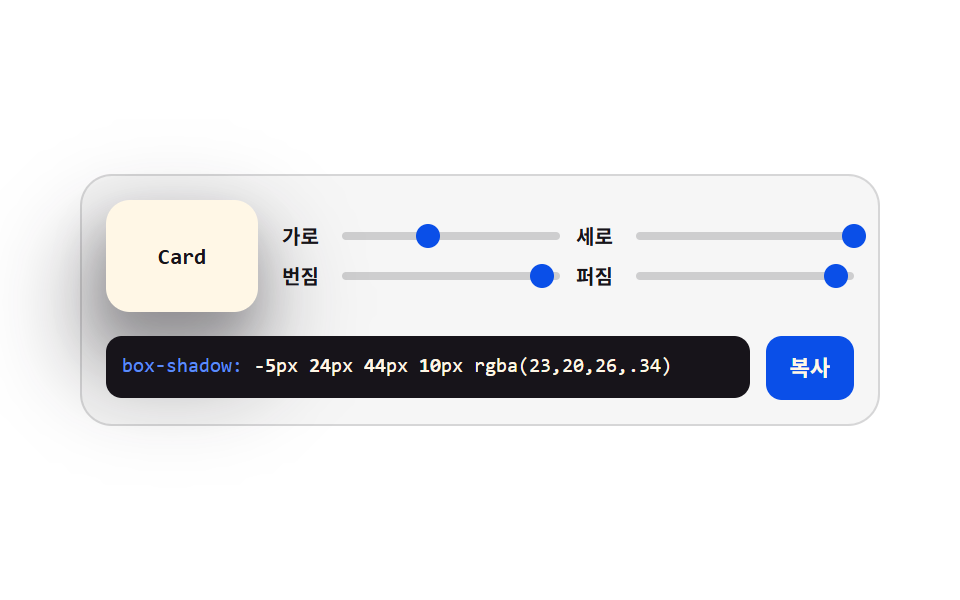 クリエイティブUIcss ジェネレーター 9種 — スライダーで作る css 影のつけ方