css ボタン 色 変更 9パターン — ホバー途中の色が濁らないよう計算した場面
ボタンの色をホバーで変えるのは一行で済むが、その一行は途中の色を濁らせ、グラデーションを動かせず、文字を途中で読めなくする — 02番・04番・07番がそれを一つずつ塞ぐ。css ボタン 色 変更は、ホバーや押下に合わせて背景色やグラデーションを一つの色から別の色へ移す作業です。
 01 btn-color-exp-ease-fill
 02 btn-color-linear-light-mix-pair
 03 btn-gradient-stop-spring-overshoot
 04 btn-gradient-two-layer-crossfade
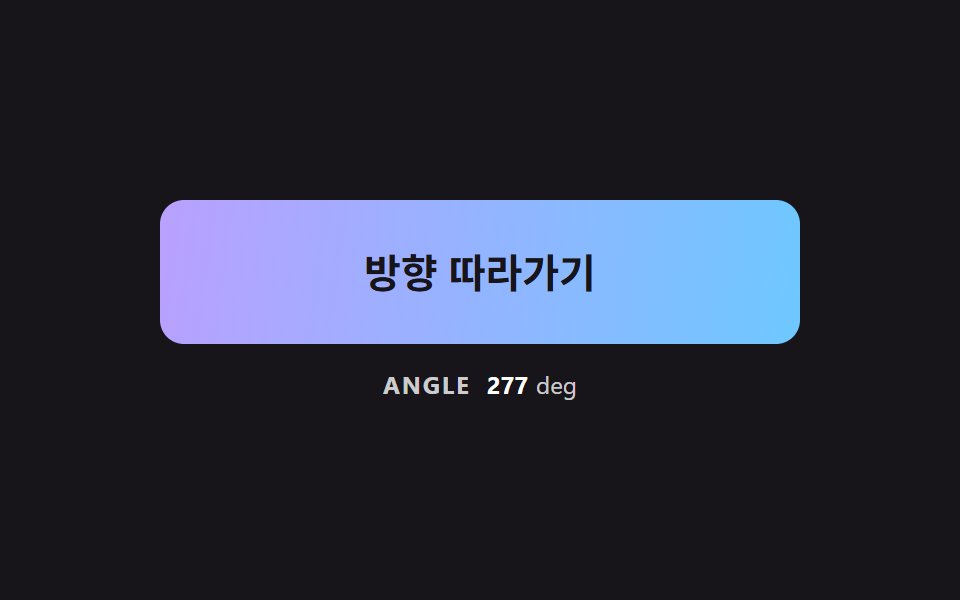 05 btn-gradient-angle-pointer-lerp
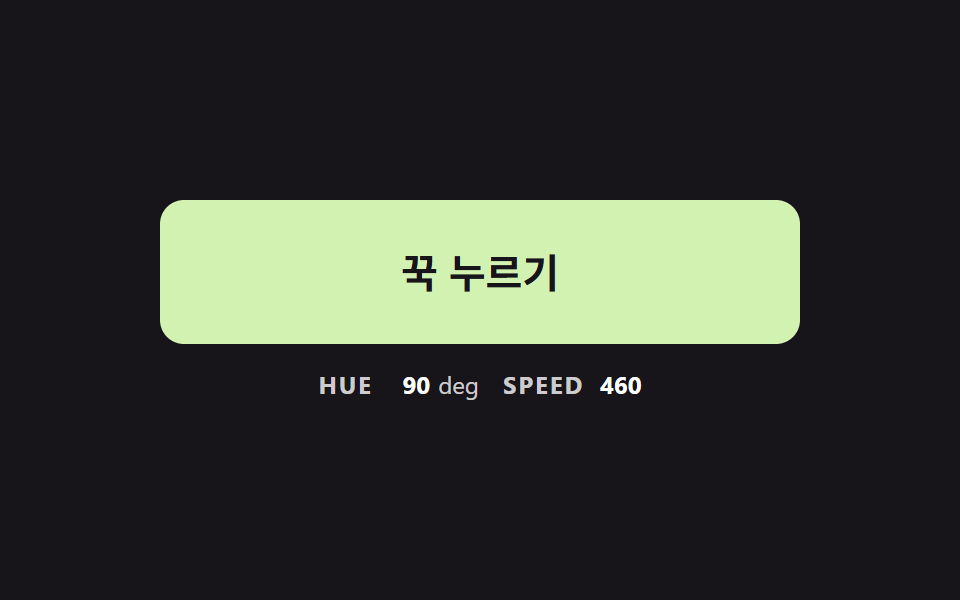 06 btn-hue-hold-inertia-ramp
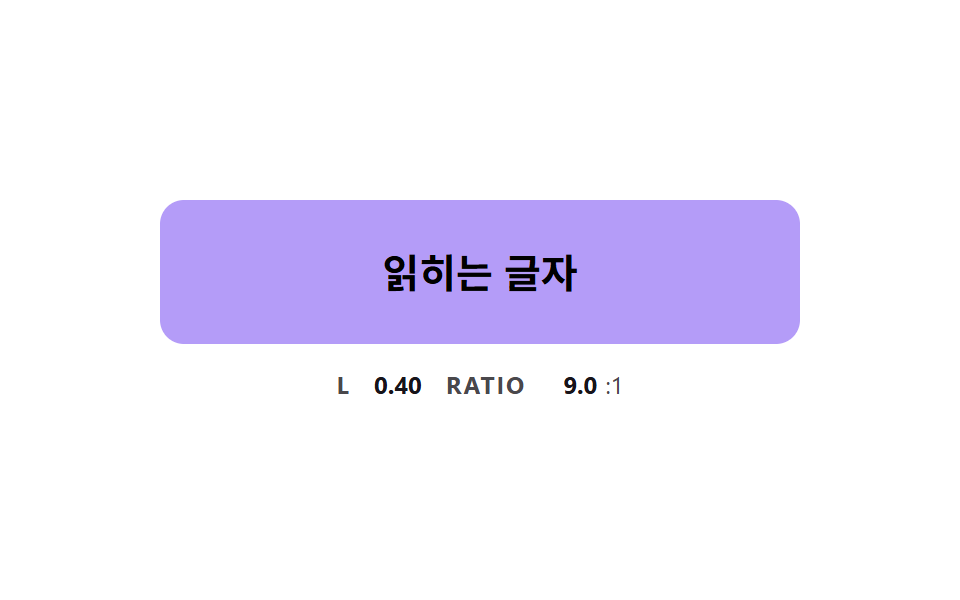 07 btn-color-text-contrast-flip
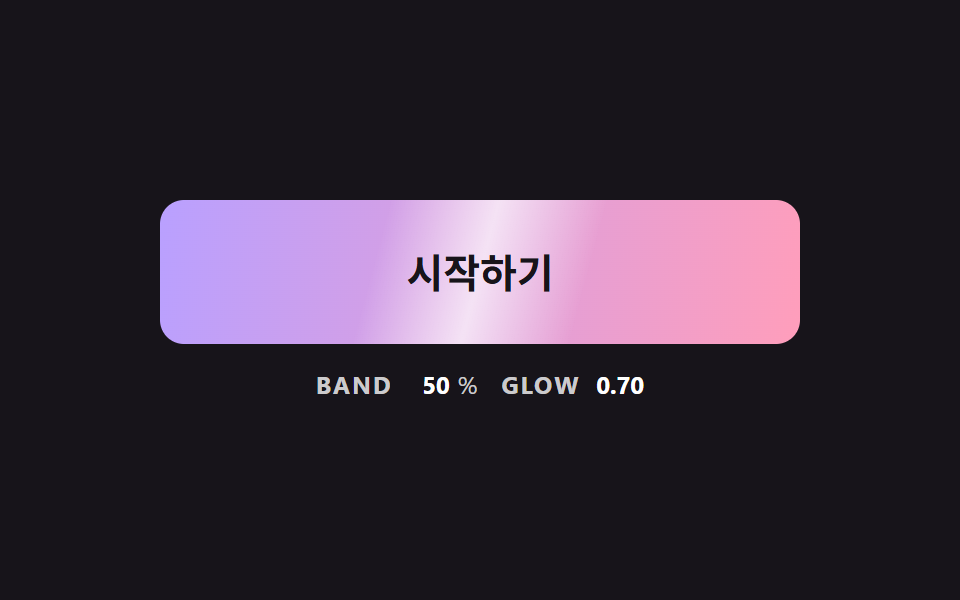 08 btn-gradient-sheen-sweep-skew
 09 btn-color-shadow-follow-glow
自動再生 · タイルを押すとその項目へ · すべて1つのzip
- 01 色を目標へ引き寄せる基本のホバー
- 02 明るさ補正の混合と素の混合を並べる
- 03 色の境目がバネで押されるグラデーション
- 04 二枚を重ねてグラデーションを替えるクロスフェード
- 05 角度がポインターの方へゆっくり向くグラデーション
- 06 押している間に色相が加速して回るボタン
- 07 地色が明るくなると文字色が反転するボタン
- 08 斜めの光の帯が色の上をなでる光沢
- 09 地色に合わせて影の色がにじむボタン
css ボタン 色 変更 9パターン — 色は計算して動かすと途中が澄む
九つは、色の着き方が素直なものから順に並べました。01 は残りの距離の一定割合ずつ目標へ寄る基本のホバーで、02 は同じ二色を素のまま混ぜたボタンと明るさを補正して混ぜたボタンの並べ比べです。03 はグラデーションの境目がバネで押される場面、04 は二枚を重ねて替えるクロスフェード、05 は角度がポインターの方へ向く場面になります。06 は押している間に色相が加速するボタン、07 は地色が明るくなると文字色が反転するボタン、08 は斜めの光の帯が一度なでる光沢、09 は地色に合わせて影の色がにじむボタンです。
こんな画面で使います
購入ボタンのように目立たせたい場所では、03 と 08 のグラデーションが働きます。色を選ぶ道具の画面なら押して回す 06 が、地色が何通りにも変わるテーマ切り替えのボタンなら文字が反転する 07 が先に必要になります。css ボタン 色 グラデーション の動きを入れる場合も、色の組を決めたあとの計算は二つの値の間の進み具合一つに整理できます。
隣の記事とどこが違うか
css ボタン ホバー エフェクト 9選 — 距離の値で変わるは、ポインターの近さでボタンの反応が分かれる記事です。ボタン 押し込み UI 9選 — 押し込みの値が戻る計算の9通りは、押されて戻る動きを扱っています。この記事で動かすのは形ではなく色なので、途中の色をどう計算するかの一点に九つの場面を掛けました。
技法別コードで見る色の動かし方
九つの場面はどれも標準の button 要素で作り(02 と 04 は左右を比べるため二つ置きます)、アニメーションは CSS の transition や keyframes を使わず、requestAnimationFrame の中の JS が値を計算して塗ります。01・02・07・09 は色を CSS 変数 --c-from・--c-to に置いて getComputedStyle で読み、下には各計算の中心の区間だけをソースから連続した形で抜き出しました。入力がないあいだの自動デモは最初の操作で止まり、同じ計算が入力を受け取ります。ライブラリや CDN は使っておらず、マークアップとスタイルの全体は下の圧縮ファイルに入っています。
01色を目標へ引き寄せる基本のホバー
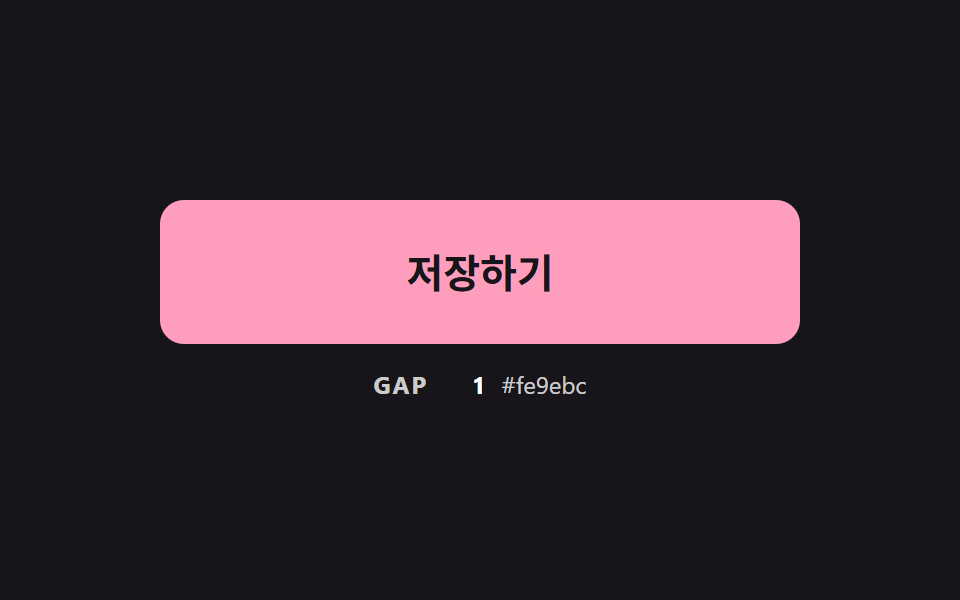
毎フレーム、残りの距離に 1 - exp(-dt * PULL_RATE) を掛けて三つのチャンネルを目標へ寄せ、残りの合計が SETTLE_GAP を下回ったら目標に止めます。時間の曲線を持たないので、ホバーを途中で外してもその時点の色から折り返せます。計測では面積16.2%、強度平均114.6、動いたフレームは22/23でした。
<main class="stage">
<div class="bc is-demo" id="bcRoot">
  <button class="bc__btn" id="bcBtn" type="button">保存する</button>
  <p class="bc__meta"><span class="bc__tag">GAP</span> <b id="bcGap">0</b> <span class="bc__hex" id="bcHex">#b9a0ff</span></p>
</div>
</main>
@use "../../../../site/static/demo-tokens" as *;
// 핵심: 색은 CSS transition 이 아니라 JS 가 매 프레임 계산한다.
// 현재 색이 목표 색까지 남은 거리의 일정 비율(PULL_RATE)만큼 다가가므로 끝에서 저절로 느려진다.
$pull-from: $subject-lilac;
$pull-to: $subject-pink;
@include stage($stage-ink);
.bc {
--c-from: #{$pull-from};
--c-to: #{$pull-to};
width: min(100%, 320px);
display: grid;
gap: $sp-3;
justify-items: center;
}
.bc__btn {
box-sizing: border-box;
width: 100%;
height: 72px;
border: 0;
border-radius: $r-control;
background: $pull-from;
color: $subject-ink;
font-family: inherit;
font-size: 20px;
font-weight: 700;
line-height: 24px;
cursor: pointer;
}
.bc__btn:focus-visible { outline: 3px solid $stage-paper; outline-offset: 3px; }
.bc__meta {
margin: 0;
display: flex;
align-items: baseline;
gap: $sp-2;
font-size: 12px;
line-height: 16px;
color: rgba($stage-paper, .78);
}
.bc__tag { font-weight: 700; letter-spacing: .08em; }
.bc__meta b { min-width: 3ch; text-align: right; font-variant-numeric: tabular-nums; color: $stage-paper; }
.bc__hex { font-variant-numeric: tabular-nums; }
@media (prefers-reduced-motion: reduce) {
.bc__btn { transition: none; }
}html, body {
margin: 0;
overflow: hidden;
}
.stage {
box-sizing: border-box;
min-height: 100vh;
display: grid;
place-items: center;
margin: 0;
background: #17141a;
font-family: -apple-system, "Segoe UI", "Noto Sans KR", sans-serif;
padding: clamp(8px, 4vw, 24px);
}
.bc {
--c-from: #b9a0ff;
--c-to: #ff9ebb;
width: min(100%, 320px);
display: grid;
gap: 12px;
justify-items: center;
}
.bc__btn {
box-sizing: border-box;
width: 100%;
height: 72px;
border: 0;
border-radius: 12px;
background: #b9a0ff;
color: #17141a;
font-family: inherit;
font-size: 20px;
font-weight: 700;
line-height: 24px;
cursor: pointer;
}
.bc__btn:focus-visible {
outline: 3px solid #ffffff;
outline-offset: 3px;
}
.bc__meta {
margin: 0;
display: flex;
align-items: baseline;
gap: 8px;
font-size: 12px;
line-height: 16px;
color: rgba(255, 255, 255, 0.78);
}
.bc__tag {
font-weight: 700;
letter-spacing: 0.08em;
}
.bc__meta b {
min-width: 3ch;
text-align: right;
font-variant-numeric: tabular-nums;
color: #ffffff;
}
.bc__hex {
font-variant-numeric: tabular-nums;
}
@media (prefers-reduced-motion: reduce) {
.bc__btn {
transition: none;
}
}(function () {
// 기법: 매 프레임 현재 색이 목표 색까지 남은 거리의 일정 비율만큼 다가간다 (시간 곡선 없음).
// 비율은 프레임 간격(dt)으로 보정해 60Hz 든 120Hz 든 같은 속도로 도착한다.
var PULL_RATE = 7;
var SETTLE_GAP = 0.5;
var START_MS = 200;
var ON_MS = 900;
var CYCLE_MS = 2000;
var root = document.getElementById('bcRoot');
var btn = document.getElementById('bcBtn');
var gapEl = document.getElementById('bcGap');
var hexEl = document.getElementById('bcHex');
var reduce = window.matchMedia('(prefers-reduced-motion: reduce)').matches;
function readRgb(name) {
var v = getComputedStyle(btn).getPropertyValue(name).trim().replace('#', '');
if (v.length === 3) v = v.split('').map(function (c) { return c + c; }).join('');
return [parseInt(v.slice(0, 2), 16), parseInt(v.slice(2, 4), 16), parseInt(v.slice(4, 6), 16)];
}
function toHex(rgb) {
return '#' + rgb.map(function (c) { return ('0' + Math.round(c).toString(16)).slice(-2); }).join('');
}
var from = readRgb('--c-from');
var to = readRgb('--c-to');
var cur = from.slice();
var pointerIn = false;
var kbFocus = false;
var t0 = null;
var lastTs = null;
function demoOn(now) {
return root.classList.contains('is-demo') && now >= START_MS && (now - START_MS) % CYCLE_MS < ON_MS;
}
function target(now) { return demoOn(now) || pointerIn || kbFocus ? to : from; }
function gapOf(goal) {
return Math.abs(goal[0] - cur[0]) + Math.abs(goal[1] - cur[1]) + Math.abs(goal[2] - cur[2]);
}
function paint(goal) {
btn.style.background = toHex(cur);
gapEl.textContent = String(Math.round(gapOf(goal)));
hexEl.textContent = toHex(cur);
}
function stopDemo() { root.classList.remove('is-demo'); }
function jump() { cur = (pointerIn || kbFocus ? to : from).slice(); paint(pointerIn || kbFocus ? to : from); }
btn.addEventListener('pointerenter', function () { stopDemo(); pointerIn = true; if (reduce) jump(); });
btn.addEventListener('pointerleave', function () { pointerIn = false; if (reduce) jump(); });
btn.addEventListener('focus', function () { kbFocus = btn.matches(':focus-visible'); if (kbFocus) stopDemo(); if (reduce) jump(); });
btn.addEventListener('blur', function () { kbFocus = false; if (reduce) jump(); });
  function tick(ts) {
    if (t0 === null) t0 = ts;
    var now = ts - t0;
    var dt = lastTs === null ? 0.016 : Math.min(0.05, (ts - lastTs) / 1000);
    lastTs = ts;
    var goal = target(now);
    var k = 1 - Math.exp(-dt * PULL_RATE);
    for (var i = 0; i < 3; i += 1) cur[i] += (goal[i] - cur[i]) * k;
    if (gapOf(goal) < SETTLE_GAP) cur = goal.slice();
    paint(goal);
    requestAnimationFrame(tick);
  }
if (reduce) {
stopDemo();
paint(from);
} else {
requestAnimationFrame(tick);
}
})();// PullColorButton — vanilla 판(01-btn-color-exp-ease-fill) 의 React 포트.
// 현재 색이 목표 색까지 남은 거리의 일정 비율(PULL_RATE)만큼 매 프레임 다가간다. CSS transition 은 쓰지 않는다.
import { useEffect, useRef } from "react";
import styles from "./PullColorButton.module.scss";
type Box<T> = { current: T };
type Rgb = [number, number, number];
const PULL_RATE = 7;
const SETTLE_GAP = 0.5;
const START_MS = 200;
const ON_MS = 900;
const CYCLE_MS = 2000;
function toHex(rgb: Rgb): string {
return "#" + rgb.map((c) => ("0" + Math.round(c).toString(16)).slice(-2)).join("");
}
export default function PullColorButton() {
const rootRef = useRef<HTMLDivElement | null>(null) as Box<HTMLDivElement | null>;
const btnRef = useRef<HTMLButtonElement | null>(null) as Box<HTMLButtonElement | null>;
const gapRef = useRef<HTMLElement | null>(null) as Box<HTMLElement | null>;
const hexRef = useRef<HTMLSpanElement | null>(null) as Box<HTMLSpanElement | null>;
useEffect(() => {
const btn = btnRef.current;
const gapEl = gapRef.current;
const hexEl = hexRef.current;
if (!btn || !gapEl || !hexEl) return;
const reduce = window.matchMedia("(prefers-reduced-motion: reduce)").matches;
const readRgb = (name: string): Rgb => {
let v = getComputedStyle(btn).getPropertyValue(name).trim().replace("#", "");
if (v.length === 3) v = v.split("").map((c) => c + c).join("");
return [parseInt(v.slice(0, 2), 16), parseInt(v.slice(2, 4), 16), parseInt(v.slice(4, 6), 16)];
};
const from = readRgb("--c-from");
const to = readRgb("--c-to");
let cur: Rgb = [from[0], from[1], from[2]];
let demo = !reduce;
let pointerIn = false;
let kbFocus = false;
let t0: number | null = null;
let lastTs: number | null = null;
let raf = 0;
const demoOn = (now: number): boolean => demo && now >= START_MS && (now - START_MS) % CYCLE_MS < ON_MS;
const gapOf = (goal: Rgb): number =>
Math.abs(goal[0] - cur[0]) + Math.abs(goal[1] - cur[1]) + Math.abs(goal[2] - cur[2]);
const paint = (goal: Rgb): void => {
btn.style.background = toHex(cur);
gapEl.textContent = String(Math.round(gapOf(goal)));
hexEl.textContent = toHex(cur);
};
const stopDemo = (): void => { demo = false; };
const jump = (): void => {
const goal = pointerIn || kbFocus ? to : from;
cur = [goal[0], goal[1], goal[2]];
paint(goal);
};
const onEnter = (): void => { stopDemo(); pointerIn = true; if (reduce) jump(); };
const onLeave = (): void => { pointerIn = false; if (reduce) jump(); };
const onFocus = (): void => { kbFocus = btn.matches(":focus-visible"); if (kbFocus) stopDemo(); if (reduce) jump(); };
const onBlur = (): void => { kbFocus = false; if (reduce) jump(); };
btn.addEventListener("pointerenter", onEnter);
btn.addEventListener("pointerleave", onLeave);
btn.addEventListener("focus", onFocus);
btn.addEventListener("blur", onBlur);
function tick(ts: number): void {
if (t0 === null) t0 = ts;
const now = ts - t0;
const dt = lastTs === null ? 0.016 : Math.min(0.05, (ts - lastTs) / 1000);
lastTs = ts;
const goal = demoOn(now) || pointerIn || kbFocus ? to : from;
const k = 1 - Math.exp(-dt * PULL_RATE);
cur = [cur[0] + (goal[0] - cur[0]) * k, cur[1] + (goal[1] - cur[1]) * k, cur[2] + (goal[2] - cur[2]) * k];
if (gapOf(goal) < SETTLE_GAP) cur = [goal[0], goal[1], goal[2]];
paint(goal);
raf = requestAnimationFrame(tick);
}
if (reduce) paint(from);
else raf = requestAnimationFrame(tick);
return () => {
cancelAnimationFrame(raf);
btn.removeEventListener("pointerenter", onEnter);
btn.removeEventListener("pointerleave", onLeave);
btn.removeEventListener("focus", onFocus);
btn.removeEventListener("blur", onBlur);
};
}, []);
return (
<main className={styles.stage}>
<div className={styles.bc} ref={rootRef}>
<button className={styles.bc__btn} type="button" ref={btnRef}>저장하기</button>
<p className={styles.bc__meta}>
<span className={styles.bc__tag}>GAP</span> <b ref={gapRef}>0</b> <span className={styles.bc__hex} ref={hexRef}>#b9a0ff</span>
</p>
</div>
</main>
);
}01 · 色を目標へ引き寄せる基本のホバー — 計測 累積面積 16.203% · 動いたフレーム 22/23GODRICH オリジナル · SCSS と React は zip に同梱 · パスワードを見る
function tick(ts) {
if (t0 === null) t0 = ts;
var now = ts - t0;
var dt = lastTs === null ? 0.016 : Math.min(0.05, (ts - lastTs) / 1000);
lastTs = ts;
var goal = target(now);
var k = 1 - Math.exp(-dt * PULL_RATE);
for (var i = 0; i < 3; i += 1) cur[i] += (goal[i] - cur[i]) * k;
if (gapOf(goal) < SETTLE_GAP) cur = goal.slice();
paint(goal);
requestAnimationFrame(tick);
}
02明るさ補正の混合と素の混合を並べる
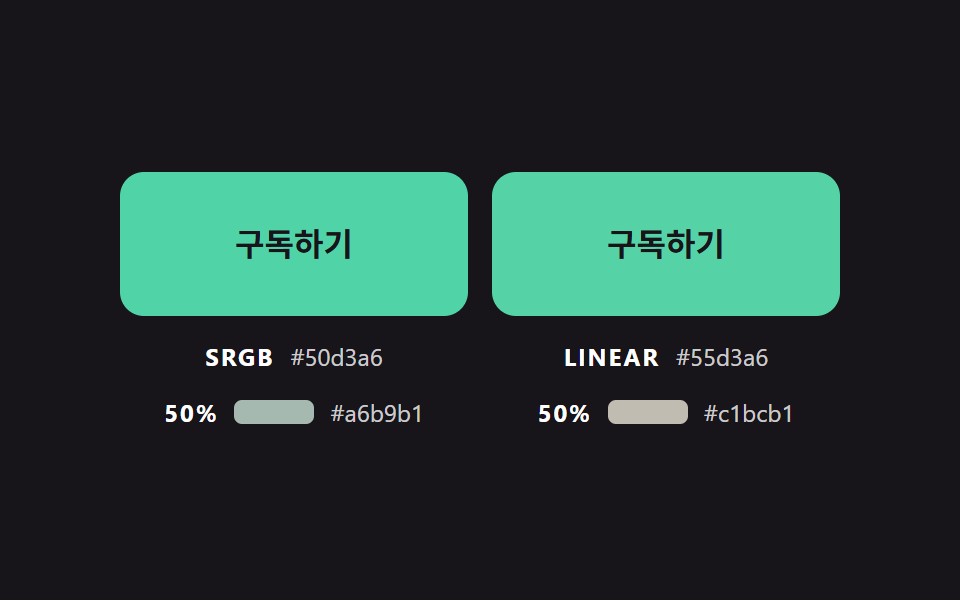
左のボタンは sRGB の値をそのまま補間し、右のボタンは toLinear で明るさを線形に戻して混ぜてから toGamma で戻します。進み具合50%で素の混合色 #a6b9b1 の相対輝度は約0.459で、両端のピンク0.493・ミント0.514を下回り、補正した #c1bcb1 は約0.505で二つの間に収まります。計測では面積18.1%、強度平均48.3、動いたフレームは21/23でした。
<main class="stage">
<div class="bc is-demo" id="bcRoot">
  <div class="bc__pair" id="bcPair">
    <div class="bc__cell">
      <button class="bc__btn" id="bcRaw" type="button">購読する</button>
      <p class="bc__meta"><span class="bc__tag">SRGB</span> <span class="bc__hex" id="bcRawHex">#ff9ebb</span></p>
      <p class="bc__meta"><span class="bc__tag">50%</span> <span class="bc__swatch" id="bcRawMid"></span> <span class="bc__hex" id="bcRawMidHex">#a6b9b0</span></p>
    </div>
    <div class="bc__cell">
      <button class="bc__btn" id="bcLin" type="button">購読する</button>
      <p class="bc__meta"><span class="bc__tag">LINEAR</span> <span class="bc__hex" id="bcLinHex">#ff9ebb</span></p>
      <p class="bc__meta"><span class="bc__tag">50%</span> <span class="bc__swatch" id="bcLinMid"></span> <span class="bc__hex" id="bcLinMidHex">#c1bcb1</span></p>
    </div>
  </div>
</div>
</main>
@use "../../../../site/static/demo-tokens" as *;
// 핵심: 같은 두 색, 같은 진행도. 왼쪽은 값 그대로 섞고(SRGB) 오른쪽은 선형 밝기에서 섞어(LINEAR) 중간 색을 비교한다.
$mix-from: $subject-pink;
$mix-to: $subject-mint;
@include stage($stage-ink);
.bc {
--c-from: #{$mix-from};
--c-to: #{$mix-to};
width: min(100%, 360px);
}
.bc__pair {
display: grid;
grid-template-columns: repeat(2, minmax(0, 1fr));
gap: $sp-3;
}
.bc__cell { display: grid; gap: $sp-3; justify-items: center; min-width: 0; }
.bc__btn {
box-sizing: border-box;
width: 100%;
height: 72px;
border: 0;
border-radius: $r-control;
background: $mix-from;
color: $subject-ink;
font-family: inherit;
font-size: 16px;
font-weight: 700;
line-height: 20px;
cursor: pointer;
}
.bc__btn:focus-visible { outline: 3px solid $stage-paper; outline-offset: 3px; }
.bc__meta {
margin: 0;
display: flex;
flex-wrap: wrap;
justify-content: center;
align-items: baseline;
gap: $sp-1 $sp-2;
font-size: 12px;
line-height: 16px;
color: rgba($stage-paper, .78);
}
.bc__tag { font-weight: 700; letter-spacing: .08em; color: $stage-paper; }
.bc__hex { font-variant-numeric: tabular-nums; }
.bc__swatch { display: inline-block; width: 40px; height: 12px; border-radius: $r-xs; align-self: center; }
@media (prefers-reduced-motion: reduce) {
.bc__btn { transition: none; }
}html, body {
margin: 0;
overflow: hidden;
}
.stage {
box-sizing: border-box;
min-height: 100vh;
display: grid;
place-items: center;
margin: 0;
background: #17141a;
font-family: -apple-system, "Segoe UI", "Noto Sans KR", sans-serif;
padding: clamp(8px, 4vw, 24px);
}
.bc {
--c-from: #ff9ebb;
--c-to: #4cd4a6;
width: min(100%, 360px);
}
.bc__pair {
display: grid;
grid-template-columns: repeat(2, minmax(0, 1fr));
gap: 12px;
}
.bc__cell {
display: grid;
gap: 12px;
justify-items: center;
min-width: 0;
}
.bc__btn {
box-sizing: border-box;
width: 100%;
height: 72px;
border: 0;
border-radius: 12px;
background: #ff9ebb;
color: #17141a;
font-family: inherit;
font-size: 16px;
font-weight: 700;
line-height: 20px;
cursor: pointer;
}
.bc__btn:focus-visible {
outline: 3px solid #ffffff;
outline-offset: 3px;
}
.bc__meta {
margin: 0;
display: flex;
flex-wrap: wrap;
justify-content: center;
align-items: baseline;
gap: 4px 8px;
font-size: 12px;
line-height: 16px;
color: rgba(255, 255, 255, 0.78);
}
.bc__tag {
font-weight: 700;
letter-spacing: 0.08em;
color: #ffffff;
}
.bc__hex {
font-variant-numeric: tabular-nums;
}
.bc__swatch {
display: inline-block;
width: 40px;
height: 12px;
border-radius: 4px;
align-self: center;
}
@media (prefers-reduced-motion: reduce) {
.bc__btn {
transition: none;
}
}(function () {
// 기법: 같은 두 색을 같은 진행도 t 로 섞는다. 왼쪽은 sRGB 값을 그대로, 오른쪽은 선형 밝기로 되돌려 섞은 뒤 다시 감마를 씌운다.
// 진행도 t 는 두 버튼이 함께 쓰고 매 프레임 목표로 일정 비율 끌린다. 두 중간 색의 차이만 눈에 남는다.
var MIX_RATE = 5;
var START_MS = 200;
var ON_MS = 1000;
var RAMP_MS = 800;
var HOLD_MS = 100;
var CYCLE_MS = 2000;
var root = document.getElementById('bcRoot');
var rawBtn = document.getElementById('bcRaw');
var linBtn = document.getElementById('bcLin');
var rawHex = document.getElementById('bcRawHex');
var linHex = document.getElementById('bcLinHex');
var reduce = window.matchMedia('(prefers-reduced-motion: reduce)').matches;
function readRgb(name) {
var v = getComputedStyle(rawBtn).getPropertyValue(name).trim().replace('#', '');
if (v.length === 3) v = v.split('').map(function (c) { return c + c; }).join('');
return [parseInt(v.slice(0, 2), 16), parseInt(v.slice(2, 4), 16), parseInt(v.slice(4, 6), 16)];
}
function toHex(rgb) {
return '#' + rgb.map(function (c) { return ('0' + Math.round(c).toString(16)).slice(-2); }).join('');
}
  function toLinear(c) {
    var s = c / 255;
    return s <= 0.04045 ? s / 12.92 : Math.pow((s + 0.055) / 1.055, 2.4);
  }
  function toGamma(l) {
    var s = l <= 0.0031308 ? l * 12.92 : 1.055 * Math.pow(l, 1 / 2.4) - 0.055;
    return Math.max(0, Math.min(255, s * 255));
  }
  function mixRaw(a, b, t) { return a.map(function (v, i) { return v + (b[i] - v) * t; }); }
  function mixLinear(a, b, t) {
    return a.map(function (v, i) {
      var la = toLinear(v);
      return toGamma(la + (toLinear(b[i]) - la) * t);
    });
  }
var from = readRgb('--c-from');
var to = readRgb('--c-to');
var mix = 0;
var rawMid = toHex(mixRaw(from, to, 0.5));
var linMid = toHex(mixLinear(from, to, 0.5));
document.getElementById('bcRawMid').style.background = rawMid;
document.getElementById('bcLinMid').style.background = linMid;
document.getElementById('bcRawMidHex').textContent = rawMid;
document.getElementById('bcLinMidHex').textContent = linMid;
var pointerIn = false;
var kbFocus = false;
var t0 = null;
var lastTs = null;
function demoOn(now) {
return root.classList.contains('is-demo') && now >= START_MS && (now - START_MS) % CYCLE_MS < ON_MS;
}
// 시연 전용: 진행도를 smoothstep 으로 오르내려 변화가 가장 큰 순간이 두 중간 색이 벌어진 한가운데에 오게 한다.
function demoMix(now) {
if (now < START_MS) return 0;
var c = (now - START_MS) % CYCLE_MS;
var s;
if (c < RAMP_MS) { s = c / RAMP_MS; return s * s * (3 - 2 * s); }
if (c < RAMP_MS + HOLD_MS) return 1;
if (c < 2 * RAMP_MS + HOLD_MS) { s = (c - RAMP_MS - HOLD_MS) / RAMP_MS; return 1 - s * s * (3 - 2 * s); }
return 0;
}
function paint() {
var a = mixRaw(from, to, mix);
var b = mixLinear(from, to, mix);
rawBtn.style.background = toHex(a);
linBtn.style.background = toHex(b);
rawHex.textContent = toHex(a);
linHex.textContent = toHex(b);
}
function stopDemo() { root.classList.remove('is-demo'); }
function goal(now) { return demoOn(now) || pointerIn || kbFocus ? 1 : 0; }
function jump() { mix = pointerIn || kbFocus ? 1 : 0; paint(); }
[rawBtn, linBtn].forEach(function (b) {
b.addEventListener('pointerenter', function () { stopDemo(); pointerIn = true; if (reduce) jump(); });
b.addEventListener('pointerleave', function () { pointerIn = false; if (reduce) jump(); });
b.addEventListener('focus', function () { kbFocus = b.matches(':focus-visible'); if (kbFocus) stopDemo(); if (reduce) jump(); });
b.addEventListener('blur', function () { kbFocus = false; if (reduce) jump(); });
});
function tick(ts) {
if (t0 === null) t0 = ts;
var now = ts - t0;
var dt = lastTs === null ? 0.016 : Math.min(0.05, (ts - lastTs) / 1000);
lastTs = ts;
if (root.classList.contains('is-demo')) {
mix = demoMix(now);
} else {
var g = goal(now);
mix += (g - mix) * (1 - Math.exp(-dt * MIX_RATE));
if (Math.abs(g - mix) < 0.002) mix = g;
}
paint();
requestAnimationFrame(tick);
}
if (reduce) {
stopDemo();
paint();
} else {
requestAnimationFrame(tick);
}
})();// LinearLightMixPair — vanilla 판(02-btn-color-linear-light-mix-pair) 의 React 포트.
// 같은 두 색을 같은 진행도로 섞는다. 왼쪽은 sRGB 값 그대로(SRGB), 오른쪽은 선형 밝기에서 섞는다(LINEAR).
import { useEffect, useRef } from "react";
import styles from "./LinearLightMixPair.module.scss";
type Box<T> = { current: T };
type Rgb = [number, number, number];
const MIX_RATE = 5;
const START_MS = 200;
const ON_MS = 1000;
const RAMP_MS = 800;
const HOLD_MS = 100;
const CYCLE_MS = 2000;
function toHex(rgb: Rgb): string {
return "#" + rgb.map((c) => ("0" + Math.round(c).toString(16)).slice(-2)).join("");
}
function toLinear(c: number): number {
const s = c / 255;
return s <= 0.04045 ? s / 12.92 : Math.pow((s + 0.055) / 1.055, 2.4);
}
function toGamma(l: number): number {
const s = l <= 0.0031308 ? l * 12.92 : 1.055 * Math.pow(l, 1 / 2.4) - 0.055;
return Math.max(0, Math.min(255, s * 255));
}
// 시연 전용: 진행도를 smoothstep 으로 오르내려 변화가 가장 큰 순간이 두 중간 색이 벌어진 한가운데에 오게 한다.
function demoMix(now: number): number {
if (now < START_MS) return 0;
const c = (now - START_MS) % CYCLE_MS;
if (c < RAMP_MS) { const s = c / RAMP_MS; return s * s * (3 - 2 * s); }
if (c < RAMP_MS + HOLD_MS) return 1;
if (c < 2 * RAMP_MS + HOLD_MS) { const s = (c - RAMP_MS - HOLD_MS) / RAMP_MS; return 1 - s * s * (3 - 2 * s); }
return 0;
}
function mixRaw(a: Rgb, b: Rgb, t: number): Rgb {
return [a[0] + (b[0] - a[0]) * t, a[1] + (b[1] - a[1]) * t, a[2] + (b[2] - a[2]) * t];
}
function mixLinear(a: Rgb, b: Rgb, t: number): Rgb {
const one = (i: number): number => {
const la = toLinear(a[i]);
return toGamma(la + (toLinear(b[i]) - la) * t);
};
return [one(0), one(1), one(2)];
}
export default function LinearLightMixPair() {
const rawRef = useRef<HTMLButtonElement | null>(null) as Box<HTMLButtonElement | null>;
const linRef = useRef<HTMLButtonElement | null>(null) as Box<HTMLButtonElement | null>;
const rawHexRef = useRef<HTMLSpanElement | null>(null) as Box<HTMLSpanElement | null>;
const linHexRef = useRef<HTMLSpanElement | null>(null) as Box<HTMLSpanElement | null>;
const rawMidRef = useRef<HTMLSpanElement | null>(null) as Box<HTMLSpanElement | null>;
const linMidRef = useRef<HTMLSpanElement | null>(null) as Box<HTMLSpanElement | null>;
const rawMidHexRef = useRef<HTMLSpanElement | null>(null) as Box<HTMLSpanElement | null>;
const linMidHexRef = useRef<HTMLSpanElement | null>(null) as Box<HTMLSpanElement | null>;
useEffect(() => {
const rawBtn = rawRef.current;
const linBtn = linRef.current;
const rawHex = rawHexRef.current;
const linHex = linHexRef.current;
const rawMidEl = rawMidRef.current;
const linMidEl = linMidRef.current;
const rawMidHexEl = rawMidHexRef.current;
const linMidHexEl = linMidHexRef.current;
if (!rawBtn || !linBtn || !rawHex || !linHex || !rawMidEl || !linMidEl || !rawMidHexEl || !linMidHexEl) return;
const reduce = window.matchMedia("(prefers-reduced-motion: reduce)").matches;
const readRgb = (name: string): Rgb => {
let v = getComputedStyle(rawBtn).getPropertyValue(name).trim().replace("#", "");
if (v.length === 3) v = v.split("").map((c) => c + c).join("");
return [parseInt(v.slice(0, 2), 16), parseInt(v.slice(2, 4), 16), parseInt(v.slice(4, 6), 16)];
};
const from = readRgb("--c-from");
const to = readRgb("--c-to");
const rawMid = toHex(mixRaw(from, to, 0.5));
const linMid = toHex(mixLinear(from, to, 0.5));
rawMidEl.style.background = rawMid;
linMidEl.style.background = linMid;
rawMidHexEl.textContent = rawMid;
linMidHexEl.textContent = linMid;
let mix = 0;
let demo = !reduce;
let pointerIn = false;
let kbFocus = false;
let t0: number | null = null;
let lastTs: number | null = null;
let raf = 0;
const demoOn = (now: number): boolean => demo && now >= START_MS && (now - START_MS) % CYCLE_MS < ON_MS;
const paint = (): void => {
const a = mixRaw(from, to, mix);
const b = mixLinear(from, to, mix);
rawBtn.style.background = toHex(a);
linBtn.style.background = toHex(b);
rawHex.textContent = toHex(a);
linHex.textContent = toHex(b);
};
const stopDemo = (): void => { demo = false; };
const jump = (): void => { mix = pointerIn || kbFocus ? 1 : 0; paint(); };
const cleanups: Array<() => void> = [];
[rawBtn, linBtn].forEach((b) => {
const onEnter = (): void => { stopDemo(); pointerIn = true; if (reduce) jump(); };
const onLeave = (): void => { pointerIn = false; if (reduce) jump(); };
const onFocus = (): void => { kbFocus = b.matches(":focus-visible"); if (kbFocus) stopDemo(); if (reduce) jump(); };
const onBlur = (): void => { kbFocus = false; if (reduce) jump(); };
b.addEventListener("pointerenter", onEnter);
b.addEventListener("pointerleave", onLeave);
b.addEventListener("focus", onFocus);
b.addEventListener("blur", onBlur);
cleanups.push(() => {
b.removeEventListener("pointerenter", onEnter);
b.removeEventListener("pointerleave", onLeave);
b.removeEventListener("focus", onFocus);
b.removeEventListener("blur", onBlur);
});
});
function tick(ts: number): void {
if (t0 === null) t0 = ts;
const now = ts - t0;
const dt = lastTs === null ? 0.016 : Math.min(0.05, (ts - lastTs) / 1000);
lastTs = ts;
if (demo) {
mix = demoMix(now);
} else {
const g = demoOn(now) || pointerIn || kbFocus ? 1 : 0;
mix += (g - mix) * (1 - Math.exp(-dt * MIX_RATE));
if (Math.abs(g - mix) < 0.002) mix = g;
}
paint();
raf = requestAnimationFrame(tick);
}
if (reduce) paint();
else raf = requestAnimationFrame(tick);
return () => {
cancelAnimationFrame(raf);
cleanups.forEach((fn) => fn());
};
}, []);
return (
<main className={styles.stage}>
<div className={styles.bc}>
<div className={styles.bc__pair}>
<div className={styles.bc__cell}>
<button className={styles.bc__btn} type="button" ref={rawRef}>구독하기</button>
<p className={styles.bc__meta}><span className={styles.bc__tag}>SRGB</span> <span className={styles.bc__hex} ref={rawHexRef}>#ff9ebb</span></p>
<p className={styles.bc__meta}><span className={styles.bc__tag}>50%</span> <span className={styles.bc__swatch} ref={rawMidRef}></span> <span className={styles.bc__hex} ref={rawMidHexRef}>#a6b9b0</span></p>
</div>
<div className={styles.bc__cell}>
<button className={styles.bc__btn} type="button" ref={linRef}>구독하기</button>
<p className={styles.bc__meta}><span className={styles.bc__tag}>LINEAR</span> <span className={styles.bc__hex} ref={linHexRef}>#ff9ebb</span></p>
<p className={styles.bc__meta}><span className={styles.bc__tag}>50%</span> <span className={styles.bc__swatch} ref={linMidRef}></span> <span className={styles.bc__hex} ref={linMidHexRef}>#c1bcb1</span></p>
</div>
</div>
</div>
</main>
);
}02 · 明るさ補正の混合と素の混合を並べる — 計測 累積面積 18.131% · 動いたフレーム 21/23GODRICH オリジナル · SCSS と React は zip に同梱 · パスワードを見る
function toLinear(c) {
var s = c / 255;
return s <= 0.04045 ? s / 12.92 : Math.pow((s + 0.055) / 1.055, 2.4);
}
function toGamma(l) {
var s = l <= 0.0031308 ? l * 12.92 : 1.055 * Math.pow(l, 1 / 2.4) - 0.055;
return Math.max(0, Math.min(255, s * 255));
}
function mixRaw(a, b, t) { return a.map(function (v, i) { return v + (b[i] - v) * t; }); }
function mixLinear(a, b, t) {
return a.map(function (v, i) {
var la = toLinear(v);
return toGamma(la + (toLinear(b[i]) - la) * t);
});
}
03色の境目がバネで押されるグラデーション
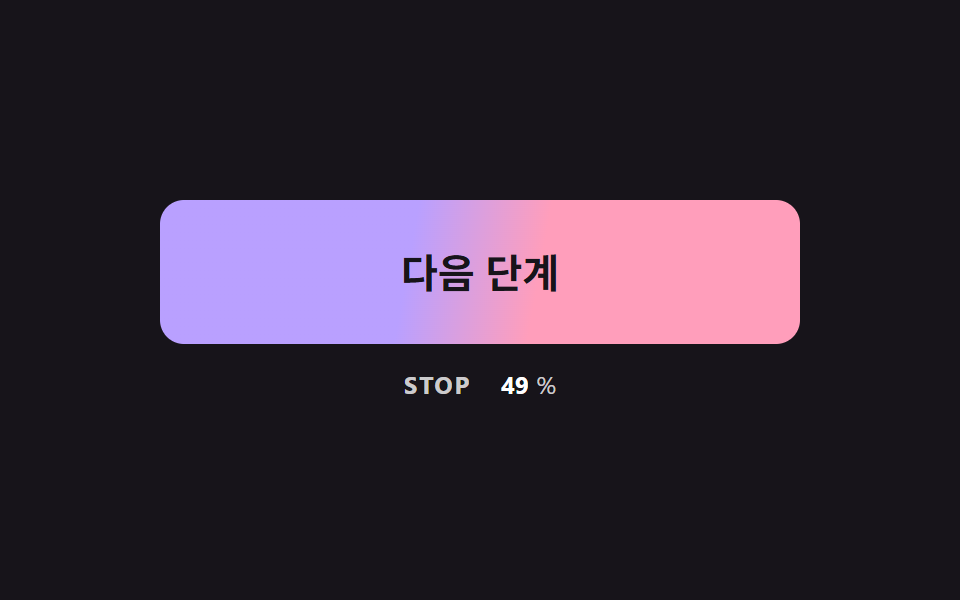
グラデーションの停止位置 --stop を STIFFNESS と DAMPING で決めたバネに入れ、1/120秒の固定刻みで積分します。20%から目標の70%へ向かうときに11.1だけ行き過ぎて戻り、離すと20%より下へ逆向きに行き過ぎてから落ち着きます。計測では面積13.7%、強度平均92.8、動いたフレームは20/23でした。
<main class="stage">
<div class="bc is-demo" id="bcRoot">
  <button class="bc__btn" id="bcBtn" type="button">次のステップ</button>
  <p class="bc__meta"><span class="bc__tag">STOP</span> <b id="bcPos">20</b><span>%</span></p>
</div>
</main>
@use "../../../../site/static/demo-tokens" as *;
// 핵심: 그라데이션의 색 경계(--stop)는 스프링으로 움직이는 숫자다. CSS transition 으로는 목표를 지나쳤다 돌아오는 값을 못 만든다.
$stop-a: $subject-lilac;
$stop-b: $subject-pink;
$stop-soft: 10%;
@include stage($stage-ink);
.bc {
width: min(100%, 320px);
display: grid;
gap: $sp-3;
justify-items: center;
}
.bc__btn {
--stop: 20;
box-sizing: border-box;
width: 100%;
height: 72px;
border: 0;
border-radius: $r-control;
background: linear-gradient(100deg, $stop-a calc(var(--stop) * 1% - #{$stop-soft}), $stop-b calc(var(--stop) * 1% + #{$stop-soft}));
color: $subject-ink;
font-family: inherit;
font-size: 20px;
font-weight: 700;
line-height: 24px;
cursor: pointer;
}
.bc__btn:focus-visible { outline: 3px solid $stage-paper; outline-offset: 3px; }
.bc__meta {
margin: 0;
display: flex;
align-items: baseline;
gap: $sp-1;
font-size: 12px;
line-height: 16px;
color: rgba($stage-paper, .78);
}
.bc__tag { margin-right: $sp-1; font-weight: 700; letter-spacing: .08em; }
.bc__meta b { min-width: 3ch; text-align: right; font-variant-numeric: tabular-nums; color: $stage-paper; }
@media (prefers-reduced-motion: reduce) {
.bc__btn { transition: none; }
}html, body {
margin: 0;
overflow: hidden;
}
.stage {
box-sizing: border-box;
min-height: 100vh;
display: grid;
place-items: center;
margin: 0;
background: #17141a;
font-family: -apple-system, "Segoe UI", "Noto Sans KR", sans-serif;
padding: clamp(8px, 4vw, 24px);
}
.bc {
width: min(100%, 320px);
display: grid;
gap: 12px;
justify-items: center;
}
.bc__btn {
--stop: 20;
box-sizing: border-box;
width: 100%;
height: 72px;
border: 0;
border-radius: 12px;
background: linear-gradient(100deg, #b9a0ff calc(var(--stop) * 1% - 10%), #ff9ebb calc(var(--stop) * 1% + 10%));
color: #17141a;
font-family: inherit;
font-size: 20px;
font-weight: 700;
line-height: 24px;
cursor: pointer;
}
.bc__btn:focus-visible {
outline: 3px solid #ffffff;
outline-offset: 3px;
}
.bc__meta {
margin: 0;
display: flex;
align-items: baseline;
gap: 4px;
font-size: 12px;
line-height: 16px;
color: rgba(255, 255, 255, 0.78);
}
.bc__tag {
margin-right: 4px;
font-weight: 700;
letter-spacing: 0.08em;
}
.bc__meta b {
min-width: 3ch;
text-align: right;
font-variant-numeric: tabular-nums;
color: #ffffff;
}
@media (prefers-reduced-motion: reduce) {
.bc__btn {
transition: none;
}
}(function () {
// 기법: 그라데이션 색 경계의 위치(--stop, 퍼센트)를 스프링 방정식으로 푼다.
// 가속도 = 강성 x (목표 - 위치) - 감쇠 x 속도. 고정 간격으로 쪼개 적분하므로 프레임 속도와 상관없이 같은 흔들림이 나온다.
var STIFFNESS = 170;
var DAMPING = 11;
var STOP_REST = 20;
var STOP_HOVER = 70;
var STEP = 1 / 120;
var START_MS = 200;
var ON_MS = 800;
var CYCLE_MS = 2000;
var root = document.getElementById('bcRoot');
var btn = document.getElementById('bcBtn');
var posEl = document.getElementById('bcPos');
var reduce = window.matchMedia('(prefers-reduced-motion: reduce)').matches;
var pos = STOP_REST;
var vel = 0;
var acc = 0;
var pointerIn = false;
var kbFocus = false;
var t0 = null;
var lastTs = null;
function demoOn(now) {
return root.classList.contains('is-demo') && now >= START_MS && (now - START_MS) % CYCLE_MS < ON_MS;
}
function goal(now) { return demoOn(now) || pointerIn || kbFocus ? STOP_HOVER : STOP_REST; }
function paint() {
btn.style.setProperty('--stop', pos.toFixed(2));
posEl.textContent = String(Math.round(pos));
}
function stopDemo() { root.classList.remove('is-demo'); }
function jump() { pos = pointerIn || kbFocus ? STOP_HOVER : STOP_REST; vel = 0; paint(); }
btn.addEventListener('pointerenter', function () { stopDemo(); pointerIn = true; if (reduce) jump(); });
btn.addEventListener('pointerleave', function () { pointerIn = false; if (reduce) jump(); });
btn.addEventListener('focus', function () { kbFocus = btn.matches(':focus-visible'); if (kbFocus) stopDemo(); if (reduce) jump(); });
btn.addEventListener('blur', function () { kbFocus = false; if (reduce) jump(); });
  function tick(ts) {
    if (t0 === null) t0 = ts;
    var now = ts - t0;
    var dt = lastTs === null ? 0.016 : Math.min(0.05, (ts - lastTs) / 1000);
    lastTs = ts;
    var g = goal(now);
    acc += dt;
    while (acc >= STEP) {
      vel += (STIFFNESS * (g - pos) - DAMPING * vel) * STEP;
      pos += vel * STEP;
      acc -= STEP;
    }
    paint();
    requestAnimationFrame(tick);
  }
if (reduce) {
stopDemo();
paint();
} else {
requestAnimationFrame(tick);
}
})();// SpringStopButton — vanilla 판(03-btn-gradient-stop-spring-overshoot) 의 React 포트.
// 그라데이션 색 경계 위치(--stop)를 스프링 방정식으로 푼다. 목표를 지나쳤다가 돌아와 안착한다.
import { useEffect, useRef } from "react";
import styles from "./SpringStopButton.module.scss";
type Box<T> = { current: T };
const STIFFNESS = 170;
const DAMPING = 11;
const STOP_REST = 20;
const STOP_HOVER = 70;
const STEP = 1 / 120;
const START_MS = 200;
const ON_MS = 800;
const CYCLE_MS = 2000;
export default function SpringStopButton() {
const btnRef = useRef<HTMLButtonElement | null>(null) as Box<HTMLButtonElement | null>;
const posRef = useRef<HTMLElement | null>(null) as Box<HTMLElement | null>;
useEffect(() => {
const btn = btnRef.current;
const posEl = posRef.current;
if (!btn || !posEl) return;
const reduce = window.matchMedia("(prefers-reduced-motion: reduce)").matches;
let pos = STOP_REST;
let vel = 0;
let acc = 0;
let demo = !reduce;
let pointerIn = false;
let kbFocus = false;
let t0: number | null = null;
let lastTs: number | null = null;
let raf = 0;
const demoOn = (now: number): boolean => demo && now >= START_MS && (now - START_MS) % CYCLE_MS < ON_MS;
const paint = (): void => {
btn.style.setProperty("--stop", pos.toFixed(2));
posEl.textContent = String(Math.round(pos));
};
const stopDemo = (): void => { demo = false; };
const jump = (): void => { pos = pointerIn || kbFocus ? STOP_HOVER : STOP_REST; vel = 0; paint(); };
const onEnter = (): void => { stopDemo(); pointerIn = true; if (reduce) jump(); };
const onLeave = (): void => { pointerIn = false; if (reduce) jump(); };
const onFocus = (): void => { kbFocus = btn.matches(":focus-visible"); if (kbFocus) stopDemo(); if (reduce) jump(); };
const onBlur = (): void => { kbFocus = false; if (reduce) jump(); };
btn.addEventListener("pointerenter", onEnter);
btn.addEventListener("pointerleave", onLeave);
btn.addEventListener("focus", onFocus);
btn.addEventListener("blur", onBlur);
function tick(ts: number): void {
if (t0 === null) t0 = ts;
const now = ts - t0;
const dt = lastTs === null ? 0.016 : Math.min(0.05, (ts - lastTs) / 1000);
lastTs = ts;
const g = demoOn(now) || pointerIn || kbFocus ? STOP_HOVER : STOP_REST;
acc += dt;
while (acc >= STEP) {
vel += (STIFFNESS * (g - pos) - DAMPING * vel) * STEP;
pos += vel * STEP;
acc -= STEP;
}
paint();
raf = requestAnimationFrame(tick);
}
if (reduce) paint();
else raf = requestAnimationFrame(tick);
return () => {
cancelAnimationFrame(raf);
btn.removeEventListener("pointerenter", onEnter);
btn.removeEventListener("pointerleave", onLeave);
btn.removeEventListener("focus", onFocus);
btn.removeEventListener("blur", onBlur);
};
}, []);
return (
<main className={styles.stage}>
<div className={styles.bc}>
<button className={styles.bc__btn} type="button" ref={btnRef}>다음 단계</button>
<p className={styles.bc__meta}><span className={styles.bc__tag}>STOP</span> <b ref={posRef}>20</b><span>%</span></p>
</div>
</main>
);
}03 · 色の境目がバネで押されるグラデーション — 計測 累積面積 13.651% · 動いたフレーム 20/23GODRICH オリジナル · SCSS と React は zip に同梱 · パスワードを見る
function tick(ts) {
if (t0 === null) t0 = ts;
var now = ts - t0;
var dt = lastTs === null ? 0.016 : Math.min(0.05, (ts - lastTs) / 1000);
lastTs = ts;
var g = goal(now);
acc += dt;
while (acc >= STEP) {
vel += (STIFFNESS * (g - pos) - DAMPING * vel) * STEP;
pos += vel * STEP;
acc -= STEP;
}
paint();
requestAnimationFrame(tick);
}
04二枚を重ねてグラデーションを替えるクロスフェード
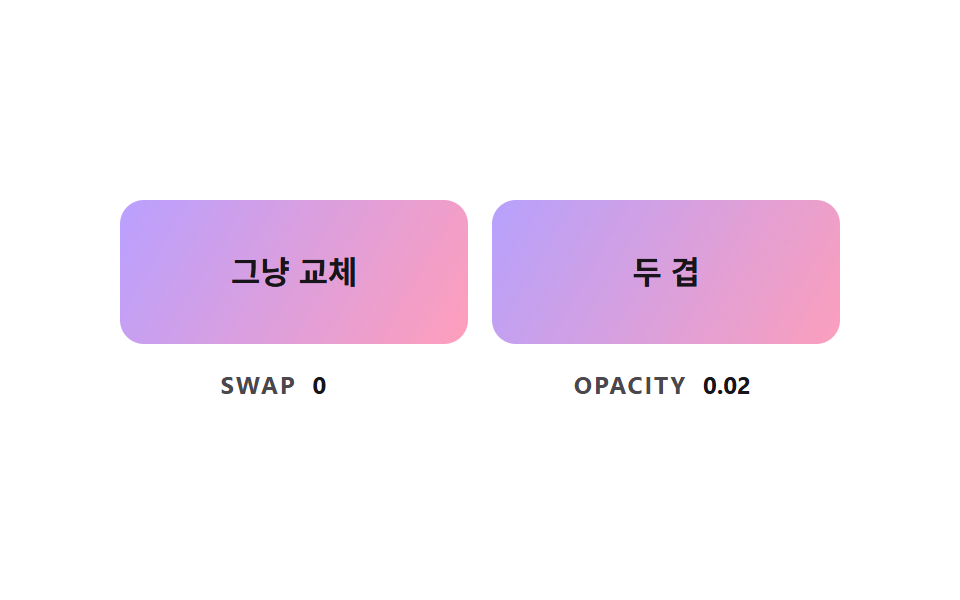
左はクラスを付け替えて、進み具合0.5でグラデーションがまるごと切り替わるカットです。右は下の層の上に別のグラデーションの層を重ね、その層の opacity だけを FADE_RATE の割合で動かして二つの色の組み合わせを混ぜます。この場面では不透明度の値も JS が計算しているので、重ねて混ぜる仕組みを見せるものです。計測では面積17.3%、強度平均97.3、動いたフレームは22/23でした。
<main class="stage">
<div class="bc is-demo" id="bcRoot">
  <div class="bc__pair">
    <div class="bc__cell">
      <button class="bc__btn" id="bcSwap" type="button"><span class="bc__label">そのまま切替</span></button>
      <p class="bc__meta"><span class="bc__tag">SWAP</span> <b id="bcSwapVal">0</b></p>
    </div>
    <div class="bc__cell">
      <button class="bc__btn" id="bcFade" type="button"><span class="bc__layer" id="bcLayer"></span><span class="bc__label">二枚重ね</span></button>
      <p class="bc__meta"><span class="bc__tag">OPACITY</span> <b id="bcFadeVal">0.00</b></p>
    </div>
  </div>
</div>
</main>
@use "../../../../site/static/demo-tokens" as *;
// 핵심: 그라데이션은 transition 으로 보간되지 않는다. 아래 겹(버튼 배경)과 위 겹(.bc__layer)을 포개고 위 겹의 opacity 만 옮긴다.
$layer-a: linear-gradient(120deg, $subject-lilac, $subject-pink);
$layer-b: linear-gradient(120deg, $subject-mint, $subject-sky);
@include stage($stage-paper);
.bc { width: min(100%, 360px); }
.bc__pair {
display: grid;
grid-template-columns: repeat(2, minmax(0, 1fr));
gap: $sp-3;
}
.bc__cell { display: grid; gap: $sp-3; justify-items: center; min-width: 0; }
.bc__btn {
position: relative;
isolation: isolate;
overflow: hidden;
box-sizing: border-box;
width: 100%;
height: 72px;
border: 0;
border-radius: $r-control;
background: $layer-a;
color: $subject-ink;
font-family: inherit;
font-size: 16px;
font-weight: 700;
line-height: 20px;
cursor: pointer;
}
.bc__btn:focus-visible { outline: 3px solid $subject-ink; outline-offset: 3px; }
.bc__btn.bc__on { background: $layer-b; }
.bc__layer {
position: absolute;
inset: 0;
z-index: -1;
background: $layer-b;
opacity: 0;
}
.bc__label { position: relative; }
.bc__meta {
margin: 0;
display: flex;
align-items: baseline;
gap: $sp-2;
font-size: 12px;
line-height: 16px;
color: rgba($subject-ink, .78);
}
.bc__tag { font-weight: 700; letter-spacing: .08em; }
.bc__meta b { min-width: 4ch; font-variant-numeric: tabular-nums; color: $subject-ink; }
@media (prefers-reduced-motion: reduce) {
.bc__btn { transition: none; }
}html, body {
margin: 0;
overflow: hidden;
}
.stage {
box-sizing: border-box;
min-height: 100vh;
display: grid;
place-items: center;
margin: 0;
background: #ffffff;
font-family: -apple-system, "Segoe UI", "Noto Sans KR", sans-serif;
padding: clamp(8px, 4vw, 24px);
}
.bc {
width: min(100%, 360px);
}
.bc__pair {
display: grid;
grid-template-columns: repeat(2, minmax(0, 1fr));
gap: 12px;
}
.bc__cell {
display: grid;
gap: 12px;
justify-items: center;
min-width: 0;
}
.bc__btn {
position: relative;
isolation: isolate;
overflow: hidden;
box-sizing: border-box;
width: 100%;
height: 72px;
border: 0;
border-radius: 12px;
background: linear-gradient(120deg, #b9a0ff, #ff9ebb);
color: #17141a;
font-family: inherit;
font-size: 16px;
font-weight: 700;
line-height: 20px;
cursor: pointer;
}
.bc__btn:focus-visible {
outline: 3px solid #17141a;
outline-offset: 3px;
}
.bc__btn.bc__on {
background: linear-gradient(120deg, #4cd4a6, #6ec8ff);
}
.bc__layer {
position: absolute;
inset: 0;
z-index: -1;
background: linear-gradient(120deg, #4cd4a6, #6ec8ff);
opacity: 0;
}
.bc__label {
position: relative;
}
.bc__meta {
margin: 0;
display: flex;
align-items: baseline;
gap: 8px;
font-size: 12px;
line-height: 16px;
color: rgba(23, 20, 26, 0.78);
}
.bc__tag {
font-weight: 700;
letter-spacing: 0.08em;
}
.bc__meta b {
min-width: 4ch;
font-variant-numeric: tabular-nums;
color: #17141a;
}
@media (prefers-reduced-motion: reduce) {
.bc__btn {
transition: none;
}
}(function () {
// 기법: background 의 그라데이션은 transition 으로 보간되지 않는다 (왼쪽처럼 한 번에 바뀐다).
// 그래서 아래 겹에 첫 그라데이션, 위 겹에 두 번째 그라데이션을 깔고 위 겹의 opacity 만 움직인다 (오른쪽).
// opacity 는 JS 가 목표로 일정 비율씩 끌어 옮긴다.
var FADE_RATE = 6;
var START_MS = 200;
var ON_MS = 1000;
var CYCLE_MS = 2000;
var root = document.getElementById('bcRoot');
var swapBtn = document.getElementById('bcSwap');
var fadeBtn = document.getElementById('bcFade');
var layer = document.getElementById('bcLayer');
var swapVal = document.getElementById('bcSwapVal');
var fadeVal = document.getElementById('bcFadeVal');
var reduce = window.matchMedia('(prefers-reduced-motion: reduce)').matches;
var amount = 0;
var pointerIn = false;
var kbFocus = false;
var t0 = null;
var lastTs = null;
function demoOn(now) {
return root.classList.contains('is-demo') && now >= START_MS && (now - START_MS) % CYCLE_MS < ON_MS;
}
function goal(now) { return demoOn(now) || pointerIn || kbFocus ? 1 : 0; }
function paint() {
layer.style.opacity = amount.toFixed(3);
fadeVal.textContent = amount.toFixed(2);
var on = amount >= 0.5;
swapBtn.classList.toggle('bc__on', on);
swapVal.textContent = on ? '1' : '0';
}
function stopDemo() { root.classList.remove('is-demo'); }
function jump() { amount = pointerIn || kbFocus ? 1 : 0; paint(); }
[swapBtn, fadeBtn].forEach(function (b) {
b.addEventListener('pointerenter', function () { stopDemo(); pointerIn = true; if (reduce) jump(); });
b.addEventListener('pointerleave', function () { pointerIn = false; if (reduce) jump(); });
b.addEventListener('focus', function () { kbFocus = b.matches(':focus-visible'); if (kbFocus) stopDemo(); if (reduce) jump(); });
b.addEventListener('blur', function () { kbFocus = false; if (reduce) jump(); });
});
  function tick(ts) {
    if (t0 === null) t0 = ts;
    var now = ts - t0;
    var dt = lastTs === null ? 0.016 : Math.min(0.05, (ts - lastTs) / 1000);
    lastTs = ts;
    var g = goal(now);
    amount += (g - amount) * (1 - Math.exp(-dt * FADE_RATE));
    if (Math.abs(g - amount) < 0.004) amount = g;
    paint();
    requestAnimationFrame(tick);
  }
if (reduce) {
stopDemo();
paint();
} else {
requestAnimationFrame(tick);
}
})();// TwoLayerGradientFade — vanilla 판(04-btn-gradient-two-layer-crossfade) 의 React 포트.
// 왼쪽은 그라데이션을 통째로 교체(보간 없음), 오른쪽은 위 겹의 opacity 만 옮겨 두 그라데이션을 섞는다.
import { useEffect, useRef } from "react";
import styles from "./TwoLayerGradientFade.module.scss";
type Box<T> = { current: T };
const FADE_RATE = 6;
const START_MS = 200;
const ON_MS = 1000;
const CYCLE_MS = 2000;
export default function TwoLayerGradientFade() {
const swapRef = useRef<HTMLButtonElement | null>(null) as Box<HTMLButtonElement | null>;
const fadeRef = useRef<HTMLButtonElement | null>(null) as Box<HTMLButtonElement | null>;
const layerRef = useRef<HTMLSpanElement | null>(null) as Box<HTMLSpanElement | null>;
const swapValRef = useRef<HTMLElement | null>(null) as Box<HTMLElement | null>;
const fadeValRef = useRef<HTMLElement | null>(null) as Box<HTMLElement | null>;
useEffect(() => {
const swapBtn = swapRef.current;
const fadeBtn = fadeRef.current;
const layer = layerRef.current;
const swapVal = swapValRef.current;
const fadeVal = fadeValRef.current;
if (!swapBtn || !fadeBtn || !layer || !swapVal || !fadeVal) return;
const reduce = window.matchMedia("(prefers-reduced-motion: reduce)").matches;
let amount = 0;
let demo = !reduce;
let pointerIn = false;
let kbFocus = false;
let t0: number | null = null;
let lastTs: number | null = null;
let raf = 0;
const demoOn = (now: number): boolean => demo && now >= START_MS && (now - START_MS) % CYCLE_MS < ON_MS;
const paint = (): void => {
layer.style.opacity = amount.toFixed(3);
fadeVal.textContent = amount.toFixed(2);
const on = amount >= 0.5;
swapBtn.classList.toggle(styles.bc__on, on);
swapVal.textContent = on ? "1" : "0";
};
const stopDemo = (): void => { demo = false; };
const jump = (): void => { amount = pointerIn || kbFocus ? 1 : 0; paint(); };
const cleanups: Array<() => void> = [];
[swapBtn, fadeBtn].forEach((b) => {
const onEnter = (): void => { stopDemo(); pointerIn = true; if (reduce) jump(); };
const onLeave = (): void => { pointerIn = false; if (reduce) jump(); };
const onFocus = (): void => { kbFocus = b.matches(":focus-visible"); if (kbFocus) stopDemo(); if (reduce) jump(); };
const onBlur = (): void => { kbFocus = false; if (reduce) jump(); };
b.addEventListener("pointerenter", onEnter);
b.addEventListener("pointerleave", onLeave);
b.addEventListener("focus", onFocus);
b.addEventListener("blur", onBlur);
cleanups.push(() => {
b.removeEventListener("pointerenter", onEnter);
b.removeEventListener("pointerleave", onLeave);
b.removeEventListener("focus", onFocus);
b.removeEventListener("blur", onBlur);
});
});
function tick(ts: number): void {
if (t0 === null) t0 = ts;
const now = ts - t0;
const dt = lastTs === null ? 0.016 : Math.min(0.05, (ts - lastTs) / 1000);
lastTs = ts;
const g = demoOn(now) || pointerIn || kbFocus ? 1 : 0;
amount += (g - amount) * (1 - Math.exp(-dt * FADE_RATE));
if (Math.abs(g - amount) < 0.004) amount = g;
paint();
raf = requestAnimationFrame(tick);
}
if (reduce) paint();
else raf = requestAnimationFrame(tick);
return () => {
cancelAnimationFrame(raf);
cleanups.forEach((fn) => fn());
};
}, []);
return (
<main className={styles.stage}>
<div className={styles.bc}>
<div className={styles.bc__pair}>
<div className={styles.bc__cell}>
<button className={styles.bc__btn} type="button" ref={swapRef}><span className={styles.bc__label}>그냥 교체</span></button>
<p className={styles.bc__meta}><span className={styles.bc__tag}>SWAP</span> <b ref={swapValRef}>0</b></p>
</div>
<div className={styles.bc__cell}>
<button className={styles.bc__btn} type="button" ref={fadeRef}>
<span className={styles.bc__layer} ref={layerRef}></span>
<span className={styles.bc__label}>두 겹</span>
</button>
<p className={styles.bc__meta}><span className={styles.bc__tag}>OPACITY</span> <b ref={fadeValRef}>0.00</b></p>
</div>
</div>
</div>
</main>
);
}04 · 二枚を重ねてグラデーションを替えるクロスフェード — 計測 累積面積 17.253% · 動いたフレーム 22/23GODRICH オリジナル · SCSS と React は zip に同梱 · パスワードを見る
function tick(ts) {
if (t0 === null) t0 = ts;
var now = ts - t0;
var dt = lastTs === null ? 0.016 : Math.min(0.05, (ts - lastTs) / 1000);
lastTs = ts;
var g = goal(now);
amount += (g - amount) * (1 - Math.exp(-dt * FADE_RATE));
if (Math.abs(g - amount) < 0.004) amount = g;
paint();
requestAnimationFrame(tick);
}
05角度がポインターの方へゆっくり向くグラデーション
ボタンの中心からポインターへの向きを atan2(dx, -dy) で角度にし、グラデーションの --ang が FOLLOW_RATE の割合で追いかけて、ポインターが外れると REST_ANGLE の135度へ戻ります。現在の角度との差を ((g - a + 540) % 360) - 180 で折りたたむので、350度から10度へ動くときも逆に一周しません。計測では面積14.7%、強度平均132.5、動いたフレームは23/23でした。
<main class="stage">
<div class="bc is-demo" id="bcRoot">
  <button class="bc__btn" id="bcBtn" type="button">向きを追う</button>
  <p class="bc__meta"><span class="bc__tag">ANGLE</span> <b id="bcAng">135</b><span>deg</span></p>
</div>
</main>
@use "../../../../site/static/demo-tokens" as *;
// 핵심: 그라데이션 각도(--ang)는 포인터 방향을 향해 일정 비율씩 도는 숫자다. 0/360 경계는 차이를 접어서 가까운 쪽으로 돈다.
$angle-a: $subject-sky;
$angle-b: $subject-lilac;
$angle-rest: 135;
@include stage($stage-ink);
.bc {
width: min(100%, 320px);
display: grid;
gap: $sp-3;
justify-items: center;
}
.bc__btn {
--ang: #{$angle-rest};
box-sizing: border-box;
width: 100%;
height: 72px;
border: 0;
border-radius: $r-control;
background: linear-gradient(calc(var(--ang) * 1deg), $angle-a, $angle-b);
color: $subject-ink;
font-family: inherit;
font-size: 20px;
font-weight: 700;
line-height: 24px;
cursor: pointer;
}
.bc__btn:focus-visible { outline: 3px solid $stage-paper; outline-offset: 3px; }
.bc__meta {
margin: 0;
display: flex;
align-items: baseline;
gap: $sp-1;
font-size: 12px;
line-height: 16px;
color: rgba($stage-paper, .78);
}
.bc__tag { margin-right: $sp-1; font-weight: 700; letter-spacing: .08em; }
.bc__meta b { min-width: 3ch; text-align: right; font-variant-numeric: tabular-nums; color: $stage-paper; }
@media (prefers-reduced-motion: reduce) {
.bc__btn { transition: none; }
}html, body {
margin: 0;
overflow: hidden;
}
.stage {
box-sizing: border-box;
min-height: 100vh;
display: grid;
place-items: center;
margin: 0;
background: #17141a;
font-family: -apple-system, "Segoe UI", "Noto Sans KR", sans-serif;
padding: clamp(8px, 4vw, 24px);
}
.bc {
width: min(100%, 320px);
display: grid;
gap: 12px;
justify-items: center;
}
.bc__btn {
--ang: 135;
box-sizing: border-box;
width: 100%;
height: 72px;
border: 0;
border-radius: 12px;
background: linear-gradient(calc(var(--ang) * 1deg), #6ec8ff, #b9a0ff);
color: #17141a;
font-family: inherit;
font-size: 20px;
font-weight: 700;
line-height: 24px;
cursor: pointer;
}
.bc__btn:focus-visible {
outline: 3px solid #ffffff;
outline-offset: 3px;
}
.bc__meta {
margin: 0;
display: flex;
align-items: baseline;
gap: 4px;
font-size: 12px;
line-height: 16px;
color: rgba(255, 255, 255, 0.78);
}
.bc__tag {
margin-right: 4px;
font-weight: 700;
letter-spacing: 0.08em;
}
.bc__meta b {
min-width: 3ch;
text-align: right;
font-variant-numeric: tabular-nums;
color: #ffffff;
}
@media (prefers-reduced-motion: reduce) {
.bc__btn {
transition: none;
}
}(function () {
// 기법: 포인터가 버튼 중심에서 향한 방향을 각도로 바꿔 목표로 삼고, 현재 각도가 그쪽으로 일정 비율씩 돈다.
// 각도는 0/360 경계가 있어 차이를 -180~180 으로 접어 가까운 쪽으로 돌린다. 포인터가 나가면 REST_ANGLE 로 돌아온다.
var FOLLOW_RATE = 6;
var REST_ANGLE = 135;
var START_MS = 200;
var ORBIT_MS = 1300;
var CYCLE_MS = 2000;
var ORBIT_SPAN = 300;
var root = document.getElementById('bcRoot');
var btn = document.getElementById('bcBtn');
var angEl = document.getElementById('bcAng');
var reduce = window.matchMedia('(prefers-reduced-motion: reduce)').matches;
var angle = REST_ANGLE;
var goalAngle = REST_ANGLE;
var pointerIn = false;
var t0 = null;
var lastTs = null;
function wrap(a) { return ((a % 360) + 360) % 360; }
function fromPoint(x, y) {
var r = btn.getBoundingClientRect();
var dx = x - (r.left + r.width / 2);
var dy = y - (r.top + r.height / 2);
return wrap(Math.atan2(dx, -dy) * 180 / Math.PI);
}
function paint() {
btn.style.setProperty('--ang', angle.toFixed(2));
angEl.textContent = String(Math.round(wrap(angle)));
}
function stopDemo() { root.classList.remove('is-demo'); }
btn.addEventListener('pointermove', function (e) {
stopDemo();
pointerIn = true;
goalAngle = fromPoint(e.clientX, e.clientY);
if (reduce) { angle = goalAngle; paint(); }
});
btn.addEventListener('pointerleave', function () {
pointerIn = false;
goalAngle = REST_ANGLE;
if (reduce) { angle = goalAngle; paint(); }
});
  function demoGoal(now) {
    if (now < START_MS) return REST_ANGLE;
    var c = (now - START_MS) % CYCLE_MS;
    if (c >= ORBIT_MS) return REST_ANGLE;
    return wrap(60 + (c / ORBIT_MS) * ORBIT_SPAN);
  }

  function tick(ts) {
    if (t0 === null) t0 = ts;
    var now = ts - t0;
    var dt = lastTs === null ? 0.016 : Math.min(0.05, (ts - lastTs) / 1000);
    lastTs = ts;
    var g = root.classList.contains('is-demo') ? demoGoal(now) : goalAngle;
    var diff = ((g - angle + 540) % 360) - 180;
    angle = wrap(angle + diff * (1 - Math.exp(-dt * FOLLOW_RATE)));
    paint();
    requestAnimationFrame(tick);
  }
if (reduce) {
stopDemo();
paint();
} else {
requestAnimationFrame(tick);
}
})();// AngleFollowButton — vanilla 판(05-btn-gradient-angle-pointer-lerp) 의 React 포트.
// 포인터가 버튼 중심에서 향한 방향을 각도로 바꿔 목표로 삼고, 현재 각도가 일정 비율씩 따라간다.
import { useEffect, useRef } from "react";
import styles from "./AngleFollowButton.module.scss";
type Box<T> = { current: T };
type PointLike = { clientX: number; clientY: number };
const FOLLOW_RATE = 6;
const REST_ANGLE = 135;
const START_MS = 200;
const ORBIT_MS = 1300;
const CYCLE_MS = 2000;
const ORBIT_SPAN = 300;
function wrap(a: number): number {
return ((a % 360) + 360) % 360;
}
export default function AngleFollowButton() {
const btnRef = useRef<HTMLButtonElement | null>(null) as Box<HTMLButtonElement | null>;
const angRef = useRef<HTMLElement | null>(null) as Box<HTMLElement | null>;
useEffect(() => {
const btn = btnRef.current;
const angEl = angRef.current;
if (!btn || !angEl) return;
const reduce = window.matchMedia("(prefers-reduced-motion: reduce)").matches;
let angle = REST_ANGLE;
let goalAngle = REST_ANGLE;
let demo = !reduce;
let t0: number | null = null;
let lastTs: number | null = null;
let raf = 0;
const fromPoint = (x: number, y: number): number => {
const r = btn.getBoundingClientRect();
const dx = x - (r.left + r.width / 2);
const dy = y - (r.top + r.height / 2);
return wrap((Math.atan2(dx, -dy) * 180) / Math.PI);
};
const paint = (): void => {
btn.style.setProperty("--ang", angle.toFixed(2));
angEl.textContent = String(Math.round(wrap(angle)));
};
const stopDemo = (): void => { demo = false; };
const onMove = (e: Event): void => {
const p = e as unknown as PointLike;
stopDemo();
goalAngle = fromPoint(p.clientX, p.clientY);
if (reduce) { angle = goalAngle; paint(); }
};
const onLeave = (): void => {
goalAngle = REST_ANGLE;
if (reduce) { angle = goalAngle; paint(); }
};
btn.addEventListener("pointermove", onMove);
btn.addEventListener("pointerleave", onLeave);
const demoGoal = (now: number): number => {
if (now < START_MS) return REST_ANGLE;
const c = (now - START_MS) % CYCLE_MS;
if (c >= ORBIT_MS) return REST_ANGLE;
return wrap(60 + (c / ORBIT_MS) * ORBIT_SPAN);
};
function tick(ts: number): void {
if (t0 === null) t0 = ts;
const now = ts - t0;
const dt = lastTs === null ? 0.016 : Math.min(0.05, (ts - lastTs) / 1000);
lastTs = ts;
const g = demo ? demoGoal(now) : goalAngle;
const diff = ((g - angle + 540) % 360) - 180;
angle = wrap(angle + diff * (1 - Math.exp(-dt * FOLLOW_RATE)));
paint();
raf = requestAnimationFrame(tick);
}
if (reduce) paint();
else raf = requestAnimationFrame(tick);
return () => {
cancelAnimationFrame(raf);
btn.removeEventListener("pointermove", onMove);
btn.removeEventListener("pointerleave", onLeave);
};
}, []);
return (
<main className={styles.stage}>
<div className={styles.bc}>
<button className={styles.bc__btn} type="button" ref={btnRef}>방향 따라가기</button>
<p className={styles.bc__meta}><span className={styles.bc__tag}>ANGLE</span> <b ref={angRef}>135</b><span>deg</span></p>
</div>
</main>
);
}05 · 角度がポインターの方へゆっくり向くグラデーション — 計測 累積面積 14.651% · 動いたフレーム 23/23GODRICH オリジナル · SCSS と React は zip に同梱 · パスワードを見る
function demoGoal(now) {
if (now < START_MS) return REST_ANGLE;
var c = (now - START_MS) % CYCLE_MS;
if (c >= ORBIT_MS) return REST_ANGLE;
return wrap(60 + (c / ORBIT_MS) * ORBIT_SPAN);
}
function tick(ts) {
if (t0 === null) t0 = ts;
var now = ts - t0;
var dt = lastTs === null ? 0.016 : Math.min(0.05, (ts - lastTs) / 1000);
lastTs = ts;
var g = root.classList.contains('is-demo') ? demoGoal(now) : goalAngle;
var diff = ((g - angle + 540) % 360) - 180;
angle = wrap(angle + diff * (1 - Math.exp(-dt * FOLLOW_RATE)));
paint();
requestAnimationFrame(tick);
}
06押している間に色相が加速して回るボタン
押している間は回転の速さが ACCEL の分だけ MAX_SPEED まで上がり、離すと exp(-FRICTION * dt) の割合で減って、止まった位置の色相がそのまま残ります。ポインターは setPointerCapture で、キーボードは Space・Enter の繰り返しでない keydown から keyup までを押下として扱い、同じ経路を通ります。計測では面積16.0%、強度平均77.4、動いたフレームは23/23でした。
<main class="stage">
<div class="bc is-demo" id="bcRoot">
  <button class="bc__btn" id="bcBtn" type="button">長押し</button>
  <p class="bc__meta"><span class="bc__tag">HUE</span> <b id="bcHue">270</b><span>deg</span> <span class="bc__tag">SPEED</span> <b id="bcSpeed">0</b></p>
</div>
</main>
@use "../../../../site/static/demo-tokens" as *;
// 핵심: 색상 각도(--hue)는 속도를 쌓아 얻는 값이다. 누르면 속도가 가속하고, 떼면 마찰로 줄어 멈춘 색에 남는다.
$hue-sat: 72%;
$hue-light: 82%;
@include stage($stage-ink);
.bc {
width: min(100%, 320px);
display: grid;
gap: $sp-3;
justify-items: center;
}
.bc__btn {
--hue: 270;
box-sizing: border-box;
width: 100%;
height: 72px;
border: 0;
border-radius: $r-control;
background: hsl(var(--hue), $hue-sat, $hue-light);
color: $subject-ink;
font-family: inherit;
font-size: 20px;
font-weight: 700;
line-height: 24px;
cursor: pointer;
touch-action: manipulation;
user-select: none;
}
.bc__btn:focus-visible { outline: 3px solid $stage-paper; outline-offset: 3px; }
.bc__btn:active { transform: translateY(1px); }
.bc__meta {
margin: 0;
display: flex;
align-items: baseline;
flex-wrap: wrap;
justify-content: center;
gap: $sp-1;
font-size: 12px;
line-height: 16px;
color: rgba($stage-paper, .78);
}
.bc__tag { margin: 0 $sp-1 0 $sp-2; font-weight: 700; letter-spacing: .08em; }
.bc__tag:first-child { margin-left: 0; }
.bc__meta b { min-width: 3ch; text-align: right; font-variant-numeric: tabular-nums; color: $stage-paper; }
@media (prefers-reduced-motion: reduce) {
.bc__btn { transition: none; }
.bc__btn:active { transform: none; }
}html, body {
margin: 0;
overflow: hidden;
}
.stage {
box-sizing: border-box;
min-height: 100vh;
display: grid;
place-items: center;
margin: 0;
background: #17141a;
font-family: -apple-system, "Segoe UI", "Noto Sans KR", sans-serif;
padding: clamp(8px, 4vw, 24px);
}
.bc {
width: min(100%, 320px);
display: grid;
gap: 12px;
justify-items: center;
}
.bc__btn {
--hue: 270;
box-sizing: border-box;
width: 100%;
height: 72px;
border: 0;
border-radius: 12px;
background: hsl(var(--hue), 72%, 82%);
color: #17141a;
font-family: inherit;
font-size: 20px;
font-weight: 700;
line-height: 24px;
cursor: pointer;
touch-action: manipulation;
user-select: none;
}
.bc__btn:focus-visible {
outline: 3px solid #ffffff;
outline-offset: 3px;
}
.bc__btn:active {
transform: translateY(1px);
}
.bc__meta {
margin: 0;
display: flex;
align-items: baseline;
flex-wrap: wrap;
justify-content: center;
gap: 4px;
font-size: 12px;
line-height: 16px;
color: rgba(255, 255, 255, 0.78);
}
.bc__tag {
margin: 0 4px 0 8px;
font-weight: 700;
letter-spacing: 0.08em;
}
.bc__tag:first-child {
margin-left: 0;
}
.bc__meta b {
min-width: 3ch;
text-align: right;
font-variant-numeric: tabular-nums;
color: #ffffff;
}
@media (prefers-reduced-motion: reduce) {
.bc__btn {
transition: none;
}
.bc__btn:active {
transform: none;
}
}(function () {
// 기법: 누르는 동안 색상 각속도가 ACCEL 로 커지고(상한 MAX_SPEED), 떼면 FRICTION 으로 줄어 멈춘다.
// 색상 각도는 속도를 매 프레임 쌓아 얻는다. 시간은 rAF 타임스탬프 간격(dt)만 쓴다.
var ACCEL = 600;
var MAX_SPEED = 720;
var FRICTION = 2.4;
var HUE_START = 270;
var HUE_STEP = 60;
var START_MS = 200;
var HOLD_MS = 900;
var CYCLE_MS = 2000;
var root = document.getElementById('bcRoot');
var btn = document.getElementById('bcBtn');
var hueEl = document.getElementById('bcHue');
var speedEl = document.getElementById('bcSpeed');
var reduce = window.matchMedia('(prefers-reduced-motion: reduce)').matches;
var hue = HUE_START;
var speed = 0;
var pressed = false;
var t0 = null;
var lastTs = null;
function paint() {
btn.style.setProperty('--hue', hue.toFixed(1));
hueEl.textContent = String(Math.round(hue));
speedEl.textContent = String(Math.round(speed));
}
function stopDemo() { root.classList.remove('is-demo'); }
function press() {
stopDemo();
pressed = true;
if (reduce) { hue = (hue + HUE_STEP) % 360; paint(); }
}
function release() { pressed = false; }
btn.addEventListener('pointerdown', function (e) {
try { btn.setPointerCapture(e.pointerId); } catch (err) { /* 캡처를 못 걸어도 누름은 동작한다 */ }
press();
});
btn.addEventListener('pointerup', release);
btn.addEventListener('pointercancel', release);
btn.addEventListener('blur', release);
btn.addEventListener('keydown', function (e) {
if ((e.key === ' ' || e.key === 'Enter') && !e.repeat) press();
});
btn.addEventListener('keyup', function (e) {
if (e.key === ' ' || e.key === 'Enter') release();
});
function demoPressed(now) {
return root.classList.contains('is-demo') && now >= START_MS && (now - START_MS) % CYCLE_MS < HOLD_MS;
}
  function tick(ts) {
    if (t0 === null) t0 = ts;
    var now = ts - t0;
    var dt = lastTs === null ? 0.016 : Math.min(0.05, (ts - lastTs) / 1000);
    lastTs = ts;
    if (demoPressed(now) || pressed) {
      speed = Math.min(MAX_SPEED, speed + ACCEL * dt);
    } else {
      speed *= Math.exp(-FRICTION * dt);
      if (speed < 0.5) speed = 0;
    }
    hue = (hue + speed * dt) % 360;
    paint();
    requestAnimationFrame(tick);
  }
if (reduce) {
stopDemo();
paint();
} else {
requestAnimationFrame(tick);
}
})();// HueHoldButton — vanilla 판(06-btn-hue-hold-inertia-ramp) 의 React 포트.
// 누르는 동안 색상 각속도가 가속하고(MAX_SPEED 상한), 떼면 FRICTION 으로 줄어 멈춘다.
import { useEffect, useRef } from "react";
import styles from "./HueHoldButton.module.scss";
type Box<T> = { current: T };
type PointerLike = Event & { pointerId: number };
type KeyLike = Event & { key: string; repeat: boolean };
const ACCEL = 600;
const MAX_SPEED = 720;
const FRICTION = 2.4;
const HUE_START = 270;
const HUE_STEP = 60;
const START_MS = 200;
const HOLD_MS = 900;
const CYCLE_MS = 2000;
export default function HueHoldButton() {
const btnRef = useRef<HTMLButtonElement | null>(null) as Box<HTMLButtonElement | null>;
const hueRef = useRef<HTMLElement | null>(null) as Box<HTMLElement | null>;
const speedRef = useRef<HTMLElement | null>(null) as Box<HTMLElement | null>;
useEffect(() => {
const btn = btnRef.current;
const hueEl = hueRef.current;
const speedEl = speedRef.current;
if (!btn || !hueEl || !speedEl) return;
const reduce = window.matchMedia("(prefers-reduced-motion: reduce)").matches;
let hue = HUE_START;
let speed = 0;
let pressed = false;
let demo = !reduce;
let t0: number | null = null;
let lastTs: number | null = null;
let raf = 0;
const paint = (): void => {
btn.style.setProperty("--hue", hue.toFixed(1));
hueEl.textContent = String(Math.round(hue));
speedEl.textContent = String(Math.round(speed));
};
const press = (): void => {
demo = false;
pressed = true;
if (reduce) { hue = (hue + HUE_STEP) % 360; paint(); }
};
const release = (): void => { pressed = false; };
const onDown = (e: Event): void => {
try { btn.setPointerCapture((e as PointerLike).pointerId); } catch (err) { /* 캡처를 못 걸어도 누름은 동작한다 */ }
press();
};
const onKeyDown = (e: Event): void => {
const k = e as KeyLike;
if ((k.key === " " || k.key === "Enter") && !k.repeat) press();
};
const onKeyUp = (e: Event): void => {
const k = e as KeyLike;
if (k.key === " " || k.key === "Enter") release();
};
btn.addEventListener("pointerdown", onDown);
btn.addEventListener("pointerup", release);
btn.addEventListener("pointercancel", release);
btn.addEventListener("blur", release);
btn.addEventListener("keydown", onKeyDown);
btn.addEventListener("keyup", onKeyUp);
const demoPressed = (now: number): boolean => demo && now >= START_MS && (now - START_MS) % CYCLE_MS < HOLD_MS;
function tick(ts: number): void {
if (t0 === null) t0 = ts;
const now = ts - t0;
const dt = lastTs === null ? 0.016 : Math.min(0.05, (ts - lastTs) / 1000);
lastTs = ts;
if (demoPressed(now) || pressed) {
speed = Math.min(MAX_SPEED, speed + ACCEL * dt);
} else {
speed *= Math.exp(-FRICTION * dt);
if (speed < 0.5) speed = 0;
}
hue = (hue + speed * dt) % 360;
paint();
raf = requestAnimationFrame(tick);
}
if (reduce) paint();
else raf = requestAnimationFrame(tick);
return () => {
cancelAnimationFrame(raf);
btn.removeEventListener("pointerdown", onDown);
btn.removeEventListener("pointerup", release);
btn.removeEventListener("pointercancel", release);
btn.removeEventListener("blur", release);
btn.removeEventListener("keydown", onKeyDown);
btn.removeEventListener("keyup", onKeyUp);
};
}, []);
return (
<main className={styles.stage}>
<div className={styles.bc}>
<button className={styles.bc__btn} type="button" ref={btnRef}>꾹 누르기</button>
<p className={styles.bc__meta}>
<span className={styles.bc__tag}>HUE</span> <b ref={hueRef}>270</b><span>deg</span> <span className={styles.bc__tag}>SPEED</span> <b ref={speedRef}>0</b>
</p>
</div>
</main>
);
}06 · 押している間に色相が加速して回るボタン — 計測 累積面積 15.999% · 動いたフレーム 23/23GODRICH オリジナル · SCSS と React は zip に同梱 · パスワードを見る
function tick(ts) {
if (t0 === null) t0 = ts;
var now = ts - t0;
var dt = lastTs === null ? 0.016 : Math.min(0.05, (ts - lastTs) / 1000);
lastTs = ts;
if (demoPressed(now) || pressed) {
speed = Math.min(MAX_SPEED, speed + ACCEL * dt);
} else {
speed *= Math.exp(-FRICTION * dt);
if (speed < 0.5) speed = 0;
}
hue = (hue + speed * dt) % 360;
paint();
requestAnimationFrame(tick);
}
07地色が明るくなると文字色が反転するボタン
地色が動くフレームごとに WCAG の相対輝度を計算し、FLIP_THRESHOLD を超えたら文字を黒に、超えなければ白にします。白と黒が同じコントラストになる輝度は √(1.05×0.05)−0.05 = 0.179 で、そのときのコントラスト比は4.58:1、ピンクからミントへの経路全体の最低は4.61:1です。計測では面積16.1%、強度平均82.1、動いたフレームは23/23でした。
<main class="stage">
<div class="bc is-demo" id="bcRoot">
  <button class="bc__btn" id="bcBtn" type="button">読める文字</button>
  <p class="bc__meta"><span class="bc__tag">L</span> <b id="bcLum">0.01</b> <span class="bc__tag">RATIO</span> <b id="bcRatio">17.0</b><span>:1</span></p>
</div>
</main>
@use "../../../../site/static/demo-tokens" as *;
// 핵심: 바탕이 어두운 색에서 밝은 색으로 옮겨 가는 동안 글자색을 매 프레임 상대 밝기로 정한다.
// 글자 두 색은 순수한 흰색과 검정이다 — 둘이 같은 대비를 내는 밝기(0.179)에서 4.58:1 이라 어느 중간 색도 4.5:1 을 넘는다.
$text-pure-dark: #000;
@include stage($stage-paper);
.bc {
--c-from: #{$subject-ink};
--c-to: #{$subject-lilac};
--t-light: #{$stage-paper};
--t-dark: #{$text-pure-dark};
width: min(100%, 320px);
display: grid;
gap: $sp-3;
justify-items: center;
}
.bc__btn {
box-sizing: border-box;
width: 100%;
height: 72px;
border: 0;
border-radius: $r-control;
background: $subject-ink;
color: $stage-paper;
font-family: inherit;
font-size: 20px;
font-weight: 700;
line-height: 24px;
cursor: pointer;
}
.bc__btn:focus-visible { outline: 3px solid $subject-ink; outline-offset: 3px; }
.bc__meta {
margin: 0;
display: flex;
align-items: baseline;
flex-wrap: wrap;
justify-content: center;
gap: $sp-1;
font-size: 12px;
line-height: 16px;
color: rgba($subject-ink, .78);
}
.bc__tag { margin: 0 $sp-1 0 $sp-2; font-weight: 700; letter-spacing: .08em; }
.bc__tag:first-child { margin-left: 0; }
.bc__meta b { min-width: 4ch; text-align: right; font-variant-numeric: tabular-nums; color: $subject-ink; }
@media (prefers-reduced-motion: reduce) {
.bc__btn { transition: none; }
}html, body {
margin: 0;
overflow: hidden;
}
.stage {
box-sizing: border-box;
min-height: 100vh;
display: grid;
place-items: center;
margin: 0;
background: #ffffff;
font-family: -apple-system, "Segoe UI", "Noto Sans KR", sans-serif;
padding: clamp(8px, 4vw, 24px);
}
.bc {
--c-from: #17141a;
--c-to: #b9a0ff;
--t-light: #ffffff;
--t-dark: #000;
width: min(100%, 320px);
display: grid;
gap: 12px;
justify-items: center;
}
.bc__btn {
box-sizing: border-box;
width: 100%;
height: 72px;
border: 0;
border-radius: 12px;
background: #17141a;
color: #ffffff;
font-family: inherit;
font-size: 20px;
font-weight: 700;
line-height: 24px;
cursor: pointer;
}
.bc__btn:focus-visible {
outline: 3px solid #17141a;
outline-offset: 3px;
}
.bc__meta {
margin: 0;
display: flex;
align-items: baseline;
flex-wrap: wrap;
justify-content: center;
gap: 4px;
font-size: 12px;
line-height: 16px;
color: rgba(23, 20, 26, 0.78);
}
.bc__tag {
margin: 0 4px 0 8px;
font-weight: 700;
letter-spacing: 0.08em;
}
.bc__tag:first-child {
margin-left: 0;
}
.bc__meta b {
min-width: 4ch;
text-align: right;
font-variant-numeric: tabular-nums;
color: #17141a;
}
@media (prefers-reduced-motion: reduce) {
.bc__btn {
transition: none;
}
}(function () {
// 기법: 바탕색이 어두운 색에서 밝은 색으로 옮겨 가는 동안 매 프레임 상대 밝기 L 을 직접 계산한다.
// L 이 FLIP_THRESHOLD 를 넘는 순간 글자를 흰색에서 검정으로 뒤집는다.
// 흰색과 검정이 같은 대비(4.58:1)를 내는 밝기가 0.179 라서, 이 기준이면 어느 중간 색에서도 4.5:1 아래로 떨어지지 않는다.
var FLIP_THRESHOLD = 0.179;
var FILL_RATE = 4;
var START_MS = 200;
var ON_MS = 1000;
var CYCLE_MS = 2000;
var root = document.getElementById('bcRoot');
var btn = document.getElementById('bcBtn');
var lumEl = document.getElementById('bcLum');
var ratioEl = document.getElementById('bcRatio');
var reduce = window.matchMedia('(prefers-reduced-motion: reduce)').matches;
function readRgb(name) {
var v = getComputedStyle(btn).getPropertyValue(name).trim().replace('#', '');
if (v.length === 3) v = v.split('').map(function (c) { return c + c; }).join('');
return [parseInt(v.slice(0, 2), 16), parseInt(v.slice(2, 4), 16), parseInt(v.slice(4, 6), 16)];
}
function toHex(rgb) {
return '#' + rgb.map(function (c) { return ('0' + Math.round(c).toString(16)).slice(-2); }).join('');
}
  function channel(c) {
    var s = c / 255;
    return s <= 0.04045 ? s / 12.92 : Math.pow((s + 0.055) / 1.055, 2.4);
  }
  function luminance(rgb) {
    return 0.2126 * channel(rgb[0]) + 0.7152 * channel(rgb[1]) + 0.0722 * channel(rgb[2]);
  }
  function ratio(a, b) {
    var hi = Math.max(a, b);
    var lo = Math.min(a, b);
    return (hi + 0.05) / (lo + 0.05);
  }
var from = readRgb('--c-from');
var to = readRgb('--c-to');
var textLight = readRgb('--t-light');
var textDark = readRgb('--t-dark');
var lumLight = luminance(textLight);
var lumDark = luminance(textDark);
var cur = from.slice();
var pointerIn = false;
var kbFocus = false;
var t0 = null;
var lastTs = null;
function demoOn(now) {
return root.classList.contains('is-demo') && now >= START_MS && (now - START_MS) % CYCLE_MS < ON_MS;
}
function goalOf(now) { return demoOn(now) || pointerIn || kbFocus ? to : from; }
  function paint() {
    var l = luminance(cur);
    var dark = l > FLIP_THRESHOLD;
    btn.style.background = toHex(cur);
    btn.style.color = toHex(dark ? textDark : textLight);
    lumEl.textContent = l.toFixed(2);
    ratioEl.textContent = ratio(l, dark ? lumDark : lumLight).toFixed(1);
  }
function stopDemo() { root.classList.remove('is-demo'); }
function jump() { cur = (pointerIn || kbFocus ? to : from).slice(); paint(); }
btn.addEventListener('pointerenter', function () { stopDemo(); pointerIn = true; if (reduce) jump(); });
btn.addEventListener('pointerleave', function () { pointerIn = false; if (reduce) jump(); });
btn.addEventListener('focus', function () { kbFocus = btn.matches(':focus-visible'); if (kbFocus) stopDemo(); if (reduce) jump(); });
btn.addEventListener('blur', function () { kbFocus = false; if (reduce) jump(); });
function tick(ts) {
if (t0 === null) t0 = ts;
var now = ts - t0;
var dt = lastTs === null ? 0.016 : Math.min(0.05, (ts - lastTs) / 1000);
lastTs = ts;
var g = goalOf(now);
var k = 1 - Math.exp(-dt * FILL_RATE);
var gap = 0;
for (var i = 0; i < 3; i += 1) {
cur[i] += (g[i] - cur[i]) * k;
gap += Math.abs(g[i] - cur[i]);
}
if (gap < 0.5) cur = g.slice();
paint();
requestAnimationFrame(tick);
}
if (reduce) {
stopDemo();
paint();
} else {
requestAnimationFrame(tick);
}
})();// TextFlipButton — vanilla 판(07-btn-color-text-contrast-flip) 의 React 포트.
// 바탕색이 어두운 색에서 밝은 색으로 옮겨 가는 동안 상대 밝기 L 을 계산해 FLIP_THRESHOLD 를 넘으면 글자색을 뒤집는다.
import { useEffect, useRef } from "react";
import styles from "./TextFlipButton.module.scss";
type Box<T> = { current: T };
type Rgb = [number, number, number];
const FLIP_THRESHOLD = 0.179;
const FILL_RATE = 4;
const START_MS = 200;
const ON_MS = 1000;
const CYCLE_MS = 2000;
function toHex(rgb: Rgb): string {
return "#" + rgb.map((c) => ("0" + Math.round(c).toString(16)).slice(-2)).join("");
}
function channel(c: number): number {
const s = c / 255;
return s <= 0.04045 ? s / 12.92 : Math.pow((s + 0.055) / 1.055, 2.4);
}
function luminance(rgb: Rgb): number {
return 0.2126 * channel(rgb[0]) + 0.7152 * channel(rgb[1]) + 0.0722 * channel(rgb[2]);
}
function ratio(a: number, b: number): number {
return (Math.max(a, b) + 0.05) / (Math.min(a, b) + 0.05);
}
export default function TextFlipButton() {
const rootRef = useRef<HTMLDivElement | null>(null) as Box<HTMLDivElement | null>;
const btnRef = useRef<HTMLButtonElement | null>(null) as Box<HTMLButtonElement | null>;
const lumRef = useRef<HTMLElement | null>(null) as Box<HTMLElement | null>;
const ratioRef = useRef<HTMLElement | null>(null) as Box<HTMLElement | null>;
useEffect(() => {
const btn = btnRef.current;
const lumEl = lumRef.current;
const ratioEl = ratioRef.current;
if (!btn || !lumEl || !ratioEl) return;
const reduce = window.matchMedia("(prefers-reduced-motion: reduce)").matches;
const readRgb = (name: string): Rgb => {
let v = getComputedStyle(btn).getPropertyValue(name).trim().replace("#", "");
if (v.length === 3) v = v.split("").map((c) => c + c).join("");
return [parseInt(v.slice(0, 2), 16), parseInt(v.slice(2, 4), 16), parseInt(v.slice(4, 6), 16)];
};
const from = readRgb("--c-from");
const to = readRgb("--c-to");
const textLight = readRgb("--t-light");
const textDark = readRgb("--t-dark");
const lumLight = luminance(textLight);
const lumDark = luminance(textDark);
let cur: Rgb = [from[0], from[1], from[2]];
let demo = !reduce;
let pointerIn = false;
let kbFocus = false;
let t0: number | null = null;
let lastTs: number | null = null;
let raf = 0;
const demoOn = (now: number): boolean => demo && now >= START_MS && (now - START_MS) % CYCLE_MS < ON_MS;
const paint = (): void => {
const l = luminance(cur);
const dark = l > FLIP_THRESHOLD;
btn.style.background = toHex(cur);
btn.style.color = toHex(dark ? textDark : textLight);
lumEl.textContent = l.toFixed(2);
ratioEl.textContent = ratio(l, dark ? lumDark : lumLight).toFixed(1);
};
const stopDemo = (): void => { demo = false; };
const jump = (): void => {
const g = pointerIn || kbFocus ? to : from;
cur = [g[0], g[1], g[2]];
paint();
};
const onEnter = (): void => { stopDemo(); pointerIn = true; if (reduce) jump(); };
const onLeave = (): void => { pointerIn = false; if (reduce) jump(); };
const onFocus = (): void => { kbFocus = btn.matches(":focus-visible"); if (kbFocus) stopDemo(); if (reduce) jump(); };
const onBlur = (): void => { kbFocus = false; if (reduce) jump(); };
btn.addEventListener("pointerenter", onEnter);
btn.addEventListener("pointerleave", onLeave);
btn.addEventListener("focus", onFocus);
btn.addEventListener("blur", onBlur);
function tick(ts: number): void {
if (t0 === null) t0 = ts;
const now = ts - t0;
const dt = lastTs === null ? 0.016 : Math.min(0.05, (ts - lastTs) / 1000);
lastTs = ts;
const g = demoOn(now) || pointerIn || kbFocus ? to : from;
const k = 1 - Math.exp(-dt * FILL_RATE);
const next: Rgb = [cur[0] + (g[0] - cur[0]) * k, cur[1] + (g[1] - cur[1]) * k, cur[2] + (g[2] - cur[2]) * k];
const gap = Math.abs(g[0] - next[0]) + Math.abs(g[1] - next[1]) + Math.abs(g[2] - next[2]);
cur = gap < 0.5 ? [g[0], g[1], g[2]] : next;
paint();
raf = requestAnimationFrame(tick);
}
if (reduce) paint();
else raf = requestAnimationFrame(tick);
return () => {
cancelAnimationFrame(raf);
btn.removeEventListener("pointerenter", onEnter);
btn.removeEventListener("pointerleave", onLeave);
btn.removeEventListener("focus", onFocus);
btn.removeEventListener("blur", onBlur);
};
}, []);
return (
<main className={styles.stage}>
<div className={styles.bc} ref={rootRef}>
<button className={styles.bc__btn} type="button" ref={btnRef}>읽히는 글자</button>
<p className={styles.bc__meta}>
<span className={styles.bc__tag}>L</span> <b ref={lumRef}>0.01</b> <span className={styles.bc__tag}>RATIO</span> <b ref={ratioRef}>17.0</b><span>:1</span>
</p>
</div>
</main>
);
}07 · 地色が明るくなると文字色が反転するボタン — 計測 累積面積 16.139% · 動いたフレーム 23/23GODRICH オリジナル · SCSS と React は zip に同梱 · パスワードを見る
function channel(c) {
var s = c / 255;
return s <= 0.04045 ? s / 12.92 : Math.pow((s + 0.055) / 1.055, 2.4);
}
function luminance(rgb) {
return 0.2126 * channel(rgb[0]) + 0.7152 * channel(rgb[1]) + 0.0722 * channel(rgb[2]);
}
function ratio(a, b) {
var hi = Math.max(a, b);
var lo = Math.min(a, b);
return (hi + 0.05) / (lo + 0.05);
}
function paint() {
var l = luminance(cur);
var dark = l > FLIP_THRESHOLD;
btn.style.background = toHex(cur);
btn.style.color = toHex(dark ? textDark : textLight);
lumEl.textContent = l.toFixed(2);
ratioEl.textContent = ratio(l, dark ? lumDark : lumLight).toFixed(1);
}
08斜めの光の帯が色の上をなでる光沢
ホバーが入る瞬間ごとに、105度に傾けた明るい帯が BAND_FROM から BAND_TO まで700msで一度だけ通り、強さは PEAK_GLOW * sin(π p) で上がって下がります。位置は smoothstep なので両端でゆっくりになり、通り過ぎると強さが0に戻って元の色だけが残ります。計測では面積13.6%、強度平均72.3、動いたフレームは12/23でした。
<main class="stage">
<div class="bc is-demo" id="bcRoot">
  <button class="bc__btn" id="bcBtn" type="button">始める</button>
  <p class="bc__meta"><span class="bc__tag">BAND</span> <b id="bcX">-30</b><span>%</span> <span class="bc__tag">GLOW</span> <b id="bcA">0.00</b></p>
</div>
</main>
@use "../../../../site/static/demo-tokens" as *;
// 핵심: 밝은 띠는 별도 요소가 아니라 같은 background 의 위 겹 그라데이션이다. 위치(--x)와 세기(--glow)는 JS 가 매 프레임 계산한다.
$sheen-a: $subject-lilac;
$sheen-b: $subject-pink;
$sheen-skew: 105deg;
$sheen-half: 16%;
@include stage($stage-ink);
.bc {
width: min(100%, 320px);
display: grid;
gap: $sp-3;
justify-items: center;
}
.bc__btn {
--x: -30;
--glow: 0;
box-sizing: border-box;
width: 100%;
height: 72px;
border: 0;
border-radius: $r-control;
background:
linear-gradient(
$sheen-skew,
rgba(255, 255, 255, 0) calc(var(--x) * 1% - #{$sheen-half}),
rgba(255, 255, 255, var(--glow)) calc(var(--x) * 1%),
rgba(255, 255, 255, 0) calc(var(--x) * 1% + #{$sheen-half})
),
linear-gradient(100deg, $sheen-a, $sheen-b);
color: $subject-ink;
font-family: inherit;
font-size: 20px;
font-weight: 700;
line-height: 24px;
cursor: pointer;
}
.bc__btn:focus-visible { outline: 3px solid $stage-paper; outline-offset: 3px; }
.bc__meta {
margin: 0;
display: flex;
align-items: baseline;
flex-wrap: wrap;
justify-content: center;
gap: $sp-1;
font-size: 12px;
line-height: 16px;
color: rgba($stage-paper, .78);
}
.bc__tag { margin: 0 $sp-1 0 $sp-2; font-weight: 700; letter-spacing: .08em; }
.bc__tag:first-child { margin-left: 0; }
.bc__meta b { min-width: 3ch; text-align: right; font-variant-numeric: tabular-nums; color: $stage-paper; }
@media (prefers-reduced-motion: reduce) {
.bc__btn { transition: none; }
}html, body {
margin: 0;
overflow: hidden;
}
.stage {
box-sizing: border-box;
min-height: 100vh;
display: grid;
place-items: center;
margin: 0;
background: #17141a;
font-family: -apple-system, "Segoe UI", "Noto Sans KR", sans-serif;
padding: clamp(8px, 4vw, 24px);
}
.bc {
width: min(100%, 320px);
display: grid;
gap: 12px;
justify-items: center;
}
.bc__btn {
--x: -30;
--glow: 0;
box-sizing: border-box;
width: 100%;
height: 72px;
border: 0;
border-radius: 12px;
background: linear-gradient(105deg, rgba(255, 255, 255, 0) calc(var(--x) * 1% - 16%), rgba(255, 255, 255, var(--glow)) calc(var(--x) * 1%), rgba(255, 255, 255, 0) calc(var(--x) * 1% + 16%)), linear-gradient(100deg, #b9a0ff, #ff9ebb);
color: #17141a;
font-family: inherit;
font-size: 20px;
font-weight: 700;
line-height: 24px;
cursor: pointer;
}
.bc__btn:focus-visible {
outline: 3px solid #ffffff;
outline-offset: 3px;
}
.bc__meta {
margin: 0;
display: flex;
align-items: baseline;
flex-wrap: wrap;
justify-content: center;
gap: 4px;
font-size: 12px;
line-height: 16px;
color: rgba(255, 255, 255, 0.78);
}
.bc__tag {
margin: 0 4px 0 8px;
font-weight: 700;
letter-spacing: 0.08em;
}
.bc__tag:first-child {
margin-left: 0;
}
.bc__meta b {
min-width: 3ch;
text-align: right;
font-variant-numeric: tabular-nums;
color: #ffffff;
}
@media (prefers-reduced-motion: reduce) {
.bc__btn {
transition: none;
}
}(function () {
// 기법: 기울어진 밝은 띠의 위치(--x)와 세기(--glow)를 JS 가 계산한다. hover 가 시작되면 SWEEP_MS 동안 띠가 한 번 지나간다.
// 위치는 smoothstep 곡선, 세기는 사인 반 주기라서 띠가 들어올 때 서서히 밝아지고 나갈 때 서서히 사라진다.
var SWEEP_MS = 700;
var BAND_FROM = -30;
var BAND_TO = 130;
var PEAK_GLOW = 0.7;
var START_MS = 200;
var ON_MS = 900;
var CYCLE_MS = 2000;
var root = document.getElementById('bcRoot');
var btn = document.getElementById('bcBtn');
var xEl = document.getElementById('bcX');
var aEl = document.getElementById('bcA');
var reduce = window.matchMedia('(prefers-reduced-motion: reduce)').matches;
var pointerIn = false;
var kbFocus = false;
var wasOn = false;
var sweepAt = -1;
var t0 = null;
function demoOn(now) {
return root.classList.contains('is-demo') && now >= START_MS && (now - START_MS) % CYCLE_MS < ON_MS;
}
function paint(x, glow) {
btn.style.setProperty('--x', x.toFixed(1));
btn.style.setProperty('--glow', glow.toFixed(3));
xEl.textContent = String(Math.round(x));
aEl.textContent = glow.toFixed(2);
}
function stopDemo() { root.classList.remove('is-demo'); }
function staticState() {
if (pointerIn || kbFocus) paint(50, 0.5); else paint(BAND_FROM, 0);
}
btn.addEventListener('pointerenter', function () { stopDemo(); pointerIn = true; if (reduce) staticState(); });
btn.addEventListener('pointerleave', function () { pointerIn = false; if (reduce) staticState(); });
btn.addEventListener('focus', function () { kbFocus = btn.matches(':focus-visible'); if (kbFocus) stopDemo(); if (reduce) staticState(); });
btn.addEventListener('blur', function () { kbFocus = false; if (reduce) staticState(); });
  function tick(ts) {
    if (t0 === null) t0 = ts;
    var now = ts - t0;
    var on = demoOn(now) || pointerIn || kbFocus;
    if (on && !wasOn) sweepAt = now;
    wasOn = on;
    var p = sweepAt < 0 ? 1 : Math.min(1, (now - sweepAt) / SWEEP_MS);
    var eased = p * p * (3 - 2 * p);
    if (p >= 1) paint(BAND_FROM, 0);
    else paint(BAND_FROM + (BAND_TO - BAND_FROM) * eased, PEAK_GLOW * Math.sin(Math.PI * p));
    requestAnimationFrame(tick);
  }
if (reduce) {
stopDemo();
staticState();
} else {
requestAnimationFrame(tick);
}
})();// SheenSweepButton — vanilla 판(08-btn-gradient-sheen-sweep-skew) 의 React 포트.
// hover 가 시작되면 기울어진 밝은 띠가 SWEEP_MS 동안 한 번 지나간다. 위치는 smoothstep, 세기는 사인 반 주기.
import { useEffect, useRef } from "react";
import styles from "./SheenSweepButton.module.scss";
type Box<T> = { current: T };
const SWEEP_MS = 700;
const BAND_FROM = -30;
const BAND_TO = 130;
const PEAK_GLOW = 0.7;
const START_MS = 200;
const ON_MS = 900;
const CYCLE_MS = 2000;
export default function SheenSweepButton() {
const btnRef = useRef<HTMLButtonElement | null>(null) as Box<HTMLButtonElement | null>;
const xRef = useRef<HTMLElement | null>(null) as Box<HTMLElement | null>;
const aRef = useRef<HTMLElement | null>(null) as Box<HTMLElement | null>;
useEffect(() => {
const btn = btnRef.current;
const xEl = xRef.current;
const aEl = aRef.current;
if (!btn || !xEl || !aEl) return;
const reduce = window.matchMedia("(prefers-reduced-motion: reduce)").matches;
let demo = !reduce;
let pointerIn = false;
let kbFocus = false;
let wasOn = false;
let sweepAt = -1;
let t0: number | null = null;
let raf = 0;
const demoOn = (now: number): boolean => demo && now >= START_MS && (now - START_MS) % CYCLE_MS < ON_MS;
const paint = (x: number, glow: number): void => {
btn.style.setProperty("--x", x.toFixed(1));
btn.style.setProperty("--glow", glow.toFixed(3));
xEl.textContent = String(Math.round(x));
aEl.textContent = glow.toFixed(2);
};
const stopDemo = (): void => { demo = false; };
const staticState = (): void => {
if (pointerIn || kbFocus) paint(50, 0.5);
else paint(BAND_FROM, 0);
};
const onEnter = (): void => { stopDemo(); pointerIn = true; if (reduce) staticState(); };
const onLeave = (): void => { pointerIn = false; if (reduce) staticState(); };
const onFocus = (): void => { kbFocus = btn.matches(":focus-visible"); if (kbFocus) stopDemo(); if (reduce) staticState(); };
const onBlur = (): void => { kbFocus = false; if (reduce) staticState(); };
btn.addEventListener("pointerenter", onEnter);
btn.addEventListener("pointerleave", onLeave);
btn.addEventListener("focus", onFocus);
btn.addEventListener("blur", onBlur);
function tick(ts: number): void {
if (t0 === null) t0 = ts;
const now = ts - t0;
const on = demoOn(now) || pointerIn || kbFocus;
if (on && !wasOn) sweepAt = now;
wasOn = on;
const p = sweepAt < 0 ? 1 : Math.min(1, (now - sweepAt) / SWEEP_MS);
const eased = p * p * (3 - 2 * p);
if (p >= 1) paint(BAND_FROM, 0);
else paint(BAND_FROM + (BAND_TO - BAND_FROM) * eased, PEAK_GLOW * Math.sin(Math.PI * p));
raf = requestAnimationFrame(tick);
}
if (reduce) staticState();
else raf = requestAnimationFrame(tick);
return () => {
cancelAnimationFrame(raf);
btn.removeEventListener("pointerenter", onEnter);
btn.removeEventListener("pointerleave", onLeave);
btn.removeEventListener("focus", onFocus);
btn.removeEventListener("blur", onBlur);
};
}, []);
return (
<main className={styles.stage}>
<div className={styles.bc}>
<button className={styles.bc__btn} type="button" ref={btnRef}>시작하기</button>
<p className={styles.bc__meta}>
<span className={styles.bc__tag}>BAND</span> <b ref={xRef}>-30</b><span>%</span> <span className={styles.bc__tag}>GLOW</span> <b ref={aRef}>0.00</b>
</p>
</div>
</main>
);
}08 · 斜めの光の帯が色の上をなでる光沢 — 計測 累積面積 13.553% · 動いたフレーム 12/23GODRICH オリジナル · SCSS と React は zip に同梱 · パスワードを見る
function tick(ts) {
if (t0 === null) t0 = ts;
var now = ts - t0;
var on = demoOn(now) || pointerIn || kbFocus;
if (on && !wasOn) sweepAt = now;
wasOn = on;
var p = sweepAt < 0 ? 1 : Math.min(1, (now - sweepAt) / SWEEP_MS);
var eased = p * p * (3 - 2 * p);
if (p >= 1) paint(BAND_FROM, 0);
else paint(BAND_FROM + (BAND_TO - BAND_FROM) * eased, PEAK_GLOW * Math.sin(Math.PI * p));
requestAnimationFrame(tick);
}
09地色に合わせて影の色がにじむボタン
進み具合 p 一つで地色・影の色・影の高さ・ぼかしの半径をまとめて決め、影の色は地色の各チャンネルに SHADOW_DARKEN を掛けた値です。高さは4pxから14px、ぼかしは10pxから28pxへ p に比例して増え、色が目標へ近づくほどボタンが床から浮きます。計測では面積23.9%、強度平均90.1、動いたフレームは21/23でした。
<main class="stage">
<div class="bc is-demo" id="bcRoot">
  <button class="bc__btn" id="bcBtn" type="button">購入する</button>
  <p class="bc__meta"><span class="bc__tag">SHADOW</span> <span id="bcHex">#6f6099</span> <span class="bc__tag">Y</span> <b id="bcY">4</b></p>
</div>
</main>
@use "../../../../site/static/demo-tokens" as *;
// 핵심: 바탕색·그림자 색·그림자 높이를 진행도 하나가 함께 정한다. 그림자 색은 지금 바탕색을 어둡게 곱해 만든 값이다.
$glow-from: $subject-lilac;
$glow-to: $subject-pink;
@include stage($stage-paper);
.bc {
--c-from: #{$glow-from};
--c-to: #{$glow-to};
width: min(100%, 320px);
display: grid;
gap: $sp-6;
justify-items: center;
}
.bc__btn {
box-sizing: border-box;
width: 100%;
height: 72px;
border: 0;
border-radius: $r-control;
background: $glow-from;
box-shadow: 0 4px 10px rgba(111, 96, 153, .55);
color: $subject-ink;
font-family: inherit;
font-size: 20px;
font-weight: 700;
line-height: 24px;
cursor: pointer;
}
.bc__btn:focus-visible { outline: 3px solid $subject-ink; outline-offset: 3px; }
.bc__meta {
margin: 0;
display: flex;
align-items: baseline;
flex-wrap: wrap;
justify-content: center;
gap: $sp-1;
font-size: 12px;
line-height: 16px;
color: rgba($subject-ink, .78);
}
.bc__tag { margin: 0 $sp-1 0 $sp-2; font-weight: 700; letter-spacing: .08em; }
.bc__tag:first-child { margin-left: 0; }
.bc__meta b { min-width: 2ch; text-align: right; font-variant-numeric: tabular-nums; color: $subject-ink; }
@media (prefers-reduced-motion: reduce) {
.bc__btn { transition: none; }
}html, body {
margin: 0;
overflow: hidden;
}
.stage {
box-sizing: border-box;
min-height: 100vh;
display: grid;
place-items: center;
margin: 0;
background: #ffffff;
font-family: -apple-system, "Segoe UI", "Noto Sans KR", sans-serif;
padding: clamp(8px, 4vw, 24px);
}
.bc {
--c-from: #b9a0ff;
--c-to: #ff9ebb;
width: min(100%, 320px);
display: grid;
gap: 24px;
justify-items: center;
}
.bc__btn {
box-sizing: border-box;
width: 100%;
height: 72px;
border: 0;
border-radius: 12px;
background: #b9a0ff;
box-shadow: 0 4px 10px rgba(111, 96, 153, 0.55);
color: #17141a;
font-family: inherit;
font-size: 20px;
font-weight: 700;
line-height: 24px;
cursor: pointer;
}
.bc__btn:focus-visible {
outline: 3px solid #17141a;
outline-offset: 3px;
}
.bc__meta {
margin: 0;
display: flex;
align-items: baseline;
flex-wrap: wrap;
justify-content: center;
gap: 4px;
font-size: 12px;
line-height: 16px;
color: rgba(23, 20, 26, 0.78);
}
.bc__tag {
margin: 0 4px 0 8px;
font-weight: 700;
letter-spacing: 0.08em;
}
.bc__tag:first-child {
margin-left: 0;
}
.bc__meta b {
min-width: 2ch;
text-align: right;
font-variant-numeric: tabular-nums;
color: #17141a;
}
@media (prefers-reduced-motion: reduce) {
.bc__btn {
transition: none;
}
}(function () {
// 기법: 진행도 p 하나가 바탕색·그림자 색·그림자 높이를 함께 정한다. 바탕색은 from→to 로 섞고,
// 그림자 색은 지금 바탕색의 각 채널에 SHADOW_DARKEN 을 곱해 만든다. p 는 목표로 일정 비율씩 끌린다.
var SHADOW_DARKEN = 0.6;
var SHADOW_ALPHA = 0.55;
var LIFT_REST = 4;
var LIFT_HOVER = 14;
var BLUR_REST = 10;
var BLUR_HOVER = 28;
var GLOW_RATE = 6;
var START_MS = 200;
var ON_MS = 1000;
var CYCLE_MS = 2000;
var root = document.getElementById('bcRoot');
var btn = document.getElementById('bcBtn');
var hexEl = document.getElementById('bcHex');
var yEl = document.getElementById('bcY');
var reduce = window.matchMedia('(prefers-reduced-motion: reduce)').matches;
function readRgb(name) {
var v = getComputedStyle(btn).getPropertyValue(name).trim().replace('#', '');
if (v.length === 3) v = v.split('').map(function (c) { return c + c; }).join('');
return [parseInt(v.slice(0, 2), 16), parseInt(v.slice(2, 4), 16), parseInt(v.slice(4, 6), 16)];
}
function toHex(rgb) {
return '#' + rgb.map(function (c) { return ('0' + Math.round(c).toString(16)).slice(-2); }).join('');
}
var from = readRgb('--c-from');
var to = readRgb('--c-to');
var p = 0;
var pointerIn = false;
var kbFocus = false;
var t0 = null;
var lastTs = null;
function demoOn(now) {
return root.classList.contains('is-demo') && now >= START_MS && (now - START_MS) % CYCLE_MS < ON_MS;
}
  function paint() {
    var fill = from.map(function (v, i) { return v + (to[i] - v) * p; });
    var shade = fill.map(function (v) { return v * SHADOW_DARKEN; });
    var lift = LIFT_REST + (LIFT_HOVER - LIFT_REST) * p;
    var blur = BLUR_REST + (BLUR_HOVER - BLUR_REST) * p;
    btn.style.background = toHex(fill);
    btn.style.boxShadow = '0 ' + lift.toFixed(1) + 'px ' + blur.toFixed(1) + 'px rgba(' +
      Math.round(shade[0]) + ', ' + Math.round(shade[1]) + ', ' + Math.round(shade[2]) + ', ' + SHADOW_ALPHA + ')';
    hexEl.textContent = toHex(shade);
    yEl.textContent = String(Math.round(lift));
  }
function stopDemo() { root.classList.remove('is-demo'); }
function jump() { p = pointerIn || kbFocus ? 1 : 0; paint(); }
btn.addEventListener('pointerenter', function () { stopDemo(); pointerIn = true; if (reduce) jump(); });
btn.addEventListener('pointerleave', function () { pointerIn = false; if (reduce) jump(); });
btn.addEventListener('focus', function () { kbFocus = btn.matches(':focus-visible'); if (kbFocus) stopDemo(); if (reduce) jump(); });
btn.addEventListener('blur', function () { kbFocus = false; if (reduce) jump(); });
function tick(ts) {
if (t0 === null) t0 = ts;
var now = ts - t0;
var dt = lastTs === null ? 0.016 : Math.min(0.05, (ts - lastTs) / 1000);
lastTs = ts;
var g = demoOn(now) || pointerIn || kbFocus ? 1 : 0;
p += (g - p) * (1 - Math.exp(-dt * GLOW_RATE));
if (Math.abs(g - p) < 0.002) p = g;
paint();
requestAnimationFrame(tick);
}
if (reduce) {
stopDemo();
paint();
} else {
requestAnimationFrame(tick);
}
})();// ShadowFollowButton — vanilla 판(09-btn-color-shadow-follow-glow) 의 React 포트.
// 진행도 p 하나가 바탕색·그림자 색·그림자 높이를 함께 정한다. 그림자 색은 지금 바탕색에 SHADOW_DARKEN 을 곱한 값이다.
import { useEffect, useRef } from "react";
import styles from "./ShadowFollowButton.module.scss";
type Box<T> = { current: T };
type Rgb = [number, number, number];
const SHADOW_DARKEN = 0.6;
const SHADOW_ALPHA = 0.55;
const LIFT_REST = 4;
const LIFT_HOVER = 14;
const BLUR_REST = 10;
const BLUR_HOVER = 28;
const GLOW_RATE = 6;
const START_MS = 200;
const ON_MS = 1000;
const CYCLE_MS = 2000;
function toHex(rgb: Rgb): string {
return "#" + rgb.map((c) => ("0" + Math.round(c).toString(16)).slice(-2)).join("");
}
export default function ShadowFollowButton() {
const btnRef = useRef<HTMLButtonElement | null>(null) as Box<HTMLButtonElement | null>;
const hexRef = useRef<HTMLSpanElement | null>(null) as Box<HTMLSpanElement | null>;
const yRef = useRef<HTMLElement | null>(null) as Box<HTMLElement | null>;
useEffect(() => {
const btn = btnRef.current;
const hexEl = hexRef.current;
const yEl = yRef.current;
if (!btn || !hexEl || !yEl) return;
const reduce = window.matchMedia("(prefers-reduced-motion: reduce)").matches;
const readRgb = (name: string): Rgb => {
let v = getComputedStyle(btn).getPropertyValue(name).trim().replace("#", "");
if (v.length === 3) v = v.split("").map((c) => c + c).join("");
return [parseInt(v.slice(0, 2), 16), parseInt(v.slice(2, 4), 16), parseInt(v.slice(4, 6), 16)];
};
const from = readRgb("--c-from");
const to = readRgb("--c-to");
let p = 0;
let demo = !reduce;
let pointerIn = false;
let kbFocus = false;
let t0: number | null = null;
let lastTs: number | null = null;
let raf = 0;
const demoOn = (now: number): boolean => demo && now >= START_MS && (now - START_MS) % CYCLE_MS < ON_MS;
const paint = (): void => {
const fill: Rgb = [from[0] + (to[0] - from[0]) * p, from[1] + (to[1] - from[1]) * p, from[2] + (to[2] - from[2]) * p];
const shade: Rgb = [fill[0] * SHADOW_DARKEN, fill[1] * SHADOW_DARKEN, fill[2] * SHADOW_DARKEN];
const lift = LIFT_REST + (LIFT_HOVER - LIFT_REST) * p;
const blur = BLUR_REST + (BLUR_HOVER - BLUR_REST) * p;
btn.style.background = toHex(fill);
btn.style.boxShadow = "0 " + lift.toFixed(1) + "px " + blur.toFixed(1) + "px rgba(" +
Math.round(shade[0]) + ", " + Math.round(shade[1]) + ", " + Math.round(shade[2]) + ", " + SHADOW_ALPHA + ")";
hexEl.textContent = toHex(shade);
yEl.textContent = String(Math.round(lift));
};
const stopDemo = (): void => { demo = false; };
const jump = (): void => { p = pointerIn || kbFocus ? 1 : 0; paint(); };
const onEnter = (): void => { stopDemo(); pointerIn = true; if (reduce) jump(); };
const onLeave = (): void => { pointerIn = false; if (reduce) jump(); };
const onFocus = (): void => { kbFocus = btn.matches(":focus-visible"); if (kbFocus) stopDemo(); if (reduce) jump(); };
const onBlur = (): void => { kbFocus = false; if (reduce) jump(); };
btn.addEventListener("pointerenter", onEnter);
btn.addEventListener("pointerleave", onLeave);
btn.addEventListener("focus", onFocus);
btn.addEventListener("blur", onBlur);
function tick(ts: number): void {
if (t0 === null) t0 = ts;
const now = ts - t0;
const dt = lastTs === null ? 0.016 : Math.min(0.05, (ts - lastTs) / 1000);
lastTs = ts;
const g = demoOn(now) || pointerIn || kbFocus ? 1 : 0;
p += (g - p) * (1 - Math.exp(-dt * GLOW_RATE));
if (Math.abs(g - p) < 0.002) p = g;
paint();
raf = requestAnimationFrame(tick);
}
if (reduce) paint();
else raf = requestAnimationFrame(tick);
return () => {
cancelAnimationFrame(raf);
btn.removeEventListener("pointerenter", onEnter);
btn.removeEventListener("pointerleave", onLeave);
btn.removeEventListener("focus", onFocus);
btn.removeEventListener("blur", onBlur);
};
}, []);
return (
<main className={styles.stage}>
<div className={styles.bc}>
<button className={styles.bc__btn} type="button" ref={btnRef}>구매하기</button>
<p className={styles.bc__meta}>
<span className={styles.bc__tag}>SHADOW</span> <span ref={hexRef}>#6f6099</span> <span className={styles.bc__tag}>Y</span> <b ref={yRef}>4</b>
</p>
</div>
</main>
);
}09 · 地色に合わせて影の色がにじむボタン — 計測 累積面積 23.888% · 動いたフレーム 21/23GODRICH オリジナル · SCSS と React は zip に同梱 · パスワードを見る
function paint() {
var fill = from.map(function (v, i) { return v + (to[i] - v) * p; });
var shade = fill.map(function (v) { return v * SHADOW_DARKEN; });
var lift = LIFT_REST + (LIFT_HOVER - LIFT_REST) * p;
var blur = BLUR_REST + (BLUR_HOVER - BLUR_REST) * p;
btn.style.background = toHex(fill);
btn.style.boxShadow = '0 ' + lift.toFixed(1) + 'px ' + blur.toFixed(1) + 'px rgba(' +
Math.round(shade[0]) + ', ' + Math.round(shade[1]) + ', ' + Math.round(shade[2]) + ', ' + SHADOW_ALPHA + ')';
hexEl.textContent = toHex(shade);
yEl.textContent = String(Math.round(lift));
}
値が場面を変えるところ — 引き寄せの割合・バネの強さ・明るさの基準
css ボタン グラデーション ホバー で色が着く速さと揺れ、文字が読める区間は、ほぼ三つの定数で決まります。表の数値は九項目をそれぞれ描画し、23個のフレーム間隔ごとに測った値です。
| 項目 | 累積面積 % | 強度平均 | 動いたフレーム |
|---|---|---|---|
| 01 基本の引き寄せ | 16.2% | 114.6 | 22/23 |
| 02 明るさ補正の混合 | 18.1% | 48.3 | 21/23 |
| 03 バネの境目 | 13.7% | 92.8 | 20/23 |
| 04 層のクロスフェード | 17.3% | 97.3 | 22/23 |
| 05 ポインターの角度 | 14.7% | 132.5 | 23/23 |
| 06 加速する色相 | 16.0% | 77.4 | 23/23 |
| 07 文字の反転 | 16.1% | 82.1 | 23/23 |
| 08 光の帯の光沢 | 13.6% | 72.3 | 12/23 |
| 09 影のにじみ | 23.9% | 90.1 | 21/23 |
累積面積が10%を下回る項目はありません。08 の12/23が低いのは、ホバー一回で帯が700msのあいだ一度だけ通り、その後は止まるからです。02 の強度が最も低いのも、二つのボタンの色の差が小さい組だからで、異常ではありません。
引き寄せの割合が着く速さを決める
01 の PULL_RATE 7 は時定数が約143msで、色は半分ほどまで早く着き、終わりが長く尾を引きます。値を上げるほど着くのは速くなりますが、色の変化が目で追える区間は短くなります。
バネの強さが行き過ぎを決める
03 は STIFFNESS 170 で目標の70%を11.1超え、最高81.1まで行ってから約0.76秒で落ち着きます。DAMPING 11 のまま強さを400に上げると行き過ぎは19.9に増え、50に下げると0.8しか超えません。
明るさの基準が読める区間を決める
07 の FLIP_THRESHOLD は、白と黒が同じコントラストになる0.179が基準です。この値から離れるほど、文字が反転する前にどちらかの色の上でコントラストが急に落ちます。
どこで壊れるか — 速いホバーの繰り返し・濁った中間色・読めない文字
速いホバーの繰り返しで行き過ぎが重なる
01 と 09 は状態がいつも現在の値から続くので、出し入れを繰り返しても途切れません。03 では速度 vel が残ったまま再び入ると行き過ぎが重なり、最初より大きく跳ねます。
素の混合色は両端より暗くなる
02 の左のボタンは、途中で明るさが両端の下へ沈みます。ホバーの途中で色がくすんで見えるのは、この明るさの沈みと重なる現象です。彩度は途中でも約0.12と0.11でほぼ同じなので、補正の効果は鮮やかさではなく、途中で明るさが沈まないことにあります。
トークンのインク色の文字は中間で4.5に届かない
07 は最初にサイトのトークンのインク色を文字に使ったところ、クロスオーバー付近のコントラストが4.15〜4.27:1で基準の4.5に届かず、純白と黒に替えました。基準を0.08に下げると最低2.64:1、0.30に上げると3.01:1まで落ちて、読みにくい区間が生まれます。
角度の境目を折りたたまないと逆に回る
05 で折りたたみの式を抜くと、350度から10度へ向かう道で20度ではなく340度を逆回りして、グラデーションが一周します。角度を使う補間には、この折りたたみを必ず一緒に置いてください。
コード全体と SCSS を自分で動かすなら、圧縮ファイルを落としてパスワード 82z8gdmt で開きます。九つのフォルダそれぞれにデモのページとスタイルが入っています。
バリエーション三つとアクセシビリティ
三つの定数を動かした結果
| 項目 | 定数 | 値 | 感じ |
|---|---|---|---|
| 01 | PULL_RATE | 7 → 14 | 時定数が約143msから71msに縮み、色がほぼ即座に着きます。下げると終わりが長く尾を引きます |
| 03 | STIFFNESS | 170 → 400 | 境目の行き過ぎが11.1から19.9に増え、50にすると0.8しか超えず、ほとんど揺れずに止まります |
| 07 | FLIP_THRESHOLD | 0.179 → 0.08 | 文字が早く黒になり、最低コントラストは2.64:1まで落ちます。0.30なら3.01:1まで下がります |
キーボードと reduce のときの動き
どの場面も標準の button 要素なので Tab で届き、01・02・03・04・07・08・09 は :focus-visible のときにホバーと同じ目標へ動き、06 は Space・Enter で押します。05 はポインターの向きそのものが情報なのでキーボードの目標を持たず、文字と3pxのフォーカスリングだけを保ちます。prefers-reduced-motion が reduce なら、ループを回さず入力が来た瞬間に目標の値をそのまま塗ります。そのため 01・02・03・04・07・09 は最終の色へ跳び、05 はポインター方向の角度に即座に変わり、06 は押すたびに60度ずつ跳び、08 はホバー中に止まった帯だけが残ります。色の変化は飾りなので aria-live は使っておらず、読む必要のある情報である文字のコントラストは、07 が linear-gradient の上ではなく計算の側で守っています。
ボタンの色変更は transition 一行で足りるのか?
この記事の九つの場面は CSS の transition を使わず、JS で計算した数値で色を動かしています。途中の明るさ、グラデーションの境目、文字のコントラストがそのまま見えるのが 02・04・07 で、色の組を一つ替えるだけの画面なら、まずその三つを見て計算が必要か判断してください。
色以外の反応が欲しいときは、隣の記事へ進んでください。押したあとの状態を扱う css ボタン 押したら変わる 9選 — 状態遷移の実装と、キーフレームで作るコピペ向けのボタン集 【コピペOK】CSS ボタン アニメーション 9選(SCSS + React)が合います。
ボタンの色を変える前によくある質問
グラデーションのボタンは transition で動かせますか?
この記事の場面は、どれも JS で計算した数値で色を動かしています。グラデーションの二つの組をそのまま移す代わりに、04 は層を重ねて上の層の不透明度を動かし、03 は停止位置を数値で動かし、05 は角度を数値で動かしています。
css ボタン 色 変わる動きで、ホバー後の色はどう選びますか?
二色の相対輝度が近いと途中が暗くなりやすいので、まず 02 のように明るさ補正の混合を見て選びます。地色が大きく明るくなる組なら、07 のように文字色まで計算に任せます。
ホバー以外の入力にも色変更を使えますか?
ポインター以外の入力は目標の値を変えるだけで済み、06 は押下を、05 はポインターの向きを入力に受けます。どんな入力でも、現在の値から目標へ移す計算は 01 と同じです。
こんな記事もどうぞ
 ボタン【コピペOK】CSS ボタン アニメーション 9選(SCSS + React)
 ボタンcss ボタン ホバー アニメーション 9選 — 受賞級の定番テク
 ボタンCTA ボタン デザイン 9選 — 伸びる影から跳ねるバーまで
 ボタンボタン 押し込み UI 9選 — 押し込みの値が戻る計算の9通り
 ボタンcss ボタン 立体感 9種 — クリックまで再現
 ボタンcss ボタン ホバー エフェクト 9選 — 距離の値で変わる
 ボタンcss ボタン デザイン 9選 — キャンディグラデ・押し込み・ローディング
 ボタンcss ボタン 押したら変わる 9選 — 状態遷移の実装
 ボタンボタン グループ ui 9選 — 隣り合うボタンが一つに動く仕組み
 ボタンcss ボタン クリック アニメーション 9選 — キャンバス計算