css タブ 切り替え ふわっと 9パターン — コードそのまま
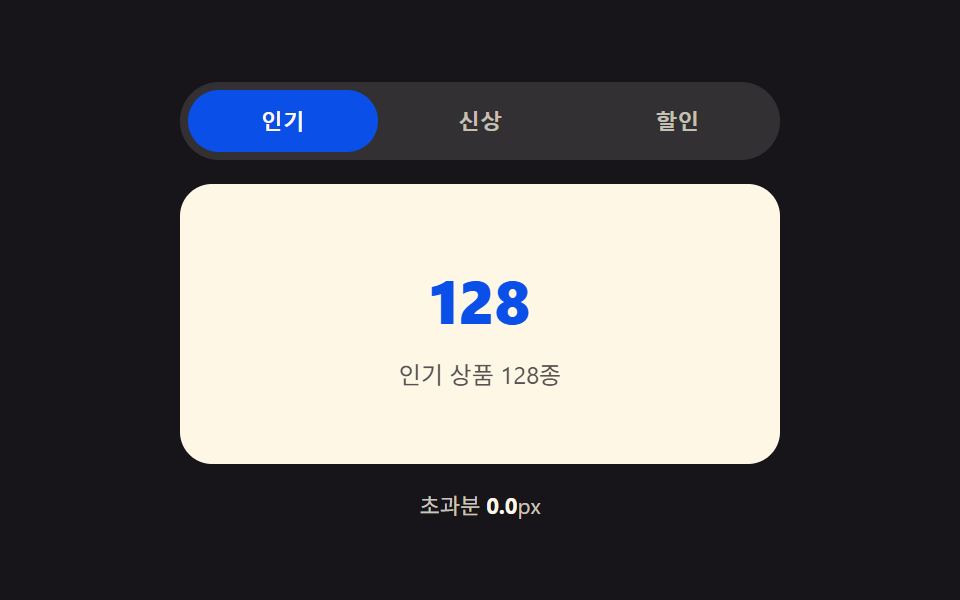
css タブ 切り替え ふわっと の9パターンは、それぞれ違う値を計算の起点にしています。高さモーフは2枚のパネルの実測ピクセル差で伸びる時間を決め、スタック型はアクティブタブとのインデックス距離で縮小率を決め、弾性スライドはバネ定数で弾んで超える幅を決める — 同じタブなのに計算値はそれぞれ違う。
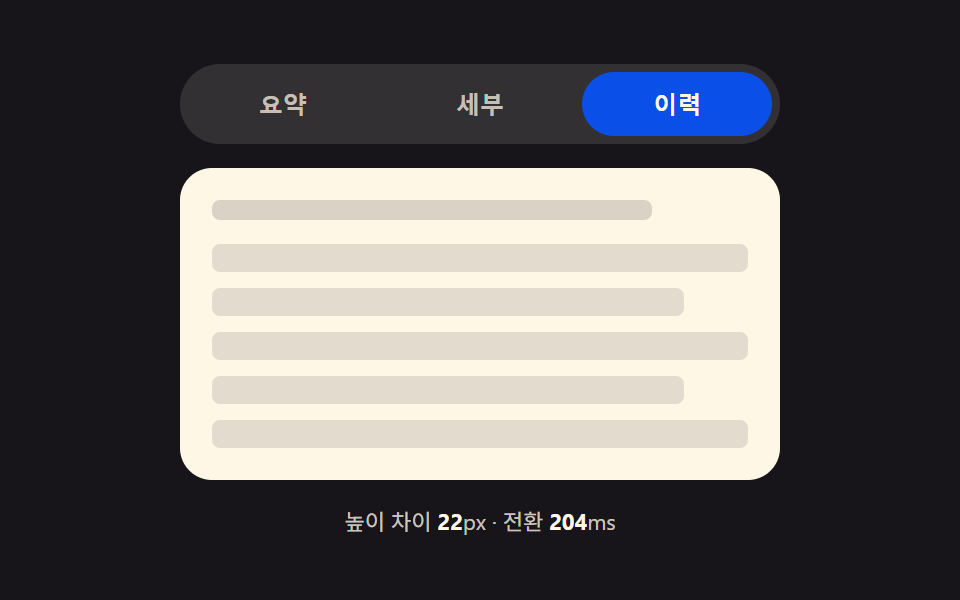 01 tab-panel-height-auto-morph
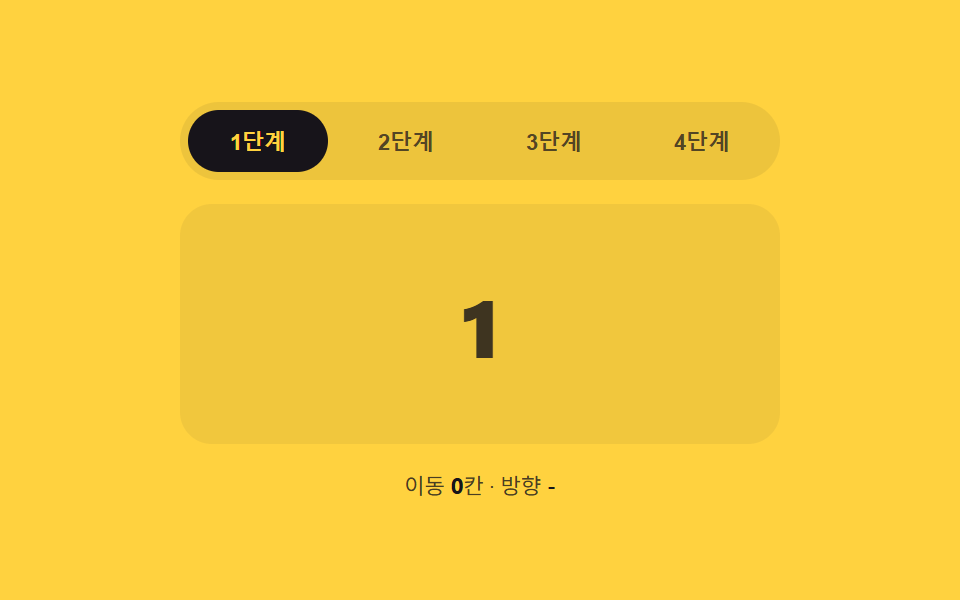 02 tab-panel-slide-direction-index
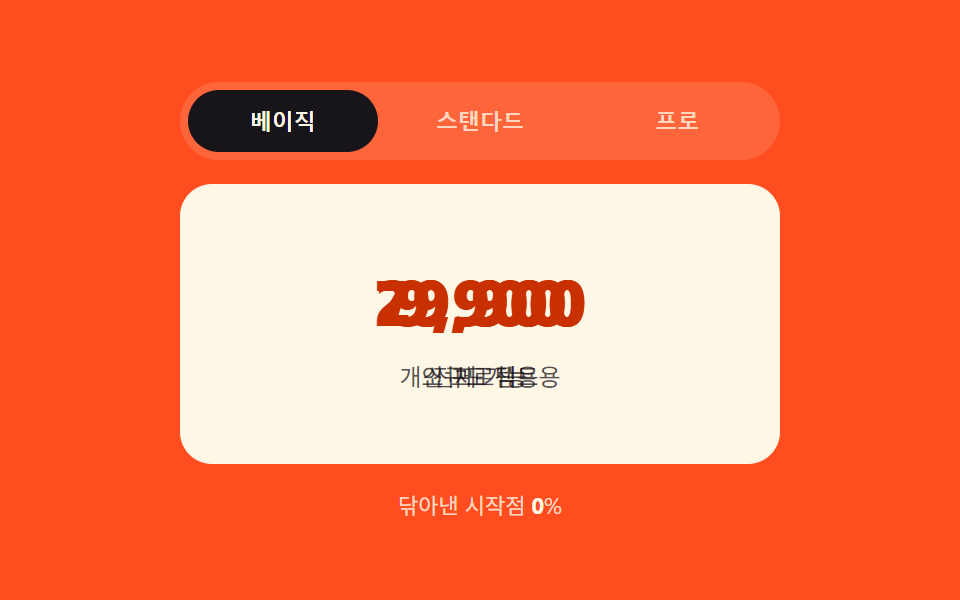 03 tab-panel-clip-wipe-progress
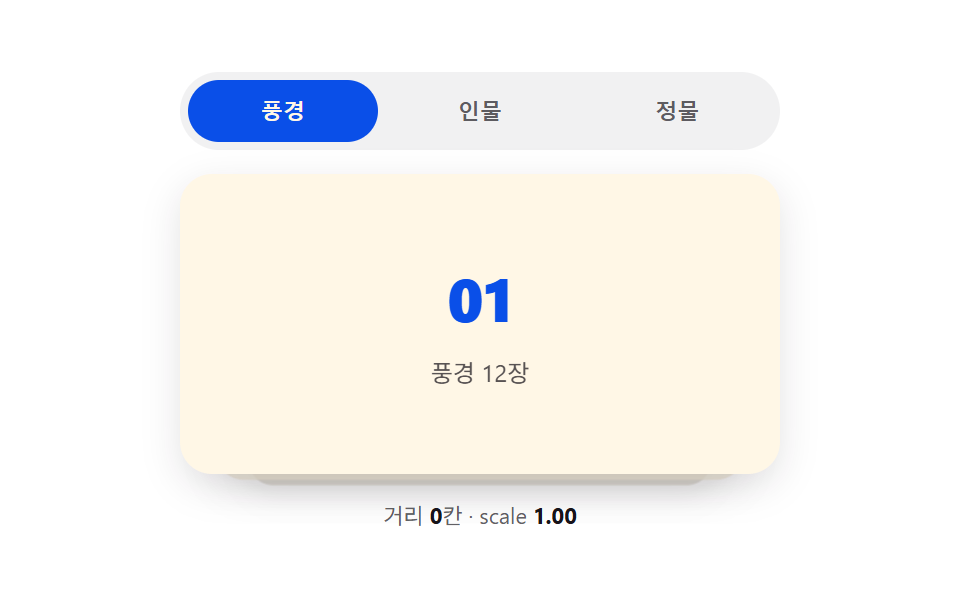 04 tab-panel-stack-depth-scale
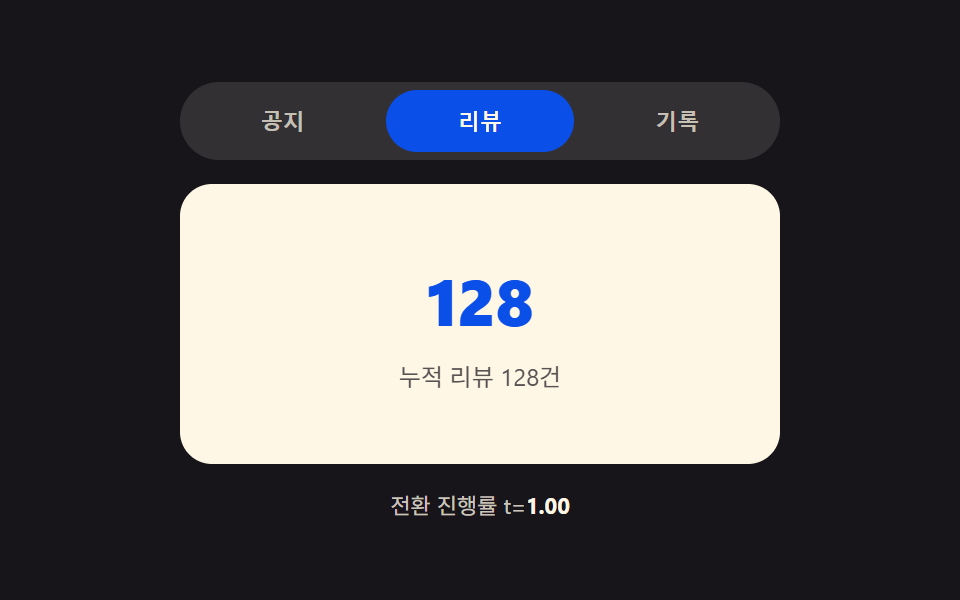 05 tab-panel-blur-focus-crossfade
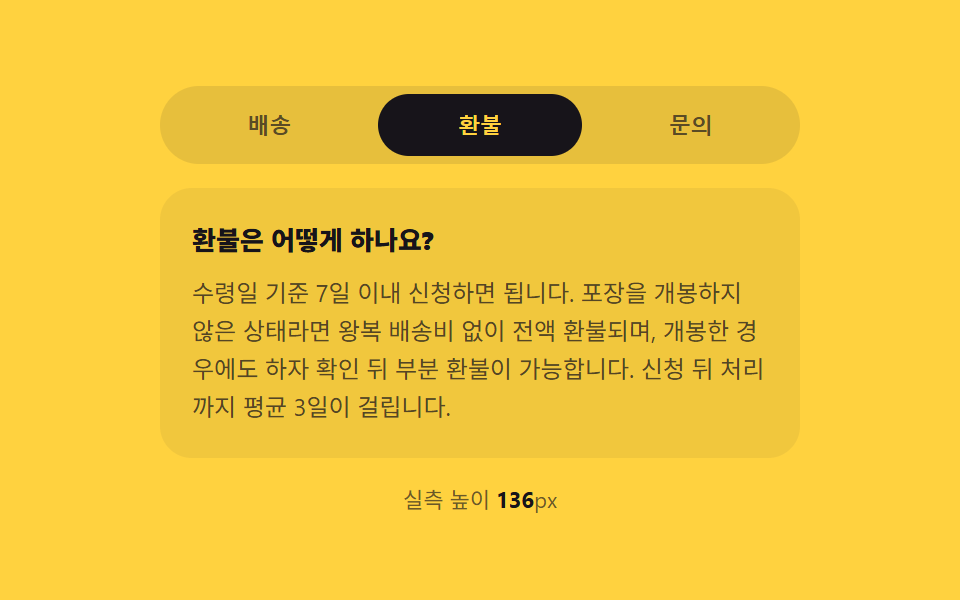 06 tab-panel-vertical-accordion-swap
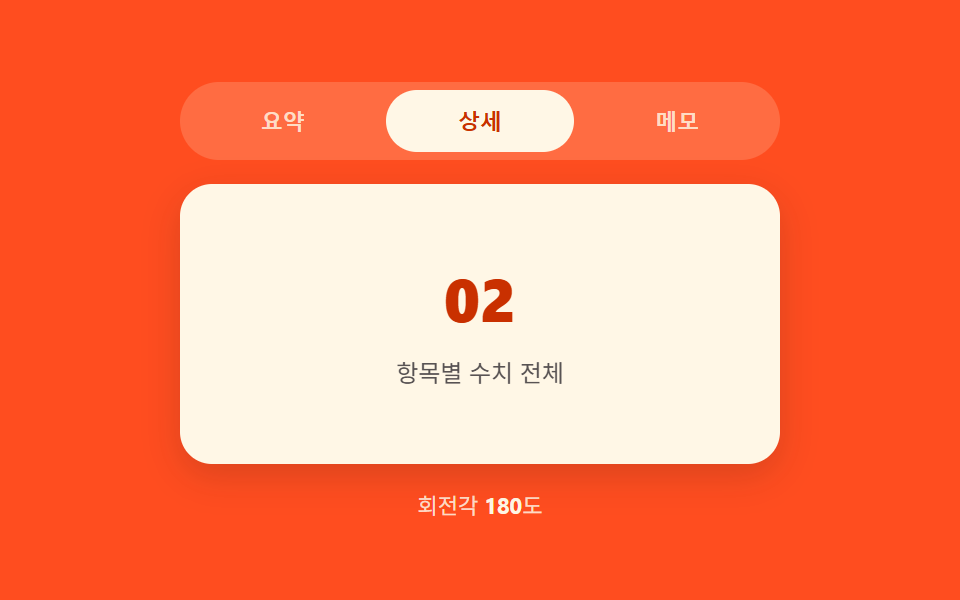 07 tab-panel-3d-flip-rotate
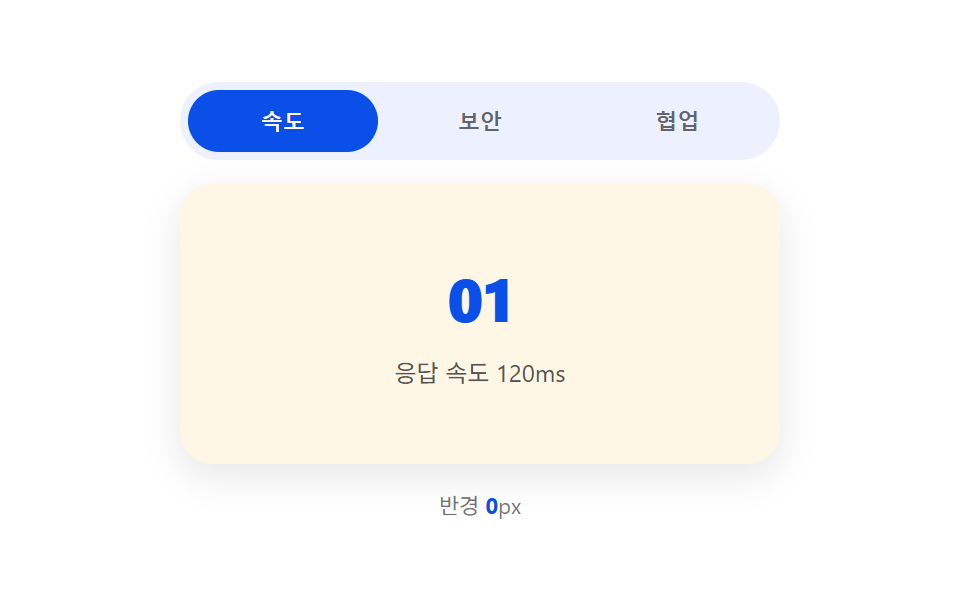 08 tab-panel-mask-reveal-radial
 09 tab-panel-elastic-overshoot-slide
自動再生 · タイルを押すとその項目へ · すべて1つのzip
- 01 パネル実測高さの差が伸ばすタブコンテナ
- 02 インデックス差の値が方向を決めるスライドパネル
- 03 クリック座標の比率が拭い取るクリップパスパネル
- 04 インデックス距離の値が奥へ倒すスタックパネル
- 05 進行度の値がぼかしては晴らすクロスフェードパネル
- 06 実測高さの値が畳んで開く縦アコーディオンパネル
- 07 進行度の角度値が裏返す3D回転パネル
- 08 クリック座標の値が広がる円形マスクパネル
- 09 バネ定数の値が弾んで超えては戻すスライドパネル
以下の9つのパネルはどれも、何かを取得したり移動したりしません。パネルの中身はHTMLに直接書き込まれた静的なテキストや短いリストで、Math.random も外部ライブラリも一切使っていません。中身を本物のコンテンツに差し替えても、下の切り替えロジックはそのまま使えます。
9つのタブパネル遷移の解剖 — どこで計算の一層が回るか
9つとも同じきっかけ(タブがクリックされる、または矢印キーで選ばれる)を受け取り、それぞれ違う値を計算します。高さモーフは2枚のパネルの実測高さがどれだけ離れているかを聞き、インデックス系の2つは何個タブを飛ばしたかを聞き、クリック起点の系は タブバーのどこをクリックしたかを聞き、スプリング型はどれだけ弾ませてから止めるかを聞きます。同じスライドの色替えが9回続くのではなく、9つの違う値が同じ切り替えの中で動いている — それがこのページのcss タブ トランジションです。
9つのうち7つ(01・02・03・04・06・07・08)はJavaScript側で一度だけ値を計算し、スタイルかクラスを一度書き換えて、残りはCSSトランジションに任せます。残る2つ(05・09)は requestAnimationFrame の毎フレームで値を計算し直します — 05は進行度からぼかしと不透明度を毎フレーム書き換え、09はバネの方程式を毎フレーム解き直します。07も requestAnimationFrame を回していますが、それはカードの横にある角度表示を再描画するためだけで、めくり自体は transform 一発のCSSトランジションなので、分類上はCSS遷移側に入ります。
この記事は セグメントコントロールUI 9選 — コピペOK の続編ではなく、別の層を扱っています。あちらはラベルの裏で動くスライダー自体の位置を計算する記事で、こちらはタブが選ばれたあとにパネルの中身に何が起きるか——高さ・クリップ形状・奥行き・ぼかし・角度・バネ位置——を計算する記事です。
パターン別コード
以下のコードは、それぞれのパターンが持つ「計算の一層」を担う関数そのものを、index.html からそのまま切り出したものです。結合も改名もしていません。
01パネル実測高さ差が伸ばすタブコンテナ
切り替え直前に出ていくパネルと入るパネルの実測高さを読み、その差(px)を getBoundingClientRect() で求めます — 推測ではありません。この差が大きいほどコンテナの wrap.style.height がゆっくり次のパネルの高さへ補間され、差がほとんどなければ一瞬で終わります。設定画面・プロフィールタブ・FAQセクションのように、パネルごとに高さがばらつく場面向けです。
<main class="stage">
<div class="tp is-demo" id="tp">
  <div class="tp__tabs" role="tablist" aria-label="設定タブ">
    <button type="button" class="tp__tab is-active" role="tab" id="tp-tab-0" aria-selected="true" aria-controls="tp-panel-0" data-idx="0">概要</button>
    <button type="button" class="tp__tab" role="tab" id="tp-tab-1" aria-selected="false" aria-controls="tp-panel-1" data-idx="1" tabindex="-1">詳細</button>
    <button type="button" class="tp__tab" role="tab" id="tp-tab-2" aria-selected="false" aria-controls="tp-panel-2" data-idx="2" tabindex="-1">履歴</button>
  </div>
  <div class="tp__wrap" id="tpWrap">
    <div class="tp__panel" id="tp-panel-0" role="tabpanel" aria-labelledby="tp-tab-0" tabindex="0">
      <p class="tp__line tp__line--a"></p>
      <p class="tp__line tp__line--b"></p>
    </div>
    <div class="tp__panel" id="tp-panel-1" role="tabpanel" aria-labelledby="tp-tab-1" tabindex="0" hidden>
      <p class="tp__line tp__line--a"></p>
      <p class="tp__line tp__line--b"></p>
      <p class="tp__line tp__line--c"></p>
      <div class="tp__bars"><span></span><span></span><span></span><span></span></div>
    </div>
    <div class="tp__panel" id="tp-panel-2" role="tabpanel" aria-labelledby="tp-tab-2" tabindex="0" hidden>
      <p class="tp__line tp__line--a"></p>
      <ul class="tp__list">
        <li></li><li></li><li></li><li></li><li></li>
      </ul>
    </div>
  </div>
  <p class="tp__meta" id="tpMeta">高さの差 <b id="tpDiff">0</b>px・遷移 <b id="tpDur">0</b>ms</p>
</div>
</main>@use "../../../../site/static/demo-tokens" as *;
// 계산 겹: index.html select() 가 getBoundingClientRect 로 숨은/보이는 패널의 실측 높이를 재
// 그 차이(px)를 BASE_MS + diff*MS_PER_PX 식에 넣어 전환 시간을 정하고, wrap 의 height 를 그 시간 동안
// 이전 값에서 다음 패널 높이로 트랜지션한다 — 차이가 클수록 천천히, 작으면 짧게 늘어난다.
@include stage($stage-ink);
.tp { width: min(100%, 300px); display: flex; flex-direction: column; gap: $sp-3; }
.tp__tabs { display: flex; gap: $sp-1; background: rgba($subject-cream, .12); padding: $sp-1; border-radius: $r-pill; }
.tp__tab {
flex: 1 1 0; border: none; background: transparent; border-radius: $r-pill; cursor: pointer;
padding: $sp-2 $sp-3; font-size: 12px; font-weight: 700; color: rgba($subject-cream, .72);
}
.tp__tab.is-active { background: $subject-blue-deep; color: $subject-cream; }
.tp__tab:focus-visible { outline: 2px solid $subject-cream; outline-offset: 2px; }
.tp__wrap {
position: relative; overflow: hidden; border-radius: $r-card; background: $subject-cream;
transition: height var(--tp-dur, #{$dur-base}) $ease-out;
}
.tp__panel { padding: $sp-4; box-sizing: border-box; }
.tp__line { height: 10px; border-radius: $r-xs; background: rgba($subject-ink, .16); margin: 0 0 $sp-2; }
.tp__line--a { width: 82%; }
.tp__line--b { width: 58%; }
.tp__line--c { width: 68%; }
.tp__bars { display: flex; gap: $sp-2; margin-top: $sp-3; align-items: flex-end; height: 44px; }
.tp__bars span { flex: 1 1 0; border-radius: $r-xs $r-xs 0 0; background: $subject-blue; }
.tp__bars span:nth-child(1) { height: 60%; }
.tp__bars span:nth-child(2) { height: 100%; }
.tp__bars span:nth-child(3) { height: 40%; }
.tp__bars span:nth-child(4) { height: 78%; }
.tp__list { list-style: none; margin: $sp-3 0 0; padding: 0; display: flex; flex-direction: column; gap: $sp-2; }
.tp__list li { height: 14px; border-radius: $r-xs; background: rgba($subject-ink, .12); }
.tp__list li:nth-child(2n) { width: 88%; }
.tp__meta { margin: 0; font-size: 11px; color: rgba($subject-cream, .78); text-align: center; }
.tp__meta b { color: $subject-cream; font-weight: 700; }
@media (max-width: 340px) {
.tp { width: 100%; }
.tp__tab { font-size: 11px; padding: $sp-1 $sp-2; }
}
@media (prefers-reduced-motion: reduce) {
.tp__wrap { transition: none; }
}html, body {
margin: 0;
overflow: hidden;
}
.stage {
box-sizing: border-box;
min-height: 100vh;
display: grid;
place-items: center;
margin: 0;
background: #17141a;
font-family: -apple-system, "Segoe UI", "Noto Sans KR", sans-serif;
padding: clamp(8px, 4vw, 24px);
}
.tp {
width: min(100%, 300px);
display: flex;
flex-direction: column;
gap: 12px;
}
.tp__tabs {
display: flex;
gap: 4px;
background: rgba(255, 247, 230, 0.12);
padding: 4px;
border-radius: 999px;
}
.tp__tab {
flex: 1 1 0;
border: none;
background: transparent;
border-radius: 999px;
cursor: pointer;
padding: 8px 12px;
font-size: 12px;
font-weight: 700;
color: rgba(255, 247, 230, 0.72);
}
.tp__tab.is-active {
background: #0a4fe8;
color: #fff7e6;
}
.tp__tab:focus-visible {
outline: 2px solid #fff7e6;
outline-offset: 2px;
}
.tp__wrap {
position: relative;
overflow: hidden;
border-radius: 16px;
background: #fff7e6;
transition: height var(--tp-dur, 300ms) ease-out;
}
.tp__panel {
padding: 16px;
box-sizing: border-box;
}
.tp__line {
height: 10px;
border-radius: 4px;
background: rgba(23, 20, 26, 0.16);
margin: 0 0 8px;
}
.tp__line--a {
width: 82%;
}
.tp__line--b {
width: 58%;
}
.tp__line--c {
width: 68%;
}
.tp__bars {
display: flex;
gap: 8px;
margin-top: 12px;
align-items: flex-end;
height: 44px;
}
.tp__bars span {
flex: 1 1 0;
border-radius: 4px 4px 0 0;
background: #2f6df6;
}
.tp__bars span:nth-child(1) {
height: 60%;
}
.tp__bars span:nth-child(2) {
height: 100%;
}
.tp__bars span:nth-child(3) {
height: 40%;
}
.tp__bars span:nth-child(4) {
height: 78%;
}
.tp__list {
list-style: none;
margin: 12px 0 0;
padding: 0;
display: flex;
flex-direction: column;
gap: 8px;
}
.tp__list li {
height: 14px;
border-radius: 4px;
background: rgba(23, 20, 26, 0.12);
}
.tp__list li:nth-child(2n) {
width: 88%;
}
.tp__meta {
margin: 0;
font-size: 11px;
color: rgba(255, 247, 230, 0.78);
text-align: center;
}
.tp__meta b {
color: #fff7e6;
font-weight: 700;
}
@media (max-width: 340px) {
.tp {
width: 100%;
}
.tp__tab {
font-size: 11px;
padding: 4px 8px;
}
}
@media (prefers-reduced-motion: reduce) {
.tp__wrap {
transition: none;
}
}(function () {
var BASE_MS = 180; // 계산 겹 상수: 높이 차이가 0px 이어도 최소한의 스무딩을 준다
var MS_PER_PX = 1.1; // 계산 겹 상수: 高さの差 1px 마다 전환 시간이 이만큼 늘어난다
var MIN_MS = 180, MAX_MS = 620;
var HOLD_MS = 760; // 자동 순환이 탭 하나에 머무는 시간
var COUNT = 3;
var reduce = window.matchMedia('(prefers-reduced-motion: reduce)').matches;
var root = document.getElementById('tp');
var wrap = document.getElementById('tpWrap');
var diffEl = document.getElementById('tpDiff');
var durEl = document.getElementById('tpDur');
var tabs = [0, 1, 2].map(function (i) { return document.getElementById('tp-tab-' + i); });
var panels = [0, 1, 2].map(function (i) { return document.getElementById('tp-panel-' + i); });
var isDemo = true;
var active = 0;
var busy = false;
function rectHeight(idx) {
// 계산 겹: 숨은 패널도 잠깐 측정 가능한 상태로 만들어 getBoundingClientRect 로 실측한다 — 짐작값을 쓰지 않는다
var p = panels[idx];
var wasHidden = p.hasAttribute('hidden');
if (wasHidden) {
p.style.visibility = 'hidden';
p.style.position = 'absolute';
p.style.width = wrap.clientWidth + 'px';
p.removeAttribute('hidden');
}
var h = p.getBoundingClientRect().height;
if (wasHidden) {
p.setAttribute('hidden', '');
p.style.visibility = '';
p.style.position = '';
p.style.width = '';
}
return h;
}
function human() {
if (isDemo) { root.classList.remove('is-demo'); isDemo = false; }
}
function select(idx) {
if (idx === active || busy) return;
busy = true;
var fromH = rectHeight(active);
var toH = rectHeight(idx);
var diff = Math.abs(toH - fromH); // 계산 겹: 두 패널의 실측 高さの差(px)
var dur = Math.min(MAX_MS, Math.max(MIN_MS, BASE_MS + diff * MS_PER_PX)); // 계산 겹: 차이가 클수록 전환이 길다
wrap.style.setProperty('--tp-dur', dur.toFixed(0) + 'ms');
wrap.style.height = fromH.toFixed(2) + 'px';
wrap.getBoundingClientRect(); // 강제 리플로우 — 시작 높이를 확정한 뒤에 목표 높이를 건다
tabs[active].classList.remove('is-active');
tabs[active].setAttribute('aria-selected', 'false');
tabs[active].setAttribute('tabindex', '-1');
panels[active].setAttribute('hidden', '');
tabs[idx].classList.add('is-active');
tabs[idx].setAttribute('aria-selected', 'true');
tabs[idx].setAttribute('tabindex', '0');
panels[idx].removeAttribute('hidden');
requestAnimationFrame(function () {
wrap.style.height = toH.toFixed(2) + 'px';
});
diffEl.textContent = Math.round(diff);
durEl.textContent = Math.round(dur);
active = idx;
window.setTimeout(function () {
busy = false;
wrap.style.height = panels[active].getBoundingClientRect().height + 'px';
}, dur + 40);
}
tabs.forEach(function (t, i) {
t.addEventListener('click', function () { human(); select(i); });
});
root.addEventListener('keydown', function (e) {
var idx = tabs.indexOf(document.activeElement);
if (idx === -1) return;
var next = null;
if (e.key === 'ArrowRight') next = (idx + 1) % COUNT;
else if (e.key === 'ArrowLeft') next = (idx - 1 + COUNT) % COUNT;
else if (e.key === 'Home') next = 0;
else if (e.key === 'End') next = COUNT - 1;
if (next === null) return;
e.preventDefault();
human();
tabs[next].focus({ preventScroll: true });
select(next);
});
function loop() {
if (!isDemo) return;
select((active + 1) % COUNT);
window.setTimeout(loop, HOLD_MS);
}
wrap.style.height = rectHeight(0) + 'px';
if (!reduce) {
window.setTimeout(loop, HOLD_MS);
} else {
root.classList.remove('is-demo');
}
})();// TabHeightAutoMorph — vanilla 판(run/394/demo/01-tab-panel-height-auto-morph/index.html) 의 React 포트.
// select() 가 getBoundingClientRect 로 숨은/보이는 패널의 실측 높이를 재 그 차이(px)를
// BASE_MS + diff*MS_PER_PX 식에 넣어 전환 시간을 정하고, wrap 의 height 를 그 시간 동안 트랜지션한다.
import { useEffect, useRef } from "react";
import styles from "./TabHeightAutoMorph.module.scss";
type Box<T> = { current: T };
const BASE_MS = 180; // 계산 겹 상수: 높이 차이가 0px 이어도 최소한의 스무딩을 준다
const MS_PER_PX = 1.1; // 계산 겹 상수: 높이 차이 1px 마다 전환 시간이 이만큼 늘어난다
const MIN_MS = 180, MAX_MS = 620;
const HOLD_MS = 760; // 자동 순환이 탭 하나에 머무는 시간
const COUNT = 3;
export default function TabHeightAutoMorph() {
const rootRef = useRef(null) as unknown as Box<HTMLDivElement>;
const wrapRef = useRef(null) as unknown as Box<HTMLDivElement>;
const diffRef = useRef(null) as unknown as Box<HTMLElement>;
const durRef = useRef(null) as unknown as Box<HTMLElement>;
const tabRefs = useRef([null, null, null]) as unknown as Box<(HTMLButtonElement | null)[]>;
const panelRefs = useRef([null, null, null]) as unknown as Box<(HTMLDivElement | null)[]>;
const timerRef = useRef(0) as unknown as Box<number>;
useEffect(() => {
const reduce = window.matchMedia("(prefers-reduced-motion: reduce)").matches;
let isDemo = true;
let active = 0;
let busy = false;
function rectHeight(idx: number): number {
const p = panelRefs.current[idx];
const wrap = wrapRef.current;
if (!p || !wrap) return 0;
const wasHidden = p.hasAttribute("hidden");
if (wasHidden) {
p.style.visibility = "hidden";
p.style.position = "absolute";
p.style.width = wrap.clientWidth + "px";
p.removeAttribute("hidden");
}
const h = p.getBoundingClientRect().height;
if (wasHidden) {
p.setAttribute("hidden", "");
p.style.visibility = "";
p.style.position = "";
p.style.width = "";
}
return h;
}
function human() {
if (isDemo) { rootRef.current?.classList.remove(styles.isDemo); isDemo = false; }
}
function select(idx: number) {
if (idx === active || busy) return;
busy = true;
const wrap = wrapRef.current;
const fromH = rectHeight(active);
const toH = rectHeight(idx);
if (!wrap) return;
const diff = Math.abs(toH - fromH); // 계산 겹: 두 패널의 실측 높이 차이(px)
const dur = Math.min(MAX_MS, Math.max(MIN_MS, BASE_MS + diff * MS_PER_PX)); // 계산 겹: 차이가 클수록 전환이 길다
wrap.style.setProperty("--tp-dur", dur.toFixed(0) + "ms");
wrap.style.height = fromH.toFixed(2) + "px";
wrap.getBoundingClientRect(); // 강제 리플로우
const prevTab = tabRefs.current[active], nextTab = tabRefs.current[idx];
const prevPanel = panelRefs.current[active], nextPanel = panelRefs.current[idx];
prevTab?.classList.remove(styles.isActive);
prevTab?.setAttribute("aria-selected", "false");
prevTab?.setAttribute("tabindex", "-1");
prevPanel?.setAttribute("hidden", "");
nextTab?.classList.add(styles.isActive);
nextTab?.setAttribute("aria-selected", "true");
nextTab?.setAttribute("tabindex", "0");
nextPanel?.removeAttribute("hidden");
requestAnimationFrame(() => { wrap.style.height = toH.toFixed(2) + "px"; });
if (diffRef.current) diffRef.current.textContent = String(Math.round(diff));
if (durRef.current) durRef.current.textContent = String(Math.round(dur));
active = idx;
window.setTimeout(() => {
busy = false;
const p = panelRefs.current[active];
if (wrap && p) wrap.style.height = p.getBoundingClientRect().height + "px";
}, dur + 40);
}
function onKeydown(e: KeyboardEvent) {
const idx = tabRefs.current.indexOf(document.activeElement as HTMLButtonElement);
if (idx === -1) return;
let next: number | null = null;
if (e.key === "ArrowRight") next = (idx + 1) % COUNT;
else if (e.key === "ArrowLeft") next = (idx - 1 + COUNT) % COUNT;
else if (e.key === "Home") next = 0;
else if (e.key === "End") next = COUNT - 1;
if (next === null) return;
e.preventDefault();
human();
tabRefs.current[next]?.focus({ preventScroll: true });
select(next);
}
function onTabClick(i: number) { return () => { human(); select(i); }; }
const clickHandlers = [0, 1, 2].map(onTabClick);
tabRefs.current.forEach((t, i) => t?.addEventListener("click", clickHandlers[i]));
rootRef.current?.addEventListener("keydown", onKeydown);
function loop() {
if (!isDemo) return;
select((active + 1) % COUNT);
timerRef.current = window.setTimeout(loop, HOLD_MS);
}
const wrap = wrapRef.current;
if (wrap) wrap.style.height = rectHeight(0) + "px";
if (!reduce) {
timerRef.current = window.setTimeout(loop, HOLD_MS);
} else {
rootRef.current?.classList.remove(styles.isDemo);
}
return () => {
window.clearTimeout(timerRef.current);
tabRefs.current.forEach((t, i) => t?.removeEventListener("click", clickHandlers[i]));
rootRef.current?.removeEventListener("keydown", onKeydown);
};
}, []);
return (
<main className={styles.stage}>
<div className={styles.tp + " " + styles.isDemo} ref={rootRef}>
<div className={styles.tabs} role="tablist" aria-label="설정 탭">
<button type="button" className={styles.tab + " " + styles.isActive} role="tab" aria-selected="true" aria-controls="rtp-panel-0" data-idx="0"
ref={(el: HTMLButtonElement | null) => { tabRefs.current[0] = el; }}>요약</button>
<button type="button" className={styles.tab} role="tab" aria-selected="false" aria-controls="rtp-panel-1" data-idx="1" tabIndex={-1}
ref={(el: HTMLButtonElement | null) => { tabRefs.current[1] = el; }}>세부</button>
<button type="button" className={styles.tab} role="tab" aria-selected="false" aria-controls="rtp-panel-2" data-idx="2" tabIndex={-1}
ref={(el: HTMLButtonElement | null) => { tabRefs.current[2] = el; }}>이력</button>
</div>
<div className={styles.wrap} ref={wrapRef}>
<div className={styles.panel} id="rtp-panel-0" role="tabpanel" tabIndex={0}
ref={(el: HTMLDivElement | null) => { panelRefs.current[0] = el; }}>
<p className={styles.lineA} />
<p className={styles.lineB} />
</div>
<div className={styles.panel} id="rtp-panel-1" role="tabpanel" tabIndex={0} hidden
ref={(el: HTMLDivElement | null) => { panelRefs.current[1] = el; }}>
<p className={styles.lineA} />
<p className={styles.lineB} />
<p className={styles.lineC} />
<div className={styles.bars}><span /><span /><span /><span /></div>
</div>
<div className={styles.panel} id="rtp-panel-2" role="tabpanel" tabIndex={0} hidden
ref={(el: HTMLDivElement | null) => { panelRefs.current[2] = el; }}>
<p className={styles.lineA} />
<ul className={styles.list}>
<li /><li /><li /><li /><li />
</ul>
</div>
</div>
<p className={styles.meta}>
높이 차이 <b ref={diffRef}>0</b>px · 전환 <b ref={durRef}>0</b>ms
</p>
</div>
</main>
);
}01 · パネル実測高さの差が伸ばすタブコンテナ — 計測 累積面積 42.901% · 動いたフレーム 9/23GODRICH オリジナル · SCSS と React は zip に同梱 · パスワードを見る
    var fromH = rectHeight(active);
    var toH = rectHeight(idx);
    var diff = Math.abs(toH - fromH); // 計算層: 2枚のパネルの実測高さの差(px)
    var dur = Math.min(MAX_MS, Math.max(MIN_MS, BASE_MS + diff * MS_PER_PX)); // 計算層: 差が大きいほど遷移が長くなる

    wrap.style.setProperty('--tp-dur', dur.toFixed(0) + 'ms');
    wrap.style.height = fromH.toFixed(2) + 'px';
    wrap.getBoundingClientRect(); // 強制リフロー — 開始の高さを確定してから目標の高さをかける

    tabs[active].classList.remove('is-active');
    tabs[active].setAttribute('aria-selected', 'false');
    tabs[active].setAttribute('tabindex', '-1');
    panels[active].setAttribute('hidden', '');

    tabs[idx].classList.add('is-active');
    tabs[idx].setAttribute('aria-selected', 'true');
    tabs[idx].setAttribute('tabindex', '0');
    panels[idx].removeAttribute('hidden');

    requestAnimationFrame(function () {
      wrap.style.height = toH.toFixed(2) + 'px';
    });

    diffEl.textContent = Math.round(diff);
02インデックス差の値が方向を決めるスライドパネル
idx - active の符号がスライドの向きを決め、絶対値を取れば何個のタブを飛ばしたかが分かります。1個を超えて飛ばすほど STEP_MS 分だけ移動時間が伸びるので、タブ1から4へのジャンプは隣同士のクリックより明らかに長く動きます。実際の移動は translateX() が担い、resize リスナーは viewport.clientWidth から出た移動距離のpx値を、画面幅が変わるたびに同じ式で計算し直します。
<main class="stage">
<div class="sp is-demo" id="sp">
  <div class="sp__tabs" role="tablist" aria-label="ステップタブ">
    <button type="button" class="sp__tab is-active" role="tab" id="sp-tab-0" aria-selected="true" aria-controls="sp-panel-0" data-idx="0">ステップ1</button>
    <button type="button" class="sp__tab" role="tab" id="sp-tab-1" aria-selected="false" aria-controls="sp-panel-1" data-idx="1" tabindex="-1">ステップ2</button>
    <button type="button" class="sp__tab" role="tab" id="sp-tab-2" aria-selected="false" aria-controls="sp-panel-2" data-idx="2" tabindex="-1">ステップ3</button>
    <button type="button" class="sp__tab" role="tab" id="sp-tab-3" aria-selected="false" aria-controls="sp-panel-3" data-idx="3" tabindex="-1">ステップ4</button>
  </div>
  <div class="sp__viewport" id="spViewport">
    <div class="sp__track" id="spTrack">
      <div class="sp__panel" id="sp-panel-0" role="tabpanel" aria-labelledby="sp-tab-0" tabindex="0"><span class="sp__num">1</span></div>
      <div class="sp__panel" id="sp-panel-1" role="tabpanel" aria-labelledby="sp-tab-1" tabindex="0" aria-hidden="true"><span class="sp__num">2</span></div>
      <div class="sp__panel" id="sp-panel-2" role="tabpanel" aria-labelledby="sp-tab-2" tabindex="0" aria-hidden="true"><span class="sp__num">3</span></div>
      <div class="sp__panel" id="sp-panel-3" role="tabpanel" aria-labelledby="sp-tab-3" tabindex="0" aria-hidden="true"><span class="sp__num">4</span></div>
    </div>
  </div>
  <p class="sp__meta" id="spMeta">移動 <b id="spDist">0</b>マス・方向 <b id="spDir">-</b></p>
</div>
</main>
@use "../../../../site/static/demo-tokens" as *;
// 계산 겹: index.html select() 가 (새 인덱스 - 이전 인덱스) 의 부호로 방향을, 절댓값으로 건너뛴 칸
// 수를 구해 전환 시간(BASE_MS + (거리-1)*STEP_MS)을 늘린다 — 두 칸을 건너뛰면 한 칸보다 오래 미끄러진다.
@include stage($stage-yellow);
.sp { width: min(100%, 300px); min-width: 0; display: flex; flex-direction: column; gap: $sp-3; }
.sp__tabs { display: flex; gap: $sp-1; background: rgba($subject-ink, .08); padding: $sp-1; border-radius: $r-pill; }
.sp__tab {
flex: 1 1 0; border: none; background: transparent; border-radius: $r-pill; cursor: pointer;
padding: $sp-2 $sp-2; font-size: 11px; font-weight: 700; color: rgba($subject-ink, .72);
}
.sp__tab.is-active { background: $subject-ink; color: $stage-yellow; }
.sp__tab:focus-visible { outline: 2px solid $subject-ink; outline-offset: 2px; }
.sp__viewport { overflow: hidden; min-width: 0; border-radius: $r-card; background: rgba($subject-ink, .06); }
.sp__track {
display: flex; will-change: transform;
transition: transform var(--sp-dur, #{$dur-base}) $ease-spring;
}
.sp__panel {
flex: 0 0 auto; box-sizing: border-box; height: 120px; display: grid; place-items: center;
}
.sp__num { font-size: 40px; font-weight: 800; color: $subject-ink; opacity: .82; }
.sp__meta { margin: 0; font-size: 11px; color: rgba($subject-ink, .78); text-align: center; }
.sp__meta b { color: $subject-ink; font-weight: 700; }
@media (max-width: 340px) {
.sp { width: 100%; }
.sp__panel { height: 96px; }
.sp__num { font-size: 32px; }
}
@media (prefers-reduced-motion: reduce) {
.sp__track { transition: none; }
}html, body {
margin: 0;
overflow: hidden;
}
.stage {
box-sizing: border-box;
min-height: 100vh;
display: grid;
place-items: center;
margin: 0;
background: #ffd23f;
font-family: -apple-system, "Segoe UI", "Noto Sans KR", sans-serif;
padding: clamp(8px, 4vw, 24px);
}
.sp {
width: min(100%, 300px);
min-width: 0;
display: flex;
flex-direction: column;
gap: 12px;
}
.sp__tabs {
display: flex;
gap: 4px;
background: rgba(23, 20, 26, 0.08);
padding: 4px;
border-radius: 999px;
}
.sp__tab {
flex: 1 1 0;
border: none;
background: transparent;
border-radius: 999px;
cursor: pointer;
padding: 8px 8px;
font-size: 11px;
font-weight: 700;
color: rgba(23, 20, 26, 0.72);
}
.sp__tab.is-active {
background: #17141a;
color: #ffd23f;
}
.sp__tab:focus-visible {
outline: 2px solid #17141a;
outline-offset: 2px;
}
.sp__viewport {
overflow: hidden;
min-width: 0;
border-radius: 16px;
background: rgba(23, 20, 26, 0.06);
}
.sp__track {
display: flex;
will-change: transform;
transition: transform var(--sp-dur, 300ms) cubic-bezier(0.2, 0.8, 0.2, 1);
}
.sp__panel {
flex: 0 0 auto;
box-sizing: border-box;
height: 120px;
display: grid;
place-items: center;
}
.sp__num {
font-size: 40px;
font-weight: 800;
color: #17141a;
opacity: 0.82;
}
.sp__meta {
margin: 0;
font-size: 11px;
color: rgba(23, 20, 26, 0.78);
text-align: center;
}
.sp__meta b {
color: #17141a;
font-weight: 700;
}
@media (max-width: 340px) {
.sp {
width: 100%;
}
.sp__panel {
height: 96px;
}
.sp__num {
font-size: 32px;
}
}
@media (prefers-reduced-motion: reduce) {
.sp__track {
transition: none;
}
}(function () {
var BASE_MS = 220; // 계산 겹 상수: 한 칸 이동의 기본 시간
var STEP_MS = 90; // 계산 겹 상수: 건너뛴 칸 하나마다 늘어나는 시간
var MAX_MS = 640;
var HOLD_MS = 700;
var COUNT = 4;
var reduce = window.matchMedia('(prefers-reduced-motion: reduce)').matches;
var root = document.getElementById('sp');
var viewport = document.getElementById('spViewport');
var track = document.getElementById('spTrack');
var distEl = document.getElementById('spDist');
var dirEl = document.getElementById('spDir');
var tabs = [0, 1, 2, 3].map(function (i) { return document.getElementById('sp-tab-' + i); });
var panels = [0, 1, 2, 3].map(function (i) { return document.getElementById('sp-panel-' + i); });
var isDemo = true;
var active = 0;
function human() {
if (isDemo) { root.classList.remove('is-demo'); isDemo = false; }
}
function select(idx) {
if (idx === active) return;
var delta = idx - active; // 계산 겹: 새 인덱스 - 이전 인덱스
var dir = delta > 0 ? 1 : -1; // 계산 겹: 부호가 슬라이드 방향을 정한다
var dist = Math.abs(delta); // 계산 겹: 건너뛴 칸 수
var dur = Math.min(MAX_MS, BASE_MS + (dist - 1) * STEP_MS); // 계산 겹: 건너뛴 칸이 많을수록 오래 이동한다
var w = viewport.clientWidth;
track.style.setProperty('--sp-dur', dur.toFixed(0) + 'ms');
track.style.transform = 'translateX(' + (-idx * w).toFixed(2) + 'px)';
tabs[active].classList.remove('is-active');
tabs[active].setAttribute('aria-selected', 'false');
tabs[active].setAttribute('tabindex', '-1');
panels[active].setAttribute('aria-hidden', 'true');
tabs[idx].classList.add('is-active');
tabs[idx].setAttribute('aria-selected', 'true');
tabs[idx].setAttribute('tabindex', '0');
panels[idx].setAttribute('aria-hidden', 'false');
distEl.textContent = String(dist);
dirEl.textContent = dir > 0 ? '→' : '←';
active = idx;
}
function place(initial) {
var w = viewport.clientWidth; // 계산 겹: 패널 폭은 실측 뷰포트 폭 — 짐작 px 를 쓰지 않는다
panels.forEach(function (p) { p.style.width = w + 'px'; });
if (initial) track.style.transition = 'none'; // 최초 배치는 transition 없이 — 'none'→translateX(0) 전이가 애니메이션으로 잡혀 측정을 망가뜨린다
track.style.transform = 'translateX(' + (-active * w).toFixed(2) + 'px)';
if (initial) { track.getBoundingClientRect(); track.style.transition = ''; }
}
tabs.forEach(function (t, i) {
t.addEventListener('click', function () { human(); select(i); });
});
root.addEventListener('keydown', function (e) {
var idx = tabs.indexOf(document.activeElement);
if (idx === -1) return;
var next = null;
if (e.key === 'ArrowRight') next = (idx + 1) % COUNT;
else if (e.key === 'ArrowLeft') next = (idx - 1 + COUNT) % COUNT;
else if (e.key === 'Home') next = 0;
else if (e.key === 'End') next = COUNT - 1;
if (next === null) return;
e.preventDefault();
human();
tabs[next].focus({ preventScroll: true });
select(next);
});
window.addEventListener('resize', place);
var seq = [1, 3, 0, 2]; // 계산 겹 실연용 순서 — 1→4(건너뛰기 3) 처럼 다양한 거리를 자동 순환에서 보여준다
var seqPos = 0;
function loop() {
if (!isDemo) return;
seqPos = (seqPos + 1) % seq.length;
select(seq[seqPos]);
window.setTimeout(loop, HOLD_MS);
}
place(true);
if (!reduce) {
window.setTimeout(loop, HOLD_MS);
} else {
root.classList.remove('is-demo');
}
})();// TabSlideDirectionIndex — vanilla 판(run/394/demo/02-tab-panel-slide-direction-index/index.html) 의 React 포트.
// select() 가 (새 인덱스 - 이전 인덱스) 의 부호로 방향을, 절댓값으로 건너뛴 칸 수를 구해
// 전환 시간(BASE_MS + (거리-1)*STEP_MS)을 늘린다.
import { useEffect, useRef } from "react";
import styles from "./TabSlideDirectionIndex.module.scss";
type Box<T> = { current: T };
const BASE_MS = 220; // 계산 겹 상수: 한 칸 이동의 기본 시간
const STEP_MS = 90; // 계산 겹 상수: 건너뛴 칸 하나마다 늘어나는 시간
const MAX_MS = 640;
const HOLD_MS = 700;
const COUNT = 4;
const SEQ = [1, 3, 0, 2];
export default function TabSlideDirectionIndex() {
const rootRef = useRef(null) as unknown as Box<HTMLDivElement>;
const viewportRef = useRef(null) as unknown as Box<HTMLDivElement>;
const trackRef = useRef(null) as unknown as Box<HTMLDivElement>;
const distRef = useRef(null) as unknown as Box<HTMLElement>;
const dirRef = useRef(null) as unknown as Box<HTMLElement>;
const tabRefs = useRef([null, null, null, null]) as unknown as Box<(HTMLButtonElement | null)[]>;
const panelRefs = useRef([null, null, null, null]) as unknown as Box<(HTMLDivElement | null)[]>;
const timerRef = useRef(0) as unknown as Box<number>;
useEffect(() => {
const reduce = window.matchMedia("(prefers-reduced-motion: reduce)").matches;
let isDemo = true;
let active = 0;
let seqPos = 0;
function human() {
if (isDemo) { rootRef.current?.classList.remove(styles.isDemo); isDemo = false; }
}
function select(idx: number) {
if (idx === active) return;
const track = trackRef.current, viewport = viewportRef.current;
if (!track || !viewport) return;
const delta = idx - active; // 계산 겹: 새 인덱스 - 이전 인덱스
const dir = delta > 0 ? 1 : -1; // 계산 겹: 부호가 슬라이드 방향을 정한다
const dist = Math.abs(delta); // 계산 겹: 건너뛴 칸 수
const dur = Math.min(MAX_MS, BASE_MS + (dist - 1) * STEP_MS); // 계산 겹: 건너뛴 칸이 많을수록 오래 이동한다
const w = viewport.clientWidth;
track.style.setProperty("--sp-dur", dur.toFixed(0) + "ms");
track.style.transform = "translateX(" + (-idx * w).toFixed(2) + "px)";
const prevTab = tabRefs.current[active], nextTab = tabRefs.current[idx];
const prevPanel = panelRefs.current[active], nextPanel = panelRefs.current[idx];
prevTab?.classList.remove(styles.isActive);
prevTab?.setAttribute("aria-selected", "false");
prevTab?.setAttribute("tabindex", "-1");
prevPanel?.setAttribute("aria-hidden", "true");
nextTab?.classList.add(styles.isActive);
nextTab?.setAttribute("aria-selected", "true");
nextTab?.setAttribute("tabindex", "0");
nextPanel?.setAttribute("aria-hidden", "false");
if (distRef.current) distRef.current.textContent = String(dist);
if (dirRef.current) dirRef.current.textContent = dir > 0 ? "→" : "←";
active = idx;
}
function place(initial?: boolean) {
const viewport = viewportRef.current, track = trackRef.current;
if (!viewport || !track) return;
const w = viewport.clientWidth; // 계산 겹: 패널 폭은 실측 뷰포트 폭
panelRefs.current.forEach((p) => { if (p) p.style.width = w + "px"; });
if (initial) track.style.transition = "none"; // 최초 배치는 transition 없이 — 측정 훼손 방지
track.style.transform = "translateX(" + (-active * w).toFixed(2) + "px)";
if (initial) { track.getBoundingClientRect(); track.style.transition = ""; }
}
function onKeydown(e: KeyboardEvent) {
const idx = tabRefs.current.indexOf(document.activeElement as HTMLButtonElement);
if (idx === -1) return;
let next: number | null = null;
if (e.key === "ArrowRight") next = (idx + 1) % COUNT;
else if (e.key === "ArrowLeft") next = (idx - 1 + COUNT) % COUNT;
else if (e.key === "Home") next = 0;
else if (e.key === "End") next = COUNT - 1;
if (next === null) return;
e.preventDefault();
human();
tabRefs.current[next]?.focus({ preventScroll: true });
select(next);
}
function onTabClick(i: number) { return () => { human(); select(i); }; }
const clickHandlers = [0, 1, 2, 3].map(onTabClick);
tabRefs.current.forEach((t, i) => t?.addEventListener("click", clickHandlers[i]));
rootRef.current?.addEventListener("keydown", onKeydown);
function onResize() { place(); }
window.addEventListener("resize", onResize);
function loop() {
if (!isDemo) return;
seqPos = (seqPos + 1) % SEQ.length;
select(SEQ[seqPos]);
timerRef.current = window.setTimeout(loop, HOLD_MS);
}
place(true);
if (!reduce) {
timerRef.current = window.setTimeout(loop, HOLD_MS);
} else {
rootRef.current?.classList.remove(styles.isDemo);
}
return () => {
window.clearTimeout(timerRef.current);
window.removeEventListener("resize", onResize);
tabRefs.current.forEach((t, i) => t?.removeEventListener("click", clickHandlers[i]));
rootRef.current?.removeEventListener("keydown", onKeydown);
};
}, []);
const labels = ["1단계", "2단계", "3단계", "4단계"];
return (
<main className={styles.stage}>
<div className={styles.sp + " " + styles.isDemo} ref={rootRef}>
<div className={styles.tabs} role="tablist" aria-label="단계 탭">
{labels.map((label, i) => (
<button
key={label}
type="button"
className={styles.tab + (i === 0 ? " " + styles.isActive : "")}
role="tab"
aria-selected={i === 0 ? "true" : "false"}
tabIndex={i === 0 ? 0 : -1}
ref={(el: HTMLButtonElement | null) => { tabRefs.current[i] = el; }}
>{label}</button>
))}
</div>
<div className={styles.viewport} ref={viewportRef}>
<div className={styles.track} ref={trackRef}>
{[1, 2, 3, 4].map((n, i) => (
<div
key={n}
className={styles.panel}
role="tabpanel"
tabIndex={0}
aria-hidden={i === 0 ? "false" : "true"}
ref={(el: HTMLDivElement | null) => { panelRefs.current[i] = el; }}
>
<span className={styles.num}>{n}</span>
</div>
))}
</div>
</div>
<p className={styles.meta}>
이동 <b ref={distRef}>0</b>칸 · 방향 <b ref={dirRef}>-</b>
</p>
</div>
</main>
);
}02 · インデックス差の値が方向を決めるスライドパネル — 計測 累積面積 6.432% · 動いたフレーム 13/23GODRICH オリジナル · SCSS と React は zip に同梱 · パスワードを見る
  function select(idx) {
    if (idx === active) return;
    var delta = idx - active; // 計算層: 新しいインデックス - 前のインデックス
    var dir = delta > 0 ? 1 : -1; // 計算層: 符号がスライド方向を決める
    var dist = Math.abs(delta); // 計算層: 飛ばしたタブの数
    var dur = Math.min(MAX_MS, BASE_MS + (dist - 1) * STEP_MS); // 計算層: 飛ばした数が多いほど移動が長くなる
    var w = viewport.clientWidth;

    track.style.setProperty('--sp-dur', dur.toFixed(0) + 'ms');
    track.style.transform = 'translateX(' + (-idx * w).toFixed(2) + 'px)';

    tabs[active].classList.remove('is-active');
    tabs[active].setAttribute('aria-selected', 'false');
    tabs[active].setAttribute('tabindex', '-1');
    panels[active].setAttribute('aria-hidden', 'true');

    tabs[idx].classList.add('is-active');
    tabs[idx].setAttribute('aria-selected', 'true');
    tabs[idx].setAttribute('tabindex', '0');
    panels[idx].setAttribute('aria-hidden', 'false');

    distEl.textContent = String(dist);
    dirEl.textContent = dir > 0 ? '→' : '←';
    active = idx;
  }
03クリック座標比率が拭い取るクリップパスパネル
クリックしたタブのx座標をタブバー全幅に対する比率(左端が0、右端が1)に変換し、その値を clip-path: inset() の起点スリットとして使います。だから新しいパネルは決まった端からではなく、実際にクリックした地点から左右へ拭われるように現れます。製品スペックタブや料金プラン比較パネルのように、クリック位置そのものに意味がある場面に向いています。
<main class="stage">
<div class="cw is-demo" id="cw">
  <div class="cw__tabs" id="cwTabs" role="tablist" aria-label="プランタブ">
    <button type="button" class="cw__tab is-active" role="tab" id="cw-tab-0" aria-selected="true" aria-controls="cw-panel-0" data-idx="0">ベーシック</button>
    <button type="button" class="cw__tab" role="tab" id="cw-tab-1" aria-selected="false" aria-controls="cw-panel-1" data-idx="1" tabindex="-1">スタンダード</button>
    <button type="button" class="cw__tab" role="tab" id="cw-tab-2" aria-selected="false" aria-controls="cw-panel-2" data-idx="2" tabindex="-1">プロ</button>
  </div>
  <div class="cw__wrap" id="cwWrap">
    <div class="cw__panel is-visible" id="cw-panel-0" role="tabpanel" aria-labelledby="cw-tab-0" tabindex="0">
      <span class="cw__num">9,900</span><p class="cw__line">個人プロジェクト向け</p>
    </div>
    <div class="cw__panel" id="cw-panel-1" role="tabpanel" aria-labelledby="cw-tab-1" tabindex="0" hidden>
      <span class="cw__num">29,900</span><p class="cw__line">小規模チーム向け</p>
    </div>
    <div class="cw__panel" id="cw-panel-2" role="tabpanel" aria-labelledby="cw-tab-2" tabindex="0" hidden>
      <span class="cw__num">79,900</span><p class="cw__line">全機能</p>
    </div>
  </div>
  <p class="cw__meta">拭き取り開始点 <b id="cwR">0</b>%</p>
</div>
</main>
@use "../../../../site/static/demo-tokens" as *;
// 계산 겹: index.html select() 가 클릭 x 좌표를 탭바 폭 대비 비율(0~1)로 바꿔 그 지점에서
// 폭 0인 clip-path 슬릿으로 새 패널을 시작한 뒤 inset(0)으로 넓혀 그 지점부터 좌우로 닦아낸다.
@include stage($stage-orange);
.cw { width: min(100%, 300px); display: flex; flex-direction: column; gap: $sp-3; }
.cw__tabs { display: flex; gap: $sp-1; background: rgba($subject-cream, .14); padding: $sp-1; border-radius: $r-pill; }
.cw__tab {
flex: 1 1 0; border: none; background: transparent; border-radius: $r-pill; cursor: pointer;
padding: $sp-2 $sp-2; font-size: 11px; font-weight: 700; color: rgba($subject-cream, .78);
}
.cw__tab.is-active { background: $subject-ink; color: $subject-cream; }
.cw__tab:focus-visible { outline: 2px solid $subject-cream; outline-offset: 2px; }
.cw__wrap {
position: relative; min-width: 0; height: 140px; border-radius: $r-card; overflow: hidden;
background: $subject-cream;
}
.cw__panel {
position: absolute; inset: 0; box-sizing: border-box; padding: $sp-4;
display: flex; flex-direction: column; align-items: center; justify-content: center; gap: $sp-2;
clip-path: inset(0 0 0 0);
transition: clip-path $dur-enter $ease-out;
}
.cw__num { font-size: 32px; font-weight: 800; color: $subject-orange-deep; }
.cw__line { margin: 0; font-size: 12px; color: rgba($subject-ink, .72); }
.cw__meta { margin: 0; font-size: 11px; color: rgba($subject-cream, .8); text-align: center; }
.cw__meta b { color: $subject-cream; font-weight: 700; }
@media (max-width: 340px) {
.cw { width: 100%; gap: $sp-2; }
.cw__tab { padding: $sp-1 $sp-2; }
.cw__wrap { height: 96px; }
.cw__num { font-size: 26px; }
}
@media (prefers-reduced-motion: reduce) {
.cw__panel { transition: none; }
}html, body {
margin: 0;
overflow: hidden;
}
.stage {
box-sizing: border-box;
min-height: 100vh;
display: grid;
place-items: center;
margin: 0;
background: #ff4d1f;
font-family: -apple-system, "Segoe UI", "Noto Sans KR", sans-serif;
padding: clamp(8px, 4vw, 24px);
}
.cw {
width: min(100%, 300px);
display: flex;
flex-direction: column;
gap: 12px;
}
.cw__tabs {
display: flex;
gap: 4px;
background: rgba(255, 247, 230, 0.14);
padding: 4px;
border-radius: 999px;
}
.cw__tab {
flex: 1 1 0;
border: none;
background: transparent;
border-radius: 999px;
cursor: pointer;
padding: 8px 8px;
font-size: 11px;
font-weight: 700;
color: rgba(255, 247, 230, 0.78);
}
.cw__tab.is-active {
background: #17141a;
color: #fff7e6;
}
.cw__tab:focus-visible {
outline: 2px solid #fff7e6;
outline-offset: 2px;
}
.cw__wrap {
position: relative;
min-width: 0;
height: 140px;
border-radius: 16px;
overflow: hidden;
background: #fff7e6;
}
.cw__panel {
position: absolute;
inset: 0;
box-sizing: border-box;
padding: 16px;
display: flex;
flex-direction: column;
align-items: center;
justify-content: center;
gap: 8px;
clip-path: inset(0 0 0 0);
transition: clip-path 600ms ease-out;
}
.cw__num {
font-size: 32px;
font-weight: 800;
color: #c93000;
}
.cw__line {
margin: 0;
font-size: 12px;
color: rgba(23, 20, 26, 0.72);
}
.cw__meta {
margin: 0;
font-size: 11px;
color: rgba(255, 247, 230, 0.8);
text-align: center;
}
.cw__meta b {
color: #fff7e6;
font-weight: 700;
}
@media (max-width: 340px) {
.cw {
width: 100%;
gap: 8px;
}
.cw__tab {
padding: 4px 8px;
}
.cw__wrap {
height: 96px;
}
.cw__num {
font-size: 26px;
}
}
@media (prefers-reduced-motion: reduce) {
.cw__panel {
transition: none;
}
}(function () {
var HOLD_MS = 720; // 전환(css $dur-enter) 뒤 자동 순환이 머무는 시간
var COUNT = 3;
var reduce = window.matchMedia('(prefers-reduced-motion: reduce)').matches;
var root = document.getElementById('cw');
var tabsBar = document.getElementById('cwTabs');
var wrap = document.getElementById('cwWrap');
var rEl = document.getElementById('cwR');
var tabs = [0, 1, 2].map(function (i) { return document.getElementById('cw-tab-' + i); });
var panels = [0, 1, 2].map(function (i) { return document.getElementById('cw-panel-' + i); });
var isDemo = true;
var active = 0;
function human() {
if (isDemo) { root.classList.remove('is-demo'); isDemo = false; }
}
function select(idx, originX) {
if (idx === active) return;
var barRect = tabsBar.getBoundingClientRect();
var x = (typeof originX === 'number') ? originX : (tabs[idx].getBoundingClientRect().left + tabs[idx].getBoundingClientRect().width / 2);
var r = barRect.width > 0 ? Math.min(1, Math.max(0, (x - barRect.left) / barRect.width)) : 0.5; // 계산 겹: 클릭 x 좌표 → 탭바 폭 대비 비율(0~1)
var pct = (r * 100).toFixed(1) + '%';
tabs[active].classList.remove('is-active');
tabs[active].setAttribute('aria-selected', 'false');
tabs[active].setAttribute('tabindex', '-1');
panels[active].classList.remove('is-visible');
panels[active].setAttribute('hidden', '');
var next = panels[idx];
next.style.transition = 'none';
next.style.clipPath = 'inset(0 calc(100% - ' + pct + ') 0 ' + pct + ')'; // 계산 겹: 비율 지점에서 폭 0 인 슬릿으로 시작
next.removeAttribute('hidden');
next.getBoundingClientRect();
next.style.transition = '';
requestAnimationFrame(function () {
next.style.clipPath = 'inset(0 0 0 0)'; // 다음 프레임에 전체 노출로 전환 → transition 이 닦아내는 모양을 그린다
next.classList.add('is-visible');
});
tabs[idx].classList.add('is-active');
tabs[idx].setAttribute('aria-selected', 'true');
tabs[idx].setAttribute('tabindex', '0');
rEl.textContent = (r * 100).toFixed(0);
active = idx;
}
tabs.forEach(function (t, i) {
t.addEventListener('click', function () {
human();
var rect = t.getBoundingClientRect();
select(i, rect.left + rect.width / 2);
});
});
root.addEventListener('keydown', function (e) {
var idx = tabs.indexOf(document.activeElement);
if (idx === -1) return;
var next = null;
if (e.key === 'ArrowRight') next = (idx + 1) % COUNT;
else if (e.key === 'ArrowLeft') next = (idx - 1 + COUNT) % COUNT;
else if (e.key === 'Home') next = 0;
else if (e.key === 'End') next = COUNT - 1;
if (next === null) return;
e.preventDefault();
human();
tabs[next].focus({ preventScroll: true });
var rect = tabs[next].getBoundingClientRect();
select(next, rect.left + rect.width / 2);
});
function loop() {
if (!isDemo) return;
var next = (active + 1) % COUNT;
var rect = tabs[next].getBoundingClientRect();
select(next, rect.left + rect.width / 2);
window.setTimeout(loop, HOLD_MS);
}
if (!reduce) {
window.setTimeout(loop, HOLD_MS);
} else {
root.classList.remove('is-demo');
}
})();// TabClipWipeProgress — vanilla 판(run/394/demo/03-tab-panel-clip-wipe-progress/index.html) 의 React 포트.
// select() 가 클릭 x 좌표를 탭바 폭 대비 비율(0~1)로 바꿔 그 지점에서 폭 0인 clip-path 슬릿으로
// 새 패널을 시작한 뒤 inset(0)으로 넓혀 그 지점부터 좌우로 닦아낸다.
import { useEffect, useRef } from "react";
import styles from "./TabClipWipeProgress.module.scss";
type Box<T> = { current: T };
const HOLD_MS = 720; // 전환(css $dur-enter) 뒤 자동 순환이 머무는 시간
const COUNT = 3;
export default function TabClipWipeProgress() {
const rootRef = useRef(null) as unknown as Box<HTMLDivElement>;
const tabsBarRef = useRef(null) as unknown as Box<HTMLDivElement>;
const rEl = useRef(null) as unknown as Box<HTMLElement>;
const tabRefs = useRef([null, null, null]) as unknown as Box<(HTMLButtonElement | null)[]>;
const panelRefs = useRef([null, null, null]) as unknown as Box<(HTMLDivElement | null)[]>;
const timerRef = useRef(0) as unknown as Box<number>;
useEffect(() => {
const reduce = window.matchMedia("(prefers-reduced-motion: reduce)").matches;
let isDemo = true;
let active = 0;
function human() {
if (isDemo) { rootRef.current?.classList.remove(styles.isDemo); isDemo = false; }
}
function select(idx: number, originX?: number) {
if (idx === active) return;
const tabsBar = tabsBarRef.current;
const tab = tabRefs.current[idx];
if (!tabsBar || !tab) return;
const barRect = tabsBar.getBoundingClientRect();
const x = typeof originX === "number" ? originX : tab.getBoundingClientRect().left + tab.getBoundingClientRect().width / 2;
const r = barRect.width > 0 ? Math.min(1, Math.max(0, (x - barRect.left) / barRect.width)) : 0.5; // 계산 겹: 클릭 x 좌표 → 탭바 폭 대비 비율(0~1)
const pct = (r * 100).toFixed(1) + "%";
const prevTab = tabRefs.current[active], nextTab = tabRefs.current[idx];
const prevPanel = panelRefs.current[active], nextPanel = panelRefs.current[idx];
prevTab?.classList.remove(styles.isActive);
prevTab?.setAttribute("aria-selected", "false");
prevTab?.setAttribute("tabindex", "-1");
prevPanel?.classList.remove(styles.isVisible);
prevPanel?.setAttribute("hidden", "");
if (nextPanel) {
nextPanel.style.transition = "none";
nextPanel.style.clipPath = "inset(0 calc(100% - " + pct + ") 0 " + pct + ")"; // 계산 겹: 비율 지점에서 폭 0 인 슬릿으로 시작
nextPanel.removeAttribute("hidden");
nextPanel.getBoundingClientRect();
nextPanel.style.transition = "";
requestAnimationFrame(() => {
nextPanel.style.clipPath = "inset(0 0 0 0)";
nextPanel.classList.add(styles.isVisible);
});
}
nextTab?.classList.add(styles.isActive);
nextTab?.setAttribute("aria-selected", "true");
nextTab?.setAttribute("tabindex", "0");
if (rEl.current) rEl.current.textContent = (r * 100).toFixed(0);
active = idx;
}
function onKeydown(e: KeyboardEvent) {
const idx = tabRefs.current.indexOf(document.activeElement as HTMLButtonElement);
if (idx === -1) return;
let next: number | null = null;
if (e.key === "ArrowRight") next = (idx + 1) % COUNT;
else if (e.key === "ArrowLeft") next = (idx - 1 + COUNT) % COUNT;
else if (e.key === "Home") next = 0;
else if (e.key === "End") next = COUNT - 1;
if (next === null) return;
e.preventDefault();
human();
const t = tabRefs.current[next];
t?.focus({ preventScroll: true });
const rect = t?.getBoundingClientRect();
select(next, rect ? rect.left + rect.width / 2 : undefined);
}
function onTabClick(i: number) {
return () => {
human();
const t = tabRefs.current[i];
const rect = t?.getBoundingClientRect();
select(i, rect ? rect.left + rect.width / 2 : undefined);
};
}
const clickHandlers = [0, 1, 2].map(onTabClick);
tabRefs.current.forEach((t, i) => t?.addEventListener("click", clickHandlers[i]));
rootRef.current?.addEventListener("keydown", onKeydown);
function loop() {
if (!isDemo) return;
const next = (active + 1) % COUNT;
const t = tabRefs.current[next];
const rect = t?.getBoundingClientRect();
select(next, rect ? rect.left + rect.width / 2 : undefined);
timerRef.current = window.setTimeout(loop, HOLD_MS);
}
if (!reduce) {
timerRef.current = window.setTimeout(loop, HOLD_MS);
} else {
rootRef.current?.classList.remove(styles.isDemo);
}
return () => {
window.clearTimeout(timerRef.current);
tabRefs.current.forEach((t, i) => t?.removeEventListener("click", clickHandlers[i]));
rootRef.current?.removeEventListener("keydown", onKeydown);
};
}, []);
const plans = [
{ name: "베이직", price: "9,900", line: "개인 프로젝트용" },
{ name: "스탠다드", price: "29,900", line: "소규모 팀용" },
{ name: "프로", price: "79,900", line: "전체 기능" },
];
return (
<main className={styles.stage}>
<div className={styles.cw + " " + styles.isDemo} ref={rootRef}>
<div className={styles.tabs} ref={tabsBarRef} role="tablist" aria-label="플랜 탭">
{plans.map((p, i) => (
<button
key={p.name}
type="button"
className={styles.tab + (i === 0 ? " " + styles.isActive : "")}
role="tab"
aria-selected={i === 0 ? "true" : "false"}
tabIndex={i === 0 ? 0 : -1}
ref={(el: HTMLButtonElement | null) => { tabRefs.current[i] = el; }}
>{p.name}</button>
))}
</div>
<div className={styles.wrap}>
{plans.map((p, i) => (
<div
key={p.name}
className={styles.panel + (i === 0 ? " " + styles.isVisible : "")}
role="tabpanel"
tabIndex={0}
hidden={i !== 0}
ref={(el: HTMLDivElement | null) => { panelRefs.current[i] = el; }}
>
<span className={styles.num}>{p.price}</span>
<p className={styles.line}>{p.line}</p>
</div>
))}
</div>
<p className={styles.meta}>
닦아낸 시작점 <b ref={rEl}>0</b>%
</p>
</div>
</main>
);
}03 · クリック座標の比率が拭い取るクリップパスパネル — 計測 累積面積 7.335% · 動いたフレーム 12/23GODRICH オリジナル · SCSS と React は zip に同梱 · パスワードを見る
    var barRect = tabsBar.getBoundingClientRect();
    var x = (typeof originX === 'number') ? originX : (tabs[idx].getBoundingClientRect().left + tabs[idx].getBoundingClientRect().width / 2);
    var r = barRect.width > 0 ? Math.min(1, Math.max(0, (x - barRect.left) / barRect.width)) : 0.5; // 計算層: クリックのx座標 → タブバー幅に対する比率(0〜1)
    var pct = (r * 100).toFixed(1) + '%';

    tabs[active].classList.remove('is-active');
    tabs[active].setAttribute('aria-selected', 'false');
    tabs[active].setAttribute('tabindex', '-1');
    panels[active].classList.remove('is-visible');
    panels[active].setAttribute('hidden', '');

    var next = panels[idx];
    next.style.transition = 'none';
    next.style.clipPath = 'inset(0 calc(100% - ' + pct + ') 0 ' + pct + ')'; // 計算層: その比率の地点で幅0のスリットから始める
    next.removeAttribute('hidden');
    next.getBoundingClientRect();
    next.style.transition = '';
    requestAnimationFrame(function () {
      next.style.clipPath = 'inset(0 0 0 0)'; // 次のフレームで全開示に切り替える → transitionが拭い取る形を描く
      next.classList.add('is-visible');
    });

    tabs[idx].classList.add('is-active');
    tabs[idx].setAttribute('aria-selected', 'true');
    tabs[idx].setAttribute('tabindex', '0');
04インデックス距離の値が奥へ倒すスタックパネル
すべてのパネルに、アクティブなタブとの整数インデックス距離が --d カスタムプロパティとして書き込まれます。アクティブから遠いパネルほど小さく・暗くレンダリングされ、z軸の奥へ押しやられるので、出ていくパネルは消えるのではなく重なったカードのように一枚ずつ奥へ倒れます。画像ギャラリーのキャプションタブやポートフォリオ分類のように、「次のカードへ」という感覚が欲しい場面向けです。
<main class="stage">
<div class="sd is-demo" id="sd">
  <div class="sd__tabs" role="tablist" aria-label="カテゴリータブ">
    <button type="button" class="sd__tab is-active" role="tab" id="sd-tab-0" aria-selected="true" aria-controls="sd-panel-0" data-idx="0">風景</button>
    <button type="button" class="sd__tab" role="tab" id="sd-tab-1" aria-selected="false" aria-controls="sd-panel-1" data-idx="1" tabindex="-1">人物</button>
    <button type="button" class="sd__tab" role="tab" id="sd-tab-2" aria-selected="false" aria-controls="sd-panel-2" data-idx="2" tabindex="-1">静物</button>
  </div>
  <div class="sd__wrap" id="sdWrap">
    <div class="sd__panel" id="sd-panel-0" role="tabpanel" aria-labelledby="sd-tab-0" tabindex="0" style="--d:0"><span class="sd__num">01</span><p class="sd__line">風景写真12枚</p></div>
    <div class="sd__panel" id="sd-panel-1" role="tabpanel" aria-labelledby="sd-tab-1" tabindex="0" aria-hidden="true" style="--d:1"><span class="sd__num">02</span><p class="sd__line">人物写真8枚</p></div>
    <div class="sd__panel" id="sd-panel-2" role="tabpanel" aria-labelledby="sd-tab-2" tabindex="0" aria-hidden="true" style="--d:2"><span class="sd__num">03</span><p class="sd__line">静物写真5枚</p></div>
  </div>
  <p class="sd__meta">距離 <b id="sdDist">0</b>マス・scale <b id="sdScale">1.00</b></p>
</div>
</main>
@use "../../../../site/static/demo-tokens" as *;
// 계산 겹: index.html apply() 가 |탭 인덱스 - 활성 인덱스| 로 정수 거리(--d)를 구해 각 패널에 심는다.
// 이 scss 는 그 --d 하나로 scale·translateY·translateZ·opacity·filter 를 calc() 로 유도한다 —
// 값이 바뀔 때마다 transform·opacity·filter 가 transition 대상이라 자동으로 부드럽게 물러난다.
@include stage($stage-paper);
.sd { width: min(100%, 300px); min-width: 0; display: flex; flex-direction: column; gap: $sp-3; }
.sd__tabs { display: flex; gap: $sp-1; background: rgba($subject-ink, .06); padding: $sp-1; border-radius: $r-pill; }
.sd__tab {
flex: 1 1 0; border: none; background: transparent; border-radius: $r-pill; cursor: pointer;
padding: $sp-2 $sp-2; font-size: 11px; font-weight: 700; color: rgba($subject-ink, .68);
}
.sd__tab.is-active { background: $subject-blue-deep; color: $subject-cream; }
.sd__tab:focus-visible { outline: 2px solid $subject-blue-deep; outline-offset: 2px; }
.sd__wrap { position: relative; min-width: 0; height: 150px; perspective: 900px; }
.sd__panel {
position: absolute; inset: 0; box-sizing: border-box; padding: $sp-4;
display: flex; flex-direction: column; align-items: center; justify-content: center; gap: $sp-2;
border-radius: $r-card; background: $subject-cream; box-shadow: 0 6px 18px rgba($subject-ink, .12);
transform-origin: center 70%;
transform:
translateY(calc(var(--d) * 10px))
translateZ(calc(var(--d) * -40px))
scale(calc(1 - var(--d) * 0.08));
opacity: calc(1 - var(--d) * 0.22);
filter: brightness(calc(1 - var(--d) * 0.12));
z-index: calc(3 - var(--d));
transition: transform $dur-base $ease-out, opacity $dur-base $ease-out, filter $dur-base $ease-out;
}
.sd__panel[aria-hidden="true"] { pointer-events: none; }
.sd__num { font-size: 30px; font-weight: 800; color: $subject-blue-deep; }
.sd__line { margin: 0; font-size: 12px; color: rgba($subject-ink, .72); }
.sd__meta { margin: 0; font-size: 11px; color: rgba($subject-ink, .68); text-align: center; }
.sd__meta b { color: $subject-ink; font-weight: 700; }
@media (max-width: 340px) {
.sd { width: 100%; gap: $sp-2; }
.sd__tab { padding: $sp-1 $sp-2; }
.sd__wrap { height: 96px; }
.sd__num { font-size: 24px; }
}
@media (prefers-reduced-motion: reduce) {
.sd__panel { transition: none; }
}html, body {
margin: 0;
overflow: hidden;
}
.stage {
box-sizing: border-box;
min-height: 100vh;
display: grid;
place-items: center;
margin: 0;
background: #ffffff;
font-family: -apple-system, "Segoe UI", "Noto Sans KR", sans-serif;
padding: clamp(8px, 4vw, 24px);
}
.sd {
width: min(100%, 300px);
min-width: 0;
display: flex;
flex-direction: column;
gap: 12px;
}
.sd__tabs {
display: flex;
gap: 4px;
background: rgba(23, 20, 26, 0.06);
padding: 4px;
border-radius: 999px;
}
.sd__tab {
flex: 1 1 0;
border: none;
background: transparent;
border-radius: 999px;
cursor: pointer;
padding: 8px 8px;
font-size: 11px;
font-weight: 700;
color: rgba(23, 20, 26, 0.68);
}
.sd__tab.is-active {
background: #0a4fe8;
color: #fff7e6;
}
.sd__tab:focus-visible {
outline: 2px solid #0a4fe8;
outline-offset: 2px;
}
.sd__wrap {
position: relative;
min-width: 0;
height: 150px;
perspective: 900px;
}
.sd__panel {
position: absolute;
inset: 0;
box-sizing: border-box;
padding: 16px;
display: flex;
flex-direction: column;
align-items: center;
justify-content: center;
gap: 8px;
border-radius: 16px;
background: #fff7e6;
box-shadow: 0 6px 18px rgba(23, 20, 26, 0.12);
transform-origin: center 70%;
transform: translateY(calc(var(--d) * 10px)) translateZ(calc(var(--d) * -40px)) scale(calc(1 - var(--d) * 0.08));
opacity: calc(1 - var(--d) * 0.22);
filter: brightness(calc(1 - var(--d) * 0.12));
z-index: calc(3 - var(--d));
transition: transform 300ms ease-out, opacity 300ms ease-out, filter 300ms ease-out;
}
.sd__panel[aria-hidden=true] {
pointer-events: none;
}
.sd__num {
font-size: 30px;
font-weight: 800;
color: #0a4fe8;
}
.sd__line {
margin: 0;
font-size: 12px;
color: rgba(23, 20, 26, 0.72);
}
.sd__meta {
margin: 0;
font-size: 11px;
color: rgba(23, 20, 26, 0.68);
text-align: center;
}
.sd__meta b {
color: #17141a;
font-weight: 700;
}
@media (max-width: 340px) {
.sd {
width: 100%;
gap: 8px;
}
.sd__tab {
padding: 4px 8px;
}
.sd__wrap {
height: 96px;
}
.sd__num {
font-size: 24px;
}
}
@media (prefers-reduced-motion: reduce) {
.sd__panel {
transition: none;
}
}(function () {
var SCALE_STEP = 0.08; // 계산 겹 상수: 인덱스 距離 1칸마다 scale 이 이만큼 줄어든다
var HOLD_MS = 780;
var COUNT = 3;
var reduce = window.matchMedia('(prefers-reduced-motion: reduce)').matches;
var root = document.getElementById('sd');
var distEl = document.getElementById('sdDist');
var scaleEl = document.getElementById('sdScale');
var tabs = [0, 1, 2].map(function (i) { return document.getElementById('sd-tab-' + i); });
var panels = [0, 1, 2].map(function (i) { return document.getElementById('sd-panel-' + i); });
var isDemo = true;
var active = 0;
function human() {
if (isDemo) { root.classList.remove('is-demo'); isDemo = false; }
}
function apply() {
panels.forEach(function (p, i) {
var d = Math.abs(i - active); // 계산 겹: 활성 탭과의 정수 인덱스 距離
p.style.setProperty('--d', String(d));
p.setAttribute('aria-hidden', d === 0 ? 'false' : 'true');
});
var scale = (1 - SCALE_STEP).toFixed(2); // 바로 다음 겹(距離1)의 scale 값을 대표로 표시
distEl.textContent = '1';
scaleEl.textContent = scale;
}
function select(idx) {
if (idx === active) return;
tabs[active].classList.remove('is-active');
tabs[active].setAttribute('aria-selected', 'false');
tabs[active].setAttribute('tabindex', '-1');
tabs[idx].classList.add('is-active');
tabs[idx].setAttribute('aria-selected', 'true');
tabs[idx].setAttribute('tabindex', '0');
active = idx;
apply();
}
tabs.forEach(function (t, i) {
t.addEventListener('click', function () { human(); select(i); });
});
root.addEventListener('keydown', function (e) {
var idx = tabs.indexOf(document.activeElement);
if (idx === -1) return;
var next = null;
if (e.key === 'ArrowRight') next = (idx + 1) % COUNT;
else if (e.key === 'ArrowLeft') next = (idx - 1 + COUNT) % COUNT;
else if (e.key === 'Home') next = 0;
else if (e.key === 'End') next = COUNT - 1;
if (next === null) return;
e.preventDefault();
human();
tabs[next].focus({ preventScroll: true });
select(next);
});
function loop() {
if (!isDemo) return;
select((active + 1) % COUNT);
window.setTimeout(loop, HOLD_MS);
}
if (!reduce) {
window.setTimeout(loop, HOLD_MS);
} else {
root.classList.remove('is-demo');
}
})();// TabStackDepthScale — vanilla 판(run/394/demo/04-tab-panel-stack-depth-scale/index.html) 의 React 포트.
// apply() 가 |탭 인덱스 - 활성 인덱스| 로 정수 거리(--d)를 구해 각 패널에 심으면, module.scss 의
// calc(var(--d) * ...) 가 scale·translateY·translateZ·opacity·filter 를 유도해 물러난다.
import { useEffect, useRef, CSSProperties } from "react";
import styles from "./TabStackDepthScale.module.scss";
type Box<T> = { current: T };
const SCALE_STEP = 0.08; // 계산 겹 상수: 인덱스 거리 1칸마다 scale 이 이만큼 줄어든다
const HOLD_MS = 780;
const COUNT = 3;
export default function TabStackDepthScale() {
const rootRef = useRef(null) as unknown as Box<HTMLDivElement>;
const distRef = useRef(null) as unknown as Box<HTMLElement>;
const scaleRef = useRef(null) as unknown as Box<HTMLElement>;
const tabRefs = useRef([null, null, null]) as unknown as Box<(HTMLButtonElement | null)[]>;
const panelRefs = useRef([null, null, null]) as unknown as Box<(HTMLDivElement | null)[]>;
const timerRef = useRef(0) as unknown as Box<number>;
useEffect(() => {
const reduce = window.matchMedia("(prefers-reduced-motion: reduce)").matches;
let isDemo = true;
let active = 0;
function human() {
if (isDemo) { rootRef.current?.classList.remove(styles.isDemo); isDemo = false; }
}
function apply() {
panelRefs.current.forEach((p, i) => {
if (!p) return;
const d = Math.abs(i - active); // 계산 겹: 활성 탭과의 정수 인덱스 거리
p.style.setProperty("--d", String(d));
p.setAttribute("aria-hidden", d === 0 ? "false" : "true");
});
if (distRef.current) distRef.current.textContent = "1";
if (scaleRef.current) scaleRef.current.textContent = (1 - SCALE_STEP).toFixed(2);
}
function select(idx: number) {
if (idx === active) return;
const prevTab = tabRefs.current[active], nextTab = tabRefs.current[idx];
prevTab?.classList.remove(styles.isActive);
prevTab?.setAttribute("aria-selected", "false");
prevTab?.setAttribute("tabindex", "-1");
nextTab?.classList.add(styles.isActive);
nextTab?.setAttribute("aria-selected", "true");
nextTab?.setAttribute("tabindex", "0");
active = idx;
apply();
}
function onKeydown(e: KeyboardEvent) {
const idx = tabRefs.current.indexOf(document.activeElement as HTMLButtonElement);
if (idx === -1) return;
let next: number | null = null;
if (e.key === "ArrowRight") next = (idx + 1) % COUNT;
else if (e.key === "ArrowLeft") next = (idx - 1 + COUNT) % COUNT;
else if (e.key === "Home") next = 0;
else if (e.key === "End") next = COUNT - 1;
if (next === null) return;
e.preventDefault();
human();
tabRefs.current[next]?.focus({ preventScroll: true });
select(next);
}
function onTabClick(i: number) { return () => { human(); select(i); }; }
const clickHandlers = [0, 1, 2].map(onTabClick);
tabRefs.current.forEach((t, i) => t?.addEventListener("click", clickHandlers[i]));
rootRef.current?.addEventListener("keydown", onKeydown);
function loop() {
if (!isDemo) return;
select((active + 1) % COUNT);
timerRef.current = window.setTimeout(loop, HOLD_MS);
}
if (!reduce) {
timerRef.current = window.setTimeout(loop, HOLD_MS);
} else {
rootRef.current?.classList.remove(styles.isDemo);
}
return () => {
window.clearTimeout(timerRef.current);
tabRefs.current.forEach((t, i) => t?.removeEventListener("click", clickHandlers[i]));
rootRef.current?.removeEventListener("keydown", onKeydown);
};
}, []);
const cats = [
{ name: "풍경", num: "01", line: "풍경 12장" },
{ name: "인물", num: "02", line: "인물 8장" },
{ name: "정물", num: "03", line: "정물 5장" },
];
return (
<main className={styles.stage}>
<div className={styles.sd + " " + styles.isDemo} ref={rootRef}>
<div className={styles.tabs} role="tablist" aria-label="카테고리 탭">
{cats.map((c, i) => (
<button
key={c.name}
type="button"
className={styles.tab + (i === 0 ? " " + styles.isActive : "")}
role="tab"
aria-selected={i === 0 ? "true" : "false"}
tabIndex={i === 0 ? 0 : -1}
ref={(el: HTMLButtonElement | null) => { tabRefs.current[i] = el; }}
>{c.name}</button>
))}
</div>
<div className={styles.wrap}>
{cats.map((c, i) => (
<div
key={c.name}
className={styles.panel}
role="tabpanel"
tabIndex={0}
aria-hidden={i === 0 ? "false" : "true"}
style={{ ["--d" as string]: String(i) } as CSSProperties}
ref={(el: HTMLDivElement | null) => { panelRefs.current[i] = el; }}
>
<span className={styles.num}>{c.num}</span>
<p className={styles.line}>{c.line}</p>
</div>
))}
</div>
<p className={styles.meta}>
거리 <b ref={distRef}>0</b>칸 · scale <b ref={scaleRef}>1.00</b>
</p>
</div>
</main>
);
}04 · インデックス距離の値が奥へ倒すスタックパネル — 計測 累積面積 37.975% · 動いたフレーム 11/23GODRICH オリジナル · SCSS と React は zip に同梱 · パスワードを見る
  function apply() {
    panels.forEach(function (p, i) {
      var d = Math.abs(i - active); // 計算層: アクティブタブとの整数インデックス距離
      p.style.setProperty('--d', String(d));
      p.setAttribute('aria-hidden', d === 0 ? 'false' : 'true');
    });
    var scale = (1 - SCALE_STEP).toFixed(2); // 一番手前の層(距離1)のscale値を代表として表示する
    distEl.textContent = '1';
    scaleEl.textContent = scale;
  }

  function select(idx) {
    if (idx === active) return;
    tabs[active].classList.remove('is-active');
    tabs[active].setAttribute('aria-selected', 'false');
    tabs[active].setAttribute('tabindex', '-1');
    tabs[idx].classList.add('is-active');
    tabs[idx].setAttribute('aria-selected', 'true');
    tabs[idx].setAttribute('tabindex', '0');
    active = idx;
    apply();
  }
05進行度の値がぼかしては晴らすクロスフェードパネル
この記事で唯一、補間を丸ごとCSSに任せない2パターンのひとつです — requestAnimationFrame ループが経過時間を DUR_MS で割って進行度 t(0〜1)を求め、毎フレーム、出ていくパネルのぼかしと不透明度を t に、入ってくるパネルを (1 - t) に比例させて書き換えます。2枚のパネルはピント送りのように重なって流れ、ブログのカテゴリタブやビフォーアフター比較パネルに向いています。
<main class="stage">
<div class="bf is-demo" id="bf">
  <div class="bf__tabs" role="tablist" aria-label="カテゴリータブ">
    <button type="button" class="bf__tab is-active" role="tab" id="bf-tab-0" aria-selected="true" aria-controls="bf-panel-0" data-idx="0">お知らせ</button>
    <button type="button" class="bf__tab" role="tab" id="bf-tab-1" aria-selected="false" aria-controls="bf-panel-1" data-idx="1" tabindex="-1">レビュー</button>
    <button type="button" class="bf__tab" role="tab" id="bf-tab-2" aria-selected="false" aria-controls="bf-panel-2" data-idx="2" tabindex="-1">記録</button>
  </div>
  <div class="bf__wrap" id="bfWrap">
    <div class="bf__panel is-front" id="bf-panel-0" role="tabpanel" aria-labelledby="bf-tab-0" tabindex="0"><span class="bf__num">03</span><p class="bf__line">今週のお知らせ3件</p></div>
    <div class="bf__panel" id="bf-panel-1" role="tabpanel" aria-labelledby="bf-tab-1" tabindex="0" hidden><span class="bf__num">128</span><p class="bf__line">累計レビュー128件</p></div>
    <div class="bf__panel" id="bf-panel-2" role="tabpanel" aria-labelledby="bf-tab-2" tabindex="0" hidden><span class="bf__num">47</span><p class="bf__line">最近の記録47件</p></div>
  </div>
  <p class="bf__meta">遷移進行率 t=<b id="bfT">0.00</b></p>
</div>
</main>
@use "../../../../site/static/demo-tokens" as *;
// 계산 겹: index.html 의 frame() 이 rAF 로 실측 경과시간/총시간 = t(0~1) 를 구해 setT() 에 넘긴다.
// 나가는 패널은 blur(t*BLUR_MAX)·opacity(1-t), 들어오는 패널은 blur((1-t)*BLUR_MAX)·opacity(t) —
// 두 패널이 초점이 옮겨가듯 겹쳐 지나간다. transition 없이 매 프레임 직접 스타일을 쓴다(진짜 t 계산).
@include stage($stage-ink);
.bf { width: min(100%, 300px); display: flex; flex-direction: column; gap: $sp-3; }
.bf__tabs { display: flex; gap: $sp-1; background: rgba($subject-cream, .12); padding: $sp-1; border-radius: $r-pill; }
.bf__tab {
flex: 1 1 0; border: none; background: transparent; border-radius: $r-pill; cursor: pointer;
padding: $sp-2 $sp-2; font-size: 11px; font-weight: 700; color: rgba($subject-cream, .72);
}
.bf__tab.is-active { background: $subject-blue-deep; color: $subject-cream; }
.bf__tab:focus-visible { outline: 2px solid $subject-cream; outline-offset: 2px; }
.bf__wrap { position: relative; min-width: 0; height: 140px; border-radius: $r-card; background: $subject-cream; overflow: hidden; }
.bf__panel {
position: absolute; inset: 0; box-sizing: border-box; padding: $sp-4;
display: flex; flex-direction: column; align-items: center; justify-content: center; gap: $sp-2;
opacity: 0;
}
.bf__panel.is-front { z-index: 2; }
.bf__num { font-size: 32px; font-weight: 800; color: $subject-blue-deep; }
.bf__line { margin: 0; font-size: 12px; color: rgba($subject-ink, .72); }
.bf__meta { margin: 0; font-size: 11px; color: rgba($subject-cream, .78); text-align: center; }
.bf__meta b { color: $subject-cream; font-weight: 700; }
@media (max-width: 340px) {
.bf { width: 100%; gap: $sp-2; }
.bf__tab { padding: $sp-1 $sp-2; }
.bf__wrap { height: 96px; }
.bf__num { font-size: 26px; }
}
@media (prefers-reduced-motion: reduce) {
.bf__panel { transition: none; }
}html, body {
margin: 0;
overflow: hidden;
}
.stage {
box-sizing: border-box;
min-height: 100vh;
display: grid;
place-items: center;
margin: 0;
background: #17141a;
font-family: -apple-system, "Segoe UI", "Noto Sans KR", sans-serif;
padding: clamp(8px, 4vw, 24px);
}
.bf {
width: min(100%, 300px);
display: flex;
flex-direction: column;
gap: 12px;
}
.bf__tabs {
display: flex;
gap: 4px;
background: rgba(255, 247, 230, 0.12);
padding: 4px;
border-radius: 999px;
}
.bf__tab {
flex: 1 1 0;
border: none;
background: transparent;
border-radius: 999px;
cursor: pointer;
padding: 8px 8px;
font-size: 11px;
font-weight: 700;
color: rgba(255, 247, 230, 0.72);
}
.bf__tab.is-active {
background: #0a4fe8;
color: #fff7e6;
}
.bf__tab:focus-visible {
outline: 2px solid #fff7e6;
outline-offset: 2px;
}
.bf__wrap {
position: relative;
min-width: 0;
height: 140px;
border-radius: 16px;
background: #fff7e6;
overflow: hidden;
}
.bf__panel {
position: absolute;
inset: 0;
box-sizing: border-box;
padding: 16px;
display: flex;
flex-direction: column;
align-items: center;
justify-content: center;
gap: 8px;
opacity: 0;
}
.bf__panel.is-front {
z-index: 2;
}
.bf__num {
font-size: 32px;
font-weight: 800;
color: #0a4fe8;
}
.bf__line {
margin: 0;
font-size: 12px;
color: rgba(23, 20, 26, 0.72);
}
.bf__meta {
margin: 0;
font-size: 11px;
color: rgba(255, 247, 230, 0.78);
text-align: center;
}
.bf__meta b {
color: #fff7e6;
font-weight: 700;
}
@media (max-width: 340px) {
.bf {
width: 100%;
gap: 8px;
}
.bf__tab {
padding: 4px 8px;
}
.bf__wrap {
height: 96px;
}
.bf__num {
font-size: 26px;
}
}
@media (prefers-reduced-motion: reduce) {
.bf__panel {
transition: none;
}
}(function () {
var BLUR_MAX = 10; // 계산 겹 상수: 진행률 t=1 에서 나가는 패널이 도달하는 최대 블러(px)
var DUR_MS = 460;
var HOLD_MS = 760;
var COUNT = 3;
var reduce = window.matchMedia('(prefers-reduced-motion: reduce)').matches;
var root = document.getElementById('bf');
var tEl = document.getElementById('bfT');
var tabs = [0, 1, 2].map(function (i) { return document.getElementById('bf-tab-' + i); });
var panels = [0, 1, 2].map(function (i) { return document.getElementById('bf-panel-' + i); });
var isDemo = true;
var active = 0;
var raf = 0;
function human() {
if (isDemo) { root.classList.remove('is-demo'); isDemo = false; }
}
function setT(el, t, incoming) {
// 계산 겹: 나가는 패널은 t 에 비례해 블러·투명도가 늘고, 들어오는 패널은 (1-t) 에 비례해 블러가 준다
var blur = incoming ? (1 - t) * BLUR_MAX : t * BLUR_MAX;
var opacity = incoming ? t : 1 - t;
el.style.filter = 'blur(' + blur.toFixed(2) + 'px)';
el.style.opacity = String(opacity);
}
function select(idx) {
if (idx === active || raf) return;
var prevIdx = active;
var outEl = panels[prevIdx];
var inEl = panels[idx];
tabs[prevIdx].classList.remove('is-active');
tabs[prevIdx].setAttribute('aria-selected', 'false');
tabs[prevIdx].setAttribute('tabindex', '-1');
tabs[idx].classList.add('is-active');
tabs[idx].setAttribute('aria-selected', 'true');
tabs[idx].setAttribute('tabindex', '0');
inEl.removeAttribute('hidden');
inEl.classList.add('is-front');
setT(outEl, 0, false);
setT(inEl, 0, true);
var start = 0;
function frame(ts) {
if (!start) start = ts;
var t = Math.min(1, (ts - start) / DUR_MS); // 계산 겹: 실측 경과시간 / 총 시간 = 진행률 t(0~1)
setT(outEl, t, false);
setT(inEl, t, true);
tEl.textContent = t.toFixed(2);
if (t < 1) {
raf = requestAnimationFrame(frame);
} else {
raf = 0;
outEl.setAttribute('hidden', '');
outEl.classList.remove('is-front');
active = idx;
}
}
raf = requestAnimationFrame(frame);
}
tabs.forEach(function (t, i) {
t.addEventListener('click', function () { human(); select(i); });
});
root.addEventListener('keydown', function (e) {
var idx = tabs.indexOf(document.activeElement);
if (idx === -1) return;
var next = null;
if (e.key === 'ArrowRight') next = (idx + 1) % COUNT;
else if (e.key === 'ArrowLeft') next = (idx - 1 + COUNT) % COUNT;
else if (e.key === 'Home') next = 0;
else if (e.key === 'End') next = COUNT - 1;
if (next === null) return;
e.preventDefault();
human();
tabs[next].focus({ preventScroll: true });
select(next);
});
function loop() {
if (!isDemo) return;
select((active + 1) % COUNT);
window.setTimeout(loop, HOLD_MS);
}
if (!reduce) {
window.setTimeout(loop, HOLD_MS);
} else {
root.classList.remove('is-demo');
}
})();// TabBlurFocusCrossfade — vanilla 판(run/394/demo/05-tab-panel-blur-focus-crossfade/index.html) 의 React 포트.
// select() 의 frame() 이 rAF 로 실측 경과시간/총시간 = t(0~1) 를 구해, 나가는 패널은 blur(t*BLUR_MAX)·
// opacity(1-t), 들어오는 패널은 blur((1-t)*BLUR_MAX)·opacity(t) 로 매 프레임 직접 스타일을 쓴다.
import { useEffect, useRef } from "react";
import styles from "./TabBlurFocusCrossfade.module.scss";
type Box<T> = { current: T };
const BLUR_MAX = 10; // 계산 겹 상수: 진행률 t=1 에서 나가는 패널이 도달하는 최대 블러(px)
const DUR_MS = 460;
const HOLD_MS = 760;
const COUNT = 3;
export default function TabBlurFocusCrossfade() {
const rootRef = useRef(null) as unknown as Box<HTMLDivElement>;
const tEl = useRef(null) as unknown as Box<HTMLElement>;
const tabRefs = useRef([null, null, null]) as unknown as Box<(HTMLButtonElement | null)[]>;
const panelRefs = useRef([null, null, null]) as unknown as Box<(HTMLDivElement | null)[]>;
const timerRef = useRef(0) as unknown as Box<number>;
const rafRef = useRef(0) as unknown as Box<number>;
useEffect(() => {
const reduce = window.matchMedia("(prefers-reduced-motion: reduce)").matches;
let isDemo = true;
let active = 0;
function human() {
if (isDemo) { rootRef.current?.classList.remove(styles.isDemo); isDemo = false; }
}
function setT(el: HTMLElement, t: number, incoming: boolean) {
const blur = incoming ? (1 - t) * BLUR_MAX : t * BLUR_MAX; // 계산 겹
const opacity = incoming ? t : 1 - t;
el.style.filter = "blur(" + blur.toFixed(2) + "px)";
el.style.opacity = String(opacity);
}
function select(idx: number) {
if (idx === active || rafRef.current) return;
const prevIdx = active;
const outEl = panelRefs.current[prevIdx];
const inEl = panelRefs.current[idx];
if (!outEl || !inEl) return;
const prevTab = tabRefs.current[prevIdx], nextTab = tabRefs.current[idx];
prevTab?.classList.remove(styles.isActive);
prevTab?.setAttribute("aria-selected", "false");
prevTab?.setAttribute("tabindex", "-1");
nextTab?.classList.add(styles.isActive);
nextTab?.setAttribute("aria-selected", "true");
nextTab?.setAttribute("tabindex", "0");
inEl.removeAttribute("hidden");
inEl.classList.add(styles.isFront);
setT(outEl, 0, false);
setT(inEl, 0, true);
let start = 0;
function frame(ts: number) {
if (!start) start = ts;
const t = Math.min(1, (ts - start) / DUR_MS); // 계산 겹: 실측 경과시간 / 총 시간 = 진행률 t(0~1)
setT(outEl!, t, false);
setT(inEl!, t, true);
if (tEl.current) tEl.current.textContent = t.toFixed(2);
if (t < 1) {
rafRef.current = requestAnimationFrame(frame);
} else {
rafRef.current = 0;
outEl!.setAttribute("hidden", "");
outEl!.classList.remove(styles.isFront);
active = idx;
}
}
rafRef.current = requestAnimationFrame(frame);
}
function onKeydown(e: KeyboardEvent) {
const idx = tabRefs.current.indexOf(document.activeElement as HTMLButtonElement);
if (idx === -1) return;
let next: number | null = null;
if (e.key === "ArrowRight") next = (idx + 1) % COUNT;
else if (e.key === "ArrowLeft") next = (idx - 1 + COUNT) % COUNT;
else if (e.key === "Home") next = 0;
else if (e.key === "End") next = COUNT - 1;
if (next === null) return;
e.preventDefault();
human();
tabRefs.current[next]?.focus({ preventScroll: true });
select(next);
}
function onTabClick(i: number) { return () => { human(); select(i); }; }
const clickHandlers = [0, 1, 2].map(onTabClick);
tabRefs.current.forEach((t, i) => t?.addEventListener("click", clickHandlers[i]));
rootRef.current?.addEventListener("keydown", onKeydown);
function loop() {
if (!isDemo) return;
select((active + 1) % COUNT);
timerRef.current = window.setTimeout(loop, HOLD_MS);
}
if (!reduce) {
timerRef.current = window.setTimeout(loop, HOLD_MS);
} else {
rootRef.current?.classList.remove(styles.isDemo);
}
return () => {
window.clearTimeout(timerRef.current);
if (rafRef.current) cancelAnimationFrame(rafRef.current);
tabRefs.current.forEach((t, i) => t?.removeEventListener("click", clickHandlers[i]));
rootRef.current?.removeEventListener("keydown", onKeydown);
};
}, []);
const cats = [
{ name: "공지", num: "03", line: "이번 주 공지 3건" },
{ name: "리뷰", num: "128", line: "누적 리뷰 128건" },
{ name: "기록", num: "47", line: "최근 기록 47건" },
];
return (
<main className={styles.stage}>
<div className={styles.bf + " " + styles.isDemo} ref={rootRef}>
<div className={styles.tabs} role="tablist" aria-label="카테고리 탭">
{cats.map((c, i) => (
<button
key={c.name}
type="button"
className={styles.tab + (i === 0 ? " " + styles.isActive : "")}
role="tab"
aria-selected={i === 0 ? "true" : "false"}
tabIndex={i === 0 ? 0 : -1}
ref={(el: HTMLButtonElement | null) => { tabRefs.current[i] = el; }}
>{c.name}</button>
))}
</div>
<div className={styles.wrap}>
{cats.map((c, i) => (
<div
key={c.name}
className={styles.panel + (i === 0 ? " " + styles.isFront : "")}
role="tabpanel"
tabIndex={0}
hidden={i !== 0}
ref={(el: HTMLDivElement | null) => { panelRefs.current[i] = el; }}
>
<span className={styles.num}>{c.num}</span>
<p className={styles.line}>{c.line}</p>
</div>
))}
</div>
<p className={styles.meta}>
전환 진행률 t=<b ref={tEl}>0.00</b>
</p>
</div>
</main>
);
}05 · 進行度の値がぼかしては晴らすクロスフェードパネル — 計測 累積面積 8.026% · 動いたフレーム 14/23GODRICH オリジナル · SCSS と React は zip に同梱 · パスワードを見る
    inEl.removeAttribute('hidden');
    inEl.classList.add('is-front');
    setT(outEl, 0, false);
    setT(inEl, 0, true);

    var start = 0;
    function frame(ts) {
      if (!start) start = ts;
      var t = Math.min(1, (ts - start) / DUR_MS); // 計算層: 実測経過時間 / 総時間 = 進行度t(0〜1)
      setT(outEl, t, false);
      setT(inEl, t, true);
      tEl.textContent = t.toFixed(2);
      if (t < 1) {
        raf = requestAnimationFrame(frame);
      } else {
        raf = 0;
        outEl.setAttribute('hidden', '');
        outEl.classList.remove('is-front');
        active = idx;
      }
    }
    raf = requestAnimationFrame(frame);
06実測高さの値が畳んで開く縦アコーディオンパネル
選ばれていないパネルは max-height を0に畳んだままで、新しく選ばれたパネルだけが el.firstElementChild.scrollHeight から読んだ実測コンテンツ高さまで max-height を上げ、横へスライドする代わりにその場で縦に開きます。transitionend リスナー(onCollapseEnd)が畳み終わるのを待ってから要素を隠し、resize リスナーは画面サイズが変わるたびに同じ高さを測り直します — この高さは今のレイアウトに紐づいたpx値だからです。モバイルFAQタブや狭いサイドバーパネル向けの作りです。
<main class="stage">
<div class="va is-demo" id="va">
  <div class="va__tabs" role="tablist" aria-label="FAQタブ">
    <button type="button" class="va__tab is-active" role="tab" id="va-tab-0" aria-selected="true" aria-controls="va-panel-0" data-idx="0">配送</button>
    <button type="button" class="va__tab" role="tab" id="va-tab-1" aria-selected="false" aria-controls="va-panel-1" data-idx="1" tabindex="-1">返金</button>
    <button type="button" class="va__tab" role="tab" id="va-tab-2" aria-selected="false" aria-controls="va-panel-2" data-idx="2" tabindex="-1">お問い合わせ</button>
  </div>
  <div class="va__list" id="vaList">
    <div class="va__panel" id="va-panel-0" role="tabpanel" aria-labelledby="va-tab-0" tabindex="0">
      <div class="va__inner">
        <p class="va__q">配送にはどれくらいかかりますか?</p>
        <p class="va__a">注文確認後1〜2営業日以内に出荷され、到着まで平均2〜4日かかります。出荷後は送り状番号をSMSでお知らせします。</p>
      </div>
    </div>
    <div class="va__panel" id="va-panel-1" role="tabpanel" aria-labelledby="va-tab-1" tabindex="0" hidden>
      <div class="va__inner">
        <p class="va__q">返金はどうすればいいですか?</p>
        <p class="va__a">受け取り日から7日以内にお申し込みください。未開封の場合は往復送料なしで全額返金され、開封済みの場合も不良確認後に一部返金が可能です。お申し込み後、処理まで平均3日かかります。</p>
      </div>
    </div>
    <div class="va__panel" id="va-panel-2" role="tabpanel" aria-labelledby="va-tab-2" tabindex="0" hidden>
      <div class="va__inner">
        <p class="va__q">お問い合わせはどこに送ればいいですか?</p>
        <p class="va__a">カスタマーセンターのチャットにご記入ください。平日午前9時から午後6時まで順番に返信します。</p>
      </div>
    </div>
  </div>
  <p class="va__meta">実測の高さ <b id="vaH">0</b>px</p>
</div>
</main>@use "../../../../site/static/demo-tokens" as *;
// 계산 겹: index.html 의 measure() 가 patterns[i].firstElementChild.scrollHeight 로 실측 콘텐츠 높이(px)를
// 구해 openPanel() 이 max-height 목표값으로 쓴다. 선택 안 된 패널은 max-height:0 으로 접힌다.
@include stage($stage-yellow);
.va { width: min(100%, 320px); min-width: 0; display: flex; flex-direction: column; gap: $sp-3; }
.va__tabs { display: flex; gap: $sp-1; background: rgba($subject-ink, .1); padding: $sp-1; border-radius: $r-pill; }
.va__tab {
flex: 1 1 0; border: none; background: transparent; border-radius: $r-pill; cursor: pointer;
padding: $sp-2 $sp-2; font-size: 11px; font-weight: 700; color: rgba($subject-ink, .68);
}
.va__tab.is-active { background: $subject-ink; color: $stage-yellow; }
.va__tab:focus-visible { outline: 2px solid $subject-ink; outline-offset: 2px; }
.va__list { min-width: 0; border-radius: $r-card; background: rgba($subject-ink, .06); }
.va__panel {
overflow: hidden; max-height: 0; transition: max-height $dur-base $ease-out;
}
.va__inner { box-sizing: border-box; padding: $sp-4; display: flex; flex-direction: column; gap: $sp-2; }
.va__q { margin: 0; font-size: 13px; font-weight: 800; color: $subject-ink; }
.va__a { margin: 0; font-size: 12px; line-height: 1.6; color: rgba($subject-ink, .72); }
.va__meta { margin: 0; font-size: 11px; color: rgba($subject-ink, .64); text-align: center; }
.va__meta b { color: $subject-ink; font-weight: 700; }
@media (max-width: 340px) {
.va { width: 100%; gap: $sp-2; }
.va__tab { padding: $sp-1 $sp-2; }
.va__inner { padding: $sp-3; gap: $sp-1; }
.va__q { font-size: 12px; }
.va__a { font-size: 11px; }
}
@media (prefers-reduced-motion: reduce) {
.va__panel { transition: none; }
}html, body {
margin: 0;
overflow: hidden;
}
.stage {
box-sizing: border-box;
min-height: 100vh;
display: grid;
place-items: center;
margin: 0;
background: #ffd23f;
font-family: -apple-system, "Segoe UI", "Noto Sans KR", sans-serif;
padding: clamp(8px, 4vw, 24px);
}
.va {
width: min(100%, 320px);
min-width: 0;
display: flex;
flex-direction: column;
gap: 12px;
}
.va__tabs {
display: flex;
gap: 4px;
background: rgba(23, 20, 26, 0.1);
padding: 4px;
border-radius: 999px;
}
.va__tab {
flex: 1 1 0;
border: none;
background: transparent;
border-radius: 999px;
cursor: pointer;
padding: 8px 8px;
font-size: 11px;
font-weight: 700;
color: rgba(23, 20, 26, 0.68);
}
.va__tab.is-active {
background: #17141a;
color: #ffd23f;
}
.va__tab:focus-visible {
outline: 2px solid #17141a;
outline-offset: 2px;
}
.va__list {
min-width: 0;
border-radius: 16px;
background: rgba(23, 20, 26, 0.06);
}
.va__panel {
overflow: hidden;
max-height: 0;
transition: max-height 300ms ease-out;
}
.va__inner {
box-sizing: border-box;
padding: 16px;
display: flex;
flex-direction: column;
gap: 8px;
}
.va__q {
margin: 0;
font-size: 13px;
font-weight: 800;
color: #17141a;
}
.va__a {
margin: 0;
font-size: 12px;
line-height: 1.6;
color: rgba(23, 20, 26, 0.72);
}
.va__meta {
margin: 0;
font-size: 11px;
color: rgba(23, 20, 26, 0.64);
text-align: center;
}
.va__meta b {
color: #17141a;
font-weight: 700;
}
@media (max-width: 340px) {
.va {
width: 100%;
gap: 8px;
}
.va__tab {
padding: 4px 8px;
}
.va__inner {
padding: 12px;
gap: 4px;
}
.va__q {
font-size: 12px;
}
.va__a {
font-size: 11px;
}
}
@media (prefers-reduced-motion: reduce) {
.va__panel {
transition: none;
}
}(function () {
var reduce = window.matchMedia('(prefers-reduced-motion: reduce)').matches;
var COUNT = 3;
var HOLD_MS = 900;
var root = document.getElementById('va');
var hEl = document.getElementById('vaH');
var tabs = [0, 1, 2].map(function (i) { return document.getElementById('va-tab-' + i); });
var panels = [0, 1, 2].map(function (i) { return document.getElementById('va-panel-' + i); });
var isDemo = true;
var active = 0;
function human() {
if (isDemo) { root.classList.remove('is-demo'); isDemo = false; }
}
function measure(el) {
return el.firstElementChild.scrollHeight; // 계산 겹: 콘텐츠 実測の高さ(px) — max-height 목표값
}
function openPanel(el, instant) {
el.removeAttribute('hidden');
var h = measure(el);
if (instant) { el.style.transition = 'none'; }
el.style.maxHeight = h + 'px';
if (instant) { el.getBoundingClientRect(); el.style.transition = ''; }
hEl.textContent = String(h);
}
function onCollapseEnd(e) {
if (e.propertyName !== 'max-height') return;
var el = e.currentTarget;
if (el.style.maxHeight === '0px') el.setAttribute('hidden', '');
}
function closePanel(el, instant) {
if (instant) { el.style.transition = 'none'; }
el.style.maxHeight = '0px';
if (instant) { el.getBoundingClientRect(); el.style.transition = ''; el.setAttribute('hidden', ''); }
}
function select(idx) {
if (idx === active) return;
closePanel(panels[active]);
openPanel(panels[idx]);
tabs[active].classList.remove('is-active');
tabs[active].setAttribute('aria-selected', 'false');
tabs[active].setAttribute('tabindex', '-1');
tabs[idx].classList.add('is-active');
tabs[idx].setAttribute('aria-selected', 'true');
tabs[idx].setAttribute('tabindex', '0');
active = idx;
}
panels.forEach(function (p) { p.addEventListener('transitionend', onCollapseEnd); });
// 초기: panel 0 만 실측 높이로 즉시 펼침(전환 억제) — 나머지는 접힌 채 hidden 유지
openPanel(panels[0], true);
tabs.forEach(function (t, i) {
t.addEventListener('click', function () { human(); select(i); });
});
root.addEventListener('keydown', function (e) {
var idx = tabs.indexOf(document.activeElement);
if (idx === -1) return;
var next = null;
if (e.key === 'ArrowRight') next = (idx + 1) % COUNT;
else if (e.key === 'ArrowLeft') next = (idx - 1 + COUNT) % COUNT;
else if (e.key === 'Home') next = 0;
else if (e.key === 'End') next = COUNT - 1;
if (next === null) return;
e.preventDefault();
human();
tabs[next].focus({ preventScroll: true });
select(next);
});
window.addEventListener('resize', function () {
// 계산 겹: 폭이 바뀌면 텍스트 줄바꿈이 바뀌어 실측 높이도 바뀐다 — 열린 패널만 재측정해 반영
var h = measure(panels[active]);
panels[active].style.maxHeight = h + 'px';
hEl.textContent = String(h);
});
function loop() {
if (!isDemo) return;
select((active + 1) % COUNT);
window.setTimeout(loop, HOLD_MS);
}
if (!reduce) {
window.setTimeout(loop, HOLD_MS);
} else {
root.classList.remove('is-demo');
}
})();// TabVerticalAccordionSwap — vanilla 판(run/394/demo/06-tab-panel-vertical-accordion-swap/index.html) 의 React 포트.
// measure() 가 콘텐츠의 scrollHeight(px) 를 실측해 openPanel() 이 max-height 목표값으로 쓴다.
// 선택 안 된 패널은 max-height:0 으로 접힌다(transition-suppress 로 초기 펼침은 즉시 처리).
import { useEffect, useRef } from "react";
import styles from "./TabVerticalAccordionSwap.module.scss";
type Box<T> = { current: T };
const HOLD_MS = 900;
const COUNT = 3;
export default function TabVerticalAccordionSwap() {
const rootRef = useRef(null) as unknown as Box<HTMLDivElement>;
const hEl = useRef(null) as unknown as Box<HTMLElement>;
const tabRefs = useRef([null, null, null]) as unknown as Box<(HTMLButtonElement | null)[]>;
const panelRefs = useRef([null, null, null]) as unknown as Box<(HTMLDivElement | null)[]>;
const innerRefs = useRef([null, null, null]) as unknown as Box<(HTMLDivElement | null)[]>;
const timerRef = useRef(0) as unknown as Box<number>;
useEffect(() => {
const reduce = window.matchMedia("(prefers-reduced-motion: reduce)").matches;
let isDemo = true;
let active = 0;
function human() {
if (isDemo) { rootRef.current?.classList.remove(styles.isDemo); isDemo = false; }
}
function measure(i: number) {
const inner = innerRefs.current[i];
return inner ? inner.scrollHeight : 0; // 계산 겹: 콘텐츠 실측 높이(px)
}
function onCollapseEnd(e: TransitionEvent) {
if (e.propertyName !== "max-height") return;
const el = e.currentTarget as HTMLDivElement;
if (el.style.maxHeight === "0px") el.setAttribute("hidden", "");
}
function openPanel(i: number, instant?: boolean) {
const el = panelRefs.current[i];
if (!el) return;
el.removeAttribute("hidden");
const h = measure(i);
if (instant) el.style.transition = "none";
el.style.maxHeight = h + "px";
if (instant) { el.getBoundingClientRect(); el.style.transition = ""; }
if (hEl.current) hEl.current.textContent = String(h);
}
function closePanel(i: number) {
const el = panelRefs.current[i];
if (!el) return;
el.style.maxHeight = "0px";
}
function select(idx: number) {
if (idx === active) return;
closePanel(active);
openPanel(idx);
const prevTab = tabRefs.current[active], nextTab = tabRefs.current[idx];
prevTab?.classList.remove(styles.isActive);
prevTab?.setAttribute("aria-selected", "false");
prevTab?.setAttribute("tabindex", "-1");
nextTab?.classList.add(styles.isActive);
nextTab?.setAttribute("aria-selected", "true");
nextTab?.setAttribute("tabindex", "0");
active = idx;
}
function onKeydown(e: KeyboardEvent) {
const idx = tabRefs.current.indexOf(document.activeElement as HTMLButtonElement);
if (idx === -1) return;
let next: number | null = null;
if (e.key === "ArrowRight") next = (idx + 1) % COUNT;
else if (e.key === "ArrowLeft") next = (idx - 1 + COUNT) % COUNT;
else if (e.key === "Home") next = 0;
else if (e.key === "End") next = COUNT - 1;
if (next === null) return;
e.preventDefault();
human();
tabRefs.current[next]?.focus({ preventScroll: true });
select(next);
}
function onResize() {
// 계산 겹: 폭이 바뀌면 줄바꿈이 바뀌어 실측 높이도 바뀐다 — 열린 패널만 재측정해 반영
const h = measure(active);
const el = panelRefs.current[active];
if (el) el.style.maxHeight = h + "px";
if (hEl.current) hEl.current.textContent = String(h);
}
function onTabClick(i: number) { return () => { human(); select(i); }; }
const clickHandlers = [0, 1, 2].map(onTabClick);
tabRefs.current.forEach((t, i) => t?.addEventListener("click", clickHandlers[i]));
rootRef.current?.addEventListener("keydown", onKeydown);
panelRefs.current.forEach((p) => p?.addEventListener("transitionend", onCollapseEnd as EventListener));
window.addEventListener("resize", onResize);
openPanel(0, true);
function loop() {
if (!isDemo) return;
select((active + 1) % COUNT);
timerRef.current = window.setTimeout(loop, HOLD_MS);
}
if (!reduce) {
timerRef.current = window.setTimeout(loop, HOLD_MS);
} else {
rootRef.current?.classList.remove(styles.isDemo);
}
return () => {
window.clearTimeout(timerRef.current);
window.removeEventListener("resize", onResize);
tabRefs.current.forEach((t, i) => t?.removeEventListener("click", clickHandlers[i]));
rootRef.current?.removeEventListener("keydown", onKeydown);
panelRefs.current.forEach((p) => p?.removeEventListener("transitionend", onCollapseEnd as EventListener));
};
}, []);
const faqs = [
{ name: "배송", q: "배송은 얼마나 걸리나요?", a: "주문 확인 후 1~2영업일 안에 출고되며, 평균 도착까지 2~4일이 걸립니다. 출고 뒤에는 문자로 송장 번호를 안내합니다." },
{ name: "환불", q: "환불은 어떻게 하나요?", a: "수령일 기준 7일 이내 신청하면 됩니다. 포장을 개봉하지 않은 상태라면 왕복 배송비 없이 전액 환불되며, 개봉한 경우에도 하자 확인 뒤 부분 환불이 가능합니다. 신청 뒤 처리까지 평균 3일이 걸립니다." },
{ name: "문의", q: "문의는 어디로 남기나요?", a: "고객센터 채팅으로 남겨주세요. 평일 오전 9시부터 오후 6시까지 순서대로 답변합니다." },
];
return (
<main className={styles.stage}>
<div className={styles.va + " " + styles.isDemo} ref={rootRef}>
<div className={styles.tabs} role="tablist" aria-label="FAQ 탭">
{faqs.map((f, i) => (
<button
key={f.name}
type="button"
className={styles.tab + (i === 0 ? " " + styles.isActive : "")}
role="tab"
aria-selected={i === 0 ? "true" : "false"}
tabIndex={i === 0 ? 0 : -1}
ref={(el: HTMLButtonElement | null) => { tabRefs.current[i] = el; }}
>{f.name}</button>
))}
</div>
<div className={styles.list}>
{faqs.map((f, i) => (
<div
key={f.name}
className={styles.panel}
role="tabpanel"
tabIndex={0}
hidden={i !== 0}
ref={(el: HTMLDivElement | null) => { panelRefs.current[i] = el; }}
>
<div className={styles.inner} ref={(el: HTMLDivElement | null) => { innerRefs.current[i] = el; }}>
<p className={styles.q}>{f.q}</p>
<p className={styles.a}>{f.a}</p>
</div>
</div>
))}
</div>
<p className={styles.meta}>
실측 높이 <b ref={hEl}>0</b>px
</p>
</div>
</main>
);
}06 · 実測高さの値が畳んで開く縦アコーディオンパネル — 計測 累積面積 32.296% · 動いたフレーム 7/23GODRICH オリジナル · SCSS と React は zip に同梱 · パスワードを見る
  function measure(el) {
    return el.firstElementChild.scrollHeight; // 計算層: コンテンツの実測高さ(px) — max-heightの目標値
  }

  function openPanel(el, instant) {
    el.removeAttribute('hidden');
    var h = measure(el);
    if (instant) { el.style.transition = 'none'; }
    el.style.maxHeight = h + 'px';
    if (instant) { el.getBoundingClientRect(); el.style.transition = ''; }
    hEl.textContent = String(h);
  }

  function onCollapseEnd(e) {
    if (e.propertyName !== 'max-height') return;
    var el = e.currentTarget;
    if (el.style.maxHeight === '0px') el.setAttribute('hidden', '');
  }

  function closePanel(el, instant) {
    if (instant) { el.style.transition = 'none'; }
    el.style.maxHeight = '0px';
    if (instant) { el.getBoundingClientRect(); el.style.transition = ''; el.setAttribute('hidden', ''); }
  }
07進行度角度の値が裏返す3D回転パネル
見た目のめくりは transform: rotateY() 一発のCSSトランジションで、あとはブラウザに任せています。ただし並行して回る requestAnimationFrame ループが同じ経過時間の比率を読み、カードの横にある角度表示を0から180まで生きて動くように再描画するためだけに使われています。90度を超えた瞬間に出ていく面が backface-visibility で隠れ、入ってくる面が残りの角度を引き継ぎます。カード型統計タブや設定パネル切り替えのように、物理的に「めくれる」手応えが欲しい場面向けです。
<main class="stage">
<div class="fp is-demo" id="fp">
  <div class="fp__tabs" role="tablist" aria-label="ダッシュボードタブ">
    <button type="button" class="fp__tab is-active" role="tab" id="fp-tab-0" aria-selected="true" aria-controls="fpFront" data-idx="0">概要</button>
    <button type="button" class="fp__tab" role="tab" id="fp-tab-1" aria-selected="false" aria-controls="fpFront" data-idx="1" tabindex="-1">詳細</button>
    <button type="button" class="fp__tab" role="tab" id="fp-tab-2" aria-selected="false" aria-controls="fpFront" data-idx="2" tabindex="-1">メモ</button>
  </div>
  <div class="fp__persp">
    <div class="fp__card" id="fpCard">
      <div class="fp__face fp__face--front" id="fpFront" role="tabpanel" tabindex="0" aria-labelledby="fp-tab-0">
        <span class="fp__num" id="fpFrontNum">01</span>
        <p class="fp__line" id="fpFrontLine">主要指標を一目で</p>
      </div>
      <div class="fp__face fp__face--back" id="fpBack" aria-hidden="true">
        <span class="fp__num" id="fpBackNum">02</span>
        <p class="fp__line" id="fpBackLine">項目別数値全体</p>
      </div>
    </div>
  </div>
  <p class="fp__meta">回転角 <b id="fpAngle">0</b>度</p>
</div>
</main>
@use "../../../../site/static/demo-tokens" as *;
// 계산 겹: index.html 의 tickAngle() 이 실측 경과시간/총시간 = t(0~1) 을 0~180도 rotateY 각도로 바꿔 표시하고,
// 실제 회전은 card 의 transform: rotateY(dir*180deg) transition 이 구동한다(dir 은 목표 인덱스 부호).
// backface-visibility:hidden 덕에 90도를 넘는 순간 앞면은 자동으로 숨고 뒷면이 이어받는다.
@include stage($stage-orange);
.fp { width: min(100%, 300px); min-width: 0; display: flex; flex-direction: column; gap: $sp-3; }
.fp__tabs { display: flex; gap: $sp-1; background: rgba($subject-cream, .18); padding: $sp-1; border-radius: $r-pill; }
.fp__tab {
flex: 1 1 0; border: none; background: transparent; border-radius: $r-pill; cursor: pointer;
padding: $sp-2 $sp-2; font-size: 11px; font-weight: 700; color: rgba($subject-cream, .8);
}
.fp__tab.is-active { background: $subject-cream; color: $subject-orange-deep; }
.fp__tab:focus-visible { outline: 2px solid $subject-cream; outline-offset: 2px; }
.fp__persp { min-width: 0; height: 140px; perspective: 900px; }
.fp__card {
position: relative; width: 100%; height: 100%; transform-style: preserve-3d;
transition: transform $dur-enter $ease-out;
}
.fp__face {
position: absolute; inset: 0; box-sizing: border-box; padding: $sp-4;
display: flex; flex-direction: column; align-items: center; justify-content: center; gap: $sp-2;
border-radius: $r-card; background: $subject-cream; box-shadow: 0 6px 18px rgba($subject-ink, .16);
backface-visibility: hidden;
}
.fp__face--back { transform: rotateY(180deg); }
.fp__num { font-size: 30px; font-weight: 800; color: $subject-orange-deep; }
.fp__line { margin: 0; font-size: 12px; color: rgba($subject-ink, .72); }
.fp__meta { margin: 0; font-size: 11px; color: rgba($subject-cream, .84); text-align: center; }
.fp__meta b { color: $subject-cream; font-weight: 700; }
@media (max-width: 340px) {
.fp { width: 100%; gap: $sp-2; }
.fp__tab { padding: $sp-1 $sp-2; }
.fp__persp { height: 96px; }
.fp__num { font-size: 24px; }
}
@media (prefers-reduced-motion: reduce) {
.fp__card { transition: none; }
}html, body {
margin: 0;
overflow: hidden;
}
.stage {
box-sizing: border-box;
min-height: 100vh;
display: grid;
place-items: center;
margin: 0;
background: #ff4d1f;
font-family: -apple-system, "Segoe UI", "Noto Sans KR", sans-serif;
padding: clamp(8px, 4vw, 24px);
}
.fp {
width: min(100%, 300px);
min-width: 0;
display: flex;
flex-direction: column;
gap: 12px;
}
.fp__tabs {
display: flex;
gap: 4px;
background: rgba(255, 247, 230, 0.18);
padding: 4px;
border-radius: 999px;
}
.fp__tab {
flex: 1 1 0;
border: none;
background: transparent;
border-radius: 999px;
cursor: pointer;
padding: 8px 8px;
font-size: 11px;
font-weight: 700;
color: rgba(255, 247, 230, 0.8);
}
.fp__tab.is-active {
background: #fff7e6;
color: #c93000;
}
.fp__tab:focus-visible {
outline: 2px solid #fff7e6;
outline-offset: 2px;
}
.fp__persp {
min-width: 0;
height: 140px;
perspective: 900px;
}
.fp__card {
position: relative;
width: 100%;
height: 100%;
transform-style: preserve-3d;
transition: transform 600ms ease-out;
}
.fp__face {
position: absolute;
inset: 0;
box-sizing: border-box;
padding: 16px;
display: flex;
flex-direction: column;
align-items: center;
justify-content: center;
gap: 8px;
border-radius: 16px;
background: #fff7e6;
box-shadow: 0 6px 18px rgba(23, 20, 26, 0.16);
backface-visibility: hidden;
}
.fp__face--back {
transform: rotateY(180deg);
}
.fp__num {
font-size: 30px;
font-weight: 800;
color: #c93000;
}
.fp__line {
margin: 0;
font-size: 12px;
color: rgba(23, 20, 26, 0.72);
}
.fp__meta {
margin: 0;
font-size: 11px;
color: rgba(255, 247, 230, 0.84);
text-align: center;
}
.fp__meta b {
color: #fff7e6;
font-weight: 700;
}
@media (max-width: 340px) {
.fp {
width: 100%;
gap: 8px;
}
.fp__tab {
padding: 4px 8px;
}
.fp__persp {
height: 96px;
}
.fp__num {
font-size: 24px;
}
}
@media (prefers-reduced-motion: reduce) {
.fp__card {
transition: none;
}
}(function () {
var reduce = window.matchMedia('(prefers-reduced-motion: reduce)').matches;
var DUR_MS = 600;
var HOLD_MS = 900;
var COUNT = 3;
var cats = [
{ name: '概要', num: '01', line: '主要指標を一目で' },
{ name: '詳細', num: '02', line: '項目別数値全体' },
{ name: 'メモ', num: '03', line: '作成したメモ一覧' }
];
var root = document.getElementById('fp');
var card = document.getElementById('fpCard');
var angleEl = document.getElementById('fpAngle');
var frontNum = document.getElementById('fpFrontNum');
var frontLine = document.getElementById('fpFrontLine');
var backNum = document.getElementById('fpBackNum');
var backLine = document.getElementById('fpBackLine');
var tabs = [0, 1, 2].map(function (i) { return document.getElementById('fp-tab-' + i); });
var isDemo = true;
var active = 0;
var busy = false;
var raf = 0;
function human() {
if (isDemo) { root.classList.remove('is-demo'); isDemo = false; }
}
function renderFace(numEl, lineEl, idx) {
numEl.textContent = cats[idx].num;
lineEl.textContent = cats[idx].line;
}
function tickAngle(start, dir) {
function step(ts) {
var t = Math.min(1, (ts - start) / DUR_MS); // 계산 겹: 실측 경과시간 / 총 시간 = 진행률 t(0~1)
var angle = Math.round(t * 180); // 계산 겹: 진행률을 0~180度 rotateY 각도 값으로 변환
angleEl.textContent = String(angle);
if (t < 1 && busy) { raf = requestAnimationFrame(step); } else { raf = 0; }
}
raf = requestAnimationFrame(step);
}
function flipTo(idx) {
if (idx === active || busy) return;
busy = true;
var dir = idx > active ? 1 : -1; // 계산 겹: 목표 인덱스와의 부호로 회전 방향(시계/반시계) 결정
renderFace(backNum, backLine, idx);
tabs[active].classList.remove('is-active');
tabs[active].setAttribute('aria-selected', 'false');
tabs[active].setAttribute('tabindex', '-1');
tabs[idx].classList.add('is-active');
tabs[idx].setAttribute('aria-selected', 'true');
tabs[idx].setAttribute('tabindex', '0');
var startTs = performance.now();
requestAnimationFrame(function () {
card.style.transform = 'rotateY(' + (dir * 180) + 'deg)';
});
tickAngle(startTs, dir);
function onEnd(e) {
if (e.propertyName !== 'transform') return;
card.removeEventListener('transitionend', onEnd);
card.style.transition = 'none';
card.style.transform = 'rotateY(0deg)';
card.getBoundingClientRect();
card.style.transition = '';
renderFace(frontNum, frontLine, idx);
document.getElementById('fpFront').setAttribute('aria-labelledby', 'fp-tab-' + idx);
active = idx;
busy = false;
angleEl.textContent = '0';
}
card.addEventListener('transitionend', onEnd);
}
tabs.forEach(function (t, i) {
t.addEventListener('click', function () { human(); flipTo(i); });
});
root.addEventListener('keydown', function (e) {
var idx = tabs.indexOf(document.activeElement);
if (idx === -1) return;
var next = null;
if (e.key === 'ArrowRight') next = (idx + 1) % COUNT;
else if (e.key === 'ArrowLeft') next = (idx - 1 + COUNT) % COUNT;
else if (e.key === 'Home') next = 0;
else if (e.key === 'End') next = COUNT - 1;
if (next === null) return;
e.preventDefault();
human();
tabs[next].focus({ preventScroll: true });
flipTo(next);
});
function loop() {
if (!isDemo) return;
flipTo((active + 1) % COUNT);
window.setTimeout(loop, HOLD_MS);
}
if (!reduce) {
window.setTimeout(loop, HOLD_MS);
} else {
root.classList.remove('is-demo');
}
})();// TabFlipRotate — vanilla 판(run/394/demo/07-tab-panel-3d-flip-rotate/index.html) 의 React 포트.
// tickAngle() 이 실측 경과시간/총시간 = t(0~1) 을 0~180도 rotateY 각도로 바꿔 표시하고, 실제 회전은
// card 의 transform: rotateY(dir*180deg) transition 이 구동한다(dir 은 목표 인덱스 부호).
import { useEffect, useRef } from "react";
import styles from "./TabFlipRotate.module.scss";
type Box<T> = { current: T };
const DUR_MS = 600;
const HOLD_MS = 900;
const COUNT = 3;
const cats = [
{ name: "요약", num: "01", line: "핵심 지표 한눈에" },
{ name: "상세", num: "02", line: "항목별 수치 전체" },
{ name: "메모", num: "03", line: "작성한 메모 목록" },
];
export default function TabFlipRotate() {
const rootRef = useRef(null) as unknown as Box<HTMLDivElement>;
const cardRef = useRef(null) as unknown as Box<HTMLDivElement>;
const angleEl = useRef(null) as unknown as Box<HTMLElement>;
const frontEl = useRef(null) as unknown as Box<HTMLDivElement>;
const frontNumEl = useRef(null) as unknown as Box<HTMLElement>;
const frontLineEl = useRef(null) as unknown as Box<HTMLElement>;
const backNumEl = useRef(null) as unknown as Box<HTMLElement>;
const backLineEl = useRef(null) as unknown as Box<HTMLElement>;
const tabRefs = useRef([null, null, null]) as unknown as Box<(HTMLButtonElement | null)[]>;
const timerRef = useRef(0) as unknown as Box<number>;
const rafRef = useRef(0) as unknown as Box<number>;
useEffect(() => {
const reduce = window.matchMedia("(prefers-reduced-motion: reduce)").matches;
let isDemo = true;
let active = 0;
let busy = false;
function human() {
if (isDemo) { rootRef.current?.classList.remove(styles.isDemo); isDemo = false; }
}
function renderFace(numEl: HTMLElement | null, lineEl: HTMLElement | null, idx: number) {
if (numEl) numEl.textContent = cats[idx].num;
if (lineEl) lineEl.textContent = cats[idx].line;
}
function tickAngle(start: number) {
function step(ts: number) {
const t = Math.min(1, (ts - start) / DUR_MS); // 계산 겹: 실측 경과시간 / 총 시간 = 진행률 t(0~1)
const angle = Math.round(t * 180); // 계산 겹: 진행률을 0~180도 rotateY 각도 값으로 변환
if (angleEl.current) angleEl.current.textContent = String(angle);
if (t < 1 && busy) { rafRef.current = requestAnimationFrame(step); } else { rafRef.current = 0; }
}
rafRef.current = requestAnimationFrame(step);
}
function onEnd(e: TransitionEvent) {
if (e.propertyName !== "transform") return;
const card = cardRef.current;
card.removeEventListener("transitionend", onEnd as EventListener);
card.style.transition = "none";
card.style.transform = "rotateY(0deg)";
card.getBoundingClientRect();
card.style.transition = "";
renderFace(frontNumEl.current, frontLineEl.current, pendingIdx);
frontEl.current?.setAttribute("aria-labelledby", "fp-tab-" + pendingIdx);
active = pendingIdx;
busy = false;
if (angleEl.current) angleEl.current.textContent = "0";
}
let pendingIdx = 0;
function flipTo(idx: number) {
if (idx === active || busy) return;
busy = true;
pendingIdx = idx;
const dir = idx > active ? 1 : -1; // 계산 겹: 목표 인덱스와의 부호로 회전 방향 결정
renderFace(backNumEl.current, backLineEl.current, idx);
const prevTab = tabRefs.current[active], nextTab = tabRefs.current[idx];
prevTab?.classList.remove(styles.isActive);
prevTab?.setAttribute("aria-selected", "false");
prevTab?.setAttribute("tabindex", "-1");
nextTab?.classList.add(styles.isActive);
nextTab?.setAttribute("aria-selected", "true");
nextTab?.setAttribute("tabindex", "0");
const startTs = performance.now();
const card = cardRef.current;
requestAnimationFrame(() => {
card.style.transform = "rotateY(" + dir * 180 + "deg)";
});
tickAngle(startTs);
card.addEventListener("transitionend", onEnd as EventListener);
}
function onKeydown(e: KeyboardEvent) {
const idx = tabRefs.current.indexOf(document.activeElement as HTMLButtonElement);
if (idx === -1) return;
let next: number | null = null;
if (e.key === "ArrowRight") next = (idx + 1) % COUNT;
else if (e.key === "ArrowLeft") next = (idx - 1 + COUNT) % COUNT;
else if (e.key === "Home") next = 0;
else if (e.key === "End") next = COUNT - 1;
if (next === null) return;
e.preventDefault();
human();
tabRefs.current[next]?.focus({ preventScroll: true });
flipTo(next);
}
function onTabClick(i: number) { return () => { human(); flipTo(i); }; }
const clickHandlers = [0, 1, 2].map(onTabClick);
tabRefs.current.forEach((t, i) => t?.addEventListener("click", clickHandlers[i]));
rootRef.current?.addEventListener("keydown", onKeydown);
function loop() {
if (!isDemo) return;
flipTo((active + 1) % COUNT);
timerRef.current = window.setTimeout(loop, HOLD_MS);
}
if (!reduce) {
timerRef.current = window.setTimeout(loop, HOLD_MS);
} else {
rootRef.current?.classList.remove(styles.isDemo);
}
return () => {
window.clearTimeout(timerRef.current);
if (rafRef.current) cancelAnimationFrame(rafRef.current);
tabRefs.current.forEach((t, i) => t?.removeEventListener("click", clickHandlers[i]));
rootRef.current?.removeEventListener("keydown", onKeydown);
cardRef.current?.removeEventListener("transitionend", onEnd as EventListener);
};
}, []);
return (
<main className={styles.stage}>
<div className={styles.fp + " " + styles.isDemo} ref={rootRef}>
<div className={styles.tabs} role="tablist" aria-label="대시보드 탭">
{cats.map((c, i) => (
<button
key={c.name}
type="button"
className={styles.tab + (i === 0 ? " " + styles.isActive : "")}
role="tab"
id={"fp-tab-" + i}
aria-selected={i === 0 ? "true" : "false"}
aria-controls="fpFrontReact"
tabIndex={i === 0 ? 0 : -1}
ref={(el: HTMLButtonElement | null) => { tabRefs.current[i] = el; }}
>{c.name}</button>
))}
</div>
<div className={styles.persp}>
<div className={styles.card} ref={cardRef}>
<div
className={styles.face + " " + styles.faceFront}
id="fpFrontReact"
role="tabpanel"
tabIndex={0}
aria-labelledby="fp-tab-0"
ref={frontEl}
>
<span className={styles.num} ref={frontNumEl}>01</span>
<p className={styles.line} ref={frontLineEl}>핵심 지표 한눈에</p>
</div>
<div className={styles.face + " " + styles.faceBack} aria-hidden="true">
<span className={styles.num} ref={backNumEl}>02</span>
<p className={styles.line} ref={backLineEl}>항목별 수치 전체</p>
</div>
</div>
</div>
<p className={styles.meta}>
회전각 <b ref={angleEl}>0</b>도
</p>
</div>
</main>
);
}07 · 進行度の角度値が裏返す3D回転パネル — 計測 累積面積 36.107% · 動いたフレーム 13/23GODRICH オリジナル · SCSS と React は zip に同梱 · パスワードを見る
  function tickAngle(start, dir) {
    function step(ts) {
      var t = Math.min(1, (ts - start) / DUR_MS); // 計算層: 実測経過時間 / 総時間 = 進行度t(0〜1)
      var angle = Math.round(t * 180); // 計算層: 進行度を0〜180度のrotateY角度値に変換する
      angleEl.textContent = String(angle);
      if (t < 1 && busy) { raf = requestAnimationFrame(step); } else { raf = 0; }
    }
    raf = requestAnimationFrame(step);
  }
08クリック座標の値が広がる円形マスクパネル
クリックしたタブラベルの中心座標が、入ってくるパネルの clip-path: circle() の中心点になります。半径は0から Math.hypot(width, height) で求めたパネルの対角線長まで広がるので、決まった角からではなく実際にクリックした地点から円形に染み出すように現れます。ランディングページの機能タブやプロモバナーパネルのように、印象的な現れ方を狙う場面のために取ってあります。
<main class="stage">
<div class="mr is-demo" id="mr">
  <div class="mr__tabs" role="tablist" aria-label="機能タブ">
    <button type="button" class="mr__tab is-active" role="tab" id="mr-tab-0" aria-selected="true" aria-controls="mr-panel-0" data-idx="0">速度</button>
    <button type="button" class="mr__tab" role="tab" id="mr-tab-1" aria-selected="false" aria-controls="mr-panel-1" data-idx="1" tabindex="-1">セキュリティ</button>
    <button type="button" class="mr__tab" role="tab" id="mr-tab-2" aria-selected="false" aria-controls="mr-panel-2" data-idx="2" tabindex="-1">コラボレーション</button>
  </div>
  <div class="mr__wrap" id="mrWrap">
    <div class="mr__panel is-active" id="mr-panel-0" role="tabpanel" aria-labelledby="mr-tab-0" tabindex="0"><span class="mr__num">01</span><p class="mr__line">応答速度120ms</p></div>
    <div class="mr__panel" id="mr-panel-1" role="tabpanel" aria-labelledby="mr-tab-1" tabindex="0" hidden><span class="mr__num">02</span><p class="mr__line">二段階認証対応</p></div>
    <div class="mr__panel" id="mr-panel-2" role="tabpanel" aria-labelledby="mr-tab-2" tabindex="0" hidden><span class="mr__num">03</span><p class="mr__line">リアルタイム共同編集</p></div>
  </div>
  <p class="mr__meta">半径 <b id="mrR">0</b>px</p>
</div>
</main>
@use "../../../../site/static/demo-tokens" as *;
// 계산 겹: index.html 의 select() 가 클릭(또는 키보드 이동)된 탭 라벨의 중심 좌표를 clip-path circle() 의
// 중심점으로 쓰고, 반경 목표값은 Math.hypot(wrap.width, wrap.height) 로 구한 패널 대각선 길이다.
@include stage($stage-paper);
.mr { width: min(100%, 300px); min-width: 0; display: flex; flex-direction: column; gap: $sp-3; }
.mr__tabs { display: flex; gap: $sp-1; background: rgba($subject-blue-deep, .08); padding: $sp-1; border-radius: $r-pill; }
.mr__tab {
flex: 1 1 0; border: none; background: transparent; border-radius: $r-pill; cursor: pointer;
padding: $sp-2 $sp-2; font-size: 11px; font-weight: 700; color: rgba($subject-ink, .64);
}
.mr__tab.is-active { background: $subject-blue-deep; color: $subject-cream; }
.mr__tab:focus-visible { outline: 2px solid $subject-blue-deep; outline-offset: 2px; }
.mr__wrap { position: relative; min-width: 0; height: 140px; border-radius: $r-card; background: $subject-cream; overflow: hidden; box-shadow: 0 6px 18px rgba($subject-ink, .1); }
.mr__panel {
position: absolute; inset: 0; box-sizing: border-box; padding: $sp-4;
display: flex; flex-direction: column; align-items: center; justify-content: center; gap: $sp-2;
opacity: 0; pointer-events: none;
}
.mr__panel.is-active { opacity: 1; pointer-events: auto; z-index: 1; }
.mr__panel.is-front { opacity: 1; pointer-events: auto; z-index: 2; transition: clip-path $dur-enter $ease-out; }
.mr__num { font-size: 30px; font-weight: 800; color: $subject-blue-deep; }
.mr__line { margin: 0; font-size: 12px; color: rgba($subject-ink, .72); }
.mr__meta { margin: 0; font-size: 11px; color: rgba($subject-ink, .6); text-align: center; }
.mr__meta b { color: $subject-blue-deep; font-weight: 700; }
@media (max-width: 340px) {
.mr { width: 100%; gap: $sp-2; }
.mr__tab { padding: $sp-1 $sp-2; }
.mr__wrap { height: 96px; }
.mr__num { font-size: 24px; }
}
@media (prefers-reduced-motion: reduce) {
.mr__panel.is-front { transition: none; }
}html, body {
margin: 0;
overflow: hidden;
}
.stage {
box-sizing: border-box;
min-height: 100vh;
display: grid;
place-items: center;
margin: 0;
background: #ffffff;
font-family: -apple-system, "Segoe UI", "Noto Sans KR", sans-serif;
padding: clamp(8px, 4vw, 24px);
}
.mr {
width: min(100%, 300px);
min-width: 0;
display: flex;
flex-direction: column;
gap: 12px;
}
.mr__tabs {
display: flex;
gap: 4px;
background: rgba(10, 79, 232, 0.08);
padding: 4px;
border-radius: 999px;
}
.mr__tab {
flex: 1 1 0;
border: none;
background: transparent;
border-radius: 999px;
cursor: pointer;
padding: 8px 8px;
font-size: 11px;
font-weight: 700;
color: rgba(23, 20, 26, 0.64);
}
.mr__tab.is-active {
background: #0a4fe8;
color: #fff7e6;
}
.mr__tab:focus-visible {
outline: 2px solid #0a4fe8;
outline-offset: 2px;
}
.mr__wrap {
position: relative;
min-width: 0;
height: 140px;
border-radius: 16px;
background: #fff7e6;
overflow: hidden;
box-shadow: 0 6px 18px rgba(23, 20, 26, 0.1);
}
.mr__panel {
position: absolute;
inset: 0;
box-sizing: border-box;
padding: 16px;
display: flex;
flex-direction: column;
align-items: center;
justify-content: center;
gap: 8px;
opacity: 0;
pointer-events: none;
}
.mr__panel.is-active {
opacity: 1;
pointer-events: auto;
z-index: 1;
}
.mr__panel.is-front {
opacity: 1;
pointer-events: auto;
z-index: 2;
transition: clip-path 600ms ease-out;
}
.mr__num {
font-size: 30px;
font-weight: 800;
color: #0a4fe8;
}
.mr__line {
margin: 0;
font-size: 12px;
color: rgba(23, 20, 26, 0.72);
}
.mr__meta {
margin: 0;
font-size: 11px;
color: rgba(23, 20, 26, 0.6);
text-align: center;
}
.mr__meta b {
color: #0a4fe8;
font-weight: 700;
}
@media (max-width: 340px) {
.mr {
width: 100%;
gap: 8px;
}
.mr__tab {
padding: 4px 8px;
}
.mr__wrap {
height: 96px;
}
.mr__num {
font-size: 24px;
}
}
@media (prefers-reduced-motion: reduce) {
.mr__panel.is-front {
transition: none;
}
}(function () {
var reduce = window.matchMedia('(prefers-reduced-motion: reduce)').matches;
var COUNT = 3;
var HOLD_MS = 900;
var root = document.getElementById('mr');
var wrap = document.getElementById('mrWrap');
var rEl = document.getElementById('mrR');
var tabs = [0, 1, 2].map(function (i) { return document.getElementById('mr-tab-' + i); });
var panels = [0, 1, 2].map(function (i) { return document.getElementById('mr-panel-' + i); });
var isDemo = true;
var active = 0;
var busy = false;
function human() {
if (isDemo) { root.classList.remove('is-demo'); isDemo = false; }
}
function select(idx) {
if (idx === active || busy) return;
busy = true;
var tabRect = tabs[idx].getBoundingClientRect();
var wrapRect = wrap.getBoundingClientRect();
var cx = tabRect.left + tabRect.width / 2 - wrapRect.left; // 계산 겹: 탭 라벨 중심 좌표 → 마스크 중심
var cy = tabRect.top + tabRect.height / 2 - wrapRect.top;
var r = Math.hypot(wrapRect.width, wrapRect.height); // 계산 겹: 패널 대각선 길이 = 半径 목표값
var incoming = panels[idx];
var outgoing = panels[active];
incoming.style.transition = 'none';
incoming.style.clipPath = 'circle(0px at ' + cx.toFixed(1) + 'px ' + cy.toFixed(1) + 'px)';
incoming.removeAttribute('hidden');
incoming.classList.add('is-front');
incoming.getBoundingClientRect();
incoming.style.transition = '';
rEl.textContent = '0';
tabs[active].classList.remove('is-active');
tabs[active].setAttribute('aria-selected', 'false');
tabs[active].setAttribute('tabindex', '-1');
tabs[idx].classList.add('is-active');
tabs[idx].setAttribute('aria-selected', 'true');
tabs[idx].setAttribute('tabindex', '0');
requestAnimationFrame(function () {
incoming.style.clipPath = 'circle(' + r.toFixed(1) + 'px at ' + cx.toFixed(1) + 'px ' + cy.toFixed(1) + 'px)';
rEl.textContent = String(Math.round(r));
});
function onEnd(e) {
if (e.propertyName !== 'clip-path') return;
incoming.removeEventListener('transitionend', onEnd);
incoming.classList.add('is-active');
incoming.classList.remove('is-front');
incoming.style.clipPath = 'none';
outgoing.classList.remove('is-active');
outgoing.setAttribute('hidden', '');
active = idx;
busy = false;
}
incoming.addEventListener('transitionend', onEnd);
}
tabs.forEach(function (t, i) {
t.addEventListener('click', function () { human(); select(i); });
});
root.addEventListener('keydown', function (e) {
var idx = tabs.indexOf(document.activeElement);
if (idx === -1) return;
var next = null;
if (e.key === 'ArrowRight') next = (idx + 1) % COUNT;
else if (e.key === 'ArrowLeft') next = (idx - 1 + COUNT) % COUNT;
else if (e.key === 'Home') next = 0;
else if (e.key === 'End') next = COUNT - 1;
if (next === null) return;
e.preventDefault();
human();
tabs[next].focus({ preventScroll: true });
select(next);
});
function loop() {
if (!isDemo) return;
select((active + 1) % COUNT);
window.setTimeout(loop, HOLD_MS);
}
if (!reduce) {
window.setTimeout(loop, HOLD_MS);
} else {
root.classList.remove('is-demo');
}
})();// TabMaskRevealRadial — vanilla 판(run/394/demo/08-tab-panel-mask-reveal-radial/index.html) 의 React 포트.
// select() 가 클릭(또는 키보드 이동)된 탭 라벨의 중심 좌표를 clip-path circle() 의 중심점으로 쓰고,
// 반경 목표값은 Math.hypot(wrap.width, wrap.height) 로 구한 패널 대각선 길이다.
import { useEffect, useRef } from "react";
import styles from "./TabMaskRevealRadial.module.scss";
type Box<T> = { current: T };
const HOLD_MS = 900;
const COUNT = 3;
export default function TabMaskRevealRadial() {
const rootRef = useRef(null) as unknown as Box<HTMLDivElement>;
const wrapRef = useRef(null) as unknown as Box<HTMLDivElement>;
const rEl = useRef(null) as unknown as Box<HTMLElement>;
const tabRefs = useRef([null, null, null]) as unknown as Box<(HTMLButtonElement | null)[]>;
const panelRefs = useRef([null, null, null]) as unknown as Box<(HTMLDivElement | null)[]>;
const timerRef = useRef(0) as unknown as Box<number>;
useEffect(() => {
const reduce = window.matchMedia("(prefers-reduced-motion: reduce)").matches;
let isDemo = true;
let active = 0;
let busy = false;
function human() {
if (isDemo) { rootRef.current?.classList.remove(styles.isDemo); isDemo = false; }
}
function select(idx: number) {
if (idx === active || busy) return;
const wrap = wrapRef.current, tab = tabRefs.current[idx];
const incoming = panelRefs.current[idx], outgoing = panelRefs.current[active];
if (!wrap || !tab || !incoming || !outgoing) return;
busy = true;
const tabRect = tab.getBoundingClientRect();
const wrapRect = wrap.getBoundingClientRect();
const cx = tabRect.left + tabRect.width / 2 - wrapRect.left; // 계산 겹: 탭 라벨 중심 좌표 → 마스크 중심
const cy = tabRect.top + tabRect.height / 2 - wrapRect.top;
const r = Math.hypot(wrapRect.width, wrapRect.height); // 계산 겹: 패널 대각선 길이 = 반경 목표값
incoming.style.transition = "none";
incoming.style.clipPath = "circle(0px at " + cx.toFixed(1) + "px " + cy.toFixed(1) + "px)";
incoming.removeAttribute("hidden");
incoming.classList.add(styles.isFront);
incoming.getBoundingClientRect();
incoming.style.transition = "";
if (rEl.current) rEl.current.textContent = "0";
const prevTab = tabRefs.current[active], nextTab = tabRefs.current[idx];
prevTab?.classList.remove(styles.isActive);
prevTab?.setAttribute("aria-selected", "false");
prevTab?.setAttribute("tabindex", "-1");
nextTab?.classList.add(styles.isActive);
nextTab?.setAttribute("aria-selected", "true");
nextTab?.setAttribute("tabindex", "0");
requestAnimationFrame(() => {
incoming.style.clipPath = "circle(" + r.toFixed(1) + "px at " + cx.toFixed(1) + "px " + cy.toFixed(1) + "px)";
if (rEl.current) rEl.current.textContent = String(Math.round(r));
});
function onEnd(e: TransitionEvent) {
if (e.propertyName !== "clip-path") return;
incoming!.removeEventListener("transitionend", onEnd as EventListener);
incoming!.classList.add(styles.isActive);
incoming!.classList.remove(styles.isFront);
incoming!.style.clipPath = "none";
outgoing!.classList.remove(styles.isActive);
outgoing!.setAttribute("hidden", "");
active = idx;
busy = false;
}
incoming.addEventListener("transitionend", onEnd as EventListener);
}
function onKeydown(e: KeyboardEvent) {
const idx = tabRefs.current.indexOf(document.activeElement as HTMLButtonElement);
if (idx === -1) return;
let next: number | null = null;
if (e.key === "ArrowRight") next = (idx + 1) % COUNT;
else if (e.key === "ArrowLeft") next = (idx - 1 + COUNT) % COUNT;
else if (e.key === "Home") next = 0;
else if (e.key === "End") next = COUNT - 1;
if (next === null) return;
e.preventDefault();
human();
tabRefs.current[next]?.focus({ preventScroll: true });
select(next);
}
function onTabClick(i: number) { return () => { human(); select(i); }; }
const clickHandlers = [0, 1, 2].map(onTabClick);
tabRefs.current.forEach((t, i) => t?.addEventListener("click", clickHandlers[i]));
rootRef.current?.addEventListener("keydown", onKeydown);
function loop() {
if (!isDemo) return;
select((active + 1) % COUNT);
timerRef.current = window.setTimeout(loop, HOLD_MS);
}
if (!reduce) {
timerRef.current = window.setTimeout(loop, HOLD_MS);
} else {
rootRef.current?.classList.remove(styles.isDemo);
}
return () => {
window.clearTimeout(timerRef.current);
tabRefs.current.forEach((t, i) => t?.removeEventListener("click", clickHandlers[i]));
rootRef.current?.removeEventListener("keydown", onKeydown);
};
}, []);
const feats = [
{ name: "속도", num: "01", line: "응답 속도 120ms" },
{ name: "보안", num: "02", line: "2단계 인증 지원" },
{ name: "협업", num: "03", line: "실시간 공동 편집" },
];
return (
<main className={styles.stage}>
<div className={styles.mr + " " + styles.isDemo} ref={rootRef}>
<div className={styles.tabs} role="tablist" aria-label="기능 탭">
{feats.map((f, i) => (
<button
key={f.name}
type="button"
className={styles.tab + (i === 0 ? " " + styles.isActive : "")}
role="tab"
aria-selected={i === 0 ? "true" : "false"}
tabIndex={i === 0 ? 0 : -1}
ref={(el: HTMLButtonElement | null) => { tabRefs.current[i] = el; }}
>{f.name}</button>
))}
</div>
<div className={styles.wrap} ref={wrapRef}>
{feats.map((f, i) => (
<div
key={f.name}
className={styles.panel + (i === 0 ? " " + styles.isActive : "")}
role="tabpanel"
tabIndex={0}
hidden={i !== 0}
ref={(el: HTMLDivElement | null) => { panelRefs.current[i] = el; }}
>
<span className={styles.num}>{f.num}</span>
<p className={styles.line}>{f.line}</p>
</div>
))}
</div>
<p className={styles.meta}>
반경 <b ref={rEl}>0</b>px
</p>
</div>
</main>
);
}08 · クリック座標の値が広がる円形マスクパネル — 計測 累積面積 6.911% · 動いたフレーム 8/23GODRICH オリジナル · SCSS と React は zip に同梱 · パスワードを見る
    var cy = tabRect.top + tabRect.height / 2 - wrapRect.top;
    var r = Math.hypot(wrapRect.width, wrapRect.height); // 計算層: パネルの対角線の長さ = 半径の目標値

    var incoming = panels[idx];
    var outgoing = panels[active];

    incoming.style.transition = 'none';
    incoming.style.clipPath = 'circle(0px at ' + cx.toFixed(1) + 'px ' + cy.toFixed(1) + 'px)';
    incoming.removeAttribute('hidden');
    incoming.classList.add('is-front');
    incoming.getBoundingClientRect();
    incoming.style.transition = '';
    rEl.textContent = '0';

    tabs[active].classList.remove('is-active');
    tabs[active].setAttribute('aria-selected', 'false');
    tabs[active].setAttribute('tabindex', '-1');
    tabs[idx].classList.add('is-active');
    tabs[idx].setAttribute('aria-selected', 'true');
    tabs[idx].setAttribute('tabindex', '0');

    requestAnimationFrame(function () {
      incoming.style.clipPath = 'circle(' + r.toFixed(1) + 'px at ' + cx.toFixed(1) + 'px ' + cy.toFixed(1) + 'px)';
      rEl.textContent = String(Math.round(r));
    });
09バネ定数の値が弾んで超えては戻すスライドパネル
CSSトランジションを完全に使わないもうひとつのパターンです。requestAnimationFrame ループが毎フレーム force = err * STIFFNESS - vel * DAMPING を解き直し、それを速度と位置に積分して translateX() へ直接書き込みます。だからこのパネルは本当に目標を通り過ぎてから、その超過分だけ引き戻されて止まります — バネそのものの動きです。resize リスナーは画面幅が変わるたびに移動先の位置を計算し直し、ゲーム風ランディングタブやインタラクティブデモパネル向けの一枚です。
<main class="stage">
<div class="es is-demo" id="es">
  <div class="es__tabs" role="tablist" aria-label="メニュータブ">
    <button type="button" class="es__tab is-active" role="tab" id="es-tab-0" aria-selected="true" aria-controls="es-panel-0" data-idx="0">人気</button>
    <button type="button" class="es__tab" role="tab" id="es-tab-1" aria-selected="false" aria-controls="es-panel-1" data-idx="1" tabindex="-1">新商品</button>
    <button type="button" class="es__tab" role="tab" id="es-tab-2" aria-selected="false" aria-controls="es-panel-2" data-idx="2" tabindex="-1">割引</button>
  </div>
  <div class="es__viewport" id="esViewport">
    <div class="es__track" id="esTrack">
      <div class="es__panel" id="es-panel-0" role="tabpanel" aria-labelledby="es-tab-0" tabindex="0"><span class="es__num">128</span><p class="es__line">人気商品128種</p></div>
      <div class="es__panel" id="es-panel-1" role="tabpanel" aria-labelledby="es-tab-1" tabindex="0"><span class="es__num">32</span><p class="es__line">今週の新商品32種</p></div>
      <div class="es__panel" id="es-panel-2" role="tabpanel" aria-labelledby="es-tab-2" tabindex="0"><span class="es__num">54</span><p class="es__line">割引実施54種</p></div>
    </div>
  </div>
  <p class="es__meta">超過分 <b id="esOver">0.0</b>px</p>
</div>
</main>
@use "../../../../site/static/demo-tokens" as *;
// 계산 겹: index.html 의 frame() 이 매 프레임 실측 dt(ts 차이)로 스프링 힘 = 변위*STIFFNESS - 속도*DAMPING 을
// 적분해 track 을 목표 위치로 당긴다. DAMPING 이 작을수록 목표를 지나쳤다가 되돌아오는 초과분(px)이 커진다.
// transition 없이 매 프레임 transform 을 직접 쓴다(진짜 물리 계산 — Bug#1 면역).
@include stage($stage-ink);
.es { width: min(100%, 300px); min-width: 0; display: flex; flex-direction: column; gap: $sp-3; }
.es__tabs { display: flex; gap: $sp-1; background: rgba($subject-cream, .12); padding: $sp-1; border-radius: $r-pill; }
.es__tab {
flex: 1 1 0; border: none; background: transparent; border-radius: $r-pill; cursor: pointer;
padding: $sp-2 $sp-2; font-size: 11px; font-weight: 700; color: rgba($subject-cream, .72);
}
.es__tab.is-active { background: $subject-blue-deep; color: $subject-cream; }
.es__tab:focus-visible { outline: 2px solid $subject-cream; outline-offset: 2px; }
.es__viewport { position: relative; min-width: 0; height: 140px; border-radius: $r-card; background: $subject-cream; overflow: hidden; }
.es__track { display: flex; min-width: 0; height: 100%; will-change: transform; }
.es__panel {
flex: none; box-sizing: border-box; padding: $sp-4; height: 100%;
display: flex; flex-direction: column; align-items: center; justify-content: center; gap: $sp-2;
}
.es__num { font-size: 30px; font-weight: 800; color: $subject-blue-deep; }
.es__line { margin: 0; font-size: 12px; color: rgba($subject-ink, .72); }
.es__meta { margin: 0; font-size: 11px; color: rgba($subject-cream, .78); text-align: center; }
.es__meta b { color: $subject-cream; font-weight: 700; }
@media (max-width: 340px) {
.es { width: 100%; gap: $sp-2; }
.es__tab { padding: $sp-1 $sp-2; }
.es__viewport { height: 96px; }
.es__num { font-size: 24px; }
}
// 스프링 physics 는 transition 이 아니라 rAF(frame())에서 JS 로 reduce 분기해 즉시 스냅한다(index.html select()).
// 이 블록은 will-change 힌트만 거둬 접근성 도구가 reduce 상태를 css 에서도 확인할 수 있게 한다.
@media (prefers-reduced-motion: reduce) {
.es__track { will-change: auto; }
}html, body {
margin: 0;
overflow: hidden;
}
.stage {
box-sizing: border-box;
min-height: 100vh;
display: grid;
place-items: center;
margin: 0;
background: #17141a;
font-family: -apple-system, "Segoe UI", "Noto Sans KR", sans-serif;
padding: clamp(8px, 4vw, 24px);
}
.es {
width: min(100%, 300px);
min-width: 0;
display: flex;
flex-direction: column;
gap: 12px;
}
.es__tabs {
display: flex;
gap: 4px;
background: rgba(255, 247, 230, 0.12);
padding: 4px;
border-radius: 999px;
}
.es__tab {
flex: 1 1 0;
border: none;
background: transparent;
border-radius: 999px;
cursor: pointer;
padding: 8px 8px;
font-size: 11px;
font-weight: 700;
color: rgba(255, 247, 230, 0.72);
}
.es__tab.is-active {
background: #0a4fe8;
color: #fff7e6;
}
.es__tab:focus-visible {
outline: 2px solid #fff7e6;
outline-offset: 2px;
}
.es__viewport {
position: relative;
min-width: 0;
height: 140px;
border-radius: 16px;
background: #fff7e6;
overflow: hidden;
}
.es__track {
display: flex;
min-width: 0;
height: 100%;
will-change: transform;
}
.es__panel {
flex: none;
box-sizing: border-box;
padding: 16px;
height: 100%;
display: flex;
flex-direction: column;
align-items: center;
justify-content: center;
gap: 8px;
}
.es__num {
font-size: 30px;
font-weight: 800;
color: #0a4fe8;
}
.es__line {
margin: 0;
font-size: 12px;
color: rgba(23, 20, 26, 0.72);
}
.es__meta {
margin: 0;
font-size: 11px;
color: rgba(255, 247, 230, 0.78);
text-align: center;
}
.es__meta b {
color: #fff7e6;
font-weight: 700;
}
@media (max-width: 340px) {
.es {
width: 100%;
gap: 8px;
}
.es__tab {
padding: 4px 8px;
}
.es__viewport {
height: 96px;
}
.es__num {
font-size: 24px;
}
}
@media (prefers-reduced-motion: reduce) {
.es__track {
will-change: auto;
}
}(function () {
var reduce = window.matchMedia('(prefers-reduced-motion: reduce)').matches;
var COUNT = 3;
var HOLD_MS = 900;
var STIFFNESS = 210; // 1/s^2 스케일 — 목표 지점으로 당기는 힘의 세기
var DAMPING = 20; // 계산 겹 상수: 스프링 감쇠 — 값이 작을수록 튕기는 폭이 커진다
var root = document.getElementById('es');
var viewport = document.getElementById('esViewport');
var track = document.getElementById('esTrack');
var overEl = document.getElementById('esOver');
var tabs = [0, 1, 2].map(function (i) { return document.getElementById('es-tab-' + i); });
var panels = [0, 1, 2].map(function (i) { return document.getElementById('es-panel-' + i); });
var isDemo = true;
var active = 0;
var pos = 0, vel = 0, target = 0;
var raf = 0, lastTs = 0;
var crossed = false, overshootPeak = 0, startErr = 0;
function human() {
if (isDemo) { root.classList.remove('is-demo'); isDemo = false; }
}
function widths() {
var w = viewport.clientWidth;
panels.forEach(function (p) { p.style.width = w + 'px'; });
return w;
}
function settleInstant() {
var w = widths();
pos = -active * w;
target = pos;
track.style.transform = 'translateX(' + pos.toFixed(2) + 'px)';
}
function frame(ts) {
if (!lastTs) lastTs = ts;
var dt = Math.min(0.032, (ts - lastTs) / 1000);
lastTs = ts;
var err = target - pos;
if (!crossed && Math.sign(err) !== Math.sign(startErr) && startErr !== 0) crossed = true; // 계산 겹: 목표를 지나친 순간부터 超過分 추적 시작
if (crossed) overshootPeak = Math.max(overshootPeak, Math.abs(pos - target));
var force = err * STIFFNESS - vel * DAMPING; // 계산 겹: 스프링 힘 = 변위*강성 - 速度*감쇠
vel += force * dt;
pos += vel * dt;
track.style.transform = 'translateX(' + pos.toFixed(2) + 'px)';
overEl.textContent = overshootPeak.toFixed(1);
if (Math.abs(target - pos) < 0.4 && Math.abs(vel) < 2) {
pos = target; vel = 0; lastTs = 0;
track.style.transform = 'translateX(' + pos.toFixed(2) + 'px)';
raf = 0;
return;
}
raf = requestAnimationFrame(frame);
}
function select(idx) {
if (idx === active) return;
var w = widths();
target = -idx * w;
startErr = target - pos;
crossed = false;
overshootPeak = 0;
overEl.textContent = '0.0';
tabs[active].classList.remove('is-active');
tabs[active].setAttribute('aria-selected', 'false');
tabs[active].setAttribute('tabindex', '-1');
tabs[idx].classList.add('is-active');
tabs[idx].setAttribute('aria-selected', 'true');
tabs[idx].setAttribute('tabindex', '0');
active = idx;
if (reduce) {
if (raf) { cancelAnimationFrame(raf); raf = 0; }
pos = target; vel = 0;
track.style.transform = 'translateX(' + pos.toFixed(2) + 'px)';
return;
}
if (!raf) { lastTs = 0; raf = requestAnimationFrame(frame); }
}
settleInstant();
tabs.forEach(function (t, i) {
t.addEventListener('click', function () { human(); select(i); });
});
root.addEventListener('keydown', function (e) {
var idx = tabs.indexOf(document.activeElement);
if (idx === -1) return;
var next = null;
if (e.key === 'ArrowRight') next = (idx + 1) % COUNT;
else if (e.key === 'ArrowLeft') next = (idx - 1 + COUNT) % COUNT;
else if (e.key === 'Home') next = 0;
else if (e.key === 'End') next = COUNT - 1;
if (next === null) return;
e.preventDefault();
human();
tabs[next].focus({ preventScroll: true });
select(next);
});
window.addEventListener('resize', function () {
if (!raf) settleInstant();
});
function loop() {
if (!isDemo) return;
select((active + 1) % COUNT);
window.setTimeout(loop, HOLD_MS);
}
if (!reduce) {
window.setTimeout(loop, HOLD_MS);
} else {
root.classList.remove('is-demo');
}
})();// TabElasticOvershootSlide — vanilla 판(run/394/demo/09-tab-panel-elastic-overshoot-slide/index.html) 의 React 포트.
// frame() 이 매 프레임 실측 dt 로 스프링 힘 = 변위*STIFFNESS - 속도*DAMPING 을 적분해 track 을 목표 위치로
// 당긴다. DAMPING 이 작을수록 목표를 지나쳤다가 되돌아오는 초과분(px)이 커진다. transition 없이 매 프레임
// transform 을 직접 쓴다(진짜 물리 계산).
import { useEffect, useRef } from "react";
import styles from "./TabElasticOvershootSlide.module.scss";
type Box<T> = { current: T };
const HOLD_MS = 900;
const COUNT = 3;
const STIFFNESS = 210;
const DAMPING = 20; // 계산 겹 상수: 스프링 감쇠 — 값이 작을수록 튕기는 폭이 커진다
export default function TabElasticOvershootSlide() {
const rootRef = useRef(null) as unknown as Box<HTMLDivElement>;
const viewportRef = useRef(null) as unknown as Box<HTMLDivElement>;
const trackRef = useRef(null) as unknown as Box<HTMLDivElement>;
const overEl = useRef(null) as unknown as Box<HTMLElement>;
const tabRefs = useRef([null, null, null]) as unknown as Box<(HTMLButtonElement | null)[]>;
const panelRefs = useRef([null, null, null]) as unknown as Box<(HTMLDivElement | null)[]>;
const timerRef = useRef(0) as unknown as Box<number>;
const rafRef = useRef(0) as unknown as Box<number>;
useEffect(() => {
const reduce = window.matchMedia("(prefers-reduced-motion: reduce)").matches;
let isDemo = true;
let active = 0;
let pos = 0, vel = 0, target = 0;
let lastTs = 0;
let crossed = false, overshootPeak = 0, startErr = 0;
function human() {
if (isDemo) { rootRef.current?.classList.remove(styles.isDemo); isDemo = false; }
}
function widths() {
const viewport = viewportRef.current;
const w = viewport ? viewport.clientWidth : 0;
panelRefs.current.forEach((p) => { if (p) p.style.width = w + "px"; });
return w;
}
function settleInstant() {
const w = widths();
pos = -active * w;
target = pos;
if (trackRef.current) trackRef.current.style.transform = "translateX(" + pos.toFixed(2) + "px)";
}
function frame(ts: number) {
if (!lastTs) lastTs = ts;
const dt = Math.min(0.032, (ts - lastTs) / 1000);
lastTs = ts;
const err = target - pos;
if (!crossed && Math.sign(err) !== Math.sign(startErr) && startErr !== 0) crossed = true; // 계산 겹
if (crossed) overshootPeak = Math.max(overshootPeak, Math.abs(pos - target));
const force = err * STIFFNESS - vel * DAMPING; // 계산 겹: 스프링 힘
vel += force * dt;
pos += vel * dt;
if (trackRef.current) trackRef.current.style.transform = "translateX(" + pos.toFixed(2) + "px)";
if (overEl.current) overEl.current.textContent = overshootPeak.toFixed(1);
if (Math.abs(target - pos) < 0.4 && Math.abs(vel) < 2) {
pos = target; vel = 0; lastTs = 0;
if (trackRef.current) trackRef.current.style.transform = "translateX(" + pos.toFixed(2) + "px)";
rafRef.current = 0;
return;
}
rafRef.current = requestAnimationFrame(frame);
}
function select(idx: number) {
if (idx === active) return;
const w = widths();
target = -idx * w;
startErr = target - pos;
crossed = false;
overshootPeak = 0;
if (overEl.current) overEl.current.textContent = "0.0";
const prevTab = tabRefs.current[active], nextTab = tabRefs.current[idx];
prevTab?.classList.remove(styles.isActive);
prevTab?.setAttribute("aria-selected", "false");
prevTab?.setAttribute("tabindex", "-1");
nextTab?.classList.add(styles.isActive);
nextTab?.setAttribute("aria-selected", "true");
nextTab?.setAttribute("tabindex", "0");
active = idx;
if (reduce) {
if (rafRef.current) { cancelAnimationFrame(rafRef.current); rafRef.current = 0; }
pos = target; vel = 0;
if (trackRef.current) trackRef.current.style.transform = "translateX(" + pos.toFixed(2) + "px)";
return;
}
if (!rafRef.current) { lastTs = 0; rafRef.current = requestAnimationFrame(frame); }
}
function onKeydown(e: KeyboardEvent) {
const idx = tabRefs.current.indexOf(document.activeElement as HTMLButtonElement);
if (idx === -1) return;
let next: number | null = null;
if (e.key === "ArrowRight") next = (idx + 1) % COUNT;
else if (e.key === "ArrowLeft") next = (idx - 1 + COUNT) % COUNT;
else if (e.key === "Home") next = 0;
else if (e.key === "End") next = COUNT - 1;
if (next === null) return;
e.preventDefault();
human();
tabRefs.current[next]?.focus({ preventScroll: true });
select(next);
}
function onResize() {
if (!rafRef.current) settleInstant();
}
function onTabClick(i: number) { return () => { human(); select(i); }; }
const clickHandlers = [0, 1, 2].map(onTabClick);
tabRefs.current.forEach((t, i) => t?.addEventListener("click", clickHandlers[i]));
rootRef.current?.addEventListener("keydown", onKeydown);
window.addEventListener("resize", onResize);
settleInstant();
function loop() {
if (!isDemo) return;
select((active + 1) % COUNT);
timerRef.current = window.setTimeout(loop, HOLD_MS);
}
if (!reduce) {
timerRef.current = window.setTimeout(loop, HOLD_MS);
} else {
rootRef.current?.classList.remove(styles.isDemo);
}
return () => {
window.clearTimeout(timerRef.current);
if (rafRef.current) cancelAnimationFrame(rafRef.current);
window.removeEventListener("resize", onResize);
tabRefs.current.forEach((t, i) => t?.removeEventListener("click", clickHandlers[i]));
rootRef.current?.removeEventListener("keydown", onKeydown);
};
}, []);
const cats = [
{ name: "인기", num: "128", line: "인기 상품 128종" },
{ name: "신상", num: "32", line: "이번 주 신상 32종" },
{ name: "할인", num: "54", line: "할인 진행 54종" },
];
return (
<main className={styles.stage}>
<div className={styles.es + " " + styles.isDemo} ref={rootRef}>
<div className={styles.tabs} role="tablist" aria-label="메뉴 탭">
{cats.map((c, i) => (
<button
key={c.name}
type="button"
className={styles.tab + (i === 0 ? " " + styles.isActive : "")}
role="tab"
aria-selected={i === 0 ? "true" : "false"}
tabIndex={i === 0 ? 0 : -1}
ref={(el: HTMLButtonElement | null) => { tabRefs.current[i] = el; }}
>{c.name}</button>
))}
</div>
<div className={styles.viewport} ref={viewportRef}>
<div className={styles.track} ref={trackRef}>
{cats.map((c, i) => (
<div
key={c.name}
className={styles.panel}
role="tabpanel"
tabIndex={0}
ref={(el: HTMLDivElement | null) => { panelRefs.current[i] = el; }}
>
<span className={styles.num}>{c.num}</span>
<p className={styles.line}>{c.line}</p>
</div>
))}
</div>
</div>
<p className={styles.meta}>
초과분 <b ref={overEl}>0.0</b>px
</p>
</div>
</main>
);
}09 · バネ定数の値が弾んで超えては戻すスライドパネル — 計測 累積面積 8.585% · 動いたフレーム 13/23GODRICH オリジナル · SCSS と React は zip に同梱 · パスワードを見る
  function frame(ts) {
    if (!lastTs) lastTs = ts;
    var dt = Math.min(0.032, (ts - lastTs) / 1000);
    lastTs = ts;
    var err = target - pos;
    if (!crossed && Math.sign(err) !== Math.sign(startErr) && startErr !== 0) crossed = true; // 計算層: 目標を超えた瞬間から超過分の追跡を開始する
    if (crossed) overshootPeak = Math.max(overshootPeak, Math.abs(pos - target));
    var force = err * STIFFNESS - vel * DAMPING; // 計算層: バネの力 = 変位×剛性 - 速度×減衰
    vel += force * dt;
    pos += vel * dt;
    track.style.transform = 'translateX(' + pos.toFixed(2) + 'px)';
    overEl.textContent = overshootPeak.toFixed(1);
    if (Math.abs(target - pos) < 0.4 && Math.abs(vel) < 2) {
      pos = target; vel = 0; lastTs = 0;
      track.style.transform = 'translateX(' + pos.toFixed(2) + 'px)';
      raf = 0;
      return;
    }
    raf = requestAnimationFrame(frame);
  }
値がパネルを切り替える場所 — 高さの差・インデックス距離・進行度
| パターン | 計算している値 | 再計算の場所 | resizeで測り直す | 動いたフレーム(23枚中) |
|---|---|---|---|---|
| 01 | 実測高さの差(px) | height のCSSトランジション |
— | 9 |
| 02 | インデックス距離による移動幅 | transform のCSSトランジション |
あり | 13 |
| 03 | クリックx比率(0〜1) | clip-path のCSSトランジション |
— | 12 |
| 04 | 整数インデックス距離 | --d 経由のCSSトランジション |
— | 11 |
| 05 | 進行度 t(0〜1) |
requestAnimationFrame |
— | 14 |
| 06 | 実測コンテンツ高さ(px) | max-height のCSSトランジション |
あり | 7 |
| 07 | 進行度角度(0〜180度) | transform のCSSトランジション |
— | 13 |
| 08 | クリック座標+対角線半径 | clip-path のCSSトランジション |
— | 8 |
| 09 | バネ位置 | requestAnimationFrame |
あり | 13 |
JSが一度書いてCSSトランジションに渡す場所 — 01・02・03・04・06・07・08
7つのパターンは値をひとつ計算し、一度だけスタイルかカスタムプロパティに書き込んで、あとはブラウザのトランジションエンジンに補間を任せています。上のコードの大半が測定と計算のセットアップに見えるのはそのためです。
毎フレーム値を計算し直す場所 — 05・09
05のぼかし・不透明度と09のバネ位置だけは、CSSトランジションに一切頼らず requestAnimationFrame のコールバックの中で毎フレーム手書きされています。09が本当に目標を通り過ぎられるのも、05がブラウザの決めたイージング曲線ではなく途中の中途半端なぼかし値を保持できるのも、この毎フレーム計算があるからです。
resizeが測り直しを強制する場所 — 02・06・09
resize リスナーを持つのは9つ中3つだけで、この3つには共通点があります — 計算している値がパーセントではなくpxの距離だということです。02の移動幅は -idx * viewport.clientWidth、06の展開高さは実測した scrollHeight、09のバネ目標もpxのオフセットで、どれも画面幅が変わると古くなるので、最初の切り替えと同じ式を resize のたびに解き直します。
どこで壊れるか — アクセシビリティ・reduced-motion・矢印キー操作
9つとも、それぞれのトランジションの下に同じARIAタブの配線を持っています。タブバーに role="tablist"、各ボタンに role="tab"、各パネルに role="tabpanel"、切り替わる2つの aria-selected の反転、そしてアクティブなタブをそのパネルへ結びつける aria-controls です。roving tabindexも同じで、上のコードでは active が変わるたびに tabindex が '0' と '-1' のあいだを行き来しているのが見えます——これが矢印キー(そしてHome・Endで先頭・末尾へ飛ぶ操作)だけでフォーカスを動かせる理由です。
prefers-reduced-motion が消すもの
9つとも reduced-motion を確認し、補間せずに終了状態へ直接進みます——高さモーフも、スライドも、拭い取りも、バネのオーバーシュートも起きません。もっとも明示的なのは09で、select() 関数はスプリングのループを始める前に reduce で分岐し、pos を target へ直接スナップさせて requestAnimationFrame そのものを走らせません。CSSトランジションの秒数をゼロ近くに縮めるだけの実装とは違います。
タブパネルのcss タブ コンポーネントが実際に壊れる場所
本当の落とし穴は遷移そのものではなく、パネルの高さや形が、すでに測り終えたあとで変わってしまう場合です。01と06はどちらも遷移が始まる前に一度だけ高さを測っています。もし遷移の途中で中身が伸びる(画像の読み込みが遅れて終わるなど)と、遷移は間違ったサイズで終わってしまいます。これはどのパターン固有の欠陥というより、パネルの中身を同期的に保つべき理由です。
以下のzipには9つの index.html と3つのバリエーションすべてが入っていて、パスワードは na4hmpde です。答えも一緒に映っているページからコピーするのではなく、画面を見ながら手入力してください——それでは入力させる意味がなくなってしまいます。
定数を上げ下げしても、アクセシビリティの配線は揺るがない
| バリエーション | 項目 | 定数 | 基準 → 変更後 | 変わること |
|---|---|---|---|---|
| 01 | 高さモーフのタブコンテナ | MS_PER_PX |
1.1 → 1.8 | 高さの差が大きいほど遷移が長く伸び、パネルがよりゆっくり収まる方向に近づく |
| 04 | スタック深度のパネル | SCALE_STEP |
0.08 → 0.12 | アクティブから遠いパネルほど一段ごとに小さくなり、奥行きが増す方向に近づく |
| 09 | 弾性スライドのパネル | DAMPING |
20 → 32 | オーバーシュートの幅が減り、目標をわずかに行き過ぎてから収まる方向に近づく |
3つとも、ARIA属性・roving tabindex・reduced-motionの分岐には一切触れません。定数を上げ下げしても値のスケールが変わるだけで、キーボードフォーカスや prefers-reduced-motion が守られるかどうかは変わりません。
どのパネルに使うか、実際の画面で選ぶなら
パネルの高さが本当にバラバラな場面——設定画面・プロフィールカード・FAQブロック——なら、まず01です。実測した高さの差をそのまま時間に変換する唯一のパターンで、すべてのパネルが同じ高さだと仮定していません。モバイルのように縦幅そのものが制約になる場面では、06のアコーディオンが同じ実測の仕事を横へのスライドなしで1カラムのまま片付けてくれます。
ダッシュボードの順序付きサブタブや、番号付きのオンボーディングでは、進行を実際に伝えるcss タブ デザインは02です。スライドの向きと距離がどちらもインデックス差から来るので、ステップ1から4へのジャンプは1から2への一歩よりはっきり長く動きます。この方向性の手がかりは、関連のない商品カテゴリのように順序のないタブでは意味を持ちません。
ランディングページやプロモは、クリック起点の現れ方が生きる数少ない場所です。08の円は訪問者が実際にタップした地点から広がるので、ただのスライドより反応している感じが出ます。長い設定リストではなく、ヒーロー的な1組のタブセットのために取っておくのがちょうどいい使い方です。
css タブ 切り替え アニメーション の実例はどこで見られる?
上のパターンひとつひとつが実例そのものです。各見出しの下のコードは、そのパターンの index.html から簡略化せずそのまま切り出したもので、隣のデモボックスもHTML・CSS・JSのタブをその場で開けるので、ページを離れずに全文を読めます。css タブ 作り方 を探しているなら、このデモボックスがまさにその答えです — 動く結果と、その裏にある全部のコードが並んでいます。
切り替える前に浮かぶ、よくある疑問
パターン06と08は、なぜ23枚中こんなに少ないフレームしか動いていないのですか
どちらも常時動き続けるアニメーションではなく一回きりの切り替えなので、動きが存在するのは1回の遷移のあいだだけです——これは想定どおりで、不具合ではありません。06は23枚中7枚しか動いていませんが累積面積は32.3あり、短い間に画面の広い範囲を一気に変えていることを示しています。08は23枚中8枚で累積面積も6.9と小さいのは、円形の広がりがほぼ半径0から始まるためで、最初の数フレームは円がまだ小さく、ほとんどのピクセルに触れません。毎フレーム値を書き換える05の23枚中14枚と比べると、フレームごとの駆動方式による違いがよく分かります。
JavaScriptを一切使わない、css タブ デザイン おしゃれ な作りはありますか
いいえ——9つとも、実測した高さやインデックス距離、クリック比率、バネの力といった何かを、切り替えの前後でJavaScriptが計算することを前提にしています。CSSだけの :checked や :target の切り替えでも瞬時にパネルを変えることはできますが、実際に測った高さや実際のクリック座標を読み取ることはできません。それこそがここでの「計算の一層」の意味です。
9つの中に、本物のコンテンツを取得しているものはありますか
いいえ。パネルの中身はどれもHTMLに最初から入っている静的なテキストや短いリストで、fetch も画像の読み込みも外部ライブラリも使っていません。中身を自分のコンテンツに差し替えても、上の遷移ロジックはそのまま使えます。
Sources: MDN — Element.getBoundingClientRect() · MDN — clip-path · MDN — transform · MDN — Using the tab role · MDN — prefers-reduced-motion
Related reading: セグメントコントロールUI 9選 — コピペOK · ボトムナビゲーション 9選 — 状態値で変わる9つの転換パターン · css グリッチ エフェクト 9種の切り替え演出 — 1つ目はこの記事が扱う一段上、セレクター自体の位置を計算しており、2つ目はパターン02がスライド方向を計算するのと同じ考え方をボトムナビに適用しており、3つ目も毎フレーム計算した値で動く点は同じですが、向かう先が高さやクリップ形状やバネ位置ではなくグリッチのずれです。
こんな記事もどうぞ
 選択UIタイムピッカー ui 9選 — 一点から区間まで
 選択UIカラーピッカー UI 9選 — ライブラリなしで作る色選択
 選択UIcss 日付選択 9選 — ポップオーバーで開閉する9つの方式
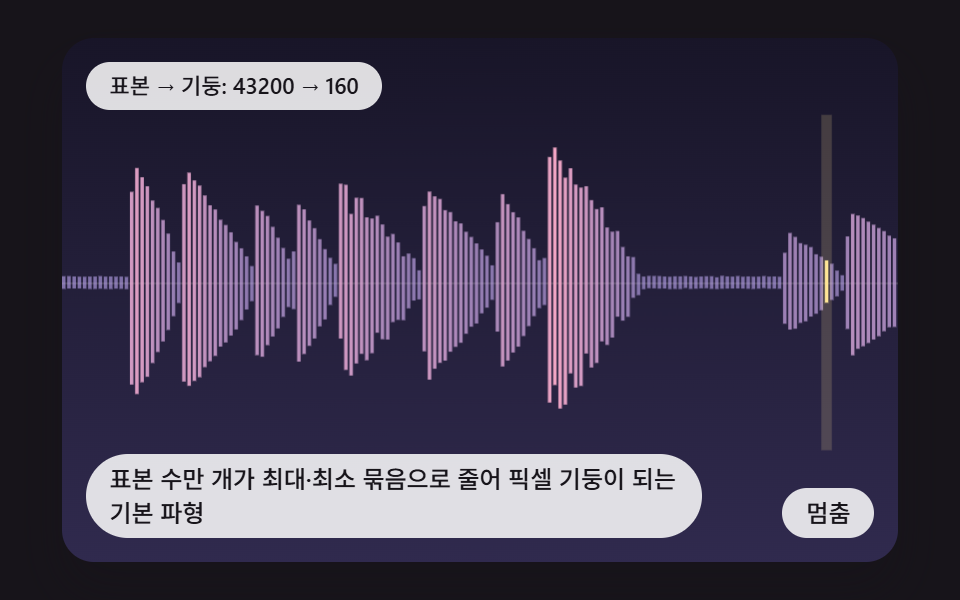 選択UIcss waveform 9パターン — ピークで縮め区間を選んで切る音の波形の場面
 選択UIセグメントコントロールUI 9選 — コピペOK
 選択UIカレンダー 選択 UI 9選 — コピペOK
 選択UIカレンダー css デザイン 9選 — 実際に月が動く
 選択UIcss レンジスライダー — 慣性・スナップ計算を重ねたカスタム9種
 選択UI星評価 UI 9選 — 塗りの値が状態に応じて変わる仕組み
 選択UI難易度選択 ui 9種 — 角度と数式で決まる選択まで