01押し込み値オーバーシュート — 押し込みの値が目標値を超えて戻ることを繰り返し、幅が小さくなっていく方式
押し込みの深さの値が目標値を超えてから戻ることを何度か繰り返し、そのたびに振れ幅が小さくなります。
使いどころフォーム送信ボタン、確認ダイアログの主要ボタン
KCPRESS_DEPTH

<main class="stage">
<div class="bso is-demo" id="bso">
  <button class="bso__btn" id="bsoBtn" type="button">送信する</button>
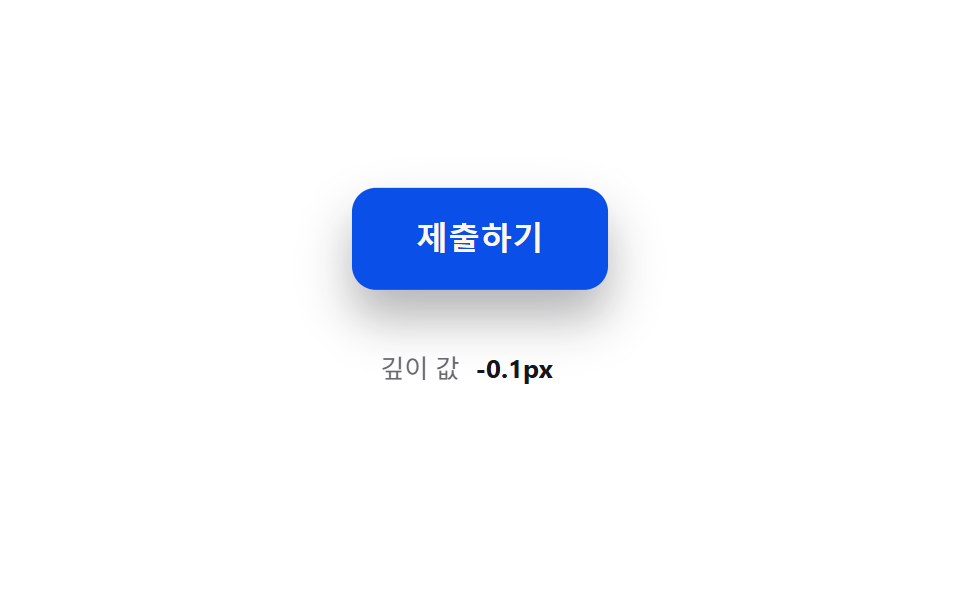
  <p class="bso__val"><span>深さの値</span><b id="bsoVal">0.0px</b></p>
</div>
</main>
@use "../../../../site/static/demo-tokens" as *;
// 계산 겹(스프링-감쇠 적분)은 JS 에 있다 — 여기는 정적 배치만.
@include stage($stage-paper);
.stage { position: relative; }
.bso {
display: flex;
flex-direction: column;
align-items: center;
gap: $sp-4;
}
.bso__btn {
border: 0;
border-radius: $r-control;
padding: $sp-4 $sp-8;
background: $subject-blue-deep;
color: $subject-cream;
font-size: 16px;
font-weight: 700;
line-height: 1.2;
cursor: pointer;
transform-origin: 50% 0;
box-shadow: $shadow-raised;
}
.bso__val {
display: flex;
align-items: center;
gap: $sp-2;
color: $subject-ink;
font-size: 13px;
span { opacity: .64; }
b { font-weight: 700; min-width: 52px; }
}
@media (max-width: 340px) {
.bso__btn { padding: $sp-3 $sp-6; font-size: 15px; }
}
@media (prefers-reduced-motion: reduce) {
.bso__btn { transition: none !important; }
}html, body {
margin: 0;
overflow: hidden;
}
.stage {
box-sizing: border-box;
min-height: 100vh;
display: grid;
place-items: center;
margin: 0;
background: #ffffff;
font-family: -apple-system, "Segoe UI", "Noto Sans KR", sans-serif;
padding: clamp(8px, 4vw, 24px);
}
.stage {
position: relative;
}
.bso {
display: flex;
flex-direction: column;
align-items: center;
gap: 16px;
}
.bso__btn {
border: 0;
border-radius: 12px;
padding: 16px 32px;
background: #0a4fe8;
color: #fff7e6;
font-size: 16px;
font-weight: 700;
line-height: 1.2;
cursor: pointer;
transform-origin: 50% 0;
box-shadow: 0 14px 24px rgba(23, 20, 26, 0.32);
}
.bso__val {
display: flex;
align-items: center;
gap: 8px;
color: #17141a;
font-size: 13px;
}
.bso__val span {
opacity: 0.64;
}
.bso__val b {
font-weight: 700;
min-width: 52px;
}
@media (max-width: 340px) {
.bso__btn {
padding: 12px 24px;
font-size: 15px;
}
}
@media (prefers-reduced-motion: reduce) {
.bso__btn {
transition: none !important;
}
}(function () {
var root = document.getElementById('bso');
var btn = document.getElementById('bsoBtn');
var val = document.getElementById('bsoVal');
var reduce = window.matchMedia('(prefers-reduced-motion: reduce)').matches;
// 계산 겹: 스프링-감쇠 방정식 accel = -(K/MASS)*(depth-target) - (C/MASS)*vel.
// 목표 값을 지나쳤다가 되돌아오는 오버슈트는 감쇠비(zeta = C/(2*sqrt(K*MASS)))가
// 1보다 작은 저감쇠(underdamped) 상태라 생긴다 — zeta 를 낮출수록 반동 폭이 커진다.
var K = 300, C = 7, MASS = 1, PRESS_DEPTH = 14;
var depth = 0, vel = 0, target = 0, last = 0, raf = null;
function paint() {
var scale = 1 - depth / 340;
btn.style.transform = 'translateY(' + depth.toFixed(2) + 'px) scale(' + scale.toFixed(4) + ')';
val.textContent = depth.toFixed(1) + 'px';
}
function tick(now) {
var dt = Math.min((now - last) / 1000, 0.032);
last = now;
var accel = (-K * (depth - target) - C * vel) / MASS;
vel += accel * dt;
depth += vel * dt;
paint();
raf = requestAnimationFrame(tick);
}
function start() {
if (raf === null) { last = performance.now(); raf = requestAnimationFrame(tick); }
}
function press(p) {
if (reduce) { depth = p; vel = 0; target = p; paint(); return; }
target = p;
start();
}
function wireReal() {
btn.addEventListener('pointerdown', function () { root.classList.remove('is-demo'); stopAutoplay(); press(PRESS_DEPTH); });
window.addEventListener('pointerup', function () { press(0); });
btn.addEventListener('pointercancel', function () { press(0); });
}
wireReal();
paint();
// 자동 루프: 누름 350ms 뒤 뗌으로 같은 press() 스프링 경로를 반복 재현한다.
var autoTimer = null, autoDown = null;
function autoTick() { press(PRESS_DEPTH); autoDown = setTimeout(function () { press(0); }, 350); }
function stopAutoplay() {
if (autoTimer) { clearInterval(autoTimer); autoTimer = null; }
if (autoDown) { clearTimeout(autoDown); autoDown = null; }
}
if (!reduce) { autoTick(); autoTimer = setInterval(autoTick, 1500); }
})();import { useEffect, useRef } from "react";
import styles from "./ButtonPhysicsSpringOvershoot.module.scss";
export type ButtonPhysicsSpringOvershootProps = {
color?: string;
};
export default function ButtonPhysicsSpringOvershoot({
color = "#0a4fe8",
}: ButtonPhysicsSpringOvershootProps) {
const rootRef = useRef<HTMLDivElement | null>(null);
useEffect(() => {
const root = rootRef.current;
if (!root) return;
const btn = root.querySelector<HTMLButtonElement>(`.${styles.btn}`);
const val = root.querySelector<HTMLElement>(`.${styles.valNum}`);
if (!btn || !val) return;
const reduce = window.matchMedia("(prefers-reduced-motion: reduce)").matches;
// 계산 겹: 스프링-감쇠 방정식 accel = -(K/MASS)*(depth-target) - (C/MASS)*vel.
// 목표 값을 지나쳤다가 되돌아오는 오버슈트는 감쇠비(zeta = C/(2*sqrt(K*MASS)))가
// 1보다 작은 저감쇠(underdamped) 상태라 생긴다 — zeta 를 낮출수록 반동 폭이 커진다.
const K = 300, C = 7, MASS = 1, PRESS_DEPTH = 14;
let depth = 0, vel = 0, target = 0, last = 0, raf: number | null = null;
function paint() {
const scale = 1 - depth / 340;
btn!.style.transform = "translateY(" + depth.toFixed(2) + "px) scale(" + scale.toFixed(4) + ")";
val!.textContent = depth.toFixed(1) + "px";
}
function tick(now: number) {
const dt = Math.min((now - last) / 1000, 0.032);
last = now;
const accel = (-K * (depth - target) - C * vel) / MASS;
vel += accel * dt;
depth += vel * dt;
paint();
raf = requestAnimationFrame(tick);
}
function start() { if (raf === null) { last = performance.now(); raf = requestAnimationFrame(tick); } }
function press(p: number) {
if (reduce) { depth = p; vel = 0; target = p; paint(); return; }
target = p;
start();
}
function onPointerDown() { stopAutoplay(); press(PRESS_DEPTH); }
function onPointerUp() { press(0); }
btn.addEventListener("pointerdown", onPointerDown);
window.addEventListener("pointerup", onPointerUp);
btn.addEventListener("pointercancel", onPointerUp);
paint();
let autoTimer: number | null = null, autoDown: number | null = null;
function autoTick() { press(PRESS_DEPTH); autoDown = window.setTimeout(() => { press(0); }, 350); }
function stopAutoplay() {
if (autoTimer !== null) { window.clearInterval(autoTimer); autoTimer = null; }
if (autoDown !== null) { window.clearTimeout(autoDown); autoDown = null; }
}
if (!reduce) { autoTick(); autoTimer = window.setInterval(autoTick, 1500); }
return () => {
stopAutoplay();
if (raf !== null) cancelAnimationFrame(raf);
btn.removeEventListener("pointerdown", onPointerDown);
window.removeEventListener("pointerup", onPointerUp);
btn.removeEventListener("pointercancel", onPointerUp);
};
}, []);
return (
<div ref={rootRef} className={styles.stage}>
<div className={styles.bso}>
<button className={styles.btn} type="button" style={{ background: color }}>제출하기</button>
<p className={styles.val}><span className={styles.valLabel}>깊이 값</span><b className={styles.valNum}>0.0px</b></p>
</div>
</div>
);
}01 押し込み値オーバーシュート — 押し込みの値が目標値を超えて戻ることを繰り返し、幅が小さくなっていく方式 — 計測 累積面積 7.131% · 動いたフレーム 23/23GODRICH オリジナル · SCSS と React は zip に同梱 · ボタン 押し込み UI 9選 — 押し込みの値が戻る計算の9通り
このデモが属する記事
 ボタン 押し込み UI 9選 — 押し込みの値が戻る計算の9通り9つのうち1つは押し込みの値が目標値を超えてから戻ることを繰り返して落ち着き、1つは落下した位置の値が床の値ではね返ることを繰り返して止まり、もう1つは離した位置の値が最も近い固定地点の値に引き寄せられて弾むように収まります。ボタン 押し込 この記事のデモをすべて見る