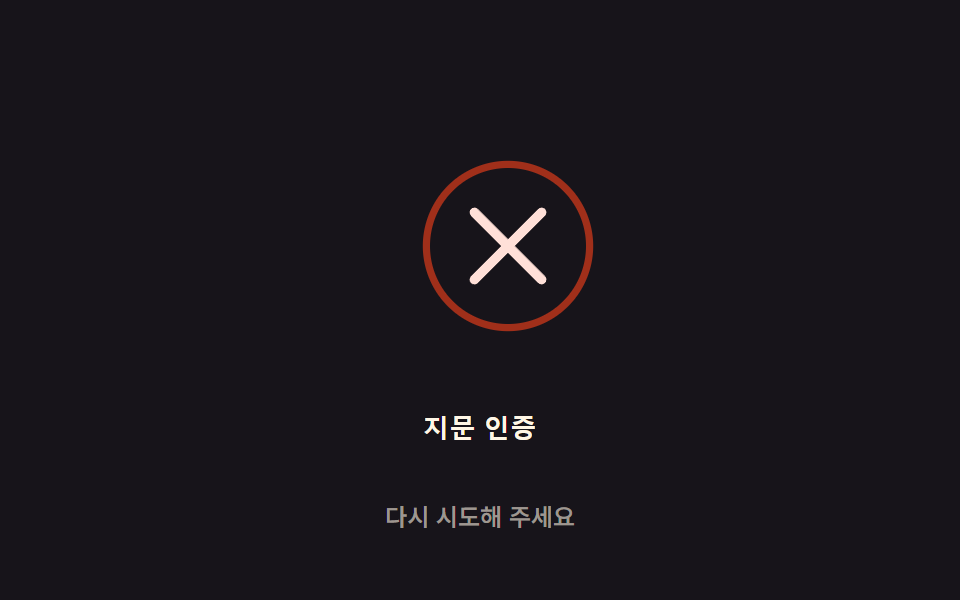
03失敗振動の減衰 — 認証失敗時にアイコンがスプリング減衰の値に沿って左右に揺れ、値が0に近づくと止まる方式
認証が失敗するとアイコンの揺れの値がスプリング減衰の式に沿って徐々に小さくなり、最初は大きく揺れてから自然に止まります。
使いどころ生体認証失敗フィードバック、ロック解除失敗画面
SETTLE_MS$subject-creamSHAKE_DAMP
<main class="stage">
<div class="fail-wrap">
<button type="button" class="fail is-demo" id="fail" aria-pressed="false">
  <svg class="fail__icon" id="icon" viewBox="0 0 120 120" aria-hidden="true">
    <circle class="fail__ring" cx="60" cy="60" r="34"></circle>
    <path class="fail__mark" id="mark" d="M46,46 L74,74 M74,46 L46,74"></path>
  </svg>
  <span class="fail__label">指紋認証</span>
</button>
<p class="fail__status" id="status">もう一度お試しください</p>
</div>
</main>
@use "../../../../site/static/demo-tokens" as *;
// 계산 겹은 index.html 의 apply() 에 있다 — 감쇠 스프링 진동식(지수 감쇠 × 코사인)을 매 프레임
// 다시 계산해 아이콘 translateX 오프셋에 쓴다. 여기는 무대·모양만 맡는다.
@include stage($stage-ink);
.fail-wrap {
display: flex;
flex-direction: column;
align-items: center;
gap: $sp-3;
}
.fail {
appearance: none;
border: none;
background: transparent;
display: flex;
flex-direction: column;
align-items: center;
gap: $sp-3;
cursor: pointer;
padding: $sp-4;
border-radius: $r-card;
&:focus-visible { outline: 2px solid $error; outline-offset: 4px; }
}
.fail__icon {
width: clamp(120px, 30vw, 160px);
height: auto;
overflow: visible;
}
.fail__ring {
fill: none;
stroke: $error;
stroke-width: 3;
opacity: .8;
}
.fail__mark {
fill: none;
stroke: $error-soft;
stroke-width: 4;
stroke-linecap: round;
}
.fail__label {
color: $subject-cream;
font-weight: 600;
font-size: 13px;
line-height: 1.2;
letter-spacing: .02em;
}
.fail__status {
margin: 0;
color: rgba($subject-cream, .58);
font-weight: 500;
font-size: 12px;
line-height: 1.2;
}
@media (max-width: 340px) {
.stage { padding: $sp-2; }
.fail-wrap { gap: $sp-2; }
.fail { padding: $sp-2 $sp-3; gap: $sp-2; }
.fail__icon { width: 104px; }
.fail__label { font-size: 12px; }
.fail__status { font-size: 11px; }
}
@media (prefers-reduced-motion: reduce) {
.fail__icon { transition: none; }
}html, body {
margin: 0;
overflow: hidden;
}
.stage {
box-sizing: border-box;
min-height: 100vh;
display: grid;
place-items: center;
margin: 0;
background: #17141a;
font-family: -apple-system, "Segoe UI", "Noto Sans KR", sans-serif;
padding: clamp(8px, 4vw, 24px);
}
.fail-wrap {
display: flex;
flex-direction: column;
align-items: center;
gap: 12px;
}
.fail {
appearance: none;
border: none;
background: transparent;
display: flex;
flex-direction: column;
align-items: center;
gap: 12px;
cursor: pointer;
padding: 16px;
border-radius: 16px;
}
.fail:focus-visible {
outline: 2px solid #c2361a;
outline-offset: 4px;
}
.fail__icon {
width: clamp(120px, 30vw, 160px);
height: auto;
overflow: visible;
}
.fail__ring {
fill: none;
stroke: #c2361a;
stroke-width: 3;
opacity: 0.8;
}
.fail__mark {
fill: none;
stroke: #ffe0d8;
stroke-width: 4;
stroke-linecap: round;
}
.fail__label {
color: #fff7e6;
font-weight: 600;
font-size: 13px;
line-height: 1.2;
letter-spacing: 0.02em;
}
.fail__status {
margin: 0;
color: rgba(255, 247, 230, 0.58);
font-weight: 500;
font-size: 12px;
line-height: 1.2;
}
@media (max-width: 340px) {
.stage {
padding: 8px;
}
.fail-wrap {
gap: 8px;
}
.fail {
padding: 8px 12px;
gap: 8px;
}
.fail__icon {
width: 104px;
}
.fail__label {
font-size: 12px;
}
.fail__status {
font-size: 11px;
}
}
@media (prefers-reduced-motion: reduce) {
.fail__icon {
transition: none;
}
}(function () {
// 계산 겹: 감쇠 스프링 진동 — x(t) = AMPLITUDE * e^(-t/decayMs) * cos(t*FREQ). 트윈 이징이 아니라
// 매 프레임 이 식으로 오프셋을 계산해 아이콘을 흔든다. SHAKE_DAMP 가 클수록 decayMs 가 커져
// 진동이 오래 남고, 작을수록 빨리 잦아든다.
var AMPLITUDE = 14; // 최대 흔들림 폭(px)
var FREQ = 0.028; // 각속도(rad/ms)
var SHAKE_DAMP = 18; // 변형 03: SHAKE_DAMP 18 → 8 (댐핑 — 작을수록 빨리 잦아든다)
var SETTLE_MS = 900; // 이 시간이 지나면 진동을 멈추고 0 으로 고정한다
var GAP_MS = 900; // 다음 자동 실패 시연까지 대기 시간
var reduce = window.matchMedia('(prefers-reduced-motion: reduce)').matches;
var decayMs = reduce ? 1 : SHAKE_DAMP * 40;
var root = document.getElementById('fail');
var icon = document.getElementById('icon');
var status = document.getElementById('status');
var STRINGS = { idle: 'もう一度お試しください', failed: '認証失敗' };
var isDemo = true;
var running = false;
var startTs = 0;
function apply(t) {
var offset = AMPLITUDE * Math.exp(-t / decayMs) * Math.cos(t * FREQ);
icon.style.transform = 'translateX(' + offset.toFixed(2) + 'px)';
}
function runShake(ts) {
if (!startTs) startTs = ts;
var t = ts - startTs;
if (t <= SETTLE_MS) {
apply(t);
requestAnimationFrame(runShake);
} else {
apply(0);
status.textContent = STRINGS.idle;
running = false;
root.setAttribute('aria-pressed', 'false');
}
}
function trigger() {
if (running) return;
running = true;
startTs = 0;
status.textContent = STRINGS.failed;
root.setAttribute('aria-pressed', 'true');
requestAnimationFrame(runShake);
}
function human() { if (isDemo) { root.classList.remove('is-demo'); isDemo = false; } }
root.addEventListener('click', function () { human(); trigger(); });
root.addEventListener('keydown', function (e) {
if (e.key === ' ' || e.key === 'Enter') { human(); }
});
apply(0);
var cycleStart = 0;
var PERIOD = SETTLE_MS + GAP_MS;
function loop(ts) {
if (isDemo && !reduce) {
if (!cycleStart) cycleStart = ts;
var phase = (ts - cycleStart) % PERIOD;
if (phase < 16 && !running) trigger();
}
requestAnimationFrame(loop);
}
requestAnimationFrame(loop);
})();// FailShake — vanilla 판(run/371/demo/03-biometric-scan-fail-shake/index.html) 의 React 포트.
// 계산 겹(감쇠 스프링 진동)은 useFailShake 훅 안에 있다: x(t) = AMPLITUDE * e^(-t/decayMs) * cos(t*FREQ)
// 을 매 프레임 다시 계산해 아이콘 translateX 오프셋에 쓴다.
import { useEffect, useRef, useState } from "react";
import styles from "./FailShake.module.scss";
type Box<T> = { current: T };
const STRINGS: Record<string, string> = { idle: "다시 시도해 주세요", failed: "인증 실패" };
function useFailShake(
rootRef: Box<HTMLButtonElement>,
iconRef: Box<SVGSVGElement>,
setStatus: (s: string) => void,
setPressed: (b: boolean) => void
) {
useEffect(() => {
const AMPLITUDE = 14;
const FREQ = 0.028;
const SHAKE_DAMP = 18; // 변형 03: SHAKE_DAMP 18 → 8
const SETTLE_MS = 900;
const GAP_MS = 900;
const reduce = window.matchMedia("(prefers-reduced-motion: reduce)").matches;
const decayMs = reduce ? 1 : SHAKE_DAMP * 40;
const root = rootRef.current;
const icon = iconRef.current;
if (!root || !icon) return;
let isDemo = true;
let running = false;
let startTs = 0;
let rafId = 0;
function apply(t: number) {
const offset = AMPLITUDE * Math.exp(-t / decayMs) * Math.cos(t * FREQ);
icon.style.transform = "translateX(" + offset.toFixed(2) + "px)";
}
function runShake(ts: number) {
if (!startTs) startTs = ts;
const t = ts - startTs;
if (t <= SETTLE_MS) {
apply(t);
rafId = requestAnimationFrame(runShake);
} else {
apply(0);
setStatus(STRINGS.idle);
running = false;
setPressed(false);
}
}
function trigger() {
if (running) return;
running = true;
startTs = 0;
setStatus(STRINGS.failed);
setPressed(true);
rafId = requestAnimationFrame(runShake);
}
function human() { if (isDemo) { root.classList.remove(styles.isDemo); isDemo = false; } }
function onClick() { human(); trigger(); }
function onKeyDown(e: KeyboardEvent) { if (e.key === " " || e.key === "Enter") human(); }
root.addEventListener("click", onClick);
root.addEventListener("keydown", onKeyDown);
apply(0);
let cycleStart = 0;
const PERIOD = SETTLE_MS + GAP_MS;
function loop(ts: number) {
if (isDemo && !reduce) {
if (!cycleStart) cycleStart = ts;
const phase = (ts - cycleStart) % PERIOD;
if (phase < 16 && !running) trigger();
}
rafId = requestAnimationFrame(loop);
}
rafId = requestAnimationFrame(loop);
return () => {
root.removeEventListener("click", onClick);
root.removeEventListener("keydown", onKeyDown);
cancelAnimationFrame(rafId);
};
}, []);
}
export default function FailShake() {
const rootRef = useRef(null) as unknown as Box<HTMLButtonElement>;
const iconRef = useRef(null) as unknown as Box<SVGSVGElement>;
const [status, setStatus] = useState(STRINGS.idle);
const [pressed, setPressed] = useState(false);
useFailShake(rootRef, iconRef, setStatus, setPressed);
return (
<main className={styles.stage}>
<div className={styles.failWrap}>
<button
type="button"
className={styles.fail + " " + styles.isDemo}
ref={rootRef}
aria-pressed={pressed}
>
<svg className={styles.failIcon} viewBox="0 0 120 120" aria-hidden="true" ref={iconRef}>
<circle className={styles.failRing} cx={60} cy={60} r={34} />
<path className={styles.failMark} d="M46,46 L74,74 M74,46 L46,74" />
</svg>
<span className={styles.failLabel}>지문 인증</span>
</button>
<p className={styles.failStatus}>{status}</p>
</div>
</main>
);
}03 失敗振動の減衰 — 認証失敗時にアイコンがスプリング減衰の値に沿って左右に揺れ、値が0に近づくと止まる方式 — 計測 累積面積 5.362% · 動いたフレーム 16/23GODRICH オリジナル · SCSS と React は zip に同梱 · 指紋認証 アニメーション 9選 — スキャン進捗値で変わる生体認証ボタン
このデモが属する記事
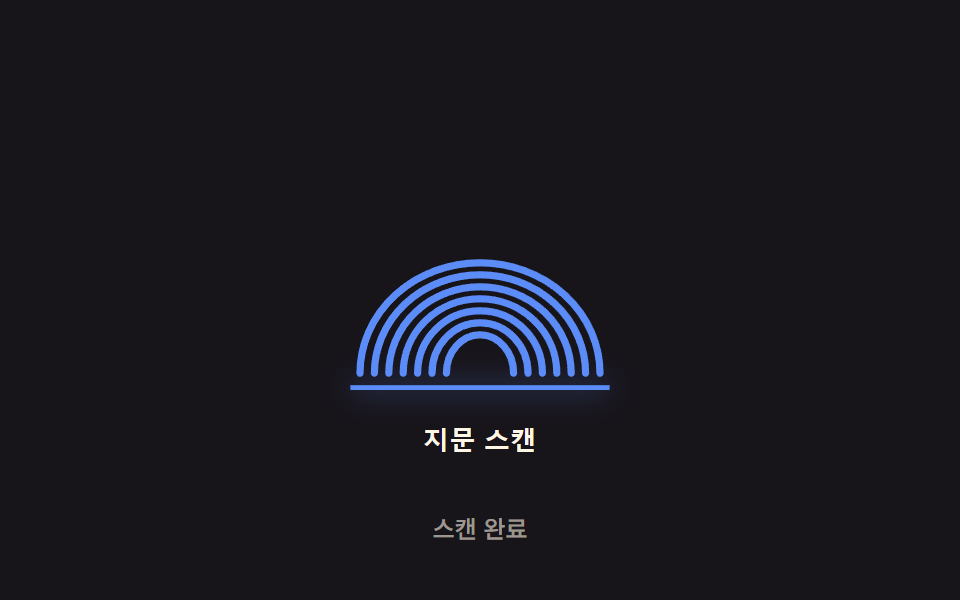 指紋認証 アニメーション 9選 — スキャン進捗値で変わる生体認証ボタン9つの指紋認証 アニメーションのうち、1つはスキャン進捗の値が指紋の稜線を順に光らせ、1つは失敗時にスプリング減衰の値で揺れて止まり、1つは押す圧力の値が増すほどリップルの半径と振幅の値が共に大きくなります。 この記事のデモをすべて見る