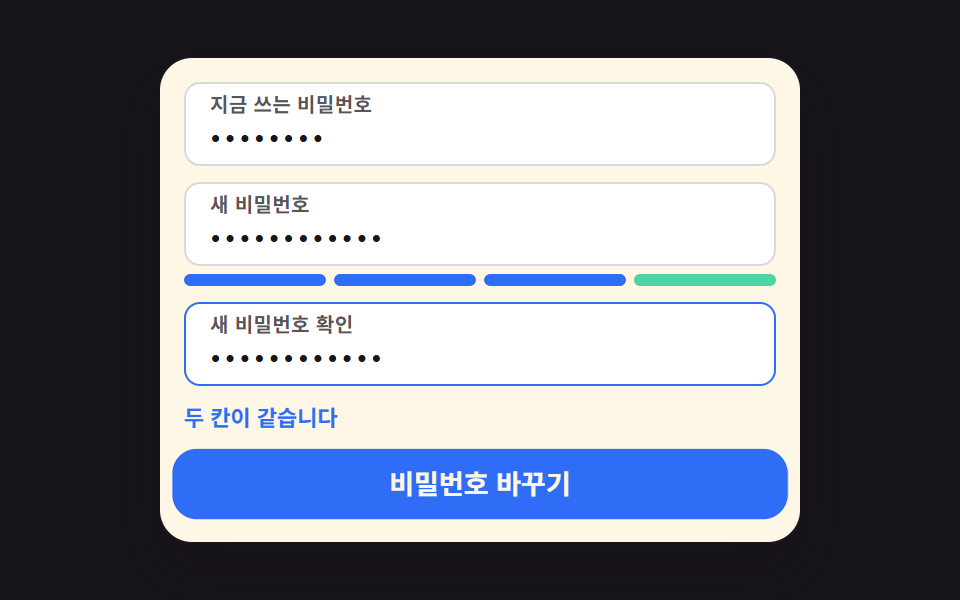
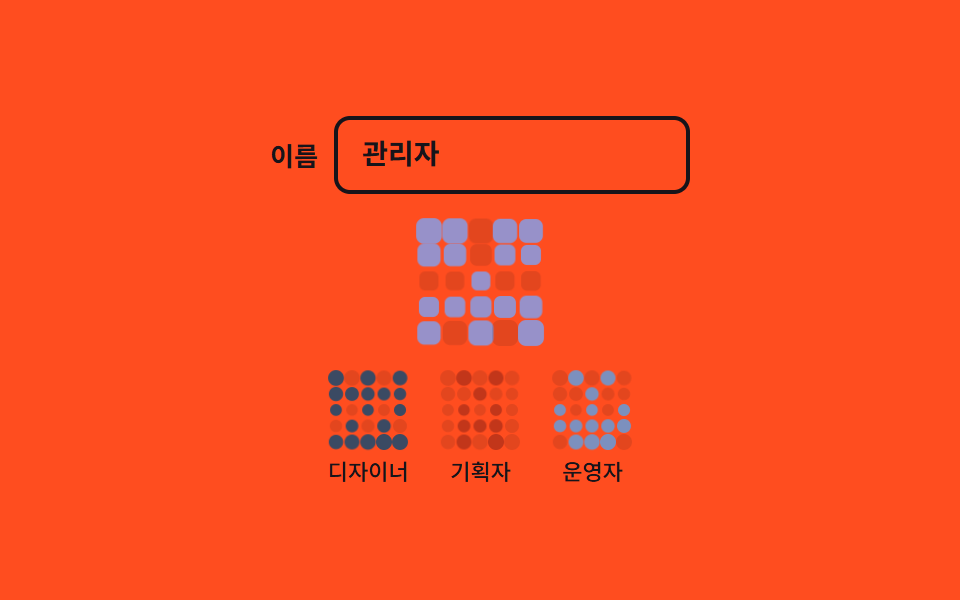
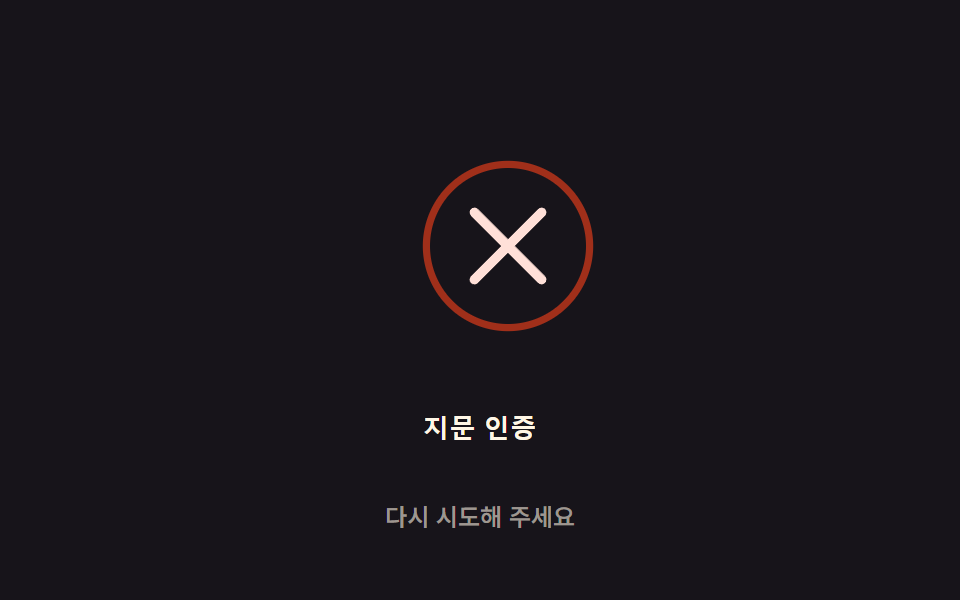
08キャプチャ枠 — 選択の一致率を求め枠線の色とボタン状態を決める場所
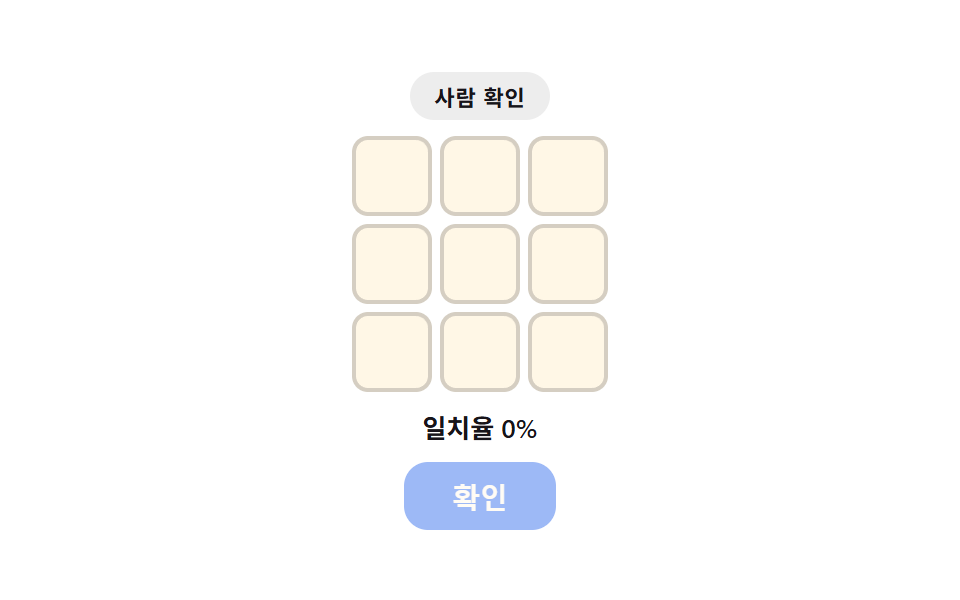
選択されたマスの数と正解として決められたマスの数を比べて一致率を自分で求め、その一致率が基準を超えて初めて確認ボタンが有効になり、枠線の色も一致率に合わせて変わるキャプチャウィジェットの場所です。
使いどころ会員登録・ログイン前の本人確認ステップ、送信前の検証欄
data-indexgrid-template-columnsclassList
<main class="stage">
<section class="wrap" id="wrap">
  <p class="eyebrow">人間確認</p>
  <div class="grid" id="grid">
    <div class="tile" data-index="0"></div>
    <div class="tile" data-index="1"></div>
    <div class="tile" data-index="2"></div>
    <div class="tile" data-index="3"></div>
    <div class="tile" data-index="4"></div>
    <div class="tile" data-index="5"></div>
    <div class="tile" data-index="6"></div>
    <div class="tile" data-index="7"></div>
    <div class="tile" data-index="8"></div>
  </div>
  <p class="hint">一致率 <span id="matchPercent">0</span>%</p>
  <button type="button" class="btn" id="submitBtn" disabled>確認</button>
</section>
</main>
@use "../../../../site/static/demo-tokens" as *;
$duration: $dur-loop;
$easing: $ease-out;
$color: $subject-blue-deep;
@include stage($stage-paper);
.wrap {
position: relative;
display: flex;
flex-direction: column;
align-items: center;
gap: $sp-2;
}
.wrap::before {
content: "";
position: absolute;
inset: -$sp-3;
border-radius: $r-card;
background: radial-gradient(circle, rgba($color, .14), transparent 70%);
animation: scanPulse $duration $easing infinite;
z-index: -1;
}
.eyebrow {
margin: 0;
padding: $sp-1 $sp-3;
border-radius: $r-pill;
background: rgba($subject-ink, .08);
color: $subject-ink;
font-weight: 600;
font-size: 11px;
letter-spacing: .04em;
}
.grid {
display: grid;
grid-template-columns: repeat(3, 40px);
grid-template-rows: repeat(3, 40px);
gap: $sp-1;
}
.tile {
border-radius: $r-sm;
border: 2px solid rgba($subject-ink, .18);
background: $subject-cream;
transition: border-color .15s $easing, background-color .15s $easing;
}
.tile.isPicked {
border-color: $color;
background: rgba($color, .12);
}
.hint {
margin: 0;
color: $subject-ink;
font-weight: 600;
font-size: 13px;
}
.btn {
border: none;
border-radius: $r-control;
padding: $sp-2 $sp-6;
background: $color;
color: $subject-cream;
font-weight: 600;
font-size: 14px;
cursor: pointer;
transition: opacity .15s $easing;
}
.btn:disabled {
opacity: .4;
cursor: not-allowed;
}
@keyframes scanPulse {
0%, 100% { opacity: .35; transform: scale(.92); }
50% { opacity: .8; transform: scale(1.05); }
}
@media (max-width: 340px) {
.wrap { gap: $sp-1; }
.grid { grid-template-columns: repeat(3, 28px); grid-template-rows: repeat(3, 28px); }
.hint { font-size: 11px; }
.btn { font-size: 11px; padding: $sp-1 $sp-4; }
}
@media (prefers-reduced-motion: reduce) {
.wrap::before { animation: none; opacity: .5; }
}html, body {
margin: 0;
overflow: hidden;
}
.stage {
box-sizing: border-box;
min-height: 100vh;
display: grid;
place-items: center;
margin: 0;
background: #ffffff;
font-family: -apple-system, "Segoe UI", "Noto Sans KR", sans-serif;
padding: clamp(8px, 4vw, 24px);
}
.wrap {
position: relative;
display: flex;
flex-direction: column;
align-items: center;
gap: 8px;
}
.wrap::before {
content: "";
position: absolute;
inset: -12px;
border-radius: 16px;
background: radial-gradient(circle, rgba(10, 79, 232, 0.14), transparent 70%);
animation: scanPulse 2s ease-out infinite;
z-index: -1;
}
.eyebrow {
margin: 0;
padding: 4px 12px;
border-radius: 999px;
background: rgba(23, 20, 26, 0.08);
color: #17141a;
font-weight: 600;
font-size: 11px;
letter-spacing: 0.04em;
}
.grid {
display: grid;
grid-template-columns: repeat(3, 40px);
grid-template-rows: repeat(3, 40px);
gap: 4px;
}
.tile {
border-radius: 8px;
border: 2px solid rgba(23, 20, 26, 0.18);
background: #fff7e6;
transition: border-color 0.15s ease-out, background-color 0.15s ease-out;
}
.tile.isPicked {
border-color: #0a4fe8;
background: rgba(10, 79, 232, 0.12);
}
.hint {
margin: 0;
color: #17141a;
font-weight: 600;
font-size: 13px;
}
.btn {
border: none;
border-radius: 12px;
padding: 8px 24px;
background: #0a4fe8;
color: #fff7e6;
font-weight: 600;
font-size: 14px;
cursor: pointer;
transition: opacity 0.15s ease-out;
}
.btn:disabled {
opacity: 0.4;
cursor: not-allowed;
}
@keyframes scanPulse {
0%, 100% {
opacity: 0.35;
transform: scale(0.92);
}
50% {
opacity: 0.8;
transform: scale(1.05);
}
}
@media (max-width: 340px) {
.wrap {
gap: 4px;
}
.grid {
grid-template-columns: repeat(3, 28px);
grid-template-rows: repeat(3, 28px);
}
.hint {
font-size: 11px;
}
.btn {
font-size: 11px;
padding: 4px 16px;
}
}
@media (prefers-reduced-motion: reduce) {
.wrap::before {
animation: none;
opacity: 0.5;
}
}// 캡차 위젯(08, 아이디어형) — 정답 칸(ANSWER)과 시간이 흐르며 자동으로 골라지는 칸(PICK_ORDER)을
// 매 프레임 다시 비교해 一致率(matchRatio)을 구하고, 그 값이 기준(MATCH_THRESHOLD)을
// 넘어야 確認 버튼을 실제로 활성화한다. 실제 클릭 리스너는 넣지 않는다 — 자동 선택 시뮬레이션만.
// 실키·실서버 요청 없음.
(function () {
var ANSWER = [1, 3, 5, 7];
var PICK_ORDER = [1, 4, 3, 7, 5]; // 일부러 오답 4 를 포함한 고정 순서
var PICK_MS = 350; // 5 * 350 = 1750
var MATCH_THRESHOLD = 1; // 100% 일치해야 활성화
var CYCLE_MS = 2000;
function clamp(v, min, max) { return Math.max(min, Math.min(max, v)); }
var tiles = Array.prototype.slice.call(document.querySelectorAll('.tile'));
var matchPercent = document.getElementById('matchPercent');
var submitBtn = document.getElementById('submitBtn');
if (!tiles.length || !matchPercent || !submitBtn) return;
function selectedSoFar(t) {
var count = clamp(Math.floor(t / PICK_MS), 0, PICK_ORDER.length);
return PICK_ORDER.slice(0, count);
}
function matchRatioOf(selected) {
var hit = 0;
for (var i = 0; i < ANSWER.length; i++) {
if (selected.indexOf(ANSWER[i]) !== -1) hit += 1;
}
return clamp(hit / ANSWER.length, 0, 1);
}
function apply(t) {
var selected = selectedSoFar(t);
tiles.forEach(function (tile) {
var idx = Number(tile.getAttribute('data-index'));
tile.classList.toggle('isPicked', selected.indexOf(idx) !== -1);
});
var ratio = matchRatioOf(selected);
matchPercent.textContent = String(Math.round(ratio * 100));
submitBtn.disabled = ratio < MATCH_THRESHOLD;
}
var reduce = window.matchMedia('(prefers-reduced-motion: reduce)').matches;
if (reduce) {
apply(PICK_ORDER.length * PICK_MS);
return;
}
var start = null;
function loop(ts) {
if (start === null) start = ts;
var t = (ts - start) % CYCLE_MS;
apply(t);
requestAnimationFrame(loop);
}
requestAnimationFrame(loop);
})();import { useEffect, useRef } from "react";
import styles from "./CaptchaSlot.module.scss";
// 캡차 위젯(08, 아이디어형) — 정답 칸(ANSWER)과 시간이 흐르며 자동으로 골라지는 칸(PICK_ORDER)을
// 매 프레임 다시 비교해 일치율(matchRatio)을 구하고, 그 값이 기준(MATCH_THRESHOLD)을
// 넘어야 확인 버튼을 실제로 활성화한다. 실제 클릭 리스너는 넣지 않는다 — 자동 선택 시뮬레이션만.
// 실키·실서버 요청 없음.
const ANSWER = [1, 3, 5, 7];
const PICK_ORDER = [1, 4, 3, 7, 5]; // 일부러 오답 4 를 포함한 고정 순서
const PICK_MS = 350; // 5 * 350 = 1750
const MATCH_THRESHOLD = 1; // 100% 일치해야 활성화
const CYCLE_MS = 2000;
const TILE_INDEXES = [0, 1, 2, 3, 4, 5, 6, 7, 8];
function clamp(v: number, min: number, max: number) {
return Math.max(min, Math.min(max, v));
}
function selectedSoFar(t: number) {
const count = clamp(Math.floor(t / PICK_MS), 0, PICK_ORDER.length);
return PICK_ORDER.slice(0, count);
}
function matchRatioOf(selected: number[]) {
let hit = 0;
for (let i = 0; i < ANSWER.length; i++) {
if (selected.indexOf(ANSWER[i]) !== -1) hit += 1;
}
return clamp(hit / ANSWER.length, 0, 1);
}
export default function CaptchaSlot() {
const tileRefs = [
useRef<HTMLDivElement>(null),
useRef<HTMLDivElement>(null),
useRef<HTMLDivElement>(null),
useRef<HTMLDivElement>(null),
useRef<HTMLDivElement>(null),
useRef<HTMLDivElement>(null),
useRef<HTMLDivElement>(null),
useRef<HTMLDivElement>(null),
useRef<HTMLDivElement>(null),
];
const matchRef = useRef<HTMLSpanElement>(null);
const submitRef = useRef<HTMLButtonElement>(null);
useEffect(() => {
const tiles = tileRefs.map((r) => r.current);
const matchEl = matchRef.current;
const submitEl = submitRef.current;
if (tiles.some((t) => !t) || !matchEl || !submitEl) return;
function apply(t: number) {
const selected = selectedSoFar(t);
tiles.forEach((tile, idx) => {
if (!tile) return;
tile.classList.toggle(styles.isPicked, selected.indexOf(idx) !== -1);
});
const ratio = matchRatioOf(selected);
matchEl!.textContent = String(Math.round(ratio * 100));
submitEl!.disabled = ratio < MATCH_THRESHOLD;
}
const reduce = window.matchMedia("(prefers-reduced-motion: reduce)").matches;
if (reduce) {
apply(PICK_ORDER.length * PICK_MS);
return;
}
let start: number | null = null;
let raf = 0;
function loop(ts: number) {
if (start === null) start = ts;
const t = (ts - start) % CYCLE_MS;
apply(t);
raf = requestAnimationFrame(loop);
}
raf = requestAnimationFrame(loop);
return () => cancelAnimationFrame(raf);
// eslint-disable-next-line react-hooks/exhaustive-deps
}, []);
return (
<main className={styles.stage}>
<section className={styles.wrap}>
<p className={styles.eyebrow}>사람 확인</p>
<div className={styles.grid}>
{TILE_INDEXES.map((idx) => (
<div key={idx} className={styles.tile} ref={tileRefs[idx]} />
))}
</div>
<p className={styles.hint}>
일치율 <span ref={matchRef}>0</span>%
</p>
<button type="button" className={styles.btn} ref={submitRef} disabled>확인</button>
</section>
</main>
);
}08 キャプチャ枠 — 選択の一致率を求め枠線の色とボタン状態を決める場所 — 計測 累積面積 4.765% · 動いたフレーム 7/23GODRICH オリジナル · SCSS と React は zip に同梱 · ログイン 画面 デザイン9選 — 会員登録からセッション切れまで
このデモが属する記事
 ログイン 画面 デザイン9選 — 会員登録からセッション切れまで「ログイン 画面 デザイン」を探すと出てくる多くの参考画像は、色や余白を真似るだけの静止した見本です。ここで扱う9つの画面はその手前に計算の層を1枚重ねます。入力の完成度で進捗表示が求め直され、残り有効時間が毎秒求め直されてリングの角度にな この記事のデモをすべて見る