03スピナーが成功のチェックアイコンに変形するボタン
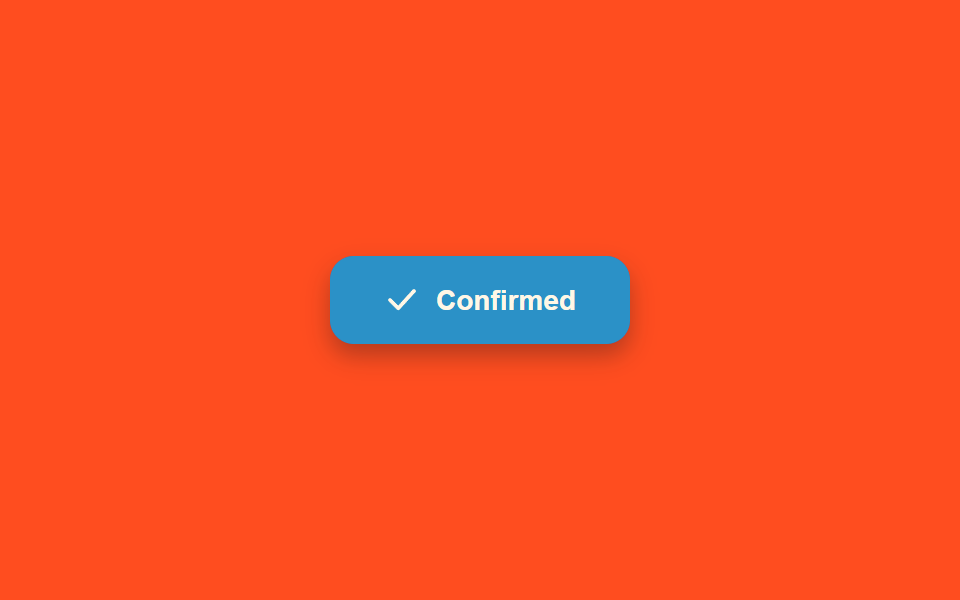
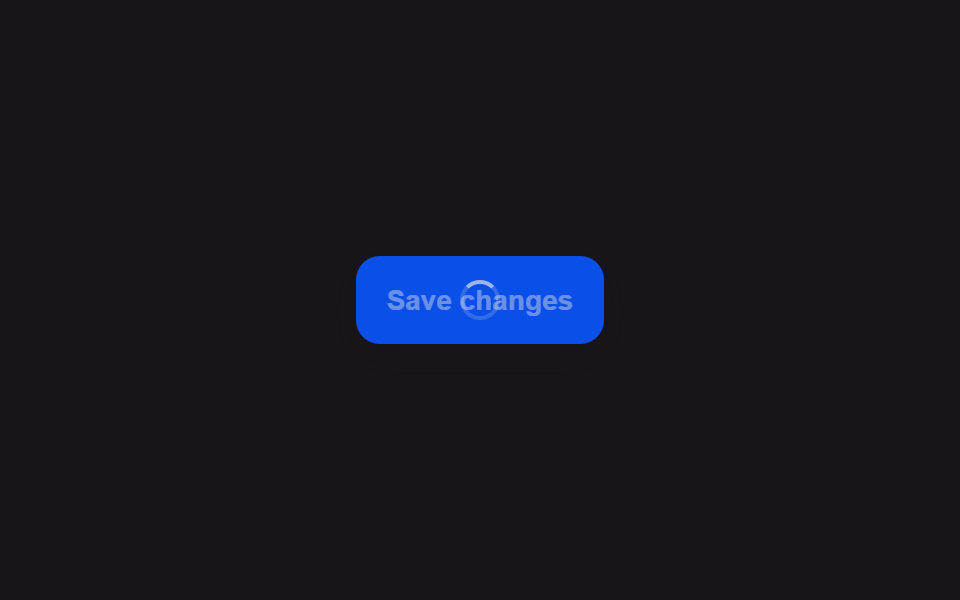
回っていた円形スピナーは作業が終わる瞬間、線を描くようにチェックマークの形へなめらかに変わり、ボタンの背景も同時に色づく。
使いどころ保存・決済の完了をボタンの中でそのまま知らせる
getTotalLengthstrokeDashoffsetspinLoop
<main class="stage">
<div class="scene is-demo" id="scene">
  <button class="btn" id="btn" type="button">
    <span class="btnTint" id="tint" aria-hidden="true"></span>
    <span class="iconWrap" aria-hidden="true">
      <span class="ringWrap" id="ringWrap">
        <svg viewBox="0 0 24 24" width="18" height="18" class="ringSvg">
          <circle id="ring" cx="12" cy="12" r="9" fill="none" stroke-width="2.5" stroke-linecap="round" stroke-dasharray="34 22"></circle>
        </svg>
      </span>
      <span class="checkWrap" id="checkWrap">
        <svg viewBox="0 0 24 24" width="18" height="18">
          <path id="checkPath" d="M4 12 L9.5 17.5 L20 6" fill="none" stroke-width="2.5" stroke-linecap="round" stroke-linejoin="round"></path>
        </svg>
      </span>
    </span>
    <span class="btnText" id="text">Confirm order</span>
  </button>
  <span class="visuallyHidden" id="status" role="status" aria-live="polite"></span>
</div>
</main>
@use "../../../../site/static/demo-tokens" as *;
// 변수 3개
$duration: $dur-quick;
$easing: $ease-out;
$color: $subject-blue-deep;
// 계산 겹: index.html 의 morph() 가 체크 path 의 실측 길이(getTotalLength)를 기준으로
// 링 opacity · 체크 opacity · stroke-dashoffset · 틴트 opacity 를 한 진행률로 동시에 몬다.
@include stage($stage-orange);
.scene {
display: grid;
place-items: center;
}
.btn {
position: relative;
display: inline-flex;
align-items: center;
justify-content: center;
gap: $sp-2;
min-width: 150px;
height: 44px;
padding: 0 $sp-5;
border: none;
border-radius: $r-control;
background: $color;
color: $subject-cream;
font-weight: 600;
font-size: 14px;
line-height: 1;
box-shadow: $shadow-press;
cursor: pointer;
overflow: hidden;
&:focus-visible { outline: 2px solid $subject-cream; outline-offset: 3px; }
&:disabled { cursor: default; }
}
.btnTint {
position: absolute;
inset: 0;
background: $subject-mint;
opacity: 0;
}
.iconWrap {
position: relative;
z-index: 1;
width: 18px;
height: 18px;
}
.ringWrap,
.checkWrap {
position: absolute;
inset: 0;
display: flex;
align-items: center;
justify-content: center;
}
.checkWrap { opacity: 0; }
.ringSvg circle {
stroke: $subject-cream;
transform-origin: 12px 12px;
}
.checkWrap svg path {
stroke: $subject-cream;
}
.btnText {
position: relative;
z-index: 1;
white-space: nowrap;
}
.visuallyHidden {
position: absolute;
width: 1px;
height: 1px;
overflow: hidden;
clip: rect(0 0 0 0);
white-space: nowrap;
}
@media (max-width: 340px) {
.btn { min-width: 130px; height: 40px; padding: 0 $sp-4; font-size: 13px; }
}
@media (prefers-reduced-motion: reduce) {
// 실사용 경로 적용 — index.html 의 runReduced() 가 회전·드로잉 트윈 없이 즉시 값을 바꾼다.
// scss 만: 남은 트랜지션을 전부 끈다.
* { transition: none !important; }
}html, body {
margin: 0;
overflow: hidden;
}
.stage {
box-sizing: border-box;
min-height: 100vh;
display: grid;
place-items: center;
margin: 0;
background: #ff4d1f;
font-family: -apple-system, "Segoe UI", "Noto Sans KR", sans-serif;
padding: clamp(8px, 4vw, 24px);
}
.scene {
display: grid;
place-items: center;
}
.btn {
position: relative;
display: inline-flex;
align-items: center;
justify-content: center;
gap: 8px;
min-width: 150px;
height: 44px;
padding: 0 20px;
border: none;
border-radius: 12px;
background: #0a4fe8;
color: #fff7e6;
font-weight: 600;
font-size: 14px;
line-height: 1;
box-shadow: 0 6px 12px rgba(23, 20, 26, 0.32);
cursor: pointer;
overflow: hidden;
}
.btn:focus-visible {
outline: 2px solid #fff7e6;
outline-offset: 3px;
}
.btn:disabled {
cursor: default;
}
.btnTint {
position: absolute;
inset: 0;
background: #4cd4a6;
opacity: 0;
}
.iconWrap {
position: relative;
z-index: 1;
width: 18px;
height: 18px;
}
.ringWrap,
.checkWrap {
position: absolute;
inset: 0;
display: flex;
align-items: center;
justify-content: center;
}
.checkWrap {
opacity: 0;
}
.ringSvg circle {
stroke: #fff7e6;
transform-origin: 12px 12px;
}
.checkWrap svg path {
stroke: #fff7e6;
}
.btnText {
position: relative;
z-index: 1;
white-space: nowrap;
}
.visuallyHidden {
position: absolute;
width: 1px;
height: 1px;
overflow: hidden;
clip: rect(0 0 0 0);
white-space: nowrap;
}
@media (max-width: 340px) {
.btn {
min-width: 130px;
height: 40px;
padding: 0 16px;
font-size: 13px;
}
}
@media (prefers-reduced-motion: reduce) {
* {
transition: none !important;
}
}(function () {
var SPIN_MS = 700;
var DRAW_MS = 420;
var HOLD_MS = 450;
var RESET_MS = 220;
var GAP_MS = 450;
var START_DELAY_MS = 200;
var DEG_PER_MS = 360 / 800;
var scene = document.getElementById('scene');
var btn = document.getElementById('btn');
var tint = document.getElementById('tint');
var ringWrap = document.getElementById('ringWrap');
var ring = document.getElementById('ring');
var checkWrap = document.getElementById('checkWrap');
var checkPath = document.getElementById('checkPath');
var text = document.getElementById('text');
var status = document.getElementById('status');
var reduce = window.matchMedia('(prefers-reduced-motion: reduce)').matches;
var gen = 0;
var timers = [];
var rafId = 0;
// 계산 겹: 체크 path 의 실제 길이를 getTotalLength() 로 실측해 stroke-dasharray/offset 을
// 그 값으로 맞춘다 — 임의 숫자를 넣으면 선이 끝까지 안 그려지거나 남는다.
var checkLen = checkPath.getTotalLength();
checkPath.style.strokeDasharray = String(checkLen);
checkPath.style.strokeDashoffset = String(checkLen);
function human() {
if (scene.classList.contains('is-demo')) {
scene.classList.remove('is-demo');
timers.forEach(function (t) { clearTimeout(t); });
timers = [];
}
}
function easeOutCubic(p) { return 1 - Math.pow(1 - p, 3); }
function spinLoop(myGen) {
var start = null;
function step(now) {
if (myGen !== gen) return;
if (start === null) start = now;
var angle = ((now - start) * DEG_PER_MS) % 360;
ring.style.transform = 'rotate(' + angle.toFixed(1) + 'deg)';
rafId = requestAnimationFrame(step);
}
rafId = requestAnimationFrame(step);
}
// 한 번의 rAF 루프가 링 opacity · 체크 opacity · 체크 draw 길이 · 틴트 opacity 넷을
// 같은 진행률 p 로 동시에 몰아 "모양이 이어져 바뀐다"는 인상을 만든다.
function morph(myGen, onDone) {
var start = null;
function step(now) {
if (myGen !== gen) return;
if (start === null) start = now;
var p = easeOutCubic(Math.min(1, (now - start) / DRAW_MS));
ringWrap.style.opacity = String(1 - p);
checkWrap.style.opacity = String(p);
checkPath.style.strokeDashoffset = String(checkLen * (1 - p));
tint.style.opacity = String(p * .5);
if (p < 1) requestAnimationFrame(step); else onDone();
}
requestAnimationFrame(step);
}
function reset() {
cancelAnimationFrame(rafId);
ring.style.transform = 'rotate(0deg)';
ringWrap.style.opacity = '1';
checkWrap.style.opacity = '0';
checkPath.style.strokeDashoffset = String(checkLen);
tint.style.opacity = '0';
}
function runAnimated() {
gen++;
var myGen = gen;
reset();
btn.disabled = true;
btn.setAttribute('aria-busy', 'true');
status.textContent = '処理中';
text.textContent = 'Processing';
spinLoop(myGen);
timers.push(setTimeout(function () {
cancelAnimationFrame(rafId);
text.textContent = 'Confirmed';
status.textContent = '処理完了';
morph(myGen, function () {
timers.push(setTimeout(function () {
btn.disabled = false;
btn.removeAttribute('aria-busy');
text.textContent = 'Confirm order';
reset();
}, HOLD_MS));
});
}, SPIN_MS));
}
function runReduced() {
gen++;
reset();
btn.disabled = true;
btn.setAttribute('aria-busy', 'true');
status.textContent = '処理中';
text.textContent = 'Processing';
timers.push(setTimeout(function () {
text.textContent = 'Confirmed';
status.textContent = '処理完了';
ringWrap.style.opacity = '0';
checkWrap.style.opacity = '1';
checkPath.style.strokeDashoffset = '0';
tint.style.opacity = '.5';
timers.push(setTimeout(function () {
btn.disabled = false;
btn.removeAttribute('aria-busy');
text.textContent = 'Confirm order';
reset();
}, HOLD_MS));
}, SPIN_MS));
}
btn.addEventListener('click', function () {
if (btn.disabled) return;
human();
if (reduce) runReduced(); else runAnimated();
});
// reduce: 실사용 경로 적용 — runReduced() 는 회전·드로잉 트윈 없이 opacity/offset 을 즉시 바꾼다.
// 아래 자동 루프는 시연 게이트만 — reduce 에서는 돌지 않는다.
function cycle() {
if (!scene.classList.contains('is-demo')) return;
runAnimated();
timers.push(setTimeout(function () {
timers.push(setTimeout(cycle, GAP_MS));
}, SPIN_MS + DRAW_MS + HOLD_MS + RESET_MS));
}
if (!reduce) {
timers.push(setTimeout(cycle, START_DELAY_MS));
}
})();import { useEffect, useRef } from 'react';
import styles from './ButtonLoadingSuccessCheckmarkMorph.module.scss';
const SPIN_MS = 700;
const DRAW_MS = 420;
const HOLD_MS = 450;
const RESET_MS = 220;
const GAP_MS = 450;
const START_DELAY_MS = 200;
const DEG_PER_MS = 360 / 800;
export default function ButtonLoadingSuccessCheckmarkMorph() {
const sceneRef = useRef<HTMLDivElement>(null);
const btnRef = useRef<HTMLButtonElement>(null);
const tintRef = useRef<HTMLSpanElement>(null);
const ringWrapRef = useRef<HTMLSpanElement>(null);
const ringRef = useRef<SVGCircleElement>(null);
const checkWrapRef = useRef<HTMLSpanElement>(null);
const checkPathRef = useRef<SVGPathElement>(null);
const textRef = useRef<HTMLSpanElement>(null);
const statusRef = useRef<HTMLSpanElement>(null);
useEffect(() => {
const scene = sceneRef.current;
const btn = btnRef.current;
const tint = tintRef.current;
const ringWrap = ringWrapRef.current;
const ring = ringRef.current;
const checkWrap = checkWrapRef.current;
const checkPath = checkPathRef.current;
const text = textRef.current;
const status = statusRef.current;
if (!scene || !btn || !tint || !ringWrap || !ring || !checkWrap || !checkPath || !text || !status) return undefined;
const reduce = window.matchMedia('(prefers-reduced-motion: reduce)').matches;
let gen = 0;
let timers: number[] = [];
let rafId = 0;
// 계산 겹: 체크 path 의 실제 길이를 getTotalLength() 로 실측해 stroke-dasharray/offset 을
// 그 값으로 맞춘다 — 임의 숫자를 넣으면 선이 끝까지 안 그려지거나 남는다.
const checkLen = checkPath.getTotalLength();
checkPath.style.strokeDasharray = String(checkLen);
checkPath.style.strokeDashoffset = String(checkLen);
function human() {
if (scene!.classList.contains(styles['is-demo'])) {
scene!.classList.remove(styles['is-demo']);
timers.forEach((t) => window.clearTimeout(t));
timers = [];
}
}
function easeOutCubic(p: number) { return 1 - Math.pow(1 - p, 3); }
function spinLoop(myGen: number) {
let start: number | null = null;
function step(now: number) {
if (myGen !== gen) return;
if (start === null) start = now;
const angle = ((now - start) * DEG_PER_MS) % 360;
ring!.style.transform = 'rotate(' + angle.toFixed(1) + 'deg)';
rafId = requestAnimationFrame(step);
}
rafId = requestAnimationFrame(step);
}
// 한 번의 rAF 루프가 링 opacity · 체크 opacity · 체크 draw 길이 · 틴트 opacity 넷을
// 같은 진행률 p 로 동시에 몰아 "모양이 이어져 바뀐다"는 인상을 만든다.
function morph(myGen: number, onDone: () => void) {
let start: number | null = null;
function step(now: number) {
if (myGen !== gen) return;
if (start === null) start = now;
const p = easeOutCubic(Math.min(1, (now - start) / DRAW_MS));
ringWrap!.style.opacity = String(1 - p);
checkWrap!.style.opacity = String(p);
checkPath!.style.strokeDashoffset = String(checkLen * (1 - p));
tint!.style.opacity = String(p * .5);
if (p < 1) requestAnimationFrame(step); else onDone();
}
requestAnimationFrame(step);
}
function reset() {
cancelAnimationFrame(rafId);
ring!.style.transform = 'rotate(0deg)';
ringWrap!.style.opacity = '1';
checkWrap!.style.opacity = '0';
checkPath!.style.strokeDashoffset = String(checkLen);
tint!.style.opacity = '0';
}
function runAnimated() {
gen++;
const myGen = gen;
reset();
btn!.disabled = true;
btn!.setAttribute('aria-busy', 'true');
status!.textContent = '처리하는 중';
text!.textContent = 'Processing';
spinLoop(myGen);
timers.push(window.setTimeout(() => {
cancelAnimationFrame(rafId);
text!.textContent = 'Confirmed';
status!.textContent = '처리 완료';
morph(myGen, () => {
timers.push(window.setTimeout(() => {
btn!.disabled = false;
btn!.removeAttribute('aria-busy');
text!.textContent = 'Confirm order';
reset();
}, HOLD_MS));
});
}, SPIN_MS));
}
function runReduced() {
gen++;
reset();
btn!.disabled = true;
btn!.setAttribute('aria-busy', 'true');
status!.textContent = '처리하는 중';
text!.textContent = 'Processing';
timers.push(window.setTimeout(() => {
text!.textContent = 'Confirmed';
status!.textContent = '처리 완료';
ringWrap!.style.opacity = '0';
checkWrap!.style.opacity = '1';
checkPath!.style.strokeDashoffset = '0';
tint!.style.opacity = '.5';
timers.push(window.setTimeout(() => {
btn!.disabled = false;
btn!.removeAttribute('aria-busy');
text!.textContent = 'Confirm order';
reset();
}, HOLD_MS));
}, SPIN_MS));
}
function onClick() {
if (btn!.disabled) return;
human();
if (reduce) runReduced(); else runAnimated();
}
btn.addEventListener('click', onClick);
// reduce: 실사용 경로 적용 — runReduced() 는 회전·드로잉 트윈 없이 opacity/offset 을 즉시 바꾼다.
// 아래 자동 루프는 시연 게이트만 — reduce 에서는 돌지 않는다.
function cycle() {
if (!scene!.classList.contains(styles['is-demo'])) return;
runAnimated();
timers.push(window.setTimeout(() => {
timers.push(window.setTimeout(cycle, GAP_MS));
}, SPIN_MS + DRAW_MS + HOLD_MS + RESET_MS));
}
if (!reduce) {
timers.push(window.setTimeout(cycle, START_DELAY_MS));
}
return () => {
btn.removeEventListener('click', onClick);
timers.forEach((t) => window.clearTimeout(t));
cancelAnimationFrame(rafId);
};
}, []);
return (
<main className={styles.stage}>
<div className={styles.scene + ' ' + styles['is-demo']} ref={sceneRef}>
<button className={styles.btn} ref={btnRef} type="button">
<span className={styles.btnTint} ref={tintRef} aria-hidden="true" />
<span className={styles.iconWrap} aria-hidden="true">
<span className={styles.ringWrap} ref={ringWrapRef}>
<svg viewBox="0 0 24 24" width="18" height="18" className={styles.ringSvg}>
<circle ref={ringRef} cx="12" cy="12" r="9" fill="none" strokeWidth="2.5" strokeLinecap="round" strokeDasharray="34 22" />
</svg>
</span>
<span className={styles.checkWrap} ref={checkWrapRef}>
<svg viewBox="0 0 24 24" width="18" height="18">
<path ref={checkPathRef} d="M4 12 L9.5 17.5 L20 6" fill="none" strokeWidth="2.5" strokeLinecap="round" strokeLinejoin="round" />
</svg>
</span>
</span>
<span className={styles.btnText} ref={textRef}>Confirm order</span>
</button>
<span className={styles.visuallyHidden} ref={statusRef} role="status" aria-live="polite" />
</div>
</main>
);
}03 スピナーが成功のチェックアイコンに変形するボタン — 計測 累積面積 5.073% · 動いたフレーム 15/23GODRICH オリジナル · SCSS と React は zip に同梱 · ボタン ローディング 9種 — スピナーから成功チェックまでの状態遷移
このデモが属する記事
 ボタン ローディング 9種 — スピナーから成功チェックまでの状態遷移9種のボタン ローディングのうち、1つはスピナーが線を描くようにチェックマークへ形を変え、1つは文字の代わりに点が3つ順に大きくなっては小さくなり、1つはラベルが一定時間ごとに次の段階の文言へ上下にスライドして切り替わります。 この記事のデモをすべて見る