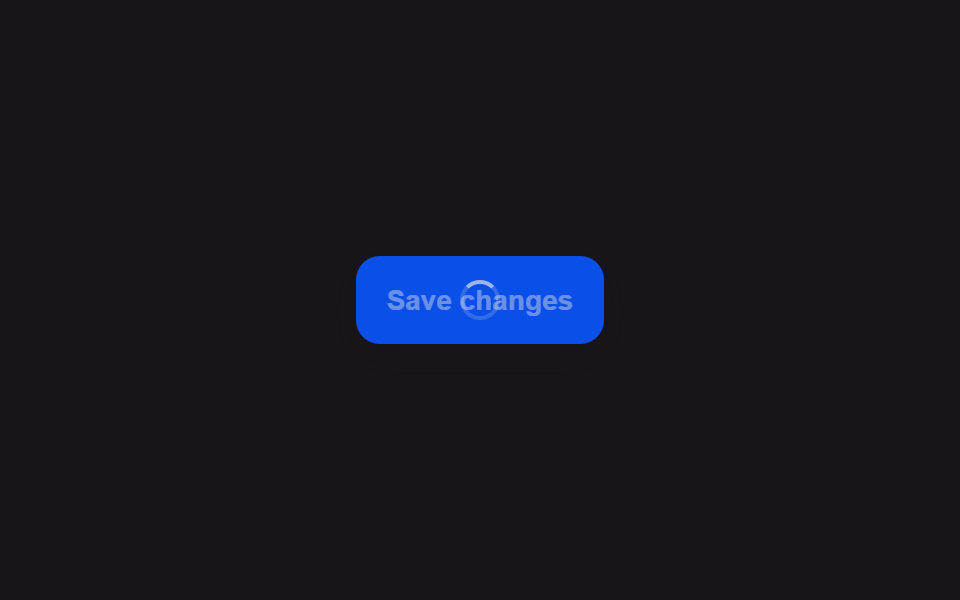
04失敗すると短く揺れて元のラベルに戻るボタン
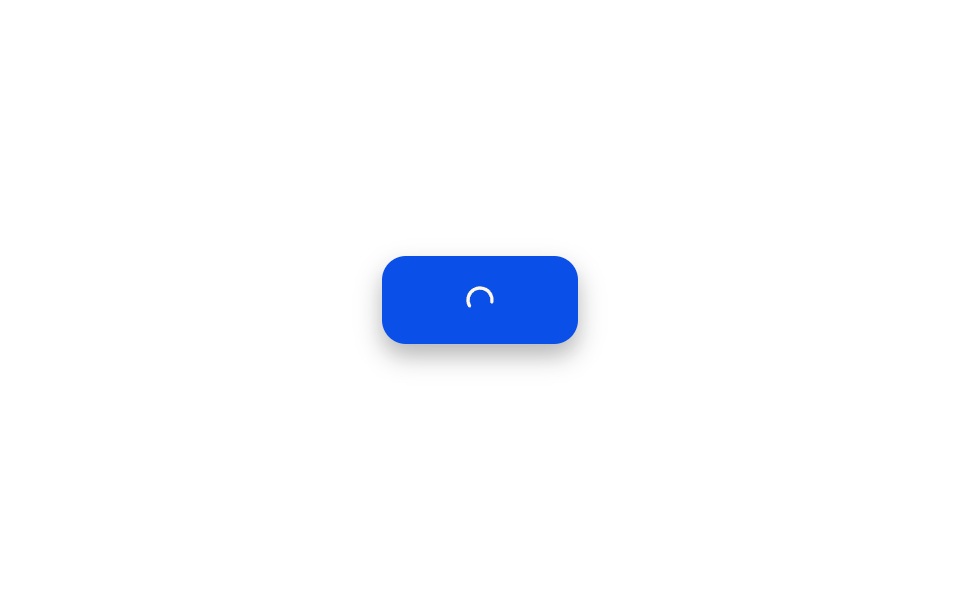
回っていたスピナーはエラーに遭うとバツ印のアイコンに変わり、ボタン全体が左右に短く揺れ、その揺れが収まると元のラベル文字に戻る。
使いどころネットワークエラーで送信が失敗した際に再試行を促す
Math.sintranslateXaria-live
<main class="stage">
<div class="scene is-demo" id="scene">
  <button class="btn" id="btn" type="button">
    <span class="btnContent">
      <span class="btnLabel" id="label">Submit</span>
      <span class="btnRingWrap" id="ringWrap" aria-hidden="true">
        <svg viewBox="0 0 24 24" width="16" height="16" class="ringSvg">
          <circle id="ring" cx="12" cy="12" r="9" fill="none" stroke-width="2.5" stroke-linecap="round" stroke-dasharray="34 22"></circle>
        </svg>
      </span>
      <span class="btnXWrap" id="xWrap" aria-hidden="true">
        <svg viewBox="0 0 256 256" width="16" height="16">
          <g fill="currentColor"><path d="M216 56v144a16 16 0 0 1-16 16H56a16 16 0 0 1-16-16V56a16 16 0 0 1 16-16h144a16 16 0 0 1 16 16" opacity=".2"/><path d="M205.66 194.34a8 8 0 0 1-11.32 11.32L128 139.31l-66.34 66.35a8 8 0 0 1-11.32-11.32L116.69 128L50.34 61.66a8 8 0 0 1 11.32-11.32L128 116.69l66.34-66.35a8 8 0 0 1 11.32 11.32L139.31 128Z"/></g>
        </svg>
      </span>
    </span>
  </button>
  <span class="visuallyHidden" id="status" role="status" aria-live="polite"></span>
</div>
</main>
@use "../../../../site/static/demo-tokens" as *;
// 변수 3개
$duration: $dur-quick;
$easing: $ease-out;
$color: $subject-blue-deep;
// 계산 겹: index.html 의 shake() 가 감쇠 사인파 x(t)=A·e^(-decay·t)·sin(2π·freq·t) 를
// 매 프레임 계산해 버튼 전체의 translateX 에 적용한다.
@include stage($stage-paper);
.scene {
display: grid;
place-items: center;
}
.btn {
position: relative;
display: inline-flex;
align-items: center;
justify-content: center;
height: 44px;
padding: 0 $sp-5;
border: none;
border-radius: $r-control;
background: $color;
color: $subject-cream;
font-weight: 600;
font-size: 14px;
line-height: 1;
box-shadow: $shadow-press;
cursor: pointer;
will-change: transform;
&:focus-visible { outline: 2px solid $subject-blue-deep; outline-offset: 3px; }
&:disabled { cursor: default; }
}
.btnContent {
position: relative;
display: inline-block;
min-width: 58px;
height: 18px;
}
.btnLabel,
.btnRingWrap,
.btnXWrap {
position: absolute;
inset: 0;
display: flex;
align-items: center;
justify-content: center;
white-space: nowrap;
}
.btnRingWrap,
.btnXWrap { opacity: 0; }
.ringSvg circle {
stroke: $subject-cream;
transform-origin: 12px 12px;
}
.btnXWrap svg {
color: $subject-cream;
}
.visuallyHidden {
position: absolute;
width: 1px;
height: 1px;
overflow: hidden;
clip: rect(0 0 0 0);
white-space: nowrap;
}
@media (max-width: 340px) {
.btn { height: 40px; padding: 0 $sp-4; font-size: 13px; }
}
@media (prefers-reduced-motion: reduce) {
// 실사용 경로 적용 — index.html 의 runReduced() 가 흔들림 트윈 없이 opacity 만 즉시 바꾼다.
// scss 만: 남은 트랜지션을 전부 끈다.
* { transition: none !important; }
}html, body {
margin: 0;
overflow: hidden;
}
.stage {
box-sizing: border-box;
min-height: 100vh;
display: grid;
place-items: center;
margin: 0;
background: #ffffff;
font-family: -apple-system, "Segoe UI", "Noto Sans KR", sans-serif;
padding: clamp(8px, 4vw, 24px);
}
.scene {
display: grid;
place-items: center;
}
.btn {
position: relative;
display: inline-flex;
align-items: center;
justify-content: center;
height: 44px;
padding: 0 20px;
border: none;
border-radius: 12px;
background: #0a4fe8;
color: #fff7e6;
font-weight: 600;
font-size: 14px;
line-height: 1;
box-shadow: 0 6px 12px rgba(23, 20, 26, 0.32);
cursor: pointer;
will-change: transform;
}
.btn:focus-visible {
outline: 2px solid #0a4fe8;
outline-offset: 3px;
}
.btn:disabled {
cursor: default;
}
.btnContent {
position: relative;
display: inline-block;
min-width: 58px;
height: 18px;
}
.btnLabel,
.btnRingWrap,
.btnXWrap {
position: absolute;
inset: 0;
display: flex;
align-items: center;
justify-content: center;
white-space: nowrap;
}
.btnRingWrap,
.btnXWrap {
opacity: 0;
}
.ringSvg circle {
stroke: #fff7e6;
transform-origin: 12px 12px;
}
.btnXWrap svg {
color: #fff7e6;
}
.visuallyHidden {
position: absolute;
width: 1px;
height: 1px;
overflow: hidden;
clip: rect(0 0 0 0);
white-space: nowrap;
}
@media (max-width: 340px) {
.btn {
height: 40px;
padding: 0 16px;
font-size: 13px;
}
}
@media (prefers-reduced-motion: reduce) {
* {
transition: none !important;
}
}(function () {
var FADE_MS = 180;
var SPIN_MS = 600;
var ICON_SWAP_MS = 150;
var SHAKE_MS = 520;
var HOLD_MS = 300;
var GAP_MS = 480;
var START_DELAY_MS = 200;
var DEG_PER_MS = 360 / 750;
var SHAKE_AMPLITUDE_PX = 9;
var SHAKE_DECAY_PER_S = 9;
var SHAKE_FREQ_HZ = 8;
var scene = document.getElementById('scene');
var btn = document.getElementById('btn');
var label = document.getElementById('label');
var ringWrap = document.getElementById('ringWrap');
var ring = document.getElementById('ring');
var xWrap = document.getElementById('xWrap');
var status = document.getElementById('status');
var reduce = window.matchMedia('(prefers-reduced-motion: reduce)').matches;
var gen = 0;
var timers = [];
var spinRafId = 0;
function human() {
if (scene.classList.contains('is-demo')) {
scene.classList.remove('is-demo');
timers.forEach(function (t) { clearTimeout(t); });
timers = [];
}
}
function easeInOutQuad(p) { return p < .5 ? 2 * p * p : 1 - Math.pow(-2 * p + 2, 2) / 2; }
function fade(el, from, to, ms, myGen, onDone) {
var start = null;
function step(now) {
if (myGen !== gen) return;
if (start === null) start = now;
var p = Math.min(1, (now - start) / ms);
el.style.opacity = String(from + (to - from) * easeInOutQuad(p));
if (p < 1) requestAnimationFrame(step); else if (onDone) onDone();
}
requestAnimationFrame(step);
}
function spinLoop(myGen) {
var start = null;
function step(now) {
if (myGen !== gen) return;
if (start === null) start = now;
var angle = ((now - start) * DEG_PER_MS) % 360;
ring.style.transform = 'rotate(' + angle.toFixed(1) + 'deg)';
spinRafId = requestAnimationFrame(step);
}
spinRafId = requestAnimationFrame(step);
}
// 계산 겹: 감쇠 사인파 x(t) = A · e^(-decay·t) · sin(2π·freq·t) 를 매 프레임 계산해
// 버튼 전체의 translateX 에 적용한다 — 고정 키프레임이 아니라 물리량으로 흔든다.
function shake(myGen, ms, onDone) {
var start = null;
function step(now) {
if (myGen !== gen) return;
if (start === null) start = now;
var elapsed = now - start;
var tSec = elapsed / 1000;
var x = SHAKE_AMPLITUDE_PX * Math.exp(-SHAKE_DECAY_PER_S * tSec) * Math.sin(2 * Math.PI * SHAKE_FREQ_HZ * tSec);
btn.style.transform = 'translateX(' + x.toFixed(2) + 'px)';
if (elapsed < ms) requestAnimationFrame(step);
else { btn.style.transform = 'translateX(0px)'; if (onDone) onDone(); }
}
requestAnimationFrame(step);
}
function runAnimated() {
gen++;
var myGen = gen;
btn.disabled = true;
btn.setAttribute('aria-busy', 'true');
status.textContent = '送信中';
fade(label, 1, 0, FADE_MS, myGen);
fade(ringWrap, 0, 1, FADE_MS, myGen, function () { spinLoop(myGen); });
timers.push(setTimeout(function () {
cancelAnimationFrame(spinRafId);
status.textContent = '送信失敗';
fade(ringWrap, 1, 0, ICON_SWAP_MS, myGen);
fade(xWrap, 0, 1, ICON_SWAP_MS, myGen);
shake(myGen, SHAKE_MS, function () {
timers.push(setTimeout(function () {
fade(xWrap, 1, 0, FADE_MS, myGen);
fade(label, 0, 1, FADE_MS, myGen, function () {
btn.disabled = false;
btn.removeAttribute('aria-busy');
status.textContent = '';
});
}, HOLD_MS));
});
}, SPIN_MS));
}
function runReduced() {
gen++;
btn.disabled = true;
btn.setAttribute('aria-busy', 'true');
status.textContent = '送信中';
label.style.opacity = '0';
ringWrap.style.opacity = '1';
timers.push(setTimeout(function () {
status.textContent = '送信失敗';
ringWrap.style.opacity = '0';
xWrap.style.opacity = '1';
timers.push(setTimeout(function () {
xWrap.style.opacity = '0';
label.style.opacity = '1';
btn.disabled = false;
btn.removeAttribute('aria-busy');
status.textContent = '';
}, HOLD_MS));
}, SPIN_MS));
}
btn.addEventListener('click', function () {
if (btn.disabled) return;
human();
if (reduce) runReduced(); else runAnimated();
});
// reduce: 실사용 경로 적용 — runReduced() 는 회전·흔들림 트윈 없이 opacity 만 즉시 바꾼다.
// 아래 자동 루프는 시연 게이트만 — reduce 에서는 돌지 않는다.
function cycle() {
if (!scene.classList.contains('is-demo')) return;
runAnimated();
timers.push(setTimeout(function () {
timers.push(setTimeout(cycle, GAP_MS));
}, SPIN_MS + SHAKE_MS + HOLD_MS + FADE_MS));
}
if (!reduce) {
timers.push(setTimeout(cycle, START_DELAY_MS));
}
})();import { useEffect, useRef } from 'react';
import styles from './ButtonLoadingErrorShakeRevert.module.scss';
const FADE_MS = 180;
const SPIN_MS = 600;
const ICON_SWAP_MS = 150;
const SHAKE_MS = 520;
const HOLD_MS = 300;
const GAP_MS = 480;
const START_DELAY_MS = 200;
const DEG_PER_MS = 360 / 750;
const SHAKE_AMPLITUDE_PX = 9;
const SHAKE_DECAY_PER_S = 9;
const SHAKE_FREQ_HZ = 8;
export default function ButtonLoadingErrorShakeRevert() {
const sceneRef = useRef<HTMLDivElement>(null);
const btnRef = useRef<HTMLButtonElement>(null);
const labelRef = useRef<HTMLSpanElement>(null);
const ringWrapRef = useRef<HTMLSpanElement>(null);
const ringRef = useRef<SVGCircleElement>(null);
const xWrapRef = useRef<HTMLSpanElement>(null);
const statusRef = useRef<HTMLSpanElement>(null);
useEffect(() => {
const scene = sceneRef.current;
const btn = btnRef.current;
const label = labelRef.current;
const ringWrap = ringWrapRef.current;
const ring = ringRef.current;
const xWrap = xWrapRef.current;
const status = statusRef.current;
if (!scene || !btn || !label || !ringWrap || !ring || !xWrap || !status) return undefined;
const reduce = window.matchMedia('(prefers-reduced-motion: reduce)').matches;
let gen = 0;
let timers: number[] = [];
let spinRafId = 0;
function human() {
if (scene!.classList.contains(styles['is-demo'])) {
scene!.classList.remove(styles['is-demo']);
timers.forEach((t) => window.clearTimeout(t));
timers = [];
}
}
function easeInOutQuad(p: number) { return p < .5 ? 2 * p * p : 1 - Math.pow(-2 * p + 2, 2) / 2; }
function fade(el: HTMLElement, from: number, to: number, ms: number, myGen: number, onDone?: () => void) {
let start: number | null = null;
function step(now: number) {
if (myGen !== gen) return;
if (start === null) start = now;
const p = Math.min(1, (now - start) / ms);
el.style.opacity = String(from + (to - from) * easeInOutQuad(p));
if (p < 1) requestAnimationFrame(step); else if (onDone) onDone();
}
requestAnimationFrame(step);
}
function spinLoop(myGen: number) {
let start: number | null = null;
function step(now: number) {
if (myGen !== gen) return;
if (start === null) start = now;
const angle = ((now - start) * DEG_PER_MS) % 360;
ring!.style.transform = 'rotate(' + angle.toFixed(1) + 'deg)';
spinRafId = requestAnimationFrame(step);
}
spinRafId = requestAnimationFrame(step);
}
// 계산 겹: 감쇠 사인파 x(t) = A · e^(-decay·t) · sin(2π·freq·t) 를 매 프레임 계산해
// 버튼 전체의 translateX 에 적용한다 — 고정 키프레임이 아니라 물리량으로 흔든다.
function shake(myGen: number, ms: number, onDone?: () => void) {
let start: number | null = null;
function step(now: number) {
if (myGen !== gen) return;
if (start === null) start = now;
const elapsed = now - start;
const tSec = elapsed / 1000;
const x = SHAKE_AMPLITUDE_PX * Math.exp(-SHAKE_DECAY_PER_S * tSec) * Math.sin(2 * Math.PI * SHAKE_FREQ_HZ * tSec);
btn!.style.transform = 'translateX(' + x.toFixed(2) + 'px)';
if (elapsed < ms) requestAnimationFrame(step);
else { btn!.style.transform = 'translateX(0px)'; if (onDone) onDone(); }
}
requestAnimationFrame(step);
}
function runAnimated() {
gen++;
const myGen = gen;
btn!.disabled = true;
btn!.setAttribute('aria-busy', 'true');
status!.textContent = '제출하는 중';
fade(label!, 1, 0, FADE_MS, myGen);
fade(ringWrap!, 0, 1, FADE_MS, myGen, () => { spinLoop(myGen); });
timers.push(window.setTimeout(() => {
cancelAnimationFrame(spinRafId);
status!.textContent = '제출 실패';
fade(ringWrap!, 1, 0, ICON_SWAP_MS, myGen);
fade(xWrap!, 0, 1, ICON_SWAP_MS, myGen);
shake(myGen, SHAKE_MS, () => {
timers.push(window.setTimeout(() => {
fade(xWrap!, 1, 0, FADE_MS, myGen);
fade(label!, 0, 1, FADE_MS, myGen, () => {
btn!.disabled = false;
btn!.removeAttribute('aria-busy');
status!.textContent = '';
});
}, HOLD_MS));
});
}, SPIN_MS));
}
function runReduced() {
gen++;
btn!.disabled = true;
btn!.setAttribute('aria-busy', 'true');
status!.textContent = '제출하는 중';
label!.style.opacity = '0';
ringWrap!.style.opacity = '1';
timers.push(window.setTimeout(() => {
status!.textContent = '제출 실패';
ringWrap!.style.opacity = '0';
xWrap!.style.opacity = '1';
timers.push(window.setTimeout(() => {
xWrap!.style.opacity = '0';
label!.style.opacity = '1';
btn!.disabled = false;
btn!.removeAttribute('aria-busy');
status!.textContent = '';
}, HOLD_MS));
}, SPIN_MS));
}
function onClick() {
if (btn!.disabled) return;
human();
if (reduce) runReduced(); else runAnimated();
}
btn.addEventListener('click', onClick);
// reduce: 실사용 경로 적용 — runReduced() 는 회전·흔들림 트윈 없이 opacity 만 즉시 바꾼다.
// 아래 자동 루프는 시연 게이트만 — reduce 에서는 돌지 않는다.
function cycle() {
if (!scene!.classList.contains(styles['is-demo'])) return;
runAnimated();
timers.push(window.setTimeout(() => {
timers.push(window.setTimeout(cycle, GAP_MS));
}, SPIN_MS + SHAKE_MS + HOLD_MS + FADE_MS));
}
if (!reduce) {
timers.push(window.setTimeout(cycle, START_DELAY_MS));
}
return () => {
btn.removeEventListener('click', onClick);
timers.forEach((t) => window.clearTimeout(t));
cancelAnimationFrame(spinRafId);
};
}, []);
return (
<main className={styles.stage}>
<div className={styles.scene + ' ' + styles['is-demo']} ref={sceneRef}>
<button className={styles.btn} ref={btnRef} type="button">
<span className={styles.btnContent}>
<span className={styles.btnLabel} ref={labelRef}>Submit</span>
<span className={styles.btnRingWrap} ref={ringWrapRef} aria-hidden="true">
<svg viewBox="0 0 24 24" width="16" height="16" className={styles.ringSvg}>
<circle ref={ringRef} cx="12" cy="12" r="9" fill="none" strokeWidth="2.5" strokeLinecap="round" strokeDasharray="34 22" />
</svg>
</span>
<span className={styles.btnXWrap} ref={xWrapRef} aria-hidden="true">
<svg viewBox="0 0 256 256" width="16" height="16">
<g fill="currentColor">
<path d="M216 56v144a16 16 0 0 1-16 16H56a16 16 0 0 1-16-16V56a16 16 0 0 1 16-16h144a16 16 0 0 1 16 16" opacity=".2" />
<path d="M205.66 194.34a8 8 0 0 1-11.32 11.32L128 139.31l-66.34 66.35a8 8 0 0 1-11.32-11.32L116.69 128L50.34 61.66a8 8 0 0 1 11.32-11.32L128 116.69l66.34-66.35a8 8 0 0 1 11.32 11.32L139.31 128Z" />
</g>
</svg>
</span>
</span>
</button>
<span className={styles.visuallyHidden} ref={statusRef} role="status" aria-live="polite" />
</div>
</main>
);
}04 失敗すると短く揺れて元のラベルに戻るボタン — 計測 累積面積 0.726% · 動いたフレーム 16/23GODRICH オリジナル · SCSS と React は zip に同梱 · ボタン ローディング 9種 — スピナーから成功チェックまでの状態遷移
このデモが属する記事
 ボタン ローディング 9種 — スピナーから成功チェックまでの状態遷移9種のボタン ローディングのうち、1つはスピナーが線を描くようにチェックマークへ形を変え、1つは文字の代わりに点が3つ順に大きくなっては小さくなり、1つはラベルが一定時間ごとに次の段階の文言へ上下にスライドして切り替わります。 この記事のデモをすべて見る