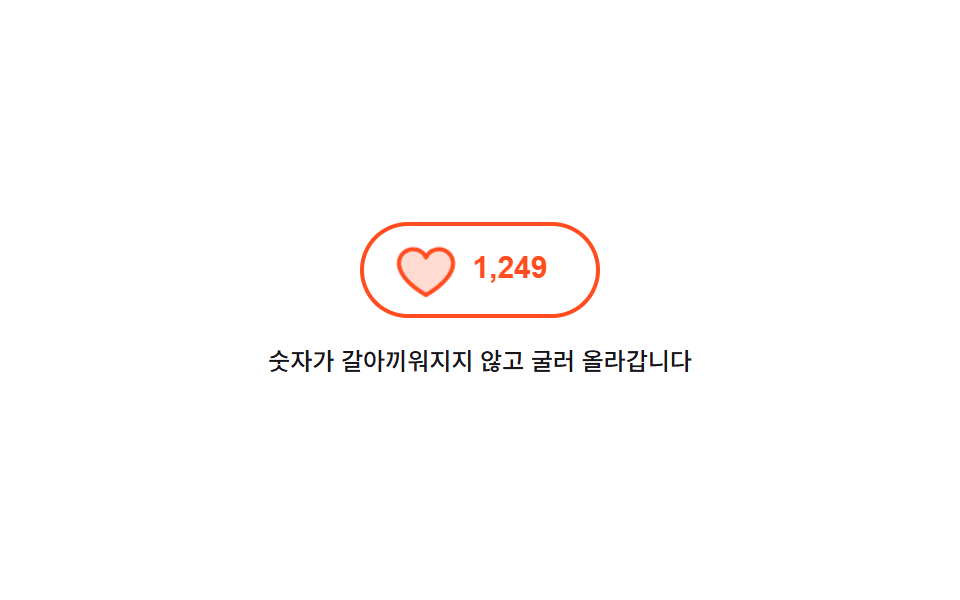
04数字が転がるいいねボタン
押すとハートが一度大きく膨らんで戻り、隣の数字は古い値が上へ抜けて新しい値が下から上がる形で入れ替わるので、数字が瞬間移動しません。
使いどころ記事やコメントのいいね・おすすめのように押した結果が数字で残るボタン
aria-livetranslateYscale
<main class="stage">
  <div class="lk is-demo">
    <button class="lk__btn" id="lk-btn" type="button" aria-pressed="false" aria-label="いいねを押す">
      <span class="lk__heart" aria-hidden="true"><svg viewBox="0 0 256 256" width="22" height="22"><g fill="currentColor"><path d="M232 102c0 66-104 122-104 122S24 168 24 102a54 54 0 0 1 54-54c22.59 0 41.94 12.31 50 32c8.06-19.69 27.41-32 50-32a54 54 0 0 1 54 54" opacity=".2"/><path d="M178 40c-20.65 0-38.73 8.88-50 23.89C116.73 48.88 98.65 40 78 40a62.07 62.07 0 0 0-62 62c0 70 103.79 126.66 108.21 129a8 8 0 0 0 7.58 0C136.21 228.66 240 172 240 102a62.07 62.07 0 0 0-62-62m-50 174.8c-18.26-10.64-96-59.11-96-112.8a46.06 46.06 0 0 1 46-46c19.45 0 35.78 10.36 42.6 27a8 8 0 0 0 14.8 0c6.82-16.67 23.15-27 42.6-27a46.06 46.06 0 0 1 46 46c0 53.61-77.76 102.15-96 112.8"/></g></svg></span>
      <span class="lk__win" aria-live="polite">
        <span class="lk__roll">
          <span class="lk__n">1,248</span>
          <span class="lk__n">1,249</span>
        </span>
      </span>
    </button>
    <p class="lk__note">数字は入れ替わらず転がります</p>
  </div>
</main>
@use "../../../../site/static/demo-tokens" as *;
$duration: $dur-quick;
$easing: $ease-pop;
$color: $stage-orange;
@include stage($stage-paper);
.lk {
box-sizing: border-box;
display: flex;
flex-direction: column;
align-items: center;
gap: $sp-3;
font-family: -apple-system, "Segoe UI", "Noto Sans KR", sans-serif;
}
.lk__btn {
box-sizing: border-box;
margin: 0;
padding: $sp-2 $sp-5;
display: inline-flex;
align-items: center;
gap: $sp-2;
height: 48px;
border: 2px solid $subject-ink;
border-radius: $r-pill;
background-color: transparent;
color: $subject-ink;
cursor: pointer;
}
.lk__btn:focus-visible { outline: 3px solid $subject-blue; outline-offset: 3px; }
.lk__heart { display: inline-flex; flex: 0 0 auto; }
.lk__heart svg { display: block; }
// 숫자 창 — 높이를 한 줄로 못 박고 그 안에서 두 값이 세로로 오간다
.lk__win {
display: block;
overflow: hidden;
height: 22px;
width: 46px;
}
.lk__roll {
display: block;
transform: translateY(0);
}
.lk__n {
display: block;
height: 22px;
font-size: 15px;
line-height: 22px;
font-weight: 700;
font-variant-numeric: tabular-nums;
}
// 사람이 실제로 누른 경로
.lk:not(.is-demo) .lk__roll { transition: transform $duration $easing; }
.lk:not(.is-demo) .lk__btn[aria-pressed="true"] .lk__roll { transform: translateY(-22px); }
.lk:not(.is-demo) .lk__btn[aria-pressed="true"] { border-color: $color; color: $color; }
.lk__btn.is-beat .lk__heart {
animation-name: lk-beat;
animation-duration: $dur-base;
animation-timing-function: $easing;
animation-iteration-count: 1;
}
@keyframes lk-beat {
0% { transform: scale(1); }
35% { transform: scale(1.45); }
70% { transform: scale(.92); }
100% { transform: scale(1); }
}
.lk__note {
margin: 0;
max-width: 260px;
text-align: center;
font-size: 12px;
line-height: 18px;
font-weight: 500;
color: $subject-ink;
}
// ── 자동 루프: 35% 에 누르고 80% 에 다시 눌러 되돌린다. 굴림은 transform 이라 중간 프레임이 유령이 되지 않는다 ──
.lk.is-demo .lk__roll {
animation-name: lk-roll;
animation-duration: $dur-loop;
animation-timing-function: $easing;
animation-iteration-count: infinite;
}
@keyframes lk-roll {
0% { transform: translateY(0); }
32% { transform: translateY(0); }
44% { transform: translateY(-22px); }
78% { transform: translateY(-22px); }
88% { transform: translateY(0); }
100% { transform: translateY(0); }
}
.lk.is-demo .lk__heart {
animation-name: lk-beat-loop;
animation-duration: $dur-loop;
animation-timing-function: $easing;
animation-iteration-count: infinite;
}
@keyframes lk-beat-loop {
0% { transform: scale(1); }
32% { transform: scale(1); }
40% { transform: scale(1.5); }
50% { transform: scale(.94); }
58% { transform: scale(1); }
78% { transform: scale(1); }
84% { transform: scale(1.2); }
90% { transform: scale(1); }
100% { transform: scale(1); }
}
.lk.is-demo .lk__btn {
animation-name: lk-skin;
animation-duration: $dur-loop;
animation-timing-function: steps(1, end);
animation-iteration-count: infinite;
}
@keyframes lk-skin {
0% { border-color: $subject-ink; color: $subject-ink; }
36% { border-color: $color; color: $color; }
82% { border-color: $subject-ink; color: $subject-ink; }
100% { border-color: $subject-ink; color: $subject-ink; }
}
@media (max-width: 340px) {
.lk { gap: $sp-2; }
.lk__btn { height: 44px; padding: $sp-2 $sp-4; }
.lk__note { font-size: 11px; line-height: 16px; }
}
@media (prefers-reduced-motion: reduce) {
.lk.is-demo .lk__roll,
.lk.is-demo .lk__heart,
.lk.is-demo .lk__btn,
.lk__btn.is-beat .lk__heart { animation: none !important; }
.lk:not(.is-demo) .lk__roll { transition: none !important; }
}html, body {
margin: 0;
overflow: hidden;
}
.stage {
box-sizing: border-box;
min-height: 100vh;
display: grid;
place-items: center;
margin: 0;
background: #ffffff;
font-family: -apple-system, "Segoe UI", "Noto Sans KR", sans-serif;
padding: clamp(8px, 4vw, 24px);
}
.lk {
box-sizing: border-box;
display: flex;
flex-direction: column;
align-items: center;
gap: 12px;
font-family: -apple-system, "Segoe UI", "Noto Sans KR", sans-serif;
}
.lk__btn {
box-sizing: border-box;
margin: 0;
padding: 8px 20px;
display: inline-flex;
align-items: center;
gap: 8px;
height: 48px;
border: 2px solid #17141a;
border-radius: 999px;
background-color: transparent;
color: #17141a;
cursor: pointer;
}
.lk__btn:focus-visible {
outline: 3px solid #2f6df6;
outline-offset: 3px;
}
.lk__heart {
display: inline-flex;
flex: 0 0 auto;
}
.lk__heart svg {
display: block;
}
.lk__win {
display: block;
overflow: hidden;
height: 22px;
width: 46px;
}
.lk__roll {
display: block;
transform: translateY(0);
}
.lk__n {
display: block;
height: 22px;
font-size: 15px;
line-height: 22px;
font-weight: 700;
font-variant-numeric: tabular-nums;
}
.lk:not(.is-demo) .lk__roll {
transition: transform 220ms cubic-bezier(0.2, 1.4, 0.4, 1);
}
.lk:not(.is-demo) .lk__btn[aria-pressed=true] .lk__roll {
transform: translateY(-22px);
}
.lk:not(.is-demo) .lk__btn[aria-pressed=true] {
border-color: #ff4d1f;
color: #ff4d1f;
}
.lk__btn.is-beat .lk__heart {
animation-name: lk-beat;
animation-duration: 300ms;
animation-timing-function: cubic-bezier(0.2, 1.4, 0.4, 1);
animation-iteration-count: 1;
}
@keyframes lk-beat {
0% {
transform: scale(1);
}
35% {
transform: scale(1.45);
}
70% {
transform: scale(0.92);
}
100% {
transform: scale(1);
}
}
.lk__note {
margin: 0;
max-width: 260px;
text-align: center;
font-size: 12px;
line-height: 18px;
font-weight: 500;
color: #17141a;
}
.lk.is-demo .lk__roll {
animation-name: lk-roll;
animation-duration: 2s;
animation-timing-function: cubic-bezier(0.2, 1.4, 0.4, 1);
animation-iteration-count: infinite;
}
@keyframes lk-roll {
0% {
transform: translateY(0);
}
32% {
transform: translateY(0);
}
44% {
transform: translateY(-22px);
}
78% {
transform: translateY(-22px);
}
88% {
transform: translateY(0);
}
100% {
transform: translateY(0);
}
}
.lk.is-demo .lk__heart {
animation-name: lk-beat-loop;
animation-duration: 2s;
animation-timing-function: cubic-bezier(0.2, 1.4, 0.4, 1);
animation-iteration-count: infinite;
}
@keyframes lk-beat-loop {
0% {
transform: scale(1);
}
32% {
transform: scale(1);
}
40% {
transform: scale(1.5);
}
50% {
transform: scale(0.94);
}
58% {
transform: scale(1);
}
78% {
transform: scale(1);
}
84% {
transform: scale(1.2);
}
90% {
transform: scale(1);
}
100% {
transform: scale(1);
}
}
.lk.is-demo .lk__btn {
animation-name: lk-skin;
animation-duration: 2s;
animation-timing-function: steps(1, end);
animation-iteration-count: infinite;
}
@keyframes lk-skin {
0% {
border-color: #17141a;
color: #17141a;
}
36% {
border-color: #ff4d1f;
color: #ff4d1f;
}
82% {
border-color: #17141a;
color: #17141a;
}
100% {
border-color: #17141a;
color: #17141a;
}
}
@media (max-width: 340px) {
.lk {
gap: 8px;
}
.lk__btn {
height: 44px;
padding: 8px 16px;
}
.lk__note {
font-size: 11px;
line-height: 16px;
}
}
@media (prefers-reduced-motion: reduce) {
.lk.is-demo .lk__roll,
.lk.is-demo .lk__heart,
.lk.is-demo .lk__btn,
.lk__btn.is-beat .lk__heart {
animation: none !important;
}
.lk:not(.is-demo) .lk__roll {
transition: none !important;
}
}// 실제 동작: 누른 상태와 숫자를 따로 두지 않는다. aria-pressed 하나가 하트 색과 굴림 위치를 같이 정한다
var root = document.querySelector('.lk');
var btn = document.getElementById('lk-btn');
btn.addEventListener('click', function () {
root.classList.remove('is-demo');
var on = btn.getAttribute('aria-pressed') === 'true';
btn.setAttribute('aria-pressed', String(!on));
btn.classList.remove('is-beat');
void btn.offsetWidth; // 연달아 눌러도 하트 반동이 매번 돌게 리플로를 강제한다
btn.classList.add('is-beat');
});import { useState } from "react";
import type { CSSProperties } from "react";
import styles from "./LikeCountButton.module.scss";
export type LikeCountButtonProps = {
label?: string;
note?: string;
count?: number;
duration?: number;
easing?: string;
color?: string;
};
type Vars = CSSProperties & { "--duration"?: string; "--easing"?: string; "--color"?: string };
// 1248 → "1,248" — 세 자리마다 쉼표
function fmt(n: number): string {
const s = String(n);
let out = "";
for (let i = 0; i < s.length; i += 1) {
if (i > 0 && (s.length - i) % 3 === 0) out += ",";
out += s.charAt(i);
}
return out;
}
export default function LikeCountButton({
label = "Like this post",
note = "The number rolls up instead of being swapped",
count = 1248,
duration = 220,
easing = "cubic-bezier(.2,1.4,.4,1)",
color = "#ff4d1f",
}: LikeCountButtonProps) {
const [demo, setDemo] = useState(true);
const [on, setOn] = useState(false);
const [beat, setBeat] = useState(0);
const vars: Vars = { "--duration": `${duration}ms`, "--easing": easing, "--color": color };
// 누른 상태 하나가 하트 색과 굴림 위치를 같이 정한다
function press() {
setDemo(false);
setOn((v) => !v);
setBeat((v) => v + 1); // key 를 바꿔 연달아 눌러도 하트 반동이 매번 다시 돈다
}
return (
<div className={`${styles.lk} ${demo ? styles.isDemo : ""}`} style={vars}>
<button className={styles.btn} type="button" aria-pressed={on} aria-label={label} onClick={press}>
<span key={beat} className={`${styles.heart} ${demo ? "" : styles.isBeat}`} aria-hidden="true">
<svg viewBox="0 0 256 256" width="22" height="22">
<g fill="currentColor">
<path d="M232 102c0 66-104 122-104 122S24 168 24 102a54 54 0 0 1 54-54c22.59 0 41.94 12.31 50 32c8.06-19.69 27.41-32 50-32a54 54 0 0 1 54 54" opacity=".2" />
<path d="M178 40c-20.65 0-38.73 8.88-50 23.89C116.73 48.88 98.65 40 78 40a62.07 62.07 0 0 0-62 62c0 70 103.79 126.66 108.21 129a8 8 0 0 0 7.58 0C136.21 228.66 240 172 240 102a62.07 62.07 0 0 0-62-62m-50 174.8c-18.26-10.64-96-59.11-96-112.8a46.06 46.06 0 0 1 46-46c19.45 0 35.78 10.36 42.6 27a8 8 0 0 0 14.8 0c6.82-16.67 23.15-27 42.6-27a46.06 46.06 0 0 1 46 46c0 53.61-77.76 102.15-96 112.8" />
</g>
</svg>
</span>
<span className={styles.win} aria-live="polite">
<span className={styles.roll}>
<span className={styles.n}>{fmt(count)}</span>
<span className={styles.n}>{fmt(count + 1)}</span>
</span>
</span>
</button>
<p className={styles.note}>{note}</p>
</div>
);
}04 数字が転がるいいねボタン — 計測 累積面積 1.325% · 動いたフレーム 11/23GODRICH オリジナル · SCSS と React は zip に同梱 · css ボタン 押したら変わる 9選 — 状態遷移の実装
このデモが属する記事
 css ボタン 押したら変わる 9選 — 状態遷移の実装css ボタン 押したら変わる、つまり押した瞬間から結果が出るまでボタン自身が姿を変えて伝える作りを9つ集めました。押したあとが本番です。色だけ変える見せかけではなく、実際に固まり、回り、戻ります。 この記事のデモをすべて見る