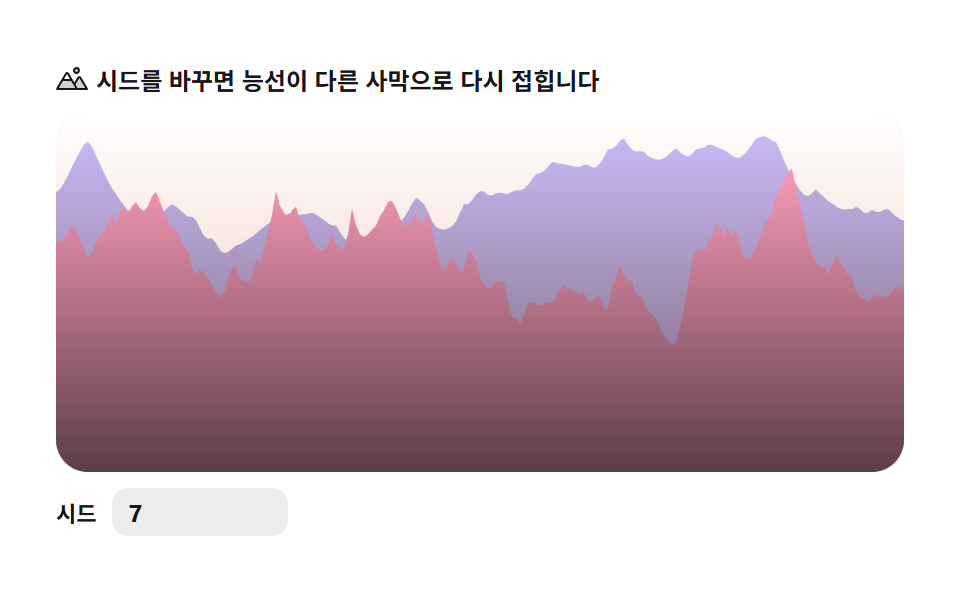
06砂丘の稜線 — リッジドノイズの砂丘
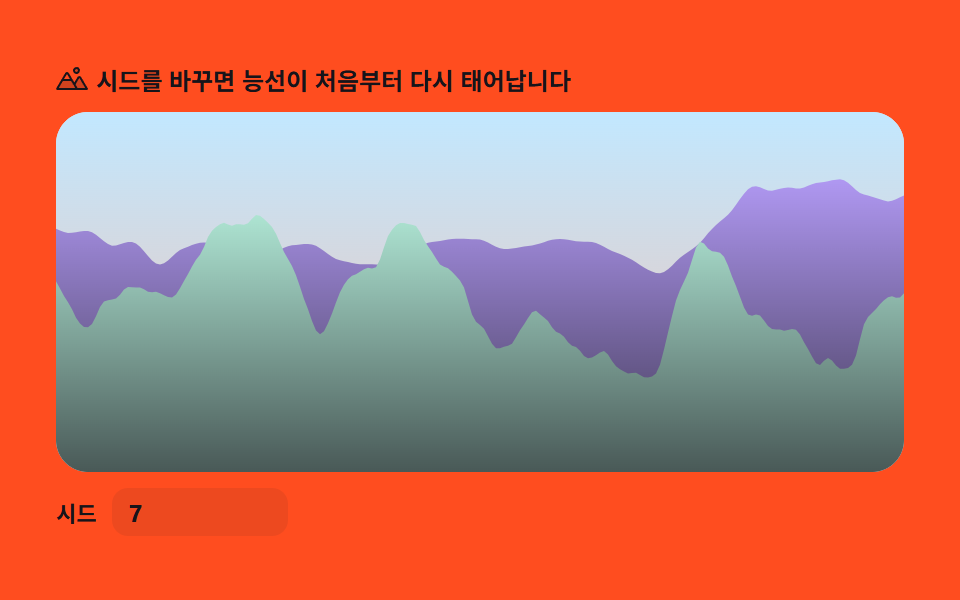
fbm値の絶対値を反転させるリッジドノイズで稜線を鋭く立たせ、前後2層を globalAlpha を変えて塗ることで砂丘が奥へ重なる遠近感を作ります。
使いどころ旅行・砂漠ツアー・ミニマルブランドの背景
fbmlineToglobalAlpha
<main class="stage">
<div class="tdr" id="tdr">
  <p class="tdr__hint">
    <svg class="tdr__ico" viewBox="0 0 256 256" aria-hidden="true"><g fill="currentColor"><path d="M144 52a20 20 0 1 1 20 20a20 20 0 0 1-20-20m49.44 55.92a8 8 0 0 0-13.77 0l-33 55.75l-21-35.67H50.35L8 200h240Z" opacity=".2"/><path d="M164 80a28 28 0 1 0-28-28a28 28 0 0 0 28 28m0-40a12 12 0 1 1-12 12a12 12 0 0 1 12-12m90.88 155.92l-54.56-92.08A15.87 15.87 0 0 0 186.55 96a15.85 15.85 0 0 0-13.76 7.84L146.63 148l-44.84-76.1a16 16 0 0 0-27.58 0L1.11 195.94A8 8 0 0 0 8 208h240a8 8 0 0 0 6.88-12.08M88 80l23.57 40H64.43ZM22 192l33-56h66l33 56Zm150.57 0l-16.66-28.28L186.55 112L234 192Z"/></g></svg>
    <span>シードを変えると尾根が別の砂漠へ折り直されます</span>
  </p>
  <div class="tdr__field" id="field">
    <canvas class="tdr__cv" id="cv"></canvas>
  </div>
  <div class="tdr__bar">
    <label class="tdr__dial">シード
      <input type="number" id="seed" min="1" max="9999" step="1" value="7" aria-label="砂丘シード">
    </label>
  </div>
</div>
</main>
@use "../../../../site/static/demo-tokens" as *;
// 사구 능선 — 값 노이즈 fbm 을 리지드(1-|n|) 변형해 능선을 뾰족하게 세우고, 앞뒤 두 겹을
// globalAlpha 로 다르게 칠해 사막이 겹겹이 물러나는 원근을 만든다. 3D 투영은 쓰지 않는다(2D 단면).
// 파스텔 — mix() 로 옅게 섞은 로컬 변수만 쓴다. 리터럴 hex 0개(BD26).
$terrain-peach: mix($subject-orange-deep, $stage-paper, 30%);
$terrain-lilac: $subject-lilac;
$terrain-pink: $subject-pink;
$duration: $dur-loop;
$easing: $ease-out;
$color: $terrain-peach;
@include stage($stage-paper);
.tdr {
// 하늘(위→지평선) + 원경(far)·근경(near) 능선 각각의 그라디언트(위→아래로 한 단계 진하게)
--sky-top: #{$stage-paper};
--sky-bottom: #{$terrain-peach};
--far-top: #{$terrain-lilac};
--far-bottom: #{mix($terrain-lilac, $subject-ink, 20%)};
--near-top: #{$terrain-pink};
--near-bottom: #{mix($terrain-pink, $subject-ink, 30%)};
display: flex; flex-direction: column; gap: $sp-2;
width: 100%; max-width: 424px;
}
.tdr__hint {
display: flex; align-items: center; gap: $sp-1; margin: 0;
font-weight: 700; font-size: clamp(10px, 2.8vw, 12px); line-height: 1.35;
color: $subject-ink;
}
.tdr__ico { width: 16px; height: 16px; flex: 0 0 auto; color: $subject-ink; }
.tdr__field {
position: relative; height: 180px;
border-radius: $r-card; overflow: hidden;
background: $stage-paper;
box-shadow: inset 0 0 0 1px rgba($subject-ink, .16);
}
.tdr__cv { display: block; width: 100%; height: 100%; }
.tdr__bar { display: flex; align-items: center; gap: $sp-3; }
.tdr__dial {
display: flex; align-items: center; gap: $sp-2;
font-weight: 700; font-size: 11px; color: $subject-ink;
}
.tdr__dial input {
width: 72px; margin: 0;
padding: $sp-1 $sp-2; border: 0; border-radius: $r-sm;
background: rgba($subject-ink, .08); color: $subject-ink;
font-weight: 700; font-size: 12px; font-family: inherit;
}
.tdr__dial input:focus-visible { outline: 2px solid $subject-blue; outline-offset: 2px; }
@media (max-width: 340px) {
.tdr { gap: $sp-1; }
.tdr__field { height: 100px; }
.tdr__dial input { width: 56px; }
.tdr__hint { font-size: 10px; }
}
// reduce — 루프 없이 시드의 정적 한 장만 남는다. 커서 신호가 없으므로 클래스만 걸어 둔다(다른 항목과 형식 일치)
@media (prefers-reduced-motion: reduce) {
.tdr.is-still .tdr__field { cursor: default; }
}html, body {
margin: 0;
overflow: hidden;
}
.stage {
box-sizing: border-box;
min-height: 100vh;
display: grid;
place-items: center;
margin: 0;
background: #ffffff;
font-family: -apple-system, "Segoe UI", "Noto Sans KR", sans-serif;
padding: clamp(8px, 4vw, 24px);
}
.tdr {
--sky-top: #ffffff;
--sky-bottom: rgb(93.6470588235%, 75.6470588235%, 70%);
--far-top: #b9a0ff;
--far-bottom: rgb(21.7254901961%, 18.8235294118%, 28.1568627451%);
--near-top: #ff9ebb;
--near-bottom: rgb(36.3137254902%, 24.0784313725%, 29.137254902%);
display: flex;
flex-direction: column;
gap: 8px;
width: 100%;
max-width: 424px;
}
.tdr__hint {
display: flex;
align-items: center;
gap: 4px;
margin: 0;
font-weight: 700;
font-size: clamp(10px, 2.8vw, 12px);
line-height: 1.35;
color: #17141a;
}
.tdr__ico {
width: 16px;
height: 16px;
flex: 0 0 auto;
color: #17141a;
}
.tdr__field {
position: relative;
height: 180px;
border-radius: 16px;
overflow: hidden;
background: #ffffff;
box-shadow: inset 0 0 0 1px rgba(23, 20, 26, 0.16);
}
.tdr__cv {
display: block;
width: 100%;
height: 100%;
}
.tdr__bar {
display: flex;
align-items: center;
gap: 12px;
}
.tdr__dial {
display: flex;
align-items: center;
gap: 8px;
font-weight: 700;
font-size: 11px;
color: #17141a;
}
.tdr__dial input {
width: 72px;
margin: 0;
padding: 4px 8px;
border: 0;
border-radius: 8px;
background: rgba(23, 20, 26, 0.08);
color: #17141a;
font-weight: 700;
font-size: 12px;
font-family: inherit;
}
.tdr__dial input:focus-visible {
outline: 2px solid #2f6df6;
outline-offset: 2px;
}
@media (max-width: 340px) {
.tdr {
gap: 4px;
}
.tdr__field {
height: 100px;
}
.tdr__dial input {
width: 56px;
}
.tdr__hint {
font-size: 10px;
}
}
@media (prefers-reduced-motion: reduce) {
.tdr.is-still .tdr__field {
cursor: default;
}
}// 사구 능선 — 1차원 값 노이즈 fbm 을 리지드(ridged) 변형해 능선을 날카롭게 세운다.
// 리지드 변형: 값 노이즈를 -1..1 로 편 뒤 절댓값을 씌워 뒤집는다(1-|n|) — 0 근처(경계)에서 값이
// 1 에 가까워지므로 옥타브를 쌓으면 봉우리가 뾰족하게 솟는 능선이 된다(일반 fbm 은 완만하게 뭉갠다).
// 앞뒤 두 겹을 서로 다른 globalAlpha 로 칠해 뒤쪽 사구는 아지랑이처럼 흐릿하게, 앞쪽은 또렷하게 —
// 사막 원경이 겹겹이 물러나는 원근감을 globalAlpha 만으로 만든다.
var root = document.getElementById('tdr');
var field = document.getElementById('field');
var cv = document.getElementById('cv');
var ctx = cv.getContext('2d');
var seedIn = document.getElementById('seed');
// 결정적 난수 — mulberry32. 같은 시드면 같은 수열을 돌려준다
function mulberry32(a) {
return function () {
a |= 0; a = (a + 0x6D2B79F5) | 0;
var t = Math.imul(a ^ (a >>> 15), 1 | a);
t = (t + Math.imul(t ^ (t >>> 7), 61 | t)) ^ t;
return ((t ^ (t >>> 14)) >>> 0) / 4294967296;
};
}
var PERM = new Uint8Array(512);
var VAL = new Float32Array(256);
// シード → PERM(순서표)·VAL(격자점 난수값) 재생성 — シード UI 가 이걸 다시 부른다
function buildTables(seed) {
var rng = mulberry32(seed >>> 0);
var p = [], i, j, t;
for (i = 0; i < 256; i++) p[i] = i;
for (i = 255; i > 0; i--) { j = (rng() * (i + 1)) | 0; t = p[i]; p[i] = p[j]; p[j] = t; }
for (i = 0; i < 512; i++) PERM[i] = p[i & 255];
for (i = 0; i < 256; i++) VAL[i] = rng();
}
function fade(t) { return t * t * (3 - 2 * t); } // 스무스스텝 — 격자 경계에서 각이 안 지게
// 1차원 값 노이즈 — 격자점마다 난수를 하나 두고 그 사이를 fade 로 부드럽게 잇는다
function vnoise1(x) {
var xi = Math.floor(x);
var xf = x - xi;
var a = VAL[PERM[xi & 255]], b = VAL[PERM[(xi + 1) & 255]];
return a + (b - a) * fade(xf);
}
var OCT = 4; // 옥타브 4겹
// 리지드 fbm — vnoise1(0..1) 을 -1..1 로 펴고 절댓값 반전(1-|n|) 한 뒤 제곱해 능선을 더 뾰족하게 만든다.
// 옥타브마다 자기 위상을 따로 흘려보내 능선이 시간에 따라 부위별로 다시 깎인다(01 과 같은 패턴).
function ridgedFbm1(x, sec, flow) {
var sum = 0, amp = 0.55, norm = 0, f = 1;
for (var i = 0; i < OCT; i++) {
var phase = sec * flow * (i + 1);
var n = vnoise1(x * f + phase);
var s = n * 2 - 1; // -1..1
var r = 1 - Math.abs(s); // 리지드 — 경계(n=0.5)에서 1, 골에서 0
sum += r * amp;
norm += amp;
amp *= 0.5;
f *= 2;
}
return sum / norm; // 0..1
}
// 원경(far)·근경(near) — 같은 ridgedFbm1 을 스케일·흐름·오프셋만 다르게 줘서 두 겹을 겹친다
var FAR_SCALE = 0.014, FAR_FLOW = 17.0, FAR_OFFSET = 31.4;
var NEAR_SCALE = 0.026, NEAR_FLOW = 23.0, NEAR_OFFSET = 157.2;
var reduce = window.matchMedia('(prefers-reduced-motion: reduce)').matches;
var W = 0, H = 0, dpr = 1;
var raf = 0;
var css = getComputedStyle(root);
function tok(name) { return css.getPropertyValue(name).trim(); }
var C_SKY_TOP = tok('--sky-top'), C_SKY_BOTTOM = tok('--sky-bottom');
var C_FAR_TOP = tok('--far-top'), C_FAR_BOTTOM = tok('--far-bottom');
var C_NEAR_TOP = tok('--near-top'), C_NEAR_BOTTOM = tok('--near-bottom');
function fit() {
var r = field.getBoundingClientRect();
dpr = window.devicePixelRatio || 1;
W = r.width; H = r.height;
cv.width = Math.round(W * dpr);
cv.height = Math.round(H * dpr);
ctx.setTransform(dpr, 0, 0, dpr, 0, 0);
}
function duneY(x, scale, offset, base, amp, sec, flow) {
var n = ridgedFbm1(x * scale + offset, sec, flow);
return base - n * amp;
}
// 사구 능선 하나 — 닫힌 다각형(아래는 캔버스 바닥까지)으로 lineTo, globalAlpha 로 앞뒤 깊이를 나눈다
function drawDune(sec, scale, offset, base, amp, flow, topColor, bottomColor, alpha) {
var step = 2;
ctx.save();
ctx.globalAlpha = alpha;
ctx.beginPath();
ctx.moveTo(0, H);
for (var x = 0; x <= W; x += step) {
var xx = x > W ? W : x;
ctx.lineTo(xx, duneY(xx, scale, offset, base, amp, sec, flow));
}
ctx.lineTo(W, H);
ctx.closePath();
var g = ctx.createLinearGradient(0, base - amp, 0, H);
g.addColorStop(0, topColor);
g.addColorStop(1, bottomColor);
ctx.fillStyle = g;
ctx.fill();
ctx.restore();
}
function paint(sec) {
ctx.clearRect(0, 0, W, H);
var sky = ctx.createLinearGradient(0, 0, 0, H);
sky.addColorStop(0, C_SKY_TOP);
sky.addColorStop(1, C_SKY_BOTTOM);
ctx.fillStyle = sky;
ctx.fillRect(0, 0, W, H);
// 원경 — 낮은 globalAlpha 로 아지랑이처럼 흐리게
drawDune(sec, FAR_SCALE, FAR_OFFSET, H * 0.46, H * 0.46, FAR_FLOW, C_FAR_TOP, C_FAR_BOTTOM, 0.68);
// 근경 — globalAlpha 1 로 또렷하게
drawDune(sec, NEAR_SCALE, NEAR_OFFSET, H * 0.84, H * 0.72, NEAR_FLOW, C_NEAR_TOP, C_NEAR_BOTTOM, 1.0);
}
function frame(now) {
paint(now / 1000);
raf = requestAnimationFrame(frame);
}
function onSeed() {
var v = Math.max(1, Math.min(9999, Math.floor(Number(seedIn.value)) || 1));
buildTables(v);
if (reduce) paint(0);
}
seedIn.addEventListener('input', onSeed);
seedIn.addEventListener('change', onSeed);
window.addEventListener('resize', function () { fit(); if (reduce) paint(0); });
buildTables(Number(seedIn.value) || 7);
fit();
if (reduce) {
// reduce — 루프를 시작하지 않고 시드가 정한 능선 한 장만 그린다(빈 화면이 아니다)
root.classList.add('is-still');
paint(0);
} else {
raf = requestAnimationFrame(frame);
}// DuneRidge — vanilla 판(run/309/demo/06-terrain-dune-ridge/index.html) 의 React 포트.
// 1차원 값 노이즈 fbm 을 리지드(1-|2n-1|) 변형해 능선을 뾰족하게 세우고, 앞뒤 두 겹을
// 서로 다른 globalAlpha 로 칠해 사막이 겹겹이 물러나는 원근을 만든다.
import { useEffect, useRef, useState } from "react";
import type { CSSProperties } from "react";
import styles from "./DuneRidge.module.scss";
export type DuneRidgeProps = {
duration?: string;
easing?: string;
color?: string;
};
type Vars = CSSProperties & { "--duration"?: string; "--easing"?: string; "--color"?: string };
type Box<T> = { current: T };
type InputEvt = { target: { value: string } };
const OCT = 4;
const FAR_SCALE = 0.014, FAR_FLOW = 17.0, FAR_OFFSET = 31.4;
const NEAR_SCALE = 0.026, NEAR_FLOW = 23.0, NEAR_OFFSET = 157.2;
// 결정적 난수 — mulberry32. 같은 시드면 같은 수열을 돌려준다
function mulberry32(a: number): () => number {
return function () {
a |= 0; a = (a + 0x6D2B79F5) | 0;
let t = Math.imul(a ^ (a >>> 15), 1 | a);
t = (t + Math.imul(t ^ (t >>> 7), 61 | t)) ^ t;
return ((t ^ (t >>> 14)) >>> 0) / 4294967296;
};
}
function fade(t: number): number {
return t * t * (3 - 2 * t);
}
export default function DuneRidge({
duration = "2s",
easing = "ease-out",
color = "#c93000",
}: DuneRidgeProps) {
const rootRef = useRef<HTMLDivElement | null>(null);
const fieldRef = useRef<HTMLDivElement | null>(null);
const cvRef = useRef<HTMLCanvasElement | null>(null);
const ctxRef = useRef<CanvasRenderingContext2D | null>(null);
const permRef = useRef(new Uint8Array(512)) as Box<Uint8Array>;
const valRef = useRef(new Float32Array(256)) as Box<Float32Array>;
const sizeRef = useRef({ w: 0, h: 0 }) as Box<{ w: number; h: number }>;
const rafRef = useRef(0) as Box<number>;
const [seed, setSeed] = useState(7);
const [still, setStill] = useState(false);
const vars: Vars = { "--duration": duration, "--easing": easing, "--color": color };
function reduced(): boolean {
return window.matchMedia("(prefers-reduced-motion: reduce)").matches;
}
// 시드 → PERM(순서표)·VAL(격자점 난수값) 재생성 — 시드 UI 가 이걸 다시 부른다
function buildTables(sd: number): void {
const rng = mulberry32(sd >>> 0);
const p: number[] = [];
for (let i = 0; i < 256; i++) p[i] = i;
for (let i = 255; i > 0; i--) {
const j = (rng() * (i + 1)) | 0;
const t = p[i]; p[i] = p[j]; p[j] = t;
}
const perm = permRef.current, val = valRef.current;
for (let i = 0; i < 512; i++) perm[i] = p[i & 255];
for (let i = 0; i < 256; i++) val[i] = rng();
}
// 1차원 값 노이즈 — 격자점마다 난수를 하나 두고 그 사이를 fade 로 부드럽게 잇는다
function vnoise1(x: number): number {
const perm = permRef.current, val = valRef.current;
const xi = Math.floor(x);
const xf = x - xi;
const a = val[perm[xi & 255]], b = val[perm[(xi + 1) & 255]];
return a + (b - a) * fade(xf);
}
// 리지드 fbm — vnoise1(0..1) 을 -1..1 로 펴고 절댓값 반전(1-|n|) 해 능선을 뾰족하게 만든다.
// 옥타브마다 자기 위상을 따로 흘려보내 능선이 시간에 따라 부위별로 다시 깎인다.
function ridgedFbm1(x: number, sec: number, flow: number): number {
let sum = 0, amp = 0.55, norm = 0, f = 1;
for (let i = 0; i < OCT; i++) {
const phase = sec * flow * (i + 1);
const n = vnoise1(x * f + phase);
const s = n * 2 - 1;
const r = 1 - Math.abs(s);
sum += r * amp;
norm += amp;
amp *= 0.5;
f *= 2;
}
return sum / norm;
}
function fit(): void {
const field = fieldRef.current, cv = cvRef.current;
if (!field || !cv) return;
const r = field.getBoundingClientRect();
const dpr = window.devicePixelRatio || 1;
sizeRef.current.w = r.width;
sizeRef.current.h = r.height;
cv.width = Math.round(r.width * dpr);
cv.height = Math.round(r.height * dpr);
const ctx = ctxRef.current;
if (ctx) ctx.setTransform(dpr, 0, 0, dpr, 0, 0);
}
function duneY(x: number, scale: number, offset: number, base: number, amp: number, sec: number, flow: number): number {
const n = ridgedFbm1(x * scale + offset, sec, flow);
return base - n * amp;
}
function drawDune(
ctx: CanvasRenderingContext2D, sec: number, scale: number, offset: number,
base: number, amp: number, flow: number, topColor: string, bottomColor: string, alpha: number,
): void {
const W = sizeRef.current.w, H = sizeRef.current.h;
const step = 2;
ctx.save();
ctx.globalAlpha = alpha;
ctx.beginPath();
ctx.moveTo(0, H);
for (let x = 0; x <= W; x += step) {
const xx = x > W ? W : x;
ctx.lineTo(xx, duneY(xx, scale, offset, base, amp, sec, flow));
}
ctx.lineTo(W, H);
ctx.closePath();
const g = ctx.createLinearGradient(0, base - amp, 0, H);
g.addColorStop(0, topColor);
g.addColorStop(1, bottomColor);
ctx.fillStyle = g;
ctx.fill();
ctx.restore();
}
function tok(name: string): string {
const root = rootRef.current;
if (!root) return "#000";
return getComputedStyle(root).getPropertyValue(name).trim();
}
function paint(sec: number): void {
const ctx = ctxRef.current;
const root = rootRef.current;
if (!ctx || !root) return;
const W = sizeRef.current.w, H = sizeRef.current.h;
ctx.clearRect(0, 0, W, H);
const sky = ctx.createLinearGradient(0, 0, 0, H);
sky.addColorStop(0, tok("--sky-top"));
sky.addColorStop(1, tok("--sky-bottom"));
ctx.fillStyle = sky;
ctx.fillRect(0, 0, W, H);
drawDune(ctx, sec, FAR_SCALE, FAR_OFFSET, H * 0.46, H * 0.46, FAR_FLOW, tok("--far-top"), tok("--far-bottom"), 0.68);
drawDune(ctx, sec, NEAR_SCALE, NEAR_OFFSET, H * 0.84, H * 0.72, NEAR_FLOW, tok("--near-top"), tok("--near-bottom"), 1.0);
}
function frame(now: number): void {
paint(now / 1000);
rafRef.current = requestAnimationFrame(frame);
}
function onSeed(e: InputEvt): void {
const v = Math.max(1, Math.min(9999, Math.floor(Number(e.target.value)) || 1));
setSeed(v);
buildTables(v);
if (reduced()) paint(0);
}
function onResize(): void {
fit();
if (reduced()) paint(0);
}
useEffect(() => {
const cv = cvRef.current;
if (!cv) return;
ctxRef.current = cv.getContext("2d");
buildTables(seed);
fit();
window.addEventListener("resize", onResize);
if (reduced()) {
setStill(true);
paint(0);
} else {
rafRef.current = requestAnimationFrame(frame);
}
return () => {
window.removeEventListener("resize", onResize);
cancelAnimationFrame(rafRef.current);
};
// eslint-disable-next-line react-hooks/exhaustive-deps
}, []);
const cls = [styles.root, still ? styles.isStill : ""].filter(Boolean).join(" ");
return (
<main className={styles.stage}>
<div className={cls} ref={rootRef} style={vars}>
<p className={styles.hint}>
<svg className={styles.ico} viewBox="0 0 256 256" aria-hidden="true"><g fill="currentColor"><path d="M144 52a20 20 0 1 1 20 20a20 20 0 0 1-20-20m49.44 55.92a8 8 0 0 0-13.77 0l-33 55.75l-21-35.67H50.35L8 200h240Z" opacity=".2"/><path d="M164 80a28 28 0 1 0-28-28a28 28 0 0 0 28 28m0-40a12 12 0 1 1-12 12a12 12 0 0 1 12-12m90.88 155.92l-54.56-92.08A15.87 15.87 0 0 0 186.55 96a15.85 15.85 0 0 0-13.76 7.84L146.63 148l-44.84-76.1a16 16 0 0 0-27.58 0L1.11 195.94A8 8 0 0 0 8 208h240a8 8 0 0 0 6.88-12.08M88 80l23.57 40H64.43ZM22 192l33-56h66l33 56Zm150.57 0l-16.66-28.28L186.55 112L234 192Z"/></g></svg>
<span>시드를 바꾸면 능선이 다른 사막으로 다시 접힙니다</span>
</p>
<div className={styles.field} ref={fieldRef}>
<canvas className={styles.cv} ref={cvRef}></canvas>
</div>
<div className={styles.bar}>
<label className={styles.dial}>시드
<input type="number" min={1} max={9999} step={1} value={seed} aria-label="사구 시드" onChange={onSeed} />
</label>
</div>
</div>
</main>
);
}06 砂丘の稜線 — リッジドノイズの砂丘 — 計測 累積面積 30.374% · 動いたフレーム 23/23GODRICH オリジナル · SCSS と React は zip に同梱 · パーリンノイズ地形9選 — ライブラリなし、計算だけで
このデモが属する記事
 パーリンノイズ地形9選 — ライブラリなし、計算だけでパーリンノイズとは、隣り合う値がなめらかにつながる乱数のことで、山・雲・海・星空といった自然の形を数式だけで描き出す元になる素材です。この9種をノイズ用ライブラリを一切使わずCanvas 2Dに直接実装しました。実測では08の河川侵食が累積 この記事のデモをすべて見る
![パラメータ植物 — F+-[] 文字列が育つ葉 — シェルピンスキーの三角形など9種 — 文字が枝を生むキャンバス](https://ayo-oss.github.io/godrichstory-demo/lsystem-fractal-tree-canvas/07-lsys-plant-parametric/poster.png)