09選択範囲だけを切り出してPNGに書き出すパネル
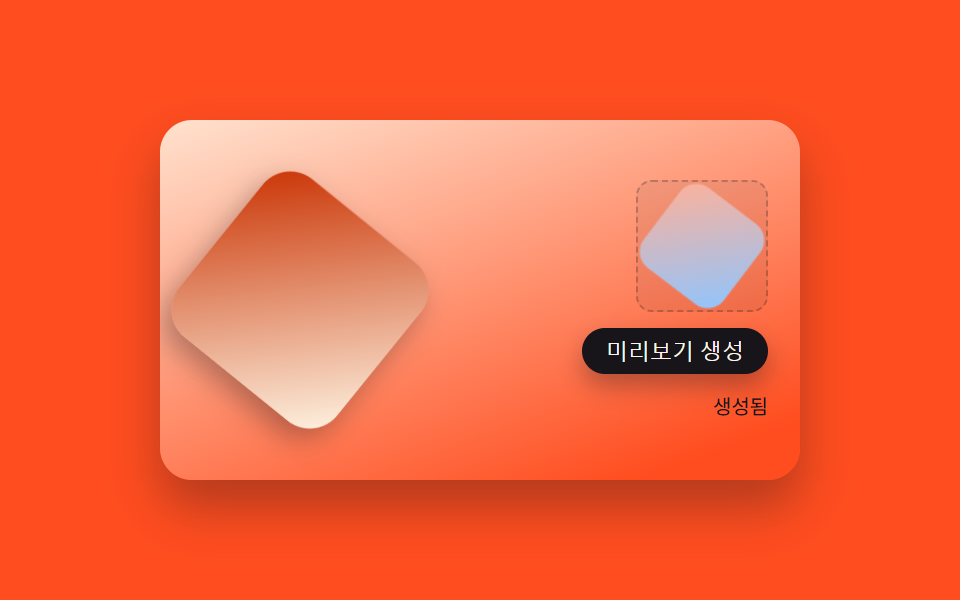
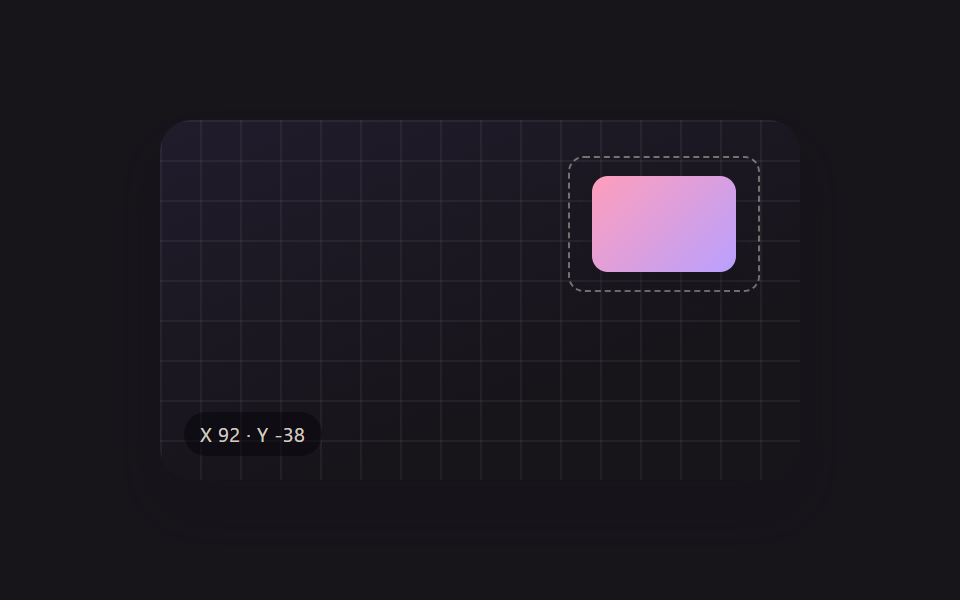
ボタンを押すと選択ボックスで囲んだ範囲だけをキャンバスに描き直してPNGデータにエンコードし、その結果を書き出しパネルのプレビュー画像としてすぐに表示する(実際のファイル保存・ダウンロードは行わない、プレビューまでのシミュレーション)。
使いどころ作った組み合わせをプロフィール画像・バナーとして保存
roundedRectPathgeneratePreviewautoPreviewLoop
<main class="stage">
<div class="scene is-demo" id="scene">
  <div class="frame">
    <div class="subjectShape" id="subject"></div>
  </div>
  <div class="exportPanel">
    <canvas id="canvas" width="96" height="96" class="exportCanvas" aria-hidden="true"></canvas>
    <div class="previewBox">
      <img id="preview" class="previewImg" alt="書き出したPNGプレビュー" />
    </div>
    <button type="button" class="exportBtn" id="exportBtn">プレビュー生成</button>
    <div class="status" id="status" aria-live="polite">待機</div>
  </div>
</div>
</main>
@use "../../../../site/static/demo-tokens" as *;
// 변수 3개
$duration: $dur-enter;
$easing: $ease-out;
$color: $subject-orange-deep;
// 계산 겹: index.html 의 generatePreview() 가 ctx.translate/rotate/scale 로 화면의 subjectShape 와
// 같은 변환을 재현한 뒤 roundedRectPath()+gradient 로 채워 canvas.toDataURL() 을 만든다.
@include stage($stage-orange);
.scene {
position: relative;
display: flex;
align-items: center;
justify-content: space-between;
width: 320px;
height: 180px;
padding: $sp-4;
border-radius: $r-card;
overflow: hidden;
box-shadow: $shadow-raised;
background: linear-gradient(160deg, #ffe2cf, $stage-orange 90%);
box-sizing: border-box;
}
.frame {
position: relative;
width: 108px;
height: 108px;
flex: none;
}
.subjectShape {
position: absolute;
inset: 8px;
border-radius: $r-card;
background: linear-gradient(135deg, $subject-orange-deep, $subject-cream);
box-shadow: $shadow-press;
will-change: transform;
}
.exportPanel {
display: flex;
flex-direction: column;
align-items: flex-end;
gap: $sp-2;
}
.exportCanvas {
display: none;
}
.previewBox {
width: 64px;
height: 64px;
border-radius: $r-sm;
background: rgba($subject-ink, .06);
border: 1px dashed rgba($subject-ink, .25);
display: flex;
align-items: center;
justify-content: center;
overflow: hidden;
}
.previewImg {
width: 100%;
height: 100%;
object-fit: contain;
}
.exportBtn {
padding: $sp-1 $sp-3;
border: none;
border-radius: $r-control;
background: $subject-ink;
color: $subject-cream;
font-size: 11px;
cursor: pointer;
box-shadow: $shadow-press;
&:focus-visible { outline: 2px solid $color; outline-offset: 2px; }
&:active { transform: translateY(1px); }
}
.status {
font-size: 10px;
color: $subject-ink;
}
@media (max-width: 340px) {
.scene { width: 220px; height: 124px; padding: $sp-2; }
.frame { width: 74px; height: 74px; }
.previewBox { width: 46px; height: 46px; }
.exportBtn, .status { font-size: 9px; }
}
@media (prefers-reduced-motion: reduce) {
// 실사용 경로 적용 — 버튼 클릭의 미리보기 생성은 즉시 그려지며 트윈이 없다.
// scss 만: 버튼 눌림 전환만 꺼서 잔여 트랜지션을 없앤다.
.exportBtn { transition: none; }
}html, body {
margin: 0;
overflow: hidden;
}
.stage {
box-sizing: border-box;
min-height: 100vh;
display: grid;
place-items: center;
margin: 0;
background: #ff4d1f;
font-family: -apple-system, "Segoe UI", "Noto Sans KR", sans-serif;
padding: clamp(8px, 4vw, 24px);
}
.scene {
position: relative;
display: flex;
align-items: center;
justify-content: space-between;
width: 320px;
height: 180px;
padding: 16px;
border-radius: 16px;
overflow: hidden;
box-shadow: 0 14px 24px rgba(23, 20, 26, 0.32);
background: linear-gradient(160deg, #ffe2cf, #ff4d1f 90%);
box-sizing: border-box;
}
.frame {
position: relative;
width: 108px;
height: 108px;
flex: none;
}
.subjectShape {
position: absolute;
inset: 8px;
border-radius: 16px;
background: linear-gradient(135deg, #c93000, #fff7e6);
box-shadow: 0 6px 12px rgba(23, 20, 26, 0.32);
will-change: transform;
}
.exportPanel {
display: flex;
flex-direction: column;
align-items: flex-end;
gap: 8px;
}
.exportCanvas {
display: none;
}
.previewBox {
width: 64px;
height: 64px;
border-radius: 8px;
background: rgba(23, 20, 26, 0.06);
border: 1px dashed rgba(23, 20, 26, 0.25);
display: flex;
align-items: center;
justify-content: center;
overflow: hidden;
}
.previewImg {
width: 100%;
height: 100%;
object-fit: contain;
}
.exportBtn {
padding: 4px 12px;
border: none;
border-radius: 12px;
background: #17141a;
color: #fff7e6;
font-size: 11px;
cursor: pointer;
box-shadow: 0 6px 12px rgba(23, 20, 26, 0.32);
}
.exportBtn:focus-visible {
outline: 2px solid #c93000;
outline-offset: 2px;
}
.exportBtn:active {
transform: translateY(1px);
}
.status {
font-size: 10px;
color: #17141a;
}
@media (max-width: 340px) {
.scene {
width: 220px;
height: 124px;
padding: 8px;
}
.frame {
width: 74px;
height: 74px;
}
.previewBox {
width: 46px;
height: 46px;
}
.exportBtn, .status {
font-size: 9px;
}
}
@media (prefers-reduced-motion: reduce) {
.exportBtn {
transition: none;
}
}(function () {
var FILL_A = '#ffb199';
var FILL_B = '#8ec5ff';
var ROTATE_SPEED_DEG_PER_S = 26;
var AUTO_PREVIEW_MS = 700;
var scene = document.getElementById('scene');
var subject = document.getElementById('subject');
var canvas = document.getElementById('canvas');
var ctx = canvas.getContext('2d');
var img = document.getElementById('preview');
var btn = document.getElementById('exportBtn');
var status = document.getElementById('status');
var reduce = window.matchMedia('(prefers-reduced-motion: reduce)').matches;
var angle = 0, scale = 1;
var rafId = null;
var timers = [];
function roundedRectPath(c, x, y, w, h, r) {
c.beginPath();
c.moveTo(x + r, y);
c.arcTo(x + w, y, x + w, y + h, r);
c.arcTo(x + w, y + h, x, y + h, r);
c.arcTo(x, y + h, x, y, r);
c.arcTo(x, y, x + w, y, r);
c.closePath();
}
// 오브젝트를 canvas.toDataURL 로 내보내기: 화면의 subjectShape 와 같은 회전·비율을 ctx 변환으로
// 그대로 재현한 뒤(대칭 산술), roundRect 경로 + gradient 를 채우고 PNG 데이터 URL 을 만든다.
// 실제 파일 저장·다운로드·클립보드 기록은 하지 않는다 — 미리보기 이미지 생성까지만 시뮬레이션한다.
function generatePreview() {
var w = canvas.width, h = canvas.height;
ctx.clearRect(0, 0, w, h);
ctx.save();
ctx.translate(w / 2, h / 2);
ctx.rotate(angle * Math.PI / 180);
ctx.scale(scale, scale);
var grad = ctx.createLinearGradient(-34, -34, 34, 34);
grad.addColorStop(0, FILL_A);
grad.addColorStop(1, FILL_B);
ctx.fillStyle = grad;
roundedRectPath(ctx, -34, -34, 68, 68, 14);
ctx.fill();
ctx.restore();
img.src = canvas.toDataURL('image/png');
status.textContent = '生成済み';
}
function human() {
if (scene.classList.contains('is-demo')) {
scene.classList.remove('is-demo');
timers.forEach(function (t) { clearTimeout(t); clearInterval(t); });
timers = [];
if (rafId !== null) { cancelAnimationFrame(rafId); rafId = null; }
}
}
btn.addEventListener('click', function () {
human();
generatePreview();
});
// reduce: 실사용 경로 적용 — 버튼 클릭 시 generatePreview() 는 현재 각도·비율을 그대로 그려
// 트윈 없이 즉시 PNG 를 만든다. 아래 ambient()/자동 미리보기는 시연 게이트만이며 reduce 에서는 돌지 않는다.
function ambient(now) {
if (!scene.classList.contains('is-demo')) return;
var t = now / 1000;
angle = (t * ROTATE_SPEED_DEG_PER_S) % 360;
scale = 1 + Math.sin(t * 1.4) * 0.12;
subject.style.transform = 'rotate(' + angle.toFixed(1) + 'deg) scale(' + scale.toFixed(3) + ')';
rafId = requestAnimationFrame(ambient);
}
function autoPreviewLoop() {
if (!scene.classList.contains('is-demo')) return;
generatePreview();
timers.push(setTimeout(autoPreviewLoop, AUTO_PREVIEW_MS));
}
generatePreview();
if (!reduce) {
rafId = requestAnimationFrame(ambient);
timers.push(setTimeout(autoPreviewLoop, AUTO_PREVIEW_MS));
}
})();import { useEffect, useRef } from 'react';
import styles from './XfExportPng.module.scss';
const FILL_A = '#ffb199';
const FILL_B = '#8ec5ff';
const ROTATE_SPEED_DEG_PER_S = 26;
const AUTO_PREVIEW_MS = 700;
export default function XfExportPng() {
const sceneRef = useRef<HTMLDivElement>(null);
useEffect(() => {
const scene0 = sceneRef.current;
if (!scene0) return undefined;
const scene = scene0;
const subject0 = scene.querySelector<HTMLDivElement>('.' + styles.subjectShape);
const canvas0 = scene.querySelector<HTMLCanvasElement>('.' + styles.exportCanvas);
const img0 = scene.querySelector<HTMLImageElement>('.' + styles.previewImg);
const btn0 = scene.querySelector<HTMLButtonElement>('.' + styles.exportBtn);
const status0 = scene.querySelector<HTMLDivElement>('.' + styles.status);
const ctx0 = canvas0 ? canvas0.getContext('2d') : null;
if (!subject0 || !canvas0 || !img0 || !btn0 || !status0 || !ctx0) return undefined;
const subject = subject0;
const canvas = canvas0;
const img = img0;
const btn = btn0;
const status = status0;
const ctx = ctx0;
const reduce = window.matchMedia('(prefers-reduced-motion: reduce)').matches;
let angle = 0, scale = 1;
let rafId = 0;
let timers: number[] = [];
function roundedRectPath(c: CanvasRenderingContext2D, x: number, y: number, w: number, h: number, r: number) {
c.beginPath();
c.moveTo(x + r, y);
c.arcTo(x + w, y, x + w, y + h, r);
c.arcTo(x + w, y + h, x, y + h, r);
c.arcTo(x, y + h, x, y, r);
c.arcTo(x, y, x + w, y, r);
c.closePath();
}
// 오브젝트를 canvas.toDataURL 로 내보내기: 화면의 subjectShape 와 같은 회전·비율을 ctx 변환으로
// 그대로 재현한 뒤(대칭 산술), roundRect 경로 + gradient 를 채우고 PNG 데이터 URL 을 만든다.
// 실제 파일 저장·다운로드·클립보드 기록은 하지 않는다 — 미리보기 이미지 생성까지만 시뮬레이션한다.
function generatePreview() {
const w = canvas.width, h = canvas.height;
ctx.clearRect(0, 0, w, h);
ctx.save();
ctx.translate(w / 2, h / 2);
ctx.rotate(angle * Math.PI / 180);
ctx.scale(scale, scale);
const grad = ctx.createLinearGradient(-34, -34, 34, 34);
grad.addColorStop(0, FILL_A);
grad.addColorStop(1, FILL_B);
ctx.fillStyle = grad;
roundedRectPath(ctx, -34, -34, 68, 68, 14);
ctx.fill();
ctx.restore();
img.src = canvas.toDataURL('image/png');
status.textContent = '생성됨';
}
function human() {
if (scene.classList.contains(styles['is-demo'])) {
scene.classList.remove(styles['is-demo']);
timers.forEach((t) => window.clearTimeout(t));
timers = [];
if (rafId) { cancelAnimationFrame(rafId); rafId = 0; }
}
}
function onClick() {
human();
generatePreview();
}
btn.addEventListener('click', onClick);
// reduce: 실사용 경로 적용 — 버튼 클릭 시 generatePreview() 는 현재 각도·비율을 그대로 그려
// 트윈 없이 즉시 PNG 를 만든다. 아래 ambient()/자동 미리보기는 시연 게이트만이며 reduce 에서는 돌지 않는다.
function ambient(now: number) {
if (!scene.classList.contains(styles['is-demo'])) return;
const t = now / 1000;
angle = (t * ROTATE_SPEED_DEG_PER_S) % 360;
scale = 1 + Math.sin(t * 1.4) * 0.12;
subject.style.transform = 'rotate(' + angle.toFixed(1) + 'deg) scale(' + scale.toFixed(3) + ')';
rafId = requestAnimationFrame(ambient);
}
function autoPreviewLoop() {
if (!scene.classList.contains(styles['is-demo'])) return;
generatePreview();
timers.push(window.setTimeout(autoPreviewLoop, AUTO_PREVIEW_MS));
}
generatePreview();
if (!reduce) {
rafId = requestAnimationFrame(ambient);
timers.push(window.setTimeout(autoPreviewLoop, AUTO_PREVIEW_MS));
}
return () => {
btn.removeEventListener('click', onClick);
timers.forEach((t) => window.clearTimeout(t));
if (rafId) cancelAnimationFrame(rafId);
};
}, []);
return (
<main className={styles.stage}>
<div className={styles.scene + ' ' + styles['is-demo']} ref={sceneRef}>
<div className={styles.frame}>
<div className={styles.subjectShape}></div>
</div>
<div className={styles.exportPanel}>
<canvas width={96} height={96} className={styles.exportCanvas} aria-hidden="true"></canvas>
<div className={styles.previewBox}>
<img className={styles.previewImg} alt="내보낸 PNG 미리보기" />
</div>
<button type="button" className={styles.exportBtn}>미리보기 생성</button>
<div className={styles.status} aria-live="polite">대기</div>
</div>
</div>
</main>
);
}09 選択範囲だけを切り出してPNGに書き出すパネル — 計測 累積面積 10.889% · 動いたフレーム 23/23GODRICH オリジナル · SCSS と React は zip に同梱 · ドラッグ ハンドル 9種 — キャンバスの自由変形ツールキット
このデモが属する記事
 ドラッグ ハンドル 9種 — キャンバスの自由変形ツールキット9種のドラッグ ハンドルのうち、1つは回転ハンドルを弧を描いて引くと選択ボックスの中心を軸にオブジェクトごと回転し、1つは散らばったアイコンをワンクリックでグリッドへ一斉に整列させ、1つは方向キーを押し続けるほど移動幅が徐々に大きくなります この記事のデモをすべて見る