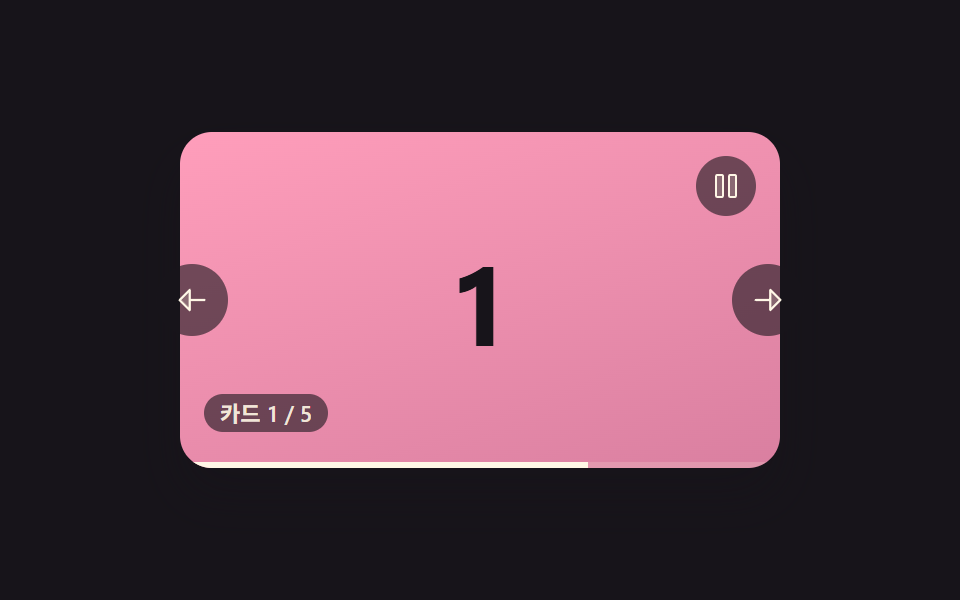
05自動で切り替わりマウスを乗せると止まるカルーセル
一定時間ごとに自動で次のカードへ切り替わり、その時間ぶん細い進捗バーが満ちていき、カード上にカーソルがある間は進行がそのまま止まる。
使いどころメインバナーのように誰もいなくても回り続ける告知エリア
showSlideonMouseEnterprogressFill
<main class="stage">
<section class="carousel is-demo" id="carousel" role="region" aria-roledescription="carousel" aria-label="カードカルーセル">
  <div class="viewport" id="viewport" tabindex="0">
    <div class="slides" id="slides">
      <div class="slide isActive card--0"><span class="num">1</span></div>
      <div class="slide card--1"><span class="num">2</span></div>
      <div class="slide card--2"><span class="num">3</span></div>
      <div class="slide card--3"><span class="num">4</span></div>
      <div class="slide card--4"><span class="num">5</span></div>
    </div>
    <div class="progressTrack"><div class="progressFill" id="progressFill"></div></div>
  </div>
  <button type="button" class="navBtn navBtn--prev" id="prevBtn" aria-label="前のカード">
    <svg viewBox="0 0 256 256" width="18" height="18" aria-hidden="true"><g fill="currentColor"><path d="M112 56v144l-72-72Z" opacity=".2"/><path d="M216 120h-96V56a8 8 0 0 0-13.66-5.66l-72 72a8 8 0 0 0 0 11.32l72 72A8 8 0 0 0 120 200v-64h96a8 8 0 0 0 0-16m-112 60.69L51.31 128L104 75.31Z"/></g></svg>
  </button>
  <button type="button" class="navBtn navBtn--next" id="nextBtn" aria-label="次のカード">
    <svg viewBox="0 0 256 256" width="18" height="18" aria-hidden="true"><g fill="currentColor"><path d="m216 128l-72 72V56Z" opacity=".2"/><path d="m221.66 122.34l-72-72A8 8 0 0 0 136 56v64H40a8 8 0 0 0 0 16h96v64a8 8 0 0 0 13.66 5.66l72-72a8 8 0 0 0 0-11.32M152 180.69V75.31L204.69 128Z"/></g></svg>
  </button>
  <button type="button" class="playBtn" id="playBtn" aria-label="自動再生を一時停止" aria-pressed="false">
    <svg class="icon icon--pause" viewBox="0 0 256 256" width="16" height="16" aria-hidden="true"><g fill="currentColor"><path d="M208 48v160a8 8 0 0 1-8 8h-40a8 8 0 0 1-8-8V48a8 8 0 0 1 8-8h40a8 8 0 0 1 8 8M96 40H56a8 8 0 0 0-8 8v160a8 8 0 0 0 8 8h40a8 8 0 0 0 8-8V48a8 8 0 0 0-8-8" opacity=".2"/><path d="M200 32h-40a16 16 0 0 0-16 16v160a16 16 0 0 0 16 16h40a16 16 0 0 0 16-16V48a16 16 0 0 0-16-16m0 176h-40V48h40ZM96 32H56a16 16 0 0 0-16 16v160a16 16 0 0 0 16 16h40a16 16 0 0 0 16-16V48a16 16 0 0 0-16-16m0 176H56V48h40Z"/></g></svg>
    <svg class="icon icon--play isHidden" viewBox="0 0 256 256" width="16" height="16" aria-hidden="true"><g fill="currentColor"><path d="M228.23 134.69L84.15 222.81A8 8 0 0 1 72 216.12V39.88a8 8 0 0 1 12.15-6.69l144.08 88.12a7.82 7.82 0 0 1 0 13.38" opacity=".2"/><path d="M232.4 114.49L88.32 26.35a16 16 0 0 0-16.2-.3A15.86 15.86 0 0 0 64 39.87v176.26A15.94 15.94 0 0 0 80 232a16.07 16.07 0 0 0 8.36-2.35l144.04-88.14a15.81 15.81 0 0 0 0-27ZM80 215.94V40l143.83 88Z"/></g></svg>
  </button>
  <div class="readout" id="readout" aria-live="polite"></div>
</section>
</main>@use "../../../../site/static/demo-tokens" as *;
// 변수 3개
$duration: $dur-base;
$easing: $ease-out;
$color: $subject-pink;
// 계산 겹: index.html 의 tick() 이 매 프레임 elapsed 에 dt 를 더하되 hovering·!playing 이면 멈춘다 —
// progressFill 너비는 그 elapsed/AUTOPLAY_MS 산술로 매겨진다(CSS 애니메이션이 아니다).
@include stage($stage-ink);
.carousel {
position: relative;
width: 300px;
}
.viewport {
position: relative;
width: 300px;
height: 168px;
border-radius: $r-card;
overflow: hidden;
box-shadow: $shadow-raised;
background: $stage-ink;
outline: none;
}
.slides {
position: relative;
width: 100%;
height: 100%;
}
.slide {
position: absolute;
inset: 0;
display: grid;
place-items: center;
opacity: 0;
transition: opacity #{$duration} $easing;
&.isActive { opacity: 1; z-index: 2; }
.num {
font-weight: 700;
font-size: 56px;
line-height: 1;
}
}
.card--0 { background: linear-gradient(160deg, $subject-pink, #d97fa0); .num { color: $subject-ink; } }
.card--1 { background: linear-gradient(160deg, $subject-blue-deep, #475690); .num { color: $subject-cream; } }
.card--2 { background: linear-gradient(160deg, $subject-mint, #63b299); .num { color: $subject-ink; } }
.card--3 { background: linear-gradient(160deg, $subject-lilac, #bdb3da); .num { color: $subject-ink; } }
.card--4 { background: linear-gradient(160deg, $subject-sky, #9cb8ce); .num { color: $subject-ink; } }
.progressTrack {
position: absolute;
left: 0;
right: 0;
bottom: 0;
height: 3px;
background: rgba($subject-cream, .18);
z-index: 3;
}
.progressFill {
height: 100%;
width: 0%;
background: $subject-cream;
}
.navBtn {
position: absolute;
top: 50%;
margin-top: -18px;
width: 36px;
height: 36px;
border-radius: $r-pill;
border: none;
display: grid;
place-items: center;
background: rgba($stage-ink, .6);
color: $subject-cream;
cursor: pointer;
z-index: 4;
&:focus-visible { outline: 2px solid $color; outline-offset: 2px; }
}
.navBtn--prev { left: -($sp-3); }
.navBtn--next { right: -($sp-3); }
.playBtn {
position: absolute;
right: $sp-3;
top: $sp-3;
width: 30px;
height: 30px;
border-radius: $r-pill;
border: none;
display: grid;
place-items: center;
background: rgba($stage-ink, .6);
color: $subject-cream;
cursor: pointer;
z-index: 4;
&:focus-visible { outline: 2px solid $color; outline-offset: 2px; }
.icon.isHidden { display: none; }
}
.readout {
position: absolute;
left: $sp-3;
bottom: $sp-3 + 6px;
padding: $sp-1 $sp-2;
border-radius: $r-pill;
background: rgba($stage-ink, .6);
color: rgba($subject-cream, .9);
font-size: 11px;
font-weight: 600;
line-height: 1;
font-variant-numeric: tabular-nums;
z-index: 4;
}
@media (max-width: 340px) {
.carousel { width: 220px; }
.viewport { width: 220px; height: 106px; }
.slide .num { font-size: 36px; }
.navBtn { width: 28px; height: 28px; margin-top: -14px; }
.playBtn { width: 24px; height: 24px; }
.readout { font-size: 9px; }
}
@media (prefers-reduced-motion: reduce) {
// 실사용 경로 적용 — 자동재생 기능 자체가 index.html 에서 완전히 꺼진다(reduce 면 rAF 를 아예 스케줄하지 않는다).
// scss 는 그 꺼진 기능의 흔적(진행바·재생 버튼)을 화면에서도 지운다.
.progressTrack, .playBtn { display: none; }
.slide { transition: none; }
.navBtn { transition: none; }
}html, body {
margin: 0;
overflow: hidden;
}
.stage {
box-sizing: border-box;
min-height: 100vh;
display: grid;
place-items: center;
margin: 0;
background: #17141a;
font-family: -apple-system, "Segoe UI", "Noto Sans KR", sans-serif;
padding: clamp(8px, 4vw, 24px);
}
.carousel {
position: relative;
width: 300px;
}
.viewport {
position: relative;
width: 300px;
height: 168px;
border-radius: 16px;
overflow: hidden;
box-shadow: 0 14px 24px rgba(23, 20, 26, 0.32);
background: #17141a;
outline: none;
}
.slides {
position: relative;
width: 100%;
height: 100%;
}
.slide {
position: absolute;
inset: 0;
display: grid;
place-items: center;
opacity: 0;
transition: opacity 300ms ease-out;
}
.slide.isActive {
opacity: 1;
z-index: 2;
}
.slide .num {
font-weight: 700;
font-size: 56px;
line-height: 1;
}
.card--0 {
background: linear-gradient(160deg, #ff9ebb, #d97fa0);
}
.card--0 .num {
color: #17141a;
}
.card--1 {
background: linear-gradient(160deg, #0a4fe8, #475690);
}
.card--1 .num {
color: #fff7e6;
}
.card--2 {
background: linear-gradient(160deg, #4cd4a6, #63b299);
}
.card--2 .num {
color: #17141a;
}
.card--3 {
background: linear-gradient(160deg, #b9a0ff, #bdb3da);
}
.card--3 .num {
color: #17141a;
}
.card--4 {
background: linear-gradient(160deg, #6ec8ff, #9cb8ce);
}
.card--4 .num {
color: #17141a;
}
.progressTrack {
position: absolute;
left: 0;
right: 0;
bottom: 0;
height: 3px;
background: rgba(255, 247, 230, 0.18);
z-index: 3;
}
.progressFill {
height: 100%;
width: 0%;
background: #fff7e6;
}
.navBtn {
position: absolute;
top: 50%;
margin-top: -18px;
width: 36px;
height: 36px;
border-radius: 999px;
border: none;
display: grid;
place-items: center;
background: rgba(23, 20, 26, 0.6);
color: #fff7e6;
cursor: pointer;
z-index: 4;
}
.navBtn:focus-visible {
outline: 2px solid #ff9ebb;
outline-offset: 2px;
}
.navBtn--prev {
left: -12px;
}
.navBtn--next {
right: -12px;
}
.playBtn {
position: absolute;
right: 12px;
top: 12px;
width: 30px;
height: 30px;
border-radius: 999px;
border: none;
display: grid;
place-items: center;
background: rgba(23, 20, 26, 0.6);
color: #fff7e6;
cursor: pointer;
z-index: 4;
}
.playBtn:focus-visible {
outline: 2px solid #ff9ebb;
outline-offset: 2px;
}
.playBtn .icon.isHidden {
display: none;
}
.readout {
position: absolute;
left: 12px;
bottom: 18px;
padding: 4px 8px;
border-radius: 999px;
background: rgba(23, 20, 26, 0.6);
color: rgba(255, 247, 230, 0.9);
font-size: 11px;
font-weight: 600;
line-height: 1;
font-variant-numeric: tabular-nums;
z-index: 4;
}
@media (max-width: 340px) {
.carousel {
width: 220px;
}
.viewport {
width: 220px;
height: 106px;
}
.slide .num {
font-size: 36px;
}
.navBtn {
width: 28px;
height: 28px;
margin-top: -14px;
}
.playBtn {
width: 24px;
height: 24px;
}
.readout {
font-size: 9px;
}
}
@media (prefers-reduced-motion: reduce) {
.progressTrack, .playBtn {
display: none;
}
.slide {
transition: none;
}
.navBtn {
transition: none;
}
}(function () {
var TOTAL = 5;
var AUTOPLAY_MS = 1350; // 슬라이드 한 장이 보이는 실제 지속 시간(ms) — progressFill 이 이 값까지 채워지면 넘어간다
var CROSSFADE_MS = 280;
var DEMO_HOVER_AT_MS = 600; // 시연: 1주기 중간쯤에서 실제 hovering 상태를 켜 남은 시간 보존을 보여준다
var DEMO_HOVER_DUR_MS = 520;
var carousel = document.getElementById('carousel');
var viewport = document.getElementById('viewport');
var slidesEl = document.getElementById('slides');
var slides = Array.prototype.slice.call(slidesEl.querySelectorAll('.slide'));
var progressFill = document.getElementById('progressFill');
var readout = document.getElementById('readout');
var prevBtn = document.getElementById('prevBtn');
var nextBtn = document.getElementById('nextBtn');
var playBtn = document.getElementById('playBtn');
var iconPause = playBtn.querySelector('.icon--pause');
var iconPlay = playBtn.querySelector('.icon--play');
var reduce = window.matchMedia('(prefers-reduced-motion: reduce)').matches;
var LABEL_PREFIX = 'カード ';
var LABEL_SEP = ' / ';
var PAUSE_LABEL = '自動再生を一時停止';
var RESUME_LABEL = '自動再生を再開';
var current = 0;
var playing = !reduce; // reduce 면 처음부터 완전히 꺼둔다(실사용 경로 자체가 재생하지 않는다)
var hovering = false;
var elapsed = 0; // 이번 슬라이드에 머문 누적 시간(ms) — hovering 동안은 늘지 않는다(남은 시간 보존)
var lastTick = 0;
var rafId = null;
var demoTimers = [];
function showSlide(i) {
slides.forEach(function (el, n) { el.classList.toggle('isActive', n === i); });
readout.textContent = LABEL_PREFIX + (i + 1) + LABEL_SEP + TOTAL;
}
function advance() {
current = (current + 1) % TOTAL;
showSlide(current);
elapsed = 0;
}
function setPlayingUI() {
playBtn.setAttribute('aria-pressed', playing ? 'false' : 'true');
playBtn.setAttribute('aria-label', playing ? PAUSE_LABEL : RESUME_LABEL);
iconPause.classList.toggle('isHidden', !playing);
iconPlay.classList.toggle('isHidden', playing);
}
// 계산 겹 — 매 프레임 dt 를 elapsed 에 더하되, hovering(또는 !playing) 이면 더하지 않는다.
// 그래서 다시 풀렸을 때 처음부터가 아니라 '멈췄던 그 지점'부터 이어서 채워진다(남은 시간 보존).
function tick(now) {
if (!lastTick) lastTick = now;
var dt = Math.min(48, now - lastTick);
lastTick = now;
if (playing && !hovering && !reduce) {
elapsed += dt;
if (elapsed >= AUTOPLAY_MS) { advance(); }
}
progressFill.style.width = (Math.min(1, elapsed / AUTOPLAY_MS) * 100).toFixed(1) + '%';
rafId = requestAnimationFrame(tick);
}
function goTo(i) {
current = ((i % TOTAL) + TOTAL) % TOTAL;
showSlide(current);
elapsed = 0;
}
function manualNav(dir) {
goTo(current + dir);
}
prevBtn.addEventListener('click', function () { manualNav(-1); });
nextBtn.addEventListener('click', function () { manualNav(1); });
playBtn.addEventListener('click', function () {
playing = !playing;
lastTick = 0;
setPlayingUI();
});
function onKeydown(e) {
if (e.key === 'ArrowLeft') { manualNav(-1); e.preventDefault(); }
else if (e.key === 'ArrowRight') { manualNav(1); e.preventDefault(); }
else if (e.key === ' ' || e.key === 'Enter') {
if (document.activeElement === playBtn) return;
playing = !playing; lastTick = 0; setPlayingUI(); e.preventDefault();
}
}
viewport.addEventListener('keydown', onKeydown);
viewport.addEventListener('mouseenter', function () { hovering = true; });
viewport.addEventListener('mouseleave', function () { hovering = false; lastTick = 0; });
// reduce: 실사용 경로 적용 — tick() 이 이미 playing=false·reduce 체크로 진행을 막는다(progressTrack 은 scss 에서 숨김).
// 아래는 시연 전용 — is-demo 동안 실제 hovering 변수를 타이머로 잠깐 켜서 '남은 시간 보존'을 보여준다.
function demoHoverPulse() {
if (!carousel.classList.contains('is-demo') || reduce) return;
demoTimers.push(setTimeout(function () {
hovering = true;
demoTimers.push(setTimeout(function () {
hovering = false;
lastTick = 0;
}, DEMO_HOVER_DUR_MS));
}, DEMO_HOVER_AT_MS));
}
function init() {
showSlide(0);
setPlayingUI();
if (reduce) {
progressFill.style.width = '0%';
return;
}
demoHoverPulse();
rafId = requestAnimationFrame(tick);
}
init();
})();import { useEffect, useRef } from 'react';
import styles from './CarouselAutoplayPauseHover.module.scss';
// 상수 — vanilla demo 05 (run/384/demo/05-carousel-slide-autoplay-pause-hover/index.html) 과 동일
const TOTAL = 5;
const AUTOPLAY_MS = 1350; // 슬라이드 한 장이 보이는 실제 지속 시간(ms) — progressFill 이 이 값까지 채워지면 넘어간다
const DEMO_HOVER_AT_MS = 600; // 시연: 1주기 중간쯤에서 실제 hovering 상태를 켜 남은 시간 보존을 보여준다
const DEMO_HOVER_DUR_MS = 520;
const LABEL_PREFIX = '카드 ';
const LABEL_SEP = ' / ';
const PAUSE_LABEL = '자동재생 멈춤';
const RESUME_LABEL = '자동재생 다시 시작';
export default function CarouselAutoplayPauseHover() {
const carouselRef = useRef<HTMLElement>(null);
useEffect(() => {
const carousel = carouselRef.current;
if (!carousel) return undefined;
const viewport = carousel.querySelector<HTMLDivElement>('.' + styles.viewport);
const slidesEl = carousel.querySelector<HTMLDivElement>('.' + styles.slides);
const progressFill = carousel.querySelector<HTMLDivElement>('.' + styles.progressFill);
const readout = carousel.querySelector<HTMLDivElement>('.' + styles.readout);
const prevBtn = carousel.querySelector<HTMLButtonElement>('.' + styles['navBtn--prev']);
const nextBtn = carousel.querySelector<HTMLButtonElement>('.' + styles['navBtn--next']);
const playBtn = carousel.querySelector<HTMLButtonElement>('.' + styles.playBtn);
if (!viewport || !slidesEl || !progressFill || !readout || !prevBtn || !nextBtn || !playBtn) return undefined;
const slides = Array.prototype.slice.call(
slidesEl.querySelectorAll<HTMLDivElement>('.' + styles.slide)
) as HTMLDivElement[];
const iconPause = playBtn.querySelector<SVGElement>('.' + styles['icon--pause']);
const iconPlay = playBtn.querySelector<SVGElement>('.' + styles['icon--play']);
if (!iconPause || !iconPlay) return undefined;
const reduce = window.matchMedia('(prefers-reduced-motion: reduce)').matches;
let current = 0;
let playing = !reduce; // reduce 면 처음부터 완전히 꺼둔다(실사용 경로 자체가 재생하지 않는다)
let hovering = false;
let elapsed = 0; // 이번 슬라이드에 머문 누적 시간(ms) — hovering 동안은 늘지 않는다(남은 시간 보존)
let lastTick = 0;
let rafId = 0;
let demoTimers: number[] = [];
function showSlide(i: number) {
slides.forEach((el, n) => el.classList.toggle(styles.isActive, n === i));
readout!.textContent = LABEL_PREFIX + (i + 1) + LABEL_SEP + TOTAL;
}
function advance() {
current = (current + 1) % TOTAL;
showSlide(current);
elapsed = 0;
}
function setPlayingUI() {
playBtn!.setAttribute('aria-pressed', playing ? 'false' : 'true');
playBtn!.setAttribute('aria-label', playing ? PAUSE_LABEL : RESUME_LABEL);
iconPause!.classList.toggle(styles.isHidden, !playing);
iconPlay!.classList.toggle(styles.isHidden, playing);
}
// 계산 겹 — 매 프레임 dt 를 elapsed 에 더하되, hovering(또는 !playing) 이면 더하지 않는다.
// 그래서 다시 풀렸을 때 처음부터가 아니라 멈췄던 그 지점부터 이어서 채워진다(남은 시간 보존).
function tick(now: number) {
if (!lastTick) lastTick = now;
const dt = Math.min(48, now - lastTick);
lastTick = now;
if (playing && !hovering && !reduce) {
elapsed += dt;
if (elapsed >= AUTOPLAY_MS) { advance(); }
}
progressFill!.style.width = (Math.min(1, elapsed / AUTOPLAY_MS) * 100).toFixed(1) + '%';
rafId = requestAnimationFrame(tick);
}
function goTo(i: number) {
current = ((i % TOTAL) + TOTAL) % TOTAL;
showSlide(current);
elapsed = 0;
}
function manualNav(dir: number) {
goTo(current + dir);
}
function onPrev() { manualNav(-1); }
function onNext() { manualNav(1); }
function onPlayClick() {
playing = !playing;
lastTick = 0;
setPlayingUI();
}
function onKeydown(e: KeyboardEvent) {
if (e.key === 'ArrowLeft') { manualNav(-1); e.preventDefault(); }
else if (e.key === 'ArrowRight') { manualNav(1); e.preventDefault(); }
else if (e.key === ' ' || e.key === 'Enter') {
if (document.activeElement === playBtn) return;
playing = !playing; lastTick = 0; setPlayingUI(); e.preventDefault();
}
}
function onMouseEnter() { hovering = true; }
function onMouseLeave() { hovering = false; lastTick = 0; }
prevBtn.addEventListener('click', onPrev);
nextBtn.addEventListener('click', onNext);
playBtn.addEventListener('click', onPlayClick);
viewport.addEventListener('keydown', onKeydown);
viewport.addEventListener('mouseenter', onMouseEnter);
viewport.addEventListener('mouseleave', onMouseLeave);
// reduce: 실사용 경로 적용 — tick() 이 이미 playing=false·reduce 체크로 진행을 막는다(progressTrack 은 scss 에서 숨김).
// 아래는 시연 전용 — is-demo 동안 실제 hovering 변수를 타이머로 잠깐 켜서 '남은 시간 보존'을 보여준다.
function demoHoverPulse() {
if (!carousel!.classList.contains(styles['is-demo']) || reduce) return;
demoTimers.push(window.setTimeout(() => {
hovering = true;
demoTimers.push(window.setTimeout(() => {
hovering = false;
lastTick = 0;
}, DEMO_HOVER_DUR_MS));
}, DEMO_HOVER_AT_MS));
}
showSlide(0);
setPlayingUI();
if (!reduce) {
demoHoverPulse();
rafId = requestAnimationFrame(tick);
} else {
progressFill.style.width = '0%';
}
return () => {
prevBtn.removeEventListener('click', onPrev);
nextBtn.removeEventListener('click', onNext);
playBtn.removeEventListener('click', onPlayClick);
viewport.removeEventListener('keydown', onKeydown);
viewport.removeEventListener('mouseenter', onMouseEnter);
viewport.removeEventListener('mouseleave', onMouseLeave);
demoTimers.forEach((t) => window.clearTimeout(t));
if (rafId) cancelAnimationFrame(rafId);
};
}, []);
return (
<main className={styles.stage}>
<section
className={styles.carousel + ' ' + styles['is-demo']}
ref={carouselRef}
role="region"
aria-roledescription="carousel"
aria-label="카드 캐러셀"
>
<div className={styles.viewport} tabIndex={0}>
<div className={styles.slides}>
<div className={styles.slide + ' ' + styles.isActive + ' ' + styles['card--0']}><span className={styles.num}>1</span></div>
<div className={styles.slide + ' ' + styles['card--1']}><span className={styles.num}>2</span></div>
<div className={styles.slide + ' ' + styles['card--2']}><span className={styles.num}>3</span></div>
<div className={styles.slide + ' ' + styles['card--3']}><span className={styles.num}>4</span></div>
<div className={styles.slide + ' ' + styles['card--4']}><span className={styles.num}>5</span></div>
</div>
<div className={styles.progressTrack}><div className={styles.progressFill}></div></div>
</div>
<button type="button" className={styles.navBtn + ' ' + styles['navBtn--prev']} aria-label="이전 카드">
<svg viewBox="0 0 256 256" width={18} height={18} aria-hidden="true"><g fill="currentColor"><path d="M112 56v144l-72-72Z" opacity=".2" /><path d="M216 120h-96V56a8 8 0 0 0-13.66-5.66l-72 72a8 8 0 0 0 0 11.32l72 72A8 8 0 0 0 120 200v-64h96a8 8 0 0 0 0-16m-112 60.69L51.31 128L104 75.31Z" /></g></svg>
</button>
<button type="button" className={styles.navBtn + ' ' + styles['navBtn--next']} aria-label="다음 카드">
<svg viewBox="0 0 256 256" width={18} height={18} aria-hidden="true"><g fill="currentColor"><path d="m216 128l-72 72V56Z" opacity=".2" /><path d="m221.66 122.34l-72-72A8 8 0 0 0 136 56v64H40a8 8 0 0 0 0 16h96v64a8 8 0 0 0 13.66 5.66l72-72a8 8 0 0 0 0-11.32M152 180.69V75.31L204.69 128Z" /></g></svg>
</button>
<button type="button" className={styles.playBtn} aria-label="자동재생 멈춤" aria-pressed="false">
<svg className={styles.icon + ' ' + styles['icon--pause']} viewBox="0 0 256 256" width={16} height={16} aria-hidden="true"><g fill="currentColor"><path d="M208 48v160a8 8 0 0 1-8 8h-40a8 8 0 0 1-8-8V48a8 8 0 0 1 8-8h40a8 8 0 0 1 8 8M96 40H56a8 8 0 0 0-8 8v160a8 8 0 0 0 8 8h40a8 8 0 0 0 8-8V48a8 8 0 0 0-8-8" opacity=".2" /><path d="M200 32h-40a16 16 0 0 0-16 16v160a16 16 0 0 0 16 16h40a16 16 0 0 0 16-16V48a16 16 0 0 0-16-16m0 176h-40V48h40ZM96 32H56a16 16 0 0 0-16 16v160a16 16 0 0 0 16 16h40a16 16 0 0 0 16-16V48a16 16 0 0 0-16-16m0 176H56V48h40Z" /></g></svg>
<svg className={styles.icon + ' ' + styles['icon--play'] + ' ' + styles.isHidden} viewBox="0 0 256 256" width={16} height={16} aria-hidden="true"><g fill="currentColor"><path d="M228.23 134.69L84.15 222.81A8 8 0 0 1 72 216.12V39.88a8 8 0 0 1 12.15-6.69l144.08 88.12a7.82 7.82 0 0 1 0 13.38" opacity=".2" /><path d="M232.4 114.49L88.32 26.35a16 16 0 0 0-16.2-.3A15.86 15.86 0 0 0 64 39.87v176.26A15.94 15.94 0 0 0 80 232a16.07 16.07 0 0 0 8.36-2.35l144.04-88.14a15.81 15.81 0 0 0 0-27ZM80 215.94V40l143.83 88Z" /></g></svg>
</button>
<div className={styles.readout} aria-live="polite"></div>
</section>
</main>
);
}05 自動で切り替わりマウスを乗せると止まるカルーセル — 計測 累積面積 34.826% · 動いたフレーム 20/23GODRICH オリジナル · SCSS と React は zip に同梱 · カルーセル スライド 9種 — 慣性ドラッグから3D遠近切替まで
このデモが属する記事
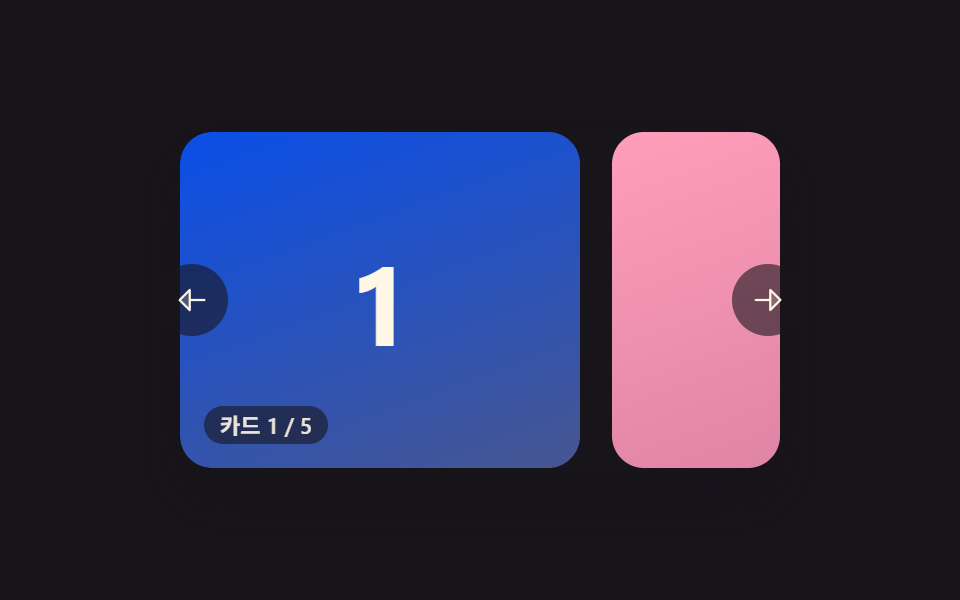 カルーセル スライド 9種 — 慣性ドラッグから3D遠近切替までカルーセル スライド9種のうち、1つはカードが切り替わるたびに慣性で少し滑ってから止まり、1つは端に触れるたびにゴムのように弾んで戻り、1つはカードが3D遠近で曲がりながら横へ通り過ぎます。 この記事のデモをすべて見る