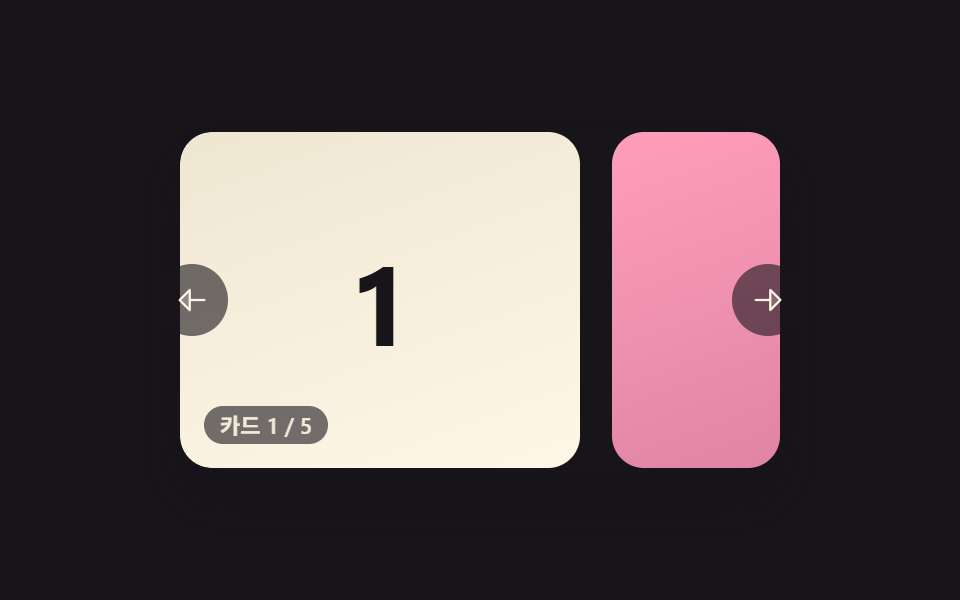
07手を離すと常にカード1枚にぴったり止まるカルーセル
手を離した位置がカードの間の中途半端な場所でも、最も近いカードの境界まで滑らかに動いて、常にカード1枚が画面にぴったり揃って止まる。
使いどころカードが半端に見えてはいけない整列型スライドショー
judgeSnapIndexreleaseVelocityanimateTo
<main class="stage">
<section class="carousel is-demo" id="carousel" role="region" aria-roledescription="carousel" aria-label="カードカルーセル">
  <div class="viewport" id="viewport" tabindex="0">
    <div class="track" id="track">
      <div class="card card--0"><span class="num">1</span></div>
      <div class="card card--1"><span class="num">2</span></div>
      <div class="card card--2"><span class="num">3</span></div>
      <div class="card card--3"><span class="num">4</span></div>
      <div class="card card--4"><span class="num">5</span></div>
    </div>
  </div>
  <button type="button" class="navBtn navBtn--prev" id="prevBtn" aria-label="前のカード">
    <svg viewBox="0 0 256 256" width="18" height="18" aria-hidden="true"><g fill="currentColor"><path d="M112 56v144l-72-72Z" opacity=".2"/><path d="M216 120h-96V56a8 8 0 0 0-13.66-5.66l-72 72a8 8 0 0 0 0 11.32l72 72A8 8 0 0 0 120 200v-64h96a8 8 0 0 0 0-16m-112 60.69L51.31 128L104 75.31Z"/></g></svg>
  </button>
  <button type="button" class="navBtn navBtn--next" id="nextBtn" aria-label="次のカード">
    <svg viewBox="0 0 256 256" width="18" height="18" aria-hidden="true"><g fill="currentColor"><path d="m216 128l-72 72V56Z" opacity=".2"/><path d="m221.66 122.34l-72-72A8 8 0 0 0 136 56v64H40a8 8 0 0 0 0 16h96v64a8 8 0 0 0 13.66 5.66l72-72a8 8 0 0 0 0-11.32M152 180.69V75.31L204.69 128Z"/></g></svg>
  </button>
  <div class="readout" id="readout" aria-live="polite"></div>
</section>
</main>
@use "../../../../site/static/demo-tokens" as *;
// 변수 3개
$duration: $dur-base;
$easing: $ease-out;
$color: $subject-cream;
// 계산 겹: index.html 의 judgeSnapIndex() 가 놓는 순간의 속도까지 읽어 '가장 가까운 칸'을
// 방향의 다음 칸으로 밀어 판정하고, animateTo() 가 매 프레임 lerp 로 그 칸에 붙인다.
@include stage($stage-ink);
.carousel {
position: relative;
width: 300px;
}
.viewport {
position: relative;
width: 300px;
height: 168px;
border-radius: $r-card;
overflow: hidden;
box-shadow: $shadow-raised;
background: $stage-ink;
outline: none;
}
.track {
display: flex;
height: 100%;
will-change: transform;
touch-action: none;
cursor: grab;
&.isDragging { cursor: grabbing; }
}
.card {
flex: 0 0 200px;
height: 100%;
margin-right: $sp-4;
border-radius: $r-card;
display: grid;
place-items: center;
&:last-child { margin-right: 0; }
.num {
font-weight: 700;
font-size: 56px;
line-height: 1;
}
}
.card--0 { background: linear-gradient(160deg, #efe6d2, $subject-cream); .num { color: $subject-ink; } }
.card--1 { background: linear-gradient(160deg, $subject-pink, #d97fa0); .num { color: $subject-ink; } }
.card--2 { background: linear-gradient(160deg, $subject-blue-deep, #475690); .num { color: $subject-cream; } }
.card--3 { background: linear-gradient(160deg, $subject-mint, #63b299); .num { color: $subject-ink; } }
.card--4 { background: linear-gradient(160deg, $subject-lilac, #bdb3da); .num { color: $subject-ink; } }
.navBtn {
position: absolute;
top: 50%;
margin-top: -18px;
width: 36px;
height: 36px;
border-radius: $r-pill;
border: none;
display: grid;
place-items: center;
background: rgba($stage-ink, .6);
color: $subject-cream;
cursor: pointer;
&:focus-visible { outline: 2px solid $subject-blue-deep; outline-offset: 2px; }
}
.navBtn--prev { left: -($sp-3); }
.navBtn--next { right: -($sp-3); }
.readout {
position: absolute;
left: $sp-3;
bottom: $sp-3;
padding: $sp-1 $sp-2;
border-radius: $r-pill;
background: rgba($stage-ink, .6);
color: rgba($subject-cream, .9);
font-size: 11px;
font-weight: 600;
line-height: 1;
font-variant-numeric: tabular-nums;
}
@media (max-width: 340px) {
.carousel { width: 220px; }
.viewport { width: 220px; height: 106px; }
.card { flex-basis: 148px; margin-right: $sp-2; .num { font-size: 36px; } }
.navBtn { width: 28px; height: 28px; margin-top: -14px; }
.readout { font-size: 9px; }
}
@media (prefers-reduced-motion: reduce) {
// 실사용 경로 적용 — 드래그·키보드·버튼은 index.html 이 그대로 스냅 판정을 돌린다.
// scss 만: 포커스 아웃라인 전환만 꺼서 잔여 트랜지션을 없앤다.
.navBtn { transition: none; }
}html, body {
margin: 0;
overflow: hidden;
}
.stage {
box-sizing: border-box;
min-height: 100vh;
display: grid;
place-items: center;
margin: 0;
background: #17141a;
font-family: -apple-system, "Segoe UI", "Noto Sans KR", sans-serif;
padding: clamp(8px, 4vw, 24px);
}
.carousel {
position: relative;
width: 300px;
}
.viewport {
position: relative;
width: 300px;
height: 168px;
border-radius: 16px;
overflow: hidden;
box-shadow: 0 14px 24px rgba(23, 20, 26, 0.32);
background: #17141a;
outline: none;
}
.track {
display: flex;
height: 100%;
will-change: transform;
touch-action: none;
cursor: grab;
}
.track.isDragging {
cursor: grabbing;
}
.card {
flex: 0 0 200px;
height: 100%;
margin-right: 16px;
border-radius: 16px;
display: grid;
place-items: center;
}
.card:last-child {
margin-right: 0;
}
.card .num {
font-weight: 700;
font-size: 56px;
line-height: 1;
}
.card--0 {
background: linear-gradient(160deg, #efe6d2, #fff7e6);
}
.card--0 .num {
color: #17141a;
}
.card--1 {
background: linear-gradient(160deg, #ff9ebb, #d97fa0);
}
.card--1 .num {
color: #17141a;
}
.card--2 {
background: linear-gradient(160deg, #0a4fe8, #475690);
}
.card--2 .num {
color: #fff7e6;
}
.card--3 {
background: linear-gradient(160deg, #4cd4a6, #63b299);
}
.card--3 .num {
color: #17141a;
}
.card--4 {
background: linear-gradient(160deg, #b9a0ff, #bdb3da);
}
.card--4 .num {
color: #17141a;
}
.navBtn {
position: absolute;
top: 50%;
margin-top: -18px;
width: 36px;
height: 36px;
border-radius: 999px;
border: none;
display: grid;
place-items: center;
background: rgba(23, 20, 26, 0.6);
color: #fff7e6;
cursor: pointer;
}
.navBtn:focus-visible {
outline: 2px solid #0a4fe8;
outline-offset: 2px;
}
.navBtn--prev {
left: -12px;
}
.navBtn--next {
right: -12px;
}
.readout {
position: absolute;
left: 12px;
bottom: 12px;
padding: 4px 8px;
border-radius: 999px;
background: rgba(23, 20, 26, 0.6);
color: rgba(255, 247, 230, 0.9);
font-size: 11px;
font-weight: 600;
line-height: 1;
font-variant-numeric: tabular-nums;
}
@media (max-width: 340px) {
.carousel {
width: 220px;
}
.viewport {
width: 220px;
height: 106px;
}
.card {
flex-basis: 148px;
margin-right: 8px;
}
.card .num {
font-size: 36px;
}
.navBtn {
width: 28px;
height: 28px;
margin-top: -14px;
}
.readout {
font-size: 9px;
}
}
@media (prefers-reduced-motion: reduce) {
.navBtn {
transition: none;
}
}(function () {
var TOTAL = 5;
var SNAP_EASE = 0.24; // 목표 스냅 위치로 매 프레임 당기는 비율
var SNAP_STOP = 0.35;
var SAMPLE_WINDOW_MS = 110;
var SNAP_VELOCITY_BIAS = 0.32; // 이 속도(px/ms) 이상으로 놓으면 '가장 가까운 칸' 대신 그 방향의 다음 칸으로 판정한다
var DEMO_FLICKS = [
{ dx: -60, fast: false }, // 느리게 살짝 — 가장 가까운 칸으로
{ dx: -40, fast: true }, // 빠르게 짧게 — 방향의 다음 칸으로(판정이 갈리는 지점)
{ dx: 70, fast: false },
{ dx: 55, fast: true }
];
var DEMO_HOLD_MS = 300;
var carousel = document.getElementById('carousel');
var viewport = document.getElementById('viewport');
var track = document.getElementById('track');
var readout = document.getElementById('readout');
var prevBtn = document.getElementById('prevBtn');
var nextBtn = document.getElementById('nextBtn');
var reduce = window.matchMedia('(prefers-reduced-motion: reduce)').matches;
var LABEL_PREFIX = 'カード ';
var LABEL_SEP = ' / ';
var pos = 0, minX = 0, maxX = 0, step = 0;
var dragging = false;
var samples = [];
var snapFrame = null;
var demoTimers = [];
function bounds() {
step = track.scrollWidth / TOTAL;
maxX = 0;
minX = Math.min(0, viewport.clientWidth - track.scrollWidth);
}
function clamp(v, lo, hi) { return Math.min(hi, Math.max(lo, v)); }
function paint() {
track.style.transform = 'translate3d(' + pos.toFixed(1) + 'px,0,0)';
var idx = clamp(Math.round(-pos / step), 0, TOTAL - 1);
readout.textContent = LABEL_PREFIX + (idx + 1) + LABEL_SEP + TOTAL;
}
function stopSnap() {
if (snapFrame) { cancelAnimationFrame(snapFrame); snapFrame = null; }
}
function animateTo(target) {
stopSnap();
function frame() {
pos += (target - pos) * SNAP_EASE;
paint();
if (Math.abs(target - pos) > SNAP_STOP) {
snapFrame = requestAnimationFrame(frame);
} else {
pos = target;
paint();
snapFrame = null;
}
}
snapFrame = requestAnimationFrame(frame);
}
// 계산 겹 — 그냥 가장 가까운 칸이 아니라, 놓는 순간의 속도가 기준(SNAP_VELOCITY_BIAS)을 넘으면
// '가까운 칸' 판정을 그 방향의 다음 칸으로 밀어 넘긴다(빠르게 짧게 밀어도 다음 칸으로 붙는다).
function judgeSnapIndex(rawPos, velocity) {
var rawIndex = -rawPos / step;
var idx = Math.round(rawIndex);
if (Math.abs(velocity) > SNAP_VELOCITY_BIAS) {
idx += velocity < 0 ? 1 : -1;
}
return clamp(idx, 0, TOTAL - 1);
}
function pushSample(t, x) {
samples.push({ t: t, x: x });
while (samples.length && t - samples[0].t > SAMPLE_WINDOW_MS) samples.shift();
}
function releaseVelocity() {
if (samples.length < 2) return 0;
var a = samples[0], b = samples[samples.length - 1];
var dt = b.t - a.t;
if (dt <= 0) return 0;
return (b.x - a.x) / dt;
}
function human() {
if (carousel.classList.contains('is-demo')) {
carousel.classList.remove('is-demo');
demoTimers.forEach(function (t) { clearTimeout(t); });
demoTimers = [];
}
}
function onPointerDown(e) {
human();
stopSnap();
dragging = true;
samples = [];
track.classList.add('isDragging');
viewport.setPointerCapture(e.pointerId);
pushSample(performance.now(), e.clientX);
carousel._originPos = pos;
carousel._startX = e.clientX;
}
function onPointerMove(e) {
if (!dragging) return;
var dx = e.clientX - carousel._startX;
pos = clamp(carousel._originPos + dx, minX - step * 0.6, maxX + step * 0.6);
pushSample(performance.now(), e.clientX);
paint();
}
function onPointerUp(e) {
if (!dragging) return;
dragging = false;
track.classList.remove('isDragging');
try { viewport.releasePointerCapture(e.pointerId); } catch (err) {}
var velocity = releaseVelocity();
var idx = judgeSnapIndex(pos, velocity);
animateTo(-idx * step);
}
function step_(dir) {
human();
var idx = clamp(Math.round(-pos / step) + dir, 0, TOTAL - 1);
animateTo(-idx * step);
}
function onKeydown(e) {
if (e.key === 'ArrowLeft') { step_(-1); e.preventDefault(); }
else if (e.key === 'ArrowRight') { step_(1); e.preventDefault(); }
}
viewport.addEventListener('pointerdown', onPointerDown);
viewport.addEventListener('pointermove', onPointerMove);
viewport.addEventListener('pointerup', onPointerUp);
viewport.addEventListener('pointercancel', onPointerUp);
viewport.addEventListener('keydown', onKeydown);
prevBtn.addEventListener('click', function () { step_(-1); });
nextBtn.addEventListener('click', function () { step_(1); });
// reduce: 실사용 경로 적용 — 드래그·키보드·버튼은 위 리스너가 그대로 스냅 판정을 돌린다.
// 아래 demoCycle() 은 시연 게이트만이고 reduce 에서는 돌지 않는다(가짜 포인터 이벤트 없이 같은 판정 함수만 재사용).
function demoCycle(i) {
if (!carousel.classList.contains('is-demo')) return;
var f = DEMO_FLICKS[i % DEMO_FLICKS.length];
var velocity = f.fast ? (f.dx < 0 ? -0.5 : 0.5) : (f.dx < 0 ? -0.08 : 0.08);
var pretend = clamp(pos + f.dx, minX - step * 0.6, maxX + step * 0.6);
var idx = judgeSnapIndex(pretend, velocity);
pos = pretend; paint();
animateTo(-idx * step);
demoTimers.push(setTimeout(function () { demoCycle(i + 1); }, DEMO_HOLD_MS + 260));
}
function init() {
bounds();
paint();
if (!reduce) demoCycle(0);
}
window.addEventListener('resize', bounds);
init();
})();import { useEffect, useRef } from 'react';
import styles from './CarouselSnapPoints.module.scss';
// 상수 — vanilla demo 07 (run/384/demo/07-carousel-slide-snap-points/index.html) 과 동일
const TOTAL = 5;
const SNAP_EASE = 0.24; // 목표 스냅 위치로 매 프레임 당기는 비율
const SNAP_STOP = 0.35;
const SAMPLE_WINDOW_MS = 110;
const SNAP_VELOCITY_BIAS = 0.32; // 이 속도(px/ms) 이상으로 놓으면 '가장 가까운 칸' 대신 그 방향의 다음 칸으로 판정한다
const DEMO_FLICKS = [
{ dx: -60, fast: false }, // 느리게 살짝 — 가장 가까운 칸으로
{ dx: -40, fast: true }, // 빠르게 짧게 — 방향의 다음 칸으로(판정이 갈리는 지점)
{ dx: 70, fast: false },
{ dx: 55, fast: true },
];
const DEMO_HOLD_MS = 300;
const LABEL_PREFIX = '카드 ';
const LABEL_SEP = ' / ';
export default function CarouselSnapPoints() {
const carouselRef = useRef<HTMLElement>(null);
useEffect(() => {
const carousel = carouselRef.current;
if (!carousel) return undefined;
const viewport = carousel.querySelector<HTMLDivElement>('.' + styles.viewport);
const track = carousel.querySelector<HTMLDivElement>('.' + styles.track);
const readout = carousel.querySelector<HTMLDivElement>('.' + styles.readout);
const prevBtn = carousel.querySelector<HTMLButtonElement>('.' + styles['navBtn--prev']);
const nextBtn = carousel.querySelector<HTMLButtonElement>('.' + styles['navBtn--next']);
if (!viewport || !track || !readout || !prevBtn || !nextBtn) return undefined;
let pos = 0, minX = 0, maxX = 0, step = 0;
let dragging = false;
let samples: { t: number; x: number }[] = [];
let snapFrame = 0;
let demoTimers: number[] = [];
let originPos = 0, startX = 0;
function bounds() {
step = track!.scrollWidth / TOTAL;
maxX = 0;
minX = Math.min(0, viewport!.clientWidth - track!.scrollWidth);
}
function clamp(v: number, lo: number, hi: number) { return Math.min(hi, Math.max(lo, v)); }
function paint() {
track!.style.transform = 'translate3d(' + pos.toFixed(1) + 'px,0,0)';
const idx = clamp(Math.round(-pos / step), 0, TOTAL - 1);
readout!.textContent = LABEL_PREFIX + (idx + 1) + LABEL_SEP + TOTAL;
}
function stopSnap() {
if (snapFrame) { cancelAnimationFrame(snapFrame); snapFrame = 0; }
}
function animateTo(target: number) {
stopSnap();
function frame() {
pos += (target - pos) * SNAP_EASE;
paint();
if (Math.abs(target - pos) > SNAP_STOP) {
snapFrame = requestAnimationFrame(frame);
} else {
pos = target;
paint();
snapFrame = 0;
}
}
snapFrame = requestAnimationFrame(frame);
}
// 계산 겹 — 그냥 가장 가까운 칸이 아니라, 놓는 순간의 속도가 기준(SNAP_VELOCITY_BIAS)을 넘으면
// '가까운 칸' 판정을 그 방향의 다음 칸으로 밀어 넘긴다(빠르게 짧게 밀어도 다음 칸으로 붙는다).
function judgeSnapIndex(rawPos: number, velocity: number) {
const rawIndex = -rawPos / step;
let idx = Math.round(rawIndex);
if (Math.abs(velocity) > SNAP_VELOCITY_BIAS) {
idx += velocity < 0 ? 1 : -1;
}
return clamp(idx, 0, TOTAL - 1);
}
function pushSample(t: number, x: number) {
samples.push({ t, x });
while (samples.length && t - samples[0].t > SAMPLE_WINDOW_MS) samples.shift();
}
function releaseVelocity() {
if (samples.length < 2) return 0;
const a = samples[0], b = samples[samples.length - 1];
const dt = b.t - a.t;
if (dt <= 0) return 0;
return (b.x - a.x) / dt;
}
function human() {
if (carousel!.classList.contains(styles['is-demo'])) {
carousel!.classList.remove(styles['is-demo']);
demoTimers.forEach((t) => window.clearTimeout(t));
demoTimers = [];
}
}
function onPointerDown(e: PointerEvent) {
human();
stopSnap();
dragging = true;
samples = [];
track!.classList.add(styles.isDragging);
viewport!.setPointerCapture(e.pointerId);
pushSample(performance.now(), e.clientX);
originPos = pos;
startX = e.clientX;
}
function onPointerMove(e: PointerEvent) {
if (!dragging) return;
const dx = e.clientX - startX;
pos = clamp(originPos + dx, minX - step * 0.6, maxX + step * 0.6);
pushSample(performance.now(), e.clientX);
paint();
}
function onPointerUp(e: PointerEvent) {
if (!dragging) return;
dragging = false;
track!.classList.remove(styles.isDragging);
try { viewport!.releasePointerCapture(e.pointerId); } catch { /* 캡처가 이미 풀린 경우 */ }
const velocity = releaseVelocity();
const idx = judgeSnapIndex(pos, velocity);
animateTo(-idx * step);
}
function stepTo(dir: number) {
human();
const idx = clamp(Math.round(-pos / step) + dir, 0, TOTAL - 1);
animateTo(-idx * step);
}
function onKeydown(e: KeyboardEvent) {
if (e.key === 'ArrowLeft') { stepTo(-1); e.preventDefault(); }
else if (e.key === 'ArrowRight') { stepTo(1); e.preventDefault(); }
}
function onPrev() { stepTo(-1); }
function onNext() { stepTo(1); }
function onResize() { bounds(); }
viewport.addEventListener('pointerdown', onPointerDown);
viewport.addEventListener('pointermove', onPointerMove);
viewport.addEventListener('pointerup', onPointerUp);
viewport.addEventListener('pointercancel', onPointerUp);
viewport.addEventListener('keydown', onKeydown);
prevBtn.addEventListener('click', onPrev);
nextBtn.addEventListener('click', onNext);
window.addEventListener('resize', onResize);
const reduce = window.matchMedia('(prefers-reduced-motion: reduce)').matches;
// reduce: 실사용 경로 적용 — 드래그·키보드·버튼은 위 리스너가 그대로 스냅 판정을 돌린다.
// 아래 demoCycle() 은 시연 게이트만이고 reduce 에서는 돌지 않는다(가짜 포인터 이벤트 없이 같은 판정 함수만 재사용).
function demoCycle(i: number) {
if (!carousel!.classList.contains(styles['is-demo'])) return;
const f = DEMO_FLICKS[i % DEMO_FLICKS.length];
const velocity = f.fast ? (f.dx < 0 ? -0.5 : 0.5) : (f.dx < 0 ? -0.08 : 0.08);
const pretend = clamp(pos + f.dx, minX - step * 0.6, maxX + step * 0.6);
const idx = judgeSnapIndex(pretend, velocity);
pos = pretend; paint();
animateTo(-idx * step);
demoTimers.push(window.setTimeout(() => demoCycle(i + 1), DEMO_HOLD_MS + 260));
}
bounds();
paint();
if (!reduce) demoCycle(0);
return () => {
viewport.removeEventListener('pointerdown', onPointerDown);
viewport.removeEventListener('pointermove', onPointerMove);
viewport.removeEventListener('pointerup', onPointerUp);
viewport.removeEventListener('pointercancel', onPointerUp);
viewport.removeEventListener('keydown', onKeydown);
prevBtn.removeEventListener('click', onPrev);
nextBtn.removeEventListener('click', onNext);
window.removeEventListener('resize', onResize);
demoTimers.forEach((t) => window.clearTimeout(t));
stopSnap();
};
}, []);
return (
<main className={styles.stage}>
<section
className={styles.carousel + ' ' + styles['is-demo']}
ref={carouselRef}
role="region"
aria-roledescription="carousel"
aria-label="카드 캐러셀"
>
<div className={styles.viewport} tabIndex={0}>
<div className={styles.track}>
<div className={styles.card + ' ' + styles['card--0']}><span className={styles.num}>1</span></div>
<div className={styles.card + ' ' + styles['card--1']}><span className={styles.num}>2</span></div>
<div className={styles.card + ' ' + styles['card--2']}><span className={styles.num}>3</span></div>
<div className={styles.card + ' ' + styles['card--3']}><span className={styles.num}>4</span></div>
<div className={styles.card + ' ' + styles['card--4']}><span className={styles.num}>5</span></div>
</div>
</div>
<button type="button" className={styles.navBtn + ' ' + styles['navBtn--prev']} aria-label="이전 카드">
<svg viewBox="0 0 256 256" width={18} height={18} aria-hidden="true"><g fill="currentColor"><path d="M112 56v144l-72-72Z" opacity=".2" /><path d="M216 120h-96V56a8 8 0 0 0-13.66-5.66l-72 72a8 8 0 0 0 0 11.32l72 72A8 8 0 0 0 120 200v-64h96a8 8 0 0 0 0-16m-112 60.69L51.31 128L104 75.31Z" /></g></svg>
</button>
<button type="button" className={styles.navBtn + ' ' + styles['navBtn--next']} aria-label="다음 카드">
<svg viewBox="0 0 256 256" width={18} height={18} aria-hidden="true"><g fill="currentColor"><path d="m216 128l-72 72V56Z" opacity=".2" /><path d="m221.66 122.34l-72-72A8 8 0 0 0 136 56v64H40a8 8 0 0 0 0 16h96v64a8 8 0 0 0 13.66 5.66l72-72a8 8 0 0 0 0-11.32M152 180.69V75.31L204.69 128Z" /></g></svg>
</button>
<div className={styles.readout} aria-live="polite"></div>
</section>
</main>
);
}07 手を離すと常にカード1枚にぴったり止まるカルーセル — 計測 累積面積 34.805% · 動いたフレーム 18/23GODRICH オリジナル · SCSS と React は zip に同梱 · カルーセル スライド 9種 — 慣性ドラッグから3D遠近切替まで
このデモが属する記事
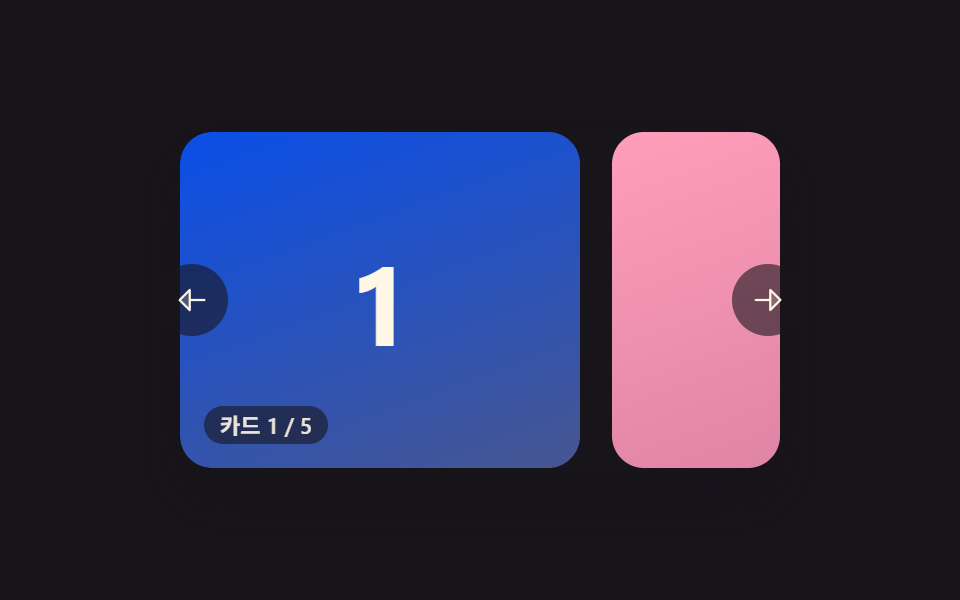 カルーセル スライド 9種 — 慣性ドラッグから3D遠近切替までカルーセル スライド9種のうち、1つはカードが切り替わるたびに慣性で少し滑ってから止まり、1つは端に触れるたびにゴムのように弾んで戻り、1つはカードが3D遠近で曲がりながら横へ通り過ぎます。 この記事のデモをすべて見る