02目標達成リング + 数値カウントアップ
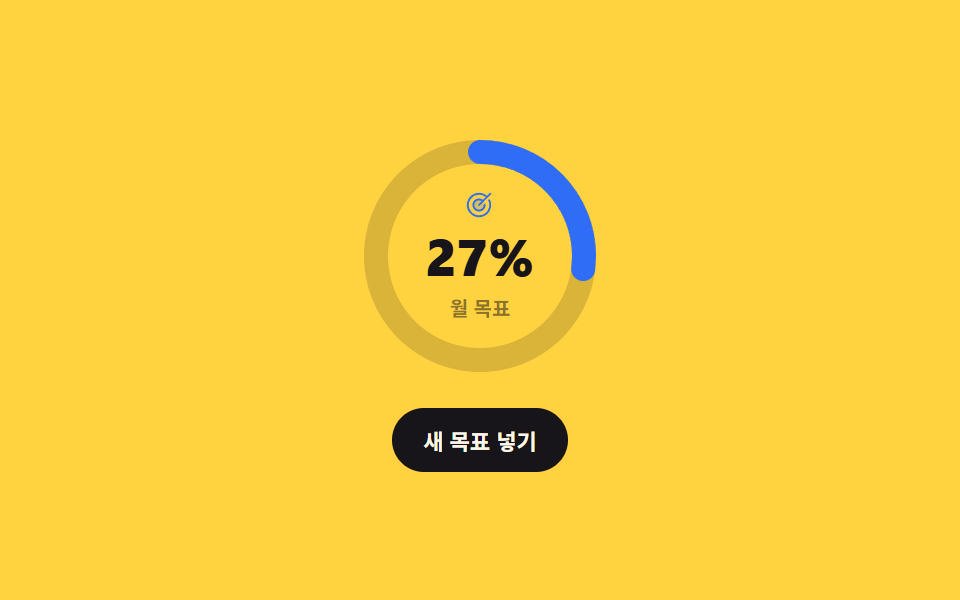
リングが巻かれる間に中央の数字が0から目標パーセントまで実際に1ずつ増え、ボタンを押すと新しい目標値へリングと数字が一緒に動きます。
使いどころ月間売上目標・有料転換率のように数字1つが主役のKPIカード
@propertycounter()click
<main class="stage">
  <div class="gr is-demo">
    <div class="gr__dial">
      <svg class="gr__svg" viewBox="0 0 128 128" width="128" height="128" aria-hidden="true">
        <circle class="gr__track" cx="64" cy="64" r="52"/>
        <circle class="gr__ring" cx="64" cy="64" r="52"/>
      </svg>
      <div class="gr__center">
        <span class="gr__ic" aria-hidden="true"><svg viewBox="0 0 256 256" width="15" height="15"><g fill="currentColor"><path d="M176 128a48 48 0 1 1-48-48a48 48 0 0 1 48 48" opacity=".2"/><path d="M221.87 83.16A104.1 104.1 0 1 1 195.67 49l22.67-22.68a8 8 0 0 1 11.32 11.32l-96 96a8 8 0 0 1-11.32-11.32l27.72-27.72a40 40 0 1 0 17.87 31.09a8 8 0 1 1 16-.9a56 56 0 1 1-22.38-41.65l22.75-22.75a87.88 87.88 0 1 0 23.13 29.67a8 8 0 0 1 14.44-6.9"/></g></svg></span>
        <span class="gr__num" role="status" aria-label="目標達成率"></span>
        <span class="gr__cap">月間目標</span>
      </div>
    </div>
    <button class="gr__btn" type="button">新しい目標</button>
  </div>
</main>
@use "../../../../site/static/demo-tokens" as *;
$duration: $dur-loop;
$easing: $ease-spring;
$color: $subject-blue;
@include stage($stage-yellow);
// 숫자를 애니메이션할 수 있게 만드는 한 줄. 없으면 --num 은 그냥 문자열이라 0 에서 72 로 튄다
@property --num {
syntax: "<integer>";
inherits: true;
initial-value: 0;
}
.gr {
--num: 72;
box-sizing: border-box;
display: grid;
justify-items: center;
gap: $sp-3;
color: $stage-ink;
font-family: -apple-system, "Segoe UI", "Noto Sans KR", sans-serif;
transition: --num $dur-enter $easing;
}
.gr__dial { position: relative; display: grid; place-items: center; }
.gr__svg {
width: clamp(112px, 33vw, 128px);
height: clamp(112px, 33vw, 128px);
transform: rotate(-90deg);
}
.gr__track {
fill: none;
stroke: rgba(23, 20, 26, .16);
stroke-width: 12;
}
.gr__ring {
fill: none;
stroke: $color;
stroke-width: 12;
stroke-linecap: round;
// r=52 → C = 2π × 52 = 326.726. 퍼센트를 그대로 offset 으로 환산한다
stroke-dasharray: 326.726;
stroke-dashoffset: calc(326.726 * (1 - var(--num) / 100));
}
.gr__center {
position: absolute;
display: grid;
justify-items: center;
gap: $sp-1;
pointer-events: none;
}
.gr__ic { display: inline-flex; color: $color; }
.gr__num {
font-size: clamp(22px, 7vw, 26px);
font-weight: 800;
font-variant-numeric: tabular-nums;
line-height: 1.1;
}
// counter() 는 정수만 받는다 — 그래서 --num 의 syntax 가 <integer> 여야 한다
.gr__num::after {
counter-reset: n var(--num);
content: counter(n) "%";
}
.gr__cap { font-size: 10px; font-weight: 700; color: rgba(23, 20, 26, .5); }
.gr__btn {
border: 0;
border-radius: $r-pill;
background: $stage-ink;
color: $subject-cream;
font-family: inherit;
font-size: 11px;
font-weight: 700;
padding: $sp-2 $sp-4;
cursor: pointer;
transition: transform $dur-quick $ease-pop;
}
.gr__btn:hover, .gr__btn:focus-visible { transform: translateY(-2px); }
// ── 자동 루프: 0 → 72 → 0. 숫자 하나만 애니메이션하면 링이 따라온다 ──
.gr.is-demo { animation: gr-count $duration $easing infinite; }
@keyframes gr-count {
0% { --num: 0; }
45%, 55% { --num: 72; }
100% { --num: 0; }
}
@media (max-width: 340px) {
.gr__cap { font-size: 9px; }
}
@media (prefers-reduced-motion: reduce) {
.gr.is-demo { animation: none !important; --num: 72; }
.gr, .gr__btn { transition: none; }
}html, body {
margin: 0;
overflow: hidden;
}
.stage {
box-sizing: border-box;
min-height: 100vh;
display: grid;
place-items: center;
margin: 0;
background: #ffd23f;
font-family: -apple-system, "Segoe UI", "Noto Sans KR", sans-serif;
padding: clamp(8px, 4vw, 24px);
}
@property --num {
syntax: "<integer>";
inherits: true;
initial-value: 0;
}
.gr {
--num: 72;
box-sizing: border-box;
display: grid;
justify-items: center;
gap: 12px;
color: #17141a;
font-family: -apple-system, "Segoe UI", "Noto Sans KR", sans-serif;
transition: --num 600ms cubic-bezier(0.2, 0.8, 0.2, 1);
}
.gr__dial {
position: relative;
display: grid;
place-items: center;
}
.gr__svg {
width: clamp(112px, 33vw, 128px);
height: clamp(112px, 33vw, 128px);
transform: rotate(-90deg);
}
.gr__track {
fill: none;
stroke: rgba(23, 20, 26, 0.16);
stroke-width: 12;
}
.gr__ring {
fill: none;
stroke: #2f6df6;
stroke-width: 12;
stroke-linecap: round;
stroke-dasharray: 326.726;
stroke-dashoffset: calc(326.726 * (1 - var(--num) / 100));
}
.gr__center {
position: absolute;
display: grid;
justify-items: center;
gap: 4px;
pointer-events: none;
}
.gr__ic {
display: inline-flex;
color: #2f6df6;
}
.gr__num {
font-size: clamp(22px, 7vw, 26px);
font-weight: 800;
font-variant-numeric: tabular-nums;
line-height: 1.1;
}
.gr__num::after {
counter-reset: n var(--num);
content: counter(n) "%";
}
.gr__cap {
font-size: 10px;
font-weight: 700;
color: rgba(23, 20, 26, 0.5);
}
.gr__btn {
border: 0;
border-radius: 999px;
background: #17141a;
color: #fff7e6;
font-family: inherit;
font-size: 11px;
font-weight: 700;
padding: 8px 16px;
cursor: pointer;
transition: transform 220ms cubic-bezier(0.2, 1.4, 0.4, 1);
}
.gr__btn:hover, .gr__btn:focus-visible {
transform: translateY(-2px);
}
.gr.is-demo {
animation: gr-count 2s cubic-bezier(0.2, 0.8, 0.2, 1) infinite;
}
@keyframes gr-count {
0% {
--num: 0;
}
45%, 55% {
--num: 72;
}
100% {
--num: 0;
}
}
@media (max-width: 340px) {
.gr__cap {
font-size: 9px;
}
}
@media (prefers-reduced-motion: reduce) {
.gr.is-demo {
animation: none !important;
--num: 72;
}
.gr, .gr__btn {
transition: none;
}
}// 실제 동작: --num 하나만 바꾸면 숫자와 링이 같이 움직인다. 링의 dashoffset 이 --num 을 읽어 쓴다.
var gr = document.querySelector('.gr');
gr.querySelector('.gr__btn').addEventListener('click', function () {
gr.classList.remove('is-demo');
var v = 20 + Math.floor(Math.random() * 80);
gr.style.setProperty('--num', String(v));
});import { useState } from "react";
import type { CSSProperties } from "react";
import styles from "./GoalCountUpRing.module.scss";
export type GoalCountUpRingProps = {
duration?: number;
easing?: string;
color?: string;
};
type Vars = CSSProperties & {
"--duration"?: string;
"--easing"?: string;
"--color"?: string;
"--num"?: number;
};
export default function GoalCountUpRing({
duration = 600,
easing = "cubic-bezier(.2,.8,.2,1)",
color = "#2f6df6",
}: GoalCountUpRingProps) {
const [num, setNum] = useState(72);
const vars: Vars = {
"--duration": `${duration}ms`,
"--easing": easing,
"--color": color,
"--num": num,
};
return (
<div className={styles.gr} style={vars}>
<div className={styles.dial}>
<svg className={styles.svg} viewBox="0 0 128 128" width="128" height="128" aria-hidden="true">
<circle className={styles.track} cx="64" cy="64" r="52" />
<circle className={styles.ring} cx="64" cy="64" r="52" />
</svg>
<div className={styles.center}>
<span className={styles.ic} aria-hidden="true">
<svg viewBox="0 0 256 256" width="15" height="15">
<g fill="currentColor">
<path d="M176 128a48 48 0 1 1-48-48a48 48 0 0 1 48 48" opacity=".2" />
<path d="M221.87 83.16A104.1 104.1 0 1 1 195.67 49l22.67-22.68a8 8 0 0 1 11.32 11.32l-96 96a8 8 0 0 1-11.32-11.32l27.72-27.72a40 40 0 1 0 17.87 31.09a8 8 0 1 1 16-.9a56 56 0 1 1-22.38-41.65l22.75-22.75a87.88 87.88 0 1 0 23.13 29.67a8 8 0 0 1 14.44-6.9" />
</g>
</svg>
</span>
<span className={styles.num} role="status" aria-label="Goal completion" />
<span className={styles.cap}>Monthly goal</span>
</div>
</div>
<button
type="button"
className={styles.btn}
onClick={() => setNum(20 + Math.floor(Math.random() * 80))}
>
Set new goal
</button>
</div>
);
}02 目標達成リング + 数値カウントアップ — 計測 累積面積 2.951% · 動いたフレーム 17/23GODRICH オリジナル · SCSS と React は zip に同梱 · 円形プログレスバー css スタットリング9選 — 数値も実際に動く
このデモが属する記事
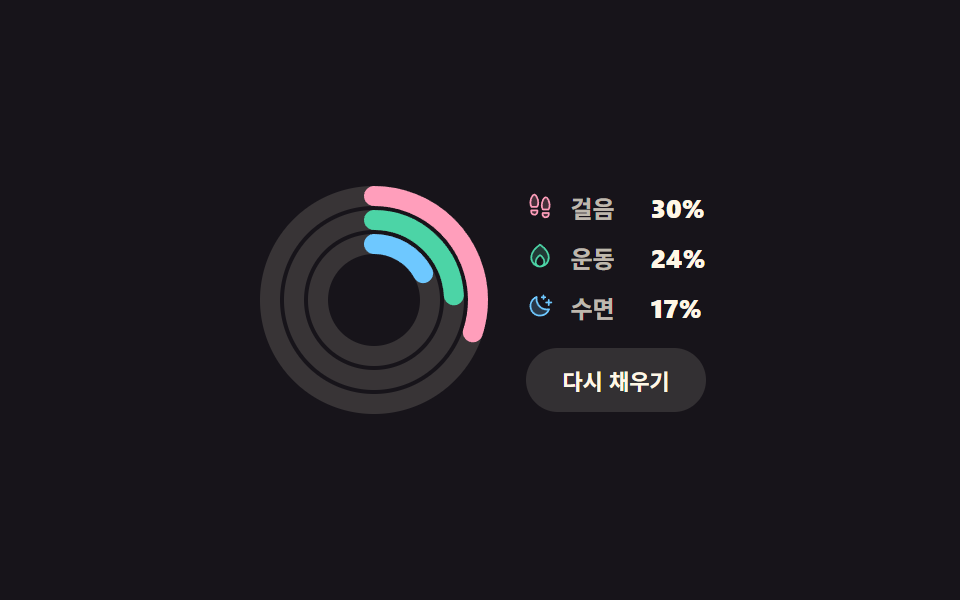 円形プログレスバー css スタットリング9選 — 数値も実際に動く円形プログレスバー css とは、棒の代わりに円に沿って値の分だけ埋めていく進捗表示で、SVGの円ひとつに stroke-dasharray と stroke-dashoffset の二つを与えるだけで作れます。九つとも、ボタンやスライダー この記事のデモをすべて見る