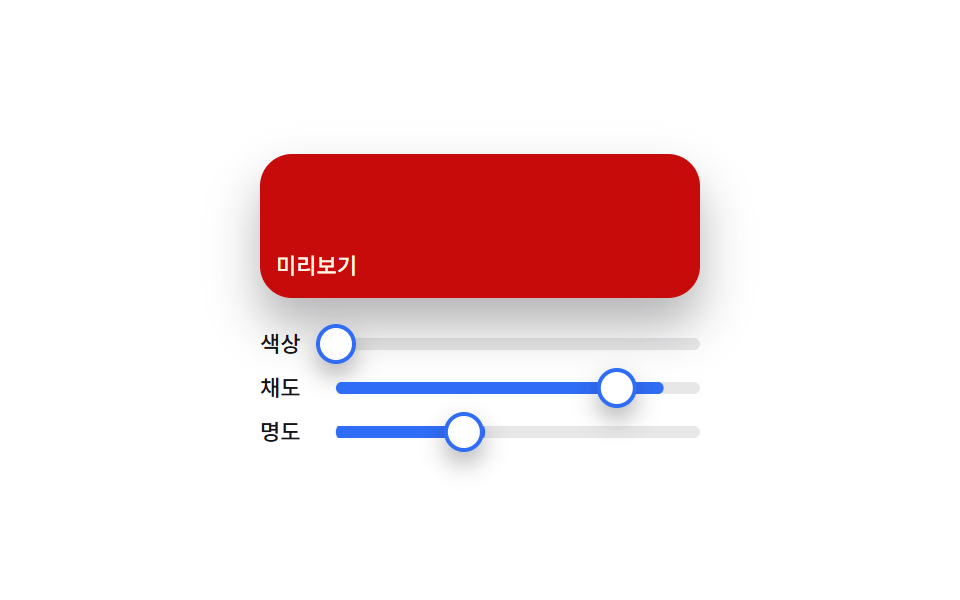
02Materialスライダー — 3つのつまみの位置を合わせてプレビュー色を計算するカラーピッカー
色相・彩度・明度スライダーの各つまみの位置比率をそれぞれ求め直し、その3つの値を合わせてプレビュー欄の色を毎回計算し直すカラーピッカーです。
使いどころデザインツールのカラーパネル、テーマカスタマイザー
valuesAtsetThumbaria-valuenow
<main class="stage">
<section class="panel">
  <div class="preview" id="preview">
    <span class="previewLabel">プレビュー</span>
  </div>
  <div class="sliders">
    <div class="row">
      <span class="rowLabel">色相</span>
      <div class="track">
        <div class="fill fillHue" id="fillH"></div>
        <div class="thumb" id="thumbH" role="slider" aria-label="色相" aria-valuemin="0" aria-valuemax="360" aria-valuenow="0"></div>
      </div>
    </div>
    <div class="row">
      <span class="rowLabel">彩度</span>
      <div class="track">
        <div class="fill fillSat" id="fillS"></div>
        <div class="thumb" id="thumbS" role="slider" aria-label="彩度" aria-valuemin="0" aria-valuemax="100" aria-valuenow="0"></div>
      </div>
    </div>
    <div class="row">
      <span class="rowLabel">明度</span>
      <div class="track">
        <div class="fill fillLight" id="fillL"></div>
        <div class="thumb" id="thumbL" role="slider" aria-label="明度" aria-valuemin="0" aria-valuemax="100" aria-valuenow="0"></div>
      </div>
    </div>
  </div>
</section>
</main>@use "../../../../site/static/demo-tokens" as *;
@include stage($stage-paper);
.panel {
display: flex;
flex-direction: column;
align-items: stretch;
gap: $sp-4;
width: 100%;
max-width: 220px;
}
.preview {
height: 56px;
border-radius: $r-card;
display: flex;
align-items: flex-end;
padding: $sp-2;
box-shadow: $shadow-raised;
color: $subject-cream;
&.is-ink {
color: $subject-ink;
}
}
.previewLabel {
font-family: -apple-system, "Segoe UI", "Noto Sans KR", sans-serif;
font-weight: 500;
font-size: 11px;
line-height: 1.3;
}
.sliders {
display: flex;
flex-direction: column;
gap: $sp-2;
}
.row {
display: flex;
align-items: center;
gap: $sp-2;
}
.rowLabel {
flex: 0 0 auto;
width: 30px;
color: $subject-ink;
font-family: -apple-system, "Segoe UI", "Noto Sans KR", sans-serif;
font-weight: 500;
font-size: 11px;
line-height: 1.3;
}
.track {
position: relative;
flex: 1 1 auto;
height: 6px;
border-radius: $r-pill;
background: rgba($subject-ink, .1);
}
.fill {
position: absolute;
inset: 0;
border-radius: $r-pill;
transform-origin: left center;
transform: scaleX(0);
}
.fillHue { background: $subject-blue; }
.fillSat { background: $subject-blue; }
.fillLight { background: $subject-blue; }
.thumb {
position: absolute;
top: 50%;
left: 0;
width: 16px;
height: 16px;
border-radius: $r-pill;
background: $stage-paper;
border: 2px solid $subject-blue;
box-shadow: $shadow-press;
}
@media (max-width: 340px) {
.panel { max-width: 168px; }
.preview { height: 44px; }
.rowLabel { width: 24px; font-size: 10px; }
}
@media (prefers-reduced-motion: reduce) {
.thumb { transition: none; }
}html, body {
margin: 0;
overflow: hidden;
}
.stage {
box-sizing: border-box;
min-height: 100vh;
display: grid;
place-items: center;
margin: 0;
background: #ffffff;
font-family: -apple-system, "Segoe UI", "Noto Sans KR", sans-serif;
padding: clamp(8px, 4vw, 24px);
}
.panel {
display: flex;
flex-direction: column;
align-items: stretch;
gap: 16px;
width: 100%;
max-width: 220px;
}
.preview {
height: 56px;
border-radius: 16px;
display: flex;
align-items: flex-end;
padding: 8px;
box-shadow: 0 14px 24px rgba(23, 20, 26, 0.32);
color: #fff7e6;
}
.preview.is-ink {
color: #17141a;
}
.previewLabel {
font-family: -apple-system, "Segoe UI", "Noto Sans KR", sans-serif;
font-weight: 500;
font-size: 11px;
line-height: 1.3;
}
.sliders {
display: flex;
flex-direction: column;
gap: 8px;
}
.row {
display: flex;
align-items: center;
gap: 8px;
}
.rowLabel {
flex: 0 0 auto;
width: 30px;
color: #17141a;
font-family: -apple-system, "Segoe UI", "Noto Sans KR", sans-serif;
font-weight: 500;
font-size: 11px;
line-height: 1.3;
}
.track {
position: relative;
flex: 1 1 auto;
height: 6px;
border-radius: 999px;
background: rgba(23, 20, 26, 0.1);
}
.fill {
position: absolute;
inset: 0;
border-radius: 999px;
transform-origin: left center;
transform: scaleX(0);
}
.fillHue {
background: #2f6df6;
}
.fillSat {
background: #2f6df6;
}
.fillLight {
background: #2f6df6;
}
.thumb {
position: absolute;
top: 50%;
left: 0;
width: 16px;
height: 16px;
border-radius: 999px;
background: #ffffff;
border: 2px solid #2f6df6;
box-shadow: 0 6px 12px rgba(23, 20, 26, 0.32);
}
@media (max-width: 340px) {
.panel {
max-width: 168px;
}
.preview {
height: 44px;
}
.rowLabel {
width: 24px;
font-size: 10px;
}
}
@media (prefers-reduced-motion: reduce) {
.thumb {
transition: none;
}
}// Material 슬라이더(02) — 色相·彩度·明度 세 손잡이의 트랙 위치 비율을 각각 다시 구하고,
// 세 값을 합쳐 プレビュー 색을 매 프레임 다시 계산한다. 실키·실서버 요청 없음.
(function () {
var previewEl = document.getElementById('preview');
var thumbH = document.getElementById('thumbH');
var thumbS = document.getElementById('thumbS');
var thumbL = document.getElementById('thumbL');
var fillH = document.getElementById('fillH');
var fillS = document.getElementById('fillS');
var fillL = document.getElementById('fillL');
if (!previewEl || !thumbH || !thumbS || !thumbL || !fillH || !fillS || !fillL) return;
var reduce = window.matchMedia('(prefers-reduced-motion: reduce)').matches;
var CYCLE_MS = 2000;
var TRACK_W = 156;
function hslToRgb(h, s, l) {
s /= 100; l /= 100;
var k = function (n) { return (n + h / 30) % 12; };
var a = s * Math.min(l, 1 - l);
var f = function (n) { return l - a * Math.max(-1, Math.min(k(n) - 3, Math.min(9 - k(n), 1))); };
return [Math.round(f(0) * 255), Math.round(f(8) * 255), Math.round(f(4) * 255)];
}
function valuesAt(t) {
var p = t / CYCLE_MS;
var h, s, l;
if (p < 1 / 3) {
var local = p / (1 / 3);
h = local * 360; s = 60; l = 50;
} else if (p < 2 / 3) {
var local2 = (p - 1 / 3) / (1 / 3);
h = 360; s = 20 + local2 * 70; l = 50;
} else {
var local3 = (p - 2 / 3) / (1 / 3);
h = 360; s = 90; l = 20 + local3 * 60;
}
return { h: h % 360, s: s, l: l };
}
function setThumb(thumbEl, fillEl, ratio) {
var x = ratio * TRACK_W;
thumbEl.style.transform = 'translate(calc(-50% + ' + x.toFixed(2) + 'px), -50%)';
fillEl.style.transform = 'scaleX(' + ratio.toFixed(4) + ')';
}
function apply(t) {
var v = valuesAt(t);
setThumb(thumbH, fillH, v.h / 360);
setThumb(thumbS, fillS, v.s / 100);
setThumb(thumbL, fillL, v.l / 100);
var rgb = hslToRgb(v.h, v.s, v.l);
var brightness = (rgb[0] * 299 + rgb[1] * 587 + rgb[2] * 114) / 1000;
previewEl.style.background = 'hsl(' + v.h.toFixed(1) + 'deg ' + v.s.toFixed(1) + '% ' + v.l.toFixed(1) + '%)';
previewEl.classList.toggle('is-ink', brightness > 150);
thumbH.setAttribute('aria-valuenow', Math.round(v.h));
thumbS.setAttribute('aria-valuenow', Math.round(v.s));
thumbL.setAttribute('aria-valuenow', Math.round(v.l));
}
if (reduce) {
apply(0);
return;
}
var start = null;
function loop(ts) {
if (start === null) start = ts;
var t = (ts - start) % CYCLE_MS;
apply(t);
requestAnimationFrame(loop);
}
requestAnimationFrame(loop);
})();import { useEffect, useRef } from "react";
import styles from "./ColorPickerMaterialSlider.module.scss";
// Material 슬라이더 — 색조·채도·명도 세 손잡이의 트랙 위치 비율을 각각 다시 구하고
// 세 값을 합쳐 미리보기 색을 매 프레임 다시 계산한다. 실키·실서버 요청 없음.
const CYCLE_MS = 2000;
const TRACK_W = 156;
function hslToRgb(h: number, s: number, l: number): [number, number, number] {
s /= 100;
l /= 100;
const k = (n: number) => (n + h / 30) % 12;
const a = s * Math.min(l, 1 - l);
const f = (n: number) => l - a * Math.max(-1, Math.min(k(n) - 3, Math.min(9 - k(n), 1)));
return [Math.round(f(0) * 255), Math.round(f(8) * 255), Math.round(f(4) * 255)];
}
function valuesAt(t: number) {
const p = t / CYCLE_MS;
let h: number, s: number, l: number;
if (p < 1 / 3) {
const local = p / (1 / 3);
h = local * 360; s = 60; l = 50;
} else if (p < 2 / 3) {
const local2 = (p - 1 / 3) / (1 / 3);
h = 360; s = 20 + local2 * 70; l = 50;
} else {
const local3 = (p - 2 / 3) / (1 / 3);
h = 360; s = 90; l = 20 + local3 * 60;
}
return { h: h % 360, s, l };
}
export default function ColorPickerMaterialSlider() {
const previewRef = useRef<HTMLDivElement>(null);
const thumbHRef = useRef<HTMLDivElement>(null);
const thumbSRef = useRef<HTMLDivElement>(null);
const thumbLRef = useRef<HTMLDivElement>(null);
const fillHRef = useRef<HTMLDivElement>(null);
const fillSRef = useRef<HTMLDivElement>(null);
const fillLRef = useRef<HTMLDivElement>(null);
useEffect(() => {
const preview = previewRef.current;
const thumbH = thumbHRef.current;
const thumbS = thumbSRef.current;
const thumbL = thumbLRef.current;
const fillH = fillHRef.current;
const fillS = fillSRef.current;
const fillL = fillLRef.current;
if (!preview || !thumbH || !thumbS || !thumbL || !fillH || !fillS || !fillL) return;
const reduce = window.matchMedia("(prefers-reduced-motion: reduce)").matches;
function setThumb(thumbEl: HTMLDivElement, fillEl: HTMLDivElement, ratio: number) {
const x = ratio * TRACK_W;
thumbEl.style.transform = `translate(calc(-50% + ${x.toFixed(2)}px), -50%)`;
fillEl.style.transform = `scaleX(${ratio.toFixed(4)})`;
}
function apply(t: number) {
const v = valuesAt(t);
setThumb(thumbH!, fillH!, v.h / 360);
setThumb(thumbS!, fillS!, v.s / 100);
setThumb(thumbL!, fillL!, v.l / 100);
const rgb = hslToRgb(v.h, v.s, v.l);
const brightness = (rgb[0] * 299 + rgb[1] * 587 + rgb[2] * 114) / 1000;
preview!.style.background = `hsl(${v.h.toFixed(1)}deg ${v.s.toFixed(1)}% ${v.l.toFixed(1)}%)`;
preview!.classList.toggle(styles.isInk, brightness > 150);
thumbH!.setAttribute("aria-valuenow", String(Math.round(v.h)));
thumbS!.setAttribute("aria-valuenow", String(Math.round(v.s)));
thumbL!.setAttribute("aria-valuenow", String(Math.round(v.l)));
}
if (reduce) {
apply(0);
return;
}
let start: number | null = null;
let raf = 0;
function loop(ts: number) {
if (start === null) start = ts;
const t = (ts - start) % CYCLE_MS;
apply(t);
raf = requestAnimationFrame(loop);
}
raf = requestAnimationFrame(loop);
return () => cancelAnimationFrame(raf);
}, []);
return (
<div className={styles.stage}>
<section className={styles.panel}>
<div className={styles.preview} ref={previewRef}>
<span className={styles.previewLabel}>미리보기</span>
</div>
<div className={styles.sliders}>
<div className={styles.row}>
<span className={styles.rowLabel}>색상</span>
<div className={styles.track}>
<div className={`${styles.fill} ${styles.fillHue}`} ref={fillHRef} />
<div className={styles.thumb} ref={thumbHRef} role="slider" aria-label="색상" aria-valuemin={0} aria-valuemax={360} aria-valuenow={0} />
</div>
</div>
<div className={styles.row}>
<span className={styles.rowLabel}>채도</span>
<div className={styles.track}>
<div className={`${styles.fill} ${styles.fillSat}`} ref={fillSRef} />
<div className={styles.thumb} ref={thumbSRef} role="slider" aria-label="채도" aria-valuemin={0} aria-valuemax={100} aria-valuenow={0} />
</div>
</div>
<div className={styles.row}>
<span className={styles.rowLabel}>명도</span>
<div className={styles.track}>
<div className={`${styles.fill} ${styles.fillLight}`} ref={fillLRef} />
<div className={styles.thumb} ref={thumbLRef} role="slider" aria-label="명도" aria-valuemin={0} aria-valuemax={100} aria-valuenow={0} />
</div>
</div>
</div>
</section>
</div>
);
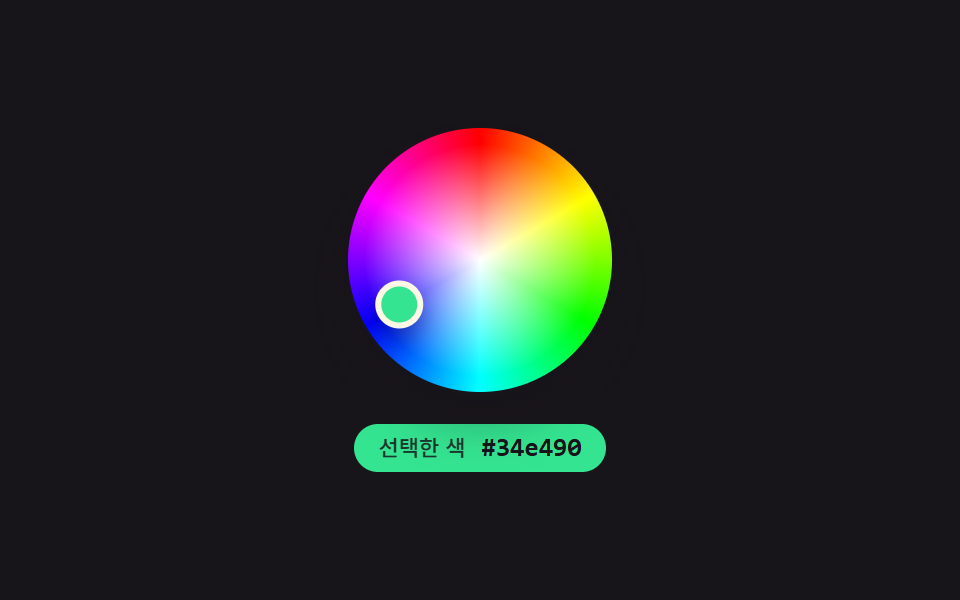
}02 Materialスライダー — 3つのつまみの位置を合わせてプレビュー色を計算するカラーピッカー — 計測 累積面積 17.368% · 動いたフレーム 23/23GODRICH オリジナル · SCSS と React は zip に同梱 · html カラーピッカー デザイン9選 — ホイールから履歴色まで
このデモが属する記事
 html カラーピッカー デザイン9選 — ホイールから履歴色まで「html カラーピッカー デザイン」で検索すると、色を選ぶ見た目だけを真似た静止画像がほとんど出てきます。ここで扱う9つの画面はその手前に計算の層を1枚重ねます。選択地点の角度が色相値へ求め直され、スウォッチの明るさで チェックアイコンの この記事のデモをすべて見る