06ヒストグラム背景の上で区間を選ぶ範囲スライダー
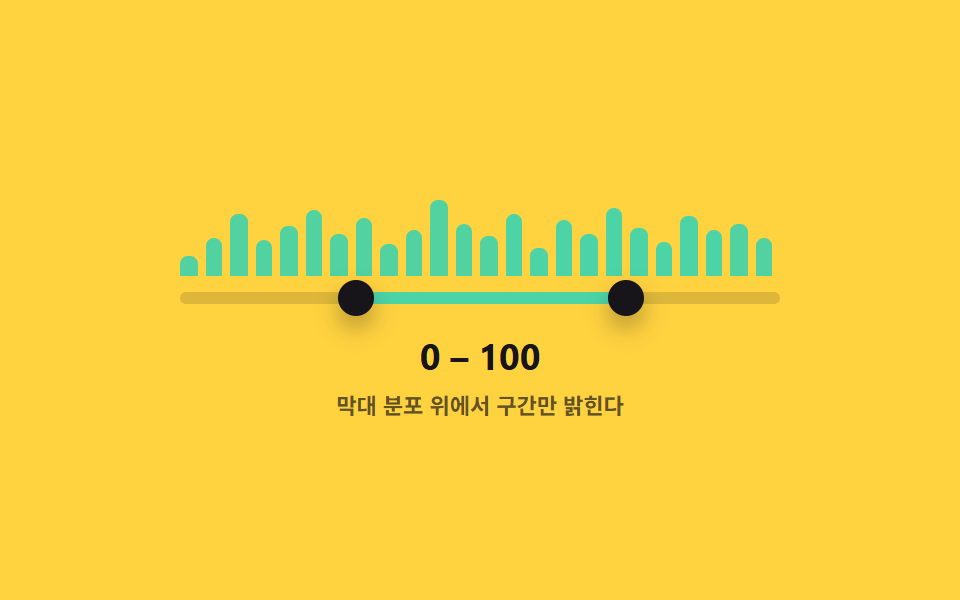
トラックのすぐ奥に値の区間ごとの棒グラフが敷かれていて、ハンドルで選んだ区間が全体の分布のどこに当たるかを棒の高さで一緒に示す。
使いどころ価格帯別の件数分布を一緒に見せる検索フィルター
HEIGHTS.forEach()role=slideraria-valuenow
<main class="stage">
<div class="ds is-demo" id="ds">
  <div class="ds__hist" id="hist" aria-hidden="true"></div>
  <div class="ds__track" id="track">
    <div class="ds__fill" id="fill"></div>
    <button type="button" class="ds__thumb ds__thumb--lo" id="thumbLo" role="slider"
      aria-label="最小値" aria-valuemin="0" aria-valuemax="100" aria-valuenow="30" aria-valuetext="30" tabindex="0"></button>
    <button type="button" class="ds__thumb ds__thumb--hi" id="thumbHi" role="slider"
      aria-label="最大値" aria-valuemin="0" aria-valuemax="100" aria-valuenow="72" aria-valuetext="72" tabindex="0"></button>
  </div>
  <p class="ds__readout"><span id="loOut">30</span> – <span id="hiOut">72</span></p>
  <p class="ds__caption">棒グラフの分布の上で区間だけを明るくする</p>
</div>
</main>
@use "../../../../site/static/demo-tokens" as *;
// 변수 3개
$duration: $dur-loop;
$easing: $ease-out;
$color: $subject-mint;
// 계산 겹: 고정 배열 막대의 중심 좌표가 선택 구간 안인지 매 프레임 재계산해 강조를 다시 칠한다.
@include stage($stage-yellow);
.ds { width: min(300px, 86vw); color: $subject-ink; text-align: center; }
.ds__hist {
position: relative; height: 48px; margin-bottom: $sp-2;
}
.ds__bar {
position: absolute; bottom: 0; background: rgba($subject-ink, .18);
border-radius: $r-xs $r-xs 0 0;
}
.ds__bar.is-in { background: $color; }
.ds__track {
position: relative; height: 6px; border-radius: $r-pill;
background: rgba($subject-ink, .14); margin: 0 0 $sp-4;
}
.ds__fill {
position: absolute; top: 0; bottom: 0; left: 30%; width: 42%;
background: $color; border-radius: $r-pill;
}
.ds__thumb {
position: absolute; top: 50%; left: 30%; width: 18px; height: 18px;
appearance: none; border: 0; border-radius: 50%; background: $subject-ink;
box-shadow: $shadow-press; cursor: grab; touch-action: none; padding: 0;
transform: translate(-50%, -50%); z-index: 2;
}
.ds__thumb--hi { left: 72%; }
.ds__thumb:focus-visible { outline: 2px solid $subject-blue-deep; outline-offset: 2px; }
.ds__thumb:active { cursor: grabbing; }
.ds__readout { margin: 0; font-weight: 700; font-size: 18px; line-height: 1.2; font-variant-numeric: tabular-nums; }
.ds__caption { margin: $sp-1 0 0; font-weight: 600; font-size: 11px; color: rgba($subject-ink, .68); }
.ds.is-demo .ds__thumb,
.ds.is-demo .ds__fill {
transition: left $duration $easing, width $duration $easing;
}
.ds__bar { transition: background $dur-quick $ease-out; }
@media (max-width: 340px) {
.ds { width: min(250px, 82vw); }
.ds__hist { height: 38px; }
.ds__readout { font-size: 16px; }
}
@media (prefers-reduced-motion: reduce) {
.ds.is-demo .ds__thumb, .ds.is-demo .ds__fill { transition: none; }
.ds__bar { transition: none; }
}html, body {
margin: 0;
overflow: hidden;
}
.stage {
box-sizing: border-box;
min-height: 100vh;
display: grid;
place-items: center;
margin: 0;
background: #ffd23f;
font-family: -apple-system, "Segoe UI", "Noto Sans KR", sans-serif;
padding: clamp(8px, 4vw, 24px);
}
.ds {
width: min(300px, 86vw);
color: #17141a;
text-align: center;
}
.ds__hist {
position: relative;
height: 48px;
margin-bottom: 8px;
}
.ds__bar {
position: absolute;
bottom: 0;
background: rgba(23, 20, 26, 0.18);
border-radius: 4px 4px 0 0;
}
.ds__bar.is-in {
background: #4cd4a6;
}
.ds__track {
position: relative;
height: 6px;
border-radius: 999px;
background: rgba(23, 20, 26, 0.14);
margin: 0 0 16px;
}
.ds__fill {
position: absolute;
top: 0;
bottom: 0;
left: 30%;
width: 42%;
background: #4cd4a6;
border-radius: 999px;
}
.ds__thumb {
position: absolute;
top: 50%;
left: 30%;
width: 18px;
height: 18px;
appearance: none;
border: 0;
border-radius: 50%;
background: #17141a;
box-shadow: 0 6px 12px rgba(23, 20, 26, 0.32);
cursor: grab;
touch-action: none;
padding: 0;
transform: translate(-50%, -50%);
z-index: 2;
}
.ds__thumb--hi {
left: 72%;
}
.ds__thumb:focus-visible {
outline: 2px solid #0a4fe8;
outline-offset: 2px;
}
.ds__thumb:active {
cursor: grabbing;
}
.ds__readout {
margin: 0;
font-weight: 700;
font-size: 18px;
line-height: 1.2;
font-variant-numeric: tabular-nums;
}
.ds__caption {
margin: 4px 0 0;
font-weight: 600;
font-size: 11px;
color: rgba(23, 20, 26, 0.68);
}
.ds.is-demo .ds__thumb,
.ds.is-demo .ds__fill {
transition: left 2s ease-out, width 2s ease-out;
}
.ds__bar {
transition: background 220ms ease-out;
}
@media (max-width: 340px) {
.ds {
width: min(250px, 82vw);
}
.ds__hist {
height: 38px;
}
.ds__readout {
font-size: 16px;
}
}
@media (prefers-reduced-motion: reduce) {
.ds.is-demo .ds__thumb, .ds.is-demo .ds__fill {
transition: none;
}
.ds__bar {
transition: none;
}
}(function () {
var MIN = 0, MAX = 100;
// 결정론적 분포 — Math.random 없이 고정 배열로 막대 높이를 정한다 (%, 0~100)
var HEIGHTS = [22, 40, 65, 38, 52, 70, 45, 60, 33, 48, 80, 55, 42, 66, 30, 58, 44, 72, 50, 36, 62, 48, 54, 40];
var root = document.getElementById('ds');
var hist = document.getElementById('hist');
var track = document.getElementById('track');
var fill = document.getElementById('fill');
var lo = document.getElementById('thumbLo');
var hi = document.getElementById('thumbHi');
var loOut = document.getElementById('loOut');
var hiOut = document.getElementById('hiOut');
var v = { lo: 30, hi: 72 };
var bars = [];
HEIGHTS.forEach(function (h, i) {
var bar = document.createElement('div');
bar.className = 'ds__bar';
bar.style.left = (i / HEIGHTS.length * 100) + '%';
bar.style.width = (100 / HEIGHTS.length * 0.7) + '%';
bar.style.height = h + '%';
hist.appendChild(bar);
bars.push({ el: bar, center: (i + 0.5) / HEIGHTS.length * 100 });
});
// 계산 겹: 막대의 실제 중심 위치(%)가 [lo, hi] 구간 안에 들어오는지로 강조 여부를 결정한다.
function paintBars() {
bars.forEach(function (b) {
b.el.classList.toggle('is-in', b.center >= v.lo && b.center <= v.hi);
});
}
function paint() {
lo.style.left = v.lo + '%'; hi.style.left = v.hi + '%';
fill.style.left = v.lo + '%'; fill.style.width = (v.hi - v.lo) + '%';
lo.setAttribute('aria-valuenow', String(v.lo)); hi.setAttribute('aria-valuenow', String(v.hi));
lo.setAttribute('aria-valuetext', String(v.lo)); hi.setAttribute('aria-valuetext', String(v.hi));
loOut.textContent = String(v.lo); hiOut.textContent = String(v.hi);
paintBars();
}
function setLo(n) { v.lo = Math.max(MIN, Math.min(n, v.hi)); paint(); }
function setHi(n) { v.hi = Math.min(MAX, Math.max(n, v.lo)); paint(); }
function pctFromX(x) {
var r = track.getBoundingClientRect();
return Math.round(Math.max(0, Math.min(100, ((x - r.left) / r.width) * 100)));
}
function human() { root.classList.remove('is-demo'); clearInterval(timer); }
function drag(thumb, setter, isLo) {
thumb.addEventListener('pointerdown', function (e) {
human(); thumb.setPointerCapture(e.pointerId);
function move(ev) { setter(pctFromX(ev.clientX)); }
function up() { thumb.removeEventListener('pointermove', move); thumb.removeEventListener('pointerup', up); }
thumb.addEventListener('pointermove', move); thumb.addEventListener('pointerup', up);
});
thumb.addEventListener('keydown', function (e) {
var step = { ArrowRight: 1, ArrowLeft: -1, ArrowUp: 1, ArrowDown: -1 }[e.key];
if (step !== undefined) { e.preventDefault(); human(); setter((isLo ? v.lo : v.hi) + step); }
else if (e.key === 'Home') { e.preventDefault(); human(); setter(isLo ? MIN : v.lo); }
else if (e.key === 'End') { e.preventDefault(); human(); setter(isLo ? v.hi : MAX); }
});
}
drag(lo, setLo, true); drag(hi, setHi, false);
var presets = [[10, 35], [55, 90], [0, 100], [42, 48], [20, 65]];
var pi = 0;
function tick() {
var p = presets[pi % presets.length]; pi++;
v.lo = p[0]; v.hi = p[1]; paint();
}
var reduce = window.matchMedia('(prefers-reduced-motion: reduce)').matches;
var timer = reduce ? null : setInterval(tick, 480);
paint();
}());import { useEffect, useRef } from 'react';
import styles from './DualSliderHistogramTrackBg.module.scss';
const MIN = 0;
const MAX = 100;
const TICK_MS = 480;
// 결정론적 분포 — Math.random 없이 고정 배열로 막대 높이를 정한다 (%, 0~100)
const HEIGHTS = [22, 40, 65, 38, 52, 70, 45, 60, 33, 48, 80, 55, 42, 66, 30, 58, 44, 72, 50, 36, 62, 48, 54, 40];
const PRESETS: [number, number][] = [[10, 35], [55, 90], [0, 100], [42, 48], [20, 65]];
export default function DualSliderHistogramTrackBg() {
const rootRef = useRef<HTMLDivElement>(null);
const trackRef = useRef<HTMLDivElement>(null);
const fillRef = useRef<HTMLDivElement>(null);
const loRef = useRef<HTMLButtonElement>(null);
const hiRef = useRef<HTMLButtonElement>(null);
const loOutRef = useRef<HTMLSpanElement>(null);
const hiOutRef = useRef<HTMLSpanElement>(null);
const barRefs = useRef<HTMLDivElement[]>([]);
useEffect(() => {
const root = rootRef.current;
const track = trackRef.current;
const fill = fillRef.current;
const lo = loRef.current;
const hi = hiRef.current;
const loOut = loOutRef.current;
const hiOut = hiOutRef.current;
if (!root || !track || !fill || !lo || !hi || !loOut || !hiOut || !barRefs.current) return undefined;
const bars = barRefs.current;
if (bars.length !== HEIGHTS.length) return undefined;
const v = { lo: 30, hi: 72 };
const centers = HEIGHTS.map((_, i) => (i + 0.5) / HEIGHTS.length * 100);
// 계산 겹: 막대의 실제 중심 위치(%)가 [lo, hi] 구간 안에 들어오는지로 강조 여부를 결정한다.
function paintBars() {
bars.forEach((el, i) => {
el.classList.toggle(styles['is-in'], centers[i] >= v.lo && centers[i] <= v.hi);
});
}
function paint() {
lo!.style.left = v.lo + '%'; hi!.style.left = v.hi + '%';
fill!.style.left = v.lo + '%'; fill!.style.width = (v.hi - v.lo) + '%';
lo!.setAttribute('aria-valuenow', String(v.lo)); hi!.setAttribute('aria-valuenow', String(v.hi));
lo!.setAttribute('aria-valuetext', String(v.lo)); hi!.setAttribute('aria-valuetext', String(v.hi));
loOut!.textContent = String(v.lo); hiOut!.textContent = String(v.hi);
paintBars();
}
function setLo(n: number) { v.lo = Math.max(MIN, Math.min(n, v.hi)); paint(); }
function setHi(n: number) { v.hi = Math.min(MAX, Math.max(n, v.lo)); paint(); }
function pctFromX(x: number) {
const r = track!.getBoundingClientRect();
return Math.round(Math.max(0, Math.min(100, ((x - r.left) / r.width) * 100)));
}
let timer = 0;
function human() { root!.classList.remove(styles['is-demo']); window.clearInterval(timer); }
function bindDrag(thumb: HTMLButtonElement, setter: (n: number) => void, isLo: boolean) {
function onDown(e: PointerEvent) {
human(); thumb.setPointerCapture(e.pointerId);
function move(ev: PointerEvent) { setter(pctFromX(ev.clientX)); }
function up() { thumb.removeEventListener('pointermove', move); thumb.removeEventListener('pointerup', up); }
thumb.addEventListener('pointermove', move); thumb.addEventListener('pointerup', up);
}
function onKey(e: KeyboardEvent) {
const step = ({ ArrowRight: 1, ArrowLeft: -1, ArrowUp: 1, ArrowDown: -1 } as Record<string, number>)[e.key];
if (step !== undefined) { e.preventDefault(); human(); setter((isLo ? v.lo : v.hi) + step); }
else if (e.key === 'Home') { e.preventDefault(); human(); setter(isLo ? MIN : v.lo); }
else if (e.key === 'End') { e.preventDefault(); human(); setter(isLo ? v.hi : MAX); }
}
thumb.addEventListener('pointerdown', onDown);
thumb.addEventListener('keydown', onKey);
return () => { thumb.removeEventListener('pointerdown', onDown); thumb.removeEventListener('keydown', onKey); };
}
const offLo = bindDrag(lo, setLo, true);
const offHi = bindDrag(hi, setHi, false);
let pi = 0;
function tick() {
const p = PRESETS[pi % PRESETS.length]; pi++;
v.lo = p[0]; v.hi = p[1]; paint();
}
const reduce = window.matchMedia('(prefers-reduced-motion: reduce)').matches;
if (!reduce) timer = window.setInterval(tick, TICK_MS);
paint();
return () => { offLo(); offHi(); window.clearInterval(timer); };
}, []);
return (
<main className={styles.stage}>
<div className={styles.ds + ' ' + styles['is-demo']} ref={rootRef}>
<div className={styles.dsHist} aria-hidden="true">
{HEIGHTS.map((h, i) => (
<div
key={i}
className={styles.dsBar}
ref={(el: HTMLDivElement | null) => { if (el && barRefs.current) barRefs.current[i] = el; }}
style={{ left: (i / HEIGHTS.length * 100) + '%', width: (100 / HEIGHTS.length * 0.7) + '%', height: h + '%' }}
/>
))}
</div>
<div className={styles.dsTrack} ref={trackRef}>
<div className={styles.dsFill} ref={fillRef} />
<button type="button" className={styles.dsThumb + ' ' + styles.dsThumbLo} ref={loRef} role="slider"
aria-label="최소값" aria-valuemin={0} aria-valuemax={100} aria-valuenow={30} aria-valuetext="30" tabIndex={0} />
<button type="button" className={styles.dsThumb + ' ' + styles.dsThumbHi} ref={hiRef} role="slider"
aria-label="최대값" aria-valuemin={0} aria-valuemax={100} aria-valuenow={72} aria-valuetext="72" tabIndex={0} />
</div>
<p className={styles.dsReadout}><span ref={loOutRef}>30</span> – <span ref={hiOutRef}>72</span></p>
<p className={styles.dsCaption}>막대 분포 위에서 구간만 밝힌다</p>
</div>
</main>
);
}06 ヒストグラム背景の上で区間を選ぶ範囲スライダー — 計測 累積面積 6.338% · 動いたフレーム 21/23GODRICH オリジナル · SCSS と React は zip に同梱 · レンジスライダー ui 9種 — ハンドルが交差しない計算まで
このデモが属する記事
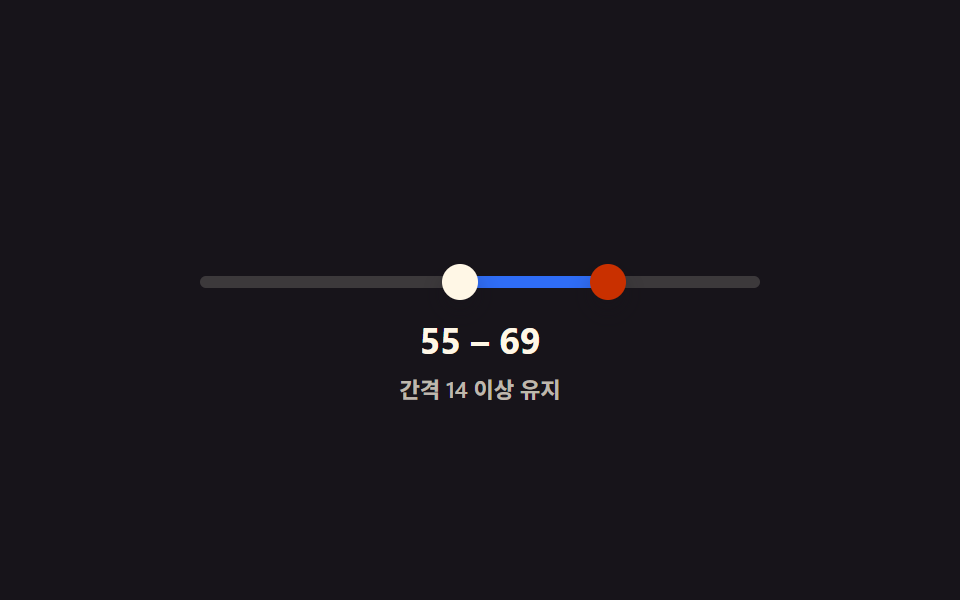 レンジスライダー ui 9種 — ハンドルが交差しない計算までレンジスライダー ui 9種のうち、1つは2つのハンドルが最小間隔より内側で重ならないよう計算で防ぎ、1つは値が近づくと2つの値の吹き出しが1つに合体し、1つはトラックの奥に棒グラフを敷いて分布を一緒に示します。 この記事のデモをすべて見る