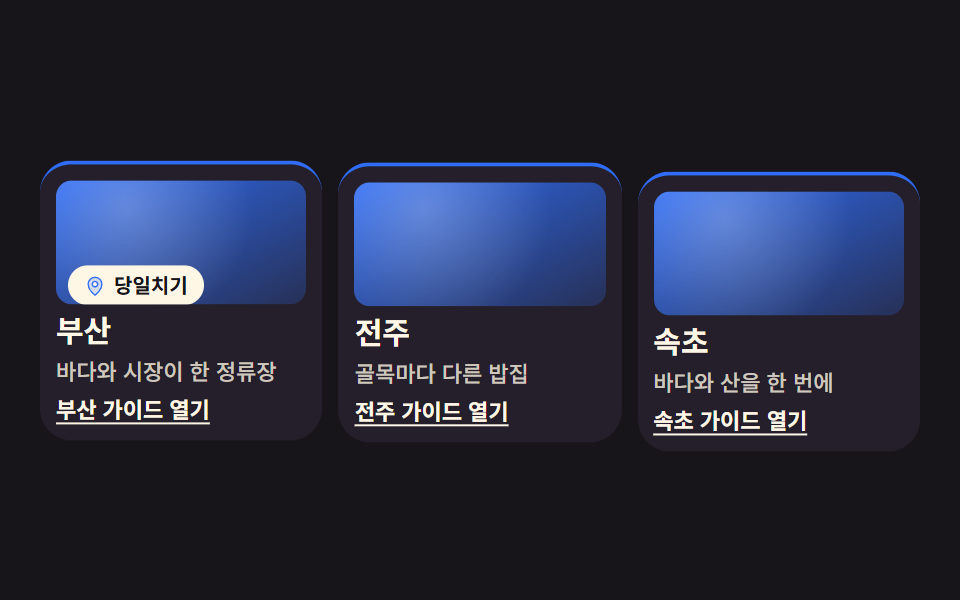
01街紹介グリッドカード
街の名前と一行紹介を載せたカードが grid-template-columns で並び、ラベル帯がそれぞれの順番で上へせり上がります。
使いどころ旅行・地域サービスの紹介セクション、店舗案内
grid-template-columnsanimation-delayanimation-fill-mode

<main class="stage">
<ul class="cg is-demo" id="cg">
  <li class="cg__card">
    <div class="cg__shot cg__shot--a">
      <span class="cg__band">
        <span class="cg__ic" aria-hidden="true"><svg xmlns="http://www.w3.org/2000/svg" width="1em" height="1em" viewBox="0 0 256 256"><g fill="currentColor"><path d="M128 24a80 80 0 0 0-80 80c0 72 80 128 80 128s80-56 80-128a80 80 0 0 0-80-80m0 112a32 32 0 1 1 32-32a32 32 0 0 1-32 32" opacity=".2"/><path d="M128 64a40 40 0 1 0 40 40a40 40 0 0 0-40-40m0 64a24 24 0 1 1 24-24a24 24 0 0 1-24 24m0-112a88.1 88.1 0 0 0-88 88c0 31.4 14.51 64.68 42 96.25a254.2 254.2 0 0 0 41.45 38.3a8 8 0 0 0 9.18 0a254.2 254.2 0 0 0 41.37-38.3c27.45-31.57 42-64.85 42-96.25a88.1 88.1 0 0 0-88-88m0 206c-16.53-13-72-60.75-72-118a72 72 0 0 1 144 0c0 57.23-55.47 105-72 118"/></g></svg></span>日帰り</span>
    </div>
    <h3 class="cg__name">釜山</h3>
    <p class="cg__line">海と市場がひと停留所</p>
    <a class="cg__link" href="#busan">釜山ガイドを開く</a>
  </li>
  <li class="cg__card">
    <div class="cg__shot cg__shot--b">
      <span class="cg__band">
        <span class="cg__ic" aria-hidden="true"><svg xmlns="http://www.w3.org/2000/svg" width="1em" height="1em" viewBox="0 0 256 256"><g fill="currentColor"><path d="M128 24a80 80 0 0 0-80 80c0 72 80 128 80 128s80-56 80-128a80 80 0 0 0-80-80m0 112a32 32 0 1 1 32-32a32 32 0 0 1-32 32" opacity=".2"/><path d="M128 64a40 40 0 1 0 40 40a40 40 0 0 0-40-40m0 64a24 24 0 1 1 24-24a24 24 0 0 1-24 24m0-112a88.1 88.1 0 0 0-88 88c0 31.4 14.51 64.68 42 96.25a254.2 254.2 0 0 0 41.45 38.3a8 8 0 0 0 9.18 0a254.2 254.2 0 0 0 41.37-38.3c27.45-31.57 42-64.85 42-96.25a88.1 88.1 0 0 0-88-88m0 206c-16.53-13-72-60.75-72-118a72 72 0 0 1 144 0c0 57.23-55.47 105-72 118"/></g></svg></span>1泊2日</span>
    </div>
    <h3 class="cg__name">全州</h3>
    <p class="cg__line">路地ごとに違う食堂</p>
    <a class="cg__link" href="#jeonju">全州ガイドを開く</a>
  </li>
  <li class="cg__card">
    <div class="cg__shot cg__shot--c">
      <span class="cg__band">
        <span class="cg__ic" aria-hidden="true"><svg xmlns="http://www.w3.org/2000/svg" width="1em" height="1em" viewBox="0 0 256 256"><g fill="currentColor"><path d="M128 24a80 80 0 0 0-80 80c0 72 80 128 80 128s80-56 80-128a80 80 0 0 0-80-80m0 112a32 32 0 1 1 32-32a32 32 0 0 1-32 32" opacity=".2"/><path d="M128 64a40 40 0 1 0 40 40a40 40 0 0 0-40-40m0 64a24 24 0 1 1 24-24a24 24 0 0 1-24 24m0-112a88.1 88.1 0 0 0-88 88c0 31.4 14.51 64.68 42 96.25a254.2 254.2 0 0 0 41.45 38.3a8 8 0 0 0 9.18 0a254.2 254.2 0 0 0 41.37-38.3c27.45-31.57 42-64.85 42-96.25a88.1 88.1 0 0 0-88-88m0 206c-16.53-13-72-60.75-72-118a72 72 0 0 1 144 0c0 57.23-55.47 105-72 118"/></g></svg></span>週末コース</span>
    </div>
    <h3 class="cg__name">束草</h3>
    <p class="cg__line">海も山も一度に</p>
    <a class="cg__link" href="#sokcho">束草ガイドを開く</a>
  </li>
</ul>
</main>@use "sass:math";
@use "../../../../site/static/demo-tokens" as *;
// 도시 소개 그리드 카드 — 이 편의 주인공은 효과가 아니라 **배치**다.
// grid-template-columns 로 세 칸을 먼저 정하고, 카드는 자기 순서(animation-delay)에만 올라온다.
// 지연이 걸린 루프에는 animation-fill-mode: backwards 가 반드시 함께 간다 —
// 없으면 지연 구간에 요소의 작성 상태(= 도착 상태)가 0프레임에 한 번 번쩍인다.
// 호버 리프트·그림자 확대 같은 카드 효과는 이 편의 축이 아니라서 쓰지 않는다.
$duration: $dur-enter;
$easing: $ease-spring;
$color: $subject-blue;
// 잉크 무대 위에서 한 단계 밝은 카드 면 (토큰 밖 실측값 — 크림 글자 15.1:1)
$panel: #241f2a;
$rise: 14px;
// 2초 루프 안에서 "카드가 올라오는" 구간의 길이. $duration 을 절반으로 줄이면 구간도 절반이 된다
$enter: math.div($duration, $dur-loop) * 100%;
@include stage($stage-ink);
.cg {
display: grid;
grid-template-columns: repeat(3, 1fr);
gap: $sp-2;
box-sizing: border-box; width: min(100%, 440px);
margin: 0; padding: 0; list-style: none;
}
.cg__card {
display: flex; flex-direction: column; gap: $sp-1;
box-sizing: border-box;
padding: $sp-2;
border-radius: $r-card;
background: $panel;
border-top: 2px solid $color;
// 미리보기 루프를 뗀 순간 카드가 제자리로 부드럽게 앉는다 (애니메이션이 사라진 자리를 transition 이 받는다)
transition: transform $duration $easing;
}
// 사진이 들어갈 자리. 지금은 토큰 그라디언트 (run/081/_이미지후보.A.json 에 기록)
.cg__shot {
position: relative; overflow: hidden;
height: clamp(40px, 13vw, 62px);
border-radius: $r-sm;
background:
radial-gradient(circle at 28% 22%, rgba(255, 255, 255, .26), rgba(255, 255, 255, 0) 62%),
linear-gradient(152deg, $color, rgba($color, .22));
}
.cg__shot--b { background-position: 70% 30%, 0 0; }
.cg__shot--c { background-position: 45% 70%, 0 0; }
// 라벨 띠 — 사진 아래에서 위로 올라온다. 글자는 크림 면 위 잉크(17.1:1)라 $color 가 바뀌어도 안전하다
.cg__band {
position: absolute; left: 6px; bottom: 6px;
display: inline-flex; align-items: center; gap: $sp-1;
padding: $sp-1 $sp-2;
border-radius: $r-pill;
background: $subject-cream; color: $subject-ink;
font-weight: 700; font-size: clamp(9px, 2.4vw, 10px); line-height: 1.2;
white-space: nowrap;
}
.cg__ic { display: inline-grid; place-items: center; color: $color; font-size: 11px; }
.cg__name {
margin: 0;
color: $subject-cream;
font-weight: 700; font-size: clamp(12px, 3.4vw, 15px); line-height: 1.25;
}
.cg__line {
margin: 0;
color: rgba($subject-cream, .78);
font-weight: 500; font-size: clamp(9px, 2.6vw, 11px); line-height: 1.35;
}
// 카드 전체가 아니라 링크가 목적지 이름을 말한다 (WCAG 2.4.4 link purpose)
.cg__link {
margin-top: auto;
color: $subject-cream;
font-weight: 700; font-size: clamp(9px, 2.6vw, 11px); line-height: 1.3;
text-decoration: underline; text-underline-offset: 2px;
}
.cg__link:focus-visible { outline: 2px solid $subject-cream; outline-offset: 2px; border-radius: $r-xs; }
// ── 격자 미리보기 루프 (2초). 카드는 0 / .16 / .32초 순서로 올라오고 띠가 뒤따른다.
// 복귀(다시 내려감)는 88% 안에 끝난다 — 24프레임의 마지막 샘플은 95.8% 지점이다.
.cg.is-demo .cg__card {
animation-name: cgRise;
animation-duration: $dur-loop;
animation-timing-function: $easing;
animation-iteration-count: infinite;
animation-fill-mode: backwards;
}
.cg.is-demo .cg__card:nth-child(2) { animation-delay: .16s; }
.cg.is-demo .cg__card:nth-child(3) { animation-delay: .32s; }
.cg.is-demo .cg__band {
animation-name: cgBand;
animation-duration: $dur-loop;
animation-timing-function: $easing;
animation-iteration-count: infinite;
animation-fill-mode: backwards;
}
.cg.is-demo .cg__card:nth-child(2) .cg__band { animation-delay: .16s; }
.cg.is-demo .cg__card:nth-child(3) .cg__band { animation-delay: .32s; }
@keyframes cgRise {
0% { transform: translateY($rise); }
#{$enter} { transform: translateY(0); }
74% { transform: translateY(0); }
88%, 100% { transform: translateY($rise); }
}
@keyframes cgBand {
0%, #{$enter * .4} { transform: translateY(180%); }
#{$enter * 1.4} { transform: translateY(0); }
74% { transform: translateY(0); }
86%, 100% { transform: translateY(180%); }
}
// ── 좁은 화면: 320×200 무대에서도 세 칸을 지킨다 (열을 줄이지 않는 게 이 항목의 요점)
@media (max-width: 340px) {
.cg { gap: $sp-1; }
.cg__card { gap: 0; padding: $sp-1; }
.cg__band { padding: 0 $sp-1; left: 4px; bottom: 4px; }
.cg__ic { font-size: 9px; }
}
@media (prefers-reduced-motion: reduce) {
.cg.is-demo .cg__card,
.cg.is-demo .cg__band {
animation: none !important;
transform: none !important;
}
}html, body {
margin: 0;
overflow: hidden;
}
.stage {
box-sizing: border-box;
min-height: 100vh;
display: grid;
place-items: center;
margin: 0;
background: #17141a;
font-family: -apple-system, "Segoe UI", "Noto Sans KR", sans-serif;
padding: clamp(8px, 4vw, 24px);
}
.cg {
display: grid;
grid-template-columns: repeat(3, 1fr);
gap: 8px;
box-sizing: border-box;
width: min(100%, 440px);
margin: 0;
padding: 0;
list-style: none;
}
.cg__card {
display: flex;
flex-direction: column;
gap: 4px;
box-sizing: border-box;
padding: 8px;
border-radius: 16px;
background: #241f2a;
border-top: 2px solid #2f6df6;
transition: transform 600ms cubic-bezier(0.2, 0.8, 0.2, 1);
}
.cg__shot {
position: relative;
overflow: hidden;
height: clamp(40px, 13vw, 62px);
border-radius: 8px;
background: radial-gradient(circle at 28% 22%, rgba(255, 255, 255, 0.26), rgba(255, 255, 255, 0) 62%), linear-gradient(152deg, #2f6df6, rgba(47, 109, 246, 0.22));
}
.cg__shot--b {
background-position: 70% 30%, 0 0;
}
.cg__shot--c {
background-position: 45% 70%, 0 0;
}
.cg__band {
position: absolute;
left: 6px;
bottom: 6px;
display: inline-flex;
align-items: center;
gap: 4px;
padding: 4px 8px;
border-radius: 999px;
background: #fff7e6;
color: #17141a;
font-weight: 700;
font-size: clamp(9px, 2.4vw, 10px);
line-height: 1.2;
white-space: nowrap;
}
.cg__ic {
display: inline-grid;
place-items: center;
color: #2f6df6;
font-size: 11px;
}
.cg__name {
margin: 0;
color: #fff7e6;
font-weight: 700;
font-size: clamp(12px, 3.4vw, 15px);
line-height: 1.25;
}
.cg__line {
margin: 0;
color: rgba(255, 247, 230, 0.78);
font-weight: 500;
font-size: clamp(9px, 2.6vw, 11px);
line-height: 1.35;
}
.cg__link {
margin-top: auto;
color: #fff7e6;
font-weight: 700;
font-size: clamp(9px, 2.6vw, 11px);
line-height: 1.3;
text-decoration: underline;
text-underline-offset: 2px;
}
.cg__link:focus-visible {
outline: 2px solid #fff7e6;
outline-offset: 2px;
border-radius: 4px;
}
.cg.is-demo .cg__card {
animation-name: cgRise;
animation-duration: 2s;
animation-timing-function: cubic-bezier(0.2, 0.8, 0.2, 1);
animation-iteration-count: infinite;
animation-fill-mode: backwards;
}
.cg.is-demo .cg__card:nth-child(2) {
animation-delay: 0.16s;
}
.cg.is-demo .cg__card:nth-child(3) {
animation-delay: 0.32s;
}
.cg.is-demo .cg__band {
animation-name: cgBand;
animation-duration: 2s;
animation-timing-function: cubic-bezier(0.2, 0.8, 0.2, 1);
animation-iteration-count: infinite;
animation-fill-mode: backwards;
}
.cg.is-demo .cg__card:nth-child(2) .cg__band {
animation-delay: 0.16s;
}
.cg.is-demo .cg__card:nth-child(3) .cg__band {
animation-delay: 0.32s;
}
@keyframes cgRise {
0% {
transform: translateY(14px);
}
30% {
transform: translateY(0);
}
74% {
transform: translateY(0);
}
88%, 100% {
transform: translateY(14px);
}
}
@keyframes cgBand {
0%, 12% {
transform: translateY(180%);
}
42% {
transform: translateY(0);
}
74% {
transform: translateY(0);
}
86%, 100% {
transform: translateY(180%);
}
}
@media (max-width: 340px) {
.cg {
gap: 4px;
}
.cg__card {
gap: 0;
padding: 4px;
}
.cg__band {
padding: 0 4px;
left: 4px;
bottom: 4px;
}
.cg__ic {
font-size: 9px;
}
}
@media (prefers-reduced-motion: reduce) {
.cg.is-demo .cg__card,
.cg.is-demo .cg__band {
animation: none !important;
transform: none !important;
}
}// 사람이 만지면 미리보기 루프를 뗀다 — 뗀 뒤에도 카드는 제자리에 그대로 선다
var cityGrid = document.getElementById('cg');
['pointerdown', 'focusin'].forEach(function (evt) {
cityGrid.addEventListener(evt, function () { cityGrid.classList.remove('is-demo'); });
});// CityGuideGrid — vanilla 판(run/081/demo/01-content-card-city-guide/index.html) 의 React 포트.
// grid-template-columns 로 세 칸을 먼저 정하고, 카드는 animation-delay 로 자기 순서에만 올라온다.
// 카드 전체가 아니라 링크가 목적지 이름을 말한다 (WCAG 2.4.4).
import { useState } from "react";
import type { CSSProperties } from "react";
import styles from "./CityGuideGrid.module.scss";
export type CityGuideGridProps = {
duration?: number;
easing?: string;
color?: string;
};
type Vars = CSSProperties & { "--duration"?: string; "--easing"?: string; "--color"?: string };
type City = { band: string; name: string; line: string; link: string; href: string; shot: string };
// 링크 글자는 조각으로 잇지 않는다 — 언어팩 사전의 키가 문장 전체여야 en·ja 판이 반쪽으로 안 나간다
const CITIES: City[] = [
{ band: "당일치기", name: "부산", line: "바다와 시장이 한 정류장", link: "부산 가이드 열기", href: "#busan", shot: "shot--a" },
{ band: "1박 2일", name: "전주", line: "골목마다 다른 밥집", link: "전주 가이드 열기", href: "#jeonju", shot: "shot--b" },
{ band: "주말 코스", name: "속초", line: "바다와 산을 한 번에", link: "속초 가이드 열기", href: "#sokcho", shot: "shot--c" },
];
function MapPin() {
return (
<svg xmlns="http://www.w3.org/2000/svg" width="1em" height="1em" viewBox="0 0 256 256">
<g fill="currentColor">
<path d="M128 24a80 80 0 0 0-80 80c0 72 80 128 80 128s80-56 80-128a80 80 0 0 0-80-80m0 112a32 32 0 1 1 32-32a32 32 0 0 1-32 32" opacity=".2" />
<path d="M128 64a40 40 0 1 0 40 40a40 40 0 0 0-40-40m0 64a24 24 0 1 1 24-24a24 24 0 0 1-24 24m0-112a88.1 88.1 0 0 0-88 88c0 31.4 14.51 64.68 42 96.25a254.2 254.2 0 0 0 41.45 38.3a8 8 0 0 0 9.18 0a254.2 254.2 0 0 0 41.37-38.3c27.45-31.57 42-64.85 42-96.25a88.1 88.1 0 0 0-88-88m0 206c-16.53-13-72-60.75-72-118a72 72 0 0 1 144 0c0 57.23-55.47 105-72 118" />
</g>
</svg>
);
}
export default function CityGuideGrid(props: CityGuideGridProps) {
const duration = props.duration ?? 600;
const easing = props.easing ?? "cubic-bezier(.2, .8, .2, 1)";
const color = props.color ?? "#2f6df6";
const [preview, setPreview] = useState<boolean>(true);
const vars: Vars = { "--duration": duration + "ms", "--easing": easing, "--color": color };
const stop = () => setPreview(false);
return (
<main className={styles.stage}>
<ul
className={styles.cg + (preview ? " " + styles.isDemo : "")}
style={vars}
onPointerDown={stop}
onFocus={stop}
>
{CITIES.map((city) => (
<li className={styles.card} key={city.name}>
<div className={styles.shot + " " + styles[city.shot]}>
<span className={styles.band}>
<span className={styles.ic} aria-hidden="true"><MapPin /></span>
{city.band}
</span>
</div>
<h3 className={styles.name}>{city.name}</h3>
<p className={styles.line}>{city.line}</p>
<a className={styles.link} href={city.href}>{city.link}</a>
</li>
))}
</ul>
</main>
);
}01 街紹介グリッドカード — 計測 累積面積 34.122% · 動いたフレーム 20/23GODRICH オリジナル · SCSS と React は zip に同梱 · css カード デザイン 9種 — 街・チーム・ショートカット
このデモが属する記事
 css カード デザイン 9種 — 街・チーム・ショートカットcss カード デザインとは、画面に内容を載せて並べるための最も基本的な容器を組む仕事です。この記事の原則は、クリックをカード全体ではなくリンクに任せることです。街紹介・チーム・ショートカット・自己紹介タブ・レビュー・スペック・イベント・イ この記事のデモをすべて見る