06拒否も一度に — 同等強調のボタン
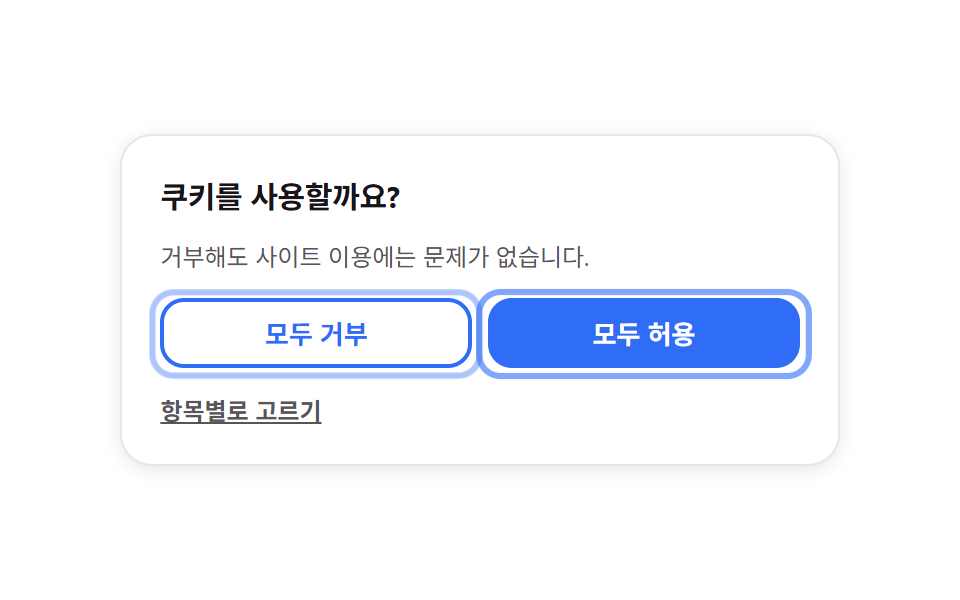
許可と拒否の2つのボタンが同じ大きさ・同じ太さで並び、フォーカスの枠が両者を行き来してどちらも薄くなりません。
使いどころ拒否ボタンを隠してはいけない同意UI、選択肢が2つの確認バー
outline 2pxscale 0.97 누름radius 12
<main class="stage">
  <div class="ep is-demo">
    <div class="ep__main">
      <b class="ep__title">Cookieを使用しますか?</b>
      <p class="ep__desc">拒否してもサイトのご利用に影響はありません。</p>

      <div class="ep__pair">
        <button class="ep__btn ep__btn--reject" type="button">すべて拒否</button>
        <button class="ep__btn ep__btn--accept" type="button">すべて許可</button>
      </div>

      <ul class="ep__items" hidden>
        <li><label class="ep__item"><input class="ep__check" type="checkbox" checked disabled><span class="ep__label">必須機能</span></label></li>
        <li><label class="ep__item"><input class="ep__check" type="checkbox" checked><span class="ep__label">アクセス解析</span></label></li>
        <li><label class="ep__item"><input class="ep__check" type="checkbox"><span class="ep__label">パーソナライズ広告</span></label></li>
      </ul>

      <button class="ep__link" type="button" aria-pressed="false">項目ごとに選ぶ</button>
    </div>

    <p class="ep__done ep__done--reject" hidden>「すべて拒否」を保存しました</p>
    <p class="ep__done ep__done--accept" hidden>「すべて許可」を保存しました</p>
  </div>
</main>
@use "../../../../site/static/demo-tokens" as *;
$duration: $dur-loop;
$easing: $ease-spring;
$color: $subject-blue;
@include stage($stage-paper);
[hidden] { display: none !important; }
.ep {
box-sizing: border-box;
width: clamp(240px, 84vw, 360px);
padding: clamp(12px, 4vw, 20px);
border: 1px solid rgba(23, 20, 26, .10);
border-radius: $r-card;
background: $stage-paper;
box-shadow: 0 2px 8px rgba(23, 20, 26, .10);
color: $subject-ink;
font-family: -apple-system, "Segoe UI", "Noto Sans KR", sans-serif;
}
.ep__main { display: grid; gap: $sp-3; }
.ep__title { font-size: clamp(12px, 3.4vw, 15px); font-weight: 700; letter-spacing: -.01em; }
.ep__desc {
margin: 0;
font-size: clamp(9px, 2.6vw, 12px);
line-height: 1.4;
color: rgba($stage-ink, .72);
}
// ── 거부와 허용을 같은 크기·굵기·높이로 ──
.ep__pair { display: grid; grid-template-columns: 1fr 1fr; gap: $sp-2; }
.ep__btn {
position: relative;
min-width: 0;
border: 2px solid $color;
border-radius: $r-control;
padding: $sp-2 $sp-3;
background: $stage-paper;
color: $color;
font-family: inherit;
font-size: clamp(10px, 2.8vw, 13px);
font-weight: 700;
line-height: 1.2;
white-space: nowrap;
cursor: pointer;
transition: transform $dur-instant $ease-out, background $dur-quick $ease-out;
}
.ep__btn--accept { background: $color; color: $stage-paper; }
.ep__btn:active { transform: scale(.97); }
.ep__btn:focus-visible { outline: 2px solid $color; outline-offset: 4px; }
// 초점 테두리 — 각 버튼의 ::after 로 두고 opacity + scale 로 교대한다 (폭 어긋남 없음)
.ep__btn::after {
content: "";
position: absolute;
inset: -6px;
border: 3px solid $color;
border-radius: $r-control;
opacity: 0;
pointer-events: none;
}
.ep__items { list-style: none; margin: 0; padding: 0; display: grid; gap: $sp-2; }
.ep__item {
display: flex;
align-items: center;
gap: $sp-2;
min-width: 0;
font-size: clamp(9px, 2.6vw, 12px);
font-weight: 600;
color: rgba(23, 20, 26, .72);
}
.ep__check { width: 14px; height: 14px; margin: 0; flex: 0 0 auto; accent-color: $color; }
.ep__label { min-width: 0; overflow: hidden; text-overflow: ellipsis; white-space: nowrap; }
.ep__link {
justify-self: start;
border: 0;
border-radius: $r-xs;
padding: 0;
background: none;
color: rgba($stage-ink, .72);
font-family: inherit;
font-size: clamp(9px, 2.6vw, 12px);
font-weight: 600;
text-decoration: underline;
cursor: pointer;
transition: color $dur-quick $ease-out;
}
.ep__link:hover, .ep__link:focus-visible { color: $color; }
.ep__done {
margin: 0;
font-size: clamp(10px, 2.8vw, 13px);
font-weight: 700;
color: $color;
}
// ── 자동 루프: 초점 테두리가 왼쪽 → 오른쪽 → 왼쪽 (0% = 100%) ──
.ep.is-demo .ep__btn--reject::after { animation: ep-ring-a $duration $easing infinite; }
.ep.is-demo .ep__btn--accept::after { animation: ep-ring-b $duration $easing infinite; }
@keyframes ep-ring-a {
0%, 30% { opacity: 1; transform: scale(1.04); }
50%, 80% { opacity: 0; transform: scale(1); }
100% { opacity: 1; transform: scale(1.04); }
}
@keyframes ep-ring-b {
0%, 30% { opacity: 0; transform: scale(1); }
50%, 80% { opacity: 1; transform: scale(1.04); }
100% { opacity: 0; transform: scale(1); }
}
@media (max-width: 340px) {
.ep__main { gap: $sp-2; }
.ep__btn { padding: $sp-1 $sp-2; }
.ep__btn::after { inset: -4px; }
}
@media (prefers-reduced-motion: reduce) {
.ep.is-demo .ep__btn--reject::after, .ep.is-demo .ep__btn--accept::after { animation: none !important; }
.ep.is-demo .ep__btn--reject::after { opacity: 1; transform: scale(1.04); } // 왼쪽에 초점이 선 결과 상태로 둔다
.ep__btn, .ep__link { transition: none; }
}html, body {
margin: 0;
overflow: hidden;
}
.stage {
box-sizing: border-box;
min-height: 100vh;
display: grid;
place-items: center;
margin: 0;
background: #ffffff;
font-family: -apple-system, "Segoe UI", "Noto Sans KR", sans-serif;
padding: clamp(8px, 4vw, 24px);
}
[hidden] {
display: none !important;
}
.ep {
box-sizing: border-box;
width: clamp(240px, 84vw, 360px);
padding: clamp(12px, 4vw, 20px);
border: 1px solid rgba(23, 20, 26, 0.1);
border-radius: 16px;
background: #ffffff;
box-shadow: 0 2px 8px rgba(23, 20, 26, 0.1);
color: #17141a;
font-family: -apple-system, "Segoe UI", "Noto Sans KR", sans-serif;
}
.ep__main {
display: grid;
gap: 12px;
}
.ep__title {
font-size: clamp(12px, 3.4vw, 15px);
font-weight: 700;
letter-spacing: -0.01em;
}
.ep__desc {
margin: 0;
font-size: clamp(9px, 2.6vw, 12px);
line-height: 1.4;
color: rgba(23, 20, 26, 0.72);
}
.ep__pair {
display: grid;
grid-template-columns: 1fr 1fr;
gap: 8px;
}
.ep__btn {
position: relative;
min-width: 0;
border: 2px solid #2f6df6;
border-radius: 12px;
padding: 8px 12px;
background: #ffffff;
color: #2f6df6;
font-family: inherit;
font-size: clamp(10px, 2.8vw, 13px);
font-weight: 700;
line-height: 1.2;
white-space: nowrap;
cursor: pointer;
transition: transform 140ms ease-out, background 220ms ease-out;
}
.ep__btn--accept {
background: #2f6df6;
color: #ffffff;
}
.ep__btn:active {
transform: scale(0.97);
}
.ep__btn:focus-visible {
outline: 2px solid #2f6df6;
outline-offset: 4px;
}
.ep__btn::after {
content: "";
position: absolute;
inset: -6px;
border: 3px solid #2f6df6;
border-radius: 12px;
opacity: 0;
pointer-events: none;
}
.ep__items {
list-style: none;
margin: 0;
padding: 0;
display: grid;
gap: 8px;
}
.ep__item {
display: flex;
align-items: center;
gap: 8px;
min-width: 0;
font-size: clamp(9px, 2.6vw, 12px);
font-weight: 600;
color: rgba(23, 20, 26, 0.72);
}
.ep__check {
width: 14px;
height: 14px;
margin: 0;
flex: 0 0 auto;
accent-color: #2f6df6;
}
.ep__label {
min-width: 0;
overflow: hidden;
text-overflow: ellipsis;
white-space: nowrap;
}
.ep__link {
justify-self: start;
border: 0;
border-radius: 4px;
padding: 0;
background: none;
color: rgba(23, 20, 26, 0.72);
font-family: inherit;
font-size: clamp(9px, 2.6vw, 12px);
font-weight: 600;
text-decoration: underline;
cursor: pointer;
transition: color 220ms ease-out;
}
.ep__link:hover, .ep__link:focus-visible {
color: #2f6df6;
}
.ep__done {
margin: 0;
font-size: clamp(10px, 2.8vw, 13px);
font-weight: 700;
color: #2f6df6;
}
.ep.is-demo .ep__btn--reject::after {
animation: ep-ring-a 2s cubic-bezier(0.2, 0.8, 0.2, 1) infinite;
}
.ep.is-demo .ep__btn--accept::after {
animation: ep-ring-b 2s cubic-bezier(0.2, 0.8, 0.2, 1) infinite;
}
@keyframes ep-ring-a {
0%, 30% {
opacity: 1;
transform: scale(1.04);
}
50%, 80% {
opacity: 0;
transform: scale(1);
}
100% {
opacity: 1;
transform: scale(1.04);
}
}
@keyframes ep-ring-b {
0%, 30% {
opacity: 0;
transform: scale(1);
}
50%, 80% {
opacity: 1;
transform: scale(1.04);
}
100% {
opacity: 0;
transform: scale(1);
}
}
@media (max-width: 340px) {
.ep__main {
gap: 8px;
}
.ep__btn {
padding: 4px 8px;
}
.ep__btn::after {
inset: -4px;
}
}
@media (prefers-reduced-motion: reduce) {
.ep.is-demo .ep__btn--reject::after, .ep.is-demo .ep__btn--accept::after {
animation: none !important;
}
.ep.is-demo .ep__btn--reject::after {
opacity: 1;
transform: scale(1.04);
}
.ep__btn, .ep__link {
transition: none;
}
}// 실제 동작: 거부·허용 어느 쪽이든 한 번에 끝난다. 결과 한 줄만 남기고 선택을 저장한다
var ep = document.querySelector('.ep');
var main = ep.querySelector('.ep__main');
var items = ep.querySelector('.ep__items');
var link = ep.querySelector('.ep__link');
function stop() {
ep.classList.remove('is-demo');
}
function decide(v) {
stop();
main.hidden = true;
ep.querySelector('.ep__done--' + v).hidden = false;
try { localStorage.setItem('gd-consent-06', v); } catch (e) {}
}
ep.querySelector('.ep__btn--reject').addEventListener('click', function () { decide('reject'); });
ep.querySelector('.ep__btn--accept').addEventListener('click', function () { decide('accept'); });
link.addEventListener('click', function () {
stop();
var open = items.hidden;
items.hidden = !open;
link.setAttribute('aria-pressed', open ? 'true' : 'false');
});import { useState } from "react";
import type { CSSProperties } from "react";
import styles from "./EqualPairButtons.module.scss";
export type EqualPairButtonsProps = {
duration?: number;
easing?: string;
color?: string;
};
type Vars = CSSProperties & {
"--duration"?: string;
"--easing"?: string;
"--color"?: string;
};
const ITEMS = ["Essential", "Visit analytics", "Personalized ads"];
const DONE: Record<string, string> = {
reject: "Saved: all cookies rejected",
accept: "Saved: all cookies accepted",
};
export default function EqualPairButtons({
duration = 2000,
easing = "cubic-bezier(.2,.8,.2,1)",
color = "#2f6df6",
}: EqualPairButtonsProps) {
const [live, setLive] = useState(true);
const [open, setOpen] = useState(false);
const [done, setDone] = useState("");
const vars: Vars = {
"--duration": `${duration}ms`,
"--easing": easing,
"--color": color,
};
const decide = (value: string): void => {
setLive(false);
setDone(value);
try {
localStorage.setItem("gd-consent-06", value);
} catch (e) {
/* 샌드박스에서 던질 수 있다 */
}
};
return (
<div className={`${styles.ep} ${live ? styles.demo : ""}`} style={vars}>
{done ? (
<p className={styles.done}>{DONE[done]}</p>
) : (
<div className={styles.main}>
<b className={styles.title}>Allow cookies?</b>
<p className={styles.desc}>Rejecting them will not affect your visit.</p>
<div className={styles.pair}>
<button
className={`${styles.btn} ${styles.btnReject}`}
type="button"
onClick={() => decide("reject")}
>
Reject all
</button>
<button
className={`${styles.btn} ${styles.btnAccept}`}
type="button"
onClick={() => decide("accept")}
>
Accept all
</button>
</div>
{open ? (
<ul className={styles.items}>
{ITEMS.map((item, i) => (
<li key={item}>
<label className={styles.item}>
<input
className={styles.check}
type="checkbox"
defaultChecked={i < 2}
disabled={i === 0}
/>
<span className={styles.label}>{item}</span>
</label>
</li>
))}
</ul>
) : null}
<button
className={styles.link}
type="button"
aria-pressed={open}
onClick={() => {
setLive(false);
setOpen(!open);
}}
>
Choose by purpose
</button>
</div>
)}
</div>
);
}06 拒否も一度に — 同等強調のボタン — 計測 累積面積 2.603% · 動いたフレーム 8/23GODRICH オリジナル · SCSS と React は zip に同梱 · クッキー同意バナーUI 9選 — コピペで使う同意管理コード
このデモが属する記事
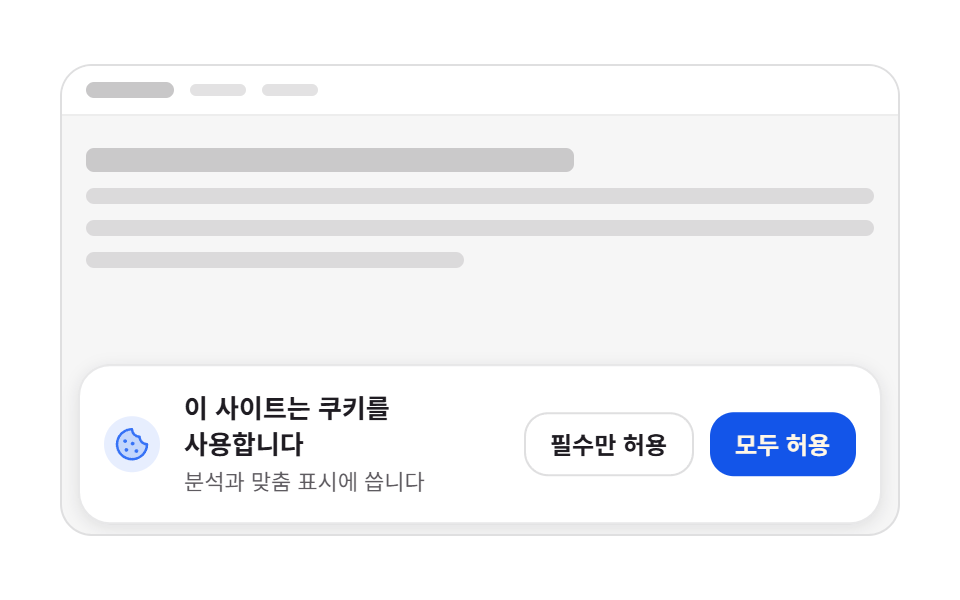 クッキー同意バナーUI 9選 — コピペで使う同意管理コードクッキー同意バナーとは、サイトがCookieを使うことを訪問者に知らせ、その選択を受け取るUIで、ここにある9つはバナー・パネル・モーダル・トーストのすべてを実際に押せる状態で作ったものです。そのうち1つは、規約を最後まで読まないとボタンが この記事のデモをすべて見る