クッキー同意バナーUI 9選 — コピペで使う同意管理コード
クッキー同意バナーとは、サイトがCookieを使うことを訪問者に知らせ、その選択を受け取るUIで、ここにある9つはバナー・パネル・モーダル・トーストのすべてを実際に押せる状態で作ったものです。そのうち1つは、規約を最後まで読まないとボタンが押せません。
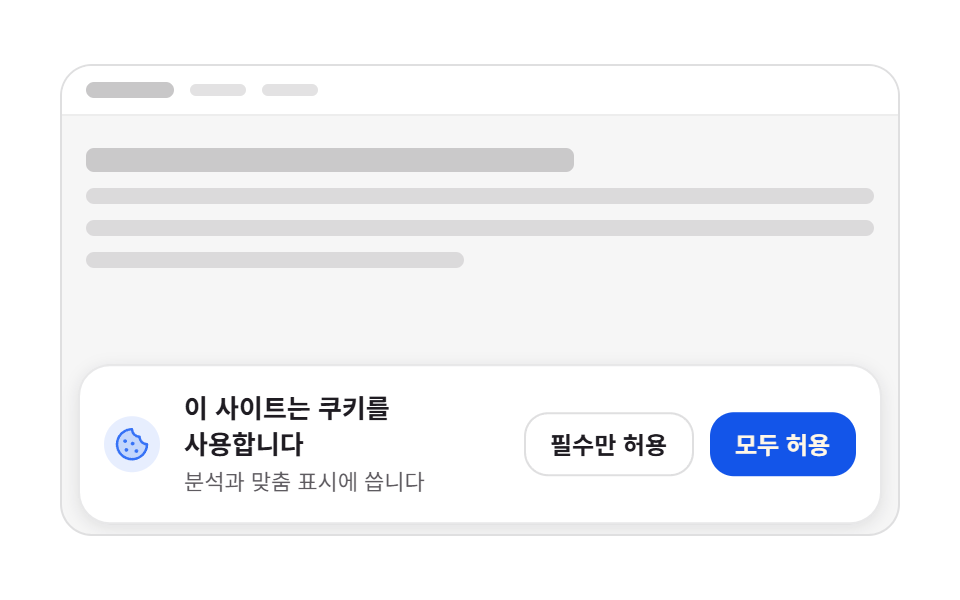 01 cookie-banner-bottom-slideup
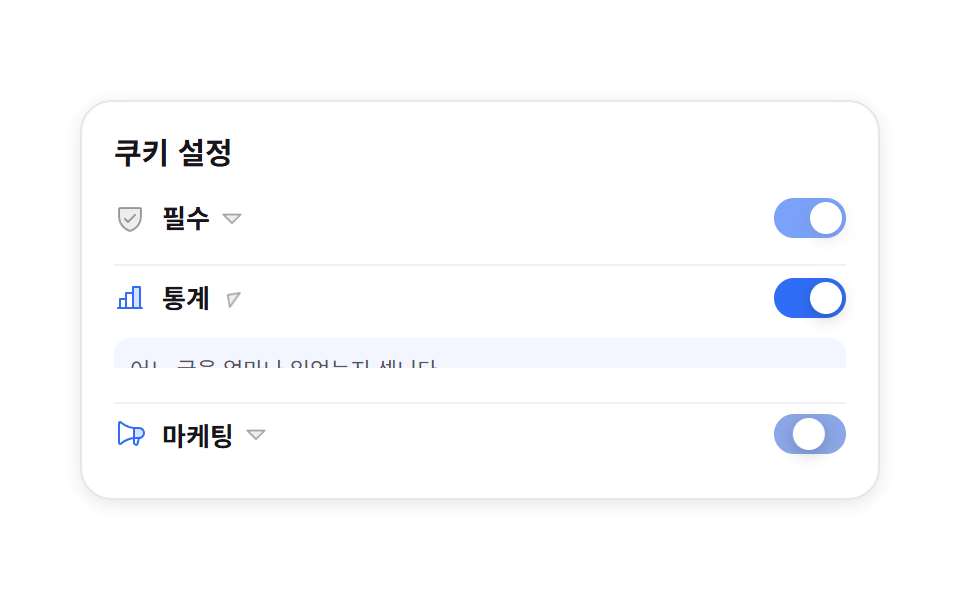 02 cookie-category-toggle-panel
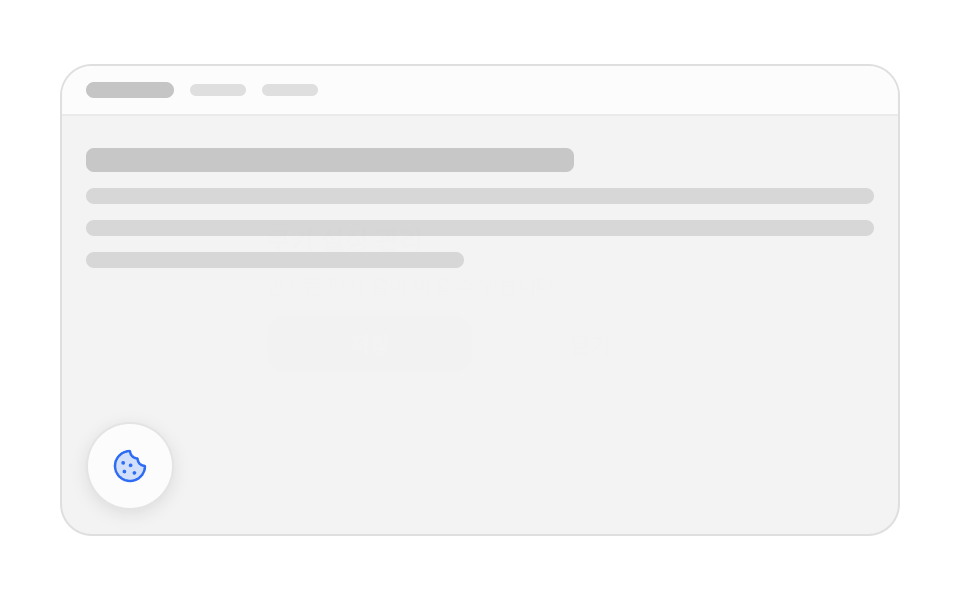 03 cookie-manage-modal-reopen
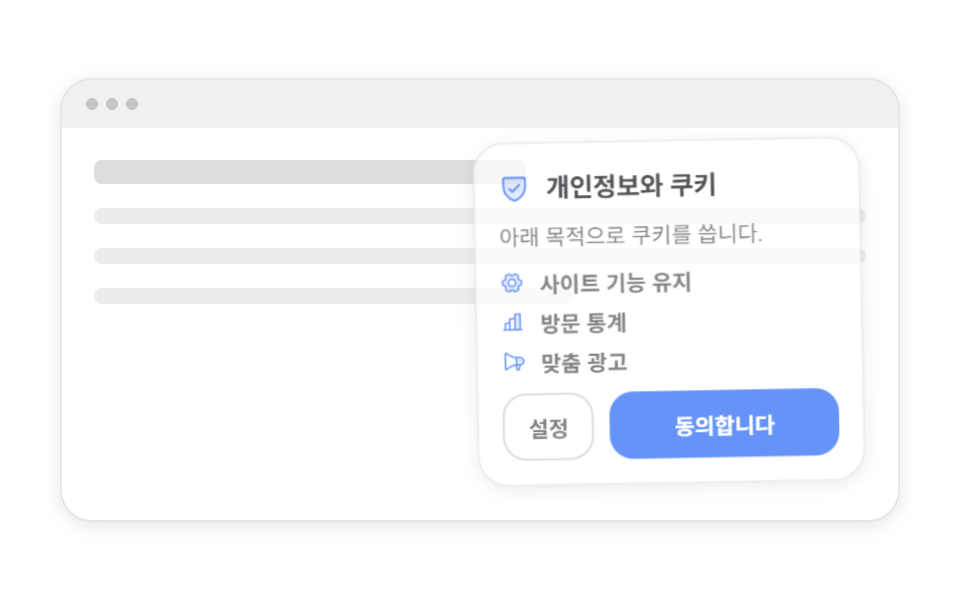 04 cookie-first-visit-corner-card
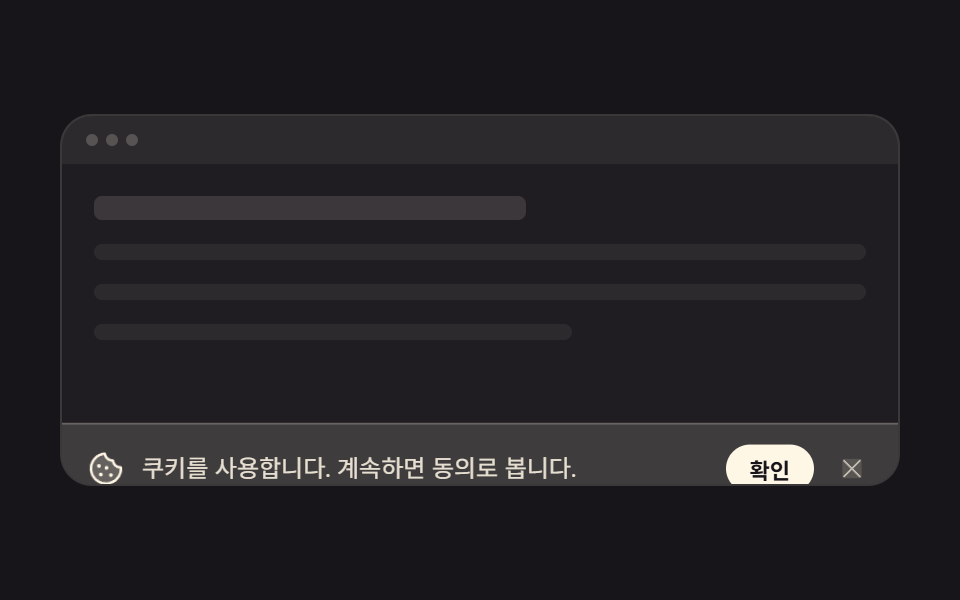 05 cookie-minimal-icon-line-bar
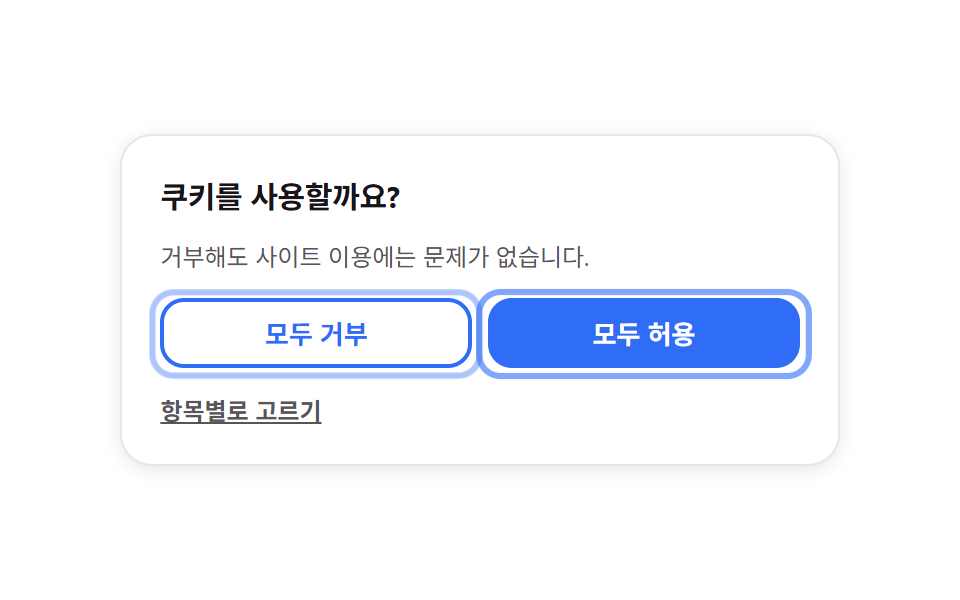 06 cookie-accept-reject-equal-pair
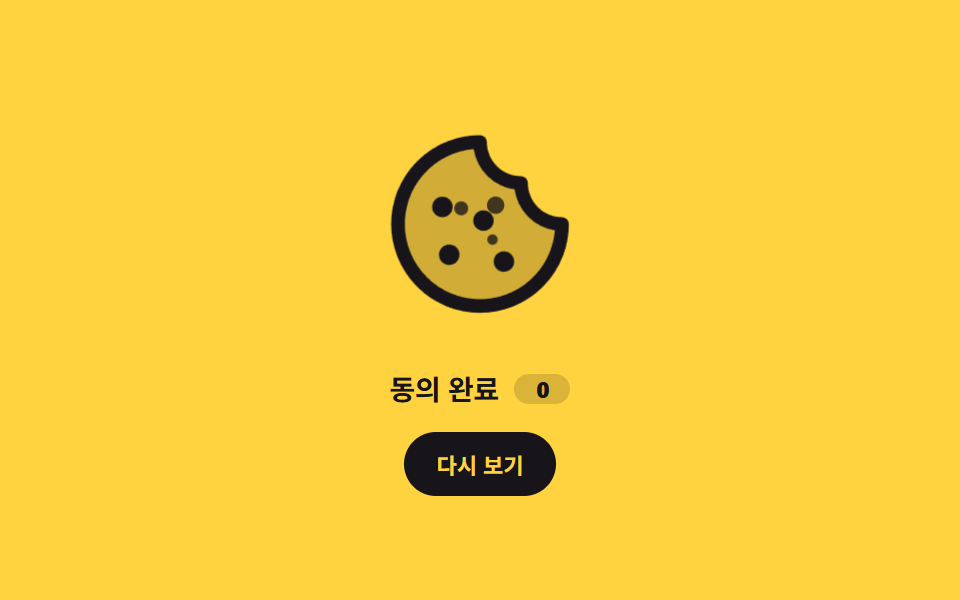 07 cookie-icon-crumble-motion
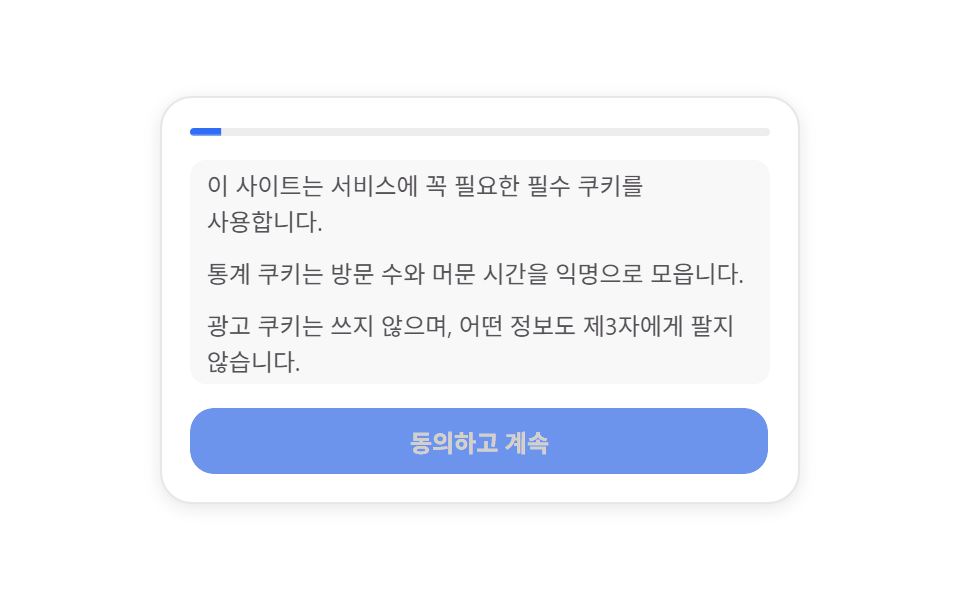 08 cookie-scroll-consent-gate
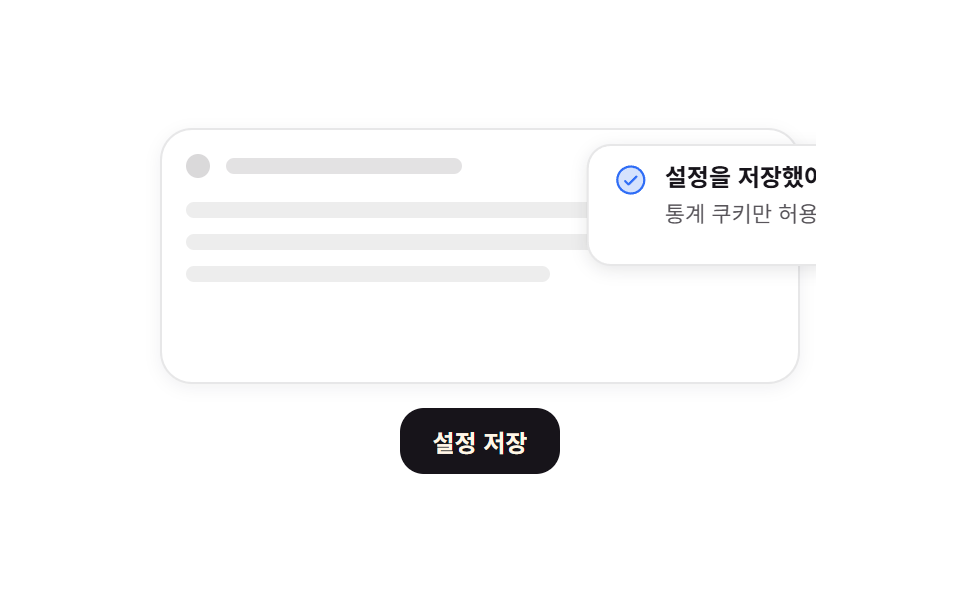 09 cookie-settings-saved-toast
自動再生 · タイルを押すとその項目へ · すべて1つのzip
- 01 下部固定バナーのスライドアップ
- 02 カテゴリー別トグルの詳細パネル
- 03 同意管理モーダルの再表示
- 04 初回訪問のコーナーカード
- 05 アイコン1行のミニバナー
- 06 拒否も一度に — 同等強調のボタン
- 07 砕けるクッキーアイコン
- 08 スクロール到達で開く同意ゲート
- 09 設定保存のトースト
並び順は人気順ではなく、訪問者が同意画面に出会う順番です。最初は画面下から上がってくる帯、次が項目を個別に選ばせる cookie 同意 管理 バナーと、一度閉じた同意をもう一度開く手段です。そのあとは場所と大きさを削ったコーナーカードと1行の帯、許可と拒否を同じ重さで並べる形、同意した瞬間の小さなモーション、最後まで読ませるゲートが続き、締めくくりは保存できたことを伝える確認です。9つとも選択や時刻・回数を localStorage に保存するので、ブラウザを閉じても値は消えません。帯ではなく短い案内で同意を得る版はチュートリアル UI デザイン側にあり、閉じた後に積もる結果通知はトースト通知 UIがスタックとして引き継ぎます。帯を縮めた場所に残す一行の文面まで決めておけば、同意画面は単体で完結します。同意を一度出したら次の訪問から帯の高さを半分に畳む規則を先に決め、項目の切り替えはその内側だけで動くように組みました。下端に固定するのは九つのうち三つだけで、画面の端が二重に埋まることはありません。
| 番号 | どこに出るか | 動かすプロパティ |
|---|---|---|
| 01 · 05 | 画面いちばん下の横帯 | translateY |
| 02 | カード内の3行 | grid-template-rows · translateX |
| 03 | 画面中央と左下のボタン | scale · opacity |
| 04 | 右下のコーナー | translateY · rotate · scale |
| 06 | カード内の2つのボタン | opacity · scale |
| 07 | 中央のアイコンとかけら3つ | translate · scale |
| 08 | カード上部の進捗バー | scaleX |
| 09 | 右上のトースト | translateX · scaleX |
01下部固定バナーのスライドアップ
cookie 同意 バナーとして何が見えるか
バナーは自分の高さに $sp-2 を足した分だけ下に隠れていて、そこから定位置へ上がってきます。
<main class="stage">
  <div class="cb is-demo">
    <div class="cb__page" aria-hidden="true">
      <div class="cb__topbar">
        <span class="cb__brand"></span>
        <span class="cb__nav"></span>
        <span class="cb__nav"></span>
      </div>
      <div class="cb__lines">
        <span class="cb__line cb__line--head"></span>
        <span class="cb__line"></span>
        <span class="cb__line"></span>
        <span class="cb__line cb__line--short"></span>
      </div>
    </div>

    <p class="cb__chip" hidden><span class="cb__chip-k">保存済み</span><b class="cb__chip-v"></b></p>

    <section class="cb__banner" aria-label="Cookieの同意">
      <span class="cb__ic" aria-hidden="true"><svg viewBox="0 0 256 256" width="20" height="20"><g fill="currentColor"><path d="M224 128a96 96 0 1 1-96-96a48 48 0 0 0 48 48a48 48 0 0 0 48 48" opacity=".2"/><path d="M164.49 163.51a12 12 0 1 1-17 0a12 12 0 0 1 17 0m-81-8a12 12 0 1 0 17 0a12 12 0 0 0-16.98 0Zm9-39a12 12 0 1 0-17 0a12 12 0 0 0 17-.02Zm48-1a12 12 0 1 0 0 17a12 12 0 0 0 0-17M232 128A104 104 0 1 1 128 24a8 8 0 0 1 8 8a40 40 0 0 0 40 40a8 8 0 0 1 8 8a40 40 0 0 0 40 40a8 8 0 0 1 8 8m-16.31 7.39A56.13 56.13 0 0 1 168.5 87.5a56.13 56.13 0 0 1-47.89-47.19a88 88 0 1 0 95.08 95.08"/></g></svg></span>
      <div class="cb__text">
        <strong class="cb__title">このサイトはCookieを使用します</strong>
        <span class="cb__desc">分析とパーソナライズに使います</span>
      </div>
      <div class="cb__acts">
        <button class="cb__btn" type="button" data-v="min">必須のみ</button>
        <button class="cb__btn cb__btn--ok" type="button" data-v="all">すべて許可</button>
      </div>
    </section>
  </div>
</main>@use "../../../../site/static/demo-tokens" as *;
$duration: $dur-enter;
$easing: $ease-spring;
$color: $subject-blue;
@include stage($stage-paper);
// ── 무대: 움직이지 않는 가짜 페이지 한 장. 움직이는 건 배너뿐이다 ──
.cb {
position: relative;
box-sizing: border-box;
width: min(100%, 420px);
height: clamp(156px, 52vw, 236px);
overflow: hidden;
border: 1px solid rgba(23, 20, 26, .10);
border-radius: $r-card;
background: rgba(23, 20, 26, .04);
color: $subject-ink;
font-family: -apple-system, "Segoe UI", "Noto Sans KR", sans-serif;
}
.cb__page { position: absolute; inset: 0; }
.cb__topbar {
display: flex;
align-items: center;
gap: $sp-2;
padding: $sp-2 $sp-3;
background: $stage-paper;
border-bottom: 1px solid rgba(23, 20, 26, .08);
}
.cb__brand { width: 44px; height: 8px; border-radius: $r-xs; background: rgba(23, 20, 26, .24); }
.cb__nav { width: 28px; height: 6px; border-radius: $r-xs; background: rgba(23, 20, 26, .12); }
.cb__nav:first-of-type { margin-left: auto; }
.cb__lines { display: grid; gap: $sp-2; padding: $sp-4 $sp-3; }
.cb__line {
height: 8px;
border-radius: $r-xs;
background: rgba(23, 20, 26, .12);
}
.cb__line--head { height: 12px; width: 62%; background: rgba(23, 20, 26, .20); }
.cb__line--short { width: 48%; }
// 이전 선택 표시 칩
.cb__chip {
position: absolute;
top: $sp-8;
left: $sp-3;
display: inline-flex;
align-items: center;
gap: $sp-1;
margin: 0;
padding: $sp-1 $sp-2;
border-radius: $r-pill;
background: rgba(47, 109, 246, .10);
color: $color;
font-size: clamp(9px, 2.6vw, 11px);
font-weight: 700;
line-height: 1.2;
}
.cb__chip[hidden] { display: none; }
.cb__chip-k::after { content: ":"; }
// ── 배너: 아래에서 올라온다 ──
.cb__banner {
position: absolute;
left: $sp-2;
right: $sp-2;
bottom: $sp-2;
box-sizing: border-box;
display: flex;
flex-wrap: wrap;
align-items: center;
gap: $sp-2 $sp-3;
padding: $sp-3;
border: 1px solid rgba(23, 20, 26, .10);
border-radius: $r-card;
background: $stage-paper;
box-shadow: 0 2px 8px rgba(23, 20, 26, .10);
transform: translateY(0);
opacity: 1;
transition: transform $dur-base $easing, opacity $dur-base $easing;
}
.cb__banner.is-out {
transform: translateY(calc(100% + #{$sp-2}));
opacity: 0;
}
.cb__ic {
flex: 0 0 auto;
display: inline-flex;
align-items: center;
justify-content: center;
width: 28px;
height: 28px;
border-radius: $r-pill;
background: rgba(47, 109, 246, .12);
color: $color;
}
.cb__text { flex: 1 1 128px; min-width: 0; display: grid; gap: $sp-1; }
.cb__title {
font-size: clamp(11px, 3vw, 13px);
font-weight: 700;
line-height: 1.35;
word-break: keep-all; // 한국어가 낱말 가운데서 끊기지 않게
overflow-wrap: anywhere;
}
.cb__desc {
font-size: clamp(9px, 2.6vw, 11px);
line-height: 1.35;
color: rgba($stage-ink, .72);
word-break: keep-all;
overflow-wrap: anywhere;
}
.cb__acts { flex: 0 0 auto; display: flex; gap: $sp-2; }
.cb__btn {
border: 1px solid rgba(23, 20, 26, .14);
border-radius: $r-control;
background: $stage-paper;
color: $subject-ink;
font-family: inherit;
font-size: clamp(10px, 2.8vw, 12px);
font-weight: 700;
line-height: 1.2;
white-space: nowrap;
padding: $sp-2 $sp-3;
cursor: pointer;
transition: background $dur-quick $ease-out, transform $dur-quick $ease-out;
}
.cb__btn--ok {
border-color: transparent;
background: $subject-blue-deep;
color: $subject-cream;
}
.cb__btn:hover, .cb__btn:focus-visible { background: rgba(23, 20, 26, .06); }
.cb__btn--ok:hover, .cb__btn--ok:focus-visible { background: rgba(47, 109, 246, .84); }
.cb__btn:active { transform: translateY(1px); }
// ── 자동 루프: 올라왔다 머물다 다시 내려간다. 0% 와 100% 가 같아 텔레포트가 없다 ──
.cb.is-demo .cb__banner { animation: cb-slide $dur-loop $easing infinite; }

@keyframes cb-slide {
  0%        { transform: translateY(calc(100% + #{$sp-2})); opacity: 0; }
  22%, 72%  { transform: translateY(0); opacity: 1; }
  100%      { transform: translateY(calc(100% + #{$sp-2})); opacity: 0; }
}
@media (max-width: 340px) {
.cb__lines { padding: $sp-3 $sp-3; gap: $sp-1; }
.cb__banner { gap: $sp-2; padding: $sp-2; }
.cb__ic { width: 24px; height: 24px; }
.cb__acts { width: 100%; }
.cb__btn { flex: 1 1 auto; padding: $sp-1 $sp-2; }
}
@media (prefers-reduced-motion: reduce) {
.cb.is-demo .cb__banner { animation: none !important; transform: translateY(0); opacity: 1; }
.cb__banner, .cb__btn { transition: none; }
}html, body {
margin: 0;
overflow: hidden;
}
.stage {
box-sizing: border-box;
min-height: 100vh;
display: grid;
place-items: center;
margin: 0;
background: #ffffff;
font-family: -apple-system, "Segoe UI", "Noto Sans KR", sans-serif;
padding: clamp(8px, 4vw, 24px);
}
.cb {
position: relative;
box-sizing: border-box;
width: min(100%, 420px);
height: clamp(156px, 52vw, 236px);
overflow: hidden;
border: 1px solid rgba(23, 20, 26, 0.1);
border-radius: 16px;
background: rgba(23, 20, 26, 0.04);
color: #17141a;
font-family: -apple-system, "Segoe UI", "Noto Sans KR", sans-serif;
}
.cb__page {
position: absolute;
inset: 0;
}
.cb__topbar {
display: flex;
align-items: center;
gap: 8px;
padding: 8px 12px;
background: #ffffff;
border-bottom: 1px solid rgba(23, 20, 26, 0.08);
}
.cb__brand {
width: 44px;
height: 8px;
border-radius: 4px;
background: rgba(23, 20, 26, 0.24);
}
.cb__nav {
width: 28px;
height: 6px;
border-radius: 4px;
background: rgba(23, 20, 26, 0.12);
}
.cb__nav:first-of-type {
margin-left: auto;
}
.cb__lines {
display: grid;
gap: 8px;
padding: 16px 12px;
}
.cb__line {
height: 8px;
border-radius: 4px;
background: rgba(23, 20, 26, 0.12);
}
.cb__line--head {
height: 12px;
width: 62%;
background: rgba(23, 20, 26, 0.2);
}
.cb__line--short {
width: 48%;
}
.cb__chip {
position: absolute;
top: 32px;
left: 12px;
display: inline-flex;
align-items: center;
gap: 4px;
margin: 0;
padding: 4px 8px;
border-radius: 999px;
background: rgba(47, 109, 246, 0.1);
color: #2f6df6;
font-size: clamp(9px, 2.6vw, 11px);
font-weight: 700;
line-height: 1.2;
}
.cb__chip[hidden] {
display: none;
}
.cb__chip-k::after {
content: ":";
}
.cb__banner {
position: absolute;
left: 8px;
right: 8px;
bottom: 8px;
box-sizing: border-box;
display: flex;
flex-wrap: wrap;
align-items: center;
gap: 8px 12px;
padding: 12px;
border: 1px solid rgba(23, 20, 26, 0.1);
border-radius: 16px;
background: #ffffff;
box-shadow: 0 2px 8px rgba(23, 20, 26, 0.1);
transform: translateY(0);
opacity: 1;
transition: transform 300ms cubic-bezier(0.2, 0.8, 0.2, 1), opacity 300ms cubic-bezier(0.2, 0.8, 0.2, 1);
}
.cb__banner.is-out {
transform: translateY(calc(100% + 8px));
opacity: 0;
}
.cb__ic {
flex: 0 0 auto;
display: inline-flex;
align-items: center;
justify-content: center;
width: 28px;
height: 28px;
border-radius: 999px;
background: rgba(47, 109, 246, 0.12);
color: #2f6df6;
}
.cb__text {
flex: 1 1 128px;
min-width: 0;
display: grid;
gap: 4px;
}
.cb__title {
font-size: clamp(11px, 3vw, 13px);
font-weight: 700;
line-height: 1.35;
word-break: keep-all;
overflow-wrap: anywhere;
}
.cb__desc {
font-size: clamp(9px, 2.6vw, 11px);
line-height: 1.35;
color: rgba(23, 20, 26, 0.72);
word-break: keep-all;
overflow-wrap: anywhere;
}
.cb__acts {
flex: 0 0 auto;
display: flex;
gap: 8px;
}
.cb__btn {
border: 1px solid rgba(23, 20, 26, 0.14);
border-radius: 12px;
background: #ffffff;
color: #17141a;
font-family: inherit;
font-size: clamp(10px, 2.8vw, 12px);
font-weight: 700;
line-height: 1.2;
white-space: nowrap;
padding: 8px 12px;
cursor: pointer;
transition: background 220ms ease-out, transform 220ms ease-out;
}
.cb__btn--ok {
border-color: transparent;
background: #0a4fe8;
color: #fff7e6;
}
.cb__btn:hover, .cb__btn:focus-visible {
background: rgba(23, 20, 26, 0.06);
}
.cb__btn--ok:hover, .cb__btn--ok:focus-visible {
background: rgba(47, 109, 246, 0.84);
}
.cb__btn:active {
transform: translateY(1px);
}
.cb.is-demo .cb__banner {
animation: cb-slide 2s cubic-bezier(0.2, 0.8, 0.2, 1) infinite;
}
@keyframes cb-slide {
0% {
transform: translateY(calc(100% + 8px));
opacity: 0;
}
22%, 72% {
transform: translateY(0);
opacity: 1;
}
100% {
transform: translateY(calc(100% + 8px));
opacity: 0;
}
}
@media (max-width: 340px) {
.cb__lines {
padding: 12px 12px;
gap: 4px;
}
.cb__banner {
gap: 8px;
padding: 8px;
}
.cb__ic {
width: 24px;
height: 24px;
}
.cb__acts {
width: 100%;
}
.cb__btn {
flex: 1 1 auto;
padding: 4px 8px;
}
}
@media (prefers-reduced-motion: reduce) {
.cb.is-demo .cb__banner {
animation: none !important;
transform: translateY(0);
opacity: 1;
}
.cb__banner, .cb__btn {
transition: none;
}
}// 실제 동작: 버튼을 누르면 배너가 아래로 빠지고 고른 값이 localStorage 에 남는다.
// 칩 글자는 누른 버튼의 라벨을 그대로 복사한다 — 스크립트 안에 문구를 두 번 적지 않는다.
var cb = document.querySelector('.cb');
var chip = cb.querySelector('.cb__chip');
var chipV = cb.querySelector('.cb__chip-v');
var banner = cb.querySelector('.cb__banner');
var KEY = 'gd-consent-01';
function load() {
try { return localStorage.getItem(KEY); } catch (e) { return null; }
}
function save(v) {
try { localStorage.setItem(KEY, v); } catch (e) {}
}
function mark(v) {
var b = cb.querySelector('.cb__btn[data-v="' + v + '"]');
if (!b) return;
chipV.textContent = b.textContent;
chip.hidden = false;
}
function pick(e) {
var v = e.currentTarget.getAttribute('data-v');
save(v);
cb.classList.remove('is-demo');
banner.classList.add('is-out');
mark(v);
}
var btns = cb.querySelectorAll('.cb__btn');
for (var i = 0; i < btns.length; i++) btns[i].addEventListener('click', pick);
// 저장값이 있어도 배너는 다시 띄운다(루프가 필요하다) — 대신 이전 선택을 칩으로 보여준다
var saved = load();
if (saved) mark(saved);import { useEffect, useState } from "react";
import type { CSSProperties } from "react";
import styles from "./BottomBarSlideUp.module.scss";
export type BottomBarSlideUpProps = {
duration?: number;
easing?: string;
color?: string;
};
type Vars = CSSProperties & {
"--duration"?: string;
"--easing"?: string;
"--color"?: string;
};
const KEY = "gd-consent-01";
const LABEL: { [k: string]: string } = {
min: "Necessary only",
all: "Accept all",
};
function load(): string {
try {
return localStorage.getItem(KEY) || "";
} catch (e) {
return "";
}
}
export default function BottomBarSlideUp({
duration = 600,
easing = "cubic-bezier(.2,.8,.2,1)",
color = "#2f6df6",
}: BottomBarSlideUpProps) {
const [saved, setSaved] = useState<string>("");
const [out, setOut] = useState<boolean>(false);
const [live, setLive] = useState<boolean>(true);
// 저장값이 있어도 배너는 다시 띄운다(루프가 필요하다) — 이전 선택만 칩으로 보여준다
useEffect(() => {
setSaved(load());
}, []);
const vars: Vars = {
"--duration": `${duration}ms`,
"--easing": easing,
"--color": color,
};
function pick(v: string): void {
try {
localStorage.setItem(KEY, v);
} catch (e) {
/* 샌드박스에서 던진다 */
}
setSaved(v);
setLive(false);
setOut(true);
}
return (
<div className={`${styles.cb} ${live ? styles.isDemo : ""}`} style={vars}>
<div className={styles.page} aria-hidden="true">
<div className={styles.topbar}>
<span className={styles.brand} />
<span className={styles.nav} />
<span className={styles.nav} />
</div>
<div className={styles.lines}>
<span className={`${styles.line} ${styles.lineHead}`} />
<span className={styles.line} />
<span className={styles.line} />
<span className={`${styles.line} ${styles.lineShort}`} />
</div>
</div>
{saved ? (
<p className={styles.chip}>
<span className={styles.chipK}>Saved</span>
<b className={styles.chipV}>{LABEL[saved]}</b>
</p>
) : null}
<section
className={`${styles.banner} ${out ? styles.isOut : ""}`}
aria-label="Cookie consent"
>
<span className={styles.ic} aria-hidden="true">
<svg viewBox="0 0 256 256" width="20" height="20">
<g fill="currentColor">
<path
d="M224 128a96 96 0 1 1-96-96a48 48 0 0 0 48 48a48 48 0 0 0 48 48"
opacity=".2"
/>
<path d="M164.49 163.51a12 12 0 1 1-17 0a12 12 0 0 1 17 0m-81-8a12 12 0 1 0 17 0a12 12 0 0 0-16.98 0Zm9-39a12 12 0 1 0-17 0a12 12 0 0 0 17-.02Zm48-1a12 12 0 1 0 0 17a12 12 0 0 0 0-17M232 128A104 104 0 1 1 128 24a8 8 0 0 1 8 8a40 40 0 0 0 40 40a8 8 0 0 1 8 8a40 40 0 0 0 40 40a8 8 0 0 1 8 8m-16.31 7.39A56.13 56.13 0 0 1 168.5 87.5a56.13 56.13 0 0 1-47.89-47.19a88 88 0 1 0 95.08 95.08" />
</g>
</svg>
</span>
<div className={styles.text}>
<strong className={styles.title}>This site uses cookies</strong>
<span className={styles.desc}>For analytics and personalised content</span>
</div>
<div className={styles.acts}>
<button className={styles.btn} type="button" onClick={() => pick("min")}>
{LABEL.min}
</button>
<button
className={`${styles.btn} ${styles.btnOk}`}
type="button"
onClick={() => pick("all")}
>
{LABEL.all}
</button>
</div>
</section>
</div>
);
}01 · 下部固定バナーのスライドアップ — 計測 累積面積 10.36% · 動いたフレーム 8/23GODRICH オリジナル · SCSS と React は zip に同梱 · パスワードを見る
コードのどこを見るか
ボタンを押すと同じ値で下へ戻り、押したボタンのラベルは「保存済み」の文言と並んでモックページ上の小さなチップに残ります。
.cb.is-demo .cb__banner { animation: cb-slide $dur-loop $easing infinite; }
@keyframes cb-slide {
0% { transform: translateY(calc(100% + #{$sp-2})); opacity: 0; }
22%, 72% { transform: translateY(0); opacity: 1; }
100% { transform: translateY(calc(100% + #{$sp-2})); opacity: 0; }
}
02カテゴリー別トグルの詳細パネル
画面で起きること
必須・分析・広告の3行がそれぞれスイッチを持ち、見出しを押すと説明欄が 0fr から 1fr へ伸びます。
<main class="stage">
  <div class="ct is-demo">
    <h2 class="ct__head">Cookie設定</h2>

    <div class="ct__row" data-k="need">
      <span class="ct__ic" aria-hidden="true"><svg viewBox="0 0 256 256" width="16" height="16"><g fill="currentColor"><path d="M216 56v56c0 96-88 120-88 120s-88-24-88-120V56a8 8 0 0 1 8-8h160a8 8 0 0 1 8 8" opacity=".2"/><path d="M208 40H48a16 16 0 0 0-16 16v56c0 52.72 25.52 84.67 46.93 102.19c23.06 18.86 46 25.26 47 25.53a8 8 0 0 0 4.2 0c1-.27 23.91-6.67 47-25.53C198.48 196.67 224 164.72 224 112V56a16 16 0 0 0-16-16m0 72c0 37.07-13.66 67.16-40.6 89.42a129.3 129.3 0 0 1-39.4 22.2a128.3 128.3 0 0 1-38.92-21.81C61.82 179.51 48 149.3 48 112V56h160ZM82.34 141.66a8 8 0 0 1 11.32-11.32L112 148.69l50.34-50.35a8 8 0 0 1 11.32 11.32l-56 56a8 8 0 0 1-11.32 0Z"/></g></svg></span>
      <button class="ct__name" type="button" aria-expanded="false" aria-controls="ct-p1">
        <span class="ct__label">必須</span>
        <span class="ct__caret" aria-hidden="true"><svg viewBox="0 0 256 256" width="14" height="14"><g fill="currentColor"><path d="m208 96l-80 80l-80-80Z" opacity=".2"/><path d="M215.39 92.94A8 8 0 0 0 208 88H48a8 8 0 0 0-5.66 13.66l80 80a8 8 0 0 0 11.32 0l80-80a8 8 0 0 0 1.73-8.72M128 164.69L67.31 104h121.38Z"/></g></svg></span>
      </button>
      <button class="ct__sw ct__sw--fixed is-on" type="button" role="switch" aria-checked="true" aria-disabled="true" aria-label="必須Cookie"><span class="ct__knob"></span></button>
      <div class="ct__panel" id="ct-p1"><div class="ct__inner"><p class="ct__desc">サイトの表示に必ず必要です。</p></div></div>
    </div>

    <div class="ct__row ct__row--stats" data-k="stats">
      <span class="ct__ic" aria-hidden="true"><svg viewBox="0 0 256 256" width="16" height="16"><g fill="currentColor"><path d="M208 40v168h-56V40Z" opacity=".2"/><path d="M224 200h-8V40a8 8 0 0 0-8-8h-56a8 8 0 0 0-8 8v40H96a8 8 0 0 0-8 8v40H48a8 8 0 0 0-8 8v64h-8a8 8 0 0 0 0 16h192a8 8 0 0 0 0-16M160 48h40v152h-40Zm-56 48h40v104h-40Zm-48 48h32v56H56Z"/></g></svg></span>
      <button class="ct__name" type="button" aria-expanded="false" aria-controls="ct-p2">
        <span class="ct__label">分析</span>
        <span class="ct__caret" aria-hidden="true"><svg viewBox="0 0 256 256" width="14" height="14"><g fill="currentColor"><path d="m208 96l-80 80l-80-80Z" opacity=".2"/><path d="M215.39 92.94A8 8 0 0 0 208 88H48a8 8 0 0 0-5.66 13.66l80 80a8 8 0 0 0 11.32 0l80-80a8 8 0 0 0 1.73-8.72M128 164.69L67.31 104h121.38Z"/></g></svg></span>
      </button>
      <button class="ct__sw is-on" type="button" role="switch" aria-checked="true" aria-label="分析Cookie"><span class="ct__knob"></span></button>
      <div class="ct__panel" id="ct-p2"><div class="ct__inner"><p class="ct__desc">どの記事をどこまで読んだかを集計します。</p></div></div>
    </div>

    <div class="ct__row ct__row--ads" data-k="ads">
      <span class="ct__ic" aria-hidden="true"><svg viewBox="0 0 256 256" width="16" height="16"><g fill="currentColor"><path d="M240 120a40 40 0 0 1-40 40h-40V80h40a40 40 0 0 1 40 40" opacity=".2"/><path d="M248 120a48.05 48.05 0 0 0-48-48h-39.8c-2.91-.17-53.62-3.74-101.91-44.24A16 16 0 0 0 32 40v160a16 16 0 0 0 26.29 12.25c37.77-31.68 77-40.76 93.71-43.3v31.72a16 16 0 0 0 7.12 13.33l11 7.33A16 16 0 0 0 194.5 212l11.77-44.36A48.07 48.07 0 0 0 248 120M48 199.93V40c42.81 35.91 86.63 45 104 47.24v65.48c-17.35 2.28-61.16 11.35-104 47.21m131 8v.11l-11-7.33V168h21.6ZM200 152h-32V88h32a32 32 0 1 1 0 64"/></g></svg></span>
      <button class="ct__name" type="button" aria-expanded="false" aria-controls="ct-p3">
        <span class="ct__label">広告</span>
        <span class="ct__caret" aria-hidden="true"><svg viewBox="0 0 256 256" width="14" height="14"><g fill="currentColor"><path d="m208 96l-80 80l-80-80Z" opacity=".2"/><path d="M215.39 92.94A8 8 0 0 0 208 88H48a8 8 0 0 0-5.66 13.66l80 80a8 8 0 0 0 11.32 0l80-80a8 8 0 0 0 1.73-8.72M128 164.69L67.31 104h121.38Z"/></g></svg></span>
      </button>
      <button class="ct__sw" type="button" role="switch" aria-checked="false" aria-label="広告Cookie"><span class="ct__knob"></span></button>
      <div class="ct__panel" id="ct-p3"><div class="ct__inner"><p class="ct__desc">興味に合わせた広告を表示します。</p></div></div>
    </div>
  </div>
</main>@use "../../../../site/static/demo-tokens" as *;
$duration: $dur-base;
$easing: $ease-spring;
$color: $subject-blue;
@include stage($stage-paper);
.ct {
box-sizing: border-box;
width: min(100%, 400px);
display: grid;
gap: $sp-2;
padding: $sp-4;
border: 1px solid rgba(23, 20, 26, .10);
border-radius: $r-card;
background: $stage-paper;
box-shadow: 0 2px 8px rgba(23, 20, 26, .10);
color: $subject-ink;
font-family: -apple-system, "Segoe UI", "Noto Sans KR", sans-serif;
}
.ct__head {
margin: 0;
font-size: clamp(13px, 3.4vw, 15px);
font-weight: 700;
line-height: 1.2;
}
// 320px 에서도 아이콘·글자·스위치가 겹치지 않게 세 칸으로 못 박는다
.ct__row {
display: grid;
grid-template-columns: auto 1fr auto;
align-items: center;
column-gap: $sp-2;
}
.ct__row + .ct__row { border-top: 1px solid rgba(23, 20, 26, .06); }
.ct__ic {
grid-column: 1;
display: inline-flex;
color: rgba(23, 20, 26, .40);
}
.ct__row--stats .ct__ic, .ct__row--ads .ct__ic { color: $color; }
.ct__name {
grid-column: 2;
display: flex;
align-items: center;
gap: $sp-1;
min-width: 0;
border: 0;
margin: 0;
padding: $sp-2 0;
background: none;
color: $subject-ink;
font-family: inherit;
font-size: clamp(11px, 3vw, 13px);
font-weight: 700;
line-height: 1.2;
text-align: left;
cursor: pointer;
}
.ct__label { white-space: nowrap; }
.ct__caret {
display: inline-flex;
color: rgba(23, 20, 26, .36);
transform: rotate(0deg);
transition: transform $dur-quick $easing;
}
.ct__name[aria-expanded="true"] .ct__caret { transform: rotate(180deg); }
// ── 스위치: 노브는 translateX, 켜짐 색은 ::before 의 opacity ──
.ct__sw {
grid-column: 3;
position: relative;
width: 36px;
height: 20px;
flex: 0 0 auto;
border: 0;
margin: 0;
padding: 0;
border-radius: $r-pill;
background: rgba(23, 20, 26, .16);
cursor: pointer;
}
.ct__sw::before {
content: "";
position: absolute;
inset: 0;
border-radius: $r-pill;
background: $color;
opacity: 0;
transition: opacity $dur-quick $ease-out;
}
.ct__sw.is-on::before { opacity: 1; }
.ct__sw:focus-visible { outline: 2px solid rgba(47, 109, 246, .56); outline-offset: 2px; }
.ct__sw--fixed { cursor: not-allowed; opacity: .64; }
.ct__knob {
position: absolute;
top: 2px;
left: 2px;
width: 16px;
height: 16px;
border-radius: 50%;
background: $stage-paper;
box-shadow: 0 2px 8px rgba(23, 20, 26, .24);
transform: translateX(0);
transition: transform $duration $easing;
}
.ct__sw.is-on .ct__knob { transform: translateX(16px); }
// ── 펼침: grid-template-rows 0fr → 1fr (height:auto 를 쓰지 않는다) ──
.ct__panel {
grid-column: 1 / -1;
display: grid;
grid-template-rows: 0fr;
transition: grid-template-rows $duration $easing;
}
.ct__inner { overflow: hidden; }
.ct__row.is-open .ct__panel { grid-template-rows: 1fr; }
.ct__desc {
margin: $sp-1 0;
padding: $sp-2;
border-radius: $r-sm;
background: rgba(47, 109, 246, .06);
color: rgba($stage-ink, .72);
font-size: clamp(9px, 2.6vw, 11px);
line-height: 1.4;
}
// ── 자동 루프: 통계가 펼쳐졌다 접히는 사이 마케팅 스위치가 켜졌다 꺼진다. 0% 와 100% 가 같다 ──
.ct.is-demo .ct__row--stats .ct__panel { animation: ct-open $dur-loop $easing infinite; }
.ct.is-demo .ct__row--stats .ct__caret { animation: ct-caret $dur-loop $easing infinite; }
.ct.is-demo .ct__row--ads .ct__knob { animation: ct-knob $dur-loop $easing infinite; }
.ct.is-demo .ct__row--ads .ct__sw::before { animation: ct-fill $dur-loop $easing infinite; }
@keyframes ct-open {
0% { grid-template-rows: 0fr; }
20%, 70% { grid-template-rows: 1fr; }
100% { grid-template-rows: 0fr; }
}
@keyframes ct-caret {
0% { transform: rotate(0deg); }
20%, 70% { transform: rotate(180deg); }
100% { transform: rotate(0deg); }
}
@keyframes ct-knob {
0% { transform: translateX(0); }
35%, 80% { transform: translateX(16px); }
100% { transform: translateX(0); }
}
@keyframes ct-fill {
0% { opacity: 0; }
35%, 80% { opacity: 1; }
100% { opacity: 0; }
}
@media (max-width: 340px) {
.ct { padding: $sp-3; gap: $sp-1; }
.ct__row { column-gap: $sp-1; }
.ct__name { padding: $sp-1 0; }
.ct__desc { margin: $sp-1 0; padding: $sp-1 $sp-2; }
}
@media (prefers-reduced-motion: reduce) {
.ct.is-demo .ct__row--stats .ct__panel,
.ct.is-demo .ct__row--stats .ct__caret,
.ct.is-demo .ct__row--ads .ct__knob,
.ct.is-demo .ct__row--ads .ct__sw::before { animation: none !important; }
.ct__panel, .ct__caret, .ct__knob, .ct__sw::before { transition: none; }
}html, body {
margin: 0;
overflow: hidden;
}
.stage {
box-sizing: border-box;
min-height: 100vh;
display: grid;
place-items: center;
margin: 0;
background: #ffffff;
font-family: -apple-system, "Segoe UI", "Noto Sans KR", sans-serif;
padding: clamp(8px, 4vw, 24px);
}
.ct {
box-sizing: border-box;
width: min(100%, 400px);
display: grid;
gap: 8px;
padding: 16px;
border: 1px solid rgba(23, 20, 26, 0.1);
border-radius: 16px;
background: #ffffff;
box-shadow: 0 2px 8px rgba(23, 20, 26, 0.1);
color: #17141a;
font-family: -apple-system, "Segoe UI", "Noto Sans KR", sans-serif;
}
.ct__head {
margin: 0;
font-size: clamp(13px, 3.4vw, 15px);
font-weight: 700;
line-height: 1.2;
}
.ct__row {
display: grid;
grid-template-columns: auto 1fr auto;
align-items: center;
column-gap: 8px;
}
.ct__row + .ct__row {
border-top: 1px solid rgba(23, 20, 26, 0.06);
}
.ct__ic {
grid-column: 1;
display: inline-flex;
color: rgba(23, 20, 26, 0.4);
}
.ct__row--stats .ct__ic, .ct__row--ads .ct__ic {
color: #2f6df6;
}
.ct__name {
grid-column: 2;
display: flex;
align-items: center;
gap: 4px;
min-width: 0;
border: 0;
margin: 0;
padding: 8px 0;
background: none;
color: #17141a;
font-family: inherit;
font-size: clamp(11px, 3vw, 13px);
font-weight: 700;
line-height: 1.2;
text-align: left;
cursor: pointer;
}
.ct__label {
white-space: nowrap;
}
.ct__caret {
display: inline-flex;
color: rgba(23, 20, 26, 0.36);
transform: rotate(0deg);
transition: transform 220ms cubic-bezier(0.2, 0.8, 0.2, 1);
}
.ct__name[aria-expanded=true] .ct__caret {
transform: rotate(180deg);
}
.ct__sw {
grid-column: 3;
position: relative;
width: 36px;
height: 20px;
flex: 0 0 auto;
border: 0;
margin: 0;
padding: 0;
border-radius: 999px;
background: rgba(23, 20, 26, 0.16);
cursor: pointer;
}
.ct__sw::before {
content: "";
position: absolute;
inset: 0;
border-radius: 999px;
background: #2f6df6;
opacity: 0;
transition: opacity 220ms ease-out;
}
.ct__sw.is-on::before {
opacity: 1;
}
.ct__sw:focus-visible {
outline: 2px solid rgba(47, 109, 246, 0.56);
outline-offset: 2px;
}
.ct__sw--fixed {
cursor: not-allowed;
opacity: 0.64;
}
.ct__knob {
position: absolute;
top: 2px;
left: 2px;
width: 16px;
height: 16px;
border-radius: 50%;
background: #ffffff;
box-shadow: 0 2px 8px rgba(23, 20, 26, 0.24);
transform: translateX(0);
transition: transform 300ms cubic-bezier(0.2, 0.8, 0.2, 1);
}
.ct__sw.is-on .ct__knob {
transform: translateX(16px);
}
.ct__panel {
grid-column: 1/-1;
display: grid;
grid-template-rows: 0fr;
transition: grid-template-rows 300ms cubic-bezier(0.2, 0.8, 0.2, 1);
}
.ct__inner {
overflow: hidden;
}
.ct__row.is-open .ct__panel {
grid-template-rows: 1fr;
}
.ct__desc {
margin: 4px 0;
padding: 8px;
border-radius: 8px;
background: rgba(47, 109, 246, 0.06);
color: rgba(23, 20, 26, 0.72);
font-size: clamp(9px, 2.6vw, 11px);
line-height: 1.4;
}
.ct.is-demo .ct__row--stats .ct__panel {
animation: ct-open 2s cubic-bezier(0.2, 0.8, 0.2, 1) infinite;
}
.ct.is-demo .ct__row--stats .ct__caret {
animation: ct-caret 2s cubic-bezier(0.2, 0.8, 0.2, 1) infinite;
}
.ct.is-demo .ct__row--ads .ct__knob {
animation: ct-knob 2s cubic-bezier(0.2, 0.8, 0.2, 1) infinite;
}
.ct.is-demo .ct__row--ads .ct__sw::before {
animation: ct-fill 2s cubic-bezier(0.2, 0.8, 0.2, 1) infinite;
}
@keyframes ct-open {
0% {
grid-template-rows: 0fr;
}
20%, 70% {
grid-template-rows: 1fr;
}
100% {
grid-template-rows: 0fr;
}
}
@keyframes ct-caret {
0% {
transform: rotate(0deg);
}
20%, 70% {
transform: rotate(180deg);
}
100% {
transform: rotate(0deg);
}
}
@keyframes ct-knob {
0% {
transform: translateX(0);
}
35%, 80% {
transform: translateX(16px);
}
100% {
transform: translateX(0);
}
}
@keyframes ct-fill {
0% {
opacity: 0;
}
35%, 80% {
opacity: 1;
}
100% {
opacity: 0;
}
}
@media (max-width: 340px) {
.ct {
padding: 12px;
gap: 4px;
}
.ct__row {
column-gap: 4px;
}
.ct__name {
padding: 4px 0;
}
.ct__desc {
margin: 4px 0;
padding: 4px 8px;
}
}
@media (prefers-reduced-motion: reduce) {
.ct.is-demo .ct__row--stats .ct__panel,
.ct.is-demo .ct__row--stats .ct__caret,
.ct.is-demo .ct__row--ads .ct__knob,
.ct.is-demo .ct__row--ads .ct__sw::before {
animation: none !important;
}
.ct__panel, .ct__caret, .ct__knob, .ct__sw::before {
transition: none;
}
}// 실제 동작: 스위치는 role="switch" 로 진짜 토글되고, 행 제목은 aria-expanded 로 설명을 편다.
// 필수는 항상 켬이라 눌러도 바뀌지 않는다. 선택은 localStorage 에 남는다.
var ct = document.querySelector('.ct');
var KEY = 'gd-consent-02';
var state = { stats: true, ads: false };
function read() {
try { var s = localStorage.getItem(KEY); return s ? JSON.parse(s) : null; } catch (e) { return null; }
}
function write() {
try { localStorage.setItem(KEY, JSON.stringify(state)); } catch (e) {}
}
function paint() {
var rows = ct.querySelectorAll('.ct__row');
for (var i = 0; i < rows.length; i++) {
var k = rows[i].getAttribute('data-k');
if (k === 'need') continue;
var on = !!state[k];
var sw = rows[i].querySelector('.ct__sw');
sw.setAttribute('aria-checked', on ? 'true' : 'false');
sw.classList.toggle('is-on', on);
}
}
function stop() { ct.classList.remove('is-demo'); }
var sws = ct.querySelectorAll('.ct__sw');
for (var i = 0; i < sws.length; i++) {
sws[i].addEventListener('click', function (e) {
stop();
var k = e.currentTarget.closest('.ct__row').getAttribute('data-k');
if (k === 'need') return;
state[k] = !state[k];
paint();
write();
});
}
var names = ct.querySelectorAll('.ct__name');
for (var j = 0; j < names.length; j++) {
names[j].addEventListener('click', function (e) {
stop();
var b = e.currentTarget;
var open = b.getAttribute('aria-expanded') === 'true';
b.setAttribute('aria-expanded', open ? 'false' : 'true');
b.closest('.ct__row').classList.toggle('is-open', !open);
});
}
var saved = read();
if (saved) { state.stats = !!saved.stats; state.ads = !!saved.ads; }
paint();import { useEffect, useState } from "react";
import type { CSSProperties } from "react";
import styles from "./CategoryTogglePanel.module.scss";
export type CategoryTogglePanelProps = {
duration?: number;
easing?: string;
color?: string;
};
type Vars = CSSProperties & {
"--duration"?: string;
"--easing"?: string;
"--color"?: string;
};
const KEY = "gd-consent-02";
function Caret() {
return (
<span className={styles.caret} aria-hidden="true">
<svg viewBox="0 0 256 256" width="14" height="14">
<g fill="currentColor">
<path d="m208 96l-80 80l-80-80Z" opacity=".2" />
<path d="M215.39 92.94A8 8 0 0 0 208 88H48a8 8 0 0 0-5.66 13.66l80 80a8 8 0 0 0 11.32 0l80-80a8 8 0 0 0 1.73-8.72M128 164.69L67.31 104h121.38Z" />
</g>
</svg>
</span>
);
}
export default function CategoryTogglePanel({
duration = 300,
easing = "cubic-bezier(.2,.8,.2,1)",
color = "#2f6df6",
}: CategoryTogglePanelProps) {
const [stats, setStats] = useState<boolean>(true);
const [ads, setAds] = useState<boolean>(false);
const [open, setOpen] = useState<string>("");
const [live, setLive] = useState<boolean>(true);
useEffect(() => {
try {
const raw = localStorage.getItem(KEY);
if (raw) {
const v = JSON.parse(raw) as { stats?: boolean; ads?: boolean };
setStats(!!v.stats);
setAds(!!v.ads);
}
} catch (e) {
/* 샌드박스에서 던진다 */
}
}, []);
function save(nextStats: boolean, nextAds: boolean): void {
try {
localStorage.setItem(KEY, JSON.stringify({ stats: nextStats, ads: nextAds }));
} catch (e) {
/* 샌드박스에서 던진다 */
}
}
function toggleOpen(id: string): void {
setLive(false);
setOpen(open === id ? "" : id);
}
const vars: Vars = {
"--duration": `${duration}ms`,
"--easing": easing,
"--color": color,
};
return (
<div className={`${styles.ct} ${live ? styles.isDemo : ""}`} style={vars}>
<h2 className={styles.head}>Cookie settings</h2>
<div className={styles.row}>
<span className={styles.ic} aria-hidden="true">
<svg viewBox="0 0 256 256" width="16" height="16">
<g fill="currentColor">
<path d="M216 56v56c0 96-88 120-88 120s-88-24-88-120V56a8 8 0 0 1 8-8h160a8 8 0 0 1 8 8" opacity=".2" />
<path d="M208 40H48a16 16 0 0 0-16 16v56c0 52.72 25.52 84.67 46.93 102.19c23.06 18.86 46 25.26 47 25.53a8 8 0 0 0 4.2 0c1-.27 23.91-6.67 47-25.53C198.48 196.67 224 164.72 224 112V56a16 16 0 0 0-16-16m0 72c0 37.07-13.66 67.16-40.6 89.42a129.3 129.3 0 0 1-39.4 22.2a128.3 128.3 0 0 1-38.92-21.81C61.82 179.51 48 149.3 48 112V56h160ZM82.34 141.66a8 8 0 0 1 11.32-11.32L112 148.69l50.34-50.35a8 8 0 0 1 11.32 11.32l-56 56a8 8 0 0 1-11.32 0Z" />
</g>
</svg>
</span>
<button
className={styles.name}
type="button"
aria-expanded={open === "p1"}
aria-controls="ct-p1"
onClick={() => toggleOpen("p1")}
>
<span className={styles.label}>Necessary</span>
<Caret />
</button>
<button
className={`${styles.sw} ${styles.swFixed} ${styles.isOn}`}
type="button"
role="switch"
aria-checked={true}
aria-disabled={true}
aria-label="Necessary cookies"
>
<span className={styles.knob} />
</button>
<div className={`${styles.panel} ${open === "p1" ? styles.isOpen : ""}`} id="ct-p1">
<div className={styles.inner}>
<p className={styles.desc}>Required for the site to load at all.</p>
</div>
</div>
</div>
<div className={`${styles.row} ${styles.rowStats}`}>
<span className={styles.ic} aria-hidden="true">
<svg viewBox="0 0 256 256" width="16" height="16">
<g fill="currentColor">
<path d="M208 40v168h-56V40Z" opacity=".2" />
<path d="M224 200h-8V40a8 8 0 0 0-8-8h-56a8 8 0 0 0-8 8v40H96a8 8 0 0 0-8 8v40H48a8 8 0 0 0-8 8v64h-8a8 8 0 0 0 0 16h192a8 8 0 0 0 0-16M160 48h40v152h-40Zm-56 48h40v104h-40Zm-48 48h32v56H56Z" />
</g>
</svg>
</span>
<button
className={styles.name}
type="button"
aria-expanded={open === "p2"}
aria-controls="ct-p2"
onClick={() => toggleOpen("p2")}
>
<span className={styles.label}>Analytics</span>
<Caret />
</button>
<button
className={`${styles.sw} ${stats ? styles.isOn : ""}`}
type="button"
role="switch"
aria-checked={stats}
aria-label="Analytics cookies"
onClick={() => {
setLive(false);
setStats(!stats);
save(!stats, ads);
}}
>
<span className={styles.knob} />
</button>
<div className={`${styles.panel} ${open === "p2" ? styles.isOpen : ""}`} id="ct-p2">
<div className={styles.inner}>
<p className={styles.desc}>Counts which posts get read, and how far.</p>
</div>
</div>
</div>
<div className={`${styles.row} ${styles.rowAds}`}>
<span className={styles.ic} aria-hidden="true">
<svg viewBox="0 0 256 256" width="16" height="16">
<g fill="currentColor">
<path d="M240 120a40 40 0 0 1-40 40h-40V80h40a40 40 0 0 1 40 40" opacity=".2" />
<path d="M248 120a48.05 48.05 0 0 0-48-48h-39.8c-2.91-.17-53.62-3.74-101.91-44.24A16 16 0 0 0 32 40v160a16 16 0 0 0 26.29 12.25c37.77-31.68 77-40.76 93.71-43.3v31.72a16 16 0 0 0 7.12 13.33l11 7.33A16 16 0 0 0 194.5 212l11.77-44.36A48.07 48.07 0 0 0 248 120M48 199.93V40c42.81 35.91 86.63 45 104 47.24v65.48c-17.35 2.28-61.16 11.35-104 47.21m131 8v.11l-11-7.33V168h21.6ZM200 152h-32V88h32a32 32 0 1 1 0 64" />
</g>
</svg>
</span>
<button
className={styles.name}
type="button"
aria-expanded={open === "p3"}
aria-controls="ct-p3"
onClick={() => toggleOpen("p3")}
>
<span className={styles.label}>Marketing</span>
<Caret />
</button>
<button
className={`${styles.sw} ${ads ? styles.isOn : ""}`}
type="button"
role="switch"
aria-checked={ads}
aria-label="Marketing cookies"
onClick={() => {
setLive(false);
setAds(!ads);
save(stats, !ads);
}}
>
<span className={styles.knob} />
</button>
<div className={`${styles.panel} ${open === "p3" ? styles.isOpen : ""}`} id="ct-p3">
<div className={styles.inner}>
<p className={styles.desc}>Shows ads picked from your interests.</p>
</div>
</div>
</div>
</div>
);
}02 · カテゴリー別トグルの詳細パネル — 計測 累積面積 17.019% · 動いたフレーム 14/23GODRICH オリジナル · SCSS と React は zip に同梱 · パスワードを見る
コードの読み方
高さを auto にすると transition が効かないため、代わりにグリッドの行サイズを動かしています。
.ct__panel {
  grid-column: 1 / -1;
  display: grid;
  grid-template-rows: 0fr;
  transition: grid-template-rows $duration $easing;
}
.ct__inner { overflow: hidden; }
.ct__row.is-open .ct__panel { grid-template-rows: 1fr; }

.ct__knob { transform: translateX(0); transition: transform $duration $easing; }
.ct__sw.is-on .ct__knob { transform: translateX(16px); }
03同意管理モーダルの再表示
どんな動きか
左下の丸いボタンが一度だけふくらんで戻り、押すと背景に幕が降りながらモーダルが .92 から 1 へ広がります。
<main class="stage">
  <div class="mo is-demo">
    <div class="mo__page" aria-hidden="true">
      <div class="mo__topbar">
        <span class="mo__brand"></span>
        <span class="mo__nav"></span>
        <span class="mo__nav"></span>
      </div>
      <div class="mo__lines">
        <span class="mo__line mo__line--head"></span>
        <span class="mo__line"></span>
        <span class="mo__line"></span>
        <span class="mo__line mo__line--short"></span>
      </div>
    </div>

    <button class="mo__reopen" type="button" aria-label="Cookie設定を開く"><svg viewBox="0 0 256 256" width="20" height="20"><g fill="currentColor"><path d="M224 128a96 96 0 1 1-96-96a48 48 0 0 0 48 48a48 48 0 0 0 48 48" opacity=".2"/><path d="M164.49 163.51a12 12 0 1 1-17 0a12 12 0 0 1 17 0m-81-8a12 12 0 1 0 17 0a12 12 0 0 0-16.98 0Zm9-39a12 12 0 1 0-17 0a12 12 0 0 0 17-.02Zm48-1a12 12 0 1 0 0 17a12 12 0 0 0 0-17M232 128A104 104 0 1 1 128 24a8 8 0 0 1 8 8a40 40 0 0 0 40 40a8 8 0 0 1 8 8a40 40 0 0 0 40 40a8 8 0 0 1 8 8m-16.31 7.39A56.13 56.13 0 0 1 168.5 87.5a56.13 56.13 0 0 1-47.89-47.19a88 88 0 1 0 95.08 95.08"/></g></svg></button>

    <div class="mo__backdrop"></div>

    <div class="mo__wrap">
      <div class="mo__modal" role="dialog" aria-modal="true" aria-label="Cookie設定の管理">
        <button class="mo__x" type="button" data-a="close" aria-label="閉じる"><svg viewBox="0 0 256 256" width="14" height="14"><g fill="currentColor"><path d="M216 56v144a16 16 0 0 1-16 16H56a16 16 0 0 1-16-16V56a16 16 0 0 1 16-16h144a16 16 0 0 1 16 16" opacity=".2"/><path d="M205.66 194.34a8 8 0 0 1-11.32 11.32L128 139.31l-66.34 66.35a8 8 0 0 1-11.32-11.32L116.69 128L50.34 61.66a8 8 0 0 1 11.32-11.32L128 116.69l66.34-66.35a8 8 0 0 1 11.32 11.32L139.31 128Z"/></g></svg></button>
        <h2 class="mo__title">Cookie設定の管理</h2>
        <p class="mo__desc">いつでも開き直して変更できます。</p>
        <div class="mo__acts">
          <button class="mo__btn mo__btn--ok" type="button" data-a="save">保存</button>
          <button class="mo__btn" type="button" data-a="close">閉じる</button>
        </div>
      </div>
    </div>
  </div>
</main>@use "../../../../site/static/demo-tokens" as *;
$duration: $dur-base;
$easing: $ease-spring;
$color: $subject-blue;
@include stage($stage-paper);
// ── 무대: 움직이지 않는 가짜 페이지. 움직이는 건 모달과 재열기 버튼뿐이다 ──
.mo {
position: relative;
box-sizing: border-box;
width: min(100%, 420px);
height: clamp(156px, 52vw, 236px);
overflow: hidden;
border: 1px solid rgba(23, 20, 26, .10);
border-radius: $r-card;
background: rgba(23, 20, 26, .04);
color: $subject-ink;
font-family: -apple-system, "Segoe UI", "Noto Sans KR", sans-serif;
}
.mo__page { position: absolute; inset: 0; }
.mo__topbar {
display: flex;
align-items: center;
gap: $sp-2;
padding: $sp-2 $sp-3;
background: $stage-paper;
border-bottom: 1px solid rgba(23, 20, 26, .08);
}
.mo__brand { width: 44px; height: 8px; border-radius: $r-xs; background: rgba(23, 20, 26, .24); }
.mo__nav { width: 28px; height: 6px; border-radius: $r-xs; background: rgba(23, 20, 26, .12); }
.mo__nav:first-of-type { margin-left: auto; }
.mo__lines { display: grid; gap: $sp-2; padding: $sp-4 $sp-3; }
.mo__line { height: 8px; border-radius: $r-xs; background: rgba(23, 20, 26, .12); }
.mo__line--head { height: 12px; width: 62%; background: rgba(23, 20, 26, .20); }
.mo__line--short { width: 48%; }
// ── 왼쪽 아래 재열기 버튼 ──
.mo__reopen {
position: absolute;
left: $sp-3;
bottom: $sp-3;
z-index: 2;
display: inline-flex;
align-items: center;
justify-content: center;
width: 44px;
height: 44px;
margin: 0;
padding: 0;
border: 1px solid rgba(23, 20, 26, .10);
border-radius: $r-pill;
background: $stage-paper;
box-shadow: 0 2px 8px rgba(23, 20, 26, .10);
color: $color;
cursor: pointer;
transform: scale(1);
transition: transform $dur-quick $easing, background $dur-quick $ease-out;
}
.mo__reopen:hover, .mo__reopen:focus-visible { background: rgba(47, 109, 246, .08); }
// ── 백드롭 + 모달 ──
.mo__backdrop {
position: absolute;
inset: 0;
z-index: 3;
background: rgba(23, 20, 26, .44);
opacity: 0;
pointer-events: none;
transition: opacity $duration $ease-out;
}
.mo.is-open .mo__backdrop { opacity: 1; pointer-events: auto; }
.mo__wrap {
position: absolute;
inset: 0;
z-index: 4;
display: grid;
place-items: center;
padding: $sp-3;
pointer-events: none;
}
.mo__modal {
position: relative;
box-sizing: border-box;
width: min(100%, 264px);
display: grid;
gap: $sp-2;
padding: $sp-4;
border-radius: $r-card;
background: $stage-paper;
box-shadow: $shadow-raised;
opacity: 0;
transform: scale(.92);
pointer-events: none;
transition: transform $duration $easing, opacity $duration $ease-out;
}
.mo.is-open .mo__modal { opacity: 1; transform: scale(1); pointer-events: auto; }
.mo__x {
position: absolute;
top: $sp-2;
right: $sp-2;
display: inline-flex;
align-items: center;
justify-content: center;
width: 24px;
height: 24px;
margin: 0;
padding: 0;
border: 0;
border-radius: $r-pill;
background: none;
color: rgba(23, 20, 26, .40);
cursor: pointer;
transition: background $dur-quick $ease-out;
}
.mo__x:hover, .mo__x:focus-visible { background: rgba(23, 20, 26, .06); }
.mo__title {
margin: 0;
padding-right: $sp-6;
font-size: clamp(12px, 3.2vw, 14px);
font-weight: 700;
line-height: 1.25;
}
.mo__desc {
margin: 0;
color: rgba($stage-ink, .72);
font-size: clamp(9px, 2.6vw, 11px);
line-height: 1.4;
}
.mo__acts { display: flex; gap: $sp-2; }
.mo__btn {
flex: 1 1 auto;
border: 1px solid rgba(23, 20, 26, .14);
border-radius: $r-control;
background: $stage-paper;
color: $subject-ink;
font-family: inherit;
font-size: clamp(10px, 2.8vw, 12px);
font-weight: 700;
line-height: 1.2;
white-space: nowrap;
padding: $sp-2 $sp-3;
cursor: pointer;
transition: background $dur-quick $ease-out;
}
.mo__btn--ok { border-color: transparent; background: $subject-blue-deep; color: $subject-cream; }
.mo__btn:hover, .mo__btn:focus-visible { background: rgba(23, 20, 26, .06); }
.mo__btn--ok:hover, .mo__btn--ok:focus-visible { background: rgba(47, 109, 246, .84); }
// ── 자동 루프: 버튼이 한 번 숨쉬고 → 모달이 열리고 → 닫힌다. 0% 와 100% 가 같다 ──
.mo.is-demo .mo__reopen { animation: mo-pulse $dur-loop $easing infinite; }
.mo.is-demo .mo__backdrop { animation: mo-veil $dur-loop $ease-out infinite; }
.mo.is-demo .mo__modal { animation: mo-pop $dur-loop $easing infinite; }
@keyframes mo-pulse {
0% { transform: scale(1); }
7% { transform: scale(1.08); }
15%, 100% { transform: scale(1); }
}
@keyframes mo-veil {
0%, 22% { opacity: 0; }
32%, 72% { opacity: 1; }
85%, 100% { opacity: 0; }
}
@keyframes mo-pop {
0%, 22% { opacity: 0; transform: scale(.92); }
32%, 72% { opacity: 1; transform: scale(1); }
85%, 100% { opacity: 0; transform: scale(.92); }
}
@media (max-width: 340px) {
.mo__lines { padding: $sp-3; gap: $sp-1; }
.mo__reopen { left: $sp-2; bottom: $sp-2; width: 40px; height: 40px; }
.mo__wrap { padding: $sp-2; }
.mo__modal { padding: $sp-3; gap: $sp-1; }
.mo__title { padding-right: $sp-5; }
.mo__btn { padding: $sp-1 $sp-2; }
}
@media (prefers-reduced-motion: reduce) {
// 루프는 끄되 결과(열린 모달)는 남긴다
.mo.is-demo .mo__reopen,
.mo.is-demo .mo__backdrop,
.mo.is-demo .mo__modal { animation: none !important; }
.mo.is-demo .mo__backdrop { opacity: 1; }
.mo.is-demo .mo__modal { opacity: 1; transform: scale(1); }
.mo__reopen, .mo__backdrop, .mo__modal, .mo__btn, .mo__x { transition: none; }
}html, body {
margin: 0;
overflow: hidden;
}
.stage {
box-sizing: border-box;
min-height: 100vh;
display: grid;
place-items: center;
margin: 0;
background: #ffffff;
font-family: -apple-system, "Segoe UI", "Noto Sans KR", sans-serif;
padding: clamp(8px, 4vw, 24px);
}
.mo {
position: relative;
box-sizing: border-box;
width: min(100%, 420px);
height: clamp(156px, 52vw, 236px);
overflow: hidden;
border: 1px solid rgba(23, 20, 26, 0.1);
border-radius: 16px;
background: rgba(23, 20, 26, 0.04);
color: #17141a;
font-family: -apple-system, "Segoe UI", "Noto Sans KR", sans-serif;
}
.mo__page {
position: absolute;
inset: 0;
}
.mo__topbar {
display: flex;
align-items: center;
gap: 8px;
padding: 8px 12px;
background: #ffffff;
border-bottom: 1px solid rgba(23, 20, 26, 0.08);
}
.mo__brand {
width: 44px;
height: 8px;
border-radius: 4px;
background: rgba(23, 20, 26, 0.24);
}
.mo__nav {
width: 28px;
height: 6px;
border-radius: 4px;
background: rgba(23, 20, 26, 0.12);
}
.mo__nav:first-of-type {
margin-left: auto;
}
.mo__lines {
display: grid;
gap: 8px;
padding: 16px 12px;
}
.mo__line {
height: 8px;
border-radius: 4px;
background: rgba(23, 20, 26, 0.12);
}
.mo__line--head {
height: 12px;
width: 62%;
background: rgba(23, 20, 26, 0.2);
}
.mo__line--short {
width: 48%;
}
.mo__reopen {
position: absolute;
left: 12px;
bottom: 12px;
z-index: 2;
display: inline-flex;
align-items: center;
justify-content: center;
width: 44px;
height: 44px;
margin: 0;
padding: 0;
border: 1px solid rgba(23, 20, 26, 0.1);
border-radius: 999px;
background: #ffffff;
box-shadow: 0 2px 8px rgba(23, 20, 26, 0.1);
color: #2f6df6;
cursor: pointer;
transform: scale(1);
transition: transform 220ms cubic-bezier(0.2, 0.8, 0.2, 1), background 220ms ease-out;
}
.mo__reopen:hover, .mo__reopen:focus-visible {
background: rgba(47, 109, 246, 0.08);
}
.mo__backdrop {
position: absolute;
inset: 0;
z-index: 3;
background: rgba(23, 20, 26, 0.44);
opacity: 0;
pointer-events: none;
transition: opacity 300ms ease-out;
}
.mo.is-open .mo__backdrop {
opacity: 1;
pointer-events: auto;
}
.mo__wrap {
position: absolute;
inset: 0;
z-index: 4;
display: grid;
place-items: center;
padding: 12px;
pointer-events: none;
}
.mo__modal {
position: relative;
box-sizing: border-box;
width: min(100%, 264px);
display: grid;
gap: 8px;
padding: 16px;
border-radius: 16px;
background: #ffffff;
box-shadow: 0 14px 24px rgba(23, 20, 26, 0.32);
opacity: 0;
transform: scale(0.92);
pointer-events: none;
transition: transform 300ms cubic-bezier(0.2, 0.8, 0.2, 1), opacity 300ms ease-out;
}
.mo.is-open .mo__modal {
opacity: 1;
transform: scale(1);
pointer-events: auto;
}
.mo__x {
position: absolute;
top: 8px;
right: 8px;
display: inline-flex;
align-items: center;
justify-content: center;
width: 24px;
height: 24px;
margin: 0;
padding: 0;
border: 0;
border-radius: 999px;
background: none;
color: rgba(23, 20, 26, 0.4);
cursor: pointer;
transition: background 220ms ease-out;
}
.mo__x:hover, .mo__x:focus-visible {
background: rgba(23, 20, 26, 0.06);
}
.mo__title {
margin: 0;
padding-right: 24px;
font-size: clamp(12px, 3.2vw, 14px);
font-weight: 700;
line-height: 1.25;
}
.mo__desc {
margin: 0;
color: rgba(23, 20, 26, 0.72);
font-size: clamp(9px, 2.6vw, 11px);
line-height: 1.4;
}
.mo__acts {
display: flex;
gap: 8px;
}
.mo__btn {
flex: 1 1 auto;
border: 1px solid rgba(23, 20, 26, 0.14);
border-radius: 12px;
background: #ffffff;
color: #17141a;
font-family: inherit;
font-size: clamp(10px, 2.8vw, 12px);
font-weight: 700;
line-height: 1.2;
white-space: nowrap;
padding: 8px 12px;
cursor: pointer;
transition: background 220ms ease-out;
}
.mo__btn--ok {
border-color: transparent;
background: #0a4fe8;
color: #fff7e6;
}
.mo__btn:hover, .mo__btn:focus-visible {
background: rgba(23, 20, 26, 0.06);
}
.mo__btn--ok:hover, .mo__btn--ok:focus-visible {
background: rgba(47, 109, 246, 0.84);
}
.mo.is-demo .mo__reopen {
animation: mo-pulse 2s cubic-bezier(0.2, 0.8, 0.2, 1) infinite;
}
.mo.is-demo .mo__backdrop {
animation: mo-veil 2s ease-out infinite;
}
.mo.is-demo .mo__modal {
animation: mo-pop 2s cubic-bezier(0.2, 0.8, 0.2, 1) infinite;
}
@keyframes mo-pulse {
0% {
transform: scale(1);
}
7% {
transform: scale(1.08);
}
15%, 100% {
transform: scale(1);
}
}
@keyframes mo-veil {
0%, 22% {
opacity: 0;
}
32%, 72% {
opacity: 1;
}
85%, 100% {
opacity: 0;
}
}
@keyframes mo-pop {
0%, 22% {
opacity: 0;
transform: scale(0.92);
}
32%, 72% {
opacity: 1;
transform: scale(1);
}
85%, 100% {
opacity: 0;
transform: scale(0.92);
}
}
@media (max-width: 340px) {
.mo__lines {
padding: 12px;
gap: 4px;
}
.mo__reopen {
left: 8px;
bottom: 8px;
width: 40px;
height: 40px;
}
.mo__wrap {
padding: 8px;
}
.mo__modal {
padding: 12px;
gap: 4px;
}
.mo__title {
padding-right: 20px;
}
.mo__btn {
padding: 4px 8px;
}
}
@media (prefers-reduced-motion: reduce) {
.mo.is-demo .mo__reopen,
.mo.is-demo .mo__backdrop,
.mo.is-demo .mo__modal {
animation: none !important;
}
.mo.is-demo .mo__backdrop {
opacity: 1;
}
.mo.is-demo .mo__modal {
opacity: 1;
transform: scale(1);
}
.mo__reopen, .mo__backdrop, .mo__modal, .mo__btn, .mo__x {
transition: none;
}
}// 실제 동작: 재열기 버튼으로 모달을 열고, x·閉じる·백드롭·Esc 로 닫는다.
// 열 때는 모달 안 첫 버튼으로, 닫을 때는 재열기 버튼으로 포커스를 돌려준다.
var mo = document.querySelector('.mo');
var modal = mo.querySelector('.mo__modal');
var reopen = mo.querySelector('.mo__reopen');
var KEY = 'gd-consent-03';
function stop() { mo.classList.remove('is-demo'); }
function show() {
stop();
mo.classList.add('is-open');
var first = modal.querySelector('button');
if (first) first.focus({ preventScroll: true });
}
function hide() {
stop();
mo.classList.remove('is-open');
reopen.focus({ preventScroll: true });
}
function keep() {
try { localStorage.setItem(KEY, new Date().toISOString()); } catch (e) {}
hide();
}
reopen.addEventListener('click', show);
mo.querySelector('.mo__backdrop').addEventListener('click', hide);
var acts = mo.querySelectorAll('[data-a]');
for (var i = 0; i < acts.length; i++) {
acts[i].addEventListener('click', function (e) {
if (e.currentTarget.getAttribute('data-a') === 'save') { keep(); } else { hide(); }
});
}
document.addEventListener('keydown', function (e) {
if (e.key === 'Escape' && mo.classList.contains('is-open')) hide();
});import { useEffect, useRef, useState } from "react";
import type { CSSProperties } from "react";
import styles from "./ManageModalReopen.module.scss";
export type ManageModalReopenProps = {
duration?: number;
easing?: string;
color?: string;
};
type Vars = CSSProperties & {
"--duration"?: string;
"--easing"?: string;
"--color"?: string;
};
const KEY = "gd-consent-03";
export default function ManageModalReopen({
duration = 300,
easing = "cubic-bezier(.2,.8,.2,1)",
color = "#2f6df6",
}: ManageModalReopenProps) {
const [open, setOpen] = useState<boolean>(false);
const [live, setLive] = useState<boolean>(true);
const reopenRef = useRef<HTMLButtonElement>(null);
const firstRef = useRef<HTMLButtonElement>(null);
// 열 때는 모달 안 첫 버튼으로, 닫을 때는 재열기 버튼으로 포커스를 돌려준다
useEffect(() => {
const el = open ? firstRef.current : reopenRef.current;
if (el && !live) el.focus({ preventScroll: true });
}, [open, live]);
useEffect(() => {
function onKey(e: KeyboardEvent): void {
if (e.key === "Escape") setOpen(false);
}
document.addEventListener("keydown", onKey);
return () => document.removeEventListener("keydown", onKey);
}, []);
function show(): void {
setLive(false);
setOpen(true);
}
function hide(): void {
setLive(false);
setOpen(false);
}
function keep(): void {
try {
localStorage.setItem(KEY, new Date().toISOString());
} catch (e) {
/* 샌드박스에서 던진다 */
}
hide();
}
const vars: Vars = {
"--duration": `${duration}ms`,
"--easing": easing,
"--color": color,
};
return (
<div
className={`${styles.mo} ${live ? styles.isDemo : ""} ${open ? styles.isOpen : ""}`}
style={vars}
>
<div className={styles.page} aria-hidden="true">
<div className={styles.topbar}>
<span className={styles.brand} />
<span className={styles.nav} />
<span className={styles.nav} />
</div>
<div className={styles.lines}>
<span className={`${styles.line} ${styles.lineHead}`} />
<span className={styles.line} />
<span className={styles.line} />
<span className={`${styles.line} ${styles.lineShort}`} />
</div>
</div>
<button
ref={reopenRef}
className={styles.reopen}
type="button"
aria-label="Open cookie settings"
onClick={show}
>
<svg viewBox="0 0 256 256" width="20" height="20">
<g fill="currentColor">
<path
d="M224 128a96 96 0 1 1-96-96a48 48 0 0 0 48 48a48 48 0 0 0 48 48"
opacity=".2"
/>
<path d="M164.49 163.51a12 12 0 1 1-17 0a12 12 0 0 1 17 0m-81-8a12 12 0 1 0 17 0a12 12 0 0 0-16.98 0Zm9-39a12 12 0 1 0-17 0a12 12 0 0 0 17-.02Zm48-1a12 12 0 1 0 0 17a12 12 0 0 0 0-17M232 128A104 104 0 1 1 128 24a8 8 0 0 1 8 8a40 40 0 0 0 40 40a8 8 0 0 1 8 8a40 40 0 0 0 40 40a8 8 0 0 1 8 8m-16.31 7.39A56.13 56.13 0 0 1 168.5 87.5a56.13 56.13 0 0 1-47.89-47.19a88 88 0 1 0 95.08 95.08" />
</g>
</svg>
</button>
<div className={styles.backdrop} onClick={hide} />
<div className={styles.wrap}>
<div
className={styles.modal}
role="dialog"
aria-modal="true"
aria-label="Manage cookie settings"
>
<button
ref={firstRef}
className={styles.x}
type="button"
aria-label="Close"
onClick={hide}
>
<svg viewBox="0 0 256 256" width="14" height="14">
<g fill="currentColor">
<path
d="M216 56v144a16 16 0 0 1-16 16H56a16 16 0 0 1-16-16V56a16 16 0 0 1 16-16h144a16 16 0 0 1 16 16"
opacity=".2"
/>
<path d="M205.66 194.34a8 8 0 0 1-11.32 11.32L128 139.31l-66.34 66.35a8 8 0 0 1-11.32-11.32L116.69 128L50.34 61.66a8 8 0 0 1 11.32-11.32L128 116.69l66.34-66.35a8 8 0 0 1 11.32 11.32L139.31 128Z" />
</g>
</svg>
</button>
<h2 className={styles.title}>Manage cookie settings</h2>
<p className={styles.desc}>You can reopen this any time to change it.</p>
<div className={styles.acts}>
<button className={`${styles.btn} ${styles.btnOk}`} type="button" onClick={keep}>
Save
</button>
<button className={styles.btn} type="button" onClick={hide}>
Close
</button>
</div>
</div>
</div>
</div>
);
}03 · 同意管理モーダルの再表示 — 計測 累積面積 67.808% · 動いたフレーム 9/23GODRICH オリジナル · SCSS と React は zip に同梱 · パスワードを見る
どこを変えるか
開くときはモーダル内の最初のボタンへ、閉じるときは丸いボタンへフォーカスが戻ります。
.mo__modal {
  width: min(100%, 264px);
  opacity: 0;
  transform: scale(.92);
  pointer-events: none;
  transition: transform $duration $easing, opacity $duration $ease-out;
}
.mo.is-open .mo__modal { opacity: 1; transform: scale(1); pointer-events: auto; }

.mo__backdrop { background: rgba(23, 20, 26, .44); opacity: 0; pointer-events: none; }
.mo.is-open .mo__backdrop { opacity: 1; pointer-events: auto; }
04初回訪問のコーナーカード
何が見えるか
カードが4度傾いた状態で入ってきて角度を整え、目的の3行が0.10秒・0.16秒・0.22秒と遅れて追いかけます。
<main class="stage">
  <div class="fv">
    <div class="fv__top" aria-hidden="true">
      <i class="fv__dot"></i><i class="fv__dot"></i><i class="fv__dot"></i>
    </div>
    <div class="fv__lines" aria-hidden="true">
      <i class="fv__line fv__line--title"></i>
      <i class="fv__line"></i>
      <i class="fv__line"></i>
      <i class="fv__line fv__line--short"></i>
    </div>

    <div class="fv__card is-demo" role="dialog" aria-label="Cookieの同意">
      <div class="fv__head">
        <span class="fv__shield" aria-hidden="true"><svg viewBox="0 0 256 256" width="16" height="16"><g fill="currentColor"><path d="M216 56v56c0 96-88 120-88 120s-88-24-88-120V56a8 8 0 0 1 8-8h160a8 8 0 0 1 8 8" opacity=".2"/><path d="M208 40H48a16 16 0 0 0-16 16v56c0 52.72 25.52 84.67 46.93 102.19c23.06 18.86 46 25.26 47 25.53a8 8 0 0 0 4.2 0c1-.27 23.91-6.67 47-25.53C198.48 196.67 224 164.72 224 112V56a16 16 0 0 0-16-16m0 72c0 37.07-13.66 67.16-40.6 89.42a129.3 129.3 0 0 1-39.4 22.2a128.3 128.3 0 0 1-38.92-21.81C61.82 179.51 48 149.3 48 112V56h160ZM82.34 141.66a8 8 0 0 1 11.32-11.32L112 148.69l50.34-50.35a8 8 0 0 1 11.32 11.32l-56 56a8 8 0 0 1-11.32 0Z"/></g></svg></span>
        <b class="fv__title">プライバシーとCookie</b>
      </div>
      <p class="fv__desc">以下の目的でCookieを使用します。</p>

      <ul class="fv__list">
        <li class="fv__row fv__row--a">
          <span class="fv__ic" aria-hidden="true"><svg viewBox="0 0 256 256" width="12" height="12"><g fill="currentColor"><path d="m230.1 108.76l-31.85-18.14c-.64-1.16-1.31-2.29-2-3.41l-.12-36A104.6 104.6 0 0 0 162 32l-32 17.89h-4L94 32a104.6 104.6 0 0 0-34.11 19.25l-.16 36c-.7 1.12-1.37 2.26-2 3.41l-31.84 18.1a99.2 99.2 0 0 0 0 38.46l31.85 18.14c.64 1.16 1.31 2.29 2 3.41l.12 36A104.6 104.6 0 0 0 94 224l32-17.87h4L162 224a104.6 104.6 0 0 0 34.08-19.25l.16-36c.7-1.12 1.37-2.26 2-3.41l31.84-18.1a99.2 99.2 0 0 0 .02-38.48M128 168a40 40 0 1 1 40-40a40 40 0 0 1-40 40" opacity=".2"/><path d="M128 80a48 48 0 1 0 48 48a48.05 48.05 0 0 0-48-48m0 80a32 32 0 1 1 32-32a32 32 0 0 1-32 32m109.94-52.79a8 8 0 0 0-3.89-5.4l-29.83-17l-.12-33.62a8 8 0 0 0-2.83-6.08a111.9 111.9 0 0 0-36.72-20.67a8 8 0 0 0-6.46.59L128 41.85L97.88 25a8 8 0 0 0-6.47-.6a111.9 111.9 0 0 0-36.68 20.75a8 8 0 0 0-2.83 6.07l-.15 33.65l-29.83 17a8 8 0 0 0-3.89 5.4a106.5 106.5 0 0 0 0 41.56a8 8 0 0 0 3.89 5.4l29.83 17l.12 33.63a8 8 0 0 0 2.83 6.08a111.9 111.9 0 0 0 36.72 20.67a8 8 0 0 0 6.46-.59L128 214.15L158.12 231a7.9 7.9 0 0 0 3.9 1a8.1 8.1 0 0 0 2.57-.42a112.1 112.1 0 0 0 36.68-20.73a8 8 0 0 0 2.83-6.07l.15-33.65l29.83-17a8 8 0 0 0 3.89-5.4a106.5 106.5 0 0 0-.03-41.52m-15 34.91l-28.57 16.25a8 8 0 0 0-3 3c-.58 1-1.19 2.06-1.81 3.06a7.94 7.94 0 0 0-1.22 4.21l-.15 32.25a95.9 95.9 0 0 1-25.37 14.3L134 199.13a8 8 0 0 0-3.91-1h-3.83a8.1 8.1 0 0 0-4.1 1l-28.84 16.1A96 96 0 0 1 67.88 201l-.11-32.2a8 8 0 0 0-1.22-4.22c-.62-1-1.23-2-1.8-3.06a8.1 8.1 0 0 0-3-3.06l-28.6-16.29a90.5 90.5 0 0 1 0-28.26l28.52-16.28a8 8 0 0 0 3-3c.58-1 1.19-2.06 1.81-3.06a7.94 7.94 0 0 0 1.22-4.21l.15-32.25a95.9 95.9 0 0 1 25.37-14.3L122 56.87a8 8 0 0 0 4.1 1h3.64a8 8 0 0 0 4.1-1l28.84-16.1A96 96 0 0 1 188.12 55l.11 32.2a8 8 0 0 0 1.22 4.22c.62 1 1.23 2 1.8 3.06a8.1 8.1 0 0 0 3 3.06l28.6 16.29a90.5 90.5 0 0 1 .05 28.29Z"/></g></svg></span>
          <span class="fv__label">サイト機能の維持</span>
        </li>
        <li class="fv__row fv__row--b">
          <span class="fv__ic" aria-hidden="true"><svg viewBox="0 0 256 256" width="12" height="12"><g fill="currentColor"><path d="M208 40v168h-56V40Z" opacity=".2"/><path d="M224 200h-8V40a8 8 0 0 0-8-8h-56a8 8 0 0 0-8 8v40H96a8 8 0 0 0-8 8v40H48a8 8 0 0 0-8 8v64h-8a8 8 0 0 0 0 16h192a8 8 0 0 0 0-16M160 48h40v152h-40Zm-56 48h40v104h-40Zm-48 48h32v56H56Z"/></g></svg></span>
          <span class="fv__label">アクセス解析</span>
        </li>
        <li class="fv__row fv__row--c">
          <span class="fv__ic" aria-hidden="true"><svg viewBox="0 0 256 256" width="12" height="12"><g fill="currentColor"><path d="M240 120a40 40 0 0 1-40 40h-40V80h40a40 40 0 0 1 40 40" opacity=".2"/><path d="M248 120a48.05 48.05 0 0 0-48-48h-39.8c-2.91-.17-53.62-3.74-101.91-44.24A16 16 0 0 0 32 40v160a16 16 0 0 0 26.29 12.25c37.77-31.68 77-40.76 93.71-43.3v31.72a16 16 0 0 0 7.12 13.33l11 7.33A16 16 0 0 0 194.5 212l11.77-44.36A48.07 48.07 0 0 0 248 120M48 199.93V40c42.81 35.91 86.63 45 104 47.24v65.48c-17.35 2.28-61.16 11.35-104 47.21m131 8v.11l-11-7.33V168h21.6ZM200 152h-32V88h32a32 32 0 1 1 0 64"/></g></svg></span>
          <span class="fv__label">パーソナライズ広告</span>
        </li>
      </ul>

      <ul class="fv__prefs" hidden>
        <li><label class="fv__row"><input class="fv__check" type="checkbox" checked disabled><span class="fv__label">サイト機能の維持</span></label></li>
        <li><label class="fv__row"><input class="fv__check" type="checkbox" checked><span class="fv__label">アクセス解析</span></label></li>
        <li><label class="fv__row"><input class="fv__check" type="checkbox"><span class="fv__label">パーソナライズ広告</span></label></li>
      </ul>

      <div class="fv__btns">
        <button class="fv__btn fv__more" type="button" aria-expanded="false">設定</button>
        <button class="fv__btn fv__btn--primary fv__accept" type="button">同意する</button>
      </div>
    </div>
  </div>
</main>@use "../../../../site/static/demo-tokens" as *;
$duration: $dur-loop;
$easing: $ease-spring;
$color: $subject-blue;
@include stage($stage-paper);
[hidden] { display: none !important; }
// ── 가짜 페이지 목업 (움직이지 않는다) ──
.fv {
position: relative;
box-sizing: border-box;
width: clamp(272px, 90vw, 420px);
height: clamp(170px, 74vh, 236px); // 카드(en·ja 는 설명이 두 줄) + 아래 여백 24px 이 다 들어가는 높이
overflow: hidden; // 카드가 들어올 때의 회전·이동분을 목업 안에서 자른다
border: 1px solid rgba(23, 20, 26, .10);
border-radius: $r-card;
background: $stage-paper;
box-shadow: 0 2px 8px rgba(23, 20, 26, .10);
color: $subject-ink;
font-family: -apple-system, "Segoe UI", "Noto Sans KR", sans-serif;
}
.fv__top {
display: flex;
align-items: center;
gap: $sp-1;
height: 24px;
padding: 0 $sp-3;
background: rgba(23, 20, 26, .06);
}
.fv__dot { width: 6px; height: 6px; border-radius: 50%; background: rgba(23, 20, 26, .20); }
.fv__lines { display: grid; gap: $sp-3; padding: $sp-4; }
.fv__line { height: 8px; border-radius: $r-xs; background: rgba(23, 20, 26, .08); }
.fv__line--title { height: 12px; width: 56%; background: rgba(23, 20, 26, .14); }
.fv__line--short { width: 62%; }
// ── 오른쪽 아래 세로 카드 ──
.fv__card {
position: absolute;
right: $sp-4;
bottom: $sp-6;
box-sizing: border-box;
width: clamp(148px, 42vw, 196px);
display: grid;
gap: $sp-2;
padding: $sp-3;
border: 1px solid rgba(23, 20, 26, .10);
border-radius: $r-card;
background: $stage-paper;
box-shadow: 0 2px 8px rgba(23, 20, 26, .10);
transform-origin: 100% 100%; // 오른쪽 아래를 축으로 — 회전분이 목업 안쪽으로 자란다
transition: opacity $dur-base $easing, transform $dur-base $easing;
}
.fv__card.is-gone {
opacity: 0;
transform: translateY(16px) rotate(-4deg) scale(.96);
pointer-events: none;
}
.fv__head { display: flex; align-items: center; gap: $sp-2; }
.fv__shield { display: inline-flex; color: $color; }
.fv__title { font-size: clamp(11px, 3.2vw, 13px); font-weight: 700; letter-spacing: -.01em; }
.fv__desc {
margin: 0;
font-size: clamp(9px, 2.6vw, 11px);
line-height: 1.4;
color: rgba($stage-ink, .72);
}
.fv__list, .fv__prefs { list-style: none; margin: 0; padding: 0; display: grid; gap: $sp-1; }
.fv__row {
display: flex;
align-items: center;
gap: $sp-2;
min-width: 0;
font-size: clamp(9px, 2.6vw, 11px);
font-weight: 600;
color: rgba(23, 20, 26, .72);
}
.fv__ic { display: inline-flex; flex: 0 0 auto; color: $color; }
.fv__label { min-width: 0; overflow: hidden; text-overflow: ellipsis; white-space: nowrap; }
.fv__check { width: 12px; height: 12px; margin: 0; flex: 0 0 auto; accent-color: $color; }
.fv__btns { display: grid; grid-template-columns: auto 1fr; gap: $sp-2; }
.fv__btn {
min-width: 0;
border: 1px solid rgba(23, 20, 26, .20);
border-radius: $r-control;
padding: $sp-2 $sp-3;
background: $stage-paper;
color: rgba(23, 20, 26, .72);
font-family: inherit;
font-size: clamp(9px, 2.6vw, 11px);
font-weight: 700;
white-space: nowrap;
cursor: pointer;
transition: background $dur-quick $ease-out, transform $dur-instant $ease-out;
}
.fv__btn:hover, .fv__btn:focus-visible { background: rgba(23, 20, 26, .06); }
.fv__btn:active { transform: scale(.97); }
.fv__btn--primary {
border-color: $color;
background: $color;
color: $stage-paper;
}
.fv__btn--primary:hover, .fv__btn--primary:focus-visible { background: $color; filter: brightness(.94); }
// ── 자동 루프: 들어왔다 머물다 같은 경로로 나간다 (0% = 100%) ──
.fv__card.is-demo { animation: fv-card $duration $easing infinite; }
@keyframes fv-card {
0%, 100% { opacity: 0; transform: translateY(16px) rotate(-4deg) scale(.96); }
18%, 78% { opacity: 1; transform: translateY(0) rotate(0deg) scale(1); }
}
// 목적 3줄은 카드보다 한 박자 늦게 뜬다
.fv__card.is-demo .fv__row { animation: fv-row $duration $easing infinite; }
.fv__card.is-demo .fv__row--a { animation-delay: .10s; }
.fv__card.is-demo .fv__row--b { animation-delay: .16s; }
.fv__card.is-demo .fv__row--c { animation-delay: .22s; }
@keyframes fv-row {
0%, 100% { opacity: 0; transform: translateY(8px); }
16%, 74% { opacity: 1; transform: translateY(0); }
}
@media (max-width: 340px) {
.fv__card { bottom: $sp-5; gap: $sp-1; padding: $sp-2; }
.fv__lines { gap: $sp-2; padding: $sp-3; }
.fv__btn { padding: $sp-1 $sp-2; }
}
@media (prefers-reduced-motion: reduce) {
.fv__card.is-demo, .fv__card.is-demo .fv__row { animation: none !important; }
.fv__card.is-demo { opacity: 1; transform: none; } // 들어와 있는 결과 상태로 둔다
.fv__card.is-demo .fv__row { opacity: 1; transform: none; }
.fv__card, .fv__btn { transition: none; }
}html, body {
margin: 0;
overflow: hidden;
}
.stage {
box-sizing: border-box;
min-height: 100vh;
display: grid;
place-items: center;
margin: 0;
background: #ffffff;
font-family: -apple-system, "Segoe UI", "Noto Sans KR", sans-serif;
padding: clamp(8px, 4vw, 24px);
}
[hidden] {
display: none !important;
}
.fv {
position: relative;
box-sizing: border-box;
width: clamp(272px, 90vw, 420px);
height: clamp(170px, 74vh, 236px);
overflow: hidden;
border: 1px solid rgba(23, 20, 26, 0.1);
border-radius: 16px;
background: #ffffff;
box-shadow: 0 2px 8px rgba(23, 20, 26, 0.1);
color: #17141a;
font-family: -apple-system, "Segoe UI", "Noto Sans KR", sans-serif;
}
.fv__top {
display: flex;
align-items: center;
gap: 4px;
height: 24px;
padding: 0 12px;
background: rgba(23, 20, 26, 0.06);
}
.fv__dot {
width: 6px;
height: 6px;
border-radius: 50%;
background: rgba(23, 20, 26, 0.2);
}
.fv__lines {
display: grid;
gap: 12px;
padding: 16px;
}
.fv__line {
height: 8px;
border-radius: 4px;
background: rgba(23, 20, 26, 0.08);
}
.fv__line--title {
height: 12px;
width: 56%;
background: rgba(23, 20, 26, 0.14);
}
.fv__line--short {
width: 62%;
}
.fv__card {
position: absolute;
right: 16px;
bottom: 24px;
box-sizing: border-box;
width: clamp(148px, 42vw, 196px);
display: grid;
gap: 8px;
padding: 12px;
border: 1px solid rgba(23, 20, 26, 0.1);
border-radius: 16px;
background: #ffffff;
box-shadow: 0 2px 8px rgba(23, 20, 26, 0.1);
transform-origin: 100% 100%;
transition: opacity 300ms cubic-bezier(0.2, 0.8, 0.2, 1), transform 300ms cubic-bezier(0.2, 0.8, 0.2, 1);
}
.fv__card.is-gone {
opacity: 0;
transform: translateY(16px) rotate(-4deg) scale(0.96);
pointer-events: none;
}
.fv__head {
display: flex;
align-items: center;
gap: 8px;
}
.fv__shield {
display: inline-flex;
color: #2f6df6;
}
.fv__title {
font-size: clamp(11px, 3.2vw, 13px);
font-weight: 700;
letter-spacing: -0.01em;
}
.fv__desc {
margin: 0;
font-size: clamp(9px, 2.6vw, 11px);
line-height: 1.4;
color: rgba(23, 20, 26, 0.72);
}
.fv__list, .fv__prefs {
list-style: none;
margin: 0;
padding: 0;
display: grid;
gap: 4px;
}
.fv__row {
display: flex;
align-items: center;
gap: 8px;
min-width: 0;
font-size: clamp(9px, 2.6vw, 11px);
font-weight: 600;
color: rgba(23, 20, 26, 0.72);
}
.fv__ic {
display: inline-flex;
flex: 0 0 auto;
color: #2f6df6;
}
.fv__label {
min-width: 0;
overflow: hidden;
text-overflow: ellipsis;
white-space: nowrap;
}
.fv__check {
width: 12px;
height: 12px;
margin: 0;
flex: 0 0 auto;
accent-color: #2f6df6;
}
.fv__btns {
display: grid;
grid-template-columns: auto 1fr;
gap: 8px;
}
.fv__btn {
min-width: 0;
border: 1px solid rgba(23, 20, 26, 0.2);
border-radius: 12px;
padding: 8px 12px;
background: #ffffff;
color: rgba(23, 20, 26, 0.72);
font-family: inherit;
font-size: clamp(9px, 2.6vw, 11px);
font-weight: 700;
white-space: nowrap;
cursor: pointer;
transition: background 220ms ease-out, transform 140ms ease-out;
}
.fv__btn:hover, .fv__btn:focus-visible {
background: rgba(23, 20, 26, 0.06);
}
.fv__btn:active {
transform: scale(0.97);
}
.fv__btn--primary {
border-color: #2f6df6;
background: #2f6df6;
color: #ffffff;
}
.fv__btn--primary:hover, .fv__btn--primary:focus-visible {
background: #2f6df6;
filter: brightness(0.94);
}
.fv__card.is-demo {
animation: fv-card 2s cubic-bezier(0.2, 0.8, 0.2, 1) infinite;
}
@keyframes fv-card {
0%, 100% {
opacity: 0;
transform: translateY(16px) rotate(-4deg) scale(0.96);
}
18%, 78% {
opacity: 1;
transform: translateY(0) rotate(0deg) scale(1);
}
}
.fv__card.is-demo .fv__row {
animation: fv-row 2s cubic-bezier(0.2, 0.8, 0.2, 1) infinite;
}
.fv__card.is-demo .fv__row--a {
animation-delay: 0.1s;
}
.fv__card.is-demo .fv__row--b {
animation-delay: 0.16s;
}
.fv__card.is-demo .fv__row--c {
animation-delay: 0.22s;
}
@keyframes fv-row {
0%, 100% {
opacity: 0;
transform: translateY(8px);
}
16%, 74% {
opacity: 1;
transform: translateY(0);
}
}
@media (max-width: 340px) {
.fv__card {
bottom: 20px;
gap: 4px;
padding: 8px;
}
.fv__lines {
gap: 8px;
padding: 12px;
}
.fv__btn {
padding: 4px 8px;
}
}
@media (prefers-reduced-motion: reduce) {
.fv__card.is-demo, .fv__card.is-demo .fv__row {
animation: none !important;
}
.fv__card.is-demo {
opacity: 1;
transform: none;
}
.fv__card.is-demo .fv__row {
opacity: 1;
transform: none;
}
.fv__card, .fv__btn {
transition: none;
}
}// 실제 동작: 동의하면 카드가 같은 경로로 빠져나가고, 설정은 같은 카드 안에서 목적 줄을 체크박스 줄로 바꾼다
var card = document.querySelector('.fv__card');
var list = document.querySelector('.fv__list');
var prefs = document.querySelector('.fv__prefs');
var more = document.querySelector('.fv__more');
function save(v) {
try { localStorage.setItem('gd-consent-04', v); } catch (e) {}
}
function stop() {
card.classList.remove('is-demo');
}
document.querySelector('.fv__accept').addEventListener('click', function () {
stop();
card.classList.add('is-gone');
save(prefs.hidden ? 'all' : 'custom');
});
more.addEventListener('click', function () {
stop();
var open = prefs.hidden;
prefs.hidden = !open;
list.hidden = open;
more.setAttribute('aria-expanded', open ? 'true' : 'false');
});import { useState } from "react";
import type { CSSProperties } from "react";
import styles from "./FirstVisitCornerCard.module.scss";
export type FirstVisitCornerCardProps = {
duration?: number;
easing?: string;
color?: string;
};
type Vars = CSSProperties & {
"--duration"?: string;
"--easing"?: string;
"--color"?: string;
};
function ShieldIcon() {
return (
<svg viewBox="0 0 256 256" width="16" height="16" aria-hidden="true">
<g fill="currentColor">
<path d="M216 56v56c0 96-88 120-88 120s-88-24-88-120V56a8 8 0 0 1 8-8h160a8 8 0 0 1 8 8" opacity=".2" />
<path d="M208 40H48a16 16 0 0 0-16 16v56c0 52.72 25.52 84.67 46.93 102.19c23.06 18.86 46 25.26 47 25.53a8 8 0 0 0 4.2 0c1-.27 23.91-6.67 47-25.53C198.48 196.67 224 164.72 224 112V56a16 16 0 0 0-16-16m0 72c0 37.07-13.66 67.16-40.6 89.42a129.3 129.3 0 0 1-39.4 22.2a128.3 128.3 0 0 1-38.92-21.81C61.82 179.51 48 149.3 48 112V56h160ZM82.34 141.66a8 8 0 0 1 11.32-11.32L112 148.69l50.34-50.35a8 8 0 0 1 11.32 11.32l-56 56a8 8 0 0 1-11.32 0Z" />
</g>
</svg>
);
}
function GearIcon() {
return (
<svg viewBox="0 0 256 256" width="12" height="12" aria-hidden="true">
<g fill="currentColor">
<path d="m230.1 108.76l-31.85-18.14c-.64-1.16-1.31-2.29-2-3.41l-.12-36A104.6 104.6 0 0 0 162 32l-32 17.89h-4L94 32a104.6 104.6 0 0 0-34.11 19.25l-.16 36c-.7 1.12-1.37 2.26-2 3.41l-31.84 18.1a99.2 99.2 0 0 0 0 38.46l31.85 18.14c.64 1.16 1.31 2.29 2 3.41l.12 36A104.6 104.6 0 0 0 94 224l32-17.87h4L162 224a104.6 104.6 0 0 0 34.08-19.25l.16-36c.7-1.12 1.37-2.26 2-3.41l31.84-18.1a99.2 99.2 0 0 0 .02-38.48M128 168a40 40 0 1 1 40-40a40 40 0 0 1-40 40" opacity=".2" />
<path d="M128 80a48 48 0 1 0 48 48a48.05 48.05 0 0 0-48-48m0 80a32 32 0 1 1 32-32a32 32 0 0 1-32 32m109.94-52.79a8 8 0 0 0-3.89-5.4l-29.83-17l-.12-33.62a8 8 0 0 0-2.83-6.08a111.9 111.9 0 0 0-36.72-20.67a8 8 0 0 0-6.46.59L128 41.85L97.88 25a8 8 0 0 0-6.47-.6a111.9 111.9 0 0 0-36.68 20.75a8 8 0 0 0-2.83 6.07l-.15 33.65l-29.83 17a8 8 0 0 0-3.89 5.4a106.5 106.5 0 0 0 0 41.56a8 8 0 0 0 3.89 5.4l29.83 17l.12 33.63a8 8 0 0 0 2.83 6.08a111.9 111.9 0 0 0 36.72 20.67a8 8 0 0 0 6.46-.59L128 214.15L158.12 231a7.9 7.9 0 0 0 3.9 1a8.1 8.1 0 0 0 2.57-.42a112.1 112.1 0 0 0 36.68-20.73a8 8 0 0 0 2.83-6.07l.15-33.65l29.83-17a8 8 0 0 0 3.89-5.4a106.5 106.5 0 0 0-.03-41.52m-15 34.91l-28.57 16.25a8 8 0 0 0-3 3c-.58 1-1.19 2.06-1.81 3.06a7.94 7.94 0 0 0-1.22 4.21l-.15 32.25a95.9 95.9 0 0 1-25.37 14.3L134 199.13a8 8 0 0 0-3.91-1h-3.83a8.1 8.1 0 0 0-4.1 1l-28.84 16.1A96 96 0 0 1 67.88 201l-.11-32.2a8 8 0 0 0-1.22-4.22c-.62-1-1.23-2-1.8-3.06a8.1 8.1 0 0 0-3-3.06l-28.6-16.29a90.5 90.5 0 0 1 0-28.26l28.52-16.28a8 8 0 0 0 3-3c.58-1 1.19-2.06 1.81-3.06a7.94 7.94 0 0 0 1.22-4.21l.15-32.25a95.9 95.9 0 0 1 25.37-14.3L122 56.87a8 8 0 0 0 4.1 1h3.64a8 8 0 0 0 4.1-1l28.84-16.1A96 96 0 0 1 188.12 55l.11 32.2a8 8 0 0 0 1.22 4.22c.62 1 1.23 2 1.8 3.06a8.1 8.1 0 0 0 3 3.06l28.6 16.29a90.5 90.5 0 0 1 .05 28.29Z" />
</g>
</svg>
);
}
function ChartIcon() {
return (
<svg viewBox="0 0 256 256" width="12" height="12" aria-hidden="true">
<g fill="currentColor">
<path d="M208 40v168h-56V40Z" opacity=".2" />
<path d="M224 200h-8V40a8 8 0 0 0-8-8h-56a8 8 0 0 0-8 8v40H96a8 8 0 0 0-8 8v40H48a8 8 0 0 0-8 8v64h-8a8 8 0 0 0 0 16h192a8 8 0 0 0 0-16M160 48h40v152h-40Zm-56 48h40v104h-40Zm-48 48h32v56H56Z" />
</g>
</svg>
);
}
function MegaphoneIcon() {
return (
<svg viewBox="0 0 256 256" width="12" height="12" aria-hidden="true">
<g fill="currentColor">
<path d="M240 120a40 40 0 0 1-40 40h-40V80h40a40 40 0 0 1 40 40" opacity=".2" />
<path d="M248 120a48.05 48.05 0 0 0-48-48h-39.8c-2.91-.17-53.62-3.74-101.91-44.24A16 16 0 0 0 32 40v160a16 16 0 0 0 26.29 12.25c37.77-31.68 77-40.76 93.71-43.3v31.72a16 16 0 0 0 7.12 13.33l11 7.33A16 16 0 0 0 194.5 212l11.77-44.36A48.07 48.07 0 0 0 248 120M48 199.93V40c42.81 35.91 86.63 45 104 47.24v65.48c-17.35 2.28-61.16 11.35-104 47.21m131 8v.11l-11-7.33V168h21.6ZM200 152h-32V88h32a32 32 0 1 1 0 64" />
</g>
</svg>
);
}
const LABELS = ["Site functionality", "Visit analytics", "Personalized ads"];
function save(value: string): void {
try {
localStorage.setItem("gd-consent-04", value);
} catch (e) {
/* 샌드박스에서 던질 수 있다 */
}
}
export default function FirstVisitCornerCard({
duration = 2000,
easing = "cubic-bezier(.2,.8,.2,1)",
color = "#2f6df6",
}: FirstVisitCornerCardProps) {
const [live, setLive] = useState(true);
const [gone, setGone] = useState(false);
const [open, setOpen] = useState(false);
const vars: Vars = {
"--duration": `${duration}ms`,
"--easing": easing,
"--color": color,
};
const rowClass = [styles.rowA, styles.rowB, styles.rowC];
const icons = [<GearIcon key="a" />, <ChartIcon key="b" />, <MegaphoneIcon key="c" />];
return (
<div className={styles.fv} style={vars}>
<div className={styles.top} aria-hidden="true">
<i className={styles.dot} />
<i className={styles.dot} />
<i className={styles.dot} />
</div>
<div className={styles.lines} aria-hidden="true">
<i className={`${styles.line} ${styles.lineTitle}`} />
<i className={styles.line} />
<i className={styles.line} />
<i className={`${styles.line} ${styles.lineShort}`} />
</div>
<div
className={`${styles.card} ${live ? styles.demo : ""} ${gone ? styles.gone : ""}`}
role="dialog"
aria-label="Cookie consent"
>
<div className={styles.head}>
<span className={styles.shield}>
<ShieldIcon />
</span>
<b className={styles.title}>Privacy and cookies</b>
</div>
<p className={styles.desc}>We use cookies for the purposes below.</p>
{open ? (
<ul className={styles.prefs}>
{LABELS.map((label, i) => (
<li key={label}>
<label className={styles.row}>
<input
className={styles.check}
type="checkbox"
defaultChecked={i < 2}
disabled={i === 0}
/>
<span className={styles.label}>{label}</span>
</label>
</li>
))}
</ul>
) : (
<ul className={styles.list}>
{LABELS.map((label, i) => (
<li className={`${styles.row} ${rowClass[i]}`} key={label}>
<span className={styles.ic}>{icons[i]}</span>
<span className={styles.label}>{label}</span>
</li>
))}
</ul>
)}
<div className={styles.btns}>
<button
className={styles.btn}
type="button"
aria-expanded={open}
onClick={() => {
setLive(false);
setOpen(!open);
}}
>
Options
</button>
<button
className={`${styles.btn} ${styles.btnPrimary}`}
type="button"
onClick={() => {
setLive(false);
setGone(true);
save(open ? "custom" : "all");
}}
>
Accept
</button>
</div>
</div>
</div>
);
}04 · 初回訪問のコーナーカード — 計測 累積面積 12.553% · 動いたフレーム 11/23GODRICH オリジナル · SCSS と React は zip に同梱 · パスワードを見る
コードのどこを見るか
同じキーフレームに遅延だけを変えて渡せば、行ごとにアニメーションを書き直す必要がありません。
@keyframes fv-card {
  0%, 100%  { opacity: 0; transform: translateY(16px) rotate(-4deg) scale(.96); }
  18%, 78%  { opacity: 1; transform: translateY(0) rotate(0deg) scale(1); }
}

.fv__card.is-demo { animation: fv-card $duration $easing infinite; }
.fv__card.is-demo .fv__row { animation: fv-row $duration $easing infinite; }
.fv__card.is-demo .fv__row--a { animation-delay: .10s; }
.fv__card.is-demo .fv__row--b { animation-delay: .16s; }
.fv__card.is-demo .fv__row--c { animation-delay: .22s; }
05アイコン1行のミニバナー
画面で起きること
高さ44pxの帯は本文をほとんど隠さずに上がってきて、帯の中ではクッキーアイコンだけが左右に傾きます。
<main class="stage">
  <div class="mb">
    <div class="mb__top" aria-hidden="true">
      <i class="mb__dot"></i><i class="mb__dot"></i><i class="mb__dot"></i>
    </div>
    <div class="mb__lines" aria-hidden="true">
      <i class="mb__line mb__line--title"></i>
      <i class="mb__line"></i>
      <i class="mb__line"></i>
      <i class="mb__line mb__line--short"></i>
    </div>

    <div class="mb__bar is-demo" role="region" aria-label="Cookieのお知らせ">
      <span class="mb__cookie" aria-hidden="true"><svg viewBox="0 0 256 256" width="20" height="20"><g fill="currentColor"><path d="M224 128a96 96 0 1 1-96-96a48 48 0 0 0 48 48a48 48 0 0 0 48 48" opacity=".2"/><path d="M164.49 163.51a12 12 0 1 1-17 0a12 12 0 0 1 17 0m-81-8a12 12 0 1 0 17 0a12 12 0 0 0-16.98 0Zm9-39a12 12 0 1 0-17 0a12 12 0 0 0 17-.02Zm48-1a12 12 0 1 0 0 17a12 12 0 0 0 0-17M232 128A104 104 0 1 1 128 24a8 8 0 0 1 8 8a40 40 0 0 0 40 40a8 8 0 0 1 8 8a40 40 0 0 0 40 40a8 8 0 0 1 8 8m-16.31 7.39A56.13 56.13 0 0 1 168.5 87.5a56.13 56.13 0 0 1-47.89-47.19a88 88 0 1 0 95.08 95.08"/></g></svg></span>
      <p class="mb__text">Cookieを使用します。続行すると同意したものとみなします。</p>
      <button class="mb__ok" type="button">OK</button>
      <button class="mb__x" type="button" aria-label="閉じる"><span class="mb__xic" aria-hidden="true"><svg viewBox="0 0 256 256" width="14" height="14"><g fill="currentColor"><path d="M216 56v144a16 16 0 0 1-16 16H56a16 16 0 0 1-16-16V56a16 16 0 0 1 16-16h144a16 16 0 0 1 16 16" opacity=".2"/><path d="M205.66 194.34a8 8 0 0 1-11.32 11.32L128 139.31l-66.34 66.35a8 8 0 0 1-11.32-11.32L116.69 128L50.34 61.66a8 8 0 0 1 11.32-11.32L128 116.69l66.34-66.35a8 8 0 0 1 11.32 11.32L139.31 128Z"/></g></svg></span></button>
    </div>
  </div>
</main>
@use "../../../../site/static/demo-tokens" as *;
$duration: $dur-loop;
$easing: $ease-spring;
$color: $subject-cream; // 어두운 무대 — 강조는 파랑 대신 밝은 쪽 대비
@include stage($stage-ink);
// ── 어두운 판 위의 가짜 페이지 목업 (움직이지 않는다) ──
.mb {
position: relative;
box-sizing: border-box;
width: clamp(272px, 90vw, 420px);
height: clamp(170px, 62vh, 232px);
overflow: hidden; // 띠가 내려간 만큼은 판 안에서 자른다
border: 1px solid rgba(255, 247, 230, .12);
border-radius: $r-card;
background: rgba(255, 247, 230, .04);
color: $color;
font-family: -apple-system, "Segoe UI", "Noto Sans KR", sans-serif;
}
.mb__top {
display: flex;
align-items: center;
gap: $sp-1;
height: 24px;
padding: 0 $sp-3;
background: rgba(255, 247, 230, .06);
}
.mb__dot { width: 6px; height: 6px; border-radius: 50%; background: rgba(255, 247, 230, .20); }
.mb__lines { display: grid; gap: $sp-3; padding: $sp-4; }
.mb__line { height: 8px; border-radius: $r-xs; background: rgba(255, 247, 230, .06); }
.mb__line--title { height: 12px; width: 56%; background: rgba(255, 247, 230, .12); }
.mb__line--short { width: 62%; }
// ── 맨 아래 44px 고정 띠 ──
.mb__bar {
position: absolute;
left: 0;
right: 0;
bottom: 0;
box-sizing: border-box;
height: 44px;
display: flex;
align-items: center;
gap: $sp-2;
padding: 0 $sp-3;
border-top: 1px solid rgba(255, 247, 230, .22);
background: rgba(255, 247, 230, .14);
transition: transform $dur-base $easing;
}
.mb__bar.is-gone { transform: translateY(100%); }
.mb__cookie { display: inline-flex; flex: 0 0 auto; color: $color; }
.mb__text {
margin: 0;
min-width: 0;
flex: 1 1 auto;
display: -webkit-box;
-webkit-box-orient: vertical;
-webkit-line-clamp: 2;
overflow: hidden;
font-size: clamp(9px, 2.6vw, 12px);
line-height: 1.3;
color: rgba(255, 247, 230, .88);
}
.mb__ok {
flex: 0 0 auto;
border: 0;
border-radius: $r-pill;
padding: $sp-1 $sp-3;
background: $color;
color: $subject-ink;
font-family: inherit;
font-size: clamp(9px, 2.6vw, 11px);
font-weight: 700;
white-space: nowrap;
cursor: pointer;
transition: opacity $dur-quick $ease-out, transform $dur-instant $ease-out;
}
.mb__ok:hover, .mb__ok:focus-visible { opacity: .86; }
.mb__ok:active { transform: scale(.97); }
.mb__x {
flex: 0 0 auto;
display: inline-flex;
border: 0;
border-radius: $r-sm;
padding: $sp-1;
background: none;
color: rgba(255, 247, 230, .64);
cursor: pointer;
transition: color $dur-quick $ease-out, transform $dur-instant $ease-out;
}
.mb__x:hover, .mb__x:focus-visible { color: $color; }
.mb__x:active { transform: scale(.97); }
.mb__xic { display: inline-flex; }
// ── 자동 루프: 0~20% 에 확실히 올라오고 머물다 다시 내려간다 (0% = 100%) ──
.mb__bar.is-demo { animation: mb-up $duration $easing infinite; }
@keyframes mb-up {
0%, 100% { transform: translateY(100%); }
20%, 82% { transform: translateY(0); }
}
// 띠 안 cookie 아이콘만 좌우로 천천히 기운다 (-6 → 6 → -6)
.mb__bar.is-demo .mb__cookie { animation: mb-tilt $duration $ease-out infinite; }
@keyframes mb-tilt {
0% { transform: rotate(-6deg); }
50% { transform: rotate(6deg); }
100% { transform: rotate(-6deg); }
}
@media (max-width: 340px) {
.mb__lines { gap: $sp-2; padding: $sp-3; }
.mb__bar { gap: $sp-1; padding: 0 $sp-2; }
.mb__ok { padding: $sp-1 $sp-2; }
}
@media (prefers-reduced-motion: reduce) {
.mb__bar.is-demo, .mb__bar.is-demo .mb__cookie { animation: none !important; }
.mb__bar.is-demo { transform: translateY(0); } // 올라와 있는 결과 상태로 둔다
.mb__bar, .mb__ok, .mb__x { transition: none; }
}html, body {
margin: 0;
overflow: hidden;
}
.stage {
box-sizing: border-box;
min-height: 100vh;
display: grid;
place-items: center;
margin: 0;
background: #17141a;
font-family: -apple-system, "Segoe UI", "Noto Sans KR", sans-serif;
padding: clamp(8px, 4vw, 24px);
}
.mb {
position: relative;
box-sizing: border-box;
width: clamp(272px, 90vw, 420px);
height: clamp(170px, 62vh, 232px);
overflow: hidden;
border: 1px solid rgba(255, 247, 230, 0.12);
border-radius: 16px;
background: rgba(255, 247, 230, 0.04);
color: #fff7e6;
font-family: -apple-system, "Segoe UI", "Noto Sans KR", sans-serif;
}
.mb__top {
display: flex;
align-items: center;
gap: 4px;
height: 24px;
padding: 0 12px;
background: rgba(255, 247, 230, 0.06);
}
.mb__dot {
width: 6px;
height: 6px;
border-radius: 50%;
background: rgba(255, 247, 230, 0.2);
}
.mb__lines {
display: grid;
gap: 12px;
padding: 16px;
}
.mb__line {
height: 8px;
border-radius: 4px;
background: rgba(255, 247, 230, 0.06);
}
.mb__line--title {
height: 12px;
width: 56%;
background: rgba(255, 247, 230, 0.12);
}
.mb__line--short {
width: 62%;
}
.mb__bar {
position: absolute;
left: 0;
right: 0;
bottom: 0;
box-sizing: border-box;
height: 44px;
display: flex;
align-items: center;
gap: 8px;
padding: 0 12px;
border-top: 1px solid rgba(255, 247, 230, 0.22);
background: rgba(255, 247, 230, 0.14);
transition: transform 300ms cubic-bezier(0.2, 0.8, 0.2, 1);
}
.mb__bar.is-gone {
transform: translateY(100%);
}
.mb__cookie {
display: inline-flex;
flex: 0 0 auto;
color: #fff7e6;
}
.mb__text {
margin: 0;
min-width: 0;
flex: 1 1 auto;
display: -webkit-box;
-webkit-box-orient: vertical;
-webkit-line-clamp: 2;
overflow: hidden;
font-size: clamp(9px, 2.6vw, 12px);
line-height: 1.3;
color: rgba(255, 247, 230, 0.88);
}
.mb__ok {
flex: 0 0 auto;
border: 0;
border-radius: 999px;
padding: 4px 12px;
background: #fff7e6;
color: #17141a;
font-family: inherit;
font-size: clamp(9px, 2.6vw, 11px);
font-weight: 700;
white-space: nowrap;
cursor: pointer;
transition: opacity 220ms ease-out, transform 140ms ease-out;
}
.mb__ok:hover, .mb__ok:focus-visible {
opacity: 0.86;
}
.mb__ok:active {
transform: scale(0.97);
}
.mb__x {
flex: 0 0 auto;
display: inline-flex;
border: 0;
border-radius: 8px;
padding: 4px;
background: none;
color: rgba(255, 247, 230, 0.64);
cursor: pointer;
transition: color 220ms ease-out, transform 140ms ease-out;
}
.mb__x:hover, .mb__x:focus-visible {
color: #fff7e6;
}
.mb__x:active {
transform: scale(0.97);
}
.mb__xic {
display: inline-flex;
}
.mb__bar.is-demo {
animation: mb-up 2s cubic-bezier(0.2, 0.8, 0.2, 1) infinite;
}
@keyframes mb-up {
0%, 100% {
transform: translateY(100%);
}
20%, 82% {
transform: translateY(0);
}
}
.mb__bar.is-demo .mb__cookie {
animation: mb-tilt 2s ease-out infinite;
}
@keyframes mb-tilt {
0% {
transform: rotate(-6deg);
}
50% {
transform: rotate(6deg);
}
100% {
transform: rotate(-6deg);
}
}
@media (max-width: 340px) {
.mb__lines {
gap: 8px;
padding: 12px;
}
.mb__bar {
gap: 4px;
padding: 0 8px;
}
.mb__ok {
padding: 4px 8px;
}
}
@media (prefers-reduced-motion: reduce) {
.mb__bar.is-demo, .mb__bar.is-demo .mb__cookie {
animation: none !important;
}
.mb__bar.is-demo {
transform: translateY(0);
}
.mb__bar, .mb__ok, .mb__x {
transition: none;
}
}// 실제 동작: OK·閉じる 어느 쪽을 눌러도 띠가 아래로 내려가고 선택을 저장한다
var bar = document.querySelector('.mb__bar');
function dismiss(v) {
bar.classList.remove('is-demo');
bar.classList.add('is-gone');
try { localStorage.setItem('gd-consent-05', v); } catch (e) {}
}
document.querySelector('.mb__ok').addEventListener('click', function () { dismiss('accept'); });
document.querySelector('.mb__x').addEventListener('click', function () { dismiss('close'); });import { useState } from "react";
import type { CSSProperties } from "react";
import styles from "./MiniLineBar.module.scss";
export type MiniLineBarProps = {
duration?: number;
easing?: string;
color?: string;
};
type Vars = CSSProperties & {
"--duration"?: string;
"--easing"?: string;
"--color"?: string;
};
function CookieIcon() {
return (
<svg viewBox="0 0 256 256" width="20" height="20" aria-hidden="true">
<g fill="currentColor">
<path d="M224 128a96 96 0 1 1-96-96a48 48 0 0 0 48 48a48 48 0 0 0 48 48" opacity=".2" />
<path d="M164.49 163.51a12 12 0 1 1-17 0a12 12 0 0 1 17 0m-81-8a12 12 0 1 0 17 0a12 12 0 0 0-16.98 0Zm9-39a12 12 0 1 0-17 0a12 12 0 0 0 17-.02Zm48-1a12 12 0 1 0 0 17a12 12 0 0 0 0-17M232 128A104 104 0 1 1 128 24a8 8 0 0 1 8 8a40 40 0 0 0 40 40a8 8 0 0 1 8 8a40 40 0 0 0 40 40a8 8 0 0 1 8 8m-16.31 7.39A56.13 56.13 0 0 1 168.5 87.5a56.13 56.13 0 0 1-47.89-47.19a88 88 0 1 0 95.08 95.08" />
</g>
</svg>
);
}
function XIcon() {
return (
<svg viewBox="0 0 256 256" width="14" height="14" aria-hidden="true">
<g fill="currentColor">
<path d="M216 56v144a16 16 0 0 1-16 16H56a16 16 0 0 1-16-16V56a16 16 0 0 1 16-16h144a16 16 0 0 1 16 16" opacity=".2" />
<path d="M205.66 194.34a8 8 0 0 1-11.32 11.32L128 139.31l-66.34 66.35a8 8 0 0 1-11.32-11.32L116.69 128L50.34 61.66a8 8 0 0 1 11.32-11.32L128 116.69l66.34-66.35a8 8 0 0 1 11.32 11.32L139.31 128Z" />
</g>
</svg>
);
}
export default function MiniLineBar({
duration = 2000,
easing = "cubic-bezier(.2,.8,.2,1)",
color = "#fff7e6",
}: MiniLineBarProps) {
const [live, setLive] = useState(true);
const [gone, setGone] = useState(false);
const vars: Vars = {
"--duration": `${duration}ms`,
"--easing": easing,
"--color": color,
};
const dismiss = (value: string): void => {
setLive(false);
setGone(true);
try {
localStorage.setItem("gd-consent-05", value);
} catch (e) {
/* 샌드박스에서 던질 수 있다 */
}
};
return (
<div className={styles.mb} style={vars}>
<div className={styles.top} aria-hidden="true">
<i className={styles.dot} />
<i className={styles.dot} />
<i className={styles.dot} />
</div>
<div className={styles.lines} aria-hidden="true">
<i className={`${styles.line} ${styles.lineTitle}`} />
<i className={styles.line} />
<i className={styles.line} />
<i className={`${styles.line} ${styles.lineShort}`} />
</div>
<div
className={`${styles.bar} ${live ? styles.demo : ""} ${gone ? styles.gone : ""}`}
role="region"
aria-label="Cookie notice"
>
<span className={styles.cookie}>
<CookieIcon />
</span>
<p className={styles.text}>We use cookies. Continuing means you accept them.</p>
<button className={styles.ok} type="button" onClick={() => dismiss("accept")}>
OK
</button>
<button
className={styles.x}
type="button"
aria-label="Close"
onClick={() => dismiss("close")}
>
<span className={styles.xic}>
<XIcon />
</span>
</button>
</div>
</div>
);
}05 · アイコン1行のミニバナー — 計測 累積面積 12.71% · 動いたフレーム 20/23GODRICH オリジナル · SCSS と React は zip に同梱 · パスワードを見る
コードの読み方
傾きは -6deg → 6deg → -6deg なので、1周が終わっても巻き戻りが見えません。
@keyframes mb-up {
  0%, 100%  { transform: translateY(100%); }
  20%, 82%  { transform: translateY(0); }
}
@keyframes mb-tilt {
  0%   { transform: rotate(-6deg); }
  50%  { transform: rotate(6deg); }
  100% { transform: rotate(-6deg); }
}

.mb__bar.is-demo { animation: mb-up $duration $easing infinite; }
.mb__bar.is-demo .mb__cookie { animation: mb-tilt $duration $ease-out infinite; }
06拒否も一度に — 同等強調のボタン
どんな動きか
2つのボタンは同じ2pxの枠線と同じ文字の太さで並び、許可だけが背景を塗りつぶします。
<main class="stage">
  <div class="ep is-demo">
    <div class="ep__main">
      <b class="ep__title">Cookieを使用しますか?</b>
      <p class="ep__desc">拒否してもサイトのご利用に影響はありません。</p>

      <div class="ep__pair">
        <button class="ep__btn ep__btn--reject" type="button">すべて拒否</button>
        <button class="ep__btn ep__btn--accept" type="button">すべて許可</button>
      </div>

      <ul class="ep__items" hidden>
        <li><label class="ep__item"><input class="ep__check" type="checkbox" checked disabled><span class="ep__label">必須機能</span></label></li>
        <li><label class="ep__item"><input class="ep__check" type="checkbox" checked><span class="ep__label">アクセス解析</span></label></li>
        <li><label class="ep__item"><input class="ep__check" type="checkbox"><span class="ep__label">パーソナライズ広告</span></label></li>
      </ul>

      <button class="ep__link" type="button" aria-pressed="false">項目ごとに選ぶ</button>
    </div>

    <p class="ep__done ep__done--reject" hidden>「すべて拒否」を保存しました</p>
    <p class="ep__done ep__done--accept" hidden>「すべて許可」を保存しました</p>
  </div>
</main>
@use "../../../../site/static/demo-tokens" as *;
$duration: $dur-loop;
$easing: $ease-spring;
$color: $subject-blue;
@include stage($stage-paper);
[hidden] { display: none !important; }
.ep {
box-sizing: border-box;
width: clamp(240px, 84vw, 360px);
padding: clamp(12px, 4vw, 20px);
border: 1px solid rgba(23, 20, 26, .10);
border-radius: $r-card;
background: $stage-paper;
box-shadow: 0 2px 8px rgba(23, 20, 26, .10);
color: $subject-ink;
font-family: -apple-system, "Segoe UI", "Noto Sans KR", sans-serif;
}
.ep__main { display: grid; gap: $sp-3; }
.ep__title { font-size: clamp(12px, 3.4vw, 15px); font-weight: 700; letter-spacing: -.01em; }
.ep__desc {
margin: 0;
font-size: clamp(9px, 2.6vw, 12px);
line-height: 1.4;
color: rgba($stage-ink, .72);
}
// ── 거부와 허용을 같은 크기·굵기·높이로 ──
.ep__pair { display: grid; grid-template-columns: 1fr 1fr; gap: $sp-2; }
.ep__btn {
position: relative;
min-width: 0;
border: 2px solid $color;
border-radius: $r-control;
padding: $sp-2 $sp-3;
background: $stage-paper;
color: $color;
font-family: inherit;
font-size: clamp(10px, 2.8vw, 13px);
font-weight: 700;
line-height: 1.2;
white-space: nowrap;
cursor: pointer;
transition: transform $dur-instant $ease-out, background $dur-quick $ease-out;
}
.ep__btn--accept { background: $color; color: $stage-paper; }
.ep__btn:active { transform: scale(.97); }
.ep__btn:focus-visible { outline: 2px solid $color; outline-offset: 4px; }
// 초점 테두리 — 각 버튼의 ::after 로 두고 opacity + scale 로 교대한다 (폭 어긋남 없음)
.ep__btn::after {
content: "";
position: absolute;
inset: -6px;
border: 3px solid $color;
border-radius: $r-control;
opacity: 0;
pointer-events: none;
}
.ep__items { list-style: none; margin: 0; padding: 0; display: grid; gap: $sp-2; }
.ep__item {
display: flex;
align-items: center;
gap: $sp-2;
min-width: 0;
font-size: clamp(9px, 2.6vw, 12px);
font-weight: 600;
color: rgba(23, 20, 26, .72);
}
.ep__check { width: 14px; height: 14px; margin: 0; flex: 0 0 auto; accent-color: $color; }
.ep__label { min-width: 0; overflow: hidden; text-overflow: ellipsis; white-space: nowrap; }
.ep__link {
justify-self: start;
border: 0;
border-radius: $r-xs;
padding: 0;
background: none;
color: rgba($stage-ink, .72);
font-family: inherit;
font-size: clamp(9px, 2.6vw, 12px);
font-weight: 600;
text-decoration: underline;
cursor: pointer;
transition: color $dur-quick $ease-out;
}
.ep__link:hover, .ep__link:focus-visible { color: $color; }
.ep__done {
margin: 0;
font-size: clamp(10px, 2.8vw, 13px);
font-weight: 700;
color: $color;
}
// ── 자동 루프: 초점 테두리가 왼쪽 → 오른쪽 → 왼쪽 (0% = 100%) ──
.ep.is-demo .ep__btn--reject::after { animation: ep-ring-a $duration $easing infinite; }
.ep.is-demo .ep__btn--accept::after { animation: ep-ring-b $duration $easing infinite; }
@keyframes ep-ring-a {
0%, 30% { opacity: 1; transform: scale(1.04); }
50%, 80% { opacity: 0; transform: scale(1); }
100% { opacity: 1; transform: scale(1.04); }
}
@keyframes ep-ring-b {
0%, 30% { opacity: 0; transform: scale(1); }
50%, 80% { opacity: 1; transform: scale(1.04); }
100% { opacity: 0; transform: scale(1); }
}
@media (max-width: 340px) {
.ep__main { gap: $sp-2; }
.ep__btn { padding: $sp-1 $sp-2; }
.ep__btn::after { inset: -4px; }
}
@media (prefers-reduced-motion: reduce) {
.ep.is-demo .ep__btn--reject::after, .ep.is-demo .ep__btn--accept::after { animation: none !important; }
.ep.is-demo .ep__btn--reject::after { opacity: 1; transform: scale(1.04); } // 왼쪽에 초점이 선 결과 상태로 둔다
.ep__btn, .ep__link { transition: none; }
}html, body {
margin: 0;
overflow: hidden;
}
.stage {
box-sizing: border-box;
min-height: 100vh;
display: grid;
place-items: center;
margin: 0;
background: #ffffff;
font-family: -apple-system, "Segoe UI", "Noto Sans KR", sans-serif;
padding: clamp(8px, 4vw, 24px);
}
[hidden] {
display: none !important;
}
.ep {
box-sizing: border-box;
width: clamp(240px, 84vw, 360px);
padding: clamp(12px, 4vw, 20px);
border: 1px solid rgba(23, 20, 26, 0.1);
border-radius: 16px;
background: #ffffff;
box-shadow: 0 2px 8px rgba(23, 20, 26, 0.1);
color: #17141a;
font-family: -apple-system, "Segoe UI", "Noto Sans KR", sans-serif;
}
.ep__main {
display: grid;
gap: 12px;
}
.ep__title {
font-size: clamp(12px, 3.4vw, 15px);
font-weight: 700;
letter-spacing: -0.01em;
}
.ep__desc {
margin: 0;
font-size: clamp(9px, 2.6vw, 12px);
line-height: 1.4;
color: rgba(23, 20, 26, 0.72);
}
.ep__pair {
display: grid;
grid-template-columns: 1fr 1fr;
gap: 8px;
}
.ep__btn {
position: relative;
min-width: 0;
border: 2px solid #2f6df6;
border-radius: 12px;
padding: 8px 12px;
background: #ffffff;
color: #2f6df6;
font-family: inherit;
font-size: clamp(10px, 2.8vw, 13px);
font-weight: 700;
line-height: 1.2;
white-space: nowrap;
cursor: pointer;
transition: transform 140ms ease-out, background 220ms ease-out;
}
.ep__btn--accept {
background: #2f6df6;
color: #ffffff;
}
.ep__btn:active {
transform: scale(0.97);
}
.ep__btn:focus-visible {
outline: 2px solid #2f6df6;
outline-offset: 4px;
}
.ep__btn::after {
content: "";
position: absolute;
inset: -6px;
border: 3px solid #2f6df6;
border-radius: 12px;
opacity: 0;
pointer-events: none;
}
.ep__items {
list-style: none;
margin: 0;
padding: 0;
display: grid;
gap: 8px;
}
.ep__item {
display: flex;
align-items: center;
gap: 8px;
min-width: 0;
font-size: clamp(9px, 2.6vw, 12px);
font-weight: 600;
color: rgba(23, 20, 26, 0.72);
}
.ep__check {
width: 14px;
height: 14px;
margin: 0;
flex: 0 0 auto;
accent-color: #2f6df6;
}
.ep__label {
min-width: 0;
overflow: hidden;
text-overflow: ellipsis;
white-space: nowrap;
}
.ep__link {
justify-self: start;
border: 0;
border-radius: 4px;
padding: 0;
background: none;
color: rgba(23, 20, 26, 0.72);
font-family: inherit;
font-size: clamp(9px, 2.6vw, 12px);
font-weight: 600;
text-decoration: underline;
cursor: pointer;
transition: color 220ms ease-out;
}
.ep__link:hover, .ep__link:focus-visible {
color: #2f6df6;
}
.ep__done {
margin: 0;
font-size: clamp(10px, 2.8vw, 13px);
font-weight: 700;
color: #2f6df6;
}
.ep.is-demo .ep__btn--reject::after {
animation: ep-ring-a 2s cubic-bezier(0.2, 0.8, 0.2, 1) infinite;
}
.ep.is-demo .ep__btn--accept::after {
animation: ep-ring-b 2s cubic-bezier(0.2, 0.8, 0.2, 1) infinite;
}
@keyframes ep-ring-a {
0%, 30% {
opacity: 1;
transform: scale(1.04);
}
50%, 80% {
opacity: 0;
transform: scale(1);
}
100% {
opacity: 1;
transform: scale(1.04);
}
}
@keyframes ep-ring-b {
0%, 30% {
opacity: 0;
transform: scale(1);
}
50%, 80% {
opacity: 1;
transform: scale(1.04);
}
100% {
opacity: 0;
transform: scale(1);
}
}
@media (max-width: 340px) {
.ep__main {
gap: 8px;
}
.ep__btn {
padding: 4px 8px;
}
.ep__btn::after {
inset: -4px;
}
}
@media (prefers-reduced-motion: reduce) {
.ep.is-demo .ep__btn--reject::after, .ep.is-demo .ep__btn--accept::after {
animation: none !important;
}
.ep.is-demo .ep__btn--reject::after {
opacity: 1;
transform: scale(1.04);
}
.ep__btn, .ep__link {
transition: none;
}
}// 실제 동작: 거부·허용 어느 쪽이든 한 번에 끝난다. 결과 한 줄만 남기고 선택을 저장한다
var ep = document.querySelector('.ep');
var main = ep.querySelector('.ep__main');
var items = ep.querySelector('.ep__items');
var link = ep.querySelector('.ep__link');
function stop() {
ep.classList.remove('is-demo');
}
function decide(v) {
stop();
main.hidden = true;
ep.querySelector('.ep__done--' + v).hidden = false;
try { localStorage.setItem('gd-consent-06', v); } catch (e) {}
}
ep.querySelector('.ep__btn--reject').addEventListener('click', function () { decide('reject'); });
ep.querySelector('.ep__btn--accept').addEventListener('click', function () { decide('accept'); });
link.addEventListener('click', function () {
stop();
var open = items.hidden;
items.hidden = !open;
link.setAttribute('aria-pressed', open ? 'true' : 'false');
});import { useState } from "react";
import type { CSSProperties } from "react";
import styles from "./EqualPairButtons.module.scss";
export type EqualPairButtonsProps = {
duration?: number;
easing?: string;
color?: string;
};
type Vars = CSSProperties & {
"--duration"?: string;
"--easing"?: string;
"--color"?: string;
};
const ITEMS = ["Essential", "Visit analytics", "Personalized ads"];
const DONE: Record<string, string> = {
reject: "Saved: all cookies rejected",
accept: "Saved: all cookies accepted",
};
export default function EqualPairButtons({
duration = 2000,
easing = "cubic-bezier(.2,.8,.2,1)",
color = "#2f6df6",
}: EqualPairButtonsProps) {
const [live, setLive] = useState(true);
const [open, setOpen] = useState(false);
const [done, setDone] = useState("");
const vars: Vars = {
"--duration": `${duration}ms`,
"--easing": easing,
"--color": color,
};
const decide = (value: string): void => {
setLive(false);
setDone(value);
try {
localStorage.setItem("gd-consent-06", value);
} catch (e) {
/* 샌드박스에서 던질 수 있다 */
}
};
return (
<div className={`${styles.ep} ${live ? styles.demo : ""}`} style={vars}>
{done ? (
<p className={styles.done}>{DONE[done]}</p>
) : (
<div className={styles.main}>
<b className={styles.title}>Allow cookies?</b>
<p className={styles.desc}>Rejecting them will not affect your visit.</p>
<div className={styles.pair}>
<button
className={`${styles.btn} ${styles.btnReject}`}
type="button"
onClick={() => decide("reject")}
>
Reject all
</button>
<button
className={`${styles.btn} ${styles.btnAccept}`}
type="button"
onClick={() => decide("accept")}
>
Accept all
</button>
</div>
{open ? (
<ul className={styles.items}>
{ITEMS.map((item, i) => (
<li key={item}>
<label className={styles.item}>
<input
className={styles.check}
type="checkbox"
defaultChecked={i < 2}
disabled={i === 0}
/>
<span className={styles.label}>{item}</span>
</label>
</li>
))}
</ul>
) : null}
<button
className={styles.link}
type="button"
aria-pressed={open}
onClick={() => {
setLive(false);
setOpen(!open);
}}
>
Choose by purpose
</button>
</div>
)}
</div>
);
}06 · 拒否も一度に — 同等強調のボタン — 計測 累積面積 2.603% · 動いたフレーム 8/23GODRICH オリジナル · SCSS と React は zip に同梱 · パスワードを見る
どこを変えるか
フォーカスのリングはボタンごとに ::after で1つずつ持たせ、不透明度で交代させるため、幅が違ってもリングがもう一方のラベルに掛かりません。
.ep__pair { display: grid; grid-template-columns: 1fr 1fr; gap: $sp-2; }
.ep__btn {
  border: 2px solid $color;
  background: $stage-paper;
  color: $color;
  font-weight: 700;
}
.ep__btn--accept { background: $color; color: $stage-paper; }
.ep__btn::after {
  content: "";
  position: absolute;
  inset: -6px;
  border: 3px solid $color;
  border-radius: $r-control;
  opacity: 0;
}
07砕けるクッキーアイコン
何が見えるか
クッキーが沈んで膨らむ間に、3つのかけらがそれぞれ別の角度へ飛び出して元の位置へ戻ります。
<main class="stage">
  <div class="ck is-demo">
    <div class="ck__art">
      <span class="ck__icon" aria-hidden="true"><svg viewBox="0 0 256 256" width="120" height="120"><g fill="currentColor"><path d="M224 128a96 96 0 1 1-96-96a48 48 0 0 0 48 48a48 48 0 0 0 48 48" opacity=".2"/><path d="M164.49 163.51a12 12 0 1 1-17 0a12 12 0 0 1 17 0m-81-8a12 12 0 1 0 17 0a12 12 0 0 0-16.98 0Zm9-39a12 12 0 1 0-17 0a12 12 0 0 0 17-.02Zm48-1a12 12 0 1 0 0 17a12 12 0 0 0 0-17M232 128A104 104 0 1 1 128 24a8 8 0 0 1 8 8a40 40 0 0 0 40 40a8 8 0 0 1 8 8a40 40 0 0 0 40 40a8 8 0 0 1 8 8m-16.31 7.39A56.13 56.13 0 0 1 168.5 87.5a56.13 56.13 0 0 1-47.89-47.19a88 88 0 1 0 95.08 95.08"/></g></svg></span>
      <i class="ck__crumb ck__crumb--a" aria-hidden="true"></i>
      <i class="ck__crumb ck__crumb--b" aria-hidden="true"></i>
      <i class="ck__crumb ck__crumb--c" aria-hidden="true"></i>
    </div>
    <p class="ck__label">同意を保存しました<b class="ck__count">0</b></p>
    <button class="ck__btn" type="button">もう一度</button>
  </div>
</main>
@use "../../../../site/static/demo-tokens" as *;
$duration: $dur-loop;
$easing: $ease-spring;
$color: $subject-ink;
@include stage($stage-yellow);
.ck {
box-sizing: border-box;
display: grid;
justify-items: center;
gap: $sp-3;
color: $color;
font-family: -apple-system, "Segoe UI", "Noto Sans KR", sans-serif;
}
// 부스러기가 튀어 나갈 자리 — 아이콘 상자 안이라 480×300 · 320×200 둘 다 안 넘친다
.ck__art {
position: relative;
width: clamp(96px, 26vw, 120px);
height: clamp(96px, 26vw, 120px);
}
.ck__icon {
display: block;
width: 100%;
height: 100%;
color: $color;
}
.ck__icon svg { display: block; width: 100%; height: 100%; }
.ck__crumb {
position: absolute;
border-radius: 50%;
background: $color;
opacity: 0;
}
// left/top 으로 가운데에 붙인다 — margin 음수를 쓰면 4px 격자(BD17)를 벗어난다
.ck__crumb--a { width: 8px; height: 8px; left: calc(50% - 4px); top: calc(50% - 4px); }
.ck__crumb--b { width: 10px; height: 10px; left: calc(50% - 5px); top: calc(50% - 5px); }
.ck__crumb--c { width: 6px; height: 6px; left: calc(50% - 3px); top: calc(50% - 3px); }
.ck__label {
display: flex;
align-items: center;
gap: $sp-2;
margin: 0;
font-size: clamp(12px, 3.2vw, 14px);
font-weight: 700;
letter-spacing: -.01em;
}
.ck__count {
display: inline-grid;
place-items: center;
min-width: 20px;
padding: 0 $sp-1;
border-radius: $r-pill;
background: rgba(23, 20, 26, .16);
font-size: 11px;
font-variant-numeric: tabular-nums;
}
.ck__btn {
border: 0;
border-radius: $r-pill;
background: $color;
color: $stage-yellow;
font-family: inherit;
font-size: 11px;
font-weight: 700;
padding: $sp-2 $sp-4;
cursor: pointer;
transition: transform $dur-quick $ease-out, opacity $dur-quick $ease-out;
}
.ck__btn:hover { opacity: .84; }
.ck__btn:focus-visible { outline: 2px solid $color; outline-offset: 2px; }
.ck__btn:active { transform: scale(.96); }
// ── 한 사이클: 쿠키가 눌렸다 튀어오르고, 부스러기 셋이 각자 다른 각도로 나갔다 돌아온다 ──
.ck.is-demo .ck__icon,
.ck.is-burst .ck__icon { animation: ck-pop $duration $easing infinite; }
.ck.is-demo .ck__crumb--a,
.ck.is-burst .ck__crumb--a { animation: ck-crumb-a $duration $easing infinite; }
.ck.is-demo .ck__crumb--b,
.ck.is-burst .ck__crumb--b { animation: ck-crumb-b $duration $easing infinite; }
.ck.is-demo .ck__crumb--c,
.ck.is-burst .ck__crumb--c { animation: ck-crumb-c $duration $easing infinite; }
// 버튼으로 켜는 한 번짜리 — 뒤에 와서 반복 횟수만 덮는다
.ck.is-burst .ck__icon,
.ck.is-burst .ck__crumb { animation-iteration-count: 1; }
@keyframes ck-pop {
0% { transform: scale(1); }
18% { transform: scale(.88); }
44% { transform: scale(1.08); }
70% { transform: scale(1); }
100% { transform: scale(1); }
}
@keyframes ck-crumb-a {
0% { transform: translate(0, 0) scale(.4); opacity: 0; }
16% { transform: translate(-12px, -10px) scale(1); opacity: 1; }
46% { transform: translate(-34px, -26px) scale(1); opacity: 1; }
78% { transform: translate(-10px, -8px) scale(.7); opacity: .5; }
100% { transform: translate(0, 0) scale(.4); opacity: 0; }
}
@keyframes ck-crumb-b {
0% { transform: translate(0, 0) scale(.4); opacity: 0; }
16% { transform: translate(10px, -12px) scale(1); opacity: 1; }
46% { transform: translate(30px, -32px) scale(1); opacity: 1; }
78% { transform: translate(8px, -10px) scale(.7); opacity: .5; }
100% { transform: translate(0, 0) scale(.4); opacity: 0; }
}
@keyframes ck-crumb-c {
0% { transform: translate(0, 0) scale(.4); opacity: 0; }
16% { transform: translate(8px, 10px) scale(1); opacity: 1; }
46% { transform: translate(24px, 28px) scale(1); opacity: 1; }
78% { transform: translate(6px, 8px) scale(.7); opacity: .5; }
100% { transform: translate(0, 0) scale(.4); opacity: 0; }
}
@media (max-width: 340px) {
.ck { gap: $sp-2; }
.ck__btn { padding: $sp-1 $sp-3; }
.ck__count { min-width: 16px; }
}
@media (prefers-reduced-motion: reduce) {
.ck.is-demo .ck__icon, .ck.is-burst .ck__icon,
.ck.is-demo .ck__crumb, .ck.is-burst .ck__crumb { animation: none !important; }
// 루프는 끄고 "부서진 뒤" 상태는 남긴다
.ck__crumb { opacity: 1; }
.ck__crumb--a { transform: translate(-34px, -26px); }
.ck__crumb--b { transform: translate(30px, -32px); }
.ck__crumb--c { transform: translate(24px, 28px); }
.ck__btn { transition: none; }
}html, body {
margin: 0;
overflow: hidden;
}
.stage {
box-sizing: border-box;
min-height: 100vh;
display: grid;
place-items: center;
margin: 0;
background: #ffd23f;
font-family: -apple-system, "Segoe UI", "Noto Sans KR", sans-serif;
padding: clamp(8px, 4vw, 24px);
}
.ck {
box-sizing: border-box;
display: grid;
justify-items: center;
gap: 12px;
color: #17141a;
font-family: -apple-system, "Segoe UI", "Noto Sans KR", sans-serif;
}
.ck__art {
position: relative;
width: clamp(96px, 26vw, 120px);
height: clamp(96px, 26vw, 120px);
}
.ck__icon {
display: block;
width: 100%;
height: 100%;
color: #17141a;
}
.ck__icon svg {
display: block;
width: 100%;
height: 100%;
}
.ck__crumb {
position: absolute;
border-radius: 50%;
background: #17141a;
opacity: 0;
}
.ck__crumb--a {
width: 8px;
height: 8px;
left: calc(50% - 4px);
top: calc(50% - 4px);
}
.ck__crumb--b {
width: 10px;
height: 10px;
left: calc(50% - 5px);
top: calc(50% - 5px);
}
.ck__crumb--c {
width: 6px;
height: 6px;
left: calc(50% - 3px);
top: calc(50% - 3px);
}
.ck__label {
display: flex;
align-items: center;
gap: 8px;
margin: 0;
font-size: clamp(12px, 3.2vw, 14px);
font-weight: 700;
letter-spacing: -0.01em;
}
.ck__count {
display: inline-grid;
place-items: center;
min-width: 20px;
padding: 0 4px;
border-radius: 999px;
background: rgba(23, 20, 26, 0.16);
font-size: 11px;
font-variant-numeric: tabular-nums;
}
.ck__btn {
border: 0;
border-radius: 999px;
background: #17141a;
color: #ffd23f;
font-family: inherit;
font-size: 11px;
font-weight: 700;
padding: 8px 16px;
cursor: pointer;
transition: transform 220ms ease-out, opacity 220ms ease-out;
}
.ck__btn:hover {
opacity: 0.84;
}
.ck__btn:focus-visible {
outline: 2px solid #17141a;
outline-offset: 2px;
}
.ck__btn:active {
transform: scale(0.96);
}
.ck.is-demo .ck__icon,
.ck.is-burst .ck__icon {
animation: ck-pop 2s cubic-bezier(0.2, 0.8, 0.2, 1) infinite;
}
.ck.is-demo .ck__crumb--a,
.ck.is-burst .ck__crumb--a {
animation: ck-crumb-a 2s cubic-bezier(0.2, 0.8, 0.2, 1) infinite;
}
.ck.is-demo .ck__crumb--b,
.ck.is-burst .ck__crumb--b {
animation: ck-crumb-b 2s cubic-bezier(0.2, 0.8, 0.2, 1) infinite;
}
.ck.is-demo .ck__crumb--c,
.ck.is-burst .ck__crumb--c {
animation: ck-crumb-c 2s cubic-bezier(0.2, 0.8, 0.2, 1) infinite;
}
.ck.is-burst .ck__icon,
.ck.is-burst .ck__crumb {
animation-iteration-count: 1;
}
@keyframes ck-pop {
0% {
transform: scale(1);
}
18% {
transform: scale(0.88);
}
44% {
transform: scale(1.08);
}
70% {
transform: scale(1);
}
100% {
transform: scale(1);
}
}
@keyframes ck-crumb-a {
0% {
transform: translate(0, 0) scale(0.4);
opacity: 0;
}
16% {
transform: translate(-12px, -10px) scale(1);
opacity: 1;
}
46% {
transform: translate(-34px, -26px) scale(1);
opacity: 1;
}
78% {
transform: translate(-10px, -8px) scale(0.7);
opacity: 0.5;
}
100% {
transform: translate(0, 0) scale(0.4);
opacity: 0;
}
}
@keyframes ck-crumb-b {
0% {
transform: translate(0, 0) scale(0.4);
opacity: 0;
}
16% {
transform: translate(10px, -12px) scale(1);
opacity: 1;
}
46% {
transform: translate(30px, -32px) scale(1);
opacity: 1;
}
78% {
transform: translate(8px, -10px) scale(0.7);
opacity: 0.5;
}
100% {
transform: translate(0, 0) scale(0.4);
opacity: 0;
}
}
@keyframes ck-crumb-c {
0% {
transform: translate(0, 0) scale(0.4);
opacity: 0;
}
16% {
transform: translate(8px, 10px) scale(1);
opacity: 1;
}
46% {
transform: translate(24px, 28px) scale(1);
opacity: 1;
}
78% {
transform: translate(6px, 8px) scale(0.7);
opacity: 0.5;
}
100% {
transform: translate(0, 0) scale(0.4);
opacity: 0;
}
}
@media (max-width: 340px) {
.ck {
gap: 8px;
}
.ck__btn {
padding: 4px 12px;
}
.ck__count {
min-width: 16px;
}
}
@media (prefers-reduced-motion: reduce) {
.ck.is-demo .ck__icon, .ck.is-burst .ck__icon,
.ck.is-demo .ck__crumb, .ck.is-burst .ck__crumb {
animation: none !important;
}
.ck__crumb {
opacity: 1;
}
.ck__crumb--a {
transform: translate(-34px, -26px);
}
.ck__crumb--b {
transform: translate(30px, -32px);
}
.ck__crumb--c {
transform: translate(24px, 28px);
}
.ck__btn {
transition: none;
}
}// 실제 동작: 버튼을 누르면 자동 루프를 끄고 한 번만 부서졌다 붙는다. 누른 횟수는 localStorage 에 남는다.
var ck = document.querySelector('.ck');
var ckIcon = ck.querySelector('.ck__icon');
var ckCount = ck.querySelector('.ck__count');
var ckN = 0;
try { ckN = parseInt(localStorage.getItem('gd-consent-07'), 10) || 0; } catch (e) {}
ckCount.textContent = String(ckN);
ckIcon.addEventListener('animationend', function () {
ck.classList.remove('is-burst');
});
ck.querySelector('.ck__btn').addEventListener('click', function () {
ck.classList.remove('is-demo');
ck.classList.remove('is-burst');
void ck.offsetWidth; // 연타해도 다시 재생되게 리플로를 강제한다
ck.classList.add('is-burst');
ckN = ckN + 1;
ckCount.textContent = String(ckN);
try { localStorage.setItem('gd-consent-07', String(ckN)); } catch (e) {}
});import { useEffect, useState } from "react";
import type { CSSProperties } from "react";
import styles from "./CookieCrumbleIcon.module.scss";
export type CookieCrumbleIconProps = {
duration?: number;
easing?: string;
color?: string;
};
type Vars = CSSProperties & {
"--duration"?: string;
"--easing"?: string;
"--color"?: string;
};
const KEY = "gd-consent-07";
export default function CookieCrumbleIcon({
duration = 2000,
easing = "cubic-bezier(.2,.8,.2,1)",
color = "#17141a",
}: CookieCrumbleIconProps) {
const [count, setCount] = useState(0);
// 0 이면 자동 루프, 1 이상이면 그 번째 한 번짜리 재생 (key 로 갈아끼워 애니메이션을 되감는다)
const [runId, setRunId] = useState(0);
useEffect(() => {
try {
const raw = localStorage.getItem(KEY);
if (raw) {
setCount(parseInt(raw, 10) || 0);
}
} catch {
/* 샌드박스에서 던질 수 있다 */
}
}, []);
const vars: Vars = {
"--duration": `${duration}ms`,
"--easing": easing,
"--color": color,
};
const demo = runId === 0;
function replay() {
const next = count + 1;
setCount(next);
try {
localStorage.setItem(KEY, String(next));
} catch {
/* 무시 */
}
setRunId(runId + 1);
}
return (
<div className={`${styles.ck} ${demo ? styles.isDemo : styles.isBurst}`} style={vars}>
<div className={styles.art} key={runId}>
<span className={styles.icon} aria-hidden="true">
<svg viewBox="0 0 256 256" width="120" height="120">
<g fill="currentColor">
<path
d="M224 128a96 96 0 1 1-96-96a48 48 0 0 0 48 48a48 48 0 0 0 48 48"
opacity=".2"
/>
<path d="M164.49 163.51a12 12 0 1 1-17 0a12 12 0 0 1 17 0m-81-8a12 12 0 1 0 17 0a12 12 0 0 0-16.98 0Zm9-39a12 12 0 1 0-17 0a12 12 0 0 0 17-.02Zm48-1a12 12 0 1 0 0 17a12 12 0 0 0 0-17M232 128A104 104 0 1 1 128 24a8 8 0 0 1 8 8a40 40 0 0 0 40 40a8 8 0 0 1 8 8a40 40 0 0 0 40 40a8 8 0 0 1 8 8m-16.31 7.39A56.13 56.13 0 0 1 168.5 87.5a56.13 56.13 0 0 1-47.89-47.19a88 88 0 1 0 95.08 95.08" />
</g>
</svg>
</span>
<i className={`${styles.crumb} ${styles.crumbA}`} aria-hidden="true" />
<i className={`${styles.crumb} ${styles.crumbB}`} aria-hidden="true" />
<i className={`${styles.crumb} ${styles.crumbC}`} aria-hidden="true" />
</div>
<p className={styles.label}>
Consent saved<b className={styles.count}>{count}</b>
</p>
<button type="button" className={styles.btn} onClick={replay}>
Replay
</button>
</div>
);
}07 · 砕けるクッキーアイコン — 計測 累積面積 3.951% · 動いたフレーム 20/23GODRICH オリジナル · SCSS と React は zip に同梱 · パスワードを見る
コードのどこを見るか
自動ループとボタン用の1回再生が同じキーフレームを共有し、繰り返し回数だけを後から上書きしています。
@keyframes ck-crumb-a {
  0%   { transform: translate(0, 0) scale(.4);        opacity: 0; }
  16%  { transform: translate(-12px, -10px) scale(1); opacity: 1; }
  46%  { transform: translate(-34px, -26px) scale(1); opacity: 1; }
  78%  { transform: translate(-10px, -8px) scale(.7); opacity: .5; }
  100% { transform: translate(0, 0) scale(.4);        opacity: 0; }
}

.ck.is-demo .ck__crumb--a,
.ck.is-burst .ck__crumb--a { animation: ck-crumb-a $duration $easing infinite; }
.ck.is-burst .ck__icon,
.ck.is-burst .ck__crumb { animation-iteration-count: 1; }
08スクロール到達で開く同意ゲート
画面で起きること
規約ボックスを最後まで下げないと同意ボタンの disabled は外れず、上の進捗バーは実際の scrollTop の比率を --p で受け取って scaleX で満ちます。
<main class="stage">
  <div class="sg is-demo">
    <div class="sg__bar" aria-hidden="true"><i class="sg__fill"></i></div>
    <div class="sg__box">
      <div class="sg__track">
        <p>当サイトはサービスの提供に必要な必須クッキーを使用します。</p>
        <p>統計クッキーは訪問数と滞在時間を匿名で収集します。</p>
        <p>広告クッキーは使用せず、第三者に情報を販売することもありません。</p>
        <p>保存されたクッキーはブラウザの設定でいつでも削除できます。</p>
        <p>同意は12か月間有効で、フッターのリンクからいつでも変更できます。</p>
        <p>最後までスクロールすると下の同意ボタンが有効になります。</p>
      </div>
    </div>
    <button class="sg__btn" type="button" disabled>
      <span class="sg__face sg__face--off">同意して続ける</span>
      <span class="sg__face sg__face--on" aria-hidden="true">同意して続ける</span>
    </button>
  </div>
</main>
@use "../../../../site/static/demo-tokens" as *;
$duration: $dur-loop;
$easing: $ease-spring;
$color: $subject-blue;
@include stage($stage-paper);
.sg {
--p: 0;
box-sizing: border-box;
width: clamp(224px, 78vw, 320px);
display: grid;
gap: $sp-3;
padding: clamp(12px, 3vw, 16px);
border: 1px solid rgba(23, 20, 26, .10);
border-radius: $r-card;
background: $stage-paper;
box-shadow: 0 2px 8px rgba(23, 20, 26, .10);
color: $subject-ink;
font-family: -apple-system, "Segoe UI", "Noto Sans KR", sans-serif;
}
// ── 진행 막대: 트랙 + scaleX 로 차는 바 (width 금지) ──
.sg__bar {
height: 4px;
border-radius: $r-pill;
background: rgba(23, 20, 26, .08);
overflow: hidden;
}
.sg__fill {
display: block;
height: 100%;
border-radius: inherit;
background: $color;
transform: scaleX(var(--p));
transform-origin: left; // 규칙8: 스크롤 동의 막대 좌측 채움
transition: transform $dur-quick $ease-out;
}
// ── 진짜 스크롤되는 약관 상자. overflow 걸린 요소 자체엔 transform 을 걸지 않는다 (051 실측) ──
.sg__box {
height: clamp(96px, 30vh, 132px);
overflow-y: auto;
overscroll-behavior: contain;
-webkit-overflow-scrolling: touch;
border-radius: $r-sm;
background: rgba(23, 20, 26, .03);
padding: $sp-2;
}
.sg__track {
display: grid;
gap: $sp-2;
}
.sg__track p {
margin: 0;
font-size: clamp(10px, 2.6vw, 12px);
line-height: 1.5;
color: rgba($stage-ink, .72);
word-break: keep-all; // 한국어가 낱말 가운데서 끊기지 않게
overflow-wrap: anywhere;
}
// ── 동의 버튼: 꺼진 얼굴 위에 켜진 얼굴을 opacity 로 덮는다 (색도 글자색도 같이 바뀐다) ──
.sg__btn {
position: relative;
overflow: hidden;
border: 0;
border-radius: $r-control;
background: rgba(23, 20, 26, .06);
padding: $sp-2 $sp-4;
font-family: inherit;
font-size: clamp(11px, 2.8vw, 12px);
font-weight: 700;
cursor: not-allowed;
}
.sg__btn:focus-visible { outline: 2px solid $color; outline-offset: 2px; }
.sg__face--off {
display: block;
color: rgba(23, 20, 26, .40);
}
.sg__face--on {
position: absolute;
inset: 0;
display: grid;
place-items: center;
border-radius: inherit;
background: $subject-blue-deep;
color: $subject-cream;
opacity: 0;
transition: opacity $dur-quick $ease-out;
}
.sg.is-ready .sg__btn { cursor: pointer; }
.sg.is-ready .sg__face--on { opacity: 1; }
.sg.is-ready .sg__btn { animation: sg-pop $dur-base $ease-pop 1; }
// ── 자동 루프: 스크롤은 건드리지 않고 안쪽 트랙만 위로 흘린다. 막대·버튼이 같은 박자 ──
.sg.is-demo .sg__track { animation: sg-roll $duration $easing infinite; }
.sg.is-demo .sg__fill { animation: sg-fill $duration $easing infinite; }
.sg.is-demo .sg__face--on { animation: sg-on $duration $easing infinite; }
.sg.is-demo .sg__btn { animation: sg-beat $duration $easing infinite; }
@keyframes sg-roll {
0% { transform: translateY(0); }
50% { transform: translateY(-40%); }
100% { transform: translateY(0); }
}
@keyframes sg-fill {
0% { transform: scaleX(0); }
50% { transform: scaleX(1); }
100% { transform: scaleX(0); }
}
@keyframes sg-on {
0% { opacity: 0; }
40% { opacity: 0; }
52% { opacity: 1; }
72% { opacity: 1; }
100% { opacity: 0; }
}
@keyframes sg-beat {
0% { transform: scale(1); }
44% { transform: scale(1); }
52% { transform: scale(1.04); }
62% { transform: scale(1); }
100% { transform: scale(1); }
}
@keyframes sg-pop {
0% { transform: scale(1); }
50% { transform: scale(1.04); }
100% { transform: scale(1); }
}
@media (max-width: 340px) {
.sg { gap: $sp-2; width: 88vw; padding: $sp-2; }
.sg__box { height: 76px; }
.sg__btn { padding: $sp-2 $sp-3; }
}
@media (prefers-reduced-motion: reduce) {
.sg.is-demo .sg__track,
.sg.is-demo .sg__fill,
.sg.is-demo .sg__face--on,
.sg.is-demo .sg__btn,
.sg.is-ready .sg__btn { animation: none !important; }
// 루프는 끄고 "끝까지 읽은 뒤" 상태는 남긴다
.sg.is-demo .sg__fill { transform: scaleX(1); }
.sg.is-demo .sg__face--on { opacity: 1; }
.sg__fill, .sg__face--on { transition: none; }
}html, body {
margin: 0;
overflow: hidden;
}
.stage {
box-sizing: border-box;
min-height: 100vh;
display: grid;
place-items: center;
margin: 0;
background: #ffffff;
font-family: -apple-system, "Segoe UI", "Noto Sans KR", sans-serif;
padding: clamp(8px, 4vw, 24px);
}
.sg {
--p: 0;
box-sizing: border-box;
width: clamp(224px, 78vw, 320px);
display: grid;
gap: 12px;
padding: clamp(12px, 3vw, 16px);
border: 1px solid rgba(23, 20, 26, 0.1);
border-radius: 16px;
background: #ffffff;
box-shadow: 0 2px 8px rgba(23, 20, 26, 0.1);
color: #17141a;
font-family: -apple-system, "Segoe UI", "Noto Sans KR", sans-serif;
}
.sg__bar {
height: 4px;
border-radius: 999px;
background: rgba(23, 20, 26, 0.08);
overflow: hidden;
}
.sg__fill {
display: block;
height: 100%;
border-radius: inherit;
background: #2f6df6;
transform: scaleX(var(--p));
transform-origin: left;
transition: transform 220ms ease-out;
}
.sg__box {
height: clamp(96px, 30vh, 132px);
overflow-y: auto;
overscroll-behavior: contain;
-webkit-overflow-scrolling: touch;
border-radius: 8px;
background: rgba(23, 20, 26, 0.03);
padding: 8px;
}
.sg__track {
display: grid;
gap: 8px;
}
.sg__track p {
margin: 0;
font-size: clamp(10px, 2.6vw, 12px);
line-height: 1.5;
color: rgba(23, 20, 26, 0.72);
word-break: keep-all;
overflow-wrap: anywhere;
}
.sg__btn {
position: relative;
overflow: hidden;
border: 0;
border-radius: 12px;
background: rgba(23, 20, 26, 0.06);
padding: 8px 16px;
font-family: inherit;
font-size: clamp(11px, 2.8vw, 12px);
font-weight: 700;
cursor: not-allowed;
}
.sg__btn:focus-visible {
outline: 2px solid #2f6df6;
outline-offset: 2px;
}
.sg__face--off {
display: block;
color: rgba(23, 20, 26, 0.4);
}
.sg__face--on {
position: absolute;
inset: 0;
display: grid;
place-items: center;
border-radius: inherit;
background: #0a4fe8;
color: #fff7e6;
opacity: 0;
transition: opacity 220ms ease-out;
}
.sg.is-ready .sg__btn {
cursor: pointer;
}
.sg.is-ready .sg__face--on {
opacity: 1;
}
.sg.is-ready .sg__btn {
animation: sg-pop 300ms cubic-bezier(0.2, 1.4, 0.4, 1) 1;
}
.sg.is-demo .sg__track {
animation: sg-roll 2s cubic-bezier(0.2, 0.8, 0.2, 1) infinite;
}
.sg.is-demo .sg__fill {
animation: sg-fill 2s cubic-bezier(0.2, 0.8, 0.2, 1) infinite;
}
.sg.is-demo .sg__face--on {
animation: sg-on 2s cubic-bezier(0.2, 0.8, 0.2, 1) infinite;
}
.sg.is-demo .sg__btn {
animation: sg-beat 2s cubic-bezier(0.2, 0.8, 0.2, 1) infinite;
}
@keyframes sg-roll {
0% {
transform: translateY(0);
}
50% {
transform: translateY(-40%);
}
100% {
transform: translateY(0);
}
}
@keyframes sg-fill {
0% {
transform: scaleX(0);
}
50% {
transform: scaleX(1);
}
100% {
transform: scaleX(0);
}
}
@keyframes sg-on {
0% {
opacity: 0;
}
40% {
opacity: 0;
}
52% {
opacity: 1;
}
72% {
opacity: 1;
}
100% {
opacity: 0;
}
}
@keyframes sg-beat {
0% {
transform: scale(1);
}
44% {
transform: scale(1);
}
52% {
transform: scale(1.04);
}
62% {
transform: scale(1);
}
100% {
transform: scale(1);
}
}
@keyframes sg-pop {
0% {
transform: scale(1);
}
50% {
transform: scale(1.04);
}
100% {
transform: scale(1);
}
}
@media (max-width: 340px) {
.sg {
gap: 8px;
width: 88vw;
padding: 8px;
}
.sg__box {
height: 76px;
}
.sg__btn {
padding: 8px 12px;
}
}
@media (prefers-reduced-motion: reduce) {
.sg.is-demo .sg__track,
.sg.is-demo .sg__fill,
.sg.is-demo .sg__face--on,
.sg.is-demo .sg__btn,
.sg.is-ready .sg__btn {
animation: none !important;
}
.sg.is-demo .sg__fill {
transform: scaleX(1);
}
.sg.is-demo .sg__face--on {
opacity: 1;
}
.sg__fill, .sg__face--on {
transition: none;
}
}// 실제 동작: 약관 상자의 진짜 scrollTop 으로 진행률을 갱신하고, 끝에 닿아야 버튼이 켜진다.
var sg = document.querySelector('.sg');
var sgBox = sg.querySelector('.sg__box');
var sgBtn = sg.querySelector('.sg__btn');
var sgFaces = sg.querySelectorAll('.sg__face');
var SG_DONE = '同意済み';
function sgSetLabel(t) {
for (var i = 0; i < sgFaces.length; i++) { sgFaces[i].textContent = t; }
}
function sgReady() {
if (!sgBtn.disabled) { return; }
sgBtn.disabled = false;
sg.classList.add('is-ready');
}
sgBox.addEventListener('scroll', function () {
sg.classList.remove('is-demo'); // 사람이 스크롤하면 자동 루프를 끈다
var max = sgBox.scrollHeight - sgBox.clientHeight;
var p = max > 0 ? sgBox.scrollTop / max : 1;
sg.style.setProperty('--p', String(p < 1 ? p : 1));
if (sgBox.scrollTop + sgBox.clientHeight >= sgBox.scrollHeight - 4) { sgReady(); }
});
sgBtn.addEventListener('click', function () {
sg.classList.remove('is-demo');
sgSetLabel(SG_DONE);
try { localStorage.setItem('gd-consent-08', '1'); } catch (e) {}
});import { useRef, useState } from "react";
import type { CSSProperties } from "react";
import styles from "./ScrollConsentGate.module.scss";
export type ScrollConsentGateProps = {
duration?: number;
easing?: string;
color?: string;
};
type Vars = CSSProperties & {
"--duration"?: string;
"--easing"?: string;
"--color"?: string;
"--p"?: number;
};
const KEY = "gd-consent-08";
const LABEL = "Agree and continue";
const DONE = "Agreed";
const TERMS = [
"This site uses only the cookies strictly needed to run the service.",
"Analytics cookies collect visit counts and time on page anonymously.",
"We use no advertising cookies and never sell your data to third parties.",
"You can clear stored cookies at any time in your browser settings.",
"Your choice lasts 12 months and can be changed from the footer link.",
"Scroll to the end and the consent button below turns on.",
];
export default function ScrollConsentGate({
duration = 2000,
easing = "cubic-bezier(.2,.8,.2,1)",
color = "#2f6df6",
}: ScrollConsentGateProps) {
const boxRef = useRef<HTMLDivElement>(null);
const [demo, setDemo] = useState(true);
const [ready, setReady] = useState(false);
const [agreed, setAgreed] = useState(false);
const [p, setP] = useState(0);
function onScroll() {
const box = boxRef.current;
if (!box) {
return;
}
setDemo(false); // 사람이 스크롤하면 자동 루프를 끈다
const max = box.scrollHeight - box.clientHeight;
const next = max > 0 ? box.scrollTop / max : 1;
setP(next < 1 ? next : 1);
if (box.scrollTop + box.clientHeight >= box.scrollHeight - 4) {
setReady(true);
}
}
function agree() {
setDemo(false);
setAgreed(true);
try {
localStorage.setItem(KEY, "1");
} catch {
/* 무시 */
}
}
const vars: Vars = {
"--duration": `${duration}ms`,
"--easing": easing,
"--color": color,
"--p": p,
};
const label = agreed ? DONE : LABEL;
return (
<div
className={`${styles.sg} ${demo ? styles.isDemo : ""} ${ready ? styles.isReady : ""}`}
style={vars}
>
<div className={styles.bar} aria-hidden="true">
<i className={styles.fill} />
</div>
<div className={styles.box} ref={boxRef} onScroll={onScroll}>
<div className={styles.track}>
{TERMS.map((t) => (
<p key={t}>{t}</p>
))}
</div>
</div>
<button type="button" className={styles.btn} disabled={!ready} onClick={agree}>
<span className={styles.faceOff}>{label}</span>
<span className={styles.faceOn} aria-hidden="true">
{label}
</span>
</button>
</div>
);
}08 · スクロール到達で開く同意ゲート — 計測 累積面積 26.667% · 動いたフレーム 23/23GODRICH オリジナル · SCSS と React は zip に同梱 · パスワードを見る
コードの読み方
自動ループはスクロール位置には触れず、内側の列を上へ流しながら、進捗バーとボタンも同じリズムで動きます。
sgBox.addEventListener('scroll', function () {
  sg.classList.remove('is-demo');
  var max = sgBox.scrollHeight - sgBox.clientHeight;
  var p = max > 0 ? sgBox.scrollTop / max : 1;
  sg.style.setProperty('--p', String(p < 1 ? p : 1));
  if (sgBox.scrollTop + sgBox.clientHeight >= sgBox.scrollHeight - 4) { sgReady(); }
});
09設定保存のトースト
どんな動きか
トーストが右から入ってきて、細いタイマー線が右端へ縮む間留まり、同じ方向へ出ていきます。
<main class="stage">
  <div class="ts is-demo">
    <div class="ts__page" aria-hidden="true">
      <div class="ts__topbar"><i class="ts__dot"></i><i class="ts__slug"></i></div>
      <div class="ts__lines"><i></i><i></i><i></i></div>
    </div>
    <button class="ts__save" type="button">設定を保存</button>
    <div class="ts__toast" role="status" aria-live="polite">
      <span class="ts__ic" aria-hidden="true"><svg viewBox="0 0 256 256" width="18" height="18"><g fill="currentColor"><path d="M224 128a96 96 0 1 1-96-96a96 96 0 0 1 96 96" opacity=".2"/><path d="M173.66 98.34a8 8 0 0 1 0 11.32l-56 56a8 8 0 0 1-11.32 0l-24-24a8 8 0 0 1 11.32-11.32L112 148.69l50.34-50.35a8 8 0 0 1 11.32 0M232 128A104 104 0 1 1 128 24a104.11 104.11 0 0 1 104 104m-16 0a88 88 0 1 0-88 88a88.1 88.1 0 0 0 88-88"/></g></svg></span>
      <span class="ts__txt">
        <b class="ts__title">設定を保存しました</b>
        <span class="ts__sub">統計クッキーのみ許可</span>
      </span>
      <i class="ts__timer" aria-hidden="true"></i>
    </div>
  </div>
</main>
@use "../../../../site/static/demo-tokens" as *;
$duration: $dur-loop;
$easing: $ease-spring;
$color: $subject-blue;
@include stage($stage-paper);
.ts {
position: relative;
overflow: hidden; // 화면 밖으로 나간 토스트를 잘라 480×300 밖으로 새지 않게
box-sizing: border-box;
width: clamp(240px, 80vw, 336px);
display: grid;
gap: $sp-3;
padding: $sp-2;
color: $subject-ink;
font-family: -apple-system, "Segoe UI", "Noto Sans KR", sans-serif;
}
// ── 가짜 페이지 목업: 움직이지 않는다 ──
.ts__page {
height: clamp(96px, 34vh, 132px);
border: 1px solid rgba(23, 20, 26, .10);
border-radius: $r-card;
background: $stage-paper;
box-shadow: 0 2px 8px rgba(23, 20, 26, .06);
display: grid;
align-content: start;
gap: $sp-3;
padding: $sp-3;
}
.ts__topbar { display: flex; align-items: center; gap: $sp-2; }
.ts__dot { width: 12px; height: 12px; border-radius: 50%; background: rgba(23, 20, 26, .16); }
.ts__slug { width: 40%; height: 8px; border-radius: $r-xs; background: rgba(23, 20, 26, .12); }
.ts__lines { display: grid; gap: $sp-2; }
.ts__lines i { height: 8px; border-radius: $r-xs; background: rgba(23, 20, 26, .08); }
.ts__lines i:nth-child(2) { width: 84%; }
.ts__lines i:nth-child(3) { width: 62%; }
.ts__save {
justify-self: center;
border: 0;
border-radius: $r-control;
background: $subject-ink;
color: $subject-cream;
font-family: inherit;
font-size: clamp(11px, 2.8vw, 12px);
font-weight: 700;
padding: $sp-2 $sp-4;
cursor: pointer;
transition: transform $dur-quick $ease-out, opacity $dur-quick $ease-out;
}
.ts__save:hover { opacity: .86; }
.ts__save:focus-visible { outline: 2px solid $color; outline-offset: 2px; }
.ts__save:active { transform: scale(.96); }
// ── 토스트: 오른쪽 위, 기본은 화면 밖 ──
.ts__toast {
position: absolute;
top: $sp-4;
right: $sp-4;
width: clamp(152px, 52vw, 200px);
box-sizing: border-box;
display: grid;
grid-template-columns: auto 1fr;
align-items: start;
gap: $sp-2;
padding: $sp-2 $sp-3;
border-radius: $r-control;
background: $stage-paper;
border: 1px solid rgba(23, 20, 26, .10);
box-shadow: 0 2px 8px rgba(23, 20, 26, .10);
transform: translateX(120%);
}
.ts__ic { display: inline-flex; color: $color; }
.ts__txt { display: grid; gap: $sp-1; min-width: 0; }
.ts__title {
font-size: clamp(11px, 2.8vw, 12px);
font-weight: 700;
line-height: 1.3;
}
.ts__sub {
font-size: clamp(9px, 2.4vw, 11px);
line-height: 1.3;
color: rgba($stage-ink, .72);
overflow-wrap: anywhere;
}
.ts__timer {
grid-column: 1 / -1;
height: 2px;
border-radius: $r-pill;
background: $color;
transform: scaleX(1);
transform-origin: right; // 규칙8: 토스트 타이머 우측 기준 감소
}
// ── 들어왔다 · 타이머가 줄고 · 같은 방향으로 나간다. 0% 와 100% 는 화면 밖으로 같다 ──
.ts.is-demo .ts__toast,
.ts__toast.is-shot { animation: ts-slide $duration $easing infinite; }
.ts.is-demo .ts__timer,
.ts__toast.is-shot .ts__timer { animation: ts-timer $duration linear infinite; }
.ts__toast.is-shot,
.ts__toast.is-shot .ts__timer { animation-iteration-count: 1; }
@keyframes ts-slide {
0% { transform: translateX(120%); }
14% { transform: translateX(0); }
86% { transform: translateX(0); }
100% { transform: translateX(120%); }
}
@keyframes ts-timer {
0% { transform: scaleX(1); }
14% { transform: scaleX(1); }
86% { transform: scaleX(0); }
99% { transform: scaleX(0); } // 다 나간 뒤에 되감아 0%/100% 를 같게 만든다
100% { transform: scaleX(1); }
}
@media (max-width: 340px) {
.ts { gap: $sp-2; width: 92vw; }
.ts__page { gap: $sp-2; padding: $sp-2; }
.ts__toast { top: $sp-2; right: $sp-2; padding: $sp-1 $sp-2; }
.ts__save { padding: $sp-2 $sp-3; }
}
@media (prefers-reduced-motion: reduce) {
.ts.is-demo .ts__toast, .ts__toast.is-shot,
.ts.is-demo .ts__timer, .ts__toast.is-shot .ts__timer { animation: none !important; }
// 루프는 끄고 "들어온 뒤" 상태는 남긴다
.ts__toast { transform: translateX(0); }
.ts__timer { transform: scaleX(1); }
.ts__save { transition: none; }
}html, body {
margin: 0;
overflow: hidden;
}
.stage {
box-sizing: border-box;
min-height: 100vh;
display: grid;
place-items: center;
margin: 0;
background: #ffffff;
font-family: -apple-system, "Segoe UI", "Noto Sans KR", sans-serif;
padding: clamp(8px, 4vw, 24px);
}
.ts {
position: relative;
overflow: hidden;
box-sizing: border-box;
width: clamp(240px, 80vw, 336px);
display: grid;
gap: 12px;
padding: 8px;
color: #17141a;
font-family: -apple-system, "Segoe UI", "Noto Sans KR", sans-serif;
}
.ts__page {
height: clamp(96px, 34vh, 132px);
border: 1px solid rgba(23, 20, 26, 0.1);
border-radius: 16px;
background: #ffffff;
box-shadow: 0 2px 8px rgba(23, 20, 26, 0.06);
display: grid;
align-content: start;
gap: 12px;
padding: 12px;
}
.ts__topbar {
display: flex;
align-items: center;
gap: 8px;
}
.ts__dot {
width: 12px;
height: 12px;
border-radius: 50%;
background: rgba(23, 20, 26, 0.16);
}
.ts__slug {
width: 40%;
height: 8px;
border-radius: 4px;
background: rgba(23, 20, 26, 0.12);
}
.ts__lines {
display: grid;
gap: 8px;
}
.ts__lines i {
height: 8px;
border-radius: 4px;
background: rgba(23, 20, 26, 0.08);
}
.ts__lines i:nth-child(2) {
width: 84%;
}
.ts__lines i:nth-child(3) {
width: 62%;
}
.ts__save {
justify-self: center;
border: 0;
border-radius: 12px;
background: #17141a;
color: #fff7e6;
font-family: inherit;
font-size: clamp(11px, 2.8vw, 12px);
font-weight: 700;
padding: 8px 16px;
cursor: pointer;
transition: transform 220ms ease-out, opacity 220ms ease-out;
}
.ts__save:hover {
opacity: 0.86;
}
.ts__save:focus-visible {
outline: 2px solid #2f6df6;
outline-offset: 2px;
}
.ts__save:active {
transform: scale(0.96);
}
.ts__toast {
position: absolute;
top: 16px;
right: 16px;
width: clamp(152px, 52vw, 200px);
box-sizing: border-box;
display: grid;
grid-template-columns: auto 1fr;
align-items: start;
gap: 8px;
padding: 8px 12px;
border-radius: 12px;
background: #ffffff;
border: 1px solid rgba(23, 20, 26, 0.1);
box-shadow: 0 2px 8px rgba(23, 20, 26, 0.1);
transform: translateX(120%);
}
.ts__ic {
display: inline-flex;
color: #2f6df6;
}
.ts__txt {
display: grid;
gap: 4px;
min-width: 0;
}
.ts__title {
font-size: clamp(11px, 2.8vw, 12px);
font-weight: 700;
line-height: 1.3;
}
.ts__sub {
font-size: clamp(9px, 2.4vw, 11px);
line-height: 1.3;
color: rgba(23, 20, 26, 0.72);
overflow-wrap: anywhere;
}
.ts__timer {
grid-column: 1/-1;
height: 2px;
border-radius: 999px;
background: #2f6df6;
transform: scaleX(1);
transform-origin: right;
}
.ts.is-demo .ts__toast,
.ts__toast.is-shot {
animation: ts-slide 2s cubic-bezier(0.2, 0.8, 0.2, 1) infinite;
}
.ts.is-demo .ts__timer,
.ts__toast.is-shot .ts__timer {
animation: ts-timer 2s linear infinite;
}
.ts__toast.is-shot,
.ts__toast.is-shot .ts__timer {
animation-iteration-count: 1;
}
@keyframes ts-slide {
  0%   { transform: translateX(120%); }
  14%  { transform: translateX(0); }
  86%  { transform: translateX(0); }
  100% { transform: translateX(120%); }
}
@keyframes ts-timer {
  0%   { transform: scaleX(1); }
  14%  { transform: scaleX(1); }
  86%  { transform: scaleX(0); }
  99%  { transform: scaleX(0); }
  100% { transform: scaleX(1); }
}
@media (max-width: 340px) {
.ts {
gap: 8px;
width: 92vw;
}
.ts__page {
gap: 8px;
padding: 8px;
}
.ts__toast {
top: 8px;
right: 8px;
padding: 4px 8px;
}
.ts__save {
padding: 8px 12px;
}
}
@media (prefers-reduced-motion: reduce) {
.ts.is-demo .ts__toast, .ts__toast.is-shot,
.ts.is-demo .ts__timer, .ts__toast.is-shot .ts__timer {
animation: none !important;
}
.ts__toast {
transform: translateX(0);
}
.ts__timer {
transform: scaleX(1);
}
.ts__save {
transition: none;
}
}// 실제 동작: 保存 버튼이 토스트를 한 번 재생한다. 保存 횟수·마지막 시각은 localStorage 에 남아 둘째 줄에 붙는다.
var ts = document.querySelector('.ts');
var tsToast = ts.querySelector('.ts__toast');
var tsSub = ts.querySelector('.ts__sub');
var TS_TPL = '統計クッキーのみ許可 · {n}回 · {t}';
var tsN = 0;
try {
var saved = JSON.parse(localStorage.getItem('gd-consent-09') || '{}');
tsN = parseInt(saved.n, 10) || 0;
if (tsN > 0 && saved.t) { tsSub.textContent = TS_TPL.replace('{n}', String(tsN)).replace('{t}', String(saved.t)); }
} catch (e) {}
tsToast.addEventListener('animationend', function (ev) {
if (ev.target === tsToast) { tsToast.classList.remove('is-shot'); }
});
ts.querySelector('.ts__save').addEventListener('click', function () {
ts.classList.remove('is-demo');
tsN = tsN + 1;
var now = new Date().toTimeString().slice(0, 5);
tsSub.textContent = TS_TPL.replace('{n}', String(tsN)).replace('{t}', now);
try { localStorage.setItem('gd-consent-09', JSON.stringify({ n: tsN, t: now })); } catch (e) {}
tsToast.classList.remove('is-shot');
void tsToast.offsetWidth; // 연타해도 다시 재생되게 리플로를 강제한다
tsToast.classList.add('is-shot');
});import { useEffect, useState } from "react";
import type { CSSProperties } from "react";
import styles from "./SettingsSavedToast.module.scss";
export type SettingsSavedToastProps = {
duration?: number;
easing?: string;
color?: string;
};
type Vars = CSSProperties & {
"--duration"?: string;
"--easing"?: string;
"--color"?: string;
};
const KEY = "gd-consent-09";
const BASE = "Analytics cookies only";
function line(n: number, t: string): string {
return `${BASE} · saved ${n}× · ${t}`;
}
export default function SettingsSavedToast({
duration = 2000,
easing = "cubic-bezier(.2,.8,.2,1)",
color = "#2f6df6",
}: SettingsSavedToastProps) {
const [count, setCount] = useState(0);
const [sub, setSub] = useState(BASE);
// 0 이면 자동 루프, 1 이상이면 그 번째 한 번짜리 재생 (key 로 갈아끼워 애니메이션을 되감는다)
const [runId, setRunId] = useState(0);
useEffect(() => {
try {
const raw = localStorage.getItem(KEY);
if (raw) {
const saved = JSON.parse(raw) as { n?: number; t?: string };
const n = Number(saved.n) || 0;
setCount(n);
if (n > 0 && saved.t) {
setSub(line(n, saved.t));
}
}
} catch {
/* 샌드박스에서 던질 수 있다 */
}
}, []);
function save() {
const n = count + 1;
const t = new Date().toTimeString().slice(0, 5);
setCount(n);
setSub(line(n, t));
try {
localStorage.setItem(KEY, JSON.stringify({ n: n, t: t }));
} catch {
/* 무시 */
}
setRunId(runId + 1);
}
const vars: Vars = {
"--duration": `${duration}ms`,
"--easing": easing,
"--color": color,
};
const demo = runId === 0;
return (
<div className={`${styles.ts} ${demo ? styles.isDemo : ""}`} style={vars}>
<div className={styles.page} aria-hidden="true">
<div className={styles.topbar}>
<i className={styles.dot} />
<i className={styles.slug} />
</div>
<div className={styles.lines}>
<i />
<i />
<i />
</div>
</div>
<button type="button" className={styles.save} onClick={save}>
Save settings
</button>
<div
className={`${styles.toast} ${demo ? "" : styles.isShot}`}
key={runId}
role="status"
aria-live="polite"
>
<span className={styles.ic} aria-hidden="true">
<svg viewBox="0 0 256 256" width="18" height="18">
<g fill="currentColor">
<path d="M224 128a96 96 0 1 1-96-96a96 96 0 0 1 96 96" opacity=".2" />
<path d="M173.66 98.34a8 8 0 0 1 0 11.32l-56 56a8 8 0 0 1-11.32 0l-24-24a8 8 0 0 1 11.32-11.32L112 148.69l50.34-50.35a8 8 0 0 1 11.32 0M232 128A104 104 0 1 1 128 24a104.11 104.11 0 0 1 104 104m-16 0a88 88 0 1 0-88 88a88.1 88.1 0 0 0 88-88" />
</g>
</svg>
</span>
<span className={styles.txt}>
<b className={styles.title}>Settings saved</b>
<span className={styles.sub}>{sub}</span>
</span>
<i className={styles.timer} aria-hidden="true" />
</div>
</div>
);
}09 · 設定保存のトースト — 計測 累積面積 4.706% · 動いたフレーム 22/23GODRICH オリジナル · SCSS と React は zip に同梱 · パスワードを見る
どこを変えるか
保存した回数と時刻が2行目に付くので、続けて押すと文字が変わるのが見えます。
@keyframes ts-slide {
0% { transform: translateX(120%); }
14% { transform: translateX(0); }
86% { transform: translateX(0); }
100% { transform: translateX(120%); }
}
@keyframes ts-timer {
0% { transform: scaleX(1); }
14% { transform: scaleX(1); }
86% { transform: scaleX(0); }
99% { transform: scaleX(0); }
100% { transform: scaleX(1); }
}
どこで壊れるか — 落とし穴
いちばん手こずったのは08番です。480×300では問題ないのに、320×200のレンダリングでだけ文書の高さが208pxになり、8pxはみ出しました。原因は、狭い画面用の補正ブロックで規約ボックスを88pxまでしか縮めていなかったことです。ボックスを76pxに下げ、カードの内側の余白を1目盛り詰めたところ、同じ測定でもはみ出しはなくなりました。バナー系は縦に積む部品が多く、狭い画面で数pxずつ漏れやすいので、目で確かめるより狭いビューポートで実際の文書の高さを測るほうが早いです。2つ目は09番のタイマー線でした。scaleX(1) から scaleX(0) へ縮んだ線をそのままにすると、次の周の先頭で満ちた線に飛んだように見えるため、トーストがすでに画面の外にいる99%の地点でこっそり巻き戻し、0%と100%を同じ状態にしています。3つ目はコードではなく文言でした。9つが1つのデモ用の辞書を共有しているのに、01番の状態チップと04番のボタンが同じ韓国語のキーを使っていて、片方は保存済みの値、もう片方は詳細画面へ進む意味なので、英語の1文字列では両方を賄えませんでした。01番のラベルを言い換えてキーを分け、ようやく3言語がずれなくなりました。同意の文面とボタンに質感を着せたいならスキューモーフィズムデザインの革と紙の目をそのバナーへそのまま重ねられます。この3つを反映した9セットがzipのパスワード r26nqrbj で開き、React版は同じマークアップをCSSモジュールのクラス名に置き換えたものです。なお03番は幕が画面全体を覆う構造のため、レンダリング測定での変化画素が67.8%と出ますが、これは不具合ではなく、モーダルが本来そういうUIだという意味です。
アクセシビリティ
9つとも prefers-reduced-motion: reduce では、繰り返しのアニメーションに加えてトランジションも止めますが、クリックの動作はそのまま残します。01・04・05はバナーとカードが上がりきった状態で、03はモーダルが開いた状態で、08は進捗バーが満ちた状態で止まります。06は左の拒否ボタンにフォーカスリングが立った状態、07はかけらが散った位置、09はトーストが入った位置で止まります。02は残すべき結果がないため畳まれた既定の姿に戻り、スイッチと開閉は人が押したときだけ変わります。操作する要素はすべて button かチェックボックスの input なのでTabキーで届き、スイッチには role="switch" と aria-checked、開閉には aria-expanded、03番のモーダルには role="dialog" と aria-modal を付けています。09番のトーストには role="status" と aria-live="polite" があり、画面を見なくても保存できたことが読み上げられます。条件の詳しい定義は MDN の prefers-reduced-motion にまとまっています。
FAQ
クッキー同意バナー 必須の項目は、このコードをそのまま貼ればGDPR対応になりますか?
なりません。ここにあるのは画面と操作だけを作ったUIの例で、法律が求めているのは、同意を受け取る前に統計や広告のスクリプトを実行しないことと、同意の記録を残すことです。この9つは選択を localStorage に入れるだけなので、実際のサービスではその値をCookieやサーバーへ移し、スクリプトの読み込みをその値に結び付ける必要があります。同意の先で購入へ進む画面の個数・クーポン組み立ては決済画面 デザインに任せられます。
バナーが出ると本文が下にずれてしまいます。なぜですか?
バナーを文書の流れの中に置き、その分だけ高さを増やす作り方になっているためです。モックページに重なる5つ(01・03・04・05・09)はバナーを position: absolute で浮かせ、transform だけで動かすので、バナーが現れても本文のレイアウトは再計算されません。詳しくは MDN の translateY が短くまとまっています。
拒否ボタンを小さくすれば同意率は上がりませんか?
短期的には上がりますが、監督機関が見ているのはまさにそこです。06番が2つのボタンを同じ大きさ・同じ太さで並べているのはそのためで、拒否してもサイトの利用に支障はないという一文をボタンの上に置くところまでが1セットです。
同じ画面の部品をもっと探すなら、モーダルアニメーション9選では開閉の作り方を、トースト通知9選では消える通知の別の形を、トグルスイッチ9選ではスイッチだけを取り出して使えます。
こんな記事もどうぞ
 トランジション【コピペOK】CSS モーダル アニメーション 9選(dialog 対応)
 フィードバック一行でコピペOK ― CSS カード ホバー アニメーション9選
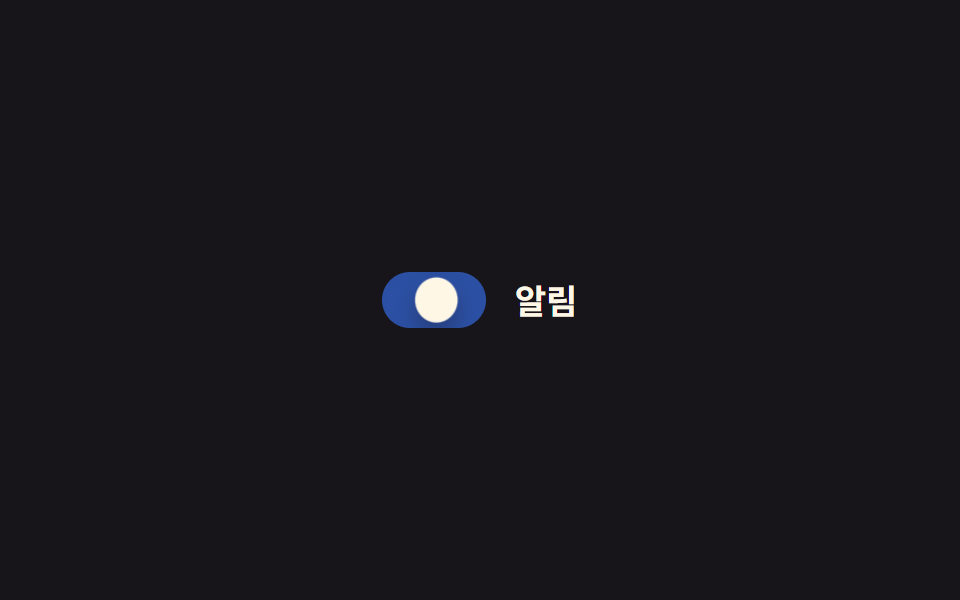 フィードバックCSS トグルスイッチ 9選 — 一行でコピペOK
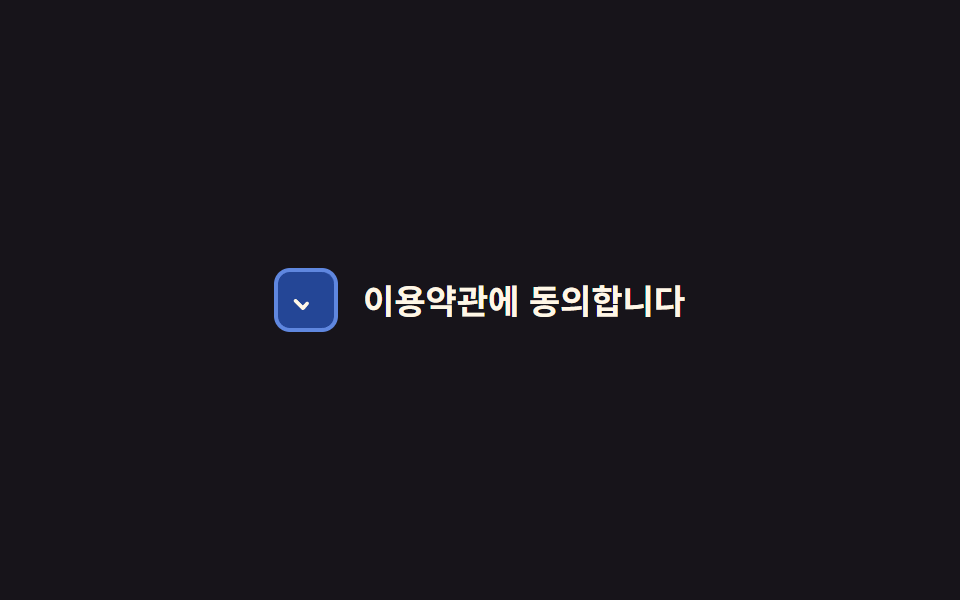 フィードバックラジオボタン チェックボックス css カスタムアニメーション9選 — 一行でコピペOK
 フィードバックCSS 入力フォーム フォーカスアニメーション9選 一行でコピペOK
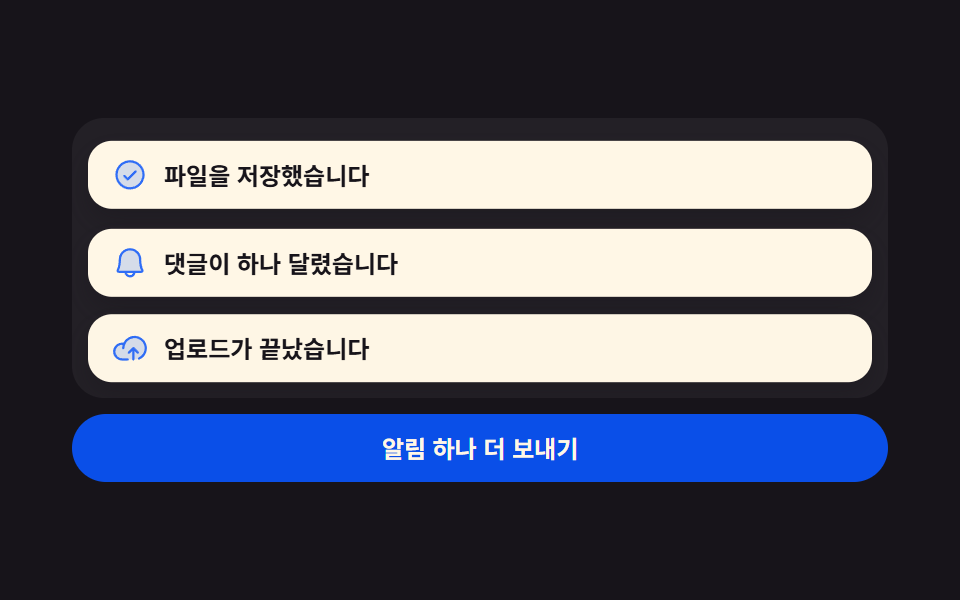 フィードバックトースト通知 UI 9選 — 積み上がるスタック実装
 トランジションメガメニュー css 9選 — リンクの羅列からサイトの地図へ
 フィードバック自動保存表示 9選 — 値が秒ごとに更新される9つの保存状態
 フィードバック文字 物理 演算 9種 — 落ちて積もり揺れる文字をコードで
 フィードバック文字 円形 配置 9種 — 円形 文字 デザインを文字幅で計算