ラジオボタン チェックボックス css カスタムアニメーション9選 — 一行でコピペOK
ラジオボタン チェックボックス css カスタムは、ブラウザ標準の丸いラジオボタンと四角いチェックボックスのinput要素は消さずに残し、隣に置いた図形だけを:checkedひとつで描き直す手法です。九つ集め、そのうち一つは四角いチェックボックスなのにスイッチの見た目だけを借りた例外です。
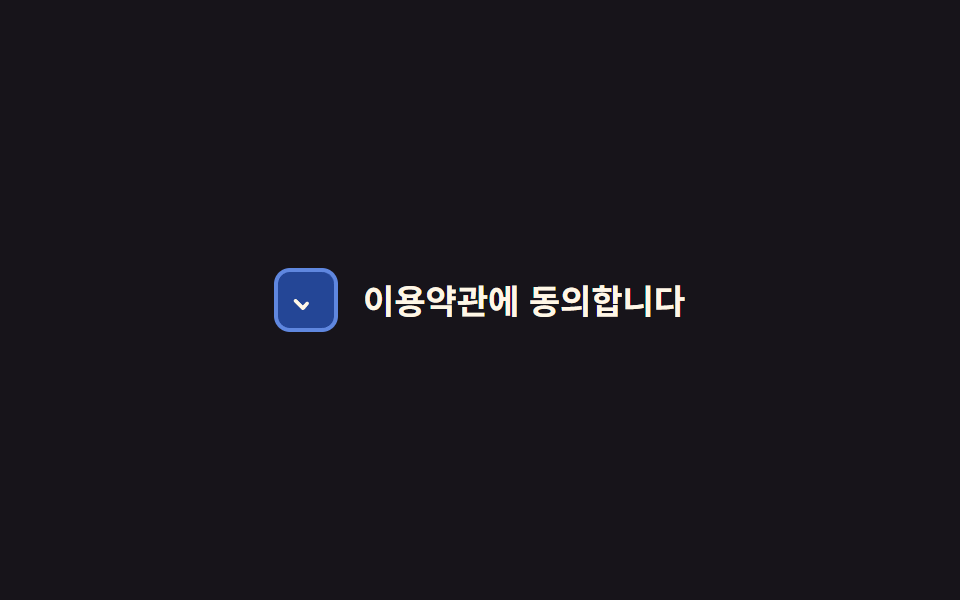 01 checkbox-radio-custom-check-draw-stroke
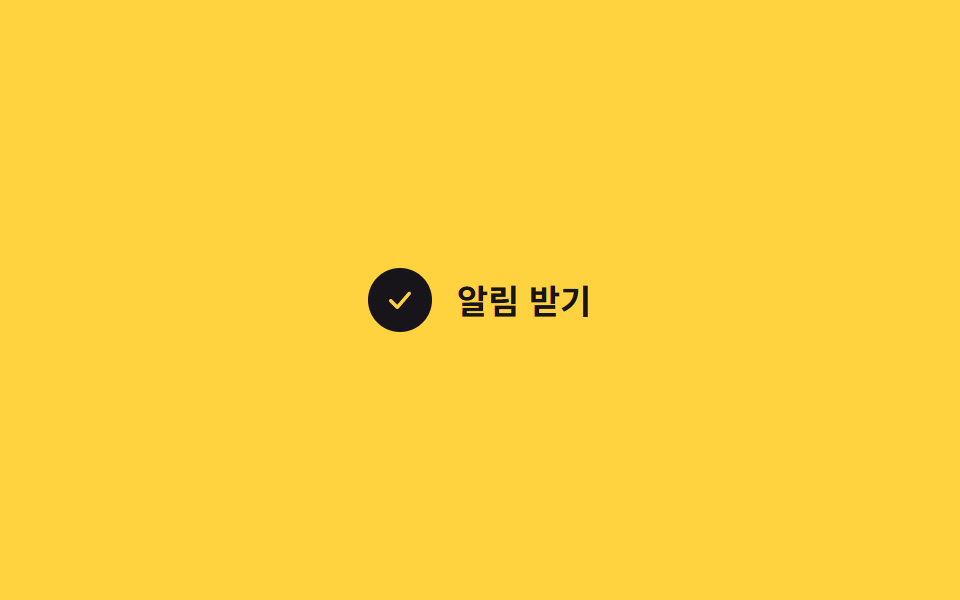 02 checkbox-radio-custom-bounce-check
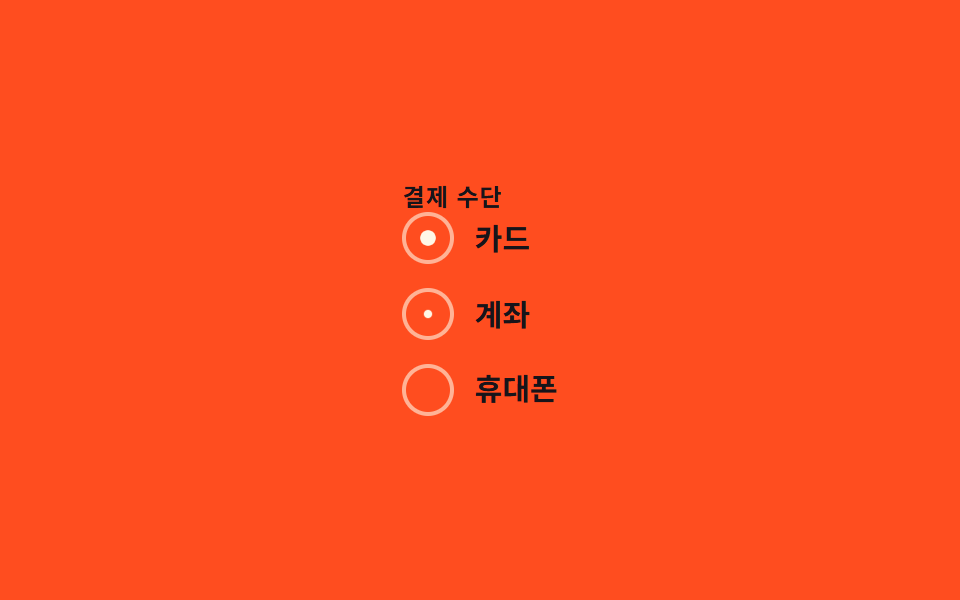 03 checkbox-radio-custom-radio-fill
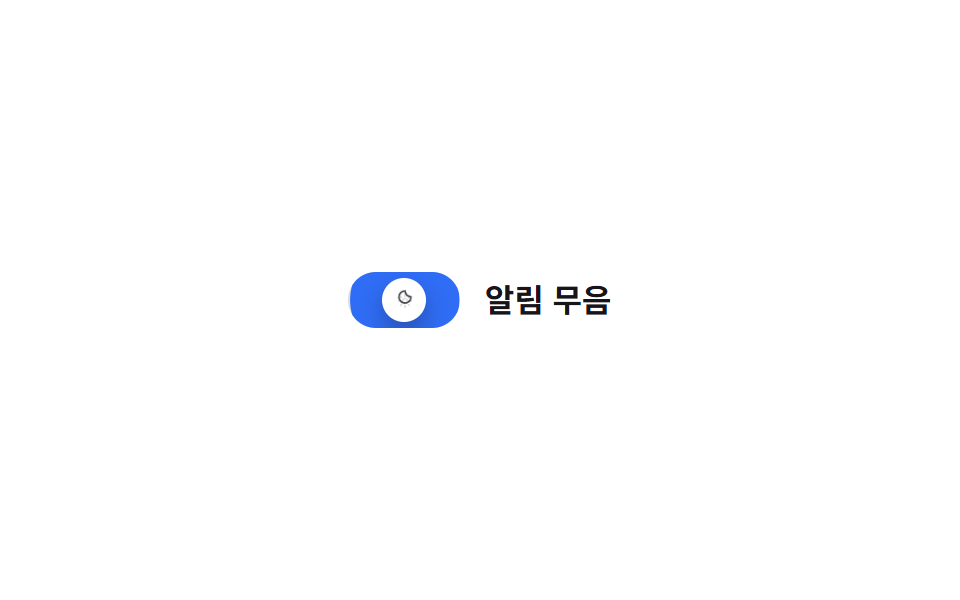 04 checkbox-radio-custom-switch-like-checkbox
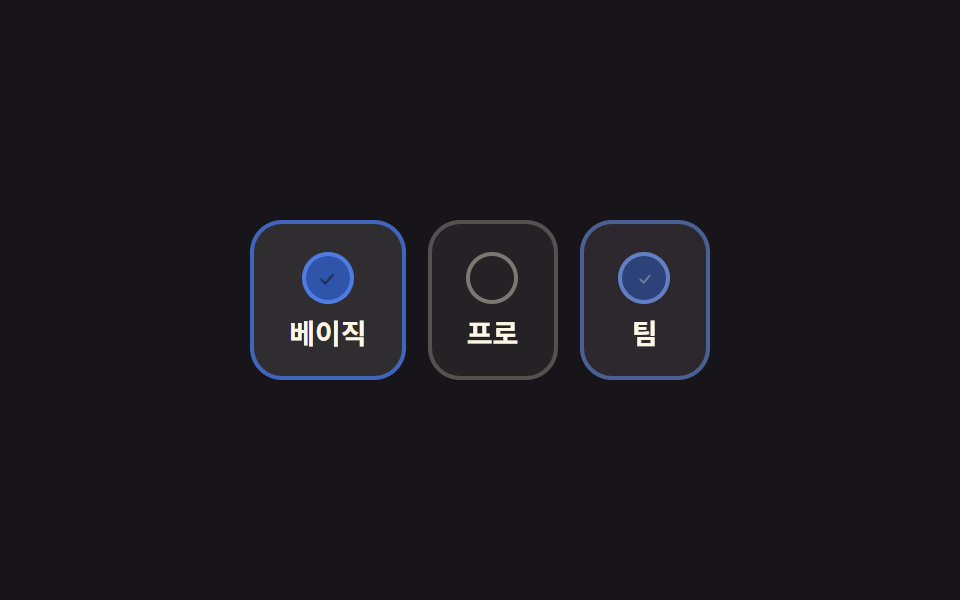 05 checkbox-radio-custom-card-select
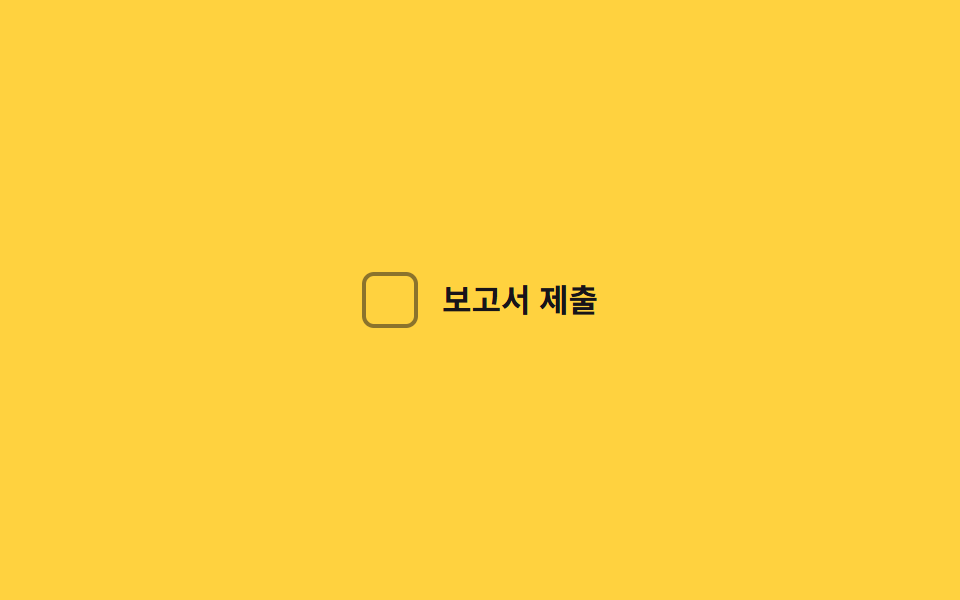 06 checkbox-radio-custom-todo-strike
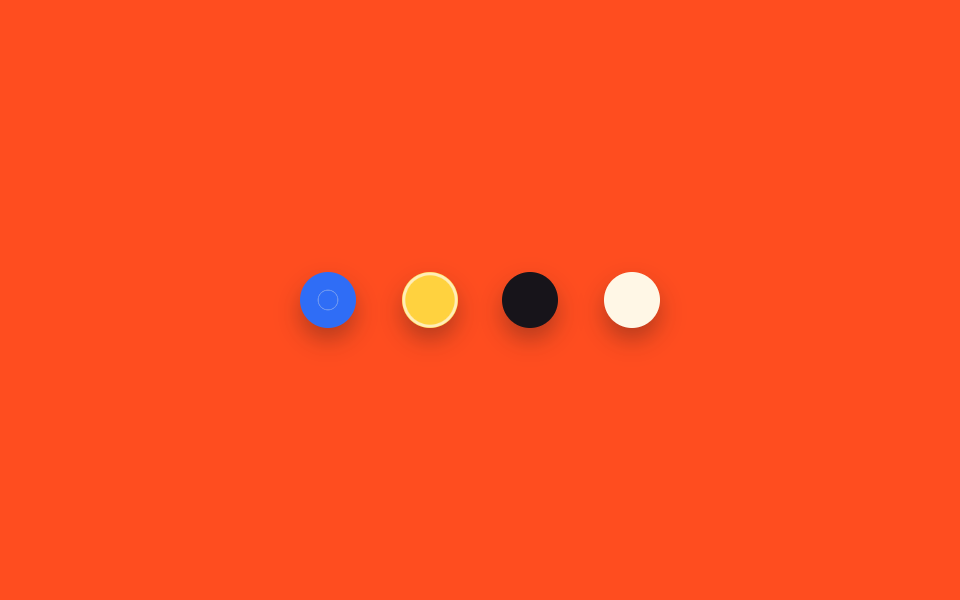 07 checkbox-radio-custom-color-swatch-pick
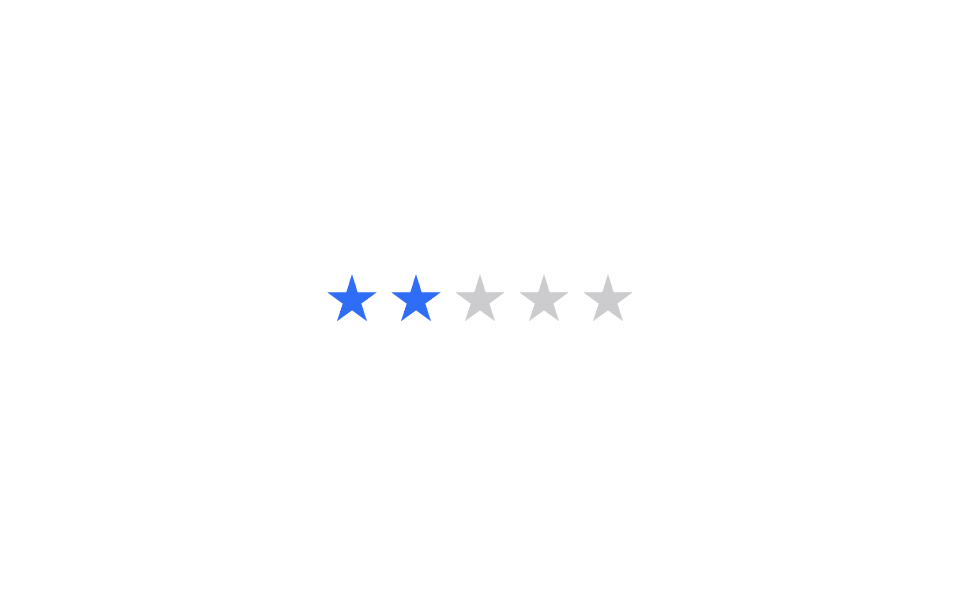 08 checkbox-radio-custom-star-rate-input
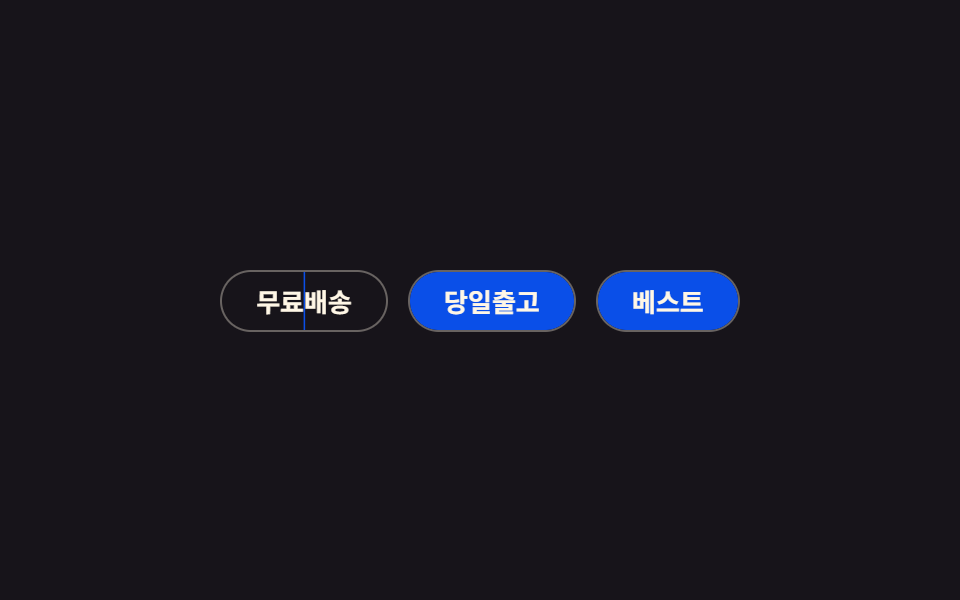 09 checkbox-radio-custom-chip-toggle
自動再生 · タイルを押すとその項目へ · すべて1つのzip
- 01 チェックのストローク描画
- 02 バウンドチェック
- 03 ラジオの塗りつぶし
- 04 スイッチ型チェックボックス
- 05 カード選択型
- 06 ToDoの取り消し線
- 07 カラースウォッチ選択
- 08 星評価入力
- 09 チップトグル
九つの並び順は人気順ではなく、選べる選択肢の数が増える順に置きました。01・02・06・09はチェックボックス一つが単独でオン・オフする場合、03・05・07・08は css ラジオボタン デザイン としてまとめ、複数のうち一つだけが残る場合、04はチェックボックスなのにスイッチの姿だけを借りた例外です。その04が借りてきた姿そのものが目的ならCSS トグルスイッチの九つが別にあり、08の星評価入力のように感情を表すアイコンが主役ならCSS ハート アニメーションのほうが近い作りです。
01チェックのストローク描画
どう動くか
チェックボックスを押すと、隠したinput要素の:checkedがSVGチェックアイコンのstroke-dashoffsetを20から0まで縮め、チェック印が左下から右上へ向けて描かれるように現れます。
どこで使うか
利用規約の同意のように「読んで押した」という手応えを伝えたい場所に向いています。
<main class="stage">
  <label class="check is-demo">
    <input type="checkbox" class="sr-input">
    <span class="box" aria-hidden="true">
      <svg viewBox="0 0 24 24" class="box__svg"><path class="box__path" d="M5 12.5 L10 17.5 L19 7" /></svg>
    </span>
    <span class="check__text">利用規約に同意します</span>
  </label>
</main>
@use "../../../../site/static/demo-tokens" as *;
// ── 변수 3개 ──────────────────────────────
$duration: $dur-enter;
$easing: $ease-spring;
$color: $subject-blue;
// ── 데모 무대 ───────────────────────────────
@include stage($stage-ink);
.sr-input {
position: absolute; width: 1px; height: 1px; padding: 0; margin: -1px;
overflow: hidden; clip: rect(0, 0, 0, 0); white-space: nowrap; border: 0;
}
.sr-only {
position: absolute; width: 1px; height: 1px; padding: 0; margin: -1px;
overflow: hidden; clip: rect(0, 0, 0, 0); white-space: nowrap; border: 0;
}
.check { display: inline-flex; align-items: center; gap: 12px; cursor: pointer;
font-weight: 600; font-size: clamp(14px, 4vw, 17px); line-height: 1.3; font-family: inherit; color: $subject-cream; }
.box {
flex: none; width: 28px; height: 28px; border-radius: 8px;
border: 2px solid rgba($subject-cream, .55); background: transparent;
display: grid; place-items: center;
transition: background $duration $easing, border-color $duration $easing;
}
.sr-input:checked ~ .box { background: $color; border-color: $color; }
.sr-input:focus-visible ~ .box { box-shadow: 0 0 0 3px rgba($subject-cream, .5); }
.box__svg { width: 18px; height: 18px; overflow: visible; }
.box__path {
fill: none; stroke: $subject-cream; stroke-width: 2.4; stroke-linecap: round; stroke-linejoin: round;
stroke-dasharray: 20; stroke-dashoffset: 20;
transition: stroke-dashoffset $duration $easing;
}
.sr-input:checked ~ .box .box__path { stroke-dashoffset: 0; }
@media (prefers-reduced-motion: reduce) {
// 접근성: 움직임 줄이기 설정이면 트랜지션을 즉시 끝낸다
.box, .box__path { transition-duration: 1ms !important; }
}html, body {
margin: 0;
overflow: hidden;
}
.stage {
box-sizing: border-box;
min-height: 100vh;
display: grid;
place-items: center;
margin: 0;
background: #17141a;
font-family: -apple-system, "Segoe UI", "Noto Sans KR", sans-serif;
padding: clamp(8px, 4vw, 24px);
}
.sr-input {
position: absolute;
width: 1px;
height: 1px;
padding: 0;
margin: -1px;
overflow: hidden;
clip: rect(0, 0, 0, 0);
white-space: nowrap;
border: 0;
}
.sr-only {
position: absolute;
width: 1px;
height: 1px;
padding: 0;
margin: -1px;
overflow: hidden;
clip: rect(0, 0, 0, 0);
white-space: nowrap;
border: 0;
}
.check {
display: inline-flex;
align-items: center;
gap: 12px;
cursor: pointer;
font-weight: 600;
font-size: clamp(14px, 4vw, 17px);
line-height: 1.3;
font-family: inherit;
color: #fff7e6;
}
.box {
flex: none;
width: 28px;
height: 28px;
border-radius: 8px;
border: 2px solid rgba(255, 247, 230, 0.55);
background: transparent;
display: grid;
place-items: center;
transition: background 600ms cubic-bezier(0.2, 0.8, 0.2, 1), border-color 600ms cubic-bezier(0.2, 0.8, 0.2, 1);
}
.sr-input:checked ~ .box {
background: #2f6df6;
border-color: #2f6df6;
}
.sr-input:focus-visible ~ .box {
box-shadow: 0 0 0 3px rgba(255, 247, 230, 0.5);
}
.box__svg {
width: 18px;
height: 18px;
overflow: visible;
}
.box__path {
fill: none;
stroke: #fff7e6;
stroke-width: 2.4;
stroke-linecap: round;
stroke-linejoin: round;
stroke-dasharray: 20;
stroke-dashoffset: 20;
transition: stroke-dashoffset 600ms cubic-bezier(0.2, 0.8, 0.2, 1);
}
.sr-input:checked ~ .box .box__path {
stroke-dashoffset: 0;
}
@media (prefers-reduced-motion: reduce) {
.box, .box__path {
transition-duration: 1ms !important;
}
}// .is-demo 데모용 자동 토글. 실제로는 클릭이 :checked 를 바꾼다 (4줄)
document.querySelectorAll('.is-demo .sr-input').forEach(function (el) {
var t = function () { el.checked = !el.checked; };
t(); setInterval(t, 600);
});import { useState } from "react";
import type { CSSProperties, ChangeEvent } from "react";
import styles from "./CheckDrawStroke.module.scss";
export type CheckDrawStrokeProps = {
label?: string;
duration?: number;
easing?: string;
color?: string;
defaultChecked?: boolean;
};
type Vars = CSSProperties & { "--duration"?: string; "--easing"?: string; "--color"?: string };
export default function CheckDrawStroke({
label = "I agree to the terms",
duration = 600,
easing = "cubic-bezier(.2,.8,.2,1)",
color = "#2f6df6",
defaultChecked = false,
}: CheckDrawStrokeProps) {
const [checked, setChecked] = useState(defaultChecked);
const vars: Vars = { "--duration": `${duration}ms`, "--easing": easing, "--color": color };
return (
<label className={styles.check} style={vars}>
<input
type="checkbox"
className={styles.srInput}
checked={checked}
onChange={(e: ChangeEvent<HTMLInputElement>) => setChecked(e.target.checked)}
/>
<span className={styles.box} aria-hidden="true">
<svg viewBox="0 0 24 24" className={styles.boxSvg}>
<path className={styles.boxPath} d="M5 12.5 L10 17.5 L19 7" />
</svg>
</span>
<span>{label}</span>
</label>
);
}01 · チェックのストローク描画 — 計測 累積面積 0.683% · 動いたフレーム 20/23GODRICH オリジナル · SCSS と React は zip に同梱 · パスワードを見る
.box {
  border: 2px solid rgba($subject-cream, .55);
  transition: background $duration $easing, border-color $duration $easing;
}
.sr-input:checked ~ .box { background: $color; border-color: $color; }

.box__path {
  stroke-dasharray: 20;
  stroke-dashoffset: 20;
  transition: stroke-dashoffset $duration $easing;
}
.sr-input:checked ~ .box .box__path { stroke-dashoffset: 0; }
02バウンドチェック
チェックボックス アニメーション css の弾み方
チェックが入った瞬間、丸い枠の中のチェックアイコンがscale(0)から1.3倍まで跳ね上がったあと1倍に収まる、@keyframesによるバウンドで現れます。
どこで使うか
カート追加のように、押した反応が弾んで見えてほしい場所に合います。
<main class="stage">
  <label class="check is-demo">
    <input type="checkbox" class="sr-input">
    <span class="box" aria-hidden="true">
      <svg viewBox="0 0 24 24" class="box__svg"><path class="box__path" d="M5 12.5 L10 17.5 L19 7" /></svg>
    </span>
    <span class="check__text">通知を受け取る</span>
  </label>
</main>
@use "../../../../site/static/demo-tokens" as *;
// ── 변수 3개 ──────────────────────────────
$duration: $dur-enter;
$easing: $ease-pop;
$color: $stage-ink;
// ── 데모 무대 ───────────────────────────────
@include stage($stage-yellow);
.sr-input {
position: absolute; width: 1px; height: 1px; padding: 0; margin: -1px;
overflow: hidden; clip: rect(0, 0, 0, 0); white-space: nowrap; border: 0;
}
.sr-only {
position: absolute; width: 1px; height: 1px; padding: 0; margin: -1px;
overflow: hidden; clip: rect(0, 0, 0, 0); white-space: nowrap; border: 0;
}
.check { display: inline-flex; align-items: center; gap: 12px; cursor: pointer;
font-weight: 700; font-size: clamp(14px, 4vw, 17px); line-height: 1.3; font-family: inherit; color: $color; }
.box {
flex: none; width: 28px; height: 28px; border-radius: 50%;
border: 2px solid rgba($color, .5); background: transparent;
display: grid; place-items: center; transition: background $dur-quick $ease-out;
}
.sr-input:checked ~ .box { background: $color; border-color: $color; }
.sr-input:focus-visible ~ .box { box-shadow: 0 0 0 3px rgba($color, .35); }
.box__svg {
width: 16px; height: 16px; overflow: visible;
transform: scale(0); opacity: 0;
}
.box__path { fill: none; stroke: $stage-yellow; stroke-width: 2.6; stroke-linecap: round; stroke-linejoin: round; }
.sr-input:checked ~ .box .box__svg {
  animation: check-pop $duration $easing forwards;
}

@keyframes check-pop {
  0%   { transform: scale(0); opacity: 0; }
  55%  { transform: scale(1.3); opacity: 1; }
  75%  { transform: scale(.9); }
  100% { transform: scale(1); opacity: 1; }
}
@media (prefers-reduced-motion: reduce) {
// 접근성: 움직임 줄이기 설정이면 트랜지션을 즉시 끝낸다
.box__svg { animation: none !important; }
.sr-input:checked ~ .box .box__svg { transform: scale(1); opacity: 1; }
}html, body {
margin: 0;
overflow: hidden;
}
.stage {
box-sizing: border-box;
min-height: 100vh;
display: grid;
place-items: center;
margin: 0;
background: #ffd23f;
font-family: -apple-system, "Segoe UI", "Noto Sans KR", sans-serif;
padding: clamp(8px, 4vw, 24px);
}
.sr-input {
position: absolute;
width: 1px;
height: 1px;
padding: 0;
margin: -1px;
overflow: hidden;
clip: rect(0, 0, 0, 0);
white-space: nowrap;
border: 0;
}
.sr-only {
position: absolute;
width: 1px;
height: 1px;
padding: 0;
margin: -1px;
overflow: hidden;
clip: rect(0, 0, 0, 0);
white-space: nowrap;
border: 0;
}
.check {
display: inline-flex;
align-items: center;
gap: 12px;
cursor: pointer;
font-weight: 700;
font-size: clamp(14px, 4vw, 17px);
line-height: 1.3;
font-family: inherit;
color: #17141a;
}
.box {
flex: none;
width: 28px;
height: 28px;
border-radius: 50%;
border: 2px solid rgba(23, 20, 26, 0.5);
background: transparent;
display: grid;
place-items: center;
transition: background 220ms ease-out;
}
.sr-input:checked ~ .box {
background: #17141a;
border-color: #17141a;
}
.sr-input:focus-visible ~ .box {
box-shadow: 0 0 0 3px rgba(23, 20, 26, 0.35);
}
.box__svg {
width: 16px;
height: 16px;
overflow: visible;
transform: scale(0);
opacity: 0;
}
.box__path {
fill: none;
stroke: #ffd23f;
stroke-width: 2.6;
stroke-linecap: round;
stroke-linejoin: round;
}
.sr-input:checked ~ .box .box__svg {
animation: check-pop 600ms cubic-bezier(0.2, 1.4, 0.4, 1) forwards;
}
@keyframes check-pop {
0% {
transform: scale(0);
opacity: 0;
}
55% {
transform: scale(1.3);
opacity: 1;
}
75% {
transform: scale(0.9);
}
100% {
transform: scale(1);
opacity: 1;
}
}
@media (prefers-reduced-motion: reduce) {
.box__svg {
animation: none !important;
}
.sr-input:checked ~ .box .box__svg {
transform: scale(1);
opacity: 1;
}
}// .is-demo 데모용 자동 토글. 실제로는 클릭이 :checked 를 바꾼다 (4줄)
document.querySelectorAll('.is-demo .sr-input').forEach(function (el) {
var t = function () { el.checked = !el.checked; };
t(); setInterval(t, 600);
});import { useState } from "react";
import type { CSSProperties, ChangeEvent } from "react";
import styles from "./BounceCheck.module.scss";
export type BounceCheckProps = {
label?: string;
duration?: number;
easing?: string;
color?: string;
};
type Vars = CSSProperties & { "--duration"?: string; "--easing"?: string; "--color"?: string };
export default function BounceCheck({
label = "Get notifications",
duration = 600,
easing = "cubic-bezier(.2,1.4,.4,1)",
color = "#17141a",
}: BounceCheckProps) {
const [checked, setChecked] = useState(false);
const vars: Vars = { "--duration": `${duration}ms`, "--easing": easing, "--color": color };
return (
<label className={styles.check} style={vars}>
<input
type="checkbox"
className={styles.srInput}
checked={checked}
onChange={(e: ChangeEvent<HTMLInputElement>) => setChecked(e.target.checked)}
/>
<span className={styles.box} aria-hidden="true">
{checked && (
<svg viewBox="0 0 24 24" className={styles.boxSvg}>
<path className={styles.boxPath} d="M5 12.5 L10 17.5 L19 7" />
</svg>
)}
</span>
<span>{label}</span>
</label>
);
}02 · バウンドチェック — 計測 累積面積 0.583% · 動いたフレーム 10/23GODRICH オリジナル · SCSS と React は zip に同梱 · パスワードを見る
.sr-input:checked ~ .box .box__svg {
animation: check-pop $duration $easing forwards;
}
@keyframes check-pop {
0% { transform: scale(0); opacity: 0; }
55% { transform: scale(1.3); opacity: 1; }
75% { transform: scale(.9); }
100% { transform: scale(1); opacity: 1; }
}
03ラジオの塗りつぶし
どう動くか
三つのラジオのうち一つを選ぶと、枠の内側の点がscale(0)からscale(1)へ広がり、別の選択肢を選んだ瞬間に前の点は同じ:checked規則で即座に消えます。
どこで使うか
支払い方法や配送オプションのように一つだけが残る場面に使います。
<main class="stage">
  <fieldset class="radio-group is-demo">
    <legend class="radio-group__legend">支払い方法</legend>
    <label class="radio"><input type="radio" name="pay" class="sr-input" checked><span class="radio__dot" aria-hidden="true"></span><span>カード</span></label>
    <label class="radio"><input type="radio" name="pay" class="sr-input"><span class="radio__dot" aria-hidden="true"></span><span>口座振込</span></label>
    <label class="radio"><input type="radio" name="pay" class="sr-input"><span class="radio__dot" aria-hidden="true"></span><span>携帯</span></label>
  </fieldset>
</main>
@use "../../../../site/static/demo-tokens" as *;
// ── 변수 3개 ──────────────────────────────
$duration: $dur-quick;
$easing: $ease-out;
$color: $subject-cream;
// ── 데모 무대 ───────────────────────────────
@include stage($stage-orange);
.sr-input {
position: absolute; width: 1px; height: 1px; padding: 0; margin: -1px;
overflow: hidden; clip: rect(0, 0, 0, 0); white-space: nowrap; border: 0;
}
.sr-only {
position: absolute; width: 1px; height: 1px; padding: 0; margin: -1px;
overflow: hidden; clip: rect(0, 0, 0, 0); white-space: nowrap; border: 0;
}
.radio-group { display: flex; flex-direction: column; gap: clamp(8px, 2.4vw, 12px); border: 0; margin: 0; padding: 0; }
.radio-group__legend {
color: $subject-ink; font-weight: 700; font-size: 12px; line-height: 1; font-family: inherit; letter-spacing: .04em; text-transform: uppercase;
padding: 0 0 2px;
}
.radio { display: inline-flex; align-items: center; gap: 10px; cursor: pointer;
font-weight: 600; font-size: clamp(13px, 3.8vw, 15px); line-height: 1; font-family: inherit; color: $subject-ink; }
.radio__dot { flex: none; width: 22px; height: 22px; border-radius: 50%;
border: 2px solid rgba($subject-cream, .6); display: grid; place-items: center; }
.radio__dot::after {
  content: "";
  width: 12px; height: 12px;
  border-radius: 50%;
  background: $color;
  transform: scale(0);
  transition: transform $duration $easing;
}
.sr-input:checked ~ .radio__dot::after { transform: scale(1); }
.sr-input:focus-visible ~ .radio__dot { box-shadow: 0 0 0 3px rgba($subject-cream, .5); }
@media (prefers-reduced-motion: reduce) {
// 접근성: 움직임 줄이기 설정이면 트랜지션을 즉시 끝낸다
.radio__dot::after { transition-duration: 1ms !important; }
}html, body {
margin: 0;
overflow: hidden;
}
.stage {
box-sizing: border-box;
min-height: 100vh;
display: grid;
place-items: center;
margin: 0;
background: #ff4d1f;
font-family: -apple-system, "Segoe UI", "Noto Sans KR", sans-serif;
padding: clamp(8px, 4vw, 24px);
}
.sr-input {
position: absolute;
width: 1px;
height: 1px;
padding: 0;
margin: -1px;
overflow: hidden;
clip: rect(0, 0, 0, 0);
white-space: nowrap;
border: 0;
}
.sr-only {
position: absolute;
width: 1px;
height: 1px;
padding: 0;
margin: -1px;
overflow: hidden;
clip: rect(0, 0, 0, 0);
white-space: nowrap;
border: 0;
}
.radio-group {
display: flex;
flex-direction: column;
gap: clamp(8px, 2.4vw, 12px);
border: 0;
margin: 0;
padding: 0;
}
.radio-group__legend {
color: #17141a;
font-weight: 700;
font-size: 12px;
line-height: 1;
font-family: inherit;
letter-spacing: 0.04em;
text-transform: uppercase;
padding: 0 0 2px;
}
.radio {
display: inline-flex;
align-items: center;
gap: 10px;
cursor: pointer;
font-weight: 600;
font-size: clamp(13px, 3.8vw, 15px);
line-height: 1;
font-family: inherit;
color: #17141a;
}
.radio__dot {
flex: none;
width: 22px;
height: 22px;
border-radius: 50%;
border: 2px solid rgba(255, 247, 230, 0.6);
display: grid;
place-items: center;
}
.radio__dot::after {
content: "";
width: 12px;
height: 12px;
border-radius: 50%;
background: #fff7e6;
transform: scale(0);
transition: transform 220ms ease-out;
}
.sr-input:checked ~ .radio__dot::after {
transform: scale(1);
}
.sr-input:focus-visible ~ .radio__dot {
box-shadow: 0 0 0 3px rgba(255, 247, 230, 0.5);
}
@media (prefers-reduced-motion: reduce) {
.radio__dot::after {
transition-duration: 1ms !important;
}
}// .is-demo 데모용 자동 순환. 실제로는 클릭이 :checked 를 바꾼다 (6줄)
document.querySelectorAll('.is-demo').forEach(function (grp) {
var inputs = grp.querySelectorAll('.sr-input'); var i = 0;
var t = function () { inputs[i % inputs.length].checked = true; i++; };
t(); setInterval(t, 500);
});import { useState } from "react";
import type { CSSProperties } from "react";
import styles from "./RadioFill.module.scss";
export type RadioFillOption = { value: string; label: string };
export type RadioFillProps = {
legend?: string;
options?: RadioFillOption[];
duration?: number;
easing?: string;
color?: string;
};
type Vars = CSSProperties & { "--duration"?: string; "--easing"?: string; "--color"?: string };
export default function RadioFill({
legend = "Payment method",
options = [
{ value: "card", label: "Card" },
{ value: "bank", label: "Bank transfer" },
{ value: "phone", label: "Phone" },
],
duration = 220,
easing = "ease-out",
color = "#fff7e6",
}: RadioFillProps) {
const [value, setValue] = useState(options[0]?.value);
const vars: Vars = { "--duration": `${duration}ms`, "--easing": easing, "--color": color };
return (
<fieldset className={styles.group} style={vars}>
<legend className={styles.legend}>{legend}</legend>
{options.map((o) => (
<label className={styles.radio} key={o.value}>
<input
type="radio"
name="radio-fill"
className={styles.srInput}
checked={value === o.value}
onChange={() => setValue(o.value)}
/>
<span className={styles.dot} aria-hidden="true" />
<span>{o.label}</span>
</label>
))}
</fieldset>
);
}03 · ラジオの塗りつぶし — 計測 累積面積 0.258% · 動いたフレーム 14/23GODRICH オリジナル · SCSS と React は zip に同梱 · パスワードを見る
.radio__dot::after {
content: "";
width: 12px; height: 12px;
border-radius: 50%;
background: $color;
transform: scale(0);
transition: transform $duration $easing;
}
.sr-input:checked ~ .radio__dot::after { transform: scale(1); }
04スイッチ型チェックボックス
どう動くか
見た目はスイッチでもノブは中央に固定したまま、トラックの背景だけがclip-path: circle()で中心から外側へじわじわ広がりオン状態を伝えます。
どこで使うか
ノブの中の二つのアイコンは同じ位置で重なったまま、opacityとscaleでクロスフェードします。
<main class="stage">
  <label class="switch is-demo">
    <input type="checkbox" class="sr-input">
    <span class="switch__track" aria-hidden="true">
      <span class="switch__fill"></span>
      <span class="switch__knob">
        <svg viewBox="0 0 24 24" class="switch__icon switch__icon--on"><path d="M18 8a6 6 0 1 1-6-6 7 7 0 0 0 6 6Z" /></svg>
        <svg viewBox="0 0 24 24" class="switch__icon switch__icon--off"><circle cx="12" cy="12" r="3.2" /><path d="M12 3v3M12 18v3M3 12h3M18 12h3M5.6 5.6l2.1 2.1M16.3 16.3l2.1 2.1M5.6 18.4l2.1-2.1M16.3 7.7l2.1-2.1" stroke-width="1.6" stroke-linecap="round" /></svg>
      </span>
    </span>
    <span class="switch__text">通知をミュート</span>
  </label>
</main>
@use "../../../../site/static/demo-tokens" as *;
// ── 변수 3개 ──────────────────────────────
$duration: $dur-base;
$easing: $ease-out;
$color: $subject-blue;
// ── 데모 무대 ───────────────────────────────
@include stage($stage-paper);
.sr-input {
position: absolute; width: 1px; height: 1px; padding: 0; margin: -1px;
overflow: hidden; clip: rect(0, 0, 0, 0); white-space: nowrap; border: 0;
}
.sr-only {
position: absolute; width: 1px; height: 1px; padding: 0; margin: -1px;
overflow: hidden; clip: rect(0, 0, 0, 0); white-space: nowrap; border: 0;
}
.switch { display: inline-flex; align-items: center; gap: 12px; cursor: pointer;
font-weight: 600; font-size: clamp(14px, 4vw, 16px); line-height: 1.3; font-family: inherit; color: $subject-ink; }
.switch__track {
position: relative; width: 56px; height: 28px; border-radius: $r-pill;
background: rgba($subject-ink, .14); overflow: hidden; display: grid; place-items: center;
}
.switch__fill {
position: absolute; inset: 0; background: $color;
clip-path: circle(0% at 50% 50%); transition: clip-path $duration $easing;
}
.sr-input:checked ~ .switch__track .switch__fill { clip-path: circle(75% at 50% 50%); }
.sr-input:focus-visible ~ .switch__track { box-shadow: 0 0 0 3px rgba($subject-blue, .35); }
.switch__knob {
position: relative; z-index: 1; width: 22px; height: 22px; border-radius: 50%;
background: #fff; display: grid; place-items: center; box-shadow: $shadow-press;
}
.switch__icon {
position: absolute; width: 13px; height: 13px; fill: none; stroke: $subject-ink; stroke-width: 1.6;
transition: opacity $duration $easing, transform $duration $easing;
}
.switch__icon--on { opacity: 0; transform: scale(.6); }
.switch__icon--off { opacity: 1; transform: scale(1); }
.sr-input:checked ~ .switch__track .switch__icon--on { opacity: 1; transform: scale(1); }
.sr-input:checked ~ .switch__track .switch__icon--off { opacity: 0; transform: scale(.6); }
@media (prefers-reduced-motion: reduce) {
// 접근성: 움직임 줄이기 설정이면 트랜지션을 즉시 끝낸다
.switch__fill, .switch__icon { transition-duration: 1ms !important; }
}html, body {
margin: 0;
overflow: hidden;
}
.stage {
box-sizing: border-box;
min-height: 100vh;
display: grid;
place-items: center;
margin: 0;
background: #ffffff;
font-family: -apple-system, "Segoe UI", "Noto Sans KR", sans-serif;
padding: clamp(8px, 4vw, 24px);
}
.sr-input {
position: absolute;
width: 1px;
height: 1px;
padding: 0;
margin: -1px;
overflow: hidden;
clip: rect(0, 0, 0, 0);
white-space: nowrap;
border: 0;
}
.sr-only {
position: absolute;
width: 1px;
height: 1px;
padding: 0;
margin: -1px;
overflow: hidden;
clip: rect(0, 0, 0, 0);
white-space: nowrap;
border: 0;
}
.switch {
display: inline-flex;
align-items: center;
gap: 12px;
cursor: pointer;
font-weight: 600;
font-size: clamp(14px, 4vw, 16px);
line-height: 1.3;
font-family: inherit;
color: #17141a;
}
.switch__track {
position: relative;
width: 56px;
height: 28px;
border-radius: 999px;
background: rgba(23, 20, 26, 0.14);
overflow: hidden;
display: grid;
place-items: center;
}
.switch__fill {
position: absolute;
inset: 0;
background: #2f6df6;
clip-path: circle(0% at 50% 50%);
transition: clip-path 300ms ease-out;
}
.sr-input:checked ~ .switch__track .switch__fill {
clip-path: circle(75% at 50% 50%);
}
.sr-input:focus-visible ~ .switch__track {
box-shadow: 0 0 0 3px rgba(47, 109, 246, 0.35);
}
.switch__knob {
position: relative;
z-index: 1;
width: 22px;
height: 22px;
border-radius: 50%;
background: #fff;
display: grid;
place-items: center;
box-shadow: 0 6px 12px rgba(23, 20, 26, 0.32);
}
.switch__icon {
position: absolute;
width: 13px;
height: 13px;
fill: none;
stroke: #17141a;
stroke-width: 1.6;
transition: opacity 300ms ease-out, transform 300ms ease-out;
}
.switch__icon--on {
opacity: 0;
transform: scale(0.6);
}
.switch__icon--off {
opacity: 1;
transform: scale(1);
}
.sr-input:checked ~ .switch__track .switch__icon--on {
opacity: 1;
transform: scale(1);
}
.sr-input:checked ~ .switch__track .switch__icon--off {
opacity: 0;
transform: scale(0.6);
}
@media (prefers-reduced-motion: reduce) {
.switch__fill, .switch__icon {
transition-duration: 1ms !important;
}
}// .is-demo 데모용 자동 토글. 실제로는 클릭이 :checked 를 바꾼다 (4줄)
document.querySelectorAll('.is-demo .sr-input').forEach(function (el) {
var t = function () { el.checked = !el.checked; };
t(); setInterval(t, 600);
});import { useState } from "react";
import type { CSSProperties, ChangeEvent } from "react";
import styles from "./SwitchLikeCheckbox.module.scss";
export type SwitchLikeCheckboxProps = {
label?: string;
duration?: number;
easing?: string;
color?: string;
};
type Vars = CSSProperties & { "--duration"?: string; "--easing"?: string; "--color"?: string };
export default function SwitchLikeCheckbox({
label = "Mute notifications",
duration = 300,
easing = "ease-out",
color = "#2f6df6",
}: SwitchLikeCheckboxProps) {
const [checked, setChecked] = useState(false);
const vars: Vars = { "--duration": `${duration}ms`, "--easing": easing, "--color": color };
return (
<label className={styles.switch} style={vars}>
<input
type="checkbox"
className={styles.srInput}
checked={checked}
onChange={(e: ChangeEvent<HTMLInputElement>) => setChecked(e.target.checked)}
/>
<span className={styles.track} aria-hidden="true">
<span className={styles.fill} />
<span className={styles.knob}>{checked ? "●" : "○"}</span>
</span>
<span>{label}</span>
</label>
);
}04 · スイッチ型チェックボックス — 計測 累積面積 0.803% · 動いたフレーム 12/23GODRICH オリジナル · SCSS と React は zip に同梱 · パスワードを見る
.fill {
  position: absolute; inset: 0;
  background: $color;
  clip-path: circle(0% at 50% 50%);
  transition: clip-path $duration $easing;
}
.sr-input:checked ~ .track .fill {
  clip-path: circle(75% at 50% 50%);
}
05カード選択型
どう動くか
ラジオでまとめたカードの一つを選ぶと:has(.sr-input:checked)でそのカードの枠と背景が強調され、右上のバッジの中のチェックアイコンがscaleで現れます。
どこで使うか
:has()のおかげでラジオとバッジが兄弟でなくてもカード全体をスタイリングできます。
<main class="stage">
  <fieldset class="cards is-demo">
    <legend class="sr-only">プランを選択</legend>
    <label class="card">
      <input type="radio" name="plan" class="sr-input" checked>
      <span class="card__badge" aria-hidden="true"><svg viewBox="0 0 24 24"><path d="M5 12.5 L10 17.5 L19 7" /></svg></span>
      <span class="card__title">ベーシック</span>
    </label>
    <label class="card">
      <input type="radio" name="plan" class="sr-input">
      <span class="card__badge" aria-hidden="true"><svg viewBox="0 0 24 24"><path d="M5 12.5 L10 17.5 L19 7" /></svg></span>
      <span class="card__title">プロ</span>
    </label>
    <label class="card">
      <input type="radio" name="plan" class="sr-input">
      <span class="card__badge" aria-hidden="true"><svg viewBox="0 0 24 24"><path d="M5 12.5 L10 17.5 L19 7" /></svg></span>
      <span class="card__title">チーム</span>
    </label>
  </fieldset>
</main>
@use "../../../../site/static/demo-tokens" as *;
// ── 변수 3개 ──────────────────────────────
$duration: $dur-base;
$easing: $ease-out;
$color: $subject-blue;
// ── 데모 무대 ───────────────────────────────
@include stage($stage-ink);
.sr-input {
position: absolute; width: 1px; height: 1px; padding: 0; margin: -1px;
overflow: hidden; clip: rect(0, 0, 0, 0); white-space: nowrap; border: 0;
}
.sr-only {
position: absolute; width: 1px; height: 1px; padding: 0; margin: -1px;
overflow: hidden; clip: rect(0, 0, 0, 0); white-space: nowrap; border: 0;
}
.cards { display: flex; gap: clamp(8px, 2.4vw, 12px); border: 0; margin: 0; padding: 0; }
.card {
position: relative; display: flex; flex-direction: column; align-items: center; gap: 8px;
padding: clamp(10px, 3vw, 14px) clamp(12px, 3.6vw, 18px);
border-radius: $r-card; border: 2px solid rgba($subject-cream, .22); background: rgba($subject-cream, .06);
cursor: pointer; transition: border-color $duration $easing, background $duration $easing;
}
.card:has(.sr-input:checked) { border-color: $color; background: rgba($subject-cream, .14); }
.card__badge {
width: 22px; height: 22px; border-radius: 50%; border: 2px solid rgba($subject-cream, .4);
display: grid; place-items: center; transition: border-color $duration $easing, background $duration $easing;
}
.card__badge svg {
width: 13px; height: 13px; fill: none; stroke: $subject-cream; stroke-width: 2.4;
stroke-linecap: round; stroke-linejoin: round; opacity: 0; transform: scale(.4);
transition: opacity $duration $easing, transform $duration $easing;
}
.card:has(.sr-input:checked) .card__badge { border-color: $color; background: $color; }
.card:has(.sr-input:checked) .card__badge svg { opacity: 1; transform: scale(1); stroke: $stage-ink; }
.card__title { font-weight: 700; font-size: clamp(12px, 3.4vw, 14px); line-height: 1; font-family: inherit; color: $subject-cream; }
.sr-input:focus-visible ~ .card__badge { box-shadow: 0 0 0 3px rgba($subject-cream, .5); }
@media (prefers-reduced-motion: reduce) {
// 접근성: 움직임 줄이기 설정이면 트랜지션을 즉시 끝낸다
.card, .card__badge, .card__badge svg { transition-duration: 1ms !important; }
}html, body {
margin: 0;
overflow: hidden;
}
.stage {
box-sizing: border-box;
min-height: 100vh;
display: grid;
place-items: center;
margin: 0;
background: #17141a;
font-family: -apple-system, "Segoe UI", "Noto Sans KR", sans-serif;
padding: clamp(8px, 4vw, 24px);
}
.sr-input {
position: absolute;
width: 1px;
height: 1px;
padding: 0;
margin: -1px;
overflow: hidden;
clip: rect(0, 0, 0, 0);
white-space: nowrap;
border: 0;
}
.sr-only {
position: absolute;
width: 1px;
height: 1px;
padding: 0;
margin: -1px;
overflow: hidden;
clip: rect(0, 0, 0, 0);
white-space: nowrap;
border: 0;
}
.cards {
display: flex;
gap: clamp(8px, 2.4vw, 12px);
border: 0;
margin: 0;
padding: 0;
}
.card {
position: relative;
display: flex;
flex-direction: column;
align-items: center;
gap: 8px;
padding: clamp(10px, 3vw, 14px) clamp(12px, 3.6vw, 18px);
border-radius: 16px;
border: 2px solid rgba(255, 247, 230, 0.22);
background: rgba(255, 247, 230, 0.06);
cursor: pointer;
transition: border-color 300ms ease-out, background 300ms ease-out;
}
.card:has(.sr-input:checked) {
border-color: #2f6df6;
background: rgba(255, 247, 230, 0.14);
}
.card__badge {
width: 22px;
height: 22px;
border-radius: 50%;
border: 2px solid rgba(255, 247, 230, 0.4);
display: grid;
place-items: center;
transition: border-color 300ms ease-out, background 300ms ease-out;
}
.card__badge svg {
width: 13px;
height: 13px;
fill: none;
stroke: #fff7e6;
stroke-width: 2.4;
stroke-linecap: round;
stroke-linejoin: round;
opacity: 0;
transform: scale(0.4);
transition: opacity 300ms ease-out, transform 300ms ease-out;
}
.card:has(.sr-input:checked) .card__badge {
border-color: #2f6df6;
background: #2f6df6;
}
.card:has(.sr-input:checked) .card__badge svg {
opacity: 1;
transform: scale(1);
stroke: #17141a;
}
.card__title {
font-weight: 700;
font-size: clamp(12px, 3.4vw, 14px);
line-height: 1;
font-family: inherit;
color: #fff7e6;
}
.sr-input:focus-visible ~ .card__badge {
box-shadow: 0 0 0 3px rgba(255, 247, 230, 0.5);
}
@media (prefers-reduced-motion: reduce) {
.card, .card__badge, .card__badge svg {
transition-duration: 1ms !important;
}
}// .is-demo 데모용 자동 순환. 실제로는 클릭이 :checked 를 바꾼다 (6줄)
document.querySelectorAll('.is-demo').forEach(function (grp) {
var inputs = grp.querySelectorAll('.sr-input'); var i = 0;
var t = function () { inputs[i % inputs.length].checked = true; i++; };
t(); setInterval(t, 500);
});import { useState } from "react";
import type { CSSProperties } from "react";
import styles from "./CardSelect.module.scss";
export type CardSelectOption = { value: string; title: string };
export type CardSelectProps = {
legend?: string;
options?: CardSelectOption[];
duration?: number;
easing?: string;
color?: string;
};
type Vars = CSSProperties & { "--duration"?: string; "--easing"?: string; "--color"?: string };
export default function CardSelect({
legend = "Choose a plan",
options = [
{ value: "basic", title: "Basic" },
{ value: "pro", title: "Pro" },
{ value: "team", title: "Team" },
],
duration = 300,
easing = "ease-out",
color = "#2f6df6",
}: CardSelectProps) {
const [value, setValue] = useState(options[0]?.value);
const vars: Vars = { "--duration": `${duration}ms`, "--easing": easing, "--color": color };
return (
<fieldset className={styles.cards} style={vars}>
<legend className={styles.srOnly}>{legend}</legend>
{options.map((o) => (
<label className={styles.card} key={o.value} data-checked={value === o.value}>
<input
type="radio"
name="card-select"
className={styles.srInput}
checked={value === o.value}
onChange={() => setValue(o.value)}
/>
<span className={styles.badge} aria-hidden="true">
{value === o.value ? "✓" : ""}
</span>
<span className={styles.title}>{o.title}</span>
</label>
))}
</fieldset>
);
}05 · カード選択型 — 計測 累積面積 10.862% · 動いたフレーム 17/23GODRICH オリジナル · SCSS と React は zip に同梱 · パスワードを見る
.card:has(.sr-input:checked) {
  border-color: $color;
  background: rgba($subject-cream, .14);
}
.card:has(.sr-input:checked) .card__badge {
  border-color: $color;
  background: $color;
}
.card:has(.sr-input:checked) .card__badge svg {
  opacity: 1; transform: scale(1);
}
06ToDoの取り消し線
どう動くか
チェックボックスをオンにすると、ラベル文字の上に::afterの取り消し線がscaleX(0)からscaleX(1)へ左から引かれ、文字のopacityが0.45まで下がります。
どこで使うか
ToDoリストやチェックリストの完了表示に使います。
<main class="stage">
  <label class="todo is-demo">
    <input type="checkbox" class="sr-input">
    <span class="todo__box" aria-hidden="true">
      <svg viewBox="0 0 24 24" class="todo__svg"><path d="M5 12.5 L10 17.5 L19 7" /></svg>
    </span>
    <span class="todo__text">
      <span class="todo__label">レポート提出</span>
      <span class="todo__strike" aria-hidden="true"></span>
    </span>
  </label>
</main>
@use "../../../../site/static/demo-tokens" as *;
// ── 변수 3개 ──────────────────────────────
$duration: $dur-base;
$easing: $ease-out;
$color: $stage-ink;
// ── 데모 무대 ───────────────────────────────
@include stage($stage-yellow);
.sr-input {
position: absolute; width: 1px; height: 1px; padding: 0; margin: -1px;
overflow: hidden; clip: rect(0, 0, 0, 0); white-space: nowrap; border: 0;
}
.sr-only {
position: absolute; width: 1px; height: 1px; padding: 0; margin: -1px;
overflow: hidden; clip: rect(0, 0, 0, 0); white-space: nowrap; border: 0;
}
.todo { display: inline-flex; align-items: center; gap: 12px; cursor: pointer;
font-weight: 600; font-size: clamp(14px, 4vw, 16px); line-height: 1.3; font-family: inherit; color: $color; }
.todo__box {
flex: none; width: 24px; height: 24px; border-radius: 6px; border: 2px solid rgba($color, .5);
display: grid; place-items: center; transition: background $duration $easing, border-color $duration $easing;
}
.sr-input:checked ~ .todo__box { background: $color; border-color: $color; }
.sr-input:focus-visible ~ .todo__box { box-shadow: 0 0 0 3px rgba($color, .3); }
.todo__svg {
width: 15px; height: 15px; fill: none; stroke: $stage-yellow; stroke-width: 2.6;
stroke-linecap: round; stroke-linejoin: round; stroke-dasharray: 20; stroke-dashoffset: 20;
transition: stroke-dashoffset $duration $easing;
}
.sr-input:checked ~ .todo__box .todo__svg { stroke-dashoffset: 0; }
.todo__text { position: relative; display: inline-block; }
.todo__label { transition: opacity $duration $easing; }
.sr-input:checked ~ .todo__text .todo__label { opacity: .45; }
.todo__strike {
position: absolute; inset-inline: 0; top: 50%; height: 2px; background: currentColor;
transform: scaleX(0); transform-origin: left; transition: transform $duration $easing; // 규칙8: 취소선 왼쪽 그어짐
}
.sr-input:checked ~ .todo__text .todo__strike { transform: scaleX(1); }
@media (prefers-reduced-motion: reduce) {
// 접근성: 움직임 줄이기 설정이면 트랜지션을 즉시 끝낸다
.todo__box, .todo__svg, .todo__label, .todo__strike { transition-duration: 1ms !important; }
}html, body {
margin: 0;
overflow: hidden;
}
.stage {
box-sizing: border-box;
min-height: 100vh;
display: grid;
place-items: center;
margin: 0;
background: #ffd23f;
font-family: -apple-system, "Segoe UI", "Noto Sans KR", sans-serif;
padding: clamp(8px, 4vw, 24px);
}
.sr-input {
position: absolute;
width: 1px;
height: 1px;
padding: 0;
margin: -1px;
overflow: hidden;
clip: rect(0, 0, 0, 0);
white-space: nowrap;
border: 0;
}
.sr-only {
position: absolute;
width: 1px;
height: 1px;
padding: 0;
margin: -1px;
overflow: hidden;
clip: rect(0, 0, 0, 0);
white-space: nowrap;
border: 0;
}
.todo {
display: inline-flex;
align-items: center;
gap: 12px;
cursor: pointer;
font-weight: 600;
font-size: clamp(14px, 4vw, 16px);
line-height: 1.3;
font-family: inherit;
color: #17141a;
}
.todo__box {
flex: none;
width: 24px;
height: 24px;
border-radius: 6px;
border: 2px solid rgba(23, 20, 26, 0.5);
display: grid;
place-items: center;
transition: background 300ms ease-out, border-color 300ms ease-out;
}
.sr-input:checked ~ .todo__box {
background: #17141a;
border-color: #17141a;
}
.sr-input:focus-visible ~ .todo__box {
box-shadow: 0 0 0 3px rgba(23, 20, 26, 0.3);
}
.todo__svg {
width: 15px;
height: 15px;
fill: none;
stroke: #ffd23f;
stroke-width: 2.6;
stroke-linecap: round;
stroke-linejoin: round;
stroke-dasharray: 20;
stroke-dashoffset: 20;
transition: stroke-dashoffset 300ms ease-out;
}
.sr-input:checked ~ .todo__box .todo__svg {
stroke-dashoffset: 0;
}
.todo__text {
position: relative;
display: inline-block;
}
.todo__label {
transition: opacity 300ms ease-out;
}
.sr-input:checked ~ .todo__text .todo__label {
opacity: 0.45;
}
.todo__strike {
position: absolute;
inset-inline: 0;
top: 50%;
height: 2px;
background: currentColor;
transform: scaleX(0);
transform-origin: left;
transition: transform 300ms ease-out;
}
.sr-input:checked ~ .todo__text .todo__strike {
transform: scaleX(1);
}
@media (prefers-reduced-motion: reduce) {
.todo__box, .todo__svg, .todo__label, .todo__strike {
transition-duration: 1ms !important;
}
}// .is-demo 데모용 자동 토글. 실제로는 클릭이 :checked 를 바꾼다 (4줄)
document.querySelectorAll('.is-demo .sr-input').forEach(function (el) {
var t = function () { el.checked = !el.checked; };
t(); setInterval(t, 600);
});import { useState } from "react";
import type { CSSProperties, ChangeEvent } from "react";
import styles from "./TodoStrike.module.scss";
export type TodoStrikeProps = {
label?: string;
duration?: number;
easing?: string;
color?: string;
};
type Vars = CSSProperties & { "--duration"?: string; "--easing"?: string; "--color"?: string };
export default function TodoStrike({
label = "Submit report",
duration = 300,
easing = "ease-out",
color = "#17141a",
}: TodoStrikeProps) {
const [done, setDone] = useState(false);
const vars: Vars = { "--duration": `${duration}ms`, "--easing": easing, "--color": color };
return (
<label className={styles.todo} style={vars}>
<input
type="checkbox"
className={styles.srInput}
checked={done}
onChange={(e: ChangeEvent<HTMLInputElement>) => setDone(e.target.checked)}
/>
<span className={styles.box} aria-hidden="true">
{done && <span className={styles.check}>✓</span>}
</span>
<span className={styles.text}>
<span className={styles.label} data-done={done}>{label}</span>
<span className={styles.strike} data-done={done} aria-hidden="true" />
</span>
</label>
);
}06 · ToDoの取り消し線 — 計測 累積面積 0.999% · 動いたフレーム 14/23GODRICH オリジナル · SCSS と React は zip に同梱 · パスワードを見る
.strike {
  position: absolute; inset-inline: 0; top: 50%;
  height: 2px; background: currentColor;
  transform: scaleX(0);
  transform-origin: left;
  transition: transform $duration $easing;
}
.sr-input:checked ~ .todo__text .strike { transform: scaleX(1); }
.sr-input:checked ~ .todo__text .label { opacity: .45; }
07カラースウォッチ選択
どう動くか
円形のスウォッチの一つを選ぶと、:has()でそのlabelの::afterのリングがscale(0)からscale(1)へ広がります。
どこで使うか
スウォッチの背景色は新しいhexを足さず、デザイントークン四つをそのまま使い回しました。
<main class="stage">
  <fieldset class="swatches is-demo">
    <legend class="sr-only">カラーを選択</legend>
    <label class="swatch"><input type="radio" name="color" class="sr-input" checked aria-label="カラー1"><span class="swatch__chip swatch__chip--1" aria-hidden="true"></span></label>
    <label class="swatch"><input type="radio" name="color" class="sr-input" aria-label="カラー2"><span class="swatch__chip swatch__chip--2" aria-hidden="true"></span></label>
    <label class="swatch"><input type="radio" name="color" class="sr-input" aria-label="カラー3"><span class="swatch__chip swatch__chip--3" aria-hidden="true"></span></label>
    <label class="swatch"><input type="radio" name="color" class="sr-input" aria-label="カラー4"><span class="swatch__chip swatch__chip--4" aria-hidden="true"></span></label>
  </fieldset>
</main>
@use "../../../../site/static/demo-tokens" as *;
// ── 변수 3개 ──────────────────────────────
$duration: $dur-quick;
$easing: $ease-pop;
$color: $subject-cream;
// ── 데모 무대 ───────────────────────────────
@include stage($stage-orange);
.sr-input {
position: absolute; width: 1px; height: 1px; padding: 0; margin: -1px;
overflow: hidden; clip: rect(0, 0, 0, 0); white-space: nowrap; border: 0;
}
.sr-only {
position: absolute; width: 1px; height: 1px; padding: 0; margin: -1px;
overflow: hidden; clip: rect(0, 0, 0, 0); white-space: nowrap; border: 0;
}
.swatches { display: flex; gap: clamp(8px, 2.6vw, 14px); border: 0; margin: 0; padding: 0; }
.swatch { position: relative; display: inline-flex; padding: 5px; border-radius: 50%; cursor: pointer; }
.swatch::after {
  content: "";
  position: absolute; inset: 0;
  border-radius: 50%;
  border: 2px solid $color;
  transform: scale(0);
  opacity: 0;
  transition: transform $duration $easing, opacity $duration $easing;
}
.swatch:has(.sr-input:checked)::after { transform: scale(1); opacity: 1; }
.sr-input:focus-visible ~ .swatch__chip { box-shadow: 0 0 0 3px rgba($subject-cream, .5); }
.swatch__chip { width: 28px; height: 28px; border-radius: 50%; display: block; box-shadow: $shadow-press; }
.swatch__chip--1 { background: $subject-blue; }
.swatch__chip--2 { background: $stage-yellow; }
.swatch__chip--3 { background: $stage-ink; }
.swatch__chip--4 { background: $subject-cream; }
@media (prefers-reduced-motion: reduce) {
// 접근성: 움직임 줄이기 설정이면 트랜지션을 즉시 끝낸다
.swatch::after { transition-duration: 1ms !important; }
}html, body {
margin: 0;
overflow: hidden;
}
.stage {
box-sizing: border-box;
min-height: 100vh;
display: grid;
place-items: center;
margin: 0;
background: #ff4d1f;
font-family: -apple-system, "Segoe UI", "Noto Sans KR", sans-serif;
padding: clamp(8px, 4vw, 24px);
}
.sr-input {
position: absolute;
width: 1px;
height: 1px;
padding: 0;
margin: -1px;
overflow: hidden;
clip: rect(0, 0, 0, 0);
white-space: nowrap;
border: 0;
}
.sr-only {
position: absolute;
width: 1px;
height: 1px;
padding: 0;
margin: -1px;
overflow: hidden;
clip: rect(0, 0, 0, 0);
white-space: nowrap;
border: 0;
}
.swatches {
display: flex;
gap: clamp(8px, 2.6vw, 14px);
border: 0;
margin: 0;
padding: 0;
}
.swatch {
position: relative;
display: inline-flex;
padding: 5px;
border-radius: 50%;
cursor: pointer;
}
.swatch::after {
content: "";
position: absolute;
inset: 0;
border-radius: 50%;
border: 2px solid #fff7e6;
transform: scale(0);
opacity: 0;
transition: transform 220ms cubic-bezier(0.2, 1.4, 0.4, 1), opacity 220ms cubic-bezier(0.2, 1.4, 0.4, 1);
}
.swatch:has(.sr-input:checked)::after {
transform: scale(1);
opacity: 1;
}
.sr-input:focus-visible ~ .swatch__chip {
box-shadow: 0 0 0 3px rgba(255, 247, 230, 0.5);
}
.swatch__chip {
width: 28px;
height: 28px;
border-radius: 50%;
display: block;
box-shadow: 0 6px 12px rgba(23, 20, 26, 0.32);
}
.swatch__chip--1 {
background: #2f6df6;
}
.swatch__chip--2 {
background: #ffd23f;
}
.swatch__chip--3 {
background: #17141a;
}
.swatch__chip--4 {
background: #fff7e6;
}
@media (prefers-reduced-motion: reduce) {
.swatch::after {
transition-duration: 1ms !important;
}
}// .is-demo 데모용 자동 순환. 실제로는 클릭이 :checked 를 바꾼다 (6줄)
document.querySelectorAll('.is-demo').forEach(function (grp) {
var inputs = grp.querySelectorAll('.sr-input'); var i = 0;
var t = function () { inputs[i % inputs.length].checked = true; i++; };
t(); setInterval(t, 500);
});import { useState } from "react";
import type { CSSProperties } from "react";
import styles from "./ColorSwatchPick.module.scss";
export type Swatch = { value: string; color: string; label: string };
export type ColorSwatchPickProps = {
legend?: string;
swatches?: Swatch[];
duration?: number;
easing?: string;
ringColor?: string;
};
type Vars = CSSProperties & { "--duration"?: string; "--easing"?: string; "--ring"?: string };
export default function ColorSwatchPick({
legend = "Choose a color",
swatches = [
{ value: "1", color: "#2f6df6", label: "Color 1" },
{ value: "2", color: "#ffd23f", label: "Color 2" },
{ value: "3", color: "#17141a", label: "Color 3" },
{ value: "4", color: "#fff7e6", label: "Color 4" },
],
duration = 220,
easing = "cubic-bezier(.2,1.4,.4,1)",
ringColor = "#fff7e6",
}: ColorSwatchPickProps) {
const [value, setValue] = useState(swatches[0]?.value);
const vars: Vars = { "--duration": `${duration}ms`, "--easing": easing, "--ring": ringColor };
return (
<fieldset className={styles.swatches} style={vars}>
<legend className={styles.srOnly}>{legend}</legend>
{swatches.map((s) => (
<label className={styles.swatch} key={s.value} data-checked={value === s.value}>
<input
type="radio"
name="swatch"
className={styles.srInput}
checked={value === s.value}
onChange={() => setValue(s.value)}
aria-label={s.label}
/>
<span className={styles.chip} style={{ background: s.color }} aria-hidden="true" />
</label>
))}
</fieldset>
);
}07 · カラースウォッチ選択 — 計測 累積面積 1.397% · 動いたフレーム 12/23GODRICH オリジナル · SCSS と React は zip に同梱 · パスワードを見る
.swatch::after {
content: "";
position: absolute; inset: 0;
border-radius: 50%;
border: 2px solid $color;
transform: scale(0);
opacity: 0;
transition: transform $duration $easing, opacity $duration $easing;
}
.swatch:has(.sr-input:checked)::after { transform: scale(1); opacity: 1; }
08星評価入力
どう動くか
ラジオ五つを5→1の逆順に並べ、星の並び自体をrow-reverseで反転させて画面には1→5に見せたうえで、:checked ~ .star .star__icon というきょうだいセレクタ二つの組み合わせで選んだ星とその手前の星をまとめて塗りつぶします。
どこで使うか
レビューや満足度アンケートの星評価入力に向いています。
<main class="stage">
  <fieldset class="stars is-demo">
    <legend class="sr-only">評価を選択</legend>
    <input type="radio" id="s5" name="rate" class="sr-input" value="5">
    <label for="s5" class="star" aria-label="★5"><span class="star__icon" aria-hidden="true"></span></label>
    <input type="radio" id="s4" name="rate" class="sr-input" value="4">
    <label for="s4" class="star" aria-label="★4"><span class="star__icon" aria-hidden="true"></span></label>
    <input type="radio" id="s3" name="rate" class="sr-input" value="3" checked>
    <label for="s3" class="star" aria-label="★3"><span class="star__icon" aria-hidden="true"></span></label>
    <input type="radio" id="s2" name="rate" class="sr-input" value="2">
    <label for="s2" class="star" aria-label="★2"><span class="star__icon" aria-hidden="true"></span></label>
    <input type="radio" id="s1" name="rate" class="sr-input" value="1">
    <label for="s1" class="star" aria-label="★1"><span class="star__icon" aria-hidden="true"></span></label>
  </fieldset>
</main>
@use "../../../../site/static/demo-tokens" as *;
// ── 변수 3개 ──────────────────────────────
$duration: $dur-quick;
$easing: $ease-out;
$color: $subject-blue;
// ── 데모 무대 ───────────────────────────────
@include stage($stage-paper);
.sr-input {
position: absolute; width: 1px; height: 1px; padding: 0; margin: -1px;
overflow: hidden; clip: rect(0, 0, 0, 0); white-space: nowrap; border: 0;
}
.sr-only {
position: absolute; width: 1px; height: 1px; padding: 0; margin: -1px;
overflow: hidden; clip: rect(0, 0, 0, 0); white-space: nowrap; border: 0;
}
// 별점 트릭: 라디오를 5→1 역순으로 두고 row-reverse 로 뒤집어 화면엔 1→5 로 보이게 한다.
.stars { display: flex; flex-direction: row-reverse; gap: 6px; border: 0; margin: 0; padding: 0; }
.star { cursor: pointer; display: block; }
.star__icon {
display: block; width: 26px; height: 26px; background: rgba($subject-ink, .22);
clip-path: polygon(50% 0%, 61% 35%, 98% 35%, 68% 57%, 79% 91%, 50% 70%, 21% 91%, 32% 57%, 2% 35%, 39% 35%);
transition: background $duration $easing;
}
.sr-input:checked ~ .star .star__icon,
.sr-input:checked ~ .star ~ .star .star__icon { background: $color; }
.sr-input:focus-visible + .star .star__icon { box-shadow: 0 0 0 3px rgba($subject-blue, .35); }
@media (prefers-reduced-motion: reduce) {
// 접근성: 움직임 줄이기 설정이면 트랜지션을 즉시 끝낸다
.star__icon { transition-duration: 1ms !important; }
}html, body {
margin: 0;
overflow: hidden;
}
.stage {
box-sizing: border-box;
min-height: 100vh;
display: grid;
place-items: center;
margin: 0;
background: #ffffff;
font-family: -apple-system, "Segoe UI", "Noto Sans KR", sans-serif;
padding: clamp(8px, 4vw, 24px);
}
.sr-input {
position: absolute;
width: 1px;
height: 1px;
padding: 0;
margin: -1px;
overflow: hidden;
clip: rect(0, 0, 0, 0);
white-space: nowrap;
border: 0;
}
.sr-only {
position: absolute;
width: 1px;
height: 1px;
padding: 0;
margin: -1px;
overflow: hidden;
clip: rect(0, 0, 0, 0);
white-space: nowrap;
border: 0;
}
.stars {
display: flex;
flex-direction: row-reverse;
gap: 6px;
border: 0;
margin: 0;
padding: 0;
}
.star {
cursor: pointer;
display: block;
}
.star__icon {
display: block;
width: 26px;
height: 26px;
background: rgba(23, 20, 26, 0.22);
clip-path: polygon(50% 0%, 61% 35%, 98% 35%, 68% 57%, 79% 91%, 50% 70%, 21% 91%, 32% 57%, 2% 35%, 39% 35%);
transition: background 220ms ease-out;
}
.sr-input:checked ~ .star .star__icon,
.sr-input:checked ~ .star ~ .star .star__icon {
background: #2f6df6;
}
.sr-input:focus-visible + .star .star__icon {
box-shadow: 0 0 0 3px rgba(47, 109, 246, 0.35);
}
@media (prefers-reduced-motion: reduce) {
.star__icon {
transition-duration: 1ms !important;
}
}// .is-demo 데모용 자동 순환. 실제로는 클릭이 :checked 를 바꾼다 (6줄)
document.querySelectorAll('.is-demo').forEach(function (grp) {
var inputs = grp.querySelectorAll('.sr-input'); var i = 0;
var t = function () { inputs[i % inputs.length].checked = true; i++; };
t(); setInterval(t, 500);
});import { useState } from "react";
import type { CSSProperties } from "react";
import styles from "./StarRateInput.module.scss";
export type StarRateInputProps = {
legend?: string;
max?: number;
duration?: number;
easing?: string;
color?: string;
};
type Vars = CSSProperties & { "--duration"?: string; "--easing"?: string; "--color"?: string };
export default function StarRateInput({
legend = "Choose a rating",
max = 5,
duration = 220,
easing = "ease-out",
color = "#2f6df6",
}: StarRateInputProps) {
const [rating, setRating] = useState(3);
const vars: Vars = { "--duration": `${duration}ms`, "--easing": easing, "--color": color };
const stars = Array.from({ length: max }, (_, i) => i + 1);
return (
<fieldset className={styles.stars} style={vars}>
<legend className={styles.srOnly}>{legend}</legend>
{stars.map((n) => (
<label className={styles.star} key={n}>
<input
type="radio"
name="rate"
className={styles.srInput}
checked={rating === n}
onChange={() => setRating(n)}
aria-label={`${n} star${n > 1 ? "s" : ""}`}
/>
<span className={styles.icon} data-filled={n <= rating} aria-hidden="true" />
</label>
))}
</fieldset>
);
}08 · 星評価入力 — 計測 累積面積 0.636% · 動いたフレーム 12/23GODRICH オリジナル · SCSS と React は zip に同梱 · パスワードを見る
.stars { display: flex; flex-direction: row-reverse; gap: 6px; }

.sr-input:checked ~ .star .star__icon,
.sr-input:checked ~ .star ~ .star .star__icon {
  background: $color;
}
09チップトグル
どう動くか
チップ形のチェックボックスを押すと背景が中央からscaleX(0)からscaleX(1)へ広がって塗りつぶされ、:activeの間はチップ全体がscale(.96)でわずかに押し込まれます。
どこで使うか
タグやフィルターを複数同時に選ぶときに使います。
<main class="stage">
  <div class="chips is-demo">
    <label class="chip">
      <input type="checkbox" class="sr-input" checked>
      <span class="chip__fill" aria-hidden="true"></span>
      <span class="chip__label">送料無料</span>
    </label>
    <label class="chip">
      <input type="checkbox" class="sr-input">
      <span class="chip__fill" aria-hidden="true"></span>
      <span class="chip__label">当日発送</span>
    </label>
    <label class="chip">
      <input type="checkbox" class="sr-input">
      <span class="chip__fill" aria-hidden="true"></span>
      <span class="chip__label">ベスト</span>
    </label>
  </div>
</main>
@use "../../../../site/static/demo-tokens" as *;
// ── 변수 3개 ──────────────────────────────
$duration: $dur-quick;
$easing: $ease-pop;
$color: $subject-blue-deep;
// ── 데모 무대 ───────────────────────────────
@include stage($stage-ink);
.sr-input {
position: absolute; width: 1px; height: 1px; padding: 0; margin: -1px;
overflow: hidden; clip: rect(0, 0, 0, 0); white-space: nowrap; border: 0;
}
.sr-only {
position: absolute; width: 1px; height: 1px; padding: 0; margin: -1px;
overflow: hidden; clip: rect(0, 0, 0, 0); white-space: nowrap; border: 0;
}
.chips { display: flex; flex-wrap: wrap; gap: clamp(6px, 2vw, 10px); justify-content: center; }
.chip {
position: relative; overflow: hidden; display: inline-flex; align-items: center;
padding: 8px clamp(12px, 3.6vw, 18px); border-radius: $r-pill; border: 1.5px solid rgba($subject-cream, .35);
cursor: pointer; transition: transform 120ms $ease-out;
}
.chip:active { transform: scale(.96); }
.chip__fill {
position: absolute; inset: 0; background: $color; z-index: 0;
transform: scaleX(0); transform-origin: center; transition: transform $duration $easing;
}
.sr-input:checked ~ .chip__fill { transform: scaleX(1); }
.sr-input:focus-visible ~ .chip__fill { box-shadow: inset 0 0 0 2px rgba($subject-cream, .6); }
.chip__label {
position: relative; z-index: 1; font-weight: 600; font-size: clamp(12px, 3.4vw, 13px); line-height: 1; font-family: inherit; color: $subject-cream;
transition: color $duration $easing;
}
.sr-input:checked ~ .chip__label { color: $subject-cream; }
@media (prefers-reduced-motion: reduce) {
// 접근성: 움직임 줄이기 설정이면 트랜지션을 즉시 끝낸다
.chip__fill, .chip__label, .chip { transition-duration: 1ms !important; }
}html, body {
margin: 0;
overflow: hidden;
}
.stage {
box-sizing: border-box;
min-height: 100vh;
display: grid;
place-items: center;
margin: 0;
background: #17141a;
font-family: -apple-system, "Segoe UI", "Noto Sans KR", sans-serif;
padding: clamp(8px, 4vw, 24px);
}
.sr-input {
position: absolute;
width: 1px;
height: 1px;
padding: 0;
margin: -1px;
overflow: hidden;
clip: rect(0, 0, 0, 0);
white-space: nowrap;
border: 0;
}
.sr-only {
position: absolute;
width: 1px;
height: 1px;
padding: 0;
margin: -1px;
overflow: hidden;
clip: rect(0, 0, 0, 0);
white-space: nowrap;
border: 0;
}
.chips {
display: flex;
flex-wrap: wrap;
gap: clamp(6px, 2vw, 10px);
justify-content: center;
}
.chip {
position: relative;
overflow: hidden;
display: inline-flex;
align-items: center;
padding: 8px clamp(12px, 3.6vw, 18px);
border-radius: 999px;
border: 1.5px solid rgba(255, 247, 230, 0.35);
cursor: pointer;
transition: transform 120ms ease-out;
}
.chip:active {
transform: scale(0.96);
}
.chip__fill {
position: absolute;
inset: 0;
background: #0a4fe8;
z-index: 0;
transform: scaleX(0);
transform-origin: center;
transition: transform 220ms cubic-bezier(0.2, 1.4, 0.4, 1);
}
.sr-input:checked ~ .chip__fill {
transform: scaleX(1);
}
.sr-input:focus-visible ~ .chip__fill {
box-shadow: inset 0 0 0 2px rgba(255, 247, 230, 0.6);
}
.chip__label {
position: relative;
z-index: 1;
font-weight: 600;
font-size: clamp(12px, 3.4vw, 13px);
line-height: 1;
font-family: inherit;
color: #fff7e6;
transition: color 220ms cubic-bezier(0.2, 1.4, 0.4, 1);
}
.sr-input:checked ~ .chip__label {
color: #fff7e6;
}
@media (prefers-reduced-motion: reduce) {
.chip__fill, .chip__label, .chip {
transition-duration: 1ms !important;
}
}// .is-demo 데모용 자동 토글. 실제로는 클릭이 :checked 를 바꾼다 (4줄)
document.querySelectorAll('.is-demo .sr-input').forEach(function (el) {
var t = function () { el.checked = !el.checked; };
t(); setInterval(t, 600);
});import { useState } from "react";
import type { CSSProperties } from "react";
import styles from "./ChipToggle.module.scss";
export type Chip = { value: string; label: string };
export type ChipToggleProps = {
chips?: Chip[];
defaultSelected?: string[];
duration?: number;
easing?: string;
color?: string;
};
type Vars = CSSProperties & { "--duration"?: string; "--easing"?: string; "--color"?: string };
export default function ChipToggle({
chips = [
{ value: "free-shipping", label: "Free shipping" },
{ value: "ships-today", label: "Ships today" },
{ value: "best", label: "Best seller" },
],
defaultSelected = ["free-shipping"],
duration = 220,
easing = "cubic-bezier(.2,1.4,.4,1)",
color = "#0a4fe8",
}: ChipToggleProps) {
const [selected, setSelected] = useState<string[]>(defaultSelected);
const vars: Vars = { "--duration": `${duration}ms`, "--easing": easing, "--color": color };
const toggle = (v: string) => {
setSelected((prev) => (prev.includes(v) ? prev.filter((x) => x !== v) : [...prev, v]));
};
return (
<div className={styles.chips} style={vars}>
{chips.map((c) => {
const on = selected.includes(c.value);
return (
<label className={styles.chip} key={c.value}>
<input
type="checkbox"
className={styles.srInput}
checked={on}
onChange={() => toggle(c.value)}
/>
<span className={styles.fill} data-checked={on} aria-hidden="true" />
<span className={styles.label} data-checked={on}>{c.label}</span>
</label>
);
})}
</div>
);
}09 · チップトグル — 計測 累積面積 4.197% · 動いたフレーム 12/23GODRICH オリジナル · SCSS と React は zip に同梱 · パスワードを見る
.fill {
  position: absolute; inset: 0;
  background: $color; z-index: 0;
  transform: scaleX(0);
  transform-origin: center;
  transition: transform $duration $easing;
}
.sr-input:checked ~ .fill { transform: scaleX(1); }
.chip:active { transform: scale(.96); }
どこで壊れるか — 見た目だけ隠したinput要素という落とし穴
隠すのと消すのは違う
九つとも本物のinput type="checkbox"またはinput type="radio"を、position: absolute; width: 1px; height: 1px; clip: rect(0,0,0,0); という書き方で見た目だけ隠していて、display: noneやvisibility: hiddenは使っていません。この二つは要素をフォーカス順序から完全に外してしまうため、キーボードだけで操作する人はTabキーでそのチェックボックス自体にたどり着けなくなります。
:has() が効かない環境
05のカード選択型と07のカラースウォッチ選択は:has()で親要素をスタイリングしていて、この擬似クラスはChrome・Edge 105+、Safari 15.4+、Firefox 121+でしか動かず、それより古いバージョンではカードの枠が強調されないだけでクリック自体は普通に機能します。
05のように枠線ではなく二重の影で押し込まれた状態を見せるやり方は、ニューモーフィズム デザインのLPパーツにセクション単位でまとめてあります。
デモの自動再生コード
デモの中で勝手にオン・オフが繰り返される動きは、各index.htmlに書かれた4〜6行だけの短いJavaScriptがchecked値を一定間隔で反転させているにすぎず、実際のページに組み込むときはこの一時的な再生コードを削除し、人のクリックがそのまま:checkedを変えるようにすれば十分です。九つのファイルをまとめたzipの圧縮パスワードは8zg24hjvで、そのzipの中のindex.htmlにはこの自動再生用のコードは入っていません。
アクセシビリティ
キーボードと読み上げ
九つとも本物のinput要素を隠しはしても消してはいないため、スクリーンリーダーはチェックボックスやラジオボタンをそのまま読み上げ、TabキーとSpaceキー・矢印キーだけで状態を変えられます。
動きを減らす設定では
prefers-reduced-motion: reduceの環境ではtransitionの長さを1msまで縮めて動きだけを消し、チェックや選択という状態自体は変わらず残します。入力にフォーカスが移ると隣の図形にリングを描くよう、九つとも:focus-visibleを加えました。
.sr-input:focus-visible ~ .box {
  box-shadow: 0 0 0 3px rgba($subject-cream, .5);
}

@media (prefers-reduced-motion: reduce) {
  .box, .box__path { transition-duration: 1ms !important; }
}
チェックボックス・ラジオボタン以外のCSSアニメーションはCSSカテゴリー一覧に、このサイトが何を届けているかは紹介ページにまとめています。
FAQ
css チェックボックス デザイン とラジオボタン、どちらを使うべきですか?
一つだけを単独でオン・オフする独立した状態ならチェックボックスを、複数の選択肢のうち正確に一つだけが残るべきならラジオボタンを選びます。04のスイッチ型チェックボックスは見た目だけスイッチを借りていて実体はチェックボックスなので、複数を並べてそれぞれ個別にオン・オフできます。状態を残さず押した瞬間だけ反応すれば足りるボタンなら、CSS タップ エフェクトの九つを代わりに見てください。
labelを使わずaria-labelだけを付けても構いませんか?
スウォッチや星のように見た目だけで意味が伝わる短い項目ならaria-labelで足りますが、01のチェックのストローク描画のように文章が続く項目はlabelで囲んで文字までクリック領域に含めたほうがタッチでの押しやすさが上がります。
React版では:checkedセレクタはどう扱われますか?
CSS Moduleにコンパイルされたクラスの中でも:checkedセレクタ自体はそのまま働きますが、Reactのコンポーネント側ではchecked値をuseStateで持たせ、onChangeで書き換える制御コンポーネントにする必要があります。zipのreact/フォルダに入った九つのコンポーネントがこの形をそのまま示しています。
こんな記事もどうぞ
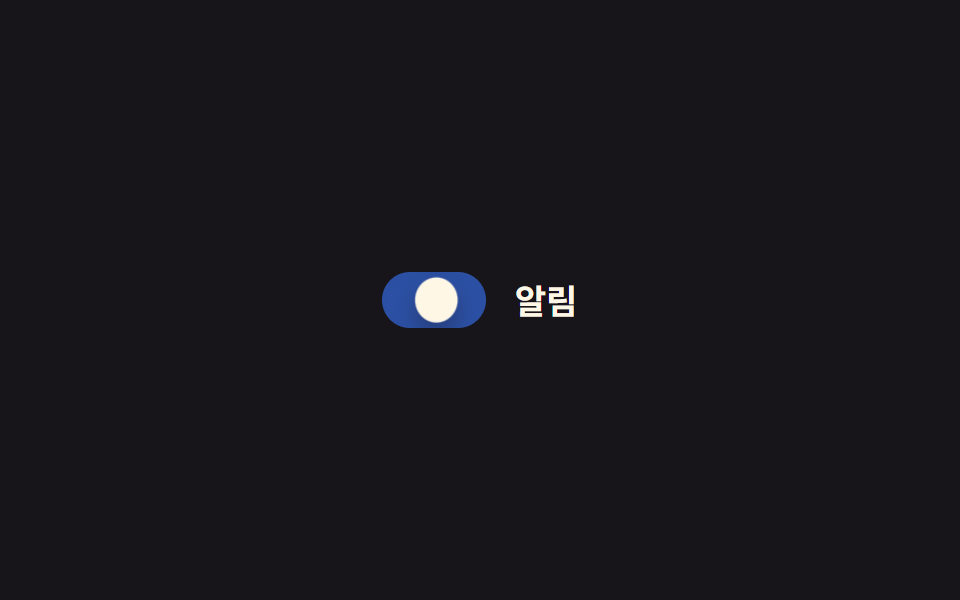 フィードバックCSS トグルスイッチ 9選 — 一行でコピペOK
 フィードバックCSS ツールチップ 吹き出しアニメーション9選 一行でコピペOK
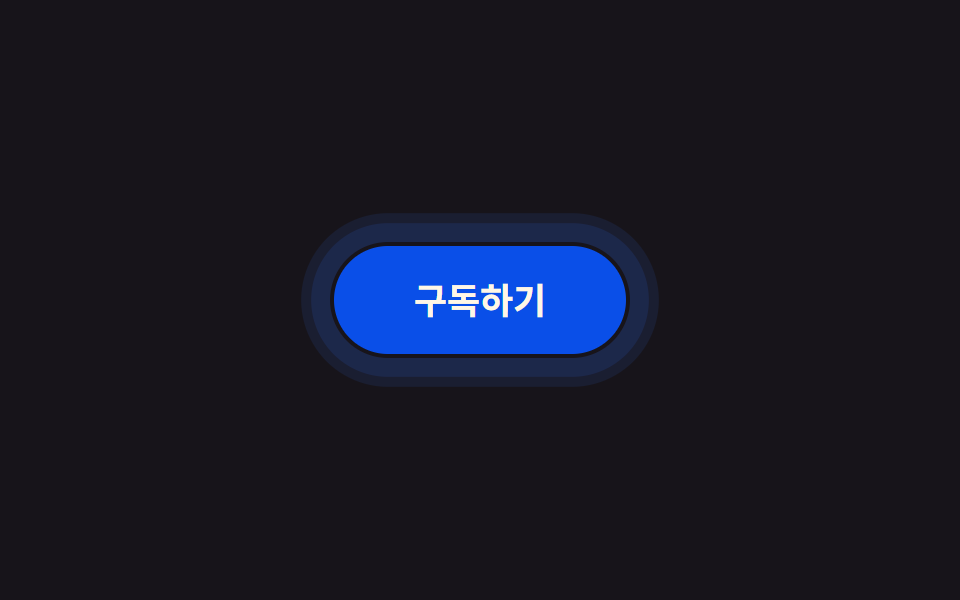 フィードバックCSS タップ エフェクト 9選 — 一行でコピペOK
 フィードバックCSS 入力フォーム フォーカスアニメーション9選 一行でコピペOK
 フィードバックCSS アイコン アニメーション 9選 — 一行でコピペOK
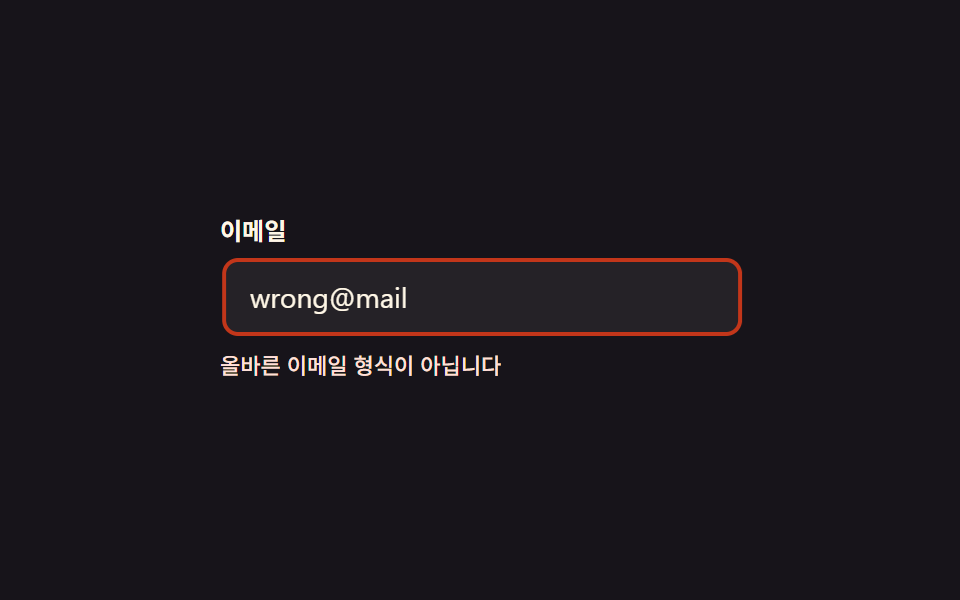 フィードバックCSS 揺れる アニメーション 9選 — フォームのエラー表示
 フィードバックCSS バリデーション アニメーション9選 — フォーム入力エラーの見せ方
 フィードバックチュートリアル UI デザイン9選 — コピペOKのツアー部品
 フィードバッククッキー同意バナーUI 9選 — コピペで使う同意管理コード
 フィードバック【一行でコピペOK】CSS ダークモード 切り替え アニメーション9選