CSS タップ エフェクト 9選 — 一行でコピペOK
css タップ エフェクトとは、指でボタンやカード、リンクに触れた瞬間だけ色・大きさ・影が変わり、入力が確かに届いたとスマホの画面だけで伝える演出です。この記事では9種類を選び、それぞれ6〜25行のコードとして実装しました。
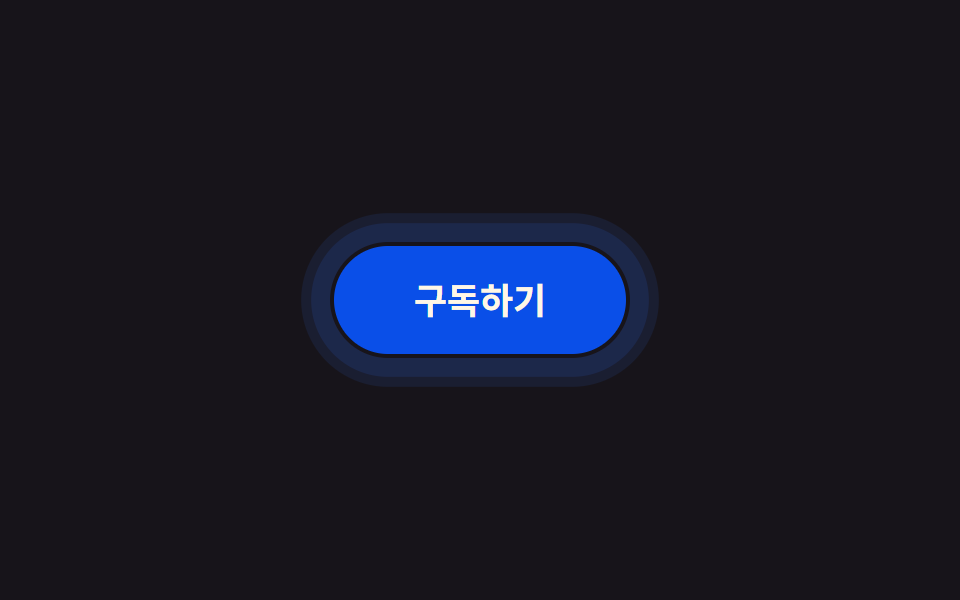 01 click-touch-feedback-ripple-css
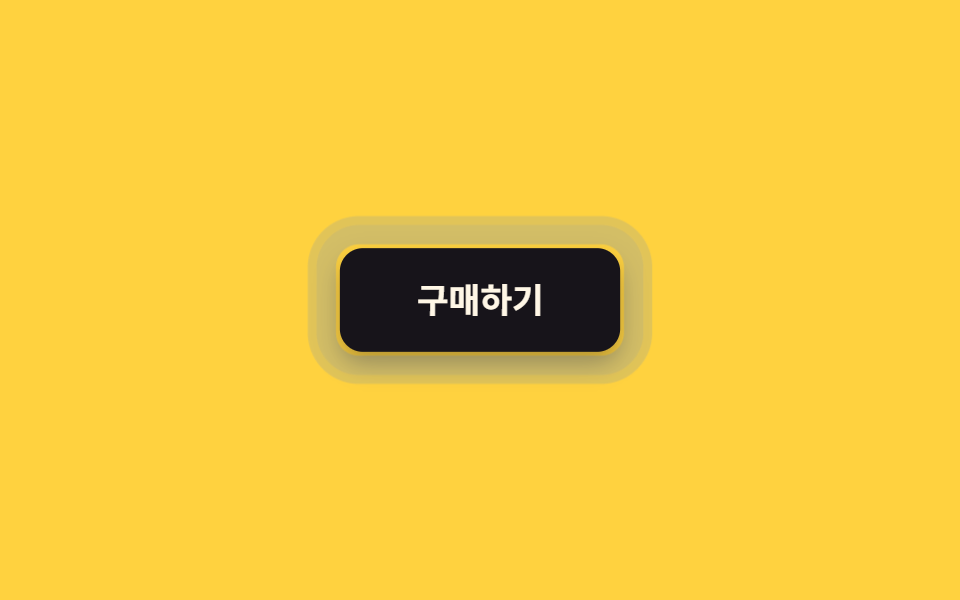 02 click-touch-feedback-press-shrink
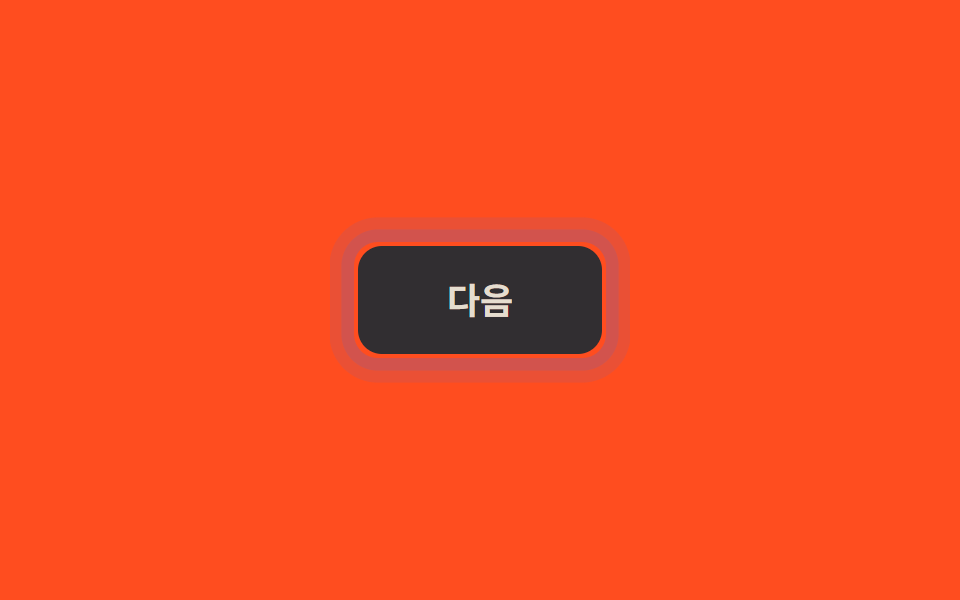 03 click-touch-feedback-touch-active-nohover
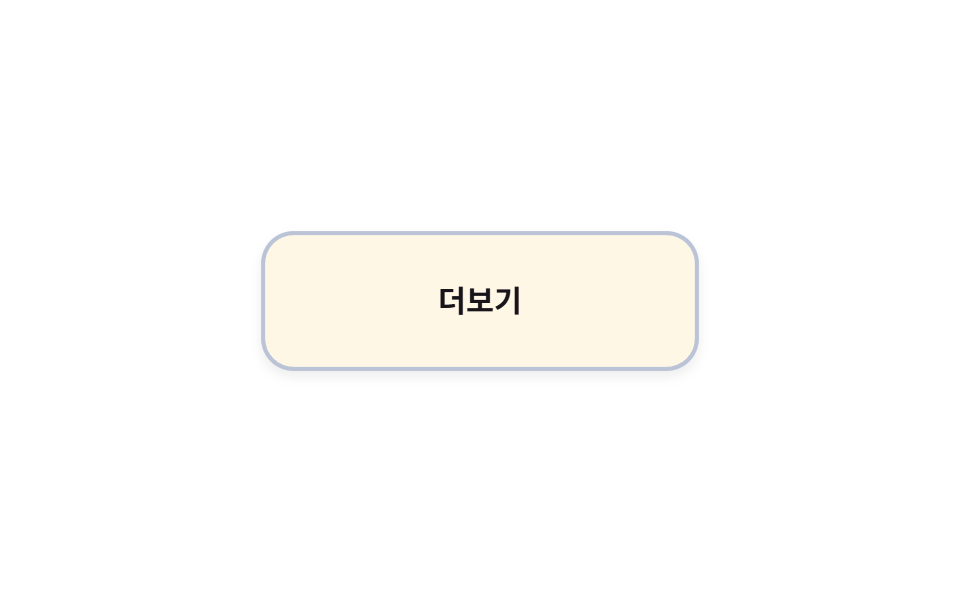 04 click-touch-feedback-long-press-hold
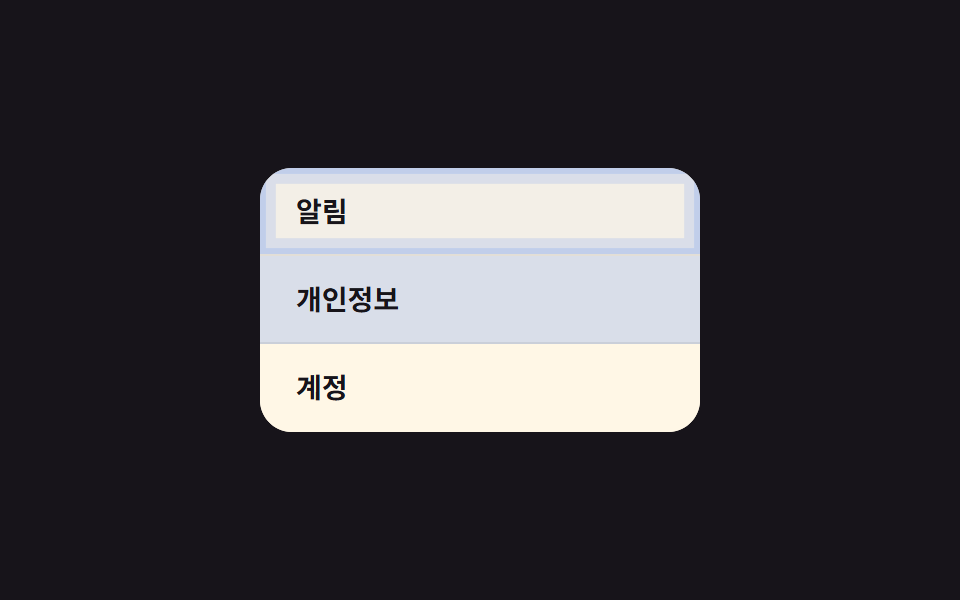 05 click-touch-feedback-list-tap-highlight
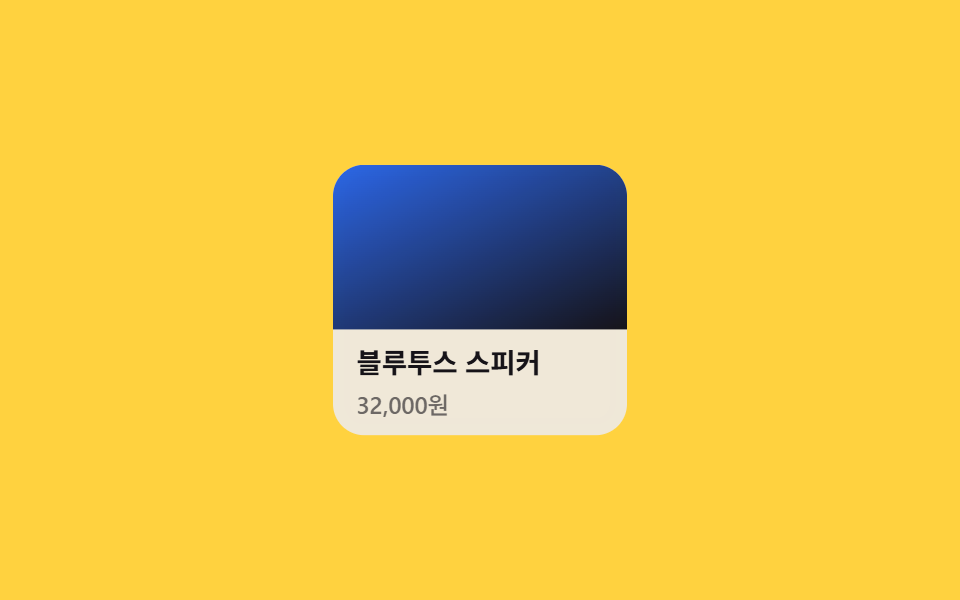 06 click-touch-feedback-card-tap-scale
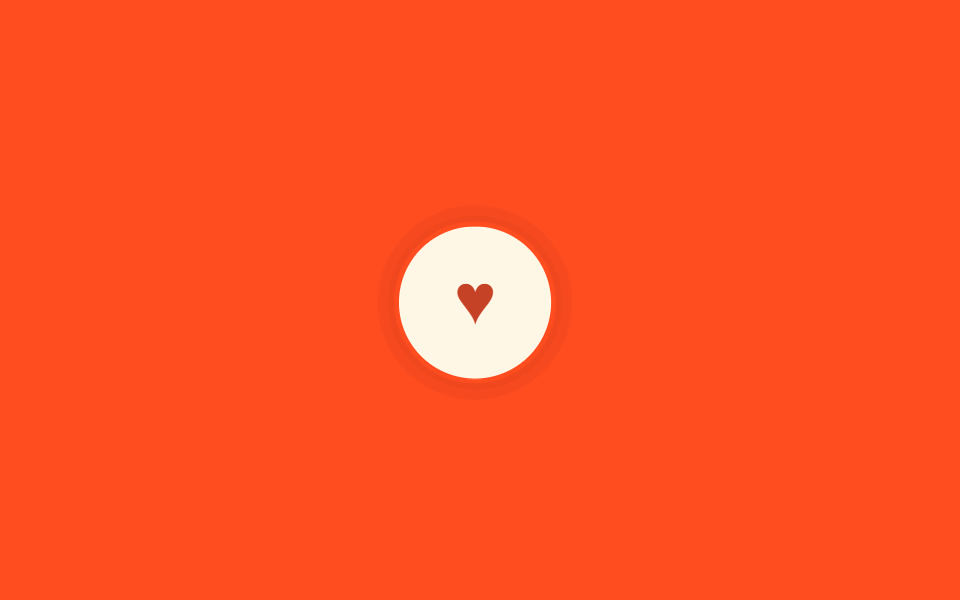 07 click-touch-feedback-haptic-shake
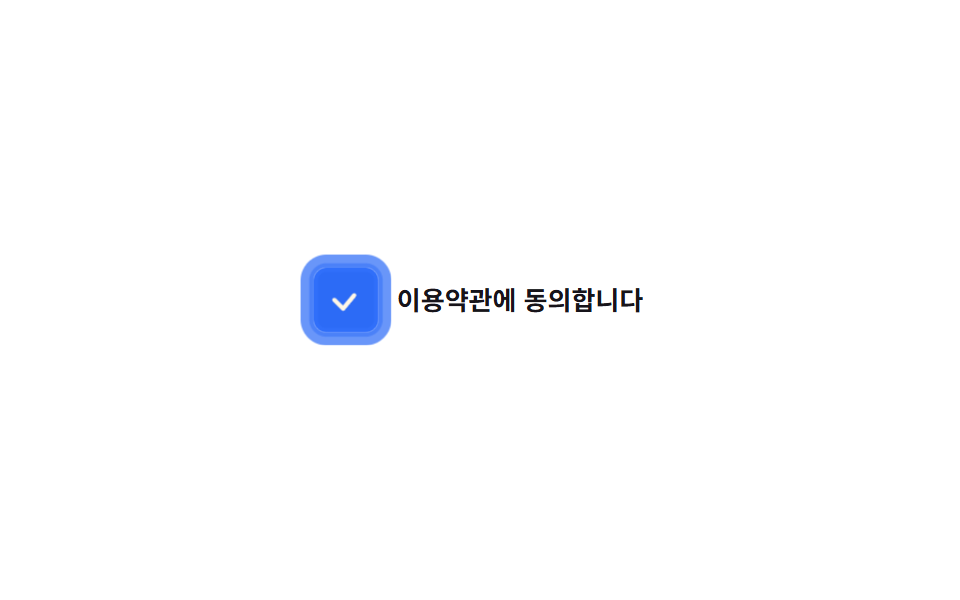 08 click-touch-feedback-checkbox-tap
 09 click-touch-feedback-link-tap-feedback
自動再生 · タイルを押すとその項目へ · すべて1つのzip
- 01 アウトラインのリングパルス
- 02 押し込み縮小+影の減少
- 03 hoverなし端末専用の:active
- 04 長押しで現れる遅延リアクション
- 05 リスト行のタップハイライト
- 06 カードタップのスケール+明るさ
- 07 タップ確認ジッター(エラー揺れではない)
- 08 チェックボックスのタップフィードバック
- 09 インラインリンクのタップフィードバック
並び順は人気度ではなく、指先の一回のタップが実際に通っていく順番です。押すとまずリングが膨らみ(01)、押し込まれた感触が続き(02)、触れる機器によって反応が分かれ(03)、長く押すと待ち時間が挟まり(04)、リストとカードを選び(05・06)、いいねを短く確認し(07)、チェックボックスで状態を切り替え(08)、最後はリンクを押して次の画面へ進みます(09)。各コードは「スマホ ボタン タップ css」で調べて出てくる形の要点だけを切り出してあり、残りのマークアップと変形値はzipにそのまま入っています。07で一瞬だけ流れるいいねの確認だけをしっかり育てたい場合はCSS ハート アニメーションの九つがその一動作だけを扱い、01のリングを一度弾けさせるのではなくボタンの縁を回り続ける線にしたい場合はCSS 枠線 アニメーションがその続きになります。
01アウトラインのリングパルス
波紋ではなく外側のリング
ボタンの内側を塗りつぶす波紋ではなく、外側でbox-shadowのリングが一度だけ膨らんで消えます。タップが終わってもリングは最後まで再生される必要があるため、:activeではなくpointerdownでクラスを付け替えるJSを添えています。アイコンボタンや、すでに塗りつぶしリップルがある画面で二つ目の合図が要る場所に向いています。
<main class="stage">
  <button class="btn is-demo" type="button">登録する</button>
</main>
@use "../../../../site/static/demo-tokens" as *;
// ── 변수 3개. 변형은 이것만 바꾼다 ──────────────────────────
$duration: $dur-enter; // 링이 다 부풀고 사라지는 시간
$easing: $ease-out;
$color: $subject-blue; // 버튼·링 색
@include stage($stage-ink);
.btn {
position: relative;
border: 0;
border-radius: $r-pill;
padding: 18px 40px;
font-weight: 600; font-size: 18px; line-height: 1; font-family: inherit;
color: $subject-cream;
background: $subject-blue-deep;
cursor: pointer;
-webkit-tap-highlight-color: transparent;
transition: filter $dur-quick;
&:hover { filter: brightness(1.06); }
&:active { filter: brightness(.96); }
// 채워지는 원(::after 가 버튼 내부를 덮는 리플)이 아니라, 버튼 바깥으로 테두리만 번지는 링
// 규칙8 한 겹: 링 하나가 아니라 두 겹이 서로 다른 속도로 번져 노이즈처럼 불규칙한 파면을 만들고,
// 바깥 겹이 안쪽 겹보다 먼저 옅어지며 감쇠한다(선형 감쇠가 아니라 24%→52%→78% 단계별로 빠르게 줄어듦)
&::after {
content: "";
position: absolute;
inset: -2px;
border-radius: inherit;
box-shadow: 0 0 0 0 rgba($color, .55), 0 0 0 0 rgba($color, .32);
opacity: 0;
pointer-events: none;
}
&.is-ringing::after {
animation: ring $duration $easing forwards;
}
// 데모용: 클릭 여부와 무관하게 2초마다 자동 반복. linear 로 프레임마다 고르게 퍼지게 한다
&.is-demo::after {
animation: ring-loop $dur-loop linear infinite;
}
}
@keyframes ring {
0% { box-shadow: 0 0 0 0 rgba($color, .68), 0 0 0 0 rgba($color, .44); opacity: 1; }
30% { box-shadow: 0 0 0 8px rgba($color, .4), 0 0 0 3px rgba($color, .44); opacity: 1; }
62% { box-shadow: 0 0 0 14px rgba($color, .18), 0 0 0 9px rgba($color, .24); opacity: .72; }
86% { box-shadow: 0 0 0 17px rgba($color, .04), 0 0 0 12px rgba($color, .06); opacity: .16; }
100% { box-shadow: 0 0 0 17px rgba($color, 0), 0 0 0 12px rgba($color, 0); opacity: 0; }
}
@keyframes ring-loop {
0%, 8% { box-shadow: 0 0 0 0 rgba($color, .68), 0 0 0 0 rgba($color, .44); opacity: 1; }
24% { box-shadow: 0 0 0 8px rgba($color, .4), 0 0 0 3px rgba($color, .44); opacity: 1; }
40% { box-shadow: 0 0 0 14px rgba($color, .18), 0 0 0 9px rgba($color, .24); opacity: .72; }
52% { box-shadow: 0 0 0 17px rgba($color, .04), 0 0 0 12px rgba($color, .06); opacity: .16; }
62%, 100% { box-shadow: 0 0 0 17px rgba($color, 0), 0 0 0 12px rgba($color, 0); opacity: 0; }
}
@media (prefers-reduced-motion: reduce) {
.btn::after { animation: none !important; opacity: 0; }
.btn:active { filter: brightness(.88); }
}html, body {
margin: 0;
overflow: hidden;
}
.stage {
box-sizing: border-box;
min-height: 100vh;
display: grid;
place-items: center;
margin: 0;
background: #17141a;
font-family: -apple-system, "Segoe UI", "Noto Sans KR", sans-serif;
padding: clamp(8px, 4vw, 24px);
}
.btn {
position: relative;
border: 0;
border-radius: 999px;
padding: 18px 40px;
font-weight: 600;
font-size: 18px;
line-height: 1;
font-family: inherit;
color: #fff7e6;
background: #0a4fe8;
cursor: pointer;
-webkit-tap-highlight-color: transparent;
transition: filter 220ms;
}
.btn:hover {
filter: brightness(1.06);
}
.btn:active {
filter: brightness(0.96);
}
.btn::after {
content: "";
position: absolute;
inset: -2px;
border-radius: inherit;
box-shadow: 0 0 0 0 rgba(47, 109, 246, 0.55), 0 0 0 0 rgba(47, 109, 246, 0.32);
opacity: 0;
pointer-events: none;
}
.btn.is-ringing::after {
animation: ring 600ms ease-out forwards;
}
.btn.is-demo::after {
animation: ring-loop 2s linear infinite;
}
@keyframes ring {
0% {
box-shadow: 0 0 0 0 rgba(47, 109, 246, 0.68), 0 0 0 0 rgba(47, 109, 246, 0.44);
opacity: 1;
}
30% {
box-shadow: 0 0 0 8px rgba(47, 109, 246, 0.4), 0 0 0 3px rgba(47, 109, 246, 0.44);
opacity: 1;
}
62% {
box-shadow: 0 0 0 14px rgba(47, 109, 246, 0.18), 0 0 0 9px rgba(47, 109, 246, 0.24);
opacity: 0.72;
}
86% {
box-shadow: 0 0 0 17px rgba(47, 109, 246, 0.04), 0 0 0 12px rgba(47, 109, 246, 0.06);
opacity: 0.16;
}
100% {
box-shadow: 0 0 0 17px rgba(47, 109, 246, 0), 0 0 0 12px rgba(47, 109, 246, 0);
opacity: 0;
}
}
@keyframes ring-loop {
0%, 8% {
box-shadow: 0 0 0 0 rgba(47, 109, 246, 0.68), 0 0 0 0 rgba(47, 109, 246, 0.44);
opacity: 1;
}
24% {
box-shadow: 0 0 0 8px rgba(47, 109, 246, 0.4), 0 0 0 3px rgba(47, 109, 246, 0.44);
opacity: 1;
}
40% {
box-shadow: 0 0 0 14px rgba(47, 109, 246, 0.18), 0 0 0 9px rgba(47, 109, 246, 0.24);
opacity: 0.72;
}
52% {
box-shadow: 0 0 0 17px rgba(47, 109, 246, 0.04), 0 0 0 12px rgba(47, 109, 246, 0.06);
opacity: 0.16;
}
62%, 100% {
box-shadow: 0 0 0 17px rgba(47, 109, 246, 0), 0 0 0 12px rgba(47, 109, 246, 0);
opacity: 0;
}
}
@media (prefers-reduced-motion: reduce) {
.btn::after {
animation: none !important;
opacity: 0;
}
.btn:active {
filter: brightness(0.88);
}
}// 링은 클릭이 끝나도 끝까지 재생돼야 해서 :active 만으로는 부족하다. pointerdown 에서 클래스를 한 번 갈아끼운다.
var b = document.querySelector('.btn');
b.addEventListener('pointerdown', function () {
b.classList.remove('is-demo');
b.classList.remove('is-ringing');
void b.offsetWidth;
b.classList.add('is-ringing');
});
b.addEventListener('animationend', function (e) {
if (e.animationName === 'ring') b.classList.remove('is-ringing');
});import { useCallback, useRef, type CSSProperties } from "react";
import styles from "./RingPulseButton.module.scss";
export type RingPulseButtonProps = {
label: string;
/** 링이 다 부풀고 사라지는 시간 (기본 600ms) */
duration?: number;
easing?: string;
/** 버튼·링 색 */
color?: string;
};
type Vars = CSSProperties & { "--duration"?: string; "--easing"?: string; "--color"?: string };
export default function RingPulseButton({
label,
duration = 600,
easing = "ease-out",
color = "#0a4fe8",
}: RingPulseButtonProps) {
const ref = useRef<HTMLButtonElement>(null);
const vars: Vars = { "--duration": `${duration}ms`, "--easing": easing, "--color": color };
// 클릭이 끝나도 링은 끝까지 재생돼야 해서 :active 만으로는 부족하다 (index.html 과 같은 이유)
const onPointerDown = useCallback(() => {
const b = ref.current;
if (!b) return;
b.classList.remove(styles.ringing);
void b.offsetWidth;
b.classList.add(styles.ringing);
}, []);
const onAnimationEnd = useCallback((e: { animationName: string }) => {
if (e.animationName.includes("ring")) ref.current?.classList.remove(styles.ringing);
}, []);
return (
<button
ref={ref}
type="button"
className={styles.btn}
style={vars}
onPointerDown={onPointerDown}
onAnimationEnd={onAnimationEnd}
>
{label}
</button>
);
}01 · アウトラインのリングパルス — 計測 累積面積 4.103% · 動いたフレーム 11/23GODRICH オリジナル · SCSS と React は zip に同梱 · パスワードを見る
アイコンボタンでの使いどころ
.btn::after {
  content: "";
  position: absolute;
  inset: -2px;
  border-radius: inherit;
  box-shadow: 0 0 0 0 rgba($color, .55);
  opacity: 0;
}
.btn.is-ringing::after {
  animation: ring $duration $easing forwards;
}
@keyframes ring {
  0%   { box-shadow: 0 0 0 0 rgba($color, .55); opacity: 1; }
  100% { box-shadow: 0 0 0 26px rgba($color, 0); opacity: 0; }
}
02押し込み縮小
押している間に縮む値
押している間scale(.96)まで縮み、box-shadowも同時に浅くなります。離すとバウンスなしで即座に元の大きさへ戻り、touch-action: manipulationでモバイルブラウザの300msタップ遅延とダブルタップ拡大も消します。送信・決済ボタンなど、押した確信が重要なCTAに向いています。
<main class="stage">
  <button class="btn is-demo" type="button">購入する</button>
</main>
@use "../../../../site/static/demo-tokens" as *;
$duration: $dur-quick; // 눌렸다가 돌아오는 시간 (바운스 없음)
$easing: $ease-out;
$color: $subject-ink; // 버튼 색
@include stage($stage-yellow);
.btn {
position: relative;
border: 0;
border-radius: $r-control;
padding: 18px 40px;
font-weight: 600; font-size: 18px; line-height: 1; font-family: inherit;
color: $subject-cream;
background: $color;
cursor: pointer;
-webkit-tap-highlight-color: transparent;
touch-action: manipulation; // 더블탭 확대·300ms 지연 제거
box-shadow: $shadow-raised;
transform: scale(1);
transition: transform $duration $easing, box-shadow $duration $easing;
// 규칙8 한 겹: 눌리는 순간 버튼 바깥으로 두 겹 링이 서로 다른 속도로 불규칙하게 번지다 감쇠
&::after {
content: "";
position: absolute;
inset: -2px;
border-radius: inherit;
box-shadow: 0 0 0 0 rgba($subject-blue, .5), 0 0 0 0 rgba($subject-blue, .3);
opacity: 0;
pointer-events: none;
}
}
.btn:active {
transform: scale(.96);
box-shadow: $shadow-press;
}
.btn:active::after {
animation: ripple-wave $dur-enter $easing;
}
.btn:focus-visible {
outline: 3px solid $subject-blue;
outline-offset: 3px;
}
.btn.is-demo { animation: press-loop $dur-loop $easing infinite; }
.btn.is-demo::after { animation: ripple-loop $dur-loop $easing infinite; }
@keyframes press-loop {
0%, 20% { transform: scale(1); box-shadow: $shadow-raised; }
45%, 60% { transform: scale(.96); box-shadow: $shadow-press; }
100% { transform: scale(1); box-shadow: $shadow-raised; }
}
@keyframes ripple-wave {
0% { box-shadow: 0 0 0 0 rgba($subject-blue, .55), 0 0 0 0 rgba($subject-blue, .34); opacity: 1; }
20% { box-shadow: 0 0 0 8px rgba($subject-blue, .55), 0 0 0 3px rgba($subject-blue, .34); opacity: 1; }
55% { box-shadow: 0 0 0 14px rgba($subject-blue, .3), 0 0 0 9px rgba($subject-blue, .2); opacity: .9; }
85% { box-shadow: 0 0 0 16px rgba($subject-blue, .06), 0 0 0 12px rgba($subject-blue, .04); opacity: .2; }
100% { box-shadow: 0 0 0 16px rgba($subject-blue, 0), 0 0 0 12px rgba($subject-blue, 0); opacity: 0; }
}
@keyframes ripple-loop {
0%, 40% { box-shadow: 0 0 0 0 rgba($subject-blue, .55), 0 0 0 0 rgba($subject-blue, .34); opacity: 1; }
46% { box-shadow: 0 0 0 8px rgba($subject-blue, .55), 0 0 0 3px rgba($subject-blue, .34); opacity: 1; }
53% { box-shadow: 0 0 0 14px rgba($subject-blue, .3), 0 0 0 9px rgba($subject-blue, .2); opacity: .9; }
58% { box-shadow: 0 0 0 16px rgba($subject-blue, .06), 0 0 0 12px rgba($subject-blue, .04); opacity: .2; }
63%, 100% { box-shadow: 0 0 0 16px rgba($subject-blue, 0), 0 0 0 12px rgba($subject-blue, 0); opacity: 0; }
}
@media (prefers-reduced-motion: reduce) {
.btn { transition: none; }
.btn::after { animation: none !important; opacity: 0; }
.btn.is-demo { animation: none; box-shadow: $shadow-press; }
}html, body {
margin: 0;
overflow: hidden;
}
.stage {
box-sizing: border-box;
min-height: 100vh;
display: grid;
place-items: center;
margin: 0;
background: #ffd23f;
font-family: -apple-system, "Segoe UI", "Noto Sans KR", sans-serif;
padding: clamp(8px, 4vw, 24px);
}
.btn {
position: relative;
border: 0;
border-radius: 12px;
padding: 18px 40px;
font-weight: 600;
font-size: 18px;
line-height: 1;
font-family: inherit;
color: #fff7e6;
background: #17141a;
cursor: pointer;
-webkit-tap-highlight-color: transparent;
touch-action: manipulation;
box-shadow: 0 14px 24px rgba(23, 20, 26, 0.32);
transform: scale(1);
transition: transform 220ms ease-out, box-shadow 220ms ease-out;
}
.btn::after {
content: "";
position: absolute;
inset: -2px;
border-radius: inherit;
box-shadow: 0 0 0 0 rgba(47, 109, 246, 0.5), 0 0 0 0 rgba(47, 109, 246, 0.3);
opacity: 0;
pointer-events: none;
}
.btn:active {
transform: scale(0.96);
box-shadow: 0 6px 12px rgba(23, 20, 26, 0.32);
}
.btn:active::after {
animation: ripple-wave 600ms ease-out;
}
.btn:focus-visible {
outline: 3px solid #2f6df6;
outline-offset: 3px;
}
.btn.is-demo {
animation: press-loop 2s ease-out infinite;
}
.btn.is-demo::after {
animation: ripple-loop 2s ease-out infinite;
}
@keyframes press-loop {
0%, 20% {
transform: scale(1);
box-shadow: 0 14px 24px rgba(23, 20, 26, 0.32);
}
45%, 60% {
transform: scale(0.96);
box-shadow: 0 6px 12px rgba(23, 20, 26, 0.32);
}
100% {
transform: scale(1);
box-shadow: 0 14px 24px rgba(23, 20, 26, 0.32);
}
}
@keyframes ripple-wave {
0% {
box-shadow: 0 0 0 0 rgba(47, 109, 246, 0.55), 0 0 0 0 rgba(47, 109, 246, 0.34);
opacity: 1;
}
20% {
box-shadow: 0 0 0 8px rgba(47, 109, 246, 0.55), 0 0 0 3px rgba(47, 109, 246, 0.34);
opacity: 1;
}
55% {
box-shadow: 0 0 0 14px rgba(47, 109, 246, 0.3), 0 0 0 9px rgba(47, 109, 246, 0.2);
opacity: 0.9;
}
85% {
box-shadow: 0 0 0 16px rgba(47, 109, 246, 0.06), 0 0 0 12px rgba(47, 109, 246, 0.04);
opacity: 0.2;
}
100% {
box-shadow: 0 0 0 16px rgba(47, 109, 246, 0), 0 0 0 12px rgba(47, 109, 246, 0);
opacity: 0;
}
}
@keyframes ripple-loop {
0%, 40% {
box-shadow: 0 0 0 0 rgba(47, 109, 246, 0.55), 0 0 0 0 rgba(47, 109, 246, 0.34);
opacity: 1;
}
46% {
box-shadow: 0 0 0 8px rgba(47, 109, 246, 0.55), 0 0 0 3px rgba(47, 109, 246, 0.34);
opacity: 1;
}
53% {
box-shadow: 0 0 0 14px rgba(47, 109, 246, 0.3), 0 0 0 9px rgba(47, 109, 246, 0.2);
opacity: 0.9;
}
58% {
box-shadow: 0 0 0 16px rgba(47, 109, 246, 0.06), 0 0 0 12px rgba(47, 109, 246, 0.04);
opacity: 0.2;
}
63%, 100% {
box-shadow: 0 0 0 16px rgba(47, 109, 246, 0), 0 0 0 12px rgba(47, 109, 246, 0);
opacity: 0;
}
}
@media (prefers-reduced-motion: reduce) {
.btn {
transition: none;
}
.btn::after {
animation: none !important;
opacity: 0;
}
.btn.is-demo {
animation: none;
box-shadow: 0 6px 12px rgba(23, 20, 26, 0.32);
}
}import type { CSSProperties } from "react";
import styles from "./PressShrinkButton.module.scss";
export type PressShrinkButtonProps = {
label: string;
/** 눌렸다가 돌아오는 시간, 바운스 없음 (기본 220ms) */
duration?: number;
easing?: string;
color?: string;
};
type Vars = CSSProperties & { "--duration"?: string; "--easing"?: string; "--color"?: string };
export default function PressShrinkButton({
label,
duration = 220,
easing = "ease-out",
color = "#17141a",
}: PressShrinkButtonProps) {
const vars: Vars = { "--duration": `${duration}ms`, "--easing": easing, "--color": color };
return (
<button type="button" className={styles.btn} style={vars}>
{label}
</button>
);
}02 · 押し込み縮小+影の減少 — 計測 累積面積 6.326% · 動いたフレーム 19/23GODRICH オリジナル · SCSS と React は zip に同梱 · パスワードを見る
タップ遅延を消す一行
.btn {
  transform: scale(1);
  transition: transform $duration $easing, box-shadow $duration $easing;
  touch-action: manipulation;
}
.btn:active {
  transform: scale(.96);
  box-shadow: $shadow-press;
}
03hoverなし端末専用の:active
hoverなし端末だけに効かせる
@media (hover: none) and (pointer: coarse)のブロックの中にだけ:activeの背景色を置きます。マウスのある機器はこのブロック自体を読まないため、スマホでタップした後に灰色が張り付く定番のバグがここでは起きません。
<main class="stage">
  <button class="btn is-demo" type="button">次へ</button>
</main>
@use "../../../../site/static/demo-tokens" as *;
$duration: $dur-quick;
$easing: $ease-out;
$color: $subject-cream; // 버튼 색
@include stage($stage-orange);
.btn {
position: relative;
border: 0;
border-radius: $r-control;
padding: 18px 44px;
font-weight: 600; font-size: 18px; line-height: 1; font-family: inherit;
color: $stage-ink;
background: $color;
cursor: pointer;
-webkit-tap-highlight-color: transparent;
transition: background $duration $easing, color $duration $easing;
// 규칙8 한 겹: 색 반전 순간 버튼 바깥으로 두 겹 링이 서로 다른 속도로 불규칙하게 번지다 감쇠
&::after {
content: "";
position: absolute;
inset: -2px;
border-radius: inherit;
box-shadow: 0 0 0 0 rgba($subject-blue, .48), 0 0 0 0 rgba($subject-blue, .28);
opacity: 0;
pointer-events: none;
}
}
// 실제 규칙: 호버가 없는(터치) 기기에서만 :active 배경을 준다.
// 마우스 기기는 이 블록을 아예 안 읽어서, 탭 뒤 색이 눌어붙는 일이 없다.
@media (hover: none) and (pointer: coarse) {
.btn:active {
background: $stage-ink;
color: $color;
}
.btn:active::after {
animation: ripple-wave $dur-enter $easing;
}
}
// 데모용: 렌더 환경은 마우스 포인터로 잡히므로 위 미디어쿼리가 실제로 켜졌을 때의
// 모습을 .is-demo 로 강제 재생한다 (실제 터치 여부와 무관).
.btn.is-demo {
animation: touch-active-loop $dur-loop $easing infinite;
}
.btn.is-demo::after {
animation: ripple-loop $dur-loop $easing infinite;
}
@keyframes touch-active-loop {
0%, 20% { background: $subject-cream; color: $stage-ink; }
50%, 75% { background: $stage-ink; color: $subject-cream; }
100% { background: $subject-cream; color: $stage-ink; }
}
@keyframes ripple-wave {
0% { box-shadow: 0 0 0 0 rgba($subject-blue, .48), 0 0 0 0 rgba($subject-blue, .28); opacity: 1; }
38% { box-shadow: 0 0 0 10px rgba($subject-blue, .2), 0 0 0 4px rgba($subject-blue, .26); opacity: .74; }
66% { box-shadow: 0 0 0 17px rgba($subject-blue, .09), 0 0 0 11px rgba($subject-blue, .15); opacity: .36; }
100% { box-shadow: 0 0 0 24px rgba($subject-blue, 0), 0 0 0 20px rgba($subject-blue, 0); opacity: 0; }
}
@keyframes ripple-loop {
0%, 20% { box-shadow: 0 0 0 0 rgba($subject-blue, .48), 0 0 0 0 rgba($subject-blue, .28); opacity: 1; }
38% { box-shadow: 0 0 0 10px rgba($subject-blue, .2), 0 0 0 4px rgba($subject-blue, .26); opacity: .74; }
55% { box-shadow: 0 0 0 17px rgba($subject-blue, .09), 0 0 0 11px rgba($subject-blue, .15); opacity: .36; }
75%, 100% { box-shadow: 0 0 0 24px rgba($subject-blue, 0), 0 0 0 20px rgba($subject-blue, 0); opacity: 0; }
}
@media (prefers-reduced-motion: reduce) {
.btn { transition: none; }
.btn::after { animation: none !important; opacity: 0; }
.btn.is-demo { animation: none; }
}html, body {
margin: 0;
overflow: hidden;
}
.stage {
box-sizing: border-box;
min-height: 100vh;
display: grid;
place-items: center;
margin: 0;
background: #ff4d1f;
font-family: -apple-system, "Segoe UI", "Noto Sans KR", sans-serif;
padding: clamp(8px, 4vw, 24px);
}
.btn {
position: relative;
border: 0;
border-radius: 12px;
padding: 18px 44px;
font-weight: 600;
font-size: 18px;
line-height: 1;
font-family: inherit;
color: #17141a;
background: #fff7e6;
cursor: pointer;
-webkit-tap-highlight-color: transparent;
transition: background 220ms ease-out, color 220ms ease-out;
}
.btn::after {
content: "";
position: absolute;
inset: -2px;
border-radius: inherit;
box-shadow: 0 0 0 0 rgba(47, 109, 246, 0.48), 0 0 0 0 rgba(47, 109, 246, 0.28);
opacity: 0;
pointer-events: none;
}
@media (hover: none) and (pointer: coarse) {
.btn:active {
background: #17141a;
color: #fff7e6;
}
.btn:active::after {
animation: ripple-wave 600ms ease-out;
}
}
.btn.is-demo {
animation: touch-active-loop 2s ease-out infinite;
}
.btn.is-demo::after {
animation: ripple-loop 2s ease-out infinite;
}
@keyframes touch-active-loop {
0%, 20% {
background: #fff7e6;
color: #17141a;
}
50%, 75% {
background: #17141a;
color: #fff7e6;
}
100% {
background: #fff7e6;
color: #17141a;
}
}
@keyframes ripple-wave {
0% {
box-shadow: 0 0 0 0 rgba(47, 109, 246, 0.48), 0 0 0 0 rgba(47, 109, 246, 0.28);
opacity: 1;
}
38% {
box-shadow: 0 0 0 10px rgba(47, 109, 246, 0.2), 0 0 0 4px rgba(47, 109, 246, 0.26);
opacity: 0.74;
}
66% {
box-shadow: 0 0 0 17px rgba(47, 109, 246, 0.09), 0 0 0 11px rgba(47, 109, 246, 0.15);
opacity: 0.36;
}
100% {
box-shadow: 0 0 0 24px rgba(47, 109, 246, 0), 0 0 0 20px rgba(47, 109, 246, 0);
opacity: 0;
}
}
@keyframes ripple-loop {
0%, 20% {
box-shadow: 0 0 0 0 rgba(47, 109, 246, 0.48), 0 0 0 0 rgba(47, 109, 246, 0.28);
opacity: 1;
}
38% {
box-shadow: 0 0 0 10px rgba(47, 109, 246, 0.2), 0 0 0 4px rgba(47, 109, 246, 0.26);
opacity: 0.74;
}
55% {
box-shadow: 0 0 0 17px rgba(47, 109, 246, 0.09), 0 0 0 11px rgba(47, 109, 246, 0.15);
opacity: 0.36;
}
75%, 100% {
box-shadow: 0 0 0 24px rgba(47, 109, 246, 0), 0 0 0 20px rgba(47, 109, 246, 0);
opacity: 0;
}
}
@media (prefers-reduced-motion: reduce) {
.btn {
transition: none;
}
.btn::after {
animation: none !important;
opacity: 0;
}
.btn.is-demo {
animation: none;
}
}import type { CSSProperties } from "react";
import styles from "./TouchActiveButton.module.scss";
export type TouchActiveButtonProps = {
label: string;
duration?: number;
easing?: string;
color?: string;
};
type Vars = CSSProperties & { "--duration"?: string; "--easing"?: string; "--color"?: string };
/** @media (hover: none) and (pointer: coarse) 에서만 :active 배경이 걸린다. 마우스 기기에서는 이 규칙이 아예 읽히지 않는다. */
export default function TouchActiveButton({
label,
duration = 220,
easing = "ease-out",
color = "#fff7e6",
}: TouchActiveButtonProps) {
const vars: Vars = { "--duration": `${duration}ms`, "--easing": easing, "--color": color };
return (
<button type="button" className={styles.btn} style={vars}>
{label}
</button>
);
}03 · hoverなし端末専用の:active — 計測 累積面積 8.344% · 動いたフレーム 12/23GODRICH オリジナル · SCSS と React は zip に同梱 · パスワードを見る
マウス機器では読まれない
@media (hover: none) and (pointer: coarse) {
  .btn:active {
    background: $stage-ink;
    color: $subject-cream;
  }
}
04長押しで現れる遅延リアクション
600ms待ってから動く
押した瞬間には何も起きず、transition-delayで600ms遅れてからカードが大きくなり影が濃くなります。背景が満ちていく進捗バーではなく、遅延ひとつで短いタップと長押しを見分けます。touch-action: noneでスクロール操作との奪い合いも避けています。
<main class="stage">
  <div class="card is-demo" tabindex="0">もっと見る</div>
</main>
@use "../../../../site/static/demo-tokens" as *;
$duration: $dur-quick; // 문턱을 넘은 뒤 반응이 실제로 펼쳐지는 시간
$hold: $dur-enter; // 반응이 시작되기까지 참는 시간 (누르는 순간엔 아무 일도 없다)
$easing: $ease-pop;
$color: $subject-blue;
@include stage($stage-paper);
.stage { padding: clamp(8px, 4vw, 24px); }
.card {
position: relative;
width: min(180px, 60vw);
border-radius: $r-card;
background: $subject-cream;
border: 2px solid rgba($stage-ink, .12);
padding: 22px 16px;
text-align: center;
font-weight: 600; font-size: 15px; line-height: 1.4; font-family: inherit;
color: $stage-ink;
cursor: pointer;
touch-action: none; // 누르는 동안 스크롤 제스처와 겹치지 않게
transform: scale(1);
box-shadow: none;
// transition-delay 가 곧 "길게 눌러야만" 반응하는 문턱이다. 진행바를 채우지 않는다.
transition: transform $duration $easing $hold,
box-shadow $duration $easing $hold,
border-color $duration $easing $hold;
// 규칙8 한 겹: 문턱을 넘어 반응이 펼쳐지는 순간 카드 바깥으로 두 겹 링이 불규칙하게 번지다 감쇠
&::after {
content: "";
position: absolute;
inset: -2px;
border-radius: inherit;
box-shadow: 0 0 0 0 rgba($color, .45), 0 0 0 0 rgba($color, .26);
opacity: 0;
pointer-events: none;
}
}
.card:active {
transform: scale(1.06);
box-shadow: $shadow-raised;
border-color: $color;
}
.card:active::after {
animation: ripple-wave $dur-enter $easing $hold;
}
.card:focus-visible {
outline: 3px solid $color;
outline-offset: 3px;
}
.card.is-demo {
animation: long-press-loop $dur-loop $easing infinite;
}
.card.is-demo::after {
animation: ripple-loop $dur-loop $easing infinite;
}
@keyframes long-press-loop {
0%, 30% { transform: scale(1); box-shadow: none; border-color: rgba($stage-ink, .12); }
70%, 85% { transform: scale(1.06); box-shadow: $shadow-raised; border-color: $color; }
100% { transform: scale(1); box-shadow: none; border-color: rgba($stage-ink, .12); }
}
@keyframes ripple-wave {
0% { box-shadow: 0 0 0 0 rgba($color, .45), 0 0 0 0 rgba($color, .26); opacity: 1; }
38% { box-shadow: 0 0 0 10px rgba($color, .2), 0 0 0 4px rgba($color, .24); opacity: .72; }
66% { box-shadow: 0 0 0 17px rgba($color, .09), 0 0 0 11px rgba($color, .14); opacity: .34; }
100% { box-shadow: 0 0 0 24px rgba($color, 0), 0 0 0 20px rgba($color, 0); opacity: 0; }
}
@keyframes ripple-loop {
0%, 30% { box-shadow: 0 0 0 0 rgba($color, .45), 0 0 0 0 rgba($color, .26); opacity: 1; }
50% { box-shadow: 0 0 0 10px rgba($color, .2), 0 0 0 4px rgba($color, .24); opacity: .72; }
67% { box-shadow: 0 0 0 17px rgba($color, .09), 0 0 0 11px rgba($color, .14); opacity: .34; }
85%, 100% { box-shadow: 0 0 0 24px rgba($color, 0), 0 0 0 20px rgba($color, 0); opacity: 0; }
}
@media (prefers-reduced-motion: reduce) {
.card { transition: none; }
.card::after { animation: none !important; opacity: 0; }
.card.is-demo { animation: none; }
}html, body {
margin: 0;
overflow: hidden;
}
.stage {
box-sizing: border-box;
min-height: 100vh;
display: grid;
place-items: center;
margin: 0;
background: #ffffff;
font-family: -apple-system, "Segoe UI", "Noto Sans KR", sans-serif;
padding: clamp(8px, 4vw, 24px);
}
.stage {
padding: clamp(8px, 4vw, 24px);
}
.card {
position: relative;
width: min(180px, 60vw);
border-radius: 16px;
background: #fff7e6;
border: 2px solid rgba(23, 20, 26, 0.12);
padding: 22px 16px;
text-align: center;
font-weight: 600;
font-size: 15px;
line-height: 1.4;
font-family: inherit;
color: #17141a;
cursor: pointer;
touch-action: none;
transform: scale(1);
box-shadow: none;
transition: transform 220ms cubic-bezier(0.2, 1.4, 0.4, 1) 600ms, box-shadow 220ms cubic-bezier(0.2, 1.4, 0.4, 1) 600ms, border-color 220ms cubic-bezier(0.2, 1.4, 0.4, 1) 600ms;
}
.card::after {
content: "";
position: absolute;
inset: -2px;
border-radius: inherit;
box-shadow: 0 0 0 0 rgba(47, 109, 246, 0.45), 0 0 0 0 rgba(47, 109, 246, 0.26);
opacity: 0;
pointer-events: none;
}
.card:active {
transform: scale(1.06);
box-shadow: 0 14px 24px rgba(23, 20, 26, 0.32);
border-color: #2f6df6;
}
.card:active::after {
animation: ripple-wave 600ms cubic-bezier(0.2, 1.4, 0.4, 1) 600ms;
}
.card:focus-visible {
outline: 3px solid #2f6df6;
outline-offset: 3px;
}
.card.is-demo {
animation: long-press-loop 2s cubic-bezier(0.2, 1.4, 0.4, 1) infinite;
}
.card.is-demo::after {
animation: ripple-loop 2s cubic-bezier(0.2, 1.4, 0.4, 1) infinite;
}
@keyframes long-press-loop {
0%, 30% {
transform: scale(1);
box-shadow: none;
border-color: rgba(23, 20, 26, 0.12);
}
70%, 85% {
transform: scale(1.06);
box-shadow: 0 14px 24px rgba(23, 20, 26, 0.32);
border-color: #2f6df6;
}
100% {
transform: scale(1);
box-shadow: none;
border-color: rgba(23, 20, 26, 0.12);
}
}
@keyframes ripple-wave {
0% {
box-shadow: 0 0 0 0 rgba(47, 109, 246, 0.45), 0 0 0 0 rgba(47, 109, 246, 0.26);
opacity: 1;
}
38% {
box-shadow: 0 0 0 10px rgba(47, 109, 246, 0.2), 0 0 0 4px rgba(47, 109, 246, 0.24);
opacity: 0.72;
}
66% {
box-shadow: 0 0 0 17px rgba(47, 109, 246, 0.09), 0 0 0 11px rgba(47, 109, 246, 0.14);
opacity: 0.34;
}
100% {
box-shadow: 0 0 0 24px rgba(47, 109, 246, 0), 0 0 0 20px rgba(47, 109, 246, 0);
opacity: 0;
}
}
@keyframes ripple-loop {
0%, 30% {
box-shadow: 0 0 0 0 rgba(47, 109, 246, 0.45), 0 0 0 0 rgba(47, 109, 246, 0.26);
opacity: 1;
}
50% {
box-shadow: 0 0 0 10px rgba(47, 109, 246, 0.2), 0 0 0 4px rgba(47, 109, 246, 0.24);
opacity: 0.72;
}
67% {
box-shadow: 0 0 0 17px rgba(47, 109, 246, 0.09), 0 0 0 11px rgba(47, 109, 246, 0.14);
opacity: 0.34;
}
85%, 100% {
box-shadow: 0 0 0 24px rgba(47, 109, 246, 0), 0 0 0 20px rgba(47, 109, 246, 0);
opacity: 0;
}
}
@media (prefers-reduced-motion: reduce) {
.card {
transition: none;
}
.card::after {
animation: none !important;
opacity: 0;
}
.card.is-demo {
animation: none;
}
}import type { CSSProperties } from "react";
import styles from "./LongPressCard.module.scss";
export type LongPressCardProps = {
label: string;
/** 문턱을 넘은 뒤 반응이 펼쳐지는 시간 (기본 220ms) */
duration?: number;
/** 반응이 시작되기까지 참는 시간 — 누르는 순간엔 아무 일도 없다 (기본 600ms) */
hold?: number;
easing?: string;
color?: string;
};
type Vars = CSSProperties & {
"--duration"?: string;
"--hold"?: string;
"--easing"?: string;
"--color"?: string;
};
export default function LongPressCard({
label,
duration = 220,
hold = 600,
easing = "cubic-bezier(.2,1.4,.4,1)",
color = "#2f6df6",
}: LongPressCardProps) {
const vars: Vars = {
"--duration": `${duration}ms`,
"--hold": `${hold}ms`,
"--easing": easing,
"--color": color,
};
return (
<div className={styles.card} style={vars} tabIndex={0}>
{label}
</div>
);
}04 · 長押しで現れる遅延リアクション — 計測 累積面積 10.674% · 動いたフレーム 13/23GODRICH オリジナル · SCSS と React は zip に同梱 · パスワードを見る
進捗バーではなく遅延ひとつで
.card {
  transition: transform $duration $easing $hold,
              box-shadow $duration $easing $hold,
              border-color $duration $easing $hold;
  touch-action: none;
}
.card:active {
  transform: scale(1.06);
  box-shadow: $shadow-raised;
  border-color: $color;
}
05リスト行のタップハイライト
「css タップ ハイ ライト 消す」の次に置くもの
-webkit-tap-highlight-colorを透明にした上で、行をタップすると独自の背景色が一瞬光り0.2秒で消えます。行の高さは44px以上を確保して指の幅に合わせてあり、設定メニューやチャットルーム一覧のように行単位でタップするリストに向いています。
<main class="stage">
  <ul class="list">
    <li class="is-demo" tabindex="0">通知</li>
    <li class="is-demo" tabindex="0">個人情報</li>
    <li class="is-demo" tabindex="0">アカウント</li>
  </ul>
</main>
@use "../../../../site/static/demo-tokens" as *;
$duration: $dur-quick; // 하이라이트가 사라지는 시간
$easing: $ease-out;
$color: $subject-blue; // 하이라이트 색
@include stage($stage-ink);
.list {
width: min(220px, 70vw);
background: $subject-cream;
border-radius: $r-card;
overflow: hidden;
list-style: none;
margin: 0;
padding: 0;
}
.list li {
position: relative;
min-height: 44px; // 터치 목표 44px (WCAG 2.5.8 / Apple HIG)
box-sizing: border-box;
display: flex;
align-items: center;
padding: 14px 18px;
font-weight: 600; font-size: 14px; line-height: 1; font-family: inherit;
color: $stage-ink;
background: $subject-cream;
border-bottom: 1px solid rgba($stage-ink, .08);
-webkit-tap-highlight-color: transparent;
cursor: pointer;
transition: background $duration $easing;
overflow: hidden;
// 규칙8 한 겹: 배경 플래시와 함께 행 안쪽 가장자리로 두 겹 링이 불규칙하게 번지다 감쇠
&::after {
content: "";
position: absolute;
inset: 0;
border-radius: inherit;
box-shadow: inset 0 0 0 0 rgba($color, .4), inset 0 0 0 0 rgba($color, .22);
opacity: 0;
pointer-events: none;
}
}
.list li:last-child { border-bottom: 0; }
.list li:active {
background: rgba($color, .18);
transition: background 0s; // 눌리는 순간은 지연 없이 즉시
}
.list li:active::after {
animation: ripple-wave $dur-enter $easing;
}
.list li.is-demo { animation: row-flash $dur-loop $easing infinite; }
.list li.is-demo::after { animation: ripple-loop $dur-loop $easing infinite; }
.list li:nth-child(2).is-demo,
.list li:nth-child(2).is-demo::after { animation-delay: .4s; }
.list li:nth-child(3).is-demo,
.list li:nth-child(3).is-demo::after { animation-delay: .8s; }
@keyframes row-flash {
0%, 8% { background: rgba($color, .18); }
35% { background: $subject-cream; }
100% { background: $subject-cream; }
}
@keyframes ripple-wave {
0% { box-shadow: inset 0 0 0 0 rgba($color, .4), inset 0 0 0 0 rgba($color, .22); opacity: 1; }
38% { box-shadow: inset 0 0 0 8px rgba($color, .18), inset 0 0 0 3px rgba($color, .22); opacity: .7; }
66% { box-shadow: inset 0 0 0 14px rgba($color, .08), inset 0 0 0 9px rgba($color, .12); opacity: .3; }
100% { box-shadow: inset 0 0 0 20px rgba($color, 0), inset 0 0 0 16px rgba($color, 0); opacity: 0; }
}
@keyframes ripple-loop {
0%, 8% { box-shadow: inset 0 0 0 0 rgba($color, .4), inset 0 0 0 0 rgba($color, .22); opacity: 1; }
22% { box-shadow: inset 0 0 0 8px rgba($color, .18), inset 0 0 0 3px rgba($color, .22); opacity: .7; }
35% { box-shadow: inset 0 0 0 14px rgba($color, .08), inset 0 0 0 9px rgba($color, .12); opacity: .3; }
50%, 100% { box-shadow: inset 0 0 0 20px rgba($color, 0), inset 0 0 0 16px rgba($color, 0); opacity: 0; }
}
@media (prefers-reduced-motion: reduce) {
.list li { transition: none; }
.list li::after { animation: none !important; opacity: 0; }
.list li.is-demo { animation: none; }
}html, body {
margin: 0;
overflow: hidden;
}
.stage {
box-sizing: border-box;
min-height: 100vh;
display: grid;
place-items: center;
margin: 0;
background: #17141a;
font-family: -apple-system, "Segoe UI", "Noto Sans KR", sans-serif;
padding: clamp(8px, 4vw, 24px);
}
.list {
width: min(220px, 70vw);
background: #fff7e6;
border-radius: 16px;
overflow: hidden;
list-style: none;
margin: 0;
padding: 0;
}
.list li {
position: relative;
min-height: 44px;
box-sizing: border-box;
display: flex;
align-items: center;
padding: 14px 18px;
font-weight: 600;
font-size: 14px;
line-height: 1;
font-family: inherit;
color: #17141a;
background: #fff7e6;
border-bottom: 1px solid rgba(23, 20, 26, 0.08);
-webkit-tap-highlight-color: transparent;
cursor: pointer;
transition: background 220ms ease-out;
overflow: hidden;
}
.list li::after {
content: "";
position: absolute;
inset: 0;
border-radius: inherit;
box-shadow: inset 0 0 0 0 rgba(47, 109, 246, 0.4), inset 0 0 0 0 rgba(47, 109, 246, 0.22);
opacity: 0;
pointer-events: none;
}
.list li:last-child {
border-bottom: 0;
}
.list li:active {
background: rgba(47, 109, 246, 0.18);
transition: background 0s;
}
.list li:active::after {
animation: ripple-wave 600ms ease-out;
}
.list li.is-demo {
animation: row-flash 2s ease-out infinite;
}
.list li.is-demo::after {
animation: ripple-loop 2s ease-out infinite;
}
.list li:nth-child(2).is-demo,
.list li:nth-child(2).is-demo::after {
animation-delay: 0.4s;
}
.list li:nth-child(3).is-demo,
.list li:nth-child(3).is-demo::after {
animation-delay: 0.8s;
}
@keyframes row-flash {
0%, 8% {
background: rgba(47, 109, 246, 0.18);
}
35% {
background: #fff7e6;
}
100% {
background: #fff7e6;
}
}
@keyframes ripple-wave {
0% {
box-shadow: inset 0 0 0 0 rgba(47, 109, 246, 0.4), inset 0 0 0 0 rgba(47, 109, 246, 0.22);
opacity: 1;
}
38% {
box-shadow: inset 0 0 0 8px rgba(47, 109, 246, 0.18), inset 0 0 0 3px rgba(47, 109, 246, 0.22);
opacity: 0.7;
}
66% {
box-shadow: inset 0 0 0 14px rgba(47, 109, 246, 0.08), inset 0 0 0 9px rgba(47, 109, 246, 0.12);
opacity: 0.3;
}
100% {
box-shadow: inset 0 0 0 20px rgba(47, 109, 246, 0), inset 0 0 0 16px rgba(47, 109, 246, 0);
opacity: 0;
}
}
@keyframes ripple-loop {
0%, 8% {
box-shadow: inset 0 0 0 0 rgba(47, 109, 246, 0.4), inset 0 0 0 0 rgba(47, 109, 246, 0.22);
opacity: 1;
}
22% {
box-shadow: inset 0 0 0 8px rgba(47, 109, 246, 0.18), inset 0 0 0 3px rgba(47, 109, 246, 0.22);
opacity: 0.7;
}
35% {
box-shadow: inset 0 0 0 14px rgba(47, 109, 246, 0.08), inset 0 0 0 9px rgba(47, 109, 246, 0.12);
opacity: 0.3;
}
50%, 100% {
box-shadow: inset 0 0 0 20px rgba(47, 109, 246, 0), inset 0 0 0 16px rgba(47, 109, 246, 0);
opacity: 0;
}
}
@media (prefers-reduced-motion: reduce) {
.list li {
transition: none;
}
.list li::after {
animation: none !important;
opacity: 0;
}
.list li.is-demo {
animation: none;
}
}import type { CSSProperties } from "react";
import styles from "./TapHighlightList.module.scss";
export type TapHighlightListProps = {
items: string[];
duration?: number;
easing?: string;
color?: string;
};
type Vars = CSSProperties & { "--duration"?: string; "--easing"?: string; "--color"?: string };
export default function TapHighlightList({
items,
duration = 220,
easing = "ease-out",
color = "#2f6df6",
}: TapHighlightListProps) {
const vars: Vars = { "--duration": `${duration}ms`, "--easing": easing, "--color": color };
return (
<ul className={styles.list} style={vars}>
{items.map((label) => (
<li key={label}>{label}</li>
))}
</ul>
);
}05 · リスト行のタップハイライト — 計測 累積面積 19.752% · 動いたフレーム 16/23GODRICH オリジナル · SCSS と React は zip に同梱 · パスワードを見る
指の幅に合わせた行の高さ
.list li {
  min-height: 44px;
  transition: background $duration $easing;
}
.list li:active {
  background: rgba($color, .18);
  transition: background 0s;
}
06カードタップのスケール+明るさ
カード全体が沈む二つの値
カードをタップしている間scale(.98)とfilter: brightness(.94)が同時にかかり、カード全体が押し込まれたように見えます。touch-action: manipulationで商品カードを素早く二度押したときの拡大ズームも防ぎます。
<main class="stage">
  <article class="card is-demo" tabindex="0">
    <span class="card__media" aria-hidden="true"></span>
    <div class="card__body">
      <h3 class="card__title">Bluetoothスピーカー</h3>
      <p class="card__meta">32,000ウォン</p>
    </div>
  </article>
</main>
@use "../../../../site/static/demo-tokens" as *;
$duration: $dur-quick;
$easing: $ease-out;
$color: $stage-ink; // 글자 색
@include stage($stage-yellow);
.stage { padding: clamp(6px, 2.4vw, 16px); }
.card {
position: relative;
width: min(150px, 48vw);
border-radius: $r-card;
background: $subject-cream;
overflow: hidden;
cursor: pointer;
touch-action: manipulation; // 더블탭 확대 방지
transform: scale(1);
filter: brightness(1);
transition: transform $duration $easing, filter $duration $easing;
// 규칙8 한 겹: 눌리는 순간 카드 안쪽 가장자리로 두 겹 링이 불규칙하게 번지다 감쇠
&::after {
content: "";
position: absolute;
inset: 0;
border-radius: inherit;
box-shadow: inset 0 0 0 0 rgba($subject-blue, .4), inset 0 0 0 0 rgba($subject-blue, .22);
opacity: 0;
pointer-events: none;
}
}
.card__media {
display: block;
aspect-ratio: 16 / 9;
background: linear-gradient(155deg, $subject-blue 0%, $stage-ink 100%);
}
.card__body { padding: 8px 12px; }
.card__title { margin: 0 0 4px; font-weight: 700; font-size: clamp(12px, 3.4vw, 14px); line-height: 1.3; font-family: inherit; color: $color; }
.card__meta { margin: 0; font-weight: 500; font-size: clamp(11px, 3vw, 12px); line-height: 1.3; font-family: inherit; color: rgba($color, .6); }
.card:active {
transform: scale(.98);
filter: brightness(.94);
}
.card:active::after {
animation: ripple-wave $dur-enter $easing;
}
.card:focus-visible {
outline: 3px solid $subject-blue;
outline-offset: 3px;
}
.card.is-demo { animation: tap-loop $dur-loop $easing infinite; }
.card.is-demo::after { animation: ripple-loop $dur-loop $easing infinite; }
@keyframes tap-loop {
0%, 20% { transform: scale(1); filter: brightness(1); }
50%, 70% { transform: scale(.98); filter: brightness(.94); }
100% { transform: scale(1); filter: brightness(1); }
}
@keyframes ripple-wave {
0% { box-shadow: inset 0 0 0 0 rgba($subject-blue, .62), inset 0 0 0 0 rgba($subject-blue, .45); opacity: 1; }
16% { box-shadow: inset 0 0 0 5px rgba($subject-blue, .62), inset 0 0 0 2px rgba($subject-blue, .45); opacity: 1; }
48% { box-shadow: inset 0 0 0 8px rgba($subject-blue, .55), inset 0 0 0 5px rgba($subject-blue, .4); opacity: 1; }
56% { box-shadow: inset 0 0 0 9px rgba($subject-blue, 0), inset 0 0 0 6px rgba($subject-blue, 0); opacity: 0; }
100% { box-shadow: inset 0 0 0 9px rgba($subject-blue, 0), inset 0 0 0 6px rgba($subject-blue, 0); opacity: 0; }
}
@keyframes ripple-loop {
0%, 40% { box-shadow: inset 0 0 0 0 rgba($subject-blue, .62), inset 0 0 0 0 rgba($subject-blue, .45); opacity: 1; }
46% { box-shadow: inset 0 0 0 5px rgba($subject-blue, .62), inset 0 0 0 2px rgba($subject-blue, .45); opacity: 1; }
62% { box-shadow: inset 0 0 0 8px rgba($subject-blue, .55), inset 0 0 0 5px rgba($subject-blue, .4); opacity: 1; }
68% { box-shadow: inset 0 0 0 9px rgba($subject-blue, 0), inset 0 0 0 6px rgba($subject-blue, 0); opacity: 0; }
74%, 100% { box-shadow: inset 0 0 0 9px rgba($subject-blue, 0), inset 0 0 0 6px rgba($subject-blue, 0); opacity: 0; }
}
@media (prefers-reduced-motion: reduce) {
.card { transition: none; }
.card::after { animation: none !important; opacity: 0; }
.card.is-demo { animation: none; }
}html, body {
margin: 0;
overflow: hidden;
}
.stage {
box-sizing: border-box;
min-height: 100vh;
display: grid;
place-items: center;
margin: 0;
background: #ffd23f;
font-family: -apple-system, "Segoe UI", "Noto Sans KR", sans-serif;
padding: clamp(8px, 4vw, 24px);
}
.stage {
padding: clamp(6px, 2.4vw, 16px);
}
.card {
position: relative;
width: min(150px, 48vw);
border-radius: 16px;
background: #fff7e6;
overflow: hidden;
cursor: pointer;
touch-action: manipulation;
transform: scale(1);
filter: brightness(1);
transition: transform 220ms ease-out, filter 220ms ease-out;
}
.card::after {
content: "";
position: absolute;
inset: 0;
border-radius: inherit;
box-shadow: inset 0 0 0 0 rgba(47, 109, 246, 0.4), inset 0 0 0 0 rgba(47, 109, 246, 0.22);
opacity: 0;
pointer-events: none;
}
.card__media {
display: block;
aspect-ratio: 16/9;
background: linear-gradient(155deg, #2f6df6 0%, #17141a 100%);
}
.card__body {
padding: 8px 12px;
}
.card__title {
margin: 0 0 4px;
font-weight: 700;
font-size: clamp(12px, 3.4vw, 14px);
line-height: 1.3;
font-family: inherit;
color: #17141a;
}
.card__meta {
margin: 0;
font-weight: 500;
font-size: clamp(11px, 3vw, 12px);
line-height: 1.3;
font-family: inherit;
color: rgba(23, 20, 26, 0.6);
}
.card:active {
transform: scale(0.98);
filter: brightness(0.94);
}
.card:active::after {
animation: ripple-wave 600ms ease-out;
}
.card:focus-visible {
outline: 3px solid #2f6df6;
outline-offset: 3px;
}
.card.is-demo {
animation: tap-loop 2s ease-out infinite;
}
.card.is-demo::after {
animation: ripple-loop 2s ease-out infinite;
}
@keyframes tap-loop {
0%, 20% {
transform: scale(1);
filter: brightness(1);
}
50%, 70% {
transform: scale(0.98);
filter: brightness(0.94);
}
100% {
transform: scale(1);
filter: brightness(1);
}
}
@keyframes ripple-wave {
0% {
box-shadow: inset 0 0 0 0 rgba(47, 109, 246, 0.62), inset 0 0 0 0 rgba(47, 109, 246, 0.45);
opacity: 1;
}
16% {
box-shadow: inset 0 0 0 5px rgba(47, 109, 246, 0.62), inset 0 0 0 2px rgba(47, 109, 246, 0.45);
opacity: 1;
}
48% {
box-shadow: inset 0 0 0 8px rgba(47, 109, 246, 0.55), inset 0 0 0 5px rgba(47, 109, 246, 0.4);
opacity: 1;
}
56% {
box-shadow: inset 0 0 0 9px rgba(47, 109, 246, 0), inset 0 0 0 6px rgba(47, 109, 246, 0);
opacity: 0;
}
100% {
box-shadow: inset 0 0 0 9px rgba(47, 109, 246, 0), inset 0 0 0 6px rgba(47, 109, 246, 0);
opacity: 0;
}
}
@keyframes ripple-loop {
0%, 40% {
box-shadow: inset 0 0 0 0 rgba(47, 109, 246, 0.62), inset 0 0 0 0 rgba(47, 109, 246, 0.45);
opacity: 1;
}
46% {
box-shadow: inset 0 0 0 5px rgba(47, 109, 246, 0.62), inset 0 0 0 2px rgba(47, 109, 246, 0.45);
opacity: 1;
}
62% {
box-shadow: inset 0 0 0 8px rgba(47, 109, 246, 0.55), inset 0 0 0 5px rgba(47, 109, 246, 0.4);
opacity: 1;
}
68% {
box-shadow: inset 0 0 0 9px rgba(47, 109, 246, 0), inset 0 0 0 6px rgba(47, 109, 246, 0);
opacity: 0;
}
74%, 100% {
box-shadow: inset 0 0 0 9px rgba(47, 109, 246, 0), inset 0 0 0 6px rgba(47, 109, 246, 0);
opacity: 0;
}
}
@media (prefers-reduced-motion: reduce) {
.card {
transition: none;
}
.card::after {
animation: none !important;
opacity: 0;
}
.card.is-demo {
animation: none;
}
}import type { CSSProperties, ReactNode } from "react";
import styles from "./TapScaleCard.module.scss";
export type TapScaleCardProps = {
title: string;
meta: string;
duration?: number;
easing?: string;
media?: ReactNode;
};
type Vars = CSSProperties & { "--duration"?: string; "--easing"?: string };
export default function TapScaleCard({
title,
meta,
duration = 220,
easing = "ease-out",
media,
}: TapScaleCardProps) {
const vars: Vars = { "--duration": `${duration}ms`, "--easing": easing };
return (
<article className={styles.card} style={vars} tabIndex={0}>
<span className={styles.media} aria-hidden="true">{media}</span>
<div className={styles.body}>
<h3 className={styles.title}>{title}</h3>
<p className={styles.meta}>{meta}</p>
</div>
</article>
);
}06 · カードタップのスケール+明るさ — 計測 累積面積 7.167% · 動いたフレーム 19/23GODRICH オリジナル · SCSS と React は zip に同梱 · パスワードを見る
二度押しの拡大を止める
.card {
  transform: scale(1);
  filter: brightness(1);
  transition: transform $duration $easing, filter $duration $easing;
  touch-action: manipulation;
}
.card:active {
  transform: scale(.98);
  filter: brightness(.94);
}
07タップ確認ジッター
140msだけの小さな震え
タップした直後の140msだけ±2px幅で小さく震え、同時にハートのアイコンが薄い色から濃い色へ塗り替わります。左右に大きく三回揺れるエラー表示とは幅も目的も違う、成功だけを知らせる短い震えです。
<main class="stage">
<button class="btn is-demo" type="button" aria-label="いいね">
<span class="btn__icon" aria-hidden="true">♥</span>
</button>
</main>@use "../../../../site/static/demo-tokens" as *;
$duration: $dur-instant; // 지터가 끝나는 시간 (140ms — 아주 짧게)
$easing: $ease-pop;
$color: $subject-cream; // 버튼 색
@include stage($stage-orange);
.btn {
position: relative;
border: 0;
width: 64px;
height: 64px;
border-radius: $r-pill;
display: grid;
place-items: center;
background: $color;
cursor: pointer;
-webkit-tap-highlight-color: transparent;
// 규칙8 한 겹: 지터와 함께 버튼 바깥으로 두 겹 링이 불규칙하게 번지다 감쇠
&::after {
content: "";
position: absolute;
inset: -2px;
border-radius: inherit;
box-shadow: 0 0 0 0 rgba($error, .42), 0 0 0 0 rgba($error, .24);
opacity: 0;
pointer-events: none;
}
}
.btn__icon {
font-size: 28px;
line-height: 1;
color: rgba($error, .72); // AA: 크림 면 위 큰 아이콘 3:1 — 3.26:1
transition: color $dur-quick;
}
// 좌우로 세 번 크게 흔드는 오류 표시(다른 편의 "shake")와 달리,
// 여기는 ±2px 폭의 아주 짧은 지터 + 하트 채움으로 "탭이 됐다"만 확인시킨다
.btn:active { animation: jitter $duration $easing; }
.btn:active::after { animation: ripple-wave $dur-quick $easing; }
.btn:active .btn__icon { color: $error; }
.btn.is-demo { animation: jitter-loop $dur-loop $easing infinite; }
.btn.is-demo::after { animation: ripple-loop $dur-loop $easing infinite; }
.btn.is-demo .btn__icon { animation: fill-loop $dur-loop $easing infinite; }
@keyframes jitter {
0% { transform: scale(1) translate(0, 0); }
25% { transform: scale(1.18) translate(-2px, 1px); }
50% { transform: scale(1.1) translate(2px, -1px); }
75% { transform: scale(1.16) translate(-1px, 1px); }
100% { transform: scale(1) translate(0, 0); }
}
@keyframes jitter-loop {
0%, 30% { transform: scale(1) translate(0, 0); }
38% { transform: scale(1.18) translate(-2px, 1px); }
46% { transform: scale(1.1) translate(2px, -1px); }
54% { transform: scale(1.16) translate(-1px, 1px); }
62%, 100% { transform: scale(1) translate(0, 0); }
}
@keyframes fill-loop {
0%, 30% { color: rgba($error, .72); }
50%, 100% { color: $error; }
}
@keyframes ripple-wave {
0% { box-shadow: 0 0 0 0 rgba($error, .42), 0 0 0 0 rgba($error, .24); opacity: 1; }
40% { box-shadow: 0 0 0 8px rgba($error, .18), 0 0 0 3px rgba($error, .22); opacity: .6; }
100% { box-shadow: 0 0 0 16px rgba($error, 0), 0 0 0 12px rgba($error, 0); opacity: 0; }
}
@keyframes ripple-loop {
0%, 30% { box-shadow: 0 0 0 0 rgba($error, .42), 0 0 0 0 rgba($error, .24); opacity: 1; }
46% { box-shadow: 0 0 0 8px rgba($error, .18), 0 0 0 3px rgba($error, .22); opacity: .6; }
62%, 100% { box-shadow: 0 0 0 16px rgba($error, 0), 0 0 0 12px rgba($error, 0); opacity: 0; }
}
@media (prefers-reduced-motion: reduce) {
.btn:active { animation: none; }
.btn:active::after { animation: none !important; opacity: 0; }
.btn:active .btn__icon { color: $error; }
.btn.is-demo, .btn.is-demo .btn__icon { animation: none; }
.btn.is-demo::after { animation: none !important; opacity: 0; }
}html, body {
margin: 0;
overflow: hidden;
}
.stage {
box-sizing: border-box;
min-height: 100vh;
display: grid;
place-items: center;
margin: 0;
background: #ff4d1f;
font-family: -apple-system, "Segoe UI", "Noto Sans KR", sans-serif;
padding: clamp(8px, 4vw, 24px);
}
.btn {
position: relative;
border: 0;
width: 64px;
height: 64px;
border-radius: 999px;
display: grid;
place-items: center;
background: #fff7e6;
cursor: pointer;
-webkit-tap-highlight-color: transparent;
}
.btn::after {
content: "";
position: absolute;
inset: -2px;
border-radius: inherit;
box-shadow: 0 0 0 0 rgba(194, 54, 26, 0.42), 0 0 0 0 rgba(194, 54, 26, 0.24);
opacity: 0;
pointer-events: none;
}
.btn__icon {
font-size: 28px;
line-height: 1;
color: rgba(194, 54, 26, 0.72);
transition: color 220ms;
}
.btn:active {
animation: jitter 140ms cubic-bezier(0.2, 1.4, 0.4, 1);
}
.btn:active::after {
animation: ripple-wave 220ms cubic-bezier(0.2, 1.4, 0.4, 1);
}
.btn:active .btn__icon {
color: #c2361a;
}
.btn.is-demo {
animation: jitter-loop 2s cubic-bezier(0.2, 1.4, 0.4, 1) infinite;
}
.btn.is-demo::after {
animation: ripple-loop 2s cubic-bezier(0.2, 1.4, 0.4, 1) infinite;
}
.btn.is-demo .btn__icon {
animation: fill-loop 2s cubic-bezier(0.2, 1.4, 0.4, 1) infinite;
}
@keyframes jitter {
0% {
transform: scale(1) translate(0, 0);
}
25% {
transform: scale(1.18) translate(-2px, 1px);
}
50% {
transform: scale(1.1) translate(2px, -1px);
}
75% {
transform: scale(1.16) translate(-1px, 1px);
}
100% {
transform: scale(1) translate(0, 0);
}
}
@keyframes jitter-loop {
0%, 30% {
transform: scale(1) translate(0, 0);
}
38% {
transform: scale(1.18) translate(-2px, 1px);
}
46% {
transform: scale(1.1) translate(2px, -1px);
}
54% {
transform: scale(1.16) translate(-1px, 1px);
}
62%, 100% {
transform: scale(1) translate(0, 0);
}
}
@keyframes fill-loop {
0%, 30% {
color: rgba(194, 54, 26, 0.72);
}
50%, 100% {
color: #c2361a;
}
}
@keyframes ripple-wave {
0% {
box-shadow: 0 0 0 0 rgba(194, 54, 26, 0.42), 0 0 0 0 rgba(194, 54, 26, 0.24);
opacity: 1;
}
40% {
box-shadow: 0 0 0 8px rgba(194, 54, 26, 0.18), 0 0 0 3px rgba(194, 54, 26, 0.22);
opacity: 0.6;
}
100% {
box-shadow: 0 0 0 16px rgba(194, 54, 26, 0), 0 0 0 12px rgba(194, 54, 26, 0);
opacity: 0;
}
}
@keyframes ripple-loop {
0%, 30% {
box-shadow: 0 0 0 0 rgba(194, 54, 26, 0.42), 0 0 0 0 rgba(194, 54, 26, 0.24);
opacity: 1;
}
46% {
box-shadow: 0 0 0 8px rgba(194, 54, 26, 0.18), 0 0 0 3px rgba(194, 54, 26, 0.22);
opacity: 0.6;
}
62%, 100% {
box-shadow: 0 0 0 16px rgba(194, 54, 26, 0), 0 0 0 12px rgba(194, 54, 26, 0);
opacity: 0;
}
}
@media (prefers-reduced-motion: reduce) {
.btn:active {
animation: none;
}
.btn:active::after {
animation: none !important;
opacity: 0;
}
.btn:active .btn__icon {
color: #c2361a;
}
.btn.is-demo, .btn.is-demo .btn__icon {
animation: none;
}
.btn.is-demo::after {
animation: none !important;
opacity: 0;
}
}import type { CSSProperties } from "react";
import styles from "./HapticLikeButton.module.scss";
export type HapticLikeButtonProps = {
/** 지터가 끝나는 시간 — 아주 짧게 (기본 140ms) */
duration?: number;
easing?: string;
ariaLabel?: string;
};
type Vars = CSSProperties & { "--duration"?: string; "--easing"?: string };
export default function HapticLikeButton({
duration = 140,
easing = "cubic-bezier(.2,1.4,.4,1)",
ariaLabel = "좋아요",
}: HapticLikeButtonProps) {
const vars: Vars = { "--duration": `${duration}ms`, "--easing": easing };
return (
<button type="button" className={styles.btn} style={vars} aria-label={ariaLabel}>
<span className={styles.icon} aria-hidden="true">♥</span>
</button>
);
}07 · タップ確認ジッター(エラー揺れではない) — 計測 累積面積 1.997% · 動いたフレーム 9/23GODRICH オリジナル · SCSS と React は zip に同梱 · パスワードを見る
エラー揺れとの違い
.btn:active { animation: jitter $duration $easing; }
.btn:active .btn__icon { color: $error; }

@keyframes jitter {
  0%   { transform: scale(1)    translate(0, 0); }
  25%  { transform: scale(1.18) translate(-2px, 1px); }
  50%  { transform: scale(1.1)  translate(2px, -1px); }
  75%  { transform: scale(1.16) translate(-1px, 1px); }
  100% { transform: scale(1)    translate(0, 0); }
}
08チェックボックスのタップフィードバック
チェックの線が描かれる仕組み
カスタムチェックボックスをタップすると、チェックの線がstroke-dashoffsetで描かれると同時に箱全体がscale(1.08)まで一度だけ弾みます。本物のinput[type=checkbox]は隠し、隣接兄弟セレクタで箱と線をまとめて動かします。
<main class="stage">
  <label class="cb">
    <input type="checkbox" class="cb__input">
    <span class="cb__box is-demo" aria-hidden="true">
      <svg class="cb__check" viewBox="0 0 24 24"><path d="M4 12l6 6L20 6"/></svg>
    </span>
    <span class="cb__label">利用規約に同意します</span>
  </label>
</main>
@use "../../../../site/static/demo-tokens" as *;
$duration: $dur-quick; // 박스가 튀고 체크가 그려지는 시간
$easing: $ease-pop;
$color: $subject-blue; // 체크됐을 때 색
@include stage($stage-paper);
.cb {
min-height: 44px; // 시각적 박스는 26px 이지만, 탭 영역(label 전체)은 44px 이상
box-sizing: border-box;
display: inline-flex;
align-items: center;
gap: 10px;
cursor: pointer;
-webkit-tap-highlight-color: transparent;
}
.cb__input {
position: absolute;
opacity: 0;
width: 1px;
height: 1px;
}
.cb__box {
position: relative;
width: 26px;
height: 26px;
border-radius: 6px;
border: 2px solid rgba($stage-ink, .3);
background: $subject-cream;
display: grid;
place-items: center;
transform: scale(1);
transition: transform $duration $easing, border-color $duration $easing, background $duration $easing;
// 규칙8 한 겹: 체크되는 순간 박스 바깥으로 두 겹 링이 불규칙하게 번지다 감쇠
&::after {
content: "";
position: absolute;
inset: -2px;
border-radius: inherit;
box-shadow: 0 0 0 0 rgba($color, .45), 0 0 0 0 rgba($color, .26);
opacity: 0;
pointer-events: none;
}
}
.cb__check {
width: 16px;
height: 16px;
fill: none;
stroke: $subject-cream;
stroke-width: 3;
stroke-linecap: round;
stroke-linejoin: round;
stroke-dasharray: 24;
stroke-dashoffset: 24;
transition: stroke-dashoffset $duration $easing;
}
.cb__label { font-weight: 600; font-size: 13px; line-height: 1.3; font-family: inherit; color: $stage-ink; }
.cb__input:checked ~ .cb__box {
border-color: $color;
background: $color;
transform: scale(1.08);
}
.cb__input:checked ~ .cb__box::after {
animation: ripple-wave $dur-enter $easing;
}
.cb__input:checked ~ .cb__box .cb__check { stroke-dashoffset: 0; }
.cb__input:focus-visible ~ .cb__box {
outline: 3px solid $subject-blue;
outline-offset: 2px;
}
// 데모용: 실제 체크 상태와 무관하게 박스와 체크를 함께 반복 재생한다
.cb__box.is-demo { animation: check-loop $dur-loop $easing infinite; }
.cb__box.is-demo::after { animation: ripple-loop $dur-loop $easing infinite; }
.cb__box.is-demo .cb__check { animation: draw-loop $dur-loop $easing infinite; }
@keyframes check-loop {
0%, 20% { transform: scale(1); border-color: rgba($stage-ink, .3); background: $subject-cream; }
35% { transform: scale(1.08); border-color: $color; background: $color; }
55%,100% { transform: scale(1); border-color: $color; background: $color; }
}
@keyframes draw-loop {
0%, 20% { stroke-dashoffset: 24; }
45%,100% { stroke-dashoffset: 0; }
}
@keyframes ripple-wave {
0% { box-shadow: 0 0 0 0 rgba($color, .72), 0 0 0 0 rgba($color, .52); opacity: 1; }
14% { box-shadow: 0 0 0 6px rgba($color, .72), 0 0 0 2px rgba($color, .52); opacity: 1; }
44% { box-shadow: 0 0 0 9px rgba($color, .62), 0 0 0 5px rgba($color, .46); opacity: 1; }
52% { box-shadow: 0 0 0 10px rgba($color, 0), 0 0 0 6px rgba($color, 0); opacity: 0; }
100% { box-shadow: 0 0 0 10px rgba($color, 0), 0 0 0 6px rgba($color, 0); opacity: 0; }
}
@keyframes ripple-loop {
0%, 20% { box-shadow: 0 0 0 0 rgba($color, .72), 0 0 0 0 rgba($color, .52); opacity: 1; }
25% { box-shadow: 0 0 0 6px rgba($color, .72), 0 0 0 2px rgba($color, .52); opacity: 1; }
44% { box-shadow: 0 0 0 9px rgba($color, .62), 0 0 0 5px rgba($color, .46); opacity: 1; }
52% { box-shadow: 0 0 0 10px rgba($color, 0), 0 0 0 6px rgba($color, 0); opacity: 0; }
58%, 100% { box-shadow: 0 0 0 10px rgba($color, 0), 0 0 0 6px rgba($color, 0); opacity: 0; }
}
@media (prefers-reduced-motion: reduce) {
.cb__box, .cb__check { transition: none; }
.cb__box::after { animation: none !important; opacity: 0; }
.cb__box.is-demo, .cb__box.is-demo .cb__check { animation: none; }
}html, body {
margin: 0;
overflow: hidden;
}
.stage {
box-sizing: border-box;
min-height: 100vh;
display: grid;
place-items: center;
margin: 0;
background: #ffffff;
font-family: -apple-system, "Segoe UI", "Noto Sans KR", sans-serif;
padding: clamp(8px, 4vw, 24px);
}
.cb {
min-height: 44px;
box-sizing: border-box;
display: inline-flex;
align-items: center;
gap: 10px;
cursor: pointer;
-webkit-tap-highlight-color: transparent;
}
.cb__input {
position: absolute;
opacity: 0;
width: 1px;
height: 1px;
}
.cb__box {
position: relative;
width: 26px;
height: 26px;
border-radius: 6px;
border: 2px solid rgba(23, 20, 26, 0.3);
background: #fff7e6;
display: grid;
place-items: center;
transform: scale(1);
transition: transform 220ms cubic-bezier(0.2, 1.4, 0.4, 1), border-color 220ms cubic-bezier(0.2, 1.4, 0.4, 1), background 220ms cubic-bezier(0.2, 1.4, 0.4, 1);
}
.cb__box::after {
content: "";
position: absolute;
inset: -2px;
border-radius: inherit;
box-shadow: 0 0 0 0 rgba(47, 109, 246, 0.45), 0 0 0 0 rgba(47, 109, 246, 0.26);
opacity: 0;
pointer-events: none;
}
.cb__check {
width: 16px;
height: 16px;
fill: none;
stroke: #fff7e6;
stroke-width: 3;
stroke-linecap: round;
stroke-linejoin: round;
stroke-dasharray: 24;
stroke-dashoffset: 24;
transition: stroke-dashoffset 220ms cubic-bezier(0.2, 1.4, 0.4, 1);
}
.cb__label {
font-weight: 600;
font-size: 13px;
line-height: 1.3;
font-family: inherit;
color: #17141a;
}
.cb__input:checked ~ .cb__box {
border-color: #2f6df6;
background: #2f6df6;
transform: scale(1.08);
}
.cb__input:checked ~ .cb__box::after {
animation: ripple-wave 600ms cubic-bezier(0.2, 1.4, 0.4, 1);
}
.cb__input:checked ~ .cb__box .cb__check {
stroke-dashoffset: 0;
}
.cb__input:focus-visible ~ .cb__box {
outline: 3px solid #2f6df6;
outline-offset: 2px;
}
.cb__box.is-demo {
animation: check-loop 2s cubic-bezier(0.2, 1.4, 0.4, 1) infinite;
}
.cb__box.is-demo::after {
animation: ripple-loop 2s cubic-bezier(0.2, 1.4, 0.4, 1) infinite;
}
.cb__box.is-demo .cb__check {
animation: draw-loop 2s cubic-bezier(0.2, 1.4, 0.4, 1) infinite;
}
@keyframes check-loop {
0%, 20% {
transform: scale(1);
border-color: rgba(23, 20, 26, 0.3);
background: #fff7e6;
}
35% {
transform: scale(1.08);
border-color: #2f6df6;
background: #2f6df6;
}
55%, 100% {
transform: scale(1);
border-color: #2f6df6;
background: #2f6df6;
}
}
@keyframes draw-loop {
0%, 20% {
stroke-dashoffset: 24;
}
45%, 100% {
stroke-dashoffset: 0;
}
}
@keyframes ripple-wave {
0% {
box-shadow: 0 0 0 0 rgba(47, 109, 246, 0.72), 0 0 0 0 rgba(47, 109, 246, 0.52);
opacity: 1;
}
14% {
box-shadow: 0 0 0 6px rgba(47, 109, 246, 0.72), 0 0 0 2px rgba(47, 109, 246, 0.52);
opacity: 1;
}
44% {
box-shadow: 0 0 0 9px rgba(47, 109, 246, 0.62), 0 0 0 5px rgba(47, 109, 246, 0.46);
opacity: 1;
}
52% {
box-shadow: 0 0 0 10px rgba(47, 109, 246, 0), 0 0 0 6px rgba(47, 109, 246, 0);
opacity: 0;
}
100% {
box-shadow: 0 0 0 10px rgba(47, 109, 246, 0), 0 0 0 6px rgba(47, 109, 246, 0);
opacity: 0;
}
}
@keyframes ripple-loop {
0%, 20% {
box-shadow: 0 0 0 0 rgba(47, 109, 246, 0.72), 0 0 0 0 rgba(47, 109, 246, 0.52);
opacity: 1;
}
25% {
box-shadow: 0 0 0 6px rgba(47, 109, 246, 0.72), 0 0 0 2px rgba(47, 109, 246, 0.52);
opacity: 1;
}
44% {
box-shadow: 0 0 0 9px rgba(47, 109, 246, 0.62), 0 0 0 5px rgba(47, 109, 246, 0.46);
opacity: 1;
}
52% {
box-shadow: 0 0 0 10px rgba(47, 109, 246, 0), 0 0 0 6px rgba(47, 109, 246, 0);
opacity: 0;
}
58%, 100% {
box-shadow: 0 0 0 10px rgba(47, 109, 246, 0), 0 0 0 6px rgba(47, 109, 246, 0);
opacity: 0;
}
}
@media (prefers-reduced-motion: reduce) {
.cb__box, .cb__check {
transition: none;
}
.cb__box::after {
animation: none !important;
opacity: 0;
}
.cb__box.is-demo, .cb__box.is-demo .cb__check {
animation: none;
}
}import { useState, type CSSProperties, type ChangeEvent } from "react";
import styles from "./TapCheckbox.module.scss";
export type TapCheckboxProps = {
label: string;
/** 같은 페이지에 여러 개 둘 때 겹치지 않게 */
id?: string;
duration?: number;
easing?: string;
color?: string;
};
type Vars = CSSProperties & { "--duration"?: string; "--easing"?: string; "--color"?: string };
export default function TapCheckbox({
label,
id = "tap-checkbox",
duration = 220,
easing = "cubic-bezier(.2,1.4,.4,1)",
color = "#2f6df6",
}: TapCheckboxProps) {
const [checked, setChecked] = useState(false);
const vars: Vars = { "--duration": `${duration}ms`, "--easing": easing, "--color": color };
return (
<label className={styles.cb} style={vars} htmlFor={id}>
<input
id={id}
type="checkbox"
className={styles.input}
checked={checked}
onChange={(e: ChangeEvent<HTMLInputElement>) => setChecked(e.target.checked)}
/>
<span className={styles.box} aria-hidden="true">
<svg className={styles.check} viewBox="0 0 24 24"><path d="M4 12l6 6L20 6" /></svg>
</span>
<span className={styles.label}>{label}</span>
</label>
);
}08 · チェックボックスのタップフィードバック — 計測 累積面積 1.833% · 動いたフレーム 9/23GODRICH オリジナル · SCSS と React は zip に同梱 · パスワードを見る
隠したinputと兄弟セレクタ
.cb__input:checked ~ .cb__box {
  border-color: $color;
  background: $color;
  transform: scale(1.08);
}
.cb__input:checked ~ .cb__box .cb__check {
  stroke-dashoffset: 0;
}
.cb__check {
  stroke-dasharray: 24;
  stroke-dashoffset: 24;
  transition: stroke-dashoffset $duration $easing;
}
09インラインリンクのタップフィードバック
文字の背後に出る色ブロック
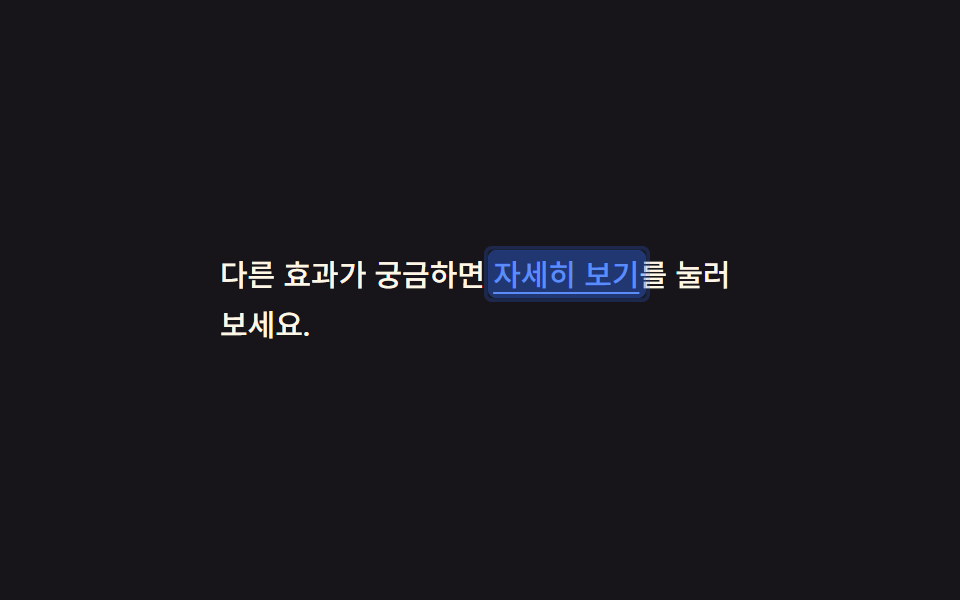
本文中のリンクをタップすると文字の背後に色のブロックが現れ、0.14秒で消えます。既定のタップハイライトを透明にした場所にも、押した合図をこの背景色だけで残します。
<main class="stage">
  <p class="p">他の効果も気になるなら <a href="#" class="p__link is-demo">詳しく見る</a>を押してみてください。</p>
</main>
@use "../../../../site/static/demo-tokens" as *;
$duration: $dur-instant; // 배경 블록이 사라지는 시간 (0.14초)
$easing: $ease-out;
$color: $subject-blue; // 링크·하이라이트 색
@include stage($stage-ink);
.stage { padding: clamp(10px, 4vw, 28px); }
.p {
max-width: 260px;
font-weight: 500; font-size: 15px; line-height: 1.7; font-family: inherit;
color: $subject-cream;
margin: 0;
}
.p__link {
position: relative;
color: $subject-blue-light; // AA: 잉크 면 위 파란 링크 5.69:1 (탭 하이라이트는 $color 유지)
text-decoration: underline;
text-underline-offset: 3px;
-webkit-tap-highlight-color: transparent;
padding: 2px 3px;
margin: -2px -3px;
border-radius: 4px;
background: transparent;
transition: background $duration $easing;
// 규칙8 한 겹: 배경 플래시와 함께 두 겹 링이 불규칙하게 번지다 감쇠
&::after {
content: "";
position: absolute;
inset: -2px;
border-radius: inherit;
box-shadow: inset 0 0 0 0 rgba($color, .4), inset 0 0 0 0 rgba($color, .22);
opacity: 0;
pointer-events: none;
}
}
.p__link:active {
background: rgba($color, .32);
transition: background 0s;
}
.p__link:active::after {
animation: ripple-wave $dur-instant $ease-out;
}
.p__link.is-demo { animation: link-flash $dur-loop cubic-bezier(0, 0, 1, 1) infinite; }
.p__link.is-demo::after { animation: ripple-loop $dur-loop cubic-bezier(0, 0, 1, 1) infinite; }
@keyframes link-flash {
0% { background: rgba($color, .62); }
35% { background: rgba($color, 0); }
100% { background: rgba($color, 0); }
}
@keyframes ripple-wave {
0% { box-shadow: inset 0 0 0 0 rgba($color, .4), inset 0 0 0 0 rgba($color, .22); opacity: 1; }
100% { box-shadow: inset 0 0 0 6px rgba($color, 0), inset 0 0 0 4px rgba($color, 0); opacity: 0; }
}
@keyframes ripple-loop {
0% { box-shadow: inset 0 0 0 0 rgba($color, .4), inset 0 0 0 0 rgba($color, .22); opacity: 1; }
35% { box-shadow: inset 0 0 0 6px rgba($color, 0), inset 0 0 0 4px rgba($color, 0); opacity: 0; }
100% { box-shadow: inset 0 0 0 6px rgba($color, 0), inset 0 0 0 4px rgba($color, 0); opacity: 0; }
}
@media (prefers-reduced-motion: reduce) {
.p__link { transition: none; }
.p__link::after { animation: none !important; opacity: 0; }
.p__link.is-demo { animation: none; }
}html, body {
margin: 0;
overflow: hidden;
}
.stage {
box-sizing: border-box;
min-height: 100vh;
display: grid;
place-items: center;
margin: 0;
background: #17141a;
font-family: -apple-system, "Segoe UI", "Noto Sans KR", sans-serif;
padding: clamp(8px, 4vw, 24px);
}
.stage {
padding: clamp(10px, 4vw, 28px);
}
.p {
max-width: 260px;
font-weight: 500;
font-size: 15px;
line-height: 1.7;
font-family: inherit;
color: #fff7e6;
margin: 0;
}
.p__link {
position: relative;
color: #5b8cf8;
text-decoration: underline;
text-underline-offset: 3px;
-webkit-tap-highlight-color: transparent;
padding: 2px 3px;
margin: -2px -3px;
border-radius: 4px;
background: transparent;
transition: background 140ms ease-out;
}
.p__link::after {
content: "";
position: absolute;
inset: -2px;
border-radius: inherit;
box-shadow: inset 0 0 0 0 rgba(47, 109, 246, 0.4), inset 0 0 0 0 rgba(47, 109, 246, 0.22);
opacity: 0;
pointer-events: none;
}
.p__link:active {
background: rgba(47, 109, 246, 0.32);
transition: background 0s;
}
.p__link:active::after {
animation: ripple-wave 140ms ease-out;
}
.p__link.is-demo {
animation: link-flash 2s cubic-bezier(0, 0, 1, 1) infinite;
}
.p__link.is-demo::after {
animation: ripple-loop 2s cubic-bezier(0, 0, 1, 1) infinite;
}
@keyframes link-flash {
0% {
background: rgba(47, 109, 246, 0.62);
}
35% {
background: rgba(47, 109, 246, 0);
}
100% {
background: rgba(47, 109, 246, 0);
}
}
@keyframes ripple-wave {
0% {
box-shadow: inset 0 0 0 0 rgba(47, 109, 246, 0.4), inset 0 0 0 0 rgba(47, 109, 246, 0.22);
opacity: 1;
}
100% {
box-shadow: inset 0 0 0 6px rgba(47, 109, 246, 0), inset 0 0 0 4px rgba(47, 109, 246, 0);
opacity: 0;
}
}
@keyframes ripple-loop {
0% {
box-shadow: inset 0 0 0 0 rgba(47, 109, 246, 0.4), inset 0 0 0 0 rgba(47, 109, 246, 0.22);
opacity: 1;
}
35% {
box-shadow: inset 0 0 0 6px rgba(47, 109, 246, 0), inset 0 0 0 4px rgba(47, 109, 246, 0);
opacity: 0;
}
100% {
box-shadow: inset 0 0 0 6px rgba(47, 109, 246, 0), inset 0 0 0 4px rgba(47, 109, 246, 0);
opacity: 0;
}
}
@media (prefers-reduced-motion: reduce) {
.p__link {
transition: none;
}
.p__link::after {
animation: none !important;
opacity: 0;
}
.p__link.is-demo {
animation: none;
}
}import type { CSSProperties, ReactNode } from "react";
import styles from "./TapLinkText.module.scss";
export type TapLinkTextProps = {
before: string;
linkText: string;
after: string;
href?: string;
duration?: number;
easing?: string;
color?: string;
children?: ReactNode;
};
type Vars = CSSProperties & { "--duration"?: string; "--easing"?: string; "--color"?: string };
export default function TapLinkText({
before,
linkText,
after,
href = "#",
duration = 140,
easing = "ease-out",
color = "#5b8cf8",
}: TapLinkTextProps) {
const vars: Vars = { "--duration": `${duration}ms`, "--easing": easing, "--color": color };
return (
<p className={styles.p} style={vars}>
{before} <a href={href} className={styles.link}>{linkText}</a>{after}
</p>
);
}09 · インラインリンクのタップフィードバック — 計測 累積面積 1.469% · 動いたフレーム 8/23GODRICH オリジナル · SCSS と React は zip に同梱 · パスワードを見る
既定のハイライトを消した場所で
.p__link {
  background: transparent;
  transition: background $duration $easing;
}
.p__link:active {
  background: rgba($color, .32);
  transition: background 0s;
}
どこで壊れるか — 落とし穴
背景のアルファ値しか動かさない効果は、目には見えていても測定では止まって見える区間ができます。ai ランディングページの光るオーブのセクションをレンダリングしたときにも、まったく同じところで引っかかりました。
linearが変化を細かく割りすぎる
09のインラインリンクを最初に作ったときは、backgroundのアルファ値を0%から60%までlinearで均等に2秒かけて動かしていました。レンダリングしたあと測定ファイルを開くと、累積面積は「動いた」と出たのに強度の値が閾値ぎりぎりで低く、映像としては動いていても数値上は静止画に近い判定になりました。設定のピクセル閾値は255段階中12で、linearはフレーム数ぶん変化を均等に割るため、総量は変えずに範囲を0〜35%まで狭めて1フレームあたりの変化幅を広げてから、ようやく強度が閾値を超えました。この狭めた範囲を反映した圧縮ファイルの合言葉はe8dzq4mpで、それより前は09が測定上「動かないリンク」のままでした。
アクセシビリティ
動きを止めても残る最後の状態
「css ボタン 押す」ときの反応は9つともprefers-reduced-motion: reduceでは動きを止めますが、押した・チェックされた・ハイライトされたという最後の状態は残るので反応そのものは消えません。キーボード操作のために02・04・06・08には:focus-visibleの専用アウトラインを付けています。
.card:focus-visible {
  outline: 3px solid $color;
  outline-offset: 3px;
}
既定のフォーカスリングとタップ面
残りの五つ(01・03・05・07・09)はボタン・リスト・リンクの既定のフォーカスリングをそのまま使い、上書きしていません。タップする面の大きさもコードで確保していて、05のリスト行はmin-height: 44px、08のチェックボックスは見た目の箱が26pxでもlabel自体にmin-height: 44pxを与えて実際のタップ領域を広げています。ただし09のように文章の中に混じったリンクはWCAG 2.5.8の例外(文中・ブロックテキスト内のリンク)にあたるため、44pxは強制していません。@media (hover: none) and (pointer: coarse)はcaniuseのメディア機能対応表で確認できるとおり、Chrome・Safari・Firefoxとも早くから対応しています。
次に読む
タップ以外のCSSアニメーションはカテゴリー一覧にまとめてあり、このサイトの作り方は紹介ページに書いています。
FAQ
iOS Safariでも01のリングはタップした瞬間に現れますか?
:activeだけで作っていたら遅れて現れることがあります。MDNの:activeの解説には、iOS Safariは<body>など上位の要素にtouchstartリスナーが一つでもないと:activeのスタイルを遅延なく適用しない、と書かれています。01は最初から:activeではなくpointerdownイベントでクラスを直接付け替えているため、この遅延を避けています。
03のタッチ専用スタイルは、マウスも挿せるタブレットではどうなりますか?
(hover: none) and (pointer: coarse)は「主な入力手段」を基準に判定されます。マウスを挿しても端末自身がタッチを主入力として報告していればタッチ用スタイルのままで、逆にマウスが主入力に切り替わるとこのブロックは静かに効かなくなります。どちらの状態でも見た目が壊れることはありません。
「css タップ アニメーション」を9つ同じフォームに一緒に使ってもいいですか?
使えます。02・06・08はボタン・カード・チェックボックスという別々の要素に効いているので、同じ画面に混ざっても何を押したか迷いません。ただし04のように遅延がある反応と02のように即座に反応するものを同じ要素に重ねると、どちらの反応を待てばいいか分からなくなるため、要素ひとつにつき一つだけに絞ってください。指を離したあとも読み込み中から完了まで見せ続ける必要があるボタンは、この九つではなくcss ボタンの状態遷移のほうで扱っています。
こんな記事もどうぞ
 フィードバックチュートリアル UI デザイン9選 — コピペOKのツアー部品
 フィードバック【一行でコピペOK】CSS ダークモード 切り替え アニメーション9選
 フィードバックマイクロインタラクション CSS 9選 — 一行でコピペOK
 フィードバックCSS トグルスイッチ 9選 — 一行でコピペOK
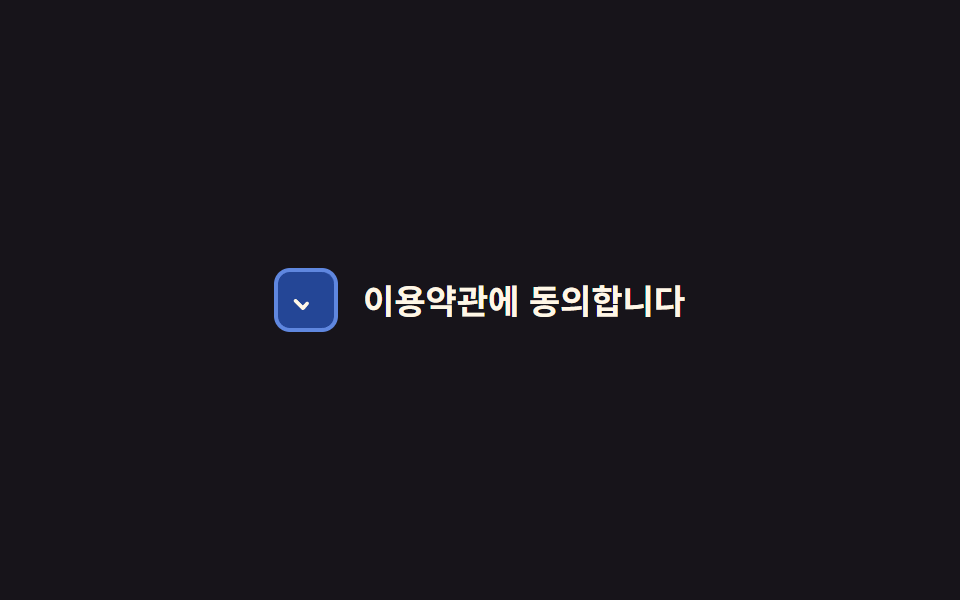 フィードバックラジオボタン チェックボックス css カスタムアニメーション9選 — 一行でコピペOK
 フィードバックCSS ハート アニメーション 9選 — 一行でコピペOK
 フィードバック【一行でコピペOK】CSS 枠線 アニメーション 9選
 フィードバックCSS キーフレーム アニメーション 9選 — 一行でコピペOK
 フィードバックCSS アイコン アニメーション 9選 — 一行でコピペOK
 フィードバック【コピペOK】CSS ネオン・グロー効果9選