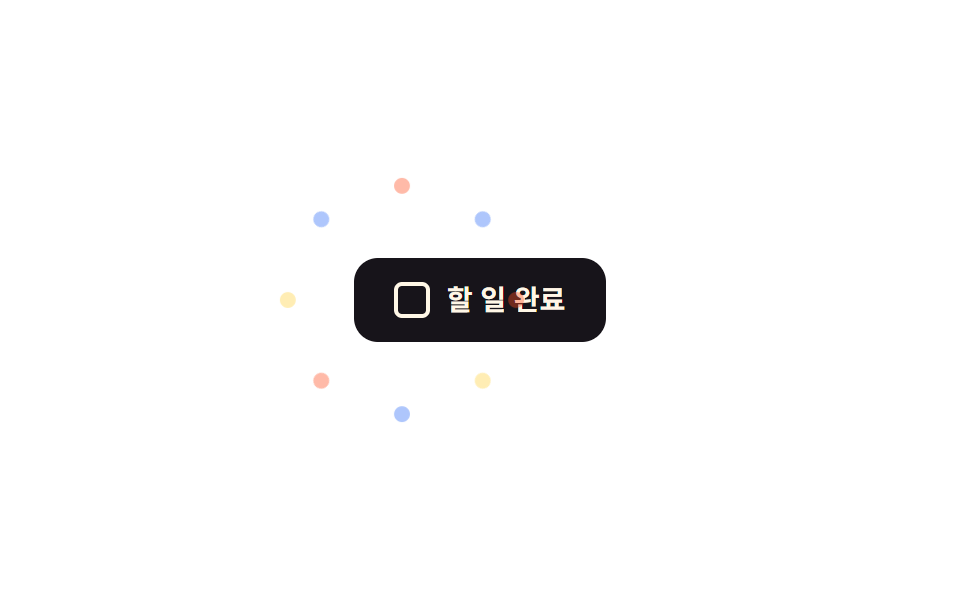
08:has(:checked)でお祝いトリガー
チェックボックスをクリックするとJS不要で親が:has(:checked)で状態を読み取り、紙吹雪レイヤーのopacityとtransformアニメーションをオンにする。
使いどころやることリストの完了チェック、決済完了チェック表示
:has():checked800ms
<main class="stage">
  <label class="hc-wrap is-demo">
    <input class="hc-check" type="checkbox">
    <span class="hc-box" aria-hidden="true"></span>
    <span class="hc-text">タスク完了</span>
    <span class="hc-piece"></span><span class="hc-piece"></span><span class="hc-piece"></span>
    <span class="hc-piece"></span><span class="hc-piece"></span><span class="hc-piece"></span>
    <span class="hc-piece"></span><span class="hc-piece"></span>
  </label>
</main>
@use "../../../../site/static/demo-tokens" as *;
// ── 변수 3개 ──────────────────────────────────────────
$duration: 800ms;
$easing: $ease-pop;
$color: $subject-blue;
@include stage($stage-paper);
$piece-colors: $color, $stage-orange, $stage-yellow;
.hc-wrap {
position: relative;
display: inline-flex;
align-items: center;
gap: $sp-2;
padding: $sp-3 $sp-5;
border-radius: $r-control;
background: $subject-ink;
color: $subject-cream;
font: 700 14px/1 -apple-system, "Segoe UI", "Noto Sans KR", sans-serif;
cursor: pointer;
}
.hc-check { position: absolute; width: 1px; height: 1px; opacity: 0; }
.hc-box {
width: 18px;
height: 18px;
border-radius: $r-xs;
border: 2px solid $subject-cream;
box-sizing: border-box;
transition: background $dur-quick, border-color $dur-quick;
}
// JS 없이: 부모가 :has(:checked) 로 체크 상태를 읽어 박스와 컨페티를 함께 켠다
.hc-wrap:has(.hc-check:checked) .hc-box { background: $color; border-color: $color; }
.hc-piece {
position: absolute;
top: 50%;
left: 24px;
width: 8px;
height: 8px;
border-radius: $r-xs;
opacity: 0;
pointer-events: none;
}
@for $i from 1 through 8 {
.hc-piece:nth-child(#{$i + 3}) {
background: nth($piece-colors, ($i - 1) % 3 + 1);
--angle: #{$i * 45deg};
}
}
@keyframes hc-fly {
0% { transform: translate(-50%, -50%) rotate(var(--angle)) translateY(0) scale(.4); opacity: 0; }
20% { opacity: 1; }
100% { transform: translate(-50%, -50%) rotate(var(--angle)) translateY(-58px) scale(1); opacity: 0; }
}
.hc-wrap:has(.hc-check:checked) .hc-piece,
.hc-wrap.is-demo .hc-piece { animation: hc-fly $duration $easing infinite; }
@media (prefers-reduced-motion: reduce) {
.hc-wrap:has(.hc-check:checked) .hc-piece,
.hc-wrap.is-demo .hc-piece { animation: none !important; opacity: 0 !important; }
}html, body {
margin: 0;
overflow: hidden;
}
.stage {
box-sizing: border-box;
min-height: 100vh;
display: grid;
place-items: center;
margin: 0;
background: #ffffff;
font-family: -apple-system, "Segoe UI", "Noto Sans KR", sans-serif;
padding: clamp(8px, 4vw, 24px);
}
.hc-wrap {
position: relative;
display: inline-flex;
align-items: center;
gap: 8px;
padding: 12px 20px;
border-radius: 12px;
background: #17141a;
color: #fff7e6;
font: 700 14px/1 -apple-system, "Segoe UI", "Noto Sans KR", sans-serif;
cursor: pointer;
}
.hc-check {
position: absolute;
width: 1px;
height: 1px;
opacity: 0;
}
.hc-box {
width: 18px;
height: 18px;
border-radius: 4px;
border: 2px solid #fff7e6;
box-sizing: border-box;
transition: background 220ms, border-color 220ms;
}
.hc-wrap:has(.hc-check:checked) .hc-box {
background: #2f6df6;
border-color: #2f6df6;
}
.hc-piece {
position: absolute;
top: 50%;
left: 24px;
width: 8px;
height: 8px;
border-radius: 4px;
opacity: 0;
pointer-events: none;
}
.hc-piece:nth-child(4) {
background: #2f6df6;
--angle: 45deg;
}
.hc-piece:nth-child(5) {
background: #ff4d1f;
--angle: 90deg;
}
.hc-piece:nth-child(6) {
background: #ffd23f;
--angle: 135deg;
}
.hc-piece:nth-child(7) {
background: #2f6df6;
--angle: 180deg;
}
.hc-piece:nth-child(8) {
background: #ff4d1f;
--angle: 225deg;
}
.hc-piece:nth-child(9) {
background: #ffd23f;
--angle: 270deg;
}
.hc-piece:nth-child(10) {
background: #2f6df6;
--angle: 315deg;
}
.hc-piece:nth-child(11) {
background: #ff4d1f;
--angle: 360deg;
}
@keyframes hc-fly {
0% {
transform: translate(-50%, -50%) rotate(var(--angle)) translateY(0) scale(0.4);
opacity: 0;
}
20% {
opacity: 1;
}
100% {
transform: translate(-50%, -50%) rotate(var(--angle)) translateY(-58px) scale(1);
opacity: 0;
}
}
.hc-wrap:has(.hc-check:checked) .hc-piece,
.hc-wrap.is-demo .hc-piece {
animation: hc-fly 800ms cubic-bezier(0.2, 1.4, 0.4, 1) infinite;
}
@media (prefers-reduced-motion: reduce) {
.hc-wrap:has(.hc-check:checked) .hc-piece,
.hc-wrap.is-demo .hc-piece {
animation: none !important;
opacity: 0 !important;
}
}import { CSSProperties } from "react";
import styles from "./HasCheckedCelebrate.module.scss";
type Vars = CSSProperties & Record<string, string>;
export interface HasCheckedCelebrateProps {
duration?: string;
easing?: string;
color?: string;
}
const COLORS = ["var(--color)", "#ff4d1f", "#ffd23f"];
// JS 없이: 부모 label 이 :has(input:checked) 로 상태를 읽어 체크박스와 컨페티를 함께 켠다
export default function HasCheckedCelebrate({
duration = "800ms",
easing = "cubic-bezier(.2, 1.4, .4, 1)",
color = "#2f6df6",
}: HasCheckedCelebrateProps) {
const style: Vars = { "--duration": duration, "--easing": easing, "--color": color };
return (
<label className={styles.wrap} style={style}>
<input className={styles.check} type="checkbox" />
<span className={styles.box} aria-hidden="true" />
<span className={styles.text}>할 일 완료</span>
{Array.from({ length: 8 }, (_, i) => {
const pieceStyle: Vars = {
background: COLORS[i % COLORS.length],
"--angle": `${(i + 1) * 45}deg`,
};
return <span key={i} className={styles.piece} style={pieceStyle} />;
})}
</label>
);
}08 :has(:checked)でお祝いトリガー — 計測 累積面積 1.599% · 動いたフレーム 13/23GODRICH オリジナル · SCSS と React は zip に同梱 · 紙吹雪 アニメーション css キラキラ演出9選
このデモが属する記事
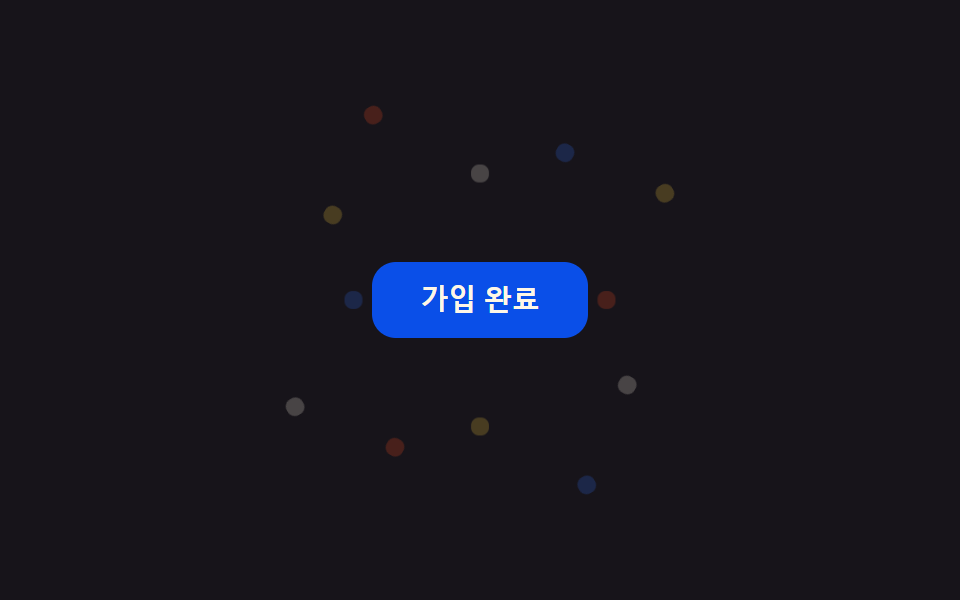 紙吹雪 アニメーション css キラキラ演出9選会員登録や決済が終わった瞬間、画面いっぱいに色とりどりの紙の破片が舞い散る演出を見たことはありませんか。あれは紙吹雪 アニメーション cssと呼ばれるコードで作られていて、ボタンを押す、チェックを入れるといった操作一つで同じお祝いの動きを、 この記事のデモをすべて見る