紙吹雪 アニメーション css キラキラ演出9選
会員登録や決済が終わった瞬間、画面いっぱいに色とりどりの紙の破片が舞い散る演出を見たことはありませんか。あれは紙吹雪 アニメーション cssと呼ばれるコードで作られていて、ボタンを押す、チェックを入れるといった操作一つで同じお祝いの動きを、一行でコピペOKなコードのまま自分のサイトに持ち込めます。
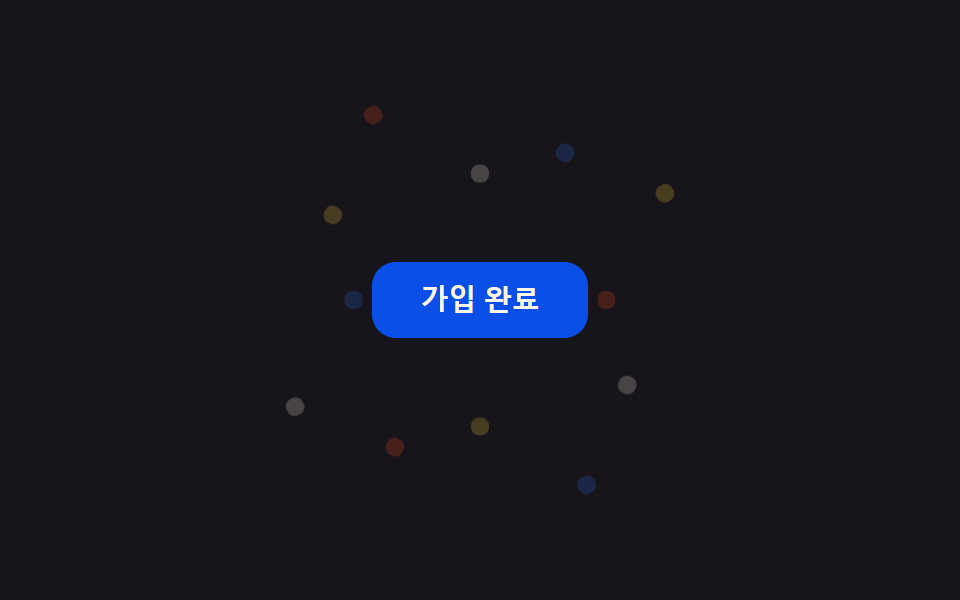 01 confetti-celebration-confetti-burst-button
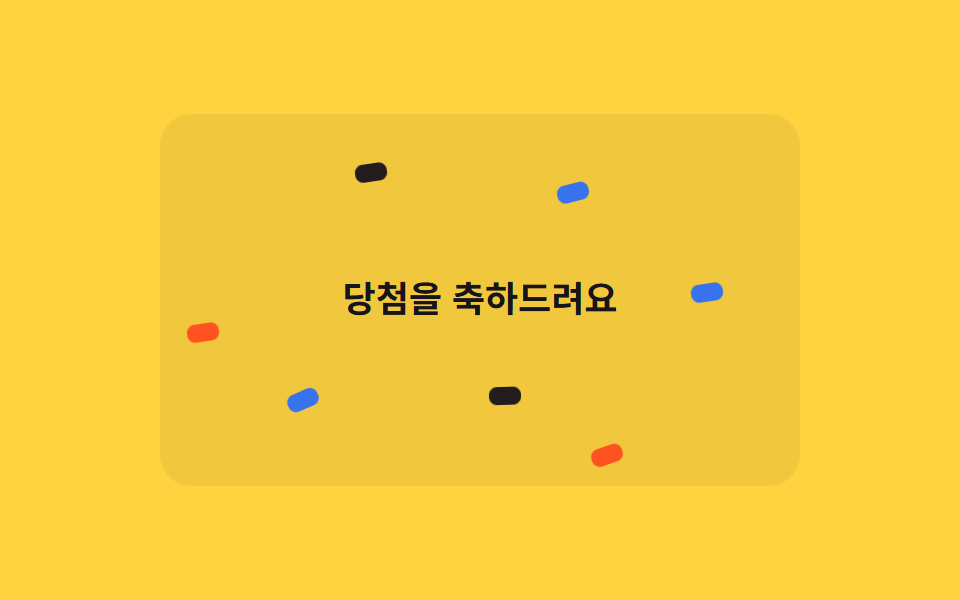 02 confetti-celebration-confetti-rain
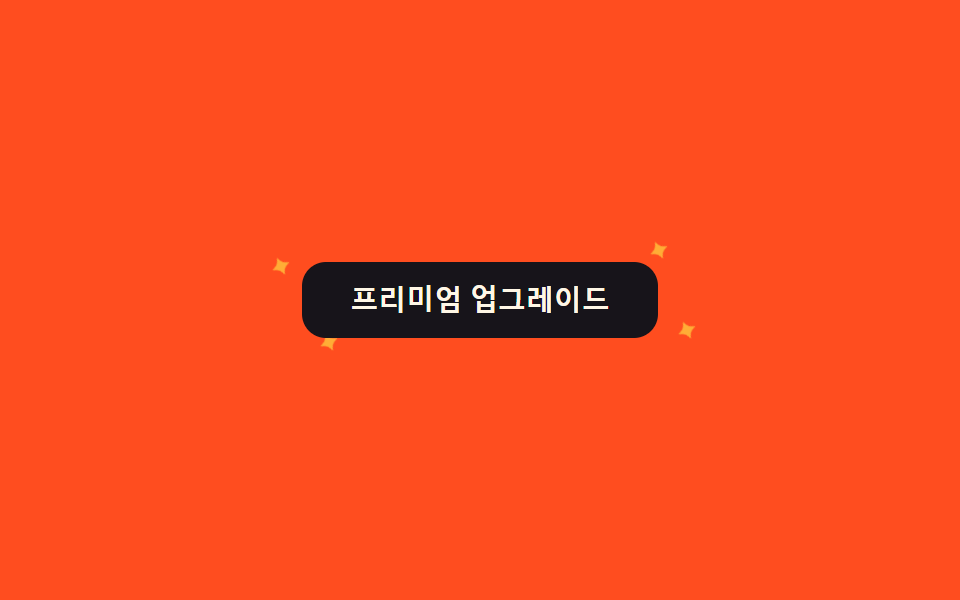 03 confetti-celebration-sparkle-button
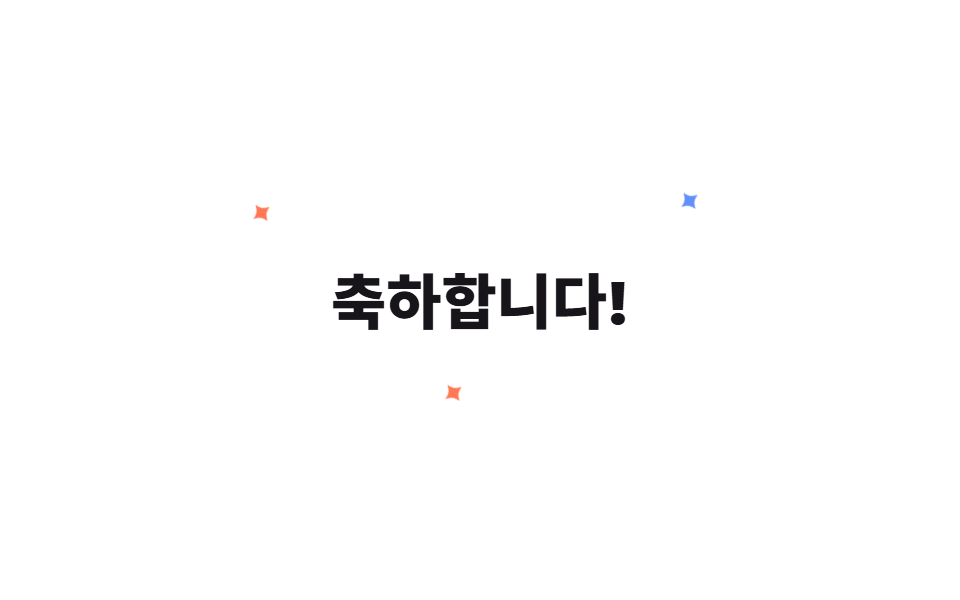 04 confetti-celebration-sparkle-text
 05 confetti-celebration-firework-dots
 06 confetti-celebration-emoji-pop
 07 confetti-celebration-pseudo-only-confetti
 08 confetti-celebration-has-checked-celebrate
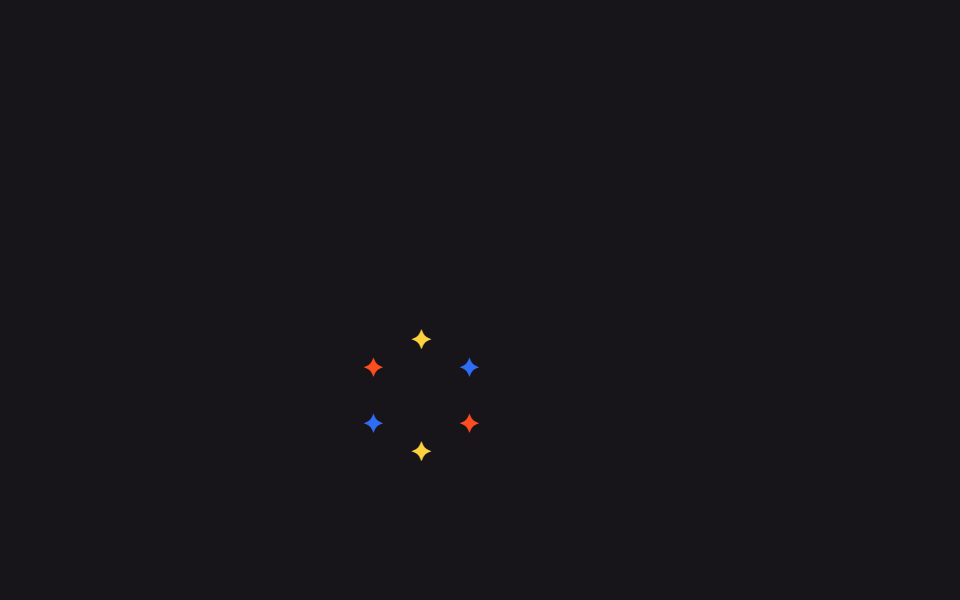 09 confetti-celebration-sparkle-cursor-trail
自動再生 · タイルを押すとその項目へ · すべて1つのzip
- 01 ボタンで紙吹雪爆発
- 02 紙吹雪の雨
- 03 キラキラボタン
- 04 キラキラ文字
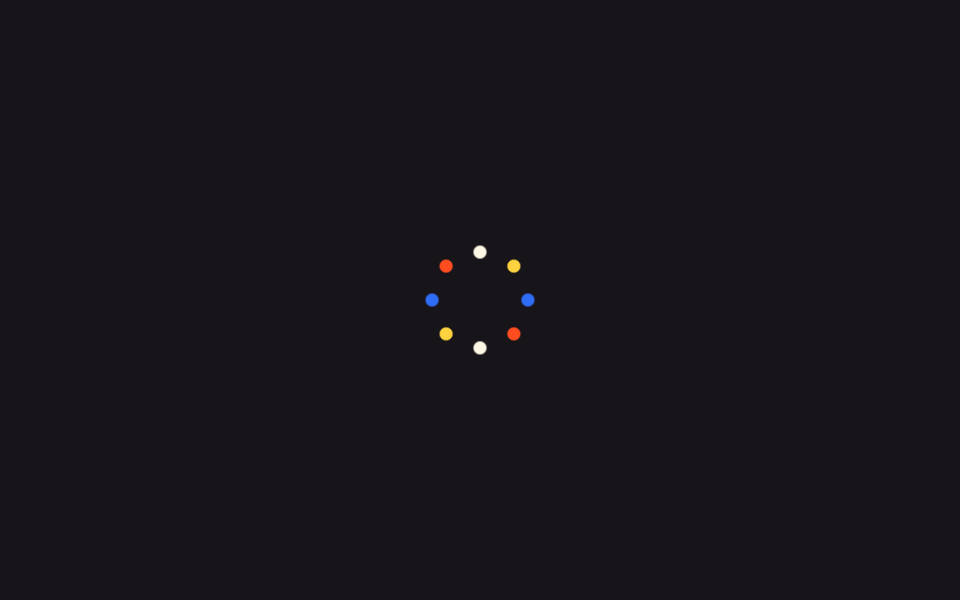
- 05 花火ドット
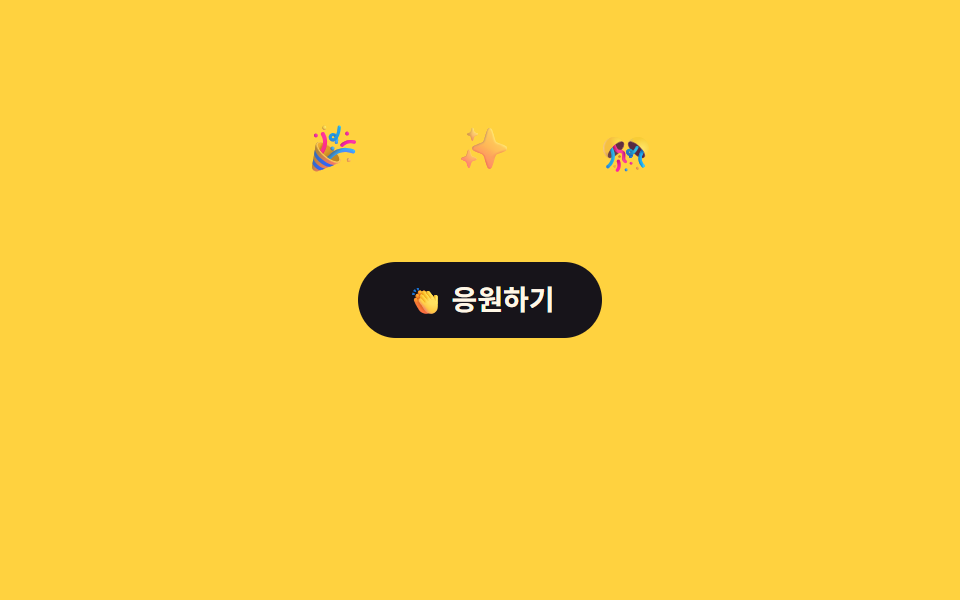
- 06 絵文字ポップ
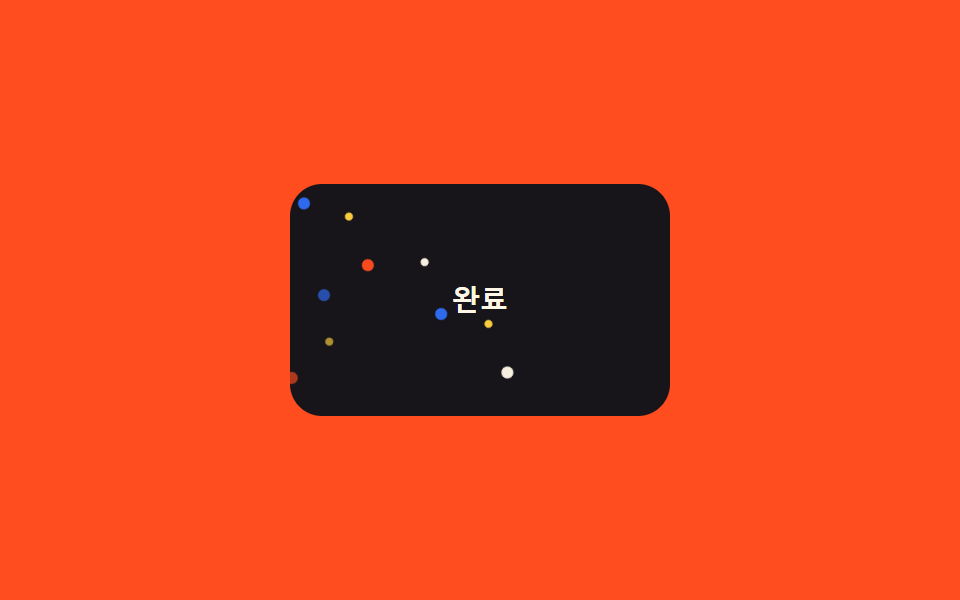
- 07 擬似要素だけの紙吹雪
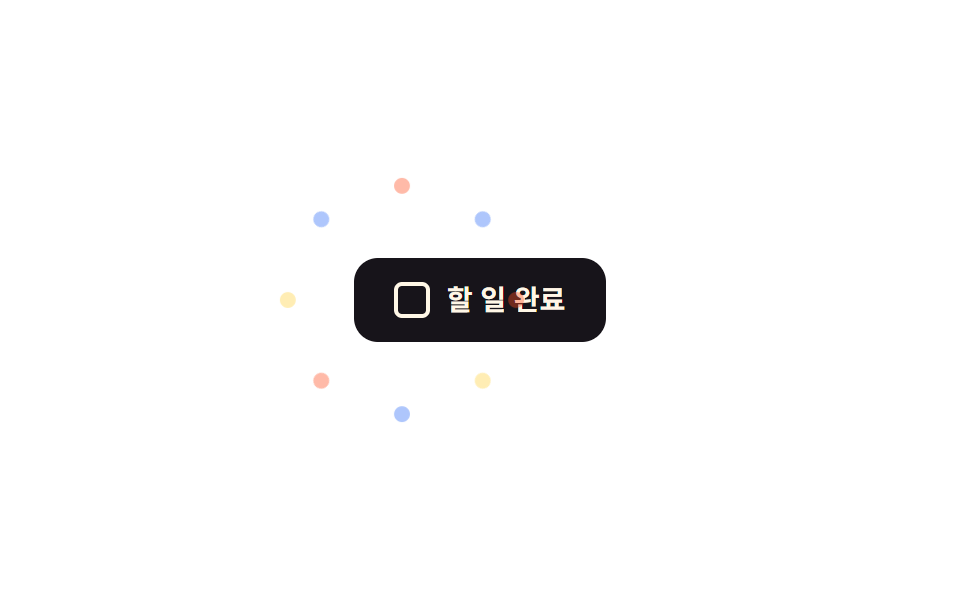
- 08 :has(:checked)でお祝いトリガー
- 09 カーソルキラキラトレイル
9個は華やかさの順ではなく、実際にサイトで紙吹雪が使われる場面の順に並べています。ボタン一つで弾ける合図(01)と背景で降り続ける合図(02)から、ボタンや見出し文字そのものが光る強調(03〜04)へ進み、より大きなインパクトを与える爆発型の反応(05〜06)を経て、最後はマークアップを増やさない実装(07)、JavaScriptなしでトリガーをかける実装(08)、マウスに追従するインタラクション(09)で締めくくります。色紙が半透明な板の裏を流れるようにするならグラスモーフィズムの効果が背景を与え、紙が弾むならバウンスアニメーションが落下の曲線を与えます。
01ボタンで紙吹雪爆発
いつ使うか
登録や決済を終えたボタンを押すと、あらかじめSCSSの@forループで角度と距離を振り分けた紙吹雪12個が、transform: translate+rotateで四方に飛び出しながら薄れて消えます。
<main class="stage">
  <div class="cb-wrap is-demo">
    <button class="cb-btn" type="button">登録完了</button>
    <span class="cb-piece"></span><span class="cb-piece"></span><span class="cb-piece"></span>
    <span class="cb-piece"></span><span class="cb-piece"></span><span class="cb-piece"></span>
    <span class="cb-piece"></span><span class="cb-piece"></span><span class="cb-piece"></span>
    <span class="cb-piece"></span><span class="cb-piece"></span><span class="cb-piece"></span>
  </div>
</main>
@use "../../../../site/static/demo-tokens" as *;
// ── 변수 3개 ──────────────────────────────────────────
$duration: 900ms;
$easing: $ease-pop;
$color: $subject-blue;
@include stage($stage-ink);
$piece-colors: $color, $stage-yellow, $stage-orange, $subject-cream;
.cb-wrap {
position: relative;
width: min(220px, 80vw);
display: grid;
place-items: center;
}
.cb-btn {
position: relative;
z-index: 1;
border: 0;
border-radius: $r-control;
padding: $sp-3 $sp-6;
background: $subject-blue-deep;
color: $subject-cream;
font: 700 14px/1 -apple-system, "Segoe UI", sans-serif;
cursor: pointer;
}
.cb-piece {
position: absolute;
top: 50%;
left: 50%;
width: 9px;
height: 9px;
border-radius: $r-xs;
opacity: 0;
pointer-events: none;
}
// 조각마다 각도·거리·색·지연을 SCSS @for 로 흩뿌린다 — 마크업은 빈 span 12개뿐
@for $i from 1 through 12 {
  .cb-piece:nth-child(#{$i + 1}) {
    background: nth($piece-colors, ($i - 1) % 4 + 1);
    --angle: #{$i * 30deg};
    --dist: #{64px + ($i % 3) * 22px};
    animation-delay: #{($i % 4) * 40ms};
  }
}

@keyframes cb-fly {
  0%   { transform: translate(-50%, -50%) rotate(var(--angle)) translateY(0) scale(.4); opacity: 0; }
  15%  { opacity: 1; }
  100% { transform: translate(-50%, -50%) rotate(var(--angle)) translateY(calc(-1 * var(--dist))) scale(1); opacity: 0; }
}
// 실사용: 클릭이 is-burst 를 다시 붙여 keyframes 를 재생한다 (위 <script>)
.cb-wrap.is-burst .cb-piece,
.cb-wrap.is-demo .cb-piece { animation: cb-fly $duration $easing infinite; }
@media (prefers-reduced-motion: reduce) {
.cb-wrap.is-burst .cb-piece,
.cb-wrap.is-demo .cb-piece { animation: none !important; opacity: 0 !important; }
}html, body {
margin: 0;
overflow: hidden;
}
.stage {
box-sizing: border-box;
min-height: 100vh;
display: grid;
place-items: center;
margin: 0;
background: #17141a;
font-family: -apple-system, "Segoe UI", "Noto Sans KR", sans-serif;
padding: clamp(8px, 4vw, 24px);
}
.cb-wrap {
position: relative;
width: min(220px, 80vw);
display: grid;
place-items: center;
}
.cb-btn {
position: relative;
z-index: 1;
border: 0;
border-radius: 12px;
padding: 12px 24px;
background: #0a4fe8;
color: #fff7e6;
font: 700 14px/1 -apple-system, "Segoe UI", sans-serif;
cursor: pointer;
}
.cb-piece {
position: absolute;
top: 50%;
left: 50%;
width: 9px;
height: 9px;
border-radius: 4px;
opacity: 0;
pointer-events: none;
}
.cb-piece:nth-child(2) {
background: #2f6df6;
--angle: 30deg;
--dist: 86px;
animation-delay: 40ms;
}
.cb-piece:nth-child(3) {
background: #ffd23f;
--angle: 60deg;
--dist: 108px;
animation-delay: 80ms;
}
.cb-piece:nth-child(4) {
background: #ff4d1f;
--angle: 90deg;
--dist: 64px;
animation-delay: 120ms;
}
.cb-piece:nth-child(5) {
background: #fff7e6;
--angle: 120deg;
--dist: 86px;
animation-delay: 0ms;
}
.cb-piece:nth-child(6) {
background: #2f6df6;
--angle: 150deg;
--dist: 108px;
animation-delay: 40ms;
}
.cb-piece:nth-child(7) {
background: #ffd23f;
--angle: 180deg;
--dist: 64px;
animation-delay: 80ms;
}
.cb-piece:nth-child(8) {
background: #ff4d1f;
--angle: 210deg;
--dist: 86px;
animation-delay: 120ms;
}
.cb-piece:nth-child(9) {
background: #fff7e6;
--angle: 240deg;
--dist: 108px;
animation-delay: 0ms;
}
.cb-piece:nth-child(10) {
background: #2f6df6;
--angle: 270deg;
--dist: 64px;
animation-delay: 40ms;
}
.cb-piece:nth-child(11) {
background: #ffd23f;
--angle: 300deg;
--dist: 86px;
animation-delay: 80ms;
}
.cb-piece:nth-child(12) {
background: #ff4d1f;
--angle: 330deg;
--dist: 108px;
animation-delay: 120ms;
}
.cb-piece:nth-child(13) {
background: #fff7e6;
--angle: 360deg;
--dist: 64px;
animation-delay: 0ms;
}
@keyframes cb-fly {
0% {
transform: translate(-50%, -50%) rotate(var(--angle)) translateY(0) scale(0.4);
opacity: 0;
}
15% {
opacity: 1;
}
100% {
transform: translate(-50%, -50%) rotate(var(--angle)) translateY(calc(-1 * var(--dist))) scale(1);
opacity: 0;
}
}
.cb-wrap.is-burst .cb-piece,
.cb-wrap.is-demo .cb-piece {
animation: cb-fly 900ms cubic-bezier(0.2, 1.4, 0.4, 1) infinite;
}
@media (prefers-reduced-motion: reduce) {
.cb-wrap.is-burst .cb-piece,
.cb-wrap.is-demo .cb-piece {
animation: none !important;
opacity: 0 !important;
}
}var wrap = document.querySelector('.cb-wrap');
var btn = document.querySelector('.cb-btn');
btn.addEventListener('click', function () {
wrap.classList.remove('is-burst');
void wrap.offsetWidth;
wrap.classList.add('is-burst');
});import { CSSProperties, useState } from "react";
import styles from "./ConfettiBurstButton.module.scss";
type Vars = CSSProperties & Record<string, string>;
export interface ConfettiBurstButtonProps {
duration?: string;
easing?: string;
color?: string;
}
const COLORS = ["var(--color)", "#ffd23f", "#ff4d1f", "#fff7e6"];
// 실사용: 클릭마다 burstKey 를 올려 pieces 래퍼를 리마운트한다 — 같은 클래스를 다시 붙이는 것만으로는
// 이미 끝난 keyframes 가 재생되지 않는다 (바닐라판은 classList remove+reflow+add 로 같은 일을 한다)
export default function ConfettiBurstButton({
duration = "900ms",
easing = "cubic-bezier(.2, 1.4, .4, 1)",
color = "#2f6df6",
}: ConfettiBurstButtonProps) {
const [burstKey, setBurstKey] = useState(0);
const style: Vars = { "--duration": duration, "--easing": easing, "--color": color };
return (
<div className={styles.wrap} style={style}>
<button className={styles.btn} type="button" onClick={() => setBurstKey((k) => k + 1)}>
가입 완료
</button>
<span key={burstKey} className={styles.pieces}>
{Array.from({ length: 12 }, (_, i) => {
const pieceStyle: Vars = {
background: COLORS[i % COLORS.length],
"--angle": `${(i + 1) * 30}deg`,
"--dist": `${64 + (i % 3) * 22}px`,
animationDelay: `${(i % 4) * 40}ms`,
};
return <span key={i} className={styles.piece} style={pieceStyle} />;
})}
</span>
</div>
);
}01 · ボタンで紙吹雪爆発 — 計測 累積面積 2.569% · 動いたフレーム 10/23GODRICH オリジナル · SCSS と React は zip に同梱 · パスワードを見る
なぜこう書くか
もう一度押すと、クラスを外してから付け直すだけの短いJavaScript7行がアニメーションを最初から再生し直します。
@for $i from 1 through 12 {
.cb-piece:nth-child(#{$i + 1}) {
background: nth($piece-colors, ($i - 1) % 4 + 1);
--angle: #{$i * 30deg};
--dist: #{64px + ($i % 3) * 22px};
animation-delay: #{($i % 4) * 40ms};
}
}
@keyframes cb-fly {
0% { transform: translate(-50%, -50%) rotate(var(--angle)) translateY(0) scale(.4); opacity: 0; }
15% { opacity: 1; }
100% { transform: translate(-50%, -50%) rotate(var(--angle)) translateY(calc(-1 * var(--dist))) scale(1); opacity: 0; }
}
02紙吹雪の雨
css 背景 紙吹雪 をどこで使うか
当選バナーの上で紙吹雪18個が、それぞれ別々のanimation-durationで速さを変えながら降り注ぎます。
<main class="stage">
  <div class="cr-wrap is-demo">
    <span class="cr-banner">当選おめでとうございます</span>
    <span class="cr-piece"></span><span class="cr-piece"></span><span class="cr-piece"></span>
    <span class="cr-piece"></span><span class="cr-piece"></span><span class="cr-piece"></span>
    <span class="cr-piece"></span><span class="cr-piece"></span><span class="cr-piece"></span>
    <span class="cr-piece"></span><span class="cr-piece"></span><span class="cr-piece"></span>
    <span class="cr-piece"></span><span class="cr-piece"></span><span class="cr-piece"></span>
    <span class="cr-piece"></span><span class="cr-piece"></span><span class="cr-piece"></span>
  </div>
</main>
@use "../../../../site/static/demo-tokens" as *;
// ── 변수 3개 ──────────────────────────────────────────
$duration: 2s;
$easing: linear;
$color: $subject-blue;
@include stage($stage-yellow);
$piece-colors: $color, $stage-orange, $subject-ink, $subject-cream;
.cr-wrap {
position: relative;
width: min(320px, 88vw);
height: min(220px, 62vh);
overflow: hidden;
border-radius: $r-card;
background: rgba(23, 20, 26, .06);
}
.cr-banner {
position: absolute;
inset: 0;
display: grid;
place-items: center;
padding: $sp-4;
box-sizing: border-box;
text-align: center;
color: $subject-ink;
font: 700 18px/1.3 -apple-system, "Segoe UI", "Noto Sans KR", sans-serif;
}
.cr-piece {
position: absolute;
top: -220px;
width: 9px;
height: 16px;
border-radius: $r-xs;
opacity: .95;
animation-duration: $duration;
}
// 조각 18개가 카드 높이 전체에 걸쳐 서로 다른 top 시작값을 갖는다 — delay 만 다르면 전부 위쪽에서
// 한 줄로 뭉쳐 같이 출발해 버린다 (실측). top 순서를 왼쪽 순서(left%)와 다르게 섞어야 대각선 한 줄이
// 아니라 흩뿌린 비처럼 보인다 (실측: left·top 을 같은 $i 로 선형 배치하면 완벽한 대각선이 된다)
$tops: -40px, 160px, -180px, 20px, 100px, -120px, 60px, -200px, 140px, -20px, 180px, -100px, 40px, -160px, 120px, -60px, 200px, -140px;
@for $i from 1 through 18 {
  .cr-piece:nth-child(#{$i + 1}) {
    left: percentage($i / 19);
    top: nth($tops, $i);
    background: nth($piece-colors, $i % 4 + 1);
    animation-duration: #{1700ms + ($i % 5) * 140ms};
  }
}

@keyframes cr-fall {
  0%   { transform: translateY(0) rotate(0deg); }
  100% { transform: translateY(520px) rotate(300deg); }
}
// duration 은 shorthand 로 주지 않는다 — 그러면 specificity 가 더 높아 항목마다 다른 animation-duration(위) 을
// 덮어써 18개가 전부 같은 박자로 떨어져 버린다 (실측). name·timing·iteration 만 여기서, duration 은 조각마다
.cr-wrap.is-demo .cr-piece { animation-name: cr-fall; animation-timing-function: $easing; animation-iteration-count: infinite; }
@media (prefers-reduced-motion: reduce) {
.cr-wrap.is-demo .cr-piece { animation: none !important; opacity: 0 !important; }
}html, body {
margin: 0;
overflow: hidden;
}
.stage {
box-sizing: border-box;
min-height: 100vh;
display: grid;
place-items: center;
margin: 0;
background: #ffd23f;
font-family: -apple-system, "Segoe UI", "Noto Sans KR", sans-serif;
padding: clamp(8px, 4vw, 24px);
}
.cr-wrap {
position: relative;
width: min(320px, 88vw);
height: min(220px, 62vh);
overflow: hidden;
border-radius: 16px;
background: rgba(23, 20, 26, 0.06);
}
.cr-banner {
position: absolute;
inset: 0;
display: grid;
place-items: center;
padding: 16px;
box-sizing: border-box;
text-align: center;
color: #17141a;
font: 700 18px/1.3 -apple-system, "Segoe UI", "Noto Sans KR", sans-serif;
}
.cr-piece {
position: absolute;
top: -220px;
width: 9px;
height: 16px;
border-radius: 4px;
opacity: 0.95;
animation-duration: 2s;
}
.cr-piece:nth-child(2) {
left: 5.2631578947%;
top: -40px;
background: #ff4d1f;
animation-duration: 1840ms;
}
.cr-piece:nth-child(3) {
left: 10.5263157895%;
top: 160px;
background: #17141a;
animation-duration: 1980ms;
}
.cr-piece:nth-child(4) {
left: 15.7894736842%;
top: -180px;
background: #fff7e6;
animation-duration: 2120ms;
}
.cr-piece:nth-child(5) {
left: 21.0526315789%;
top: 20px;
background: #2f6df6;
animation-duration: 2260ms;
}
.cr-piece:nth-child(6) {
left: 26.3157894737%;
top: 100px;
background: #ff4d1f;
animation-duration: 1700ms;
}
.cr-piece:nth-child(7) {
left: 31.5789473684%;
top: -120px;
background: #17141a;
animation-duration: 1840ms;
}
.cr-piece:nth-child(8) {
left: 36.8421052632%;
top: 60px;
background: #fff7e6;
animation-duration: 1980ms;
}
.cr-piece:nth-child(9) {
left: 42.1052631579%;
top: -200px;
background: #2f6df6;
animation-duration: 2120ms;
}
.cr-piece:nth-child(10) {
left: 47.3684210526%;
top: 140px;
background: #ff4d1f;
animation-duration: 2260ms;
}
.cr-piece:nth-child(11) {
left: 52.6315789474%;
top: -20px;
background: #17141a;
animation-duration: 1700ms;
}
.cr-piece:nth-child(12) {
left: 57.8947368421%;
top: 180px;
background: #fff7e6;
animation-duration: 1840ms;
}
.cr-piece:nth-child(13) {
left: 63.1578947368%;
top: -100px;
background: #2f6df6;
animation-duration: 1980ms;
}
.cr-piece:nth-child(14) {
left: 68.4210526316%;
top: 40px;
background: #ff4d1f;
animation-duration: 2120ms;
}
.cr-piece:nth-child(15) {
left: 73.6842105263%;
top: -160px;
background: #17141a;
animation-duration: 2260ms;
}
.cr-piece:nth-child(16) {
left: 78.9473684211%;
top: 120px;
background: #fff7e6;
animation-duration: 1700ms;
}
.cr-piece:nth-child(17) {
left: 84.2105263158%;
top: -60px;
background: #2f6df6;
animation-duration: 1840ms;
}
.cr-piece:nth-child(18) {
left: 89.4736842105%;
top: 200px;
background: #ff4d1f;
animation-duration: 1980ms;
}
.cr-piece:nth-child(19) {
left: 94.7368421053%;
top: -140px;
background: #17141a;
animation-duration: 2120ms;
}
@keyframes cr-fall {
0% {
transform: translateY(0) rotate(0deg);
}
100% {
transform: translateY(520px) rotate(300deg);
}
}
.cr-wrap.is-demo .cr-piece {
animation-name: cr-fall;
animation-timing-function: linear;
animation-iteration-count: infinite;
}
@media (prefers-reduced-motion: reduce) {
.cr-wrap.is-demo .cr-piece {
animation: none !important;
opacity: 0 !important;
}
}import { CSSProperties } from "react";
import styles from "./ConfettiRain.module.scss";
type Vars = CSSProperties & Record<string, string>;
export interface ConfettiRainProps {
duration?: string;
easing?: string;
color?: string;
}
const COLORS = ["var(--color)", "#ff4d1f", "#17141a", "#fff7e6"];
// top 을 left% 순서와 다르게 섞는다 — 둘을 같은 인덱스로 선형 배치하면 낙하가 아니라 대각선 한 줄로 보인다
const TOPS = [-40, 160, -180, 20, 100, -120, 60, -200, 140, -20, 180, -100, 40, -160, 120, -60, 200, -140];
export default function ConfettiRain({
duration = "2s",
easing = "linear",
color = "#2f6df6",
}: ConfettiRainProps) {
const style: Vars = { "--duration": duration, "--easing": easing, "--color": color };
return (
<div className={styles.wrap} style={style}>
<span className={styles.banner}>당첨을 축하드려요</span>
{TOPS.map((top, i) => {
const pieceStyle: Vars = {
left: `${((i + 1) / (TOPS.length + 1)) * 100}%`,
top: `${top}px`,
background: COLORS[i % COLORS.length],
animationDuration: `${1700 + (i % 5) * 140}ms`,
};
return <span key={i} className={styles.piece} style={pieceStyle} />;
})}
</div>
);
}02 · 紙吹雪の雨 — 計測 累積面積 12.233% · 動いたフレーム 22/23GODRICH オリジナル · SCSS と React は zip に同梱 · パスワードを見る
実装の核
横位置(left)と同じ並び順でtopの開始位置も揃えてしまうと一列に固まった対角線になるため、topの並び順をわざと横位置とずらして散らしています。
$tops: -40px, 160px, -180px, 20px, 100px, -120px, 60px, -200px, 140px, -20px, 180px, -100px, 40px, -160px, 120px, -60px, 200px, -140px;
@for $i from 1 through 18 {
.cr-piece:nth-child(#{$i + 1}) {
left: percentage($i / 19);
top: nth($tops, $i);
background: nth($piece-colors, $i % 4 + 1);
animation-duration: #{1700ms + ($i % 5) * 140ms};
}
}
@keyframes cr-fall {
0% { transform: translateY(0) rotate(0deg); }
100% { transform: translateY(520px) rotate(300deg); }
}
03キラキラボタン
何が動くか
プレミアムボタンにマウスを乗せると、枠の外側にある小さな星4つがそれぞれ異なるanimation-delayで拡大・縮小を繰り返しながら光ります。
<main class="stage">
  <div class="sk-wrap is-demo">
    <button class="sk-btn" type="button">プレミアムにアップグレード</button>
    <span class="sk-star sk-star--1">✦</span>
    <span class="sk-star sk-star--2">✦</span>
    <span class="sk-star sk-star--3">✦</span>
    <span class="sk-star sk-star--4">✦</span>
  </div>
</main>
@use "../../../../site/static/demo-tokens" as *;
// ── 변수 3개 ──────────────────────────────────────────
$duration: 1.1s;
$easing: $ease-out;
$color: $stage-yellow;
@include stage($stage-orange);
.sk-wrap {
position: relative;
width: min(240px, 82vw);
display: grid;
place-items: center;
}
.sk-btn {
position: relative;
z-index: 1;
border: 0;
border-radius: $r-control;
padding: $sp-3 $sp-6;
background: $subject-ink;
color: $subject-cream;
font: 700 14px/1 -apple-system, "Segoe UI", sans-serif;
cursor: pointer;
transition: transform $dur-quick $easing;
}
.sk-wrap:hover .sk-btn { transform: scale(1.03); }
.sk-star {
position: absolute;
color: $color;
font-size: 16px;
line-height: 1;
opacity: 0;
transform: scale(.3);
pointer-events: none;
}
.sk-star--1 { top: -6px; left: 6%; }
.sk-star--2 { top: -14px; right: 10%; }
.sk-star--3 { bottom: -10px; left: 16%; }
.sk-star--4 { bottom: -4px; right: 4%; }
@keyframes sk-twinkle {
0%, 100% { opacity: 0; transform: scale(.3) rotate(0deg); }
50% { opacity: 1; transform: scale(1) rotate(90deg); }
}
// 실사용: 호버 중에만 반짝인다. 캡처용 is-demo 는 항상 켠다
.sk-wrap:hover .sk-star,
.sk-wrap.is-demo .sk-star { animation: sk-twinkle $duration $easing infinite; }
.sk-star--2 { animation-delay: 160ms; }
.sk-star--3 { animation-delay: 320ms; }
.sk-star--4 { animation-delay: 480ms; }
@media (prefers-reduced-motion: reduce) {
.sk-wrap:hover .sk-star,
.sk-wrap.is-demo .sk-star { animation: none !important; opacity: 0 !important; }
}html, body {
margin: 0;
overflow: hidden;
}
.stage {
box-sizing: border-box;
min-height: 100vh;
display: grid;
place-items: center;
margin: 0;
background: #ff4d1f;
font-family: -apple-system, "Segoe UI", "Noto Sans KR", sans-serif;
padding: clamp(8px, 4vw, 24px);
}
.sk-wrap {
position: relative;
width: min(240px, 82vw);
display: grid;
place-items: center;
}
.sk-btn {
position: relative;
z-index: 1;
border: 0;
border-radius: 12px;
padding: 12px 24px;
background: #17141a;
color: #fff7e6;
font: 700 14px/1 -apple-system, "Segoe UI", sans-serif;
cursor: pointer;
transition: transform 220ms ease-out;
}
.sk-wrap:hover .sk-btn {
transform: scale(1.03);
}
.sk-star {
position: absolute;
color: #ffd23f;
font-size: 16px;
line-height: 1;
opacity: 0;
transform: scale(0.3);
pointer-events: none;
}
.sk-star--1 {
top: -6px;
left: 6%;
}
.sk-star--2 {
top: -14px;
right: 10%;
}
.sk-star--3 {
bottom: -10px;
left: 16%;
}
.sk-star--4 {
bottom: -4px;
right: 4%;
}
@keyframes sk-twinkle {
0%, 100% {
opacity: 0;
transform: scale(0.3) rotate(0deg);
}
50% {
opacity: 1;
transform: scale(1) rotate(90deg);
}
}
.sk-wrap:hover .sk-star,
.sk-wrap.is-demo .sk-star {
animation: sk-twinkle 1.1s ease-out infinite;
}
.sk-star--2 {
animation-delay: 160ms;
}
.sk-star--3 {
animation-delay: 320ms;
}
.sk-star--4 {
animation-delay: 480ms;
}
@media (prefers-reduced-motion: reduce) {
.sk-wrap:hover .sk-star,
.sk-wrap.is-demo .sk-star {
animation: none !important;
opacity: 0 !important;
}
}import { CSSProperties } from "react";
import styles from "./SparkleButton.module.scss";
type Vars = CSSProperties & Record<string, string>;
export interface SparkleButtonProps {
duration?: string;
easing?: string;
color?: string;
}
// 실사용: 진짜 :hover 중에만 반짝인다 (module.scss 의 .wrap:hover). props 는 변수 3개만 넘긴다
export default function SparkleButton({
duration = "1.1s",
easing = "ease-out",
color = "#ffd23f",
}: SparkleButtonProps) {
const style: Vars = { "--duration": duration, "--easing": easing, "--color": color };
return (
<div className={styles.wrap} style={style}>
<button className={styles.btn} type="button">
프리미엄 업그레이드
</button>
<span className={`${styles.star} ${styles.star1}`}>✦</span>
<span className={`${styles.star} ${styles.star2}`}>✦</span>
<span className={`${styles.star} ${styles.star3}`}>✦</span>
<span className={`${styles.star} ${styles.star4}`}>✦</span>
</div>
);
}03 · キラキラボタン — 計測 累積面積 0.213% · 動いたフレーム 22/23GODRICH オリジナル · SCSS と React は zip に同梱 · パスワードを見る
何が肝心か
マウスを離した瞬間はトランジションを挟まずぴたりと止まるので、画面がちらつきません。
@keyframes sk-twinkle {
  0%, 100% { opacity: 0; transform: scale(.3) rotate(0deg); }
  50%      { opacity: 1; transform: scale(1) rotate(90deg); }
}

// 実運用: ホバー中だけ瞬く。キャプチャ用の is-demo は常時オン
.sk-wrap:hover .sk-star,
.sk-wrap.is-demo .sk-star { animation: sk-twinkle $duration $easing infinite; }
.sk-star--2 { animation-delay: 160ms; }
.sk-star--3 { animation-delay: 320ms; }
.sk-star--4 { animation-delay: 480ms; }
04キラキラ文字
どこで使うか
お祝いの見出し文字の周りに置いた3つのキラキラが、それぞれ別のタイミングで拡大・縮小して点滅します。
<main class="stage">
  <div class="st-wrap is-demo">
    <h2 class="st-title">おめでとうございます!</h2>
    <span class="st-star st-star--1">✦</span>
    <span class="st-star st-star--2">✦</span>
    <span class="st-star st-star--3">✦</span>
  </div>
</main>
@use "../../../../site/static/demo-tokens" as *;
// ── 변수 3개 ──────────────────────────────────────────
$duration: 1.3s;
$easing: $ease-out;
$color: $subject-blue;
@include stage($stage-paper);
.st-wrap {
position: relative;
display: grid;
place-items: center;
padding: $sp-6;
}
.st-title {
margin: 0;
color: $subject-ink;
font: 800 30px/1 -apple-system, "Segoe UI", "Noto Sans KR", sans-serif;
}
.st-star {
  position: absolute;
  color: $color;
  font-size: 18px;
  line-height: 1;
  opacity: 0;
  transform: scale(.2);
  pointer-events: none;
}
.st-star--1 { top: -14px; left: -18px; color: $stage-orange; }
.st-star--2 { top: -20px; right: -14px; }
.st-star--3 { bottom: -16px; left: 40%; color: $stage-orange; }

@keyframes st-twinkle {
  0%, 100% { opacity: 0; transform: scale(.2) rotate(0deg); }
  50%      { opacity: 1; transform: scale(1) rotate(70deg); }
}

.st-wrap.is-demo .st-star { animation: st-twinkle $duration $easing infinite; }
.st-star--2 { animation-delay: 260ms; }
.st-star--3 { animation-delay: 480ms; }
@media (prefers-reduced-motion: reduce) {
.st-wrap.is-demo .st-star { animation: none !important; opacity: 0 !important; }
}html, body {
margin: 0;
overflow: hidden;
}
.stage {
box-sizing: border-box;
min-height: 100vh;
display: grid;
place-items: center;
margin: 0;
background: #ffffff;
font-family: -apple-system, "Segoe UI", "Noto Sans KR", sans-serif;
padding: clamp(8px, 4vw, 24px);
}
.st-wrap {
position: relative;
display: grid;
place-items: center;
padding: 24px;
}
.st-title {
margin: 0;
color: #17141a;
font: 800 30px/1 -apple-system, "Segoe UI", "Noto Sans KR", sans-serif;
}
.st-star {
position: absolute;
color: #2f6df6;
font-size: 18px;
line-height: 1;
opacity: 0;
transform: scale(0.2);
pointer-events: none;
}
.st-star--1 {
top: -14px;
left: -18px;
color: #ff4d1f;
}
.st-star--2 {
top: -20px;
right: -14px;
}
.st-star--3 {
bottom: -16px;
left: 40%;
color: #ff4d1f;
}
@keyframes st-twinkle {
0%, 100% {
opacity: 0;
transform: scale(0.2) rotate(0deg);
}
50% {
opacity: 1;
transform: scale(1) rotate(70deg);
}
}
.st-wrap.is-demo .st-star {
animation: st-twinkle 1.3s ease-out infinite;
}
.st-star--2 {
animation-delay: 260ms;
}
.st-star--3 {
animation-delay: 480ms;
}
@media (prefers-reduced-motion: reduce) {
.st-wrap.is-demo .st-star {
animation: none !important;
opacity: 0 !important;
}
}import { CSSProperties } from "react";
import styles from "./SparkleText.module.scss";
type Vars = CSSProperties & Record<string, string>;
export interface SparkleTextProps {
duration?: string;
easing?: string;
color?: string;
}
export default function SparkleText({
duration = "1.3s",
easing = "ease-out",
color = "#2f6df6",
}: SparkleTextProps) {
const style: Vars = { "--duration": duration, "--easing": easing, "--color": color };
return (
<div className={styles.wrap} style={style}>
<h2 className={styles.title}>축하합니다!</h2>
<span className={`${styles.star} ${styles.star1}`}>✦</span>
<span className={`${styles.star} ${styles.star2}`}>✦</span>
<span className={`${styles.star} ${styles.star3}`}>✦</span>
</div>
);
}04 · キラキラ文字 — 計測 累積面積 0.193% · 動いたフレーム 21/23GODRICH オリジナル · SCSS と React は zip に同梱 · パスワードを見る
押さえておく点
主役はボタンではなく文字そのものなので、白い背景の中でも視線がまず見出しに向かいます。
.st-star {
position: absolute;
color: $color;
font-size: 18px;
line-height: 1;
opacity: 0;
transform: scale(.2);
pointer-events: none;
}
.st-star--1 { top: -14px; left: -18px; color: $stage-orange; }
.st-star--2 { top: -20px; right: -14px; }
.st-star--3 { bottom: -16px; left: 40%; color: $stage-orange; }
@keyframes st-twinkle {
0%, 100% { opacity: 0; transform: scale(.2) rotate(0deg); }
50% { opacity: 1; transform: scale(1) rotate(70deg); }
}
.st-wrap.is-demo .st-star { animation: st-twinkle $duration $easing infinite; }
.st-star--2 { animation-delay: 260ms; }
.st-star--3 { animation-delay: 480ms; }
05花火ドット
見えるもの
中心の点1つが--angleカスタムプロパティを8等分して持つ点8個に分かれ、rotate(var(--angle))とtranslateYだけで花火のように広がりながら消えていきます。
<main class="stage">
  <div class="fw-wrap is-demo">
    <span class="fw-dot"></span><span class="fw-dot"></span><span class="fw-dot"></span><span class="fw-dot"></span>
    <span class="fw-dot"></span><span class="fw-dot"></span><span class="fw-dot"></span><span class="fw-dot"></span>
  </div>
</main>
@use "../../../../site/static/demo-tokens" as *;
// ── 변수 3개 ──────────────────────────────────────────
$duration: 1s;
$easing: $ease-out;
$color: $stage-yellow;
@include stage($stage-ink);
$piece-colors: $color, $subject-blue, $stage-orange, $subject-cream;
.fw-wrap {
position: relative;
width: 8px;
height: 8px;
}
.fw-dot {
position: absolute;
top: 0;
left: 0;
width: 8px;
height: 8px;
border-radius: $r-pill;
opacity: 0;
}
// 점 8개가 --angle 을 30~360deg 로 나눠 갖고, rotate + translateY 로 불꽃처럼 퍼진다
@for $i from 1 through 8 {
.fw-dot:nth-child(#{$i}) {
background: nth($piece-colors, ($i - 1) % 4 + 1);
--angle: #{$i * 45deg};
}
}
@keyframes fw-burst {
0% { transform: rotate(var(--angle)) translateY(0) scale(1); opacity: 1; }
70% { opacity: 1; }
100% { transform: rotate(var(--angle)) translateY(-92px) scale(.3); opacity: 0; }
}
.fw-wrap.is-demo .fw-dot { animation: fw-burst $duration $easing infinite; }
@media (prefers-reduced-motion: reduce) {
.fw-wrap.is-demo .fw-dot { animation: none !important; opacity: 0 !important; }
}html, body {
margin: 0;
overflow: hidden;
}
.stage {
box-sizing: border-box;
min-height: 100vh;
display: grid;
place-items: center;
margin: 0;
background: #17141a;
font-family: -apple-system, "Segoe UI", "Noto Sans KR", sans-serif;
padding: clamp(8px, 4vw, 24px);
}
.fw-wrap {
position: relative;
width: 8px;
height: 8px;
}
.fw-dot {
position: absolute;
top: 0;
left: 0;
width: 8px;
height: 8px;
border-radius: 999px;
opacity: 0;
}
.fw-dot:nth-child(1) {
background: #ffd23f;
--angle: 45deg;
}
.fw-dot:nth-child(2) {
background: #2f6df6;
--angle: 90deg;
}
.fw-dot:nth-child(3) {
background: #ff4d1f;
--angle: 135deg;
}
.fw-dot:nth-child(4) {
background: #fff7e6;
--angle: 180deg;
}
.fw-dot:nth-child(5) {
background: #ffd23f;
--angle: 225deg;
}
.fw-dot:nth-child(6) {
background: #2f6df6;
--angle: 270deg;
}
.fw-dot:nth-child(7) {
background: #ff4d1f;
--angle: 315deg;
}
.fw-dot:nth-child(8) {
background: #fff7e6;
--angle: 360deg;
}
@keyframes fw-burst {
0% {
transform: rotate(var(--angle)) translateY(0) scale(1);
opacity: 1;
}
70% {
opacity: 1;
}
100% {
transform: rotate(var(--angle)) translateY(-92px) scale(0.3);
opacity: 0;
}
}
.fw-wrap.is-demo .fw-dot {
animation: fw-burst 1s ease-out infinite;
}
@media (prefers-reduced-motion: reduce) {
.fw-wrap.is-demo .fw-dot {
animation: none !important;
opacity: 0 !important;
}
}import { CSSProperties } from "react";
import styles from "./FireworkDots.module.scss";
type Vars = CSSProperties & Record<string, string>;
export interface FireworkDotsProps {
duration?: string;
easing?: string;
color?: string;
}
const COLORS = ["var(--color)", "#2f6df6", "#ff4d1f", "#fff7e6"];
export default function FireworkDots({
duration = "1s",
easing = "ease-out",
color = "#ffd23f",
}: FireworkDotsProps) {
const style: Vars = { "--duration": duration, "--easing": easing, "--color": color };
return (
<div className={styles.wrap} style={style}>
{Array.from({ length: 8 }, (_, i) => {
const dotStyle: Vars = {
background: COLORS[i % COLORS.length],
"--angle": `${(i + 1) * 45}deg`,
};
return <span key={i} className={styles.dot} style={dotStyle} />;
})}
</div>
);
}05 · 花火ドット — 計測 累積面積 1.597% · 動いたフレーム 23/23GODRICH オリジナル · SCSS と React は zip に同梱 · パスワードを見る
どう作るか
マークアップは空のspan8個だけで、位置の計算はすべてSCSS側が肩代わりします。
// ドット8個が --angle を 30~360deg で分け合い、rotate + translateY で火花のように広がる
@for $i from 1 through 8 {
  .fw-dot:nth-child(#{$i}) {
    background: nth($piece-colors, ($i - 1) % 4 + 1);
    --angle: #{$i * 45deg};
  }
}

@keyframes fw-burst {
  0%   { transform: rotate(var(--angle)) translateY(0) scale(1); opacity: 1; }
  70%  { opacity: 1; }
  100% { transform: rotate(var(--angle)) translateY(-92px) scale(.3); opacity: 0; }
}
06絵文字ポップ
どんな場面か
応援ボタンを押すと絵文字3個が、それぞれ違う遅延でtranslateYとscaleを重ねたキーフレームに乗って跳ね上がり、やがて消えます。
<main class="stage">
  <div class="ep-wrap is-demo">
    <button class="ep-btn" type="button" aria-pressed="false">👏 応援する</button>
    <span class="ep-emoji ep-emoji--1">🎉</span>
    <span class="ep-emoji ep-emoji--2">✨</span>
    <span class="ep-emoji ep-emoji--3">🎊</span>
  </div>
</main>
@use "../../../../site/static/demo-tokens" as *;
// ── 변수 3개 ──────────────────────────────────────────
$duration: 700ms;
$easing: $ease-pop;
$color: $subject-blue;
@include stage($stage-yellow);
.ep-wrap {
position: relative;
width: min(220px, 80vw);
display: grid;
place-items: center;
}
.ep-btn {
position: relative;
z-index: 1;
border: 0;
border-radius: $r-pill;
padding: $sp-3 $sp-6;
background: $subject-ink;
color: $subject-cream;
font: 700 14px/1 -apple-system, "Segoe UI", "Noto Sans KR", sans-serif;
cursor: pointer;
}
.ep-emoji {
position: absolute;
top: -8px;
font-size: 22px;
line-height: 1;
opacity: 0;
pointer-events: none;
}
.ep-emoji--1 { left: 10%; }
.ep-emoji--2 { left: 44%; }
.ep-emoji--3 { right: 10%; }
@keyframes ep-pop {
0% { transform: translateY(0) scale(.4); opacity: 0; }
30% { opacity: 1; }
100% { transform: translateY(-64px) scale(1.1); opacity: 0; }
}
// 실사용: 클릭이 is-pop 을 다시 붙인다 (위 <script>)
.ep-wrap.is-pop .ep-emoji,
.ep-wrap.is-demo .ep-emoji { animation: ep-pop $duration $easing infinite; }
.ep-emoji--2 { animation-delay: 110ms; }
.ep-emoji--3 { animation-delay: 220ms; }
@media (prefers-reduced-motion: reduce) {
.ep-wrap.is-pop .ep-emoji,
.ep-wrap.is-demo .ep-emoji { animation: none !important; opacity: 0 !important; }
}html, body {
margin: 0;
overflow: hidden;
}
.stage {
box-sizing: border-box;
min-height: 100vh;
display: grid;
place-items: center;
margin: 0;
background: #ffd23f;
font-family: -apple-system, "Segoe UI", "Noto Sans KR", sans-serif;
padding: clamp(8px, 4vw, 24px);
}
.ep-wrap {
position: relative;
width: min(220px, 80vw);
display: grid;
place-items: center;
}
.ep-btn {
position: relative;
z-index: 1;
border: 0;
border-radius: 999px;
padding: 12px 24px;
background: #17141a;
color: #fff7e6;
font: 700 14px/1 -apple-system, "Segoe UI", "Noto Sans KR", sans-serif;
cursor: pointer;
}
.ep-emoji {
position: absolute;
top: -8px;
font-size: 22px;
line-height: 1;
opacity: 0;
pointer-events: none;
}
.ep-emoji--1 {
left: 10%;
}
.ep-emoji--2 {
left: 44%;
}
.ep-emoji--3 {
right: 10%;
}
@keyframes ep-pop {
0% {
transform: translateY(0) scale(0.4);
opacity: 0;
}
30% {
opacity: 1;
}
100% {
transform: translateY(-64px) scale(1.1);
opacity: 0;
}
}
.ep-wrap.is-pop .ep-emoji,
.ep-wrap.is-demo .ep-emoji {
animation: ep-pop 700ms cubic-bezier(0.2, 1.4, 0.4, 1) infinite;
}
.ep-emoji--2 {
animation-delay: 110ms;
}
.ep-emoji--3 {
animation-delay: 220ms;
}
@media (prefers-reduced-motion: reduce) {
.ep-wrap.is-pop .ep-emoji,
.ep-wrap.is-demo .ep-emoji {
animation: none !important;
opacity: 0 !important;
}
}var wrap = document.querySelector('.ep-wrap');
var btn = document.querySelector('.ep-btn');
btn.addEventListener('click', function () {
wrap.classList.remove('is-pop');
void wrap.offsetWidth;
wrap.classList.add('is-pop');
});import { CSSProperties, useState } from "react";
import styles from "./EmojiPop.module.scss";
type Vars = CSSProperties & Record<string, string>;
export interface EmojiPopProps {
duration?: string;
easing?: string;
color?: string;
}
const EMOJI = ["🎉", "✨", "🎊"];
export default function EmojiPop({
duration = "700ms",
easing = "cubic-bezier(.2, 1.4, .4, 1)",
color = "#2f6df6",
}: EmojiPopProps) {
const [popKey, setPopKey] = useState(0);
const style: Vars = { "--duration": duration, "--easing": easing, "--color": color };
return (
<div className={styles.wrap} style={style}>
<button className={styles.btn} type="button" onClick={() => setPopKey((k) => k + 1)}>
👏 응원하기
</button>
<span key={popKey} className={styles.emojis}>
{EMOJI.map((e, i) => (
<span
key={i}
className={styles.emoji}
style={{ left: `${10 + i * 34}%`, animationDelay: `${i * 110}ms` } as Vars}
>
{e}
</span>
))}
</span>
</div>
);
}06 · 絵文字ポップ — 計測 累積面積 1.865% · 動いたフレーム 15/23GODRICH オリジナル · SCSS と React は zip に同梱 · パスワードを見る
コードの読み方
もう一度押すと、01番と同じ仕組みの短いJavaScriptがアニメーションを再生し直します。
@keyframes ep-pop {
  0%   { transform: translateY(0) scale(.4); opacity: 0; }
  30%  { opacity: 1; }
  100% { transform: translateY(-64px) scale(1.1); opacity: 0; }
}

// 実運用: クリックが is-pop を付け直す (上の <script>)
.ep-wrap.is-pop .ep-emoji,
.ep-wrap.is-demo .ep-emoji { animation: ep-pop $duration $easing infinite; }
.ep-emoji--2 { animation-delay: 110ms; }
.ep-emoji--3 { animation-delay: 220ms; }
07擬似要素だけの紙吹雪
何が起きるか
完了カードのマークアップに要素を一つも追加せず、::beforeと::afterの2つだけにbox-shadowで点を6個ずつ描いて落とします。
<main class="stage">
  <div class="pc-card is-demo">
    <span class="pc-label">完了</span>
  </div>
</main>
@use "../../../../site/static/demo-tokens" as *;
// ── 변수 3개 ──────────────────────────────────────────
$duration: 1.2s;
$easing: $ease-out;
$color: $subject-blue;
@include stage($stage-orange);
.pc-card {
position: relative;
width: 190px;
height: 116px;
border-radius: $r-card;
background: $subject-ink;
overflow: hidden;
display: grid;
place-items: center;
}
.pc-label {
color: $subject-cream;
font: 700 14px/1 -apple-system, "Segoe UI", sans-serif;
}
// 마크업엔 요소를 하나도 더하지 않는다 — ::before·::after 각각 box-shadow 로 점 6개씩을 그린다
.pc-card::before,
.pc-card::after {
content: "";
position: absolute;
top: -18px;
left: 14px;
width: 6px;
height: 6px;
border-radius: $r-pill;
background: $color;
box-shadow:
22px -8px 0 -1px $stage-yellow,
44px 6px 0 0 $stage-orange,
66px -12px 0 -1px $subject-cream,
88px 4px 0 0 $color,
110px -6px 0 -1px $stage-yellow,
132px 8px 0 0 $subject-cream;
opacity: 0;
}
.pc-card::after { left: 4px; }
@keyframes pc-fall {
0% { transform: translateY(0) rotate(0deg); opacity: 0; }
12% { opacity: 1; }
100% { transform: translateY(150px) rotate(220deg); opacity: 0; }
}
.pc-card.is-demo::before,
.pc-card.is-demo::after { animation: pc-fall $duration $easing infinite; }
.pc-card.is-demo::after { animation-delay: 260ms; }
@media (prefers-reduced-motion: reduce) {
.pc-card.is-demo::before,
.pc-card.is-demo::after { animation: none !important; opacity: 0 !important; }
}html, body {
margin: 0;
overflow: hidden;
}
.stage {
box-sizing: border-box;
min-height: 100vh;
display: grid;
place-items: center;
margin: 0;
background: #ff4d1f;
font-family: -apple-system, "Segoe UI", "Noto Sans KR", sans-serif;
padding: clamp(8px, 4vw, 24px);
}
.pc-card {
position: relative;
width: 190px;
height: 116px;
border-radius: 16px;
background: #17141a;
overflow: hidden;
display: grid;
place-items: center;
}
.pc-label {
color: #fff7e6;
font: 700 14px/1 -apple-system, "Segoe UI", sans-serif;
}
.pc-card::before,
.pc-card::after {
content: "";
position: absolute;
top: -18px;
left: 14px;
width: 6px;
height: 6px;
border-radius: 999px;
background: #2f6df6;
box-shadow: 22px -8px 0 -1px #ffd23f, 44px 6px 0 0 #ff4d1f, 66px -12px 0 -1px #fff7e6, 88px 4px 0 0 #2f6df6, 110px -6px 0 -1px #ffd23f, 132px 8px 0 0 #fff7e6;
opacity: 0;
}
.pc-card::after {
left: 4px;
}
@keyframes pc-fall {
0% {
transform: translateY(0) rotate(0deg);
opacity: 0;
}
12% {
opacity: 1;
}
100% {
transform: translateY(150px) rotate(220deg);
opacity: 0;
}
}
.pc-card.is-demo::before,
.pc-card.is-demo::after {
animation: pc-fall 1.2s ease-out infinite;
}
.pc-card.is-demo::after {
animation-delay: 260ms;
}
@media (prefers-reduced-motion: reduce) {
.pc-card.is-demo::before,
.pc-card.is-demo::after {
animation: none !important;
opacity: 0 !important;
}
}import { CSSProperties } from "react";
import styles from "./PseudoOnlyConfetti.module.scss";
type Vars = CSSProperties & Record<string, string>;
export interface PseudoOnlyConfettiProps {
duration?: string;
easing?: string;
color?: string;
}
// 마크업엔 요소를 하나도 더하지 않는다 — ::before·::after(module.scss) 만으로 점을 그린다
export default function PseudoOnlyConfetti({
duration = "1.2s",
easing = "ease-out",
color = "#2f6df6",
}: PseudoOnlyConfettiProps) {
const style: Vars = { "--duration": duration, "--easing": easing, "--color": color };
return (
<div className={styles.card} style={style}>
<span className={styles.label}>완료</span>
</div>
);
}07 · 擬似要素だけの紙吹雪 — 計測 累積面積 2.233% · 動いたフレーム 23/23GODRICH オリジナル · SCSS と React は zip に同梱 · パスワードを見る
コードの要点
二つの疑似要素は開始位置と遅延だけを変えてあるので、重なって見えることはありません。
// マークアップに要素は一つも足さない — ::before·::after それぞれ box-shadow でドット6個ずつを描く
.pc-card::before,
.pc-card::after {
  content: "";
  position: absolute;
  top: -18px;
  left: 14px;
  width: 6px;
  height: 6px;
  border-radius: $r-pill;
  background: $color;
  box-shadow:
    22px -8px 0 -1px $stage-yellow,
    44px 6px  0 0  $stage-orange,
    66px -12px 0 -1px $subject-cream,
    88px 4px  0 0  $color,
    110px -6px 0 -1px $stage-yellow,
    132px 8px 0 0  $subject-cream;
  opacity: 0;
}
08:has(:checked)でお祝いトリガー
画面で起きること
チェックボックスを押して「やることリスト」の完了を示すと、JavaScriptなしで親のlabelが:has(.hc-check:checked)で状態を読み取り、紙吹雪8個をまとめて発動させます。
<main class="stage">
  <label class="hc-wrap is-demo">
    <input class="hc-check" type="checkbox">
    <span class="hc-box" aria-hidden="true"></span>
    <span class="hc-text">タスク完了</span>
    <span class="hc-piece"></span><span class="hc-piece"></span><span class="hc-piece"></span>
    <span class="hc-piece"></span><span class="hc-piece"></span><span class="hc-piece"></span>
    <span class="hc-piece"></span><span class="hc-piece"></span>
  </label>
</main>
@use "../../../../site/static/demo-tokens" as *;
// ── 변수 3개 ──────────────────────────────────────────
$duration: 800ms;
$easing: $ease-pop;
$color: $subject-blue;
@include stage($stage-paper);
$piece-colors: $color, $stage-orange, $stage-yellow;
.hc-wrap {
position: relative;
display: inline-flex;
align-items: center;
gap: $sp-2;
padding: $sp-3 $sp-5;
border-radius: $r-control;
background: $subject-ink;
color: $subject-cream;
font: 700 14px/1 -apple-system, "Segoe UI", "Noto Sans KR", sans-serif;
cursor: pointer;
}
.hc-check { position: absolute; width: 1px; height: 1px; opacity: 0; }
.hc-box {
width: 18px;
height: 18px;
border-radius: $r-xs;
border: 2px solid $subject-cream;
box-sizing: border-box;
transition: background $dur-quick, border-color $dur-quick;
}
// JS 없이: 부모가 :has(:checked) 로 체크 상태를 읽어 박스와 컨페티를 함께 켠다
.hc-wrap:has(.hc-check:checked) .hc-box { background: $color; border-color: $color; }
.hc-piece {
position: absolute;
top: 50%;
left: 24px;
width: 8px;
height: 8px;
border-radius: $r-xs;
opacity: 0;
pointer-events: none;
}
@for $i from 1 through 8 {
.hc-piece:nth-child(#{$i + 3}) {
background: nth($piece-colors, ($i - 1) % 3 + 1);
--angle: #{$i * 45deg};
}
}
@keyframes hc-fly {
  0%   { transform: translate(-50%, -50%) rotate(var(--angle)) translateY(0) scale(.4); opacity: 0; }
  20%  { opacity: 1; }
  100% { transform: translate(-50%, -50%) rotate(var(--angle)) translateY(-58px) scale(1); opacity: 0; }
}

.hc-wrap:has(.hc-check:checked) .hc-piece,
.hc-wrap.is-demo .hc-piece { animation: hc-fly $duration $easing infinite; }
@media (prefers-reduced-motion: reduce) {
.hc-wrap:has(.hc-check:checked) .hc-piece,
.hc-wrap.is-demo .hc-piece { animation: none !important; opacity: 0 !important; }
}html, body {
margin: 0;
overflow: hidden;
}
.stage {
box-sizing: border-box;
min-height: 100vh;
display: grid;
place-items: center;
margin: 0;
background: #ffffff;
font-family: -apple-system, "Segoe UI", "Noto Sans KR", sans-serif;
padding: clamp(8px, 4vw, 24px);
}
.hc-wrap {
position: relative;
display: inline-flex;
align-items: center;
gap: 8px;
padding: 12px 20px;
border-radius: 12px;
background: #17141a;
color: #fff7e6;
font: 700 14px/1 -apple-system, "Segoe UI", "Noto Sans KR", sans-serif;
cursor: pointer;
}
.hc-check {
position: absolute;
width: 1px;
height: 1px;
opacity: 0;
}
.hc-box {
width: 18px;
height: 18px;
border-radius: 4px;
border: 2px solid #fff7e6;
box-sizing: border-box;
transition: background 220ms, border-color 220ms;
}
.hc-wrap:has(.hc-check:checked) .hc-box {
background: #2f6df6;
border-color: #2f6df6;
}
.hc-piece {
position: absolute;
top: 50%;
left: 24px;
width: 8px;
height: 8px;
border-radius: 4px;
opacity: 0;
pointer-events: none;
}
.hc-piece:nth-child(4) {
background: #2f6df6;
--angle: 45deg;
}
.hc-piece:nth-child(5) {
background: #ff4d1f;
--angle: 90deg;
}
.hc-piece:nth-child(6) {
background: #ffd23f;
--angle: 135deg;
}
.hc-piece:nth-child(7) {
background: #2f6df6;
--angle: 180deg;
}
.hc-piece:nth-child(8) {
background: #ff4d1f;
--angle: 225deg;
}
.hc-piece:nth-child(9) {
background: #ffd23f;
--angle: 270deg;
}
.hc-piece:nth-child(10) {
background: #2f6df6;
--angle: 315deg;
}
.hc-piece:nth-child(11) {
background: #ff4d1f;
--angle: 360deg;
}
@keyframes hc-fly {
0% {
transform: translate(-50%, -50%) rotate(var(--angle)) translateY(0) scale(0.4);
opacity: 0;
}
20% {
opacity: 1;
}
100% {
transform: translate(-50%, -50%) rotate(var(--angle)) translateY(-58px) scale(1);
opacity: 0;
}
}
.hc-wrap:has(.hc-check:checked) .hc-piece,
.hc-wrap.is-demo .hc-piece {
animation: hc-fly 800ms cubic-bezier(0.2, 1.4, 0.4, 1) infinite;
}
@media (prefers-reduced-motion: reduce) {
.hc-wrap:has(.hc-check:checked) .hc-piece,
.hc-wrap.is-demo .hc-piece {
animation: none !important;
opacity: 0 !important;
}
}import { CSSProperties } from "react";
import styles from "./HasCheckedCelebrate.module.scss";
type Vars = CSSProperties & Record<string, string>;
export interface HasCheckedCelebrateProps {
duration?: string;
easing?: string;
color?: string;
}
const COLORS = ["var(--color)", "#ff4d1f", "#ffd23f"];
// JS 없이: 부모 label 이 :has(input:checked) 로 상태를 읽어 체크박스와 컨페티를 함께 켠다
export default function HasCheckedCelebrate({
duration = "800ms",
easing = "cubic-bezier(.2, 1.4, .4, 1)",
color = "#2f6df6",
}: HasCheckedCelebrateProps) {
const style: Vars = { "--duration": duration, "--easing": easing, "--color": color };
return (
<label className={styles.wrap} style={style}>
<input className={styles.check} type="checkbox" />
<span className={styles.box} aria-hidden="true" />
<span className={styles.text}>할 일 완료</span>
{Array.from({ length: 8 }, (_, i) => {
const pieceStyle: Vars = {
background: COLORS[i % COLORS.length],
"--angle": `${(i + 1) * 45}deg`,
};
return <span key={i} className={styles.piece} style={pieceStyle} />;
})}
</label>
);
}08 · :has(:checked)でお祝いトリガー — 計測 累積面積 1.599% · 動いたフレーム 13/23GODRICH オリジナル · SCSS と React は zip に同梱 · パスワードを見る
動く仕組み
チェックを外すとトリガーの条件が偽に戻るため、keyframesは再び発動しません。
@keyframes hc-fly {
0% { transform: translate(-50%, -50%) rotate(var(--angle)) translateY(0) scale(.4); opacity: 0; }
20% { opacity: 1; }
100% { transform: translate(-50%, -50%) rotate(var(--angle)) translateY(-58px) scale(1); opacity: 0; }
}
.hc-wrap:has(.hc-check:checked) .hc-piece,
.hc-wrap.is-demo .hc-piece { animation: hc-fly $duration $easing infinite; }
09カーソルキラキラトレイル
見え方
バナーの上でマウスを動かすと、その座標が--mx・--myに保存され、6つのキラキラがそれぞれ自分のオフセットを足したtranslate()でその点を追いかけながら点滅します。
<main class="stage">
  <div class="sc-wrap is-demo">
    <span class="sc-piece">✦</span><span class="sc-piece">✦</span><span class="sc-piece">✦</span>
    <span class="sc-piece">✦</span><span class="sc-piece">✦</span><span class="sc-piece">✦</span>
  </div>
</main>
@use "../../../../site/static/demo-tokens" as *;
// ── 변수 3개 ──────────────────────────────────────────
$duration: 900ms;
$easing: $ease-out;
$color: $stage-yellow;
@include stage($stage-ink);
$piece-colors: $color, $subject-blue, $stage-orange;
$offsets: (0px -28px), (24px -14px), (24px 14px), (0px 28px), (-24px 14px), (-24px -14px);
// 커서 좌표를 px 길이로 등록해야 is-demo 의 드리프트 keyframes 가 값을 보간한다
@property --mx { syntax: '<length>'; inherits: true; initial-value: 0px; }
@property --my { syntax: '<length>'; inherits: true; initial-value: 0px; }
.sc-wrap {
position: relative;
width: min(280px, 84vw);
height: min(176px, 58vh);
border-radius: $r-card;
background: $subject-ink;
overflow: hidden;
--mx: 140px;
--my: 88px;
}
.sc-piece {
position: absolute;
top: 0;
left: 0;
font-size: 14px;
line-height: 1;
opacity: 0;
pointer-events: none;
}
@for $i from 1 through 6 {
.sc-piece:nth-child(#{$i}) {
$pair: nth($offsets, $i);
--ox: #{nth($pair, 1)};
--oy: #{nth($pair, 2)};
color: nth($piece-colors, ($i - 1) % 3 + 1);
animation-delay: #{($i % 3) * 140ms};
}
}
// 실사용: <script> 가 --mx·--my 를 갱신하고, 이 keyframes 는 그 값을 읽어 트랜슬레이트만 애니메이션한다
@keyframes sc-twinkle {
0%, 100% { transform: translate(calc(var(--mx) + var(--ox)), calc(var(--my) + var(--oy))) translate(-50%, -50%) scale(0); opacity: 0; }
50% { transform: translate(calc(var(--mx) + var(--ox)), calc(var(--my) + var(--oy))) translate(-50%, -50%) scale(1); opacity: 1; }
}
// 캡처용: is-demo 는 --mx·--my 자체를 원을 그리며 돈다 (헤드리스는 pointermove 를 못 낸다)
@keyframes sc-drift {
0% { --mx: 44px; --my: 40px; }
25% { --mx: 236px; --my: 34px; }
50% { --mx: 228px; --my: 140px; }
75% { --mx: 52px; --my: 132px; }
100% { --mx: 44px; --my: 40px; }
}
.sc-wrap.is-demo { animation: sc-drift 2s linear infinite; }
.sc-wrap .sc-piece { animation: sc-twinkle $duration $easing infinite; }
@media (prefers-reduced-motion: reduce) {
.sc-wrap.is-demo { animation: none !important; }
.sc-wrap .sc-piece { animation: none !important; opacity: 0 !important; }
}html, body {
margin: 0;
overflow: hidden;
}
.stage {
box-sizing: border-box;
min-height: 100vh;
display: grid;
place-items: center;
margin: 0;
background: #17141a;
font-family: -apple-system, "Segoe UI", "Noto Sans KR", sans-serif;
padding: clamp(8px, 4vw, 24px);
}
@property --mx {
syntax: "<length>";
inherits: true;
initial-value: 0px;
}
@property --my {
syntax: "<length>";
inherits: true;
initial-value: 0px;
}
.sc-wrap {
position: relative;
width: min(280px, 84vw);
height: min(176px, 58vh);
border-radius: 16px;
background: #17141a;
overflow: hidden;
--mx: 140px;
--my: 88px;
}
.sc-piece {
position: absolute;
top: 0;
left: 0;
font-size: 14px;
line-height: 1;
opacity: 0;
pointer-events: none;
}
.sc-piece:nth-child(1) {
--ox: 0px;
--oy: -28px;
color: #ffd23f;
animation-delay: 140ms;
}
.sc-piece:nth-child(2) {
--ox: 24px;
--oy: -14px;
color: #2f6df6;
animation-delay: 280ms;
}
.sc-piece:nth-child(3) {
--ox: 24px;
--oy: 14px;
color: #ff4d1f;
animation-delay: 0ms;
}
.sc-piece:nth-child(4) {
--ox: 0px;
--oy: 28px;
color: #ffd23f;
animation-delay: 140ms;
}
.sc-piece:nth-child(5) {
--ox: -24px;
--oy: 14px;
color: #2f6df6;
animation-delay: 280ms;
}
.sc-piece:nth-child(6) {
--ox: -24px;
--oy: -14px;
color: #ff4d1f;
animation-delay: 0ms;
}
@keyframes sc-twinkle {
0%, 100% {
transform: translate(calc(var(--mx) + var(--ox)), calc(var(--my) + var(--oy))) translate(-50%, -50%) scale(0);
opacity: 0;
}
50% {
transform: translate(calc(var(--mx) + var(--ox)), calc(var(--my) + var(--oy))) translate(-50%, -50%) scale(1);
opacity: 1;
}
}
@keyframes sc-drift {
0% {
--mx: 44px;
--my: 40px;
}
25% {
--mx: 236px;
--my: 34px;
}
50% {
--mx: 228px;
--my: 140px;
}
75% {
--mx: 52px;
--my: 132px;
}
100% {
--mx: 44px;
--my: 40px;
}
}
.sc-wrap.is-demo {
animation: sc-drift 2s linear infinite;
}
.sc-wrap .sc-piece {
animation: sc-twinkle 900ms ease-out infinite;
}
@media (prefers-reduced-motion: reduce) {
.sc-wrap.is-demo {
animation: none !important;
}
.sc-wrap .sc-piece {
animation: none !important;
opacity: 0 !important;
}
}var wrap = document.querySelector('.sc-wrap');
wrap.addEventListener('pointermove', function (e) {
wrap.classList.remove('is-demo');
var r = wrap.getBoundingClientRect();
wrap.style.setProperty('--mx', (e.clientX - r.left) + 'px');
wrap.style.setProperty('--my', (e.clientY - r.top) + 'px');
});import { CSSProperties, PointerEvent, useCallback, useRef } from "react";
import styles from "./SparkleCursorTrail.module.scss";
type Vars = CSSProperties & Record<string, string>;
export interface SparkleCursorTrailProps {
duration?: string;
easing?: string;
color?: string;
}
const COLORS = ["var(--color)", "#2f6df6", "#ff4d1f"];
const OFFSETS: [number, number][] = [
[0, -28], [24, -14], [24, 14], [0, 28], [-24, 14], [-24, -14],
];
// 실사용: 진짜 pointermove 가 --mx·--my(px) 를 갱신한다. 반짝임은 그 좌표를 calc() 로 읽어 따라온다
export default function SparkleCursorTrail({
duration = "900ms",
easing = "ease-out",
color = "#ffd23f",
}: SparkleCursorTrailProps) {
const wrapRef = useRef<HTMLDivElement>(null);
const handleMove = useCallback((e: PointerEvent<HTMLDivElement>) => {
const el = wrapRef.current;
if (!el) return;
const r = el.getBoundingClientRect();
el.style.setProperty("--mx", `${e.clientX - r.left}px`);
el.style.setProperty("--my", `${e.clientY - r.top}px`);
}, []);
const style: Vars = { "--duration": duration, "--easing": easing, "--color": color, "--mx": "140px", "--my": "88px" };
return (
<div className={styles.wrap} style={style} ref={wrapRef} onPointerMove={handleMove}>
{OFFSETS.map(([ox, oy], i) => {
const pieceStyle: Vars = {
color: COLORS[i % COLORS.length],
"--ox": `${ox}px`,
"--oy": `${oy}px`,
animationDelay: `${(i % 3) * 140}ms`,
};
return (
<span key={i} className={styles.piece} style={pieceStyle}>
✦
</span>
);
})}
</div>
);
}09 · カーソルキラキラトレイル — 計測 累積面積 1.717% · 動いたフレーム 21/23GODRICH オリジナル · SCSS と React は zip に同梱 · パスワードを見る
組み立て方
--mx・--myを@propertyで<length>として登録しておかないと、translate()の値が滑らかに補間されずカクついて動きます。
@keyframes sc-twinkle {
  0%, 100% { transform: translate(calc(var(--mx) + var(--ox)), calc(var(--my) + var(--oy))) translate(-50%, -50%) scale(0); opacity: 0; }
  50%      { transform: translate(calc(var(--mx) + var(--ox)), calc(var(--my) + var(--oy))) translate(-50%, -50%) scale(1); opacity: 1; }
}

// キャプチャ用: is-demo は --mx·--my 自体が円を描いて回る (ヘッドレスは pointermove を出せない)
@keyframes sc-drift {
  0%   { --mx: 44px;  --my: 40px; }
  25%  { --mx: 236px; --my: 34px; }
  50%  { --mx: 228px; --my: 140px; }
  75%  { --mx: 52px;  --my: 132px; }
  100% { --mx: 44px;  --my: 40px; }
}

.sc-wrap.is-demo { animation: sc-drift 2s linear infinite; }
.sc-wrap .sc-piece { animation: sc-twinkle $duration $easing infinite; }
紙吹雪アニメーションはどこで壊れるか
何が問題か
css キラキラ エフェクト も含む9個の中で、最初につまずいたのは02番でした。紙吹雪18個にanimation-delayだけを変えて出発をずらしたところ、topの開始位置が全部そろっていたせいで一列に固まったまま同じ対角線を描いて落ちてしまいました。横位置(left)の並び順とは違う順番でtopの開始値を散らして、ようやく本物の雨のように見えるようになりました。もう一つ気づきにくかったのがanimationのショートハンドです。
どう避けるか
淡い色の上でさらに淡い紙が消える問題は、パステル調のLPキットが明度の段を層に重ねて解くまさにその地点です。
まとめてanimation: cr-fall $duration $easing infinite;のように書いてしまうと、その行はnth-childで1つずつ指定したanimation-durationより詳細度が高くなるため、せっかく散らした速さをすべて同じ値で上書きしてしまいます。02番ではanimation-name・animation-timing-function・animation-iteration-countだけをまとめて指定し、animation-durationはnth-child側に残すことで、18個それぞれの速さを保っています。08番の:has()と09番の@propertyも比較的新しい機能で、Chrome・Edge・最新のSafariとFirefoxでは問題なく動きますが、対応していない古いブラウザではトリガーそのものが発動しなかったり、座標が滑らかに補間されずカクついたりします。zipを解凍するときに求められるパスワードはbjwrdptnで、この段落の文章をゆっくり読めば見つかります。
アクセシビリティ — 9個がreduced-motionで残すもの
reduced-motion で残るもの
OSの「視差効果を減らす」設定がオンになっていると、9個すべてでprefers-reduced-motion: reduceのメディアクエリが働き、アニメーションとトランジションが止まります。01・02・05・06・07のような装飾目的の紙吹雪は、止まった状態のままでも情報が欠けることはありません。03・04の点滅や09番のカーソルトレイルも、動いているかどうか自体が意味を持つわけではないので、消してもボタンや文字の内容はそのまま読めます。08番は:has(:checked)がアニメーションと関係なく状態を読み取るので、動きを減らしてもチェックボックスの完了表示そのものは消えません。
あわせて読みたい
似たようなカード型の反応を探しているならCSSベントグリッドホバーアニメーション9選もあわせてご覧ください。ほかのCSSアニメーションのまとめはCSSカテゴリーから探せます。
FAQ — よくある質問
css 紙吹雪 はJavaScriptがないと使えませんか?
いいえ、08番の:has(:checked)のようにチェックボックスの状態だけでトリガーをかける項目はJavaScriptが一行も要りません。05番の花火ドットや07番の疑似要素の紙吹雪もCSSだけで自動的に繰り返されます。01・06・09番のようにクリックやマウス座標が必要な項目だけ、短いJavaScriptを使います。
紙吹雪の個数を増やすと重くなりますか?
12〜18個程度ならtransformとopacityだけを動かしているのでレイアウトの再計算が発生せず、ほとんどの端末で滑らかに動きます。ただし数十個以上に大きく増やすと合成レイヤーが増え、性能の低い端末では体感のフレームレートが落ちることがあるため、画面に同時に見える個数は20個前後を目安にするのがおすすめです。
zipの中のvanillaとReactのコードは動きが違いますか?
いいえ、見た目の動きは同じです。vanilla側はSCSS変数($duration・$easing・$colorなど項目ごとに対応する変数)をファイル冒頭にまとめており、React版ではその値をコンポーネントのpropsとして受け取り、内部でCSSカスタムプロパティに変換して渡す仕組みだけが異なります。お祝いの文面が一文字ずつ現れる必要があるなら、その方法はCSSテキスト演出の9選に集まっています。
こんな記事もどうぞ
 フィードバック【一行でコピペOK】CSS ダークモード 切り替え アニメーション9選
 フィードバックマイクロインタラクション CSS 9選 — 一行でコピペOK
 フィードバックCSS ハート アニメーション 9選 — 一行でコピペOK
 フィードバック【一行でコピペOK】CSS 枠線 アニメーション 9選
 フィードバック【コピペOK】CSS ネオン・グロー効果9選
 フィードバックCSS アニメーション バウンス 9選・一行でコピペOK
 フィードバック矢印 CSS アニメーション9選【コピペOK】
 フィードバックCSS ツールチップ 吹き出しアニメーション9選 一行でコピペOK
 フィードバック「カーソル エフェクト css」9選 — 一行でコピペOK
 フィードバックCSS タイピング アニメーション 9選 — 一行でコピペOK