05CSSだけで自動再生
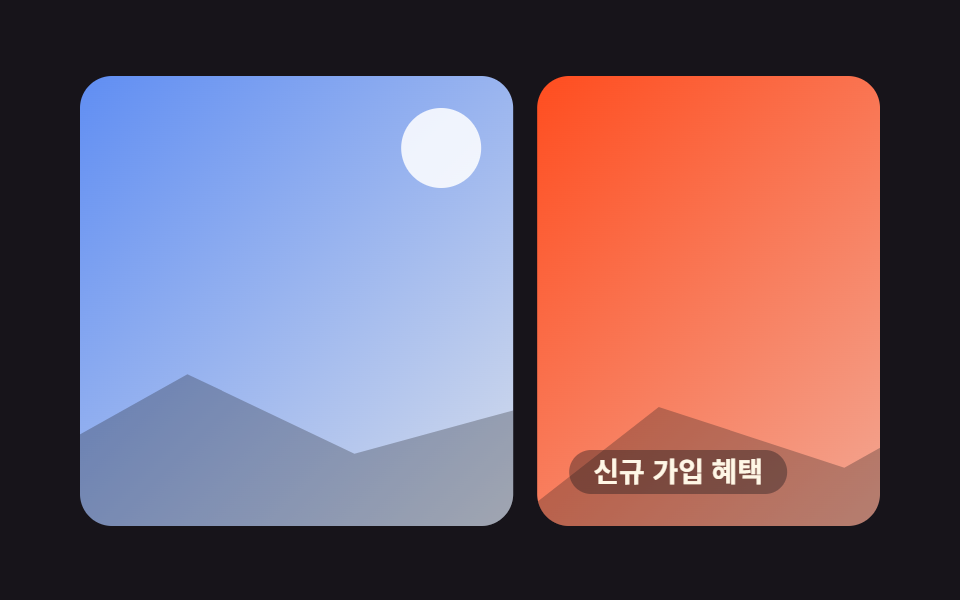
何も押さなくても写真が数秒ごとに自動でめくれる。トラック一つを@keyframesで繰り返すだけで、他の仕掛けなしにずっと回り続ける。
使いどころメインバナー、自動で回るイベントスライド
@keyframesanimation-play-stateJS 0줄
<main class="stage">
  <div class="ap">
    <div class="ap__track">
      <div class="ap__slide ap__slide--1"><span class="ap__cap">只今開催中</span></div>
      <div class="ap__slide ap__slide--2"><span class="ap__cap">新規会員特典</span></div>
      <div class="ap__slide ap__slide--3"><span class="ap__cap">冬シーズンセール</span></div>
      <div class="ap__slide ap__slide--4"><span class="ap__cap">会員限定クーポン</span></div>
      <div class="ap__slide ap__slide--1" aria-hidden="true"><span class="ap__cap">只今開催中</span></div>
    </div>
  </div>
</main>
@use "../../../../site/static/demo-tokens" as *;
// ── 변수 3개 ──────────────────────────────────────────
$duration: $dur-loop; // 한 바퀴(슬라이드 4장) 도는 총 시간
$easing: $ease-out;
$color: $subject-blue;
@include stage($stage-ink);
.ap { width: min(400px, 92vw); overflow: hidden; border-radius: $r-card; }
// ── 실제 동작: 트랙 하나가 @keyframes 로 무한 반복 — 0줄 JS, 클릭할 것도 없다 ──
// 무한 루프 이음새: 1번을 트랙 끝에 복제(aria-hidden)해 그 복제본까지 정상 속도로 가고
// 100%→0% 재시작 점프는 복제본이 1번과 같아 안 보인다 (끝→처음 텔레포트 금지, 사용자 2026-09-11)
.ap__track {
display: flex;
width: 500%;
animation: ap-cycle $duration $easing infinite;
}
// 마우스를 올리면 잠깐 멈춰 원하는 사진을 볼 수 있다 (호버 == 진짜 사용자 조작, 여전히 0줄 JS)
.ap:hover .ap__track { animation-play-state: paused; }
.ap__slide {
flex: 0 0 20%;
aspect-ratio: 16 / 9;
margin-right: $sp-3;
border-radius: $r-card;
position: relative;
overflow: hidden;
display: grid;
place-items: end start;
box-sizing: border-box;
}
.ap__slide:last-child { margin-right: 0; }
.ap__slide::before {
content: ""; position: absolute; top: $sp-4; right: $sp-4;
width: $sp-10; height: $sp-10; border-radius: 50%;
background: rgba(255, 255, 255, .85);
}
.ap__slide::after {
content: ""; position: absolute; left: -8%; right: -8%; bottom: -6%; height: 52%;
background: rgba(23, 20, 26, .28);
clip-path: polygon(0% 100%, 20% 38%, 40% 64%, 58% 24%, 76% 58%, 100% 32%, 100% 100%);
}
.ap__slide--1 { background: linear-gradient(135deg, $color, #d6ddeb); }
.ap__slide--2 { background: linear-gradient(135deg, $stage-orange, #ebdbd6); }
.ap__slide--3 { background: linear-gradient(135deg, #c2ae82, $stage-yellow); }
.ap__slide--4 { background: linear-gradient(135deg, $subject-ink, #4a3f5c); }
.ap__cap {
position: relative; z-index: 1;
margin: $sp-4;
padding: $sp-1 $sp-3;
border-radius: $r-pill;
background: rgba(23, 20, 26, .38);
color: $subject-cream;
font-weight: 600;
font-size: clamp(12px, 3.2vw, 14px);
line-height: 1;
font-family: inherit;
}
// 한 칸 = 트랙(500%)의 -20% + 슬라이드 간 $sp-3 간격. 마지막(5번째) 칸은 1번의 복제본
@keyframes ap-cycle {
0%, 8% { transform: translateX(0%); }
23%, 31% { transform: translateX(calc(-20% - #{$sp-3})); }
46%, 54% { transform: translateX(calc(-40% - #{$sp-3 * 2})); }
69%, 77% { transform: translateX(calc(-60% - #{$sp-3 * 3})); }
92%, 100% { transform: translateX(calc(-80% - #{$sp-3 * 4})); }
}
// ── 접근성 ──────────────────────────────────────────
@media (prefers-reduced-motion: reduce) {
.ap__track { animation: none !important; transform: translateX(0%); }
}html, body {
margin: 0;
overflow: hidden;
}
.stage {
box-sizing: border-box;
min-height: 100vh;
display: grid;
place-items: center;
margin: 0;
background: #17141a;
font-family: -apple-system, "Segoe UI", "Noto Sans KR", sans-serif;
padding: clamp(8px, 4vw, 24px);
}
.ap {
width: min(400px, 92vw);
overflow: hidden;
border-radius: 16px;
}
.ap__track {
display: flex;
width: 500%;
animation: ap-cycle 2s ease-out infinite;
}
.ap:hover .ap__track {
animation-play-state: paused;
}
.ap__slide {
flex: 0 0 20%;
aspect-ratio: 16/9;
margin-right: 12px;
border-radius: 16px;
position: relative;
overflow: hidden;
display: grid;
place-items: end start;
box-sizing: border-box;
}
.ap__slide:last-child {
margin-right: 0;
}
.ap__slide::before {
content: "";
position: absolute;
top: 16px;
right: 16px;
width: 40px;
height: 40px;
border-radius: 50%;
background: rgba(255, 255, 255, 0.85);
}
.ap__slide::after {
content: "";
position: absolute;
left: -8%;
right: -8%;
bottom: -6%;
height: 52%;
background: rgba(23, 20, 26, 0.28);
clip-path: polygon(0% 100%, 20% 38%, 40% 64%, 58% 24%, 76% 58%, 100% 32%, 100% 100%);
}
.ap__slide--1 {
background: linear-gradient(135deg, #2f6df6, #d6ddeb);
}
.ap__slide--2 {
background: linear-gradient(135deg, #ff4d1f, #ebdbd6);
}
.ap__slide--3 {
background: linear-gradient(135deg, #c2ae82, #ffd23f);
}
.ap__slide--4 {
background: linear-gradient(135deg, #17141a, #4a3f5c);
}
.ap__cap {
position: relative;
z-index: 1;
margin: 16px;
padding: 4px 12px;
border-radius: 999px;
background: rgba(23, 20, 26, 0.38);
color: #fff7e6;
font-weight: 600;
font-size: clamp(12px, 3.2vw, 14px);
line-height: 1;
font-family: inherit;
}
@keyframes ap-cycle {
0%, 8% {
transform: translateX(0%);
}
23%, 31% {
transform: translateX(calc(-20% - 12px));
}
46%, 54% {
transform: translateX(calc(-40% - 24px));
}
69%, 77% {
transform: translateX(calc(-60% - 36px));
}
92%, 100% {
transform: translateX(calc(-80% - 48px));
}
}
@media (prefers-reduced-motion: reduce) {
.ap__track {
animation: none !important;
transform: translateX(0%);
}
}import type { CSSProperties } from "react";
import styles from "./AutoplayCss.module.scss";
const SLIDES = ["지금 진행 중", "신규 가입 혜택", "겨울 시즌 오프", "회원 전용 쿠폰"];
export type AutoplayCssProps = {
duration?: number;
easing?: string;
color?: string;
};
type Vars = CSSProperties & { "--duration"?: string; "--easing"?: string; "--color"?: string };
export default function AutoplayCss({ duration = 2000, easing = "ease-out", color = "#2f6df6" }: AutoplayCssProps) {
const vars: Vars = { "--duration": `${duration}ms`, "--easing": easing, "--color": color };
return (
<div className={styles.ap} style={vars}>
{/* 아무것도 누르지 않아도 트랙 하나가 @keyframes 로 무한 반복 — 0줄 JS */}
{/* 끝에는 첫 장의 복제본이 한 장 더 — 마지막→처음 되돌아감이 순간이동으로 보이지 않는다 (텔레포트 금지) */}
<div className={styles.track}>
{SLIDES.map((label, i) => (
<div key={label} className={`${styles.slide} ${styles["slide" + (i + 1)]}`}>
<span className={styles.cap}>{label}</span>
</div>
))}
<div className={`${styles.slide} ${styles.slide1}`} aria-hidden="true">
<span className={styles.cap}>{SLIDES[0]}</span>
</div>
</div>
</div>
);
}05 CSSだけで自動再生 — 計測 累積面積 62.373% · 動いたフレーム 20/23GODRICH オリジナル · SCSS と React は zip に同梱 · css 画像スライダー9選 — コピペで使えるカルーセル
このデモが属する記事
 css 画像スライダー9選 — コピペで使えるカルーセル通販サイトの商品写真や会社サイトのトップ画像で、指でなぞったりボタンを押したりすると次の一枚に切り替わる仕組みを画像スライダーと呼びます。ここで紹介するcss 画像スライダーはCSSだけ・JS不要で、9種類のやり方をそのままコピペできる形に この記事のデモをすべて見る