03自動レスポンシブグリッド
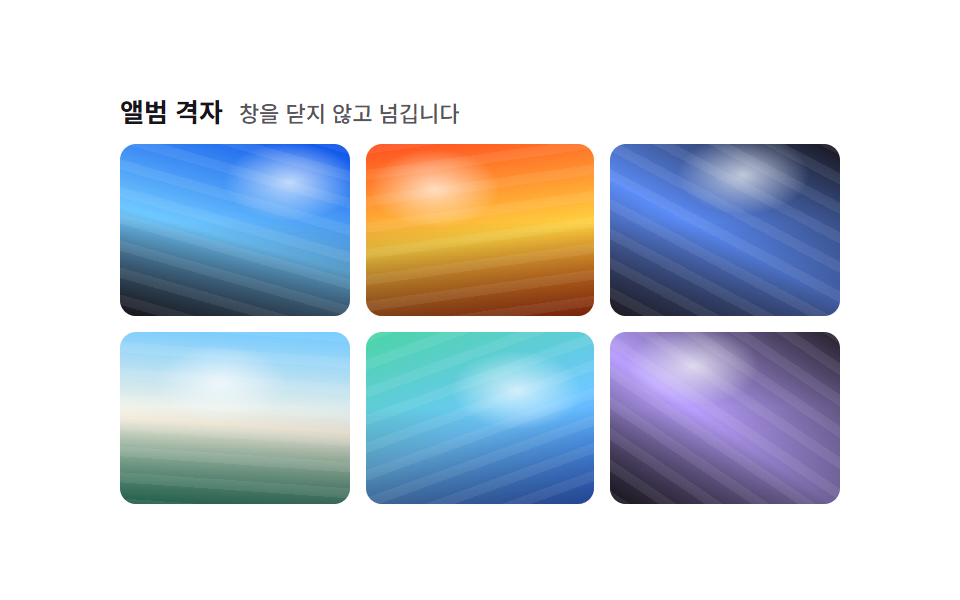
grid-template-columns: repeat(auto-fit, minmax(56px, 1fr)) の一行だけで、メディアクエリなしで画面幅に応じて1行に入るマス数が自動で変わり、新しいタイルは薄く現れて定位置に収まります。
使いどころカテゴリごとに写真枚数が違う商品ギャラリー、幅がよく変わるサイドバーウィジェット
repeat(auto-fit,minmax())그리드 자동 배치opacity+scale 진입

<main class="stage">
  <ul class="gallery is-demo" aria-label="写真ギャラリー">
    <li class="tile" tabindex="0"></li>
    <li class="tile" tabindex="0"></li>
    <li class="tile" tabindex="0"></li>
    <li class="tile" tabindex="0"></li>
    <li class="tile" tabindex="0"></li>
    <li class="tile" tabindex="0"></li>
  </ul>
</main>
@use "../../../../site/static/demo-tokens" as *;
$duration: $dur-base; // 타일이 자리를 잡는 시간
$easing: $ease-spring;
$color: $subject-cream; // 타일 그러데이션
@include stage($stage-orange);
.stage { padding: clamp(8px, 2.4vw, 16px); }
.gallery {
display: grid;
grid-template-columns: repeat(auto-fit, minmax(56px, 1fr));
gap: $sp-2;
list-style: none;
margin: 0;
padding: 0;
width: 210px;
max-width: 100%;
}
.tile {
aspect-ratio: 1 / 1;
border-radius: $r-sm;
outline: none;
cursor: pointer;
box-shadow: $shadow-press;
opacity: 1;
transform: scale(1);
transition: transform $duration $easing;
}
.tile:nth-child(odd) { background: linear-gradient(160deg, $color 0%, $stage-orange 100%); }
.tile:nth-child(even) { background: linear-gradient(20deg, $stage-ink 0%, $color 100%); }
.tile:hover, .tile:focus-visible, .tile:active { transform: scale(1.08); }
.gallery.is-demo .tile { animation: enter-loop $dur-loop $easing infinite; }
.gallery.is-demo .tile:nth-child(2) { animation-delay: -0.2s; }
.gallery.is-demo .tile:nth-child(3) { animation-delay: -0.4s; }
.gallery.is-demo .tile:nth-child(4) { animation-delay: -0.6s; }
.gallery.is-demo .tile:nth-child(5) { animation-delay: -0.8s; }
.gallery.is-demo .tile:nth-child(6) { animation-delay: -1.0s; }
@keyframes enter-loop {
0% { opacity: .35; transform: scale(.88); }
16%, 50% { opacity: 1; transform: scale(1); }
66% { opacity: 1; transform: scale(1.08); }
100% { opacity: .35; transform: scale(.88); }
}
@media (hover: none) {
.tile:active { transform: scale(1.08); }
}
@media (prefers-reduced-motion: reduce) {
.tile { transition: none; opacity: 1; transform: scale(1); }
.gallery.is-demo .tile { animation: none; }
}html, body {
margin: 0;
overflow: hidden;
}
.stage {
box-sizing: border-box;
min-height: 100vh;
display: grid;
place-items: center;
margin: 0;
background: #ff4d1f;
font-family: -apple-system, "Segoe UI", "Noto Sans KR", sans-serif;
padding: clamp(8px, 4vw, 24px);
}
.stage {
padding: clamp(8px, 2.4vw, 16px);
}
.gallery {
display: grid;
grid-template-columns: repeat(auto-fit, minmax(56px, 1fr));
gap: 8px;
list-style: none;
margin: 0;
padding: 0;
width: 210px;
max-width: 100%;
}
.tile {
aspect-ratio: 1/1;
border-radius: 8px;
outline: none;
cursor: pointer;
box-shadow: 0 6px 12px rgba(23, 20, 26, 0.32);
opacity: 1;
transform: scale(1);
transition: transform 300ms cubic-bezier(0.2, 0.8, 0.2, 1);
}
.tile:nth-child(odd) {
background: linear-gradient(160deg, #fff7e6 0%, #ff4d1f 100%);
}
.tile:nth-child(even) {
background: linear-gradient(20deg, #17141a 0%, #fff7e6 100%);
}
.tile:hover, .tile:focus-visible, .tile:active {
transform: scale(1.08);
}
.gallery.is-demo .tile {
animation: enter-loop 2s cubic-bezier(0.2, 0.8, 0.2, 1) infinite;
}
.gallery.is-demo .tile:nth-child(2) {
animation-delay: -0.2s;
}
.gallery.is-demo .tile:nth-child(3) {
animation-delay: -0.4s;
}
.gallery.is-demo .tile:nth-child(4) {
animation-delay: -0.6s;
}
.gallery.is-demo .tile:nth-child(5) {
animation-delay: -0.8s;
}
.gallery.is-demo .tile:nth-child(6) {
animation-delay: -1s;
}
@keyframes enter-loop {
0% {
opacity: 0.35;
transform: scale(0.88);
}
16%, 50% {
opacity: 1;
transform: scale(1);
}
66% {
opacity: 1;
transform: scale(1.08);
}
100% {
opacity: 0.35;
transform: scale(0.88);
}
}
@media (hover: none) {
.tile:active {
transform: scale(1.08);
}
}
@media (prefers-reduced-motion: reduce) {
.tile {
transition: none;
opacity: 1;
transform: scale(1);
}
.gallery.is-demo .tile {
animation: none;
}
}import type { CSSProperties } from "react";
import styles from "./AutoFitGallery.module.scss";
export type AutoFitGalleryProps = {
/** 타일 개수 (기본 6) */
count?: number;
/** 타일이 자리를 잡는 시간 (기본 300ms) */
duration?: number;
easing?: string;
/** 타일 그러데이션 색 */
color?: string;
};
type Vars = CSSProperties & { "--duration"?: string; "--easing"?: string; "--color"?: string };
/** grid-template-columns: repeat(auto-fit, minmax()) 한 줄로 미디어쿼리 없이 칸 수가 스스로 바뀐다 */
export default function AutoFitGallery({
count = 6,
duration = 300,
easing = "cubic-bezier(.2,.8,.2,1)",
color = "#fff7e6",
}: AutoFitGalleryProps) {
const vars: Vars = { "--duration": `${duration}ms`, "--easing": easing, "--color": color };
return (
<ul className={styles.gallery} style={vars} aria-label="Photo gallery">
{Array.from({ length: count }, (_, i) => (
<li key={i} className={`${styles.tile} ${i % 2 ? styles.even : styles.odd}`} tabIndex={0} />
))}
</ul>
);
}03 自動レスポンシブグリッド — 計測 累積面積 23.517% · 動いたフレーム 23/23GODRICH オリジナル · SCSS と React は zip に同梱 · CSS フォト ギャラリー 9選 — メイソンリーからライトボックスまで
このデモが属する記事
 CSS フォト ギャラリー 9選 — メイソンリーからライトボックスまでCSS フォト ギャラリーは、複数の写真をグリッドやウォーターフォール状に並べ、ホバーやクリックに反応させるレイアウト技法です。Pinterestで保存したあのギャラリーのように見えても、実際にコードに落とすとグリッドの数式や画像のクロップ この記事のデモをすべて見る