06正方形グリッド固定
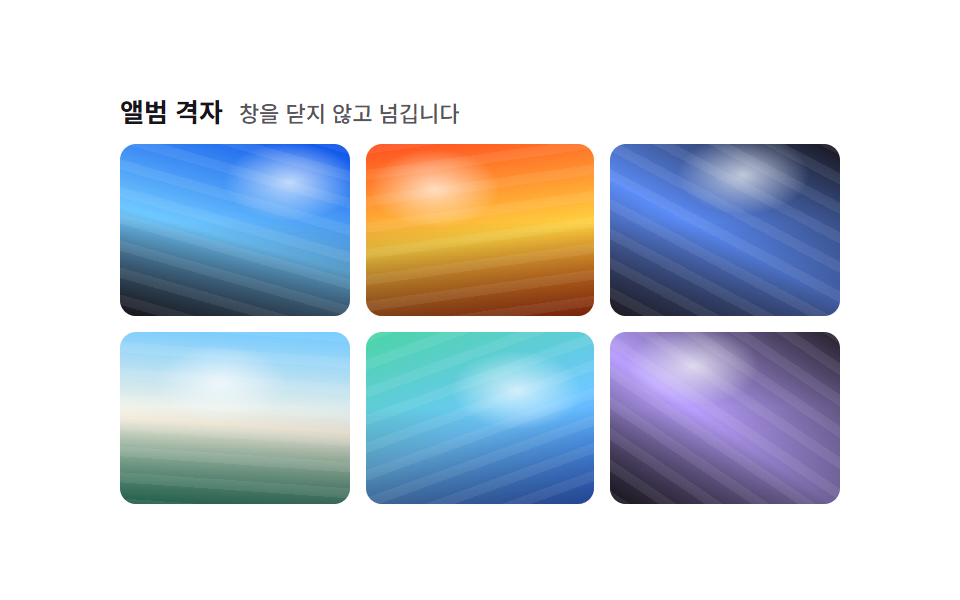
すべてのタイルに aspect-ratio: 1 / 1 と object-fit: cover を指定し、元の写真の比率に関係なくInstagramのフィードのような完全な正方形だけを並べます。ホバーすると正方形の枠はそのままに中の写真だけが拡大します。
使いどころInstagram風フィードのプレビュー、プロフィール写真のグリッド
aspect-ratio:1/1object-fit:coverscale hover

<main class="stage">
  <ul class="gallery is-demo" aria-label="写真ギャラリー">
    <li class="cell" tabindex="0"><img class="photo" alt="" src="data:image/svg+xml,%3Csvg xmlns='http://www.w3.org/2000/svg' width='420' height='300'%3E%3Crect width='420' height='300' fill='%2317141a'/%3E%3C/svg%3E"></li>
    <li class="cell" tabindex="0"><img class="photo" alt="" src="data:image/svg+xml,%3Csvg xmlns='http://www.w3.org/2000/svg' width='300' height='420'%3E%3Crect width='300' height='420' fill='%232f6df6'/%3E%3C/svg%3E"></li>
    <li class="cell" tabindex="0"><img class="photo" alt="" src="data:image/svg+xml,%3Csvg xmlns='http://www.w3.org/2000/svg' width='360' height='360'%3E%3Crect width='360' height='360' fill='%2317141a'/%3E%3C/svg%3E"></li>
    <li class="cell" tabindex="0"><img class="photo" alt="" src="data:image/svg+xml,%3Csvg xmlns='http://www.w3.org/2000/svg' width='260' height='420'%3E%3Crect width='260' height='420' fill='%232f6df6'/%3E%3C/svg%3E"></li>
    <li class="cell" tabindex="0"><img class="photo" alt="" src="data:image/svg+xml,%3Csvg xmlns='http://www.w3.org/2000/svg' width='440' height='280'%3E%3Crect width='440' height='280' fill='%2317141a'/%3E%3C/svg%3E"></li>
    <li class="cell" tabindex="0"><img class="photo" alt="" src="data:image/svg+xml,%3Csvg xmlns='http://www.w3.org/2000/svg' width='340' height='340'%3E%3Crect width='340' height='340' fill='%232f6df6'/%3E%3C/svg%3E"></li>
  </ul>
</main>
@use "../../../../site/static/demo-tokens" as *;
$duration: $dur-base; // 프레임 안에서 확대되는 시간
$easing: $ease-out;
$color: $stage-ink; // 프레임 배경(로딩 중 틈)
@include stage($stage-yellow);
.stage { padding: clamp(8px, 2.4vw, 16px); }
.gallery {
display: grid;
grid-template-columns: repeat(3, 1fr);
gap: $sp-2;
list-style: none;
margin: 0;
padding: 0;
width: 184px;
max-width: 100%;
}
.cell {
aspect-ratio: 1 / 1;
border-radius: $r-sm;
overflow: hidden;
outline: none;
cursor: pointer;
background: $color;
box-shadow: $shadow-press;
transform: translateY(0);
transition: transform $duration $easing, box-shadow $duration $easing;
}
.photo {
display: block;
width: 100%;
height: 100%;
object-fit: cover;
transform: scale(1);
transition: transform $duration $easing;
}
// 프레임(.cell) 자체도 살짝 떠올라야 움직임이 보인다 — 단색 사진만 확대하면 크롭된 색이 그대로라 픽셀 차이가 0 이다 (132 실측)
.cell:hover, .cell:focus-visible, .cell:active { transform: translateY(-3px); box-shadow: $shadow-raised; }
.cell:hover .photo, .cell:focus-visible .photo, .cell:active .photo { transform: scale(1.1); }
.gallery.is-demo .cell { animation: lift-loop $dur-loop $easing infinite; }
.gallery.is-demo .photo { animation: crop-zoom $dur-loop $easing infinite; }
.gallery.is-demo .cell:nth-child(2) { animation-delay: -0.33s; }
.gallery.is-demo .cell:nth-child(3) { animation-delay: -0.66s; }
.gallery.is-demo .cell:nth-child(4) { animation-delay: -1.0s; }
.gallery.is-demo .cell:nth-child(5) { animation-delay: -1.33s; }
.gallery.is-demo .cell:nth-child(6) { animation-delay: -1.66s; }
.gallery.is-demo .cell:nth-child(2) .photo { animation-delay: -0.33s; }
.gallery.is-demo .cell:nth-child(3) .photo { animation-delay: -0.66s; }
.gallery.is-demo .cell:nth-child(4) .photo { animation-delay: -1.0s; }
.gallery.is-demo .cell:nth-child(5) .photo { animation-delay: -1.33s; }
.gallery.is-demo .cell:nth-child(6) .photo { animation-delay: -1.66s; }
@keyframes lift-loop {
0%, 8% { transform: translateY(0); box-shadow: $shadow-press; }
25%, 40% { transform: translateY(-3px); box-shadow: $shadow-raised; }
58%, 100% { transform: translateY(0); box-shadow: $shadow-press; }
}
@keyframes crop-zoom {
0%, 8% { transform: scale(1); }
25%, 40% { transform: scale(1.1); }
58%, 100% { transform: scale(1); }
}
@media (hover: none) {
.cell:active .photo { transform: scale(1.1); }
}
@media (prefers-reduced-motion: reduce) {
.photo { transition: none; }
.gallery.is-demo .photo { animation: none; }
}html, body {
margin: 0;
overflow: hidden;
}
.stage {
box-sizing: border-box;
min-height: 100vh;
display: grid;
place-items: center;
margin: 0;
background: #ffd23f;
font-family: -apple-system, "Segoe UI", "Noto Sans KR", sans-serif;
padding: clamp(8px, 4vw, 24px);
}
.stage {
padding: clamp(8px, 2.4vw, 16px);
}
.gallery {
display: grid;
grid-template-columns: repeat(3, 1fr);
gap: 8px;
list-style: none;
margin: 0;
padding: 0;
width: 184px;
max-width: 100%;
}
.cell {
aspect-ratio: 1/1;
border-radius: 8px;
overflow: hidden;
outline: none;
cursor: pointer;
background: #17141a;
box-shadow: 0 6px 12px rgba(23, 20, 26, 0.32);
transform: translateY(0);
transition: transform 300ms ease-out, box-shadow 300ms ease-out;
}
.photo {
display: block;
width: 100%;
height: 100%;
object-fit: cover;
transform: scale(1);
transition: transform 300ms ease-out;
}
.cell:hover, .cell:focus-visible, .cell:active {
transform: translateY(-3px);
box-shadow: 0 14px 24px rgba(23, 20, 26, 0.32);
}
.cell:hover .photo, .cell:focus-visible .photo, .cell:active .photo {
transform: scale(1.1);
}
.gallery.is-demo .cell {
animation: lift-loop 2s ease-out infinite;
}
.gallery.is-demo .photo {
animation: crop-zoom 2s ease-out infinite;
}
.gallery.is-demo .cell:nth-child(2) {
animation-delay: -0.33s;
}
.gallery.is-demo .cell:nth-child(3) {
animation-delay: -0.66s;
}
.gallery.is-demo .cell:nth-child(4) {
animation-delay: -1s;
}
.gallery.is-demo .cell:nth-child(5) {
animation-delay: -1.33s;
}
.gallery.is-demo .cell:nth-child(6) {
animation-delay: -1.66s;
}
.gallery.is-demo .cell:nth-child(2) .photo {
animation-delay: -0.33s;
}
.gallery.is-demo .cell:nth-child(3) .photo {
animation-delay: -0.66s;
}
.gallery.is-demo .cell:nth-child(4) .photo {
animation-delay: -1s;
}
.gallery.is-demo .cell:nth-child(5) .photo {
animation-delay: -1.33s;
}
.gallery.is-demo .cell:nth-child(6) .photo {
animation-delay: -1.66s;
}
@keyframes lift-loop {
0%, 8% {
transform: translateY(0);
box-shadow: 0 6px 12px rgba(23, 20, 26, 0.32);
}
25%, 40% {
transform: translateY(-3px);
box-shadow: 0 14px 24px rgba(23, 20, 26, 0.32);
}
58%, 100% {
transform: translateY(0);
box-shadow: 0 6px 12px rgba(23, 20, 26, 0.32);
}
}
@keyframes crop-zoom {
0%, 8% {
transform: scale(1);
}
25%, 40% {
transform: scale(1.1);
}
58%, 100% {
transform: scale(1);
}
}
@media (hover: none) {
.cell:active .photo {
transform: scale(1.1);
}
}
@media (prefers-reduced-motion: reduce) {
.photo {
transition: none;
}
.gallery.is-demo .photo {
animation: none;
}
}import type { CSSProperties } from "react";
import styles from "./SquareGridGallery.module.scss";
export type Photo = { src: string; alt?: string };
export type SquareGridGalleryProps = {
photos?: Photo[];
duration?: number;
easing?: string;
color?: string;
};
const swatch = (hex: string) =>
`data:image/svg+xml,%3Csvg xmlns='http://www.w3.org/2000/svg' width='400' height='400'%3E%3Crect width='400' height='400' fill='%23${hex}'/%3E%3C/svg%3E`;
const DEFAULT_PHOTOS: Photo[] = ["17141a", "2f6df6", "17141a", "2f6df6", "17141a", "2f6df6"].map((h) => ({ src: swatch(h) }));
type Vars = CSSProperties & { "--duration"?: string; "--easing"?: string; "--color"?: string };
/** aspect-ratio: 1/1 + object-fit: cover 로 원본 비율과 상관없이 정사각형만 나열한다 (인스타그램 피드형) */
export default function SquareGridGallery({
photos = DEFAULT_PHOTOS,
duration = 300,
easing = "ease-out",
color = "#17141a",
}: SquareGridGalleryProps) {
const vars: Vars = { "--duration": `${duration}ms`, "--easing": easing, "--color": color };
return (
<ul className={styles.gallery} style={vars} aria-label="Photo gallery">
{photos.map((p, i) => (
<li key={i} className={styles.cell} tabIndex={0}>
<img className={styles.photo} src={p.src} alt={p.alt ?? ""} />
</li>
))}
</ul>
);
}06 正方形グリッド固定 — 計測 累積面積 3.329% · 動いたフレーム 23/23GODRICH オリジナル · SCSS と React は zip に同梱 · CSS フォト ギャラリー 9選 — メイソンリーからライトボックスまで
このデモが属する記事
 CSS フォト ギャラリー 9選 — メイソンリーからライトボックスまでCSS フォト ギャラリーは、複数の写真をグリッドやウォーターフォール状に並べ、ホバーやクリックに反応させるレイアウト技法です。Pinterestで保存したあのギャラリーのように見えても、実際にコードに落とすとグリッドの数式や画像のクロップ この記事のデモをすべて見る