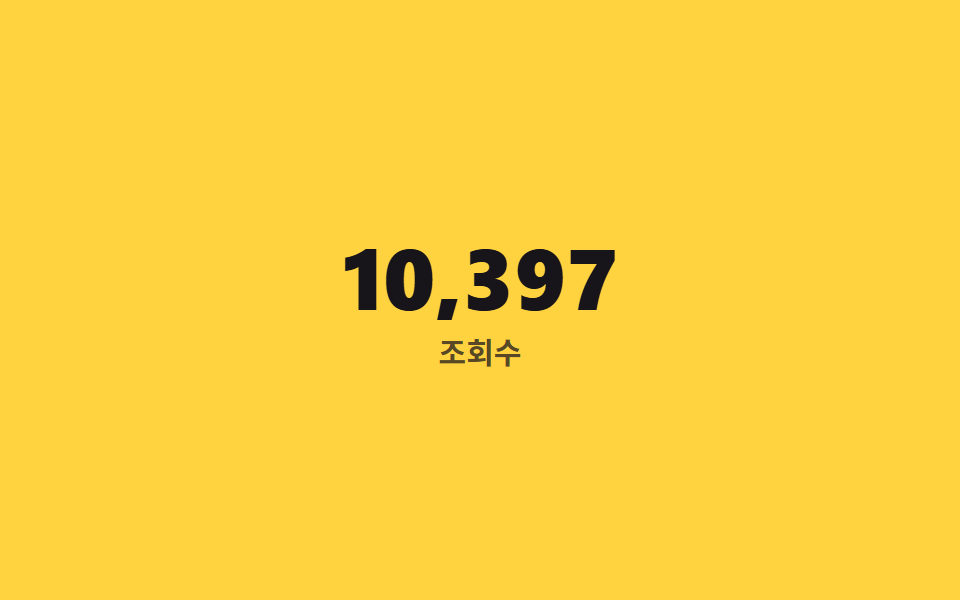
02桁区切りカンマの自動挿入
千の位と残りをそれぞれ別の@property整数として数え、@counter-styleのpadで3桁に揃えてからカンマで繋げる。
使いどころ売上合計、閲覧数、大きな在庫数の表示
@counter-stylepad: 3 '0'counter(k) ',' counter(n)
<main class="stage">
  <div class="counter is-demo">
    <span class="counter__num" aria-hidden="true"></span>
    <span class="counter__sr">12,483</span>
    <span class="counter__label">閲覧数</span>
  </div>
</main>
@use "../../../../site/static/demo-tokens" as *;
// ── 변수 3개 ──────────────────────────────────────────
$duration: $dur-loop;
$easing: $ease-out;
$color: $subject-ink; // 숫자 색 (노란 무대 위 대비)
@include stage($stage-yellow);
// 천 단위(k)와 나머지(n)를 각각 다른 정수 커스텀 속성으로 나눠 센다
@property --k {
syntax: '<integer>';
initial-value: 0;
inherits: false;
}
@property --n {
syntax: '<integer>';
initial-value: 0;
inherits: false;
}
// 나머지(n)는 항상 세 자리로 채워야 "12,003" 이 "12,3" 이 되지 않는다
@counter-style padded-3 {
system: numeric;
symbols: '0' '1' '2' '3' '4' '5' '6' '7' '8' '9';
suffix: '';
pad: 3 '0';
}
.counter {
text-align: center;
&__num {
--k: 0;
--n: 0;
counter-reset: k var(--k) n var(--n);
display: block;
font-weight: 800; font-size: clamp(30px, 9vw, 52px); line-height: 1; font-family: inherit;
font-variant-numeric: tabular-nums;
color: $color;
&::before { content: counter(k) "," counter(n, padded-3); }
}
&__sr {
position: absolute;
width: 1px; height: 1px;
overflow: hidden;
clip-path: inset(50%);
white-space: nowrap;
}
&__label {
display: block;
margin-top: clamp(6px, 2vw, 10px);
font-weight: 600; font-size: clamp(12px, 3.4vw, 15px); line-height: 1; font-family: inherit;
color: rgba($subject-ink, .72); // 흐린 글자는 알파 .72 하한 — 옐로 면 위 6.06:1
}
}
.counter.is-demo .counter__num {
animation: thousands-up $duration $easing infinite;
}
@keyframes thousands-up {
0% { --k: 0; --n: 0; }
65% { --k: 12; --n: 483; }
100% { --k: 12; --n: 483; }
}
@media (prefers-reduced-motion: reduce) {
.counter.is-demo .counter__num { animation: none; --k: 12; --n: 483; }
}html, body {
margin: 0;
overflow: hidden;
}
.stage {
box-sizing: border-box;
min-height: 100vh;
display: grid;
place-items: center;
margin: 0;
background: #ffd23f;
font-family: -apple-system, "Segoe UI", "Noto Sans KR", sans-serif;
padding: clamp(8px, 4vw, 24px);
}
@property --k {
syntax: "<integer>";
initial-value: 0;
inherits: false;
}
@property --n {
syntax: "<integer>";
initial-value: 0;
inherits: false;
}
@counter-style padded-3 {
system: numeric;
symbols: "0" "1" "2" "3" "4" "5" "6" "7" "8" "9";
suffix: "";
pad: 3 "0";
}
.counter {
text-align: center;
}
.counter__num {
--k: 0;
--n: 0;
counter-reset: k var(--k) n var(--n);
display: block;
font-weight: 800;
font-size: clamp(30px, 9vw, 52px);
line-height: 1;
font-family: inherit;
font-variant-numeric: tabular-nums;
color: #17141a;
}
.counter__num::before {
content: counter(k) "," counter(n, padded-3);
}
.counter__sr {
position: absolute;
width: 1px;
height: 1px;
overflow: hidden;
clip-path: inset(50%);
white-space: nowrap;
}
.counter__label {
display: block;
margin-top: clamp(6px, 2vw, 10px);
font-weight: 600;
font-size: clamp(12px, 3.4vw, 15px);
line-height: 1;
font-family: inherit;
color: rgba(23, 20, 26, 0.72);
}
.counter.is-demo .counter__num {
animation: thousands-up 2s ease-out infinite;
}
@keyframes thousands-up {
0% {
--k: 0;
--n: 0;
}
65% {
--k: 12;
--n: 483;
}
100% {
--k: 12;
--n: 483;
}
}
@media (prefers-reduced-motion: reduce) {
.counter.is-demo .counter__num {
animation: none;
--k: 12;
--n: 483;
}
}import type { CSSProperties } from "react";
import styles from "./ThousandsSeparatorCounter.module.scss";
export type ThousandsSeparatorCounterProps = {
/** 12483 처럼 콤마 없는 정수 */
value: number;
label: string;
duration?: number;
easing?: string;
color?: string;
};
type Vars = CSSProperties & {
"--duration"?: string; "--easing"?: string; "--color"?: string;
"--k-target"?: number; "--n-target"?: number;
};
export default function ThousandsSeparatorCounter({
value, label, duration = 2000, easing = "ease-out", color = "#17141a",
}: ThousandsSeparatorCounterProps) {
const k = Math.floor(value / 1000);
const n = value % 1000;
const vars: Vars = {
"--duration": `${duration}ms`,
"--easing": easing,
"--color": color,
"--k-target": k,
"--n-target": n,
};
return (
<div className={styles.counter} style={vars}>
<span className={styles.num} aria-hidden="true" />
<span className={styles.sr}>{value.toLocaleString()}</span>
<span className={styles.label}>{label}</span>
</div>
);
}02 桁区切りカンマの自動挿入 — 計測 累積面積 2.662% · 動いたフレーム 16/23GODRICH オリジナル · SCSS と React は zip に同梱 · CSS 数字 カウントアップ アニメーション9選 — 一行でコピペOK
このデモが属する記事
 CSS 数字 カウントアップ アニメーション9選 — 一行でコピペOKcss 数字 カウントアップは、0や開始値から目標の数字まで上がっていくテキストを、JavaScriptなしでCSSのカスタムプロパティだけで数える手法です。9つのうち1つは逆に0へ向かって減っていき、別の1つはスクロールして画面に入るまで この記事のデモをすべて見る