07ぐにゃぐにゃブロブ
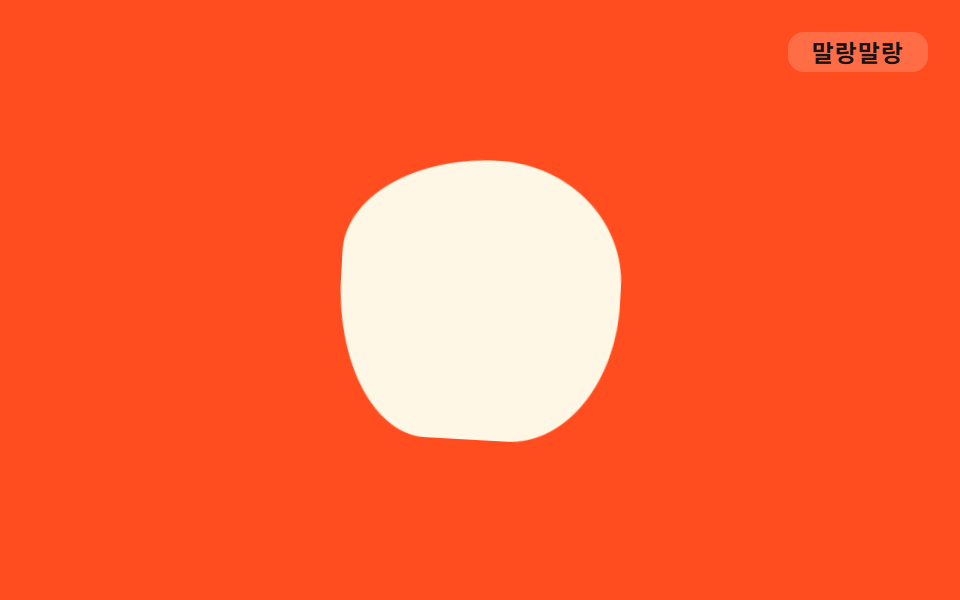
`.o-gunya` は border-radius の四隅をそれぞれ異なるタイミングで keyframes 内で変化させ、背景のブロブ図形が形を変えながら漂うようにする。
使いどころヒーロー背景の装飾ブロブ、機能カード裏のアクセント図形
border-radius 4분할비대칭 keyframes3.2s
<main class="stage">
  <div class="blob o-gunya" aria-hidden="true"></div>
  <span class="tag">ぐにゃぐにゃ</span>
</main>
@use "../../../../site/static/demo-tokens" as *;
// ── 변수 3개 ──────────────────────────────────────────
$duration: 3.2s;
$easing: ease-in-out;
$color: $subject-cream;
// ── 데모 무대 ───────────────────────────────
@include stage($stage-orange);
.stage { position: relative; }
.blob {
width: 140px;
height: 140px;
background: $color;
}
.tag {
position: absolute;
top: $sp-4;
right: $sp-4;
padding: $sp-1 $sp-3;
border-radius: $r-sm;
background: rgba(255, 255, 255, .18);
color: $stage-ink;
font-weight: 700;
font-size: 12px;
line-height: 1;
font-family: inherit;
letter-spacing: .04em;
}
// ── 사인파 soft-body — border-radius 여덟 값(가로4·세로4)을 위상차 π/4 의 사인파로 흔든다 ──
// r_k = 50 + 18·sin(2πt + k·π/4). 매끈한 원이 아니라 **여러 지점이 각자 다른 위상으로** 출렁여야
// 말랑한 덩어리로 보인다 — 한 값만 흔들면 타원이 커졌다 작아질 뿐이다 (형태 2차, 사용자 2026-09-14).
// keyframes 다섯 지점(0·20·45·70·95%)은 이 식을 t = pct/100·2π 로 대입한 계산 결과값이다.
.o-gunya {
animation: o-gunya $duration $easing infinite;
}
@keyframes o-gunya {
0%, 100% { border-radius: 50% 63% 68% 63% / 50% 37% 32% 37%; transform: rotate(0deg); }
20% { border-radius: 67% 66% 56% 42% / 33% 34% 44% 58%; transform: rotate(5deg); }
45% { border-radius: 56% 42% 33% 34% / 44% 58% 67% 66%; transform: rotate(2deg); }
70% { border-radius: 33% 34% 44% 58% / 67% 66% 56% 42%; transform: rotate(-5deg); }
95% { border-radius: 44% 58% 67% 66% / 56% 42% 33% 34%; transform: rotate(-2deg); }
}
// ── 접근성 ──────────────────────────────────────────
@media (prefers-reduced-motion: reduce) {
.o-gunya { animation: none; }
}html, body {
margin: 0;
overflow: hidden;
}
.stage {
box-sizing: border-box;
min-height: 100vh;
display: grid;
place-items: center;
margin: 0;
background: #ff4d1f;
font-family: -apple-system, "Segoe UI", "Noto Sans KR", sans-serif;
padding: clamp(8px, 4vw, 24px);
}
.stage {
position: relative;
}
.blob {
width: 140px;
height: 140px;
background: #fff7e6;
}
.tag {
position: absolute;
top: 16px;
right: 16px;
padding: 4px 12px;
border-radius: 8px;
background: rgba(255, 255, 255, 0.18);
color: #17141a;
font-weight: 700;
font-size: 12px;
line-height: 1;
font-family: inherit;
letter-spacing: 0.04em;
}
.o-gunya {
animation: o-gunya 3.2s ease-in-out infinite;
}
@keyframes o-gunya {
0%, 100% {
border-radius: 50% 63% 68% 63%/50% 37% 32% 37%;
transform: rotate(0deg);
}
20% {
border-radius: 67% 66% 56% 42%/33% 34% 44% 58%;
transform: rotate(5deg);
}
45% {
border-radius: 56% 42% 33% 34%/44% 58% 67% 66%;
transform: rotate(2deg);
}
70% {
border-radius: 33% 34% 44% 58%/67% 66% 56% 42%;
transform: rotate(-5deg);
}
95% {
border-radius: 44% 58% 67% 66%/56% 42% 33% 34%;
transform: rotate(-2deg);
}
}
@media (prefers-reduced-motion: reduce) {
.o-gunya {
animation: none;
}
}import type { CSSProperties } from "react";
import styles from "./BlobMorph.module.scss";
export type BlobMorphProps = {
/** 한 바퀴(세 모양) 도는 데 걸리는 시간 (기본 3200ms) */
duration?: number;
easing?: string;
color?: string;
size?: number;
};
type Vars = CSSProperties & {
"--duration"?: string;
"--easing"?: string;
"--color"?: string;
"--size"?: string;
};
export default function BlobMorph({
duration = 3200,
easing = "ease-in-out",
color = "#fff7e6",
size = 140,
}: BlobMorphProps) {
const vars: Vars = {
"--duration": `${duration}ms`,
"--easing": easing,
"--color": color,
"--size": `${size}px`,
};
return <div className={styles.blob} style={vars} aria-hidden="true" />;
}07 ぐにゃぐにゃブロブ — 計測 累積面積 1.768% · 動いたフレーム 23/23GODRICH オリジナル · SCSS と React は zip に同梱 · CSS アニメーション バウンス 9選・一行でコピペOK
このデモが属する記事
 CSS アニメーション バウンス 9選・一行でコピペOKボタンやバッジが、ただ表示されるのではなくふわっと浮いたり、ぽよんと弾んだり、ぷるぷる震えたりする動きを見たことはありませんか。この記事はそんな「css アニメーション バウンス」の実例を、まんが的な擬音語(ふわふわ・ぽよん・ぷるぷるなど) この記事のデモをすべて見る