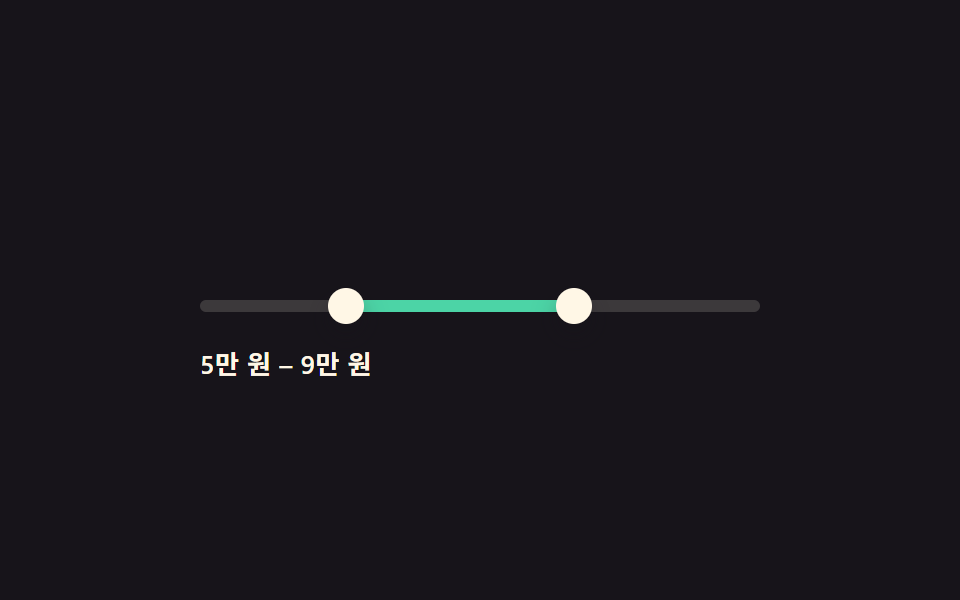
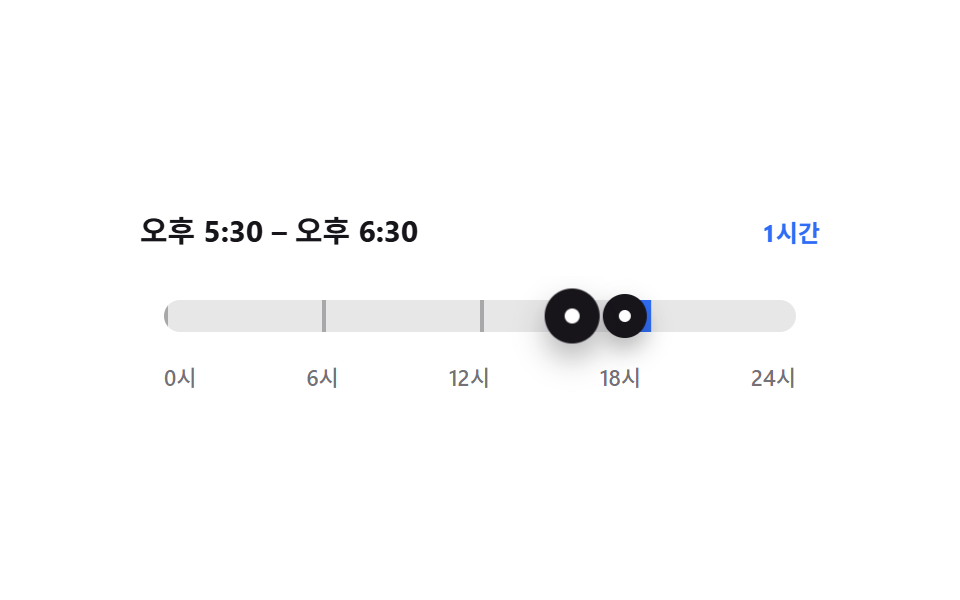
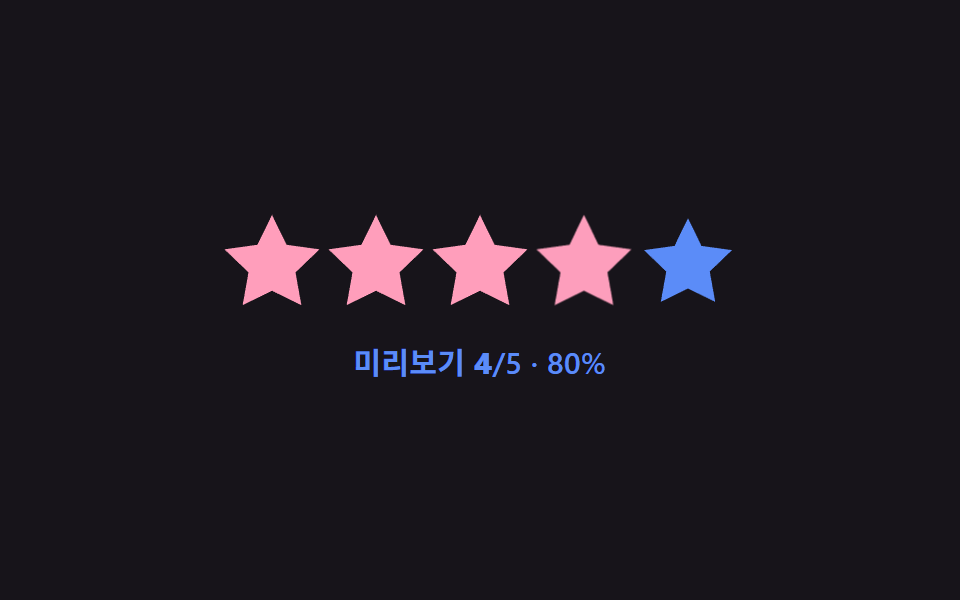
06縦型ボリューム — 書字方向の回転と塗り方向の反転計算
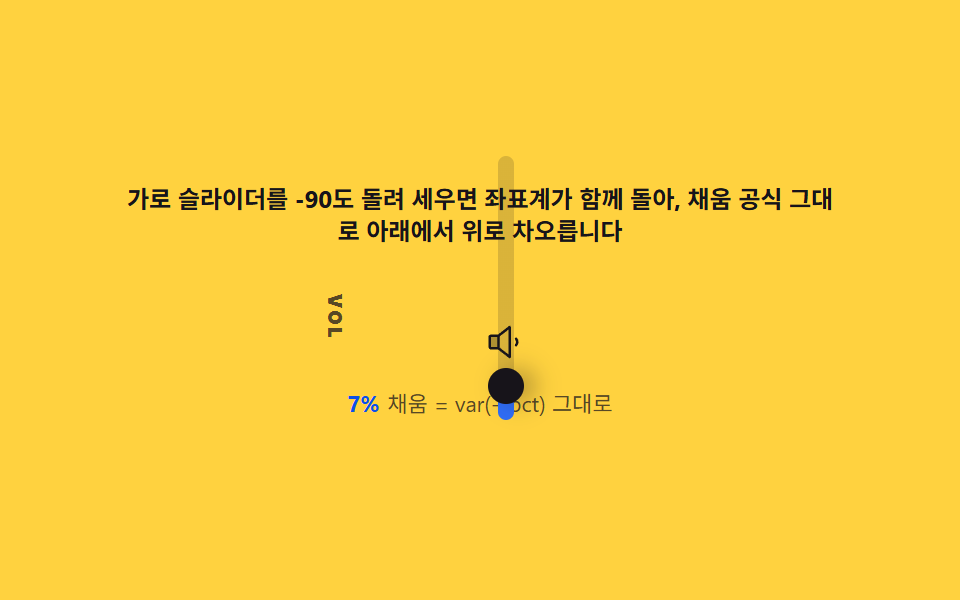
writing-mode: vertical-lr や90度回転でトラックを縦にすると塗りの基準が上になるため、比率を(100% - var(--pct))に反転させると下から満ちるボリュームバーになります。反転式と、回転時に矢印キーの方向がブラウザごとに異なる落とし穴も一緒に整理します。
使いどころ動画プレーヤー、音楽アプリ
writing-modetransform: rotateCSS custom properties
<main class="stage">
<div class="vv" id="vv">
  <p class="vv__hint">横スライダーを-90度回転させると座標系も一緒に回り、同じ塗り式のまま下から上に満ちます</p>
  <div class="vv__row" role="img" aria-label="下から上に満ちる縦型ボリュームスライダーの場面">
    <span class="vv__label" aria-hidden="true">VOL</span>
    <div class="vv__col">
      <div class="vv__wrap" id="vvWrap">
        <input class="vv__range" id="vvRange" type="range" min="0" max="100" step="1" value="60" aria-label="ボリューム">
      </div>
      <span class="vv__icon" id="vvIcon"></span>
    </div>
  </div>
  <p class="vv__meta"><b class="vv__tag" id="vvPct">60%</b><span class="vv__unit">塗り = var(--pct) のまま</span></p>
</div>
</main>
@use "../../../../site/static/demo-tokens" as *;
// 세로 볼륨바(06) — 가로 input 을 rotate(-90deg) 로 세운다. 좌표계가 함께 돌아
// 로컬 0%(화면 아래)에서 로컬 100%(화면 위) 로 향하므로, 채움 공식은 가로판과
// 같은 그대로 쓴다 — (100% - var(--pct)) 로 반전하면 채움이 화면 맨 위에 떨어진다.
$duration: $dur-quick;
$easing: $ease-out;
$color: $subject-blue;
@include stage($stage-yellow);
$track-h: 8px;
$thumb-d: 18px;
$bar-len: 132px;
.vv {
display: flex; flex-direction: column; align-items: center; gap: $sp-3;
width: 100%; max-width: 360px;
}
.vv__hint {
margin: 0; font-weight: 700; font-size: clamp(10px, 2.8vw, 12px); line-height: 1.35;
color: $subject-ink; text-align: center;
}
.vv__row { display: flex; align-items: center; gap: $sp-3; }
.vv__label {
writing-mode: vertical-lr;
font-weight: 800; font-size: 10px; letter-spacing: .08em;
color: rgba($subject-ink, .72);
}
.vv__col { display: flex; flex-direction: column; align-items: center; gap: $sp-2; }
.vv__wrap {
position: relative; width: $bar-len; height: $thumb-d;
display: flex; align-items: center; justify-content: center;
transform: rotate(-90deg);
--pct: 60;
}
.vv__range {
appearance: none; -webkit-appearance: none;
width: $bar-len; height: $thumb-d; margin: 0; background: transparent;
}
.vv__range:focus-visible { outline: 2px solid $subject-ink; outline-offset: 4px; border-radius: $r-pill; }
.vv__range::-webkit-slider-runnable-track {
height: $track-h; border-radius: $r-pill;
// 로컬 오른쪽(값 큰 쪽=local 100%)이 회전 뒤 화면 위(top)로 온다. 네이티브 썸은
// local 0%(왼쪽=화면 아래)에서 시작하므로, 채움도 local 0%(화면 아래)부터
// var(--pct)% 까지 칠해야 썸과 같은 지점에서 "아래에서 위로" 자란다. 플립하면
// 채움이 항상 화면 맨 위 조각으로 떨어져 썸과 분리된다(렌더 확인 후 수정).
background: linear-gradient(to right, $color calc(var(--pct) * 1%), rgba($subject-ink, .16) calc(var(--pct) * 1%));
}
.vv__range::-webkit-slider-thumb {
appearance: none; -webkit-appearance: none;
width: $thumb-d; height: $thumb-d; border-radius: 50%;
background: $subject-ink; box-shadow: $shadow-press;
margin-top: calc(($track-h - $thumb-d) / 2);
}
.vv__range::-moz-range-track {
height: $track-h; border-radius: $r-pill; background: rgba($subject-ink, .16);
}
.vv__range::-moz-range-progress {
height: $track-h; border-radius: $r-pill; background: $color;
}
.vv__range::-moz-range-thumb {
width: $thumb-d; height: $thumb-d; border: 0; border-radius: 50%;
background: $subject-ink; box-shadow: $shadow-press;
}
.vv__icon { color: $subject-ink; display: flex; }
.vv__meta { margin: 0; font-size: clamp(9px, 2.4vw, 11px); color: rgba($subject-ink, .82); text-align: center; }
.vv__tag { font-weight: 700; color: $subject-blue-deep; font-variant-numeric: tabular-nums; margin-right: $sp-1; }
.vv__unit { color: rgba($subject-ink, .72); }
@media (max-width: 340px) {
.vv { gap: $sp-2; max-width: 280px; }
.vv__hint { font-size: 8px; }
.vv__meta { font-size: 7px; }
.vv__row { gap: $sp-2; }
}
@media (prefers-reduced-motion: reduce) {
.vv__range { transition: none; }
}html, body {
margin: 0;
overflow: hidden;
}
.stage {
box-sizing: border-box;
min-height: 100vh;
display: grid;
place-items: center;
margin: 0;
background: #ffd23f;
font-family: -apple-system, "Segoe UI", "Noto Sans KR", sans-serif;
padding: clamp(8px, 4vw, 24px);
}
.vv {
display: flex;
flex-direction: column;
align-items: center;
gap: 12px;
width: 100%;
max-width: 360px;
}
.vv__hint {
margin: 0;
font-weight: 700;
font-size: clamp(10px, 2.8vw, 12px);
line-height: 1.35;
color: #17141a;
text-align: center;
}
.vv__row {
display: flex;
align-items: center;
gap: 12px;
}
.vv__label {
writing-mode: vertical-lr;
font-weight: 800;
font-size: 10px;
letter-spacing: 0.08em;
color: rgba(23, 20, 26, 0.72);
}
.vv__col {
display: flex;
flex-direction: column;
align-items: center;
gap: 8px;
}
.vv__wrap {
position: relative;
width: 132px;
height: 18px;
display: flex;
align-items: center;
justify-content: center;
transform: rotate(-90deg);
--pct: 60;
}
.vv__range {
appearance: none;
-webkit-appearance: none;
width: 132px;
height: 18px;
margin: 0;
background: transparent;
}
.vv__range:focus-visible {
outline: 2px solid #17141a;
outline-offset: 4px;
border-radius: 999px;
}
.vv__range::-webkit-slider-runnable-track {
height: 8px;
border-radius: 999px;
background: linear-gradient(to right, #2f6df6 calc(var(--pct) * 1%), rgba(23, 20, 26, 0.16) calc(var(--pct) * 1%));
}
.vv__range::-webkit-slider-thumb {
appearance: none;
-webkit-appearance: none;
width: 18px;
height: 18px;
border-radius: 50%;
background: #17141a;
box-shadow: 0 6px 12px rgba(23, 20, 26, 0.32);
margin-top: -5px;
}
.vv__range::-moz-range-track {
height: 8px;
border-radius: 999px;
background: rgba(23, 20, 26, 0.16);
}
.vv__range::-moz-range-progress {
height: 8px;
border-radius: 999px;
background: #2f6df6;
}
.vv__range::-moz-range-thumb {
width: 18px;
height: 18px;
border: 0;
border-radius: 50%;
background: #17141a;
box-shadow: 0 6px 12px rgba(23, 20, 26, 0.32);
}
.vv__icon {
color: #17141a;
display: flex;
}
.vv__meta {
margin: 0;
font-size: clamp(9px, 2.4vw, 11px);
color: rgba(23, 20, 26, 0.82);
text-align: center;
}
.vv__tag {
font-weight: 700;
color: #0a4fe8;
font-variant-numeric: tabular-nums;
margin-right: 4px;
}
.vv__unit {
color: rgba(23, 20, 26, 0.72);
}
@media (max-width: 340px) {
.vv {
gap: 8px;
max-width: 280px;
}
.vv__hint {
font-size: 8px;
}
.vv__meta {
font-size: 7px;
}
.vv__row {
gap: 8px;
}
}
@media (prefers-reduced-motion: reduce) {
.vv__range {
transition: none;
}
}// 세로 볼륨바(06, 아이디어형) — 가로 input 을 -90도 회전시켜 세로로 세운다. 네이티브
// 썸은 로컬 0%(값이 작은 쪽)에서 시작하고, 회전 뒤 로컬 0%는 화면 아래쪽에 온다.
// 채움도 썸과 같은 지점(로컬 0% = 화면 아래)에서 var(--pct)% 까지 칠해야 "아래에서
// 위로" 차오른다 — 트랙 배경을 (100%-var(--pct)) 로 뒤집으면 채움이 항상 화면
// 맨 위 조각으로 떨어져 썸과 분리된다(렌더 확인 후 style.scss 에서 수정, 뒤집지 않음).
(function () {
var root = document.getElementById('vv');
var wrap = document.getElementById('vvWrap');
var range = document.getElementById('vvRange');
var pctEl = document.getElementById('vvPct');
var iconEl = document.getElementById('vvIcon');
if (!root || !wrap || !range || !pctEl || !iconEl) return;
var ICONS = {
none: '<svg viewBox="0 0 256 256" width="20" height="20"><g fill="currentColor"><path d="M80 88v80H32a8 8 0 0 1-8-8V96a8 8 0 0 1 8-8Z" opacity=".35"/><path d="M155.51 24.81a8 8 0 0 0-8.42.88L77.25 80H32a16 16 0 0 0-16 16v64a16 16 0 0 0 16 16h45.25l69.84 54.31A8 8 0 0 0 160 224V32a8 8 0 0 0-4.49-7.19M32 96h40v64H32Zm112 111.64l-56-43.55V91.91l56-43.55Z"/></g></svg>',
low: '<svg viewBox="0 0 256 256" width="20" height="20"><g fill="currentColor"><path d="M80 88v80H32a8 8 0 0 1-8-8V96a8 8 0 0 1 8-8Z" opacity=".35"/><path d="M155.51 24.81a8 8 0 0 0-8.42.88L77.25 80H32a16 16 0 0 0-16 16v64a16 16 0 0 0 16 16h45.25l69.84 54.31A8 8 0 0 0 160 224V32a8 8 0 0 0-4.49-7.19M32 96h40v64H32Zm112 111.64l-56-43.55V91.91l56-43.55ZM208 128a39.93 39.93 0 0 1-10 26.46a8 8 0 0 1-12-10.58a24 24 0 0 0 0-31.72a8 8 0 1 1 12-10.58A40 40 0 0 1 208 128"/></g></svg>',
high: '<svg viewBox="0 0 256 256" width="20" height="20"><g fill="currentColor"><path d="M80 88v80H32a8 8 0 0 1-8-8V96a8 8 0 0 1 8-8Z" opacity=".35"/><path d="M155.51 24.81a8 8 0 0 0-8.42.88L77.25 80H32a16 16 0 0 0-16 16v64a16 16 0 0 0 16 16h45.25l69.84 54.31A8 8 0 0 0 160 224V32a8 8 0 0 0-4.49-7.19M32 96h40v64H32Zm112 111.64l-56-43.55V91.91l56-43.55Zm54-106.08a40 40 0 0 1 0 52.88a8 8 0 0 1-12-10.58a24 24 0 0 0 0-31.72a8 8 0 0 1 12-10.58M248 128a79.9 79.9 0 0 1-20.37 53.34a8 8 0 0 1-11.92-10.67a64 64 0 0 0 0-85.33a8 8 0 1 1 11.92-10.67A79.83 79.83 0 0 1 248 128"/></g></svg>'
};
var MIN = 0, MAX = 100;
var TAU = 0.13;
function iconFor(v) {
if (v <= 1) return 'none';
if (v < 40) return 'low';
return 'high';
}
var lastIcon = '';
function paint(v) {
var pct = (v - MIN) / (MAX - MIN) * 100;
wrap.style.setProperty('--pct', pct.toFixed(2));
pctEl.textContent = Math.round(pct) + '%';
range.setAttribute('aria-valuenow', String(Math.round(v)));
var key = iconFor(v);
if (key !== lastIcon) { iconEl.innerHTML = ICONS[key]; lastIcon = key; }
}
var current = 60;
paint(current);
var reduce = window.matchMedia('(prefers-reduced-motion: reduce)').matches;
var playing = true;
function stop() { playing = false; }
range.addEventListener('pointerdown', stop);
range.addEventListener('keydown', stop);
range.addEventListener('input', function () { current = Number(range.value); paint(current); });
var targets = [60, 2, 88, 30, 100, 60];
var seg = 0, segFrom = current;
var SEG_MS = 400;
var segStart = performance.now();
if (reduce) {
current = targets[0];
range.value = String(current);
paint(current);
} else {
(function step(now) {
if (playing) {
var elapsed = now - segStart;
if (elapsed >= SEG_MS) {
seg = (seg + 1) % targets.length;
segStart = now; elapsed = 0; segFrom = current;
}
var target = targets[seg];
var t = elapsed / 1000;
var k = 1 - Math.exp(-t / TAU);
current = segFrom + (target - segFrom) * k;
range.value = String(Math.round(current));
paint(current);
}
requestAnimationFrame(step);
})(segStart);
}
})();// RangeSliderVerticalVolumeStyle — vanilla 판(run/334/demo/06-range-slider-vertical-volume-style/index.html)
// 의 React 포트. 가로 input 을 -90도 회전시켜 세로로 세운다. 좌표계가 함께 돌아 로컬 0%
// (화면 아래)에서 로컬 100%(화면 위) 로 향하므로, 채움 공식은 가로판과 같은 그대로 쓴다 —
// (100% - var(--pct)) 로 반전하면 채움이 화면 맨 위에 떨어져 썸과 분리된다.
import { useEffect, useRef } from "react";
import type { CSSProperties } from "react";
import styles from "./RangeSliderVerticalVolumeStyle.module.scss";
export type RangeSliderVerticalVolumeStyleProps = {
duration?: string;
easing?: string;
color?: string;
};
type Vars = CSSProperties & { "--duration"?: string; "--easing"?: string; "--color"?: string };
type Box<T> = { current: T };
const HINT = "가로 슬라이더를 -90도 돌려 세우면 좌표계가 함께 돌아, 채움 공식 그대로 아래에서 위로 차오릅니다";
const ARIA_SCENE = "아래에서 위로 차오르는 세로 볼륨 슬라이더 장면";
const RANGE_LABEL = "볼륨";
const UNIT = "채움 = var(--pct) 그대로";
const ICONS: Record<"none" | "low" | "high", string> = {
none: '<svg viewBox="0 0 256 256" width="20" height="20"><g fill="currentColor"><path d="M80 88v80H32a8 8 0 0 1-8-8V96a8 8 0 0 1 8-8Z" opacity=".35"/><path d="M155.51 24.81a8 8 0 0 0-8.42.88L77.25 80H32a16 16 0 0 0-16 16v64a16 16 0 0 0 16 16h45.25l69.84 54.31A8 8 0 0 0 160 224V32a8 8 0 0 0-4.49-7.19M32 96h40v64H32Zm112 111.64l-56-43.55V91.91l56-43.55Z"/></g></svg>',
low: '<svg viewBox="0 0 256 256" width="20" height="20"><g fill="currentColor"><path d="M80 88v80H32a8 8 0 0 1-8-8V96a8 8 0 0 1 8-8Z" opacity=".35"/><path d="M155.51 24.81a8 8 0 0 0-8.42.88L77.25 80H32a16 16 0 0 0-16 16v64a16 16 0 0 0 16 16h45.25l69.84 54.31A8 8 0 0 0 160 224V32a8 8 0 0 0-4.49-7.19M32 96h40v64H32Zm112 111.64l-56-43.55V91.91l56-43.55ZM208 128a39.93 39.93 0 0 1-10 26.46a8 8 0 0 1-12-10.58a24 24 0 0 0 0-31.72a8 8 0 1 1 12-10.58A40 40 0 0 1 208 128"/></g></svg>',
high: '<svg viewBox="0 0 256 256" width="20" height="20"><g fill="currentColor"><path d="M80 88v80H32a8 8 0 0 1-8-8V96a8 8 0 0 1 8-8Z" opacity=".35"/><path d="M155.51 24.81a8 8 0 0 0-8.42.88L77.25 80H32a16 16 0 0 0-16 16v64a16 16 0 0 0 16 16h45.25l69.84 54.31A8 8 0 0 0 160 224V32a8 8 0 0 0-4.49-7.19M32 96h40v64H32Zm112 111.64l-56-43.55V91.91l56-43.55Zm54-106.08a40 40 0 0 1 0 52.88a8 8 0 0 1-12-10.58a24 24 0 0 0 0-31.72a8 8 0 0 1 12-10.58M248 128a79.9 79.9 0 0 1-20.37 53.34a8 8 0 0 1-11.92-10.67a64 64 0 0 0 0-85.33a8 8 0 1 1 11.92-10.67A79.83 79.83 0 0 1 248 128"/></g></svg>'
};
const MIN = 0, MAX = 100;
const TAU = 0.13;
const TARGETS = [60, 2, 88, 30, 100, 60];
const SEG_MS = 400;
function iconFor(v: number): "none" | "low" | "high" {
if (v <= 1) return "none";
if (v < 40) return "low";
return "high";
}
export default function RangeSliderVerticalVolumeStyle({
duration = "220ms",
easing = "ease-out",
color = "#2f6df6"
}: RangeSliderVerticalVolumeStyleProps) {
const wrapRef = useRef<HTMLDivElement | null>(null);
const rangeRef = useRef<HTMLInputElement | null>(null);
const pctRef = useRef<HTMLElement | null>(null);
const iconRef = useRef<HTMLElement | null>(null);
const rafRef = useRef(0) as Box<number>;
useEffect(() => {
const wrap = wrapRef.current;
const range = rangeRef.current;
const pctEl = pctRef.current;
const iconEl = iconRef.current;
if (!wrap || !range || !pctEl || !iconEl) return;
let lastIcon = "";
function paint(v: number): void {
const pct = ((v - MIN) / (MAX - MIN)) * 100;
wrap!.style.setProperty("--pct", pct.toFixed(2));
pctEl!.textContent = Math.round(pct) + "%";
range!.setAttribute("aria-valuenow", String(Math.round(v)));
const key = iconFor(v);
if (key !== lastIcon) { iconEl!.innerHTML = ICONS[key]; lastIcon = key; }
}
let current = 60;
paint(current);
const reduce = window.matchMedia("(prefers-reduced-motion: reduce)").matches;
let playing = true;
function stop(): void { playing = false; }
const onInput = (): void => { current = Number(range!.value); paint(current); };
range.addEventListener("pointerdown", stop);
range.addEventListener("keydown", stop);
range.addEventListener("input", onInput);
let seg = 0, segFrom = current;
let segClock = performance.now();
if (reduce) {
current = TARGETS[0];
range.value = String(current);
paint(current);
} else {
const step = (now: number): void => {
if (playing) {
let elapsed = now - segClock;
if (elapsed >= SEG_MS) {
seg = (seg + 1) % TARGETS.length;
segClock = now; elapsed = 0; segFrom = current;
}
const target = TARGETS[seg];
const t = elapsed / 1000;
const k = 1 - Math.exp(-t / TAU);
current = segFrom + (target - segFrom) * k;
range!.value = String(Math.round(current));
paint(current);
}
rafRef.current = requestAnimationFrame(step);
};
rafRef.current = requestAnimationFrame(step);
}
return () => {
cancelAnimationFrame(rafRef.current);
range.removeEventListener("pointerdown", stop);
range.removeEventListener("keydown", stop);
range.removeEventListener("input", onInput);
};
// eslint-disable-next-line react-hooks/exhaustive-deps
}, []);
return (
<main className={styles.stage}>
<div
className={styles.vv}
style={{ "--duration": duration, "--easing": easing, "--color": color } as Vars}
>
<p className={styles.hint}>{HINT}</p>
<div className={styles.row} role="img" aria-label={ARIA_SCENE}>
<span className={styles.label} aria-hidden="true">VOL</span>
<div className={styles.col}>
<div className={styles.wrap} ref={wrapRef}>
<input
className={styles.range}
ref={rangeRef}
type="range"
min={0}
max={100}
step={1}
defaultValue={60}
aria-label={RANGE_LABEL}
/>
</div>
<span className={styles.icon} ref={iconRef}></span>
</div>
</div>
<p className={styles.meta}>
<b className={styles.tag} ref={pctRef}>60%</b>
<span className={styles.unit}>{UNIT}</span>
</p>
</div>
</main>
);
}06 縦型ボリューム — 書字方向の回転と塗り方向の反転計算 — 計測 累積面積 2.646% · 動いたフレーム 20/23GODRICH オリジナル · SCSS と React は zip に同梱 · css レンジスライダー — 慣性・スナップ計算を重ねたカスタム9種
このデモが属する記事
 css レンジスライダー — 慣性・スナップ計算を重ねたカスタム9種css レンジスライダーは値が変わるたびに計算が動く一枚の層です。ドラッグを離すと速度ベースの慣性lerpが減衰して止まり、値が変わるたびにスプリングでオーバーシュートしてから収まります。目盛りスナップ・縦型ボリューム・温度グラデーショント この記事のデモをすべて見る