06CSS Modules+SCSS設定
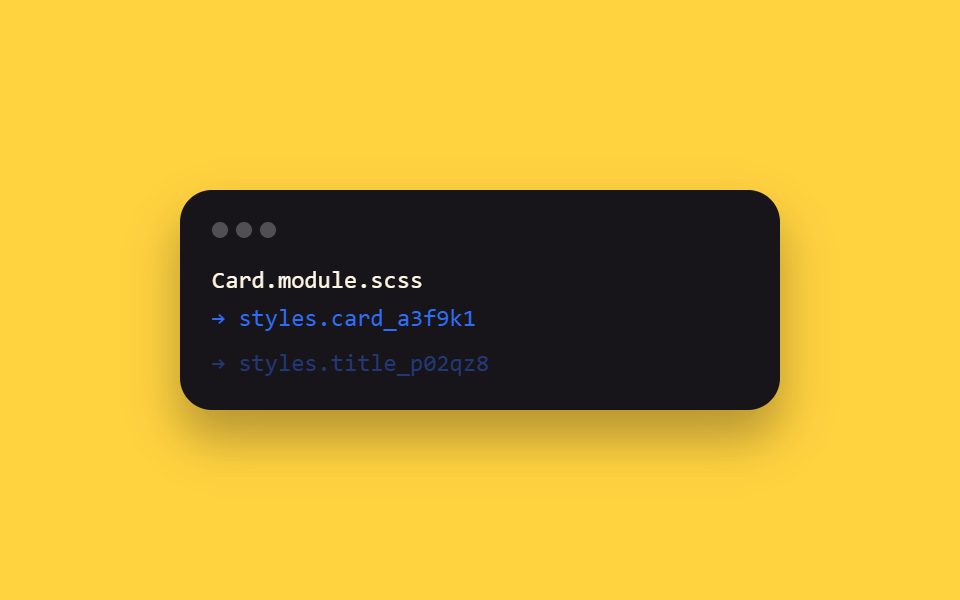
この記事のreact/フォルダ9つ全部が頼っている実際のビルド設定を示す項目で、*.module.scssファイルがstyles.fooのようなローカルスコープのクラス名にコンパイルされ、グローバル衝突なしにコンポーネントごとにスタイルが閉じ込められます。
使いどころコンポーネントスコープのSCSSを使いたいすべてのReactプロジェクト
*.module.scssstyles.cardscoped classname
<main class="stage">
  <div class="cm-term is-demo">
    <div class="cm-term__bar"><span></span><span></span><span></span></div>
    <div class="cm-term__line cm-term__line--1">Card.module.scss</div>
    <div class="cm-term__line cm-term__line--2">→ styles.card_a3f9k1</div>
    <div class="cm-term__line cm-term__line--3">→ styles.title_p02qz8</div>
  </div>
</main>
@use "../../../../site/static/demo-tokens" as *;
// ── 변수 3개 ──────────────────────────────────────────
$duration: $dur-quick;
$easing: $ease-out;
$color: $subject-blue;
@include stage($stage-yellow);
.cm-term {
width: min(300px, 90vw);
box-sizing: border-box;
padding: $sp-4;
border-radius: $r-card;
background: $subject-ink;
box-shadow: $shadow-raised;
font: 500 12px/1.6 "SFMono-Regular", Consolas, monospace;
color: $subject-cream;
}
.cm-term__bar {
display: flex;
gap: $sp-1;
margin-bottom: $sp-3;
span {
width: $sp-2; height: $sp-2; border-radius: $r-pill;
background: rgba(255, 255, 255, .25);
}
}
.cm-term__line {
opacity: 0;
transform: translateY(4px);
}
.cm-term__line--2 { color: $color; }
.cm-term__line--3 { color: $color; }
// 실사용 원리: *.module.scss 는 빌드 시 클래스명을 styles.foo → foo_a3f9k1 같은
// 지역 스코프 해시로 바꿔 컴파일한다. 여기서는 그 컴파일 로그가 한 줄씩 찍히는 걸 보여준다.
@keyframes cm-line {
0%, 8% { opacity: 0; transform: translateY(4px); }
20%, 92% { opacity: 1; transform: none; }
100% { opacity: 0; transform: translateY(4px); }
}
.cm-term.is-demo .cm-term__line--1 { animation: cm-line $dur-loop $easing infinite; animation-delay: 0ms; }
.cm-term.is-demo .cm-term__line--2 { animation: cm-line $dur-loop $easing infinite; animation-delay: 220ms; }
.cm-term.is-demo .cm-term__line--3 { animation: cm-line $dur-loop $easing infinite; animation-delay: 440ms; }
@media (prefers-reduced-motion: reduce) {
.cm-term.is-demo .cm-term__line { animation: none !important; opacity: 1; transform: none; }
}html, body {
margin: 0;
overflow: hidden;
}
.stage {
box-sizing: border-box;
min-height: 100vh;
display: grid;
place-items: center;
margin: 0;
background: #ffd23f;
font-family: -apple-system, "Segoe UI", "Noto Sans KR", sans-serif;
padding: clamp(8px, 4vw, 24px);
}
.cm-term {
width: min(300px, 90vw);
box-sizing: border-box;
padding: 16px;
border-radius: 16px;
background: #17141a;
box-shadow: 0 14px 24px rgba(23, 20, 26, 0.32);
font: 500 12px/1.6 "SFMono-Regular", Consolas, monospace;
color: #fff7e6;
}
.cm-term__bar {
display: flex;
gap: 4px;
margin-bottom: 12px;
}
.cm-term__bar span {
width: 8px;
height: 8px;
border-radius: 999px;
background: rgba(255, 255, 255, 0.25);
}
.cm-term__line {
opacity: 0;
transform: translateY(4px);
}
.cm-term__line--2 {
color: #2f6df6;
}
.cm-term__line--3 {
color: #2f6df6;
}
@keyframes cm-line {
0%, 8% {
opacity: 0;
transform: translateY(4px);
}
20%, 92% {
opacity: 1;
transform: none;
}
100% {
opacity: 0;
transform: translateY(4px);
}
}
.cm-term.is-demo .cm-term__line--1 {
animation: cm-line 2s ease-out infinite;
animation-delay: 0ms;
}
.cm-term.is-demo .cm-term__line--2 {
animation: cm-line 2s ease-out infinite;
animation-delay: 220ms;
}
.cm-term.is-demo .cm-term__line--3 {
animation: cm-line 2s ease-out infinite;
animation-delay: 440ms;
}
@media (prefers-reduced-motion: reduce) {
.cm-term.is-demo .cm-term__line {
animation: none !important;
opacity: 1;
transform: none;
}
}import { CSSProperties } from "react";
import styles from "./CssModulesSetup.module.scss";
export interface CssModulesSetupProps {
duration?: string;
easing?: string;
}
// This item is meta: styles.card and styles.title below aren't hardcoded strings —
// they're exactly what CSS Modules generated from the classnames in
// CssModulesSetup.module.scss at build time (e.g. "card_a3f9k1"). Rendering them is
// literally what this whole post's react/ folder relies on.
export default function CssModulesSetup({
duration = "220ms",
easing = "ease-out",
}: CssModulesSetupProps) {
const style: CSSProperties & { "--duration"?: string; "--easing"?: string } = {
"--duration": duration,
"--easing": easing,
};
return (
<div className={styles.term} style={style}>
<div className={styles.bar}><span /><span /><span /></div>
<div className={styles.line}>Card.module.scss</div>
<div className={styles.accent}>styles.card → "{styles.card}"</div>
<div className={styles.accent}>styles.title → "{styles.title}"</div>
</div>
);
}06 CSS Modules+SCSS設定 — 計測 累積面積 1.792% · 動いたフレーム 9/23GODRICH オリジナル · SCSS と React は zip に同梱 · React アニメーション ライブラリなしで作るCSS9選
このデモが属する記事
 React アニメーション ライブラリなしで作るCSS9選Reactで作った画面に動きを付けたいとき最初に思い浮かぶのはreact アニメーション ライブラリの導入ですが、コンポーネントが現れたり消えたりするタイミングさえ押さえれば一行でコピペOKなCSSだけで済むことも多いです。この記事はそんな この記事のデモをすべて見る