08ネガ反転フラッシュ
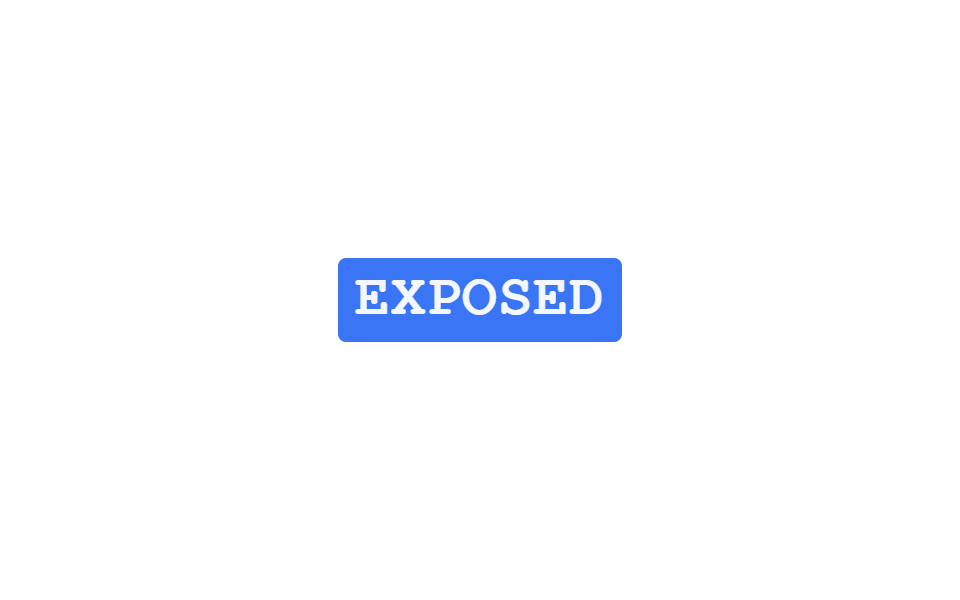
色が反転したネガフィルムのような文字が2〜3回点滅した後消え、その下に通常の色の本物の文字が残ります。
使いどころ写真・フィルムテーマのポートフォリオタイトル、ダークモード切り替え演出
@keyframes ni-flashopacity flicker keyframesposition:absolute overlay
<main class="stage">
  <p class="ni-wrap is-demo">
    <span class="ni-base">EXPOSED</span>
    <span class="ni-negative" aria-hidden="true">EXPOSED</span>
  </p>
</main>
@use "../../../../site/static/demo-tokens" as *;
// ── 변수 3개 ──────────────────────────────────────────
$duration: $dur-loop;
$easing: $ease-out;
$color: $subject-blue;
@include stage($stage-paper);
.ni-wrap {
position: relative;
margin: 0;
display: inline-block;
}
.ni-base,
.ni-negative {
display: block;
font: 800 clamp(20px, 6vw, 30px)/1.2 "Space Mono", "Courier New", monospace;
letter-spacing: .02em;
}
.ni-base { color: $color; }
.ni-negative {
position: absolute;
inset: 0;
color: $stage-paper;
background: $color;
padding: $sp-1 $sp-2;
margin: -#{$sp-1} -#{$sp-2};
border-radius: $r-xs;
}
// 데모 루프: 색이 반전된 네거티브 레이어가 두세 번 깜빡이다 사라지고 정상 색 글자만 남는다
@keyframes ni-flash {
0%, 4% { opacity: 1; }
9% { opacity: 0; }
14% { opacity: 1; }
19% { opacity: 0; }
24% { opacity: 1; }
32%, 100% { opacity: 0; }
}
.ni-wrap.is-demo .ni-negative { animation: ni-flash $duration $easing infinite; }
@media (prefers-reduced-motion: reduce) {
.ni-negative,
.ni-wrap.is-demo .ni-negative {
animation: none !important;
opacity: 0 !important;
}
}html, body {
margin: 0;
overflow: hidden;
}
.stage {
box-sizing: border-box;
min-height: 100vh;
display: grid;
place-items: center;
margin: 0;
background: #ffffff;
font-family: -apple-system, "Segoe UI", "Noto Sans KR", sans-serif;
padding: clamp(8px, 4vw, 24px);
}
.ni-wrap {
position: relative;
margin: 0;
display: inline-block;
}
.ni-base,
.ni-negative {
display: block;
font: 800 clamp(20px, 6vw, 30px)/1.2 "Space Mono", "Courier New", monospace;
letter-spacing: 0.02em;
}
.ni-base {
color: #2f6df6;
}
.ni-negative {
position: absolute;
inset: 0;
color: #ffffff;
background: #2f6df6;
padding: 4px 8px;
margin: -4px -8px;
border-radius: 4px;
}
@keyframes ni-flash {
0%, 4% {
opacity: 1;
}
9% {
opacity: 0;
}
14% {
opacity: 1;
}
19% {
opacity: 0;
}
24% {
opacity: 1;
}
32%, 100% {
opacity: 0;
}
}
.ni-wrap.is-demo .ni-negative {
animation: ni-flash 2s ease-out infinite;
}
@media (prefers-reduced-motion: reduce) {
.ni-negative,
.ni-wrap.is-demo .ni-negative {
animation: none !important;
opacity: 0 !important;
}
}import { CSSProperties, useEffect, useRef, useState } from "react";
import styles from "./NegativeInvertFlash.module.scss";
export interface NegativeInvertFlashProps {
text?: string;
duration?: string;
easing?: string;
}
// 실사용: 뷰포트에 들어오면 색이 반전된 레이어가 두세 번 깜빡이다 사라지고 정상 색 글자만 남는다.
export default function NegativeInvertFlash({
text = "EXPOSED",
duration = "160ms",
easing = "ease-out",
}: NegativeInvertFlashProps) {
const ref = useRef<HTMLParagraphElement>(null);
const [flash, setFlash] = useState(0);
useEffect(() => {
const el = ref.current;
if (!el) return;
const io = new IntersectionObserver((entries) => {
entries.forEach((e) => {
if (!e.isIntersecting) return;
io.unobserve(e.target);
const reduced = window.matchMedia("(prefers-reduced-motion: reduce)").matches;
if (reduced) return;
const steps = [1, 0, 1, 0, 1, 0];
steps.forEach((v, i) => setTimeout(() => setFlash(v), i * 160));
});
}, { threshold: 0.3 });
io.observe(el);
return () => io.disconnect();
}, []);
const style = { "--duration": duration, "--easing": easing } as CSSProperties;
return (
<p className={styles.wrap} style={style} ref={ref}>
<span className={styles.base}>{text}</span>
<span className={styles.negative} style={{ opacity: flash }} aria-hidden="true">{text}</span>
</p>
);
}08 ネガ反転フラッシュ — 計測 累積面積 4.139% · 動いたフレーム 8/23GODRICH オリジナル · SCSS と React は zip に同梱 · css テキスト エフェクト 9選 — デコード演出
このデモが属する記事
 css テキスト エフェクト 9選 — デコード演出css テキスト エフェクトとは、見出しや文章が画面に現れる瞬間に文字そのものが動く演出のことで、コードが分からなくてもファイルをそのまま貼り付ければすぐ使えます。この9個はハッキング画面のように文字が解読される瞬間を狙い、16進コードや2 この記事のデモをすべて見る