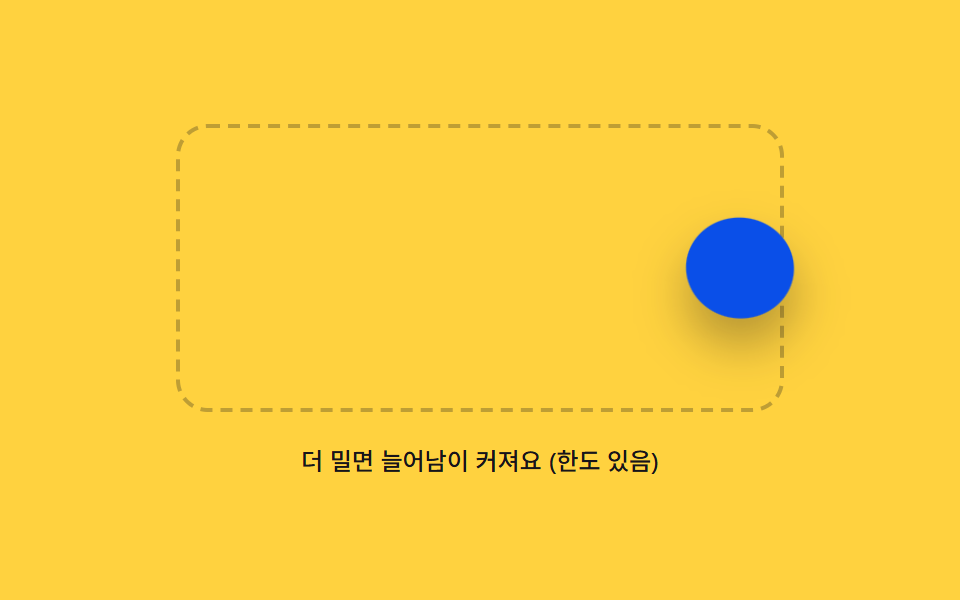
03境界外に押すと伸びて戻るゴム境界
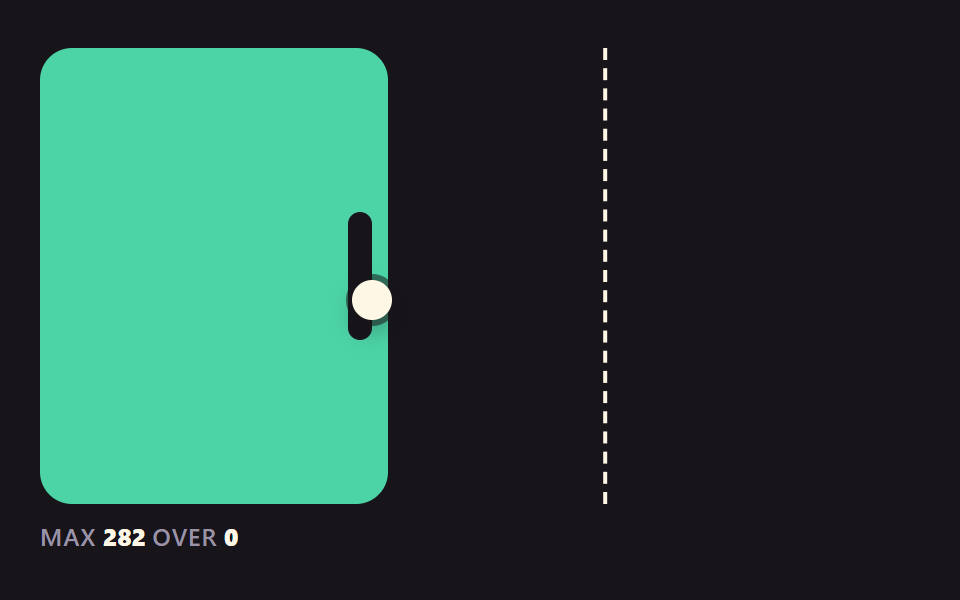
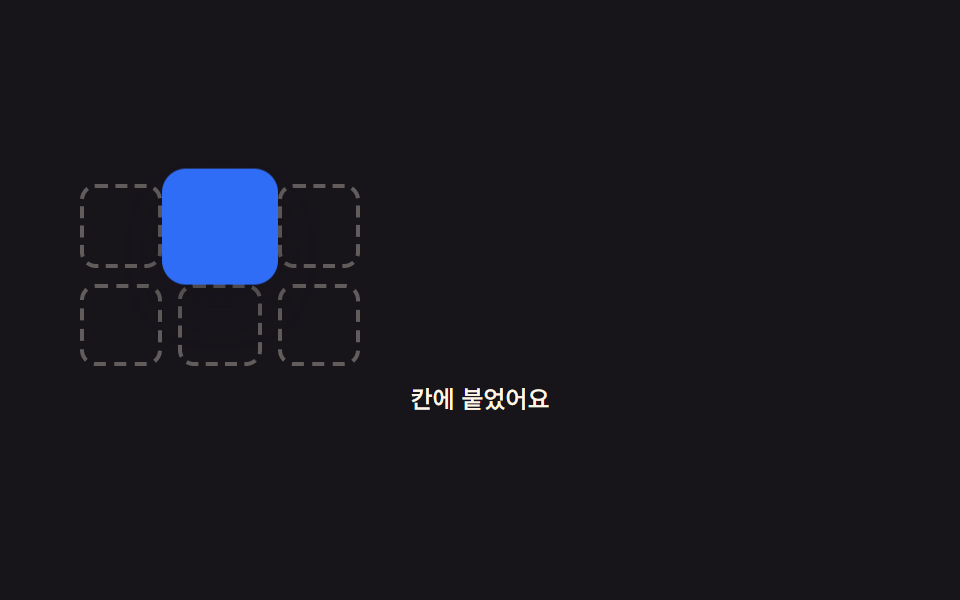
コンテナの境界を越えた距離ぶんアイコンの形を押し伸ばして計算し、その距離が上限を超えるとそれ以上伸びず、指を離すと一気に境界内へ戻る。
使いどころカード整列ボードの端の制約表示
BOUNDARY_RUBBER_MAX_PXBOUNDARY_SPRING_STIFFNESSBOUNDARY_SPRING_DAMPING
<main class="stage">
<div class="br is-demo" id="br">
  <div class="br__box" id="brBox">
    <button type="button" class="br__icon" id="brIcon" aria-label="境界の内側だけを動くアイコン。境界を越えるとゴムのように伸びます。Enterで掴み、矢印キーで移動、Enterで離します"></button>
  </div>
  <p class="br__caption" id="brCaption">境界の外へ押すとゴムのように押しつぶれます</p>
</div>
</main>
@use "../../../../site/static/demo-tokens" as *;
@include stage($stage-yellow);
.br {
position: relative;
width: min(92vw, calc(160vh - 12.8vw));
max-width: 400px;
margin: 0 auto;
display: flex;
flex-direction: column;
align-items: center;
gap: $sp-4;
}
.br__box {
position: relative;
width: 100%;
height: 140px;
max-width: 300px;
border-radius: $r-card;
border: 2px dashed rgba($subject-ink, .28);
display: flex;
align-items: center;
justify-content: center;
}
.br__icon {
appearance: none;
border: 0;
width: 52px;
height: 52px;
border-radius: $r-pill;
background: $subject-blue;
box-shadow: $shadow-raised;
cursor: grab;
touch-action: none;
will-change: transform;
}
.br.is-stretch .br__icon {
background: $subject-blue-deep;
}
.br__icon.is-grabbed,
.br__icon:focus-visible {
outline: 2px solid $subject-blue-light;
outline-offset: 3px;
}
.br.is-dragging .br__icon {
cursor: grabbing;
}
.br__caption {
margin: 0;
color: $subject-ink;
font-weight: 500;
font-size: 12px;
line-height: 1.4;
text-align: center;
}
@media (max-width: 340px) {
.br__box { height: 108px; }
.br__icon { width: 40px; height: 40px; }
.br__caption { font-size: 10px; }
}
@media (prefers-reduced-motion: reduce) {
.br__icon { transition: none; }
}html, body {
margin: 0;
overflow: hidden;
}
.stage {
box-sizing: border-box;
min-height: 100vh;
display: grid;
place-items: center;
margin: 0;
background: #ffd23f;
font-family: -apple-system, "Segoe UI", "Noto Sans KR", sans-serif;
padding: clamp(8px, 4vw, 24px);
}
.br {
position: relative;
width: min(92vw, 160vh - 12.8vw);
max-width: 400px;
margin: 0 auto;
display: flex;
flex-direction: column;
align-items: center;
gap: 16px;
}
.br__box {
position: relative;
width: 100%;
height: 140px;
max-width: 300px;
border-radius: 16px;
border: 2px dashed rgba(23, 20, 26, 0.28);
display: flex;
align-items: center;
justify-content: center;
}
.br__icon {
appearance: none;
border: 0;
width: 52px;
height: 52px;
border-radius: 999px;
background: #2f6df6;
box-shadow: 0 14px 24px rgba(23, 20, 26, 0.32);
cursor: grab;
touch-action: none;
will-change: transform;
}
.br.is-stretch .br__icon {
background: #0a4fe8;
}
.br__icon.is-grabbed,
.br__icon:focus-visible {
outline: 2px solid #5b8cf8;
outline-offset: 3px;
}
.br.is-dragging .br__icon {
cursor: grabbing;
}
.br__caption {
margin: 0;
color: #17141a;
font-weight: 500;
font-size: 12px;
line-height: 1.4;
text-align: center;
}
@media (max-width: 340px) {
.br__box {
height: 108px;
}
.br__icon {
width: 40px;
height: 40px;
}
.br__caption {
font-size: 10px;
}
}
@media (prefers-reduced-motion: reduce) {
.br__icon {
transition: none;
}
}(function () {
// 기법: 아이콘이 경계 상자 밖으로 나간 거리(overflow)를 축별로 계산해
// BOUNDARY_RUBBER_MAX_PX 로 클램프한 뒤, 그 비율만큼 scale·skew 를 섞어
// "눌린" 모양을 만들고, 손을 떼면 감쇠 스프링으로 경계 안쪽까지 되돌린다.
var root = document.getElementById('br');
var box = document.getElementById('brBox');
var icon = document.getElementById('brIcon');
var caption = document.getElementById('brCaption');
var BOUNDARY_RUBBER_MAX_PX = 40;
var BOUNDARY_SPRING_STIFFNESS = 200;
var BOUNDARY_SPRING_DAMPING = 20;
var KEY_STEP_PX = 16;
var pos = { x: 0, y: 0 };
var vel = { x: 0, y: 0 };
var grabbed = false;
var pointerStart = null;
var startPos = null;
var raf = 0, lastTs = null;
function bounds() {
var br = box.getBoundingClientRect();
var ir = icon.getBoundingClientRect();
var halfW = ir.width / 2, halfH = ir.height / 2;
return {
minX: br.left + halfW, maxX: br.right - halfW,
minY: br.top + halfH, maxY: br.bottom - halfH
};
}
function overflowOf(clientX, clientY) {
var b = bounds();
var ox = 0, oy = 0;
if (clientX < b.minX) ox = clientX - b.minX;
else if (clientX > b.maxX) ox = clientX - b.maxX;
if (clientY < b.minY) oy = clientY - b.minY;
else if (clientY > b.maxY) oy = clientY - b.maxY;
return { x: ox, y: oy };
}
function applyVisual(clampedX, clampedY, overflow) {
var ratioX = Math.min(1, Math.abs(overflow.x) / BOUNDARY_RUBBER_MAX_PX);
var ratioY = Math.min(1, Math.abs(overflow.y) / BOUNDARY_RUBBER_MAX_PX);
var ratio = Math.max(ratioX, ratioY);
var scaleStretch = 1 + ratio * 0.28;
var scaleSquash = 1 - ratio * 0.22;
var skewX = overflow.x !== 0 ? (overflow.x > 0 ? 1 : -1) * ratioX * 6 : 0;
var skewY = overflow.y !== 0 ? (overflow.y > 0 ? 1 : -1) * ratioY * 6 : 0;
var sx = ratioX >= ratioY ? scaleStretch : scaleSquash;
var sy = ratioY >= ratioX ? scaleStretch : scaleSquash;
icon.style.transform = 'translate(' + clampedX.toFixed(1) + 'px,' + clampedY.toFixed(1) + 'px) scale(' + sx.toFixed(3) + ',' + sy.toFixed(3) + ') skew(' + skewX.toFixed(2) + 'deg,' + skewY.toFixed(2) + 'deg)';
root.classList.toggle('is-stretch', ratio > 0.02);
}
function settleTick(ts) {
if (lastTs === null) lastTs = ts;
var dt = Math.min((ts - lastTs) / 1000, 0.032);
lastTs = ts;
var fx = (0 - pos.x) * BOUNDARY_SPRING_STIFFNESS - vel.x * BOUNDARY_SPRING_DAMPING;
var fy = (0 - pos.y) * BOUNDARY_SPRING_STIFFNESS - vel.y * BOUNDARY_SPRING_DAMPING;
vel.x += fx * dt; vel.y += fy * dt;
pos.x += vel.x * dt; pos.y += vel.y * dt;
applyVisual(pos.x, pos.y, { x: 0, y: 0 });
var rest = Math.hypot(vel.x, vel.y) < 2 && Math.hypot(pos.x, pos.y) < 0.6;
if (!rest) { raf = requestAnimationFrame(settleTick); return; }
pos.x = 0; pos.y = 0; vel.x = 0; vel.y = 0;
applyVisual(0, 0, { x: 0, y: 0 });
lastTs = null;
}
function springHome() {
cancelAnimationFrame(raf);
lastTs = null;
raf = requestAnimationFrame(settleTick);
}
function beginDrag(clientX, clientY) {
cancelAnimationFrame(raf);
vel.x = 0; vel.y = 0;
pointerStart = { x: clientX, y: clientY };
startPos = { x: pos.x, y: pos.y };
root.classList.add('is-dragging');
}
function moveDrag(clientX, clientY) {
var rawX = startPos.x + (clientX - pointerStart.x);
var rawY = startPos.y + (clientY - pointerStart.y);
var iconRect = icon.getBoundingClientRect();
var curCx = iconRect.left + iconRect.width / 2;
var curCy = iconRect.top + iconRect.height / 2;
var moveX = clientX - pointerStart.x;
var moveY = clientY - pointerStart.y;
var wantCx = curCx - (pos.x - rawX);
var wantCy = curCy - (pos.y - rawY);
var overflow = overflowOf(wantCx, wantCy);
var clampedOverX = Math.max(-BOUNDARY_RUBBER_MAX_PX, Math.min(BOUNDARY_RUBBER_MAX_PX, overflow.x));
var clampedOverY = Math.max(-BOUNDARY_RUBBER_MAX_PX, Math.min(BOUNDARY_RUBBER_MAX_PX, overflow.y));
var clampX = rawX - (overflow.x - clampedOverX);
var clampY = rawY - (overflow.y - clampedOverY);
pos.x = clampX; pos.y = clampY;
applyVisual(pos.x, pos.y, { x: clampedOverX, y: clampedOverY });
if (Math.abs(clampedOverX) > 2 || Math.abs(clampedOverY) > 2) {
caption.textContent = 'さらに押すと伸びが大きくなります(上限あり)';
} else {
caption.textContent = '境界の外へ押すとゴムのように押しつぶれます';
}
}
function endDrag() {
root.classList.remove('is-dragging');
root.classList.remove('is-stretch');
var reduce = window.matchMedia('(prefers-reduced-motion: reduce)').matches;
caption.textContent = '境界の外へ押すとゴムのように押しつぶれます';
if (reduce) { pos.x = 0; pos.y = 0; applyVisual(0, 0, { x: 0, y: 0 }); }
else { springHome(); }
}
icon.addEventListener('pointerdown', function (e) {
root.classList.remove('is-demo');
icon.setPointerCapture(e.pointerId);
beginDrag(e.clientX, e.clientY);
e.preventDefault();
});
icon.addEventListener('pointermove', function (e) {
if (!pointerStart) return;
moveDrag(e.clientX, e.clientY);
e.preventDefault();
});
icon.addEventListener('pointerup', function (e) {
if (!pointerStart) return;
pointerStart = null;
endDrag();
e.preventDefault();
});
icon.addEventListener('keydown', function (e) {
root.classList.remove('is-demo');
if (e.key === 'Enter' || e.key === ' ') {
e.preventDefault();
if (!grabbed) {
grabbed = true;
cancelAnimationFrame(raf);
icon.classList.add('is-grabbed');
caption.textContent = '掴みました。矢印キーで押し、Enterで離してください';
} else {
grabbed = false;
icon.classList.remove('is-grabbed');
endDrag();
}
return;
}
if (!grabbed) return;
var dx = 0, dy = 0;
if (e.key === 'ArrowLeft') dx = -KEY_STEP_PX;
else if (e.key === 'ArrowRight') dx = KEY_STEP_PX;
else if (e.key === 'ArrowUp') dy = -KEY_STEP_PX;
else if (e.key === 'ArrowDown') dy = KEY_STEP_PX;
else if (e.key === 'Escape') {
e.preventDefault();
grabbed = false;
icon.classList.remove('is-grabbed');
endDrag();
return;
} else { return; }
e.preventDefault();
var iconRect = icon.getBoundingClientRect();
var wantCx = iconRect.left + iconRect.width / 2 + dx;
var wantCy = iconRect.top + iconRect.height / 2 + dy;
var overflow = overflowOf(wantCx, wantCy);
var clampedOverX = Math.max(-BOUNDARY_RUBBER_MAX_PX, Math.min(BOUNDARY_RUBBER_MAX_PX, overflow.x));
var clampedOverY = Math.max(-BOUNDARY_RUBBER_MAX_PX, Math.min(BOUNDARY_RUBBER_MAX_PX, overflow.y));
pos.x += dx - (overflow.x - clampedOverX);
pos.y += dy - (overflow.y - clampedOverY);
applyVisual(pos.x, pos.y, { x: clampedOverX, y: clampedOverY });
});
applyVisual(0, 0, { x: 0, y: 0 });
var reduce = window.matchMedia('(prefers-reduced-motion: reduce)').matches;
if (reduce) {
root.classList.remove('is-demo');
} else {
var iconRect0 = icon.getBoundingClientRect();
var ox0 = iconRect0.left + iconRect0.width / 2;
var oy0 = iconRect0.top + iconRect0.height / 2;
var pushX = ox0 + 130, pushY = oy0;
var demoStart = null;
function demoTick(ts) {
if (demoStart === null) demoStart = ts;
var t = ts - demoStart;
if (t < 200) {
// 대기
} else if (t < 900) {
var p = Math.min(1, (t - 200) / 700);
var ease = 1 - Math.pow(1 - p, 2);
var cx = ox0 + (pushX - ox0) * ease;
if (t < 220) beginDrag(ox0, oy0);
moveDrag(cx, pushY);
} else if (t < 1150) {
// 눌린 모양 관찰
} else if (t < 1180) {
endDrag();
} else {
if (t > 1900) demoStart = ts - 60;
}
requestAnimationFrame(demoTick);
}
requestAnimationFrame(demoTick);
}
})();import { useEffect, useRef } from "react";
import styles from "./DragPhysBoundaryRubber.module.scss";
type Box<T> = { current: T };
type Pt = { x: number; y: number };
export default function DragPhysBoundaryRubber() {
const rootRef = useRef<HTMLDivElement>(null);
const boxRef = useRef<HTMLDivElement>(null);
const iconRef = useRef<HTMLButtonElement>(null);
const captionRef = useRef<HTMLParagraphElement>(null);
useEffect(() => {
const root = rootRef.current;
const box = boxRef.current;
const icon = iconRef.current;
const caption = captionRef.current;
if (!root || !box || !icon || !caption) return;
const BOUNDARY_RUBBER_MAX_PX = 40;
const BOUNDARY_SPRING_STIFFNESS = 200;
const BOUNDARY_SPRING_DAMPING = 20;
const KEY_STEP_PX = 16;
const pos: Pt = { x: 0, y: 0 };
const vel: Pt = { x: 0, y: 0 };
let grabbed = false;
let pointerStart: Pt | null = null;
let startPos: Pt = { x: 0, y: 0 };
let raf = 0, lastTs: number | null = null;
function bounds() {
const br = box!.getBoundingClientRect();
const ir = icon!.getBoundingClientRect();
const halfW = ir.width / 2, halfH = ir.height / 2;
return {
minX: br.left + halfW, maxX: br.right - halfW,
minY: br.top + halfH, maxY: br.bottom - halfH,
};
}
function overflowOf(clientX: number, clientY: number) {
const b = bounds();
let ox = 0, oy = 0;
if (clientX < b.minX) ox = clientX - b.minX;
else if (clientX > b.maxX) ox = clientX - b.maxX;
if (clientY < b.minY) oy = clientY - b.minY;
else if (clientY > b.maxY) oy = clientY - b.maxY;
return { x: ox, y: oy };
}
function applyVisual(clampedX: number, clampedY: number, overflow: Pt) {
const ratioX = Math.min(1, Math.abs(overflow.x) / BOUNDARY_RUBBER_MAX_PX);
const ratioY = Math.min(1, Math.abs(overflow.y) / BOUNDARY_RUBBER_MAX_PX);
const ratio = Math.max(ratioX, ratioY);
const scaleStretch = 1 + ratio * 0.28;
const scaleSquash = 1 - ratio * 0.22;
const skewX = overflow.x !== 0 ? (overflow.x > 0 ? 1 : -1) * ratioX * 6 : 0;
const skewY = overflow.y !== 0 ? (overflow.y > 0 ? 1 : -1) * ratioY * 6 : 0;
const sx = ratioX >= ratioY ? scaleStretch : scaleSquash;
const sy = ratioY >= ratioX ? scaleStretch : scaleSquash;
icon!.style.transform =
"translate(" + clampedX.toFixed(1) + "px," + clampedY.toFixed(1) + "px) scale(" +
sx.toFixed(3) + "," + sy.toFixed(3) + ") skew(" + skewX.toFixed(2) + "deg," + skewY.toFixed(2) + "deg)";
root!.classList.toggle(styles.isStretch, ratio > 0.02);
}
function settleTick(ts: number) {
if (lastTs === null) lastTs = ts;
const dt = Math.min((ts - lastTs) / 1000, 0.032);
lastTs = ts;
const fx = (0 - pos.x) * BOUNDARY_SPRING_STIFFNESS - vel.x * BOUNDARY_SPRING_DAMPING;
const fy = (0 - pos.y) * BOUNDARY_SPRING_STIFFNESS - vel.y * BOUNDARY_SPRING_DAMPING;
vel.x += fx * dt; vel.y += fy * dt;
pos.x += vel.x * dt; pos.y += vel.y * dt;
applyVisual(pos.x, pos.y, { x: 0, y: 0 });
const rest = Math.hypot(vel.x, vel.y) < 2 && Math.hypot(pos.x, pos.y) < 0.6;
if (!rest) { raf = requestAnimationFrame(settleTick); return; }
pos.x = 0; pos.y = 0; vel.x = 0; vel.y = 0;
applyVisual(0, 0, { x: 0, y: 0 });
lastTs = null;
}
function springHome() {
cancelAnimationFrame(raf);
lastTs = null;
raf = requestAnimationFrame(settleTick);
}
function beginDrag(clientX: number, clientY: number) {
cancelAnimationFrame(raf);
vel.x = 0; vel.y = 0;
pointerStart = { x: clientX, y: clientY };
startPos = { x: pos.x, y: pos.y };
root!.classList.add(styles.isDragging);
}
function moveDrag(clientX: number, clientY: number) {
const rawX = startPos.x + (clientX - pointerStart!.x);
const rawY = startPos.y + (clientY - pointerStart!.y);
const iconRect = icon!.getBoundingClientRect();
const curCx = iconRect.left + iconRect.width / 2;
const curCy = iconRect.top + iconRect.height / 2;
const wantCx = curCx - (pos.x - rawX);
const wantCy = curCy - (pos.y - rawY);
const overflow = overflowOf(wantCx, wantCy);
const clampedOverX = Math.max(-BOUNDARY_RUBBER_MAX_PX, Math.min(BOUNDARY_RUBBER_MAX_PX, overflow.x));
const clampedOverY = Math.max(-BOUNDARY_RUBBER_MAX_PX, Math.min(BOUNDARY_RUBBER_MAX_PX, overflow.y));
const clampX = rawX - (overflow.x - clampedOverX);
const clampY = rawY - (overflow.y - clampedOverY);
pos.x = clampX; pos.y = clampY;
applyVisual(pos.x, pos.y, { x: clampedOverX, y: clampedOverY });
if (Math.abs(clampedOverX) > 2 || Math.abs(clampedOverY) > 2) {
caption!.textContent = "더 밀면 늘어남이 커져요 (한도 있음)";
} else {
caption!.textContent = "경계 밖으로 밀면 고무처럼 눌려요";
}
}
function endDrag() {
root!.classList.remove(styles.isDragging);
root!.classList.remove(styles.isStretch);
const reduce = window.matchMedia("(prefers-reduced-motion: reduce)").matches;
caption!.textContent = "경계 밖으로 밀면 고무처럼 눌려요";
if (reduce) { pos.x = 0; pos.y = 0; applyVisual(0, 0, { x: 0, y: 0 }); } else { springHome(); }
}
function onPointerDown(e: PointerEvent) {
root!.classList.remove("is-demo");
icon!.setPointerCapture(e.pointerId);
beginDrag(e.clientX, e.clientY);
e.preventDefault();
}
function onPointerMove(e: PointerEvent) {
if (!pointerStart) return;
moveDrag(e.clientX, e.clientY);
e.preventDefault();
}
function onPointerUp(e: PointerEvent) {
if (!pointerStart) return;
pointerStart = null;
endDrag();
e.preventDefault();
}
icon.addEventListener("pointerdown", onPointerDown);
icon.addEventListener("pointermove", onPointerMove);
icon.addEventListener("pointerup", onPointerUp);
function onKeyDown(e: KeyboardEvent) {
root!.classList.remove("is-demo");
if (e.key === "Enter" || e.key === " ") {
e.preventDefault();
if (!grabbed) {
grabbed = true;
cancelAnimationFrame(raf);
icon!.classList.add(styles.isGrabbed);
caption!.textContent = "잡았어요. 화살표로 밀고 Enter 로 놓으세요";
} else {
grabbed = false;
icon!.classList.remove(styles.isGrabbed);
endDrag();
}
return;
}
if (!grabbed) return;
let dx = 0, dy = 0;
if (e.key === "ArrowLeft") dx = -KEY_STEP_PX;
else if (e.key === "ArrowRight") dx = KEY_STEP_PX;
else if (e.key === "ArrowUp") dy = -KEY_STEP_PX;
else if (e.key === "ArrowDown") dy = KEY_STEP_PX;
else if (e.key === "Escape") {
e.preventDefault();
grabbed = false;
icon!.classList.remove(styles.isGrabbed);
endDrag();
return;
} else { return; }
e.preventDefault();
const iconRect = icon!.getBoundingClientRect();
const wantCx = iconRect.left + iconRect.width / 2 + dx;
const wantCy = iconRect.top + iconRect.height / 2 + dy;
const overflow = overflowOf(wantCx, wantCy);
const clampedOverX = Math.max(-BOUNDARY_RUBBER_MAX_PX, Math.min(BOUNDARY_RUBBER_MAX_PX, overflow.x));
const clampedOverY = Math.max(-BOUNDARY_RUBBER_MAX_PX, Math.min(BOUNDARY_RUBBER_MAX_PX, overflow.y));
pos.x += dx - (overflow.x - clampedOverX);
pos.y += dy - (overflow.y - clampedOverY);
applyVisual(pos.x, pos.y, { x: clampedOverX, y: clampedOverY });
}
icon.addEventListener("keydown", onKeyDown);
applyVisual(0, 0, { x: 0, y: 0 });
const reduce = window.matchMedia("(prefers-reduced-motion: reduce)").matches;
let demoRaf = 0;
if (reduce) {
root.classList.remove("is-demo");
} else {
const iconRect0 = icon.getBoundingClientRect();
const ox0 = iconRect0.left + iconRect0.width / 2;
const oy0 = iconRect0.top + iconRect0.height / 2;
const pushX = ox0 + 130, pushY = oy0;
let demoStart: number | null = null;
function demoTick(ts: number) {
if (demoStart === null) demoStart = ts;
const t = ts - demoStart;
if (t < 200) {
// 대기
} else if (t < 900) {
const p = Math.min(1, (t - 200) / 700);
const ease = 1 - Math.pow(1 - p, 2);
const cx = ox0 + (pushX - ox0) * ease;
if (t < 220) beginDrag(ox0, oy0);
moveDrag(cx, pushY);
} else if (t < 1150) {
// 눌린 모양 관찰
} else if (t < 1180) {
endDrag();
} else {
if (t > 1900) demoStart = ts - 60;
}
demoRaf = requestAnimationFrame(demoTick);
}
demoRaf = requestAnimationFrame(demoTick);
}
return () => {
icon.removeEventListener("pointerdown", onPointerDown);
icon.removeEventListener("pointermove", onPointerMove);
icon.removeEventListener("pointerup", onPointerUp);
icon.removeEventListener("keydown", onKeyDown);
cancelAnimationFrame(raf);
cancelAnimationFrame(demoRaf);
};
}, []);
return (
<main className={styles.stage}>
<div className={`${styles.br} is-demo`} ref={rootRef}>
<div className={styles.box} ref={boxRef}>
<button
type="button"
className={styles.icon}
ref={iconRef}
aria-label="경계 안에서만 움직이는 아이콘. 경계를 넘으면 고무처럼 늘어납니다. Enter 로 잡고 화살표로 이동, Enter 로 놓습니다"
></button>
</div>
<p className={styles.caption} ref={captionRef}>경계 밖으로 밀면 고무처럼 눌려요</p>
</div>
</main>
);
}03 境界外に押すと伸びて戻るゴム境界 — 計測 累積面積 10.521% · 動いたフレーム 20/23GODRICH オリジナル · SCSS と React は zip に同梱 · ドラッグ アンド ドロップ 実装 9パターン — 指を離した後まで続く計算
このデモが属する記事
 ドラッグ アンド ドロップ 実装 9パターン — 指を離した後まで続く計算「ドラッグ アンド ドロップ 実装」の作り方は9通りあります。磁力グリッドが24px以内でアイコンを捕まえ、ゴムのように伸びた境界がその手をまた放し、指を離した瞬間の速度が残りの距離を押し進める。 この記事のデモをすべて見る