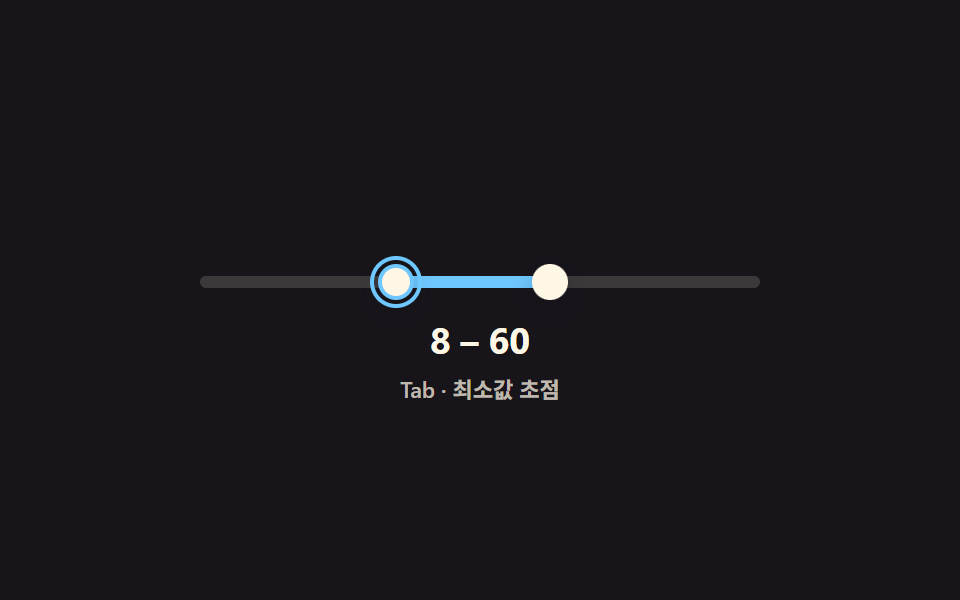
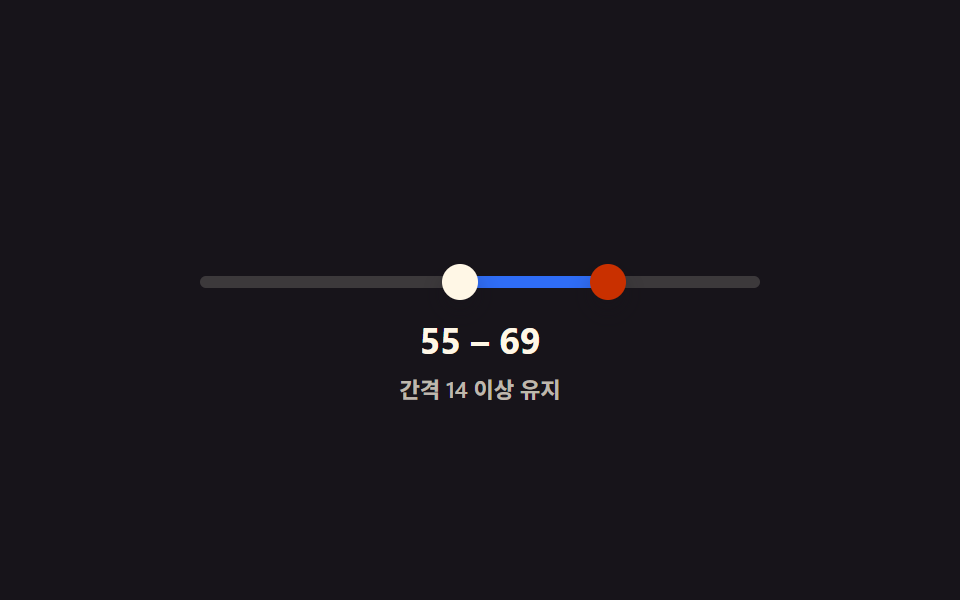
05Tab で2つのハンドルを交互に操作する範囲スライダー
Tab キーで低い方と高い方のハンドルにフォーカスが交互に移り、方向キーを押すと今フォーカスのあるハンドルだけが一段ずつ動き、最小間隔は保たれる。
使いどころマウスなしで値を正確に合わせるフォームフィルター
focusinaria-live=politerole=slider
<main class="stage">
<div class="ds is-demo" id="ds">
  <div class="ds__track" id="track">
    <div class="ds__fill" id="fill"></div>
    <button type="button" class="ds__thumb ds__thumb--lo" id="thumbLo" role="slider"
      aria-label="最小値" aria-valuemin="0" aria-valuemax="100" aria-valuenow="24" aria-valuetext="24" tabindex="0"></button>
    <button type="button" class="ds__thumb ds__thumb--hi" id="thumbHi" role="slider"
      aria-label="最大値" aria-valuemin="0" aria-valuemax="100" aria-valuenow="66" aria-valuetext="66" tabindex="0"></button>
  </div>
  <p class="ds__readout"><span id="loOut">24</span> – <span id="hiOut">66</span></p>
  <p class="ds__status" id="status" role="status" aria-live="polite">Tab · 最小値にフォーカス</p>
</div>
</main>
@use "../../../../site/static/demo-tokens" as *;
// 변수 3개
$duration: $dur-loop;
$easing: $ease-out;
$color: $subject-sky;
// 계산 겹: focusin/focusout 으로 지금 초점이 어느 핸들인지 추적해 그 핸들에만 강조 테두리를 준다.
@include stage($stage-ink);
.ds { width: min(280px, 84vw); color: $subject-cream; text-align: center; }
.ds__track {
position: relative; height: 6px; border-radius: $r-pill;
background: rgba($subject-cream, .16); margin: $sp-10 0 $sp-4;
}
.ds__fill {
position: absolute; top: 0; bottom: 0; left: 24%; width: 42%;
background: $color; border-radius: $r-pill;
}
.ds__thumb {
position: absolute; top: 50%; left: 24%; width: 18px; height: 18px;
appearance: none; border: 2px solid transparent; border-radius: 50%; background: $subject-cream;
box-shadow: $shadow-press; cursor: grab; touch-action: none; padding: 0;
transform: translate(-50%, -50%); z-index: 2;
}
.ds__thumb--hi { left: 66%; }
.ds__thumb:focus-visible { outline: 2px solid $color; outline-offset: 2px; }
.ds__thumb:active { cursor: grabbing; }
.ds.is-active-lo .ds__thumb--lo,
.ds.is-active-hi .ds__thumb--hi { border-color: $color; }
.ds__readout {
margin: 0; font-weight: 700; font-size: 18px; line-height: 1.2;
font-variant-numeric: tabular-nums;
}
.ds__status { margin: $sp-1 0 0; font-weight: 600; font-size: 11px; color: rgba($subject-cream, .72); }
.ds.is-demo .ds__thumb,
.ds.is-demo .ds__fill {
transition: left $duration $easing, width $duration $easing, border-color $dur-quick $ease-out;
}
@media (max-width: 340px) {
.ds { width: min(240px, 80vw); }
.ds__readout { font-size: 16px; }
.ds__status { font-size: 10px; }
}
@media (prefers-reduced-motion: reduce) {
.ds.is-demo .ds__thumb, .ds.is-demo .ds__fill { transition: none; }
}html, body {
margin: 0;
overflow: hidden;
}
.stage {
box-sizing: border-box;
min-height: 100vh;
display: grid;
place-items: center;
margin: 0;
background: #17141a;
font-family: -apple-system, "Segoe UI", "Noto Sans KR", sans-serif;
padding: clamp(8px, 4vw, 24px);
}
.ds {
width: min(280px, 84vw);
color: #fff7e6;
text-align: center;
}
.ds__track {
position: relative;
height: 6px;
border-radius: 999px;
background: rgba(255, 247, 230, 0.16);
margin: 40px 0 16px;
}
.ds__fill {
position: absolute;
top: 0;
bottom: 0;
left: 24%;
width: 42%;
background: #6ec8ff;
border-radius: 999px;
}
.ds__thumb {
position: absolute;
top: 50%;
left: 24%;
width: 18px;
height: 18px;
appearance: none;
border: 2px solid transparent;
border-radius: 50%;
background: #fff7e6;
box-shadow: 0 6px 12px rgba(23, 20, 26, 0.32);
cursor: grab;
touch-action: none;
padding: 0;
transform: translate(-50%, -50%);
z-index: 2;
}
.ds__thumb--hi {
left: 66%;
}
.ds__thumb:focus-visible {
outline: 2px solid #6ec8ff;
outline-offset: 2px;
}
.ds__thumb:active {
cursor: grabbing;
}
.ds.is-active-lo .ds__thumb--lo,
.ds.is-active-hi .ds__thumb--hi {
border-color: #6ec8ff;
}
.ds__readout {
margin: 0;
font-weight: 700;
font-size: 18px;
line-height: 1.2;
font-variant-numeric: tabular-nums;
}
.ds__status {
margin: 4px 0 0;
font-weight: 600;
font-size: 11px;
color: rgba(255, 247, 230, 0.72);
}
.ds.is-demo .ds__thumb,
.ds.is-demo .ds__fill {
transition: left 2s ease-out, width 2s ease-out, border-color 220ms ease-out;
}
@media (max-width: 340px) {
.ds {
width: min(240px, 80vw);
}
.ds__readout {
font-size: 16px;
}
.ds__status {
font-size: 10px;
}
}
@media (prefers-reduced-motion: reduce) {
.ds.is-demo .ds__thumb, .ds.is-demo .ds__fill {
transition: none;
}
}(function () {
var MIN = 0, MAX = 100;
var root = document.getElementById('ds');
var track = document.getElementById('track');
var fill = document.getElementById('fill');
var lo = document.getElementById('thumbLo');
var hi = document.getElementById('thumbHi');
var loOut = document.getElementById('loOut');
var hiOut = document.getElementById('hiOut');
var status = document.getElementById('status');
var v = { lo: 24, hi: 66 };
function paint() {
lo.style.left = v.lo + '%'; hi.style.left = v.hi + '%';
fill.style.left = v.lo + '%'; fill.style.width = (v.hi - v.lo) + '%';
lo.setAttribute('aria-valuenow', String(v.lo)); hi.setAttribute('aria-valuenow', String(v.hi));
lo.setAttribute('aria-valuetext', String(v.lo)); hi.setAttribute('aria-valuetext', String(v.hi));
loOut.textContent = String(v.lo); hiOut.textContent = String(v.hi);
}
function setLo(n) { v.lo = Math.max(MIN, Math.min(n, v.hi)); paint(); }
function setHi(n) { v.hi = Math.min(MAX, Math.max(n, v.lo)); paint(); }
function pctFromX(x) {
var r = track.getBoundingClientRect();
return Math.round(Math.max(0, Math.min(100, ((x - r.left) / r.width) * 100)));
}
// 계산 겹: focusin/focusout 으로 지금 초점이 어느 핸들인지 추적해 그 핸들만 방향키로 움직인다.
function setActive(which) {
root.classList.toggle('is-active-lo', which === 'lo');
root.classList.toggle('is-active-hi', which === 'hi');
status.textContent = which === 'lo' ? 'Tab · 最小値にフォーカス' : 'Tab · 最大値にフォーカス';
}
lo.addEventListener('focusin', function () { setActive('lo'); });
hi.addEventListener('focusin', function () { setActive('hi'); });
function human() { root.classList.remove('is-demo'); clearInterval(timer); }
function drag(thumb, setter, isLo) {
thumb.addEventListener('pointerdown', function (e) {
human(); thumb.setPointerCapture(e.pointerId);
function move(ev) { setter(pctFromX(ev.clientX)); }
function up() { thumb.removeEventListener('pointermove', move); thumb.removeEventListener('pointerup', up); }
thumb.addEventListener('pointermove', move); thumb.addEventListener('pointerup', up);
});
thumb.addEventListener('keydown', function (e) {
var step = { ArrowRight: 1, ArrowLeft: -1, ArrowUp: 1, ArrowDown: -1 }[e.key];
if (step !== undefined) { e.preventDefault(); human(); setter((isLo ? v.lo : v.hi) + step); }
else if (e.key === 'Home') { e.preventDefault(); human(); setter(isLo ? MIN : v.lo); }
else if (e.key === 'End') { e.preventDefault(); human(); setter(isLo ? v.hi : MAX); }
});
}
drag(lo, setLo, true); drag(hi, setHi, false);
var seq = [
{ which: 'lo', to: 55 },
{ which: 'hi', to: 60 },
{ which: 'lo', to: 8 },
{ which: 'hi', to: 94 },
{ which: 'lo', to: 24 }
];
var si = 0;
function tick() {
var step = seq[si % seq.length]; si++;
var el = step.which === 'lo' ? lo : hi;
el.focus({ preventScroll: true });
setActive(step.which);
if (step.which === 'lo') setLo(step.to); else setHi(step.to);
}
var reduce = window.matchMedia('(prefers-reduced-motion: reduce)').matches;
var timer = reduce ? null : setInterval(tick, 480);
paint();
}());import { useEffect, useRef } from 'react';
import styles from './DualSliderKeyboardPairNavigate.module.scss';
const MIN = 0;
const MAX = 100;
const TICK_MS = 480;
const SEQ: { which: 'lo' | 'hi'; to: number }[] = [
{ which: 'lo', to: 55 },
{ which: 'hi', to: 60 },
{ which: 'lo', to: 8 },
{ which: 'hi', to: 94 },
{ which: 'lo', to: 24 }
];
export default function DualSliderKeyboardPairNavigate() {
const rootRef = useRef<HTMLDivElement>(null);
const trackRef = useRef<HTMLDivElement>(null);
const fillRef = useRef<HTMLDivElement>(null);
const loRef = useRef<HTMLButtonElement>(null);
const hiRef = useRef<HTMLButtonElement>(null);
const loOutRef = useRef<HTMLSpanElement>(null);
const hiOutRef = useRef<HTMLSpanElement>(null);
const statusRef = useRef<HTMLParagraphElement>(null);
useEffect(() => {
const root = rootRef.current;
const track = trackRef.current;
const fill = fillRef.current;
const lo = loRef.current;
const hi = hiRef.current;
const loOut = loOutRef.current;
const hiOut = hiOutRef.current;
const status = statusRef.current;
if (!root || !track || !fill || !lo || !hi || !loOut || !hiOut || !status) return undefined;
const v = { lo: 24, hi: 66 };
function paint() {
lo!.style.left = v.lo + '%'; hi!.style.left = v.hi + '%';
fill!.style.left = v.lo + '%'; fill!.style.width = (v.hi - v.lo) + '%';
lo!.setAttribute('aria-valuenow', String(v.lo)); hi!.setAttribute('aria-valuenow', String(v.hi));
lo!.setAttribute('aria-valuetext', String(v.lo)); hi!.setAttribute('aria-valuetext', String(v.hi));
loOut!.textContent = String(v.lo); hiOut!.textContent = String(v.hi);
}
function setLo(n: number) { v.lo = Math.max(MIN, Math.min(n, v.hi)); paint(); }
function setHi(n: number) { v.hi = Math.min(MAX, Math.max(n, v.lo)); paint(); }
function pctFromX(x: number) {
const r = track!.getBoundingClientRect();
return Math.round(Math.max(0, Math.min(100, ((x - r.left) / r.width) * 100)));
}
// 계산 겹: focusin/focusout 으로 지금 초점이 어느 핸들인지 추적해 그 핸들만 방향키로 움직인다.
function setActive(which: 'lo' | 'hi') {
root!.classList.toggle(styles['is-active-lo'], which === 'lo');
root!.classList.toggle(styles['is-active-hi'], which === 'hi');
status!.textContent = which === 'lo' ? 'Tab · 최소값 초점' : 'Tab · 최대값 초점';
}
function onFocusLo() { setActive('lo'); }
function onFocusHi() { setActive('hi'); }
lo.addEventListener('focusin', onFocusLo);
hi.addEventListener('focusin', onFocusHi);
let timer = 0;
function human() { root!.classList.remove(styles['is-demo']); window.clearInterval(timer); }
function bindDrag(thumb: HTMLButtonElement, setter: (n: number) => void, isLo: boolean) {
function onDown(e: PointerEvent) {
human(); thumb.setPointerCapture(e.pointerId);
function move(ev: PointerEvent) { setter(pctFromX(ev.clientX)); }
function up() { thumb.removeEventListener('pointermove', move); thumb.removeEventListener('pointerup', up); }
thumb.addEventListener('pointermove', move); thumb.addEventListener('pointerup', up);
}
function onKey(e: KeyboardEvent) {
const step = ({ ArrowRight: 1, ArrowLeft: -1, ArrowUp: 1, ArrowDown: -1 } as Record<string, number>)[e.key];
if (step !== undefined) { e.preventDefault(); human(); setter((isLo ? v.lo : v.hi) + step); }
else if (e.key === 'Home') { e.preventDefault(); human(); setter(isLo ? MIN : v.lo); }
else if (e.key === 'End') { e.preventDefault(); human(); setter(isLo ? v.hi : MAX); }
}
thumb.addEventListener('pointerdown', onDown);
thumb.addEventListener('keydown', onKey);
return () => { thumb.removeEventListener('pointerdown', onDown); thumb.removeEventListener('keydown', onKey); };
}
const offLo = bindDrag(lo, setLo, true);
const offHi = bindDrag(hi, setHi, false);
let si = 0;
function tick() {
const step = SEQ[si % SEQ.length]; si++;
const el = step.which === 'lo' ? lo! : hi!;
el.focus({ preventScroll: true });
setActive(step.which);
if (step.which === 'lo') setLo(step.to); else setHi(step.to);
}
const reduce = window.matchMedia('(prefers-reduced-motion: reduce)').matches;
if (!reduce) timer = window.setInterval(tick, TICK_MS);
paint();
return () => {
offLo(); offHi();
lo!.removeEventListener('focusin', onFocusLo); hi!.removeEventListener('focusin', onFocusHi);
window.clearInterval(timer);
};
}, []);
return (
<main className={styles.stage}>
<div className={styles.ds + ' ' + styles['is-demo']} ref={rootRef}>
<div className={styles.dsTrack} ref={trackRef}>
<div className={styles.dsFill} ref={fillRef} />
<button type="button" className={styles.dsThumb + ' ' + styles.dsThumbLo} ref={loRef} role="slider"
aria-label="최소값" aria-valuemin={0} aria-valuemax={100} aria-valuenow={24} aria-valuetext="24" tabIndex={0} />
<button type="button" className={styles.dsThumb + ' ' + styles.dsThumbHi} ref={hiRef} role="slider"
aria-label="최대값" aria-valuemin={0} aria-valuemax={100} aria-valuenow={66} aria-valuetext="66" tabIndex={0} />
</div>
<p className={styles.dsReadout}><span ref={loOutRef}>24</span> – <span ref={hiOutRef}>66</span></p>
<p className={styles.dsStatus} ref={statusRef} role="status" aria-live="polite">Tab · 최소값 초점</p>
</div>
</main>
);
}05 Tab で2つのハンドルを交互に操作する範囲スライダー — 計測 累積面積 3.223% · 動いたフレーム 21/23GODRICH オリジナル · SCSS と React は zip に同梱 · レンジスライダー ui 9種 — ハンドルが交差しない計算まで
このデモが属する記事
 レンジスライダー ui 9種 — ハンドルが交差しない計算までレンジスライダー ui 9種のうち、1つは2つのハンドルが最小間隔より内側で重ならないよう計算で防ぎ、1つは値が近づくと2つの値の吹き出しが1つに合体し、1つはトラックの奥に棒グラフを敷いて分布を一緒に示します。 この記事のデモをすべて見る