03X投稿埋め込みカードのモック
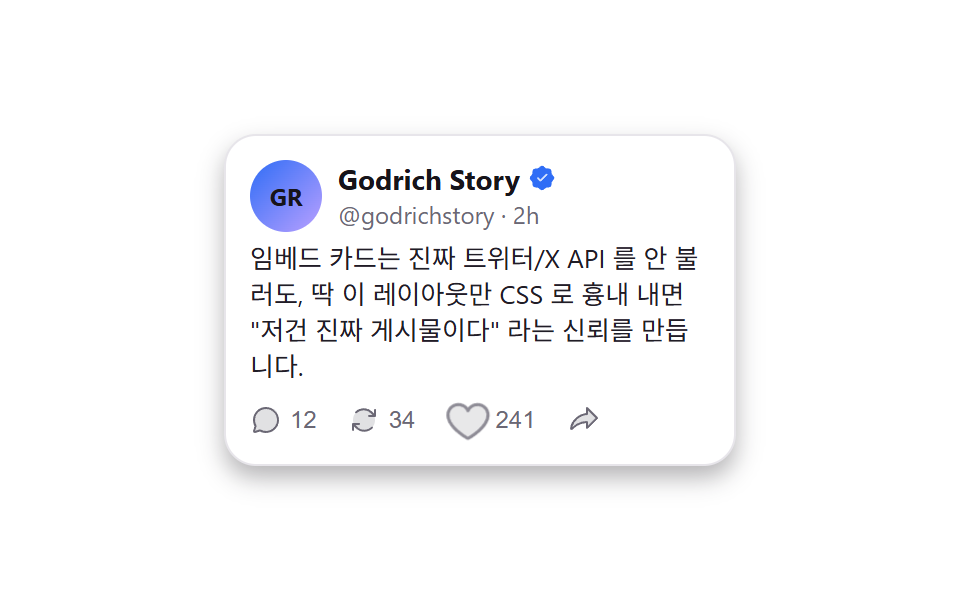
ハートアイコンが呼吸するように拡大縮小して押せることを示し、実際に押すとカウントが増減し色が変わる — 本物のXのAPIは一切呼ばないCSSだけのカード。
使いどころ口コミページに貼るSNS反応のスクショの代わりのカード、LPのソーシャルプルーフ欄
opacity+scale breathearia-pressed toggleCSS-only mock, no real API
<main class="stage is-demo">
  <article class="xpost">
    <header class="xpost__head">
      <span class="xpost__avatar" aria-hidden="true">GR</span>
      <div class="xpost__id">
        <span class="xpost__name">Godrich Story
          <svg viewBox="0 0 256 256" width="14" height="14" aria-label="認証済み"><g fill="currentColor"><path d="M232 128c0 12.51-17.82 21.95-22.68 33.69c-4.68 11.32 1.42 30.65-7.78 39.85s-28.53 3.1-39.85 7.78C150 214.18 140.5 232 128 232s-22-17.82-33.69-22.68c-11.32-4.68-30.65 1.42-39.85-7.78s-3.1-28.53-7.78-39.85C41.82 150 24 140.5 24 128s17.82-22 22.68-33.69c4.68-11.31-1.42-30.65 7.78-39.85s28.54-3.1 39.85-7.78C106.05 41.82 115.5 24 128 24s22 17.82 33.69 22.68c11.32 4.68 30.65-1.42 39.85 7.78s3.1 28.53 7.78 39.85C214.18 106.05 232 115.5 232 128" opacity=".2"/><path d="M225.86 102.82c-3.77-3.94-7.67-8-9.14-11.57c-1.36-3.27-1.44-8.69-1.52-13.94c-.15-9.76-.31-20.82-8-28.51s-18.75-7.85-28.51-8c-5.25-.08-10.67-.16-13.94-1.52c-3.56-1.47-7.63-5.37-11.57-9.14C146.28 23.51 138.44 16 128 16s-18.27 7.51-25.18 14.14c-3.94 3.77-8 7.67-11.57 9.14c-3.25 1.36-8.69 1.44-13.94 1.52c-9.76.15-20.82.31-28.51 8s-7.8 18.75-8 28.51c-.08 5.25-.16 10.67-1.52 13.94c-1.47 3.56-5.37 7.63-9.14 11.57C23.51 109.72 16 117.56 16 128s7.51 18.27 14.14 25.18c3.77 3.94 7.67 8 9.14 11.57c1.36 3.27 1.44 8.69 1.52 13.94c.15 9.76.31 20.82 8 28.51s18.75 7.85 28.51 8c5.25.08 10.67.16 13.94 1.52c3.56 1.47 7.63 5.37 11.57 9.14c6.9 6.63 14.74 14.14 25.18 14.14s18.27-7.51 25.18-14.14c3.94-3.77 8-7.67 11.57-9.14c3.27-1.36 8.69-1.44 13.94-1.52c9.76-.15 20.82-.31 28.51-8s7.85-18.75 8-28.51c.08-5.25.16-10.67 1.52-13.94c1.47-3.56 5.37-7.63 9.14-11.57c6.63-6.9 14.14-14.74 14.14-25.18s-7.51-18.27-14.14-25.18M114.31 141.58l50.34-50.35a8 8 0 0 1 11.32 11.32l-56 56a8 8 0 0 1-11.32 0l-24-24a8 8 0 0 1 11.32-11.32Z"/></g></svg>
        </span>
        <span class="xpost__handle">@godrichstory · 2h</span>
      </div>
    </header>
    <p class="xpost__text">埋め込みカードは本物のTwitter/X APIを呼ばなくても、このレイアウトだけをCSSで真似すれば「これは本物の投稿だ」という信頼を作れます。</p>
    <div class="xpost__actions">
      <button class="xpost__act xpost__act--chat" type="button" data-action="reply" aria-label="返信">
        <svg viewBox="0 0 256 256" width="16" height="16" aria-hidden="true"><g fill="currentColor"><path d="M224 128a96 96 0 0 1-144.07 83.11l-37.39 12.47a8 8 0 0 1-10.12-10.12l12.47-37.39A96 96 0 1 1 224 128" opacity=".2"/><path d="M128 24a104 104 0 0 0-91.82 152.88l-11.35 34.05a16 16 0 0 0 20.24 20.24l34.05-11.35A104 104 0 1 0 128 24m0 192a87.87 87.87 0 0 1-44.06-11.81a8 8 0 0 0-6.54-.67L40 216l12.47-37.4a8 8 0 0 0-.66-6.54A88 88 0 1 1 128 216"/></g></svg>
        <span>12</span>
      </button>
      <button class="xpost__act xpost__act--repost" type="button" data-action="repost" aria-pressed="false" aria-label="リポスト">
        <svg viewBox="0 0 256 256" width="16" height="16" aria-hidden="true"><g fill="currentColor"><path d="M216 128a88 88 0 1 1-88-88a88 88 0 0 1 88 88" opacity=".2"/><path d="M224 48v48a8 8 0 0 1-8 8h-48a8 8 0 0 1 0-16h28.69l-14.63-14.63a79.56 79.56 0 0 0-56.13-23.43h-.45a79.52 79.52 0 0 0-55.89 22.77a8 8 0 0 1-11.18-11.44a96 96 0 0 1 135 .79L208 76.69V48a8 8 0 0 1 16 0m-37.59 135.29a80 80 0 0 1-112.47-.66L59.31 168H88a8 8 0 0 0 0-16H40a8 8 0 0 0-8 8v48a8 8 0 0 0 16 0v-28.69l14.63 14.63A95.43 95.43 0 0 0 130 222.06h.53a95.36 95.36 0 0 0 67.07-27.33a8 8 0 0 0-11.18-11.44Z"/></g></svg>
        <span class="xpost__count">34</span>
      </button>
      <button class="xpost__act xpost__act--like" type="button" data-action="like" aria-pressed="false" aria-label="いいね">
        <svg class="xpost__heart" viewBox="0 0 256 256" width="20" height="20" aria-hidden="true"><g fill="currentColor"><path d="M232 102c0 66-104 122-104 122S24 168 24 102a54 54 0 0 1 54-54c22.59 0 41.94 12.31 50 32c8.06-19.69 27.41-32 50-32a54 54 0 0 1 54 54" opacity=".2"/><path d="M178 40c-20.65 0-38.73 8.88-50 23.89C116.73 48.88 98.65 40 78 40a62.07 62.07 0 0 0-62 62c0 70 103.79 126.66 108.21 129a8 8 0 0 0 7.58 0C136.21 228.66 240 172 240 102a62.07 62.07 0 0 0-62-62m-50 174.8c-18.26-10.64-96-59.11-96-112.8a46.06 46.06 0 0 1 46-46c19.45 0 35.78 10.36 42.6 27a8 8 0 0 0 14.8 0c6.82-16.67 23.15-27 42.6-27a46.06 46.06 0 0 1 46 46c0 53.61-77.76 102.15-96 112.8"/></g></svg>
        <span class="xpost__count">241</span>
      </button>
      <button class="xpost__act" type="button" data-action="share" aria-label="共有">
        <svg viewBox="0 0 256 256" width="16" height="16" aria-hidden="true"><g fill="currentColor"><path d="M152 192v-48c-61.4 0-104.61 37.19-121.07 54.72a4 4 0 0 1-6.9-3.18C31.51 130.45 99.19 80 152 80V32l80 80Z" opacity=".2"/><path d="m237.66 106.35l-80-80A8 8 0 0 0 144 32v40.35c-25.94 2.22-54.59 14.92-78.16 34.91c-28.38 24.08-46.05 55.11-49.76 87.37a12 12 0 0 0 20.68 9.58c11-11.71 50.14-48.74 107.24-52V192a8 8 0 0 0 13.66 5.65l80-80a8 8 0 0 0 0-11.3M160 172.69V144a8 8 0 0 0-8-8c-28.08 0-55.43 7.33-81.29 21.8a196.2 196.2 0 0 0-36.57 26.52c5.8-23.84 20.42-46.51 42.05-64.86C99.41 99.77 127.75 88 152 88a8 8 0 0 0 8-8V51.32L220.69 112Z"/></g></svg>
      </button>
    </div>
  </article>
</main>@use "../../../../site/static/demo-tokens" as *;
// ── 변수 3개 ──────────────────────────────────────────
$duration: $dur-loop; // 2s — 하트 안내 펄스
$easing: $ease-pop;
$color: $subject-blue;
@include stage($stage-paper);
.xpost {
width: 256px;
padding: $sp-3;
box-sizing: border-box;
border-radius: $r-card;
border: 1px solid #e7e5ea;
background: #fff;
box-shadow: $shadow-press;
font-family: -apple-system, "Segoe UI", "Noto Sans KR", sans-serif;
}
.xpost__head { display: flex; align-items: flex-start; gap: $sp-2; }
.xpost__avatar {
width: 36px; height: 36px;
border-radius: 50%;
display: grid; place-items: center;
background: linear-gradient(135deg, $color, $subject-lilac);
color: $subject-ink; // 파랑→라일락 파스텔 면 위 흰 글자는 3.35:1 — 잉크로 5.44:1
font-size: 12px; font-weight: 700;
flex: 0 0 auto;
}
.xpost__id { display: flex; flex-direction: column; min-width: 0; }
.xpost__name { display: flex; align-items: center; gap: $sp-1; font-weight: 700; font-size: 14px; color: $stage-ink; }
.xpost__name svg { color: $color; flex: 0 0 auto; }
.xpost__handle { font-size: 12px; color: #6b6875; }
.xpost__text { margin: $sp-1 0 0; font-size: 13px; line-height: 1.4; color: #201d26; }
.xpost__actions { display: flex; align-items: center; gap: $sp-4; margin-top: $sp-2; }
.xpost__act {
display: flex; align-items: center; gap: $sp-1;
border: 0; background: none; padding: 0;
color: #6b6875;
font-size: 12px;
cursor: pointer;
}
.xpost__act:hover { color: $color; }
.xpost__act--repost.is-active { color: #50a26e; }
.xpost__act--like.is-active { color: #bf7d91; }
.xpost__act--like.is-active .xpost__heart { animation: xpost-bump $dur-quick $easing; }
@keyframes xpost-bump {
0% { transform: scale(1); }
40% { transform: scale(1.35); }
100% { transform: scale(1); }
}
// 자동 재생 루프 — 하트가 "여기 눌러볼 수 있어요" 를 알리듯 쉬지 않고 숨쉰다 (전 구간 움직임 — 절반 넘게 멈춰 있으면 프레임 판정에서 떨어진다)
.stage.is-demo .xpost__act--like .xpost__heart { animation: xpost-breathe $duration $easing infinite; }
@keyframes xpost-breathe {
0% { transform: scale(1); opacity: .5; }
50% { transform: scale(1.45); opacity: 1; }
100% { transform: scale(1); opacity: .5; }
}
@media (prefers-reduced-motion: reduce) {
.stage.is-demo .xpost__act--like .xpost__heart { animation: none; opacity: .8; }
}html, body {
margin: 0;
overflow: hidden;
}
.stage {
box-sizing: border-box;
min-height: 100vh;
display: grid;
place-items: center;
margin: 0;
background: #ffffff;
font-family: -apple-system, "Segoe UI", "Noto Sans KR", sans-serif;
padding: clamp(8px, 4vw, 24px);
}
.xpost {
width: 256px;
padding: 12px;
box-sizing: border-box;
border-radius: 16px;
border: 1px solid #e7e5ea;
background: #fff;
box-shadow: 0 6px 12px rgba(23, 20, 26, 0.32);
font-family: -apple-system, "Segoe UI", "Noto Sans KR", sans-serif;
}
.xpost__head {
display: flex;
align-items: flex-start;
gap: 8px;
}
.xpost__avatar {
width: 36px;
height: 36px;
border-radius: 50%;
display: grid;
place-items: center;
background: linear-gradient(135deg, #2f6df6, #b9a0ff);
color: #17141a;
font-size: 12px;
font-weight: 700;
flex: 0 0 auto;
}
.xpost__id {
display: flex;
flex-direction: column;
min-width: 0;
}
.xpost__name {
display: flex;
align-items: center;
gap: 4px;
font-weight: 700;
font-size: 14px;
color: #17141a;
}
.xpost__name svg {
color: #2f6df6;
flex: 0 0 auto;
}
.xpost__handle {
font-size: 12px;
color: #6b6875;
}
.xpost__text {
margin: 4px 0 0;
font-size: 13px;
line-height: 1.4;
color: #201d26;
}
.xpost__actions {
display: flex;
align-items: center;
gap: 16px;
margin-top: 8px;
}
.xpost__act {
display: flex;
align-items: center;
gap: 4px;
border: 0;
background: none;
padding: 0;
color: #6b6875;
font-size: 12px;
cursor: pointer;
}
.xpost__act:hover {
color: #2f6df6;
}
.xpost__act--repost.is-active {
color: #50a26e;
}
.xpost__act--like.is-active {
color: #bf7d91;
}
.xpost__act--like.is-active .xpost__heart {
animation: xpost-bump 220ms cubic-bezier(0.2, 1.4, 0.4, 1);
}
@keyframes xpost-bump {
0% {
transform: scale(1);
}
40% {
transform: scale(1.35);
}
100% {
transform: scale(1);
}
}
.stage.is-demo .xpost__act--like .xpost__heart {
animation: xpost-breathe 2s cubic-bezier(0.2, 1.4, 0.4, 1) infinite;
}
@keyframes xpost-breathe {
0% {
transform: scale(1);
opacity: 0.5;
}
50% {
transform: scale(1.45);
opacity: 1;
}
100% {
transform: scale(1);
opacity: 0.5;
}
}
@media (prefers-reduced-motion: reduce) {
.stage.is-demo .xpost__act--like .xpost__heart {
animation: none;
opacity: 0.8;
}
}// 실제 동작: いいね·리포스트를 누르면 카운트가 실제로 오르내리고 색이 바뀐다.
var post = document.querySelector('.xpost');
post.addEventListener('click', function (e) {
var btn = e.target.closest('.xpost__act');
if (!btn) return;
var action = btn.dataset.action;
if (action === 'like' || action === 'repost') {
var pressed = btn.getAttribute('aria-pressed') === 'true';
btn.setAttribute('aria-pressed', String(!pressed));
btn.classList.toggle('is-active', !pressed);
var span = btn.querySelector('.xpost__count');
if (span) span.textContent = parseInt(span.textContent, 10) + (pressed ? -1 : 1);
}
});import { useState } from "react";
import type { CSSProperties } from "react";
import styles from "./XPostMock.module.scss";
export type XPostMockProps = {
duration?: number;
easing?: string;
color?: string;
text?: string;
};
export default function XPostMock({
duration = 2000,
easing = "cubic-bezier(.2,1.4,.4,1)",
color = "#2f6df6",
text = '임베드 카드는 진짜 트위터/X API 를 안 불러도, 딱 이 레이아웃만 CSS 로 흉내 내면 "저건 진짜 게시물이다" 라는 신뢰를 만듭니다.',
}: XPostMockProps) {
const vars: CSSProperties = { "--duration": `${duration}ms`, "--easing": easing, "--color": color } as CSSProperties;
const [liked, setLiked] = useState(false);
const [reposted, setReposted] = useState(false);
const [likes, setLikes] = useState(241);
const [reposts, setReposts] = useState(34);
return (
<article className={styles.post} style={vars}>
<header className={styles.head}>
<span className={styles.avatar} aria-hidden="true">GR</span>
<div>
<span className={styles.name}>
Godrich Story
<svg viewBox="0 0 256 256" width="14" height="14" aria-label="인증됨"><g fill="currentColor">
<path opacity=".2" d="M232 128c0 12.51-17.82 21.95-22.68 33.69c-4.68 11.32 1.42 30.65-7.78 39.85s-28.53 3.1-39.85 7.78C150 214.18 140.5 232 128 232s-22-17.82-33.69-22.68c-11.32-4.68-30.65 1.42-39.85-7.78s-3.1-28.53-7.78-39.85C41.82 150 24 140.5 24 128s17.82-22 22.68-33.69c4.68-11.31-1.42-30.65 7.78-39.85s28.54-3.1 39.85-7.78C106.05 41.82 115.5 24 128 24s22 17.82 33.69 22.68c11.32 4.68 30.65-1.42 39.85 7.78s3.1 28.53 7.78 39.85C214.18 106.05 232 115.5 232 128" />
<path d="M225.86 102.82c-3.77-3.94-7.67-8-9.14-11.57c-1.36-3.27-1.44-8.69-1.52-13.94c-.15-9.76-.31-20.82-8-28.51s-18.75-7.85-28.51-8c-5.25-.08-10.67-.16-13.94-1.52c-3.56-1.47-7.63-5.37-11.57-9.14C146.28 23.51 138.44 16 128 16s-18.27 7.51-25.18 14.14c-3.94 3.77-8 7.67-11.57 9.14c-3.25 1.36-8.69 1.44-13.94 1.52c-9.76.15-20.82.31-28.51 8s-7.8 18.75-8 28.51c-.08 5.25-.16 10.67-1.52 13.94c-1.47 3.56-5.37 7.63-9.14 11.57C23.51 109.72 16 117.56 16 128s7.51 18.27 14.14 25.18c3.77 3.94 7.67 8 9.14 11.57c1.36 3.27 1.44 8.69 1.52 13.94c.15 9.76.31 20.82 8 28.51s18.75 7.85 28.51 8c5.25.08 10.67.16 13.94 1.52c3.56 1.47 7.63 5.37 11.57 9.14c6.9 6.63 14.74 14.14 25.18 14.14s18.27-7.51 25.18-14.14c3.94-3.77 8-7.67 11.57-9.14c3.27-1.36 8.69-1.44 13.94-1.52c9.76-.15 20.82-.31 28.51-8s7.85-18.75 8-28.51c.08-5.25.16-10.67 1.52-13.94c1.47-3.56 5.37-7.63 9.14-11.57c6.63-6.9 14.14-14.74 14.14-25.18s-7.51-18.27-14.14-25.18M114.31 141.58l50.34-50.35a8 8 0 0 1 11.32 11.32l-56 56a8 8 0 0 1-11.32 0l-24-24a8 8 0 0 1 11.32-11.32Z" />
</g></svg>
</span>
<span className={styles.handle}>@godrichstory · 2h</span>
</div>
</header>
<p className={styles.text}>{text}</p>
<div className={styles.actions}>
<button className={styles.act} type="button" aria-label="답글">
<svg viewBox="0 0 256 256" width="16" height="16" aria-hidden="true"><g fill="currentColor">
<path opacity=".2" d="M224 128a96 96 0 0 1-144.07 83.11l-37.39 12.47a8 8 0 0 1-10.12-10.12l12.47-37.39A96 96 0 1 1 224 128" />
<path d="M128 24a104 104 0 0 0-91.82 152.88l-11.35 34.05a16 16 0 0 0 20.24 20.24l34.05-11.35A104 104 0 1 0 128 24m0 192a87.87 87.87 0 0 1-44.06-11.81a8 8 0 0 0-6.54-.67L40 216l12.47-37.4a8 8 0 0 0-.66-6.54A88 88 0 1 1 128 216" />
</g></svg>
<span>12</span>
</button>
<button
className={`${styles.act} ${reposted ? styles.repostActive : ""}`}
type="button" aria-pressed={reposted} aria-label="리포스트"
onClick={() => { setReposted((v) => !v); setReposts((n) => n + (reposted ? -1 : 1)); }}
>
<svg viewBox="0 0 256 256" width="16" height="16" aria-hidden="true"><g fill="currentColor">
<path opacity=".2" d="M216 128a88 88 0 1 1-88-88a88 88 0 0 1 88 88" />
<path d="M224 48v48a8 8 0 0 1-8 8h-48a8 8 0 0 1 0-16h28.69l-14.63-14.63a79.56 79.56 0 0 0-56.13-23.43h-.45a79.52 79.52 0 0 0-55.89 22.77a8 8 0 0 1-11.18-11.44a96 96 0 0 1 135 .79L208 76.69V48a8 8 0 0 1 16 0m-37.59 135.29a80 80 0 0 1-112.47-.66L59.31 168H88a8 8 0 0 0 0-16H40a8 8 0 0 0-8 8v48a8 8 0 0 0 16 0v-28.69l14.63 14.63A95.43 95.43 0 0 0 130 222.06h.53a95.36 95.36 0 0 0 67.07-27.33a8 8 0 0 0-11.18-11.44Z" />
</g></svg>
<span>{reposts}</span>
</button>
<button
className={`${styles.act} ${styles.like} ${liked ? styles.likeActive : ""}`}
type="button" aria-pressed={liked} aria-label="좋아요"
onClick={() => { setLiked((v) => !v); setLikes((n) => n + (liked ? -1 : 1)); }}
>
<svg className={styles.heart} viewBox="0 0 256 256" width="20" height="20" aria-hidden="true"><g fill="currentColor">
<path opacity=".2" d="M232 102c0 66-104 122-104 122S24 168 24 102a54 54 0 0 1 54-54c22.59 0 41.94 12.31 50 32c8.06-19.69 27.41-32 50-32a54 54 0 0 1 54 54" />
<path d="M178 40c-20.65 0-38.73 8.88-50 23.89C116.73 48.88 98.65 40 78 40a62.07 62.07 0 0 0-62 62c0 70 103.79 126.66 108.21 129a8 8 0 0 0 7.58 0C136.21 228.66 240 172 240 102a62.07 62.07 0 0 0-62-62m-50 174.8c-18.26-10.64-96-59.11-96-112.8a46.06 46.06 0 0 1 46-46c19.45 0 35.78 10.36 42.6 27a8 8 0 0 0 14.8 0c6.82-16.67 23.15-27 42.6-27a46.06 46.06 0 0 1 46 46c0 53.61-77.76 102.15-96 112.8" />
</g></svg>
<span>{likes}</span>
</button>
</div>
</article>
);
}03 X投稿埋め込みカードのモック — 計測 累積面積 0.315% · 動いたフレーム 10/23GODRICH オリジナル · SCSS と React は zip に同梱 · 【コピペOK】シェアボタン デザイン 9選 — 埋め込みウィジェット
このデモが属する記事
 【コピペOK】シェアボタン デザイン 9選 — 埋め込みウィジェットシェアボタン デザインは、記事の横や下に一枚だけ貼り付けるだけで、共有・口コミ・お問い合わせのどれか一つを代わりにやってくれる小さなカードです。本物のYouTube・X・GoogleマップのAPIを呼ばなくても、見た目だけCSSで再現すれば この記事のデモをすべて見る