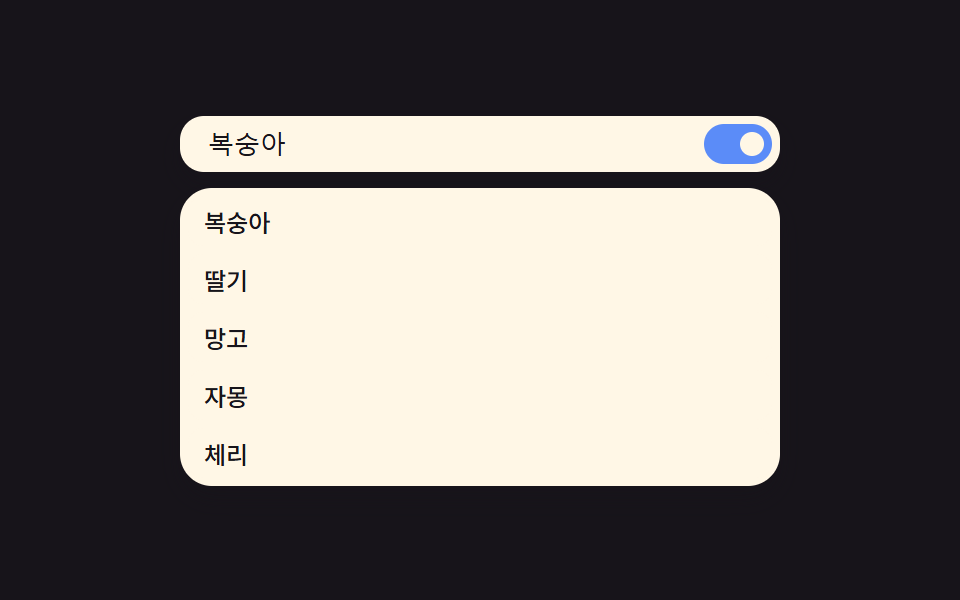
09モーション低減値を検知して展開なしで即表示されるパネル
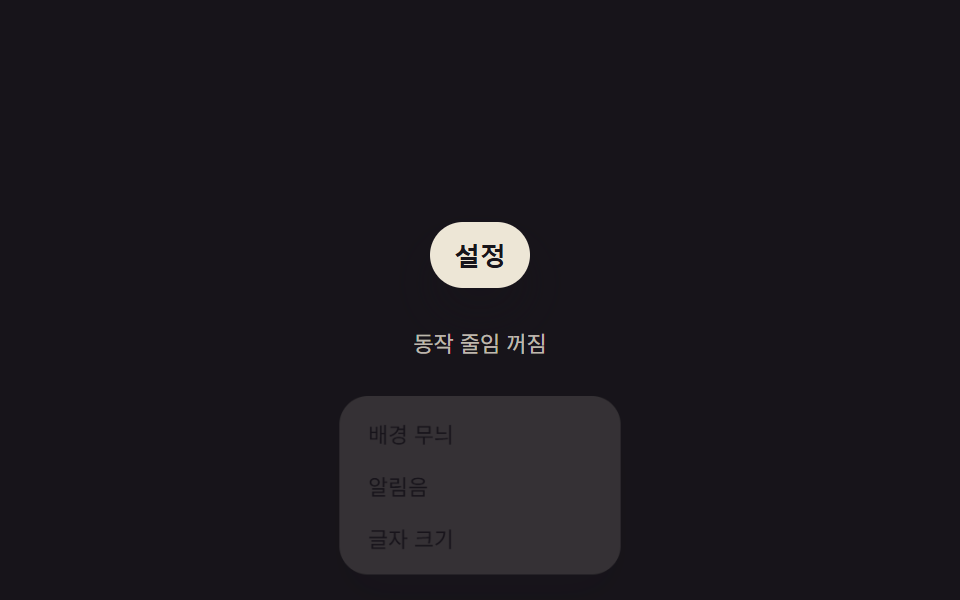
システムのモーション低減設定値を検知し、その値がオンならパネルは展開の過程なしに最初から全開の状態で現れ、オフのときだけ上の八つのパターンが通常の速さで開く。
使いどころアクセシビリティを守る全項目共通の安全装置
REDUCE_MOTION_DURATION_MSapplyMotionPrefforcedReduce
<main class="stage">
<div class="rp is-demo" id="rp">
  <button class="rp__trigger" id="rpTrigger" type="button" aria-haspopup="true" aria-expanded="false">設定</button>
  <div class="rp__panel" id="rpPanel" role="menu" hidden>
    <div class="rp__row" role="menuitem">背景模様</div>
    <div class="rp__row" role="menuitem">通知音</div>
    <div class="rp__row" role="menuitem">文字サイズ</div>
  </div>
  <p class="rp__badge" id="rpBadge">動作の軽減 オフ</p>
  <p class="rp__sr" role="status" aria-live="polite" id="rpLive"></p>
</div>
</main>
@use "../../../../site/static/demo-tokens" as *;
// 계산 겹: index.html applyMotionPref() 가 matchMedia(prefers-reduced-motion).matches 값과
// 데모용 강제 값을 합쳐 지속시간(ms) 숫자를 계산해 패널에 인라인으로 놓는다.
@include stage($stage-ink);
.rp { display: flex; flex-direction: column; align-items: center; gap: $sp-2; position: relative; }
.rp__trigger {
padding: $sp-2 $sp-3; border: none; border-radius: $r-pill;
background: rgba($subject-cream, .92); color: $subject-ink; font-size: 13px; font-weight: 600;
cursor: pointer; box-shadow: $shadow-raised;
}
.rp__panel {
position: absolute; top: 100%; margin-top: $sp-2; left: 50%; min-width: 140px;
display: flex; flex-direction: column; gap: $sp-1; padding: $sp-2; border-radius: $r-card;
background: rgba($subject-cream, .97); box-shadow: $shadow-raised;
// 붙는 지점(트리거 아래)이 있는 요소라 원점을 위쪽 중앙에 둔다
transform-origin: top center;
transform: translateX(-50%) scale(.9); opacity: 0; pointer-events: none;
transition: transform $dur-base $ease-spring, opacity $dur-quick $ease-out;
}
// [hidden] 은 UA 스타일이 author .rp__panel 과 같은 특이도라 밀린다 — 명시로 되살린다
.rp__panel[hidden] { display: none; }
.rp__panel--open { transform: translateX(-50%) scale(1); opacity: 1; pointer-events: auto; }
.rp__row { padding: $sp-1 $sp-2; border-radius: $r-xs; color: $subject-ink; font-size: 12px; }
.rp__badge { font-size: 11px; color: rgba($subject-cream, .72); }
.rp__sr { position: absolute; width: 1px; height: 1px; overflow: hidden; clip: rect(0 0 0 0); margin: -1px; padding: 0; border: 0; }
@media (max-width: 340px) {
.rp__panel { min-width: 116px; }
.rp__trigger { font-size: 12px; padding: $sp-1 $sp-2; }
}
@media (prefers-reduced-motion: reduce) {
.rp__panel { transition: none !important; }
}html, body {
margin: 0;
overflow: hidden;
}
.stage {
box-sizing: border-box;
min-height: 100vh;
display: grid;
place-items: center;
margin: 0;
background: #17141a;
font-family: -apple-system, "Segoe UI", "Noto Sans KR", sans-serif;
padding: clamp(8px, 4vw, 24px);
}
.rp {
display: flex;
flex-direction: column;
align-items: center;
gap: 8px;
position: relative;
}
.rp__trigger {
padding: 8px 12px;
border: none;
border-radius: 999px;
background: rgba(255, 247, 230, 0.92);
color: #17141a;
font-size: 13px;
font-weight: 600;
cursor: pointer;
box-shadow: 0 14px 24px rgba(23, 20, 26, 0.32);
}
.rp__panel {
position: absolute;
top: 100%;
margin-top: 8px;
left: 50%;
min-width: 140px;
display: flex;
flex-direction: column;
gap: 4px;
padding: 8px;
border-radius: 16px;
background: rgba(255, 247, 230, 0.97);
box-shadow: 0 14px 24px rgba(23, 20, 26, 0.32);
transform-origin: top center;
transform: translateX(-50%) scale(0.9);
opacity: 0;
pointer-events: none;
transition: transform 300ms cubic-bezier(0.2, 0.8, 0.2, 1), opacity 220ms ease-out;
}
.rp__panel[hidden] {
display: none;
}
.rp__panel--open {
transform: translateX(-50%) scale(1);
opacity: 1;
pointer-events: auto;
}
.rp__row {
padding: 4px 8px;
border-radius: 4px;
color: #17141a;
font-size: 12px;
}
.rp__badge {
font-size: 11px;
color: rgba(255, 247, 230, 0.72);
}
.rp__sr {
position: absolute;
width: 1px;
height: 1px;
overflow: hidden;
clip: rect(0 0 0 0);
margin: -1px;
padding: 0;
border: 0;
}
@media (max-width: 340px) {
.rp__panel {
min-width: 116px;
}
.rp__trigger {
font-size: 12px;
padding: 4px 8px;
}
}
@media (prefers-reduced-motion: reduce) {
.rp__panel {
transition: none !important;
}
}(function () {
var root = document.getElementById('rp');
var trigger = document.getElementById('rpTrigger');
var panel = document.getElementById('rpPanel');
var badge = document.getElementById('rpBadge');
var live = document.getElementById('rpLive');
var synthetic = false;
function human() { if (synthetic) return; if (root.classList.contains('is-demo')) root.classList.remove('is-demo'); }
var REDUCE_MOTION_DURATION_MS = 0;
var NORMAL_MOTION_DURATION_MS = 240;
var reduceMQ = window.matchMedia('(prefers-reduced-motion: reduce)');
var forcedReduce = false;
// 계산 겹: 시스템의 動作の軽減 값(matchMedia.matches)과 데모용 강제 값(forcedReduce)을 합쳐
// 실제로 쓸 지속시간 값을 계산해 패널에 직접 놓는다 — 미디어쿼리 블록이 있고 없고가 아니라
// 그 값 자체를 읽어 duration 숫자를 정하고, 그 숫자를 배지·안내문에도 그대로 노출한다.
function applyMotionPref() {
var reduce = reduceMQ.matches || forcedReduce;
var ms = reduce ? REDUCE_MOTION_DURATION_MS : NORMAL_MOTION_DURATION_MS;
panel.style.transitionDuration = ms + 'ms';
badge.textContent = '動作の軽減 ' + (reduce ? 'オン' : 'オフ');
return { reduce: reduce, ms: ms };
}
applyMotionPref();
function openPanel() {
var pref = applyMotionPref();
panel.hidden = false;
requestAnimationFrame(function () { panel.classList.add('rp__panel--open'); });
trigger.setAttribute('aria-expanded', 'true');
live.textContent = pref.ms + 'ms の値で ' + (pref.reduce ? '即座に表示' : '展開');
}
function closePanel() {
panel.classList.remove('rp__panel--open');
trigger.setAttribute('aria-expanded', 'false');
var pref = applyMotionPref();
window.setTimeout(function () { if (!panel.classList.contains('rp__panel--open')) panel.hidden = true; }, pref.ms + 20);
}
trigger.addEventListener('click', function () {
human();
if (panel.hidden) openPanel(); else closePanel();
});
if (typeof reduceMQ.addEventListener === 'function') {
reduceMQ.addEventListener('change', function () { forcedReduce = false; applyMotionPref(); });
}
var reduce = reduceMQ.matches;
var phase = 0, loopTimer = 0;
function runStep() {
if (!root.classList.contains('is-demo')) return;
synthetic = true;
if (phase % 4 === 0) { forcedReduce = false; applyMotionPref(); }
else if (phase % 4 === 2) { forcedReduce = true; applyMotionPref(); }
trigger.dispatchEvent(new MouseEvent('click', { bubbles: true }));
synthetic = false;
phase++;
loopTimer = window.setTimeout(runStep, 350);
}
if (!reduce) { loopTimer = window.setTimeout(runStep, 420); }
else { root.classList.remove('is-demo'); }
})();// EmojiPickerReducedMotionInstantPanel — vanilla 판(run/402/demo/09-.../index.html) 의 React 포트.
// 계산 겹: matchMedia(prefers-reduced-motion).matches 값과 데모용 강제 값을 합쳐 지속시간(ms)
// 숫자를 계산해 패널에 인라인으로 놓는다 — 미디어쿼리 블록의 존재 여부가 아니라 그 값 자체를 쓴다.
import { useEffect, useRef, useState } from "react";
import styles from "./EmojiPickerReducedMotionInstantPanel.module.scss";
type Box<T> = { current: T };
const REDUCE_MOTION_DURATION_MS = 0;
const NORMAL_MOTION_DURATION_MS = 240;
const ROWS = ["배경 무늬", "알림음", "글자 크기"];
export default function EmojiPickerReducedMotionInstantPanel() {
const [isDemo, setIsDemo] = useState(true);
const [open, setOpen] = useState(false);
const [hidden, setHidden] = useState(true);
const [reduceOn, setReduceOn] = useState(false);
const [live, setLive] = useState("");
const [durationMs, setDurationMs] = useState(NORMAL_MOTION_DURATION_MS);
const isDemoRef = useRef(true) as unknown as Box<boolean>;
const synthRef = useRef(false) as unknown as Box<boolean>;
const openRef = useRef(false) as unknown as Box<boolean>;
const forcedReduceRef = useRef(false) as unknown as Box<boolean>;
const hideTimerRef = useRef(0) as unknown as Box<number>;
const loopTimerRef = useRef(0) as unknown as Box<number>;
function human() {
if (synthRef.current) return;
if (isDemoRef.current) { isDemoRef.current = false; setIsDemo(false); }
}
function applyMotionPref(): { reduce: boolean; ms: number } {
const mq = window.matchMedia("(prefers-reduced-motion: reduce)");
const reduce = mq.matches || forcedReduceRef.current;
const ms = reduce ? REDUCE_MOTION_DURATION_MS : NORMAL_MOTION_DURATION_MS;
setDurationMs(ms);
setReduceOn(reduce);
return { reduce: reduce, ms: ms };
}
function openPanel() {
const pref = applyMotionPref();
setHidden(false);
window.setTimeout(() => setOpen(true), 0);
setLive(pref.ms + "ms 값으로 " + (pref.reduce ? "즉시 표시" : "펼쳐짐"));
}
function closePanel() {
setOpen(false);
const pref = applyMotionPref();
window.clearTimeout(hideTimerRef.current);
hideTimerRef.current = window.setTimeout(() => setHidden(true), pref.ms + 20);
}
function toggle() {
human();
if (!openRef.current) { openRef.current = true; openPanel(); }
else { openRef.current = false; closePanel(); }
}
useEffect(() => {
const mq = window.matchMedia("(prefers-reduced-motion: reduce)");
function onChange() { forcedReduceRef.current = false; applyMotionPref(); }
if (typeof mq.addEventListener === "function") mq.addEventListener("change", onChange);
const reduce = mq.matches;
let phase = 0;
function runStep() {
if (!isDemoRef.current) return;
synthRef.current = true;
if (phase % 4 === 0) { forcedReduceRef.current = false; applyMotionPref(); }
else if (phase % 4 === 2) { forcedReduceRef.current = true; applyMotionPref(); }
toggle();
synthRef.current = false;
phase++;
loopTimerRef.current = window.setTimeout(runStep, 350);
}
if (!reduce) { loopTimerRef.current = window.setTimeout(runStep, 420); }
else { isDemoRef.current = false; setIsDemo(false); }
return () => {
window.clearTimeout(loopTimerRef.current);
window.clearTimeout(hideTimerRef.current);
if (typeof mq.removeEventListener === "function") mq.removeEventListener("change", onChange);
};
// eslint-disable-next-line react-hooks/exhaustive-deps
}, []);
const panelStyle = { transitionDuration: durationMs + "ms" } as any;
return (
<main className={styles.stage}>
<div className={styles.rp + " " + (isDemo ? styles.isDemo : "")}>
<button
className={styles.trigger}
type="button"
aria-haspopup="true"
aria-expanded={open}
onClick={toggle}
>
설정
</button>
<div
className={styles.panel + " " + (open ? styles.panelOpen : "")}
role="menu"
hidden={hidden}
style={panelStyle}
>
{ROWS.map((r, i) => (
<div key={i} className={styles.row} role="menuitem">{r}</div>
))}
</div>
<p className={styles.badge}>{"동작 줄임 " + (reduceOn ? "켜짐" : "꺼짐")}</p>
<p className={styles.sr} role="status" aria-live="polite">{live}</p>
</div>
</main>
);
}09 モーション低減値を検知して展開なしで即表示されるパネル — 計測 累積面積 10.636% · 動いたフレーム 10/23GODRICH オリジナル · SCSS と React は zip に同梱 · 絵文字ピッカー 9パターン — 値で開閉
このデモが属する記事
 絵文字ピッカー 9パターン — 値で開閉入力欄の下に残る空間の値がパネルの高さより小さいときだけパネルは上に開く位置に変わり、押し続けた時間の値が決めたしきい値を超えたときだけ同じ絵文字のバリエーションが扇状に広がり、カーソル位置の値をあらかじめ保存していた場合だけ選んだ絵文字が この記事のデモをすべて見る