絵文字ピッカー 9パターン — 値で開閉
入力欄の下に残る空間の値がパネルの高さより小さいときだけパネルは上に開く位置に変わり、押し続けた時間の値が決めたしきい値を超えたときだけ同じ絵文字のバリエーションが扇状に広がり、カーソル位置の値をあらかじめ保存していた場合だけ選んだ絵文字がその場所に正確に挿入される。これが絵文字ピッカーの実際の動きです。
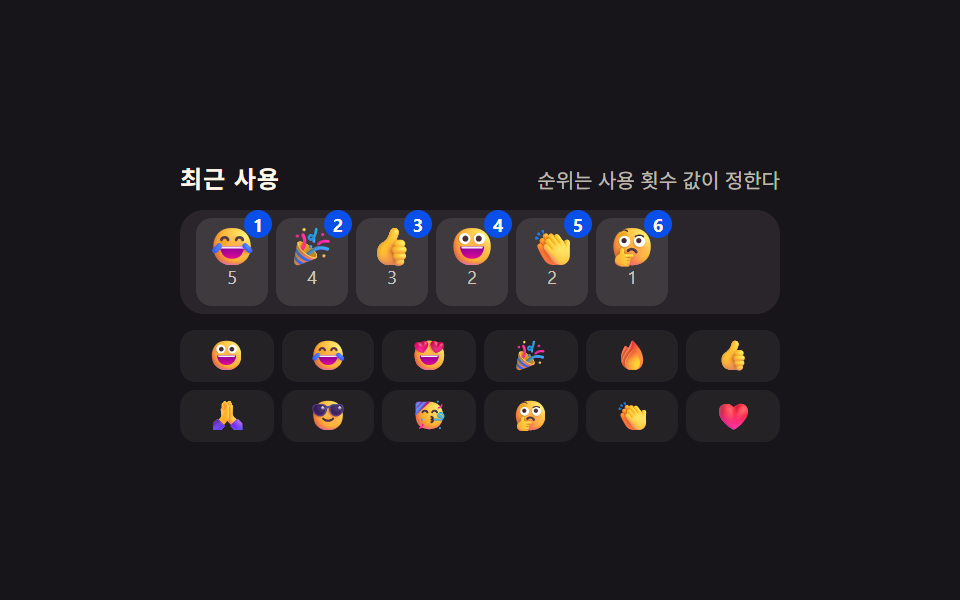 01 emoji-picker-recent-frequency-rank
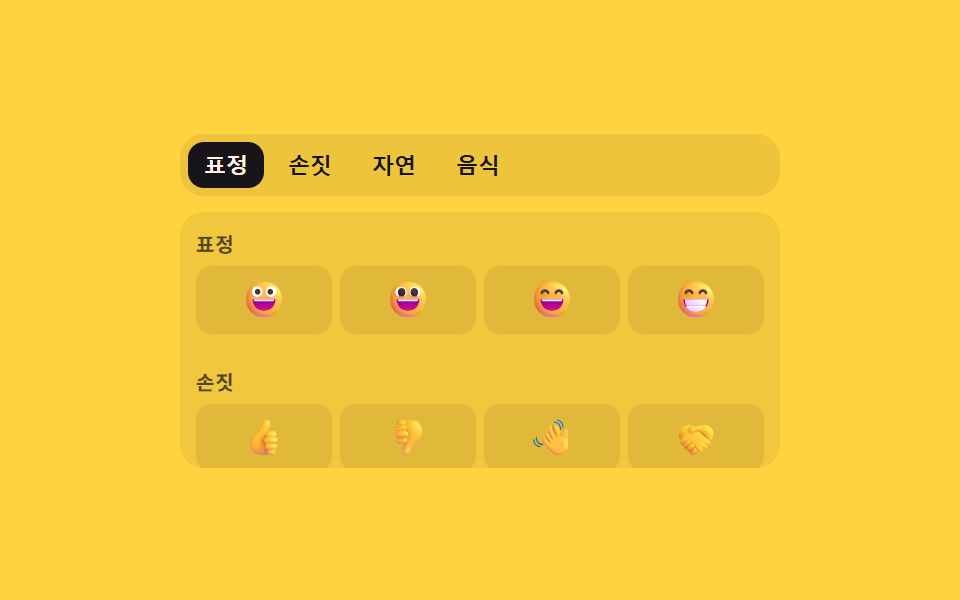 02 emoji-picker-category-index-scroll-sync
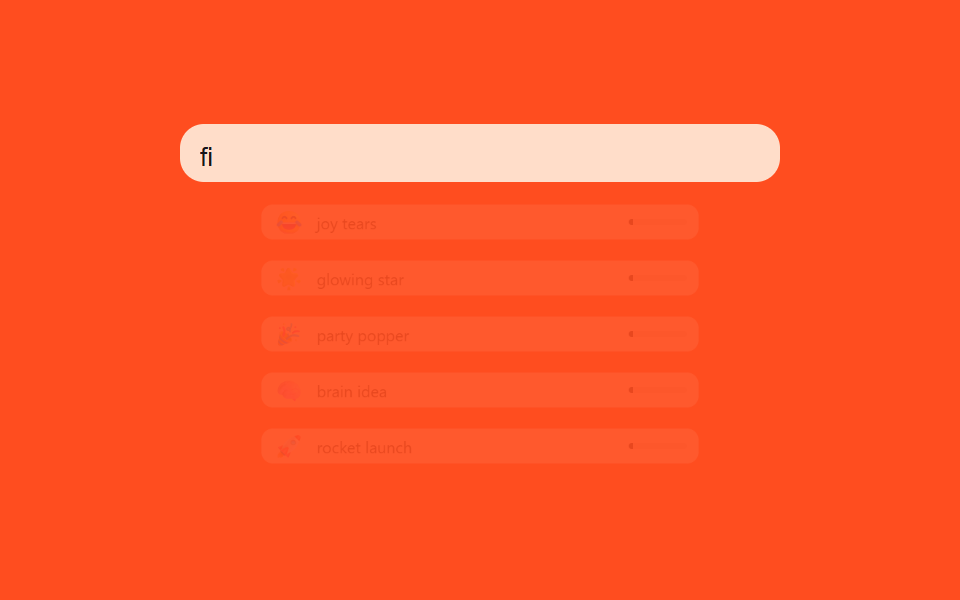 03 emoji-picker-search-fuzzy-match-score
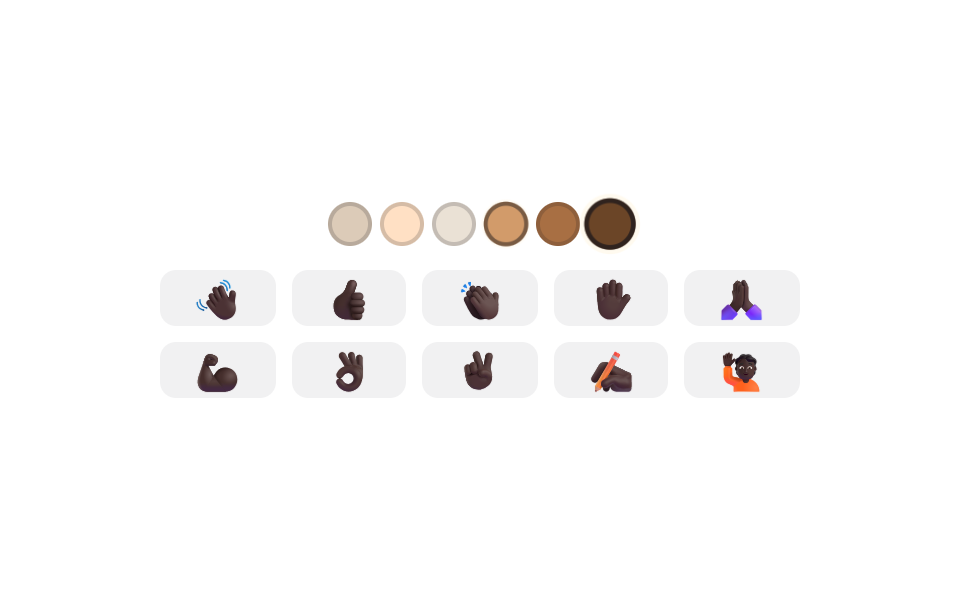 04 emoji-picker-skin-tone-modifier-swap
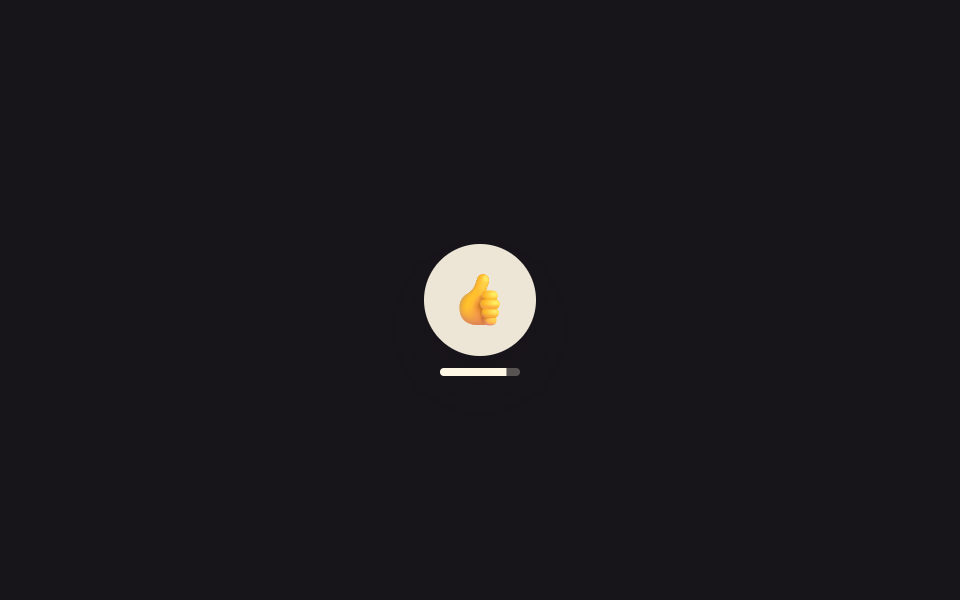 05 emoji-picker-variant-longpress-fan
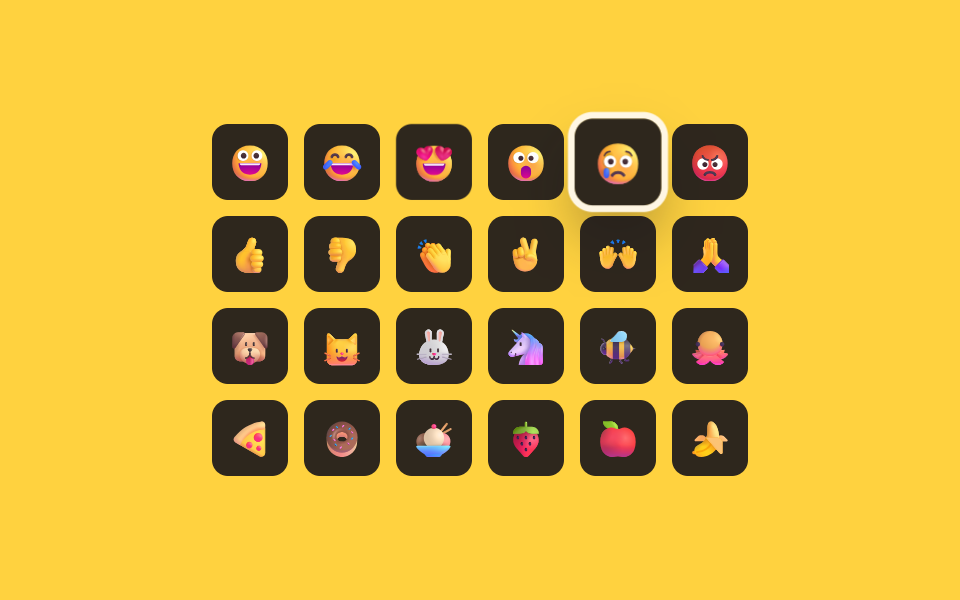 06 emoji-picker-keyboard-arrow-grid-nav
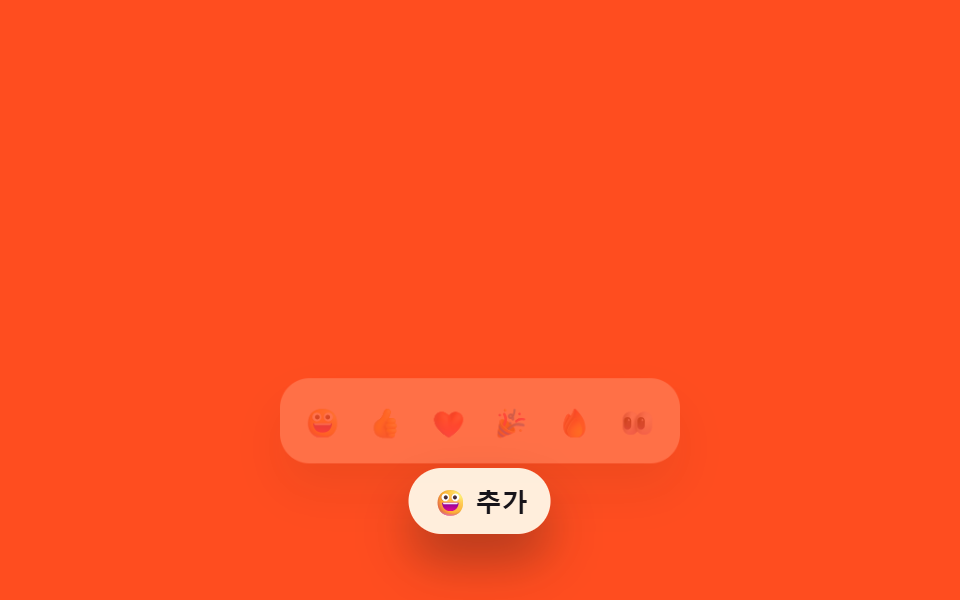 07 emoji-picker-anchor-position-flip
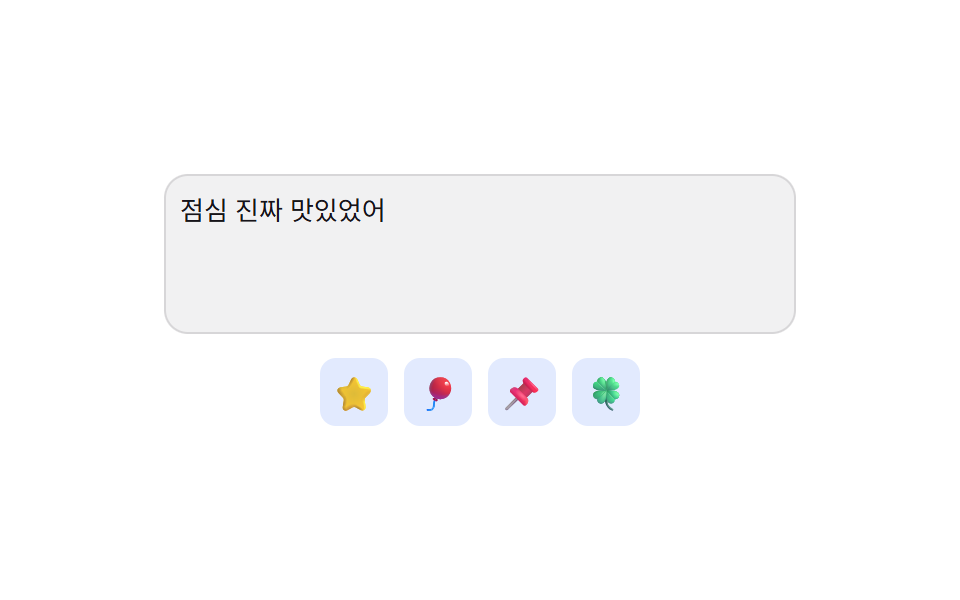 08 emoji-picker-insert-cursor-position-preserve
 09 emoji-picker-reduced-motion-instant-panel
自動再生 · タイルを押すとその項目へ · すべて1つのzip
- 01 使用回数の値で並び替わる最近使用タブ
- 02 スクロール位置とタブ番号が揃うカテゴリー切替
- 03 入力文字と名前の類似度値で並ぶ検索
- 04 選んだトーン値で対象の絵文字一式が入れ替わるトーン切替
- 05 押し続けた時間の値がしきい値を超えるとバリエーションが広がる長押し
- 06 矢印キーの値で格子内の焦点が移動するキーボード操作
- 07 残り空間の値を計算して開く方向が変わるアンカー配置
- 08 保存したカーソル位置の値に正確に挿入する挿入方式
- 09 モーション低減値を検知して展開なしで即表示されるパネル
以下の9つの絵文字ピッカーはどれもデータを取得したり保存したりしません。localStorageは使われておらず、最近使用の履歴は上書きされるだけのメモリ上の配列です。絵文字はすべてプレーンなUnicode文字で、画像スプライトも外部CDNも使いません。05番の長押しはイベントのタイムスタンプの差だけで時間を計り、本物のClipboard APIにもMath.randomにも触れていません。ライブラリもCDNスクリプトも使わず、9つとも単体のindex.htmlだけで動きます。
絵文字ピッカーの9パターンは押した時間や余白の値でどう動きを変えるか
9つのどれかを操作しても、同じ形が繰り返されます。何かの値が測られるか数えられ、絵文字かパネルの表示が変わり、短いCSSトランジションが見える部分を運びます。違うのは測られる対象です。01番は使用回数を数え、06番は押した矢印キーの値を格子の列数と組み合わせ、07番は入力欄の上下に残る空間の値を測ります。絵文字ピッカーとはこの「先に値を計算し、CSSトランジションはその2つの状態の間を補間するだけ」という仕組みの集まりで、9つとも入場アニメーションの使い回しではありません。
9つの絵文字ピッカーを面積・強度・動いたフレームで比べる測定値
下の表は各項目の측정.jsonを実測した値です — 累積面積はフレームごとに変化したピクセル比率を積み上げた数字、平均強度は変化したピクセルの明暗差の平均、動いたフレームは23フレーム中いくつで変化があったかを示します。コンポーネント単位のパネルは画面全体を覆う場面と違い、動きが起きるのは絵文字が選ばれる・パネルが開く・バリエーションが広がるといった入力の瞬間だけなので、面積が小さくても動いたフレーム数が多いことがあります。
| # | パターン | 累積面積 | 平均強度 | 動いたフレーム |
|---|---|---|---|---|
| 01 | 使用回数の値で並び替わる最近使用タブ | 2.8% | 93.4 | 10/23 |
| 02 | スクロール位置とタブ番号が揃うカテゴリー切替 | 16.7% | 64.8 | 9/23 |
| 03 | 入力文字と名前の類似度値で並ぶ検索 | 33.4% | 137.6 | 16/23 |
| 04 | 選んだトーン値で絵文字一式が入れ替わるトーン切替 | 3.8% | 58.4 | 11/23 |
| 05 | しきい値を超えるとバリエーションが広がる長押し | 5.3% | 116.4 | 20/23 |
| 06 | 矢印キーの値で焦点が移動するキーボード操作 | 6.2% | 63.1 | 12/23 |
| 07 | 残り空間の値を計算して開く方向が変わるアンカー配置 | 27.1% | 63.8 | 12/23 |
| 08 | 保存したカーソル位置の値に挿入する挿入方式 | 2.8% | 93.9 | 8/23 |
| 09 | モーション低減値を検知して即表示されるパネル | 10.6% | 157.4 | 10/23 |
01使用回数の値で並び替わる最近使用タブ
絵文字を選ぶたびにcounts内のその絵文字の使用回数の値が一つ増え、rank()はその値が大きい順に並び替えます。renderRecent()は並べ替え前後の位置をgetBoundingClientRectで比べ、ズレた分だけ逆方向に動かしてから解放するFLIPという手法で要素を消さずに移動して見せます。
<main class="stage">
<div class="ep is-demo" id="ep">
  <div class="ep__head">
    <span class="ep__label">最近使った</span>
    <span class="ep__sub" id="epSub">順位は使用回数の値が決める</span>
  </div>
  <ul class="ep__recent" id="epRecent" role="listbox" aria-label="最近使った絵文字、使用頻度順"></ul>
  <div class="ep__all" role="listbox" aria-label="すべての絵文字" id="epAll"></div>
  <p class="ep__sr" role="status" aria-live="polite" id="epLive"></p>
</div>
</main>
@use "../../../../site/static/demo-tokens" as *;
// 계산 겹: index.html rank() 가 사용 횟수 값(counts)을 내림차순으로 다시 정렬하고, renderRecent() 가
// FLIP(getBoundingClientRect 실측 → transform 되돌리기)로 그 재배치를 움직임으로 보여준다.
@include stage($stage-ink);
.ep { width: min(100%, 300px); display: flex; flex-direction: column; gap: $sp-2; }
.ep__head { display: flex; justify-content: space-between; align-items: baseline; }
.ep__label { font-size: 12px; font-weight: 700; color: $subject-cream; text-transform: uppercase; letter-spacing: .04em; }
.ep__sub { font-size: 10px; color: rgba($subject-cream, .72); }
.ep__recent {
list-style: none; margin: 0; padding: $sp-1 $sp-2; display: flex; flex-wrap: wrap; gap: $sp-1;
background: rgba($subject-cream, .08); border-radius: $r-control; min-height: 44px;
}
.ep__item {
position: relative; display: flex; flex-direction: column; align-items: center; gap: 0;
width: 36px; padding: $sp-1 0; border-radius: $r-sm; background: rgba($subject-cream, .1);
transition: transform $dur-base $ease-spring;
}
.ep__item--enter { animation: epPop $dur-quick $ease-pop; }
.ep__rank {
position: absolute; top: -4px; right: -2px; width: 14px; height: 14px; border-radius: $r-pill;
background: $subject-blue-deep; color: $subject-cream; font-size: 9px; font-weight: 700;
display: grid; place-items: center;
}
.ep__ch { font-size: 19px; line-height: 1; }
.ep__count { font-size: 9px; color: rgba($subject-cream, .74); }
.ep__all { display: grid; grid-template-columns: repeat(6, 1fr); grid-auto-rows: 26px; gap: $sp-1; }
.ep__all-btn {
border: none; background: rgba($subject-cream, .06); color: $subject-cream; border-radius: $r-sm;
font-size: 15px; line-height: 1; padding: 0; cursor: pointer; display: grid; place-items: center;
}
.ep__all-btn:hover, .ep__all-btn:focus-visible { background: rgba($subject-cream, .18); }
.ep__all-btn:focus-visible { outline: 2px solid $subject-blue-light; outline-offset: 1px; }
.ep__sr { position: absolute; width: 1px; height: 1px; overflow: hidden; clip: rect(0 0 0 0); margin: -1px; padding: 0; border: 0; }
@keyframes epPop { 0% { opacity: 0; transform: scale(.6); } 100% { opacity: 1; transform: scale(1); } }
@media (max-width: 340px) {
.ep { width: 100%; }
.ep__all { grid-template-columns: repeat(5, 1fr); }
}
@media (prefers-reduced-motion: reduce) {
.ep__item { transition: none; }
.ep__item--enter { animation: none; }
}html, body {
margin: 0;
overflow: hidden;
}
.stage {
box-sizing: border-box;
min-height: 100vh;
display: grid;
place-items: center;
margin: 0;
background: #17141a;
font-family: -apple-system, "Segoe UI", "Noto Sans KR", sans-serif;
padding: clamp(8px, 4vw, 24px);
}
.ep {
width: min(100%, 300px);
display: flex;
flex-direction: column;
gap: 8px;
}
.ep__head {
display: flex;
justify-content: space-between;
align-items: baseline;
}
.ep__label {
font-size: 12px;
font-weight: 700;
color: #fff7e6;
text-transform: uppercase;
letter-spacing: 0.04em;
}
.ep__sub {
font-size: 10px;
color: rgba(255, 247, 230, 0.72);
}
.ep__recent {
list-style: none;
margin: 0;
padding: 4px 8px;
display: flex;
flex-wrap: wrap;
gap: 4px;
background: rgba(255, 247, 230, 0.08);
border-radius: 12px;
min-height: 44px;
}
.ep__item {
position: relative;
display: flex;
flex-direction: column;
align-items: center;
gap: 0;
width: 36px;
padding: 4px 0;
border-radius: 8px;
background: rgba(255, 247, 230, 0.1);
transition: transform 300ms cubic-bezier(0.2, 0.8, 0.2, 1);
}
.ep__item--enter {
animation: epPop 220ms cubic-bezier(0.2, 1.4, 0.4, 1);
}
.ep__rank {
position: absolute;
top: -4px;
right: -2px;
width: 14px;
height: 14px;
border-radius: 999px;
background: #0a4fe8;
color: #fff7e6;
font-size: 9px;
font-weight: 700;
display: grid;
place-items: center;
}
.ep__ch {
font-size: 19px;
line-height: 1;
}
.ep__count {
font-size: 9px;
color: rgba(255, 247, 230, 0.74);
}
.ep__all {
display: grid;
grid-template-columns: repeat(6, 1fr);
grid-auto-rows: 26px;
gap: 4px;
}
.ep__all-btn {
border: none;
background: rgba(255, 247, 230, 0.06);
color: #fff7e6;
border-radius: 8px;
font-size: 15px;
line-height: 1;
padding: 0;
cursor: pointer;
display: grid;
place-items: center;
}
.ep__all-btn:hover, .ep__all-btn:focus-visible {
background: rgba(255, 247, 230, 0.18);
}
.ep__all-btn:focus-visible {
outline: 2px solid #5b8cf8;
outline-offset: 1px;
}
.ep__sr {
position: absolute;
width: 1px;
height: 1px;
overflow: hidden;
clip: rect(0 0 0 0);
margin: -1px;
padding: 0;
border: 0;
}
@keyframes epPop {
0% {
opacity: 0;
transform: scale(0.6);
}
100% {
opacity: 1;
transform: scale(1);
}
}
@media (max-width: 340px) {
.ep {
width: 100%;
}
.ep__all {
grid-template-columns: repeat(5, 1fr);
}
}
@media (prefers-reduced-motion: reduce) {
.ep__item {
transition: none;
}
.ep__item--enter {
animation: none;
}
}(function () {
var EMOJIS = [
{ ch: '\u{1F600}', key: 'smile', seed: 2 }, { ch: '\u{1F602}', key: 'joy', seed: 5 },
{ ch: '\u{1F60D}', key: 'heart-eyes', seed: 1 }, { ch: '\u{1F389}', key: 'party', seed: 4 },
{ ch: '\u{1F525}', key: 'fire', seed: 0 }, { ch: '\u{1F44D}', key: 'thumbs-up', seed: 3 },
{ ch: '\u{1F64F}', key: 'pray', seed: 0 }, { ch: '\u{1F60E}', key: 'cool', seed: 1 },
{ ch: '\u{1F973}', key: 'celebrate', seed: 0 }, { ch: '\u{1F914}', key: 'think', seed: 0 },
{ ch: '\u{1F44F}', key: 'clap', seed: 2 }, { ch: '\u{2764}\u{FE0F}', key: 'love', seed: 0 }
];
var RECENT_MAX = 6;
var counts = {}, lastPicked = {}, seq = 0;
EMOJIS.forEach(function (e) { counts[e.key] = e.seed; });
var recentEl = document.getElementById('epRecent');
var allEl = document.getElementById('epAll');
var live = document.getElementById('epLive');
var root = document.getElementById('ep');
function human() { if (root.classList.contains('is-demo')) root.classList.remove('is-demo'); }
// 계산 겹: 使用 횟수 값 내림차순, 동률이면 가장 최근에 고른 순으로 다시 줄을 세운다
function rank() {
return EMOJIS.slice().sort(function (a, b) {
var d = (counts[b.key] || 0) - (counts[a.key] || 0);
return d !== 0 ? d : (lastPicked[b.key] || 0) - (lastPicked[a.key] || 0);
}).slice(0, RECENT_MAX);
}
function fillItem(li, e, idx) {
li.dataset.key = e.key;
li.setAttribute('role', 'option');
li.setAttribute('aria-selected', 'false');
li.setAttribute('aria-label', e.key + '、使用 ' + (counts[e.key] || 0) + '回、順位 ' + (idx + 1));
li.innerHTML = '<b class="ep__rank">' + (idx + 1) + '</b><span class="ep__ch">' + e.ch + '</span><span class="ep__count">' + (counts[e.key] || 0) + '</span>';
}
// 계산 겹: FLIP — 재배치 전 위치를 실측(getBoundingClientRect)해 두고, 재배치 후 그 차이만큼
// transform 으로 되돌린 뒤 transition 으로 0 까지 풀어 "움직여 자리를 바꾸는" 것처럼 보이게 한다.
function renderRecent() {
    var before = {};
    Array.prototype.forEach.call(recentEl.children, function (li) { before[li.dataset.key] = li.getBoundingClientRect(); });
    var list = rank();
    recentEl.innerHTML = '';
    list.forEach(function (e, idx) {
      var li = document.createElement('li');
      li.className = 'ep__item';
      fillItem(li, e, idx);
      li.addEventListener('click', function () { human(); pick(e); });
      recentEl.appendChild(li);
    });
    Array.prototype.forEach.call(recentEl.children, function (li) {
      var b = before[li.dataset.key];
      if (!b) { li.classList.add('ep__item--enter'); requestAnimationFrame(function () { li.classList.remove('ep__item--enter'); }); return; }
      var a = li.getBoundingClientRect(), dx = b.left - a.left, dy = b.top - a.top;
      if (Math.abs(dx) > .5 || Math.abs(dy) > .5) {
        li.style.transition = 'none';
        li.style.transform = 'translate(' + dx + 'px,' + dy + 'px)';
        li.offsetHeight;
        li.style.transition = '';
        li.style.transform = '';
      }
    });
}
function pick(e) {
counts[e.key] = (counts[e.key] || 0) + 1;
lastPicked[e.key] = ++seq;
renderRecent();
live.textContent = e.ch + ' 使用 ' + counts[e.key] + '回 · 最近使用順位を更新';
}
EMOJIS.forEach(function (e) {
var b = document.createElement('button');
b.type = 'button'; b.className = 'ep__all-btn'; b.setAttribute('role', 'option');
b.setAttribute('aria-selected', 'false'); b.setAttribute('aria-label', e.key);
b.textContent = e.ch;
b.addEventListener('click', function () { human(); pick(e); });
allEl.appendChild(b);
});
renderRecent();
var reduce = window.matchMedia('(prefers-reduced-motion: reduce)').matches;
var SEQ = [4, 6, 9, 4, 8, 6];
var i = 0, timer = 0;
function loop() {
if (!root.classList.contains('is-demo')) return;
pick(EMOJIS[SEQ[i % SEQ.length]]);
i++;
timer = window.setTimeout(loop, 420);
}
if (!reduce) { timer = window.setTimeout(loop, 380); }
else { root.classList.remove('is-demo'); }
})();// EmojiRecentFrequencyRank — vanilla 판(run/402/demo/01-emoji-picker-recent-frequency-rank/index.html) 의 React 포트.
// rank() 가 사용 횟수 값을 내림차순으로 정렬하고, useEffect 가 재배치 전 위치를 실측(getBoundingClientRect)해
// FLIP 으로 그 차이만큼 transform 되돌린 뒤 CSS transition 으로 0 까지 풀어 움직임을 만든다.
import { useEffect, useRef, useState } from "react";
import styles from "./EmojiRecentFrequencyRank.module.scss";
type Box<T> = { current: T };
type Emoji = { ch: string; key: string; seed: number };
const EMOJIS: Emoji[] = [
{ ch: "\u{1F600}", key: "smile", seed: 2 }, { ch: "\u{1F602}", key: "joy", seed: 5 },
{ ch: "\u{1F60D}", key: "heart-eyes", seed: 1 }, { ch: "\u{1F389}", key: "party", seed: 4 },
{ ch: "\u{1F525}", key: "fire", seed: 0 }, { ch: "\u{1F44D}", key: "thumbs-up", seed: 3 },
{ ch: "\u{1F64F}", key: "pray", seed: 0 }, { ch: "\u{1F60E}", key: "cool", seed: 1 },
{ ch: "\u{1F973}", key: "celebrate", seed: 0 }, { ch: "\u{1F914}", key: "think", seed: 0 },
{ ch: "\u{1F44F}", key: "clap", seed: 2 }, { ch: "\u{2764}\u{FE0F}", key: "love", seed: 0 },
];
const RECENT_MAX = 6;
const SEQ = [4, 6, 9, 4, 8, 6];
export default function EmojiRecentFrequencyRank() {
const countsRef = useRef({} as Record<string, number>) as unknown as Box<Record<string, number>>;
const lastPickedRef = useRef({} as Record<string, number>) as unknown as Box<Record<string, number>>;
const seqRef = useRef(0) as unknown as Box<number>;
const isDemoRef = useRef(true) as unknown as Box<boolean>;
const timerRef = useRef(0) as unknown as Box<number>;
const recentRef = useRef(null) as unknown as Box<HTMLUListElement>;
const rectsRef = useRef({} as Record<string, DOMRect>) as unknown as Box<Record<string, DOMRect>>;
if (Object.keys(countsRef.current).length === 0) {
EMOJIS.forEach((e) => { countsRef.current[e.key] = e.seed; });
}
const [tick, setTick] = useState(0);
const [isDemo, setIsDemo] = useState(true);
const [live, setLive] = useState("");
function rank(): Emoji[] {
const c = countsRef.current, lp = lastPickedRef.current;
return EMOJIS.slice().sort((a, b) => {
const d = (c[b.key] || 0) - (c[a.key] || 0);
return d !== 0 ? d : (lp[b.key] || 0) - (lp[a.key] || 0);
}).slice(0, RECENT_MAX);
}
function human() { if (isDemoRef.current) { isDemoRef.current = false; setIsDemo(false); } }
function pick(e: Emoji) {
if (recentRef.current) {
rectsRef.current = {};
Array.prototype.forEach.call(recentRef.current.children, (li: HTMLElement) => {
rectsRef.current[li.dataset.key as string] = li.getBoundingClientRect();
});
}
countsRef.current[e.key] = (countsRef.current[e.key] || 0) + 1;
lastPickedRef.current[e.key] = ++seqRef.current;
setLive(e.ch + " 사용 " + countsRef.current[e.key] + "회 · 최근 사용 순위 갱신");
setTick((t) => t + 1);
}
useEffect(() => {
if (!recentRef.current) return;
const before = rectsRef.current;
Array.prototype.forEach.call(recentRef.current.children, (li: HTMLElement) => {
const key = li.dataset.key as string, b = before[key];
if (!b) { li.classList.add(styles.itemEnter); requestAnimationFrame(() => li.classList.remove(styles.itemEnter)); return; }
const a = li.getBoundingClientRect(), dx = b.left - a.left, dy = b.top - a.top;
if (Math.abs(dx) > .5 || Math.abs(dy) > .5) {
li.style.transition = "none";
li.style.transform = "translate(" + dx + "px," + dy + "px)";
li.offsetHeight;
li.style.transition = "";
li.style.transform = "";
}
});
}, [tick]);
useEffect(() => {
const reduce = window.matchMedia("(prefers-reduced-motion: reduce)").matches;
let i = 0;
function loop() {
if (!isDemoRef.current) return;
pick(EMOJIS[SEQ[i % SEQ.length]]);
i++;
timerRef.current = window.setTimeout(loop, 420);
}
if (!reduce) { timerRef.current = window.setTimeout(loop, 380); }
else { isDemoRef.current = false; setIsDemo(false); }
return () => window.clearTimeout(timerRef.current);
// eslint-disable-next-line react-hooks/exhaustive-deps
}, []);
const list = rank();
return (
<main className={styles.stage}>
<div className={styles.ep + " " + (isDemo ? styles.isDemo : "")}>
<div className={styles.head}>
<span className={styles.label}>최근 사용</span>
<span className={styles.sub}>순위는 사용 횟수 값이 정한다</span>
</div>
<ul className={styles.recent} role="listbox" aria-label="최근 사용 이모지, 사용 빈도 순" ref={recentRef}>
{list.map((e, idx) => (
<li key={e.key} data-key={e.key} className={styles.item} role="option" aria-selected="false"
aria-label={e.key + ", 사용 " + (countsRef.current[e.key] || 0) + "회, 순위 " + (idx + 1)}
onClick={() => { human(); pick(e); }}>
<b className={styles.rank}>{idx + 1}</b>
<span className={styles.ch}>{e.ch}</span>
<span className={styles.count}>{countsRef.current[e.key] || 0}</span>
</li>
))}
</ul>
<div className={styles.all} role="listbox" aria-label="전체 이모지">
{EMOJIS.map((e) => (
<button key={e.key} type="button" className={styles.allBtn} role="option" aria-selected="false"
aria-label={e.key} onClick={() => { human(); pick(e); }}>{e.ch}</button>
))}
</div>
<p className={styles.sr} role="status" aria-live="polite">{live}</p>
</div>
</main>
);
}01 · 使用回数の値で並び替わる最近使用タブ — 計測 累積面積 2.785% · 動いたフレーム 10/23GODRICH オリジナル · SCSS と React は zip に同梱 · パスワードを見る
var before = {};
Array.prototype.forEach.call(recentEl.children, function (li) { before[li.dataset.key] = li.getBoundingClientRect(); });
var list = rank();
recentEl.innerHTML = '';
list.forEach(function (e, idx) {
var li = document.createElement('li');
li.className = 'ep__item';
fillItem(li, e, idx);
li.addEventListener('click', function () { human(); pick(e); });
recentEl.appendChild(li);
});
Array.prototype.forEach.call(recentEl.children, function (li) {
var b = before[li.dataset.key];
if (!b) { li.classList.add('ep__item--enter'); requestAnimationFrame(function () { li.classList.remove('ep__item--enter'); }); return; }
var a = li.getBoundingClientRect(), dx = b.left - a.left, dy = b.top - a.top;
if (Math.abs(dx) > .5 || Math.abs(dy) > .5) {
li.style.transition = 'none';
li.style.transform = 'translate(' + dx + 'px,' + dy + 'px)';
li.offsetHeight;
li.style.transition = '';
li.style.transform = '';
}
});
02スクロール位置とタブ番号が揃うカテゴリー切替
パネルを指で下げるとonScroll()が通過した距離の値(scrollTop)を読み取り、今表示中のカテゴリーのタブを自動で点灯させます。逆にタブを押すとgoTo()がそのタブの番号値の分だけパネルをスクロールし、syncingフラグで自分自身の呼び戻しを一時的に防ぎます。
<main class="stage">
<div class="cx is-demo" id="cx">
  <div class="cx__tabs" role="tablist" aria-label="絵文字カテゴリー" id="cxTabs">
    <span class="cx__ind" id="cxInd" aria-hidden="true"></span>
  </div>
  <div class="cx__panel" id="cxPanel" tabindex="0" aria-label="絵文字パネル"></div>
  <p class="cx__sr" role="status" aria-live="polite" id="cxLive"></p>
</div>
</main>
@use "../../../../site/static/demo-tokens" as *;
// 계산 겹: index.html onScroll() 이 패널의 scrollTop(지나간 거리 값)을 섹션 오프셋과 비교해 카테고리
// 번호를 역산하고, goTo() 는 반대로 그 번호 × 섹션 오프셋으로 패널을 스크롤한다 — 둘이 늘 같은 자리를 가리킨다.
@include stage($stage-yellow);
.cx { width: min(100%, 300px); display: flex; flex-direction: column; gap: $sp-2; }
.cx__tabs {
position: relative; display: flex; gap: $sp-1; background: rgba($subject-ink, .08);
border-radius: $r-control; padding: $sp-1;
}
.cx__tab {
flex: 0 0 auto; border: none; background: transparent; color: $subject-ink; font-size: 11px; font-weight: 600;
padding: $sp-1 $sp-2; border-radius: $r-sm; cursor: pointer; position: relative; z-index: 1;
}
.cx__tab[aria-selected="true"] { color: $subject-cream; }
.cx__ind {
position: absolute; top: $sp-1; left: 0; height: calc(100% - #{$sp-1 * 2}); border-radius: $r-sm;
background: $subject-ink; transition: transform $dur-base $ease-spring, width $dur-base $ease-spring; z-index: 0;
}
.cx__panel { height: 128px; overflow-y: auto; border-radius: $r-control; background: rgba($subject-ink, .06); }
.cx__section { padding: $sp-2; }
.cx__h {
margin: 0 0 $sp-1; font-size: 10px; font-weight: 700; color: rgba($subject-ink, .72);
text-transform: uppercase; letter-spacing: .04em;
}
.cx__grid { display: grid; grid-template-columns: repeat(4, 1fr); gap: $sp-1; }
.cx__ch {
border: none; background: rgba($subject-ink, .08); border-radius: $r-sm; font-size: 18px; line-height: 1;
padding: $sp-2 0; cursor: pointer; display: grid; place-items: center;
}
.cx__ch:hover, .cx__ch:focus-visible { background: rgba($subject-ink, .18); }
.cx__ch:focus-visible { outline: 2px solid $subject-blue-deep; outline-offset: 1px; }
.cx__sr { position: absolute; width: 1px; height: 1px; overflow: hidden; clip: rect(0 0 0 0); margin: -1px; padding: 0; border: 0; }
@media (max-width: 340px) {
.cx { width: 100%; }
.cx__panel { height: 112px; }
}
@media (prefers-reduced-motion: reduce) {
.cx__ind { transition: none; }
}html, body {
margin: 0;
overflow: hidden;
}
.stage {
box-sizing: border-box;
min-height: 100vh;
display: grid;
place-items: center;
margin: 0;
background: #ffd23f;
font-family: -apple-system, "Segoe UI", "Noto Sans KR", sans-serif;
padding: clamp(8px, 4vw, 24px);
}
.cx {
width: min(100%, 300px);
display: flex;
flex-direction: column;
gap: 8px;
}
.cx__tabs {
position: relative;
display: flex;
gap: 4px;
background: rgba(23, 20, 26, 0.08);
border-radius: 12px;
padding: 4px;
}
.cx__tab {
flex: 0 0 auto;
border: none;
background: transparent;
color: #17141a;
font-size: 11px;
font-weight: 600;
padding: 4px 8px;
border-radius: 8px;
cursor: pointer;
position: relative;
z-index: 1;
}
.cx__tab[aria-selected=true] {
color: #fff7e6;
}
.cx__ind {
position: absolute;
top: 4px;
left: 0;
height: calc(100% - 8px);
border-radius: 8px;
background: #17141a;
transition: transform 300ms cubic-bezier(0.2, 0.8, 0.2, 1), width 300ms cubic-bezier(0.2, 0.8, 0.2, 1);
z-index: 0;
}
.cx__panel {
height: 128px;
overflow-y: auto;
border-radius: 12px;
background: rgba(23, 20, 26, 0.06);
}
.cx__section {
padding: 8px;
}
.cx__h {
margin: 0 0 4px;
font-size: 10px;
font-weight: 700;
color: rgba(23, 20, 26, 0.72);
text-transform: uppercase;
letter-spacing: 0.04em;
}
.cx__grid {
display: grid;
grid-template-columns: repeat(4, 1fr);
gap: 4px;
}
.cx__ch {
border: none;
background: rgba(23, 20, 26, 0.08);
border-radius: 8px;
font-size: 18px;
line-height: 1;
padding: 8px 0;
cursor: pointer;
display: grid;
place-items: center;
}
.cx__ch:hover, .cx__ch:focus-visible {
background: rgba(23, 20, 26, 0.18);
}
.cx__ch:focus-visible {
outline: 2px solid #0a4fe8;
outline-offset: 1px;
}
.cx__sr {
position: absolute;
width: 1px;
height: 1px;
overflow: hidden;
clip: rect(0 0 0 0);
margin: -1px;
padding: 0;
border: 0;
}
@media (max-width: 340px) {
.cx {
width: 100%;
}
.cx__panel {
height: 112px;
}
}
@media (prefers-reduced-motion: reduce) {
.cx__ind {
transition: none;
}
}(function () {
var CATS = [
{ id: 'smiley', name: '表情', emoji: ['\u{1F600}', '\u{1F603}', '\u{1F604}', '\u{1F601}'] },
{ id: 'gesture', name: 'ジェスチャー', emoji: ['\u{1F44D}', '\u{1F44E}', '\u{1F44B}', '\u{1F91D}'] },
{ id: 'nature', name: '自然', emoji: ['\u{1F338}', '\u{1F319}', '\u{2B50}', '\u{1F308}'] },
{ id: 'food', name: '食べ物', emoji: ['\u{1F355}', '\u{1F354}', '\u{1F369}', '\u{1F34E}'] }
];
var root = document.getElementById('cx');
var tabsEl = document.getElementById('cxTabs');
var panelEl = document.getElementById('cxPanel');
var indEl = document.getElementById('cxInd');
var live = document.getElementById('cxLive');
var tabs = [], sections = [];
var active = 0, syncing = false;
function human() { if (root.classList.contains('is-demo')) root.classList.remove('is-demo'); }
CATS.forEach(function (cat, i) {
var tab = document.createElement('button');
tab.type = 'button'; tab.className = 'cx__tab'; tab.id = 'cxTab' + i;
tab.setAttribute('role', 'tab');
tab.setAttribute('aria-selected', i === 0 ? 'true' : 'false');
tab.setAttribute('aria-controls', 'cxSec' + i);
tab.textContent = cat.name;
tab.addEventListener('click', function () { human(); goTo(i, false); });
tabsEl.appendChild(tab);
tabs.push(tab);
var sec = document.createElement('section');
sec.className = 'cx__section'; sec.id = 'cxSec' + i;
sec.setAttribute('role', 'region'); sec.setAttribute('aria-labelledby', 'cxTab' + i);
var h = document.createElement('h3'); h.className = 'cx__h'; h.textContent = cat.name;
var grid = document.createElement('div'); grid.className = 'cx__grid'; grid.setAttribute('role', 'listbox'); grid.setAttribute('aria-label', cat.name);
cat.emoji.forEach(function (ch) {
var b = document.createElement('button');
b.type = 'button'; b.className = 'cx__ch'; b.setAttribute('role', 'option'); b.setAttribute('aria-selected', 'false');
b.textContent = ch;
grid.appendChild(b);
});
sec.appendChild(h); sec.appendChild(grid);
panelEl.appendChild(sec);
sections.push(sec);
});
// 계산 겹: 탭을 누르면 그 탭의 번호 값 × 섹션 오프셋을 읽어 패널을 그 위치로 스크롤한다.
function goTo(i, silent) {
active = i;
var top = sections[i].offsetTop - panelEl.clientTop;
syncing = true;
panelEl.scrollTo({ top: top, behavior: reduce ? 'auto' : 'smooth' });
setActive(i);
window.setTimeout(function () { syncing = false; }, reduce ? 30 : 420);
if (!silent) live.textContent = CATS[i].name + ' カテゴリーへ移動';
}
function setActive(i) {
tabs.forEach(function (t, k) { t.setAttribute('aria-selected', k === i ? 'true' : 'false'); });
var r = tabs[i].getBoundingClientRect(), pr = tabsEl.getBoundingClientRect();
indEl.style.width = r.width + 'px';
indEl.style.transform = 'translateX(' + (r.left - pr.left) + 'px)';
}
// 계산 겹: 패널을 손으로 내리면 지나간 거리 값(scrollTop)을 각 섹션의 오프셋과 비교해
// 지금 보이는 카테고리 번호를 역산하고, 그 번호로 탭 표시를 맞춘다.
function onScroll() {
if (syncing) return;
var dist = panelEl.scrollTop, i = 0;
for (var k = 0; k < sections.length; k++) {
if (sections[k].offsetTop - panelEl.clientTop <= dist + 18) i = k;
}
if (i !== active) { active = i; setActive(i); live.textContent = CATS[i].name + ' カテゴリー表示中'; }
}
panelEl.addEventListener('scroll', function () { human(); onScroll(); });
var reduce = window.matchMedia('(prefers-reduced-motion: reduce)').matches;
setActive(0);
window.addEventListener('resize', function () { setActive(active); });
var SEQ = [1, 2, 3, 0, 2];
var i = 0, timer = 0;
function loop() {
if (!root.classList.contains('is-demo')) return;
goTo(SEQ[i % SEQ.length], true);
i++;
timer = window.setTimeout(loop, 780);
}
if (!reduce) { timer = window.setTimeout(loop, 500); }
else { root.classList.remove('is-demo'); }
})();// EmojiCategoryIndexScrollSync — vanilla 판(run/402/demo/02-.../index.html) 의 React 포트.
// onScroll() 이 패널의 scrollTop(지나간 거리 값)을 섹션 오프셋과 비교해 카테고리 번호를 역산하고,
// goTo() 는 반대로 그 번호 값으로 패널을 스크롤한다 — 둘은 항상 같은 자리를 가리킨다.
import { useEffect, useRef, useState } from "react";
import styles from "./EmojiCategoryIndexScrollSync.module.scss";
type Box<T> = { current: T };
type Cat = { id: string; name: string; emoji: string[] };
const CATS: Cat[] = [
{ id: "smiley", name: "표정", emoji: ["\u{1F600}", "\u{1F603}", "\u{1F604}", "\u{1F601}"] },
{ id: "gesture", name: "손짓", emoji: ["\u{1F44D}", "\u{1F44E}", "\u{1F44B}", "\u{1F91D}"] },
{ id: "nature", name: "자연", emoji: ["\u{1F338}", "\u{1F319}", "\u{2B50}", "\u{1F308}"] },
{ id: "food", name: "음식", emoji: ["\u{1F355}", "\u{1F354}", "\u{1F369}", "\u{1F34E}"] },
];
const SEQ = [1, 2, 3, 0, 2];
export default function EmojiCategoryIndexScrollSync() {
const [active, setActiveState] = useState(0);
const [isDemo, setIsDemo] = useState(true);
const [live, setLive] = useState("");
const [ind, setInd] = useState({ w: 0, x: 0 });
const isDemoRef = useRef(true) as unknown as Box<boolean>;
const syncingRef = useRef(false) as unknown as Box<boolean>;
const activeRef = useRef(0) as unknown as Box<number>;
const timerRef = useRef(0) as unknown as Box<number>;
const tabsRef = useRef(null) as unknown as Box<HTMLDivElement>;
const tabRefs = useRef([] as HTMLButtonElement[]) as unknown as Box<HTMLButtonElement[]>;
const panelRef = useRef(null) as unknown as Box<HTMLDivElement>;
const secRefs = useRef([] as HTMLDivElement[]) as unknown as Box<HTMLDivElement[]>;
function human() { if (isDemoRef.current) { isDemoRef.current = false; setIsDemo(false); } }
function measureInd(i: number) {
const tab = tabRefs.current[i], wrap = tabsRef.current;
if (!tab || !wrap) return;
const r = tab.getBoundingClientRect(), pr = wrap.getBoundingClientRect();
setInd({ w: r.width, x: r.left - pr.left });
}
function setActive(i: number) {
activeRef.current = i;
setActiveState(i);
measureInd(i);
}
function goTo(i: number, silent: boolean) {
const reduce = window.matchMedia("(prefers-reduced-motion: reduce)").matches;
const panel = panelRef.current, sec = secRefs.current[i];
if (panel && sec) {
syncingRef.current = true;
panel.scrollTo({ top: sec.offsetTop - panel.clientTop, behavior: reduce ? "auto" : "smooth" });
window.setTimeout(() => { syncingRef.current = false; }, reduce ? 30 : 420);
}
setActive(i);
if (!silent) setLive(CATS[i].name + " 카테고리로 이동");
}
function onScroll() {
human();
if (syncingRef.current) return;
const panel = panelRef.current;
if (!panel) return;
const dist = panel.scrollTop;
let i = 0;
for (let k = 0; k < secRefs.current.length; k++) {
const sec = secRefs.current[k];
if (sec && sec.offsetTop - panel.clientTop <= dist + 18) i = k;
}
if (i !== activeRef.current) { setActive(i); setLive(CATS[i].name + " 카테고리 보임"); }
}
useEffect(() => {
measureInd(0);
const onResize = () => measureInd(activeRef.current);
window.addEventListener("resize", onResize);
const reduce = window.matchMedia("(prefers-reduced-motion: reduce)").matches;
let i = 0;
function loop() {
if (!isDemoRef.current) return;
goTo(SEQ[i % SEQ.length], true);
i++;
timerRef.current = window.setTimeout(loop, 780);
}
if (!reduce) { timerRef.current = window.setTimeout(loop, 500); }
else { isDemoRef.current = false; setIsDemo(false); }
return () => { window.removeEventListener("resize", onResize); window.clearTimeout(timerRef.current); };
// eslint-disable-next-line react-hooks/exhaustive-deps
}, []);
return (
<main className={styles.stage}>
<div className={styles.cx + " " + (isDemo ? styles.isDemo : "")}>
<div className={styles.tabs} role="tablist" aria-label="이모지 카테고리" ref={tabsRef}>
<span className={styles.ind} aria-hidden="true" style={{ width: ind.w, transform: "translateX(" + ind.x + "px)" }} />
{CATS.map((cat, i) => (
<button key={cat.id} type="button" className={styles.tab} id={"cxTab" + i} role="tab"
aria-selected={active === i} aria-controls={"cxSec" + i}
ref={(el: HTMLButtonElement | null) => { if (el) tabRefs.current[i] = el; }}
onClick={() => { human(); goTo(i, false); }}>{cat.name}</button>
))}
</div>
<div className={styles.panel} tabIndex={0} aria-label="이모지 패널" ref={panelRef} onScroll={onScroll}>
{CATS.map((cat, i) => (
<section key={cat.id} className={styles.section} id={"cxSec" + i} role="region" aria-labelledby={"cxTab" + i}
ref={(el: HTMLDivElement | null) => { if (el) secRefs.current[i] = el; }}>
<h3 className={styles.h}>{cat.name}</h3>
<div className={styles.grid} role="listbox" aria-label={cat.name}>
{cat.emoji.map((ch, j) => (
<button key={j} type="button" className={styles.ch} role="option" aria-selected="false">{ch}</button>
))}
</div>
</section>
))}
</div>
<p className={styles.sr} role="status" aria-live="polite">{live}</p>
</div>
</main>
);
}02 · スクロール位置とタブ番号が揃うカテゴリー切替 — 計測 累積面積 16.651% · 動いたフレーム 9/23GODRICH オリジナル · SCSS と React は zip に同梱 · パスワードを見る
  function setActive(i) {
    tabs.forEach(function (t, k) { t.setAttribute('aria-selected', k === i ? 'true' : 'false'); });
    var r = tabs[i].getBoundingClientRect(), pr = tabsEl.getBoundingClientRect();
    indEl.style.width = r.width + 'px';
    indEl.style.transform = 'translateX(' + (r.left - pr.left) + 'px)';
  }

  // 計算層: 指でパネルをスクロールした距離の値(scrollTop)を各セクションのオフセットと比べて
  // 今どのカテゴリーが見えているかを逆算し、その番号でタブ表示を合わせる。
  function onScroll() {
    if (syncing) return;
    var dist = panelEl.scrollTop, i = 0;
    for (var k = 0; k < sections.length; k++) {
      if (sections[k].offsetTop - panelEl.clientTop <= dist + 18) i = k;
    }
    if (i !== active) { active = i; setActive(i); live.textContent = CATS[i].name + ' カテゴリー表示中'; }
  }
  panelEl.addEventListener('scroll', function () { human(); onScroll(); });
03入力文字と名前の類似度値で並ぶ検索
score()が使う絵文字 検索方法は、入力文字と絵文字名を先頭から比べ、連続一致(streak)が続くほど値を大きく積み上げるというものです。rank()はその値でソートするため、完全一致でなくても近い並びの絵文字が上に来ます。
<main class="stage">
<div class="fz is-demo" id="fz">
  <div class="fz__field">
    <input class="fz__input" id="fzInput" type="text" placeholder="絵文字の名前を検索" aria-label="絵文字の名前を検索" autocomplete="off">
  </div>
  <ul class="fz__list" id="fzList" role="listbox" aria-label="検索結果"></ul>
  <p class="fz__sr" role="status" aria-live="polite" id="fzLive"></p>
</div>
</main>
@use "../../../../site/static/demo-tokens" as *;
// 계산 겹: index.html score() 가 입력 글자를 이름 글자열 안에서 순서대로 찾아가며 연속·위치 가중치로
// 유사도 값을 매기고, rank() 는 그 값 내림차순으로 다시 줄을 세운다(FLIP 로 재배치를 보여준다).
@include stage($stage-orange);
.fz { width: min(100%, 300px); display: flex; flex-direction: column; gap: $sp-2; }
.fz__field { background: rgba($subject-cream, .85); border-radius: $r-control; padding: $sp-1 $sp-2; }
.fz__input {
width: 100%; border: none; background: transparent; font-size: 13px; color: $subject-ink; outline: none;
}
.fz__input::placeholder { color: rgba($subject-ink, .55); }
.fz__list { list-style: none; margin: 0; padding: 0; display: flex; flex-direction: column; gap: $sp-1; max-height: 140px; overflow: hidden; }
.fz__item {
display: flex; align-items: center; gap: $sp-2; background: rgba($subject-cream, .7); border-radius: $r-sm;
padding: $sp-1 $sp-2; transition: transform $dur-base $ease-spring;
}
.fz__item--enter { animation: fzPop $dur-quick $ease-pop; }
.fz__item--exit { animation: fzOut $dur-quick $ease-pop forwards; }
.fz__ch { font-size: 16px; line-height: 1; }
.fz__name { font-size: 11px; color: $subject-ink; flex: 1 1 auto; }
// 계산 겹의 결과 값(유사도 s)을 정해진 배율로 그대로 막대 폭으로 바꿔 보여준다 — 값이 바뀔 때마다
// 폭이 전환되어, 순서가 안 바뀌는 글자에도 유사도 값 변화가 눈에 보인다.
.fz__bar { width: 40px; height: 4px; border-radius: $r-xs; background: rgba($subject-ink, .12); overflow: hidden; flex: 0 0 auto; }
.fz__barFill { display: block; height: 100%; width: 0%; background: $subject-ink; transition: width $dur-base $ease-spring; }
.fz__sr { position: absolute; width: 1px; height: 1px; overflow: hidden; clip: rect(0 0 0 0); margin: -1px; padding: 0; border: 0; }
@keyframes fzPop { 0% { opacity: 0; transform: scale(.7); } 100% { opacity: 1; transform: scale(1); } }
@keyframes fzOut { 0% { opacity: 1; transform: scale(1); } 100% { opacity: 0; transform: scale(.7); } }
@media (max-width: 340px) {
.fz { width: 100%; }
.fz__list { max-height: 120px; }
.fz__bar { width: 28px; }
}
@media (prefers-reduced-motion: reduce) {
.fz__item { transition: none; }
.fz__item--enter, .fz__item--exit { animation: none; }
.fz__barFill { transition: none; }
}html, body {
margin: 0;
overflow: hidden;
}
.stage {
box-sizing: border-box;
min-height: 100vh;
display: grid;
place-items: center;
margin: 0;
background: #ff4d1f;
font-family: -apple-system, "Segoe UI", "Noto Sans KR", sans-serif;
padding: clamp(8px, 4vw, 24px);
}
.fz {
width: min(100%, 300px);
display: flex;
flex-direction: column;
gap: 8px;
}
.fz__field {
background: rgba(255, 247, 230, 0.85);
border-radius: 12px;
padding: 4px 8px;
}
.fz__input {
width: 100%;
border: none;
background: transparent;
font-size: 13px;
color: #17141a;
outline: none;
}
.fz__input::placeholder {
color: rgba(23, 20, 26, 0.55);
}
.fz__list {
list-style: none;
margin: 0;
padding: 0;
display: flex;
flex-direction: column;
gap: 4px;
max-height: 140px;
overflow: hidden;
}
.fz__item {
display: flex;
align-items: center;
gap: 8px;
background: rgba(255, 247, 230, 0.7);
border-radius: 8px;
padding: 4px 8px;
transition: transform 300ms cubic-bezier(0.2, 0.8, 0.2, 1);
}
.fz__item--enter {
animation: fzPop 220ms cubic-bezier(0.2, 1.4, 0.4, 1);
}
.fz__item--exit {
animation: fzOut 220ms cubic-bezier(0.2, 1.4, 0.4, 1) forwards;
}
.fz__ch {
font-size: 16px;
line-height: 1;
}
.fz__name {
font-size: 11px;
color: #17141a;
flex: 1 1 auto;
}
.fz__bar {
width: 40px;
height: 4px;
border-radius: 4px;
background: rgba(23, 20, 26, 0.12);
overflow: hidden;
flex: 0 0 auto;
}
.fz__barFill {
display: block;
height: 100%;
width: 0%;
background: #17141a;
transition: width 300ms cubic-bezier(0.2, 0.8, 0.2, 1);
}
.fz__sr {
position: absolute;
width: 1px;
height: 1px;
overflow: hidden;
clip: rect(0 0 0 0);
margin: -1px;
padding: 0;
border: 0;
}
@keyframes fzPop {
0% {
opacity: 0;
transform: scale(0.7);
}
100% {
opacity: 1;
transform: scale(1);
}
}
@keyframes fzOut {
0% {
opacity: 1;
transform: scale(1);
}
100% {
opacity: 0;
transform: scale(0.7);
}
}
@media (max-width: 340px) {
.fz {
width: 100%;
}
.fz__list {
max-height: 120px;
}
.fz__bar {
width: 28px;
}
}
@media (prefers-reduced-motion: reduce) {
.fz__item {
transition: none;
}
.fz__item--enter, .fz__item--exit {
animation: none;
}
.fz__barFill {
transition: none;
}
}(function () {
var EMOJI_SEARCH_DEBOUNCE_MS = 200;
var ITEMS = [
{ ch: '\u{1F600}', name: 'grinning face' }, { ch: '\u{1F602}', name: 'joy tears' },
{ ch: '\u{1F525}', name: 'fire flame' }, { ch: '\u{1F31F}', name: 'glowing star' },
{ ch: '\u{1F389}', name: 'party popper' }, { ch: '\u{1F9E0}', name: 'brain idea' },
{ ch: '\u{1F680}', name: 'rocket launch' }, { ch: '\u{1F338}', name: 'cherry blossom' },
{ ch: '\u{1F4A7}', name: 'water drop' }, { ch: '\u{1F308}', name: 'rainbow arc' },
{ ch: '\u{1F52C}', name: 'science lab' }, { ch: '\u{1F9ED}', name: 'compass guide' }
];
var root = document.getElementById('fz');
var input = document.getElementById('fzInput');
var listEl = document.getElementById('fzList');
var live = document.getElementById('fzLive');
var timer = 0;
var synthetic = false;
function human() { if (synthetic) return; if (root.classList.contains('is-demo')) root.classList.remove('is-demo'); }
// 계산 겹: 입력 글자를 이름 글자열 안에서 순서대로 찾아가며, 연속으로 이어질수록·앞쪽에서
// 맞을수록 유사도 값을 더 높게 쳐서 완전히 같지 않아도 값 순서로 줄을 세운다.
  function score(query, name) {
    if (!query) return 1;
    var qi = 0, s = 0, streak = 0;
    for (var ni = 0; ni < name.length && qi < query.length; ni++) {
      if (name[ni] === query[qi]) {
        streak++;
        s += 1 + streak * 2 + (ni === 0 ? 4 : 0);
        qi++;
      } else {
        streak = 0;
      }
    }
    if (qi < query.length) return 0;
    return s;
  }

  function rank(query) {
    var q = query.trim().toLowerCase();
    return ITEMS.map(function (it) { return { it: it, s: score(q, it.name) }; })
      .filter(function (r) { return r.s > 0; })
      .sort(function (a, b) { return b.s - a.s; });
  }
var liByName = {};
var mounted = false;
// list 가 바뀔 때마다 통째로 다시 그리지 않는다 — 남는 항목은 위치만 옮기고(FLIP)
// 유사도 값으로 정한 막대 폭만 새로 매겨 전환시킨다. 그래야 값이 바뀔 때마다 화면이
// 계속 움직인다(키만 눌렀다 하면 순간 교체로 끝나던 것과 달리).
function renderList(query) {
var ranked = rank(query);
var keep = {};
var before = {};
Array.prototype.forEach.call(listEl.children, function (li) { before[li.dataset.name] = li.getBoundingClientRect(); });
ranked.forEach(function (r) {
var it = r.it, pct = Math.min(100, Math.max(8, Math.round(r.s * 3)));
keep[it.name] = true;
var li = liByName[it.name];
if (!li) {
li = document.createElement('li');
li.className = mounted ? 'fz__item fz__item--enter' : 'fz__item'; li.dataset.name = it.name;
li.setAttribute('role', 'option'); li.setAttribute('aria-selected', 'false');
li.innerHTML = '<span class="fz__ch">' + it.ch + '</span><span class="fz__name">' + it.name +
'</span><span class="fz__bar"><span class="fz__barFill"></span></span>';
liByName[it.name] = li;
listEl.appendChild(li);
if (mounted) {
requestAnimationFrame(function () {
li.classList.remove('fz__item--enter');
li.querySelector('.fz__barFill').style.width = pct + '%';
});
} else {
li.querySelector('.fz__barFill').style.width = pct + '%';
}
} else {
li.classList.remove('fz__item--exit');
listEl.appendChild(li);
li.querySelector('.fz__barFill').style.width = pct + '%';
}
});
Object.keys(liByName).forEach(function (name) {
if (keep[name]) return;
var li = liByName[name];
li.classList.add('fz__item--exit');
delete liByName[name];
window.setTimeout(function () { if (li.parentNode) li.parentNode.removeChild(li); }, 220);
});
Array.prototype.forEach.call(listEl.children, function (li) {
if (li.classList.contains('fz__item--enter') || li.classList.contains('fz__item--exit')) return;
var b = before[li.dataset.name];
if (!b) return;
var a = li.getBoundingClientRect(), dy = b.top - a.top;
if (Math.abs(dy) > .5) {
li.style.transition = 'none';
li.style.transform = 'translateY(' + dy + 'px)';
li.offsetHeight;
li.style.transition = '';
li.style.transform = '';
}
});
live.textContent = ranked.length + '件一致';
}
function onInput() {
human();
var q = input.value;
window.clearTimeout(timer);
timer = window.setTimeout(function () { renderList(q); }, reduce ? 0 : EMOJI_SEARCH_DEBOUNCE_MS);
}
input.addEventListener('input', onInput);
renderList('');
mounted = true;
var reduce = window.matchMedia('(prefers-reduced-motion: reduce)').matches;
var WORDS = ['fire', 'roc', 'star', 'gui', ''];
var STEP = 260;
var wi = 0, ci = 0, phase = 'type', loopTimer = 0;
function typeLoop() {
if (!root.classList.contains('is-demo')) return;
var word = WORDS[wi % WORDS.length];
if (phase === 'type') {
ci++;
input.value = word.slice(0, ci);
synthetic = true; input.dispatchEvent(new Event('input')); synthetic = false;
if (ci >= word.length) { phase = 'erase'; loopTimer = window.setTimeout(typeLoop, STEP + 200); return; }
loopTimer = window.setTimeout(typeLoop, STEP);
return;
}
ci--;
input.value = word.slice(0, Math.max(ci, 0));
synthetic = true; input.dispatchEvent(new Event('input')); synthetic = false;
if (ci <= 0) { phase = 'type'; wi++; loopTimer = window.setTimeout(typeLoop, STEP); return; }
loopTimer = window.setTimeout(typeLoop, STEP);
}
if (!reduce) { loopTimer = window.setTimeout(typeLoop, 200); }
else { root.classList.remove('is-demo'); }
})();// EmojiSearchFuzzyMatchScore — vanilla 판(run/402/demo/03-.../index.html) 의 React 포트.
// score() 는 입력 글자를 이름 글자열 안에서 순서대로 찾아가며 연속·위치 가중치로 유사도 값을 매기고,
// rank() 는 그 값 내림차순으로 줄을 세운다. 목록은 React 가 다시 그리지 않고(liByName 로 노드를 재사용)
// FLIP 재배치 + 유사도 값을 그대로 막대 폭으로 바꾼 전환만 imperative 하게 준다 — vanilla 와 동일 동작.
import { useEffect, useRef, useState } from "react";
import styles from "./EmojiSearchFuzzyMatchScore.module.scss";
type Box<T> = { current: T };
const EMOJI_SEARCH_DEBOUNCE_MS = 200;
type Item = { ch: string; name: string };
const ITEMS: Item[] = [
{ ch: "\u{1F600}", name: "grinning face" }, { ch: "\u{1F602}", name: "joy tears" },
{ ch: "\u{1F525}", name: "fire flame" }, { ch: "\u{1F31F}", name: "glowing star" },
{ ch: "\u{1F389}", name: "party popper" }, { ch: "\u{1F9E0}", name: "brain idea" },
{ ch: "\u{1F680}", name: "rocket launch" }, { ch: "\u{1F338}", name: "cherry blossom" },
{ ch: "\u{1F4A7}", name: "water drop" }, { ch: "\u{1F308}", name: "rainbow arc" },
{ ch: "\u{1F52C}", name: "science lab" }, { ch: "\u{1F9ED}", name: "compass guide" },
];
const WORDS = ["fire", "roc", "star", "gui", ""];
const STEP = 260;
// 계산 겹: index.html score() 와 동일 — 입력 글자를 이름 글자열 안에서 순서대로 찾아가며
// 연속으로 이어질수록·앞쪽에서 맞을수록 유사도 값을 더 높게 쳐서 완전히 같지 않아도 값 순서로 줄을 세운다.
function score(query: string, name: string): number {
if (!query) return 1;
let qi = 0, s = 0, streak = 0;
for (let ni = 0; ni < name.length && qi < query.length; ni++) {
if (name[ni] === query[qi]) {
streak++;
s += 1 + streak * 2 + (ni === 0 ? 4 : 0);
qi++;
} else {
streak = 0;
}
}
if (qi < query.length) return 0;
return s;
}
function rank(query: string): { it: Item; s: number }[] {
const q = query.trim().toLowerCase();
return ITEMS.map((it) => ({ it, s: score(q, it.name) }))
.filter((r) => r.s > 0)
.sort((a, b) => b.s - a.s);
}
export default function EmojiSearchFuzzyMatchScore() {
const [isDemo, setIsDemo] = useState(true);
const isDemoRef = useRef(true) as unknown as Box<boolean>;
const synthRef = useRef(false) as unknown as Box<boolean>;
const rootRef = useRef(null) as unknown as Box<HTMLDivElement>;
const inputRef = useRef(null) as unknown as Box<HTMLInputElement>;
const listRef = useRef(null) as unknown as Box<HTMLUListElement>;
const liveRef = useRef(null) as unknown as Box<HTMLParagraphElement>;
const liByNameRef = useRef({} as { [k: string]: HTMLLIElement }) as unknown as Box<{ [k: string]: HTMLLIElement }>;
const mountedRef = useRef(false) as unknown as Box<boolean>;
const timerRef = useRef(0) as unknown as Box<number>;
const loopTimerRef = useRef(0) as unknown as Box<number>;
const wiRef = useRef(0) as unknown as Box<number>;
const ciRef = useRef(0) as unknown as Box<number>;
const phaseRef = useRef("type") as unknown as Box<string>;
function human() {
if (synthRef.current) return;
if (isDemoRef.current) { isDemoRef.current = false; setIsDemo(false); }
}
function renderList(query: string) {
const listEl = listRef.current;
if (!listEl) return;
const liByName = liByNameRef.current;
const ranked = rank(query);
const keep: { [k: string]: boolean } = {};
const before: { [k: string]: DOMRect } = {};
Array.prototype.forEach.call(listEl.children, (li: HTMLLIElement) => { before[li.dataset.name as string] = li.getBoundingClientRect(); });
ranked.forEach((r) => {
const it = r.it, pct = Math.min(100, Math.max(8, Math.round(r.s * 3)));
keep[it.name] = true;
let li = liByName[it.name];
if (!li) {
li = document.createElement("li");
li.className = mountedRef.current ? styles.item + " " + styles.itemEnter : styles.item;
li.dataset.name = it.name;
li.setAttribute("role", "option"); li.setAttribute("aria-selected", "false");
li.innerHTML = '<span class="' + styles.ch + '">' + it.ch + '</span><span class="' + styles.name + '">' + it.name +
'</span><span class="' + styles.bar + '"><span class="' + styles.barFill + '"></span></span>';
liByName[it.name] = li;
listEl.appendChild(li);
if (mountedRef.current) {
requestAnimationFrame(() => {
li!.classList.remove(styles.itemEnter);
const fill = li!.querySelector("." + styles.barFill) as HTMLElement | null;
if (fill) fill.style.width = pct + "%";
});
} else {
const fill = li.querySelector("." + styles.barFill) as HTMLElement | null;
if (fill) fill.style.width = pct + "%";
}
} else {
li.classList.remove(styles.itemExit);
listEl.appendChild(li);
const fill = li.querySelector("." + styles.barFill) as HTMLElement | null;
if (fill) fill.style.width = pct + "%";
}
});
Object.keys(liByName).forEach((name) => {
if (keep[name]) return;
const li = liByName[name];
li.classList.add(styles.itemExit);
delete liByName[name];
window.setTimeout(() => { if (li.parentNode) li.parentNode.removeChild(li); }, 220);
});
Array.prototype.forEach.call(listEl.children, (li: HTMLLIElement) => {
if (li.classList.contains(styles.itemEnter) || li.classList.contains(styles.itemExit)) return;
const b = before[li.dataset.name as string];
if (!b) return;
const a = li.getBoundingClientRect(), dy = b.top - a.top;
if (Math.abs(dy) > 0.5) {
li.style.transition = "none";
li.style.transform = "translateY(" + dy + "px)";
li.offsetHeight;
li.style.transition = "";
li.style.transform = "";
}
});
if (liveRef.current) liveRef.current.textContent = ranked.length + "개 일치";
}
function onInput() {
human();
const q = inputRef.current ? inputRef.current.value : "";
const reduce = window.matchMedia("(prefers-reduced-motion: reduce)").matches;
window.clearTimeout(timerRef.current);
timerRef.current = window.setTimeout(() => { renderList(q); }, reduce ? 0 : EMOJI_SEARCH_DEBOUNCE_MS);
}
useEffect(() => {
renderList("");
mountedRef.current = true;
const reduce = window.matchMedia("(prefers-reduced-motion: reduce)").matches;
function typeLoop() {
if (!isDemoRef.current) return;
const input = inputRef.current;
if (!input) return;
const word = WORDS[wiRef.current % WORDS.length];
if (phaseRef.current === "type") {
ciRef.current++;
input.value = word.slice(0, ciRef.current);
synthRef.current = true; input.dispatchEvent(new Event("input")); synthRef.current = false;
if (ciRef.current >= word.length) { phaseRef.current = "erase"; loopTimerRef.current = window.setTimeout(typeLoop, STEP + 200); return; }
loopTimerRef.current = window.setTimeout(typeLoop, STEP);
return;
}
ciRef.current--;
input.value = word.slice(0, Math.max(ciRef.current, 0));
synthRef.current = true; input.dispatchEvent(new Event("input")); synthRef.current = false;
if (ciRef.current <= 0) { phaseRef.current = "type"; wiRef.current++; loopTimerRef.current = window.setTimeout(typeLoop, STEP); return; }
loopTimerRef.current = window.setTimeout(typeLoop, STEP);
}
if (!reduce) { loopTimerRef.current = window.setTimeout(typeLoop, 200); }
else { isDemoRef.current = false; setIsDemo(false); }
return () => { window.clearTimeout(timerRef.current); window.clearTimeout(loopTimerRef.current); };
// eslint-disable-next-line react-hooks/exhaustive-deps
}, []);
return (
<main className={styles.stage}>
<div className={styles.fz + " " + (isDemo ? styles.isDemo : "")} ref={rootRef}>
<div className={styles.field}>
<input className={styles.input} type="text" placeholder="이모지 이름 검색" aria-label="이모지 이름 검색"
autoComplete="off" ref={inputRef} onInput={onInput} />
</div>
<ul className={styles.list} role="listbox" aria-label="검색 결과" ref={listRef} />
<p className={styles.sr} role="status" aria-live="polite" ref={liveRef} />
</div>
</main>
);
}03 · 入力文字と名前の類似度値で並ぶ検索 — 計測 累積面積 33.422% · 動いたフレーム 16/23GODRICH オリジナル · SCSS と React は zip に同梱 · パスワードを見る
function score(query, name) {
if (!query) return 1;
var qi = 0, s = 0, streak = 0;
for (var ni = 0; ni < name.length && qi < query.length; ni++) {
if (name[ni] === query[qi]) {
streak++;
s += 1 + streak * 2 + (ni === 0 ? 4 : 0);
qi++;
} else {
streak = 0;
}
}
if (qi < query.length) return 0;
return s;
}
function rank(query) {
var q = query.trim().toLowerCase();
return ITEMS.map(function (it) { return { it: it, s: score(q, it.name) }; })
.filter(function (r) { return r.s > 0; })
.sort(function (a, b) { return b.s - a.s; });
}
04選んだトーン値で絵文字一式が入れ替わるトーン切替
setTone()で選んだトーン値を保存し、renderGrid()は描画のたびその値をcombine()に渡してベースの絵文字とFitzpatrickの肌色修飾子コードポイントを連結します。画像を差し替えるのではなく、Unicode文字列そのものを毎回組み立て直します。
<main class="stage">
<div class="tn is-demo" id="tn">
  <div class="tn__strip" role="radiogroup" aria-label="トーン選択" id="tnStrip"></div>
  <ul class="tn__grid" id="tnGrid"></ul>
  <p class="tn__sr" role="status" aria-live="polite" id="tnLive"></p>
</div>
</main>
@use "../../../../site/static/demo-tokens" as *;
// 계산 겹: index.html combine() 이 사람 형태 이모지의 코드포인트에 톤 수정자 코드포인트를 그대로
// 이어 붙여 새 문자를 만든다 — 미리 렌더한 다섯 벌 그림을 바꿔 끼우는 게 아니라 문자 자체를 조합한다.
@include stage($stage-paper);
.tn { width: min(100%, 320px); display: flex; flex-direction: column; gap: $sp-3; align-items: center; }
.tn__strip { display: flex; gap: $sp-1; }
.tn__swatch {
width: 22px; height: 22px; border-radius: 50%; border: none; padding: 0; cursor: pointer;
box-shadow: inset 0 0 0 2px rgba($subject-ink, .18); transition: transform $dur-quick $ease-spring, box-shadow $dur-quick $ease-out;
}
.tn__swatch--t0 { background: #dccbb8; }
.tn__swatch--t1 { background: #ffe0c4; }
.tn__swatch--t2 { background: #eae1d5; }
.tn__swatch--t3 { background: #d29b6a; }
.tn__swatch--t4 { background: #a86f43; }
.tn__swatch--t5 { background: #6b4527; }
.tn__swatch[aria-checked="true"] { transform: scale(1.18); box-shadow: inset 0 0 0 2px $subject-ink, 0 0 0 3px $subject-cream; }
.tn__grid {
list-style: none; margin: 0; padding: 0; display: grid; grid-template-columns: repeat(5, 1fr); gap: $sp-2;
width: 100%;
}
.tn__item { display: flex; align-items: center; justify-content: center; background: rgba($subject-ink, .06); border-radius: $r-sm; padding: $sp-1; }
.tn__ch { font-size: 20px; line-height: 1; display: inline-block; }
.tn__ch--swap { animation: tnPop $dur-quick $ease-pop; }
.tn__sr { position: absolute; width: 1px; height: 1px; overflow: hidden; clip: rect(0 0 0 0); margin: -1px; padding: 0; border: 0; }
@keyframes tnPop { 0% { opacity: .35; transform: scale(.72); } 100% { opacity: 1; transform: scale(1); } }
@media (max-width: 340px) {
.tn { width: 100%; }
.tn__grid { grid-template-columns: repeat(4, 1fr); }
.tn__ch { font-size: 17px; }
}
@media (prefers-reduced-motion: reduce) {
.tn__swatch { transition: none; }
.tn__ch--swap { animation: none; }
}html, body {
margin: 0;
overflow: hidden;
}
.stage {
box-sizing: border-box;
min-height: 100vh;
display: grid;
place-items: center;
margin: 0;
background: #ffffff;
font-family: -apple-system, "Segoe UI", "Noto Sans KR", sans-serif;
padding: clamp(8px, 4vw, 24px);
}
.tn {
width: min(100%, 320px);
display: flex;
flex-direction: column;
gap: 12px;
align-items: center;
}
.tn__strip {
display: flex;
gap: 4px;
}
.tn__swatch {
width: 22px;
height: 22px;
border-radius: 50%;
border: none;
padding: 0;
cursor: pointer;
box-shadow: inset 0 0 0 2px rgba(23, 20, 26, 0.18);
transition: transform 220ms cubic-bezier(0.2, 0.8, 0.2, 1), box-shadow 220ms ease-out;
}
.tn__swatch--t0 {
background: #dccbb8;
}
.tn__swatch--t1 {
background: #ffe0c4;
}
.tn__swatch--t2 {
background: #eae1d5;
}
.tn__swatch--t3 {
background: #d29b6a;
}
.tn__swatch--t4 {
background: #a86f43;
}
.tn__swatch--t5 {
background: #6b4527;
}
.tn__swatch[aria-checked=true] {
transform: scale(1.18);
box-shadow: inset 0 0 0 2px #17141a, 0 0 0 3px #fff7e6;
}
.tn__grid {
list-style: none;
margin: 0;
padding: 0;
display: grid;
grid-template-columns: repeat(5, 1fr);
gap: 8px;
width: 100%;
}
.tn__item {
display: flex;
align-items: center;
justify-content: center;
background: rgba(23, 20, 26, 0.06);
border-radius: 8px;
padding: 4px;
}
.tn__ch {
font-size: 20px;
line-height: 1;
display: inline-block;
}
.tn__ch--swap {
animation: tnPop 220ms cubic-bezier(0.2, 1.4, 0.4, 1);
}
.tn__sr {
position: absolute;
width: 1px;
height: 1px;
overflow: hidden;
clip: rect(0 0 0 0);
margin: -1px;
padding: 0;
border: 0;
}
@keyframes tnPop {
0% {
opacity: 0.35;
transform: scale(0.72);
}
100% {
opacity: 1;
transform: scale(1);
}
}
@media (max-width: 340px) {
.tn {
width: 100%;
}
.tn__grid {
grid-template-columns: repeat(4, 1fr);
}
.tn__ch {
font-size: 17px;
}
}
@media (prefers-reduced-motion: reduce) {
.tn__swatch {
transition: none;
}
.tn__ch--swap {
animation: none;
}
}(function () {
// 계산 겹: 사람 형태 이모지의 원본 코드포인트에 톤 수정자 코드포인트(U+1F3FB~U+1F3FF)를 이어 붙여
// 새 문자열을 만든다 — 미리 그려둔 다섯 벌을 갈아 끼우는 게 아니라 매번 코드포인트를 조합한다.
var EMOJI_TONE_MODIFIERS = ['\u{1F3FB}', '\u{1F3FC}', '\u{1F3FD}', '\u{1F3FE}', '\u{1F3FF}'];
var TONE_NAMES = ['既定', 'トーン1', 'トーン2', 'トーン3', 'トーン4', 'トーン5'];
var BASES = [
{ cp: '\u{1F44B}', name: 'waving hand' }, { cp: '\u{1F44D}', name: 'thumbs up' },
{ cp: '\u{1F44F}', name: 'clapping hands' }, { cp: '\u{270B}', name: 'raised hand' },
{ cp: '\u{1F64F}', name: 'folded hands' }, { cp: '\u{1F4AA}', name: 'flexed bicep' },
{ cp: '\u{1F44C}', name: 'ok hand' }, { cp: '\u{270C}', name: 'victory hand' },
{ cp: '\u{270D}', name: 'writing hand' }, { cp: '\u{1F64B}', name: 'raising hand' }
];
function combine(base, toneIndex) {
if (toneIndex === 0) return base;
return base + EMOJI_TONE_MODIFIERS[toneIndex - 1];
}
var root = document.getElementById('tn');
var strip = document.getElementById('tnStrip');
var grid = document.getElementById('tnGrid');
var live = document.getElementById('tnLive');
var synthetic = false;
function human() { if (synthetic) return; if (root.classList.contains('is-demo')) root.classList.remove('is-demo'); }
var mounted = false;
var tone = 0;
var swatchEls = [];
function buildStrip() {
TONE_NAMES.forEach(function (label, i) {
var b = document.createElement('button');
b.type = 'button'; b.className = 'tn__swatch tn__swatch--t' + i;
b.setAttribute('role', 'radio'); b.setAttribute('aria-checked', i === 0 ? 'true' : 'false');
b.setAttribute('aria-label', label);
b.addEventListener('click', function () { human(); setTone(i); });
strip.appendChild(b);
swatchEls.push(b);
});
}
function buildGrid() {
BASES.forEach(function (it) {
var li = document.createElement('li');
li.className = 'tn__item'; li.dataset.base = it.cp;
li.innerHTML = '<span class="tn__ch"></span>';
grid.appendChild(li);
});
}
  function renderGrid() {
    Array.prototype.forEach.call(grid.children, function (li) {
      var ch = li.querySelector('.tn__ch');
      if (mounted) { ch.classList.remove('tn__ch--swap'); void ch.offsetWidth; ch.classList.add('tn__ch--swap'); }
      ch.textContent = combine(li.dataset.base, tone);
    });
  }

  function setTone(i) {
    tone = i;
    swatchEls.forEach(function (b, j) { b.setAttribute('aria-checked', j === i ? 'true' : 'false'); });
    renderGrid();
    live.textContent = TONE_NAMES[i] + ' 選択、 ' + BASES.length + '件更新';
  }
buildStrip();
buildGrid();
renderGrid();
mounted = true;
var reduce = window.matchMedia('(prefers-reduced-motion: reduce)').matches;
var order = [1, 3, 5, 2, 4, 0];
var oi = 0, loopTimer = 0;
function loop() {
if (!root.classList.contains('is-demo')) return;
synthetic = true; swatchEls[order[oi % order.length]].click(); synthetic = false;
oi++;
loopTimer = window.setTimeout(loop, 620);
}
if (!reduce) { loopTimer = window.setTimeout(loop, 500); }
else { root.classList.remove('is-demo'); }
})();// EmojiSkinToneModifierSwap — vanilla 판(run/402/demo/04-.../index.html) 의 React 포트.
// combine() 은 사람 형태 이모지의 원본 코드포인트에 톤 수정자 코드포인트(U+1F3FB~U+1F3FF)를 그대로
// 이어 붙여 새 문자를 만든다 — 다섯 벌을 미리 그려 바꿔 끼우지 않고 문자 자체를 조합한다.
import { useEffect, useRef, useState } from "react";
import styles from "./EmojiSkinToneModifierSwap.module.scss";
type Box<T> = { current: T };
const EMOJI_TONE_MODIFIERS = ["\u{1F3FB}", "\u{1F3FC}", "\u{1F3FD}", "\u{1F3FE}", "\u{1F3FF}"];
const TONE_NAMES = ["기본", "톤 1", "톤 2", "톤 3", "톤 4", "톤 5"];
const BASES = [
{ cp: "\u{1F44B}", name: "waving hand" }, { cp: "\u{1F44D}", name: "thumbs up" },
{ cp: "\u{1F44F}", name: "clapping hands" }, { cp: "\u{270B}", name: "raised hand" },
{ cp: "\u{1F64F}", name: "folded hands" }, { cp: "\u{1F4AA}", name: "flexed bicep" },
{ cp: "\u{1F44C}", name: "ok hand" }, { cp: "\u{270C}", name: "victory hand" },
{ cp: "\u{270D}", name: "writing hand" }, { cp: "\u{1F64B}", name: "raising hand" },
];
function combine(base: string, toneIndex: number): string {
if (toneIndex === 0) return base;
return base + EMOJI_TONE_MODIFIERS[toneIndex - 1];
}
export default function EmojiSkinToneModifierSwap() {
const [isDemo, setIsDemo] = useState(true);
const [tone, setToneState] = useState(0);
const [swapKey, setSwapKey] = useState(0);
const isDemoRef = useRef(true) as unknown as Box<boolean>;
const synthRef = useRef(false) as unknown as Box<boolean>;
const toneRef = useRef(0) as unknown as Box<number>;
const mountedRef = useRef(false) as unknown as Box<boolean>;
const liveRef = useRef(null) as unknown as Box<HTMLParagraphElement>;
const loopTimerRef = useRef(0) as unknown as Box<number>;
const swatchRefs = useRef({} as { [i: number]: HTMLButtonElement }) as unknown as Box<{ [i: number]: HTMLButtonElement }>;
function human() {
if (synthRef.current) return;
if (isDemoRef.current) { isDemoRef.current = false; setIsDemo(false); }
}
function setTone(i: number) {
toneRef.current = i;
setToneState(i);
if (mountedRef.current) setSwapKey((k) => k + 1);
if (liveRef.current) liveRef.current.textContent = TONE_NAMES[i] + " 선택됨, " + BASES.length + "개 갱신";
}
function onSwatchClick(i: number) {
human();
setTone(i);
}
useEffect(() => {
mountedRef.current = true;
const reduce = window.matchMedia("(prefers-reduced-motion: reduce)").matches;
const order = [1, 3, 5, 2, 4, 0];
let oi = 0;
function loop() {
if (!isDemoRef.current) return;
const i = order[oi % order.length];
const btn = swatchRefs.current[i];
synthRef.current = true;
if (btn) btn.click(); else onSwatchClick(i);
synthRef.current = false;
oi++;
loopTimerRef.current = window.setTimeout(loop, 620);
}
if (!reduce) { loopTimerRef.current = window.setTimeout(loop, 500); }
else { isDemoRef.current = false; setIsDemo(false); }
return () => window.clearTimeout(loopTimerRef.current);
// eslint-disable-next-line react-hooks/exhaustive-deps
}, []);
return (
<main className={styles.stage}>
<div className={styles.tn + " " + (isDemo ? styles.isDemo : "")}>
<div className={styles.strip} role="radiogroup" aria-label="톤 선택">
{TONE_NAMES.map((label, i) => (
<button
key={label}
type="button"
className={styles.swatch + " " + (styles as any)["swatchT" + i]}
role="radio"
aria-checked={tone === i}
aria-label={label}
ref={(el: HTMLButtonElement | null) => { if (el) swatchRefs.current[i] = el; }}
onClick={() => onSwatchClick(i)}
/>
))}
</div>
<ul className={styles.grid}>
{BASES.map((it) => (
<li key={it.name} className={styles.item}>
<span key={it.name + "-" + swapKey} className={styles.ch + " " + styles.chSwap}>{combine(it.cp, tone)}</span>
</li>
))}
</ul>
<p className={styles.sr} role="status" aria-live="polite" ref={liveRef} />
</div>
</main>
);
}04 · 選んだトーン値で対象の絵文字一式が入れ替わるトーン切替 — 計測 累積面積 3.824% · 動いたフレーム 11/23GODRICH オリジナル · SCSS と React は zip に同梱 · パスワードを見る
function renderGrid() {
Array.prototype.forEach.call(grid.children, function (li) {
var ch = li.querySelector('.tn__ch');
if (mounted) { ch.classList.remove('tn__ch--swap'); void ch.offsetWidth; ch.classList.add('tn__ch--swap'); }
ch.textContent = combine(li.dataset.base, tone);
});
}
function setTone(i) {
tone = i;
swatchEls.forEach(function (b, j) { b.setAttribute('aria-checked', j === i ? 'true' : 'false'); });
renderGrid();
live.textContent = TONE_NAMES[i] + ' 選択、 ' + BASES.length + '件更新';
}
05しきい値を超えるとバリエーションが広がる長押し
press()で指を置いた瞬間からtick()がrequestAnimationFrameで回り続け、経過時間の値をEMOJI_LONGPRESS_THRESHOLD_MSと比べます。値がしきい値を超えた瞬間だけopenFan()が呼ばれ、早く離せばselectDefault()が既定の一つを選びます。
<main class="stage">
<div class="lp is-demo" id="lp">
<div class="lp__wrap">
<div class="lp__fan" id="lpFan" role="menu" aria-label="リアクションのバリエーション" hidden></div>
<button class="lp__main" id="lpMain" type="button" aria-label="いいね">
<span class="lp__mainCh" id="lpMainCh">👍</span>
<span class="lp__ring" aria-hidden="true"><span class="lp__ringFill" id="lpRingFill"></span></span>
</button>
</div>
<p class="lp__sr" role="status" aria-live="polite" id="lpLive"></p>
</div>
</main>@use "../../../../site/static/demo-tokens" as *;
// 계산 겹: index.html press()/tick() 이 pointerdown 시각을 performance.now() 로 저장해 두고
// 매 프레임 지금 시각과의 차(누른 시간 값)를 문턱과 비교한다 — 그 값을 링 채움 비율로 그대로 쓴다.
@include stage($stage-ink);
.lp { display: flex; flex-direction: column; align-items: center; gap: $sp-2; }
.lp__wrap { position: relative; display: flex; flex-direction: column; align-items: center; }
.lp__main {
position: relative; width: 56px; height: 56px; border-radius: 50%; border: none;
background: rgba($subject-cream, .92); display: flex; align-items: center; justify-content: center;
box-shadow: $shadow-raised; cursor: pointer; touch-action: none;
}
.lp__mainCh { font-size: 26px; line-height: 1; display: inline-block; }
.lp__mainCh--pop { animation: lpPop $dur-quick $ease-pop; }
.lp__ring { position: absolute; left: 8px; right: 8px; bottom: -10px; height: 4px; border-radius: $r-xs; background: rgba($subject-cream, .28); overflow: hidden; }
.lp__ringFill { display: block; width: 100%; height: 100%; background: $subject-cream; transform: scaleX(0); transform-origin: left center; }
// 부채꼴: 각 변형은 --i 로 받은 자기 순번만큼 회전해 자리를 잡고, 다시 반대로 회전해 글자를 세운다
// (rotate → translateY → rotate). transform·opacity 만 쓰므로 위치가 바뀌어도 레이아웃은 안 움직인다.
.lp__fan {
position: absolute; left: 50%; bottom: 100%; margin-bottom: $sp-2; width: 0; height: 0; list-style: none;
}
.lp__variant {
position: absolute; left: 0; top: 0; width: 40px; height: 40px; margin: -20px 0 0 -20px; border: none; border-radius: 50%;
background: rgba($subject-cream, .92); display: flex; align-items: center; justify-content: center; font-size: 18px;
box-shadow: $shadow-press; cursor: pointer; opacity: 0;
transform: rotate(calc((var(--i) - 2) * 20deg)) translateY(0) rotate(calc((var(--i) - 2) * -20deg)) scale(.5);
transition: transform $dur-base $ease-spring, opacity $dur-quick $ease-out, box-shadow $dur-quick $ease-out;
transition-delay: calc(var(--i) * 18ms);
}
.lp__fan--open .lp__variant {
opacity: 1;
transform: rotate(calc((var(--i) - 2) * 20deg)) translateY(-58px) rotate(calc((var(--i) - 2) * -20deg)) scale(1);
}
.lp__variant--hover { box-shadow: 0 0 0 3px $subject-cream, $shadow-raised; transform: rotate(calc((var(--i) - 2) * 20deg)) translateY(-64px) rotate(calc((var(--i) - 2) * -20deg)) scale(1.25) !important; }
.lp__sr { position: absolute; width: 1px; height: 1px; overflow: hidden; clip: rect(0 0 0 0); margin: -1px; padding: 0; border: 0; }
@keyframes lpPop { 0% { transform: scale(.6); } 60% { transform: scale(1.22); } 100% { transform: scale(1); } }
@media (max-width: 340px) {
.lp__main { width: 48px; height: 48px; }
.lp__mainCh { font-size: 22px; }
.lp__variant { width: 34px; height: 34px; margin: -17px 0 0 -17px; font-size: 15px; }
.lp__fan--open .lp__variant { transform: rotate(calc((var(--i) - 2) * 20deg)) translateY(-46px) rotate(calc((var(--i) - 2) * -20deg)) scale(1); }
}
@media (prefers-reduced-motion: reduce) {
.lp__mainCh--pop { animation: none; }
.lp__ringFill { transition: none; }
.lp__variant { transition: none; transition-delay: 0ms; }
}html, body {
margin: 0;
overflow: hidden;
}
.stage {
box-sizing: border-box;
min-height: 100vh;
display: grid;
place-items: center;
margin: 0;
background: #17141a;
font-family: -apple-system, "Segoe UI", "Noto Sans KR", sans-serif;
padding: clamp(8px, 4vw, 24px);
}
.lp {
display: flex;
flex-direction: column;
align-items: center;
gap: 8px;
}
.lp__wrap {
position: relative;
display: flex;
flex-direction: column;
align-items: center;
}
.lp__main {
position: relative;
width: 56px;
height: 56px;
border-radius: 50%;
border: none;
background: rgba(255, 247, 230, 0.92);
display: flex;
align-items: center;
justify-content: center;
box-shadow: 0 14px 24px rgba(23, 20, 26, 0.32);
cursor: pointer;
touch-action: none;
}
.lp__mainCh {
font-size: 26px;
line-height: 1;
display: inline-block;
}
.lp__mainCh--pop {
animation: lpPop 220ms cubic-bezier(0.2, 1.4, 0.4, 1);
}
.lp__ring {
position: absolute;
left: 8px;
right: 8px;
bottom: -10px;
height: 4px;
border-radius: 4px;
background: rgba(255, 247, 230, 0.28);
overflow: hidden;
}
.lp__ringFill {
display: block;
width: 100%;
height: 100%;
background: #fff7e6;
transform: scaleX(0);
transform-origin: left center;
}
.lp__fan {
position: absolute;
left: 50%;
bottom: 100%;
margin-bottom: 8px;
width: 0;
height: 0;
list-style: none;
}
.lp__variant {
position: absolute;
left: 0;
top: 0;
width: 40px;
height: 40px;
margin: -20px 0 0 -20px;
border: none;
border-radius: 50%;
background: rgba(255, 247, 230, 0.92);
display: flex;
align-items: center;
justify-content: center;
font-size: 18px;
box-shadow: 0 6px 12px rgba(23, 20, 26, 0.32);
cursor: pointer;
opacity: 0;
transform: rotate(calc((var(--i) - 2) * 20deg)) translateY(0) rotate(calc((var(--i) - 2) * -20deg)) scale(0.5);
transition: transform 300ms cubic-bezier(0.2, 0.8, 0.2, 1), opacity 220ms ease-out, box-shadow 220ms ease-out;
transition-delay: calc(var(--i) * 18ms);
}
.lp__fan--open .lp__variant {
opacity: 1;
transform: rotate(calc((var(--i) - 2) * 20deg)) translateY(-58px) rotate(calc((var(--i) - 2) * -20deg)) scale(1);
}
.lp__variant--hover {
box-shadow: 0 0 0 3px #fff7e6, 0 14px 24px rgba(23, 20, 26, 0.32);
transform: rotate(calc((var(--i) - 2) * 20deg)) translateY(-64px) rotate(calc((var(--i) - 2) * -20deg)) scale(1.25) !important;
}
.lp__sr {
position: absolute;
width: 1px;
height: 1px;
overflow: hidden;
clip: rect(0 0 0 0);
margin: -1px;
padding: 0;
border: 0;
}
@keyframes lpPop {
0% {
transform: scale(0.6);
}
60% {
transform: scale(1.22);
}
100% {
transform: scale(1);
}
}
@media (max-width: 340px) {
.lp__main {
width: 48px;
height: 48px;
}
.lp__mainCh {
font-size: 22px;
}
.lp__variant {
width: 34px;
height: 34px;
margin: -17px 0 0 -17px;
font-size: 15px;
}
.lp__fan--open .lp__variant {
transform: rotate(calc((var(--i) - 2) * 20deg)) translateY(-46px) rotate(calc((var(--i) - 2) * -20deg)) scale(1);
}
}
@media (prefers-reduced-motion: reduce) {
.lp__mainCh--pop {
animation: none;
}
.lp__ringFill {
transition: none;
}
.lp__variant {
transition: none;
transition-delay: 0ms;
}
}(function () {
var EMOJI_LONGPRESS_THRESHOLD_MS = 550;
var VARIANTS = [
{ ch: '\u{1F44D}', label: 'いいね' }, { ch: '\u{2764}\u{FE0F}', label: '大好き' },
{ ch: '\u{1F602}', label: '笑える' }, { ch: '\u{1F62E}', label: 'びっくり' },
{ ch: '\u{1F622}', label: '悲しい' }
];
var root = document.getElementById('lp');
var main = document.getElementById('lpMain');
var mainCh = document.getElementById('lpMainCh');
var ringFill = document.getElementById('lpRingFill');
var fan = document.getElementById('lpFan');
var live = document.getElementById('lpLive');
var synthetic = false;
function human() { if (synthetic) return; if (root.classList.contains('is-demo')) root.classList.remove('is-demo'); }
var variantEls = [];
VARIANTS.forEach(function (v, i) {
var b = document.createElement('button');
b.type = 'button'; b.className = 'lp__variant'; b.dataset.i = String(i);
b.setAttribute('role', 'menuitem'); b.setAttribute('aria-label', v.label);
b.style.setProperty('--i', String(i));
b.textContent = v.ch;
fan.appendChild(b);
variantEls.push(b);
});
// 계산 겹: pointerdown 시각을 performance.now() 로 저장해 두고 매 프레임 지금 시각과의 차(누른
// 시간 값)를 문턱과 비교한다 — 그 값을 그대로 링 채움 비율로 써서 문턱까지 남은 거리를 보여주고,
// 값이 문턱을 넘는 순간에만 변형이 펼쳐진다.
var pressing = false, pressStart = 0, fanOpened = false, rafId = 0, hoverIndex = -1;
function tick() {
if (!pressing) return;
var elapsed = performance.now() - pressStart;
var pct = Math.min(1, elapsed / EMOJI_LONGPRESS_THRESHOLD_MS);
ringFill.style.transform = 'scaleX(' + pct + ')';
if (pct >= 1 && !fanOpened) openFan();
rafId = requestAnimationFrame(tick);
}
function openFan() {
fanOpened = true;
fan.hidden = false;
requestAnimationFrame(function () { fan.classList.add('lp__fan--open'); });
live.textContent = 'バリエーション ' + VARIANTS.length + '個展開';
}
function closeFan() {
fan.classList.remove('lp__fan--open');
variantEls.forEach(function (b) { b.classList.remove('lp__variant--hover'); });
hoverIndex = -1;
window.setTimeout(function () { if (!fanOpened) fan.hidden = true; }, 220);
}
function selectDefault() {
mainCh.classList.remove('lp__mainCh--pop'); void mainCh.offsetWidth; mainCh.classList.add('lp__mainCh--pop');
live.textContent = VARIANTS[0].label + ' 選択';
}
function selectVariant(i) {
mainCh.textContent = VARIANTS[i].ch;
mainCh.classList.remove('lp__mainCh--pop'); void mainCh.offsetWidth; mainCh.classList.add('lp__mainCh--pop');
live.textContent = VARIANTS[i].label + ' 選択';
}
function setHover(i) {
if (hoverIndex === i) return;
if (hoverIndex >= 0) variantEls[hoverIndex].classList.remove('lp__variant--hover');
hoverIndex = i;
if (i >= 0) variantEls[i].classList.add('lp__variant--hover');
}
function press() {
pressing = true; pressStart = performance.now(); fanOpened = false; hoverIndex = -1;
ringFill.style.transform = 'scaleX(0)';
rafId = requestAnimationFrame(tick);
}
function release() {
if (!pressing) return;
pressing = false;
cancelAnimationFrame(rafId);
ringFill.style.transform = 'scaleX(0)';
if (fanOpened) {
if (hoverIndex >= 0) selectVariant(hoverIndex); else live.textContent = '閉じた';
closeFan();
} else {
selectDefault();
}
}
main.addEventListener('pointerdown', function () { human(); press(); });
window.addEventListener('pointerup', function () { release(); });
main.addEventListener('pointercancel', function () { release(); });
var mounted = false;
var reduce = window.matchMedia('(prefers-reduced-motion: reduce)').matches;
var steps = [
{ hold: 240, hover: -1 },
{ hold: 780, hover: 1 },
{ hold: 240, hover: -1 },
{ hold: 900, hover: 3 }
];
var si = 0, loopTimer = 0;
function runStep() {
if (!root.classList.contains('is-demo')) return;
var s = steps[si % steps.length];
synthetic = true; main.dispatchEvent(new PointerEvent('pointerdown', { bubbles: true, pointerId: 1 })); synthetic = false;
var mid = Math.round(s.hold * .78);
window.setTimeout(function () {
if (s.hover >= 0 && fanOpened) setHover(s.hover);
}, mid);
window.setTimeout(function () {
synthetic = true; window.dispatchEvent(new PointerEvent('pointerup', { bubbles: true, pointerId: 1 })); synthetic = false;
si++;
loopTimer = window.setTimeout(runStep, 520);
}, s.hold);
}
if (!reduce) { loopTimer = window.setTimeout(runStep, 400); }
else { root.classList.remove('is-demo'); }
mounted = true;
})();// EmojiPickerVariantLongpressFan — vanilla 판(run/402/demo/05-.../index.html) 의 React 포트.
// 계산 겹: pointerdown 시각을 performance.now() 로 저장해 두고 매 프레임 지금 시각과의 차(누른
// 시간 값)를 문턱과 비교한다 — 그 값을 그대로 링 채움 비율로 써서, 값이 문턱을 넘는 순간에만
// 반응 변형이 부채꼴로 펼쳐진다.
import { useEffect, useRef, useState } from "react";
import styles from "./EmojiPickerVariantLongpressFan.module.scss";
type Box<T> = { current: T };
const EMOJI_LONGPRESS_THRESHOLD_MS = 550;
const VARIANTS = [
{ ch: "\u{1F44D}", label: "좋아요" },
{ ch: "\u{2764}\u{FE0F}", label: "사랑해요" },
{ ch: "\u{1F602}", label: "웃겨요" },
{ ch: "\u{1F62E}", label: "놀라워요" },
{ ch: "\u{1F622}", label: "슬퍼요" },
];
export default function EmojiPickerVariantLongpressFan() {
const [isDemo, setIsDemo] = useState(true);
const [fanOpen, setFanOpen] = useState(false);
const [hoverIndex, setHoverIndex] = useState(-1);
const [ch, setCh] = useState(VARIANTS[0].ch);
const [pop, setPop] = useState(0);
const isDemoRef = useRef(true) as unknown as Box<boolean>;
const synthRef = useRef(false) as unknown as Box<boolean>;
const pressingRef = useRef(false) as unknown as Box<boolean>;
const pressStartRef = useRef(0) as unknown as Box<number>;
const fanOpenedRef = useRef(false) as unknown as Box<boolean>;
const hoverIndexRef = useRef(-1) as unknown as Box<number>;
const rafRef = useRef(0) as unknown as Box<number>;
const loopTimerRef = useRef(0) as unknown as Box<number>;
const liveRef = useRef(null) as unknown as Box<HTMLParagraphElement>;
const ringRef = useRef(null) as unknown as Box<HTMLSpanElement>;
function human() {
if (synthRef.current) return;
if (isDemoRef.current) { isDemoRef.current = false; setIsDemo(false); }
}
function tick() {
if (!pressingRef.current) return;
const elapsed = performance.now() - pressStartRef.current;
const pct = Math.min(1, elapsed / EMOJI_LONGPRESS_THRESHOLD_MS);
if (ringRef.current) ringRef.current.style.transform = "scaleX(" + pct + ")";
if (pct >= 1 && !fanOpenedRef.current) openFan();
rafRef.current = requestAnimationFrame(tick);
}
function openFan() {
fanOpenedRef.current = true;
setFanOpen(true);
if (liveRef.current) liveRef.current.textContent = "변형 " + VARIANTS.length + "개 펼쳐짐";
}
function closeFan(commit: boolean) {
setFanOpen(false);
setHoverIndex(-1);
hoverIndexRef.current = -1;
if (!commit && liveRef.current) liveRef.current.textContent = "닫힘";
fanOpenedRef.current = false;
}
function selectDefault() {
setCh(VARIANTS[0].ch);
setPop((p) => p + 1);
if (liveRef.current) liveRef.current.textContent = VARIANTS[0].label + " 선택됨";
}
function selectVariant(i: number) {
setCh(VARIANTS[i].ch);
setPop((p) => p + 1);
if (liveRef.current) liveRef.current.textContent = VARIANTS[i].label + " 선택됨";
}
function setHover(i: number) {
if (hoverIndexRef.current === i) return;
hoverIndexRef.current = i;
setHoverIndex(i);
}
function press() {
pressingRef.current = true;
pressStartRef.current = performance.now();
fanOpenedRef.current = false;
hoverIndexRef.current = -1;
setHoverIndex(-1);
if (ringRef.current) ringRef.current.style.transform = "scaleX(0)";
rafRef.current = requestAnimationFrame(tick);
}
function release() {
if (!pressingRef.current) return;
pressingRef.current = false;
cancelAnimationFrame(rafRef.current);
if (ringRef.current) ringRef.current.style.transform = "scaleX(0)";
if (fanOpenedRef.current) {
const hi = hoverIndexRef.current;
if (hi >= 0) selectVariant(hi);
closeFan(hi >= 0);
} else {
selectDefault();
}
}
useEffect(() => {
function onUp() { release(); }
window.addEventListener("pointerup", onUp);
const reduce = window.matchMedia("(prefers-reduced-motion: reduce)").matches;
const steps = [
{ hold: 240, hover: -1 },
{ hold: 780, hover: 1 },
{ hold: 240, hover: -1 },
{ hold: 900, hover: 3 },
];
let si = 0;
function runStep() {
if (!isDemoRef.current) return;
const s = steps[si % steps.length];
synthRef.current = true; press(); synthRef.current = false;
const mid = Math.round(s.hold * 0.78);
window.setTimeout(() => { if (s.hover >= 0 && fanOpenedRef.current) setHover(s.hover); }, mid);
window.setTimeout(() => {
synthRef.current = true; release(); synthRef.current = false;
si++;
loopTimerRef.current = window.setTimeout(runStep, 520);
}, s.hold);
}
if (!reduce) { loopTimerRef.current = window.setTimeout(runStep, 400); }
else { isDemoRef.current = false; setIsDemo(false); }
return () => { window.removeEventListener("pointerup", onUp); window.clearTimeout(loopTimerRef.current); cancelAnimationFrame(rafRef.current); };
// eslint-disable-next-line react-hooks/exhaustive-deps
}, []);
return (
<main className={styles.stage}>
<div className={styles.lp + " " + (isDemo ? styles.isDemo : "")}>
<div className={styles.wrap}>
<div
className={styles.fan + " " + (fanOpen ? styles.fanOpen : "")}
role="menu"
aria-label="반응 변형"
hidden={!fanOpen && !isDemo}
>
{VARIANTS.map((v, i) => (
<button
key={v.label}
type="button"
className={styles.variant + " " + (hoverIndex === i ? styles.variantHover : "")}
role="menuitem"
aria-label={v.label}
style={{ "--i": i } as any}
>
{v.ch}
</button>
))}
</div>
<button
className={styles.main}
type="button"
aria-label="좋아요"
onPointerDown={() => { human(); press(); }}
onPointerCancel={() => release()}
>
<span key={pop} className={styles.mainCh + " " + styles.mainChPop}>{ch}</span>
<span className={styles.ring} aria-hidden="true">
<span className={styles.ringFill} ref={ringRef} />
</span>
</button>
</div>
<p className={styles.sr} role="status" aria-live="polite" ref={liveRef} />
</div>
</main>
);
}05 · 押し続けた時間の値がしきい値を超えるとバリエーションが広がる長押し — 計測 累積面積 5.267% · 動いたフレーム 20/23GODRICH オリジナル · SCSS と React は zip に同梱 · パスワードを見る
  function tick() {
    if (!pressing) return;
    var elapsed = performance.now() - pressStart;
    var pct = Math.min(1, elapsed / EMOJI_LONGPRESS_THRESHOLD_MS);
    ringFill.style.transform = 'scaleX(' + pct + ')';
    if (pct >= 1 && !fanOpened) openFan();
    rafId = requestAnimationFrame(tick);
  }

  function openFan() {
    fanOpened = true;
    fan.hidden = false;
    requestAnimationFrame(function () { fan.classList.add('lp__fan--open'); });
    live.textContent = 'バリエーション' + VARIANTS.length + '個展開';
  }
06矢印キーの値で焦点が移動するキーボード操作
measureCols()は隣り合うマスのgetBoundingClientRect().topを比べて実際の列数を測ります。move()は押した矢印キーの値をその列数と組み合わせて次の焦点位置を計算するため、下矢印は固定の数ではなく実際の行の位置まで正確に移動します。
<main class="stage">
<div class="kg is-demo" id="kg">
  <div class="kg__grid" id="kgGrid" role="grid" aria-label="絵文字グリッド"></div>
  <p class="kg__sr" role="status" aria-live="polite" id="kgLive"></p>
</div>
</main>
@use "../../../../site/static/demo-tokens" as *;
// 계산 겹: index.html measureCols() 가 첫 줄 칸들의 실제 렌더 top 값을 재서 지금 열 수를 구하고,
// move() 가 그 값으로 ArrowUp/Down 이 몇 칸을 건너뛸지 계산한다 — 열 수를 상수로 박아두지 않는다.
@include stage($stage-yellow);
.kg { display: flex; flex-direction: column; align-items: center; justify-content: center; }
.kg__grid {
display: grid; grid-template-columns: repeat(6, 1fr); gap: $sp-2;
}
.kg__cell {
width: 38px; height: 38px; border: none; border-radius: $r-sm;
background: rgba($subject-ink, .90); display: flex; align-items: center; justify-content: center;
font-size: 18px; cursor: pointer; outline: none;
transform: scale(1); transition: transform $dur-quick $ease-spring, box-shadow $dur-quick $ease-out;
}
.kg__cell--active { transform: scale(1.14); box-shadow: 0 0 0 3px $subject-cream, $shadow-raised; }
.kg__cell:focus-visible { box-shadow: 0 0 0 3px $subject-cream, $shadow-raised; }
.kg__sr { position: absolute; width: 1px; height: 1px; overflow: hidden; clip: rect(0 0 0 0); margin: -1px; padding: 0; border: 0; }
@media (max-width: 340px) {
.kg__grid { grid-template-columns: repeat(6, 1fr); gap: $sp-1; }
.kg__cell { width: 26px; height: 26px; font-size: 13px; }
}
@media (prefers-reduced-motion: reduce) {
.kg__cell { transition: none; }
}html, body {
margin: 0;
overflow: hidden;
}
.stage {
box-sizing: border-box;
min-height: 100vh;
display: grid;
place-items: center;
margin: 0;
background: #ffd23f;
font-family: -apple-system, "Segoe UI", "Noto Sans KR", sans-serif;
padding: clamp(8px, 4vw, 24px);
}
.kg {
display: flex;
flex-direction: column;
align-items: center;
justify-content: center;
}
.kg__grid {
display: grid;
grid-template-columns: repeat(6, 1fr);
gap: 8px;
}
.kg__cell {
width: 38px;
height: 38px;
border: none;
border-radius: 8px;
background: rgba(23, 20, 26, 0.9);
display: flex;
align-items: center;
justify-content: center;
font-size: 18px;
cursor: pointer;
outline: none;
transform: scale(1);
transition: transform 220ms cubic-bezier(0.2, 0.8, 0.2, 1), box-shadow 220ms ease-out;
}
.kg__cell--active {
transform: scale(1.14);
box-shadow: 0 0 0 3px #fff7e6, 0 14px 24px rgba(23, 20, 26, 0.32);
}
.kg__cell:focus-visible {
box-shadow: 0 0 0 3px #fff7e6, 0 14px 24px rgba(23, 20, 26, 0.32);
}
.kg__sr {
position: absolute;
width: 1px;
height: 1px;
overflow: hidden;
clip: rect(0 0 0 0);
margin: -1px;
padding: 0;
border: 0;
}
@media (max-width: 340px) {
.kg__grid {
grid-template-columns: repeat(6, 1fr);
gap: 4px;
}
.kg__cell {
width: 26px;
height: 26px;
font-size: 13px;
}
}
@media (prefers-reduced-motion: reduce) {
.kg__cell {
transition: none;
}
}(function () {
var EMOJIS = [
{ ch: '\u{1F600}', name: '笑顔' }, { ch: '\u{1F602}', name: '爆笑' }, { ch: '\u{1F60D}', name: 'ハート目' },
{ ch: '\u{1F62E}', name: '驚き' }, { ch: '\u{1F622}', name: '涙' }, { ch: '\u{1F621}', name: '怒り' },
{ ch: '\u{1F44D}', name: 'いいね' }, { ch: '\u{1F44E}', name: 'よくないね' }, { ch: '\u{1F44F}', name: '拍手' },
{ ch: '\u{270C}', name: 'ピース' }, { ch: '\u{1F64C}', name: '万歳' }, { ch: '\u{1F64F}', name: '祈り' },
{ ch: '\u{1F436}', name: '犬' }, { ch: '\u{1F431}', name: '猫' }, { ch: '\u{1F430}', name: 'うさぎ' },
{ ch: '\u{1F984}', name: 'ユニコーン' }, { ch: '\u{1F41D}', name: 'ミツバチ' }, { ch: '\u{1F419}', name: 'タコ' },
{ ch: '\u{1F355}', name: 'ピザ' }, { ch: '\u{1F369}', name: 'ドーナツ' }, { ch: '\u{1F368}', name: 'アイスクリーム' },
{ ch: '\u{1F353}', name: 'いちご' }, { ch: '\u{1F34E}', name: 'りんご' }, { ch: '\u{1F34C}', name: 'バナナ' }
];
var root = document.getElementById('kg');
var grid = document.getElementById('kgGrid');
var live = document.getElementById('kgLive');
var synthetic = false;
function human() { if (synthetic) return; if (root.classList.contains('is-demo')) root.classList.remove('is-demo'); }
var cells = [];
EMOJIS.forEach(function (e, i) {
var b = document.createElement('button');
b.type = 'button'; b.className = 'kg__cell'; b.setAttribute('role', 'gridcell');
b.setAttribute('aria-label', e.name); b.setAttribute('aria-selected', i === 0 ? 'true' : 'false');
b.tabIndex = i === 0 ? 0 : -1;
b.textContent = e.ch;
grid.appendChild(b);
cells.push(b);
});
cells[0].classList.add('kg__cell--active');
// 계산 겹: 방향키 하나가 옆 칸(±1)으로 갈지 줄(±열 수)로 건너뛸지는 격자의 실제 렌더 열 수에
// 달려 있다 — 열 수를 상수로 박아두지 않고, 첫 줄에 속한 칸들의 getBoundingClientRect().top 이
// 서로 같다는 사실로 지금 이 순간의 실제 열 수를 측정해서 그 값으로 이동 폭을 계산한다.
function measureCols() {
if (!cells.length) return 1;
var firstTop = cells[0].getBoundingClientRect().top;
var n = 0;
for (var i = 0; i < cells.length; i++) {
if (Math.abs(cells[i].getBoundingClientRect().top - firstTop) < 1) n++; else break;
}
return n || 1;
}
var focusIndex = 0;
function setFocus(i, announce) {
cells[focusIndex].tabIndex = -1;
cells[focusIndex].setAttribute('aria-selected', 'false');
cells[focusIndex].classList.remove('kg__cell--active');
focusIndex = i;
cells[focusIndex].tabIndex = 0;
cells[focusIndex].setAttribute('aria-selected', 'true');
cells[focusIndex].classList.add('kg__cell--active');
cells[focusIndex].focus({ preventScroll: true });
if (announce) {
var cols = measureCols();
var row = Math.floor(focusIndex / cols) + 1;
var col = (focusIndex % cols) + 1;
live.textContent = row + '行目 ' + col + '列目、 ' + EMOJIS[focusIndex].name;
}
}
  function move(key) {
    var cols = measureCols();
    var next = focusIndex;
    if (key === 'ArrowRight') next = focusIndex + 1;
    else if (key === 'ArrowLeft') next = focusIndex - 1;
    else if (key === 'ArrowDown') next = focusIndex + cols;
    else if (key === 'ArrowUp') next = focusIndex - cols;
    else if (key === 'Home') next = 0;
    else if (key === 'End') next = cells.length - 1;
    if (next < 0 || next >= cells.length) return;
    setFocus(next, true);
  }
var NAV_KEYS = ['ArrowRight', 'ArrowLeft', 'ArrowUp', 'ArrowDown', 'Home', 'End'];
grid.addEventListener('keydown', function (ev) {
if (NAV_KEYS.indexOf(ev.key) === -1) return;
ev.preventDefault();
human();
move(ev.key);
});
var reduce = window.matchMedia('(prefers-reduced-motion: reduce)').matches;
var steps = ['ArrowRight', 'ArrowRight', 'ArrowDown', 'ArrowDown', 'ArrowLeft', 'ArrowUp'];
var si = 0, loopTimer = 0;
function runStep() {
if (!root.classList.contains('is-demo')) return;
var key = steps[si % steps.length];
synthetic = true;
cells[focusIndex].dispatchEvent(new KeyboardEvent('keydown', { key: key, bubbles: true }));
synthetic = false;
si++;
loopTimer = window.setTimeout(runStep, 640);
}
if (!reduce) { loopTimer = window.setTimeout(runStep, 500); }
else { root.classList.remove('is-demo'); }
})();// EmojiPickerKeyboardArrowGridNav — vanilla 판(run/402/demo/06-.../index.html) 의 React 포트.
// 계산 겹: measureCols() 가 첫 줄 칸들의 실제 렌더 top 값을 재서 지금 열 수를 구하고, move() 가
// 그 값으로 ArrowUp/Down 이 몇 칸을 건너뛸지 계산한다 — 열 수를 상수로 박아두지 않는다.
import { useEffect, useRef, useState } from "react";
import styles from "./EmojiPickerKeyboardArrowGridNav.module.scss";
type Box<T> = { current: T };
const EMOJIS = [
{ ch: "\u{1F600}", name: "웃음" }, { ch: "\u{1F602}", name: "폭소" }, { ch: "\u{1F60D}", name: "하트눈" },
{ ch: "\u{1F62E}", name: "놀람" }, { ch: "\u{1F622}", name: "눈물" }, { ch: "\u{1F621}", name: "화남" },
{ ch: "\u{1F44D}", name: "좋아요" }, { ch: "\u{1F44E}", name: "싫어요" }, { ch: "\u{1F44F}", name: "박수" },
{ ch: "\u{270C}", name: "브이" }, { ch: "\u{1F64C}", name: "만세" }, { ch: "\u{1F64F}", name: "기도" },
{ ch: "\u{1F436}", name: "강아지" }, { ch: "\u{1F431}", name: "고양이" }, { ch: "\u{1F430}", name: "토끼" },
{ ch: "\u{1F984}", name: "유니콘" }, { ch: "\u{1F41D}", name: "꿀벌" }, { ch: "\u{1F419}", name: "문어" },
{ ch: "\u{1F355}", name: "피자" }, { ch: "\u{1F369}", name: "도넛" }, { ch: "\u{1F368}", name: "아이스크림" },
{ ch: "\u{1F353}", name: "딸기" }, { ch: "\u{1F34E}", name: "사과" }, { ch: "\u{1F34C}", name: "바나나" },
];
const NAV_KEYS = ["ArrowRight", "ArrowLeft", "ArrowUp", "ArrowDown", "Home", "End"];
export default function EmojiPickerKeyboardArrowGridNav() {
const [isDemo, setIsDemo] = useState(true);
const [focusIndex, setFocusIndexState] = useState(0);
const isDemoRef = useRef(true) as unknown as Box<boolean>;
const synthRef = useRef(false) as unknown as Box<boolean>;
const focusIndexRef = useRef(0) as unknown as Box<number>;
const liveRef = useRef(null) as unknown as Box<HTMLParagraphElement>;
const gridRef = useRef(null) as unknown as Box<HTMLDivElement>;
const loopTimerRef = useRef(0) as unknown as Box<number>;
const cellRefs = useRef({} as { [i: number]: HTMLButtonElement }) as unknown as Box<{ [i: number]: HTMLButtonElement }>;
function human() {
if (synthRef.current) return;
if (isDemoRef.current) { isDemoRef.current = false; setIsDemo(false); }
}
function measureCols(): number {
const n = EMOJIS.length;
if (n === 0) return 1;
const first = cellRefs.current[0];
if (!first) return 1;
const firstTop = first.getBoundingClientRect().top;
let cols = 0;
for (let i = 0; i < n; i++) {
const el = cellRefs.current[i];
if (!el) break;
if (Math.abs(el.getBoundingClientRect().top - firstTop) < 1) cols++; else break;
}
return cols || 1;
}
function setFocus(i: number, announce: boolean) {
focusIndexRef.current = i;
setFocusIndexState(i);
const el = cellRefs.current[i];
if (el) el.focus({ preventScroll: true });
if (announce && liveRef.current) {
const cols = measureCols();
const row = Math.floor(i / cols) + 1;
const col = (i % cols) + 1;
liveRef.current.textContent = row + "번째 줄 " + col + "번째 칸, " + EMOJIS[i].name;
}
}
function move(key: string) {
const cols = measureCols();
const cur = focusIndexRef.current;
let next = cur;
if (key === "ArrowRight") next = cur + 1;
else if (key === "ArrowLeft") next = cur - 1;
else if (key === "ArrowDown") next = cur + cols;
else if (key === "ArrowUp") next = cur - cols;
else if (key === "Home") next = 0;
else if (key === "End") next = EMOJIS.length - 1;
if (next < 0 || next >= EMOJIS.length) return;
setFocus(next, true);
}
function onKeyDown(ev: { key: string; preventDefault: () => void }) {
if (NAV_KEYS.indexOf(ev.key) === -1) return;
ev.preventDefault();
human();
move(ev.key);
}
useEffect(() => {
const reduce = window.matchMedia("(prefers-reduced-motion: reduce)").matches;
const steps = ["ArrowRight", "ArrowRight", "ArrowDown", "ArrowDown", "ArrowLeft", "ArrowUp"];
let si = 0;
function runStep() {
if (!isDemoRef.current) return;
const key = steps[si % steps.length];
const el = cellRefs.current[focusIndexRef.current];
synthRef.current = true;
if (el) el.dispatchEvent(new KeyboardEvent("keydown", { key: key, bubbles: true }));
synthRef.current = false;
si++;
loopTimerRef.current = window.setTimeout(runStep, 640);
}
if (!reduce) { loopTimerRef.current = window.setTimeout(runStep, 500); }
else { isDemoRef.current = false; setIsDemo(false); }
return () => window.clearTimeout(loopTimerRef.current);
// eslint-disable-next-line react-hooks/exhaustive-deps
}, []);
return (
<main className={styles.stage}>
<div className={styles.kg + " " + (isDemo ? styles.isDemo : "")}>
<div
className={styles.grid}
role="grid"
aria-label="이모지 격자"
ref={gridRef}
onKeyDown={onKeyDown}
>
{EMOJIS.map((e, i) => (
<button
key={e.name + i}
type="button"
className={styles.cell + " " + (focusIndex === i ? styles.cellActive : "")}
role="gridcell"
aria-label={e.name}
aria-selected={focusIndex === i}
tabIndex={focusIndex === i ? 0 : -1}
ref={(el: HTMLButtonElement | null) => { if (el) cellRefs.current[i] = el; }}
>
{e.ch}
</button>
))}
</div>
<p className={styles.sr} role="status" aria-live="polite" ref={liveRef} />
</div>
</main>
);
}06 · 矢印キーの値で格子内の焦点が移動するキーボード操作 — 計測 累積面積 6.242% · 動いたフレーム 12/23GODRICH オリジナル · SCSS と React は zip に同梱 · パスワードを見る
function move(key) {
var cols = measureCols();
var next = focusIndex;
if (key === 'ArrowRight') next = focusIndex + 1;
else if (key === 'ArrowLeft') next = focusIndex - 1;
else if (key === 'ArrowDown') next = focusIndex + cols;
else if (key === 'ArrowUp') next = focusIndex - cols;
else if (key === 'Home') next = 0;
else if (key === 'End') next = cells.length - 1;
if (next < 0 || next >= cells.length) return;
setFocus(next, true);
}
07残り空間の値を計算して開く方向が変わるアンカー配置
measureAndPlace()は入力欄の上下に残る空間の値をそれぞれ測り、下側の空間の値がパネルの高さよりEMOJI_PANEL_FLIP_MARGIN_PX分も余裕がないときだけ、パネルを入力欄の上に開く位置に変えます。
<main class="stage">
<div class="af is-demo" id="af">
<div class="af__viewport" id="afViewport">
<div class="af__panel af__panel--below" id="afPanel" role="dialog" aria-label="絵文字パネル" hidden>
<button class="af__pick" type="button">😀</button>
<button class="af__pick" type="button">👍</button>
<button class="af__pick" type="button">❤️</button>
<button class="af__pick" type="button">🎉</button>
<button class="af__pick" type="button">🔥</button>
<button class="af__pick" type="button">👀</button>
</div>
<button class="af__trigger af__trigger--low" id="afTrigger" type="button" aria-haspopup="true" aria-expanded="false">😀 追加</button>
</div>
<p class="af__sr" role="status" aria-live="polite" id="afLive"></p>
</div>
</main>@use "../../../../site/static/demo-tokens" as *;
// 계산 겹: index.html measureAndPlace() 가 뷰포트·입력창의 실제 렌더 좌표(getBoundingClientRect)와
// 패널의 실제 렌더 높이(offsetHeight)를 재서, 아래쪽 남은 공간이 패널 높이보다 작을 때만 위로 연다.
@include stage($stage-orange);
.af { position: relative; width: 100%; height: 100%; }
.af__viewport { position: absolute; inset: 0; }
.af__trigger {
position: absolute; left: 50%; transform: translateX(-50%);
padding: $sp-2 $sp-3; border: none; border-radius: $r-pill;
background: rgba($subject-cream, .95); color: $subject-ink; font-size: 13px; font-weight: 600;
cursor: pointer; box-shadow: $shadow-raised;
}
.af__trigger--low { bottom: 14px; }
.af__trigger--high { top: 14px; }
.af__panel {
position: absolute; left: 50%; display: flex; gap: $sp-1; padding: $sp-2; border-radius: $r-card;
background: rgba($subject-cream, .97); box-shadow: $shadow-raised;
transform: translate(-50%, var(--ty, 0)) scale(.92); opacity: 0; pointer-events: none;
transition: transform $dur-base $ease-spring, opacity $dur-quick $ease-out;
}
.af__panel--below { --ty: -8px; }
.af__panel--above { --ty: 8px; }
.af__panel--open { transform: translate(-50%, 0) scale(1); opacity: 1; pointer-events: auto; }
.af__pick {
width: 30px; height: 30px; border: none; border-radius: $r-sm; background: transparent;
font-size: 16px; cursor: pointer; display: flex; align-items: center; justify-content: center;
}
.af__sr { position: absolute; width: 1px; height: 1px; overflow: hidden; clip: rect(0 0 0 0); margin: -1px; padding: 0; border: 0; }
@media (max-width: 340px) {
.af__panel { gap: $sp-1; padding: $sp-1; }
.af__pick { width: 24px; height: 24px; font-size: 13px; }
}
@media (prefers-reduced-motion: reduce) {
.af__panel { transition: none; }
}html, body {
margin: 0;
overflow: hidden;
}
.stage {
box-sizing: border-box;
min-height: 100vh;
display: grid;
place-items: center;
margin: 0;
background: #ff4d1f;
font-family: -apple-system, "Segoe UI", "Noto Sans KR", sans-serif;
padding: clamp(8px, 4vw, 24px);
}
.af {
position: relative;
width: 100%;
height: 100%;
}
.af__viewport {
position: absolute;
inset: 0;
}
.af__trigger {
position: absolute;
left: 50%;
transform: translateX(-50%);
padding: 8px 12px;
border: none;
border-radius: 999px;
background: rgba(255, 247, 230, 0.95);
color: #17141a;
font-size: 13px;
font-weight: 600;
cursor: pointer;
box-shadow: 0 14px 24px rgba(23, 20, 26, 0.32);
}
.af__trigger--low {
bottom: 14px;
}
.af__trigger--high {
top: 14px;
}
.af__panel {
position: absolute;
left: 50%;
display: flex;
gap: 4px;
padding: 8px;
border-radius: 16px;
background: rgba(255, 247, 230, 0.97);
box-shadow: 0 14px 24px rgba(23, 20, 26, 0.32);
transform: translate(-50%, var(--ty, 0)) scale(0.92);
opacity: 0;
pointer-events: none;
transition: transform 300ms cubic-bezier(0.2, 0.8, 0.2, 1), opacity 220ms ease-out;
}
.af__panel--below {
--ty: -8px;
}
.af__panel--above {
--ty: 8px;
}
.af__panel--open {
transform: translate(-50%, 0) scale(1);
opacity: 1;
pointer-events: auto;
}
.af__pick {
width: 30px;
height: 30px;
border: none;
border-radius: 8px;
background: transparent;
font-size: 16px;
cursor: pointer;
display: flex;
align-items: center;
justify-content: center;
}
.af__sr {
position: absolute;
width: 1px;
height: 1px;
overflow: hidden;
clip: rect(0 0 0 0);
margin: -1px;
padding: 0;
border: 0;
}
@media (max-width: 340px) {
.af__panel {
gap: 4px;
padding: 4px;
}
.af__pick {
width: 24px;
height: 24px;
font-size: 13px;
}
}
@media (prefers-reduced-motion: reduce) {
.af__panel {
transition: none;
}
}(function () {
var EMOJI_PANEL_FLIP_MARGIN_PX = 8;
var root = document.getElementById('af');
var viewport = document.getElementById('afViewport');
var trigger = document.getElementById('afTrigger');
var panel = document.getElementById('afPanel');
var live = document.getElementById('afLive');
var synthetic = false;
function human() { if (synthetic) return; if (root.classList.contains('is-demo')) root.classList.remove('is-demo'); }
// 계산 겹: 입력창 위·아래로 남은 화면 공간 값을 실측(getBoundingClientRect)해 비교한다. 패널
// 높이도 짐작하지 않고 화면 밖(visibility:hidden)에서 한 번 펼쳐 실제 렌더 높이를 잰다. 아래쪽
// 공간 값이 패널 높이보다 여유값(EMOJI_PANEL_FLIP_MARGIN_PX)만큼도 안 남을 때만 위로 연다.
  function measureAndPlace() {
    var vpRect = viewport.getBoundingClientRect();
    var trRect = trigger.getBoundingClientRect();
    var wasHidden = panel.hidden;
    panel.style.visibility = 'hidden';
    panel.hidden = false;
    var panelH = panel.offsetHeight;
    panel.hidden = wasHidden;
    panel.style.visibility = '';
    var spaceBelow = vpRect.bottom - trRect.bottom;
    var spaceAbove = trRect.top - vpRect.top;
    var openAbove = (spaceBelow - EMOJI_PANEL_FLIP_MARGIN_PX) < panelH && spaceAbove > spaceBelow;
    panel.classList.toggle('af__panel--above', openAbove);
    panel.classList.toggle('af__panel--below', !openAbove);
    if (openAbove) {
      panel.style.bottom = (vpRect.bottom - trRect.top + EMOJI_PANEL_FLIP_MARGIN_PX) + 'px';
      panel.style.top = 'auto';
    } else {
      panel.style.top = (trRect.bottom - vpRect.top + EMOJI_PANEL_FLIP_MARGIN_PX) + 'px';
      panel.style.bottom = 'auto';
    }
    panel.style.left = (trRect.left + trRect.width / 2 - vpRect.left) + 'px';
    live.textContent = '下の余白 ' + Math.round(spaceBelow) + 'px · 上 ' + Math.round(spaceAbove) + 'px, ' + (openAbove ? '上に開いた' : '下に開いた');
    return openAbove;
  }
function openPanel() {
measureAndPlace();
panel.hidden = false;
requestAnimationFrame(function () { panel.classList.add('af__panel--open'); });
trigger.setAttribute('aria-expanded', 'true');
}
function closePanel() {
panel.classList.remove('af__panel--open');
trigger.setAttribute('aria-expanded', 'false');
window.setTimeout(function () { if (!panel.classList.contains('af__panel--open')) panel.hidden = true; }, 220);
}
trigger.addEventListener('click', function () {
human();
if (panel.hidden) openPanel(); else closePanel();
});
window.addEventListener('resize', function () {
if (!panel.hidden) measureAndPlace();
});
function movePosition(low) {
trigger.classList.toggle('af__trigger--low', low);
trigger.classList.toggle('af__trigger--high', !low);
if (!panel.hidden) measureAndPlace();
}
var reduce = window.matchMedia('(prefers-reduced-motion: reduce)').matches;
var lowState = true, loopTimer = 0;
function runStep() {
if (!root.classList.contains('is-demo')) return;
movePosition(lowState);
lowState = !lowState;
synthetic = true; trigger.dispatchEvent(new MouseEvent('click', { bubbles: true })); synthetic = false;
window.setTimeout(function () {
synthetic = true; trigger.dispatchEvent(new MouseEvent('click', { bubbles: true })); synthetic = false;
loopTimer = window.setTimeout(runStep, 480);
}, 900);
}
if (!reduce) { loopTimer = window.setTimeout(runStep, 420); }
else { root.classList.remove('is-demo'); }
})();// EmojiPickerAnchorPositionFlip — vanilla 판(run/402/demo/07-.../index.html) 의 React 포트.
// 계산 겹: measureAndPlace() 가 뷰포트·입력창의 실제 렌더 좌표(getBoundingClientRect)와 패널의
// 실제 렌더 높이(offsetHeight)를 재서, 아래쪽 남은 공간이 패널 높이보다 작을 때만 위로 연다.
import { useEffect, useRef, useState } from "react";
import styles from "./EmojiPickerAnchorPositionFlip.module.scss";
type Box<T> = { current: T };
const EMOJI_PANEL_FLIP_MARGIN_PX = 8;
const PICKS = ["\u{1F600}", "\u{1F44D}", "\u{2764}\u{FE0F}", "\u{1F389}", "\u{1F525}", "\u{1F440}"];
export default function EmojiPickerAnchorPositionFlip() {
const [isDemo, setIsDemo] = useState(true);
const [open, setOpen] = useState(false);
const [above, setAbove] = useState(false);
const [low, setLow] = useState(true);
const [panelStyle, setPanelStyle] = useState<{ top?: string; bottom?: string; left?: string }>({});
const isDemoRef = useRef(true) as unknown as Box<boolean>;
const synthRef = useRef(false) as unknown as Box<boolean>;
const openRef = useRef(false) as unknown as Box<boolean>;
const lowRef = useRef(true) as unknown as Box<boolean>;
const liveRef = useRef(null) as unknown as Box<HTMLParagraphElement>;
const viewportRef = useRef(null) as unknown as Box<HTMLDivElement>;
const triggerRef = useRef(null) as unknown as Box<HTMLButtonElement>;
const panelRef = useRef(null) as unknown as Box<HTMLDivElement>;
const loopTimerRef = useRef(0) as unknown as Box<number>;
function human() {
if (synthRef.current) return;
if (isDemoRef.current) { isDemoRef.current = false; setIsDemo(false); }
}
function measureAndPlace(): boolean {
const vp = viewportRef.current, tr = triggerRef.current, pn = panelRef.current;
if (!vp || !tr || !pn) return false;
const vpRect = vp.getBoundingClientRect();
const trRect = tr.getBoundingClientRect();
const wasHidden = pn.hidden;
pn.style.visibility = "hidden";
pn.hidden = false;
const panelH = pn.offsetHeight;
pn.hidden = wasHidden;
pn.style.visibility = "";
const spaceBelow = vpRect.bottom - trRect.bottom;
const spaceAbove = trRect.top - vpRect.top;
const openAbove = (spaceBelow - EMOJI_PANEL_FLIP_MARGIN_PX) < panelH && spaceAbove > spaceBelow;
setAbove(openAbove);
const left = (trRect.left + trRect.width / 2 - vpRect.left) + "px";
if (openAbove) {
setPanelStyle({ bottom: (vpRect.bottom - trRect.top + EMOJI_PANEL_FLIP_MARGIN_PX) + "px", top: "auto", left: left });
} else {
setPanelStyle({ top: (trRect.bottom - vpRect.top + EMOJI_PANEL_FLIP_MARGIN_PX) + "px", bottom: "auto", left: left });
}
if (liveRef.current) {
liveRef.current.textContent = "남은 공간 아래 " + Math.round(spaceBelow) + "px · 위 " + Math.round(spaceAbove) + "px, " + (openAbove ? "위로 열림" : "아래로 열림");
}
return openAbove;
}
function togglePanel() {
human();
if (!openRef.current) {
measureAndPlace();
openRef.current = true;
setOpen(true);
} else {
openRef.current = false;
setOpen(false);
}
}
function movePosition(nextLow: boolean) {
lowRef.current = nextLow;
setLow(nextLow);
if (openRef.current) window.setTimeout(measureAndPlace, 0);
}
useEffect(() => {
function onResize() { if (openRef.current) measureAndPlace(); }
window.addEventListener("resize", onResize);
const reduce = window.matchMedia("(prefers-reduced-motion: reduce)").matches;
let lowState = true;
function runStep() {
if (!isDemoRef.current) return;
movePosition(lowState);
lowState = !lowState;
synthRef.current = true; togglePanel(); synthRef.current = false;
window.setTimeout(() => {
synthRef.current = true; togglePanel(); synthRef.current = false;
loopTimerRef.current = window.setTimeout(runStep, 480);
}, 900);
}
if (!reduce) { loopTimerRef.current = window.setTimeout(runStep, 420); }
else { isDemoRef.current = false; setIsDemo(false); }
return () => { window.removeEventListener("resize", onResize); window.clearTimeout(loopTimerRef.current); };
// eslint-disable-next-line react-hooks/exhaustive-deps
}, []);
return (
<main className={styles.stage}>
<div className={styles.af + " " + (isDemo ? styles.isDemo : "")}>
<div className={styles.viewport} ref={viewportRef}>
<div
className={
styles.panel + " " +
(above ? styles.panelAbove : styles.panelBelow) + " " +
(open ? styles.panelOpen : "")
}
role="dialog"
aria-label="이모지 패널"
hidden={!open}
ref={panelRef}
style={panelStyle}
>
{PICKS.map((p, i) => (
<button key={i} type="button" className={styles.pick}>{p}</button>
))}
</div>
<button
className={styles.trigger + " " + (low ? styles.triggerLow : styles.triggerHigh)}
type="button"
aria-haspopup="true"
aria-expanded={open}
ref={triggerRef}
onClick={togglePanel}
>
{"\u{1F600} 추가"}
</button>
</div>
<p className={styles.sr} role="status" aria-live="polite" ref={liveRef} />
</div>
</main>
);
}07 · 残り空間の値を計算して開く方向が変わるアンカー配置 — 計測 累積面積 27.115% · 動いたフレーム 12/23GODRICH オリジナル · SCSS と React は zip に同梱 · パスワードを見る
function measureAndPlace() {
var vpRect = viewport.getBoundingClientRect();
var trRect = trigger.getBoundingClientRect();
var wasHidden = panel.hidden;
panel.style.visibility = 'hidden';
panel.hidden = false;
var panelH = panel.offsetHeight;
panel.hidden = wasHidden;
panel.style.visibility = '';
var spaceBelow = vpRect.bottom - trRect.bottom;
var spaceAbove = trRect.top - vpRect.top;
var openAbove = (spaceBelow - EMOJI_PANEL_FLIP_MARGIN_PX) < panelH && spaceAbove > spaceBelow;
panel.classList.toggle('af__panel--above', openAbove);
panel.classList.toggle('af__panel--below', !openAbove);
if (openAbove) {
panel.style.bottom = (vpRect.bottom - trRect.top + EMOJI_PANEL_FLIP_MARGIN_PX) + 'px';
panel.style.top = 'auto';
} else {
panel.style.top = (trRect.bottom - vpRect.top + EMOJI_PANEL_FLIP_MARGIN_PX) + 'px';
panel.style.bottom = 'auto';
}
panel.style.left = (trRect.left + trRect.width / 2 - vpRect.left) + 'px';
live.textContent = '下の余白 ' + Math.round(spaceBelow) + 'px · 上 ' + Math.round(spaceAbove) + 'px, ' + (openAbove ? '上に開いた' : '下に開いた');
return openAbove;
}
08保存したカーソル位置の値に挿入する挿入方式
入力欄がblurでフォーカスを失う直前、selectionStartの値がsavedStartに保存されます。絵文字を選ぶと、その値が指していた文字の間に挿入し、setSelectionRange()でカーソルをその直後に戻すため、常に末尾に押し出されることがありません。
<main class="stage">
<div class="ip is-demo" id="ip">
<textarea class="ip__field" id="ipField" rows="3" aria-label="メッセージ入力"></textarea>
<div class="ip__panel" role="group" aria-label="絵文字挿入">
<button class="ip__pick" type="button" aria-label="星">⭐</button>
<button class="ip__pick" type="button" aria-label="風船">🎈</button>
<button class="ip__pick" type="button" aria-label="画鋲">📌</button>
<button class="ip__pick" type="button" aria-label="四つ葉のクローバー">🍀</button>
</div>
<p class="ip__sr" role="status" aria-live="polite" id="ipLive"></p>
</div>
</main>@use "../../../../site/static/demo-tokens" as *;
// 계산 겹: index.html 이 blur 시각의 selectionStart/selectionEnd 값을 저장해 두고,
// 이모지를 고르면 그 값이 가리키던 글자 사이로 되돌아가 끼워 넣는다 — 끝에 붙이지 않는다.
@include stage($stage-paper);
.ip { display: flex; flex-direction: column; align-items: center; gap: $sp-3; width: 100%; padding: 0 $sp-3; }
.ip__field {
width: 100%; max-width: 300px; min-height: 64px; border: none; border-radius: $r-control;
background: rgba($subject-ink, .06); color: $subject-ink; font-size: 13px; line-height: 1.6;
padding: $sp-2; resize: none; box-shadow: 0 0 0 1px rgba($subject-ink, .12) inset;
font-family: inherit;
}
.ip__field:focus-visible { outline: 2px solid $subject-blue; outline-offset: 2px; }
.ip__panel { display: flex; gap: $sp-2; }
.ip__pick {
width: 34px; height: 34px; border: none; border-radius: $r-sm; background: rgba($subject-blue, .14);
font-size: 17px; cursor: pointer; display: flex; align-items: center; justify-content: center;
transform: scale(1); transition: transform $dur-quick $ease-spring, background $dur-quick $ease-out;
}
.ip__pick:hover, .ip__pick:focus-visible { background: rgba($subject-blue, .26); transform: scale(1.12); }
.ip__pick--pop { animation: ipPop $dur-quick $ease-pop; }
.ip__sr { position: absolute; width: 1px; height: 1px; overflow: hidden; clip: rect(0 0 0 0); margin: -1px; padding: 0; border: 0; }
@keyframes ipPop {
0% { transform: scale(.7); }
60% { transform: scale(1.22); }
100% { transform: scale(1); }
}
@media (max-width: 340px) {
.ip__field { max-width: 260px; min-height: 56px; font-size: 12px; }
.ip__pick { width: 28px; height: 28px; font-size: 14px; }
}
@media (prefers-reduced-motion: reduce) {
.ip__pick { transition: none; }
.ip__pick--pop { animation: none; }
}html, body {
margin: 0;
overflow: hidden;
}
.stage {
box-sizing: border-box;
min-height: 100vh;
display: grid;
place-items: center;
margin: 0;
background: #ffffff;
font-family: -apple-system, "Segoe UI", "Noto Sans KR", sans-serif;
padding: clamp(8px, 4vw, 24px);
}
.ip {
display: flex;
flex-direction: column;
align-items: center;
gap: 12px;
width: 100%;
padding: 0 12px;
}
.ip__field {
width: 100%;
max-width: 300px;
min-height: 64px;
border: none;
border-radius: 12px;
background: rgba(23, 20, 26, 0.06);
color: #17141a;
font-size: 13px;
line-height: 1.6;
padding: 8px;
resize: none;
box-shadow: 0 0 0 1px rgba(23, 20, 26, 0.12) inset;
font-family: inherit;
}
.ip__field:focus-visible {
outline: 2px solid #2f6df6;
outline-offset: 2px;
}
.ip__panel {
display: flex;
gap: 8px;
}
.ip__pick {
width: 34px;
height: 34px;
border: none;
border-radius: 8px;
background: rgba(47, 109, 246, 0.14);
font-size: 17px;
cursor: pointer;
display: flex;
align-items: center;
justify-content: center;
transform: scale(1);
transition: transform 220ms cubic-bezier(0.2, 0.8, 0.2, 1), background 220ms ease-out;
}
.ip__pick:hover, .ip__pick:focus-visible {
background: rgba(47, 109, 246, 0.26);
transform: scale(1.12);
}
.ip__pick--pop {
animation: ipPop 220ms cubic-bezier(0.2, 1.4, 0.4, 1);
}
.ip__sr {
position: absolute;
width: 1px;
height: 1px;
overflow: hidden;
clip: rect(0 0 0 0);
margin: -1px;
padding: 0;
border: 0;
}
@keyframes ipPop {
0% {
transform: scale(0.7);
}
60% {
transform: scale(1.22);
}
100% {
transform: scale(1);
}
}
@media (max-width: 340px) {
.ip__field {
max-width: 260px;
min-height: 56px;
font-size: 12px;
}
.ip__pick {
width: 28px;
height: 28px;
font-size: 14px;
}
}
@media (prefers-reduced-motion: reduce) {
.ip__pick {
transition: none;
}
.ip__pick--pop {
animation: none;
}
}(function () {
var root = document.getElementById('ip');
var field = document.getElementById('ipField');
var live = document.getElementById('ipLive');
var synthetic = false;
function human() { if (synthetic) return; if (root.classList.contains('is-demo')) root.classList.remove('is-demo'); }
// 계산 겹: 입력창이 초점을 잃기 직전(blur)에 selectionStart/selectionEnd 값을 저장해 두고,
// 이모지를 고르는 순간 그 값이 가리키던 文字 사이에 정확히 끼워 넣어 커서를 그 자리로 되돌린다.
// (끝에 이어붙이면 값을 안 쓴 것과 같다 — 저장된 위치 값을 실제로 읽어 쓰는 것이 계산 겹이다.)
var savedStart = 0;
var savedEnd = 0;
field.addEventListener('blur', function () {
savedStart = field.selectionStart;
savedEnd = field.selectionEnd;
});
field.addEventListener('input', function () {
live.textContent = '文字 ' + field.value.length + '個、カーソル ' + field.selectionStart + '番目';
});
var picks = Array.prototype.slice.call(document.querySelectorAll('.ip__pick'));
  picks.forEach(function (btn) {
    btn.addEventListener('click', function () {
      human();
      var emoji = btn.textContent;
      var value = field.value;
      var before = value.slice(0, savedStart);
      var after = value.slice(savedEnd);
      field.value = before + emoji + after;
      var landAt = savedStart + emoji.length;
      field.focus({ preventScroll: true });
      field.setSelectionRange(landAt, landAt);
      savedStart = landAt;
      savedEnd = landAt;
      live.textContent = before.length + '文字目の後ろに挿入、カーソル ' + landAt + '番目へ移動';
      btn.classList.add('ip__pick--pop');
      window.setTimeout(function () { btn.classList.remove('ip__pick--pop'); }, 260);
    });
  });
var reduce = window.matchMedia('(prefers-reduced-motion: reduce)').matches;
var DEMO_TEXT = 'お昼ご飯本当に美味しかった';
var MID = 5;
var step = 0, loopTimer = 0;
function runStep() {
if (!root.classList.contains('is-demo')) return;
synthetic = true;
if (step % 2 === 0) {
field.value = DEMO_TEXT;
field.focus({ preventScroll: true });
field.setSelectionRange(MID, MID);
field.blur();
} else {
var idx = (step / 2) % picks.length | 0;
picks[idx].dispatchEvent(new MouseEvent('click', { bubbles: true }));
}
synthetic = false;
step++;
loopTimer = window.setTimeout(runStep, 620);
}
if (!reduce) { loopTimer = window.setTimeout(runStep, 480); }
else { root.classList.remove('is-demo'); }
})();// EmojiPickerInsertCursorPositionPreserve — vanilla 판(run/402/demo/08-.../index.html) 의 React 포트.
// 계산 겹: 입력창이 blur 되는 순간의 selectionStart/selectionEnd 값을 저장해 두고, 이모지를
// 고르면 그 값이 가리키던 글자 사이로 되돌아가 끼워 넣는다 — 끝에 이어붙이지 않는다.
import { useEffect, useRef, useState } from "react";
import styles from "./EmojiPickerInsertCursorPositionPreserve.module.scss";
type Box<T> = { current: T };
const PICKS = [
{ ch: "⭐", label: "별" },
{ ch: "\u{1F388}", label: "풍선" },
{ ch: "\u{1F4CC}", label: "압정" },
{ ch: "\u{1F340}", label: "네잎클로버" },
];
const DEMO_TEXT = "점심 진짜 맛있었어";
const MID = 5;
export default function EmojiPickerInsertCursorPositionPreserve() {
const [isDemo, setIsDemo] = useState(true);
const [value, setValue] = useState("");
const [live, setLive] = useState("");
const [popIndex, setPopIndex] = useState(-1);
const isDemoRef = useRef(true) as unknown as Box<boolean>;
const synthRef = useRef(false) as unknown as Box<boolean>;
const valueRef = useRef("") as unknown as Box<string>;
const savedStartRef = useRef(0) as unknown as Box<number>;
const savedEndRef = useRef(0) as unknown as Box<number>;
const fieldRef = useRef(null) as unknown as Box<HTMLTextAreaElement>;
const loopTimerRef = useRef(0) as unknown as Box<number>;
const popTimerRef = useRef(0) as unknown as Box<number>;
function human() {
if (synthRef.current) return;
if (isDemoRef.current) { isDemoRef.current = false; setIsDemo(false); }
}
function onBlur() {
const el = fieldRef.current;
if (!el) return;
savedStartRef.current = el.selectionStart;
savedEndRef.current = el.selectionEnd;
}
function onInput(e: { target: { value: string; selectionStart: number | null } }) {
valueRef.current = e.target.value;
setValue(e.target.value);
setLive("글자 " + e.target.value.length + "개, 커서 " + (e.target.selectionStart ?? 0) + "번째");
}
function pick(i: number) {
human();
const emoji = PICKS[i].ch;
const start = savedStartRef.current;
const end = savedEndRef.current;
const cur = valueRef.current;
const before = cur.slice(0, start);
const after = cur.slice(end);
const next = before + emoji + after;
valueRef.current = next;
setValue(next);
const landAt = start + emoji.length;
savedStartRef.current = landAt;
savedEndRef.current = landAt;
setLive(before.length + "번째 글자 뒤에 끼워짐, 커서 " + landAt + "번째로 이동");
const el = fieldRef.current;
if (el) {
window.setTimeout(() => {
el.focus({ preventScroll: true });
el.setSelectionRange(landAt, landAt);
}, 0);
}
setPopIndex(i);
window.clearTimeout(popTimerRef.current);
popTimerRef.current = window.setTimeout(() => setPopIndex(-1), 260);
}
useEffect(() => {
const reduce = window.matchMedia("(prefers-reduced-motion: reduce)").matches;
let step = 0;
function runStep() {
if (!isDemoRef.current) return;
synthRef.current = true;
if (step % 2 === 0) {
valueRef.current = DEMO_TEXT;
setValue(DEMO_TEXT);
const el = fieldRef.current;
if (el) {
el.focus({ preventScroll: true });
el.setSelectionRange(MID, MID);
el.blur();
} else {
savedStartRef.current = MID;
savedEndRef.current = MID;
}
} else {
const idx = Math.floor(step / 2) % PICKS.length;
pick(idx);
}
synthRef.current = false;
step++;
loopTimerRef.current = window.setTimeout(runStep, 620);
}
if (!reduce) { loopTimerRef.current = window.setTimeout(runStep, 480); }
else { isDemoRef.current = false; setIsDemo(false); }
return () => { window.clearTimeout(loopTimerRef.current); window.clearTimeout(popTimerRef.current); };
// eslint-disable-next-line react-hooks/exhaustive-deps
}, []);
return (
<main className={styles.stage}>
<div className={styles.ip + " " + (isDemo ? styles.isDemo : "")}>
<textarea
className={styles.field}
rows={3}
aria-label="메시지 입력"
ref={fieldRef}
value={value}
onChange={onInput}
onBlur={onBlur}
/>
<div className={styles.panel} role="group" aria-label="이모지 삽입">
{PICKS.map((p, i) => (
<button
key={i}
type="button"
className={styles.pick + " " + (popIndex === i ? styles.pickPop : "")}
aria-label={p.label}
onClick={() => pick(i)}
>
{p.ch}
</button>
))}
</div>
<p className={styles.sr} role="status" aria-live="polite">{live}</p>
</div>
</main>
);
}08 · 保存したカーソル位置の値に正確に挿入する挿入方式 — 計測 累積面積 2.754% · 動いたフレーム 8/23GODRICH オリジナル · SCSS と React は zip に同梱 · パスワードを見る
picks.forEach(function (btn) {
btn.addEventListener('click', function () {
human();
var emoji = btn.textContent;
var value = field.value;
var before = value.slice(0, savedStart);
var after = value.slice(savedEnd);
field.value = before + emoji + after;
var landAt = savedStart + emoji.length;
field.focus({ preventScroll: true });
field.setSelectionRange(landAt, landAt);
savedStart = landAt;
savedEnd = landAt;
live.textContent = before.length + '文字目の後ろに挿入、カーソル ' + landAt + '番目へ移動';
btn.classList.add('ip__pick--pop');
window.setTimeout(function () { btn.classList.remove('ip__pick--pop'); }, 260);
});
});
09モーション低減値を検知して即表示されるパネル
applyMotionPref()はmatchMedia('(prefers-reduced-motion: reduce)')の値とデモ用のforcedReduce値を合わせて読み、REDUCE_MOTION_DURATION_MSかNORMAL_MOTION_DURATION_MSかをその場でpanel.style.transitionDurationに直接書き込みます。値がオンのときは展開アニメーションの過程自体が飛ばされます。
<main class="stage">
<div class="rp is-demo" id="rp">
  <button class="rp__trigger" id="rpTrigger" type="button" aria-haspopup="true" aria-expanded="false">設定</button>
  <div class="rp__panel" id="rpPanel" role="menu" hidden>
    <div class="rp__row" role="menuitem">背景模様</div>
    <div class="rp__row" role="menuitem">通知音</div>
    <div class="rp__row" role="menuitem">文字サイズ</div>
  </div>
  <p class="rp__badge" id="rpBadge">動作の軽減 オフ</p>
  <p class="rp__sr" role="status" aria-live="polite" id="rpLive"></p>
</div>
</main>
@use "../../../../site/static/demo-tokens" as *;
// 계산 겹: index.html applyMotionPref() 가 matchMedia(prefers-reduced-motion).matches 값과
// 데모용 강제 값을 합쳐 지속시간(ms) 숫자를 계산해 패널에 인라인으로 놓는다.
@include stage($stage-ink);
.rp { display: flex; flex-direction: column; align-items: center; gap: $sp-2; position: relative; }
.rp__trigger {
padding: $sp-2 $sp-3; border: none; border-radius: $r-pill;
background: rgba($subject-cream, .92); color: $subject-ink; font-size: 13px; font-weight: 600;
cursor: pointer; box-shadow: $shadow-raised;
}
.rp__panel {
position: absolute; top: 100%; margin-top: $sp-2; left: 50%; min-width: 140px;
display: flex; flex-direction: column; gap: $sp-1; padding: $sp-2; border-radius: $r-card;
background: rgba($subject-cream, .97); box-shadow: $shadow-raised;
// 붙는 지점(트리거 아래)이 있는 요소라 원점을 위쪽 중앙에 둔다
transform-origin: top center;
transform: translateX(-50%) scale(.9); opacity: 0; pointer-events: none;
transition: transform $dur-base $ease-spring, opacity $dur-quick $ease-out;
}
// [hidden] 은 UA 스타일이 author .rp__panel 과 같은 특이도라 밀린다 — 명시로 되살린다
.rp__panel[hidden] { display: none; }
.rp__panel--open { transform: translateX(-50%) scale(1); opacity: 1; pointer-events: auto; }
.rp__row { padding: $sp-1 $sp-2; border-radius: $r-xs; color: $subject-ink; font-size: 12px; }
.rp__badge { font-size: 11px; color: rgba($subject-cream, .72); }
.rp__sr { position: absolute; width: 1px; height: 1px; overflow: hidden; clip: rect(0 0 0 0); margin: -1px; padding: 0; border: 0; }
@media (max-width: 340px) {
.rp__panel { min-width: 116px; }
.rp__trigger { font-size: 12px; padding: $sp-1 $sp-2; }
}
@media (prefers-reduced-motion: reduce) {
.rp__panel { transition: none !important; }
}html, body {
margin: 0;
overflow: hidden;
}
.stage {
box-sizing: border-box;
min-height: 100vh;
display: grid;
place-items: center;
margin: 0;
background: #17141a;
font-family: -apple-system, "Segoe UI", "Noto Sans KR", sans-serif;
padding: clamp(8px, 4vw, 24px);
}
.rp {
display: flex;
flex-direction: column;
align-items: center;
gap: 8px;
position: relative;
}
.rp__trigger {
padding: 8px 12px;
border: none;
border-radius: 999px;
background: rgba(255, 247, 230, 0.92);
color: #17141a;
font-size: 13px;
font-weight: 600;
cursor: pointer;
box-shadow: 0 14px 24px rgba(23, 20, 26, 0.32);
}
.rp__panel {
position: absolute;
top: 100%;
margin-top: 8px;
left: 50%;
min-width: 140px;
display: flex;
flex-direction: column;
gap: 4px;
padding: 8px;
border-radius: 16px;
background: rgba(255, 247, 230, 0.97);
box-shadow: 0 14px 24px rgba(23, 20, 26, 0.32);
transform-origin: top center;
transform: translateX(-50%) scale(0.9);
opacity: 0;
pointer-events: none;
transition: transform 300ms cubic-bezier(0.2, 0.8, 0.2, 1), opacity 220ms ease-out;
}
.rp__panel[hidden] {
display: none;
}
.rp__panel--open {
transform: translateX(-50%) scale(1);
opacity: 1;
pointer-events: auto;
}
.rp__row {
padding: 4px 8px;
border-radius: 4px;
color: #17141a;
font-size: 12px;
}
.rp__badge {
font-size: 11px;
color: rgba(255, 247, 230, 0.72);
}
.rp__sr {
position: absolute;
width: 1px;
height: 1px;
overflow: hidden;
clip: rect(0 0 0 0);
margin: -1px;
padding: 0;
border: 0;
}
@media (max-width: 340px) {
.rp__panel {
min-width: 116px;
}
.rp__trigger {
font-size: 12px;
padding: 4px 8px;
}
}
@media (prefers-reduced-motion: reduce) {
.rp__panel {
transition: none !important;
}
}(function () {
var root = document.getElementById('rp');
var trigger = document.getElementById('rpTrigger');
var panel = document.getElementById('rpPanel');
var badge = document.getElementById('rpBadge');
var live = document.getElementById('rpLive');
var synthetic = false;
function human() { if (synthetic) return; if (root.classList.contains('is-demo')) root.classList.remove('is-demo'); }
var REDUCE_MOTION_DURATION_MS = 0;
var NORMAL_MOTION_DURATION_MS = 240;
var reduceMQ = window.matchMedia('(prefers-reduced-motion: reduce)');
var forcedReduce = false;
// 계산 겹: 시스템의 動作の軽減 값(matchMedia.matches)과 데모용 강제 값(forcedReduce)을 합쳐
// 실제로 쓸 지속시간 값을 계산해 패널에 직접 놓는다 — 미디어쿼리 블록이 있고 없고가 아니라
// 그 값 자체를 읽어 duration 숫자를 정하고, 그 숫자를 배지·안내문에도 그대로 노출한다.
  function applyMotionPref() {
    var reduce = reduceMQ.matches || forcedReduce;
    var ms = reduce ? REDUCE_MOTION_DURATION_MS : NORMAL_MOTION_DURATION_MS;
    panel.style.transitionDuration = ms + 'ms';
    badge.textContent = '動作の軽減 ' + (reduce ? 'オン' : 'オフ');
    return { reduce: reduce, ms: ms };
  }
  applyMotionPref();

  function openPanel() {
    var pref = applyMotionPref();
    panel.hidden = false;
    requestAnimationFrame(function () { panel.classList.add('rp__panel--open'); });
    trigger.setAttribute('aria-expanded', 'true');
    live.textContent = pref.ms + 'ms の値で ' + (pref.reduce ? '即座に表示' : '展開');
  }
  function closePanel() {
    panel.classList.remove('rp__panel--open');
    trigger.setAttribute('aria-expanded', 'false');
    var pref = applyMotionPref();
    window.setTimeout(function () { if (!panel.classList.contains('rp__panel--open')) panel.hidden = true; }, pref.ms + 20);
  }
trigger.addEventListener('click', function () {
human();
if (panel.hidden) openPanel(); else closePanel();
});
if (typeof reduceMQ.addEventListener === 'function') {
reduceMQ.addEventListener('change', function () { forcedReduce = false; applyMotionPref(); });
}
var reduce = reduceMQ.matches;
var phase = 0, loopTimer = 0;
function runStep() {
if (!root.classList.contains('is-demo')) return;
synthetic = true;
if (phase % 4 === 0) { forcedReduce = false; applyMotionPref(); }
else if (phase % 4 === 2) { forcedReduce = true; applyMotionPref(); }
trigger.dispatchEvent(new MouseEvent('click', { bubbles: true }));
synthetic = false;
phase++;
loopTimer = window.setTimeout(runStep, 350);
}
if (!reduce) { loopTimer = window.setTimeout(runStep, 420); }
else { root.classList.remove('is-demo'); }
})();// EmojiPickerReducedMotionInstantPanel — vanilla 판(run/402/demo/09-.../index.html) 의 React 포트.
// 계산 겹: matchMedia(prefers-reduced-motion).matches 값과 데모용 강제 값을 합쳐 지속시간(ms)
// 숫자를 계산해 패널에 인라인으로 놓는다 — 미디어쿼리 블록의 존재 여부가 아니라 그 값 자체를 쓴다.
import { useEffect, useRef, useState } from "react";
import styles from "./EmojiPickerReducedMotionInstantPanel.module.scss";
type Box<T> = { current: T };
const REDUCE_MOTION_DURATION_MS = 0;
const NORMAL_MOTION_DURATION_MS = 240;
const ROWS = ["배경 무늬", "알림음", "글자 크기"];
export default function EmojiPickerReducedMotionInstantPanel() {
const [isDemo, setIsDemo] = useState(true);
const [open, setOpen] = useState(false);
const [hidden, setHidden] = useState(true);
const [reduceOn, setReduceOn] = useState(false);
const [live, setLive] = useState("");
const [durationMs, setDurationMs] = useState(NORMAL_MOTION_DURATION_MS);
const isDemoRef = useRef(true) as unknown as Box<boolean>;
const synthRef = useRef(false) as unknown as Box<boolean>;
const openRef = useRef(false) as unknown as Box<boolean>;
const forcedReduceRef = useRef(false) as unknown as Box<boolean>;
const hideTimerRef = useRef(0) as unknown as Box<number>;
const loopTimerRef = useRef(0) as unknown as Box<number>;
function human() {
if (synthRef.current) return;
if (isDemoRef.current) { isDemoRef.current = false; setIsDemo(false); }
}
function applyMotionPref(): { reduce: boolean; ms: number } {
const mq = window.matchMedia("(prefers-reduced-motion: reduce)");
const reduce = mq.matches || forcedReduceRef.current;
const ms = reduce ? REDUCE_MOTION_DURATION_MS : NORMAL_MOTION_DURATION_MS;
setDurationMs(ms);
setReduceOn(reduce);
return { reduce: reduce, ms: ms };
}
function openPanel() {
const pref = applyMotionPref();
setHidden(false);
window.setTimeout(() => setOpen(true), 0);
setLive(pref.ms + "ms 값으로 " + (pref.reduce ? "즉시 표시" : "펼쳐짐"));
}
function closePanel() {
setOpen(false);
const pref = applyMotionPref();
window.clearTimeout(hideTimerRef.current);
hideTimerRef.current = window.setTimeout(() => setHidden(true), pref.ms + 20);
}
function toggle() {
human();
if (!openRef.current) { openRef.current = true; openPanel(); }
else { openRef.current = false; closePanel(); }
}
useEffect(() => {
const mq = window.matchMedia("(prefers-reduced-motion: reduce)");
function onChange() { forcedReduceRef.current = false; applyMotionPref(); }
if (typeof mq.addEventListener === "function") mq.addEventListener("change", onChange);
const reduce = mq.matches;
let phase = 0;
function runStep() {
if (!isDemoRef.current) return;
synthRef.current = true;
if (phase % 4 === 0) { forcedReduceRef.current = false; applyMotionPref(); }
else if (phase % 4 === 2) { forcedReduceRef.current = true; applyMotionPref(); }
toggle();
synthRef.current = false;
phase++;
loopTimerRef.current = window.setTimeout(runStep, 350);
}
if (!reduce) { loopTimerRef.current = window.setTimeout(runStep, 420); }
else { isDemoRef.current = false; setIsDemo(false); }
return () => {
window.clearTimeout(loopTimerRef.current);
window.clearTimeout(hideTimerRef.current);
if (typeof mq.removeEventListener === "function") mq.removeEventListener("change", onChange);
};
// eslint-disable-next-line react-hooks/exhaustive-deps
}, []);
const panelStyle = { transitionDuration: durationMs + "ms" } as any;
return (
<main className={styles.stage}>
<div className={styles.rp + " " + (isDemo ? styles.isDemo : "")}>
<button
className={styles.trigger}
type="button"
aria-haspopup="true"
aria-expanded={open}
onClick={toggle}
>
설정
</button>
<div
className={styles.panel + " " + (open ? styles.panelOpen : "")}
role="menu"
hidden={hidden}
style={panelStyle}
>
{ROWS.map((r, i) => (
<div key={i} className={styles.row} role="menuitem">{r}</div>
))}
</div>
<p className={styles.badge}>{"동작 줄임 " + (reduceOn ? "켜짐" : "꺼짐")}</p>
<p className={styles.sr} role="status" aria-live="polite">{live}</p>
</div>
</main>
);
}09 · モーション低減値を検知して展開なしで即表示されるパネル — 計測 累積面積 10.636% · 動いたフレーム 10/23GODRICH オリジナル · SCSS と React は zip に同梱 · パスワードを見る
function applyMotionPref() {
var reduce = reduceMQ.matches || forcedReduce;
var ms = reduce ? REDUCE_MOTION_DURATION_MS : NORMAL_MOTION_DURATION_MS;
panel.style.transitionDuration = ms + 'ms';
badge.textContent = '動作の軽減 ' + (reduce ? 'オン' : 'オフ');
return { reduce: reduce, ms: ms };
}
applyMotionPref();
function openPanel() {
var pref = applyMotionPref();
panel.hidden = false;
requestAnimationFrame(function () { panel.classList.add('rp__panel--open'); });
trigger.setAttribute('aria-expanded', 'true');
live.textContent = pref.ms + 'ms の値で ' + (pref.reduce ? '即座に表示' : '展開');
}
function closePanel() {
panel.classList.remove('rp__panel--open');
trigger.setAttribute('aria-expanded', 'false');
var pref = applyMotionPref();
window.setTimeout(function () { if (!panel.classList.contains('rp__panel--open')) panel.hidden = true; }, pref.ms + 20);
}
矢印キーのグリッド移動とreduced-motionが絵文字ピッカーのアクセシビリティに足すもの
06番のgrid.addEventListener('keydown', move)は一つのリスナーで矢印キー・Home・Endをまとめて受け止め、フォーカスはtabindexの付け替えと.focus({preventScroll:true})で移動します。マウスを使わない絵文字 入力 方法として、格子の端から端までキーボードだけで絵文字を選べるのはこの一つのリスナーのおかげです。移動のたびに絵文字名をlive要素へ書き込むaria-live領域が、スクリーンリーダーに現在位置を読み上げます。09番のapplyMotionPref()はシステムの動作軽減設定を検知するとREDUCE_MOTION_DURATION_MS(0ms)をそのままtransitionDurationに渡すため、展開アニメーションの過程が丸ごと飛ばされ、他の8パターンの自動デモループもprefers-reduced-motionが真なら開始しません。
検索欄・チャット入力・コメント欄で絵文字ピッカーが実際に使われる場所
チャットアプリのメッセージ入力欄では、カーソルが文中のどこにあっても08番のsavedStartの値がその位置を覚えているため、末尾ではなく本当にカーソルがあった場所へ絵文字が挿入されます。絵文字の色・表情違いを一つのボタンに畳んでおきたいSNSの投稿欄では、05番の長押しで初めてバリエーションが広がる設計が、普段は一つのアイコンだけを見せたい一覧の省スペースと両立します。
コメント欄やフォーラムの投稿フォームのように候補数が多い場面の絵文字 検索は、03番の類似度検索が完全一致でなくても近い名前の絵文字を上に出すため、正式名称を覚えていなくても目的の一つにたどり着けます。9パターン分のSCSSトークンとReact移植コード、そして上の3変形の差し替え版も同梱したzipファイルは8wfz3py4を入力すると開き、その値は画面上のすぐ近くに表示されています。
3つの値を変えると絵文字ピッカーの感触はどう変わるか
| バリエーション | 変更した値 | 感触の変化 |
|---|---|---|
| 検索デバウンス遅延値を調整する | 03 EMOJI_SEARCH_DEBOUNCE_MS 200ms → 400ms |
遅延値を短く縮めると一文字打つたびに結果がほぼ即座に再計算されリストが頻繁にちらつき、値を伸ばすとタイピングが止まってから一度だけ再計算されリストは落ち着いて変わる。 |
| 長押ししきい値の時間値を調整する | 05 EMOJI_LONGPRESS_THRESHOLD_MS 550ms → 900ms |
しきい値を下げると軽く押しただけでバリエーションがすぐ開き誤操作が増え、値を上げるとかなり長く押さないと開かず短いタップでの選択とはっきり区別できる。 |
| パネル反転の余白値を調整する | 07 EMOJI_PANEL_FLIP_MARGIN_PX 8px → 24px |
余白値を大きく取ると下の空間が十分に見えてもパネルは早めに上へ回って開き、値をゼロに近づけると本当に空間が足りないときだけぎりぎりで方向が変わる。 |
常時オープンの絵文字ピッカーが壊れる落とし穴 — 余白と長押しのしきい値
07番のEMOJI_PANEL_FLIP_MARGIN_PXを0に近づけすぎると、下の空間が本当にぎりぎりの高さの時だけ判定が反転し、僅かなスクロールでパネルが上下に暴れて見えることがあります。05番のEMOJI_LONGPRESS_THRESHOLD_MSを極端に短くすると、タップしたつもりの操作でもバリエーションが開いてしまい、既定の絵文字を一回で選べなくなります。どちらも値を変えるだけで壊れるため、上の変形の表にある2つの調整例のように、極端な値ではなく体感で確かめながら調整するのが安全です。
絵文字ピッカーがカラーピッカー・タグ入力・セグメントコントロールと違う理由
絵文字ピッカーはカラーピッカーやタグ入力・セグメントコントロールと近い見た目のパネルUIですが、扱う値の性質が違います。html カラーピッカー デザイン9選 — ホイールから履歴色までが扱うのは連続した色空間の値で、どの位置を選んでも常に一つの色に収束しますが、絵文字ピッカーの候補は離散したUnicode文字の集まりで、07番のように残り空間の値がパネル自体の開く位置を変える計算は色選択にはありません。タグ 入力 ui 9パターンが入力のたびに新しいチップ要素を増やし続けるのに対し、絵文字ピッカーは選んだあと要素を増やさず、08番のように既存の入力欄へ文字として挿入するだけです。セグメントコントロールUI 9選 — コピペOKは限られた少数の選択肢から一つを選ぶ形で、02番のカテゴリー切替のようなタブ連動はありますが、05番の長押しで候補が枝分かれする一段掘り下げた選択は持ちません。
絵文字ピッカーを組み込む前によくあるFAQ
絵文字ピッカーとはそもそも何を計算しているUIですか?
Unicode文字そのものは一切変わりません。各パターンは代わりに表示用の値(順位・スクロール位置・押し続けた時間・残り空間)を計算し、その値に応じて同じ固定の絵文字集合をどこに・どう描くかだけを変えています。
05番の長押しはタッチとマウスの両方で動きますか?
はい。press()とrelease()はpointerdown・pointerup・pointercancelというPointer Eventsに直接紐づいているため、指でもマウスでも同じEMOJI_LONGPRESS_THRESHOLD_MSの値で長押しが判定されます。自動デモも同じイベントを合成して発火させているだけです。
08番の挿入位置はウィンドウ幅を変えた直後にずれますか?
いいえ。savedStartが更新されるのはblurが起きた時だけで、ウィンドウ幅を変えてもそのイベントは発生せず、入力欄自身のselectionStartも動きません。次に本当にフォーカスが外れるまで保存された位置はそのまま正しく使われます。
prefers-reduced-motionメディアクエリの仕様はMDNのドキュメントに、絵文字自体のコードポイント一覧はUnicode Full Emoji Listにまとまっています。
こんな記事もどうぞ
 入力UI入力欄 デザイン 9選 — コピペで動くフォーム部品
 入力UIフォーム ステップ ui 9選 — 分岐と再開まで
 入力UI決済画面 デザイン 9選 — カートから支払いまでコピペOK
 入力UI数値ステッパー UI 9選 — 長押しから目盛りスナップまで
 入力UIチェックボックス ui 9選 — チェック値で変わる9つの方式
 入力UIレンジスライダー ui 9種 — ハンドルが交差しない計算まで
 入力UIタグ 入力 ui 9パターン
 入力UIステップインジケーター デザイン 9パターン — 物理計算で仕上げる進行段階
 入力UIテキストエリア 文字数カウント 9パターン — 書記素で数えて上限をリングで見せる
 入力UI認証コード 入力画面が直面する9つの状況 バリデーションまで対応