view transitions api 9パターン — 値で画面接続
view transitions api の9パターンをまとめました。画面はそのままつながって見えるが、実際は直前の画面をスナップショット値として残し次の画面と重ねて過ぎ去る — 名前値で要素を対応させ、対応可否の値で退避し、モーション低減値で継続時間を切る。
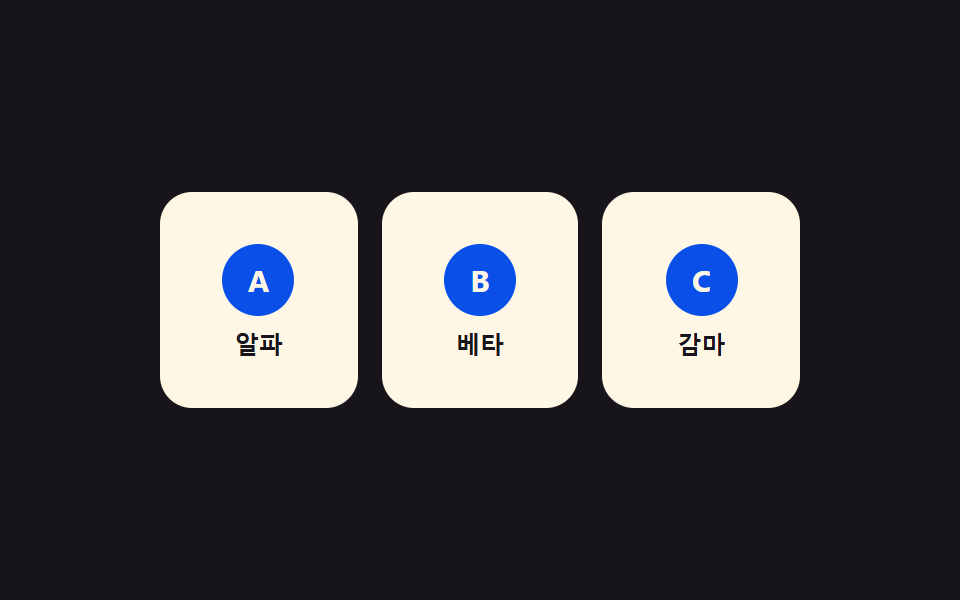 01 view-transition-name-pair-swap
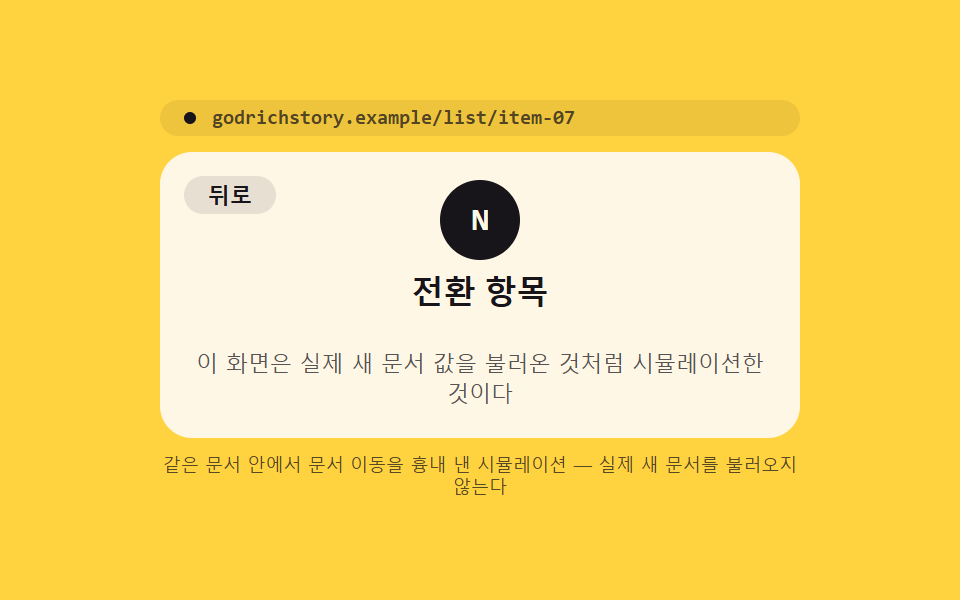 02 view-transition-mpa-cross-document
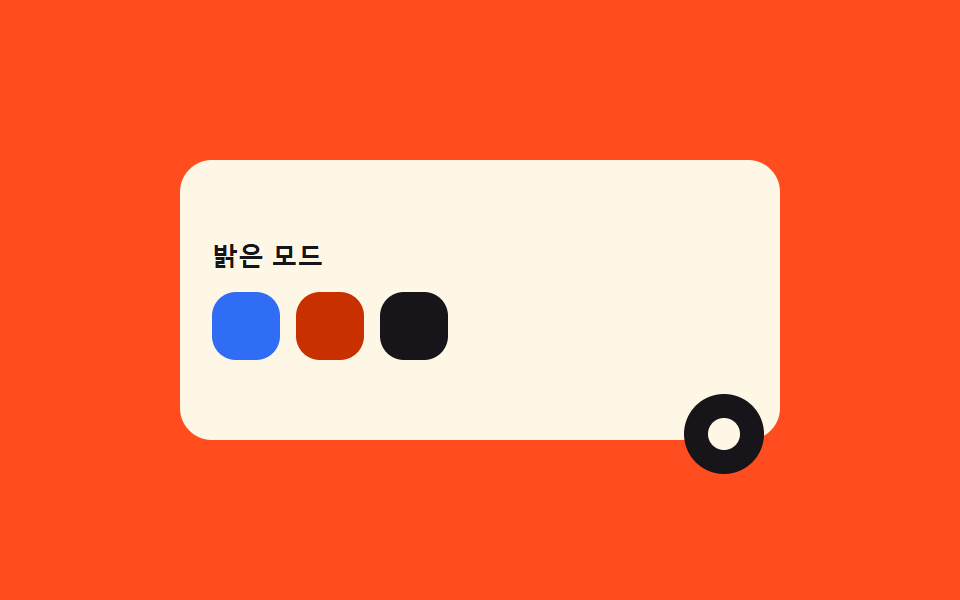 03 view-transition-clip-circle-reveal
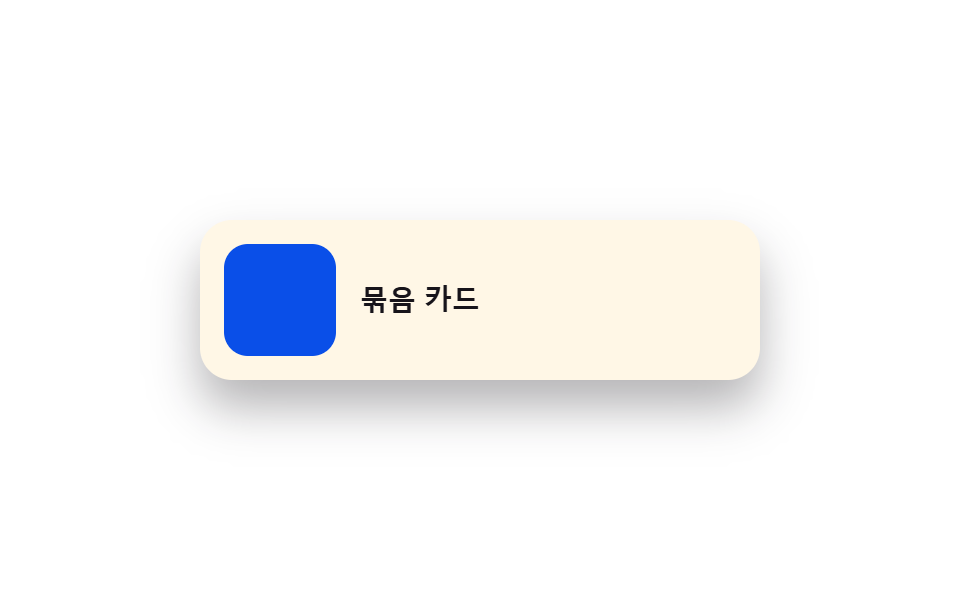 04 view-transition-group-nested
 05 view-transition-class-custom-easing
 06 view-transition-direction-aware-slide
 07 view-transition-skip-fallback
 08 view-transition-list-reorder
 09 view-transition-reduced-motion-guard
自動再生 · タイルを押すとその項目へ · すべて1つのzip
- 01 固有の名前値で要素を対応させてつなぐ遷移
- 02 実際の文書遷移でも途切れない文書間トランジション
- 03 クリック地点の値から丸く広がる遷移
- 04 親子を一組として一緒に動かす入れ子遷移
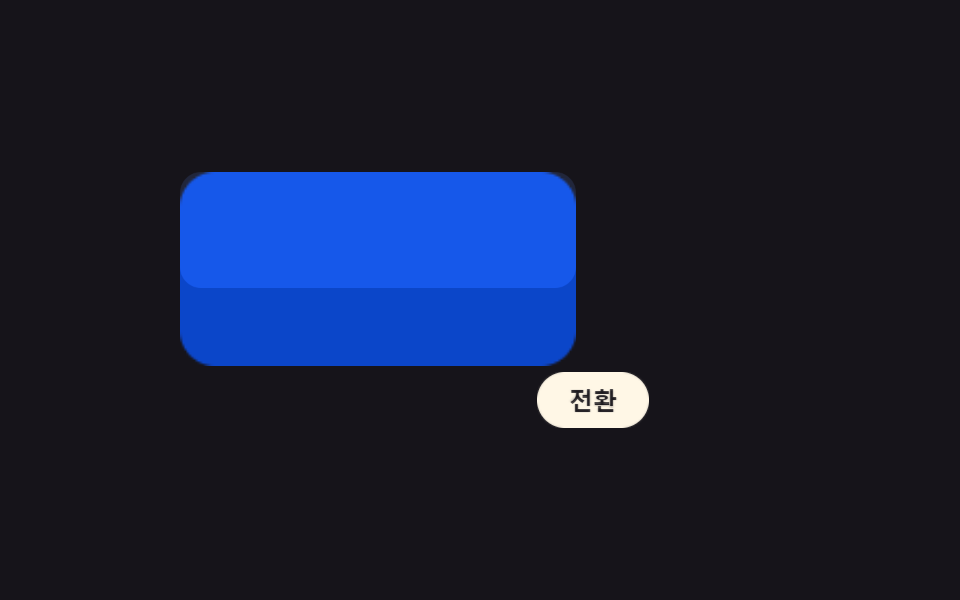
- 05 要素群ごとに異なる減速値を与えるクラス指定遷移
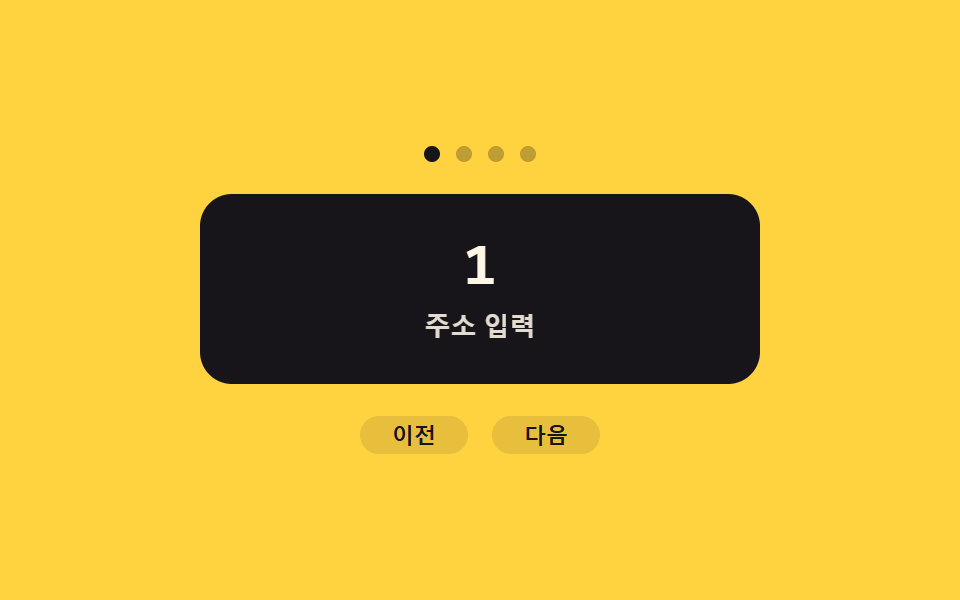
- 06 移動方向の値を読んで反転するスライド遷移
- 07 対応可否の値を先に確認して退避する遷移
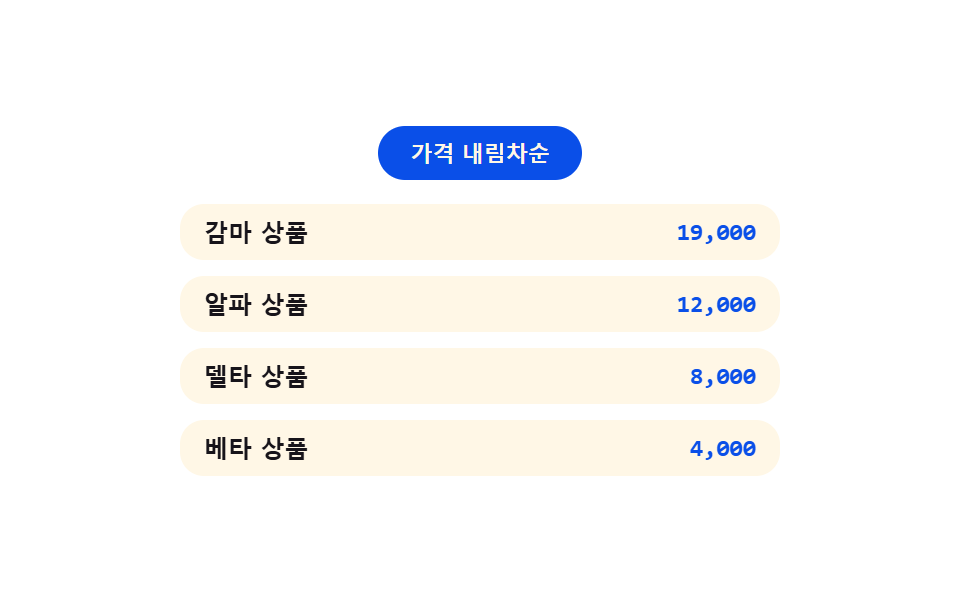
- 08 並び順の値が変わるとき滑る遷移
- 09 モーション低減値を検知して遷移を切る安全装置
以下の9つのパネルはどれも、何も取得したり実際のページへ移動したりしません — 項目02の文書間遷移は、この1ページの中だけで住所欄の表示とパネルの入れ替えを使って再現した見せかけで、本物のドキュメント読み込みはありません。ここでは Math.random も外部ライブラリも使っていません。中身を本物のコンテンツに差し替えても、下の遷移ロジックはそのまま使えます。
対応可否の値を先に確認する07を、他の8つより先に読む理由
01から09までのうち07以外の8つは、どれも同じ小さな change(fn) 関数を呼んでいます。この関数自体が 'startViewTransition' in document の値を先に確認し、document.startViewTransition(fn) を使うか fn() をそのまま実行するかを決めています。07はその確認を関数の中に隠さず、確認そのものをデモの主題にしています。07を先に読むと、残り8つは別々の9個の小技ではなく、名前値・クリック位置・方向値・クラス・並び順・モーション値という8つの違う値を、同じ1つの駆動ロジックに渡しているだけだと分かります。
01固有の名前値で要素を対応させてつなぐ遷移
カードと詳細パネルはマークアップも位置も別々ですが、開く瞬間に両方へ同じ view-transition-name 値を与えると、ブラウザは2つのスナップショットを1つの要素が伸び縮みするかのように補間します。名前値を持てるのは開いているカード1枚だけで、3枚全部に同時に付けると名前が衝突し対応が壊れます。
<main class="stage">
<div class="np is-demo" id="np">
  <div class="np__grid" id="npGrid">
    <button type="button" class="np__card" id="npCard0" data-id="0" aria-label="アルファを開く">
      <span class="np__badge">A</span><span class="np__t">アルファ</span>
    </button>
    <button type="button" class="np__card" id="npCard1" data-id="1" aria-label="ベータを開く">
      <span class="np__badge">B</span><span class="np__t">ベータ</span>
    </button>
    <button type="button" class="np__card" id="npCard2" data-id="2" aria-label="ガンマを開く">
      <span class="np__badge">C</span><span class="np__t">ガンマ</span>
    </button>
  </div>
  <div class="np__detail" id="npDetail" hidden>
    <button type="button" class="np__back" id="npBack" aria-label="一覧へ">戻る</button>
    <span class="np__badge np__badge--lg" id="npDetailBadge">A</span>
    <p class="np__title" id="npDetailTitle">アルファ</p>
    <p class="np__desc">名札の値 <code id="npName">card-0</code>でペアになった</p>
  </div>
</div>
</main>
@use "../../../../site/static/demo-tokens" as *;
// ── 변수 3개 ──────────────────────────────────────────
$duration: $dur-enter;
$easing: $ease-spring;
$color: $subject-blue-deep;
@include stage($stage-ink);
.np { position: relative; width: min(100%, 320px); height: 200px; }
.np__grid {
display: grid; grid-template-columns: repeat(3, 1fr); gap: $sp-3;
width: 100%; height: 100%; align-content: center;
}
// [hidden] 은 UA 스타일시트라 같은 특이도의 author .np__grid{display:grid} 에 밀린다 —
// 명시적으로 덮어써야 실제로 사라진다(안 그러면 두 패널이 동시에 렌더돼 이름표 값이 겹친다)
.np__grid[hidden], .np__detail[hidden] { display: none; }
.np__card {
view-transition-name: none;
display: flex; flex-direction: column; align-items: center; justify-content: center; gap: $sp-2;
border: none; border-radius: $r-card; background: $subject-cream; cursor: pointer;
padding: $sp-4 $sp-2; height: 108px;
}
.np__card:focus-visible { outline: 2px solid $subject-cream; outline-offset: 2px; }
.np__badge {
display: grid; place-items: center; width: 36px; height: 36px; border-radius: $r-pill;
background: $color; color: $subject-cream; font: 700 15px/1 -apple-system, "Segoe UI", sans-serif;
}
.np__badge--lg { width: 56px; height: 56px; font-size: 22px; }
.np__t { font: 600 12px/1 -apple-system, "Segoe UI", sans-serif; color: $subject-ink; }
.np__detail {
position: relative; width: 100%; height: 100%; box-sizing: border-box;
display: flex; flex-direction: column; align-items: center; justify-content: center; gap: $sp-2;
border-radius: $r-card; background: $subject-cream; padding: $sp-4;
}
.np__back {
position: absolute; top: $sp-3; left: $sp-3; border: none; border-radius: $r-pill;
background: rgba($subject-ink, .1); color: $subject-ink; font: 700 11px/1 -apple-system, sans-serif;
padding: $sp-1 $sp-3; cursor: pointer;
}
.np__title { margin: 0; font: 700 18px/1 -apple-system, "Segoe UI", sans-serif; color: $subject-ink; }
.np__desc { margin: 0; font: 400 11px/1.4 -apple-system, sans-serif; color: rgba($subject-ink, .72); text-align: center; }
.np__desc code {
display: inline-block; margin-top: $sp-1; padding: $sp-1 $sp-2; border-radius: $r-xs;
background: rgba($subject-ink, .1); font: 700 11px/1.2 "Space Mono", monospace; color: $subject-ink;
}
// 실사용 원리: 열릴 카드와 상세 패널에 같은 view-transition-name 값을 순간적으로 실어
// document.startViewTransition() 을 부르면, 브라우저가 두 스냅샷의 위치·크기 차이를 자동으로 보간한다.
::view-transition-group(np-shared) {
animation-duration: $duration;
animation-timing-function: $easing;
}
@media (max-width: 340px) {
.np { height: 160px; }
.np__card { height: 80px; padding: $sp-2 $sp-1; gap: $sp-1; }
.np__badge { width: 26px; height: 26px; font-size: 12px; }
.np__detail { padding: $sp-3; gap: $sp-1; }
.np__title { font-size: 15px; }
.np__desc { font-size: 10px; }
}
@media (prefers-reduced-motion: reduce) {
::view-transition-group(*),
::view-transition-old(*),
::view-transition-new(*) { animation: none !important; }
}html, body {
margin: 0;
overflow: hidden;
}
.stage {
box-sizing: border-box;
min-height: 100vh;
display: grid;
place-items: center;
margin: 0;
background: #17141a;
font-family: -apple-system, "Segoe UI", "Noto Sans KR", sans-serif;
padding: clamp(8px, 4vw, 24px);
}
.np {
position: relative;
width: min(100%, 320px);
height: 200px;
}
.np__grid {
display: grid;
grid-template-columns: repeat(3, 1fr);
gap: 12px;
width: 100%;
height: 100%;
align-content: center;
}
.np__grid[hidden], .np__detail[hidden] {
display: none;
}
.np__card {
view-transition-name: none;
display: flex;
flex-direction: column;
align-items: center;
justify-content: center;
gap: 8px;
border: none;
border-radius: 16px;
background: #fff7e6;
cursor: pointer;
padding: 16px 8px;
height: 108px;
}
.np__card:focus-visible {
outline: 2px solid #fff7e6;
outline-offset: 2px;
}
.np__badge {
display: grid;
place-items: center;
width: 36px;
height: 36px;
border-radius: 999px;
background: #0a4fe8;
color: #fff7e6;
font: 700 15px/1 -apple-system, "Segoe UI", sans-serif;
}
.np__badge--lg {
width: 56px;
height: 56px;
font-size: 22px;
}
.np__t {
font: 600 12px/1 -apple-system, "Segoe UI", sans-serif;
color: #17141a;
}
.np__detail {
position: relative;
width: 100%;
height: 100%;
box-sizing: border-box;
display: flex;
flex-direction: column;
align-items: center;
justify-content: center;
gap: 8px;
border-radius: 16px;
background: #fff7e6;
padding: 16px;
}
.np__back {
position: absolute;
top: 12px;
left: 12px;
border: none;
border-radius: 999px;
background: rgba(23, 20, 26, 0.1);
color: #17141a;
font: 700 11px/1 -apple-system, sans-serif;
padding: 4px 12px;
cursor: pointer;
}
.np__title {
margin: 0;
font: 700 18px/1 -apple-system, "Segoe UI", sans-serif;
color: #17141a;
}
.np__desc {
margin: 0;
font: 400 11px/1.4 -apple-system, sans-serif;
color: rgba(23, 20, 26, 0.72);
text-align: center;
}
.np__desc code {
display: inline-block;
margin-top: 4px;
padding: 4px 8px;
border-radius: 4px;
background: rgba(23, 20, 26, 0.1);
font: 700 11px/1.2 "Space Mono", monospace;
color: #17141a;
}
::view-transition-group(np-shared) {
animation-duration: 600ms;
animation-timing-function: cubic-bezier(0.2, 0.8, 0.2, 1);
}
@media (max-width: 340px) {
.np {
height: 160px;
}
.np__card {
height: 80px;
padding: 8px 4px;
gap: 4px;
}
.np__badge {
width: 26px;
height: 26px;
font-size: 12px;
}
.np__detail {
padding: 12px;
gap: 4px;
}
.np__title {
font-size: 15px;
}
.np__desc {
font-size: 10px;
}
}
@media (prefers-reduced-motion: reduce) {
::view-transition-group(*),
::view-transition-old(*),
::view-transition-new(*) {
animation: none !important;
}
}(function () {
var SUPPORTS_VT = 'startViewTransition' in document;
var root = document.getElementById('np');
var grid = document.getElementById('npGrid');
var detail = document.getElementById('npDetail');
var back = document.getElementById('npBack');
var cards = [0, 1, 2].map(function (i) { return document.getElementById('npCard' + i); });
var detailBadge = document.getElementById('npDetailBadge');
var detailTitle = document.getElementById('npDetailTitle');
var nameEl = document.getElementById('npName');
var DATA = [{ b: 'A', t: 'アルファ' }, { b: 'B', t: 'ベータ' }, { b: 'C', t: 'ガンマ' }];
var HOLD_MS = 1000;
var reduce = window.matchMedia('(prefers-reduced-motion: reduce)').matches;
var opened = null;
var isDemo = true;
function human() {
if (isDemo) { root.classList.remove('is-demo'); isDemo = false; }
}
// 계산 겹: 名札の値(view-transition-name)을 그 순간 선택된 카드 하나에만 실어 보낸다 —
// 모든 카드에 상시 부여하면 이름이 겹쳐 매칭이 깨진다. 값은 매번 새로 계산해서 준다.
function assignName(id, on) {
cards[id].style.viewTransitionName = on ? 'np-shared' : '';
}
function openRender(id) {
if (opened !== null) assignName(opened, false);
assignName(id, true);
detail.style.viewTransitionName = 'np-shared';
grid.hidden = true;
detail.hidden = false;
detailBadge.textContent = DATA[id].b;
detailTitle.textContent = DATA[id].t;
nameEl.textContent = 'card-' + id;
opened = id;
}
function closeRender() {
detail.hidden = true;
grid.hidden = false;
if (opened !== null) assignName(opened, false);
detail.style.viewTransitionName = '';
opened = null;
}
function change(fn) {
if (SUPPORTS_VT) { document.startViewTransition(fn); }
else { fn(); }
}
function open(id) {
if (opened === id) return;
change(function () { openRender(id); });
}
function close() {
if (opened === null) return;
change(closeRender);
}
cards.forEach(function (c, i) {
c.addEventListener('click', function () { human(); open(i); });
});
back.addEventListener('click', function () { human(); close(); });
root.addEventListener('keydown', function (e) {
if (e.key === 'Escape') { human(); close(); }
});
var seq = [0, 1, 2];
var si = 0;
function loop() {
if (!isDemo) return;
if (opened === null) { open(seq[si % seq.length]); si++; }
else { close(); }
window.setTimeout(loop, HOLD_MS);
}
if (!reduce) {
window.setTimeout(loop, HOLD_MS);
} else {
root.classList.remove('is-demo');
}
})();// NameTagPairSwap — vanilla 판(run/401/demo/01-view-transition-name-pair-swap/index.html) 의 React 포트.
// 카드와 상세 패널에 같은 view-transition-name 값(np-shared)을 그 순간에만 실어 startViewTransition 을 부른다.
import { useEffect, useRef } from "react";
import styles from "./NameTagPairSwap.module.scss";
type Box<T> = { current: T };
const DATA = [
{ b: "A", t: "알파" },
{ b: "B", t: "베타" },
{ b: "C", t: "감마" },
];
const HOLD_MS = 1000;
export default function NameTagPairSwap() {
const rootRef = useRef(null) as unknown as Box<HTMLDivElement>;
const gridRef = useRef(null) as unknown as Box<HTMLDivElement>;
const detailRef = useRef(null) as unknown as Box<HTMLDivElement>;
const cardRefs = useRef([null, null, null]) as unknown as Box<(HTMLButtonElement | null)[]>;
const badgeRef = useRef(null) as unknown as Box<HTMLElement>;
const titleRef = useRef(null) as unknown as Box<HTMLElement>;
const nameRef = useRef(null) as unknown as Box<HTMLElement>;
const timerRef = useRef(0) as unknown as Box<number>;
useEffect(() => {
const SUPPORTS_VT = "startViewTransition" in document;
const reduce = window.matchMedia("(prefers-reduced-motion: reduce)").matches;
let isDemo = true;
let opened: number | null = null;
function human() {
if (isDemo) { rootRef.current?.classList.remove(styles.isDemo); isDemo = false; }
}
// 계산 겹: 이름표 값(view-transition-name)을 그 순간 선택된 카드 하나에만 실어 보낸다 —
// 모든 카드에 상시 부여하면 이름이 겹쳐 매칭이 깨진다. 값은 매번 새로 계산해서 준다.
function assignName(id: number, on: boolean) {
const c = cardRefs.current[id];
if (c) c.style.viewTransitionName = on ? "np-shared" : "";
}
function openRender(id: number) {
if (opened !== null) assignName(opened, false);
assignName(id, true);
const detail = detailRef.current;
const grid = gridRef.current;
if (detail) detail.style.viewTransitionName = "np-shared";
grid?.setAttribute("hidden", "");
detail?.removeAttribute("hidden");
if (badgeRef.current) badgeRef.current.textContent = DATA[id].b;
if (titleRef.current) titleRef.current.textContent = DATA[id].t;
if (nameRef.current) nameRef.current.textContent = "card-" + id;
opened = id;
}
function closeRender() {
detailRef.current?.setAttribute("hidden", "");
gridRef.current?.removeAttribute("hidden");
if (opened !== null) assignName(opened, false);
if (detailRef.current) detailRef.current.style.viewTransitionName = "";
opened = null;
}
function change(fn: () => void) {
if (SUPPORTS_VT) { document.startViewTransition(fn); }
else { fn(); }
}
function open(id: number) {
if (opened === id) return;
change(() => openRender(id));
}
function close() {
if (opened === null) return;
change(closeRender);
}
function onCardClick(i: number) { return () => { human(); open(i); }; }
const clickHandlers = [0, 1, 2].map(onCardClick);
cardRefs.current.forEach((c, i) => c?.addEventListener("click", clickHandlers[i]));
function onBackClick() { human(); close(); }
detailRef.current; // noop keep ref referenced
const backBtn = rootRef.current?.querySelector<HTMLButtonElement>("[data-back]");
backBtn?.addEventListener("click", onBackClick);
function onKeydown(e: KeyboardEvent) {
if (e.key === "Escape") { human(); close(); }
}
rootRef.current?.addEventListener("keydown", onKeydown);
const seq = [0, 1, 2];
let si = 0;
function loop() {
if (!isDemo) return;
if (opened === null) { open(seq[si % seq.length]); si++; }
else { close(); }
timerRef.current = window.setTimeout(loop, HOLD_MS);
}
if (!reduce) {
timerRef.current = window.setTimeout(loop, HOLD_MS);
} else {
rootRef.current?.classList.remove(styles.isDemo);
}
return () => {
window.clearTimeout(timerRef.current);
cardRefs.current.forEach((c, i) => c?.removeEventListener("click", clickHandlers[i]));
backBtn?.removeEventListener("click", onBackClick);
rootRef.current?.removeEventListener("keydown", onKeydown);
};
}, []);
return (
<main className={styles.stage}>
<div className={styles.np + " " + styles.isDemo} ref={rootRef}>
<div className={styles.grid} ref={gridRef}>
<button type="button" className={styles.card} aria-label="알파 열기" ref={(el: HTMLButtonElement | null) => { cardRefs.current[0] = el; }}>
<span className={styles.badge}>A</span><span className={styles.t}>알파</span>
</button>
<button type="button" className={styles.card} aria-label="베타 열기" ref={(el: HTMLButtonElement | null) => { cardRefs.current[1] = el; }}>
<span className={styles.badge}>B</span><span className={styles.t}>베타</span>
</button>
<button type="button" className={styles.card} aria-label="감마 열기" ref={(el: HTMLButtonElement | null) => { cardRefs.current[2] = el; }}>
<span className={styles.badge}>C</span><span className={styles.t}>감마</span>
</button>
</div>
<div className={styles.detail} ref={detailRef} hidden>
<button type="button" className={styles.back} data-back aria-label="목록으로">뒤로</button>
<span className={styles.badge + " " + styles.badgeLg} ref={badgeRef}>A</span>
<p className={styles.title} ref={titleRef}>알파</p>
<p className={styles.desc}>이름표 값 <code ref={nameRef}>card-0</code>로 짝지어졌다</p>
</div>
</div>
</main>
);
}01 · 固有の名前値で要素を対応させてつなぐ遷移 — 計測 累積面積 44.292% · 動いたフレーム 7/23GODRICH オリジナル · SCSS と React は zip に同梱 · パスワードを見る
  // 計算層: 名前値(view-transition-name)は、その瞬間に選ばれているカード1枚だけに渡す —
  // 全カードに常時つけると名前が衝突し対応が壊れる。値は毎回その場で計算し直す。
  function assignName(id, on) {
    cards[id].style.viewTransitionName = on ? 'np-shared' : '';
  }

  function openRender(id) {
    if (opened !== null) assignName(opened, false);
    assignName(id, true);
    detail.style.viewTransitionName = 'np-shared';
    grid.hidden = true;
    detail.hidden = false;
    detailBadge.textContent = DATA[id].b;
    detailTitle.textContent = DATA[id].t;
    nameEl.textContent = 'card-' + id;
    opened = id;
  }

  function closeRender() {
    detail.hidden = true;
    grid.hidden = false;
    if (opened !== null) assignName(opened, false);
    detail.style.viewTransitionName = '';
    opened = null;
  }
02実際の文書遷移でも途切れない文書間トランジション
このデモは実際の文書間遷移をまるごと1ページの中だけで再現した見せかけです — アドレスバーの表示と入れ替わる2枚のパネルが2つの別々の文書の代わりを務めていて、実際の再読み込みも取得も一切起きません。本物の複数ページサイトなら @view-transition { navigation: auto } でこの同じ切り替えに加わることになり、その view transition name auto の働きこそが、ここで change() が document.startViewTransition を使って手動で対応させているのと同じ形で、2つのまったく別の文書をまたいで要素を対応させる仕組みです。
<main class="stage">
<div class="mp is-demo" id="mp">
  <p class="mp__bar" id="mpBar" aria-hidden="true"><span class="mp__dot"></span><span id="mpUrl">godrichstory.example/list</span></p>
  <div class="mp__view" id="mpView">
    <div class="mp__doc" id="mpList">
      <p class="mp__kicker">文書A</p>
      <p class="mp__h">記事一覧</p>
      <button type="button" class="mp__row" id="mpOpen" aria-label="記事アイテムを開く — 同一文書であるかのように再現">
        <span class="mp__chip" id="mpChipList">N</span><span class="mp__rowT">遷移アイテム</span>
      </button>
      <p class="mp__row mp__row--ghost"></p>
      <p class="mp__row mp__row--ghost"></p>
    </div>
    <div class="mp__doc mp__doc--article" id="mpArticle" hidden>
      <button type="button" class="mp__back" id="mpBack" aria-label="一覧の文書に戻る">戻る</button>
      <span class="mp__chip mp__chip--lg" id="mpChipArt">N</span>
      <p class="mp__h">遷移アイテム</p>
      <p class="mp__desc">この画面は実際に新しい文書の値を読み込んだかのように再現したものだ。</p>
    </div>
  </div>
  <p class="mp__note">同一文書内で文書遷移を再現したシミュレーション — 実際に新しい文書は読み込まない。</p>
</div>
</main>
@use "../../../../site/static/demo-tokens" as *;
// ── 변수 3개 ──────────────────────────────────────────
$duration: $dur-enter;
$easing: $ease-out;
$color: $subject-ink;
@include stage($stage-yellow);
.mp { position: relative; width: min(100%, 320px); height: 200px; display: flex; flex-direction: column; gap: $sp-2; }
.mp__bar {
margin: 0; display: flex; align-items: center; gap: $sp-2;
background: rgba($subject-ink, .08); border-radius: $r-pill; padding: $sp-1 $sp-3;
font: 700 10px/1 "Space Mono", monospace; color: rgba($subject-ink, .72);
}
.mp__dot { width: 6px; height: 6px; border-radius: 50%; background: $subject-ink; flex: 0 0 auto; }
.mp__view { position: relative; flex: 1 1 auto; }
.mp__doc {
view-transition-name: none;
position: absolute; inset: 0; box-sizing: border-box;
background: $subject-cream; border-radius: $r-card; padding: $sp-4;
}
// [hidden] 은 UA 스타일이라 author 의 position:absolute 규칙과 특이도가 같으면 밀린다 — 명시적으로 덮는다
.mp__doc[hidden] { display: none; }
.mp__kicker { margin: 0 0 $sp-1; font: 700 10px/1 "Space Mono", monospace; color: rgba($subject-ink, .72); }
.mp__h { margin: 0 0 $sp-3; font: 700 16px/1 -apple-system, "Segoe UI", sans-serif; color: $subject-ink; }
.mp__row {
display: flex; align-items: center; gap: $sp-2; width: 100%; box-sizing: border-box;
border: none; border-radius: $r-control; background: rgba($subject-ink, .06); cursor: pointer;
padding: $sp-2 $sp-3; margin: 0 0 $sp-2; text-align: left;
}
.mp__row:focus-visible { outline: 2px solid $subject-ink; outline-offset: 2px; }
.mp__row--ghost { height: 30px; background: rgba($subject-ink, .04); }
.mp__chip {
display: grid; place-items: center; width: 26px; height: 26px; border-radius: $r-pill;
background: $color; color: $subject-cream; font: 700 12px/1 "Space Mono", monospace; flex: 0 0 auto;
}
.mp__chip--lg { width: 40px; height: 40px; font-size: 16px; }
.mp__rowT { font: 600 12px/1 -apple-system, sans-serif; color: $subject-ink; }
.mp__doc--article { display: flex; flex-direction: column; align-items: center; justify-content: center; gap: $sp-2; text-align: center; }
.mp__back {
position: absolute; top: $sp-3; left: $sp-3; border: none; border-radius: $r-pill;
background: rgba($subject-ink, .1); color: $subject-ink; font: 700 11px/1 -apple-system, sans-serif;
padding: $sp-1 $sp-3; cursor: pointer;
}
.mp__desc { margin: 0; font: 400 11px/1.4 -apple-system, sans-serif; color: rgba($subject-ink, .72); }
.mp__note { margin: 0; font: 400 9px/1.3 -apple-system, sans-serif; color: rgba($subject-ink, .72); text-align: center; }
::view-transition-group(root) {
animation-duration: $duration;
animation-timing-function: $easing;
}
@media (max-width: 340px) {
.mp { height: 168px; }
.mp__doc { padding: $sp-3; }
.mp__h { font-size: 14px; margin-bottom: $sp-2; }
.mp__row { padding: $sp-1 $sp-2; }
.mp__row--ghost { height: 22px; }
}
@media (prefers-reduced-motion: reduce) {
::view-transition-group(*),
::view-transition-old(*),
::view-transition-new(*) { animation: none !important; }
}html, body {
margin: 0;
overflow: hidden;
}
.stage {
box-sizing: border-box;
min-height: 100vh;
display: grid;
place-items: center;
margin: 0;
background: #ffd23f;
font-family: -apple-system, "Segoe UI", "Noto Sans KR", sans-serif;
padding: clamp(8px, 4vw, 24px);
}
.mp {
position: relative;
width: min(100%, 320px);
height: 200px;
display: flex;
flex-direction: column;
gap: 8px;
}
.mp__bar {
margin: 0;
display: flex;
align-items: center;
gap: 8px;
background: rgba(23, 20, 26, 0.08);
border-radius: 999px;
padding: 4px 12px;
font: 700 10px/1 "Space Mono", monospace;
color: rgba(23, 20, 26, 0.72);
}
.mp__dot {
width: 6px;
height: 6px;
border-radius: 50%;
background: #17141a;
flex: 0 0 auto;
}
.mp__view {
position: relative;
flex: 1 1 auto;
}
.mp__doc {
view-transition-name: none;
position: absolute;
inset: 0;
box-sizing: border-box;
background: #fff7e6;
border-radius: 16px;
padding: 16px;
}
.mp__doc[hidden] {
display: none;
}
.mp__kicker {
margin: 0 0 4px;
font: 700 10px/1 "Space Mono", monospace;
color: rgba(23, 20, 26, 0.72);
}
.mp__h {
margin: 0 0 12px;
font: 700 16px/1 -apple-system, "Segoe UI", sans-serif;
color: #17141a;
}
.mp__row {
display: flex;
align-items: center;
gap: 8px;
width: 100%;
box-sizing: border-box;
border: none;
border-radius: 12px;
background: rgba(23, 20, 26, 0.06);
cursor: pointer;
padding: 8px 12px;
margin: 0 0 8px;
text-align: left;
}
.mp__row:focus-visible {
outline: 2px solid #17141a;
outline-offset: 2px;
}
.mp__row--ghost {
height: 30px;
background: rgba(23, 20, 26, 0.04);
}
.mp__chip {
display: grid;
place-items: center;
width: 26px;
height: 26px;
border-radius: 999px;
background: #17141a;
color: #fff7e6;
font: 700 12px/1 "Space Mono", monospace;
flex: 0 0 auto;
}
.mp__chip--lg {
width: 40px;
height: 40px;
font-size: 16px;
}
.mp__rowT {
font: 600 12px/1 -apple-system, sans-serif;
color: #17141a;
}
.mp__doc--article {
display: flex;
flex-direction: column;
align-items: center;
justify-content: center;
gap: 8px;
text-align: center;
}
.mp__back {
position: absolute;
top: 12px;
left: 12px;
border: none;
border-radius: 999px;
background: rgba(23, 20, 26, 0.1);
color: #17141a;
font: 700 11px/1 -apple-system, sans-serif;
padding: 4px 12px;
cursor: pointer;
}
.mp__desc {
margin: 0;
font: 400 11px/1.4 -apple-system, sans-serif;
color: rgba(23, 20, 26, 0.72);
}
.mp__note {
margin: 0;
font: 400 9px/1.3 -apple-system, sans-serif;
color: rgba(23, 20, 26, 0.72);
text-align: center;
}
::view-transition-group(root) {
animation-duration: 600ms;
animation-timing-function: ease-out;
}
@media (max-width: 340px) {
.mp {
height: 168px;
}
.mp__doc {
padding: 12px;
}
.mp__h {
font-size: 14px;
margin-bottom: 8px;
}
.mp__row {
padding: 4px 8px;
}
.mp__row--ghost {
height: 22px;
}
}
@media (prefers-reduced-motion: reduce) {
::view-transition-group(*),
::view-transition-old(*),
::view-transition-new(*) {
animation: none !important;
}
}(function () {
var SUPPORTS_VT = 'startViewTransition' in document;
// 시뮬레이션 안내: 실제 문서 간(MPA) 전환은 브라우저가 @view-transition { navigation: auto }
// 규칙을 문서마다 읽어 두 문서의 스냅샷을 자동으로 잇는다. 이 데모는 같은 문서 안에서
// 주소 표시줄 값과 文書A/B 전환만 흉내 낸 것으로, 실제 페이지 이동·불러오기는 없다.
var root = document.getElementById('mp');
var bar = document.getElementById('mpBar');
var urlEl = document.getElementById('mpUrl');
var list = document.getElementById('mpList');
var article = document.getElementById('mpArticle');
var openBtn = document.getElementById('mpOpen');
var backBtn = document.getElementById('mpBack');
var chipList = document.getElementById('mpChipList');
var chipArt = document.getElementById('mpChipArt');
var reduce = window.matchMedia('(prefers-reduced-motion: reduce)').matches;
var atArticle = false;
var isDemo = true;
function human() {
if (isDemo) { root.classList.remove('is-demo'); isDemo = false; }
}
function toArticleRender() {
urlEl.textContent = 'godrichstory.example/list/item-07';
list.hidden = true;
article.hidden = false;
chipArt.textContent = chipList.textContent;
atArticle = true;
}
  function toListRender() {
    urlEl.textContent = 'godrichstory.example/list';
    article.hidden = true;
    list.hidden = false;
    atArticle = false;
  }

  function change(fn) {
    if (SUPPORTS_VT) { document.startViewTransition(fn); }
    else { fn(); }
  }

  function toArticle() {
    if (atArticle) return;
    change(toArticleRender);
  }
  function toList() {
    if (!atArticle) return;
    change(toListRender);
  }

  openBtn.addEventListener('click', function () { human(); toArticle(); });
  backBtn.addEventListener('click', function () { human(); toList(); });
root.addEventListener('keydown', function (e) {
if (e.key === 'Escape') { human(); toList(); }
});
var HOLD_MS = 1000;
function loop() {
if (!isDemo) return;
if (atArticle) toList(); else toArticle();
window.setTimeout(loop, HOLD_MS);
}
if (!reduce) {
window.setTimeout(loop, HOLD_MS);
} else {
root.classList.remove('is-demo');
}
})();// MpaCrossDocument — vanilla 판(run/401/demo/02-view-transition-mpa-cross-document/index.html) 의 React 포트.
// 시뮬레이션 안내: 실제 문서 간(MPA) 전환은 브라우저가 @view-transition { navigation: auto } 규칙을
// 문서마다 읽어 두 문서의 스냅샷을 자동으로 잇는다. 이 포트는 같은 문서 안에서 주소 표시줄 값과
// 문서 A/B 전환만 흉내 낸 것으로, 실제 페이지 이동·불러오기는 없다.
import { useEffect, useRef } from "react";
import styles from "./MpaCrossDocument.module.scss";
type Box<T> = { current: T };
const HOLD_MS = 1000;
export default function MpaCrossDocument() {
const rootRef = useRef(null) as unknown as Box<HTMLDivElement>;
const urlRef = useRef(null) as unknown as Box<HTMLElement>;
const listRef = useRef(null) as unknown as Box<HTMLDivElement>;
const articleRef = useRef(null) as unknown as Box<HTMLDivElement>;
const openBtnRef = useRef(null) as unknown as Box<HTMLButtonElement>;
const backBtnRef = useRef(null) as unknown as Box<HTMLButtonElement>;
const chipListRef = useRef(null) as unknown as Box<HTMLElement>;
const chipArtRef = useRef(null) as unknown as Box<HTMLElement>;
const timerRef = useRef(0) as unknown as Box<number>;
useEffect(() => {
const SUPPORTS_VT = "startViewTransition" in document;
const reduce = window.matchMedia("(prefers-reduced-motion: reduce)").matches;
let isDemo = true;
let atArticle = false;
function human() {
if (isDemo) { rootRef.current?.classList.remove(styles.isDemo); isDemo = false; }
}
function toArticleRender() {
if (urlRef.current) urlRef.current.textContent = "godrichstory.example/list/item-07";
listRef.current?.setAttribute("hidden", "");
articleRef.current?.removeAttribute("hidden");
if (chipArtRef.current && chipListRef.current) chipArtRef.current.textContent = chipListRef.current.textContent;
atArticle = true;
}
function toListRender() {
if (urlRef.current) urlRef.current.textContent = "godrichstory.example/list";
articleRef.current?.setAttribute("hidden", "");
listRef.current?.removeAttribute("hidden");
atArticle = false;
}
function change(fn: () => void) {
if (SUPPORTS_VT) { document.startViewTransition(fn); }
else { fn(); }
}
function toArticle() { if (atArticle) return; change(toArticleRender); }
function toList() { if (!atArticle) return; change(toListRender); }
function onOpenClick() { human(); toArticle(); }
function onBackClick() { human(); toList(); }
function onKeydown(e: KeyboardEvent) { if (e.key === "Escape") { human(); toList(); } }
openBtnRef.current?.addEventListener("click", onOpenClick);
backBtnRef.current?.addEventListener("click", onBackClick);
rootRef.current?.addEventListener("keydown", onKeydown);
function loop() {
if (!isDemo) return;
if (atArticle) toList(); else toArticle();
timerRef.current = window.setTimeout(loop, HOLD_MS);
}
if (!reduce) {
timerRef.current = window.setTimeout(loop, HOLD_MS);
} else {
rootRef.current?.classList.remove(styles.isDemo);
}
return () => {
window.clearTimeout(timerRef.current);
openBtnRef.current?.removeEventListener("click", onOpenClick);
backBtnRef.current?.removeEventListener("click", onBackClick);
rootRef.current?.removeEventListener("keydown", onKeydown);
};
}, []);
return (
<main className={styles.stage}>
<div className={styles.mp + " " + styles.isDemo} ref={rootRef}>
<p className={styles.bar} aria-hidden="true"><span className={styles.dot} /><span ref={urlRef}>godrichstory.example/list</span></p>
<div className={styles.view}>
<div className={styles.doc} ref={listRef}>
<p className={styles.kicker}>문서 A</p>
<p className={styles.h}>글 목록</p>
<button type="button" className={styles.row} ref={openBtnRef} aria-label="글 항목 열기 — 같은 문서인 것처럼 시뮬레이션">
<span className={styles.chip} ref={chipListRef}>N</span><span className={styles.rowT}>전환 항목</span>
</button>
<p className={styles.row + " " + styles.rowGhost} />
<p className={styles.row + " " + styles.rowGhost} />
</div>
<div className={styles.doc + " " + styles.docArticle} ref={articleRef} hidden>
<button type="button" className={styles.back} ref={backBtnRef} aria-label="목록 문서로 돌아가기">뒤로</button>
<span className={styles.chip + " " + styles.chipLg} ref={chipArtRef}>N</span>
<p className={styles.h}>전환 항목</p>
<p className={styles.desc}>이 화면은 실제 새 문서 값을 불러온 것처럼 시뮬레이션한 것이다</p>
</div>
</div>
<p className={styles.note}>같은 문서 안에서 문서 이동을 흉내 낸 시뮬레이션 — 실제 새 문서를 불러오지 않는다</p>
</div>
</main>
);
}02 · 実際の文書遷移でも途切れない文書間トランジション — 計測 累積面積 11.061% · 動いたフレーム 10/23GODRICH オリジナル · SCSS と React は zip に同梱 · パスワードを見る
function toListRender() {
urlEl.textContent = 'godrichstory.example/list';
article.hidden = true;
list.hidden = false;
atArticle = false;
}
function change(fn) {
if (SUPPORTS_VT) { document.startViewTransition(fn); }
else { fn(); }
}
function toArticle() {
if (atArticle) return;
change(toArticleRender);
}
function toList() {
if (!atArticle) return;
change(toListRender);
}
openBtn.addEventListener('click', function () { human(); toArticle(); });
backBtn.addEventListener('click', function () { human(); toList(); });
03クリック地点の値から丸く広がる遷移
farthestCornerRadius はクリック座標からパネルの4隅までの距離を測り、いちばん遠い値を採用します。だから円をその半径まで育てた瞬間、パネル全体がちょうど覆われます。playClip は遷移を開始して t.ready を待ち、新しい疑似要素の clip-path を、ほぼ0の半径から計算済みの半径まで動かします。
<main class="stage">
<div class="cr is-demo" id="cr">
  <div class="cr__panel" id="crPanel">
    <p class="cr__label" id="crLabel">ライトモード</p>
    <div class="cr__swatches">
      <span class="cr__sw"></span><span class="cr__sw"></span><span class="cr__sw"></span>
    </div>
  </div>
  <button type="button" class="cr__toggle" id="crToggle" aria-label="テーマ切り替え — 押した座標の値から円が広がる">
    <span class="cr__toggleDot" id="crDot"></span>
  </button>
</div>
</main>
@use "../../../../site/static/demo-tokens" as *;
// ── 변수 3개 ──────────────────────────────────────────
$duration: $dur-enter;
$easing: $ease-out;
$color: $subject-cream;
@include stage($stage-orange);
.cr { position: relative; width: min(100%, 300px); height: 190px; display: flex; flex-direction: column; align-items: center; justify-content: center; gap: $sp-4; }
.cr__panel {
position: relative; width: 100%; height: 140px; box-sizing: border-box; overflow: hidden;
border-radius: $r-card; background: $subject-cream; padding: $sp-4;
display: flex; flex-direction: column; justify-content: center; gap: $sp-3;
}
.cr__panel.is-dark { background: $subject-ink; }
.cr__label { margin: 0; font: 700 13px/1 -apple-system, "Segoe UI", sans-serif; color: $subject-ink; }
.cr__panel.is-dark .cr__label { color: $color; }
.cr__swatches { display: flex; gap: $sp-2; }
.cr__sw { width: 34px; height: 34px; border-radius: $r-control; background: $subject-blue; }
.cr__sw:nth-child(2) { background: $subject-orange-deep; }
.cr__sw:nth-child(3) { background: $subject-ink; }
.cr__panel.is-dark .cr__sw:nth-child(3) { background: $subject-cream; }
.cr__toggle {
position: absolute; bottom: $sp-2; right: $sp-2; width: 40px; height: 40px; border-radius: $r-pill;
border: none; background: $subject-ink; cursor: pointer; display: grid; place-items: center;
}
.cr__toggle:focus-visible { outline: 2px solid $subject-cream; outline-offset: 2px; }
.cr__toggleDot { width: 16px; height: 16px; border-radius: 50%; background: $color; }
@media (prefers-reduced-motion: reduce) {
::view-transition-group(*),
::view-transition-old(*),
::view-transition-new(*) { animation: none !important; }
}
@media (max-width: 340px) {
.cr { height: 150px; gap: $sp-2; }
.cr__panel { height: 108px; padding: $sp-3; gap: $sp-2; }
.cr__sw { width: 26px; height: 26px; }
.cr__toggle { width: 32px; height: 32px; }
.cr__toggleDot { width: 12px; height: 12px; }
}html, body {
margin: 0;
overflow: hidden;
}
.stage {
box-sizing: border-box;
min-height: 100vh;
display: grid;
place-items: center;
margin: 0;
background: #ff4d1f;
font-family: -apple-system, "Segoe UI", "Noto Sans KR", sans-serif;
padding: clamp(8px, 4vw, 24px);
}
.cr {
position: relative;
width: min(100%, 300px);
height: 190px;
display: flex;
flex-direction: column;
align-items: center;
justify-content: center;
gap: 16px;
}
.cr__panel {
position: relative;
width: 100%;
height: 140px;
box-sizing: border-box;
overflow: hidden;
border-radius: 16px;
background: #fff7e6;
padding: 16px;
display: flex;
flex-direction: column;
justify-content: center;
gap: 12px;
}
.cr__panel.is-dark {
background: #17141a;
}
.cr__label {
margin: 0;
font: 700 13px/1 -apple-system, "Segoe UI", sans-serif;
color: #17141a;
}
.cr__panel.is-dark .cr__label {
color: #fff7e6;
}
.cr__swatches {
display: flex;
gap: 8px;
}
.cr__sw {
width: 34px;
height: 34px;
border-radius: 12px;
background: #2f6df6;
}
.cr__sw:nth-child(2) {
background: #c93000;
}
.cr__sw:nth-child(3) {
background: #17141a;
}
.cr__panel.is-dark .cr__sw:nth-child(3) {
background: #fff7e6;
}
.cr__toggle {
position: absolute;
bottom: 8px;
right: 8px;
width: 40px;
height: 40px;
border-radius: 999px;
border: none;
background: #17141a;
cursor: pointer;
display: grid;
place-items: center;
}
.cr__toggle:focus-visible {
outline: 2px solid #fff7e6;
outline-offset: 2px;
}
.cr__toggleDot {
width: 16px;
height: 16px;
border-radius: 50%;
background: #fff7e6;
}
@media (prefers-reduced-motion: reduce) {
::view-transition-group(*),
::view-transition-old(*),
::view-transition-new(*) {
animation: none !important;
}
}
@media (max-width: 340px) {
.cr {
height: 150px;
gap: 8px;
}
.cr__panel {
height: 108px;
padding: 12px;
gap: 8px;
}
.cr__sw {
width: 26px;
height: 26px;
}
.cr__toggle {
width: 32px;
height: 32px;
}
.cr__toggleDot {
width: 12px;
height: 12px;
}
}(function () {
var SUPPORTS_VT = 'startViewTransition' in document;
var root = document.getElementById('cr');
var panel = document.getElementById('crPanel');
var label = document.getElementById('crLabel');
var toggle = document.getElementById('crToggle');
var dot = document.getElementById('crDot');
var reduce = window.matchMedia('(prefers-reduced-motion: reduce)').matches;
var dark = false;
var isDemo = true;
var CLIP_START_RADIUS_PX = 0;
function human() {
if (isDemo) { root.classList.remove('is-demo'); isDemo = false; }
}
function renderState() {
panel.classList.toggle('is-dark', dark);
label.textContent = dark ? 'ダークモード' : 'ライトモード';
}
// 계산 겹: 누른 좌표 값(x, y)에서 패널의 네 꼭짓점까지 거리 중 가장 먼 값을 반지름으로 쓴다 —
// 그래야 원이 다 자랐을 때 패널 전체를 남김없이 덮는다.
function farthestCornerRadius(x, y, rect) {
var corners = [
[0, 0], [rect.width, 0], [0, rect.height], [rect.width, rect.height]
];
var r = 0;
for (var i = 0; i < corners.length; i++) {
var dx = x - corners[i][0];
var dy = y - corners[i][1];
r = Math.max(r, Math.hypot(dx, dy));
}
return r;
}
  function playClip(x, y, rect) {
    if (!SUPPORTS_VT || !panel.animate) { renderState(); return; }
    var radius = farthestCornerRadius(x, y, rect);
    panel.style.viewTransitionName = 'cr-panel';
    var t = document.startViewTransition(function () { renderState(); });
    t.ready.then(function () {
      document.documentElement.animate(
        { clipPath: ['circle(' + CLIP_START_RADIUS_PX + 'px at ' + x + 'px ' + y + 'px)', 'circle(' + radius.toFixed(1) + 'px at ' + x + 'px ' + y + 'px)'] },
        { duration: 520, easing: 'ease-in', pseudoElement: '::view-transition-new(cr-panel)' }
      );
    });
    t.finished.then(function () { panel.style.viewTransitionName = ''; });
  }

  function toggleAt(x, y) {
    dark = !dark;
    var rect = panel.getBoundingClientRect();
    var lx = x - rect.left;
    var ly = y - rect.top;
    playClip(lx, ly, rect);
  }
toggle.addEventListener('click', function (e) {
human();
toggleAt(e.clientX, e.clientY);
});
root.addEventListener('keydown', function (e) {
if (e.key === 'Enter' || e.key === ' ') {
human();
var r = toggle.getBoundingClientRect();
e.preventDefault();
toggleAt(r.left + r.width / 2, r.top + r.height / 2);
}
});
var corners = [
function () { var r = panel.getBoundingClientRect(); return [r.left + 8, r.top + 8]; },
function () { var r = panel.getBoundingClientRect(); return [r.right - 8, r.bottom - 8]; }
];
var ci = 0;
var HOLD_MS = 1000;
function loop() {
if (!isDemo) return;
var p = corners[ci % corners.length](); ci++;
dark = !dark;
playClip(p[0] - panel.getBoundingClientRect().left, p[1] - panel.getBoundingClientRect().top, panel.getBoundingClientRect());
window.setTimeout(loop, HOLD_MS);
}
if (!reduce) {
window.setTimeout(loop, HOLD_MS);
} else {
root.classList.remove('is-demo');
}
})();// ClipCircleReveal — vanilla 판(run/401/demo/03-view-transition-clip-circle-reveal/index.html) 의 React 포트.
// 계산 겹: 누른 좌표 값(x, y)에서 패널의 네 꼭짓점까지 거리 중 가장 먼 값을 반지름으로 써서
// 원이 다 자랐을 때 패널 전체를 남김없이 덮는다.
import { useEffect, useRef } from "react";
import styles from "./ClipCircleReveal.module.scss";
type Box<T> = { current: T };
const HOLD_MS = 1000;
const CLIP_START_RADIUS_PX = 0;
function farthestCornerRadius(x: number, y: number, rect: { width: number; height: number }): number {
const corners: [number, number][] = [
[0, 0], [rect.width, 0], [0, rect.height], [rect.width, rect.height],
];
let r = 0;
for (let i = 0; i < corners.length; i++) {
const dx = x - corners[i][0];
const dy = y - corners[i][1];
r = Math.max(r, Math.hypot(dx, dy));
}
return r;
}
export default function ClipCircleReveal() {
const rootRef = useRef(null) as unknown as Box<HTMLDivElement>;
const panelRef = useRef(null) as unknown as Box<HTMLDivElement>;
const labelRef = useRef(null) as unknown as Box<HTMLElement>;
const toggleRef = useRef(null) as unknown as Box<HTMLButtonElement>;
const timerRef = useRef(0) as unknown as Box<number>;
useEffect(() => {
const SUPPORTS_VT = "startViewTransition" in document;
const reduce = window.matchMedia("(prefers-reduced-motion: reduce)").matches;
let isDemo = true;
let dark = false;
function human() {
if (isDemo) { rootRef.current?.classList.remove(styles.isDemo); isDemo = false; }
}
function renderState() {
panelRef.current?.classList.toggle(styles.isDark, dark);
if (labelRef.current) labelRef.current.textContent = dark ? "어두운 모드" : "밝은 모드";
}
function playClip(x: number, y: number, rect: DOMRect) {
const panel = panelRef.current;
if (!SUPPORTS_VT || !panel || !panel.animate) { renderState(); return; }
const radius = farthestCornerRadius(x, y, rect);
panel.style.viewTransitionName = "cr-panel";
const t = document.startViewTransition(() => { renderState(); });
t.ready.then(() => {
document.documentElement.animate(
{ clipPath: ["circle(" + CLIP_START_RADIUS_PX + "px at " + x + "px " + y + "px)", "circle(" + radius.toFixed(1) + "px at " + x + "px " + y + "px)"] },
{ duration: 520, easing: "ease-in", pseudoElement: "::view-transition-new(cr-panel)" }
);
});
t.finished.then(() => { if (panel) panel.style.viewTransitionName = ""; });
}
function toggleAt(x: number, y: number) {
dark = !dark;
const panel = panelRef.current;
if (!panel) return;
const rect = panel.getBoundingClientRect();
playClip(x - rect.left, y - rect.top, rect);
}
function onToggleClick(e: MouseEvent) { human(); toggleAt(e.clientX, e.clientY); }
function onKeydown(e: KeyboardEvent) {
if (e.key === "Enter" || e.key === " ") {
human();
const r = toggleRef.current?.getBoundingClientRect();
if (!r) return;
e.preventDefault();
toggleAt(r.left + r.width / 2, r.top + r.height / 2);
}
}
toggleRef.current?.addEventListener("click", onToggleClick);
rootRef.current?.addEventListener("keydown", onKeydown);
const corners = [
() => { const r = panelRef.current!.getBoundingClientRect(); return [r.left + 8, r.top + 8]; },
() => { const r = panelRef.current!.getBoundingClientRect(); return [r.right - 8, r.bottom - 8]; },
];
let ci = 0;
function loop() {
if (!isDemo) return;
const p = corners[ci % corners.length](); ci++;
dark = !dark;
const rect = panelRef.current!.getBoundingClientRect();
playClip(p[0] - rect.left, p[1] - rect.top, rect);
timerRef.current = window.setTimeout(loop, HOLD_MS);
}
if (!reduce) {
timerRef.current = window.setTimeout(loop, HOLD_MS);
} else {
rootRef.current?.classList.remove(styles.isDemo);
}
return () => {
window.clearTimeout(timerRef.current);
toggleRef.current?.removeEventListener("click", onToggleClick);
rootRef.current?.removeEventListener("keydown", onKeydown);
};
}, []);
return (
<main className={styles.stage}>
<div className={styles.cr + " " + styles.isDemo} ref={rootRef}>
<div className={styles.panel} ref={panelRef}>
<p className={styles.label} ref={labelRef}>밝은 모드</p>
<div className={styles.swatches}>
<span className={styles.sw} /><span className={styles.sw} /><span className={styles.sw} />
</div>
</div>
<button type="button" className={styles.toggle} ref={toggleRef} aria-label="테마 전환 — 누른 좌표 값에서 원이 번진다">
<span className={styles.toggleDot} />
</button>
</div>
</main>
);
}03 · クリック地点の値から丸く広がる遷移 — 計測 累積面積 29.044% · 動いたフレーム 12/23GODRICH オリジナル · SCSS と React は zip に同梱 · パスワードを見る
function playClip(x, y, rect) {
if (!SUPPORTS_VT || !panel.animate) { renderState(); return; }
var radius = farthestCornerRadius(x, y, rect);
panel.style.viewTransitionName = 'cr-panel';
var t = document.startViewTransition(function () { renderState(); });
t.ready.then(function () {
document.documentElement.animate(
{ clipPath: ['circle(' + CLIP_START_RADIUS_PX + 'px at ' + x + 'px ' + y + 'px)', 'circle(' + radius.toFixed(1) + 'px at ' + x + 'px ' + y + 'px)'] },
{ duration: 520, easing: 'ease-in', pseudoElement: '::view-transition-new(cr-panel)' }
);
});
t.finished.then(function () { panel.style.viewTransitionName = ''; });
}
function toggleAt(x, y) {
dark = !dark;
var rect = panel.getBoundingClientRect();
var lx = x - rect.left;
var ly = y - rect.top;
playClip(lx, ly, rect);
}
04親子を一組として一緒に動かす入れ子遷移
外側のカードは自分の名前値を持ち、中のサムネイルとタイトルもそれぞれ別の名前値を持っています。下のCSSがこの3つを1つの ::view-transition-group のタイミングにまとめているので、外枠が動くあいだ子要素も一緒に追従し、最終サイズに半コマ遅れて追いつくということが起きません。
<main class="stage">
<div class="gn is-demo" id="gn">
  <button type="button" class="gn__card" id="gnCard" aria-label="カードを開く">
    <span class="gn__thumb" id="gnThumb"></span>
    <span class="gn__title" id="gnTitle">グループカード</span>
  </button>
</div>
</main>
@use "../../../../site/static/demo-tokens" as *;
// ── 변수 3개 ──────────────────────────────────────────
$duration: $dur-enter;
$easing: $ease-spring;
$color: $subject-blue-deep;
@include stage($stage-paper);
.gn { width: min(100%, 280px); }
.gn__card {
view-transition-name: gn-card;
position: relative; width: 100%; box-sizing: border-box; border: none; cursor: pointer;
display: flex; align-items: center; gap: $sp-3; text-align: left;
background: $subject-cream; border-radius: $r-card; padding: $sp-3;
box-shadow: $shadow-raised;
}
.gn__card:focus-visible { outline: 2px solid $color; outline-offset: 2px; }
.gn__thumb {
view-transition-name: gn-thumb;
view-transition-group: nearest;
width: 56px; height: 56px; border-radius: $r-control; background: $color; flex: 0 0 auto;
}
.gn__title {
view-transition-name: gn-title;
view-transition-group: nearest;
font: 700 14px/1.3 -apple-system, "Segoe UI", sans-serif; color: $subject-ink;
}
.gn__card.is-open {
flex-direction: column; align-items: flex-start; gap: $sp-3; padding: $sp-5;
}
.gn__card.is-open .gn__thumb { width: 100%; height: 96px; border-radius: $r-card; }
.gn__card.is-open .gn__title { font-size: 18px; }
// 실사용 원리: 바깥 카드가 gn-card 값으로, 안쪽 썸네일·제목이 각각 gn-thumb·gn-title 값으로
// 스스로 전환에 참여하면서 view-transition-group:nearest 가 자식 그룹을 부모(gn-card) 그룹
// 아래에 중첩시켜, 부모 크기 변화와 같은 비율로 자식도 함께 보간된다(따로 놀지 않는다).
::view-transition-group(gn-card),
::view-transition-group(gn-thumb),
::view-transition-group(gn-title) {
animation-duration: $duration;
animation-timing-function: $easing;
}
@media (max-width: 340px) {
.gn__card { padding: $sp-2; gap: $sp-2; }
.gn__thumb { width: 44px; height: 44px; }
.gn__title { font-size: 12px; }
.gn__card.is-open { padding: $sp-3; }
.gn__card.is-open .gn__thumb { height: 70px; }
.gn__card.is-open .gn__title { font-size: 15px; }
}
@media (prefers-reduced-motion: reduce) {
::view-transition-group(*),
::view-transition-old(*),
::view-transition-new(*) { animation: none !important; }
}html, body {
margin: 0;
overflow: hidden;
}
.stage {
box-sizing: border-box;
min-height: 100vh;
display: grid;
place-items: center;
margin: 0;
background: #ffffff;
font-family: -apple-system, "Segoe UI", "Noto Sans KR", sans-serif;
padding: clamp(8px, 4vw, 24px);
}
.gn {
width: min(100%, 280px);
}
.gn__card {
view-transition-name: gn-card;
position: relative;
width: 100%;
box-sizing: border-box;
border: none;
cursor: pointer;
display: flex;
align-items: center;
gap: 12px;
text-align: left;
background: #fff7e6;
border-radius: 16px;
padding: 12px;
box-shadow: 0 14px 24px rgba(23, 20, 26, 0.32);
}
.gn__card:focus-visible {
outline: 2px solid #0a4fe8;
outline-offset: 2px;
}
.gn__thumb {
view-transition-name: gn-thumb;
view-transition-group: nearest;
width: 56px;
height: 56px;
border-radius: 12px;
background: #0a4fe8;
flex: 0 0 auto;
}
.gn__title {
view-transition-name: gn-title;
view-transition-group: nearest;
font: 700 14px/1.3 -apple-system, "Segoe UI", sans-serif;
color: #17141a;
}
.gn__card.is-open {
flex-direction: column;
align-items: flex-start;
gap: 12px;
padding: 20px;
}
.gn__card.is-open .gn__thumb {
width: 100%;
height: 96px;
border-radius: 16px;
}
.gn__card.is-open .gn__title {
font-size: 18px;
}
::view-transition-group(gn-card),
::view-transition-group(gn-thumb),
::view-transition-group(gn-title) {
animation-duration: 600ms;
animation-timing-function: cubic-bezier(0.2, 0.8, 0.2, 1);
}
@media (max-width: 340px) {
.gn__card {
padding: 8px;
gap: 8px;
}
.gn__thumb {
width: 44px;
height: 44px;
}
.gn__title {
font-size: 12px;
}
.gn__card.is-open {
padding: 12px;
}
.gn__card.is-open .gn__thumb {
height: 70px;
}
.gn__card.is-open .gn__title {
font-size: 15px;
}
}
@media (prefers-reduced-motion: reduce) {
::view-transition-group(*),
::view-transition-old(*),
::view-transition-new(*) {
animation: none !important;
}
}(function () {
var SUPPORTS_VT = 'startViewTransition' in document;
var root = document.getElementById('gn');
var card = document.getElementById('gnCard');
var thumb = document.getElementById('gnThumb');
var title = document.getElementById('gnTitle');
var reduce = window.matchMedia('(prefers-reduced-motion: reduce)').matches;
var open = false;
var isDemo = true;
function human() {
if (isDemo) { root.classList.remove('is-demo'); isDemo = false; }
}
  function render() {
    card.classList.toggle('is-open', open);
  }

  function change(fn) {
    if (SUPPORTS_VT) { document.startViewTransition(fn); }
    else { fn(); }
  }

  function toggle() {
    open = !open;
    change(render);
  }

  card.addEventListener('click', function () { human(); toggle(); });
  root.addEventListener('keydown', function (e) {
    if (e.key === 'Enter' || e.key === ' ') { human(); e.preventDefault(); toggle(); }
  });
var HOLD_MS = 1000;
function loop() {
if (!isDemo) return;
toggle();
window.setTimeout(loop, HOLD_MS);
}
if (!reduce) {
window.setTimeout(loop, HOLD_MS);
} else {
root.classList.remove('is-demo');
}
})();// GroupNested — vanilla 판(run/401/demo/04-view-transition-group-nested/index.html) 의 React 포트.
// 계산 겹 없음(브리프 지정) — view-transition-group: nearest 로 부모·자식이 중첩 그룹을 이룬다.
import { useEffect, useRef } from "react";
import styles from "./GroupNested.module.scss";
type Box<T> = { current: T };
const HOLD_MS = 1000;
export default function GroupNested() {
const rootRef = useRef(null) as unknown as Box<HTMLDivElement>;
const cardRef = useRef(null) as unknown as Box<HTMLButtonElement>;
const timerRef = useRef(0) as unknown as Box<number>;
useEffect(() => {
const SUPPORTS_VT = "startViewTransition" in document;
const reduce = window.matchMedia("(prefers-reduced-motion: reduce)").matches;
let isDemo = true;
let open = false;
function human() {
if (isDemo) { rootRef.current?.classList.remove(styles.isDemo); isDemo = false; }
}
function render() {
cardRef.current?.classList.toggle(styles.isOpen, open);
}
function change(fn: () => void) {
if (SUPPORTS_VT) { document.startViewTransition(fn); }
else { fn(); }
}
function toggle() {
open = !open;
change(render);
}
function onClick() { human(); toggle(); }
function onKeydown(e: KeyboardEvent) {
if (e.key === "Enter" || e.key === " ") { human(); e.preventDefault(); toggle(); }
}
cardRef.current?.addEventListener("click", onClick);
rootRef.current?.addEventListener("keydown", onKeydown);
function loop() {
if (!isDemo) return;
toggle();
timerRef.current = window.setTimeout(loop, HOLD_MS);
}
if (!reduce) {
timerRef.current = window.setTimeout(loop, HOLD_MS);
} else {
rootRef.current?.classList.remove(styles.isDemo);
}
return () => {
window.clearTimeout(timerRef.current);
cardRef.current?.removeEventListener("click", onClick);
rootRef.current?.removeEventListener("keydown", onKeydown);
};
}, []);
return (
<main className={styles.stage}>
<div className={styles.gn + " " + styles.isDemo} ref={rootRef}>
<button type="button" className={styles.card} ref={cardRef} aria-label="카드 펼치기">
<span className={styles.thumb} />
<span className={styles.title}>묶음 카드</span>
</button>
</div>
</main>
);
}04 · 親子を一組として一緒に動かす入れ子遷移 — 計測 累積面積 44.171% · 動いたフレーム 12/23GODRICH オリジナル · SCSS と React は zip に同梱 · パスワードを見る
function render() {
card.classList.toggle('is-open', open);
}
function change(fn) {
if (SUPPORTS_VT) { document.startViewTransition(fn); }
else { fn(); }
}
function toggle() {
open = !open;
change(render);
}
card.addEventListener('click', function () { human(); toggle(); });
root.addEventListener('keydown', function (e) {
if (e.key === 'Enter' || e.key === ' ') { human(); e.preventDefault(); toggle(); }
});
05要素群ごとに異なる減速値を与えるクラス指定遷移
ヒーロー要素とボタンは、それぞれ違う view-transition-class 値(vt-slow と vt-fast)を持っています。クラスごとの ::view-transition-group(.クラス) ルールが個別の継続時間と減速値を持っているので、同じクリック1回で背景はゆっくり、ボタンは速く動きます。
<main class="stage">
<div class="ce is-demo" id="ce">
  <div class="ce__hero" id="ceHero"></div>
  <button type="button" class="ce__btn" id="ceBtn" aria-label="配置トランジション — 背景はゆっくり、ボタンは速く">トランジション</button>
</div>
</main>
@use "../../../../site/static/demo-tokens" as *;
// ── 변수 3개 ──────────────────────────────────────────
$duration: $dur-loop;
$easing: $ease-spring;
$color: $subject-blue-light;
@include stage($stage-ink);
.ce { position: relative; width: min(100%, 300px); height: 180px; display: flex; flex-direction: column; gap: $sp-3; justify-content: center; }
.ce__hero {
view-transition-name: ce-hero;
view-transition-class: vt-slow;
width: 60%; height: 88px; border-radius: $r-card; background: $subject-blue-deep;
}
.is-wide .ce__hero { width: 100%; background: $color; }
.ce__btn {
view-transition-name: ce-btn;
view-transition-class: vt-fast;
align-self: flex-start; border: none; border-radius: $r-pill; cursor: pointer;
background: $subject-cream; color: $subject-ink; font: 700 12px/1 -apple-system, sans-serif;
padding: $sp-2 $sp-4;
}
.is-wide .ce__btn { align-self: flex-end; }
.ce__btn:focus-visible { outline: 2px solid $subject-cream; outline-offset: 2px; }
// 실사용 원리: view-transition-class 값(vt-slow·vt-fast)을 요소마다 다르게 달아 두면
// 이름은 제각각이어도 ::view-transition-group(.클래스) 로 한 번에 묶어 지속시간을 나눌 수 있다 —
// 배경은 느리게(감속 값 큼) 버튼은 빠르게(감속 값 작음) 같은 트리거에서 서로 다른 속도로 움직인다.
::view-transition-group(.vt-slow) {
animation-duration: $duration / 2.2;
animation-timing-function: $easing;
}
::view-transition-group(.vt-fast) {
animation-duration: $dur-quick;
animation-timing-function: $ease-pop;
}
@media (max-width: 340px) {
.ce { height: 150px; gap: $sp-2; }
.ce__hero { height: 70px; }
.ce__btn { padding: $sp-1 $sp-3; font-size: 11px; }
}
@media (prefers-reduced-motion: reduce) {
::view-transition-group(*),
::view-transition-old(*),
::view-transition-new(*) { animation: none !important; }
}html, body {
margin: 0;
overflow: hidden;
}
.stage {
box-sizing: border-box;
min-height: 100vh;
display: grid;
place-items: center;
margin: 0;
background: #17141a;
font-family: -apple-system, "Segoe UI", "Noto Sans KR", sans-serif;
padding: clamp(8px, 4vw, 24px);
}
.ce {
position: relative;
width: min(100%, 300px);
height: 180px;
display: flex;
flex-direction: column;
gap: 12px;
justify-content: center;
}
.ce__hero {
view-transition-name: ce-hero;
view-transition-class: vt-slow;
width: 60%;
height: 88px;
border-radius: 16px;
background: #0a4fe8;
}
.is-wide .ce__hero {
width: 100%;
background: #5b8cf8;
}
.ce__btn {
view-transition-name: ce-btn;
view-transition-class: vt-fast;
align-self: flex-start;
border: none;
border-radius: 999px;
cursor: pointer;
background: #fff7e6;
color: #17141a;
font: 700 12px/1 -apple-system, sans-serif;
padding: 8px 16px;
}
.is-wide .ce__btn {
align-self: flex-end;
}
.ce__btn:focus-visible {
outline: 2px solid #fff7e6;
outline-offset: 2px;
}
::view-transition-group(.vt-slow) {
animation-duration: 0.9090909091s;
animation-timing-function: cubic-bezier(0.2, 0.8, 0.2, 1);
}
::view-transition-group(.vt-fast) {
animation-duration: 220ms;
animation-timing-function: cubic-bezier(0.2, 1.4, 0.4, 1);
}
@media (max-width: 340px) {
.ce {
height: 150px;
gap: 8px;
}
.ce__hero {
height: 70px;
}
.ce__btn {
padding: 4px 12px;
font-size: 11px;
}
}
@media (prefers-reduced-motion: reduce) {
::view-transition-group(*),
::view-transition-old(*),
::view-transition-new(*) {
animation: none !important;
}
}(function () {
var SUPPORTS_VT = 'startViewTransition' in document;
var root = document.getElementById('ce');
var hero = document.getElementById('ceHero');
var btn = document.getElementById('ceBtn');
var reduce = window.matchMedia('(prefers-reduced-motion: reduce)').matches;
var wide = false;
var isDemo = true;
function human() {
if (isDemo) { root.classList.remove('is-demo'); isDemo = false; }
}
function render() {
root.classList.toggle('is-wide', wide);
}
function change(fn) {
if (SUPPORTS_VT) { document.startViewTransition(fn); }
else { fn(); }
}
function toggle() {
wide = !wide;
change(render);
}
btn.addEventListener('click', function () { human(); toggle(); });
root.addEventListener('keydown', function (e) {
if (e.key === 'Enter' || e.key === ' ') { human(); e.preventDefault(); toggle(); }
});
var HOLD_MS = 1000;
function loop() {
if (!isDemo) return;
toggle();
window.setTimeout(loop, HOLD_MS);
}
if (!reduce) {
window.setTimeout(loop, HOLD_MS);
} else {
root.classList.remove('is-demo');
}
})();// ClassCustomEasing — vanilla 판(run/401/demo/05-view-transition-class-custom-easing/index.html) 의 React 포트.
// 계산 겹 없음(브리프 지정) — view-transition-class 로 요소군마다 다른 이징을 묶어 지정한다.
import { useEffect, useRef } from "react";
import styles from "./ClassCustomEasing.module.scss";
type Box<T> = { current: T };
const HOLD_MS = 1000;
export default function ClassCustomEasing() {
const rootRef = useRef(null) as unknown as Box<HTMLDivElement>;
const btnRef = useRef(null) as unknown as Box<HTMLButtonElement>;
const timerRef = useRef(0) as unknown as Box<number>;
useEffect(() => {
const SUPPORTS_VT = "startViewTransition" in document;
const reduce = window.matchMedia("(prefers-reduced-motion: reduce)").matches;
let isDemo = true;
let wide = false;
function human() {
if (isDemo) { rootRef.current?.classList.remove(styles.isDemo); isDemo = false; }
}
function render() {
rootRef.current?.classList.toggle(styles.isWide, wide);
}
function change(fn: () => void) {
if (SUPPORTS_VT) { document.startViewTransition(fn); }
else { fn(); }
}
function toggle() {
wide = !wide;
change(render);
}
function onClick() { human(); toggle(); }
function onKeydown(e: KeyboardEvent) {
if (e.key === "Enter" || e.key === " ") { human(); e.preventDefault(); toggle(); }
}
btnRef.current?.addEventListener("click", onClick);
rootRef.current?.addEventListener("keydown", onKeydown);
function loop() {
if (!isDemo) return;
toggle();
timerRef.current = window.setTimeout(loop, HOLD_MS);
}
if (!reduce) {
timerRef.current = window.setTimeout(loop, HOLD_MS);
} else {
rootRef.current?.classList.remove(styles.isDemo);
}
return () => {
window.clearTimeout(timerRef.current);
btnRef.current?.removeEventListener("click", onClick);
rootRef.current?.removeEventListener("keydown", onKeydown);
};
}, []);
return (
<main className={styles.stage}>
<div className={styles.ce + " " + styles.isDemo} ref={rootRef}>
<div className={styles.hero} />
<button type="button" className={styles.btn} ref={btnRef} aria-label="배치 전환 — 배경은 느리게 버튼은 빠르게">전환</button>
</div>
</main>
);
}05 · 要素群ごとに異なる減速値を与えるクラス指定遷移 — 計測 累積面積 29.267% · 動いたフレーム 14/23GODRICH オリジナル · SCSS と React は zip に同梱 · パスワードを見る
// 実用の原理: 要素ごとに違う view-transition-class 値(vt-slow・vt-fast)を付けておくと、
// 名前がばらばらでも ::view-transition-group(.クラス) でまとめて継続時間を分けられる —
// 背景はゆっくり(減速値が大きい)、ボタンは速く(減速値が小さい)、同じきっかけで速度だけ変わる。
::view-transition-group(.vt-slow) {
  animation-duration: $duration / 2.2;
  animation-timing-function: $easing;
}
::view-transition-group(.vt-fast) {
  animation-duration: $dur-quick;
  animation-timing-function: $ease-pop;
}
06移動方向の値を読んで反転するスライド遷移
goto は次のインデックスから現在のインデックスを引いた値の符号だけを方向値として取り(+1 前へ・-1 後ろへ)、遷移が始まる前に --dir カスタムプロパティへ書き込みます。同じスライドのキーフレームがそのプロパティを読んで、次の画面がどちら側から入るかを決めます — キーフレームは1組のまま、方向だけが反転します。
<main class="stage">
<div class="ds is-demo" id="ds">
  <div class="ds__dots" id="dsDots">
    <span class="ds__dot is-active" data-i="0"></span>
    <span class="ds__dot" data-i="1"></span>
    <span class="ds__dot" data-i="2"></span>
    <span class="ds__dot" data-i="3"></span>
  </div>
  <div class="ds__panel" id="dsPanel">
    <p class="ds__num" id="dsNum">1</p>
    <p class="ds__t" id="dsT">住所入力</p>
  </div>
  <div class="ds__nav">
    <button type="button" class="ds__navBtn" id="dsPrev" aria-label="前のステップ">前へ</button>
    <button type="button" class="ds__navBtn" id="dsNext" aria-label="次のステップ">次へ</button>
  </div>
</div>
</main>
@use "../../../../site/static/demo-tokens" as *;
// ── 변수 3개 ──────────────────────────────────────────
$duration: $dur-base;
$easing: $ease-out;
$color: $subject-cream;
$slide-travel-pct: 100%;
@include stage($stage-yellow);
:root { --dir: 1; }
.ds { width: min(100%, 280px); display: flex; flex-direction: column; align-items: center; gap: $sp-4; }
.ds__dots { display: flex; gap: $sp-2; }
.ds__dot { width: 8px; height: 8px; border-radius: 50%; background: rgba($subject-ink, .28); }
.ds__dot.is-active { background: $subject-ink; }
.ds__panel {
view-transition-name: ds-step;
position: relative; width: 100%; box-sizing: border-box; overflow: hidden;
background: $subject-ink; border-radius: $r-card; padding: $sp-5 $sp-4;
display: flex; flex-direction: column; align-items: center; gap: $sp-2; text-align: center;
}
.ds__num { margin: 0; font: 700 30px/1 "Space Mono", monospace; color: $color; }
.ds__t { margin: 0; font: 600 13px/1.3 -apple-system, "Segoe UI", sans-serif; color: rgba($color, .88); }
.ds__nav { display: flex; gap: $sp-3; }
.ds__navBtn {
border: none; border-radius: $r-pill; cursor: pointer; background: rgba($subject-ink, .1);
color: $subject-ink; font: 700 11px/1 -apple-system, sans-serif; padding: $sp-1 $sp-4;
}
.ds__navBtn:focus-visible { outline: 2px solid $subject-ink; outline-offset: 2px; }
// 실사용 원리: --dir 값(+1/-1)을 전환 시작 직전에 문서 루트에 심어 두면 view-transition 의사요소
// 트리도 그 커스텀 프로퍼티를 물려받는다 — 그래서 같은 키프레임 한 쌍으로 앞으로 갈 땐 오른쪽에서
// 뒤로 갈 땐 왼쪽에서 들어오는 반대 방향 슬라이드를 만들 수 있다.
::view-transition-old(ds-step) {
animation: ds-out $duration $easing both;
}
::view-transition-new(ds-step) {
animation: ds-in $duration $easing both;
}
@keyframes ds-out {
to { transform: translateX(calc(var(--dir) * -#{$slide-travel-pct})); opacity: 0; }
}
@keyframes ds-in {
from { transform: translateX(calc(var(--dir) * #{$slide-travel-pct})); opacity: 0; }
to { transform: translateX(0); opacity: 1; }
}
@media (max-width: 340px) {
.ds__panel { padding: $sp-4 $sp-3; }
.ds__num { font-size: 24px; }
.ds__t { font-size: 11px; }
}
@media (prefers-reduced-motion: reduce) {
::view-transition-group(*),
::view-transition-old(*),
::view-transition-new(*) { animation: none !important; }
}html, body {
margin: 0;
overflow: hidden;
}
.stage {
box-sizing: border-box;
min-height: 100vh;
display: grid;
place-items: center;
margin: 0;
background: #ffd23f;
font-family: -apple-system, "Segoe UI", "Noto Sans KR", sans-serif;
padding: clamp(8px, 4vw, 24px);
}
:root {
--dir: 1;
}
.ds {
width: min(100%, 280px);
display: flex;
flex-direction: column;
align-items: center;
gap: 16px;
}
.ds__dots {
display: flex;
gap: 8px;
}
.ds__dot {
width: 8px;
height: 8px;
border-radius: 50%;
background: rgba(23, 20, 26, 0.28);
}
.ds__dot.is-active {
background: #17141a;
}
.ds__panel {
view-transition-name: ds-step;
position: relative;
width: 100%;
box-sizing: border-box;
overflow: hidden;
background: #17141a;
border-radius: 16px;
padding: 20px 16px;
display: flex;
flex-direction: column;
align-items: center;
gap: 8px;
text-align: center;
}
.ds__num {
margin: 0;
font: 700 30px/1 "Space Mono", monospace;
color: #fff7e6;
}
.ds__t {
margin: 0;
font: 600 13px/1.3 -apple-system, "Segoe UI", sans-serif;
color: rgba(255, 247, 230, 0.88);
}
.ds__nav {
display: flex;
gap: 12px;
}
.ds__navBtn {
border: none;
border-radius: 999px;
cursor: pointer;
background: rgba(23, 20, 26, 0.1);
color: #17141a;
font: 700 11px/1 -apple-system, sans-serif;
padding: 4px 16px;
}
.ds__navBtn:focus-visible {
outline: 2px solid #17141a;
outline-offset: 2px;
}
::view-transition-old(ds-step) {
animation: ds-out 300ms ease-out both;
}
::view-transition-new(ds-step) {
animation: ds-in 300ms ease-out both;
}
@keyframes ds-out {
to {
transform: translateX(calc(var(--dir) * -100%));
opacity: 0;
}
}
@keyframes ds-in {
from {
transform: translateX(calc(var(--dir) * 100%));
opacity: 0;
}
to {
transform: translateX(0);
opacity: 1;
}
}
@media (max-width: 340px) {
.ds__panel {
padding: 16px 12px;
}
.ds__num {
font-size: 24px;
}
.ds__t {
font-size: 11px;
}
}
@media (prefers-reduced-motion: reduce) {
::view-transition-group(*),
::view-transition-old(*),
::view-transition-new(*) {
animation: none !important;
}
}(function () {
var SUPPORTS_VT = 'startViewTransition' in document;
var root = document.getElementById('ds');
var panel = document.getElementById('dsPanel');
var numEl = document.getElementById('dsNum');
var tEl = document.getElementById('dsT');
var dots = Array.prototype.slice.call(document.querySelectorAll('.ds__dot'));
var prevBtn = document.getElementById('dsPrev');
var nextBtn = document.getElementById('dsNext');
var reduce = window.matchMedia('(prefers-reduced-motion: reduce)').matches;
var STEPS = ['住所入力', '決済の確認', '受け取り方法', '完了'];
var idx = 0;
var isDemo = true;
function human() {
if (isDemo) { root.classList.remove('is-demo'); isDemo = false; }
}
function render(newIdx) {
numEl.textContent = String(newIdx + 1);
tEl.textContent = STEPS[newIdx];
dots.forEach(function (d, i) { d.classList.toggle('is-active', i === newIdx); });
idx = newIdx;
}
function change(fn) {
if (SUPPORTS_VT) { document.startViewTransition(fn); }
else { fn(); }
}
function goto(newIdx) {
if (newIdx === idx || newIdx < 0 || newIdx > 3) return;
// 계산 겹: 次へ 인덱스 - 현재 인덱스의 부호만 취해 이동 방향 값을 얻는다 (+1 앞으로 · -1 戻る)
var dir = Math.sign(newIdx - idx) || 1;
document.documentElement.style.setProperty('--dir', String(dir));
change(function () { render(newIdx); });
}
nextBtn.addEventListener('click', function () { human(); goto(idx + 1 > 3 ? 0 : idx + 1); });
prevBtn.addEventListener('click', function () { human(); goto(idx - 1 < 0 ? 3 : idx - 1); });
root.addEventListener('keydown', function (e) {
if (e.key === 'ArrowRight') { human(); goto(idx + 1 > 3 ? 0 : idx + 1); }
else if (e.key === 'ArrowLeft') { human(); goto(idx - 1 < 0 ? 3 : idx - 1); }
});
var seq = [1, 2, 3, 2, 1, 0];
var si = 0;
var HOLD_MS = 900;
function loop() {
if (!isDemo) return;
goto(seq[si % seq.length]);
si++;
window.setTimeout(loop, HOLD_MS);
}
if (!reduce) {
window.setTimeout(loop, HOLD_MS);
} else {
root.classList.remove('is-demo');
}
})();// DirectionAwareSlide — vanilla 판(run/401/demo/06-view-transition-direction-aware-slide/index.html) 의 React 포트.
// 계산 겹: 다음 인덱스 - 현재 인덱스의 부호만 취해 이동 방향 값을 얻는다 (+1 앞으로 · -1 뒤로).
import { useEffect, useRef } from "react";
import styles from "./DirectionAwareSlide.module.scss";
type Box<T> = { current: T };
const STEPS = ["주소 입력", "결제 값 확인", "수령 방법", "완료"];
const SEQ = [1, 2, 3, 2, 1, 0];
const HOLD_MS = 900;
export default function DirectionAwareSlide() {
const rootRef = useRef(null) as unknown as Box<HTMLDivElement>;
const numRef = useRef(null) as unknown as Box<HTMLElement>;
const tRef = useRef(null) as unknown as Box<HTMLElement>;
const dotRefs = useRef([null, null, null, null]) as unknown as Box<(HTMLSpanElement | null)[]>;
const prevBtnRef = useRef(null) as unknown as Box<HTMLButtonElement>;
const nextBtnRef = useRef(null) as unknown as Box<HTMLButtonElement>;
const timerRef = useRef(0) as unknown as Box<number>;
useEffect(() => {
const SUPPORTS_VT = "startViewTransition" in document;
const reduce = window.matchMedia("(prefers-reduced-motion: reduce)").matches;
let isDemo = true;
let idx = 0;
function human() {
if (isDemo) { rootRef.current?.classList.remove(styles.isDemo); isDemo = false; }
}
function render(newIdx: number) {
if (numRef.current) numRef.current.textContent = String(newIdx + 1);
if (tRef.current) tRef.current.textContent = STEPS[newIdx];
dotRefs.current.forEach((d, i) => d?.classList.toggle(styles.isActive, i === newIdx));
idx = newIdx;
}
function change(fn: () => void) {
if (SUPPORTS_VT) { document.startViewTransition(fn); }
else { fn(); }
}
function goto(newIdx: number) {
if (newIdx === idx || newIdx < 0 || newIdx > 3) return;
const dir = Math.sign(newIdx - idx) || 1;
document.documentElement.style.setProperty("--dir", String(dir));
change(() => render(newIdx));
}
function onNext() { human(); goto(idx + 1 > 3 ? 0 : idx + 1); }
function onPrev() { human(); goto(idx - 1 < 0 ? 3 : idx - 1); }
function onKeydown(e: KeyboardEvent) {
if (e.key === "ArrowRight") { human(); goto(idx + 1 > 3 ? 0 : idx + 1); }
else if (e.key === "ArrowLeft") { human(); goto(idx - 1 < 0 ? 3 : idx - 1); }
}
nextBtnRef.current?.addEventListener("click", onNext);
prevBtnRef.current?.addEventListener("click", onPrev);
rootRef.current?.addEventListener("keydown", onKeydown);
let si = 0;
function loop() {
if (!isDemo) return;
goto(SEQ[si % SEQ.length]);
si++;
timerRef.current = window.setTimeout(loop, HOLD_MS);
}
if (!reduce) {
timerRef.current = window.setTimeout(loop, HOLD_MS);
} else {
rootRef.current?.classList.remove(styles.isDemo);
}
return () => {
window.clearTimeout(timerRef.current);
nextBtnRef.current?.removeEventListener("click", onNext);
prevBtnRef.current?.removeEventListener("click", onPrev);
rootRef.current?.removeEventListener("keydown", onKeydown);
};
}, []);
return (
<main className={styles.stage}>
<div className={styles.ds + " " + styles.isDemo} ref={rootRef}>
<div className={styles.dots}>
<span className={styles.dot + " " + styles.isActive} ref={(el: HTMLSpanElement | null) => { dotRefs.current[0] = el; }} />
<span className={styles.dot} ref={(el: HTMLSpanElement | null) => { dotRefs.current[1] = el; }} />
<span className={styles.dot} ref={(el: HTMLSpanElement | null) => { dotRefs.current[2] = el; }} />
<span className={styles.dot} ref={(el: HTMLSpanElement | null) => { dotRefs.current[3] = el; }} />
</div>
<div className={styles.panel}>
<p className={styles.num} ref={numRef}>1</p>
<p className={styles.t} ref={tRef}>주소 입력</p>
</div>
<div className={styles.nav}>
<button type="button" className={styles.navBtn} ref={prevBtnRef} aria-label="이전 단계">이전</button>
<button type="button" className={styles.navBtn} ref={nextBtnRef} aria-label="다음 단계">다음</button>
</div>
</div>
</main>
);
}06 · 移動方向の値を読んで反転するスライド遷移 — 計測 累積面積 31.792% · 動いたフレーム 6/23GODRICH オリジナル · SCSS と React は zip に同梱 · パスワードを見る
  function render(newIdx) {
    numEl.textContent = String(newIdx + 1);
    tEl.textContent = STEPS[newIdx];
    dots.forEach(function (d, i) { d.classList.toggle('is-active', i === newIdx); });
    idx = newIdx;
  }

  function change(fn) {
    if (SUPPORTS_VT) { document.startViewTransition(fn); }
    else { fn(); }
  }

  function goto(newIdx) {
    if (newIdx === idx || newIdx < 0 || newIdx > 3) return;
    // 計算層: 次のインデックス引く現在のインデックスの符号だけを取り、移動方向の値を得る(+1 前へ・-1 後ろへ)
    var dir = Math.sign(newIdx - idx) || 1;
    document.documentElement.style.setProperty('--dir', String(dir));
    change(function () { render(newIdx); });
  }
07対応可否の値を先に確認して退避する遷移
step() は SUPPORTS_VT && !simulateUnsupported の値を1つの真偽値にまとめてから、ほかの何よりも先に読みます。真なら document.startViewTransition(applyState) を、偽なら applyState() をそのまま呼びます。対応していない環境でもアニメーションなしで正しい状態に即座に変わるので、画面が止まったり空白になったりしません。
<main class="stage">
<div class="sf is-demo" id="sf">
  <div class="sf__card" id="sfCard">
    <p class="sf__num" id="sfNum">01</p>
  </div>
  <p class="sf__meta">
    <span class="sf__pill" id="sfSupport">対応値:あり</span>
    <span class="sf__pill sf__pill--path" id="sfPath">トランジション使用</span>
  </p>
  <button type="button" class="sf__btn" id="sfBtn" aria-label="対応状況の値を反転させて経路を切り替える">環境を切り替える</button>
</div>
</main>
@use "../../../../site/static/demo-tokens" as *;
// ── 변수 3개 ──────────────────────────────────────────
$duration: $dur-enter;
$easing: $ease-spring;
$color: $subject-ink;
@include stage($stage-orange);
.sf { width: min(100%, 260px); display: flex; flex-direction: column; align-items: center; gap: $sp-3; }
.sf__card {
view-transition-name: sf-card;
width: 120px; height: 90px; border-radius: $r-card; background: $subject-cream;
display: grid; place-items: center;
}
.sf__card.is-alt { background: $color; }
.sf__num { margin: 0; font: 700 26px/1 "Space Mono", monospace; color: $color; }
.sf__card.is-alt .sf__num { color: $subject-cream; }
::view-transition-old(sf-card),
::view-transition-new(sf-card) {
animation-duration: $duration;
animation-timing-function: $easing;
}
.sf__meta { margin: 0; display: flex; gap: $sp-2; }
.sf__pill {
border-radius: $r-pill; background: rgba($subject-ink, .1); color: $subject-ink;
font: 700 10px/1 -apple-system, sans-serif; padding: $sp-1 $sp-3;
}
.sf__pill--path.is-fallback { background: $subject-ink; color: $subject-cream; }
.sf__btn {
border: none; border-radius: $r-pill; cursor: pointer; background: $subject-ink;
color: $subject-cream; font: 700 11px/1 -apple-system, sans-serif; padding: $sp-2 $sp-4;
}
.sf__btn:focus-visible { outline: 2px solid $subject-ink; outline-offset: 2px; }
@media (max-width: 340px) {
.sf__card { width: 96px; height: 72px; }
.sf__num { font-size: 20px; }
.sf__pill { font-size: 9px; padding: $sp-1 $sp-2; }
}
@media (prefers-reduced-motion: reduce) {
::view-transition-group(*),
::view-transition-old(*),
::view-transition-new(*) { animation: none !important; }
}html, body {
margin: 0;
overflow: hidden;
}
.stage {
box-sizing: border-box;
min-height: 100vh;
display: grid;
place-items: center;
margin: 0;
background: #ff4d1f;
font-family: -apple-system, "Segoe UI", "Noto Sans KR", sans-serif;
padding: clamp(8px, 4vw, 24px);
}
.sf {
width: min(100%, 260px);
display: flex;
flex-direction: column;
align-items: center;
gap: 12px;
}
.sf__card {
view-transition-name: sf-card;
width: 120px;
height: 90px;
border-radius: 16px;
background: #fff7e6;
display: grid;
place-items: center;
}
.sf__card.is-alt {
background: #17141a;
}
.sf__num {
margin: 0;
font: 700 26px/1 "Space Mono", monospace;
color: #17141a;
}
.sf__card.is-alt .sf__num {
color: #fff7e6;
}
::view-transition-old(sf-card),
::view-transition-new(sf-card) {
animation-duration: 600ms;
animation-timing-function: cubic-bezier(0.2, 0.8, 0.2, 1);
}
.sf__meta {
margin: 0;
display: flex;
gap: 8px;
}
.sf__pill {
border-radius: 999px;
background: rgba(23, 20, 26, 0.1);
color: #17141a;
font: 700 10px/1 -apple-system, sans-serif;
padding: 4px 12px;
}
.sf__pill--path.is-fallback {
background: #17141a;
color: #fff7e6;
}
.sf__btn {
border: none;
border-radius: 999px;
cursor: pointer;
background: #17141a;
color: #fff7e6;
font: 700 11px/1 -apple-system, sans-serif;
padding: 8px 16px;
}
.sf__btn:focus-visible {
outline: 2px solid #17141a;
outline-offset: 2px;
}
@media (max-width: 340px) {
.sf__card {
width: 96px;
height: 72px;
}
.sf__num {
font-size: 20px;
}
.sf__pill {
font-size: 9px;
padding: 4px 8px;
}
}
@media (prefers-reduced-motion: reduce) {
::view-transition-group(*),
::view-transition-old(*),
::view-transition-new(*) {
animation: none !important;
}
}(function () {
var SUPPORTS_VT = 'startViewTransition' in document;
var root = document.getElementById('sf');
var card = document.getElementById('sfCard');
var numEl = document.getElementById('sfNum');
var supportEl = document.getElementById('sfSupport');
var pathEl = document.getElementById('sfPath');
var btn = document.getElementById('sfBtn');
var reduce = window.matchMedia('(prefers-reduced-motion: reduce)').matches;
var STATES = ['01', '02', '03'];
var si = 0;
var isDemo = true;
// 데모 전용: 실제로는 지원하는 환경이지만, 지원하지 않는 환경의 물러나는 경로를 눈에 보이도록
// 번갈아 흉내 낸다. 판정 코드 자체는 실제 SUPPORTS_VT 값을 그대로 쓴다.
var simulateUnsupported = false;
function human() {
if (isDemo) { root.classList.remove('is-demo'); isDemo = false; }
}
function renderLabels(usedTransition) {
supportEl.textContent = simulateUnsupported ? '対応値:なし' : '対応値:あり';
pathEl.textContent = usedTransition ? 'トランジション使用' : '即時切り替え(代替)';
pathEl.classList.toggle('is-fallback', !usedTransition);
}
function applyState() {
si = (si + 1) % STATES.length;
numEl.textContent = STATES[si];
card.classList.toggle('is-alt', si % 2 === 1);
}
// 이 함수가 규칙의 핵심이다: 지원 여부 값을 먼저 확인하고(SUPPORTS_VT), 시뮬레이션으로
// "지원하지 않는 환경"을 흉내 낼 때는 지원 여부와 무관하게 即時切り替え(代替) 경로로 물러난다.
function step() {
var willUseTransition = SUPPORTS_VT && !simulateUnsupported;
if (willUseTransition) {
document.startViewTransition(applyState);
} else {
applyState();
}
renderLabels(willUseTransition);
}
btn.addEventListener('click', function () { human(); simulateUnsupported = !simulateUnsupported; step(); });
root.addEventListener('keydown', function (e) {
if (e.key === 'Enter' || e.key === ' ') { human(); e.preventDefault(); simulateUnsupported = !simulateUnsupported; step(); }
});
var HOLD_MS = 600;
function loop() {
if (!isDemo) return;
simulateUnsupported = !simulateUnsupported;
step();
window.setTimeout(loop, HOLD_MS);
}
renderLabels(SUPPORTS_VT);
if (!reduce) {
window.setTimeout(loop, HOLD_MS);
} else {
root.classList.remove('is-demo');
}
})();// SkipFallback — vanilla 판(run/401/demo/07-view-transition-skip-fallback/index.html) 의 React 포트.
// 이 함수가 규칙의 핵심이다: 지원 여부 값을 먼저 확인하고(SUPPORTS_VT), 시뮬레이션으로
// "지원하지 않는 환경"을 흉내 낼 때는 지원 여부와 무관하게 즉시 전환(대체) 경로로 물러난다.
import { useEffect, useRef } from "react";
import styles from "./SkipFallback.module.scss";
type Box<T> = { current: T };
const STATES = ["01", "02", "03"];
const HOLD_MS = 600;
export default function SkipFallback() {
const rootRef = useRef(null) as unknown as Box<HTMLDivElement>;
const cardRef = useRef(null) as unknown as Box<HTMLDivElement>;
const numRef = useRef(null) as unknown as Box<HTMLElement>;
const supportRef = useRef(null) as unknown as Box<HTMLElement>;
const pathRef = useRef(null) as unknown as Box<HTMLElement>;
const btnRef = useRef(null) as unknown as Box<HTMLButtonElement>;
const timerRef = useRef(0) as unknown as Box<number>;
useEffect(() => {
const SUPPORTS_VT = "startViewTransition" in document;
const reduce = window.matchMedia("(prefers-reduced-motion: reduce)").matches;
let isDemo = true;
let si = 0;
// 데모 전용: 실제로는 지원하는 환경이지만, 지원하지 않는 환경의 물러나는 경로를 눈에 보이도록
// 번갈아 흉내 낸다. 판정 코드 자체는 실제 SUPPORTS_VT 값을 그대로 쓴다.
let simulateUnsupported = false;
function human() {
if (isDemo) { rootRef.current?.classList.remove(styles.isDemo); isDemo = false; }
}
function renderLabels(usedTransition: boolean) {
if (supportRef.current) supportRef.current.textContent = simulateUnsupported ? "지원 값 아니오" : "지원 값 예";
if (pathRef.current) {
pathRef.current.textContent = usedTransition ? "전환 사용" : "즉시 전환(대체)";
pathRef.current.classList.toggle(styles.isFallback, !usedTransition);
}
}
function applyState() {
si = (si + 1) % STATES.length;
if (numRef.current) numRef.current.textContent = STATES[si];
cardRef.current?.classList.toggle(styles.isAlt, si % 2 === 1);
}
function step() {
const willUseTransition = SUPPORTS_VT && !simulateUnsupported;
if (willUseTransition) {
document.startViewTransition(applyState);
} else {
applyState();
}
renderLabels(willUseTransition);
}
function onClick() { human(); simulateUnsupported = !simulateUnsupported; step(); }
function onKeydown(e: KeyboardEvent) {
if (e.key === "Enter" || e.key === " ") { human(); e.preventDefault(); simulateUnsupported = !simulateUnsupported; step(); }
}
btnRef.current?.addEventListener("click", onClick);
rootRef.current?.addEventListener("keydown", onKeydown);
function loop() {
if (!isDemo) return;
simulateUnsupported = !simulateUnsupported;
step();
timerRef.current = window.setTimeout(loop, HOLD_MS);
}
renderLabels(SUPPORTS_VT);
if (!reduce) {
timerRef.current = window.setTimeout(loop, HOLD_MS);
} else {
rootRef.current?.classList.remove(styles.isDemo);
}
return () => {
window.clearTimeout(timerRef.current);
btnRef.current?.removeEventListener("click", onClick);
rootRef.current?.removeEventListener("keydown", onKeydown);
};
}, []);
return (
<main className={styles.stage}>
<div className={styles.sf + " " + styles.isDemo} ref={rootRef}>
<div className={styles.card} ref={cardRef}>
<p className={styles.num} ref={numRef}>01</p>
</div>
<p className={styles.meta}>
<span className={styles.pill} ref={supportRef}>지원 값 예</span>
<span className={styles.pill + " " + styles.pillPath} ref={pathRef}>전환 사용</span>
</p>
<button type="button" className={styles.btn} ref={btnRef} aria-label="지원 여부 값을 뒤집어 경로 전환">환경 뒤집기</button>
</div>
</main>
);
}07 · 対応可否の値を先に確認して退避する遷移 — 計測 累積面積 9.112% · 動いたフレーム 9/23GODRICH オリジナル · SCSS と React は zip に同梱 · パスワードを見る
  function applyState() {
    si = (si + 1) % STATES.length;
    numEl.textContent = STATES[si];
    card.classList.toggle('is-alt', si % 2 === 1);
  }

  // この関数が規則の核心: 対応可否の値をまず確認し(SUPPORTS_VT)、シミュレーションで
  // 「対応していない環境」を再現するときは、実際の対応可否に関係なく即座に切り替える経路へ退避する。
  function step() {
    var willUseTransition = SUPPORTS_VT && !simulateUnsupported;
    if (willUseTransition) {
      document.startViewTransition(applyState);
    } else {
      applyState();
    }
    renderLabels(willUseTransition);
  }
08並び順の値が変わるとき滑る遷移
カードはそれぞれ、データid値から作った固有の lr-item-<id> という名前値を最初に一度だけ持ちます。だから並べ替えのたびに名前を付け直す必要がありません — render() は配列を並べ替えて appendChild を新しい順で呼ぶだけで、名前値が一致しているからこそブラウザは各カードを新しいレイアウトへ一足飛びに変えるのではなく、元の位置から新しい位置まで滑らせられます。
<main class="stage">
<div class="lr is-demo" id="lr">
  <button type="button" class="lr__sort" id="lrSort" aria-label="価格順の並び替えを反転">価格の昇順</button>
  <ul class="lr__list" id="lrList">
    <li class="lr__item" data-id="a"><span class="lr__name">アルファ商品</span><span class="lr__price" data-v="12000">12,000</span></li>
    <li class="lr__item" data-id="b"><span class="lr__name">ベータ商品</span><span class="lr__price" data-v="4000">4,000</span></li>
    <li class="lr__item" data-id="c"><span class="lr__name">ガンマ商品</span><span class="lr__price" data-v="19000">19,000</span></li>
    <li class="lr__item" data-id="d"><span class="lr__name">デルタ商品</span><span class="lr__price" data-v="8000">8,000</span></li>
  </ul>
</div>
</main>
@use "../../../../site/static/demo-tokens" as *;
// ── 변수 3개 ──────────────────────────────────────────
$duration: $dur-enter;
$easing: $ease-spring;
$color: $subject-blue-deep;
@include stage($stage-paper);
.lr { width: min(100%, 300px); display: flex; flex-direction: column; align-items: center; gap: $sp-3; }
.lr__sort {
border: none; border-radius: $r-pill; cursor: pointer; background: $color;
color: $subject-cream; font: 700 11px/1 -apple-system, sans-serif; padding: $sp-2 $sp-4;
}
.lr__sort:focus-visible { outline: 2px solid $color; outline-offset: 2px; }
.lr__list { list-style: none; margin: 0; padding: 0; width: 100%; display: flex; flex-direction: column; gap: $sp-2; }
.lr__item {
display: flex; align-items: center; justify-content: space-between; box-sizing: border-box;
background: $subject-cream; border-radius: $r-control; padding: $sp-2 $sp-3;
}
.lr__name { font: 600 12px/1 -apple-system, sans-serif; color: $subject-ink; }
.lr__price { font: 700 12px/1 "Space Mono", monospace; color: $color; }
// 실사용 원리: 각 li 가 lr-item-a…d 라는 자기만의 이름표 값을 갖고 있으므로, 정렬 뒤 DOM 순서를
// 다시 붙여도(appendChild) 브라우저가 같은 이름표를 가진 옛·새 위치를 짝지어 미끄러뜨린다 —
// 사라졌다 나타나는 대신 카드 하나하나가 자기 새 자리까지 이동해 보인다.
::view-transition-group(*) {
animation-duration: $duration;
animation-timing-function: $easing;
}
@media (max-width: 340px) {
.lr__item { padding: $sp-1 $sp-2; }
.lr__name, .lr__price { font-size: 11px; }
}
@media (prefers-reduced-motion: reduce) {
::view-transition-group(*),
::view-transition-old(*),
::view-transition-new(*) { animation: none !important; }
}html, body {
margin: 0;
overflow: hidden;
}
.stage {
box-sizing: border-box;
min-height: 100vh;
display: grid;
place-items: center;
margin: 0;
background: #ffffff;
font-family: -apple-system, "Segoe UI", "Noto Sans KR", sans-serif;
padding: clamp(8px, 4vw, 24px);
}
.lr {
width: min(100%, 300px);
display: flex;
flex-direction: column;
align-items: center;
gap: 12px;
}
.lr__sort {
border: none;
border-radius: 999px;
cursor: pointer;
background: #0a4fe8;
color: #fff7e6;
font: 700 11px/1 -apple-system, sans-serif;
padding: 8px 16px;
}
.lr__sort:focus-visible {
outline: 2px solid #0a4fe8;
outline-offset: 2px;
}
.lr__list {
list-style: none;
margin: 0;
padding: 0;
width: 100%;
display: flex;
flex-direction: column;
gap: 8px;
}
.lr__item {
display: flex;
align-items: center;
justify-content: space-between;
box-sizing: border-box;
background: #fff7e6;
border-radius: 12px;
padding: 8px 12px;
}
.lr__name {
font: 600 12px/1 -apple-system, sans-serif;
color: #17141a;
}
.lr__price {
font: 700 12px/1 "Space Mono", monospace;
color: #0a4fe8;
}
::view-transition-group(*) {
animation-duration: 600ms;
animation-timing-function: cubic-bezier(0.2, 0.8, 0.2, 1);
}
@media (max-width: 340px) {
.lr__item {
padding: 4px 8px;
}
.lr__name, .lr__price {
font-size: 11px;
}
}
@media (prefers-reduced-motion: reduce) {
::view-transition-group(*),
::view-transition-old(*),
::view-transition-new(*) {
animation: none !important;
}
}(function () {
var SUPPORTS_VT = 'startViewTransition' in document;
var root = document.getElementById('lr');
var sortBtn = document.getElementById('lrSort');
var list = document.getElementById('lrList');
var items = Array.prototype.slice.call(list.children);
var reduce = window.matchMedia('(prefers-reduced-motion: reduce)').matches;
// 계산 겹: 카드마다 데이터 id 값으로 고유한 이름표 값을 지어 붙인다 — 순서가 바뀌어도
// 같은 카드는 같은 이름표를 유지하니 브라우저가 "이 카드가 저 자리로 이동했다"를 알 수 있다.
items.forEach(function (el) {
el.style.viewTransitionName = 'lr-item-' + el.dataset.id;
});
var asc = true;
var isDemo = true;
function human() {
if (isDemo) { root.classList.remove('is-demo'); isDemo = false; }
}
function render() {
var sorted = items.slice().sort(function (a, b) {
var av = Number(a.querySelector('.lr__price').dataset.v);
var bv = Number(b.querySelector('.lr__price').dataset.v);
return asc ? av - bv : bv - av;
});
sorted.forEach(function (el) { list.appendChild(el); });
sortBtn.textContent = asc ? '価格の昇順' : '価格の降順';
}
function change(fn) {
if (SUPPORTS_VT) { document.startViewTransition(fn); }
else { fn(); }
}
function toggleSort() {
asc = !asc;
change(render);
}
sortBtn.addEventListener('click', function () { human(); toggleSort(); });
root.addEventListener('keydown', function (e) {
if (e.key === 'Enter' || e.key === ' ') { human(); e.preventDefault(); toggleSort(); }
});
var HOLD_MS = 1000;
function loop() {
if (!isDemo) return;
toggleSort();
window.setTimeout(loop, HOLD_MS);
}
if (!reduce) {
window.setTimeout(loop, HOLD_MS);
} else {
root.classList.remove('is-demo');
}
})();// ListReorder — vanilla 판(run/401/demo/08-view-transition-list-reorder/index.html) 의 React 포트.
// 계산 겹: 카드마다 데이터 id 값으로 고유한 이름표 값을 지어 붙인다 — 순서가 바뀌어도 같은 카드는
// 같은 이름표를 유지하니 브라우저가 "이 카드가 저 자리로 이동했다"를 알 수 있다.
import { useEffect, useRef } from "react";
import styles from "./ListReorder.module.scss";
type Box<T> = { current: T };
const ITEMS = [
{ id: "a", name: "알파 상품", price: 12000 },
{ id: "b", name: "베타 상품", price: 4000 },
{ id: "c", name: "감마 상품", price: 19000 },
{ id: "d", name: "델타 상품", price: 8000 },
];
const HOLD_MS = 1000;
export default function ListReorder() {
const rootRef = useRef(null) as unknown as Box<HTMLDivElement>;
const listRef = useRef(null) as unknown as Box<HTMLUListElement>;
const sortBtnRef = useRef(null) as unknown as Box<HTMLButtonElement>;
const itemRefs = useRef([null, null, null, null]) as unknown as Box<(HTMLLIElement | null)[]>;
const timerRef = useRef(0) as unknown as Box<number>;
useEffect(() => {
const SUPPORTS_VT = "startViewTransition" in document;
const reduce = window.matchMedia("(prefers-reduced-motion: reduce)").matches;
let isDemo = true;
let asc = true;
const items = itemRefs.current.filter((el): el is HTMLLIElement => !!el);
// 계산 겹: 카드마다 고유한 이름표 값을 지어 붙인다
items.forEach((el) => {
el.style.viewTransitionName = "lr-item-" + el.dataset.id;
});
function human() {
if (isDemo) { rootRef.current?.classList.remove(styles.isDemo); isDemo = false; }
}
function render() {
const list = listRef.current;
if (!list) return;
const sorted = items.slice().sort((a, b) => {
const av = Number(a.dataset.v);
const bv = Number(b.dataset.v);
return asc ? av - bv : bv - av;
});
sorted.forEach((el) => list.appendChild(el));
if (sortBtnRef.current) sortBtnRef.current.textContent = asc ? "가격 오름차순" : "가격 내림차순";
}
function change(fn: () => void) {
if (SUPPORTS_VT) { document.startViewTransition(fn); }
else { fn(); }
}
function toggleSort() {
asc = !asc;
change(render);
}
function onClick() { human(); toggleSort(); }
function onKeydown(e: KeyboardEvent) {
if (e.key === "Enter" || e.key === " ") { human(); e.preventDefault(); toggleSort(); }
}
sortBtnRef.current?.addEventListener("click", onClick);
rootRef.current?.addEventListener("keydown", onKeydown);
function loop() {
if (!isDemo) return;
toggleSort();
timerRef.current = window.setTimeout(loop, HOLD_MS);
}
if (!reduce) {
timerRef.current = window.setTimeout(loop, HOLD_MS);
} else {
rootRef.current?.classList.remove(styles.isDemo);
}
return () => {
window.clearTimeout(timerRef.current);
sortBtnRef.current?.removeEventListener("click", onClick);
rootRef.current?.removeEventListener("keydown", onKeydown);
};
}, []);
return (
<main className={styles.stage}>
<div className={styles.lr + " " + styles.isDemo} ref={rootRef}>
<button type="button" className={styles.sort} ref={sortBtnRef} aria-label="가격순 정렬 뒤집기">가격 오름차순</button>
<ul className={styles.list} ref={listRef}>
{ITEMS.map((it, i) => (
<li key={it.id} className={styles.item} data-id={it.id} ref={(el: HTMLLIElement | null) => { itemRefs.current[i] = el; }}>
<span className={styles.name}>{it.name}</span>
<span className={styles.price} data-v={it.price}>{it.price.toLocaleString("ko-KR")}</span>
</li>
))}
</ul>
</div>
</main>
);
}08 · 並び順の値が変わるとき滑る遷移 — 計測 累積面積 26.685% · 動いたフレーム 12/23GODRICH オリジナル · SCSS と React は zip に同梱 · パスワードを見る
  // 計算層: カードごとにデータid値から固有の名前値を作って付ける — 順序が変わっても
  // 同じカードは同じ名前を保つので、ブラウザは「このカードがあの位置へ移動した」と判断できる。
  items.forEach(function (el) {
    el.style.viewTransitionName = 'lr-item-' + el.dataset.id;
  });

  var asc = true;
  var isDemo = true;

  function human() {
    if (isDemo) { root.classList.remove('is-demo'); isDemo = false; }
  }

  function render() {
    var sorted = items.slice().sort(function (a, b) {
      var av = Number(a.querySelector('.lr__price').dataset.v);
      var bv = Number(b.querySelector('.lr__price').dataset.v);
      return asc ? av - bv : bv - av;
    });
    sorted.forEach(function (el) { list.appendChild(el); });
    sortBtn.textContent = asc ? '価格の昇順' : '価格の降順';
  }
09モーション低減値を検知して遷移を切る安全装置
effectiveReduce() は実際のシステム値とデモ用のシミュレーション値をORでまとめて1つの効果値にし、step() はその値が偽で対応可否も真のときだけ startViewTransition を呼びます。それ以外は継続時間の表示を0にして render() を直接呼ぶので、システムがモーション低減を求めているあいだ、上の8つの遷移はどれも一切再生されません。
<main class="stage">
<div class="rg is-demo" id="rg">
  <div class="rg__card" id="rgCard">
    <span class="rg__badge" id="rgBadge">オン</span>
  </div>
  <p class="rg__meta">
    <span class="rg__pill" id="rgReduce">動作軽減オフ</span>
    <span class="rg__pill" id="rgDur">継続時間 <b id="rgDurV">320</b>ms</span>
  </p>
  <button type="button" class="rg__btn" id="rgBtn" aria-label="動作軽減の値を反転してみる">値を反転</button>
</div>
</main>
@use "../../../../site/static/demo-tokens" as *;
// ── 변수 3개 ──────────────────────────────────────────
$duration: $dur-base;
$easing: $ease-pop;
$color: $subject-blue-light;
@include stage($stage-ink);
.rg { width: min(100%, 260px); display: flex; flex-direction: column; align-items: center; gap: $sp-3; }
.rg__card {
view-transition-name: rg-card;
width: 120px; height: 90px; border-radius: $r-card; background: $color;
display: grid; place-items: center;
}
.rg__card.is-off { background: rgba($subject-cream, .16); }
::view-transition-old(rg-card),
::view-transition-new(rg-card) {
animation-duration: $duration;
animation-timing-function: $easing;
}
.rg__badge { font: 700 20px/1 -apple-system, "Segoe UI", sans-serif; color: $subject-ink; }
.rg__card.is-off .rg__badge { color: $subject-cream; }
.rg__meta { margin: 0; display: flex; gap: $sp-2; }
.rg__pill {
border-radius: $r-pill; background: rgba($subject-cream, .12); color: $subject-cream;
font: 700 10px/1 -apple-system, sans-serif; padding: $sp-1 $sp-3;
}
.rg__pill b { font-weight: 700; }
.rg__btn {
border: none; border-radius: $r-pill; cursor: pointer; background: $subject-cream;
color: $subject-ink; font: 700 11px/1 -apple-system, sans-serif; padding: $sp-2 $sp-4;
}
.rg__btn:focus-visible { outline: 2px solid $subject-cream; outline-offset: 2px; }
@media (max-width: 340px) {
.rg__card { width: 96px; height: 72px; }
.rg__badge { font-size: 16px; }
.rg__pill { font-size: 9px; padding: $sp-1 $sp-2; }
}
@media (prefers-reduced-motion: reduce) {
::view-transition-group(*),
::view-transition-old(*),
::view-transition-new(*) { animation: none !important; }
}html, body {
margin: 0;
overflow: hidden;
}
.stage {
box-sizing: border-box;
min-height: 100vh;
display: grid;
place-items: center;
margin: 0;
background: #17141a;
font-family: -apple-system, "Segoe UI", "Noto Sans KR", sans-serif;
padding: clamp(8px, 4vw, 24px);
}
.rg {
width: min(100%, 260px);
display: flex;
flex-direction: column;
align-items: center;
gap: 12px;
}
.rg__card {
view-transition-name: rg-card;
width: 120px;
height: 90px;
border-radius: 16px;
background: #5b8cf8;
display: grid;
place-items: center;
}
.rg__card.is-off {
background: rgba(255, 247, 230, 0.16);
}
::view-transition-old(rg-card),
::view-transition-new(rg-card) {
animation-duration: 300ms;
animation-timing-function: cubic-bezier(0.2, 1.4, 0.4, 1);
}
.rg__badge {
font: 700 20px/1 -apple-system, "Segoe UI", sans-serif;
color: #17141a;
}
.rg__card.is-off .rg__badge {
color: #fff7e6;
}
.rg__meta {
margin: 0;
display: flex;
gap: 8px;
}
.rg__pill {
border-radius: 999px;
background: rgba(255, 247, 230, 0.12);
color: #fff7e6;
font: 700 10px/1 -apple-system, sans-serif;
padding: 4px 12px;
}
.rg__pill b {
font-weight: 700;
}
.rg__btn {
border: none;
border-radius: 999px;
cursor: pointer;
background: #fff7e6;
color: #17141a;
font: 700 11px/1 -apple-system, sans-serif;
padding: 8px 16px;
}
.rg__btn:focus-visible {
outline: 2px solid #fff7e6;
outline-offset: 2px;
}
@media (max-width: 340px) {
.rg__card {
width: 96px;
height: 72px;
}
.rg__badge {
font-size: 16px;
}
.rg__pill {
font-size: 9px;
padding: 4px 8px;
}
}
@media (prefers-reduced-motion: reduce) {
::view-transition-group(*),
::view-transition-old(*),
::view-transition-new(*) {
animation: none !important;
}
}(function () {
var SUPPORTS_VT = 'startViewTransition' in document;
var REAL_REDUCE = window.matchMedia('(prefers-reduced-motion: reduce)').matches;
var NORMAL_MS = 300;
var root = document.getElementById('rg');
var card = document.getElementById('rgCard');
var badge = document.getElementById('rgBadge');
var reduceEl = document.getElementById('rgReduce');
var durVEl = document.getElementById('rgDurV');
var btn = document.getElementById('rgBtn');
var on = true;
var isDemo = true;
// 데모 전용: 실제 환경 값(REAL_REDUCE)은 헤드리스 렌더에서 대개 꺼짐으로 읽히므로,
// 값이 켜졌을 때의 トランジション 붕괴를 눈으로 보이도록 번갈아 흉내 낸다.
var simulateReduce = false;
function human() {
if (isDemo) { root.classList.remove('is-demo'); isDemo = false; }
}
function render() {
on = !on;
card.classList.toggle('is-off', !on);
badge.textContent = on ? 'オン' : 'オフ';
}
// 계산 겹: 실제 동작 줄임 값과 시연용 값을 합쳐 하나의 효과값으로 만들고, 그 값에 따라
// 지속시간을 0으로 낮출지 정상값을 쓸지 결정한다 — 접근성 판단은 항상 REAL_REDUCE 를 포함한다.
function effectiveReduce() { return REAL_REDUCE || simulateReduce; }
function step() {
var reduceNow = effectiveReduce();
var dur = reduceNow ? 0 : NORMAL_MS;
reduceEl.textContent = reduceNow ? '動作軽減オン' : '動作軽減オフ';
durVEl.textContent = String(dur);
if (SUPPORTS_VT && !reduceNow) {
document.startViewTransition(render);
} else {
render();
}
}
btn.addEventListener('click', function () { human(); simulateReduce = !simulateReduce; step(); });
root.addEventListener('keydown', function (e) {
if (e.key === 'Enter' || e.key === ' ') { human(); e.preventDefault(); simulateReduce = !simulateReduce; step(); }
});
var HOLD_MS = 480;
function loop() {
if (!isDemo) return;
simulateReduce = !simulateReduce;
step();
window.setTimeout(loop, HOLD_MS);
}
reduceEl.textContent = effectiveReduce() ? '動作軽減オン' : '動作軽減オフ';
durVEl.textContent = String(effectiveReduce() ? 0 : NORMAL_MS);
if (!REAL_REDUCE) {
window.setTimeout(loop, HOLD_MS);
} else {
root.classList.remove('is-demo');
}
})();// ReducedMotionGuard — vanilla 판(run/401/demo/09-view-transition-reduced-motion-guard/index.html) 의 React 포트.
// 계산 겹: 실제 동작 줄임 값과 시연용 값을 합쳐 하나의 효과값으로 만들고, 그 값에 따라
// 지속시간을 0으로 낮출지 정상값을 쓸지 결정한다 — 접근성 판단은 항상 REAL_REDUCE 를 포함한다.
import { useEffect, useRef } from "react";
import styles from "./ReducedMotionGuard.module.scss";
type Box<T> = { current: T };
const NORMAL_MS = 300;
const HOLD_MS = 480;
export default function ReducedMotionGuard() {
const rootRef = useRef(null) as unknown as Box<HTMLDivElement>;
const cardRef = useRef(null) as unknown as Box<HTMLDivElement>;
const badgeRef = useRef(null) as unknown as Box<HTMLElement>;
const reduceRef = useRef(null) as unknown as Box<HTMLElement>;
const durVRef = useRef(null) as unknown as Box<HTMLElement>;
const btnRef = useRef(null) as unknown as Box<HTMLButtonElement>;
const timerRef = useRef(0) as unknown as Box<number>;
useEffect(() => {
const SUPPORTS_VT = "startViewTransition" in document;
const REAL_REDUCE = window.matchMedia("(prefers-reduced-motion: reduce)").matches;
let isDemo = true;
let on = true;
// 데모 전용: 실제 환경 값(REAL_REDUCE)은 헤드리스 렌더에서 대개 꺼짐으로 읽히므로,
// 값이 켜졌을 때의 전환 붕괴를 눈으로 보이도록 번갈아 흉내 낸다.
let simulateReduce = false;
function human() {
if (isDemo) { rootRef.current?.classList.remove(styles.isDemo); isDemo = false; }
}
function render() {
on = !on;
cardRef.current?.classList.toggle(styles.isOff, !on);
if (badgeRef.current) badgeRef.current.textContent = on ? "켬" : "끔";
}
// 계산 겹: 실제 값과 시연 값을 합쳐 하나의 효과값을 만든다 — 접근성 판단은 항상 REAL_REDUCE 를 포함한다.
function effectiveReduce() {
return REAL_REDUCE || simulateReduce;
}
function step() {
const reduceNow = effectiveReduce();
const dur = reduceNow ? 0 : NORMAL_MS;
if (reduceRef.current) reduceRef.current.textContent = reduceNow ? "동작 줄임 켜짐" : "동작 줄임 꺼짐";
if (durVRef.current) durVRef.current.textContent = String(dur);
if (SUPPORTS_VT && !reduceNow) {
document.startViewTransition(render);
} else {
render();
}
}
function onClick() { human(); simulateReduce = !simulateReduce; step(); }
function onKeydown(e: KeyboardEvent) {
if (e.key === "Enter" || e.key === " ") { human(); e.preventDefault(); simulateReduce = !simulateReduce; step(); }
}
btnRef.current?.addEventListener("click", onClick);
rootRef.current?.addEventListener("keydown", onKeydown);
function loop() {
if (!isDemo) return;
simulateReduce = !simulateReduce;
step();
timerRef.current = window.setTimeout(loop, HOLD_MS);
}
if (reduceRef.current) reduceRef.current.textContent = effectiveReduce() ? "동작 줄임 켜짐" : "동작 줄임 꺼짐";
if (durVRef.current) durVRef.current.textContent = String(effectiveReduce() ? 0 : NORMAL_MS);
if (!REAL_REDUCE) {
timerRef.current = window.setTimeout(loop, HOLD_MS);
} else {
rootRef.current?.classList.remove(styles.isDemo);
}
return () => {
window.clearTimeout(timerRef.current);
btnRef.current?.removeEventListener("click", onClick);
rootRef.current?.removeEventListener("keydown", onKeydown);
};
}, []);
return (
<main className={styles.stage}>
<div className={styles.rg + " " + styles.isDemo} ref={rootRef}>
<div className={styles.card} ref={cardRef}>
<span className={styles.badge} ref={badgeRef}>켬</span>
</div>
<p className={styles.meta}>
<span className={styles.pill} ref={reduceRef}>동작 줄임 꺼짐</span>
<span className={styles.pill}>지속시간 <b ref={durVRef}>320</b>ms</span>
</p>
<button type="button" className={styles.btn} ref={btnRef} aria-label="동작 줄임 값 뒤집어 보기">값 뒤집기</button>
</div>
</main>
);
}09 · モーション低減値を検知して遷移を切る安全装置 — 計測 累積面積 8.36% · 動いたフレーム 6/23GODRICH オリジナル · SCSS と React は zip に同梱 · パスワードを見る
  // 計算層: 実際の動作軽減の値とデモ用のシミュレーション値を合わせて1つの効果値にし、その値によって
  // 継続時間を0にするか通常値のままにするかを決める — アクセシビリティの判定には常にREAL_REDUCEが含まれる。
  function effectiveReduce() { return REAL_REDUCE || simulateReduce; }

  function step() {
    var reduceNow = effectiveReduce();
    var dur = reduceNow ? 0 : NORMAL_MS;
    reduceEl.textContent = reduceNow ? '動作軽減オン' : '動作軽減オフ';
    durVEl.textContent = String(dur);

    if (SUPPORTS_VT && !reduceNow) {
      document.startViewTransition(render);
    } else {
      render();
    }
  }
9つの遷移が実測でどこまで動いているか
| 項目 | 何を計算して切り替えるか | 変化した面積 | 動きの強さ | 動いたフレーム数(23枚中) |
|---|---|---|---|---|
| 01 | 名前値で対応させたスナップショット補間 | 44.3% | 59.7 | 7/23 |
| 02 | 文書間遷移を模したスナップショット入れ替え | 11.1% | 35.8 | 10/23 |
| 03 | クリック地点から広がるクリップパス半径 | 29.0% | 167.8 | 12/23 |
| 04 | 親子をまとめたグループスナップショット移動 | 44.2% | 116.4 | 12/23 |
| 05 | クラスごとの継続時間・減速値の分離 | 29.3% | 122.8 | 14/23 |
| 06 | 方向フラグで反転するスライドのキーフレーム | 31.8% | 90.5 | 6/23 |
| 07 | 対応可否を確認したうえでの退避分岐 | 9.1% | 93.2 | 9/23 |
| 08 | 並び順の値が動かすカードの再配置 | 26.7% | 59.4 | 12/23 |
| 09 | モーション低減値で切る継続時間 | 8.4% | 150.7 | 6/23 |
07と09が変化した面積の欄で下位にあるのは偶然ではありません — どちらも、遷移がほとんど動かない分岐そのものを測っています。07は対応可否をシミュレーションで外している間、09はモーション低減がオンの間です。
動かせる定数3つと、動かすと何が変わるか
| 変形 | 項目 | 定数 | 基準 → 変形 | 何が変わるか |
|---|---|---|---|---|
| 01 | 名前対応スワップパネル | $duration |
600ms → 300ms | 2枚のスナップショットが重なる時間が縮まり、切り替えは徐々ににじむのではなく急な切断に見える |
| 03 | 円形リビールパネル | CLIP_START_RADIUS_PX |
0 → 48 | 円が最初から広い状態で始まり、点から広がるというより素早い上書き切り替えのように見える |
| 06 | 方向スライドパネル | $slide-travel-pct |
100% → 40% | スライドが終わっても次の画面が手前の画面に重なったままになり、完全に外側から入ってこなくなる |
reduced-motion の値がすべての遷移を上書きする場所
01から06と08はそれぞれ、システムの prefers-reduced-motion の値を一度だけ reduce フラグへ読み込んでいます。09だけは同じ実際の値を effectiveReduce() の中で自分のシミュレーション値と合わせています。すべての項目の下では1つの共通ルールが実際の仕事をしています — @media (prefers-reduced-motion: reduce) の中の ::view-transition-group(*), ::view-transition-old(*), ::view-transition-new(*) { animation: none !important; } が疑似要素のアニメーションを完全に取り除くので、状態の切り替えは動いたフレーム0枚のまま即座に終わります。これは07が対応可否の値そのものが無いときに通る即時経路と同じです。
どこで壊れるか — 名前の衝突・遷移の割り込み・スナップショットのない要素
同じ view-transition-name 値を2つの要素へ同時に与えると、ブラウザは1つの名前につき1つのスナップショットしか対応させられません — 項目01の assignName が、次のカードへ渡す前に直前に開いていたカードの名前を必ず外しているのはそのためで、この手順を飛ばすと対応が衝突します。最初の startViewTransition の t.finished が解決する前に2回目を発火させると、1回目の遷移はアニメーションなしでそのまま打ち切られます。そして display: none の要素に view-transition-name を付けても何も起きません — ブラウザがそもそもその要素のボックスを描画していないので、対応させるスナップショット自体が存在しないからです。ここまでの内容を実際に再現するには抜粋ではなく本物のソースが要ります — 下のzipには9本の index.html と3つの変形がすべて入っていて、パスワード va4qdsmz で施錠されています。答えを隣に表示するページから貼り付けるのではなく、パスワードは手で打ち込む方が意味があります。
名前対応の遷移が実際の画面で役に立つ場所
商品一覧から詳細画面へ開く場面は、01の名前対応の技がいちばん分かりやすく効く場所です — クリックしたサムネイルは、消えて別物に置き換わるのではなく、詳細レイアウトの中でも視覚的に同じ要素であり続けます。04はその直後に出てくる不満に答えます — カードがその大きさまで広がると、サムネイルとタイトルもカードの中での相対位置を保つ必要があり、外枠だけ先に広がって中身が半コマ遅れて追いつくのでは困るからです。
06の方向フラグと08の並び順の値は、状態にすでに「どちら向きか」「どの位置か」がはっきり組み込まれている場面ならどこにでも合います — ウィザードのステップ数、並べ替えのドロップダウン、かんばんの列などです。どちらも、実データにつなぐときに変わるのは idx や比較関数が数値をどこから受け取るかだけで、下の遷移ロジック自体は変わりません。
キャンバスのリビールやタブパネルのcssスワップとどう違うか
キャンバスのリビールは、見えるピクセルすべてを getImageData の読み取りとペインターズアルゴリズムのループで、1フレームごとに2Dキャンバスへ手で描き直します。ここに集めた9つはどれもその作り方ではありません — 実際のピクセルはブラウザ自身のスナップショット機構に渡され、::view-transition-old(name) と ::view-transition-new(name) はブラウザが描く疑似要素です。この記事のview transitions api cssルールはすべてその疑似要素の中にあり、上のJavaScriptが設定するのは名前値・クリップ半径・方向フラグといった値だけで、それをCSSかWeb Animations APIが読み取ります。
タブパネルのcssスワップは、実際の要素にもとから付いている height や transform や clip-path といったプロパティ自体を transition で補間します。この9つは実際の要素の transition に触れることが一切ありません — 常に document.startViewTransition が進行中のあいだだけブラウザが作る、並行した疑似要素ツリーを経由します。だからこそ、切り替えの最中に本物のDOMを覗いても、動いているものはそこに見当たりません。
view transitions api 使い方 の実例をもっと見るには
view transitions api と は 何かを調べると、単発のデモが方々に散らばっているのがほとんどです。ここに集めた9つは、名前値・対応可否の値・モーション値というわずかな共有値だけで駆動していて、バラバラの9個の小技ではありません。zipにはすべてのルールとJSドライバーが入っているので、描画済みのページから逆算するのではなく、ソースをそのまま読めます。
この9つのview transitions api パターンについてよくある疑問
view transitions api demo に外部ライブラリは必要ですか
いいえ——上の9つのデモはすべて素のDOM操作と document.startViewTransition、いくつかのCSS疑似要素だけで動いています。アニメーションライブラリもCDNスクリプトもフレームワークも、9本のファイルのどこにも入っていません。
パターン07と09は、なぜ動いたフレーム数がこんなに少ないのですか
どちらも意図してそうなっています——07はそもそも遷移が一切走らない分岐こそが主題で、09はモーション低減の値がオンのとき継続時間を0にする設計なので、デモの不具合ではありません。
同じ名前値を2つの要素へ誤って付けてしまうとどうなりますか
ブラウザは1つの名前につき1つのスナップショットしか対応させられません——項目01の assignName 関数が、次のカードへ渡す前に直前のカードの名前を必ず外しているのはまさにそのためで、その手順を飛ばすのが上の「どこで壊れるか」で説明した失敗そのものです。
Sources: MDN — View Transitions API · MDN — view-transition-name · MDN — @view-transition · MDN — Document: startViewTransition() method · MDN — prefers-reduced-motion
Related reading: 【一行でコピペOK】CSS ダークモード 切り替え アニメーション9選 · 一行でコピペOK CSS アニメーション ギャラリー 9選 · 画像 切り替え エフェクト 9種 — キャンバスが計算するリビール — 1つ目もパターン03と同じようにクリック地点から円を広げますが、疑似要素ではなく素の clip-path トランジションで動かしています。2つ目はパターン08が並び順の値を計算するのと同じ考え方でタイルごとの表示タイミングを計算していますが、対象はクリックで動くリストではなくホバーで動くギャラリーです。3つ目は上の比較で挙げたキャンバス版そのもので、ブラウザのスナップショット版の代わりにgetImageDataで計算するワイプを読むならこちらです。
こんな記事もどうぞ
 トランジションメガメニュー css 9選 — リンクの羅列からサイトの地図へ
 トランジションカート ドロワー UIパターン9選 — スプリングからバッジ慣性まで
 トランジションボトムナビゲーション 9選 — 状態値で変わる9つの転換パターン
 トランジション画面 切り替え アニメーション css 9パターン
 トランジション【コピペOK】CSS モーダル アニメーション 9選(dialog 対応)
 トランジション【JS最小・CSSだけ】css ページ遷移 アニメーション9選
 トランジション【JS最小・CSSだけ】css ハンバーガーメニュー アニメーション9選
 トランジションCSS ドロップダウン メニュー アニメーション 9選 — JS最小・CSSだけ
 トランジションcss ドロワー メニュー スライド9選 — JS最小・CSSだけ
 トランジション絞り込み ui9選 — パネルスライドからチップ削除まで