03ファイルが落ちる破線ドロップゾーン
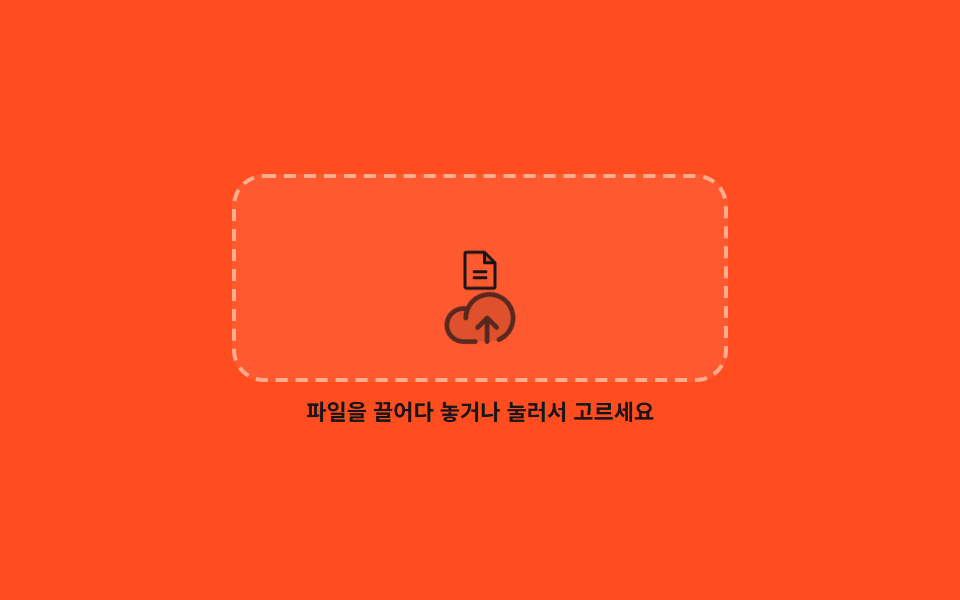
破線の枠の中にファイルが落ちて雲のアイコンに届くと雲が一度大きくなり、ファイルは1フレームで消えてまた上から始まります。
使いどころアップロード済みのファイルがまだ1つもない資料置き場で、何をすればよいかを動きで伝えるとき
translateY@keyframes dz-falldragover
<main class="stage">
  <section class="dz is-demo">
    <div class="dz__zone" id="dz-zone" role="button" tabindex="0" aria-describedby="dz-msg">
      <span class="dz__file" aria-hidden="true"><svg viewBox="0 0 256 256" width="1em" height="1em"><g fill="currentColor"><path d="M208 88h-56V32Z" opacity=".2"/><path d="m213.66 82.34l-56-56A8 8 0 0 0 152 24H56a16 16 0 0 0-16 16v176a16 16 0 0 0 16 16h144a16 16 0 0 0 16-16V88a8 8 0 0 0-2.34-5.66M160 51.31L188.69 80H160ZM200 216H56V40h88v48a8 8 0 0 0 8 8h48zm-32-80a8 8 0 0 1-8 8H96a8 8 0 0 1 0-16h64a8 8 0 0 1 8 8m0 32a8 8 0 0 1-8 8H96a8 8 0 0 1 0-16h64a8 8 0 0 1 8 8"/></g></svg></span>
      <span class="dz__cloud" aria-hidden="true"><svg viewBox="0 0 256 256" width="1em" height="1em"><g fill="currentColor"><path d="M240 128a80 80 0 0 1-80 80H72A56 56 0 1 1 85.92 97.74v.1A80 80 0 0 1 240 128" opacity=".2"/><path d="M178.34 165.66L160 147.31V208a8 8 0 0 1-16 0v-60.69l-18.34 18.35a8 8 0 0 1-11.32-11.32l32-32a8 8 0 0 1 11.32 0l32 32a8 8 0 0 1-11.32 11.32M160 40a88.08 88.08 0 0 0-78.71 48.68A64 64 0 1 0 72 216h40a8 8 0 0 0 0-16H72a48 48 0 0 1 0-96c1.1 0 2.2 0 3.29.12A88 88 0 0 0 72 128a8 8 0 0 0 16 0a72 72 0 1 1 100.8 66a8 8 0 0 0 3.2 15.34a7.9 7.9 0 0 0 3.2-.68A88 88 0 0 0 160 40"/></g></svg></span>
    </div>
    <p class="dz__msg" id="dz-msg" data-got="{f} を受け取りました" aria-live="polite">ファイルをドロップするか、クリックして選んでください</p>
    <input class="dz__input" id="dz-input" type="file" hidden>
  </section>
</main>
@use "../../../../site/static/demo-tokens" as *;
$duration: $dur-loop;
$easing: $ease-spring;
$color: $subject-cream;
@include stage($stage-orange);
.dz {
box-sizing: border-box;
width: min(248px, 86vw);
display: flex;
flex-direction: column;
align-items: center;
gap: $sp-2;
font-family: -apple-system, "Segoe UI", "Noto Sans KR", sans-serif;
color: $subject-ink; // AA 4.5: cream on orange 3.11 -> ink 5.50
}
.dz__zone {
position: relative;
box-sizing: border-box;
width: 100%;
height: 104px;
padding-bottom: $sp-3;
display: flex;
align-items: flex-end;
justify-content: center;
border: 2px dashed rgba(255, 247, 230, .52);
border-radius: $r-card;
background: rgba(255, 247, 230, .08);
cursor: pointer;
overflow: hidden;
transition: border-color $dur-quick $ease-out, background $dur-quick $ease-out;
}
.dz__zone:hover,
.dz__zone.is-over { border-color: $color; background: rgba(255, 247, 230, .18); }
.dz__zone:focus-visible { outline: 2px solid $color; outline-offset: 2px; }
.dz__cloud {
display: block;
font-size: 36px;
line-height: 0;
color: rgba(23, 20, 26, .78);
}
.dz__file {
position: absolute;
left: 50%;
top: $sp-2;
margin-left: -12px;
font-size: 24px;
line-height: 0;
color: $subject-ink; // AA 4.5: cream on orange 3.11 -> ink 5.50
opacity: 0;
}
.dz__msg {
margin: 0;
font-size: 11px;
line-height: 14px;
font-weight: 700;
text-align: center;
}
// ── 자동 루프: 파일이 떨어져 닿으면 steps(1,end) 로 한 프레임에 사라진다 (반투명 겹침 없음) ──
.dz.is-demo .dz__file { animation: dz-fall $duration $easing infinite; }
@keyframes dz-fall {
0% { transform: translateY(-28px) scale(.82); opacity: 0; }
16% { transform: translateY(-28px) scale(.82); opacity: 1; }
62% { transform: translateY(30px) scale(1); opacity: 1; }
70% { transform: translateY(26px) scale(1); opacity: 1; }
70.1%, 100% { transform: translateY(-28px) scale(.82); opacity: 0; }
}
.dz.is-demo .dz__cloud { animation: dz-lift $duration $easing infinite; }
@keyframes dz-lift {
0%, 100% { transform: scale(1); opacity: .78; }
62% { transform: scale(1.1); opacity: 1; }
}
@media (prefers-reduced-motion: reduce) {
.dz.is-demo .dz__file,
.dz.is-demo .dz__cloud { animation: none !important; }
.dz__zone { transition: none; }
}html, body {
margin: 0;
overflow: hidden;
}
.stage {
box-sizing: border-box;
min-height: 100vh;
display: grid;
place-items: center;
margin: 0;
background: #ff4d1f;
font-family: -apple-system, "Segoe UI", "Noto Sans KR", sans-serif;
padding: clamp(8px, 4vw, 24px);
}
.dz {
box-sizing: border-box;
width: min(248px, 86vw);
display: flex;
flex-direction: column;
align-items: center;
gap: 8px;
font-family: -apple-system, "Segoe UI", "Noto Sans KR", sans-serif;
color: #17141a;
}
.dz__zone {
position: relative;
box-sizing: border-box;
width: 100%;
height: 104px;
padding-bottom: 12px;
display: flex;
align-items: flex-end;
justify-content: center;
border: 2px dashed rgba(255, 247, 230, 0.52);
border-radius: 16px;
background: rgba(255, 247, 230, 0.08);
cursor: pointer;
overflow: hidden;
transition: border-color 220ms ease-out, background 220ms ease-out;
}
.dz__zone:hover,
.dz__zone.is-over {
border-color: #fff7e6;
background: rgba(255, 247, 230, 0.18);
}
.dz__zone:focus-visible {
outline: 2px solid #fff7e6;
outline-offset: 2px;
}
.dz__cloud {
display: block;
font-size: 36px;
line-height: 0;
color: rgba(23, 20, 26, 0.78);
}
.dz__file {
position: absolute;
left: 50%;
top: 8px;
margin-left: -12px;
font-size: 24px;
line-height: 0;
color: #17141a;
opacity: 0;
}
.dz__msg {
margin: 0;
font-size: 11px;
line-height: 14px;
font-weight: 700;
text-align: center;
}
.dz.is-demo .dz__file {
animation: dz-fall 2s cubic-bezier(0.2, 0.8, 0.2, 1) infinite;
}
@keyframes dz-fall {
0% {
transform: translateY(-28px) scale(0.82);
opacity: 0;
}
16% {
transform: translateY(-28px) scale(0.82);
opacity: 1;
}
62% {
transform: translateY(30px) scale(1);
opacity: 1;
}
70% {
transform: translateY(26px) scale(1);
opacity: 1;
}
70.1%, 100% {
transform: translateY(-28px) scale(0.82);
opacity: 0;
}
}
.dz.is-demo .dz__cloud {
animation: dz-lift 2s cubic-bezier(0.2, 0.8, 0.2, 1) infinite;
}
@keyframes dz-lift {
0%, 100% {
transform: scale(1);
opacity: 0.78;
}
62% {
transform: scale(1.1);
opacity: 1;
}
}
@media (prefers-reduced-motion: reduce) {
.dz.is-demo .dz__file,
.dz.is-demo .dz__cloud {
animation: none !important;
}
.dz__zone {
transition: none;
}
}// 실제 동작: 끌어다 놓기와 누르기 둘 다 받는다. 파일이 들어오면 이름이 안내 줄을 대신한다.
var card = document.querySelector('.dz');
var zone = document.getElementById('dz-zone');
var input = document.getElementById('dz-input');
var msg = document.getElementById('dz-msg');
var IDLE = msg.textContent;
function took(name) {
card.classList.remove('is-demo');
zone.classList.remove('is-over');
msg.textContent = name ? msg.dataset.got.replace('{f}', name) : IDLE;
}
zone.addEventListener('click', function () { input.click(); });
zone.addEventListener('keydown', function (e) {
if (e.key === 'Enter' || e.key === ' ') { input.click(); e.preventDefault(); }
});
zone.addEventListener('dragover', function (e) { e.preventDefault(); zone.classList.add('is-over'); });
zone.addEventListener('dragleave', function () { zone.classList.remove('is-over'); });
zone.addEventListener('drop', function (e) {
e.preventDefault();
took(e.dataTransfer && e.dataTransfer.files[0] ? e.dataTransfer.files[0].name : '');
});
input.addEventListener('change', function () { took(input.files[0] ? input.files[0].name : ''); });import { useRef, useState } from "react";
import type { CSSProperties } from "react";
import styles from "./DropzoneCard.module.scss";
export type DropzoneCardProps = {
idle?: string;
got?: string;
duration?: number;
easing?: string;
color?: string;
};
type Vars = CSSProperties & { "--duration"?: string; "--easing"?: string; "--color"?: string };
type KeyEvt = { key: string; preventDefault: () => void };
type DropEvt = { preventDefault: () => void; dataTransfer: { files: { name: string }[] } | null };
type FileEvt = { target: { files: { name: string }[] | null } };
export default function DropzoneCard({
idle = "Drop a file here, or click to choose one",
got = "Got {f}",
duration = 2000,
easing = "cubic-bezier(.2,.8,.2,1)",
color = "#fff7e6",
}: DropzoneCardProps) {
const [msg, setMsg] = useState(idle);
const [over, setOver] = useState(false);
const [loop, setLoop] = useState(true);
const inputRef = useRef<HTMLInputElement>(null);
const vars: Vars = { "--duration": `${duration}ms`, "--easing": easing, "--color": color };
function took(name: string) {
setLoop(false);
setOver(false);
setMsg(name ? got.replace("{f}", name) : idle);
}
return (
<section className={`${styles.dz} ${loop ? styles.isDemo : ""}`} style={vars}>
<div
className={`${styles.zone} ${over ? styles.isOver : ""}`}
role="button"
tabIndex={0}
onClick={() => inputRef.current?.click()}
onKeyDown={(e: KeyEvt) => {
if (e.key === "Enter" || e.key === " ") { inputRef.current?.click(); e.preventDefault(); }
}}
onDragOver={(e: DropEvt) => { e.preventDefault(); setOver(true); }}
onDragLeave={() => setOver(false)}
onDrop={(e: DropEvt) => {
e.preventDefault();
took(e.dataTransfer && e.dataTransfer.files[0] ? e.dataTransfer.files[0].name : "");
}}
>
<span className={styles.file} aria-hidden="true">
<svg viewBox="0 0 256 256" width="1em" height="1em">
<g fill="currentColor">
<path d="M208 88h-56V32Z" opacity=".2" />
<path d="m213.66 82.34l-56-56A8 8 0 0 0 152 24H56a16 16 0 0 0-16 16v176a16 16 0 0 0 16 16h144a16 16 0 0 0 16-16V88a8 8 0 0 0-2.34-5.66M160 51.31L188.69 80H160ZM200 216H56V40h88v48a8 8 0 0 0 8 8h48zm-32-80a8 8 0 0 1-8 8H96a8 8 0 0 1 0-16h64a8 8 0 0 1 8 8m0 32a8 8 0 0 1-8 8H96a8 8 0 0 1 0-16h64a8 8 0 0 1 8 8" />
</g>
</svg>
</span>
<span className={styles.cloud} aria-hidden="true">
<svg viewBox="0 0 256 256" width="1em" height="1em">
<g fill="currentColor">
<path d="M240 128a80 80 0 0 1-80 80H72A56 56 0 1 1 85.92 97.74v.1A80 80 0 0 1 240 128" opacity=".2" />
<path d="M178.34 165.66L160 147.31V208a8 8 0 0 1-16 0v-60.69l-18.34 18.35a8 8 0 0 1-11.32-11.32l32-32a8 8 0 0 1 11.32 0l32 32a8 8 0 0 1-11.32 11.32M160 40a88.08 88.08 0 0 0-78.71 48.68A64 64 0 1 0 72 216h40a8 8 0 0 0 0-16H72a48 48 0 0 1 0-96c1.1 0 2.2 0 3.29.12A88 88 0 0 0 72 128a8 8 0 0 0 16 0a72 72 0 1 1 100.8 66a8 8 0 0 0 3.2 15.34a7.9 7.9 0 0 0 3.2-.68A88 88 0 0 0 160 40" />
</g>
</svg>
</span>
</div>
<p className={styles.msg} aria-live="polite">{msg}</p>
<input
className={styles.input}
ref={inputRef}
type="file"
hidden
onChange={(e: FileEvt) => took(e.target.files && e.target.files[0] ? e.target.files[0].name : "")}
/>
</section>
);
}03 ファイルが落ちる破線ドロップゾーン — 計測 累積面積 0.929% · 動いたフレーム 19/23GODRICH オリジナル · SCSS と React は zip に同梱 · エンプティステート デザイン 9選 — CSSだけで描く
このデモが属する記事
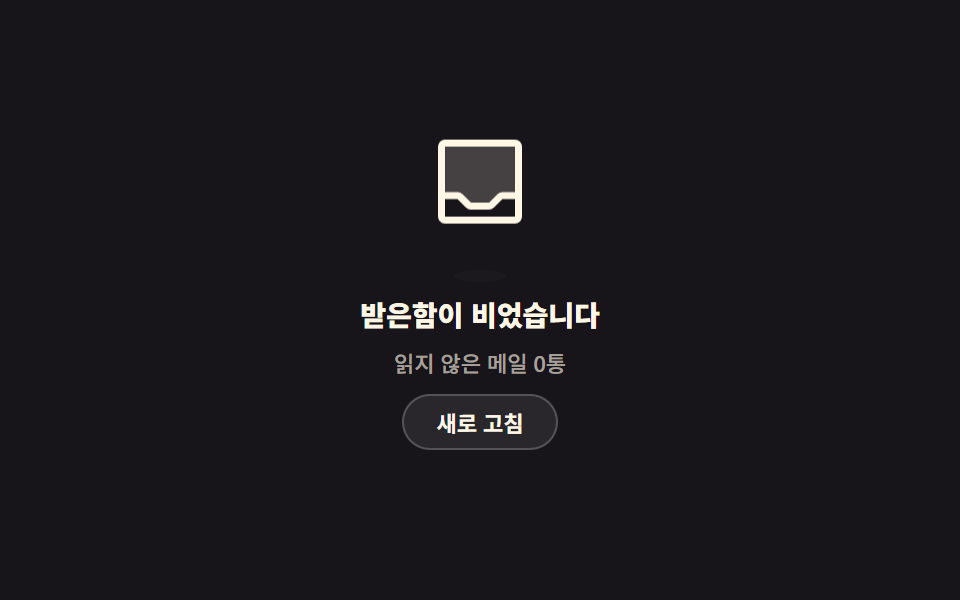 エンプティステート デザイン 9選 — CSSだけで描くエンプティステート デザインは、一覧に出すデータが1件もないときに、その空いた場所を代わりに埋める画面です。ここにある9つのうち1つは、データがないからではなく見る権限がないから空いていて、その違いは南京錠1つで見分けられます。 この記事のデモをすべて見る