09容量バー付きツリー
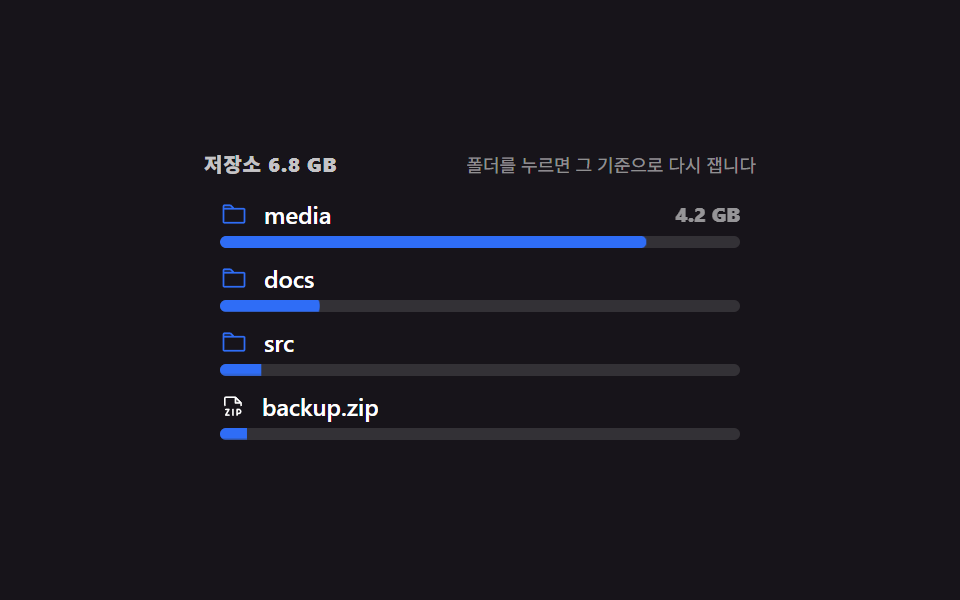
フォルダごとに行の下に容量バーが宿り、バーが満ち、フォルダを押すとその基準でバーが引き直されます。
使いどころストレージやプロジェクト別の容量をツリーの中で示し、整理対象を見つける管理画面
scaleXaria-valuenowtransform-origin
<main class="stage">
  <div class="zb is-demo" id="zb">
    <div class="zb__head">
      <span class="zb__title">ストレージ 6.8 GB</span>
      <span class="zb__hint">フォルダを押すとその基準で引き直します</span>
    </div>
    <ul class="zb__tree" id="zb-tree" role="tree" aria-label="ストレージ" tabindex="0" aria-activedescendant="zb-1">
      <li class="zb__item" id="zb-1" role="treeitem" aria-level="1" data-v="4.2">
        <div class="zb__row" data-hit tabindex="-1">
          <span class="zb__ico zb__ico--folder" aria-hidden="true"><svg viewBox="0 0 256 256" width="14" height="14"><g fill="currentColor"><path d="M128 80H32V56a8 8 0 0 1 8-8h52.69a8 8 0 0 1 5.65 2.34Z" opacity=".2"/><path d="M216 72h-84.69L104 44.69A15.86 15.86 0 0 0 92.69 40H40a16 16 0 0 0-16 16v144.62A15.4 15.4 0 0 0 39.38 216h177.51A15.13 15.13 0 0 0 232 200.89V88a16 16 0 0 0-16-16M92.69 56l16 16H40V56ZM216 200H40V88h176Z"/></g></svg></span>
          <span class="zb__name">media</span>
          <span class="zb__size" aria-hidden="true">4.2 GB</span>
        </div>
        <div class="zb__bar" role="meter" aria-valuemin="0" aria-valuemax="100" aria-valuenow="82" aria-label="media 容量" style="--v: .82"><i class="zb__fill"></i></div>
      </li>
      <li class="zb__item" id="zb-2" role="treeitem" aria-level="1" data-v="1.1">
        <div class="zb__row" data-hit tabindex="-1">
          <span class="zb__ico zb__ico--folder" aria-hidden="true"><svg viewBox="0 0 256 256" width="14" height="14"><g fill="currentColor"><path d="M128 80H32V56a8 8 0 0 1 8-8h52.69a8 8 0 0 1 5.65 2.34Z" opacity=".2"/><path d="M216 72h-84.69L104 44.69A15.86 15.86 0 0 0 92.69 40H40a16 16 0 0 0-16 16v144.62A15.4 15.4 0 0 0 39.38 216h177.51A15.13 15.13 0 0 0 232 200.89V88a16 16 0 0 0-16-16M92.69 56l16 16H40V56ZM216 200H40V88h176Z"/></g></svg></span>
          <span class="zb__name">docs</span>
          <span class="zb__size" aria-hidden="true">1.1 GB</span>
        </div>
        <div class="zb__bar" role="meter" aria-valuemin="0" aria-valuemax="100" aria-valuenow="21" aria-label="docs 容量" style="--v: .21"><i class="zb__fill"></i></div>
      </li>
      <li class="zb__item" id="zb-3" role="treeitem" aria-level="1" data-v="0.6">
        <div class="zb__row" data-hit tabindex="-1">
          <span class="zb__ico zb__ico--folder" aria-hidden="true"><svg viewBox="0 0 256 256" width="14" height="14"><g fill="currentColor"><path d="M128 80H32V56a8 8 0 0 1 8-8h52.69a8 8 0 0 1 5.65 2.34Z" opacity=".2"/><path d="M216 72h-84.69L104 44.69A15.86 15.86 0 0 0 92.69 40H40a16 16 0 0 0-16 16v144.62A15.4 15.4 0 0 0 39.38 216h177.51A15.13 15.13 0 0 0 232 200.89V88a16 16 0 0 0-16-16M92.69 56l16 16H40V56ZM216 200H40V88h176Z"/></g></svg></span>
          <span class="zb__name">src</span>
          <span class="zb__size" aria-hidden="true">0.6 GB</span>
        </div>
        <div class="zb__bar" role="meter" aria-valuemin="0" aria-valuemax="100" aria-valuenow="12" aria-label="src 容量" style="--v: .12"><i class="zb__fill"></i></div>
      </li>
      <li class="zb__item" id="zb-4" role="treeitem" aria-level="1" data-v="0.9">
        <div class="zb__row" data-hit tabindex="-1">
          <span class="zb__ico" aria-hidden="true"><svg viewBox="0 0 256 256" width="13" height="13"><g fill="currentColor"><path d="M208 88h-56V32Z" opacity=".2"/><path d="M184 144h-16a8 8 0 0 0-8 8v56a8 8 0 0 0 16 0v-8h8a28 28 0 0 0 0-56m0 40h-8v-24h8a12 12 0 0 1 0 24m-48-32v56a8 8 0 0 1-16 0v-56a8 8 0 0 1 16 0m-40 56a8 8 0 0 1-8 8H56a8 8 0 0 1-7-12l25.16-44H56a8 8 0 0 1 0-16h32a8 8 0 0 1 7 12l-25.21 44H88a8 8 0 0 1 8 8M213.66 82.34l-56-56A8 8 0 0 0 152 24H56a16 16 0 0 0-16 16v72a8 8 0 0 0 16 0V40h88v48a8 8 0 0 0 8 8h48v16a8 8 0 0 0 16 0V88a8 8 0 0 0-2.34-5.66M160 80V51.31L188.69 80Z"/></g></svg></span>
          <span class="zb__name">backup.zip</span>
          <span class="zb__size" aria-hidden="true">0.9 GB</span>
        </div>
        <div class="zb__bar" role="meter" aria-valuemin="0" aria-valuemax="100" aria-valuenow="17" aria-label="backup.zip 容量" style="--v: .17"><i class="zb__fill"></i></div>
      </li>
    </ul>
  </div>
</main>@use "../../../../site/static/demo-tokens" as *;
$duration: $dur-base;
$easing: $ease-out;
$color: $subject-blue;
@include stage($stage-ink);
.zb {
box-sizing: border-box;
width: min(276px, 88vw);
font-family: -apple-system, "Segoe UI", "Noto Sans KR", sans-serif;
color: #fff;
}
.zb__head {
display: flex; align-items: baseline; justify-content: space-between; gap: $sp-2;
margin: 0 0 $sp-2;
}
.zb__title {
font-size: 10px; line-height: 12px; font-weight: 800;
letter-spacing: .04em;
color: rgba(255, 255, 255, .75);
}
.zb__hint {
font-size: 9px; line-height: 12px;
color: rgba(255, 255, 255, .52);
}
.zb__tree { list-style: none; margin: 0; padding: 0; }
.zb__tree:focus-visible { outline: none; }
.zb__item { margin-bottom: $sp-1; }
.zb__row {
box-sizing: border-box;
height: 22px;
display: flex; align-items: center; gap: $sp-2;
padding: 0 $sp-2;
border-radius: $r-xs;
font-size: 12px; font-weight: 600;
cursor: pointer;
user-select: none;
}
.zb__row:hover { background: rgba(255, 255, 255, .07); }
.zb__item[aria-selected="true"] .zb__row { background: rgba(47, 109, 246, .22); }
.zb__ico { display: inline-flex; flex: 0 0 auto; color: #fff; }
.zb__ico--folder { color: $color; }
.zb__name { white-space: nowrap; overflow: hidden; text-overflow: ellipsis; }
.zb__size {
margin-left: auto;
flex: 0 0 auto;
font-size: 10px; line-height: 12px; font-weight: 800;
color: rgba(255, 255, 255, .55);
}
.zb__bar {
display: block;
height: 6px;
margin: 0 $sp-2 $sp-1;
border-radius: $r-pill;
background: rgba(255, 255, 255, .12);
overflow: hidden;
}
.zb__fill {
display: block;
height: 100%;
border-radius: $r-pill;
background: $color;
transform-origin: left center; // 규칙8: 크기 막대 왼쪽 채움
transform: scaleX(var(--v));
transition: transform $duration $easing;
}
// ── 자동 루프: 막대가 차오르고 크기가 컷으로 붙는다. 끝에는 다시 빠진다 ──
.zb.is-demo .zb__fill {
animation-name: zb-grow;
animation-duration: $dur-loop;
animation-timing-function: $easing;
animation-iteration-count: infinite;
animation-delay: var(--d, 0ms);
}
.zb__item:nth-child(1) .zb__fill { --d: 0ms; }
.zb__item:nth-child(2) .zb__fill { --d: 90ms; }
.zb__item:nth-child(3) .zb__fill { --d: 180ms; }
.zb__item:nth-child(4) .zb__fill { --d: 270ms; }
@keyframes zb-grow {
0% { transform: scaleX(0); }
16% { transform: scaleX(var(--v)); }
80% { transform: scaleX(var(--v)); }
96%, 100% { transform: scaleX(0); }
}
.zb.is-demo .zb__size {
animation-name: zb-size;
animation-duration: $dur-loop;
animation-timing-function: steps(1, end);
animation-iteration-count: infinite;
}
.zb__item:nth-child(1) .zb__size { animation-delay: 0ms; }
.zb__item:nth-child(2) .zb__size { animation-delay: 90ms; }
.zb__item:nth-child(3) .zb__size { animation-delay: 180ms; }
.zb__item:nth-child(4) .zb__size { animation-delay: 270ms; }
@keyframes zb-size {
0%, 15.9% { opacity: 0; }
16%, 80% { opacity: 1; }
80.01%, 100% { opacity: 0; }
}
@media (max-width: 340px) {
.zb__row { height: 20px; font-size: 11px; }
.zb__hint { display: none; }
}
@media (prefers-reduced-motion: reduce) {
.zb.is-demo .zb__fill, .zb.is-demo .zb__size { animation: none !important; }
.zb__fill { transition: none; }
}html, body {
margin: 0;
overflow: hidden;
}
.stage {
box-sizing: border-box;
min-height: 100vh;
display: grid;
place-items: center;
margin: 0;
background: #17141a;
font-family: -apple-system, "Segoe UI", "Noto Sans KR", sans-serif;
padding: clamp(8px, 4vw, 24px);
}
.zb {
box-sizing: border-box;
width: min(276px, 88vw);
font-family: -apple-system, "Segoe UI", "Noto Sans KR", sans-serif;
color: #fff;
}
.zb__head {
display: flex;
align-items: baseline;
justify-content: space-between;
gap: 8px;
margin: 0 0 8px;
}
.zb__title {
font-size: 10px;
line-height: 12px;
font-weight: 800;
letter-spacing: 0.04em;
color: rgba(255, 255, 255, 0.75);
}
.zb__hint {
font-size: 9px;
line-height: 12px;
color: rgba(255, 255, 255, 0.52);
}
.zb__tree {
list-style: none;
margin: 0;
padding: 0;
}
.zb__tree:focus-visible {
outline: none;
}
.zb__item {
margin-bottom: 4px;
}
.zb__row {
box-sizing: border-box;
height: 22px;
display: flex;
align-items: center;
gap: 8px;
padding: 0 8px;
border-radius: 4px;
font-size: 12px;
font-weight: 600;
cursor: pointer;
user-select: none;
}
.zb__row:hover {
background: rgba(255, 255, 255, 0.07);
}
.zb__item[aria-selected=true] .zb__row {
background: rgba(47, 109, 246, 0.22);
}
.zb__ico {
display: inline-flex;
flex: 0 0 auto;
color: #fff;
}
.zb__ico--folder {
color: #2f6df6;
}
.zb__name {
white-space: nowrap;
overflow: hidden;
text-overflow: ellipsis;
}
.zb__size {
margin-left: auto;
flex: 0 0 auto;
font-size: 10px;
line-height: 12px;
font-weight: 800;
color: rgba(255, 255, 255, 0.55);
}
.zb__bar {
display: block;
height: 6px;
margin: 0 8px 4px;
border-radius: 999px;
background: rgba(255, 255, 255, 0.12);
overflow: hidden;
}
.zb__fill {
display: block;
height: 100%;
border-radius: 999px;
background: #2f6df6;
transform-origin: left center;
transform: scaleX(var(--v));
transition: transform 300ms ease-out;
}
.zb.is-demo .zb__fill {
animation-name: zb-grow;
animation-duration: 2s;
animation-timing-function: ease-out;
animation-iteration-count: infinite;
animation-delay: var(--d, 0ms);
}
.zb__item:nth-child(1) .zb__fill {
--d: 0ms;
}
.zb__item:nth-child(2) .zb__fill {
--d: 90ms;
}
.zb__item:nth-child(3) .zb__fill {
--d: 180ms;
}
.zb__item:nth-child(4) .zb__fill {
--d: 270ms;
}
@keyframes zb-grow {
0% {
transform: scaleX(0);
}
16% {
transform: scaleX(var(--v));
}
80% {
transform: scaleX(var(--v));
}
96%, 100% {
transform: scaleX(0);
}
}
.zb.is-demo .zb__size {
animation-name: zb-size;
animation-duration: 2s;
animation-timing-function: steps(1, end);
animation-iteration-count: infinite;
}
.zb__item:nth-child(1) .zb__size {
animation-delay: 0ms;
}
.zb__item:nth-child(2) .zb__size {
animation-delay: 90ms;
}
.zb__item:nth-child(3) .zb__size {
animation-delay: 180ms;
}
.zb__item:nth-child(4) .zb__size {
animation-delay: 270ms;
}
@keyframes zb-size {
0%, 15.9% {
opacity: 0;
}
16%, 80% {
opacity: 1;
}
80.01%, 100% {
opacity: 0;
}
}
@media (max-width: 340px) {
.zb__row {
height: 20px;
font-size: 11px;
}
.zb__hint {
display: none;
}
}
@media (prefers-reduced-motion: reduce) {
.zb.is-demo .zb__fill, .zb.is-demo .zb__size {
animation: none !important;
}
.zb__fill {
transition: none;
}
}// 실제 동작: 폴더를 누르면 그 폴더를 100% 기준으로 막대가 다시 잡힌다.
var root = document.querySelector('.zb');
var tree = document.getElementById('zb-tree');
var title = document.querySelector('.zb__title');
var items = [].slice.call(tree.querySelectorAll('.zb__item'));
var base = null;
function paint() {
var baseV = base ? parseFloat(base.dataset.v) : 4.2;
items.forEach(function (li) {
var v = parseFloat(li.dataset.v);
var share = base ? Math.min(v / baseV, 1) : (v / 4.2) * .82;
li.querySelector('.zb__fill').style.transform = 'scaleX(' + share + ')';
li.querySelector('.zb__bar').setAttribute('aria-valuenow', String(Math.round(share * 100)));
li.setAttribute('aria-selected', String(base != null && li === base));
});
title.textContent = base ? ('基準: ' + base.querySelector('.zb__name').textContent + ' ' + base.dataset.v + ' GB') : 'ストレージ 6.8 GB';
}
items.forEach(function (li, i) {
li.querySelector('.zb__row').addEventListener('click', function () {
root.classList.remove('is-demo');
tree.setAttribute('aria-activedescendant', li.id);
base = (base === li) ? null : li;
paint();
});
});
tree.addEventListener('keydown', function (e) {
var at = items.indexOf(document.getElementById(tree.getAttribute('aria-activedescendant')));
if (e.key === 'ArrowDown' || e.key === 'ArrowUp') {
var li = items[Math.max(0, Math.min(at + (e.key === 'ArrowDown' ? 1 : -1), items.length - 1))];
tree.setAttribute('aria-activedescendant', li.id);
e.preventDefault();
} else if (e.key === 'Enter' && at >= 0) {
root.classList.remove('is-demo');
base = (base === items[at]) ? null : items[at];
paint();
e.preventDefault();
}
});import { useRef, useState } from "react";
import type { CSSProperties } from "react";
import styles from "./SizeBarTree.module.scss";
export type SizeNode = { name: string; gb: number; folder?: boolean };
export type SizeBarTreeProps = {
label?: string;
hint?: string;
nodes?: SizeNode[];
duration?: number;
easing?: string;
color?: string;
};
type Vars = CSSProperties & { "--duration"?: string; "--easing"?: string; "--color"?: string };
type BarVars = CSSProperties & { "--v"?: string };
type KeyEvt = { key: string; preventDefault: () => void };
const DEFAULT_NODES: SizeNode[] = [
{ name: "media", gb: 4.2, folder: true },
{ name: "docs", gb: 1.1, folder: true },
{ name: "src", gb: 0.6, folder: true },
{ name: "backup.zip", gb: 0.9 },
];
function folderIcon() {
return (
<svg viewBox="0 0 256 256" width="14" height="14" aria-hidden="true">
<g fill="currentColor">
<path d="M128 80H32V56a8 8 0 0 1 8-8h52.69a8 8 0 0 1 5.65 2.34Z" opacity=".2" />
<path d="M216 72h-84.69L104 44.69A15.86 15.86 0 0 0 92.69 40H40a16 16 0 0 0-16 16v144.62A15.4 15.4 0 0 0 39.38 216h177.51A15.13 15.13 0 0 0 232 200.89V88a16 16 0 0 0-16-16M92.69 56l16 16H40V56ZM216 200H40V88h176Z" />
</g>
</svg>
);
}
function fileIcon() {
return (
<svg viewBox="0 0 256 256" width="13" height="13" aria-hidden="true">
<g fill="currentColor">
<path d="M208 88h-56V32Z" opacity=".2" />
<path d="M184 144h-16a8 8 0 0 0-8 8v56a8 8 0 0 0 16 0v-8h8a28 28 0 0 0 0-56m0 40h-8v-24h8a12 12 0 0 1 0 24m-48-32v56a8 8 0 0 1-16 0v-56a8 8 0 0 1 16 0m-40 56a8 8 0 0 1-8 8H56a8 8 0 0 1-7-12l25.16-44H56a8 8 0 0 1 0-16h32a8 8 0 0 1 7 12l-25.21 44H88a8 8 0 0 1 8 8M213.66 82.34l-56-56A8 8 0 0 0 152 24H56a16 16 0 0 0-16 16v72a8 8 0 0 0 16 0V40h88v48a8 8 0 0 0 8 8h48v16a8 8 0 0 0 16 0V88a8 8 0 0 0-2.34-5.66M160 80V51.31L188.69 80Z" />
</g>
</svg>
);
}
export default function SizeBarTree({
label = "저장소",
hint = "폴더를 누르면 그 기준으로 다시 잽니다",
nodes = DEFAULT_NODES,
duration = 300,
easing = "ease-out",
color = "#2f6df6",
}: SizeBarTreeProps) {
const [base, setBase] = useState(-1);
const [at, setAt] = useState(0);
const treeRef = useRef<HTMLUListElement>(null);
const vars: Vars = { "--duration": `${duration}ms`, "--easing": easing, "--color": color };
const total = nodes.reduce((s, n) => s + n.gb, 0);
const top = nodes.reduce((m, n) => Math.max(m, n.gb), 0) || 1;
const baseV = base >= 0 && nodes[base] ? nodes[base].gb : top;
// 기준이 없으면 최대 폴더를 82% 로, 기준이 있으면 그 폴더를 100% 로 다시 잰다.
function share(n: SizeNode) {
return base >= 0 ? Math.min(n.gb / baseV, 1) : (n.gb / top) * 0.82;
}
const title = base >= 0 && nodes[base]
? `기준: ${nodes[base].name} ${nodes[base].gb} GB`
: `${label} ${total.toFixed(1)} GB`;
function pick(i: number) {
setAt(i);
setBase((b) => (b === i ? -1 : i));
treeRef.current?.focus({ preventScroll: true });
}
function onKeyDown(e: KeyEvt) {
if (e.key === "ArrowDown") { setAt((a) => Math.min(a + 1, nodes.length - 1)); e.preventDefault(); }
else if (e.key === "ArrowUp") { setAt((a) => Math.max(a - 1, 0)); e.preventDefault(); }
else if (e.key === "Home") { setAt(0); e.preventDefault(); }
else if (e.key === "End") { setAt(nodes.length - 1); e.preventDefault(); }
else if (e.key === "Enter" || e.key === " ") { setBase((b) => (b === at ? -1 : at)); e.preventDefault(); }
}
return (
<div className={styles.zb} style={vars}>
<div className={styles.head}>
<span className={styles.title}>{title}</span>
<span className={styles.hint}>{hint}</span>
</div>
<ul
ref={treeRef}
className={styles.tree}
role="tree"
aria-label={label}
tabIndex={0}
aria-activedescendant={`zb-${at}`}
onKeyDown={onKeyDown}
>
{nodes.map((n, i) => {
const s = share(n);
const bar: BarVars = { "--v": String(s) };
return (
<li
key={n.name}
id={`zb-${i}`}
className={`${styles.item} ${base === i ? styles.isBase : ""} ${at === i ? styles.isAt : ""}`}
role="treeitem"
aria-level={1}
aria-selected={base === i}
>
<div className={styles.row} onClick={() => pick(i)} tabIndex={-1}>
<span className={`${styles.ico} ${n.folder ? styles.icoFolder : ""}`} aria-hidden="true">
{n.folder ? folderIcon() : fileIcon()}
</span>
<span className={styles.name}>{n.name}</span>
<span className={styles.size} aria-hidden="true">{n.gb} GB</span>
</div>
<div
className={styles.bar}
role="meter"
aria-valuemin={0}
aria-valuemax={100}
aria-valuenow={Math.round(s * 100)}
aria-label={`${n.name} 용량`}
style={bar}
>
<i className={styles.fill} />
</div>
</li>
);
})}
</ul>
</div>
);
}09 容量バー付きツリー — 計測 累積面積 1.824% · 動いたフレーム 12/23GODRICH オリジナル · SCSS と React は zip に同梱 · ファイルツリー 作成 9選 — フォルダが実際に開くツリービュー
このデモが属する記事
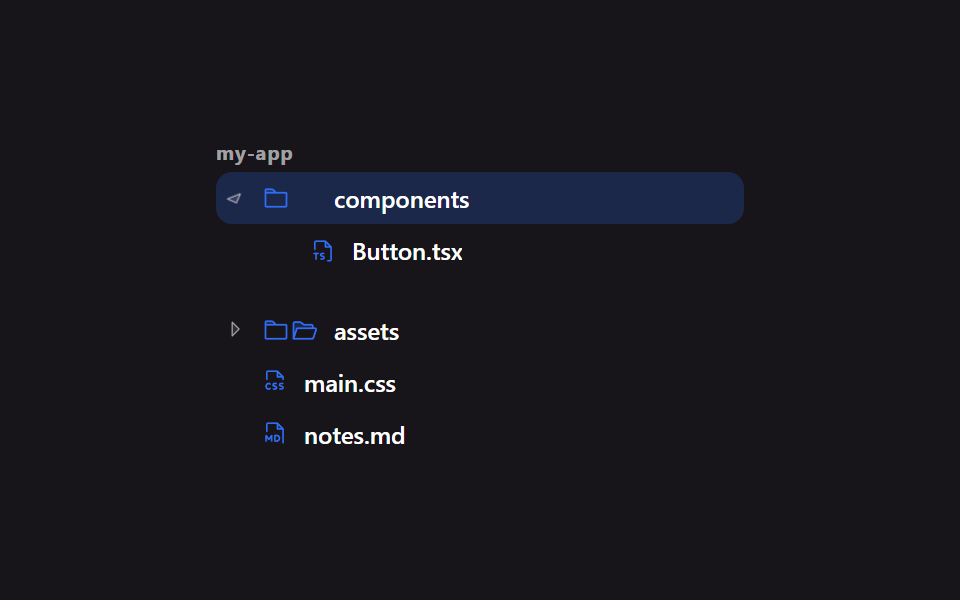 ファイルツリー 作成 9選 — フォルダが実際に開くツリービューファイルツリー 作成 とは、エクスプローラーの左側にあるような階層リストを HTML と CSS、それに少しの JavaScript で組み立てることです。9つとも、フォルダは画像でも飾りでもなく実際に開き、移動も選択もマウスと矢印キーの両 この記事のデモをすべて見る