08ポインタを追って点くスポットライト
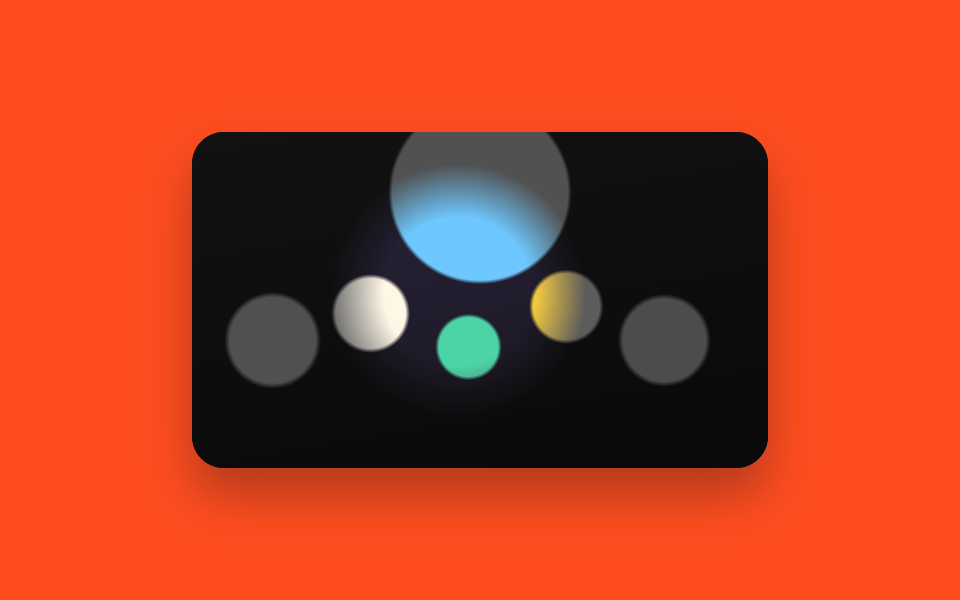
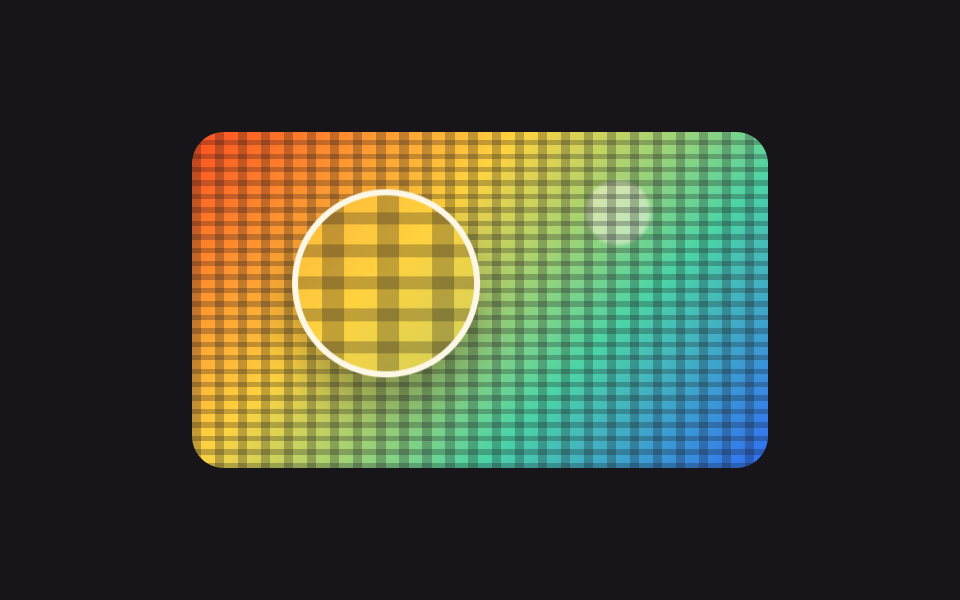
暗く敷いた絵の上に同じ絵の鮮明な層が重なり、その層は mask-image に入れた radial-gradient の円の中だけで見えます。円がポインタを追って動くと、通った場所だけが明るくなります。
使いどころ地図や集合写真の一か所だけを指して説明する画面
mask-imageradial-gradientpointermove
<main class="stage">
  <div class="sl is-demo" id="sl">
    <div class="sl__view" id="sl-view" tabindex="0" role="img" aria-label="集合写真。矢印キーでライトを動かします">
      <div class="sl__dim"></div>
      <div class="sl__lit" id="sl-lit"></div>
    </div>
  </div>
</main>
@use "../../../../site/static/demo-tokens" as *;
$duration: $dur-base;
$easing: $ease-spring;
$color: $subject-cream;
@include stage($stage-orange);
// 가짜 사진 — 파일 없이 그린 단체 사진. 머리 여섯 개가 줄지어 서 있다
$crowd:
radial-gradient(circle at 14% 62%, $subject-pink 0 8%, transparent 9%),
radial-gradient(circle at 31% 54%, $subject-cream 0 8%, transparent 9%),
radial-gradient(circle at 48% 64%, $subject-mint 0 8%, transparent 9%),
radial-gradient(circle at 65% 52%, $stage-yellow 0 8%, transparent 9%),
radial-gradient(circle at 82% 62%, $subject-lilac 0 8%, transparent 9%),
radial-gradient(circle at 50% 18%, $subject-sky 0 22%, transparent 23%),
linear-gradient(170deg, #2b2540 0%, $stage-ink 100%);
.sl { position: relative; }
.sl__view {
position: relative;
box-sizing: border-box;
width: 288px;
height: 168px;
overflow: hidden;
border-radius: $r-card;
background: $stage-ink;
box-shadow: $shadow-raised;
cursor: crosshair;
}
.sl__view:focus-visible { outline: 3px solid $subject-ink; outline-offset: 2px; }
.sl__dim,
.sl__lit {
position: absolute;
inset: 0;
background: $crowd;
background-size: 288px 168px;
}
.sl__dim { filter: grayscale(1) brightness(.44); }
// 선명한 겹은 radial-gradient 로 오린 자리에서만 보인다
.sl__lit {
-webkit-mask-image: radial-gradient(circle closest-side, #000 0 58%, transparent 100%);
mask-image: radial-gradient(circle closest-side, #000 0 58%, transparent 100%);
-webkit-mask-repeat: no-repeat;
mask-repeat: no-repeat;
-webkit-mask-size: 128px 128px;
mask-size: 128px 128px;
-webkit-mask-position: 12px -6px;
mask-position: 12px -6px;
}
// ── 자동 루프 (2s) ────────────────────────────────────
// 조명이 세 사람을 훑고 첫 자리로 돌아온다. 끝값이 시작값이라 이음매가 없다
.sl.is-demo .sl__lit {
animation-name: sl-move;
animation-duration: $dur-loop;
animation-timing-function: $easing;
animation-iteration-count: infinite;
}
@keyframes sl-move {
0% { -webkit-mask-position: 12px -6px; mask-position: 12px -6px; }
34% { -webkit-mask-position: 132px 40px; mask-position: 132px 40px; }
68% { -webkit-mask-position: 56px 68px; mask-position: 56px 68px; }
100% { -webkit-mask-position: 12px -6px; mask-position: 12px -6px; }
}
@media (max-width: 360px) {
.sl__view { height: 160px; }
}
@media (prefers-reduced-motion: reduce) {
.sl.is-demo .sl__lit { animation: none !important; }
}html, body {
margin: 0;
overflow: hidden;
}
.stage {
box-sizing: border-box;
min-height: 100vh;
display: grid;
place-items: center;
margin: 0;
background: #ff4d1f;
font-family: -apple-system, "Segoe UI", "Noto Sans KR", sans-serif;
padding: clamp(8px, 4vw, 24px);
}
.sl {
position: relative;
}
.sl__view {
position: relative;
box-sizing: border-box;
width: 288px;
height: 168px;
overflow: hidden;
border-radius: 16px;
background: #17141a;
box-shadow: 0 14px 24px rgba(23, 20, 26, 0.32);
cursor: crosshair;
}
.sl__view:focus-visible {
outline: 3px solid #17141a;
outline-offset: 2px;
}
.sl__dim,
.sl__lit {
position: absolute;
inset: 0;
background: radial-gradient(circle at 14% 62%, #ff9ebb 0 8%, transparent 9%), radial-gradient(circle at 31% 54%, #fff7e6 0 8%, transparent 9%), radial-gradient(circle at 48% 64%, #4cd4a6 0 8%, transparent 9%), radial-gradient(circle at 65% 52%, #ffd23f 0 8%, transparent 9%), radial-gradient(circle at 82% 62%, #b9a0ff 0 8%, transparent 9%), radial-gradient(circle at 50% 18%, #6ec8ff 0 22%, transparent 23%), linear-gradient(170deg, #2b2540 0%, #17141a 100%);
background-size: 288px 168px;
}
.sl__dim {
filter: grayscale(1) brightness(0.44);
}
.sl__lit {
-webkit-mask-image: radial-gradient(circle closest-side, #000 0 58%, transparent 100%);
mask-image: radial-gradient(circle closest-side, #000 0 58%, transparent 100%);
-webkit-mask-repeat: no-repeat;
mask-repeat: no-repeat;
-webkit-mask-size: 128px 128px;
mask-size: 128px 128px;
-webkit-mask-position: 12px -6px;
mask-position: 12px -6px;
}
.sl.is-demo .sl__lit {
animation-name: sl-move;
animation-duration: 2s;
animation-timing-function: cubic-bezier(0.2, 0.8, 0.2, 1);
animation-iteration-count: infinite;
}
@keyframes sl-move {
0% {
-webkit-mask-position: 12px -6px;
mask-position: 12px -6px;
}
34% {
-webkit-mask-position: 132px 40px;
mask-position: 132px 40px;
}
68% {
-webkit-mask-position: 56px 68px;
mask-position: 56px 68px;
}
100% {
-webkit-mask-position: 12px -6px;
mask-position: 12px -6px;
}
}
@media (max-width: 360px) {
.sl__view {
height: 160px;
}
}
@media (prefers-reduced-motion: reduce) {
.sl.is-demo .sl__lit {
animation: none !important;
}
}// 실제 동작: 선명한 겹을 원형 마스크로 오려 보여 준다. 원이 가는 자리만 밝아진다.
var sl = document.getElementById('sl');
var slView = document.getElementById('sl-view');
var slLit = document.getElementById('sl-lit');
var SL_R = 64;
var slX = 76, slY = 58;
function slPaint() {
var box = slView.getBoundingClientRect();
slX = Math.min(Math.max(slX, 0), box.width);
slY = Math.min(Math.max(slY, 0), box.height);
var pos = (slX - SL_R) + 'px ' + (slY - SL_R) + 'px';
slLit.style.maskPosition = pos;
slLit.style.webkitMaskPosition = pos;
}
slView.addEventListener('pointermove', function (e) {
sl.classList.remove('is-demo'); // 사람이 손대면 자동 루프를 멈춘다
var box = slView.getBoundingClientRect();
slX = e.clientX - box.left;
slY = e.clientY - box.top;
slPaint();
});
slView.addEventListener('keydown', function (e) {
var step = { ArrowLeft: [-20, 0], ArrowRight: [20, 0], ArrowUp: [0, -20], ArrowDown: [0, 20] }[e.key];
if (!step) return;
e.preventDefault();
sl.classList.remove('is-demo');
slX += step[0]; slY += step[1];
slPaint();
});import { useRef, useState } from "react";
import type { CSSProperties } from "react";
import styles from "./SpotlightMask.module.scss";
export type SpotlightMaskProps = {
label?: string;
/** 마스크 원의 반지름(px). module.scss 의 mask-size 절반과 같아야 한다 */
radius?: number;
/** 자동 재생 루프 (갤러리용). 사람이 손대면 꺼진다 */
demo?: boolean;
duration?: number;
easing?: string;
color?: string;
};
type Vars = CSSProperties & { "--duration"?: string; "--easing"?: string; "--color"?: string };
type MaskStyle = CSSProperties & { WebkitMaskPosition?: string; maskPosition?: string };
type PointerEvt = { clientX: number; clientY: number };
type KeyEvt = { key: string; preventDefault: () => void };
const clamp = (v: number, lo: number, hi: number) => Math.min(Math.max(v, lo), hi);
export default function SpotlightMask({
label = "Group photo. Move the spotlight with the arrow keys",
radius = 64,
demo = true,
duration = 300,
easing = "cubic-bezier(.2,.8,.2,1)",
color = "#fff7e6",
}: SpotlightMaskProps) {
const view = useRef<HTMLDivElement>(null);
const [live, setLive] = useState(demo);
const [at, setAt] = useState({ x: 76, y: 58 });
function move(x: number, y: number) {
const box = view.current ? view.current.getBoundingClientRect() : null;
setLive(false);
setAt({ x: clamp(x, 0, box ? box.width : 288), y: clamp(y, 0, box ? box.height : 168) });
}
const pos = `${at.x - radius}px ${at.y - radius}px`;
const vars: Vars = { "--duration": `${duration}ms`, "--easing": easing, "--color": color };
const lit: MaskStyle = { WebkitMaskPosition: pos, maskPosition: pos };
return (
<div className={[styles.root, live ? styles.isDemo : ""].join(" ")} style={vars}>
<div
className={styles.view}
ref={view}
tabIndex={0}
role="img"
aria-label={label}
onPointerMove={(e: PointerEvt) => {
const box = view.current ? view.current.getBoundingClientRect() : { left: 0, top: 0 };
move(e.clientX - box.left, e.clientY - box.top);
}}
onKeyDown={(e: KeyEvt) => {
const step: { [k: string]: number[] } = {
ArrowLeft: [-20, 0], ArrowRight: [20, 0], ArrowUp: [0, -20], ArrowDown: [0, 20],
};
if (!step[e.key]) return;
e.preventDefault();
move(at.x + step[e.key][0], at.y + step[e.key][1]);
}}
>
<div className={styles.dim} />
<div className={styles.lit} style={live ? undefined : lit} />
</div>
</div>
);
}08 ポインタを追って点くスポットライト — 計測 累積面積 19.468% · 動いたフレーム 16/23GODRICH オリジナル · SCSS と React は zip に同梱 · 画像 拡大 表示 UI 9選 — 写真ファイルなしで作るビューア
このデモが属する記事
 画像 拡大 表示 UI 9選 — 写真ファイルなしで作るビューア画像 拡大 表示とは、一枚の絵を大きく、回して、あるいは一か所だけ指して見せる画面の仕組みです。9つとも実際に動き、写真ファイルは一枚も使わず、グラデーションだけで描いています。 この記事のデモをすべて見る