08ロゴバー — 横移動の値が途切れずに増え続ける列
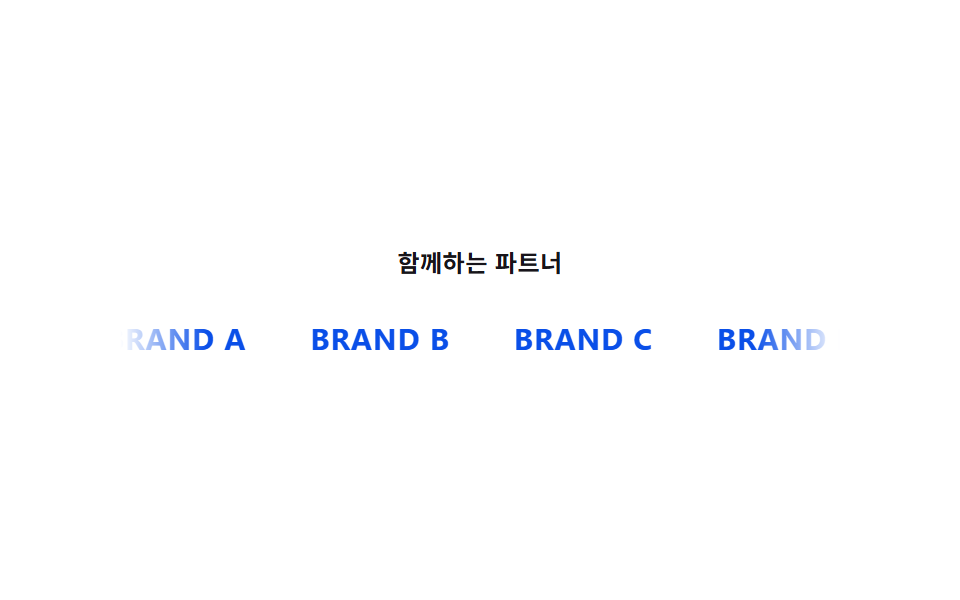
ロゴ列全体の横移動の値が時間とともに増え続け、右端のロゴが消えた分だけ左側に同じロゴが再び現れ、列が途切れません。
使いどころパートナー・導入企業ロゴの一覧、メディア掲載セクション
@keyframeswill-changetranslateX
<main class="stage" id="stage">
  <section class="marquee-wrap">
    <p class="marquee__caption">パートナー企業</p>
    <div class="marquee">
      <div class="marquee__track is-demo">
        <span class="logo logo--a">BRAND A</span>
        <span class="logo logo--b">BRAND B</span>
        <span class="logo logo--c">BRAND C</span>
        <span class="logo logo--d">BRAND D</span>
        <span class="logo logo--a" aria-hidden="true">BRAND A</span>
        <span class="logo logo--b" aria-hidden="true">BRAND B</span>
        <span class="logo logo--c" aria-hidden="true">BRAND C</span>
        <span class="logo logo--d" aria-hidden="true">BRAND D</span>
      </div>
    </div>
  </section>
</main>
@use "../../../../site/static/demo-tokens" as *;
$duration: 9s;
$easing: linear;
$color: $subject-blue-deep;
@include stage($stage-paper);
.marquee-wrap {
display: flex;
flex-direction: column;
align-items: center;
gap: $sp-5;
width: 100%;
}
.marquee__caption {
margin: 0;
color: $subject-ink;
font-weight: 600;
font-size: 12px;
letter-spacing: 0.02em;
}
.marquee {
overflow: hidden;
width: min(92vw, 360px);
-webkit-mask-image: linear-gradient(to right, transparent, #000 12%, #000 88%, transparent);
mask-image: linear-gradient(to right, transparent, #000 12%, #000 88%, transparent);
}
.marquee__track {
display: flex;
width: max-content;
will-change: transform;
}
.marquee__track.is-demo {
animation: scroll $duration $easing infinite;
}
.logo {
margin-right: $sp-8;
color: $color;
font-weight: 700;
font-size: 15px;
letter-spacing: 0.03em;
white-space: nowrap;
}
@keyframes scroll {
from { transform: translateX(0); }
to { transform: translateX(-50%); }
}
@media (max-width: 340px) {
.logo { font-size: 13px; margin-right: $sp-6; }
}
@media (prefers-reduced-motion: reduce) {
.marquee__track.is-demo { animation: none; }
}html, body {
margin: 0;
overflow: hidden;
}
.stage {
box-sizing: border-box;
min-height: 100vh;
display: grid;
place-items: center;
margin: 0;
background: #ffffff;
font-family: -apple-system, "Segoe UI", "Noto Sans KR", sans-serif;
padding: clamp(8px, 4vw, 24px);
}
.marquee-wrap {
display: flex;
flex-direction: column;
align-items: center;
gap: 20px;
width: 100%;
}
.marquee__caption {
margin: 0;
color: #17141a;
font-weight: 600;
font-size: 12px;
letter-spacing: 0.02em;
}
.marquee {
overflow: hidden;
width: min(92vw, 360px);
-webkit-mask-image: linear-gradient(to right, transparent, #000 12%, #000 88%, transparent);
mask-image: linear-gradient(to right, transparent, #000 12%, #000 88%, transparent);
}
.marquee__track {
display: flex;
width: max-content;
will-change: transform;
}
.marquee__track.is-demo {
animation: scroll 9s linear infinite;
}
.logo {
margin-right: 32px;
color: #0a4fe8;
font-weight: 700;
font-size: 15px;
letter-spacing: 0.03em;
white-space: nowrap;
}
@keyframes scroll {
from {
transform: translateX(0);
}
to {
transform: translateX(-50%);
}
}
@media (max-width: 340px) {
.logo {
font-size: 13px;
margin-right: 24px;
}
}
@media (prefers-reduced-motion: reduce) {
.marquee__track.is-demo {
animation: none;
}
}import styles from "./LogoBar.module.scss";
// 트랙을 통째로 복제해 이어 붙이고, 가로 이동 값(translateX)이 계속 늘어나다 -50% 지점에서 이음매 없이 되돌아간다.
// 계산 겹: 가로 이동 값 -> translateX 보간(무한 반복). 리스너 없음(자동 재생).
const LOGOS = ["BRAND A", "BRAND B", "BRAND C", "BRAND D"];
export default function LogoBar() {
const track = [...LOGOS, ...LOGOS];
return (
<main className={styles.stage}>
<section className={styles["marquee-wrap"]}>
<p className={styles.marquee__caption}>함께하는 파트너</p>
<div className={styles.marquee}>
<div className={`${styles.marquee__track} ${styles["is-demo"]}`}>
{track.map((name, i) => (
<span key={`${name}-${i}`} className={styles.logo} aria-hidden={i >= LOGOS.length}>
{name}
</span>
))}
</div>
</div>
</section>
</main>
);
}08 ロゴバー — 横移動の値が途切れずに増え続ける列 — 計測 累積面積 2.711% · 動いたフレーム 23/23GODRICH オリジナル · SCSS と React は zip に同梱 · ファーストビュー アニメーション css 9選 — 統計カウンターまで
このデモが属する記事
 ファーストビュー アニメーション css 9選 — 統計カウンターまでファーストビュー アニメーション cssは、9つのうち1つはカードの見える比率の値が基準を超えるたびに順番の値に間隔を掛けて現れる時点を求め直し、1つは開いた質問の回答の高さの値を内容の長さから求め直して広げ、もう1つは目標の数字までの値を この記事のデモをすべて見る