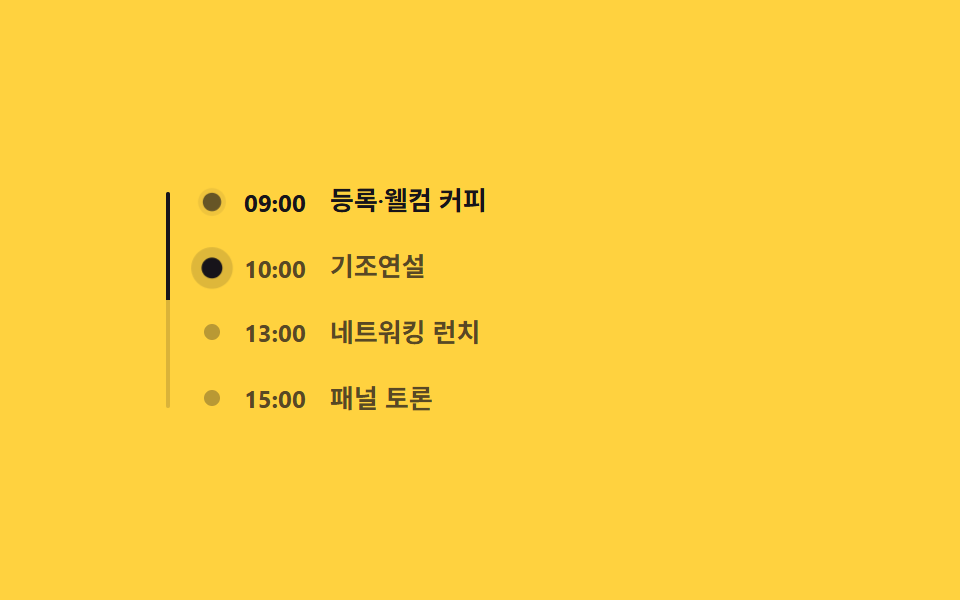
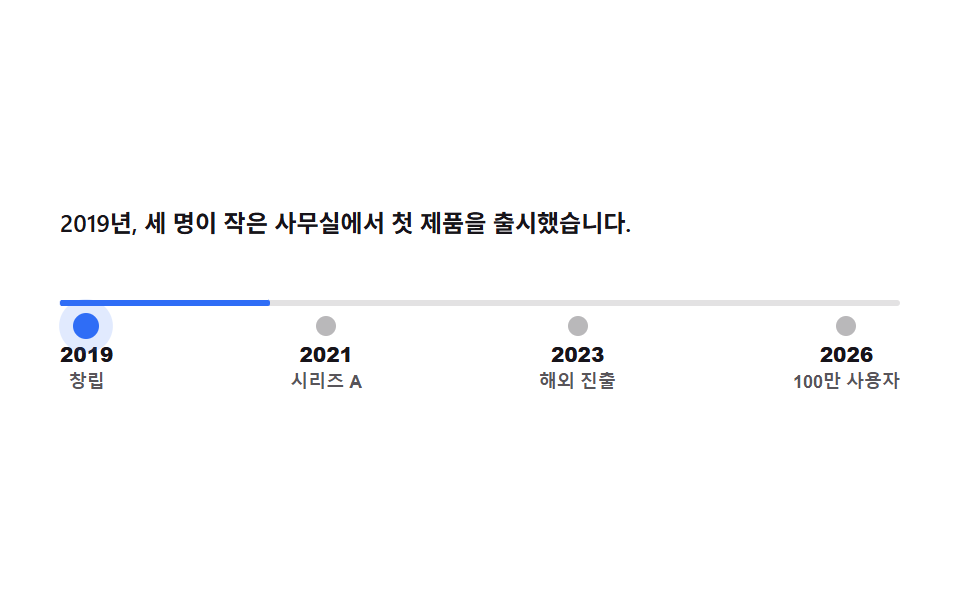
05経歴タイムライン
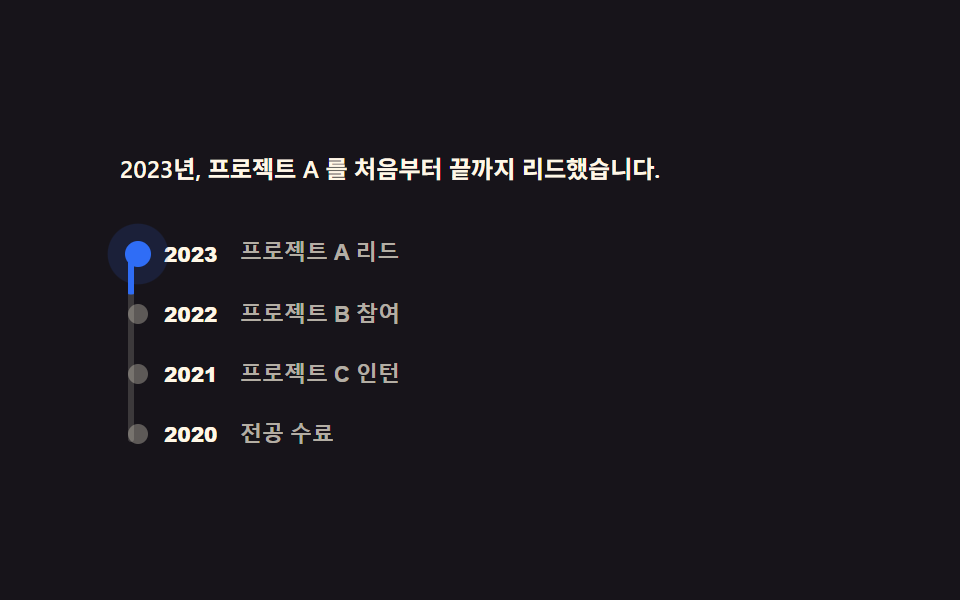
세로선 위 경력 네 지점을 클릭하면 그 지점까지 진행선이 scaleY로 실제로 채워지고 위 설명 문단이 그 시점 내용으로 바뀝니다.
使いどころ
scaleYclickaria-current
<main class="stage">
  <section class="et is-demo" data-active="0">
    <p class="et__desc" role="status">2023年、プロジェクトAを最初から最後までリードしました。</p>
    <div class="et__track">
      <span class="et__fill" aria-hidden="true"></span>
      <ol class="et__list">
        <li><button class="et__stop" type="button" data-i="0" aria-current="step">
          <span class="et__dot" aria-hidden="true"></span><span class="et__year">2023</span><span class="et__role">プロジェクトA リード</span>
        </button></li>
        <li><button class="et__stop" type="button" data-i="1">
          <span class="et__dot" aria-hidden="true"></span><span class="et__year">2022</span><span class="et__role">プロジェクトB 参加</span>
        </button></li>
        <li><button class="et__stop" type="button" data-i="2">
          <span class="et__dot" aria-hidden="true"></span><span class="et__year">2021</span><span class="et__role">プロジェクトC インターン</span>
        </button></li>
        <li><button class="et__stop" type="button" data-i="3">
          <span class="et__dot" aria-hidden="true"></span><span class="et__year">2020</span><span class="et__role">専攻修了</span>
        </button></li>
      </ol>
    </div>
  </section>
</main>
@use "../../../../site/static/demo-tokens" as *;
// ── 변수 3개 ──────────────────────────────────────────
$duration: $dur-base; // 진행선·설명 전환
$easing: $ease-spring;
$color: $subject-blue; // 진행선·현재 지점 색
@include stage($stage-ink);
.et { width: min(360px, 94vw); }
.et__desc {
min-height: 32px;
margin: 0 0 $sp-3;
font-weight: 600; font-size: clamp(11px, 3.2vw, 12px); line-height: 1.5; font-family: inherit;
color: $subject-cream;
}
.et__track { position: relative; padding-left: $sp-5; }
.et__track::before {
content: "";
position: absolute; left: 4px; top: 4px; bottom: 4px;
width: 3px;
border-radius: $r-xs;
background: rgba(255, 247, 230, .16);
}
.et__fill {
position: absolute; left: 4px; top: 4px; bottom: 4px;
width: 3px;
border-radius: $r-xs;
background: $color;
transform: scaleY(.25);
transform-origin: top; // 규칙8: 진행선 위에서 아래로
transition: transform $duration $easing;
}
.et__list { position: relative; list-style: none; margin: 0; padding: 0; display: flex; flex-direction: column; gap: $sp-4; }
.et__stop {
position: relative;
display: flex; align-items: center; gap: $sp-2;
border: 0; padding: 0; background: none; cursor: pointer;
text-align: left;
}
.et__dot {
flex: 0 0 auto;
width: 10px; height: 10px;
margin-left: -16px;
border-radius: 50%;
background: rgba(255, 247, 230, .3);
transition: background $duration $easing, transform $duration $easing, box-shadow $duration $easing;
}
.et__stop[aria-current="step"] .et__dot {
background: $color;
transform: scale(1.3);
box-shadow: 0 0 0 4px rgba(47, 109, 246, .22);
}
.et__year { font-weight: 800; font-size: 10px; line-height: 1; font-family: inherit; color: $subject-cream; min-width: 30px; }
.et__role { font-weight: 600; font-size: 11px; line-height: 1.3; font-family: inherit; color: rgba(255, 247, 230, .68); }
// ── 데모 루프: 현재 지점 점이 계속 펄스한다(항상 재생) ──────────────
.et.is-demo .et__stop[aria-current="step"] .et__dot { animation: et-pulse 2s $easing infinite; }
@keyframes et-pulse {
0%, 100% { box-shadow: 0 0 0 4px rgba(47, 109, 246, .22); }
50% { box-shadow: 0 0 0 8px rgba(47, 109, 246, .1); }
}
// ── 반응형(BD9) ──────────────────────────────────────────
@media (max-width: 340px), (max-height: 220px) {
.et__desc { min-height: 0; margin-bottom: $sp-2; font-size: 10px; }
.et__list { gap: $sp-2; }
.et__role { display: none; }
}
// ── 접근성 ──────────────────────────────────────────
@media (prefers-reduced-motion: reduce) {
.et__fill, .et__dot { transition: none; }
.et.is-demo .et__stop[aria-current="step"] .et__dot { animation: none !important; }
}html, body {
margin: 0;
overflow: hidden;
}
.stage {
box-sizing: border-box;
min-height: 100vh;
display: grid;
place-items: center;
margin: 0;
background: #17141a;
font-family: -apple-system, "Segoe UI", "Noto Sans KR", sans-serif;
padding: clamp(8px, 4vw, 24px);
}
.et {
width: min(360px, 94vw);
}
.et__desc {
min-height: 32px;
margin: 0 0 12px;
font-weight: 600;
font-size: clamp(11px, 3.2vw, 12px);
line-height: 1.5;
font-family: inherit;
color: #fff7e6;
}
.et__track {
position: relative;
padding-left: 20px;
}
.et__track::before {
content: "";
position: absolute;
left: 4px;
top: 4px;
bottom: 4px;
width: 3px;
border-radius: 4px;
background: rgba(255, 247, 230, 0.16);
}
.et__fill {
position: absolute;
left: 4px;
top: 4px;
bottom: 4px;
width: 3px;
border-radius: 4px;
background: #2f6df6;
transform: scaleY(0.25);
transform-origin: top;
transition: transform 300ms cubic-bezier(0.2, 0.8, 0.2, 1);
}
.et__list {
position: relative;
list-style: none;
margin: 0;
padding: 0;
display: flex;
flex-direction: column;
gap: 16px;
}
.et__stop {
position: relative;
display: flex;
align-items: center;
gap: 8px;
border: 0;
padding: 0;
background: none;
cursor: pointer;
text-align: left;
}
.et__dot {
flex: 0 0 auto;
width: 10px;
height: 10px;
margin-left: -16px;
border-radius: 50%;
background: rgba(255, 247, 230, 0.3);
transition: background 300ms cubic-bezier(0.2, 0.8, 0.2, 1), transform 300ms cubic-bezier(0.2, 0.8, 0.2, 1), box-shadow 300ms cubic-bezier(0.2, 0.8, 0.2, 1);
}
.et__stop[aria-current=step] .et__dot {
background: #2f6df6;
transform: scale(1.3);
box-shadow: 0 0 0 4px rgba(47, 109, 246, 0.22);
}
.et__year {
font-weight: 800;
font-size: 10px;
line-height: 1;
font-family: inherit;
color: #fff7e6;
min-width: 30px;
}
.et__role {
font-weight: 600;
font-size: 11px;
line-height: 1.3;
font-family: inherit;
color: rgba(255, 247, 230, 0.68);
}
.et.is-demo .et__stop[aria-current=step] .et__dot {
animation: et-pulse 2s cubic-bezier(0.2, 0.8, 0.2, 1) infinite;
}
@keyframes et-pulse {
0%, 100% {
box-shadow: 0 0 0 4px rgba(47, 109, 246, 0.22);
}
50% {
box-shadow: 0 0 0 8px rgba(47, 109, 246, 0.1);
}
}
@media (max-width: 340px), (max-height: 220px) {
.et__desc {
min-height: 0;
margin-bottom: 8px;
font-size: 10px;
}
.et__list {
gap: 8px;
}
.et__role {
display: none;
}
}
@media (prefers-reduced-motion: reduce) {
.et__fill, .et__dot {
transition: none;
}
.et.is-demo .et__stop[aria-current=step] .et__dot {
animation: none !important;
}
}// 실제 동작: 경력 항목을 클릭하면 그 지점까지 세로 진행선이 scaleY 로 실제로 채워지고 설명 문단이 바뀐다.
var careerNotes = [
'2023年、プロジェクトAを最初から最後までリードしました。',
'2022年、プロジェクトBにフロントエンド担当として参加しました。',
'2021年、プロジェクトCチームでインターンとしてUIを実装しました。',
'2020年、専攻を修了し、初めてのサイドプロジェクトを始めました。'
];
var root = document.querySelector('.et');
var stops = root.querySelectorAll('.et__stop');
var desc = root.querySelector('.et__desc');
stops.forEach(function (btn) {
btn.addEventListener('click', function () {
root.classList.remove('is-demo');
var i = Number(btn.getAttribute('data-i'));
root.setAttribute('data-active', String(i));
root.querySelector('.et__fill').style.transform = 'scaleY(' + ((i + 1) / stops.length) + ')';
stops.forEach(function (s) { s.removeAttribute('aria-current'); });
btn.setAttribute('aria-current', 'step');
desc.textContent = careerNotes[i];
});
});import { useState } from "react";
import type { CSSProperties } from "react";
import styles from "./ProjectExperienceTimeline.module.scss";
export type ProjectExperienceTimelineProps = { duration?: number; easing?: string; color?: string };
type Vars = CSSProperties & { "--duration"?: string; "--easing"?: string; "--color"?: string };
const STOPS = [
{ year: "2023", role: "프로젝트 A 리드", desc: "2023년, 프로젝트 A 를 처음부터 끝까지 리드했습니다." },
{ year: "2022", role: "프로젝트 B 참여", desc: "2022년, 프로젝트 B 에 프런트엔드 담당으로 참여했습니다." },
{ year: "2021", role: "프로젝트 C 인턴", desc: "2021년, 프로젝트 C 팀에서 인턴으로 UI 를 구현했습니다." },
{ year: "2020", role: "전공 수료", desc: "2020년, 전공을 마치고 첫 사이드 프로젝트를 시작했습니다." },
];
export default function ProjectExperienceTimeline({ duration = 300, easing = "cubic-bezier(.2,.8,.2,1)", color = "#2f6df6" }: ProjectExperienceTimelineProps) {
const [active, setActive] = useState(0);
const [interacted, setInteracted] = useState(false);
const vars: Vars = { "--duration": `${duration}ms`, "--easing": easing, "--color": color };
return (
<section className={interacted ? styles.et : `${styles.et} ${styles.demo}`} style={vars}>
<p className={styles.desc} role="status">{STOPS[active].desc}</p>
<div className={styles.track}>
<span className={styles.fill} style={{ transform: `scaleY(${(active + 1) / STOPS.length})` }} aria-hidden="true" />
<ol className={styles.list}>
{STOPS.map((s, i) => (
<li key={s.year}>
<button
type="button"
className={styles.stop}
aria-current={i === active ? "step" : undefined}
onClick={() => { setInteracted(true); setActive(i); }}
>
<span className={styles.dot} aria-hidden="true" />
<span className={styles.year}>{s.year}</span>
<span className={styles.role}>{s.role}</span>
</button>
</li>
))}
</ol>
</div>
</section>
);
}05 経歴タイムライン — 計測 累積面積 0.51% · 動いたフレーム 8/23GODRICH オリジナル · SCSS と React は zip に同梱 · ポートフォリオサイト テンプレート9選 — プロジェクト紹介セクション
このデモが属する記事
 ポートフォリオサイト テンプレート9選 — プロジェクト紹介セクションポートフォリオサイト テンプレートは、紹介ヒーロー・プロジェクトグリッド・ケース詳細・経歴タイムライン・連絡フォームなど、個人のポートフォリオページに使うセクションをまとめて配るコード集です。ランディングページ(LP)にそのまま貼れる紹介ヒ この記事のデモをすべて見る