02ビフォーアフター
Before·After 토글 버튼을 클릭하면 두 패널이 opacity로 실제 크로스페이드되고, After 패널 위로는 대각선 하이라이트가 계속 스치듯 흐릅니다.
使いどころ
opacityclickaria-pressed
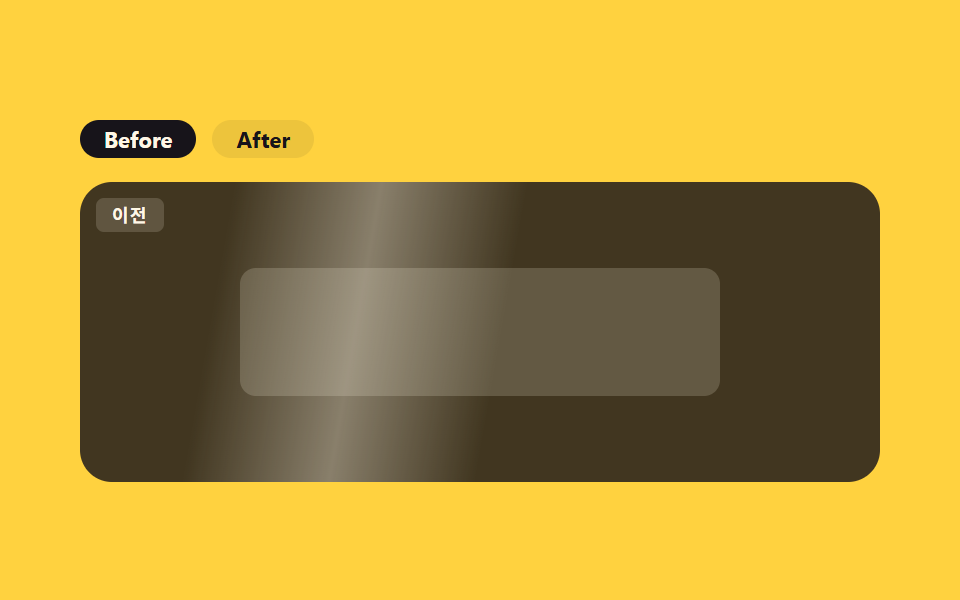
<main class="stage">
  <section class="ba">
    <div class="ba__toggle" role="group" aria-label="比較を見る">
      <button type="button" class="ba__btn" data-panel="before" aria-pressed="true">Before</button>
      <button type="button" class="ba__btn" data-panel="after" aria-pressed="false">After</button>
    </div>
    <div class="ba__frame">
      <div class="ba__panel ba__panel--before" data-panel="before">
        <span class="ba__badge">前</span>
        <span class="ba__shape"></span>
      </div>
      <div class="ba__panel ba__panel--after" data-panel="after">
        <span class="ba__badge ba__badge--after">後</span>
        <span class="ba__shape ba__shape--after"></span>
      </div>
      <span class="ba__shimmer" aria-hidden="true"></span>
    </div>
  </section>
</main>
@use "../../../../site/static/demo-tokens" as *;
// ── 변수 3개 ──────────────────────────────────────────
$duration: $dur-enter; // 패널 크로스페이드
$easing: $ease-spring;
$color: $subject-blue;
@include stage($stage-yellow);
.ba { width: min(400px, 96vw); display: flex; flex-direction: column; gap: $sp-3; }
.ba__toggle { display: flex; gap: $sp-2; }
.ba__btn {
border: 0;
cursor: pointer;
padding: $sp-1 $sp-3;
border-radius: $r-pill;
background: rgba(23, 20, 26, .08);
color: $subject-ink;
font-weight: 700; font-size: 11px; line-height: 1; font-family: inherit;
transition: background $dur-quick $ease-out, color $dur-quick $ease-out;
}
.ba__btn[aria-pressed="true"] { background: $subject-ink; color: $subject-cream; }
.ba__frame {
position: relative;
width: 100%;
height: 150px;
border-radius: $r-card;
overflow: hidden;
isolation: isolate;
}
.ba__panel {
position: absolute;
inset: 0;
display: grid;
place-items: center;
padding: $sp-3;
box-sizing: border-box;
opacity: 0;
transition: opacity $duration $easing;
}
.ba__panel.is-active { opacity: 1; }
.ba__panel--before { background: rgba(23, 20, 26, .82); opacity: 1; } // 기본 활성
.ba__panel--after { background: linear-gradient(160deg, $subject-ink, #24304f); }
.ba__badge {
position: absolute;
top: $sp-2;
left: $sp-2;
padding: $sp-1 $sp-2;
border-radius: $r-xs;
background: rgba(255, 247, 230, .16);
color: $subject-cream;
font-weight: 700; font-size: 9px; line-height: 1; font-family: inherit;
letter-spacing: .06em;
}
.ba__badge--after { background: rgba(47, 109, 246, .3); }
.ba__shape {
width: 64%;
height: 64px;
border-radius: $r-sm;
background: rgba(255, 247, 230, .18);
}
.ba__shape--after { background: rgba(47, 109, 246, .5); box-shadow: $shadow-raised; }
// 무대 장식: 어느 패널이 켜져 있든 항상 보이도록 프레임 위(두 패널의 형제, z-index 위)에 둔다 —
// 처음엔 .ba__panel--after 안에 넣었더니 그 패널이 opacity:0(기본은 before 활성)이라 함께 숨어 측정값이 0 이었다.
.ba__shimmer {
position: absolute;
inset: -20% -60%;
z-index: 2;
pointer-events: none;
background: linear-gradient(100deg, transparent 42%, rgba(255, 247, 230, .42) 50%, transparent 58%);
animation: ba-shimmer 2.4s linear infinite;
}
@keyframes ba-shimmer {
0% { transform: translateX(-30%); opacity: 0; }
10% { opacity: .9; }
60% { opacity: .9; }
100% { transform: translateX(30%); opacity: 0; }
}
// ── 접근성 ──────────────────────────────────────────
@media (prefers-reduced-motion: reduce) {
.ba__shimmer { animation: none !important; opacity: 0 !important; }
.ba__panel, .ba__btn { transition: none !important; }
}
// ── 반응형(320×200) ──────────────────────────────────
@media (max-width: 340px), (max-height: 220px) {
.ba__frame { height: 108px; }
.ba__shape { height: 44px; }
}html, body {
margin: 0;
overflow: hidden;
}
.stage {
box-sizing: border-box;
min-height: 100vh;
display: grid;
place-items: center;
margin: 0;
background: #ffd23f;
font-family: -apple-system, "Segoe UI", "Noto Sans KR", sans-serif;
padding: clamp(8px, 4vw, 24px);
}
.ba {
width: min(400px, 96vw);
display: flex;
flex-direction: column;
gap: 12px;
}
.ba__toggle {
display: flex;
gap: 8px;
}
.ba__btn {
border: 0;
cursor: pointer;
padding: 4px 12px;
border-radius: 999px;
background: rgba(23, 20, 26, 0.08);
color: #17141a;
font-weight: 700;
font-size: 11px;
line-height: 1;
font-family: inherit;
transition: background 220ms ease-out, color 220ms ease-out;
}
.ba__btn[aria-pressed=true] {
background: #17141a;
color: #fff7e6;
}
.ba__frame {
position: relative;
width: 100%;
height: 150px;
border-radius: 16px;
overflow: hidden;
isolation: isolate;
}
.ba__panel {
position: absolute;
inset: 0;
display: grid;
place-items: center;
padding: 12px;
box-sizing: border-box;
opacity: 0;
transition: opacity 600ms cubic-bezier(0.2, 0.8, 0.2, 1);
}
.ba__panel.is-active {
opacity: 1;
}
.ba__panel--before {
background: rgba(23, 20, 26, 0.82);
opacity: 1;
}
.ba__panel--after {
background: linear-gradient(160deg, #17141a, #24304f);
}
.ba__badge {
position: absolute;
top: 8px;
left: 8px;
padding: 4px 8px;
border-radius: 4px;
background: rgba(255, 247, 230, 0.16);
color: #fff7e6;
font-weight: 700;
font-size: 9px;
line-height: 1;
font-family: inherit;
letter-spacing: 0.06em;
}
.ba__badge--after {
background: rgba(47, 109, 246, 0.3);
}
.ba__shape {
width: 64%;
height: 64px;
border-radius: 8px;
background: rgba(255, 247, 230, 0.18);
}
.ba__shape--after {
background: rgba(47, 109, 246, 0.5);
box-shadow: 0 14px 24px rgba(23, 20, 26, 0.32);
}
.ba__shimmer {
position: absolute;
inset: -20% -60%;
z-index: 2;
pointer-events: none;
background: linear-gradient(100deg, transparent 42%, rgba(255, 247, 230, 0.42) 50%, transparent 58%);
animation: ba-shimmer 2.4s linear infinite;
}
@keyframes ba-shimmer {
0% {
transform: translateX(-30%);
opacity: 0;
}
10% {
opacity: 0.9;
}
60% {
opacity: 0.9;
}
100% {
transform: translateX(30%);
opacity: 0;
}
}
@media (prefers-reduced-motion: reduce) {
.ba__shimmer {
animation: none !important;
opacity: 0 !important;
}
.ba__panel, .ba__btn {
transition: none !important;
}
}
@media (max-width: 340px), (max-height: 220px) {
.ba__frame {
height: 108px;
}
.ba__shape {
height: 44px;
}
}// 실제 동작: 버튼 클릭 時 두 패널 중 하나만 opacity:1 로 크로스페이드, aria-pressed 가 배타적으로 갱신된다.
var btns = document.querySelectorAll('.ba__btn');
var panels = document.querySelectorAll('.ba__panel');
btns.forEach(function (btn) {
btn.addEventListener('click', function () {
var name = btn.getAttribute('data-panel');
btns.forEach(function (b) { b.setAttribute('aria-pressed', String(b === btn)); });
panels.forEach(function (p) { p.classList.toggle('is-active', p.getAttribute('data-panel') === name); });
});
});import { useState } from "react";
import type { CSSProperties } from "react";
import styles from "./BeforeAfter.module.scss";
export type BeforeAfterProps = { duration?: number; easing?: string; color?: string };
type Vars = CSSProperties & { "--duration"?: string; "--easing"?: string; "--color"?: string };
type Panel = "before" | "after";
export default function BeforeAfter({ duration = 600, easing = "cubic-bezier(.2,.8,.2,1)", color = "#2f6df6" }: BeforeAfterProps) {
const [active, setActive] = useState<Panel>("before");
const vars: Vars = { "--duration": `${duration}ms`, "--easing": easing, "--color": color };
return (
<section className={styles.ba} style={vars}>
<div className={styles.toggle} role="group" aria-label="비교 보기">
<button type="button" className={styles.btn} aria-pressed={active === "before"} onClick={() => setActive("before")}>Before</button>
<button type="button" className={styles.btn} aria-pressed={active === "after"} onClick={() => setActive("after")}>After</button>
</div>
<div className={styles.frame}>
<div className={`${styles.panel} ${styles.before} ${active === "before" ? styles.active : ""}`}>
<span className={styles.badge}>이전</span>
<span className={styles.shape} />
</div>
<div className={`${styles.panel} ${styles.after} ${active === "after" ? styles.active : ""}`}>
<span className={`${styles.badge} ${styles.badgeAfter}`}>이후</span>
<span className={`${styles.shape} ${styles.shapeAfter}`} />
</div>
<span className={styles.shimmer} aria-hidden="true" />
</div>
</section>
);
}02 ビフォーアフター — 計測 累積面積 41.445% · 動いたフレーム 23/23GODRICH オリジナル · SCSS と React は zip に同梱 · 【コピペOK】プロモ LP テンプレート9選
このデモが属する記事
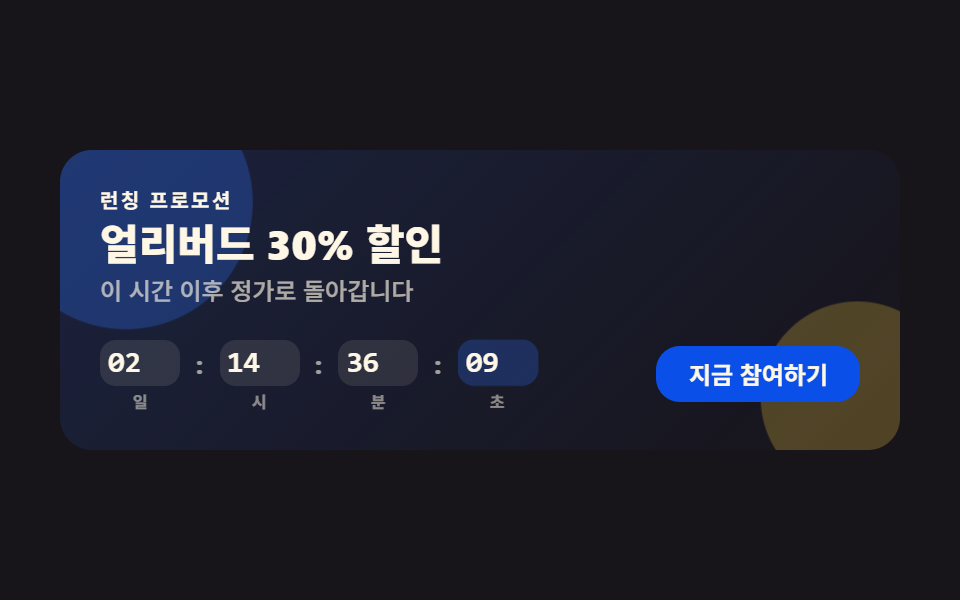 【コピペOK】プロモ LP テンプレート9選プロモ LP テンプレートは、カウントダウンヒーローから申込フォームまで、キャンペーンのランディングページに必要な構成要素をひとまとめにしたコード集です。LPにそのまま貼れる九つのうち一つは、実際の目標時刻まで毎秒減っていくカウントダウンを この記事のデモをすべて見る