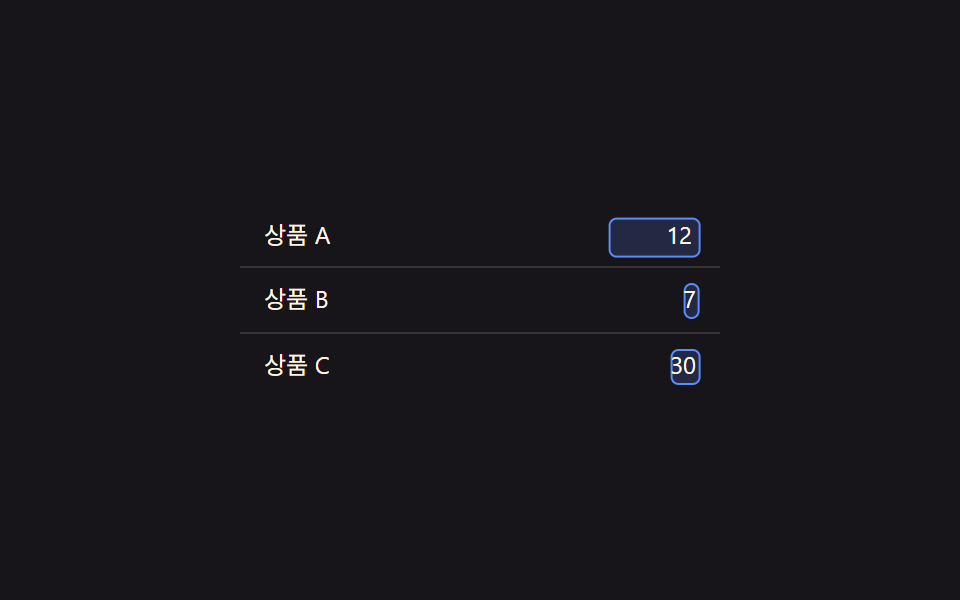
06編集状態値の切替 — セルの編集状態値が変わると文言値の場所が入力欄値に切り替わる方式
セルの編集状態値がオンになると文言値のあった場所が入力欄の値に変わり、状態値がオフになると再び文言値に戻ります。
使いどころ表の中で直接値を直す管理画面、在庫数量をその場で変える表
getBoundingClientRectLERP 0.25.tie__box
<main class="stage">
<table class="tie is-demo" id="tie">
  <tbody>
    <tr class="tie__row">
      <td class="tie__label">商品 A</td>
      <td class="tie__editcell" id="tieCell0">
        <span class="tie__box" id="tieBox0"></span>
        <span class="tie__text" id="tieText0">12</span>
        <input class="tie__input" id="tieInput0" type="text" value="12">
      </td>
    </tr>
    <tr class="tie__row">
      <td class="tie__label">商品 B</td>
      <td class="tie__editcell" id="tieCell1">
        <span class="tie__box" id="tieBox1"></span>
        <span class="tie__text" id="tieText1">7</span>
        <input class="tie__input" id="tieInput1" type="text" value="7">
      </td>
    </tr>
    <tr class="tie__row">
      <td class="tie__label">商品 C</td>
      <td class="tie__editcell" id="tieCell2">
        <span class="tie__box" id="tieBox2"></span>
        <span class="tie__text" id="tieText2">30</span>
        <input class="tie__input" id="tieInput2" type="text" value="30">
      </td>
    </tr>
  </tbody>
</table>
</main>@use "../../../../site/static/demo-tokens" as *;
// 계산 겹: 문구·입력 칸의 자연 크기를 getBoundingClientRect 로 실측해 편집 상태 값의 진행도만큼
// 두 크기 사이를 보간한 박스를 그린다(속성 트윈이 아니라 계산) — index.html measure()/tick() 참조
@include stage($stage-ink);
.tie {
width: 100%;
max-width: 240px;
border-collapse: collapse;
font: 400 12px/1.3 -apple-system, "Segoe UI", "Noto Sans KR", sans-serif;
color: $subject-cream;
}
.tie__row:not(:first-child) td {
border-top: 1px solid rgba(255, 247, 230, .14);
}
.tie__label {
padding: $sp-2 $sp-3;
}
.tie__editcell {
position: relative;
padding: $sp-2 $sp-3;
text-align: right;
cursor: pointer;
}
.tie__box {
position: absolute;
top: 0;
left: 0;
background: rgba(91, 140, 248, .18);
border: 1px solid $subject-blue-light;
border-radius: $r-xs;
pointer-events: none;
}
.tie__text {
position: relative;
font-variant-numeric: tabular-nums;
}
.tie__input {
position: absolute;
right: $sp-3;
top: 50%;
transform: translateY(-50%);
width: 44px;
box-sizing: border-box;
background: transparent;
border: 0;
color: $subject-cream;
font: 400 12px/1 -apple-system, "Segoe UI", "Noto Sans KR", sans-serif;
text-align: right;
font-variant-numeric: tabular-nums;
}
.tie__input:focus {
outline: none;
}
@media (max-width: 340px) {
.tie { max-width: 200px; font-size: 11px; }
.tie__label, .tie__editcell { padding: $sp-1 $sp-2; }
}
@media (prefers-reduced-motion: reduce) {
.tie__box { transition: none; }
}html, body {
margin: 0;
overflow: hidden;
}
.stage {
box-sizing: border-box;
min-height: 100vh;
display: grid;
place-items: center;
margin: 0;
background: #17141a;
font-family: -apple-system, "Segoe UI", "Noto Sans KR", sans-serif;
padding: clamp(8px, 4vw, 24px);
}
.tie {
width: 100%;
max-width: 240px;
border-collapse: collapse;
font: 400 12px/1.3 -apple-system, "Segoe UI", "Noto Sans KR", sans-serif;
color: #fff7e6;
}
.tie__row:not(:first-child) td {
border-top: 1px solid rgba(255, 247, 230, 0.14);
}
.tie__label {
padding: 8px 12px;
}
.tie__editcell {
position: relative;
padding: 8px 12px;
text-align: right;
cursor: pointer;
}
.tie__box {
position: absolute;
top: 0;
left: 0;
background: rgba(91, 140, 248, 0.18);
border: 1px solid #5b8cf8;
border-radius: 4px;
pointer-events: none;
}
.tie__text {
position: relative;
font-variant-numeric: tabular-nums;
}
.tie__input {
position: absolute;
right: 12px;
top: 50%;
transform: translateY(-50%);
width: 44px;
box-sizing: border-box;
background: transparent;
border: 0;
color: #fff7e6;
font: 400 12px/1 -apple-system, "Segoe UI", "Noto Sans KR", sans-serif;
text-align: right;
font-variant-numeric: tabular-nums;
}
.tie__input:focus {
outline: none;
}
@media (max-width: 340px) {
.tie {
max-width: 200px;
font-size: 11px;
}
.tie__label, .tie__editcell {
padding: 4px 8px;
}
}
@media (prefers-reduced-motion: reduce) {
.tie__box {
transition: none;
}
}(function () {
var root = document.getElementById('tie');
// 상수: 모프 보간 속도 · 자동 루프 간격
var LERP = 0.25;
var AUTO_TOGGLE_MS = 1200;
var cells = [0, 1, 2].map(function (i) {
return {
cell: document.getElementById('tieCell' + i),
box: document.getElementById('tieBox' + i),
text: document.getElementById('tieText' + i),
input: document.getElementById('tieInput' + i),
editing: false,
prog: 0
};
});
// 계산 겹: 문구 값의 자연 크기와 입력 칸 값의 자연 크기를 실측(offsetWidth/Height)해
// 편집 상태 값의 진행도(prog)만큼 두 크기 사이를 보간한 박스를 그린다
function measure(c) {
var tr = c.text.getBoundingClientRect();
var ir = c.input.getBoundingClientRect();
var pr = c.cell.getBoundingClientRect();
return {
textRect: { l: tr.left - pr.left, t: tr.top - pr.top, w: tr.width, h: tr.height },
inputRect: { l: ir.left - pr.left, t: ir.top - pr.top, w: ir.width, h: ir.height }
};
}
function tick() {
cells.forEach(function (c) {
var target = c.editing ? 1 : 0;
c.prog += (target - c.prog) * LERP;
if (Math.abs(target - c.prog) < 0.01) c.prog = target;
var m = measure(c);
var t = m.textRect, i = m.inputRect;
var l = t.l + (i.l - t.l) * c.prog;
var top = t.t + (i.t - t.t) * c.prog;
var w = t.w + (i.w - t.w) * c.prog;
var h = t.h + (i.h - t.h) * c.prog;
c.box.style.transform = 'translate(' + l.toFixed(1) + 'px,' + top.toFixed(1) + 'px)';
c.box.style.width = w.toFixed(1) + 'px';
c.box.style.height = h.toFixed(1) + 'px';
c.text.style.opacity = (1 - c.prog).toFixed(2);
c.input.style.opacity = c.prog.toFixed(2);
c.input.style.pointerEvents = c.prog > 0.6 ? 'auto' : 'none';
});
requestAnimationFrame(tick);
}
requestAnimationFrame(tick);
cells.forEach(function (c) {
c.cell.addEventListener('click', function (e) {
if (c.editing) return;
root.classList.remove('is-demo');
c.editing = true;
});
c.input.addEventListener('blur', function () { c.editing = false; });
c.input.addEventListener('keydown', function (e) {
if (e.key === 'Enter') c.input.blur();
});
});
// 자동 루프: 편집 상태 값을 순서대로 켜고 끈다
var autoI = 0;
function autoStep() {
if (root.classList.contains('is-demo')) {
var c = cells[autoI % cells.length];
c.editing = !c.editing;
}
autoI++;
setTimeout(autoStep, AUTO_TOGGLE_MS);
}
setTimeout(autoStep, AUTO_TOGGLE_MS);
})();import { useEffect, useRef } from "react";
import styles from "./TableRowInlineEditMorph.module.scss";
type Box<T> = { current: T };
export default function TableRowInlineEditMorph() {
const rootRef = useRef(null) as unknown as Box<HTMLTableElement | null>;
useEffect(() => {
const root = rootRef.current;
if (!root) return;
// 상수: 모프 보간 속도 · 자동 루프 간격
const LERP = 0.25;
const AUTO_TOGGLE_MS = 1200;
const cells = [0, 1, 2].map((i) => ({
cell: root.querySelector(`.${styles["cell" + i]}`) as HTMLElement,
box: root.querySelector(`.${styles["box" + i]}`) as HTMLElement,
text: root.querySelector(`.${styles["text" + i]}`) as HTMLElement,
input: root.querySelector(`.${styles["input" + i]}`) as HTMLInputElement,
editing: false,
prog: 0,
}));
if (cells.some((c) => !c.cell || !c.box || !c.text || !c.input)) return;
let stopped = false;
let rafId = 0;
let autoTimer = 0;
const cleanups: Array<() => void> = [];
// 계산 겹: 문구 값의 자연 크기와 입력 칸 값의 자연 크기를 실측(getBoundingClientRect)해
// 편집 상태 값의 진행도(prog)만큼 두 크기 사이를 보간한 박스를 그린다
function measure(c: typeof cells[number]) {
const tr = c.text.getBoundingClientRect();
const ir = c.input.getBoundingClientRect();
const pr = c.cell.getBoundingClientRect();
return {
textRect: { l: tr.left - pr.left, t: tr.top - pr.top, w: tr.width, h: tr.height },
inputRect: { l: ir.left - pr.left, t: ir.top - pr.top, w: ir.width, h: ir.height },
};
}
function tick() {
if (stopped) return;
cells.forEach((c) => {
const target = c.editing ? 1 : 0;
c.prog += (target - c.prog) * LERP;
if (Math.abs(target - c.prog) < 0.01) c.prog = target;
const m = measure(c);
const t = m.textRect, i = m.inputRect;
const l = t.l + (i.l - t.l) * c.prog;
const top = t.t + (i.t - t.t) * c.prog;
const w = t.w + (i.w - t.w) * c.prog;
const h = t.h + (i.h - t.h) * c.prog;
c.box.style.transform = "translate(" + l.toFixed(1) + "px," + top.toFixed(1) + "px)";
c.box.style.width = w.toFixed(1) + "px";
c.box.style.height = h.toFixed(1) + "px";
c.text.style.opacity = (1 - c.prog).toFixed(2);
c.input.style.opacity = c.prog.toFixed(2);
c.input.style.pointerEvents = c.prog > 0.6 ? "auto" : "none";
});
rafId = requestAnimationFrame(tick);
}
rafId = requestAnimationFrame(tick);
cells.forEach((c) => {
function onCellClick() {
if (c.editing) return;
root!.classList.remove(styles["is-demo"]);
c.editing = true;
}
function onBlur() { c.editing = false; }
function onKeydown(e: KeyboardEvent) {
if (e.key === "Enter") c.input.blur();
}
c.cell.addEventListener("click", onCellClick);
c.input.addEventListener("blur", onBlur);
c.input.addEventListener("keydown", onKeydown);
cleanups.push(() => {
c.cell.removeEventListener("click", onCellClick);
c.input.removeEventListener("blur", onBlur);
c.input.removeEventListener("keydown", onKeydown);
});
});
let autoI = 0;
function autoStep() {
if (stopped) return;
if (root!.classList.contains(styles["is-demo"])) {
const c = cells[autoI % cells.length];
c.editing = !c.editing;
}
autoI++;
autoTimer = window.setTimeout(autoStep, AUTO_TOGGLE_MS);
}
autoTimer = window.setTimeout(autoStep, AUTO_TOGGLE_MS);
return () => {
stopped = true;
cancelAnimationFrame(rafId);
window.clearTimeout(autoTimer);
cleanups.forEach((fn) => fn());
};
}, []);
return (
<table ref={rootRef} className={`${styles.stage} ${styles.tie} ${styles["is-demo"]}`}>
<tbody>
<tr className={styles.row}>
<td className={styles.label}>상품 A</td>
<td className={`${styles.editcell} ${styles.cell0}`}>
<span className={`${styles.box} ${styles.box0}`} />
<span className={`${styles.text} ${styles.text0}`}>12</span>
<input className={`${styles.input} ${styles.input0}`} type="text" defaultValue="12" />
</td>
</tr>
<tr className={styles.row}>
<td className={styles.label}>상품 B</td>
<td className={`${styles.editcell} ${styles.cell1}`}>
<span className={`${styles.box} ${styles.box1}`} />
<span className={`${styles.text} ${styles.text1}`}>7</span>
<input className={`${styles.input} ${styles.input1}`} type="text" defaultValue="7" />
</td>
</tr>
<tr className={styles.row}>
<td className={styles.label}>상품 C</td>
<td className={`${styles.editcell} ${styles.cell2}`}>
<span className={`${styles.box} ${styles.box2}`} />
<span className={`${styles.text} ${styles.text2}`}>30</span>
<input className={`${styles.input} ${styles.input2}`} type="text" defaultValue="30" />
</td>
</tr>
</tbody>
</table>
);
}06 編集状態値の切替 — セルの編集状態値が変わると文言値の場所が入力欄値に切り替わる方式 — 計測 累積面積 1.251% · 動いたフレーム 8/23GODRICH オリジナル · SCSS と React は zip に同梱 · アコーディオン テーブル 9選 — 行が開閉する9つの方式
このデモが属する記事
 アコーディオン テーブル 9選 — 行が開閉する9つの方式このアコーディオン テーブル特集では、9つのうち1つは行の展開値が変わるとその下の詳細領域の高さ値が一緒に伸び、1つは行の存在値が消える瞬間その行の高さ値が0まで縮んで下の行の位置値が空いた場所を埋め、もう1つはスクロール位置値が基準を超え この記事のデモをすべて見る