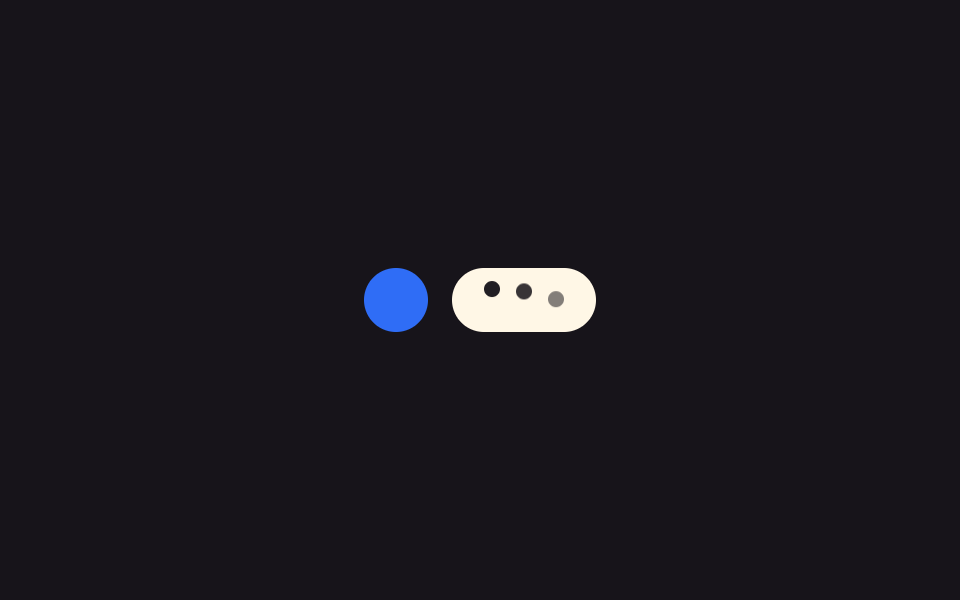
09キーボードバーヒント — 仮想キーボードの高さ値で位置を求め直す表示
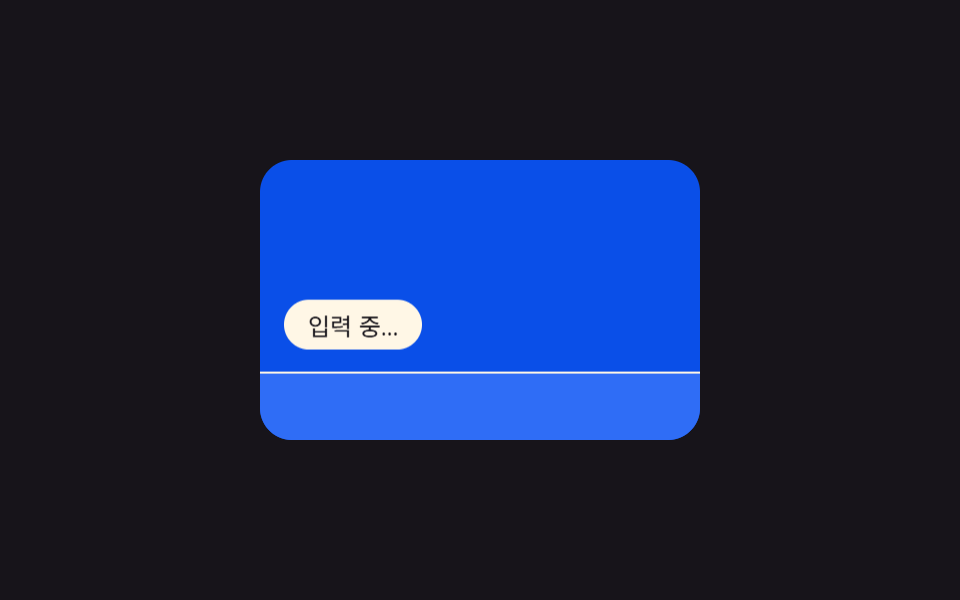
モバイル画面で仮想キーボードが開いた状態になると、キーボードが占める高さの値だけ入力表示の下側の位置を計算し直し、キーボードバーのすぐ上に付けます。
使いどころモバイルチャットアプリ、レスポンシブなWebチャットウィジェット
translateY(requestAnimationFrametransform
<main class="stage">
<section class="panel">
  <div class="screen">
    <span class="indicator" id="indicator">入力中…</span>
    <div class="keyboard" id="keyboard"></div>
  </div>
</section>
</main>
@use "../../../../site/static/demo-tokens" as *;
@include stage($stage-ink);
.panel { display: flex; align-items: center; justify-content: center; }
.screen {
position: relative;
width: 220px;
height: 140px;
overflow: hidden;
border-radius: $r-card;
background: $subject-blue-deep;
}
.indicator {
position: absolute;
left: $sp-3;
bottom: $sp-3;
padding: $sp-1 $sp-3;
border-radius: $r-pill;
background: $subject-cream;
color: $subject-ink;
font-size: 12px;
will-change: transform;
}
.keyboard {
position: absolute;
left: 0;
bottom: 0;
width: 100%;
height: 64px;
background: $subject-blue;
border-top: 1px solid $subject-cream;
will-change: transform;
}
@media (prefers-reduced-motion: reduce) {
.indicator, .keyboard { transition: none; }
}html, body {
margin: 0;
overflow: hidden;
}
.stage {
box-sizing: border-box;
min-height: 100vh;
display: grid;
place-items: center;
margin: 0;
background: #17141a;
font-family: -apple-system, "Segoe UI", "Noto Sans KR", sans-serif;
padding: clamp(8px, 4vw, 24px);
}
.panel {
display: flex;
align-items: center;
justify-content: center;
}
.screen {
position: relative;
width: 220px;
height: 140px;
overflow: hidden;
border-radius: 16px;
background: #0a4fe8;
}
.indicator {
position: absolute;
left: 12px;
bottom: 12px;
padding: 4px 12px;
border-radius: 999px;
background: #fff7e6;
color: #17141a;
font-size: 12px;
will-change: transform;
}
.keyboard {
position: absolute;
left: 0;
bottom: 0;
width: 100%;
height: 64px;
background: #2f6df6;
border-top: 1px solid #fff7e6;
will-change: transform;
}
@media (prefers-reduced-motion: reduce) {
.indicator, .keyboard {
transition: none;
}
}// 키보드 열림 표시 이동 — 키보드 높이 값을 시간에 따라 재계산해 표시줄과 키보드를 함께 translateY 로 옮긴다.
// 계산 겹: ease-in-out 진행률 → 키보드 높이 h 재계산 → translateY(둘 다 transform 만 사용, top/height 미변경).
(function () {
var keyboard = document.getElementById('keyboard');
var indicator = document.getElementById('indicator');
if (!keyboard || !indicator) return;
var KB_H = 64;
var CYCLE_MS = 2000;
var OPEN_START = 0.10 * CYCLE_MS;
var OPEN_MS = 360;
var CLOSE_START = 0.62 * CYCLE_MS;
var CLOSE_MS = 360;
function ease(p) {
return p < 0.5 ? 2 * p * p : 1 - Math.pow(-2 * p + 2, 2) / 2;
}
function heightAt(t) {
if (t < OPEN_START) return 0;
if (t < OPEN_START + OPEN_MS) {
return KB_H * ease((t - OPEN_START) / OPEN_MS);
}
if (t < CLOSE_START) return KB_H;
if (t < CLOSE_START + CLOSE_MS) {
return KB_H * (1 - ease((t - CLOSE_START) / CLOSE_MS));
}
return 0;
}
function apply(h) {
keyboard.style.transform = 'translateY(' + (KB_H - h) + 'px)';
indicator.style.transform = 'translateY(' + (-h) + 'px)';
}
var reduce = window.matchMedia('(prefers-reduced-motion: reduce)').matches;
if (reduce) {
apply(KB_H);
return;
}
var start = null;
function frame(ts) {
if (start === null) start = ts;
var t = (ts - start) % CYCLE_MS;
apply(heightAt(t));
requestAnimationFrame(frame);
}
requestAnimationFrame(frame);
})();import { useEffect, useRef } from "react";
import styles from "./TypingKeyboardBarHint.module.scss";
// 키보드 열림 표시 이동 — 키보드 높이 값을 시간에 따라 재계산해 표시줄과 키보드를 함께 translateY 로 옮긴다.
// 계산 겹: ease-in-out 진행률 → 키보드 높이 h 재계산 → translateY(둘 다 transform 만 사용, top/height 미변경).
const KB_H = 64;
const CYCLE_MS = 2000;
const OPEN_START = 0.10 * CYCLE_MS;
const OPEN_MS = 360;
const CLOSE_START = 0.62 * CYCLE_MS;
const CLOSE_MS = 360;
function ease(p: number): number {
return p < 0.5 ? 2 * p * p : 1 - Math.pow(-2 * p + 2, 2) / 2;
}
function heightAt(t: number): number {
if (t < OPEN_START) return 0;
if (t < OPEN_START + OPEN_MS) {
return KB_H * ease((t - OPEN_START) / OPEN_MS);
}
if (t < CLOSE_START) return KB_H;
if (t < CLOSE_START + CLOSE_MS) {
return KB_H * (1 - ease((t - CLOSE_START) / CLOSE_MS));
}
return 0;
}
export default function TypingKeyboardBarHint() {
const keyboardRef = useRef<HTMLDivElement | null>(null);
const indicatorRef = useRef<HTMLSpanElement | null>(null);
useEffect(() => {
const keyboard = keyboardRef.current;
const indicator = indicatorRef.current;
if (!keyboard || !indicator) return;
function apply(h: number) {
keyboard!.style.transform = "translateY(" + (KB_H - h) + "px)";
indicator!.style.transform = "translateY(" + -h + "px)";
}
const reduce = window.matchMedia("(prefers-reduced-motion: reduce)").matches;
if (reduce) {
apply(KB_H);
return;
}
let start: number | null = null;
let raf = 0;
function frame(ts: number) {
if (start === null) start = ts;
const t = (ts - start) % CYCLE_MS;
apply(heightAt(t));
raf = requestAnimationFrame(frame);
}
raf = requestAnimationFrame(frame);
return () => cancelAnimationFrame(raf);
}, []);
return (
<div className={styles.stage}>
<section className={styles.panel}>
<div className={styles.screen}>
<span ref={indicatorRef} className={styles.indicator}>입력 중…</span>
<div ref={keyboardRef} className={styles.keyboard} />
</div>
</section>
</div>
);
}09 キーボードバーヒント — 仮想キーボードの高さ値で位置を求め直す表示 — 計測 累積面積 11.546% · 動いたフレーム 12/23GODRICH オリジナル · SCSS と React は zip に同梱 · タイピングインジケーターUI 9選 — 3つの点からグループチャットまで
このデモが属する記事
 タイピングインジケーターUI 9選 — 3つの点からグループチャットまで「タイピングインジケーター」9選 — 9つのうち1つは入力中の時間が長いほどアバターの縁がゆっくり脈打ち、1つはグループチャットで入力者が変わるたびに残り時間の値で名札の幅を描き直し、もう1つは振幅配列の値で音声入力表示の棒の高さを計算し直 この記事のデモをすべて見る