05要素群ごとに異なる減速値を与えるクラス指定遷移
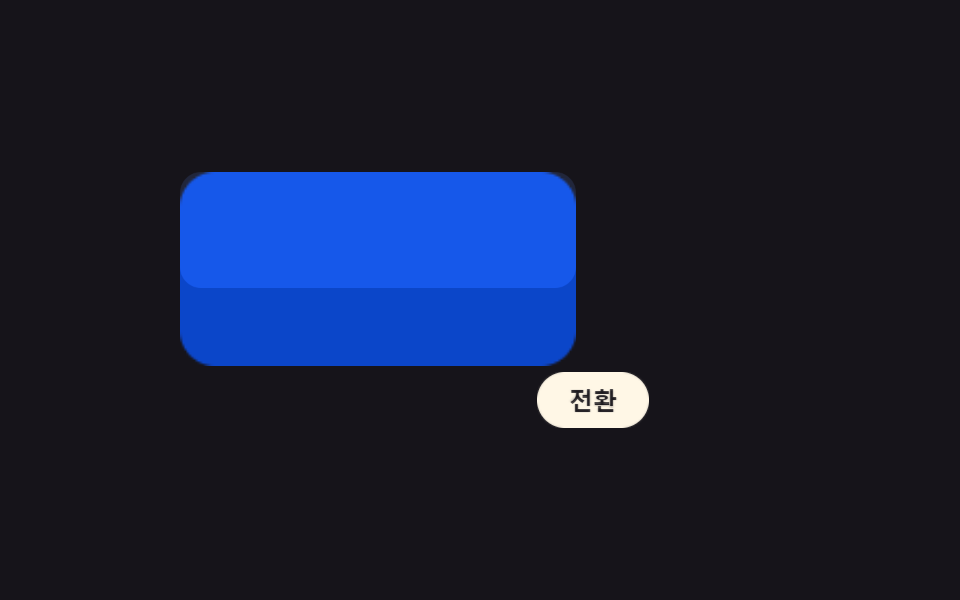
画面で同時に変わる複数の要素を一つのクラス値でまとめ、そのクラスに属する要素だけ別の継続時間・減速値を持たせ、背景はゆっくり、ボタンは速くのように要素群ごとに異なる速度で遷移させる。
使いどころヒーロー背景+ボタンなど速度差が必要なセクション
view-transition-class::view-transition-group(.vt-slow)::view-transition-group(.vt-fast)
<main class="stage">
<div class="ce is-demo" id="ce">
  <div class="ce__hero" id="ceHero"></div>
  <button type="button" class="ce__btn" id="ceBtn" aria-label="配置トランジション — 背景はゆっくり、ボタンは速く">トランジション</button>
</div>
</main>
@use "../../../../site/static/demo-tokens" as *;
// ── 변수 3개 ──────────────────────────────────────────
$duration: $dur-loop;
$easing: $ease-spring;
$color: $subject-blue-light;
@include stage($stage-ink);
.ce { position: relative; width: min(100%, 300px); height: 180px; display: flex; flex-direction: column; gap: $sp-3; justify-content: center; }
.ce__hero {
view-transition-name: ce-hero;
view-transition-class: vt-slow;
width: 60%; height: 88px; border-radius: $r-card; background: $subject-blue-deep;
}
.is-wide .ce__hero { width: 100%; background: $color; }
.ce__btn {
view-transition-name: ce-btn;
view-transition-class: vt-fast;
align-self: flex-start; border: none; border-radius: $r-pill; cursor: pointer;
background: $subject-cream; color: $subject-ink; font: 700 12px/1 -apple-system, sans-serif;
padding: $sp-2 $sp-4;
}
.is-wide .ce__btn { align-self: flex-end; }
.ce__btn:focus-visible { outline: 2px solid $subject-cream; outline-offset: 2px; }
// 실사용 원리: view-transition-class 값(vt-slow·vt-fast)을 요소마다 다르게 달아 두면
// 이름은 제각각이어도 ::view-transition-group(.클래스) 로 한 번에 묶어 지속시간을 나눌 수 있다 —
// 배경은 느리게(감속 값 큼) 버튼은 빠르게(감속 값 작음) 같은 트리거에서 서로 다른 속도로 움직인다.
::view-transition-group(.vt-slow) {
animation-duration: $duration / 2.2;
animation-timing-function: $easing;
}
::view-transition-group(.vt-fast) {
animation-duration: $dur-quick;
animation-timing-function: $ease-pop;
}
@media (max-width: 340px) {
.ce { height: 150px; gap: $sp-2; }
.ce__hero { height: 70px; }
.ce__btn { padding: $sp-1 $sp-3; font-size: 11px; }
}
@media (prefers-reduced-motion: reduce) {
::view-transition-group(*),
::view-transition-old(*),
::view-transition-new(*) { animation: none !important; }
}html, body {
margin: 0;
overflow: hidden;
}
.stage {
box-sizing: border-box;
min-height: 100vh;
display: grid;
place-items: center;
margin: 0;
background: #17141a;
font-family: -apple-system, "Segoe UI", "Noto Sans KR", sans-serif;
padding: clamp(8px, 4vw, 24px);
}
.ce {
position: relative;
width: min(100%, 300px);
height: 180px;
display: flex;
flex-direction: column;
gap: 12px;
justify-content: center;
}
.ce__hero {
view-transition-name: ce-hero;
view-transition-class: vt-slow;
width: 60%;
height: 88px;
border-radius: 16px;
background: #0a4fe8;
}
.is-wide .ce__hero {
width: 100%;
background: #5b8cf8;
}
.ce__btn {
view-transition-name: ce-btn;
view-transition-class: vt-fast;
align-self: flex-start;
border: none;
border-radius: 999px;
cursor: pointer;
background: #fff7e6;
color: #17141a;
font: 700 12px/1 -apple-system, sans-serif;
padding: 8px 16px;
}
.is-wide .ce__btn {
align-self: flex-end;
}
.ce__btn:focus-visible {
outline: 2px solid #fff7e6;
outline-offset: 2px;
}
::view-transition-group(.vt-slow) {
animation-duration: 0.9090909091s;
animation-timing-function: cubic-bezier(0.2, 0.8, 0.2, 1);
}
::view-transition-group(.vt-fast) {
animation-duration: 220ms;
animation-timing-function: cubic-bezier(0.2, 1.4, 0.4, 1);
}
@media (max-width: 340px) {
.ce {
height: 150px;
gap: 8px;
}
.ce__hero {
height: 70px;
}
.ce__btn {
padding: 4px 12px;
font-size: 11px;
}
}
@media (prefers-reduced-motion: reduce) {
::view-transition-group(*),
::view-transition-old(*),
::view-transition-new(*) {
animation: none !important;
}
}(function () {
var SUPPORTS_VT = 'startViewTransition' in document;
var root = document.getElementById('ce');
var hero = document.getElementById('ceHero');
var btn = document.getElementById('ceBtn');
var reduce = window.matchMedia('(prefers-reduced-motion: reduce)').matches;
var wide = false;
var isDemo = true;
function human() {
if (isDemo) { root.classList.remove('is-demo'); isDemo = false; }
}
function render() {
root.classList.toggle('is-wide', wide);
}
function change(fn) {
if (SUPPORTS_VT) { document.startViewTransition(fn); }
else { fn(); }
}
function toggle() {
wide = !wide;
change(render);
}
btn.addEventListener('click', function () { human(); toggle(); });
root.addEventListener('keydown', function (e) {
if (e.key === 'Enter' || e.key === ' ') { human(); e.preventDefault(); toggle(); }
});
var HOLD_MS = 1000;
function loop() {
if (!isDemo) return;
toggle();
window.setTimeout(loop, HOLD_MS);
}
if (!reduce) {
window.setTimeout(loop, HOLD_MS);
} else {
root.classList.remove('is-demo');
}
})();// ClassCustomEasing — vanilla 판(run/401/demo/05-view-transition-class-custom-easing/index.html) 의 React 포트.
// 계산 겹 없음(브리프 지정) — view-transition-class 로 요소군마다 다른 이징을 묶어 지정한다.
import { useEffect, useRef } from "react";
import styles from "./ClassCustomEasing.module.scss";
type Box<T> = { current: T };
const HOLD_MS = 1000;
export default function ClassCustomEasing() {
const rootRef = useRef(null) as unknown as Box<HTMLDivElement>;
const btnRef = useRef(null) as unknown as Box<HTMLButtonElement>;
const timerRef = useRef(0) as unknown as Box<number>;
useEffect(() => {
const SUPPORTS_VT = "startViewTransition" in document;
const reduce = window.matchMedia("(prefers-reduced-motion: reduce)").matches;
let isDemo = true;
let wide = false;
function human() {
if (isDemo) { rootRef.current?.classList.remove(styles.isDemo); isDemo = false; }
}
function render() {
rootRef.current?.classList.toggle(styles.isWide, wide);
}
function change(fn: () => void) {
if (SUPPORTS_VT) { document.startViewTransition(fn); }
else { fn(); }
}
function toggle() {
wide = !wide;
change(render);
}
function onClick() { human(); toggle(); }
function onKeydown(e: KeyboardEvent) {
if (e.key === "Enter" || e.key === " ") { human(); e.preventDefault(); toggle(); }
}
btnRef.current?.addEventListener("click", onClick);
rootRef.current?.addEventListener("keydown", onKeydown);
function loop() {
if (!isDemo) return;
toggle();
timerRef.current = window.setTimeout(loop, HOLD_MS);
}
if (!reduce) {
timerRef.current = window.setTimeout(loop, HOLD_MS);
} else {
rootRef.current?.classList.remove(styles.isDemo);
}
return () => {
window.clearTimeout(timerRef.current);
btnRef.current?.removeEventListener("click", onClick);
rootRef.current?.removeEventListener("keydown", onKeydown);
};
}, []);
return (
<main className={styles.stage}>
<div className={styles.ce + " " + styles.isDemo} ref={rootRef}>
<div className={styles.hero} />
<button type="button" className={styles.btn} ref={btnRef} aria-label="배치 전환 — 배경은 느리게 버튼은 빠르게">전환</button>
</div>
</main>
);
}05 要素群ごとに異なる減速値を与えるクラス指定遷移 — 計測 累積面積 29.267% · 動いたフレーム 14/23GODRICH オリジナル · SCSS と React は zip に同梱 · view transitions api 9パターン — 値で画面接続
このデモが属する記事
 view transitions api 9パターン — 値で画面接続view transitions api の9パターンをまとめました。画面はそのままつながって見えるが、実際は直前の画面をスナップショット値として残し次の画面と重ねて過ぎ去る — 名前値で要素を対応させ、対応可否の値で退避し、モーション低減 この記事のデモをすべて見る