07対応可否の値を先に確認して退避する遷移
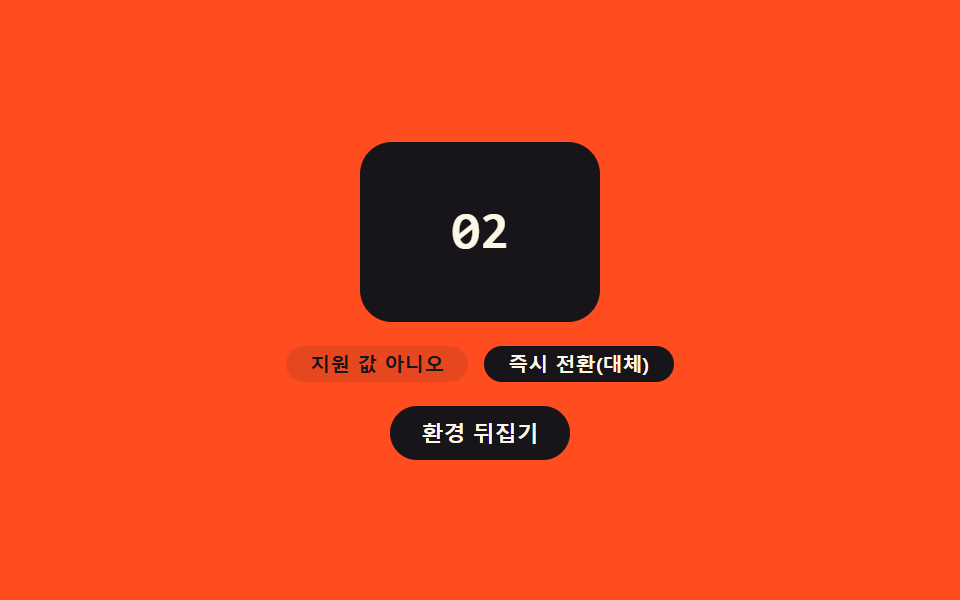
ブラウザがこの機能に対応しているかを値で先に確認し、非対応ならアニメーションなしで即座に次の画面へ切り替え、対応時だけ遷移をかけることで、どのブラウザでも画面が止まったり空白になったりしない。
使いどころ旧ブラウザの訪問者も混じる公開サイト
startViewTransition::view-transition-old(sf-card)SUPPORTS_VT
<main class="stage">
<div class="sf is-demo" id="sf">
  <div class="sf__card" id="sfCard">
    <p class="sf__num" id="sfNum">01</p>
  </div>
  <p class="sf__meta">
    <span class="sf__pill" id="sfSupport">対応値:あり</span>
    <span class="sf__pill sf__pill--path" id="sfPath">トランジション使用</span>
  </p>
  <button type="button" class="sf__btn" id="sfBtn" aria-label="対応状況の値を反転させて経路を切り替える">環境を切り替える</button>
</div>
</main>
@use "../../../../site/static/demo-tokens" as *;
// ── 변수 3개 ──────────────────────────────────────────
$duration: $dur-enter;
$easing: $ease-spring;
$color: $subject-ink;
@include stage($stage-orange);
.sf { width: min(100%, 260px); display: flex; flex-direction: column; align-items: center; gap: $sp-3; }
.sf__card {
view-transition-name: sf-card;
width: 120px; height: 90px; border-radius: $r-card; background: $subject-cream;
display: grid; place-items: center;
}
.sf__card.is-alt { background: $color; }
.sf__num { margin: 0; font: 700 26px/1 "Space Mono", monospace; color: $color; }
.sf__card.is-alt .sf__num { color: $subject-cream; }
::view-transition-old(sf-card),
::view-transition-new(sf-card) {
animation-duration: $duration;
animation-timing-function: $easing;
}
.sf__meta { margin: 0; display: flex; gap: $sp-2; }
.sf__pill {
border-radius: $r-pill; background: rgba($subject-ink, .1); color: $subject-ink;
font: 700 10px/1 -apple-system, sans-serif; padding: $sp-1 $sp-3;
}
.sf__pill--path.is-fallback { background: $subject-ink; color: $subject-cream; }
.sf__btn {
border: none; border-radius: $r-pill; cursor: pointer; background: $subject-ink;
color: $subject-cream; font: 700 11px/1 -apple-system, sans-serif; padding: $sp-2 $sp-4;
}
.sf__btn:focus-visible { outline: 2px solid $subject-ink; outline-offset: 2px; }
@media (max-width: 340px) {
.sf__card { width: 96px; height: 72px; }
.sf__num { font-size: 20px; }
.sf__pill { font-size: 9px; padding: $sp-1 $sp-2; }
}
@media (prefers-reduced-motion: reduce) {
::view-transition-group(*),
::view-transition-old(*),
::view-transition-new(*) { animation: none !important; }
}html, body {
margin: 0;
overflow: hidden;
}
.stage {
box-sizing: border-box;
min-height: 100vh;
display: grid;
place-items: center;
margin: 0;
background: #ff4d1f;
font-family: -apple-system, "Segoe UI", "Noto Sans KR", sans-serif;
padding: clamp(8px, 4vw, 24px);
}
.sf {
width: min(100%, 260px);
display: flex;
flex-direction: column;
align-items: center;
gap: 12px;
}
.sf__card {
view-transition-name: sf-card;
width: 120px;
height: 90px;
border-radius: 16px;
background: #fff7e6;
display: grid;
place-items: center;
}
.sf__card.is-alt {
background: #17141a;
}
.sf__num {
margin: 0;
font: 700 26px/1 "Space Mono", monospace;
color: #17141a;
}
.sf__card.is-alt .sf__num {
color: #fff7e6;
}
::view-transition-old(sf-card),
::view-transition-new(sf-card) {
animation-duration: 600ms;
animation-timing-function: cubic-bezier(0.2, 0.8, 0.2, 1);
}
.sf__meta {
margin: 0;
display: flex;
gap: 8px;
}
.sf__pill {
border-radius: 999px;
background: rgba(23, 20, 26, 0.1);
color: #17141a;
font: 700 10px/1 -apple-system, sans-serif;
padding: 4px 12px;
}
.sf__pill--path.is-fallback {
background: #17141a;
color: #fff7e6;
}
.sf__btn {
border: none;
border-radius: 999px;
cursor: pointer;
background: #17141a;
color: #fff7e6;
font: 700 11px/1 -apple-system, sans-serif;
padding: 8px 16px;
}
.sf__btn:focus-visible {
outline: 2px solid #17141a;
outline-offset: 2px;
}
@media (max-width: 340px) {
.sf__card {
width: 96px;
height: 72px;
}
.sf__num {
font-size: 20px;
}
.sf__pill {
font-size: 9px;
padding: 4px 8px;
}
}
@media (prefers-reduced-motion: reduce) {
::view-transition-group(*),
::view-transition-old(*),
::view-transition-new(*) {
animation: none !important;
}
}(function () {
var SUPPORTS_VT = 'startViewTransition' in document;
var root = document.getElementById('sf');
var card = document.getElementById('sfCard');
var numEl = document.getElementById('sfNum');
var supportEl = document.getElementById('sfSupport');
var pathEl = document.getElementById('sfPath');
var btn = document.getElementById('sfBtn');
var reduce = window.matchMedia('(prefers-reduced-motion: reduce)').matches;
var STATES = ['01', '02', '03'];
var si = 0;
var isDemo = true;
// 데모 전용: 실제로는 지원하는 환경이지만, 지원하지 않는 환경의 물러나는 경로를 눈에 보이도록
// 번갈아 흉내 낸다. 판정 코드 자체는 실제 SUPPORTS_VT 값을 그대로 쓴다.
var simulateUnsupported = false;
function human() {
if (isDemo) { root.classList.remove('is-demo'); isDemo = false; }
}
function renderLabels(usedTransition) {
supportEl.textContent = simulateUnsupported ? '対応値:なし' : '対応値:あり';
pathEl.textContent = usedTransition ? 'トランジション使用' : '即時切り替え(代替)';
pathEl.classList.toggle('is-fallback', !usedTransition);
}
function applyState() {
si = (si + 1) % STATES.length;
numEl.textContent = STATES[si];
card.classList.toggle('is-alt', si % 2 === 1);
}
// 이 함수가 규칙의 핵심이다: 지원 여부 값을 먼저 확인하고(SUPPORTS_VT), 시뮬레이션으로
// "지원하지 않는 환경"을 흉내 낼 때는 지원 여부와 무관하게 即時切り替え(代替) 경로로 물러난다.
function step() {
var willUseTransition = SUPPORTS_VT && !simulateUnsupported;
if (willUseTransition) {
document.startViewTransition(applyState);
} else {
applyState();
}
renderLabels(willUseTransition);
}
btn.addEventListener('click', function () { human(); simulateUnsupported = !simulateUnsupported; step(); });
root.addEventListener('keydown', function (e) {
if (e.key === 'Enter' || e.key === ' ') { human(); e.preventDefault(); simulateUnsupported = !simulateUnsupported; step(); }
});
var HOLD_MS = 600;
function loop() {
if (!isDemo) return;
simulateUnsupported = !simulateUnsupported;
step();
window.setTimeout(loop, HOLD_MS);
}
renderLabels(SUPPORTS_VT);
if (!reduce) {
window.setTimeout(loop, HOLD_MS);
} else {
root.classList.remove('is-demo');
}
})();// SkipFallback — vanilla 판(run/401/demo/07-view-transition-skip-fallback/index.html) 의 React 포트.
// 이 함수가 규칙의 핵심이다: 지원 여부 값을 먼저 확인하고(SUPPORTS_VT), 시뮬레이션으로
// "지원하지 않는 환경"을 흉내 낼 때는 지원 여부와 무관하게 즉시 전환(대체) 경로로 물러난다.
import { useEffect, useRef } from "react";
import styles from "./SkipFallback.module.scss";
type Box<T> = { current: T };
const STATES = ["01", "02", "03"];
const HOLD_MS = 600;
export default function SkipFallback() {
const rootRef = useRef(null) as unknown as Box<HTMLDivElement>;
const cardRef = useRef(null) as unknown as Box<HTMLDivElement>;
const numRef = useRef(null) as unknown as Box<HTMLElement>;
const supportRef = useRef(null) as unknown as Box<HTMLElement>;
const pathRef = useRef(null) as unknown as Box<HTMLElement>;
const btnRef = useRef(null) as unknown as Box<HTMLButtonElement>;
const timerRef = useRef(0) as unknown as Box<number>;
useEffect(() => {
const SUPPORTS_VT = "startViewTransition" in document;
const reduce = window.matchMedia("(prefers-reduced-motion: reduce)").matches;
let isDemo = true;
let si = 0;
// 데모 전용: 실제로는 지원하는 환경이지만, 지원하지 않는 환경의 물러나는 경로를 눈에 보이도록
// 번갈아 흉내 낸다. 판정 코드 자체는 실제 SUPPORTS_VT 값을 그대로 쓴다.
let simulateUnsupported = false;
function human() {
if (isDemo) { rootRef.current?.classList.remove(styles.isDemo); isDemo = false; }
}
function renderLabels(usedTransition: boolean) {
if (supportRef.current) supportRef.current.textContent = simulateUnsupported ? "지원 값 아니오" : "지원 값 예";
if (pathRef.current) {
pathRef.current.textContent = usedTransition ? "전환 사용" : "즉시 전환(대체)";
pathRef.current.classList.toggle(styles.isFallback, !usedTransition);
}
}
function applyState() {
si = (si + 1) % STATES.length;
if (numRef.current) numRef.current.textContent = STATES[si];
cardRef.current?.classList.toggle(styles.isAlt, si % 2 === 1);
}
function step() {
const willUseTransition = SUPPORTS_VT && !simulateUnsupported;
if (willUseTransition) {
document.startViewTransition(applyState);
} else {
applyState();
}
renderLabels(willUseTransition);
}
function onClick() { human(); simulateUnsupported = !simulateUnsupported; step(); }
function onKeydown(e: KeyboardEvent) {
if (e.key === "Enter" || e.key === " ") { human(); e.preventDefault(); simulateUnsupported = !simulateUnsupported; step(); }
}
btnRef.current?.addEventListener("click", onClick);
rootRef.current?.addEventListener("keydown", onKeydown);
function loop() {
if (!isDemo) return;
simulateUnsupported = !simulateUnsupported;
step();
timerRef.current = window.setTimeout(loop, HOLD_MS);
}
renderLabels(SUPPORTS_VT);
if (!reduce) {
timerRef.current = window.setTimeout(loop, HOLD_MS);
} else {
rootRef.current?.classList.remove(styles.isDemo);
}
return () => {
window.clearTimeout(timerRef.current);
btnRef.current?.removeEventListener("click", onClick);
rootRef.current?.removeEventListener("keydown", onKeydown);
};
}, []);
return (
<main className={styles.stage}>
<div className={styles.sf + " " + styles.isDemo} ref={rootRef}>
<div className={styles.card} ref={cardRef}>
<p className={styles.num} ref={numRef}>01</p>
</div>
<p className={styles.meta}>
<span className={styles.pill} ref={supportRef}>지원 값 예</span>
<span className={styles.pill + " " + styles.pillPath} ref={pathRef}>전환 사용</span>
</p>
<button type="button" className={styles.btn} ref={btnRef} aria-label="지원 여부 값을 뒤집어 경로 전환">환경 뒤집기</button>
</div>
</main>
);
}07 対応可否の値を先に確認して退避する遷移 — 計測 累積面積 9.112% · 動いたフレーム 9/23GODRICH オリジナル · SCSS と React は zip に同梱 · view transitions api 9パターン — 値で画面接続
このデモが属する記事
 view transitions api 9パターン — 値で画面接続view transitions api の9パターンをまとめました。画面はそのままつながって見えるが、実際は直前の画面をスナップショット値として残し次の画面と重ねて過ぎ去る — 名前値で要素を対応させ、対応可否の値で退避し、モーション低減 この記事のデモをすべて見る