03完了比率を計算して満ちる待ち行列の進捗リング
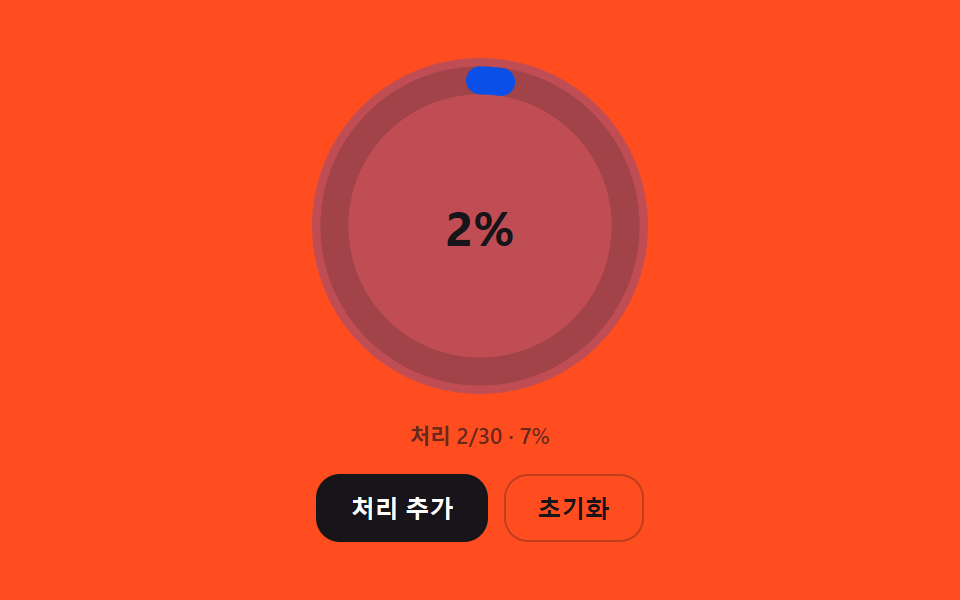
処理済み人数を全体人数で割った比率を計算してリングがその分だけ満ち、残り人数が減るほどリングの色が段階的に変わる。
使いどころ待ち行列全体の進捗サマリー表示
RING_FILL_DURATION_MSCIRCUMFERENCEtweenRing
<main class="stage">
<div class="wpr is-demo" id="wprRoot">
  <div class="wpr__ringWrap">
    <svg class="wpr__ring" viewBox="0 0 120 120" aria-hidden="true">
      <circle class="wpr__track" cx="60" cy="60" r="52"></circle>
      <circle class="wpr__fill" id="wprFill" cx="60" cy="60" r="52"></circle>
    </svg>
    <div class="wpr__pct" id="wprPct" aria-hidden="true">0%</div>
  </div>
  <p class="wpr__status" id="wprStatus" aria-live="polite"></p>
  <div class="wpr__controls">
    <button type="button" class="wpr__btn wpr__btn--primary" id="wprProcess">処理を追加</button>
    <button type="button" class="wpr__btn" id="wprReset">初期化</button>
  </div>
</div>
</main>
@use "../../../../site/static/demo-tokens" as *;
// 핵심: 처리 비율(0~1)을 stroke-dashoffset 으로 환산해 링을 채우고, 비율 구간마다
// 링 색을 세 단계로 계산해 전파한다 — 색은 속성이 아니라 비율값에서 매번 다시 계산된다.
@include stage($stage-orange);
.wpr {
position: relative;
display: grid;
gap: $sp-3;
justify-items: center;
width: min(90vw, 300px);
}
.wpr__ringWrap {
border-radius: 50%;
position: relative;
width: 168px;
height: 168px;
display: grid;
place-items: center;
}
.wpr__ring {
width: 168px;
height: 168px;
transform: rotate(-90deg);
}
.wpr__track {
fill: none;
stroke: rgba($stage-ink, .18);
stroke-width: 10;
}
.wpr__fill {
fill: none;
stroke: $subject-blue-deep;
stroke-width: 10;
stroke-linecap: round;
}
.wpr__fill.is-early { stroke: $subject-blue-deep; }
.wpr__fill.is-mid { stroke: $stage-ink; }
.wpr__fill.is-late { stroke: $tick-up; }
.wpr__pct {
position: absolute;
font-size: 24px;
font-weight: 700;
color: $stage-ink;
font-variant-numeric: tabular-nums;
}
.wpr__status {
margin: 0;
font-size: 11px;
font-weight: 600;
color: rgba($stage-ink, .65);
}
.wpr__controls {
display: flex;
gap: $sp-2;
}
.wpr__btn {
border: 1px solid rgba($stage-ink, .28);
background: transparent;
color: $stage-ink;
border-radius: $r-control;
padding: $sp-2 $sp-4;
font-size: 12px;
font-weight: 600;
cursor: pointer;
}
.wpr__btn--primary {
background: $stage-ink;
border-color: $stage-ink;
color: $stage-paper;
}
.wpr__btn:focus-visible {
outline: 2px solid $stage-ink;
outline-offset: 2px;
}
@media (max-width: 340px) {
.wpr__ringWrap { width: 104px; height: 104px; }
.wpr__ring { width: 104px; height: 104px; }
.wpr__pct { font-size: 19px; }
}
@media (prefers-reduced-motion: reduce) {
.wpr__fill { transition: none; }
}
@media (max-height: 240px) {
.wpr { gap: $sp-2; }
.wpr__status { position: absolute; width: 1px; height: 1px; overflow: hidden; clip: rect(0 0 0 0); }
.wpr__btn { padding-top: $sp-1; padding-bottom: $sp-1; }
}
// 처리 인원이 늘 때마다 링 안쪽이 한 번 밝아졌다 가라앉는다.
.wpr__ringWrap.is-flash { animation: wprFlash 900ms ease-out; }
@keyframes wprFlash {
from { background: rgba($subject-blue-deep, .3); }
to { background: rgba($subject-blue-deep, 0); }
}
@media (prefers-reduced-motion: reduce) {
.wpr__ringWrap.is-flash { animation: none; }
}html, body {
margin: 0;
overflow: hidden;
}
.stage {
box-sizing: border-box;
min-height: 100vh;
display: grid;
place-items: center;
margin: 0;
background: #ff4d1f;
font-family: -apple-system, "Segoe UI", "Noto Sans KR", sans-serif;
padding: clamp(8px, 4vw, 24px);
}
.wpr {
position: relative;
display: grid;
gap: 12px;
justify-items: center;
width: min(90vw, 300px);
}
.wpr__ringWrap {
border-radius: 50%;
position: relative;
width: 168px;
height: 168px;
display: grid;
place-items: center;
}
.wpr__ring {
width: 168px;
height: 168px;
transform: rotate(-90deg);
}
.wpr__track {
fill: none;
stroke: rgba(23, 20, 26, 0.18);
stroke-width: 10;
}
.wpr__fill {
fill: none;
stroke: #0a4fe8;
stroke-width: 10;
stroke-linecap: round;
}
.wpr__fill.is-early {
stroke: #0a4fe8;
}
.wpr__fill.is-mid {
stroke: #17141a;
}
.wpr__fill.is-late {
stroke: #3ddc97;
}
.wpr__pct {
position: absolute;
font-size: 24px;
font-weight: 700;
color: #17141a;
font-variant-numeric: tabular-nums;
}
.wpr__status {
margin: 0;
font-size: 11px;
font-weight: 600;
color: rgba(23, 20, 26, 0.65);
}
.wpr__controls {
display: flex;
gap: 8px;
}
.wpr__btn {
border: 1px solid rgba(23, 20, 26, 0.28);
background: transparent;
color: #17141a;
border-radius: 12px;
padding: 8px 16px;
font-size: 12px;
font-weight: 600;
cursor: pointer;
}
.wpr__btn--primary {
background: #17141a;
border-color: #17141a;
color: #ffffff;
}
.wpr__btn:focus-visible {
outline: 2px solid #17141a;
outline-offset: 2px;
}
@media (max-width: 340px) {
.wpr__ringWrap {
width: 104px;
height: 104px;
}
.wpr__ring {
width: 104px;
height: 104px;
}
.wpr__pct {
font-size: 19px;
}
}
@media (prefers-reduced-motion: reduce) {
.wpr__fill {
transition: none;
}
}
@media (max-height: 240px) {
.wpr {
gap: 8px;
}
.wpr__status {
position: absolute;
width: 1px;
height: 1px;
overflow: hidden;
clip: rect(0 0 0 0);
}
.wpr__btn {
padding-top: 4px;
padding-bottom: 4px;
}
}
.wpr__ringWrap.is-flash {
animation: wprFlash 900ms ease-out;
}
@keyframes wprFlash {
from {
background: rgba(10, 79, 232, 0.3);
}
to {
background: rgba(10, 79, 232, 0);
}
}
@media (prefers-reduced-motion: reduce) {
.wpr__ringWrap.is-flash {
animation: none;
}
}(function () {
// 기법: 처리된 인원 수를 전체 인원으로 나눈 비율을 다시 계산해 원 둘레(2πr)에서 그 비율만큼을
// stroke-dashoffset 으로 채운다. 채워지는 동안 RING_FILL_DURATION_MS 로 easeOutCubic 보간하고,
// 비율 구간(0~1/3, 1/3~2/3, 2/3~1)에 따라 링 색을 세 단계로 계산해 함께 바꾼다.
var RING_FILL_DURATION_MS = 500;
var TOTAL = 30;
var RADIUS = 52;
var CIRCUMFERENCE = 2 * Math.PI * RADIUS;
function seedRand(seed) {
var s = seed >>> 0;
return function () { s = (s * 1664525 + 1013904223) >>> 0; return s / 4294967296; };
}
var rand = seedRand(434031);
function easeOutCubic(t) { return 1 - Math.pow(1 - t, 3); }
var root = document.getElementById('wprRoot');
var fillEl = document.getElementById('wprFill');
var pctEl = document.getElementById('wprPct');
var status = document.getElementById('wprStatus');
var reduce = window.matchMedia('(prefers-reduced-motion: reduce)').matches;
if (reduce) root.classList.remove('is-demo');
fillEl.style.strokeDasharray = CIRCUMFERENCE.toFixed(2);
var processed = 0;
var shownRatio = 0;
var ringAnim = null;
function stageOf(ratio) {
if (ratio >= 2 / 3) return 'is-late';
if (ratio >= 1 / 3) return 'is-mid';
return 'is-early';
}
function paintRing(ratio) {
var offset = CIRCUMFERENCE * (1 - ratio);
fillEl.style.strokeDashoffset = offset.toFixed(2);
fillEl.classList.remove('is-early', 'is-mid', 'is-late');
fillEl.classList.add(stageOf(ratio));
pctEl.textContent = Math.round(ratio * 100) + '%';
}
function flash(el) {
if (reduce) return;
el.classList.remove('is-flash');
void el.offsetWidth;
el.classList.add('is-flash');
}
function tweenRing(from, to) {
flash(fillEl.parentNode.parentNode);
if (ringAnim) cancelAnimationFrame(ringAnim);
if (reduce) { shownRatio = to; paintRing(to); return; }
var start = null;
function step(ts) {
if (start === null) start = ts;
var t = Math.min(1, (ts - start) / RING_FILL_DURATION_MS);
var e = easeOutCubic(t);
var v = from + (to - from) * e;
shownRatio = v;
paintRing(v);
if (t < 1) { ringAnim = requestAnimationFrame(step); } else { ringAnim = null; }
}
ringAnim = requestAnimationFrame(step);
}
function paintStatus() {
status.textContent = '処理' + processed + '/' + TOTAL + ' · ' + Math.round((processed / TOTAL) * 100) + '%';
}
function addProcessed() {
if (processed >= TOTAL) { paintStatus(); return; }
var step = 1 + Math.floor(rand() * 3);
processed = Math.min(TOTAL, processed + step);
tweenRing(shownRatio, processed / TOTAL);
paintStatus();
}
function resetAll() {
processed = 0;
shownRatio = 0;
paintRing(0);
paintStatus();
}
var processBtn = document.getElementById('wprProcess');
var resetBtn = document.getElementById('wprReset');
function onProcess() { root.classList.remove('is-demo'); addProcessed(); }
function onReset() { root.classList.remove('is-demo'); resetAll(); }
processBtn.addEventListener('click', onProcess);
processBtn.addEventListener('keydown', function (e) {
if (e.key === 'Enter' || e.key === ' ') { e.preventDefault(); onProcess(); }
});
resetBtn.addEventListener('click', onReset);
resetBtn.addEventListener('keydown', function (e) {
if (e.key === 'Enter' || e.key === ' ') { e.preventDefault(); onReset(); }
});
var demoSchedule = [200, 1200];
var demoIndex = 0;
var t0 = null;
function tick(ts) {
if (t0 === null) t0 = ts;
var now = ts - t0;
if (!reduce && root.classList.contains('is-demo') && demoIndex < demoSchedule.length && now >= demoSchedule[demoIndex]) {
if (processed >= TOTAL) { resetAll(); } else { addProcessed(); }
demoIndex += 1;
if (demoIndex >= demoSchedule.length) { demoIndex = 0; demoSchedule = demoSchedule.map(function (v) { return v + now + 2000; }); }
}
requestAnimationFrame(tick);
}
paintRing(0);
paintStatus();
requestAnimationFrame(tick);
})();// WaitingQueueProgressRingCompletionRatio — vanilla 판(03-waiting-queue-progress-ring-completion-ratio) 의
// React 포트. 처리 인원 / 전체 인원 비율을 다시 계산해 stroke-dashoffset 으로 링을 채우고,
// 비율 구간(0~1/3, 1/3~2/3, 2/3~1)마다 링 색을 계산해 함께 바꾼다.
import { useEffect, useRef, useState } from "react";
import styles from "./WaitingQueueProgressRingCompletionRatio.module.scss";
type Box<T> = { current: T };
const RING_FILL_DURATION_MS = 500;
const TOTAL = 30;
const RADIUS = 52;
const CIRCUMFERENCE = 2 * Math.PI * RADIUS;
function seedRand(seed: number): () => number {
let s = seed >>> 0;
return function () { s = (s * 1664525 + 1013904223) >>> 0; return s / 4294967296; };
}
function easeOutCubic(t: number): number { return 1 - Math.pow(1 - t, 3); }
function stageOf(ratio: number): string {
if (ratio >= 2 / 3) return styles.isLate;
if (ratio >= 1 / 3) return styles.isMid;
return styles.isEarly;
}
function flash(el: HTMLElement | null, cls: string, reduce: boolean): void {
if (reduce || !el) return;
el.classList.remove(cls);
void el.offsetWidth;
el.classList.add(cls);
}
export default function WaitingQueueProgressRingCompletionRatio() {
const [offset, setOffset] = useState(CIRCUMFERENCE);
const [stageClass, setStageClass] = useState("");
const [pctText, setPctText] = useState("0%");
const [status, setStatus] = useState("");
const [reduce, setReduce] = useState(false);
const randRef = useRef<() => number>(seedRand(434031)) as Box<() => number>;
const processedRef = useRef<number>(0) as Box<number>;
const shownRatioRef = useRef<number>(0) as Box<number>;
const ringAnimRef = useRef<number>(0) as Box<number>;
const demoRef = useRef<boolean>(true) as Box<boolean>;
const demoIndexRef = useRef<number>(0) as Box<number>;
const demoScheduleRef = useRef<number[]>([200, 1200]) as Box<number[]>;
const frameRef = useRef<number>(0) as Box<number>;
const ringWrapRef = useRef<HTMLDivElement | null>(null) as Box<HTMLDivElement | null>;
useEffect(() => {
setReduce(window.matchMedia("(prefers-reduced-motion: reduce)").matches);
}, []);
function paintRing(ratio: number): void {
setOffset(CIRCUMFERENCE * (1 - ratio));
setStageClass(stageOf(ratio));
setPctText(Math.round(ratio * 100) + "%");
}
function paintStatus(): void {
setStatus("처리 " + processedRef.current + "/" + TOTAL + " · " + Math.round((processedRef.current / TOTAL) * 100) + "%");
}
function tweenRing(from: number, to: number): void {
flash(ringWrapRef.current, styles.isFlash, reduce);
if (ringAnimRef.current) cancelAnimationFrame(ringAnimRef.current);
if (reduce) { shownRatioRef.current = to; paintRing(to); return; }
let start = 0;
function step(ts: number): void {
if (start === 0) start = ts;
const t = Math.min(1, (ts - start) / RING_FILL_DURATION_MS);
const e = easeOutCubic(t);
const v = from + (to - from) * e;
shownRatioRef.current = v;
paintRing(v);
if (t < 1) { ringAnimRef.current = requestAnimationFrame(step); } else { ringAnimRef.current = 0; }
}
ringAnimRef.current = requestAnimationFrame(step);
}
function addProcessed(): void {
if (processedRef.current >= TOTAL) { paintStatus(); return; }
const step = 1 + Math.floor(randRef.current() * 3);
processedRef.current = Math.min(TOTAL, processedRef.current + step);
tweenRing(shownRatioRef.current, processedRef.current / TOTAL);
paintStatus();
}
function resetAll(): void {
processedRef.current = 0;
shownRatioRef.current = 0;
paintRing(0);
paintStatus();
}
function stopDemo(): void { demoRef.current = false; }
useEffect(() => {
paintRing(0);
paintStatus();
let t0 = 0;
function tick(ts: number): void {
if (t0 === 0) t0 = ts;
const now = ts - t0;
const sched = demoScheduleRef.current;
if (!reduce && demoRef.current && demoIndexRef.current < sched.length && now >= sched[demoIndexRef.current]) {
if (processedRef.current >= TOTAL) { resetAll(); } else { addProcessed(); }
demoIndexRef.current += 1;
if (demoIndexRef.current >= sched.length) {
demoIndexRef.current = 0;
demoScheduleRef.current = sched.map((v) => v + now + 2000);
}
}
frameRef.current = requestAnimationFrame(tick);
}
frameRef.current = requestAnimationFrame(tick);
return () => cancelAnimationFrame(frameRef.current);
// eslint-disable-next-line react-hooks/exhaustive-deps
}, [reduce]);
function onProcess(): void { stopDemo(); addProcessed(); }
function onReset(): void { stopDemo(); resetAll(); }
function onKeyDown(e: { key: string; preventDefault: () => void }, fn: () => void): void {
if (e.key === "Enter" || e.key === " ") { e.preventDefault(); fn(); }
}
return (
<main className={styles.stage}>
<div className={styles.wpr}>
<div className={styles.ringWrap} ref={ringWrapRef}>
<svg className={styles.ring} viewBox="0 0 120 120" aria-hidden="true">
<circle className={styles.track} cx="60" cy="60" r="52" />
<circle
className={[styles.fill, stageClass].join(" ")}
cx="60" cy="60" r="52"
style={{ strokeDasharray: CIRCUMFERENCE.toFixed(2), strokeDashoffset: offset.toFixed(2) }}
/>
</svg>
<div className={styles.pct} aria-hidden="true">{pctText}</div>
</div>
<p className={styles.status} aria-live="polite">{status}</p>
<div className={styles.controls}>
<button type="button" className={[styles.btn, styles.btnPrimary].join(" ")} onClick={onProcess} onKeyDown={(e: { key: string; preventDefault: () => void }) => onKeyDown(e, onProcess)}>처리 추가</button>
<button type="button" className={styles.btn} onClick={onReset} onKeyDown={(e: { key: string; preventDefault: () => void }) => onKeyDown(e, onReset)}>초기화</button>
</div>
</div>
</main>
);
}03 完了比率を計算して満ちる待ち行列の進捗リング — 計測 累積面積 15.848% · 動いたフレーム 11/23GODRICH オリジナル · SCSS と React は zip に同梱 · 呼出表示器 実装9パターン — 待ち順と予想時間を計算する順番板
このデモが属する記事
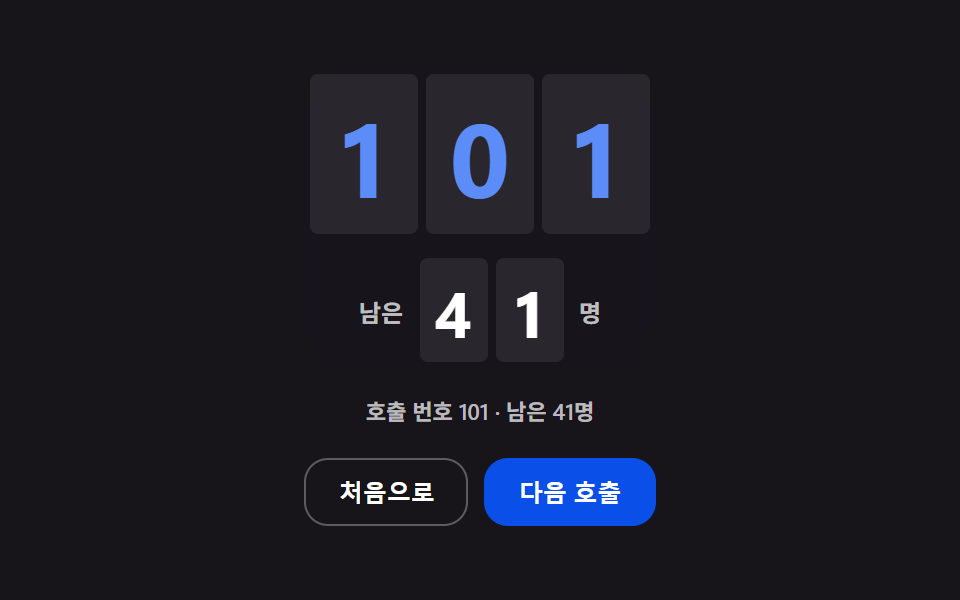 呼出表示器 実装9パターン — 待ち順と予想時間を計算する順番板呼出表示器は、呼び出し番号と残り人数、予想待ち時間を数字で見せる待ち順の案内画面です。平均処理時間が変わると残り人数と掛け合わされた値も一緒に変わって予想待ち時間が数値として更新され、リストは空いた分だけ上に詰まって並び替わり、合計人数はそ この記事のデモをすべて見る