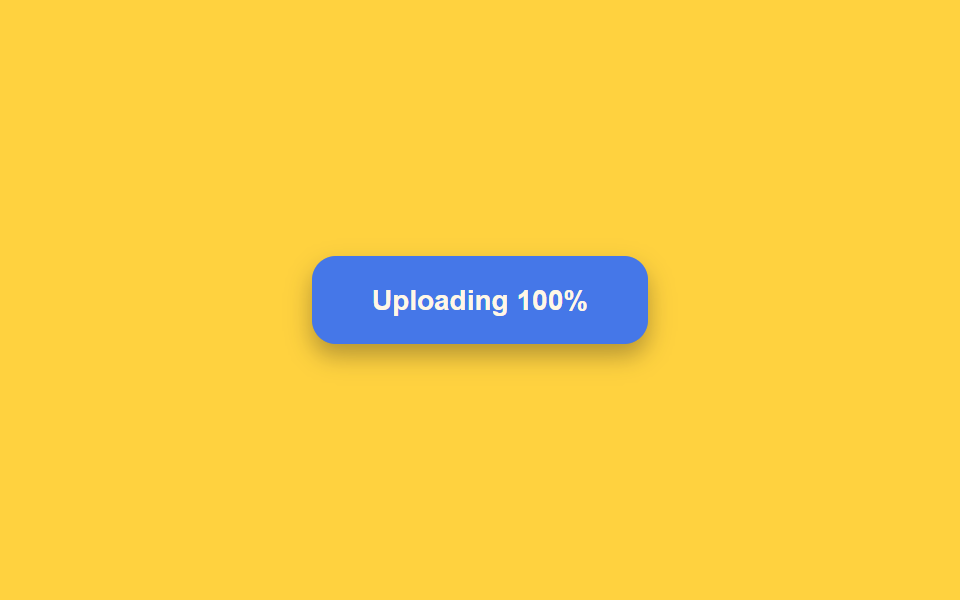
02ボタンの背景が進捗分だけ満ちるミニプログレス表示
ボタンを押すと枠内の背景が左から右へ薄い色で満ちていき進捗を示し、端まで満ちると少し止まってから次の状態に移る。
使いどころファイルアップロードや長い処理の進捗表示
easeOutCubictransform-originscaleX
<main class="stage">
<div class="scene is-demo" id="scene">
  <button class="btn" id="btn" type="button">
    <span class="btnFill" id="fill" aria-hidden="true"></span>
    <span class="btnText" id="text">Upload file</span>
  </button>
  <span class="visuallyHidden" id="status" role="status" aria-live="polite"></span>
</div>
</main>
@use "../../../../site/static/demo-tokens" as *;
// 변수 3개
$duration: $dur-enter;
$easing: $ease-out;
$color: $subject-blue-deep;
// 계산 겹: index.html 의 drive() 가 easeOutCubic 진행률을 매 프레임 계산해 채움 막대의
// scaleX 와 라벨 퍼센트 숫자를 같은 값으로 동시에 갱신한다.
@include stage($stage-yellow);
.scene {
display: grid;
place-items: center;
}
.btn {
position: relative;
display: inline-flex;
align-items: center;
justify-content: center;
min-width: 168px;
height: 44px;
padding: 0 $sp-5;
border: none;
border-radius: $r-control;
background: $color;
color: $subject-cream;
font-weight: 600;
font-size: 14px;
line-height: 1;
box-shadow: $shadow-press;
cursor: pointer;
overflow: hidden;
&:focus-visible { outline: 2px solid $subject-ink; outline-offset: 3px; }
&:disabled { cursor: default; }
}
.btnFill {
position: absolute;
inset: 0;
transform: scaleX(0);
transform-origin: left center; // 채움 막대가 시작 변에서 자란다 — BD 예외 규칙
background: rgba($subject-cream, .24);
}
.btnText {
position: relative;
z-index: 1;
white-space: nowrap;
font-variant-numeric: tabular-nums;
}
.visuallyHidden {
position: absolute;
width: 1px;
height: 1px;
overflow: hidden;
clip: rect(0 0 0 0);
white-space: nowrap;
}
@media (max-width: 340px) {
.btn { min-width: 148px; height: 40px; padding: 0 $sp-4; font-size: 13px; }
}
@media (prefers-reduced-motion: reduce) {
// 실사용 경로 적용 — index.html 의 runReduced() 가 채움 트윈 없이 즉시 값을 바꾼다.
// scss 만: 남은 트랜지션을 전부 끈다.
* { transition: none !important; }
}html, body {
margin: 0;
overflow: hidden;
}
.stage {
box-sizing: border-box;
min-height: 100vh;
display: grid;
place-items: center;
margin: 0;
background: #ffd23f;
font-family: -apple-system, "Segoe UI", "Noto Sans KR", sans-serif;
padding: clamp(8px, 4vw, 24px);
}
.scene {
display: grid;
place-items: center;
}
.btn {
position: relative;
display: inline-flex;
align-items: center;
justify-content: center;
min-width: 168px;
height: 44px;
padding: 0 20px;
border: none;
border-radius: 12px;
background: #0a4fe8;
color: #fff7e6;
font-weight: 600;
font-size: 14px;
line-height: 1;
box-shadow: 0 6px 12px rgba(23, 20, 26, 0.32);
cursor: pointer;
overflow: hidden;
}
.btn:focus-visible {
outline: 2px solid #17141a;
outline-offset: 3px;
}
.btn:disabled {
cursor: default;
}
.btnFill {
position: absolute;
inset: 0;
transform: scaleX(0);
transform-origin: left center;
background: rgba(255, 247, 230, 0.24);
}
.btnText {
position: relative;
z-index: 1;
white-space: nowrap;
font-variant-numeric: tabular-nums;
}
.visuallyHidden {
position: absolute;
width: 1px;
height: 1px;
overflow: hidden;
clip: rect(0 0 0 0);
white-space: nowrap;
}
@media (max-width: 340px) {
.btn {
min-width: 148px;
height: 40px;
padding: 0 16px;
font-size: 13px;
}
}
@media (prefers-reduced-motion: reduce) {
* {
transition: none !important;
}
}(function () {
var FILL_MS = 1100;
var HOLD_AT_FULL_MS = 500;
var SUCCESS_HOLD_MS = 350;
var GAP_MS = 450;
var START_DELAY_MS = 200;
var scene = document.getElementById('scene');
var btn = document.getElementById('btn');
var fill = document.getElementById('fill');
var text = document.getElementById('text');
var status = document.getElementById('status');
var reduce = window.matchMedia('(prefers-reduced-motion: reduce)').matches;
var gen = 0;
var timers = [];
function human() {
if (scene.classList.contains('is-demo')) {
scene.classList.remove('is-demo');
timers.forEach(function (t) { clearTimeout(t); });
timers = [];
}
}
function easeOutCubic(p) { return 1 - Math.pow(1 - p, 3); }
// 계산 겹: 채움 막대는 scaleX 로만 늘어난다(transform-origin: left — 시작 변에서 자란다는
// 예외적 origin, 채움 막대이므로 허용). 진행률 p 는 easeOutCubic 으로 매 프레임 계산해
// 같은 값을 style.transform 과 라벨의 퍼센트 숫자 둘 다에 쓴다.
function drive(myGen, onDone) {
var start = null;
function step(now) {
if (myGen !== gen) return;
if (start === null) start = now;
var raw = Math.min(1, (now - start) / FILL_MS);
var p = easeOutCubic(raw);
fill.style.transform = 'scaleX(' + p.toFixed(4) + ')';
text.textContent = 'Uploading ' + Math.round(p * 100) + '%';
if (raw < 1) requestAnimationFrame(step); else onDone();
}
requestAnimationFrame(step);
}
function fadeOutFill(myGen, ms, onDone) {
var start = null;
function step(now) {
if (myGen !== gen) return;
if (start === null) start = now;
var p = Math.min(1, (now - start) / ms);
fill.style.opacity = String(1 - p);
if (p < 1) requestAnimationFrame(step); else onDone();
}
requestAnimationFrame(step);
}
function runAnimated() {
gen++;
var myGen = gen;
btn.disabled = true;
btn.setAttribute('aria-busy', 'true');
status.textContent = 'アップロード中';
fill.style.opacity = '1';
fill.style.transform = 'scaleX(0)';
drive(myGen, function () {
timers.push(setTimeout(function () {
text.textContent = 'Uploaded';
status.textContent = 'アップロード完了';
fadeOutFill(myGen, 260, function () {
timers.push(setTimeout(function () {
btn.disabled = false;
btn.removeAttribute('aria-busy');
text.textContent = 'Upload file';
fill.style.transform = 'scaleX(0)';
}, SUCCESS_HOLD_MS));
});
}, HOLD_AT_FULL_MS));
});
}
function runReduced() {
gen++;
btn.disabled = true;
btn.setAttribute('aria-busy', 'true');
status.textContent = 'アップロード中';
fill.style.opacity = '1';
fill.style.transform = 'scaleX(1)';
text.textContent = 'Uploading 100%';
timers.push(setTimeout(function () {
text.textContent = 'Uploaded';
status.textContent = 'アップロード完了';
fill.style.opacity = '0';
timers.push(setTimeout(function () {
btn.disabled = false;
btn.removeAttribute('aria-busy');
text.textContent = 'Upload file';
fill.style.transform = 'scaleX(0)';
}, SUCCESS_HOLD_MS));
}, HOLD_AT_FULL_MS));
}
btn.addEventListener('click', function () {
if (btn.disabled) return;
human();
if (reduce) runReduced(); else runAnimated();
});
// reduce: 실사용 경로 적용 — runReduced() 는 채움 트윈 없이 즉시 꽉 찬 상태로 바꾼다.
// 아래 자동 루프는 시연 게이트만 — reduce 에서는 돌지 않는다.
function cycle() {
if (!scene.classList.contains('is-demo')) return;
runAnimated();
timers.push(setTimeout(function () {
timers.push(setTimeout(cycle, GAP_MS));
}, FILL_MS + HOLD_AT_FULL_MS + 260 + SUCCESS_HOLD_MS));
}
if (!reduce) {
timers.push(setTimeout(cycle, START_DELAY_MS));
}
})();import { useEffect, useRef } from 'react';
import styles from './ButtonLoadingProgressFill.module.scss';
const FILL_MS = 1100;
const HOLD_AT_FULL_MS = 500;
const SUCCESS_HOLD_MS = 350;
const GAP_MS = 450;
const START_DELAY_MS = 200;
export default function ButtonLoadingProgressFill() {
const sceneRef = useRef<HTMLDivElement>(null);
const btnRef = useRef<HTMLButtonElement>(null);
const fillRef = useRef<HTMLSpanElement>(null);
const textRef = useRef<HTMLSpanElement>(null);
const statusRef = useRef<HTMLSpanElement>(null);
useEffect(() => {
const scene = sceneRef.current;
const btn = btnRef.current;
const fill = fillRef.current;
const text = textRef.current;
const status = statusRef.current;
if (!scene || !btn || !fill || !text || !status) return undefined;
const reduce = window.matchMedia('(prefers-reduced-motion: reduce)').matches;
let gen = 0;
let timers: number[] = [];
function human() {
if (scene!.classList.contains(styles['is-demo'])) {
scene!.classList.remove(styles['is-demo']);
timers.forEach((t) => window.clearTimeout(t));
timers = [];
}
}
function easeOutCubic(p: number) { return 1 - Math.pow(1 - p, 3); }
// 계산 겹: 채움 막대는 scaleX 로만 늘어난다(transform-origin: left — 시작 변에서 자란다는
// 예외적 origin, 채움 막대이므로 허용). 진행률 p 는 easeOutCubic 으로 매 프레임 계산해
// 같은 값을 style.transform 과 라벨의 퍼센트 숫자 둘 다에 쓴다.
function drive(myGen: number, onDone: () => void) {
let start: number | null = null;
function step(now: number) {
if (myGen !== gen) return;
if (start === null) start = now;
const raw = Math.min(1, (now - start) / FILL_MS);
const p = easeOutCubic(raw);
fill!.style.transform = 'scaleX(' + p.toFixed(4) + ')';
text!.textContent = 'Uploading ' + Math.round(p * 100) + '%';
if (raw < 1) requestAnimationFrame(step); else onDone();
}
requestAnimationFrame(step);
}
function fadeOutFill(myGen: number, ms: number, onDone: () => void) {
let start: number | null = null;
function step(now: number) {
if (myGen !== gen) return;
if (start === null) start = now;
const p = Math.min(1, (now - start) / ms);
fill!.style.opacity = String(1 - p);
if (p < 1) requestAnimationFrame(step); else onDone();
}
requestAnimationFrame(step);
}
function runAnimated() {
gen++;
const myGen = gen;
btn!.disabled = true;
btn!.setAttribute('aria-busy', 'true');
status!.textContent = '업로드하는 중';
fill!.style.opacity = '1';
fill!.style.transform = 'scaleX(0)';
drive(myGen, () => {
timers.push(window.setTimeout(() => {
text!.textContent = 'Uploaded';
status!.textContent = '업로드 완료';
fadeOutFill(myGen, 260, () => {
timers.push(window.setTimeout(() => {
btn!.disabled = false;
btn!.removeAttribute('aria-busy');
text!.textContent = 'Upload file';
fill!.style.transform = 'scaleX(0)';
}, SUCCESS_HOLD_MS));
});
}, HOLD_AT_FULL_MS));
});
}
function runReduced() {
gen++;
btn!.disabled = true;
btn!.setAttribute('aria-busy', 'true');
status!.textContent = '업로드하는 중';
fill!.style.opacity = '1';
fill!.style.transform = 'scaleX(1)';
text!.textContent = 'Uploading 100%';
timers.push(window.setTimeout(() => {
text!.textContent = 'Uploaded';
status!.textContent = '업로드 완료';
fill!.style.opacity = '0';
timers.push(window.setTimeout(() => {
btn!.disabled = false;
btn!.removeAttribute('aria-busy');
text!.textContent = 'Upload file';
fill!.style.transform = 'scaleX(0)';
}, SUCCESS_HOLD_MS));
}, HOLD_AT_FULL_MS));
}
function onClick() {
if (btn!.disabled) return;
human();
if (reduce) runReduced(); else runAnimated();
}
btn.addEventListener('click', onClick);
// reduce: 실사용 경로 적용 — runReduced() 는 채움 트윈 없이 즉시 값을 바꾼다.
// 아래 자동 루프는 시연 게이트만 — reduce 에서는 돌지 않는다.
function cycle() {
if (!scene!.classList.contains(styles['is-demo'])) return;
runAnimated();
timers.push(window.setTimeout(() => {
timers.push(window.setTimeout(cycle, GAP_MS));
}, FILL_MS + HOLD_AT_FULL_MS + 260 + SUCCESS_HOLD_MS));
}
if (!reduce) {
timers.push(window.setTimeout(cycle, START_DELAY_MS));
}
return () => {
btn.removeEventListener('click', onClick);
timers.forEach((t) => window.clearTimeout(t));
};
}, []);
return (
<main className={styles.stage}>
<div className={styles.scene + ' ' + styles['is-demo']} ref={sceneRef}>
<button className={styles.btn} ref={btnRef} type="button">
<span className={styles.btnFill} ref={fillRef} aria-hidden="true" />
<span className={styles.btnText} ref={textRef}>Upload file</span>
</button>
<span className={styles.visuallyHidden} ref={statusRef} role="status" aria-live="polite" />
</div>
</main>
);
}02 ボタンの背景が進捗分だけ満ちるミニプログレス表示 — 計測 累積面積 5.052% · 動いたフレーム 14/23GODRICH オリジナル · SCSS と React は zip に同梱 · ボタン ローディング 9種 — スピナーから成功チェックまでの状態遷移
このデモが属する記事
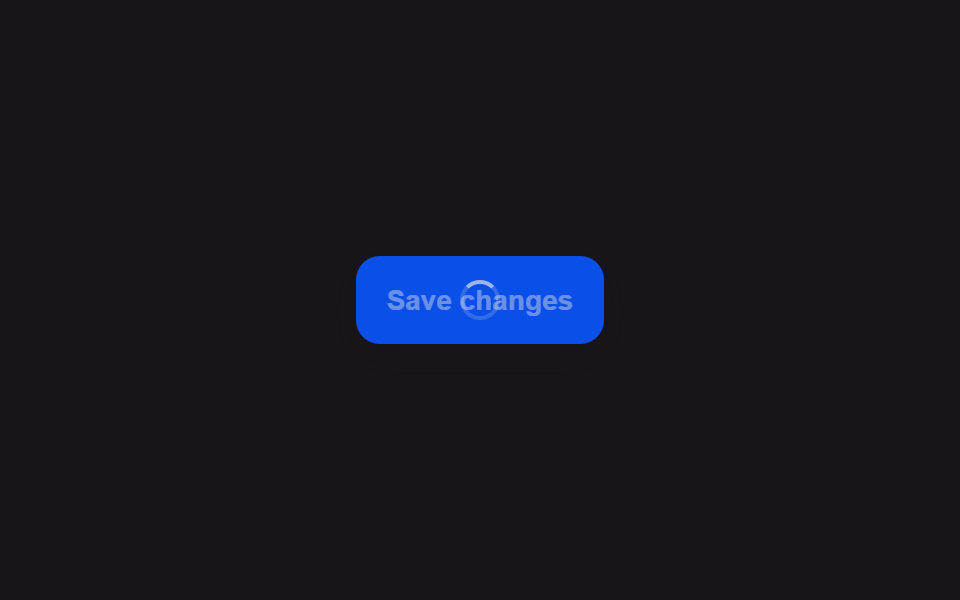 ボタン ローディング 9種 — スピナーから成功チェックまでの状態遷移9種のボタン ローディングのうち、1つはスピナーが線を描くようにチェックマークへ形を変え、1つは文字の代わりに点が3つ順に大きくなっては小さくなり、1つはラベルが一定時間ごとに次の段階の文言へ上下にスライドして切り替わります。 この記事のデモをすべて見る